Leaderboard




Popular Content
Showing content with the highest reputation on 04/19/21 in Posts
-
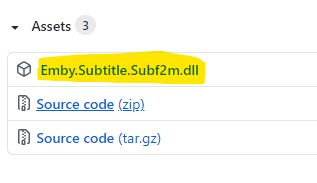
Hi, I created the subtitle plugin for Subf2m.co. Please install and let me know if there is a problem. subf2m.co is a subtitle site, The database of this site is acceptable Source Code: https://github.com/nRafinia/Emby.Subtitle.Subf2m Binary: https://github.com/nRafinia/Emby.Subtitle.Subf2m/releases/latest
 2 points
 -
Real Time Monitoring and Library Scans for Recorded TV libraries need separating out from the general file monitoring activity. on many occasions i have experienced where it is not possible to watch a recorded tv program, either in progress or finished, because the library scan/RTM is running on another library. If live tv is to be a selling point for emby, which it should be with the next gen improvements on the way, then you can't be sitting there waiting for a library scan to finish before you can actually watch something that emby has successfully recorded2 points
-
Don't! It's a trap! "We will get your images in unwanted locations, like bedroom"2 points
-
2 points
-
Thanks for sharing!2 points
-
I was updating meta data for some of my soundtracks today in Emby and thought it might be interesting if provided a link between the soundtrack and the movie where if you were looking at one you could quickly click to go to the other. I don't know if the current structure would facilitate this seeing as even the metadata for people is separated when it comes to music and movies/series: Its not really a priority item or anything just thought it would be something that could be neat for people that typically keep both the album and the movie (and it might raise the awareness for users of the system that the content is available, say if they just watched interstellar and said "Wow I liked that music quite a bit", oh look the movie soundtrack is already in here).1 point
-
As I mention in a related post, I love the additional subfolders for Movie Extras (eg, Shorts, Scenes, Interviews, etc.)! It would be awesome to extend this functionality to TV Series as well. Specifically to add support for many/all of the same folders supported for Movie Extras, eg, extras specials shorts scenes featurettes behind the scenes deleted scenes interviews trailers As well as any additional folders that get added in the future (eg, hopefully Galleries). Support Placement of "Extras" Folders Within Each Season Folder, Plus A Naming Scheme to Link A Particular Extras Folder with a Specific Episode (eg, "\Season 1\E1 - Deleted Scenes\" for episode 1 deleted scenes): I want to clarify that it would be great if these various "extras" folder types could reside within each Season folder. So for example, within a Season 1 folder we could then have an "Extras" folder, a "Deleted Scenes" folder, a "Featurettes" folder, etc. And furthermore, that we could designate a particular folder to refer to a specific episode (eg, "\Season 1\E1 - Deleted Scenes\" for episode 1 deleted scenes). See more below, particularly why I think this would be so useful: https://emby.media/community/index.php?/topic/55915-emby-server-theater-additional-extrasspecial-folder-types-for-tv-series-similar-to-movies/&do=findComment&comment=587195 Thanks for your consideration! PS - If this is something you might like to see implemented, be sure to "Like" this top/first post (as well as any subsequent posts in this thread that highlight particular aspects of what you are interested in) -- "Liking" the top/first post helps the Devs to know how much interest there is in a given Feature Request.1 point
-
I'm still trying to get a solution situated for my music metadata, so when I rescan, my recent albums are all messed up. A music variant of the time lord plugins would be awesome. Just got premiere this weekend and am loving things so far.1 point
-
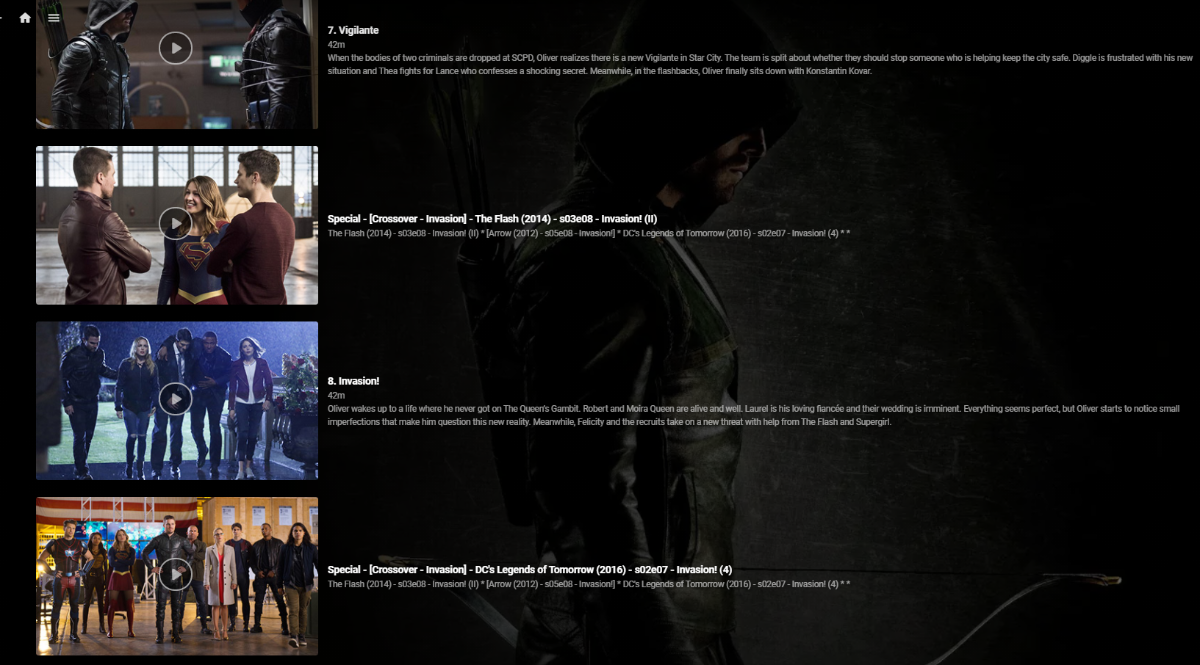
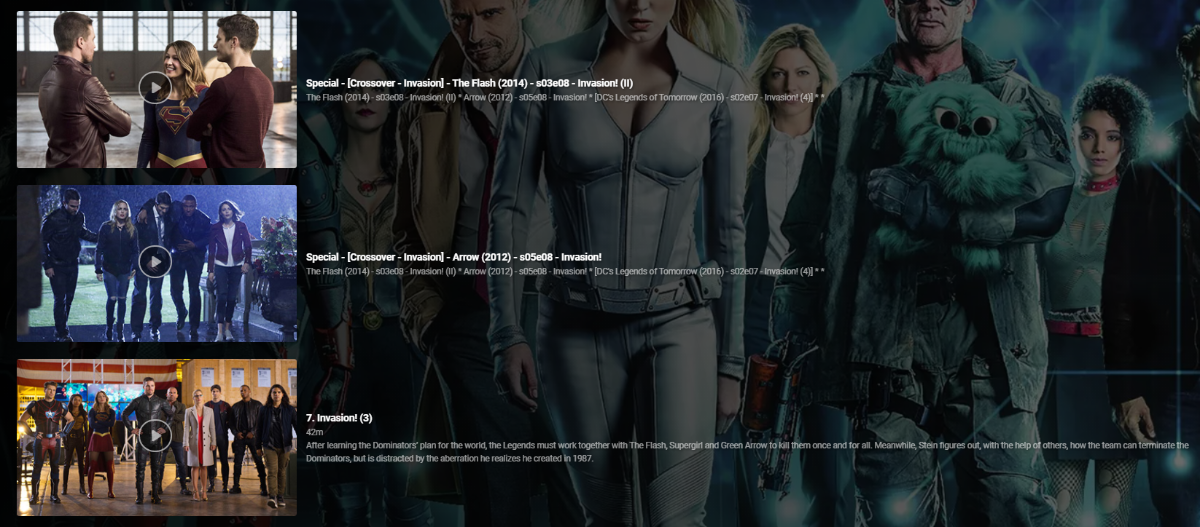
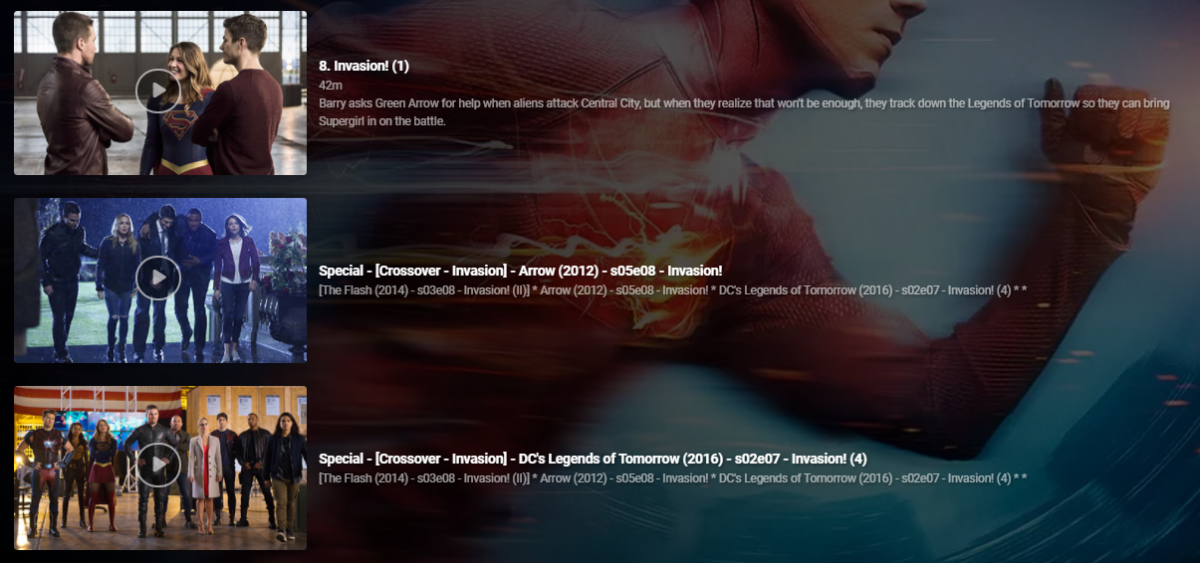
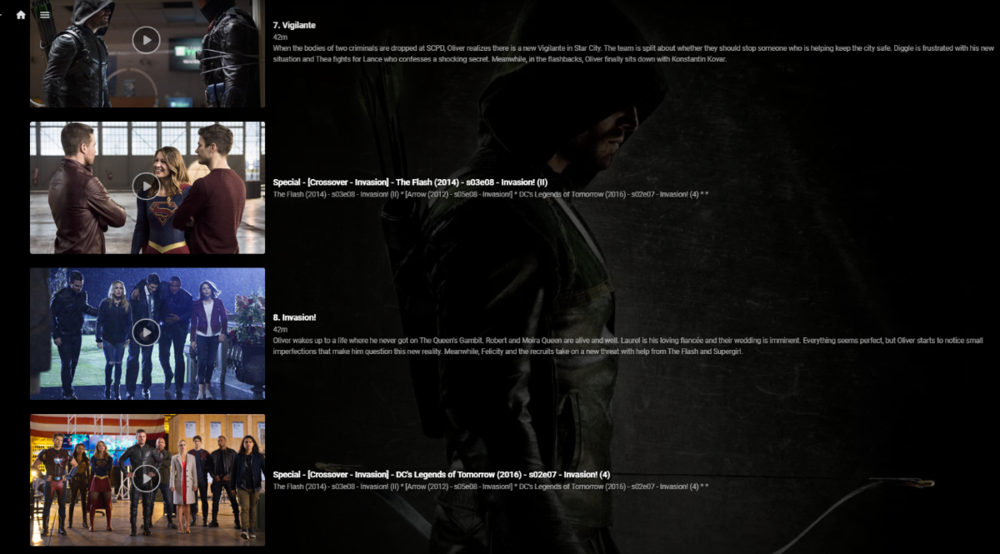
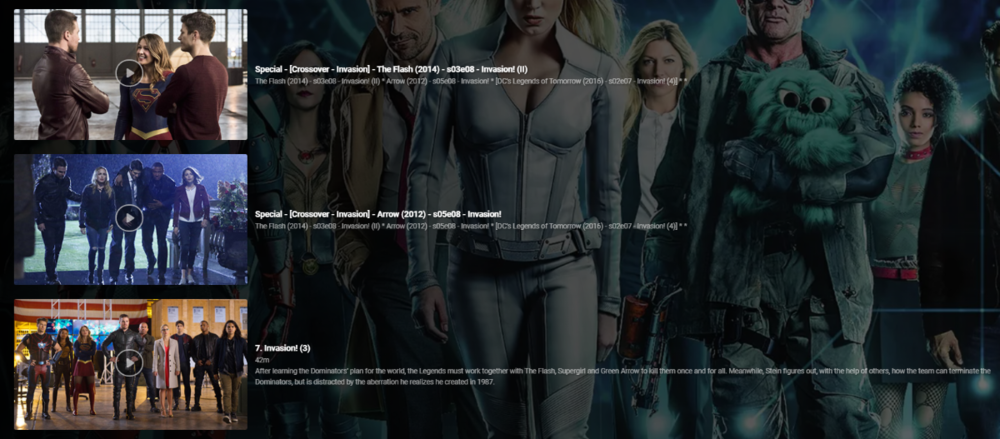
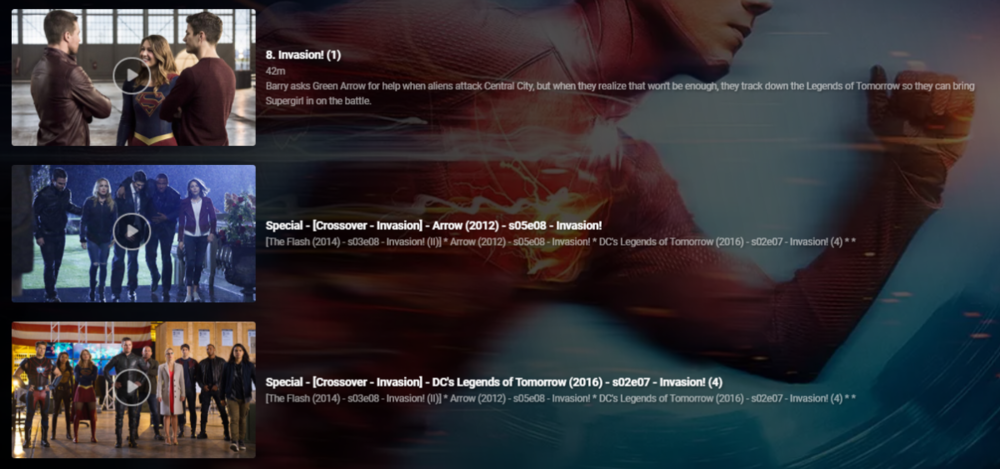
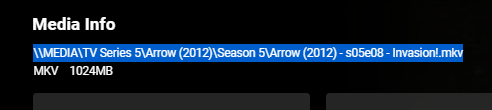
So up until this point I've been manually hacking together 'Crossover' episodes using 'Specials' - a very manually intensive and frankly laborious task. I soon realised that this is not only wasting my time, but nothing was consistent and I would lose the lot during a database rebuild or metadata refresh etc. So I thought i'd put together a script to automate this to make it - Repeatable Consistent Accurate What does it do ? Creates a .strm (link) file in the 'Specials/Season 0' folder - linking to the real media file. Copies the associated jpg file Creates a relevant nfo file - used for naming and placing the 'Special'. It does this for each member of the crossover and for all combinations. So in a simple 2 way crossover, it will create 1 'crossover' per show (2 crossover links created). You can have a maximum of 5 crossover events - so in this extreme example, each show would have an extra 4 'Specials/Crossovers' per normal episode (20 crossover links created). The reason for doing this is so it doesn't matter which show you are watching, you will always see ALL members of the crossover. So taking an example - Arrowverse Invasion ! (a 3 way crossover) The first part of the crossover is 'the Flash' so that appears as it would do normally ... (episode 8 ) .. .. the script has inserted the two 'crossover' episodes after ep8 - they are named accordingly (Arrow, then DC Legends) and the plot also details all the members of the crossover in order - with the current 'real' member in square brackets. .. Arrow is next in the crossover, so in that show, it is listing the crossovers as 'the Flash' (before) and DC Legends (after), with the Arrow episode being ep8. Finally, in the 3rd show - DC legends, it has put the two 'crossover' episodes before the DC legends Ep7. So it doesn't matter what show you are viewing it from - you always get the correct crossover sequence. Pre-requisites - The metadata nfo/artwork needs to be stored alongside the media file - this will not work if this option is not ticked (ie your metadata/artwork is held within the emby subdirectories instead). What is the script ? Unfortunately it's just a Windows based batch script that does the work (yuk, yes I know..) but it's been developed over time when I was just mucking about getting the concept correct and it works just fine, so I have no real inclination to convert it to Powershell or Python etc as speed is not really an issue here. Run it from a Command prompt - you do not need any elevated permissions but will need permissions to write to the media directories. What is the input file ? It's just a semi-colon delimited text file, listing all the crossover data. My exact file is attached, but you'll obviously need to generate your own in the format :- <special number>;<crossover name>;<show1 path to file>;<show1 season>;<show1 episode>;<show2 path to file.... blah blah <special number> is just a unique number sequence for each franchise, 10 will start the episode numbering at 101 - meaning it should not interfere with any existing specials. List of the episodes should match the crossover sequence - ie unc file 1 will show first, unc file 2 will show second etc.. Media File location ? Grab the media file location from the 'Media Info' section in a web browser - just copy and paste it into the input file. Testing I have only tested with UNC file paths (shares), but there is no reason it should not work with drive letters and folders. For your system, I suggest just creating a single crossover (or modify my file) and check to see what is has done before adding others. Nothing on the script deletes or modifies existing files in any way - it only creates new or copies existing files. Execution speed depends on your system, but for all the crossovers I have listed, it takes about 30 seconds to generate them all. Improvements Many things haha - I need to sort out creating the nfo files in a more elegant way .. I would also like to have each show listed as a new line in the 'plot' text, but could not get this to work. Down the line, I'd also like to get the input list created from the media ID's via the Emby API rather than UNC links, but one step at a time. Also - Read the Season and Episode from the UNC filename rather than add in the input file - should be easy enough to do, I just haven't got around to it yet .. Suggestions welcome Other things to note .. The crossover episodes are 'backdated' when they are created (year 2000) - they will therefore not screw up any 'new items or next up' lists. When created, you'll have to find them in the shows in the relevant season - or a quick check in Season 0 will list them all. 'Next Up Special Playing in sequence' - will only work in the Beta release - the current 'Release' does NOT honour the special sequence playback numbering. As soon as the long overdue Beta is promoted to Release, this will be fixed. (or run the beta).. edit 21/05 - 'Next Up' Special Playing sequence now works with the current Release - 4.6
 1 point
 -
That's ok the feed was from your house. Thanks for everything you do here on the forums and elsewhere. It's greatly appreciated! This is the best managed forum I've used in years!1 point
-
he wants to use clouflare's auth.. instead of emby for some reason.. Its not a good system i would advise against it. @cryzis And Argo are you sure you are using argo? That will cost you about $6 US per HD movie you stream........ It's not free... Even on my mildly used server it would cost me $303.85/month.1 point
-
It appears you only have the integrated video card, but it's a 10th gen according to the specs from Intel. You should be able to do this if you turn on hardware encoding/decoding as your processor does support quicksync. Though for some reason the log says hardware decoding is not supported, IF I am reading your log correctly. If it is falling back to software decode, that would be a problem as your processor only scores 2300 in passmark. I would also recommend upgrading your ram. 4 gigs is not enough. Since it appears you are using a laptop, I know your upgrade options are limited.1 point
-
Contact you as sonn as router arrives1 point
-
Woot. Glad you got it working. Thanks Happy2Play!1 point
-
Thanks @cayars, that's a great point. And yes, I'm in the Phoenix area which is an ATSC 3.0 hotbed if I am not mistaken. Keep up the great work. Emby brings a lot of joy to me and my family.1 point
-
Did a quick remote in with @patolaba and had a look at his router config. It's very basic and doesn't allow any adjustment nor any way to set port forwarding. He does have a new router ordered that will arrive around the weekend so we'll pickup then when he has the new router up and running.1 point
-
thanks Happy2Play, forcing the output from auto to gpu has smoothed it out no end. My wife will be eternally grateful to be able to use a remote again to navigate!1 point
-
Almost sounds like the hardware acceleration issue. Is this option still set to Auto in ET? Have you tried changing it? Or maybe Refresh Rate Switching. User icon-Video1 point
-
This is likely Roku. They have in their infinite wisdom decided that at 4 hours if you have not interacted with your remote that it should stop streaming. They call it the Bandwidth Saver. Once you disable the Bandwidth Saver in your Roku settings this problem should stop occuring. Settings >> Network >> Bandwidth Saver ( OFF ) The "are you still watching?" prompt in the Roku app has logic to never prompt (or stop) while watching Live TV unless it is over 5 hours. This is how I am sure it is the Roku itself doing this with Bandwidth Saver. It happens shortly after 4 hours. 3 minutes after which is likely when you set down the remote.1 point
-
Config file not where I would expect it to be but it is in C:\Users\username\AppData\Roaming\Emby-Server\programdata\config.1 point
-
As mentioned above, in this example Lenny Kravitz is the first Album Artist and his backdrops will be used when Album does not have any backdrops.1 point
-
Boo. LOL Latest Roku Emby client is running fine for me with Server Beta 4.6.0.39.1 point
-
The version Luke has mentioned is available to use now if you don't mind running the beta (very stable at this point). It also shouldn't be a lot longer before this version hits release if you wanted to wait. This should would work very well in combination with what you already set up in xTeVe.1 point
-
I have a VPN setup and use that primarily. I did create a cloud account to test it out, but I've not actively used it. Of course I've changed all my passwords, and have 2-factor enabled. I'm inclined to just severe that connection though.1 point
-
as long as you don't use unifi's cloud service (and who in their right mind would use any provider's cloud service of anything for this very reason) there is nothing to be concerned about. everything online can and will get hacked. the only thing you can do it hope that the service that is hacked fronts up about it fully and quickly1 point
-
A quick batch script to add via mkvtoolnix CLI will automate this operation or you can use ffmpeg to demux, add the track and remux if that suits you better. I'm with the other though, unless you are converting an existing track to a different format for compatibility reasons (say adding an AAC track from an existing DTS track), then I've never seen audio only tracks being available to 'append' to existing AV media. Is there an 'Audio' version of the subtitle providers that we are unaware of ?1 point
-
obviously if you obtained your media legally this wouldnt be an issue...1 point
-
you should be fine playing everything apart from 4k from g drive. so either download your 4k movies and set up a new local library or don't get 4k versions of movies1 point
-
Well, somehow it magically fixed itself. So, there's that.1 point
-
No, thanks for checking but the problem's gone away. I'm not sure how though. I rebooted the server that runs Emby, but I can't see any other change that was done. Possibly the Chromecast/Google TV device had an update and my rebooting of it too may have done something. Also to answer cayars question "DASHBOARD what does it show you for In-Home (LAN) access or Remote access?". Unfortunately the IP's/URL's shown here are invalid, my Emby server runs inside and LXC container on a Linux host. The only way to access it is via the reverse proxy through https://mediaserver.mydomain.tld Anyway since it's working it's all good, thanks for your replied1 point
-
Hi, yes we'll support channel groups in the upcoming 4.6 server release.1 point
-
SUCCESS! I really wish I had thought of that earlier. I'm very frustrated at Synology for not suggesting that earlier. Thank you everyone.1 point
-
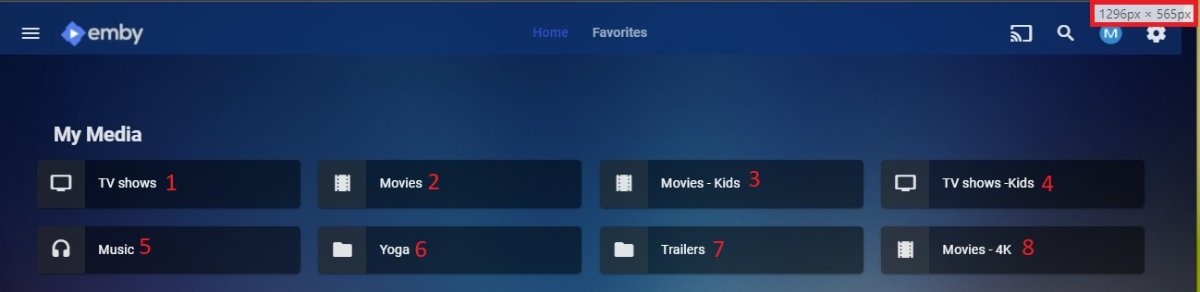
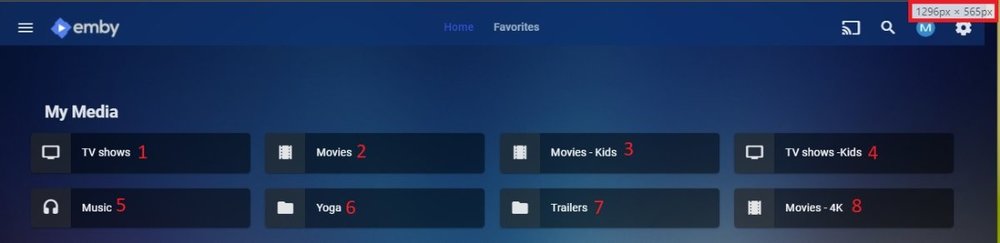
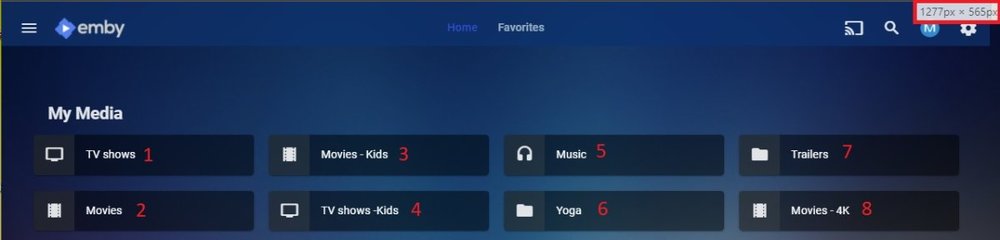
But this order only change on Small at specific resolution, to me that statement would apply to My Media also but does not. My media always maintains left to Right. As mentioned there is no Vertical/Horizontal option here, scaling is making the change. But OP issue is still different if seeing different results on same client from different platform servers.1 point
-
I would still say direction order should be maintained, one or the other. As order changes right about here.
 1 point
 -
@Scrums Ah - I can see the confusion lol - you have hijacked the OP's original thread - when they were talking about separate VLAN's ... that's what I thought you were talking about ... I don't have time to answer your question properly today - but it's good forum etiquette to start your own thread if you have an unrelated problem so I would start a new one and let the OP's thread continue to discuss vlan's ...1 point
-
Maybe because Plex tunnels better? There is far too much underlying code that could explain the difference, and also time. When was the last time you tried to do this with plex? Just stop trying to do this, and build a local server.1 point
-
If you play this media back directly in Windows Video Player do you get sound? If not try looking at WVP sound settings.1 point
-
Did you select an external player to be used in Theater setup? That what it sounds like. Can you check your client settings in that specific app and adjust this if it's set to an external player?1 point
-
Have you tried this app on a different computer just to isolate this possibly to one machine? Is sound in general outside of Emby working on this machine?1 point
-
Sure as I don't believe it is related to the server since it is Direct Playing. Moving to ET section.1 point
-
Not sure but I would bet it is isolated to this specific machine. But someone more familiar with ET will have to comment.1 point
-
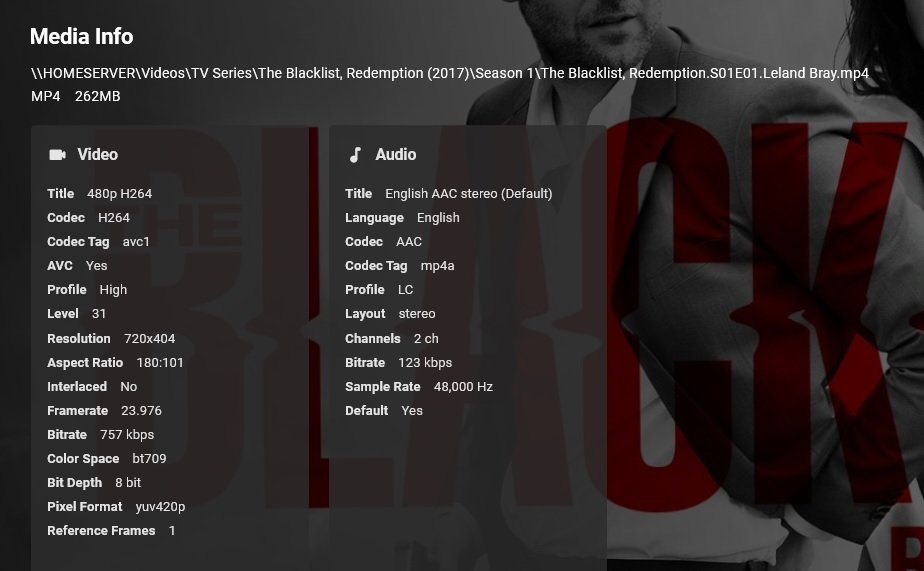
This will help but media info is found at the bottom of the episode details screen. So is it playing no sound or just really low sound? I have no issue playing media with roughly the same specs. Server 4.6.0.38 ET Store app 1.1.346.0
 1 point
 -
Yes please supply a copy of the media info from the bottom of the web app detail screen. thanks.1 point
-
I would start with a new server log and replicate your issue, then post that log. Dashboard-Scheduled task, rotate log to start a new one.1 point
-
Moved to Testing area but may need to be in Theater section. Devs will probably need to see server log for a specific example.1 point
-
If you have the option of connecting the Roku directly into the receiver - then my view is this is the better option as it eliminates any eARC/ARC issues. Video is then passed through to the TV and (if necessary) you can usually delay the audio on the receiver itself. Turn on the Roku first, and CEC will then turn on the Receiver, which in turn will then turn on the TV.1 point
-
Hi, yes we are working on getting it into all Emby apps. Thanks for the feedback.1 point
-
I've been digging into this - even the very latest release of ffmpeg/ffprobe (4.3.2) still does not identify the 'colour space/primaries' correctly - and simply lists it as bt2020 (HDR) If ffmpeg can classify the colour space / HDR type correctly, then I expect emby will display that info. ie HDR Type Identifier HDR10 2020 HDR10+ 2094-40 Dolby Vision 2094-10 HLG 2100 AD-HDR 2094-20 + 2094-30 Same info with TrueHD Atmos / HRA etc - ffprobe does not identify it other than 'TrueHD' ..1 point
-
Specials in continue watching/next up will be supported in Emby Server 4.6.1 point
-
I got it working, I left the Run server at startup ticked. I guess this starts the app before the schedule I created could run and cause there is already an active instance it wouldn't start a second. So basically, remove "Run server at start up" Create a schedule to embyserver.exe which has "Run this program as an administrator" ticked and Bingo!1 point