Leaderboard




Popular Content
Showing content with the highest reputation on 04/14/21 in Posts
-
@cayars Thanks for sharing that! @ebr I've tested the original file I provided and some additional content I have and the results look good! I haven't run across anything that breaks as of yet. Thank you!2 points
-
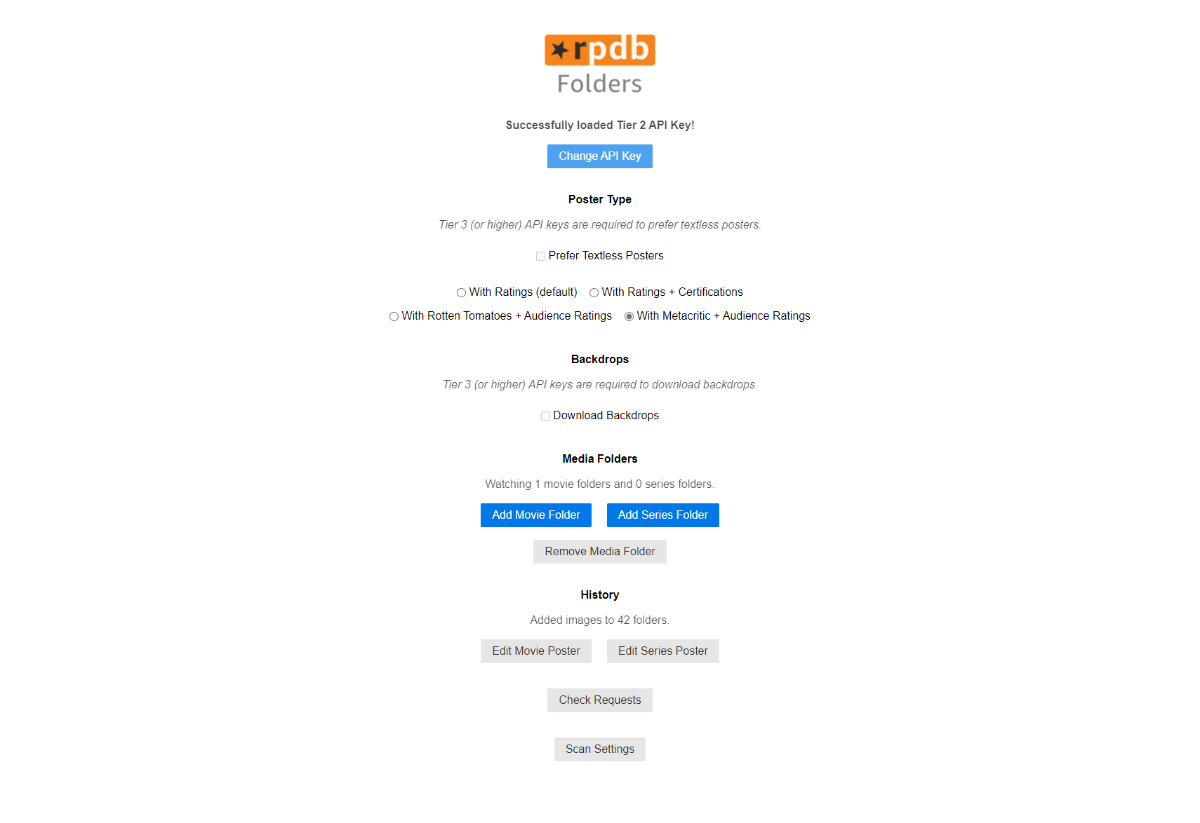
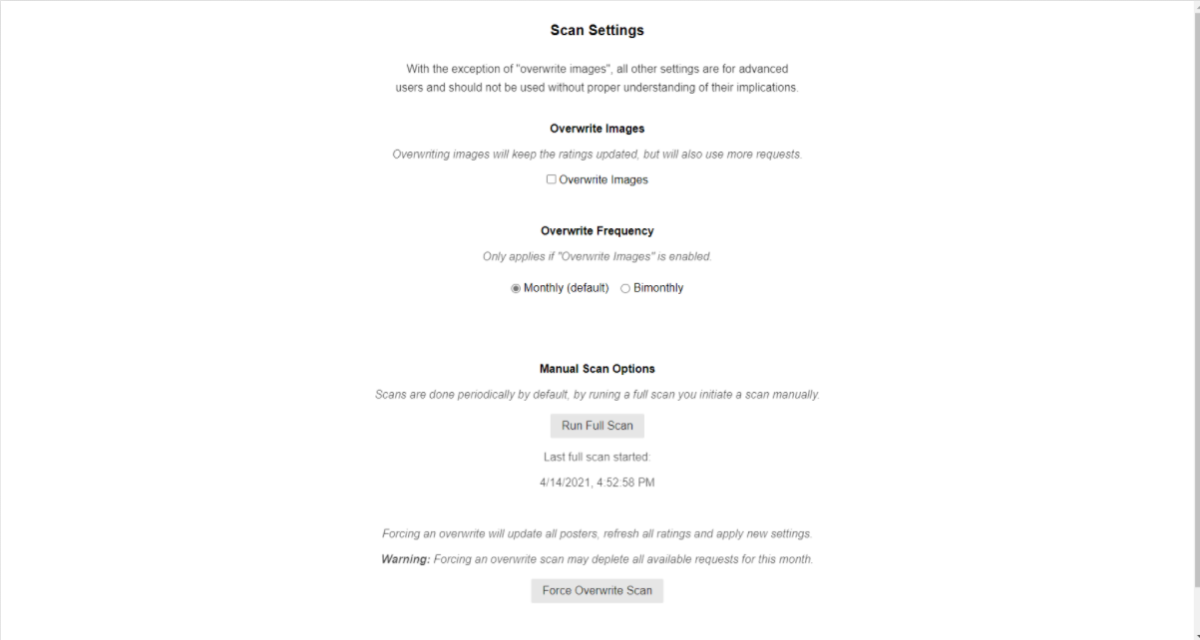
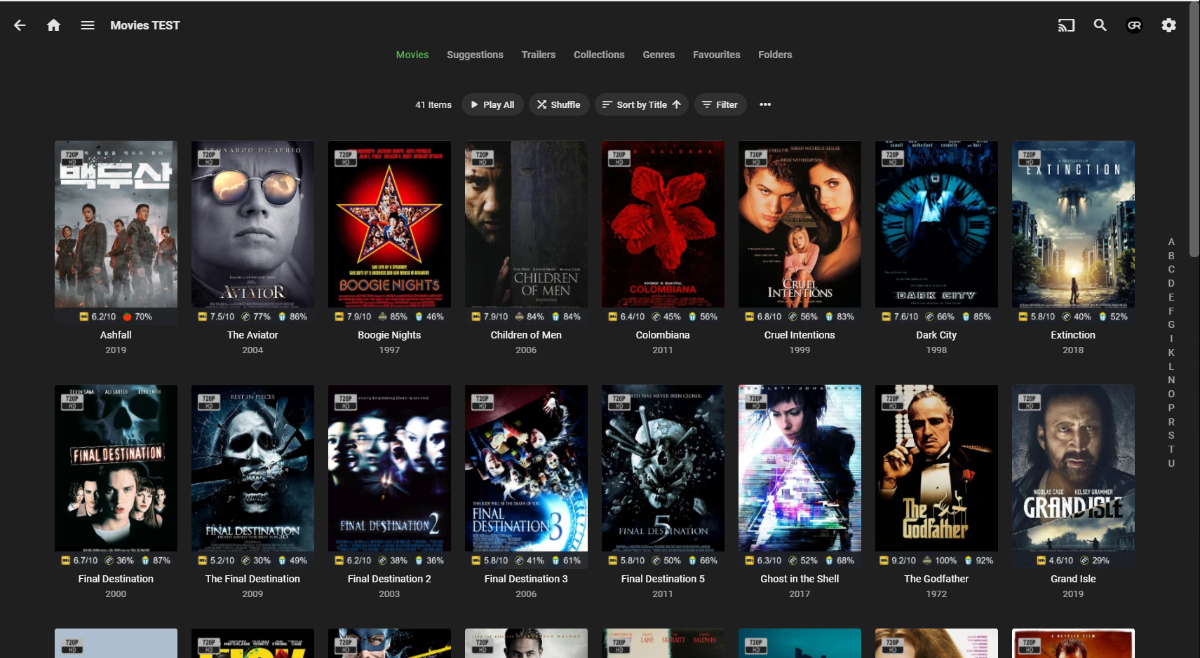
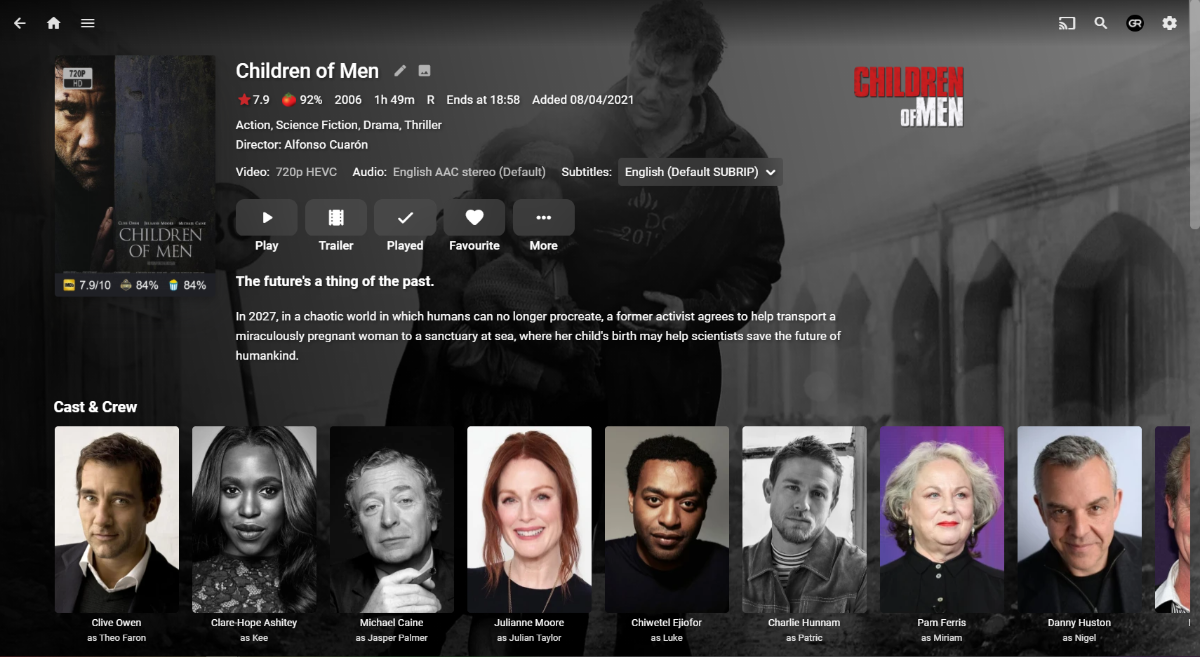
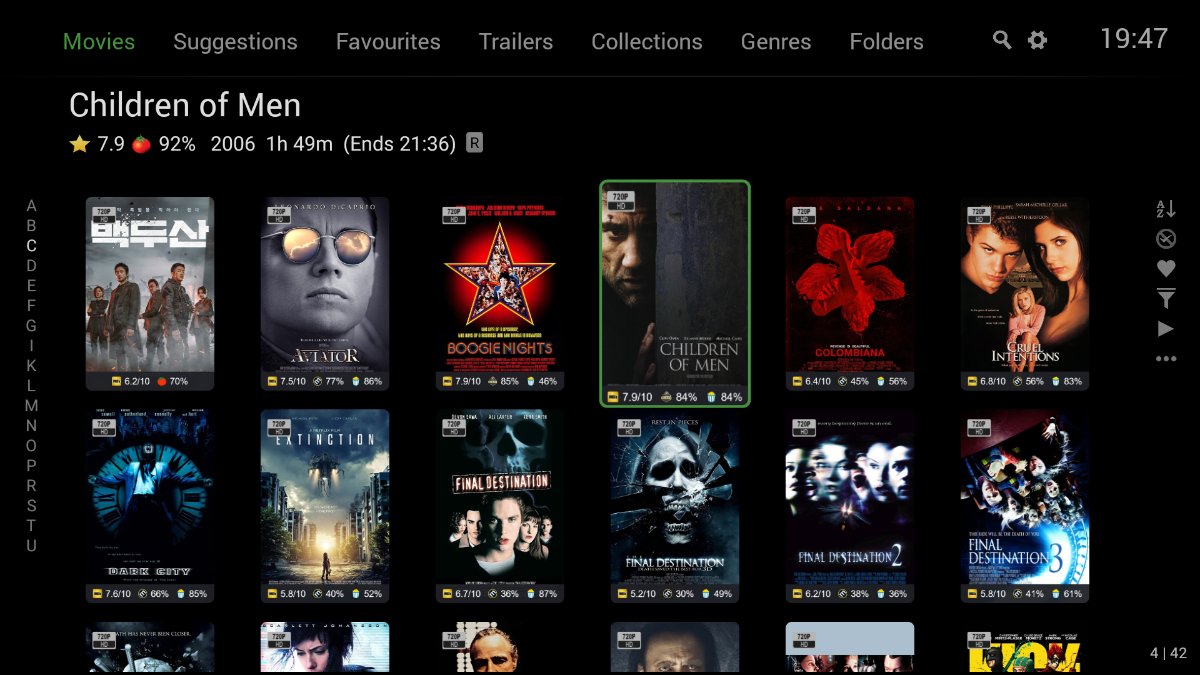
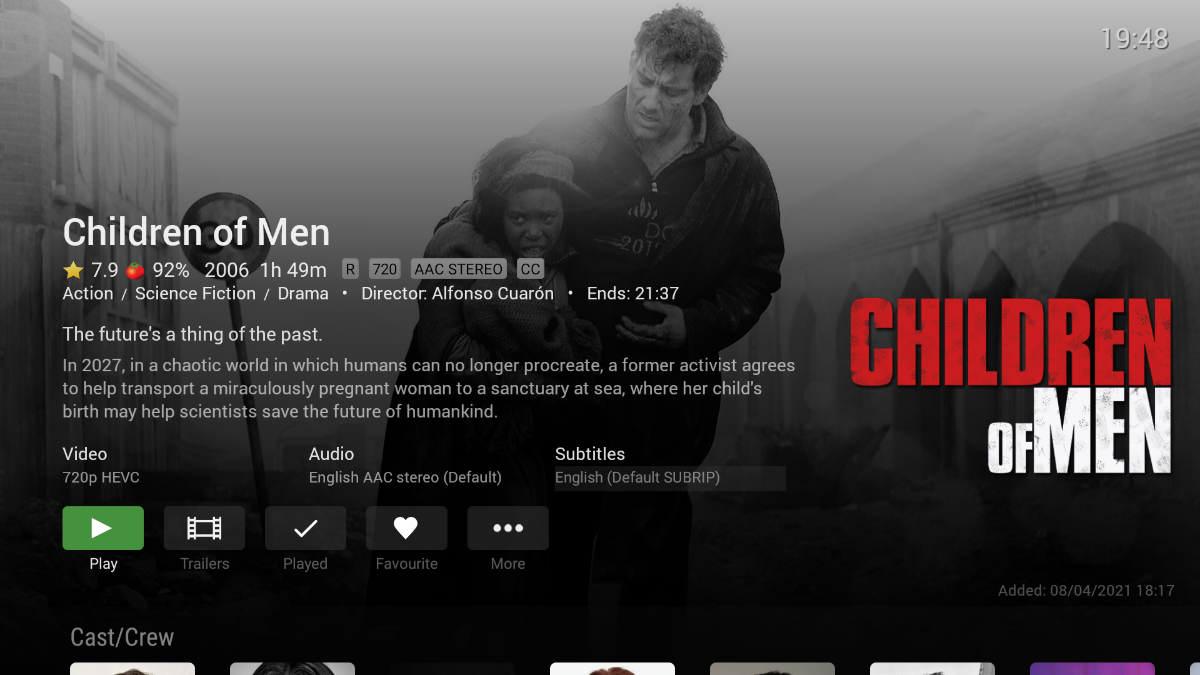
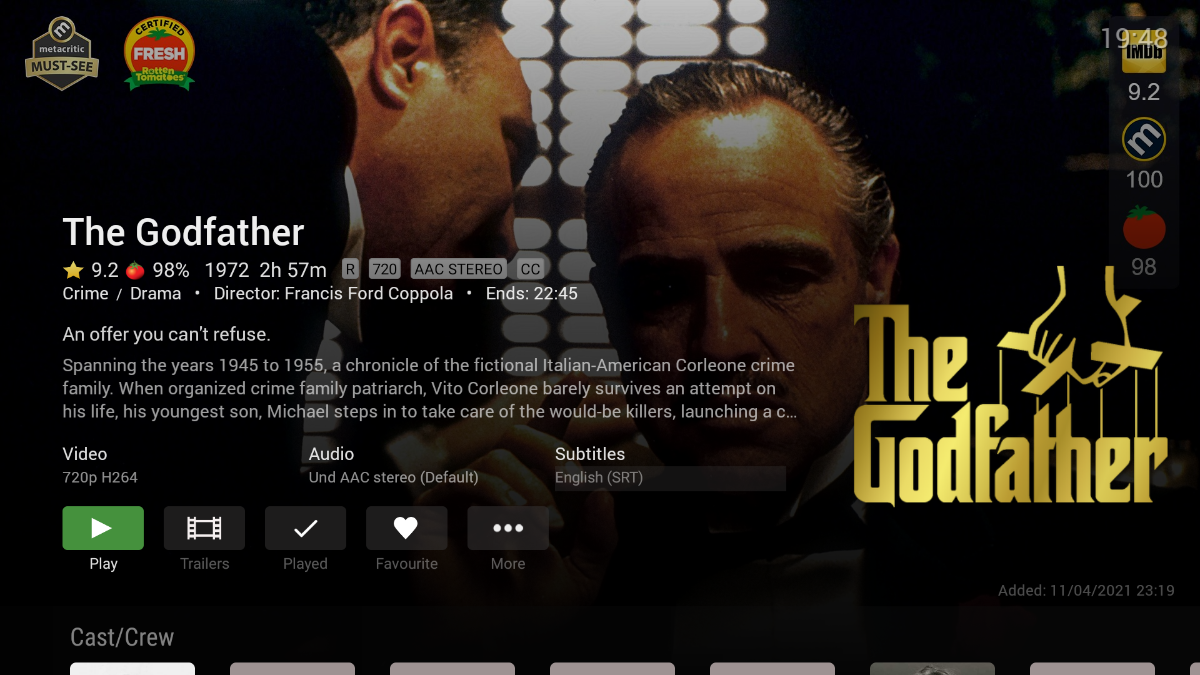
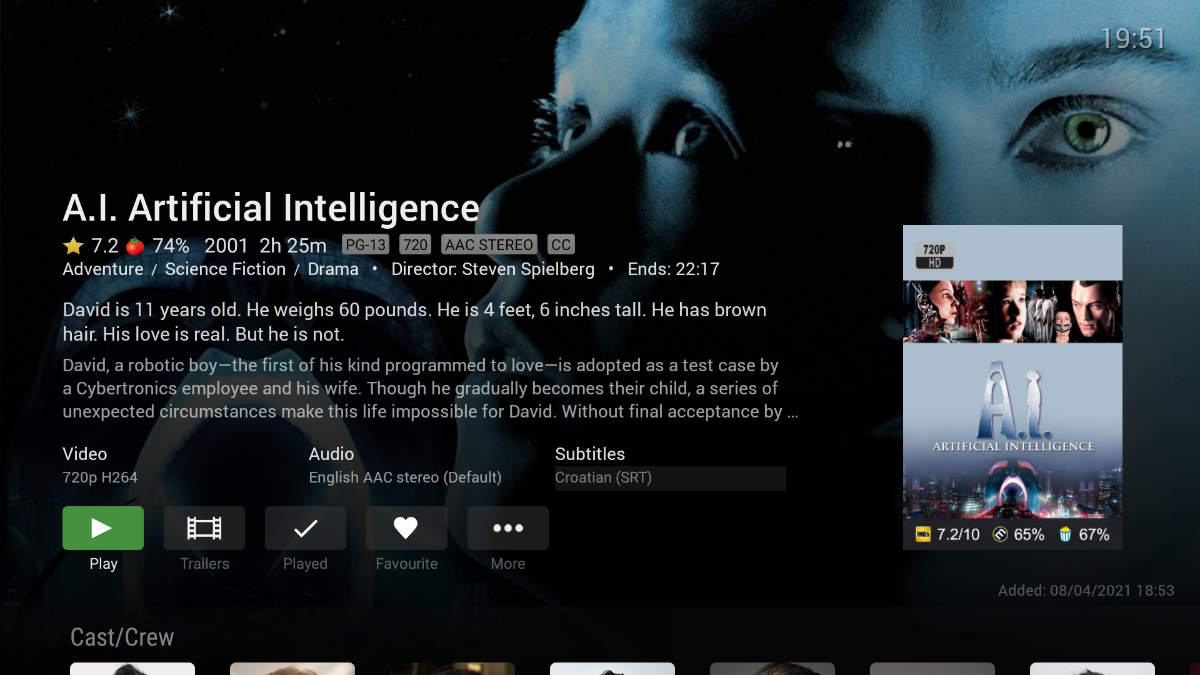
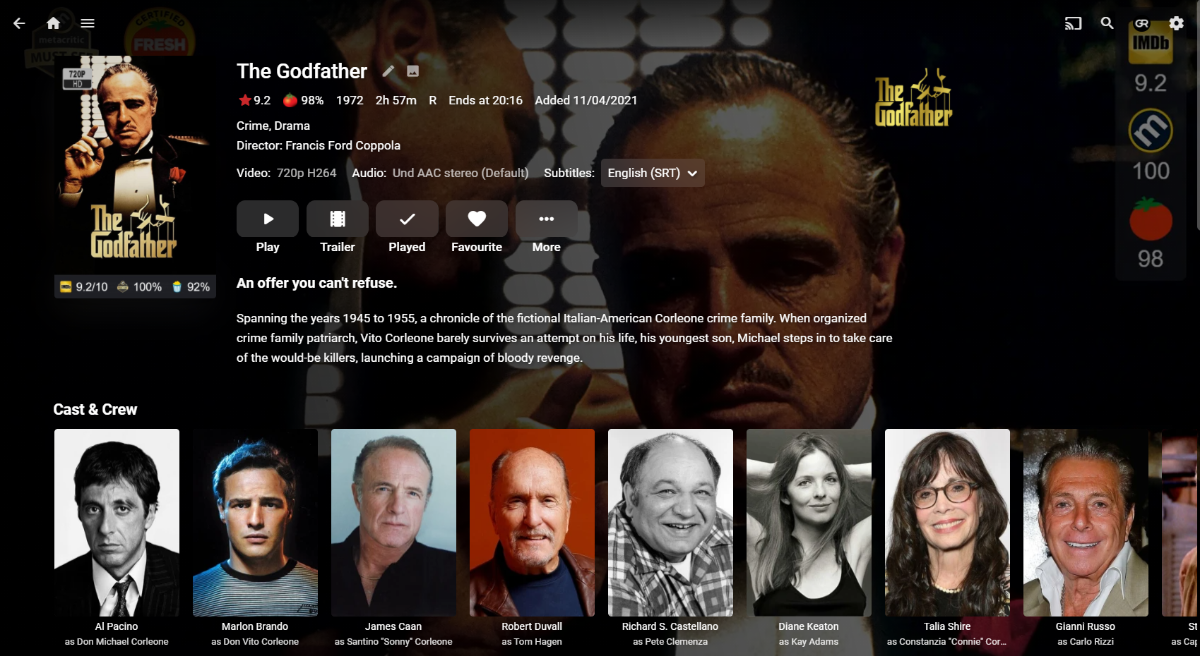
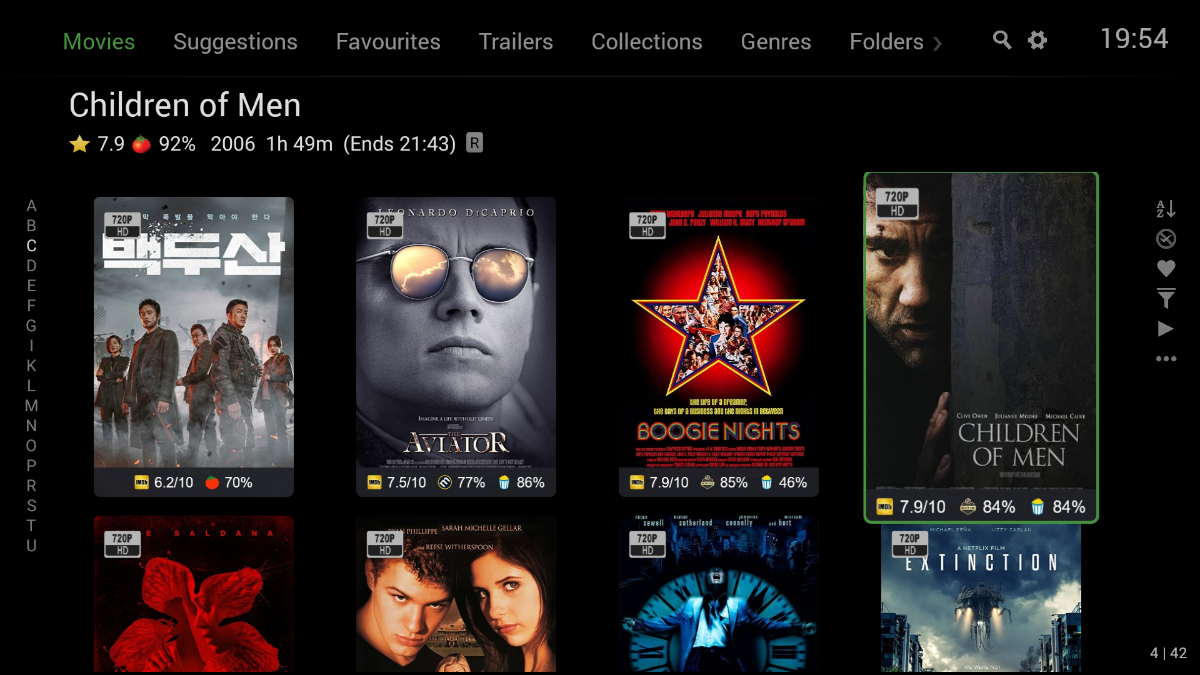
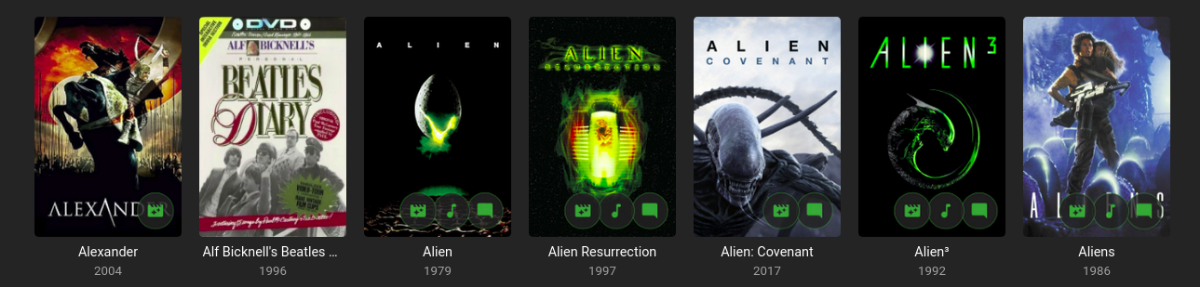
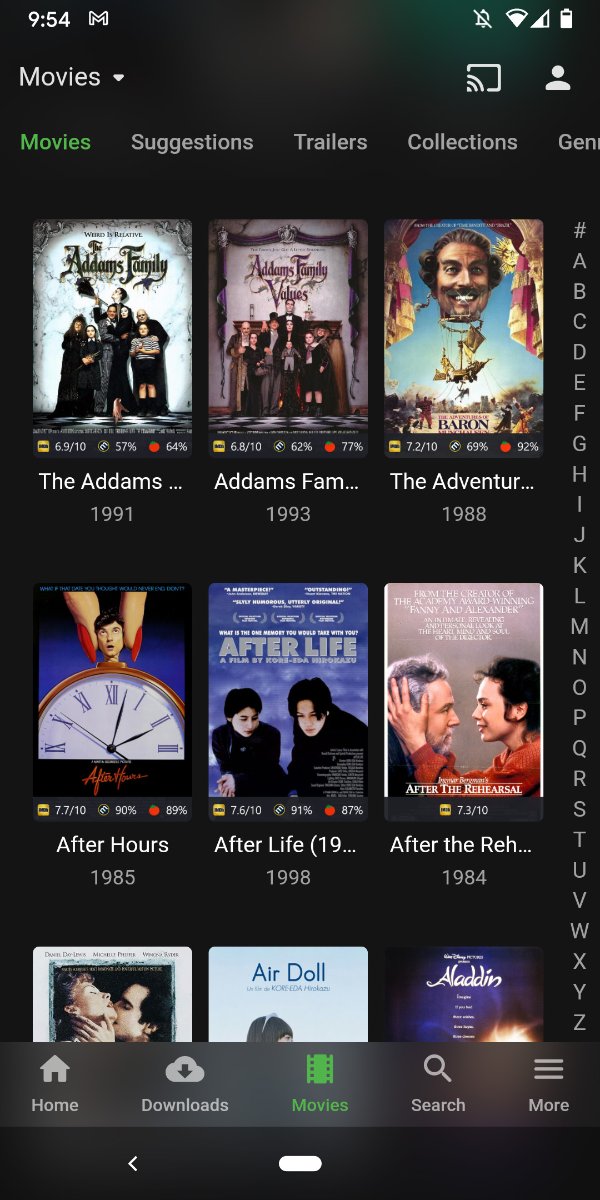
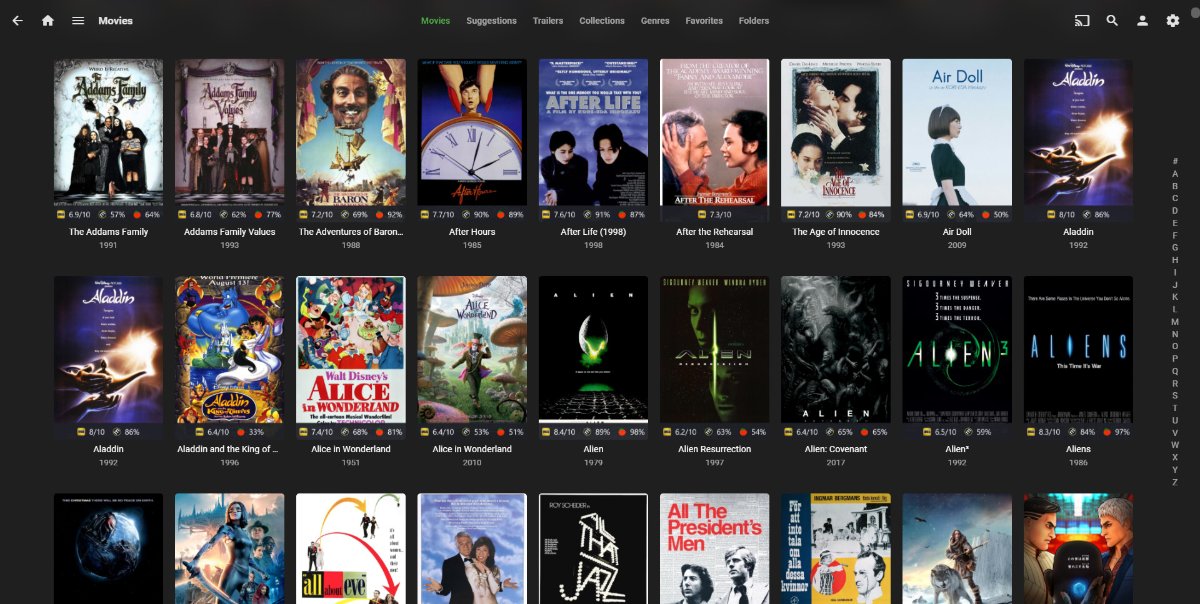
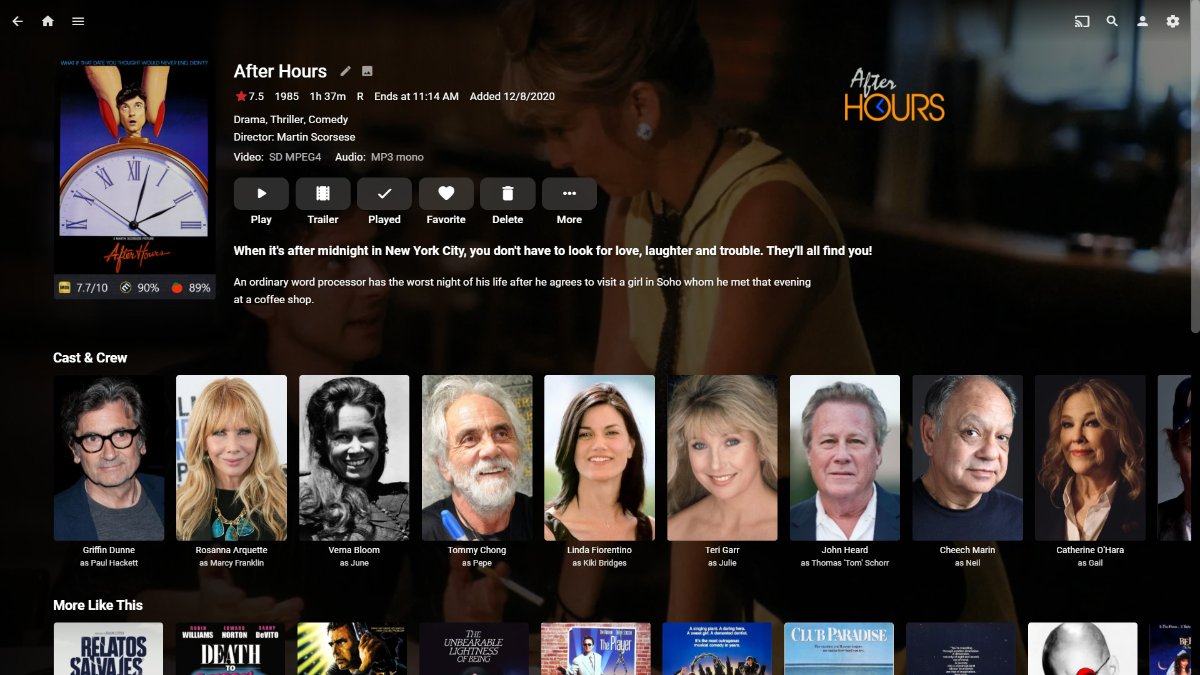
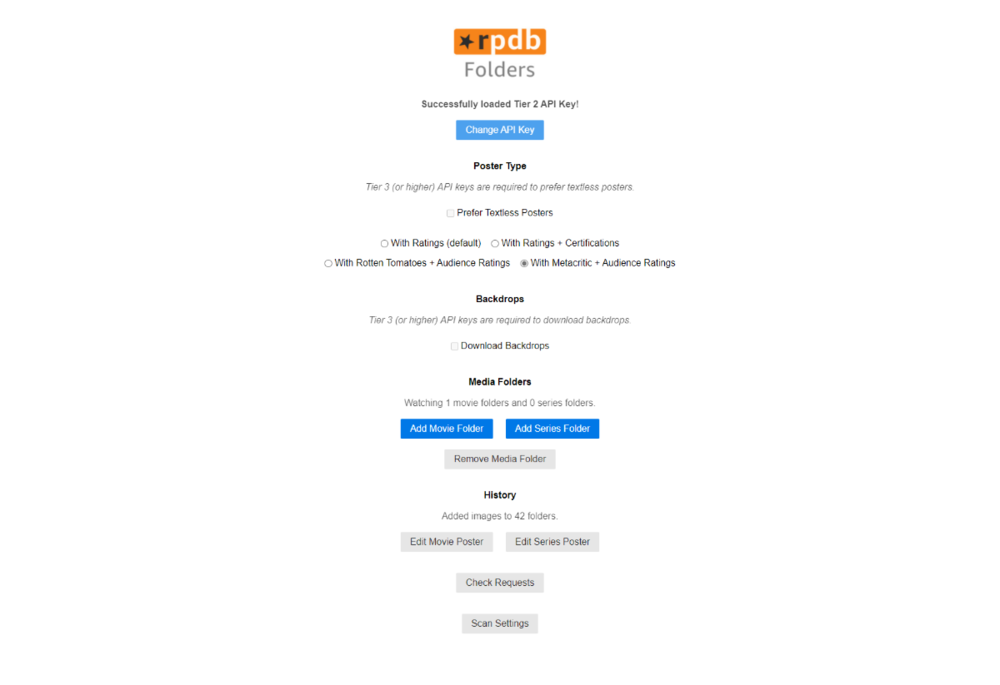
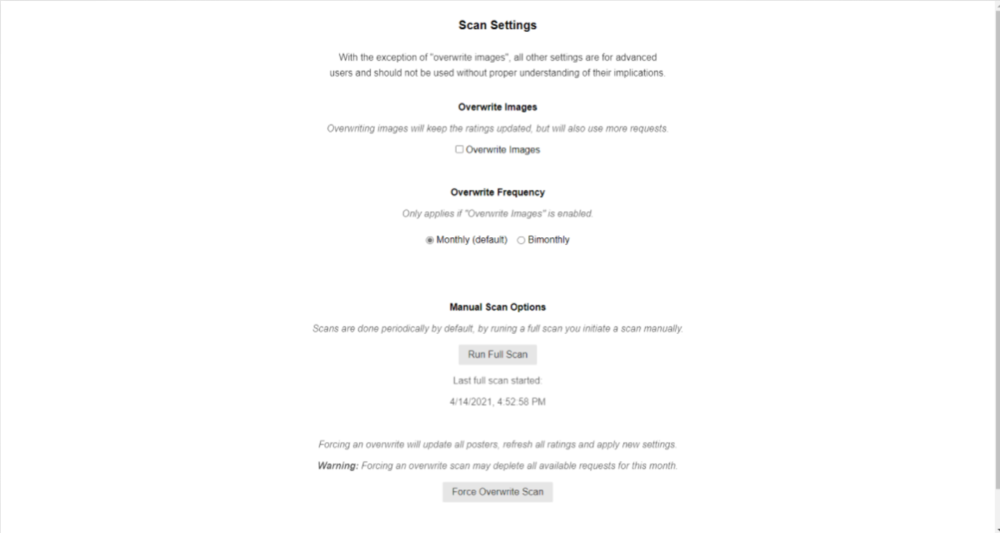
To potentially assist those thinking about checking/subscribing to the service, will share my experience/observations (note that I did opt to use RPDB Folders app as opposed to Emby plugin, due to the way I'm curating my collection): Subscribed through Patreon the other day for Tier 2 and made a trial run on small library (40ish items) to see how it actually behaves. Tier differences are well documented and explained on project site, imho Tier 2 is a minimum. Upon subscribing, API key was received by email shortly thereafter and inserted in RPDB Folders web-interface: Setup was pretty straightforward, most notable decision is to decide which ratings you actually want to be displayed on posters - I settled on Metacritic+RT Audience (reasons will be explained/shown later). "Add Movie/Series folder" is self-explanatory. "Edit Movie/Series Poster" is used if your Tier allows it, to change any default poster to TMDB one. It does take some manual work, as there is only Search field and no chooser/picker, but that was explained as there are users with 40,000 items and listing those might be a hag, which does make sense. "Check requests" lists your used/total requests, as each Tier allows only for a certain number of those, i.e. 6,000/month for Tier 2, with each higher Tier accommodating more of those. "Scan Settings" is where you actually configure behaviour: Mostly, use it (or no, as it will count against your requests) to keep ratings up to date. All that said, on to actual usage: Initial scan took few minutes and 42 posters downloaded, I reckon it took few minutes at the most (note that all posters are downloaded as poster.jpg and backgrounds as background.jpg; depending on your artwork naming scheme, they might or might NOT get precedence, as discussed in plugin thread). Upon Library scan, they were all shown in Emby: (Web app) Some slight poster color scheme/backdrop padding issues there, but nothing major. However, it all does look better in Andoid TV app: (Android TV app) I've found that it works best when Logo is not preferred in App settings: In this way (as mentioned above when choosing which ratings to show), one can have: IMDB, RT Critics, Metacritic and RT Audience ratings shown at Item Detail Screen, and I reckon that is really everything anyone actually needs. All that said, few of the observations: - Dev was very responsive and explained in detail every query I had, great support - Note about poster providers: IMDB posters are preferred (and only choice in Tier 1); however, Dev expressed willingness to change preferred posters to TMDB ones (as there were other requests for it) and it should happen inside next month or two - As per Dev, all posters are locked to 580px width, with possibility to introduce larger sizes in higher Tiers in the future; personally, I have no issues with that All in all, it was pretty straightforward setup/run and I fully support the idea and implementation in general (although I will put my usage on hiatus until TMDB posters become preferred as I cannot stand IMDB ones, I'll keep my subscription alive to support the project) and I do encourage anyone to try it out as I already had a rant about ratings implementation in Emby in this exact thread and some others and I reckon this is something that is more than welcome in Emby ecosystem. Great work, @jaruba.
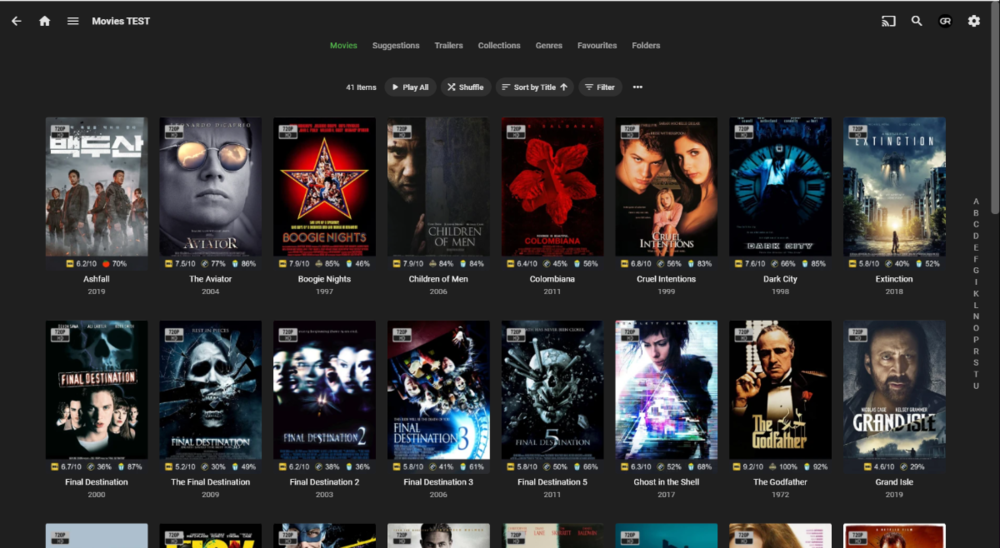
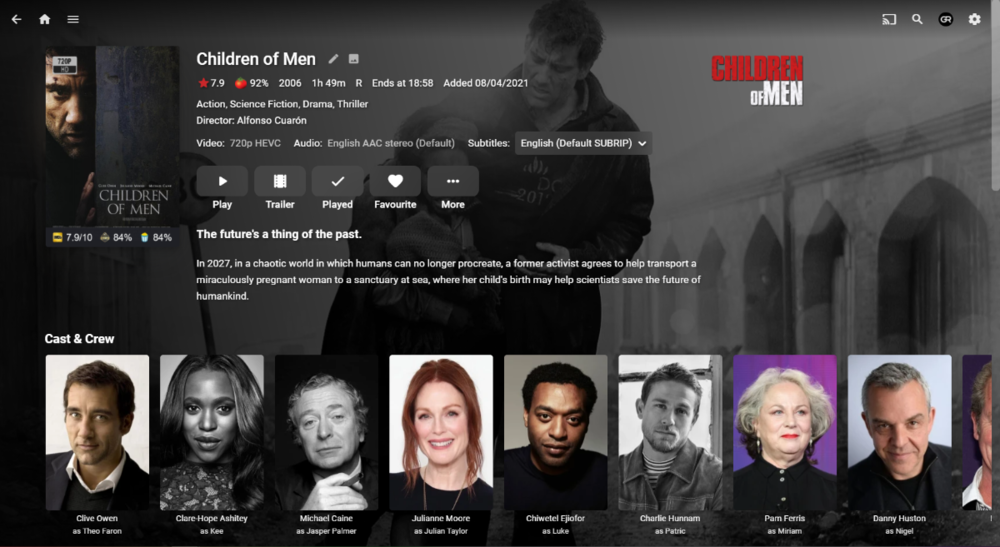
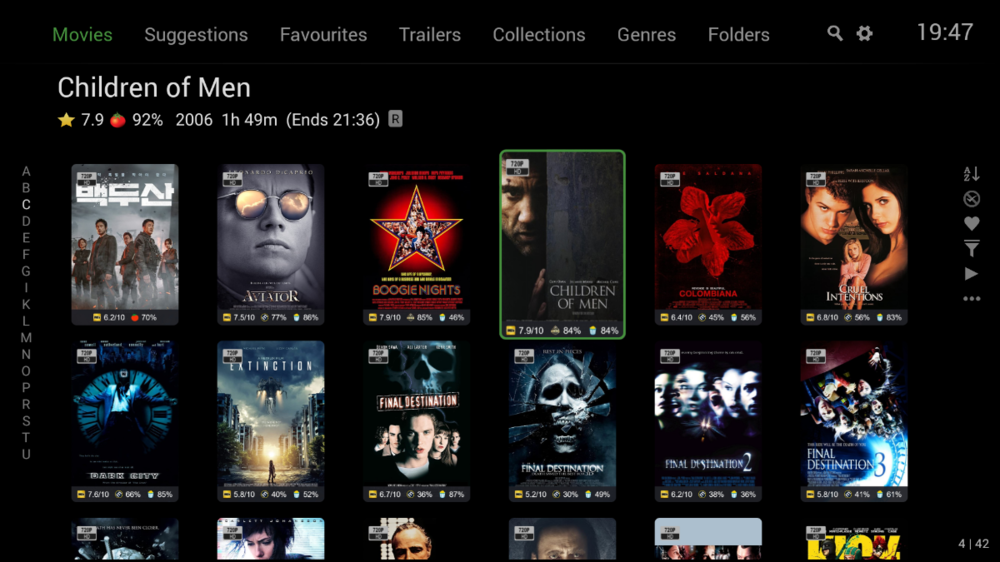
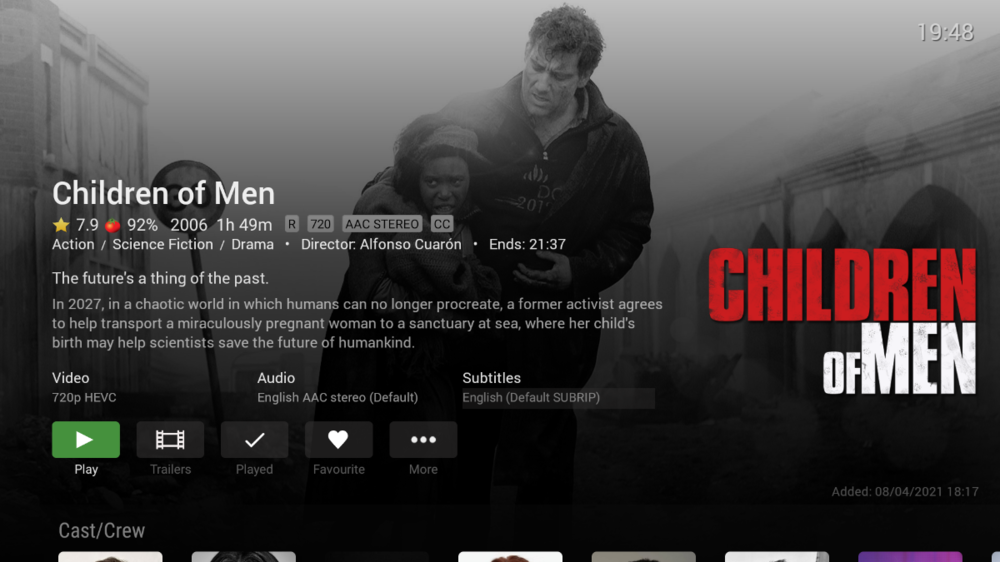
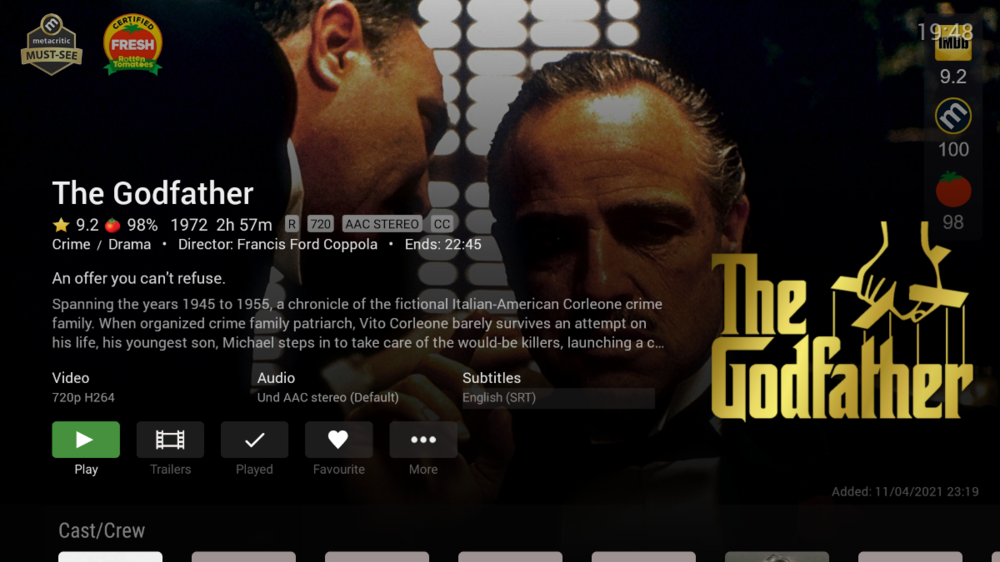
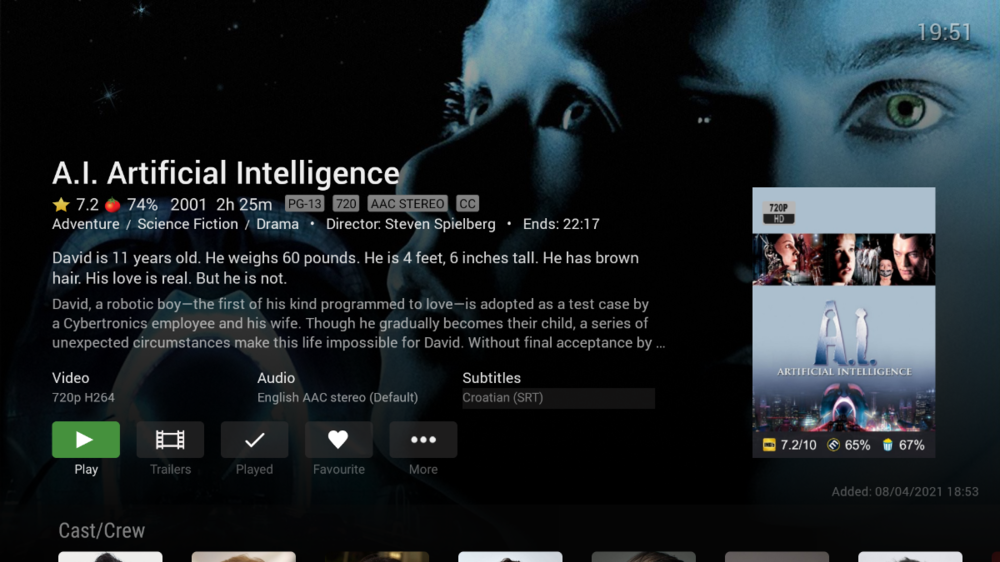
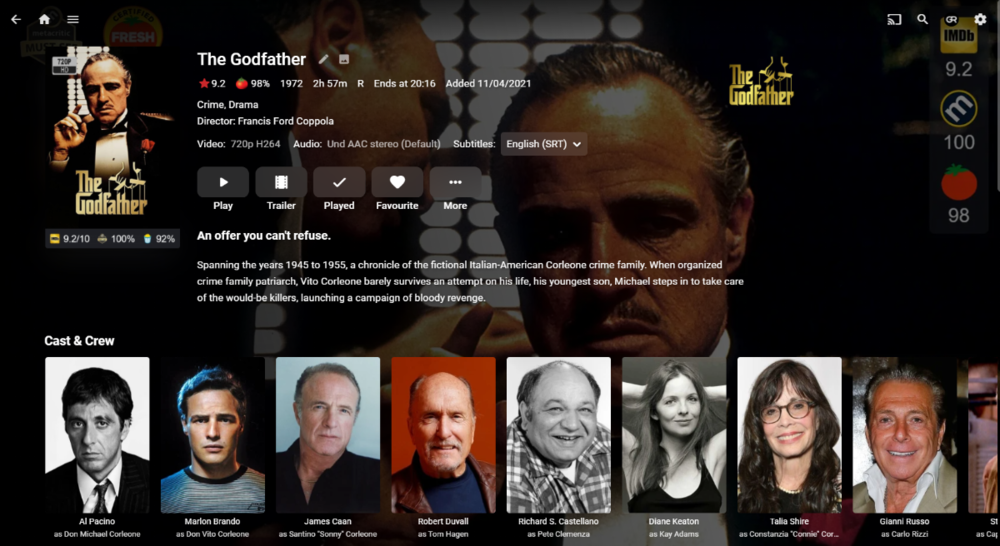
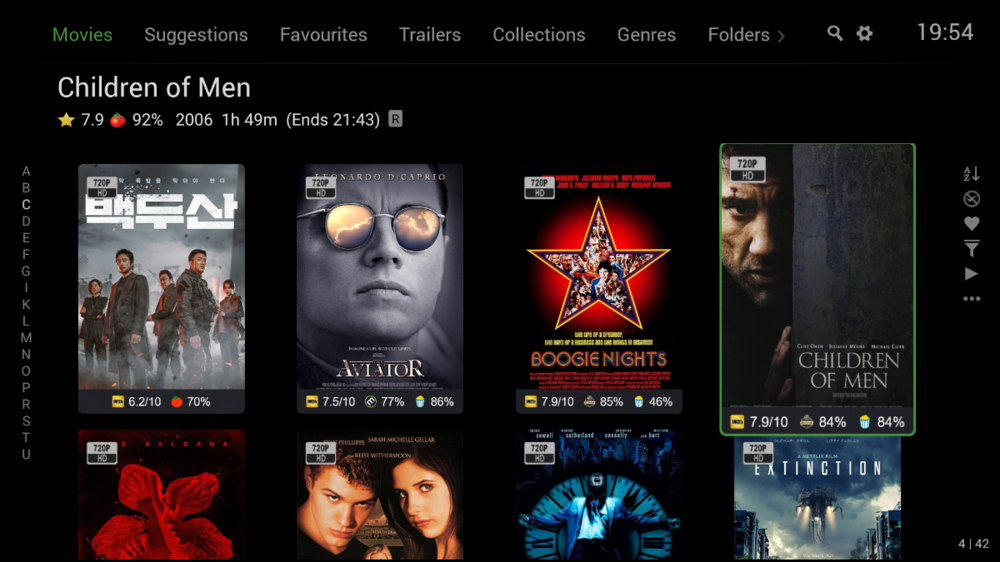 2 points
 -
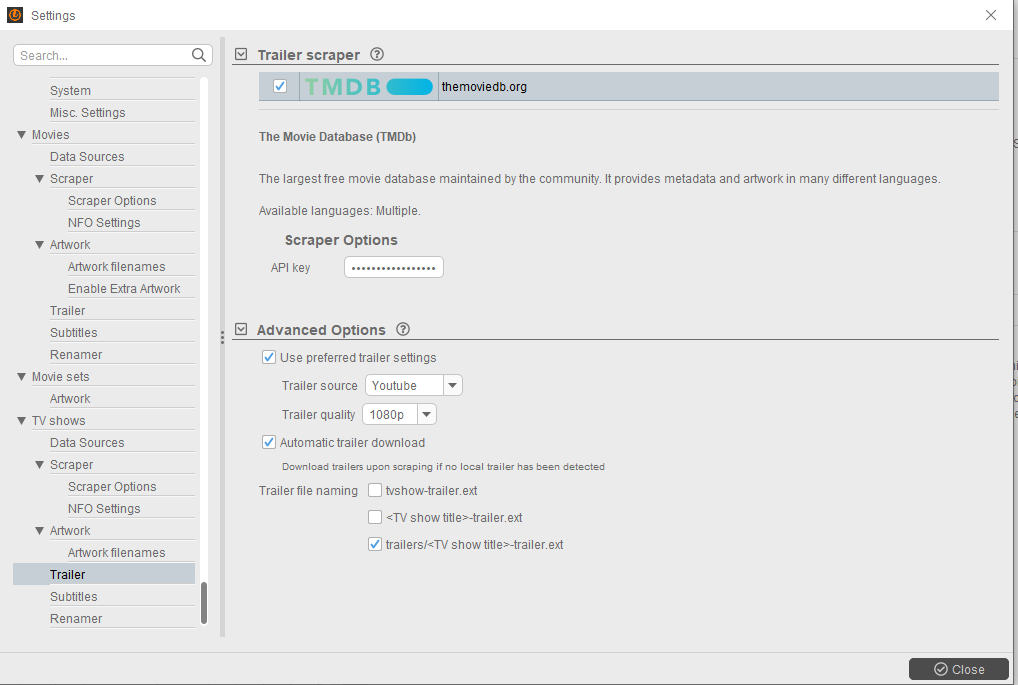
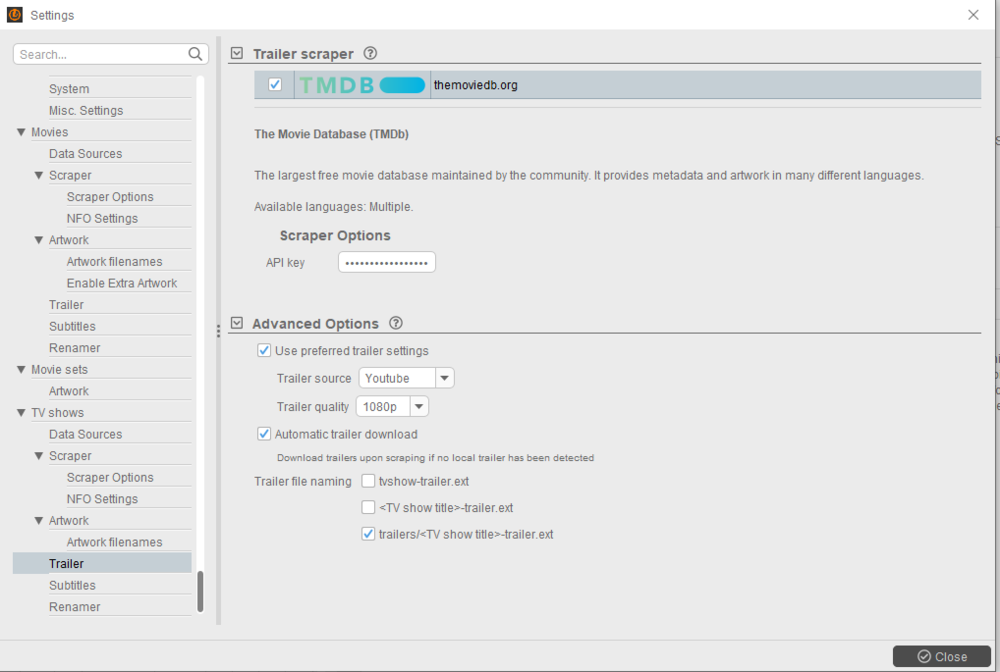
OK, back. For retoractively scan for your trailers and move to \trailers\ subfolder, you can either run CMD line: FOR /d %A IN ([path to your parent tv-shows folder]\*) DO mkdir "%A\Trailers" & move "%A\*trailer.*" "%A\Trailers" or run a crudely-made script out of it from inside your parent folder: tvshow-trailers.bat You might need to adjust that for your trailer naming scheme, as until recently the only option in TMM was to name it tvshow-trailer.ext. However, note that following few issues I raised here: TMM/Emby : tinyMediaManager (reddit.com) latest TMM 4.1.3 brought few Emby compatibility improvements: Release 4.1.3 : tinyMediaManager (reddit.com) + Emby compatibility enhancements (TV shows) proper trailer naming for Emby (TV shows) added tmdbid to the NFO (TV shows) added option to write <enddate> to the TV show NFO (TV shows) added option to write all actors/guests into the TV show NFO One of them being saving TV show trailers into \trailers\ subfolder (yay!), therefore eliminating the need for any manual action going forward, either through CMD or script: Hope all that was clear enough, nudge for any additional assistance required. Cheers tvshow-trailers.bat
 2 points
 -
I have created a new plugin: https://github.com/jaruba/RPDB-Emby-Plugin For my new project: https://ratingposterdb.com/ Although I'm a professional developer, this is the first time I used C#, so there are still things to improve. I was told to post here in order to get a Developer ID to be able to publish the plugin to the Emby catalog. For all those that want to try it out, DM me and I'll send you a free trial Tier 1 API Keys that will expire on the 15th of May. There is one issue with the plugin right now, my API gets images based on an URL pattern, some images may be missing (most likely backdrops, as RPDB hosts all known posters), in this case Emby seems to consider a HTTP status code error as valid and sets an empty image as an option. Alternatively, the RPDB Folders app also works with Emby: https://github.com/jaruba/rpdb-folders (and is more flexible with settings than the plugin for now) Here are some screenshots of RPDB in action:1 point
-
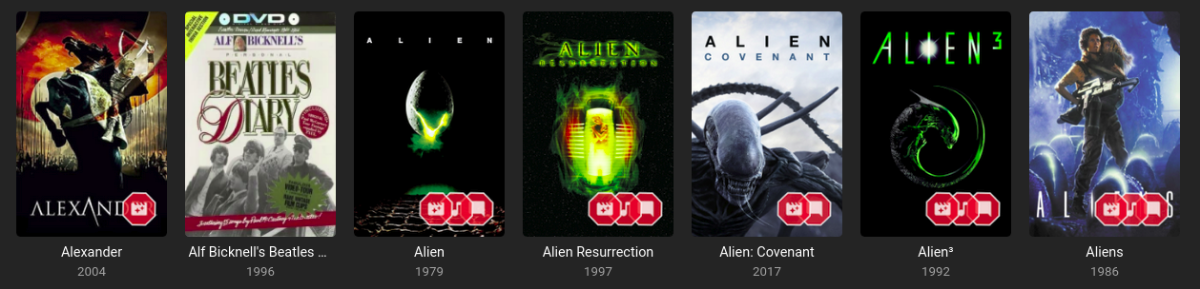
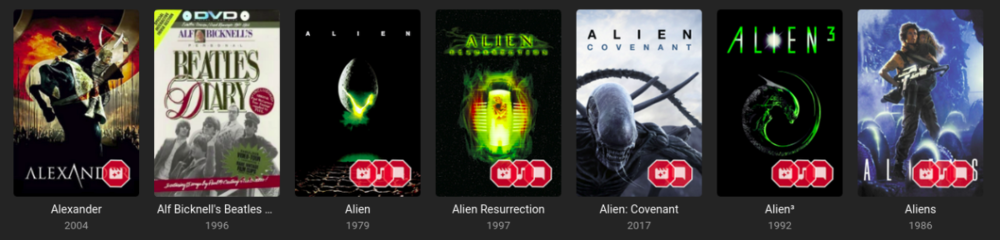
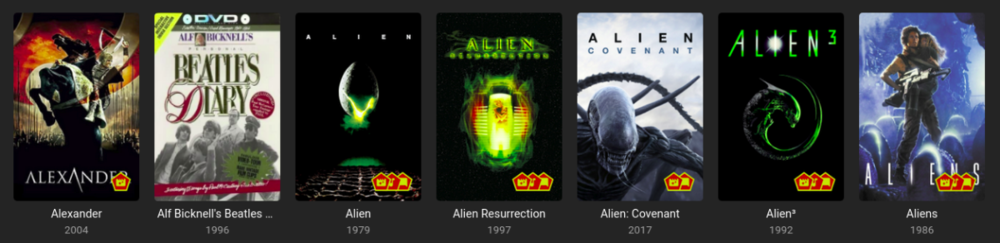
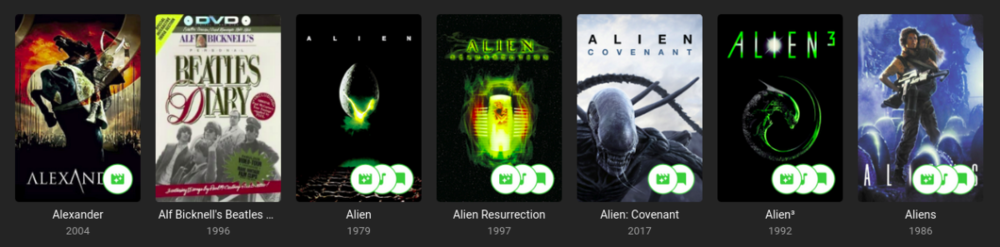
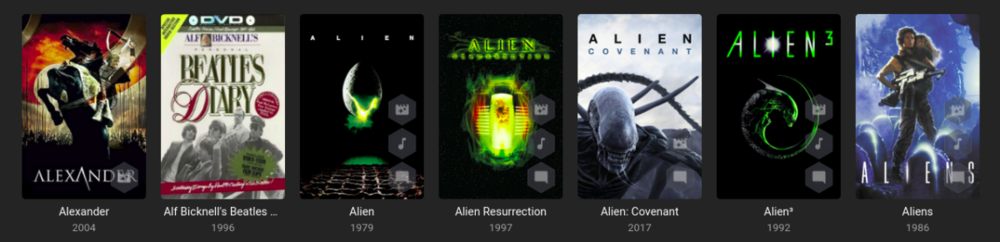
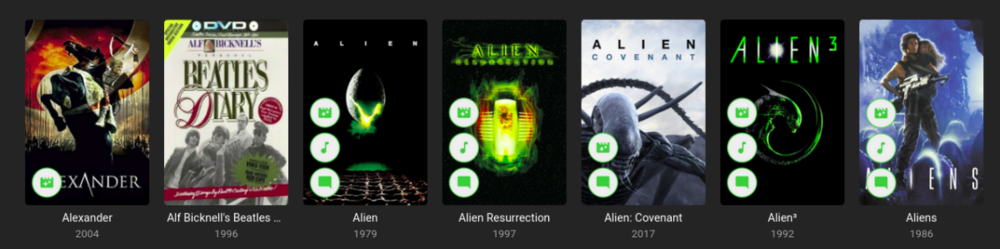
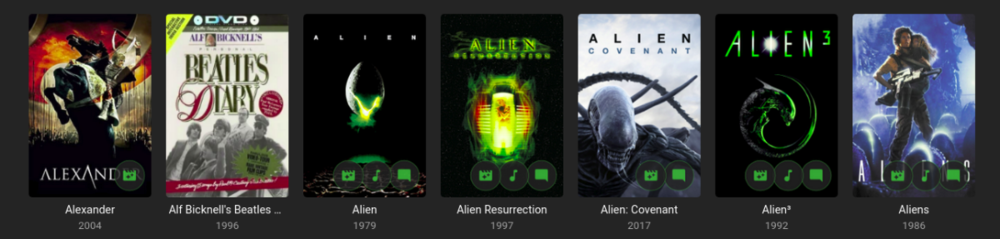
Iconic is an image enhancer that helps you turn Rules about your media into Icon Badges on your Movie and TV images. Iconic offers flexible Badge positioning, opacity, size, color, spacing, etc. Just configure, save and refresh your movie list or item view to see your new Badges. Installation Iconic can be installed through the Emby catalog. You can find it under the 'General' category. The free version of Iconic will show up to one icon for each movie. Rules are checked in the order they appear in your configuration. If you're a Premiere user, you have the option to register Iconic to remove the one icon limit. Version History v2.7.1 Resolve MediaStream property key UI regression v2.7.0 UI Refactor to make developer life easier and speed up new feature development Add HDR rule for Movies, Extras, and Episodes Initial rule support for Music Albums with Tag support v2.6.0 Add match type option (Any, All) for filename rule when using multiple values. v2.5.0 Compatibility Update for Emby 4.8.7 Backend changes to improve developer quality of life v2.4.1.1 Properly bypass unsupported image types v2.4.1 Fix error when no supported image encoders are available Improve support check performance when item type is not enhanceable v2.4.0 Excludes Trailers, Theme Songs, Theme Videos, Additional Parts from 'Any' Extras rule option Adds support for Collections rule to Episodes v2.3.0 Finalize support for 4.8 stable Add SDH subtitle rule v2.2.0 Filename rule now supports NOT(!) values Filename rule now supports multiple values (|) Fix - Folder specifier was inconsistent v2.1.2 Fix issue with some rules passing/failing in different UI contexts. v2.1.1 Fix regression in Folder Specifier v2.1.0 Newly Added Rule - Show an Icon based on # months since Library Added date New Release Rule - Show an Icon based on # months since Item Premiere date Status Rule for TV Shows - Show an Icon based on a show's Continuing/Ended Status Folder Specifier for Movies and TV Libraries - Optionally restrict rules to Library subfolder(s) MediaStream Rule - CodecTag Property added to property options Collection Rule - Updated to support any collection wildcard (*) Material Icons - Updated with more icons v2.0.0 - Support for per Library configuration - Initial support for TV: Show, Season, Episode - Initial support for Collections - Adds support for Movie Extras - Optimizations to improve image load times **Existing 1.x users will need to recreate their configurations in 2.0. [emby-path]/plugins/configurations/Iconic.xml can be used as a reference to more easily recreate 1.x configurations in the 2.x UI. v1.1.1 - Compatibility update for Emby 4.6 v1.1.0 - Adds limited support for Emby builds utilizing ImageMagickSharp - Adds Collection Rule Type - Adds MultiVersion Rule Type v1.0.2 - Gracefully handle unsupported platforms v1.0.1 - Fix multi-rule deletion bug - Update internal Emby libraries v1.0.0 - Initial Release ------------------------------------------------------------------------------ Updated Beta 0.9.2.1 - Faster image processing through more efficient font management Updated Beta 0.9.2.0 - Now supports separate badge and icon opacities - Tweaks to badge drawing to improve quality - Only draw badge border when the stroke is greater than 0 - Only draw badge when opacity is greater than 0 - Modularize javascript for maintainability and development efficiency. Updated Beta 0.9.1.5 - Prevent committing of a MediaStream Rule with duplicate Property Keys. - Add helper text and color on hover to bring attention to the Icon Selector for Rules. - Optimize rule analysis: Finally figured out a way to run the analysis once, cache the results, and discard after writing without the parallel processing requests clashing. Updated Beta 0.9.2.0 - Add Continue Watching Rule Type - Optimize rule analysis: Finally figured out a way to run the analysis once, cache the results, and discard after writing without the parallel processing requests clashing. Updated Beta 0.9.1.4 - Normalize badge size and spacing across image types Updated Beta 0.9.1.3 - Fix badges not rendering for some Movies: Removed some legacy code that could interfere with the rule analysis Updated Beta 0.9.1.2 - Fix font rendering in Windows: Windows didn't like the WOFF font format, so now providing an OTF fallback. Updated Beta 0.9.1.1 - Better support for the active theme: This fixes an issue where the Icons in the selector list could 'disappear' as white text on a white background. - Prevent occasional null errors in the log Updated Beta 0.9.1.0 - This version adds a FileName Rule type and adds Resolution as a MediaStream Property option. --------------------- The Iconic Beta 0.9.0.0 is attached here. **It is tested against Emby 4.5.4 only.** Again, please try it out if you're interested and let me know if something doesn't work, could work better, or if you have any questions.
 1 point
 -
Hey there, Not sure how much demand there would be for this but something I noticed scrolling through Netflix last night was how many of the videos I have in my library are now on Netflix / Prime...it made me think as I now access Emby through devices that have access to Netflix / Prime I should be able to remove the movies physically from the server and instead link through from my Emby library on certain devices. I know it's not everyone's cup of tea, but for me it makes sense to only hold the movies that I need to on physical disc taking up space and for the others to link through to the appropriate store if I have a subscription. Meaning I have one central Emby repo for all my links, whether that link is to a local share hosting the media locally or to an online repository such as Netflix / Prime. Clearly this is a little niche but is probably where we are all going at somepoint in the future... There would be a lot to work out in the logic of it I'm guessing and is probably based mainly on the client side with an "emtpy" move / tv holder being placed on the server to be ignored by clients that are told they don't have access to the streaming service. Thoughts appreciated on whether this is a stupid idea or one that makes sense? I know I can setup watchlist and in turn I can and do use the PlayOn Channel which gives me the option to view those streams, but it would be slick if they were natively in my library as is now Cheers mini1 point
-
I know the answer to this is probably going to be no..... ...but.... A standalone music player for iOS would be very useful. Trying to get the wife to use the full client for music is just not happening. Something that was simple and intuative and quick and easy to use would be killer, something like spotify. The simpler the app is to use, the better. If all else fails, I have a project that's on the back burner that was an iOS music player for subsonic, but I could always target emby as well. It had an spotify a-like interface. Screenshot from as far as I got with the UI, it was playing back music from the server.1 point
-
In the context of creating a Convert job at the Library/Folder/Series level: 1. Add the option to begin immediately or follow the scheduled task. 2. In addition to "Automatically convert new content" present an option to convert or ignore existing content. In effect the ability to create a job that only converts new media or existing or both along with an immediate or delayed start time.1 point
-
I believe their plan is definitely to be an integrator of major video sources. Whether or not they can pull that off - who knows. Some VC is willing to bet $50 large on it. IMO, the most likely way those investors get their money back (and/or a return) is by one of the big media companies simply purchasing P's technology. But, that is pure conjecture on my part. I don't know why any of the "big" content providers would want to offer an access method to their content that will potentially steer people towards some other provider's content and comingle it with personal content of potentially questionable origin. In effect, steering their customers towards a system that can help them to no longer need them. Here is the most interesting statement in that article to my eye: "to use viewing activity". Big Prother, is watching... [For the record, Emby (the company) knows nothing of your content or your viewing activity]1 point
-
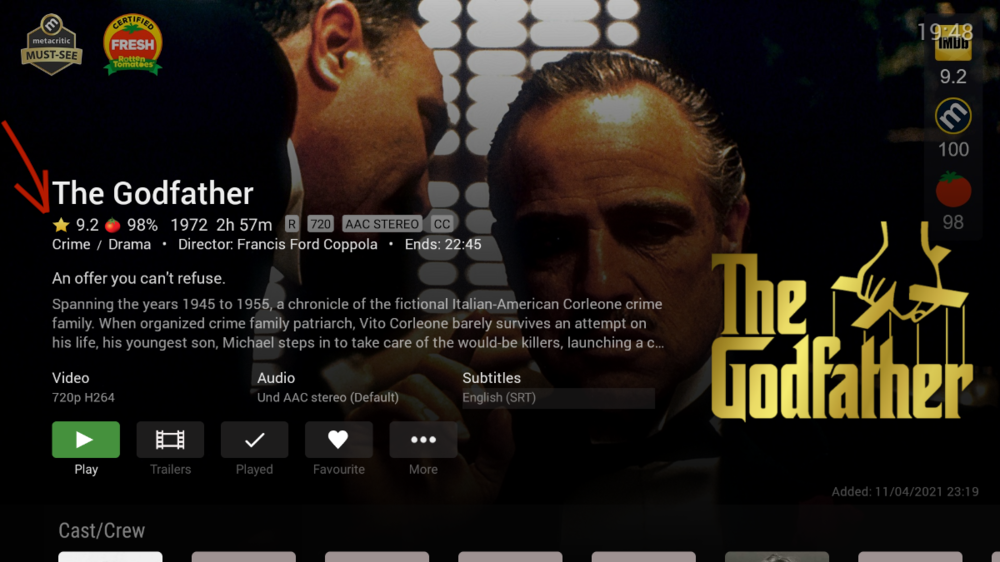
this is awesome I just subscribed to the API. this is very cool. thanks Edit - again this is very cool. Ideally some time in the future Emby would enable us to add the MC score a long with the movie synopsis like you see for Rotten Tomatoes. But this is definitely a great start to using MC ratings.
 1 point
 -
Hi, we don't have an offset paramater. It is StartIndex.1 point
-
Looking good Are you installing a 19" 1/2 or full rack ?1 point
-
Can you try with the Emby Beta for Roku and let us know if this solves your problem. https://community.roku.com/t5/Roku-Device-Features-Settings-Updates/Roku-version-10-update-broke-Emby/m-p/675115 We apologize for the issue.1 point
-
Thank you Now it works, thanks1 point
-
great, thanks, will give that a look.1 point
-
Stable 4.5.4.01 point
-
50 million bucks wouldn't be enough cash to convince the CEO of Disney to use TP printed with the Plex logo, let alone enough to license Disney+ content in a third party application. If Disney, an example used in the article, wanted to let its content be accessed from other platforms they wouldn't have spent billions dumping their Netflix partnership and launching their own service. Ditto for every other streaming service out there. They ALL had the option to make easy money licensing their content to Netflix and either said no or changed their minds in favor of their own services for their content.1 point
-
Read carefully. The article says *if* Plex was able to integrate these major players *then* they could become an established streaming player. It doesn't claim they've accomplished either thing. The point of the article is reporting that Plex has raised a bunch of money from people with a lot of money they're willing to take a risk with.1 point
-
First post here:1 point
-
@quickmic Salü, strange things happen here. Well after the second reboot it seems that all music files from one library are synced. But I'm having 3 music libraries to sync: My CD's, Relax, Classic. My CD's are synced. The others are shown but not synced. Honestly I'm having problems to understand the use of your app or it's because of beta. For example: I start syncing My CD Next Relex and Classic Starting your app I saw this 3 libraries on top then music video, movies, etc. etc. next I synced music videos. Starting the app and the music libraries disappeared although the library My CD's is there and can be used. Summing up in a nutshell: My CD's is synced the others are pretend to be synced all three I can only find when assigning them to an item on my skin Aeon Nox Silvio Music Video is shown on your app and can be used. Once again thanks for your efforts, log attached. PS.: just did a restart. After that I can see all 3 music libraries in your app but the libraries appear to be empty when going into Albums, Artists, etc. Re-syncing them in "managing libraries" just let only one sync (nothing happens when selecting the next libraries, perhaps I've to reboot again). Best kodi.log1 point
-
Sure, gimme few hours to get back home.1 point
-
Hi. This is probably an I/O bottleneck in using the device as both a server and client. Try enabling direct access to the media. Shield TV Direct File Access1 point
-
There are a few ways to do this all depending on the type of router you have to the OS you are running. https://support.cloudflare.com/hc/en-us/articles/360020524512-Manage-dynamic-IPs-in-Cloudflare-DNS-programmatically Using DNS-O-Matic is one way mentioned that a lot of people use and just works but can be a bit tedious to setup.1 point
-
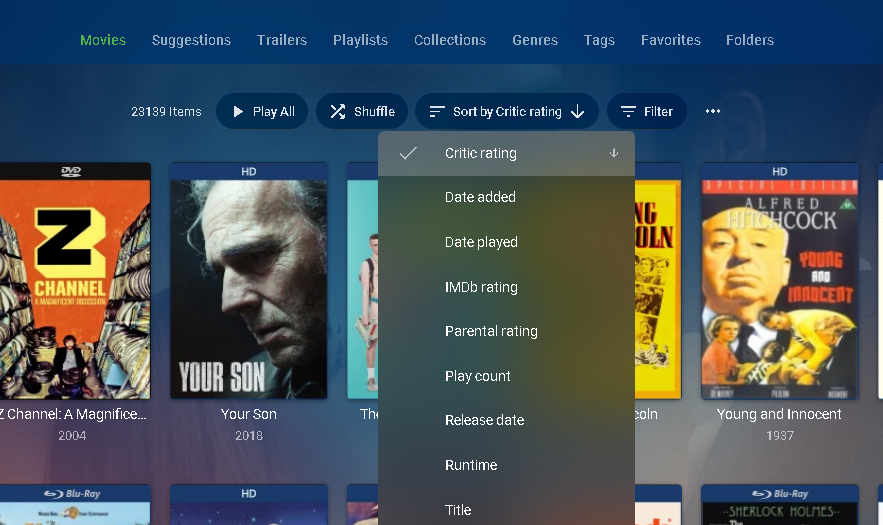
It is not a filter yet but you can sort by critic or IMDB rating and when used in combination with FILTERS (ie not watched) can be quite helpful.
 1 point
 -
Yes that was me from our trouble ticket system. Glad you got this worked out! Let us know if you have any additional issues. Carlo1 point
-
To note, backdrops can be enabled / disabled from the plugin settings, so you can use it without backdrops too, and I don't think you will have any issues.1 point
-
@horstepipe No, when the issue happens it will be a blank image without ratings, I'm sure I can fix this in the weekend, I'm just away for my setup until then. For posters, even with the current issue in the plugin you might never actually see it happen. It only happens for images that are not (or are not yet) available on RPDB, which for posters is 1 in a million, as RPDB holds and updates hundreds of thousands of posters, so not finding a poster is next to impossible.. It might happen with backdrops though, because not all movies and series (especially very old ones) have backdrops.1 point
-
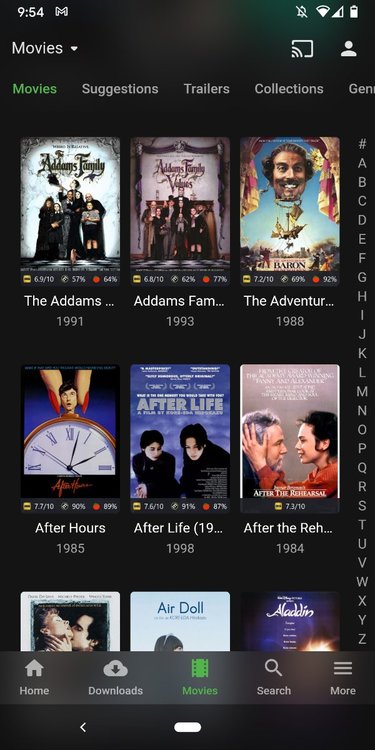
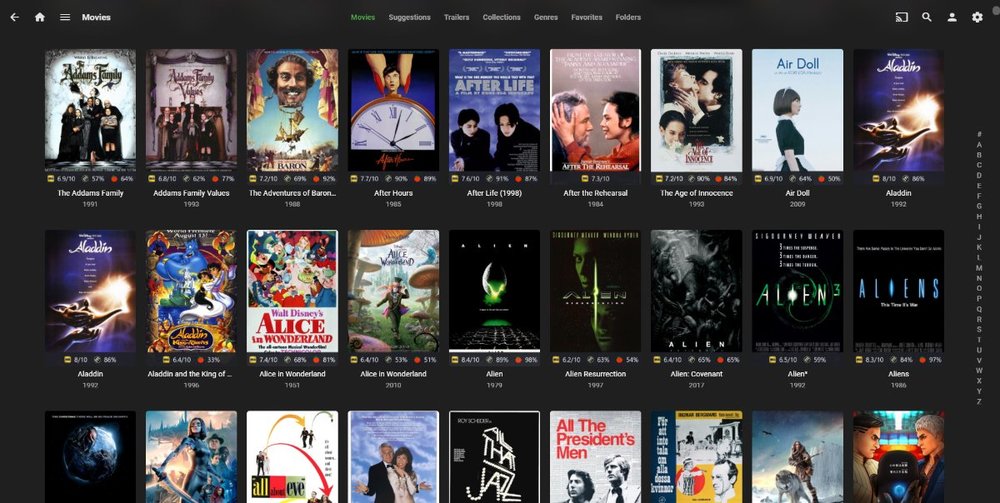
I created a service for advanced ratings in Emby (and other media center apps) and keeping the ratings updated: https://ratingposterdb.com/ I am also in the process of trying to get a plugin for it available in the Emby plugin catalog: (there is currently a giveaway on this page) This service can either be used with the dedicated plugin or with the RPDB Folders app: https://github.com/jaruba/rpdb-folders It has many advantages, including making the ratings visible in catalog pages as well, here are some screenshots: Pinging all relevant parties: @NightwingDG @Romek123 @spon @meatball @nonstatic @fonzie @horstepipe
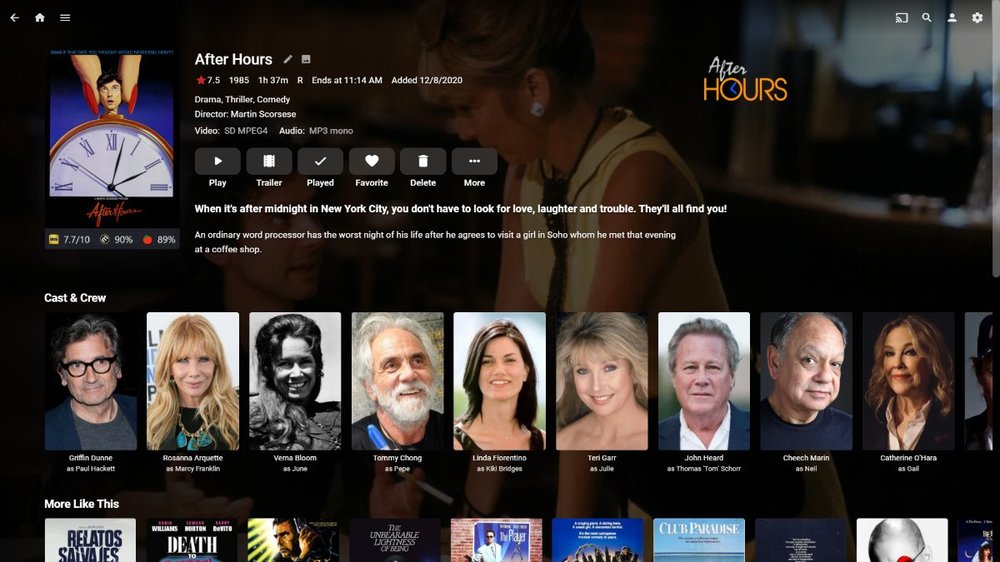
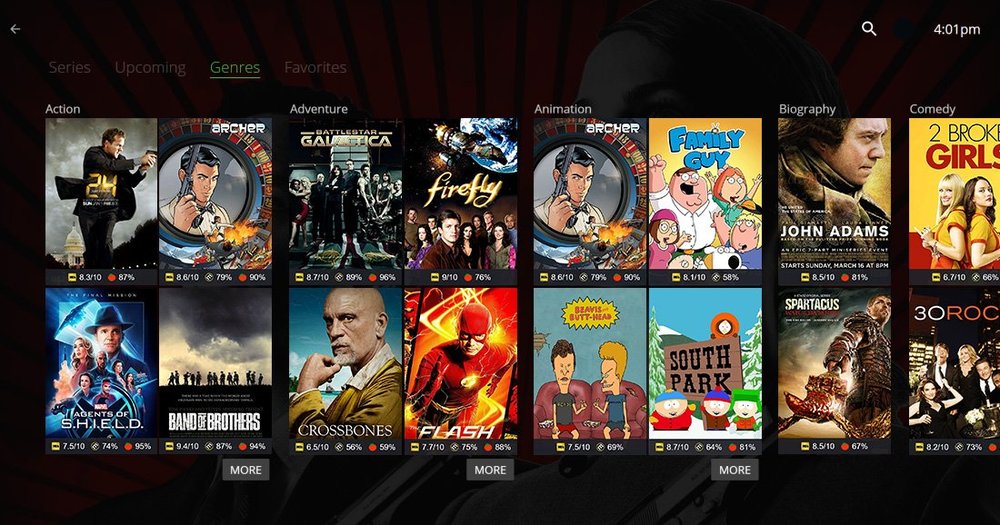
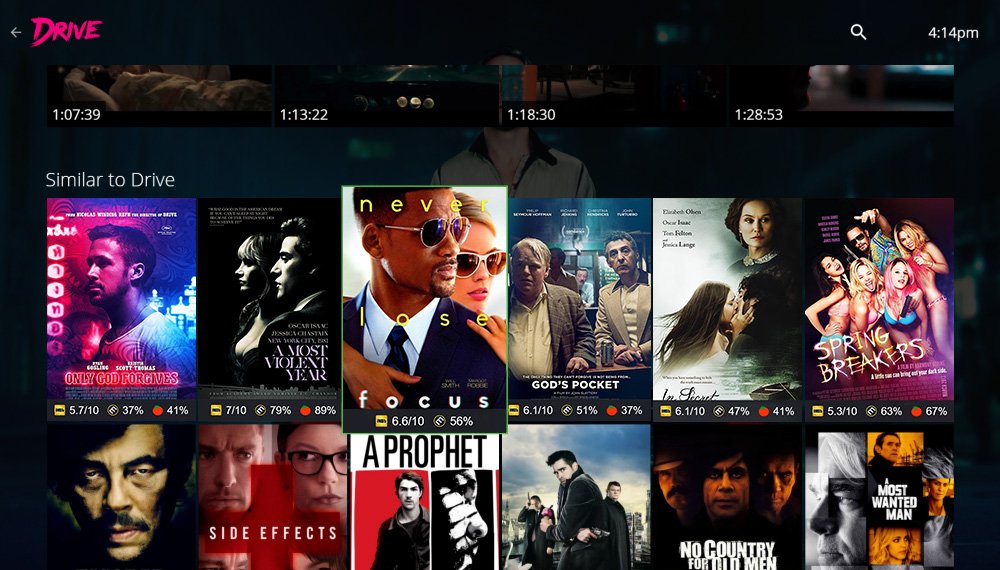 1 point
 -
Something like this. div.skinHeader {transform: none !important;}1 point
-
Yes it's something we'll look at improving. Thanks.1 point
-
Thanks!! It worked perfectly!!1 point
-
Wow. That seemed to fix it. The drive seemed to be working fine before with no issues but obviously there was a problem. Thank you very much Cayars!!!! Really appreciate all the help from everyone.1 point
-
... Well that is strange as hell, had this working on the web client and now it is not. Tried streaming to vlc, skips in the same spots. Corrupted media it may damn well be. Sorry for the goose-chase. Thanks for the help.1 point
-
A separate feature won't be needed for this. Once we have smart views/playlists, you'll be able to build this kind of view on your own.1 point
-
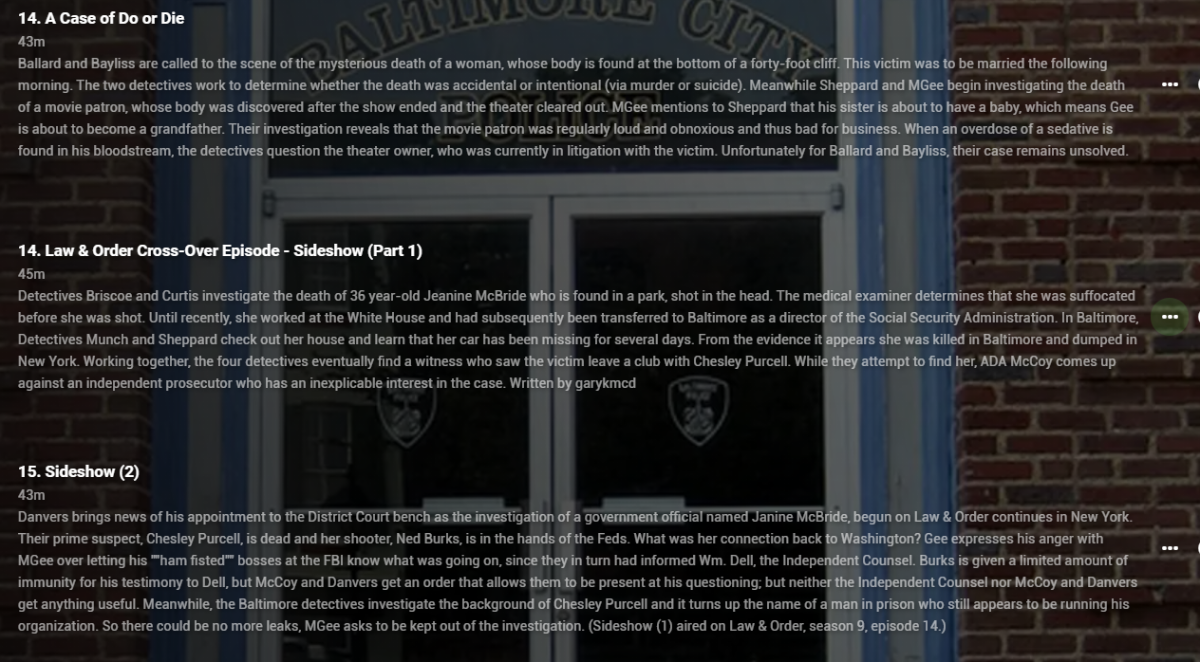
Thanks. Since my Law & Order episodes are only the ones that pertain to Homicide (I don't have Law & Order on Emby other than these this specific episode), I put the episode in the Homicide directory and took the following steps (which I mention in case they help someone else): 1. I added the L&W episode to the Homicide season directory (in my case, season 7). 2. I renamed the L&W episode to be consistent with the Homicide naming convention and used an unused episode number. For example, my last Homicide episode was Homicide - S07E22 - name.mp4 so I added the L&W episode as Homicide - S07E23 - Law and Order episode.mp4. 3. I manually edited the metadata of the L&W episode to rename it what I wanted (in my case, "Law & Order Cross-Over Episode - Sideshow (Part 1)". 4. I manually edited the metadata of the L&W episode to change the episode number (in my case to 14 since the Homicide crossover episode, which is part 2 is episode 15. 5. I manually edited the metadata of the L&W episode to add the episode description (copied and pasted from IMDB, TVDB, etc.). This way the L&W episode shows up in the Season 7 Homicide directory in the correct order. Note, however, that I do have two episode 14s, one for the actual episode 14 of Homicide and one for the L&W episode. But, at least I have the episode where I want it. Here is how it looks on Emby (the first episode 14 is the actual Homicide episode, the second episode 14 is the L&W episode): Hope this helps.
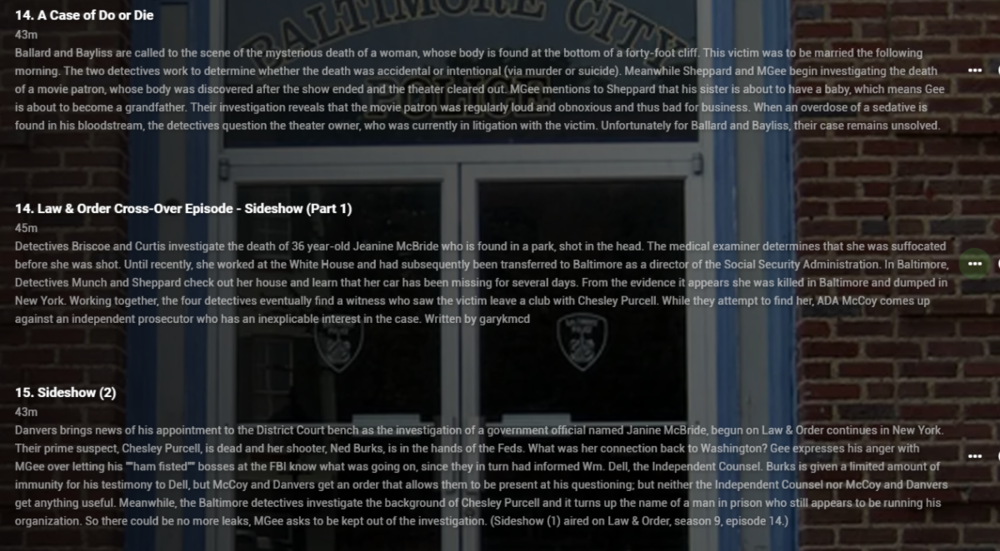 1 point
 -
You have to do all the naming and metadata but putting the files in season 00 folder or creating strm files in season 00 folder is the best method as specials will be honored in 4.6. https://emby.media/community/index.php?/topic/93004-cross-series-naming-and-playing/&do=findComment&comment=9738951 point
-
HI, yes looks like we missed updating our musicbrainz server. We're on it. Thanks for reporting.1 point
-
Open a command prompt. Now change to the top level folder holding your movies. Example: F: CD F:\Movies Now type the following dir *.srt /s That will give you a long scrolling list of every srt from your movies. Make sure the only extension is ".srt" and nothing is ".en.srt", "eng.srt", "sp.srt" or "spa.srt" or subs with a DOUBLE EXTENSION. If you have any with "double extensions" then halt and let us know before continuing I would suggest doing a test run first by copying 5 to 10 movie folders to a new location and doing a test run on that first by switching to that new folder/directory and then running this: forfiles /S /M *.srt /C "cmd /c rename @file @fname.spa.srt" That will rename EVERY file with an ".srt" extension to ".spa.srt" extension making them all spanish subs. Now look hard at your test folder to make sure everything worked and renamed ONLY the SRT files correctly. If everything looks good switch your actual movie folder and run that same exact command again to rename your non test/real movies subtitles. After that cleanup you test folder and then perform a full library scan in Emby. Let us know how you make out or if you hit any snags.1 point
-
as much as i love the shield itself, neither the flat 2017 remote, nor the ridiculous toblerone shaped 2019 remote worked for me design wise. function aside1 point
-
issue got solved!!1 point
-
the thing i always find remarkable about these threads is that people value their own time so little. i charge myself out at way over the rate it would cost in time to switch from emby to plex as opposed to paying a $5 fee. but i guess some people are cheap in all senses of the word.1 point
-
I think most people who are faced with decision tend to immediately think of it in terms of what they think they're going to be losing, but they don't realize all of the flexibility they'll be gaining by switching to plain video files.1 point
-
hello, Thanks everyone for your help. i didn't know why but when i could have access to the emby dashboard i had the both adress local and external on the same port... Http://LocalIpOfTheNas:8096 Https://FQSNofTheNas:8096 I had to restart the emby server and i have my access again with the usual port. I though i had my one mistake with my test, by taking also a wrong certificate, so i reinstall it one more time ^^. By now everything is good and thanks for your help luke, Q-droid and rbjtech1 point
-
So i was thinking, most of the new movies i want to watch in the web-client.has the subs in bedded in the file and therefore takes a while to get it all going. Would it be possible to add a task to do this on a schedule? either that or in tandem with the library scan! Thanks for considering!1 point
-
If you would like to receive beta builds, please send me a PM with your iTunes email address, and your email address used to subscribe to Emby Premiere (if different). An active Emby Premiere subscription is required since Apple's beta access will grant you free unlocks to all in-app purchases. Once you have a beta build, please participate in beta discussion here: http://emby.media/community/index.php?/forum/159-ios/ Thanks.1 point
-
0 points