Leaderboard




Popular Content
Showing content with the highest reputation on 04/12/21 in Posts
-
as much as i love the shield itself, neither the flat 2017 remote, nor the ridiculous toblerone shaped 2019 remote worked for me design wise. function aside2 points
-
Your guest network will be on a separate VLAN to the main network - thus as you have concluded, you need to provide a way for the traffic to flow from the guest to the main network. You need to allow ANY SOURCE IP on the GUEST (IN) network using TCP 8096 and TCP 8920 (assuming you are using the default emby ports) to be allowed to reach the EMBY DESTINATION SERVER IP on the main (LAN Out) network. I don't use a USG f/w myself - but have a look here - https://help.ui.com/hc/en-us/articles/115003173168-UniFi-UDM-USG-Introduction-to-Firewall-Rules#42 points
-
Just for reference, when I first updated my system to 4K, I had no end of problems trying to get Emby to play 4K media, with stuttering and dropout issues etc. In my case I eventually tracked the problem down to an old 100Mb switch that was in the middle of my otherwise Gigabit network route between the movie room and server room. So the moral and recommendation from me would be to ensure your ethernet network is 100% Gigabit between the Emby server and client.2 points
-
 Sorry. I forgot about this to this date. Now, 3 months is up and time for renewal.. This time, I tried the second method, and then look up the file permission of the pfx file. Cygwin indeed messed up the file permission. After changing the permission, the second method also works. Now I can fully automate the process, thanks. For someone who're trying to use SSL certs with this combo, this is exactly what I did. 1. Download and install certbot https://dl.eff.org/certbot-beta-installer-win32.exe 2. Stop the emby service 3. On an elevated cmd terminal, run this command after modifying MYDOMAIN.COM to suit your need; This command will throw you several prompts (email input, ToS agreement, mailing agreement). After that, it'll throw 4 symbolic links of 4 pem files (default path: C:\Certbot\live\MYDOMAIN.COM / default real file path C:\Certbot\archive\MYDOMAIN.COM) certbot certonly --standalone -d MYDOMAIN.COM 4. Convert the file using OpenSSL. I ran it on Cygwin, but if you use Cygwin, you might have to change the file permission afterward. If you want to do it on Cygwin, change DRIVELETTER/FOLDER/FILENAME as well as MYDOMAIN.com (appears 3 times) and [MYPASSWORD] to suit your need. openssl pkcs12 -export -out /cygdrive/DRIVELETTER/FOLDER/FILENAME.pfx -inkey /cygdrive/c/Certbot/live/MYDOMAIN.COM/privkey.pem -in /cygdrive/c/Certbot/live/MYDOMAIN.COM/cert.pem -certfile /cygdrive/c/Certbot/live/MYDOMAIN.COM/chain.pem -password pass:[MYPASSWORD] 5. If you already setup your emby to point that pfx file and have entered correct password, all you need to do is start up the emby service again (and if you did it on cygwin, change the file permission. go to right click - properties - security - advanced. and do the same thing on any regular file. and then copy exactly).2 points
 -
It depends on many different things (general overview, not specific to a certain OS or client): The OS and its video processing components Whether it supports 10 bit HDR displays => no tone mapping required when an HDR display is connected Whether it provides tone mapping capabilities as part of the video stack Video stack means for example: DirectShow or MediaFoundation on Windows or MediaCodec on Android Could be sw implementation Could be hw implemenation Requires graphics drivers providing that capability The graphics hardware and drivers Whether hw supports connecting HDR displays Whether it provides hw tone mapping capability to the OSs video stack The connected display Whether it supports HDR display The player implementation used by the Emby Client How it interoperates with the OSs video stack Whether it is capable to provide HDR video to the stack in case all other components (up to the connected display) support it Whether it is capable to detect the above conditions Otherwise, whether it is capable to leverage any OS-provided tone mapping capabilites Otherwise, whether it includes its tone mapping capabilities HW tone mapping: by accessing hw device capabilities directly (instead of the OS's video stack) SW tone mapping: via custom implementation The Emby Client How it interoperates with the embedded player implementation to make use of the available capabilities That's probably not quite complete, but you can see that it's not as easy as one might think.2 points
-
I have created a new plugin: https://github.com/jaruba/RPDB-Emby-Plugin For my new project: https://ratingposterdb.com/ Although I'm a professional developer, this is the first time I used C#, so there are still things to improve. I was told to post here in order to get a Developer ID to be able to publish the plugin to the Emby catalog. For all those that want to try it out, DM me and I'll send you a free trial Tier 1 API Keys that will expire on the 15th of May. There is one issue with the plugin right now, my API gets images based on an URL pattern, some images may be missing (most likely backdrops, as RPDB hosts all known posters), in this case Emby seems to consider a HTTP status code error as valid and sets an empty image as an option. Alternatively, the RPDB Folders app also works with Emby: https://github.com/jaruba/rpdb-folders (and is more flexible with settings than the plugin for now) Here are some screenshots of RPDB in action:1 point
-
I would like the ability to disable the camera upload feature, both per-user and globally. It seems odd to me that that isn't already there as far as I can find... Sure I could just not use it, but that depends on trust that your other users wont decide to enable it, as the only on/off is in each users personal preferences.1 point
-
Feature Request. A present I have several user accounts setup for family members. When we sit down together to watch a movie we currently log into one account (Mostly mine), so obviously only this account gets the watched status. What happens then is everyone uses my account because there's isn't up-to date and it's "just easier". This results in my account telling me I've watched something when I haven't... I would like the ability to log into my account and select/deselect which other users are present so that when a movie/TV episode is watched together, their watched statuses are updated accordingly? The next time you log in again all other users would have been deselected. It could be implemented so each user account can do this, or only select user accounts can. Even a special "Family" user account, or multiple viewers button as long as everyone's watched status is correct. Even just ticking the users present on the login screen before login into an account.1 point
-
I was recently playing around with the ScripterX plugin and realized BASH wasn't installed on my Asustor 5304, it uses SH as it's default shell interpreter. Here are the steps I followed to install BASH and get it working with ScripterX /bin/bash selected as the in ScripterX interpreter: 1. Install Entware 1.0 from Asustor App Central 2. From SSH console session to the NAS: opkg update && opkg upgrade opkg install bash 3.cd /opt/bin sudo cp ./bash /bin/ Note that after a reboot of the NAS, you will have to repeat step 3 to recopy the bash file to the /bin folder ------------------ Update: Replace step 3 for a persistent solution (recreates symlink on startup): sudo echo /bin/ln -s /opt/bin/bash /bin/bash > /usr/local/etc/init.d/S76bash.sh Tested on an Asustor AS5304T, ADM ver 3.5.5.RFC31 point
-
Yeah, basically you want a way to mark a series as "non-sequential" because next up doesn't really make sense with some series.1 point
-
Thank you Cayars! I will contact them and post the result.1 point
-
Ok no problem happy with the current functionality was more curious. Thanks again for a great plug-in.1 point
-
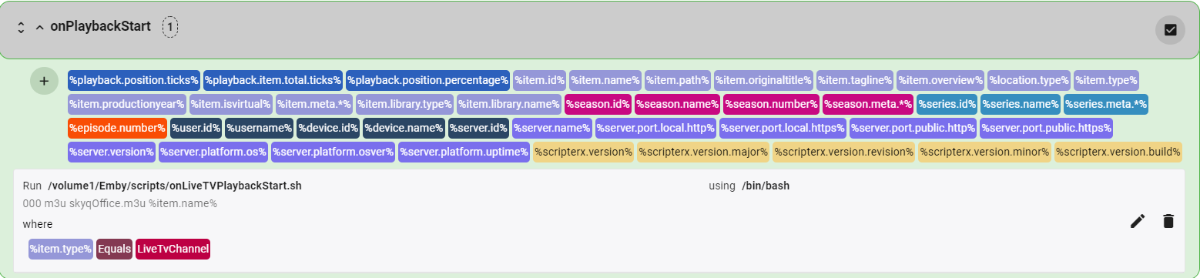
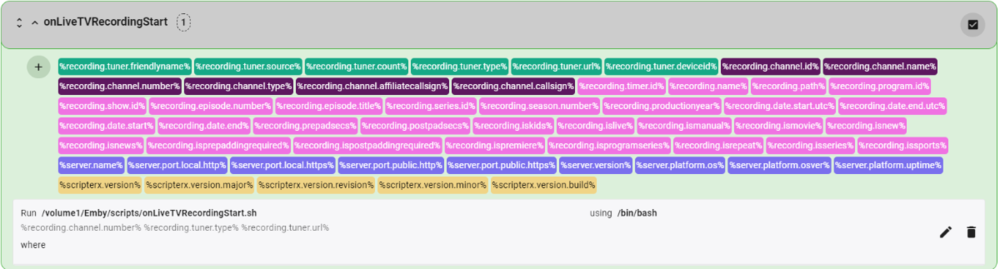
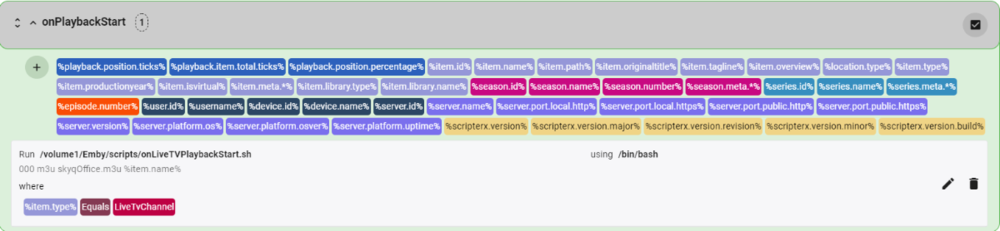
Hi CJ. Looks like you have caught up with where I am now. I started to use the RMPro devices a while back, but I found them not to be robust enough. However, my setup allows for Ethernet based channel switching so I removed them from the setup. I have also attached my scripts. I am using HassIO and the SkyQ plugin with auto-switch creation. The onLiveTVRecordingStart.sh and onLiveTVPlaybackStart.sh are wrapper scripts to call a common BASH script, which in turn calls a Python script for the actual Ethernet channel change routine. If your channel requires a PIN, then add to the variable list channel_pin in the HassIoSkyQ.sh Do you now have duplicated channels that you have from 2 sources, like BBC1 or ITV? If you have, I assume you have now ran into the Emby issue of not combining channels and the problem of auto-tuner selection with tuner priority. This has been requested in Emby for some time. Luke, any update on this? onLiveTVRecordingStart.sh onLiveTVPlaybackStart.sh HassIoSkyQ.sh HassIoSkyQ.py
 1 point
 -
If your building "internet service" won't work with you to resolve the port forwarding, you could always subscribe to a VPN service with a static External IP and port forwarding - but I wouldn't recommend it unless you are desperate for a few reasons: -Added cost of VPN service -Reliance on the VPN service to be functioning "VPN tunnel connected" -Added complexity of port forwarding through the VPN -VPN client compatibility with your emby server -Lost performance in both bandwidth (VPN overhead and limitations) and latency (response time) Just thought I'd mention it in case you end up without any alternate options.1 point
-
If I am understanding correctly, you aren't able to utilize https on your internal LAN because your certificate is only for your external domain name? (therefor the certificate isn't valid for a https connection to your internal server (addressed by IP or hostname, not DNS))? Here is what I have done to work around that issue (I don't use a reverse proxy at all): 1. When creating my SSL certificate, I chose *.<mydomainname>.com as the hostname so it would include all sub-domains and client devices. You may also be able to add additional "Subject Alternative Names" such as <internalservername>.<yourdomainname>.com 2. Create a DNS host record with your DNS registrar/service for your internal server hostname and IP. For example embyserver.<yourdomainname>.com = <server internal IP address> such as 192.168.0.xxx. Anyone inside or outside your LAN can do a public DNSlookup on embyserver.<yourdomainname>.com and see it resolves to 192.168.0.xxx, but as your internal LAN is assumably protected by a firewall/NAT router, only your internal devices on the same internal subnet will be able to connect to your internal emby or web server with the DNS name embyserver.<yourdomainname>.com....because DNS will resolve it to 192.168.0.xxx 3. Load your new certificate (with the wildcard * or Alt names) to your Emby and web server. 4. You then should be able to internally connect to https://embyserver.<yourdomainname>.com:8920 (or whatever your https port # is) or https://embyserver.<yourdomainname>.com if you have an internal web server running on port 443. It should successfully validate the SSL certificate because you used the DNS name (domain your SSL cert is registered to) to connect to the server internally, instead of using the internal IP or local hostname. Let me know if that works for you...or perhaps I totally misunderstood the question.1 point
-
The 2019 Nvidia Shield Pro is by far my favorite set-top box. The remote is far more capable than the über stylized AppleTV remote. However, I have come to the conclusion that the Shield is simply not an acceptable server platform. After putting up with months of "critically low memory" messages appearing on the screen every few minutes in spite of a half-terabyte SSD in the second USB slot, hundreds of GB of free space showing in the Shields panel, and cache-clearing operations solving the problem for less than an hour, I moved to the MacOS version of the server. I also had several instances of Emby Server DB corruption apparently caused by household members pressing the power-off button on the Shield remote. After two months of running the Emby Client on the Shield with the Server on the Mac, there has never been a "low memory" message on the shield despite adding a clients for a couple of streaming services to the system. Many thanks to everyone here who helped me fight the ongoing battle with the Shield server. Hope to see you all in the MacOS forum.1 point
-
Hi, yes we haven't yet supported video themes in this app. Currently it will try to play it in the foreground, which obviously is not good. We'll look at preventing that. We'll look at the subtitle problem. Thanks.1 point
-
Thanks, I will give that shot and report back.1 point
-
Today I seemed to have fixed it by deleting the second user. I guess it was sending an update to Trakt as well. Will report back if it happens again.1 point
-
If you have the option of connecting the Roku directly into the receiver - then my view is this is the better option as it eliminates any eARC/ARC issues. Video is then passed through to the TV and (if necessary) you can usually delay the audio on the receiver itself. Turn on the Roku first, and CEC will then turn on the Receiver, which in turn will then turn on the TV.1 point
-
I thought I would let you know, I deleted all the NFO files from my collection. I found that I still had to go into Emby's metadata editor and delete the -2 that was in the external ID's within the Emby program. I assume this was from the NFO file and after removing the -2's it would mark as not played. Thanks for the Help.1 point
-
@Abobader can you help?1 point
-
As mention, it's on my list but not too high priority. It takes some research.... You also mentioned it works with 4.x, so keep that version for now till I have a solution.1 point
-
guisettings.xml1 point
-
My comments were for @quickmic in terms of how the addon should try to play the content.1 point
-
i'd agree with this - get premier and use HW encoding. GPU - i was looking for a few weeks for a nv1050 which seems to be a recommended GPU but even used was more than i wanted to spend out. i actually ended up with a quadro p400. single slot, cheaper than even anything used right now and in stock with various suppliers, since it's not a card in huge demand. only issue i have is 2GB vram so it cant handle 2 or more 4k transcodes.fine for me since i'd either be using a single 4k stream, or 2x =<1080 but vram is definitely something it could affect others.1 point
-
@Gilgamesh_48 Thank you for the information. I honestly did not know this. I would think there would be a price in the app store on the app. Not afterwards. I appreciate your help. @Spaceboy. So f'in rude!1 point
-
Sorry been busy. It just randomly fixed itself.1 point
-
Hey you put this better than me. I had another topic about this, but you named what it is much better than I. I hope a fix is forthcoming. Just to tell you - this issue isn't present in Plex, at least for me. So there's some hope that a fix can be found.1 point
-
We work very hard on Emby and we thank you for your support.1 point
-
Check on TVDB how complete its information is, but in theory they have broadcast, DVD, and absolute episode numbering available. If that is properly set up at TVDB you can select the order you want on the "Edit Metadata" page for the series, near the bottom. Paul1 point
-
Hi. There is already a progress reporting API. See here: https://github.com/MediaBrowser/Emby/wiki/Playback-Check-ins1 point
-
oui mais on sera en 16K MXLHDR avec des videos de 500Gb1 point
-
Samsung prévoit un hdd 100Tb d'ici 2030, je pense qu'il te sera utile1 point
-
 Have you tried putting the same pfx in a different place/path? It sounds like ownership/permission might be different when created from a Cygwin shell. Check/change the attributes from the Windows side. Make sure the full path is accessible by the user running Emby.1 point