Leaderboard




Popular Content
Showing content with the highest reputation on 04/07/21 in Posts
-
Don't feel bad, many people here have both a Plex Pass and a Premiere license for the same reason of switching over to Emby. In case you not aware of what Premiere gives you: https://emby.media/support/articles/Premiere-Feature-Matrix.html Keep in mind you don't have to get a lifetime license and you could always do a monthly license at least to use as a test for a month or two. Congrats on switching to the green side.2 points
-
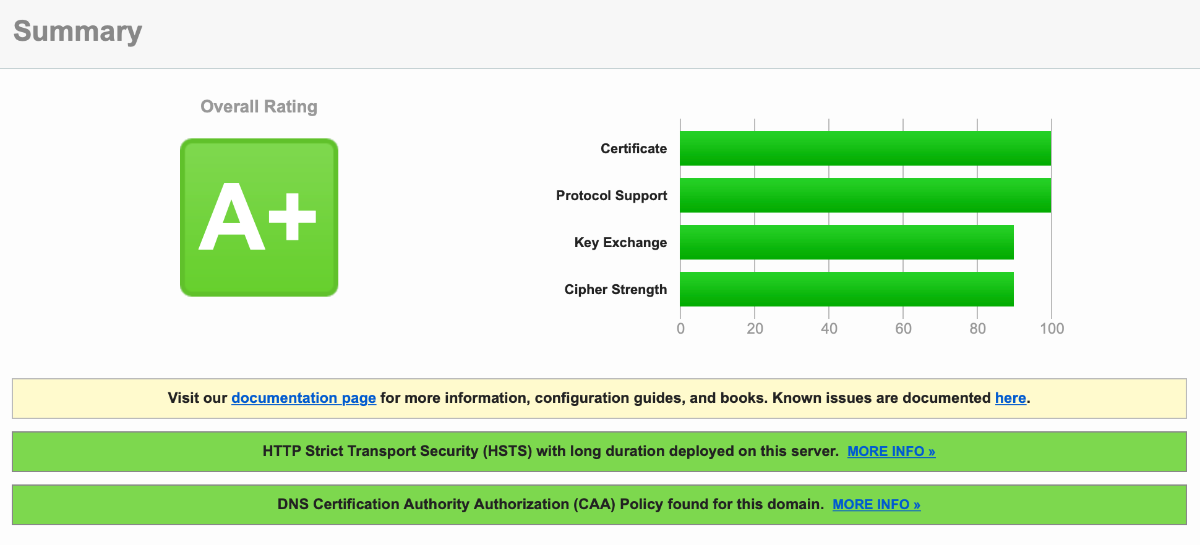
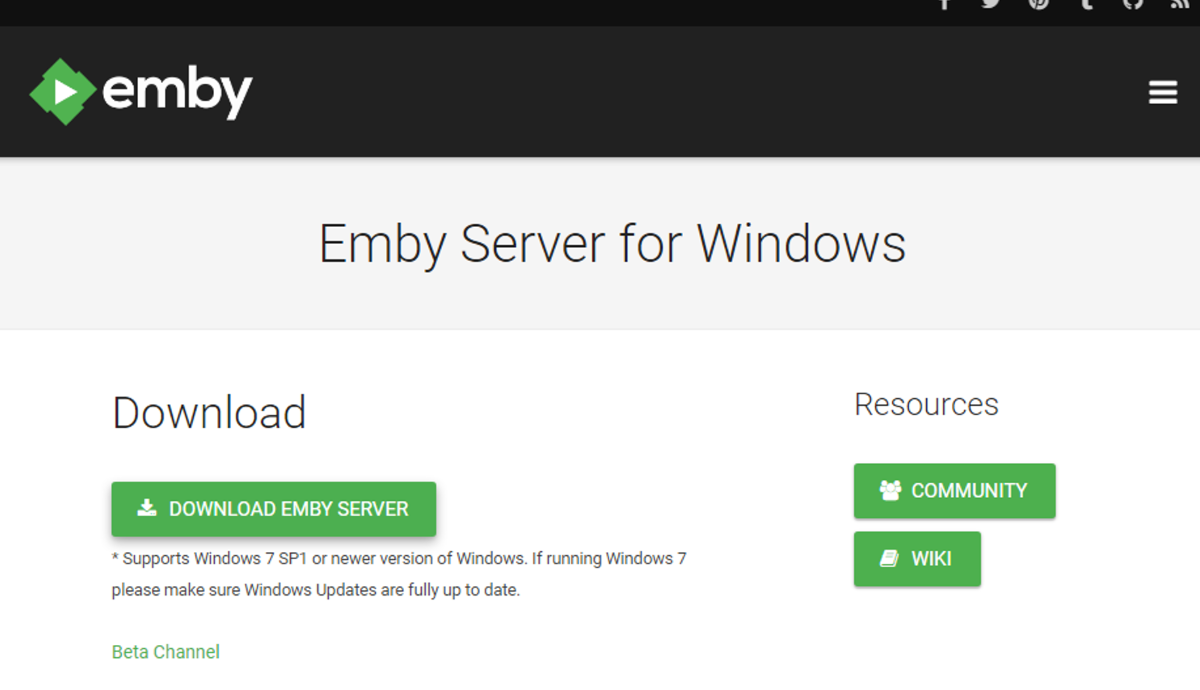
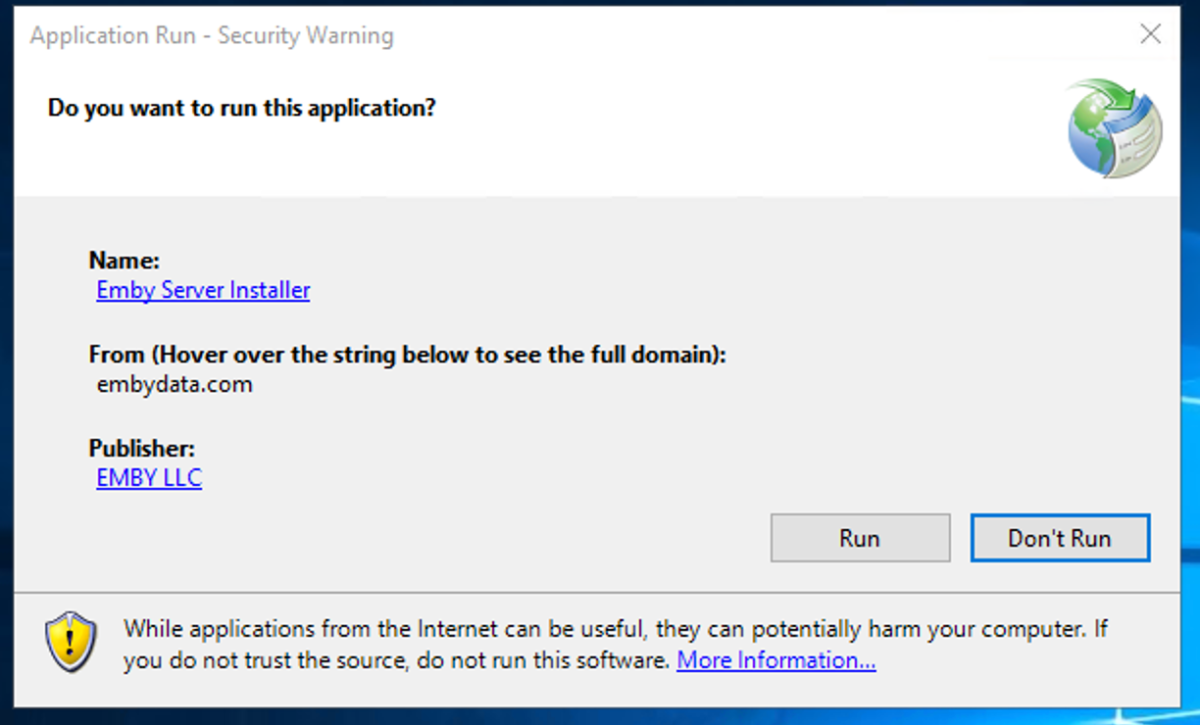
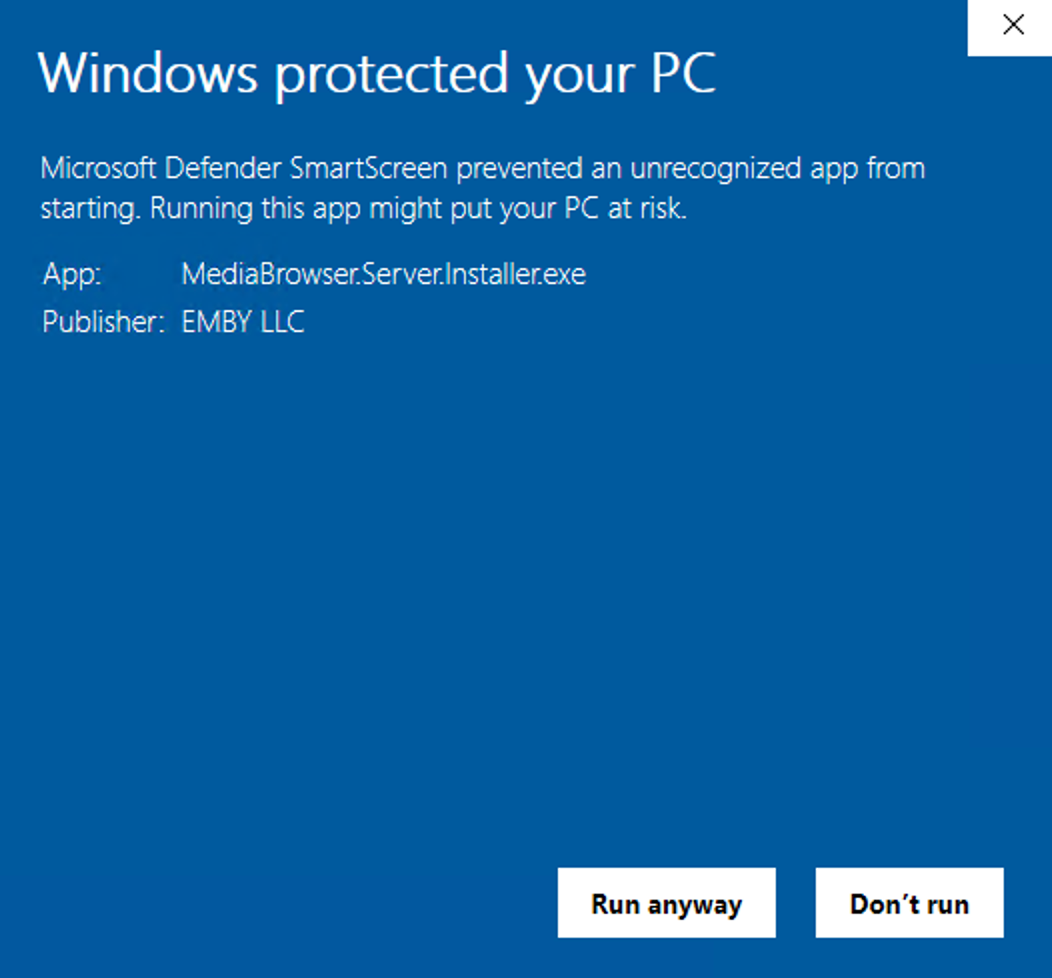
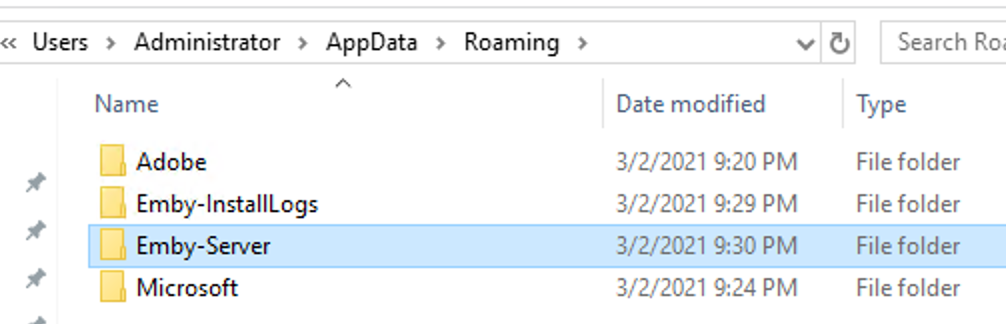
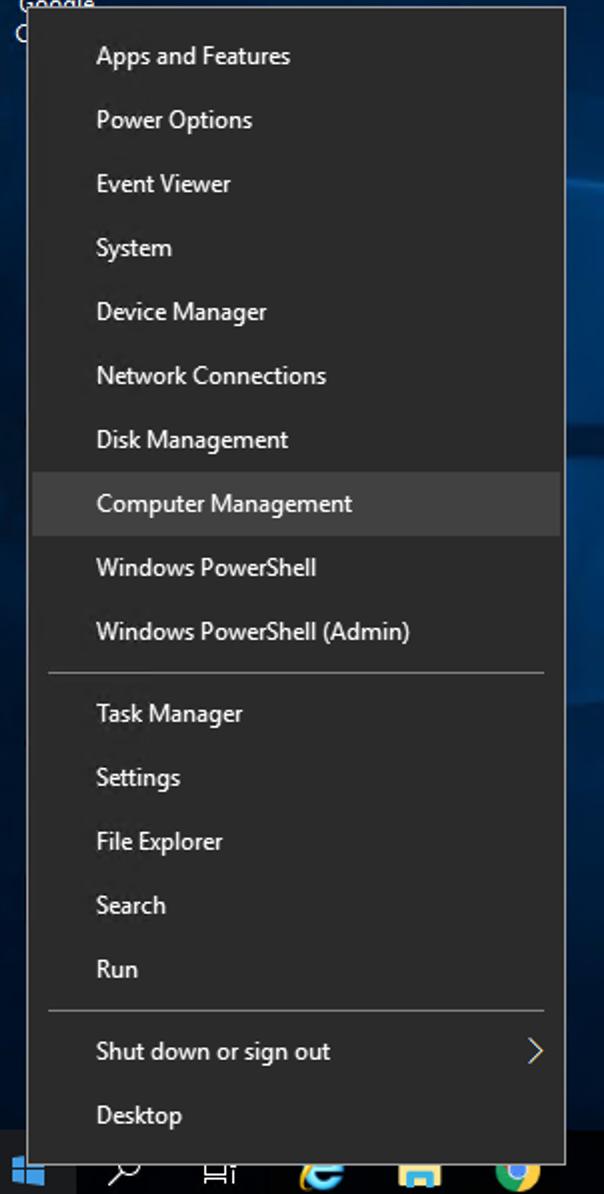
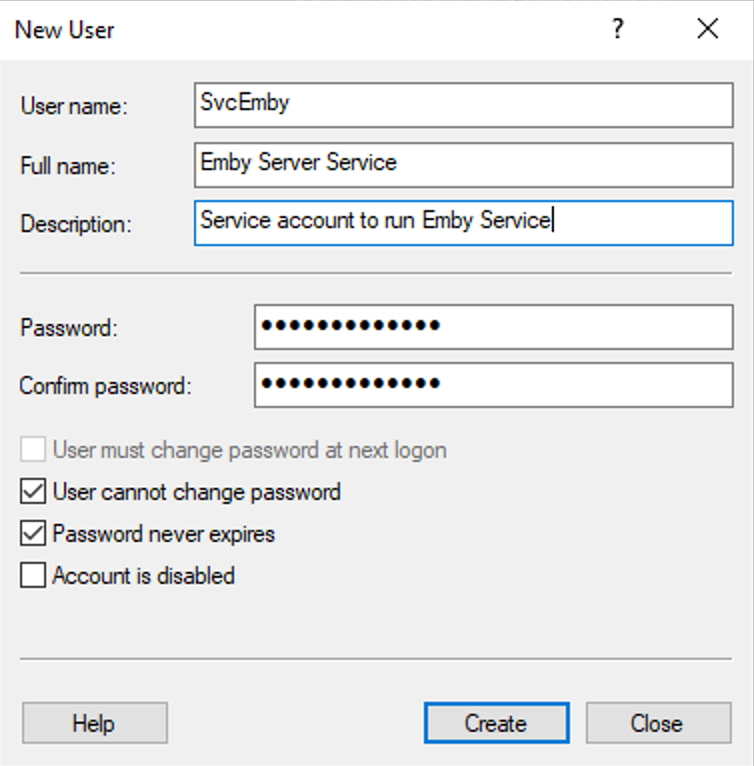
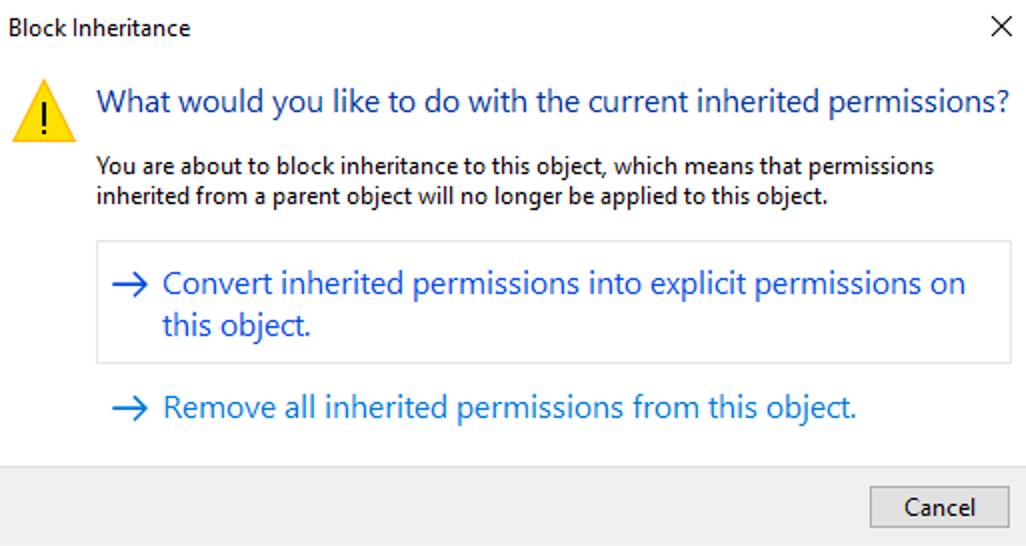
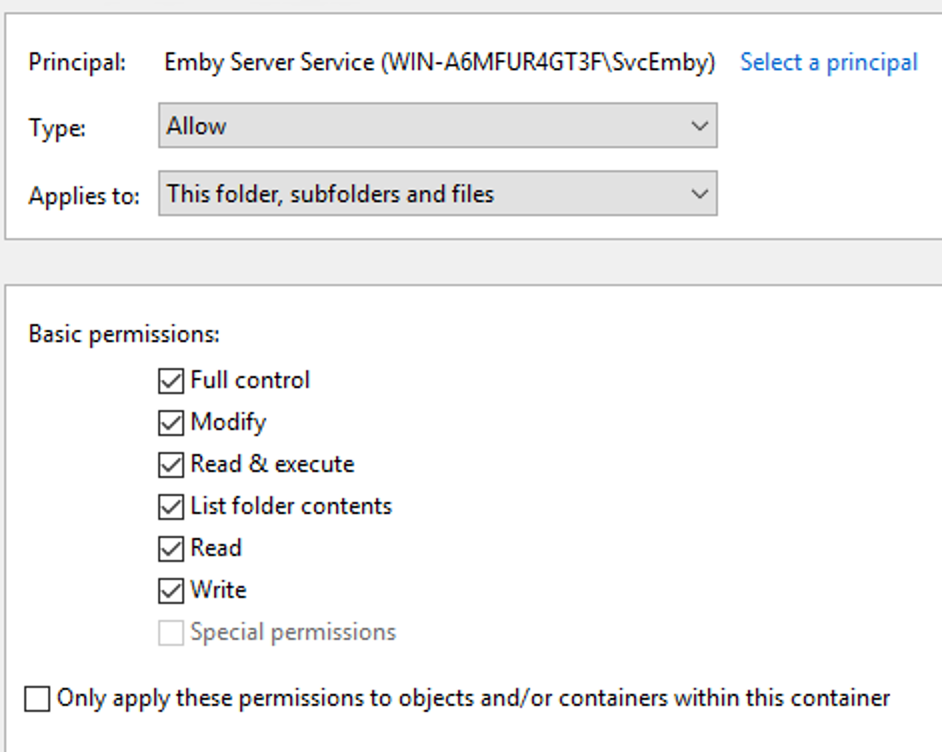
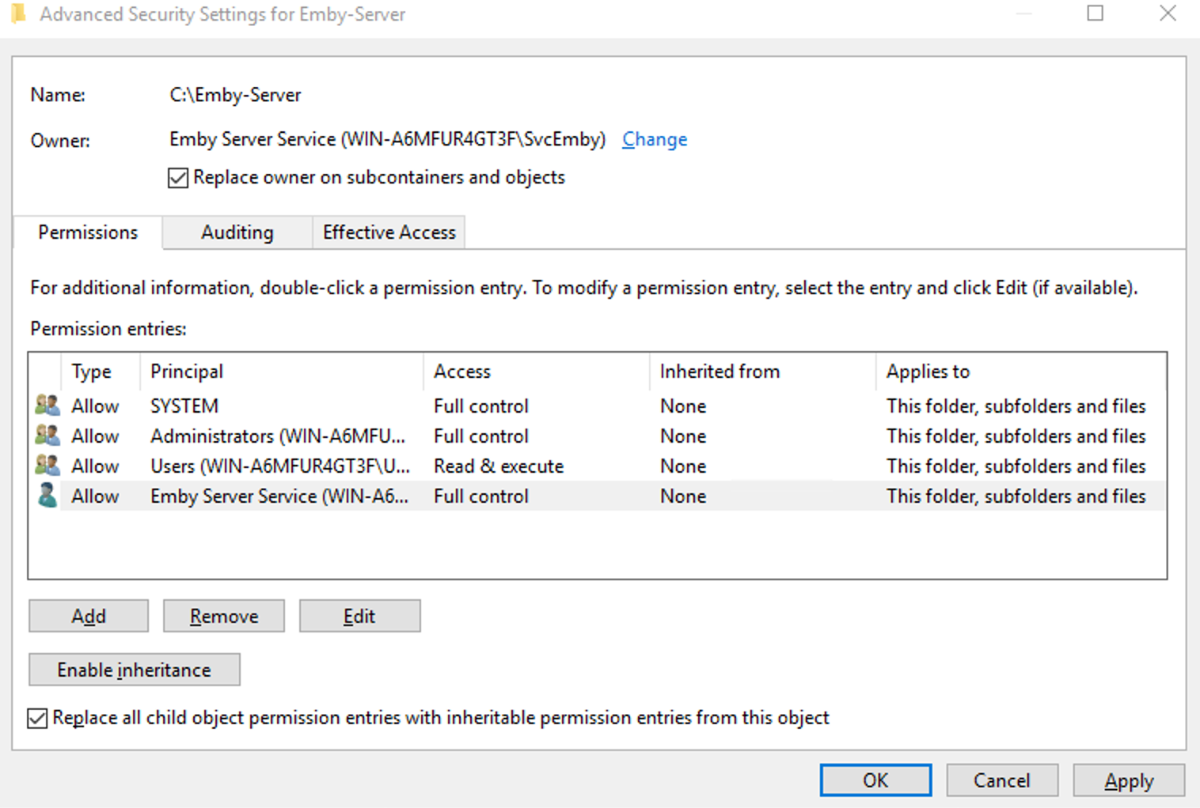
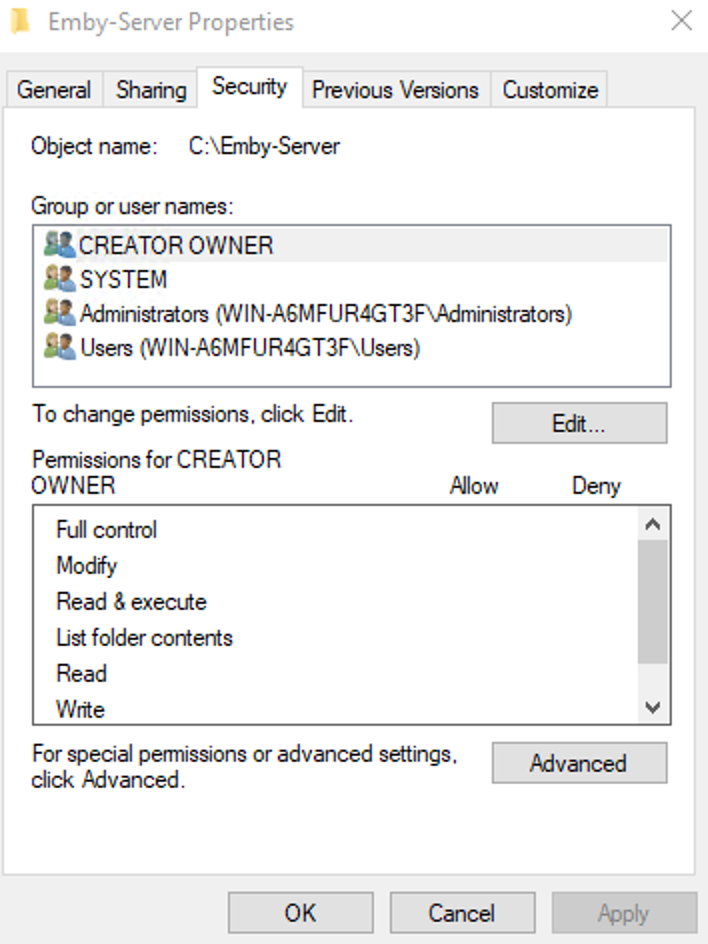
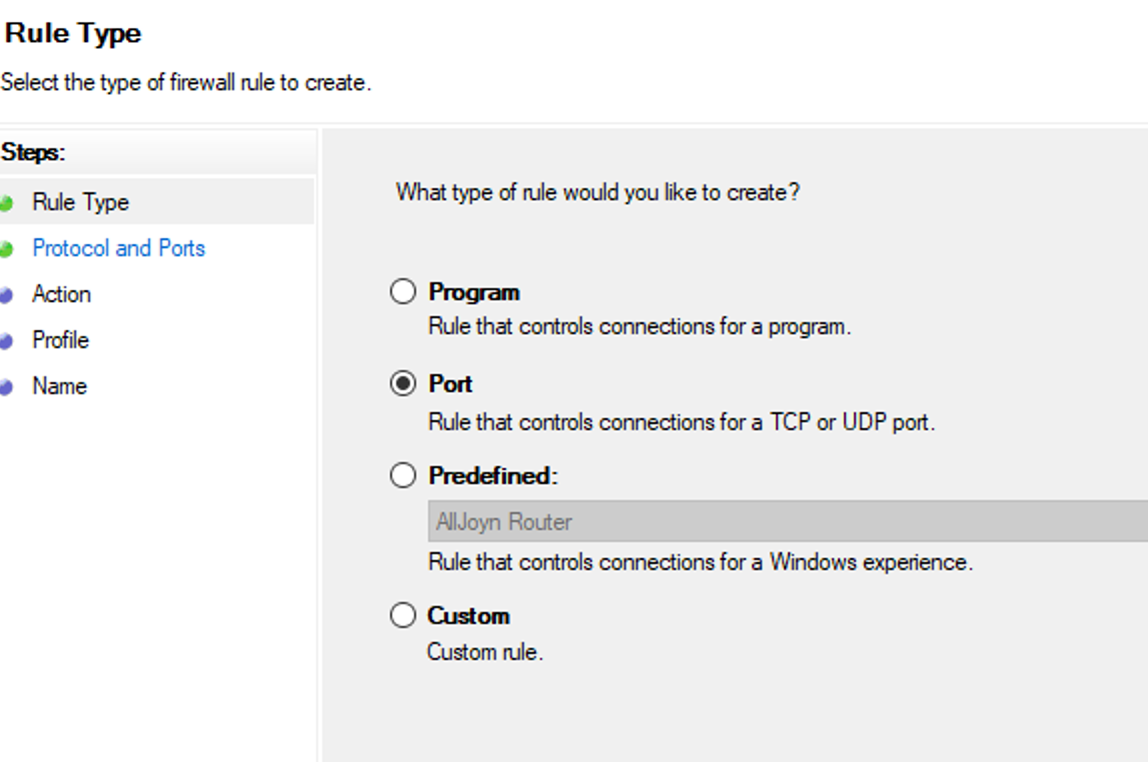
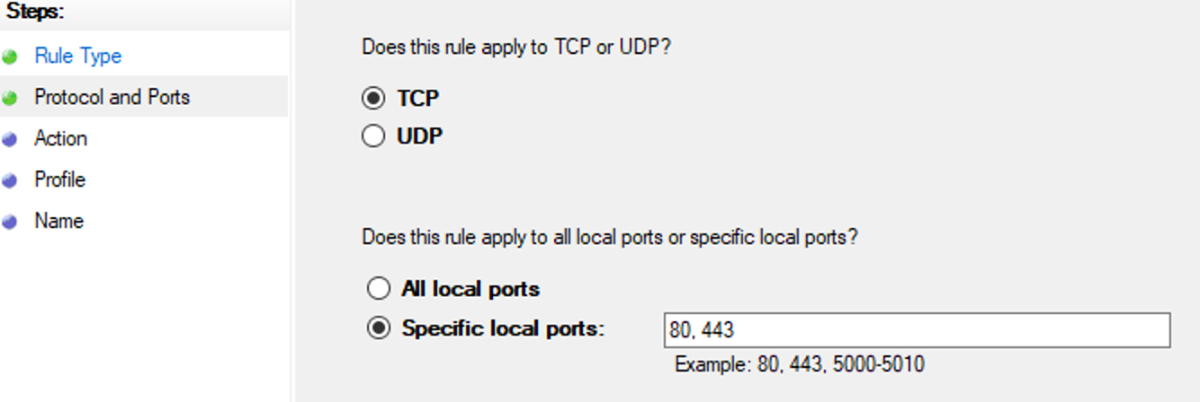
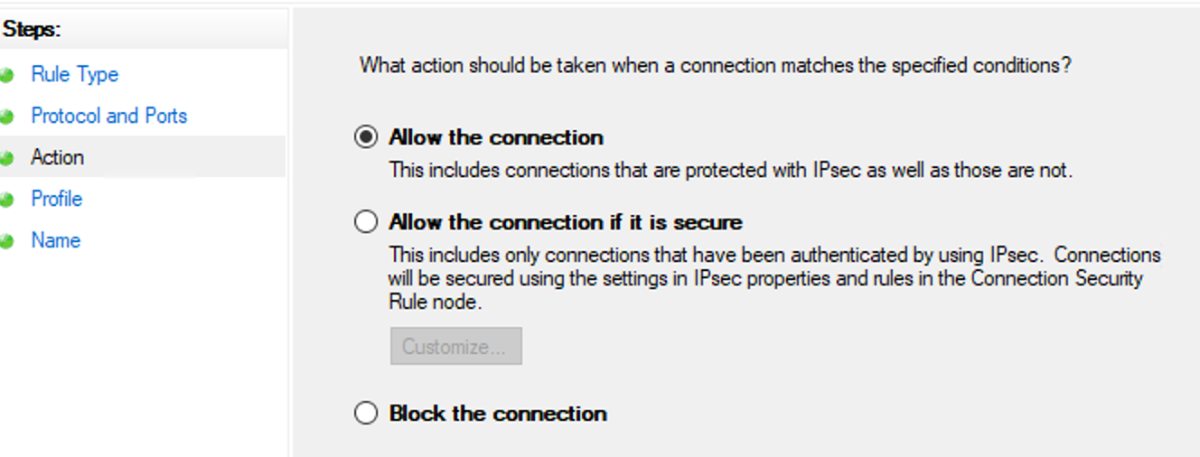
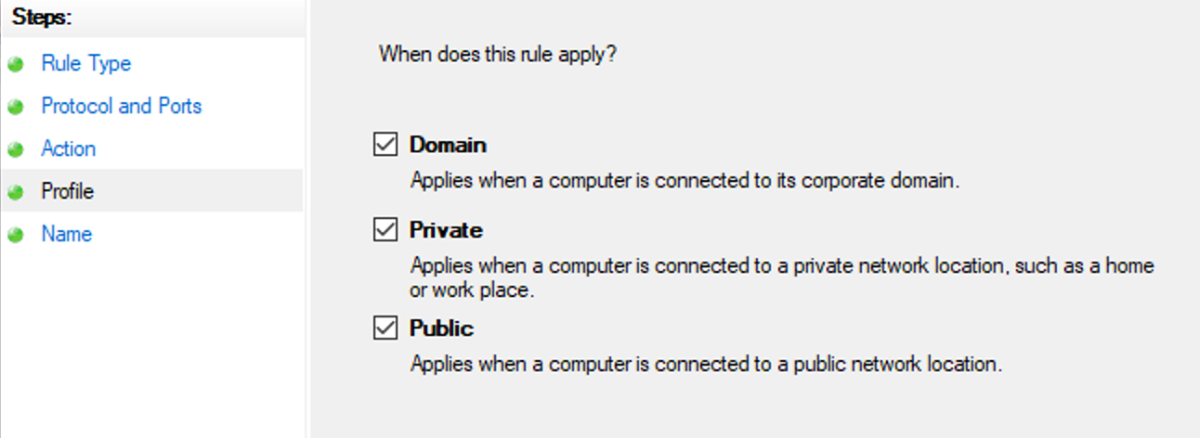
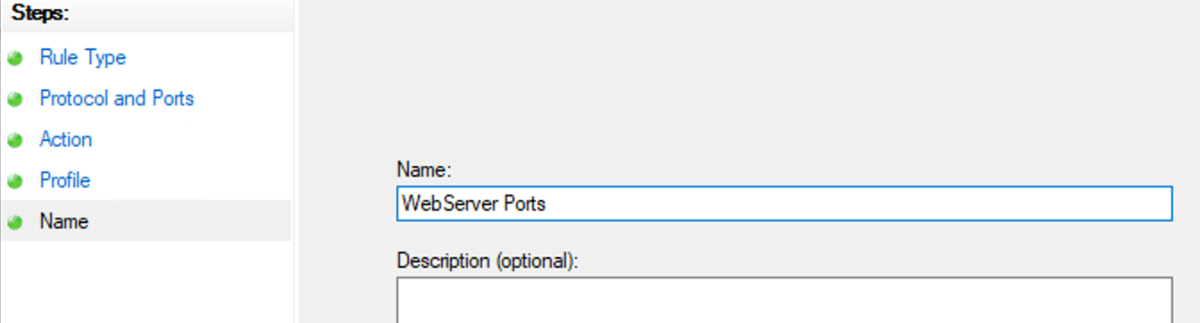
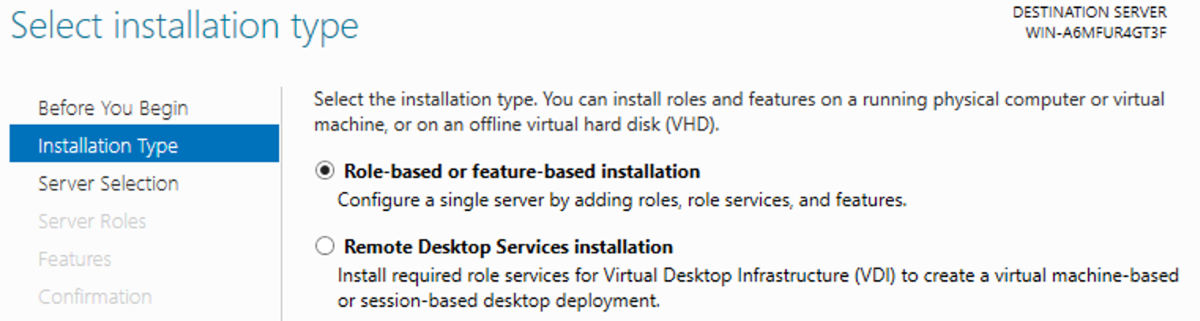
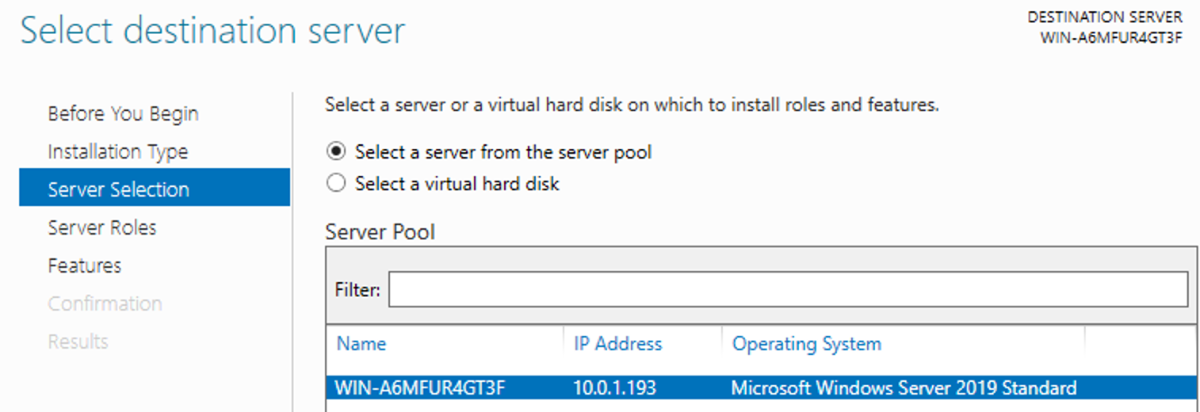
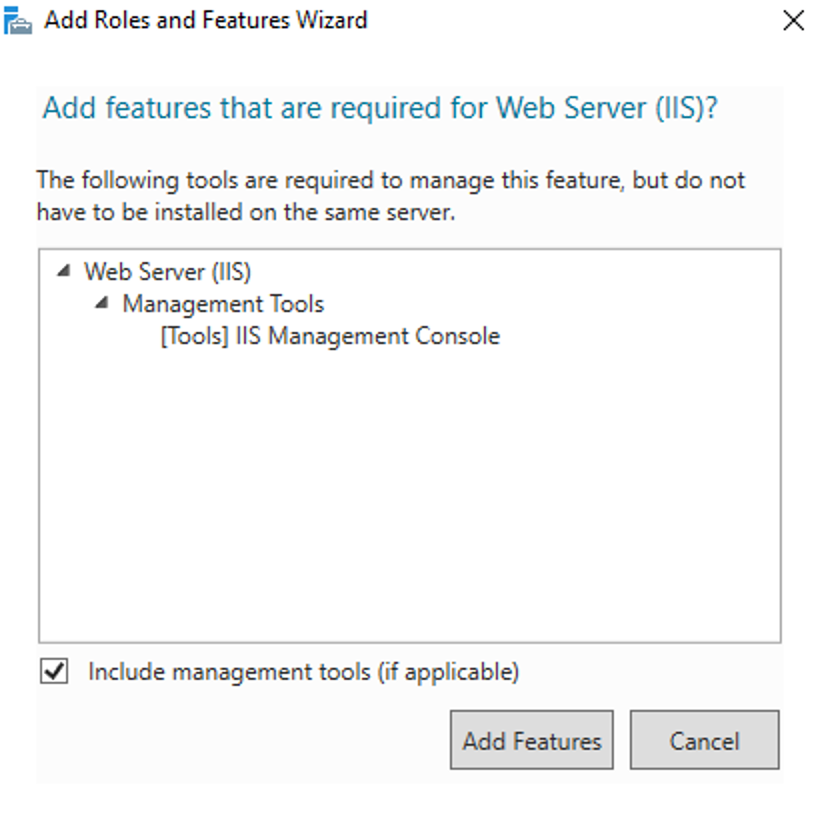
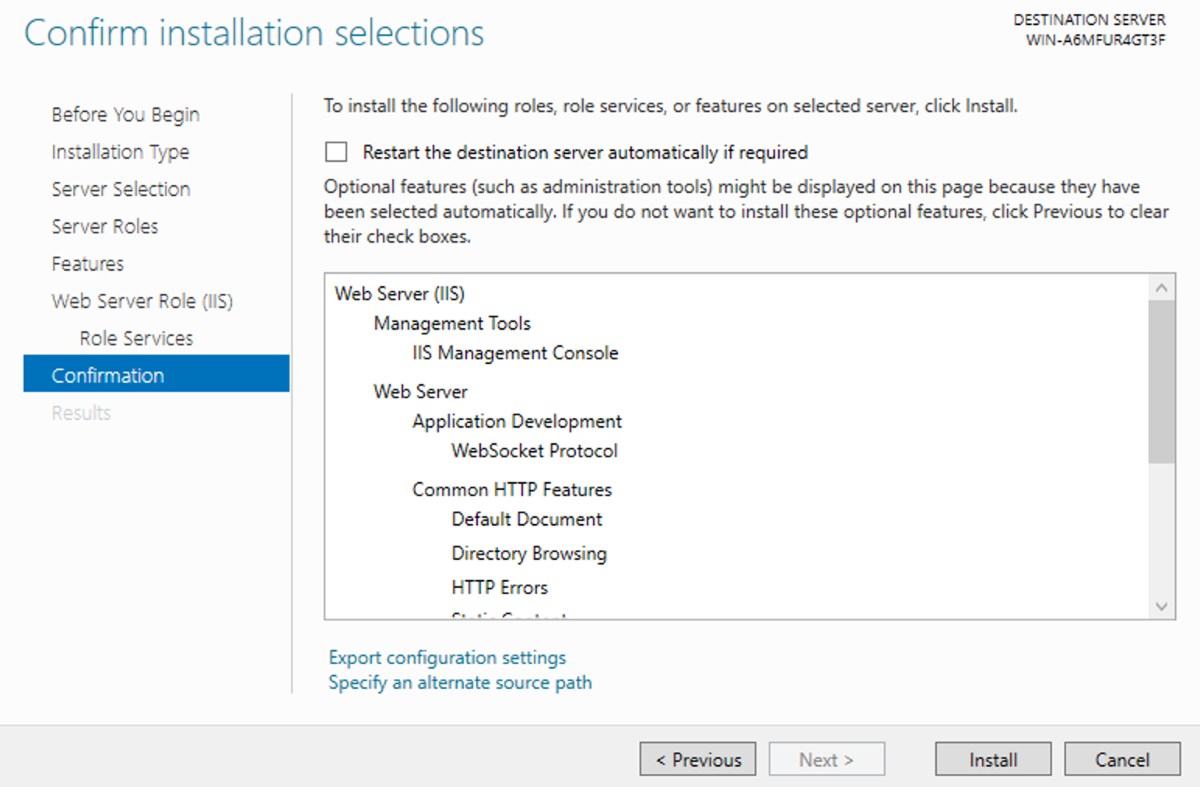
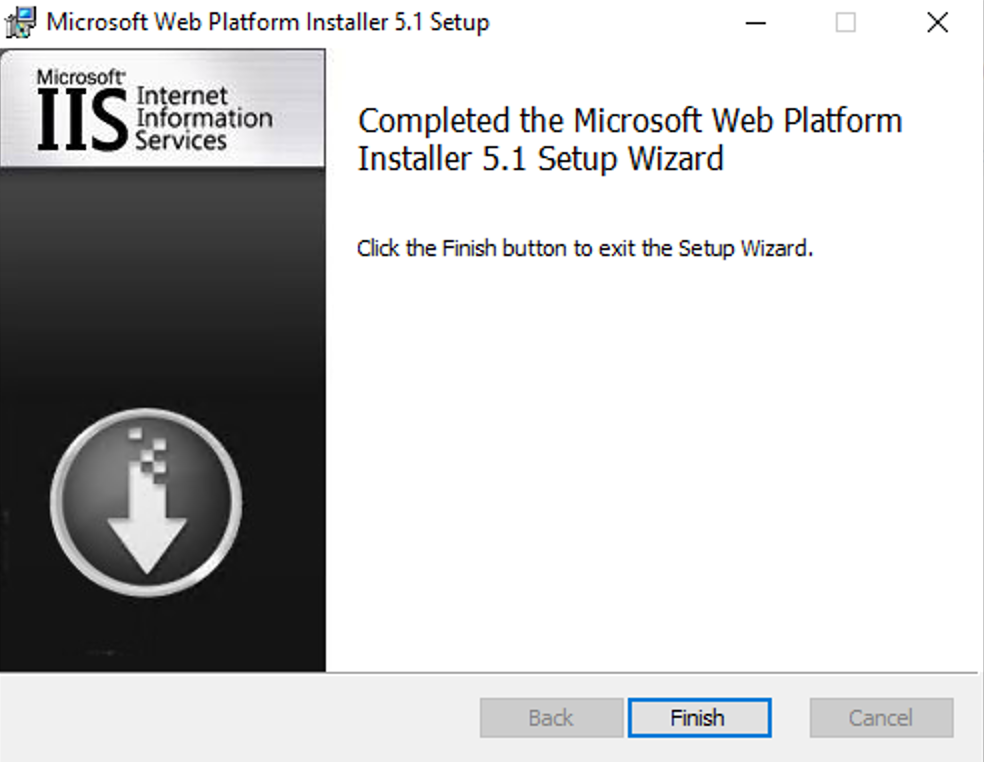
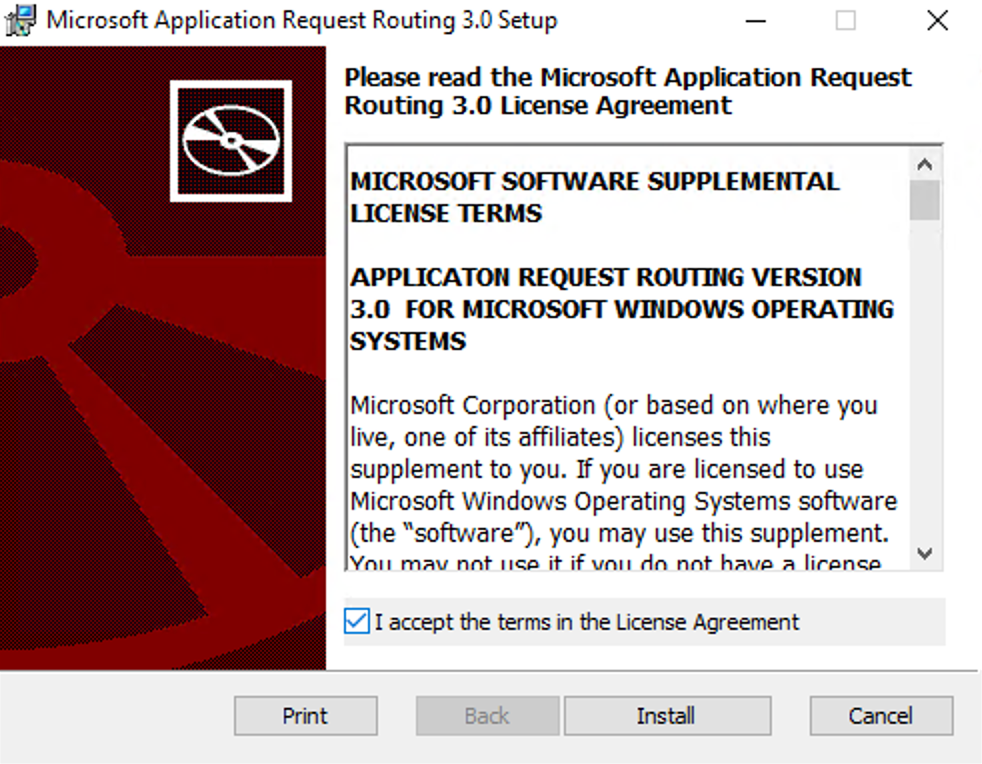
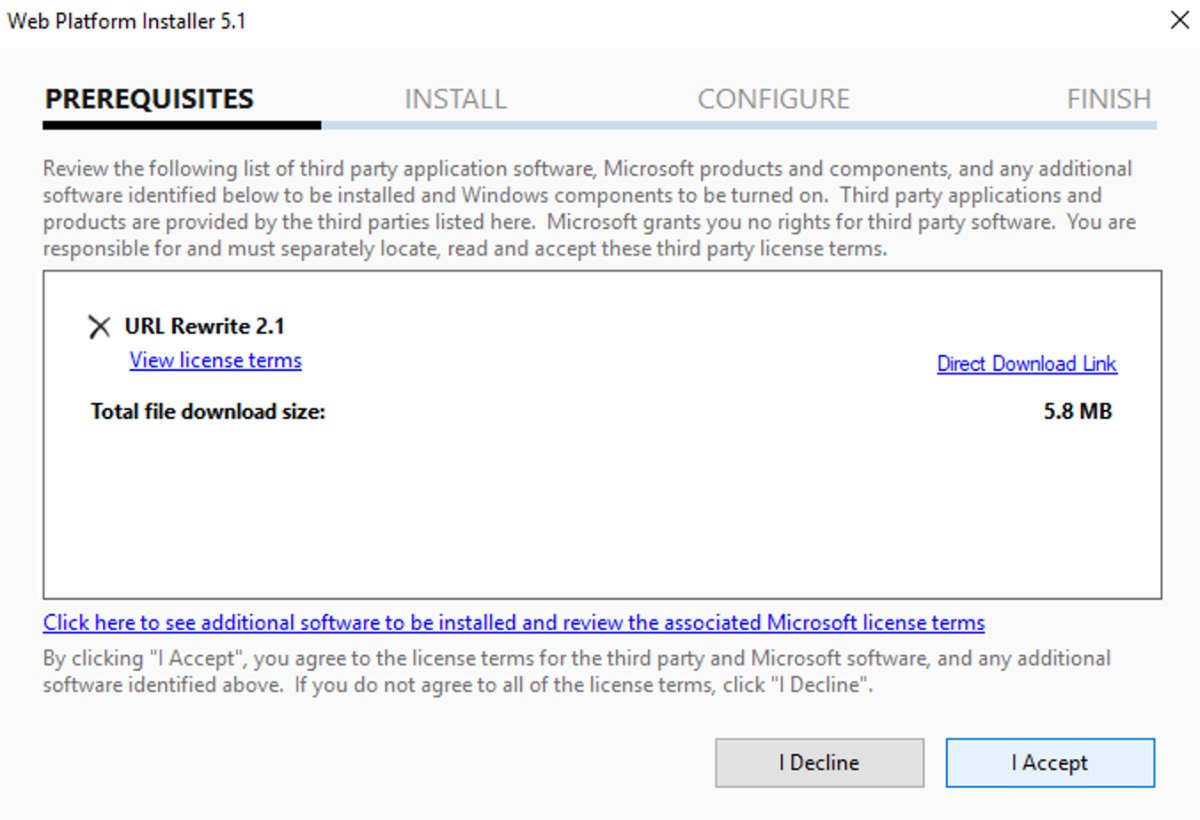
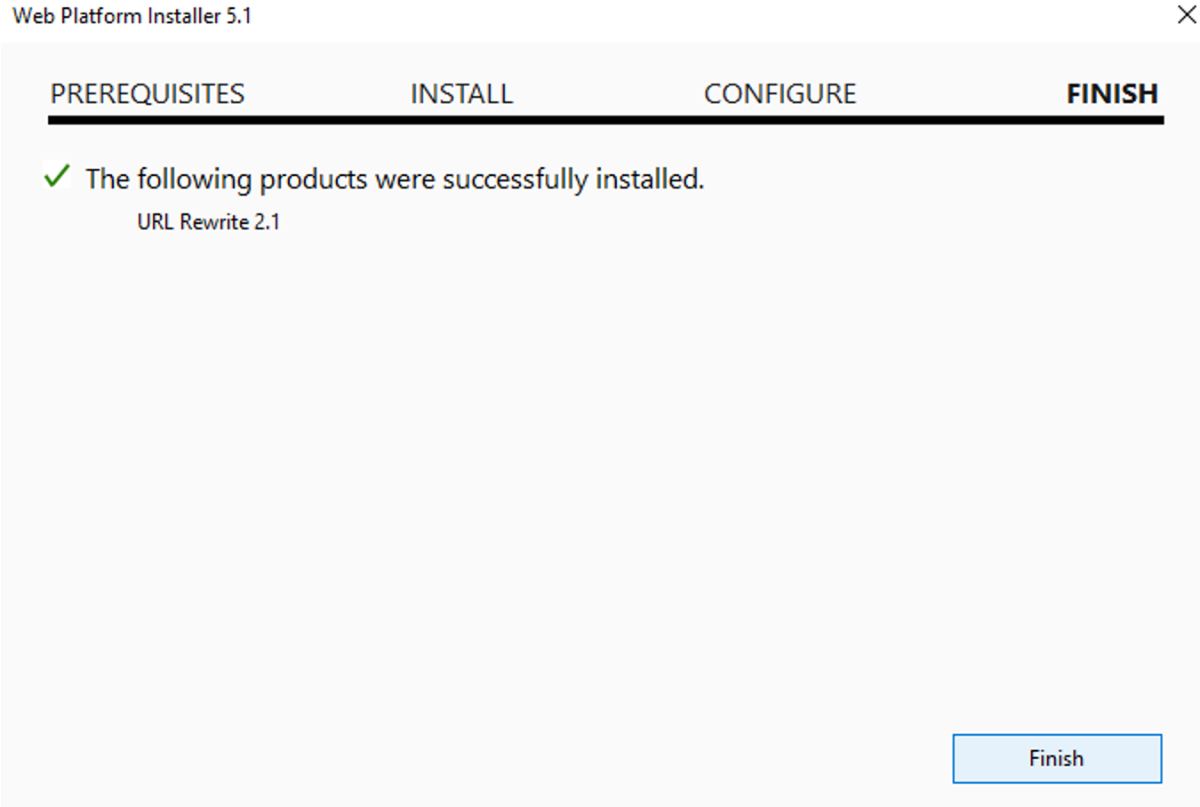
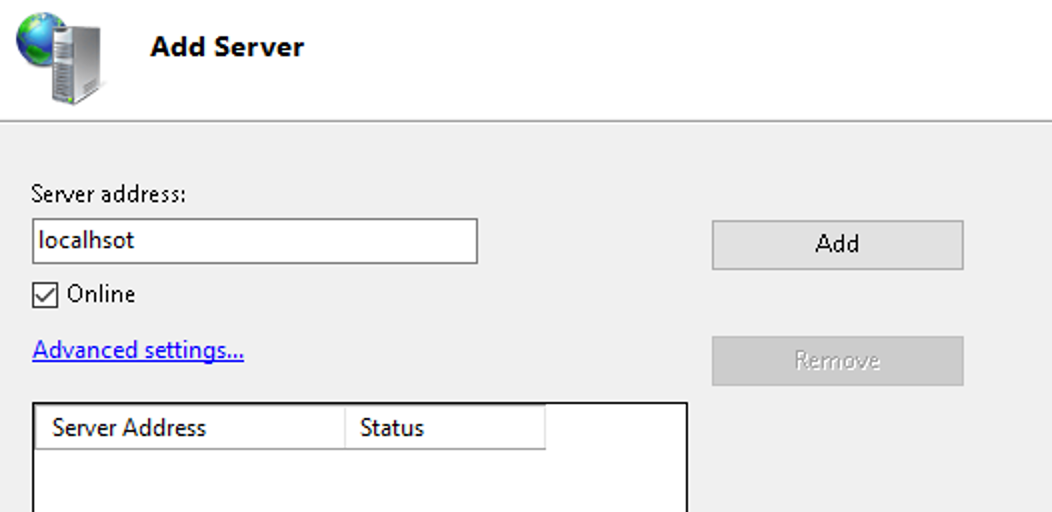
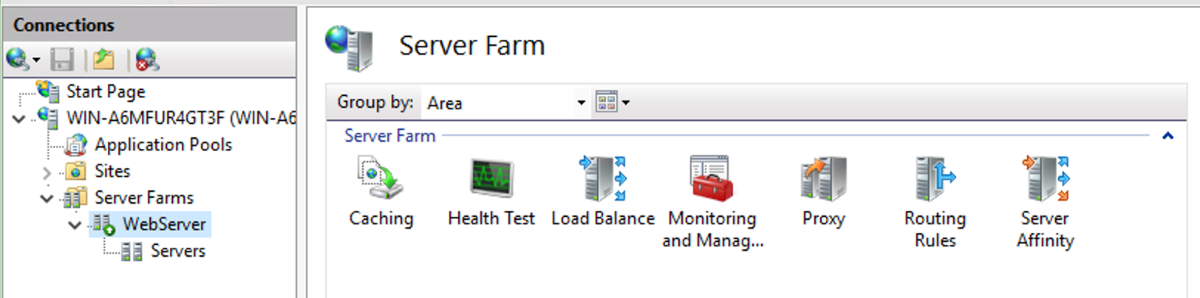
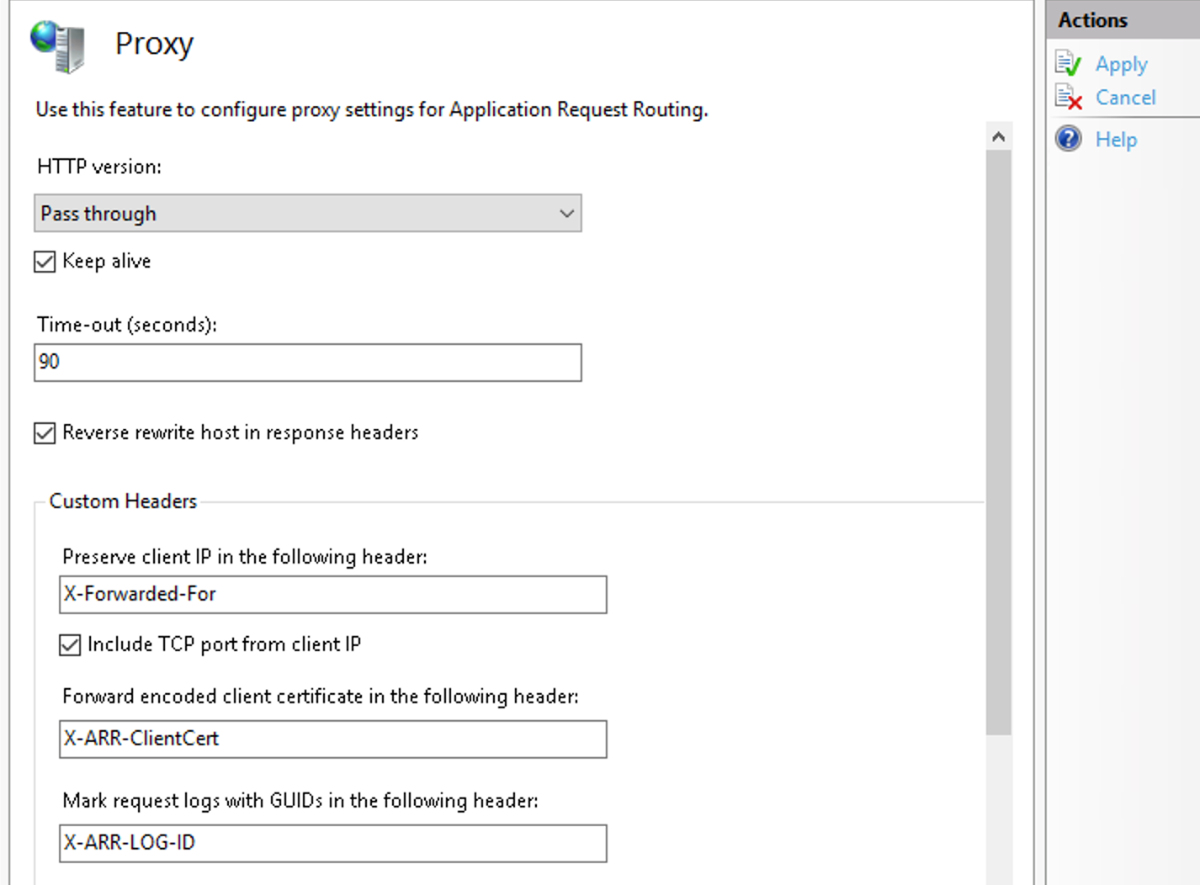
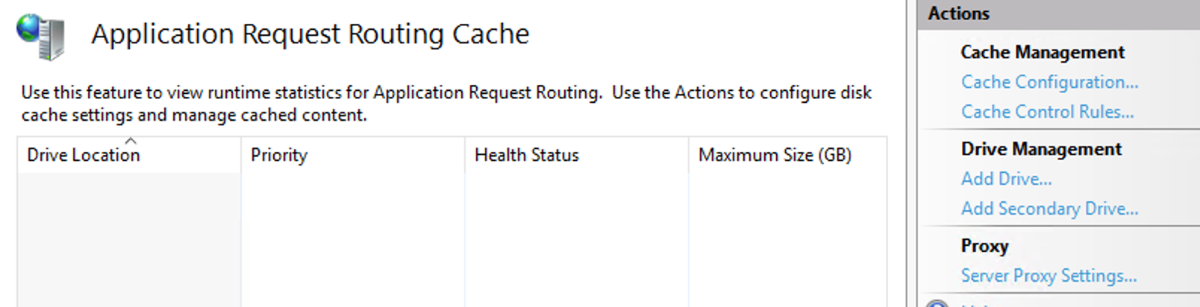
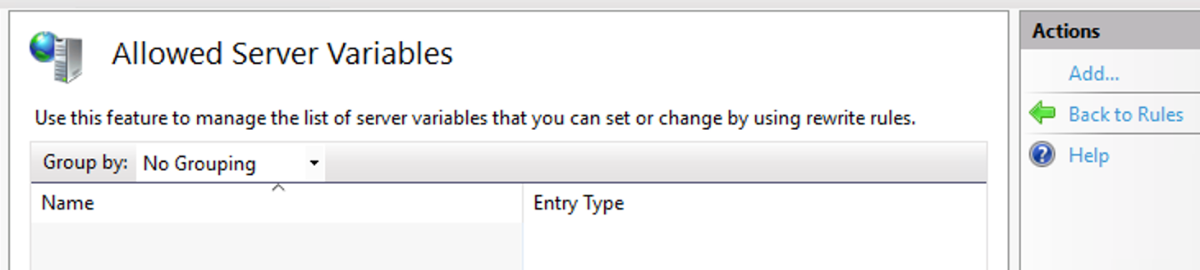
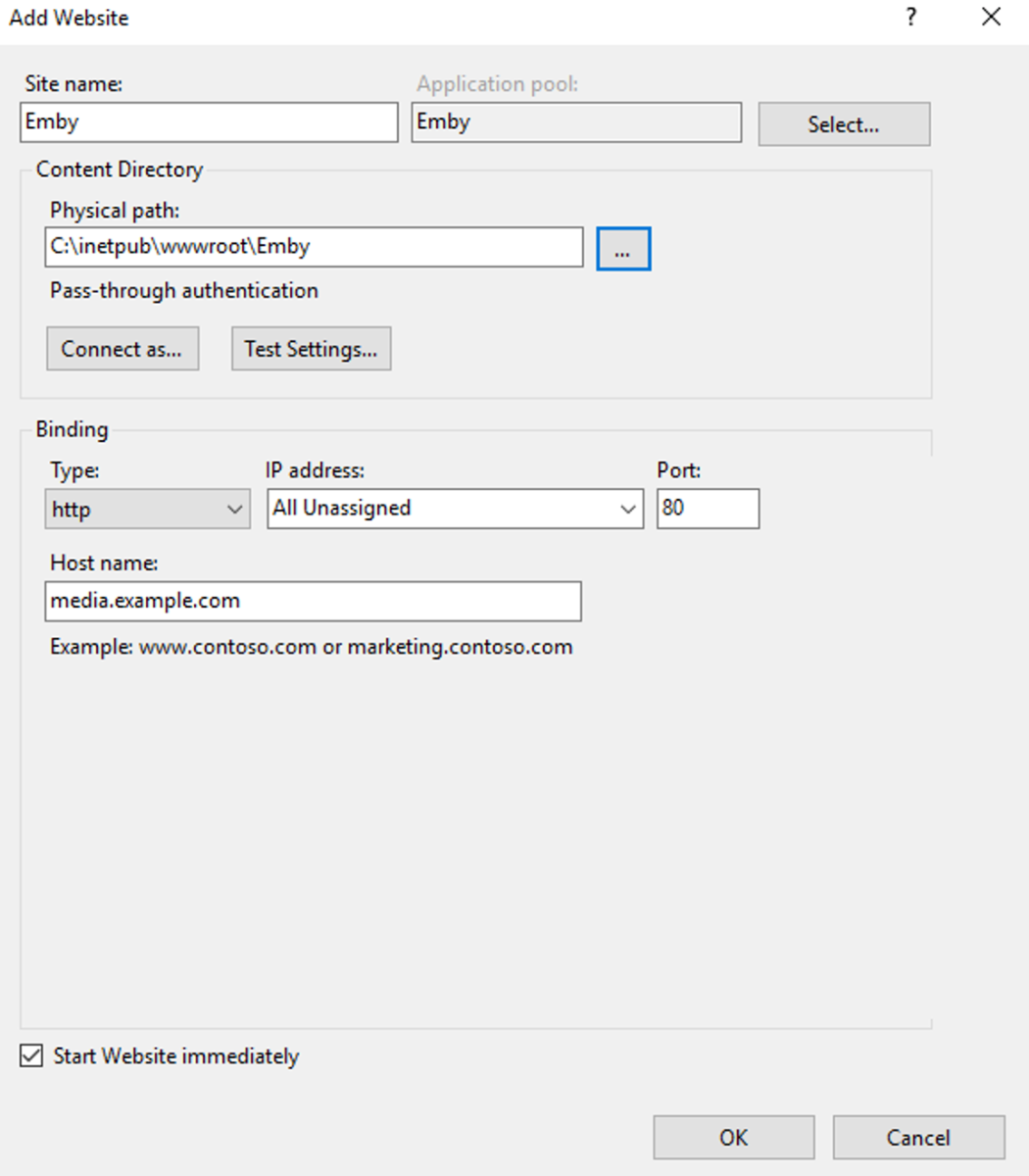
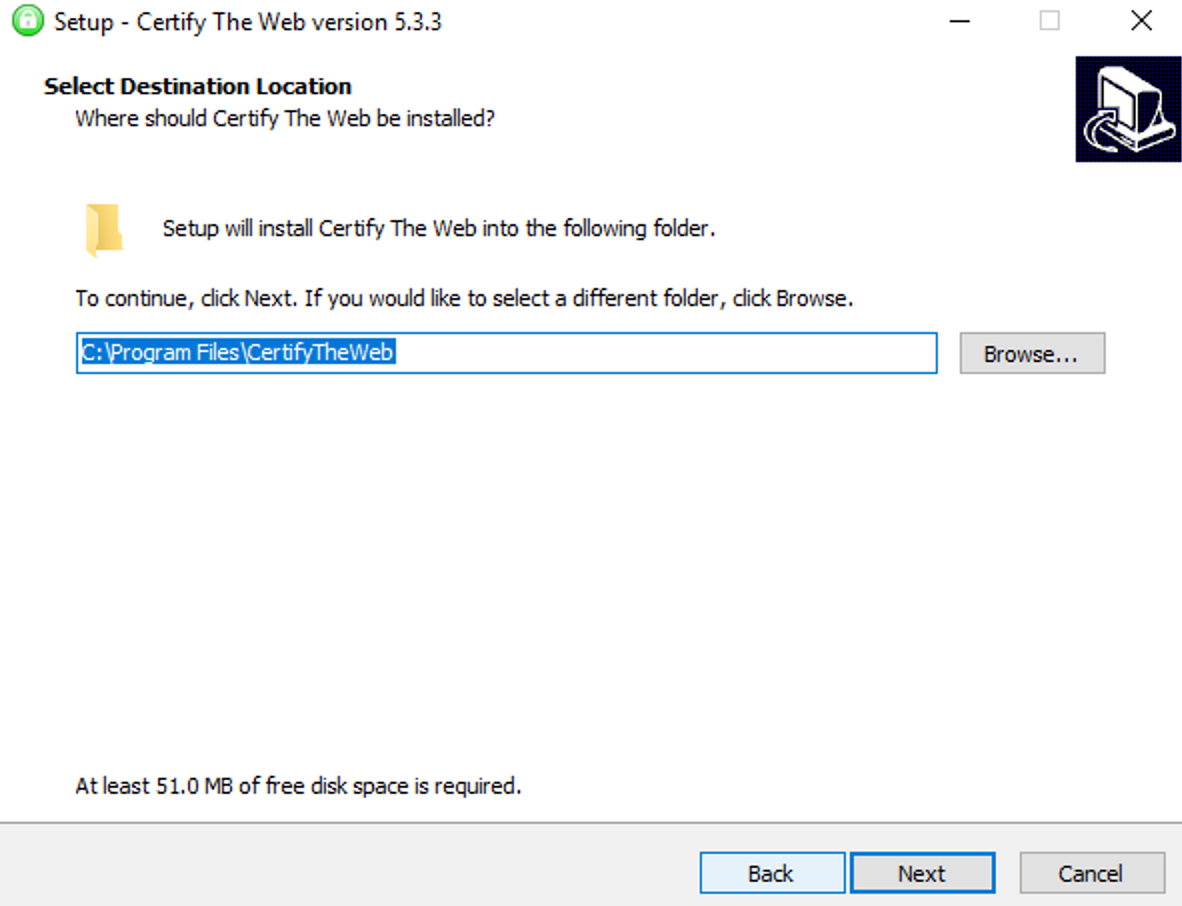
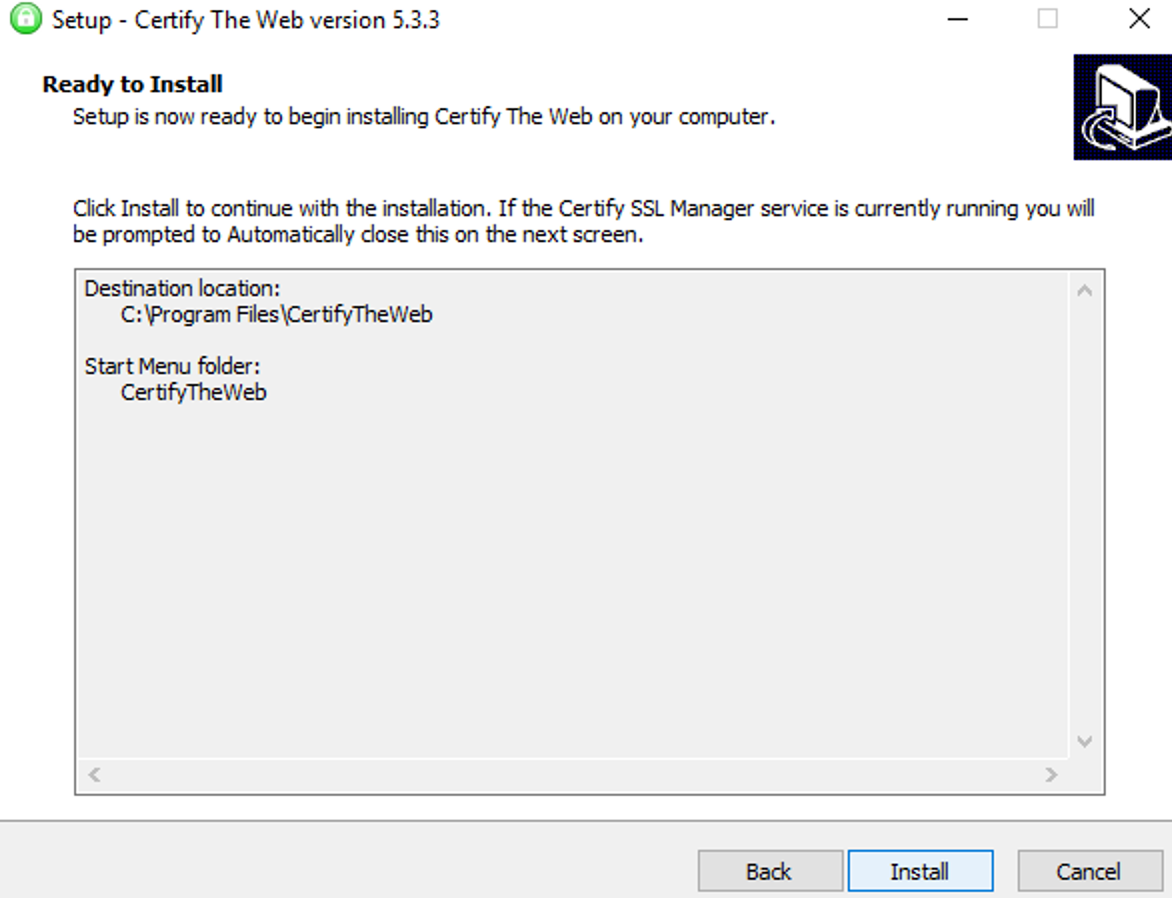
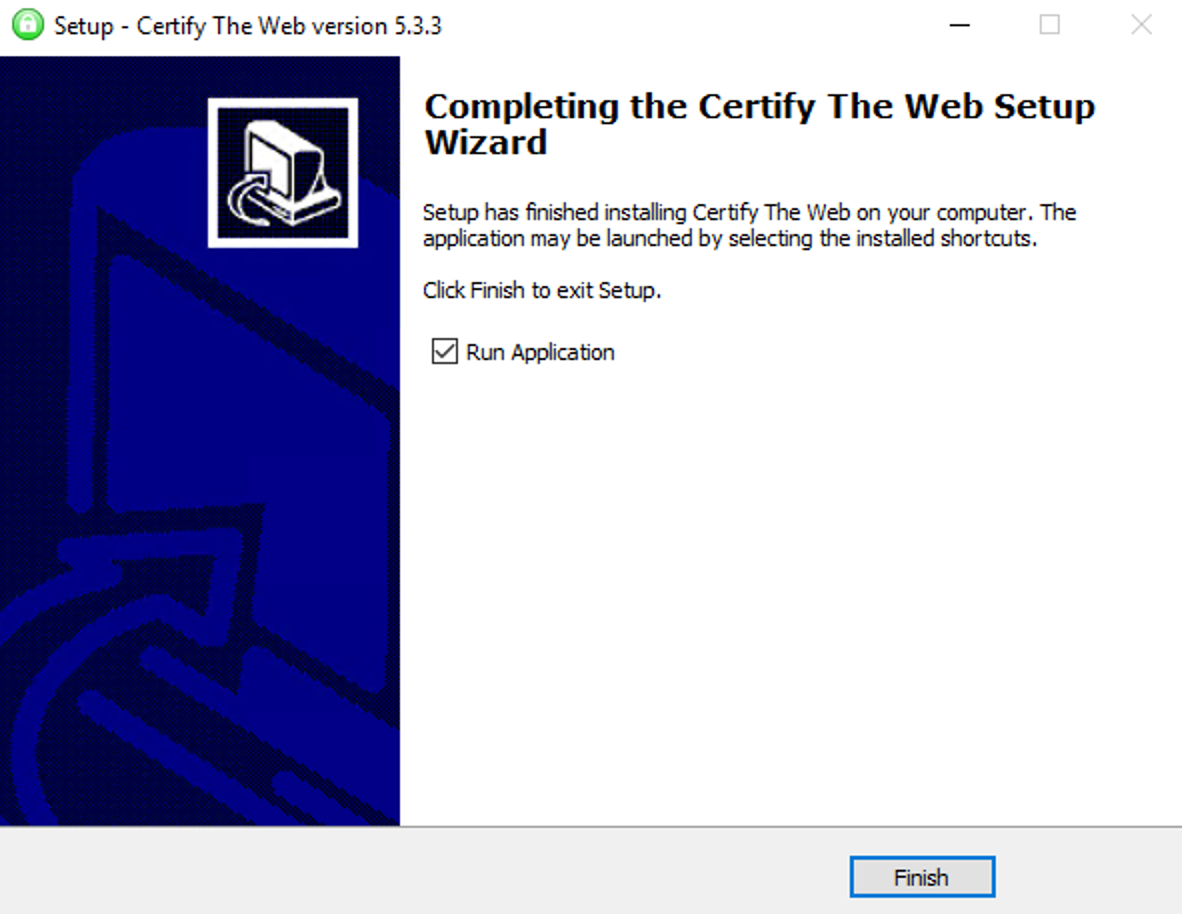
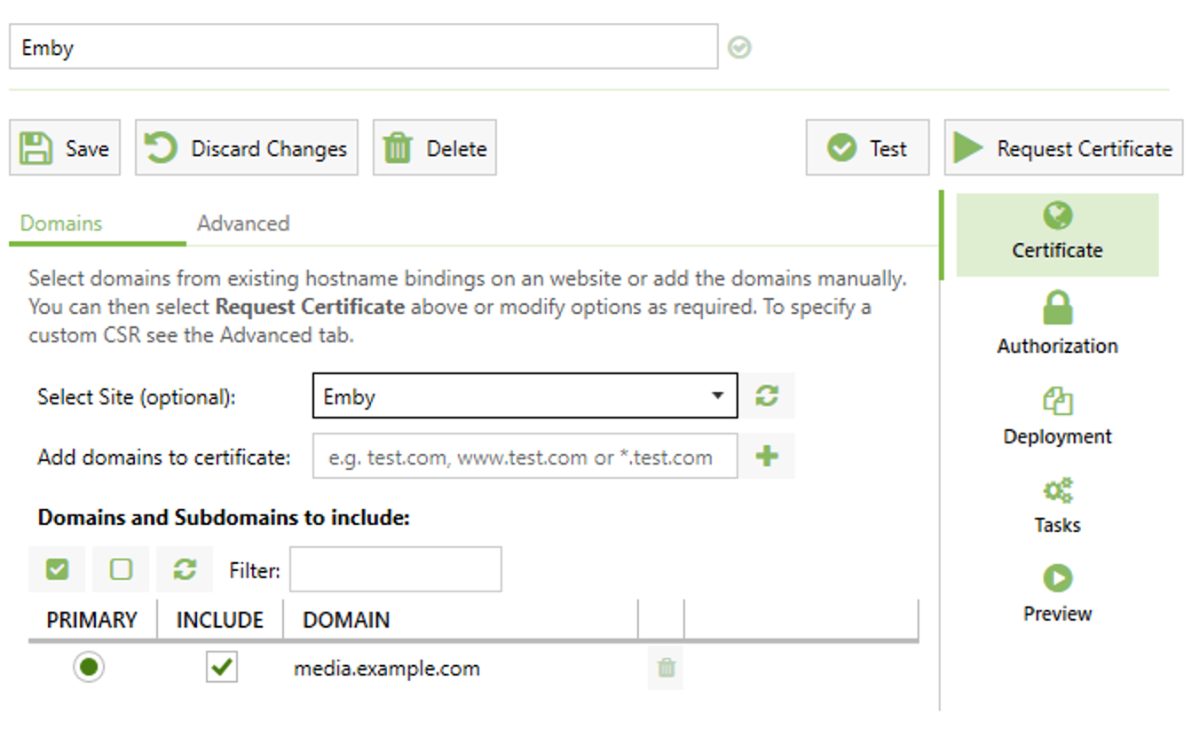
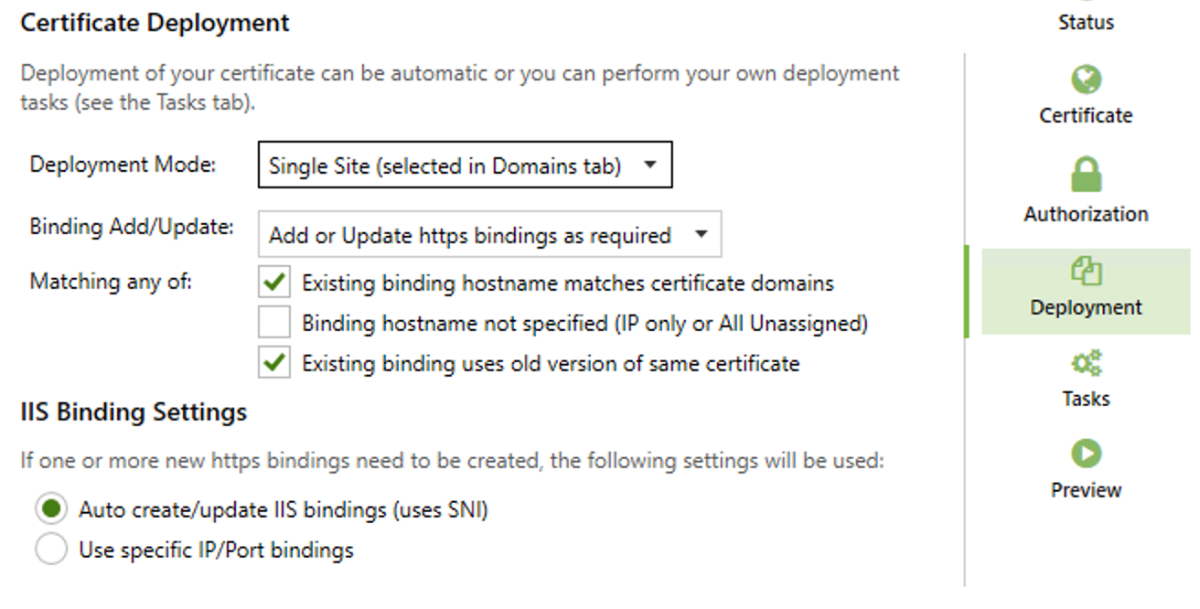
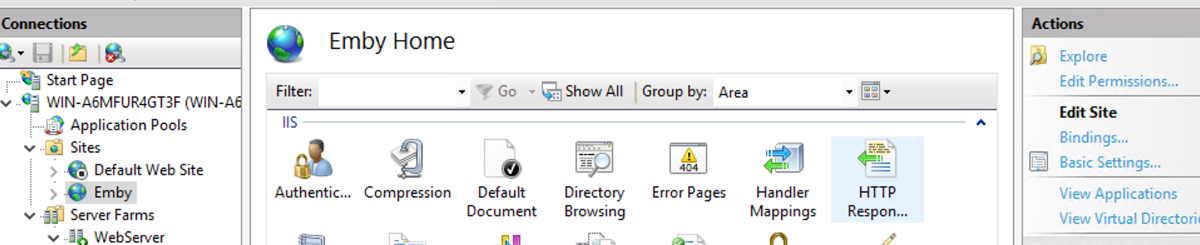
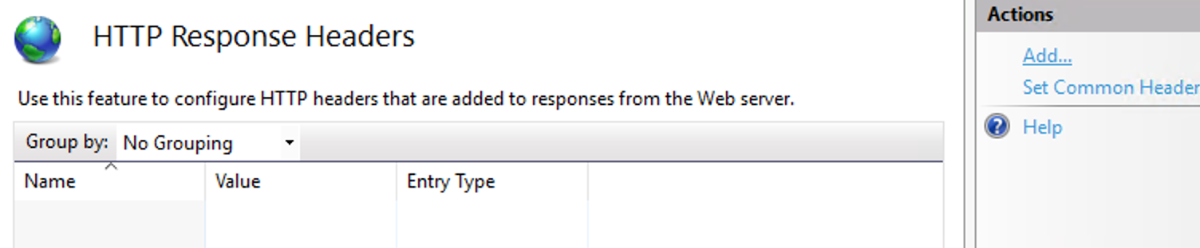
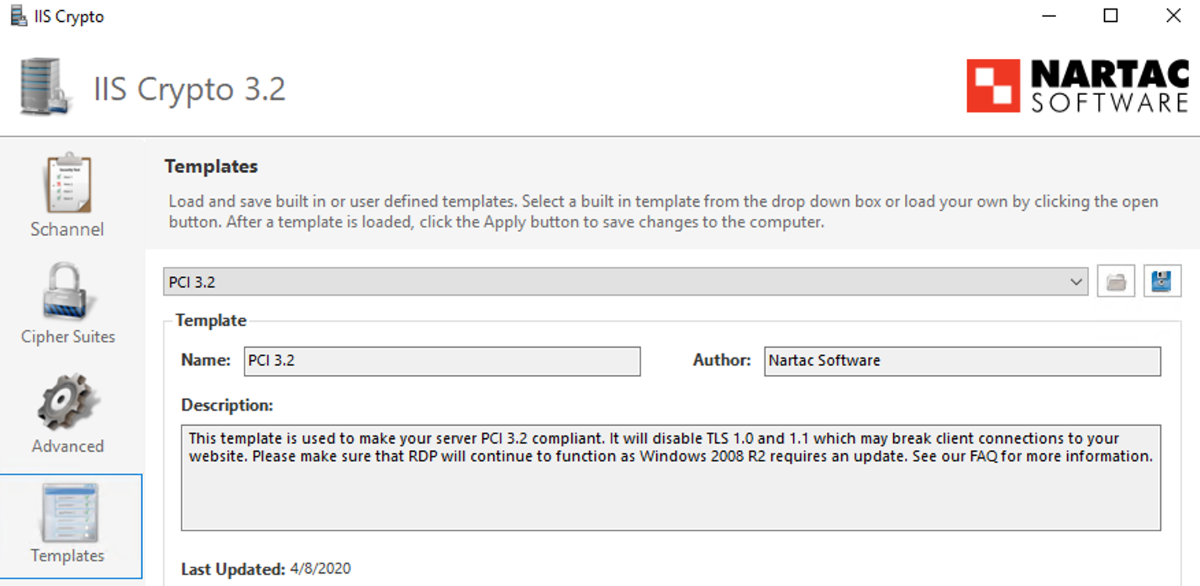
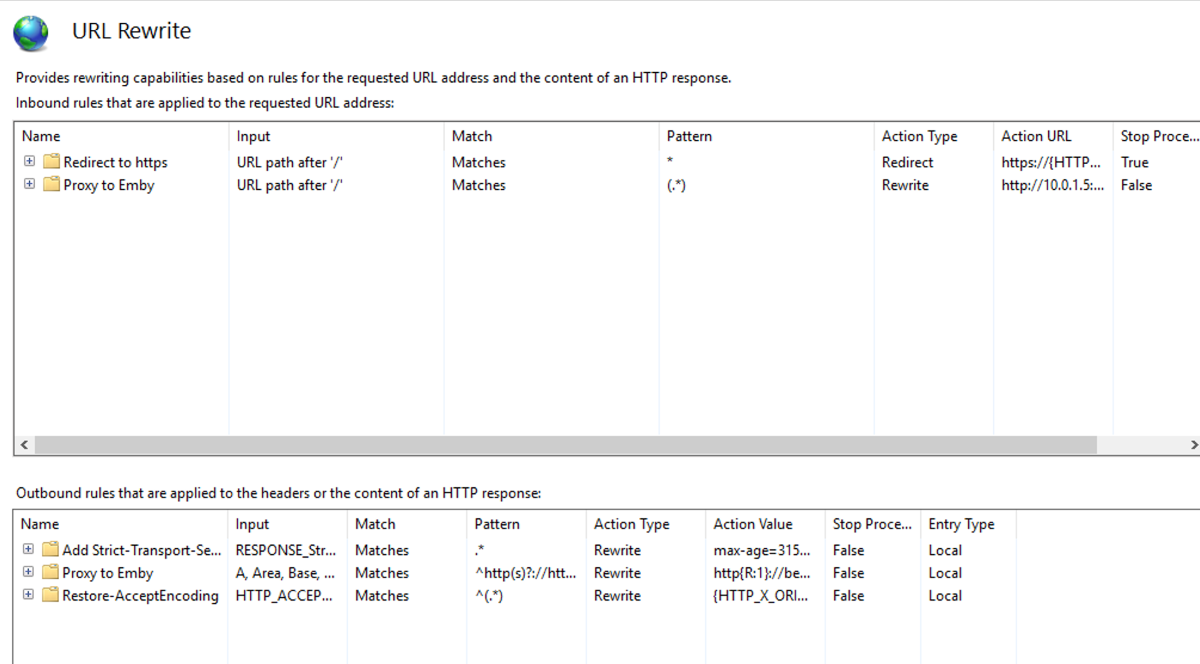
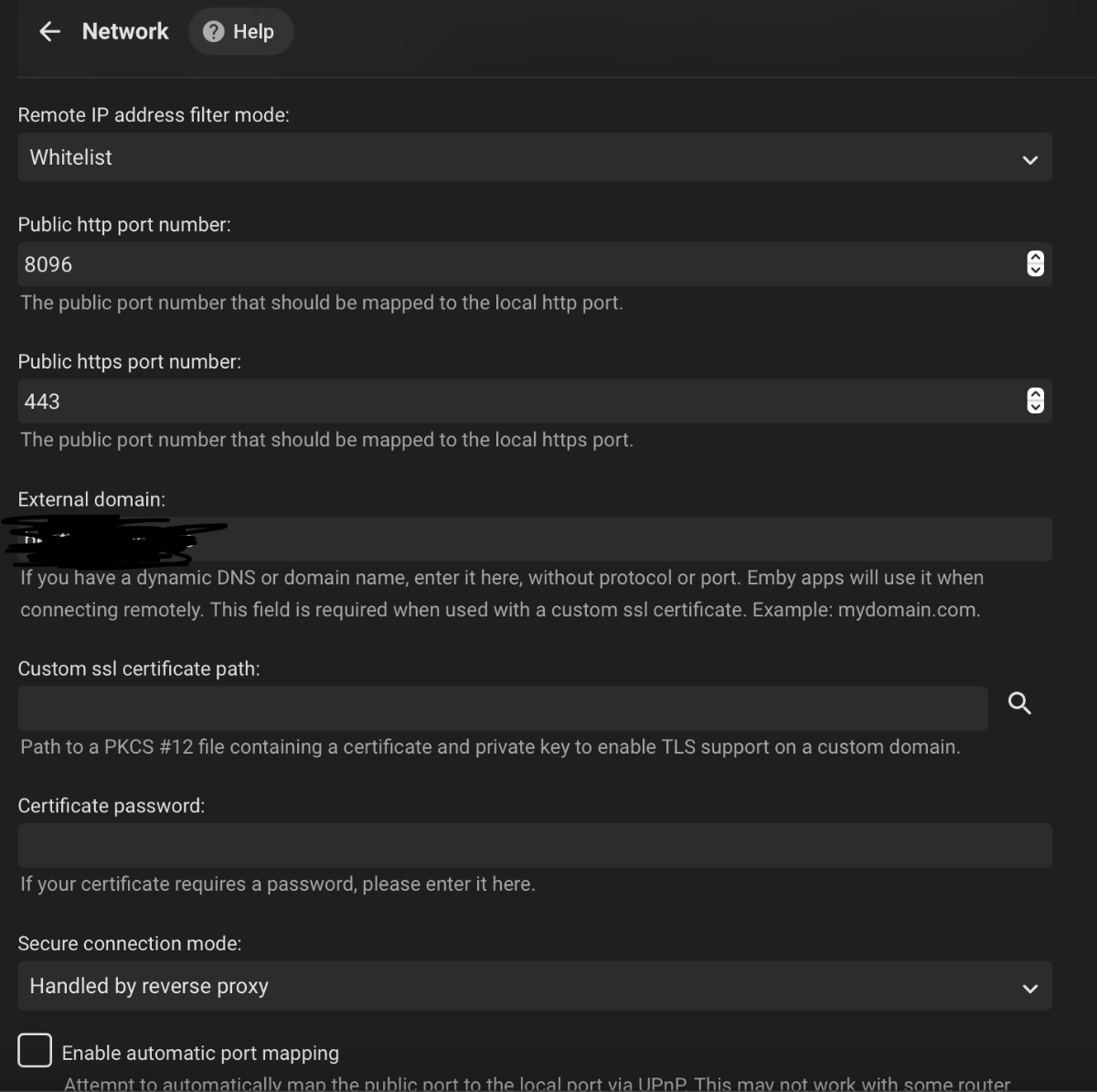
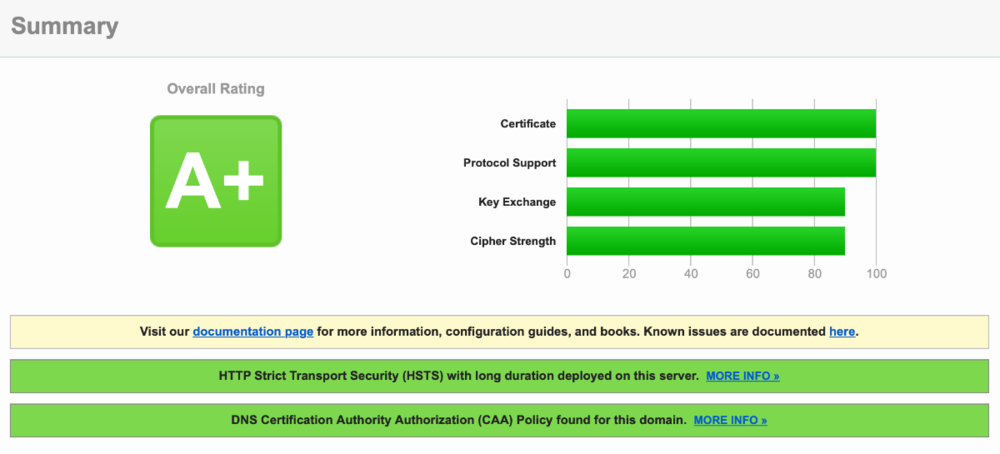
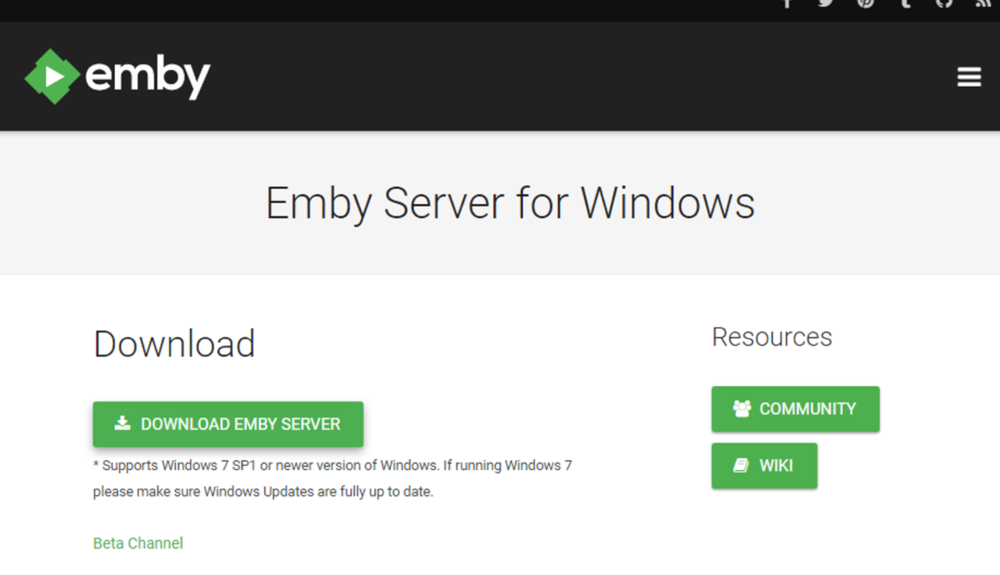
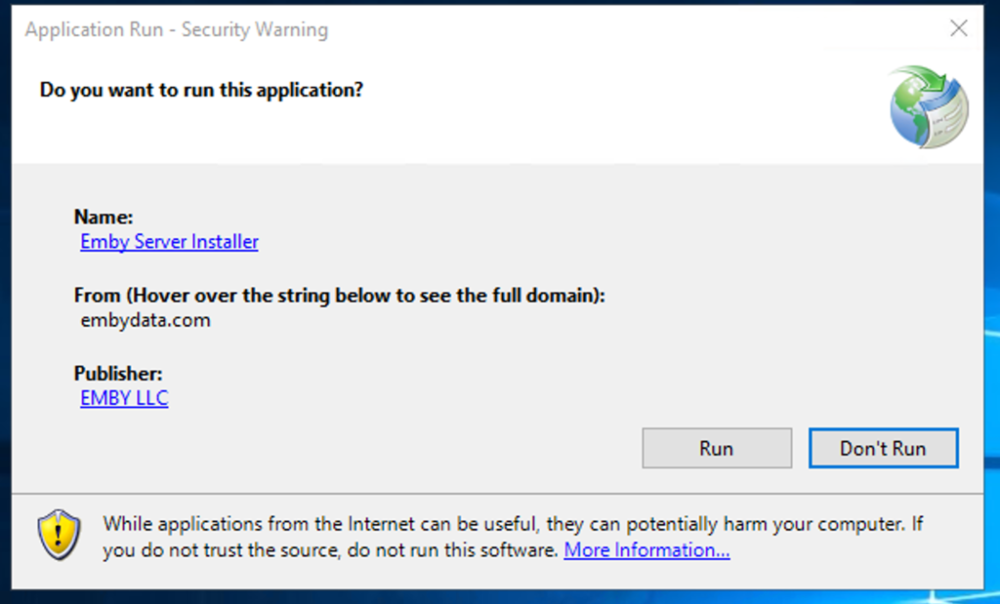
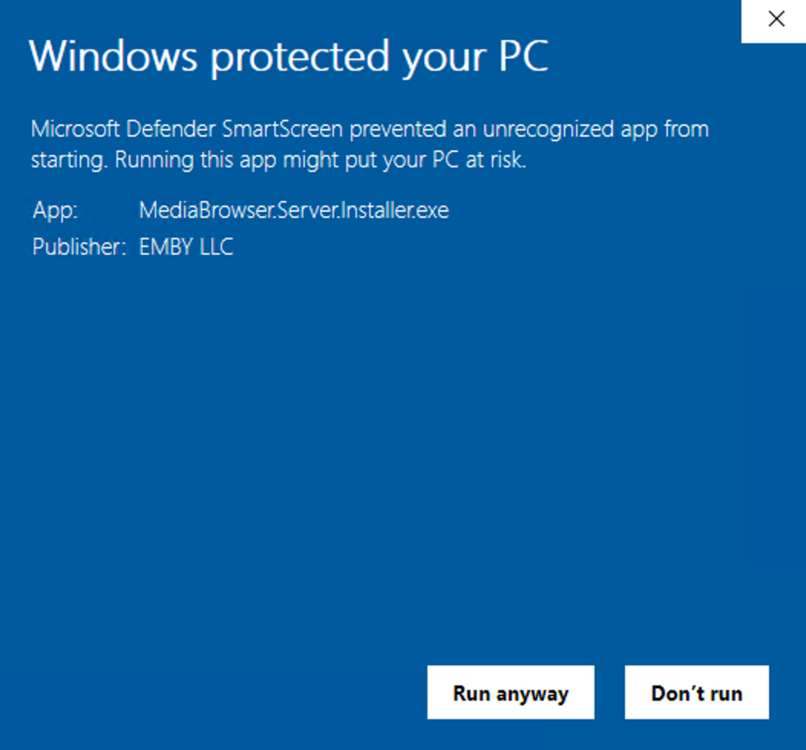
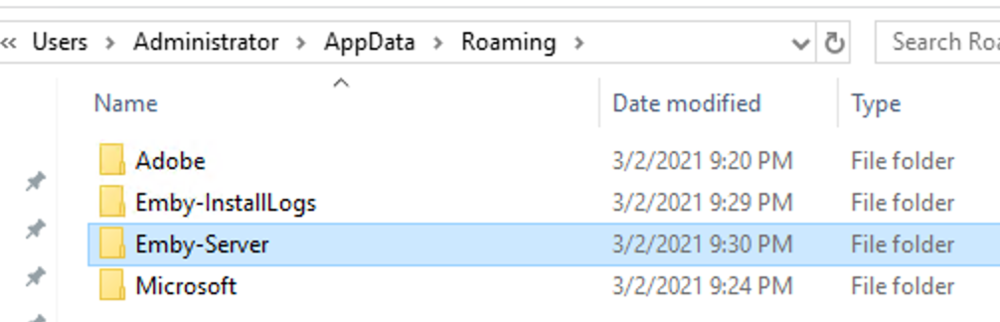
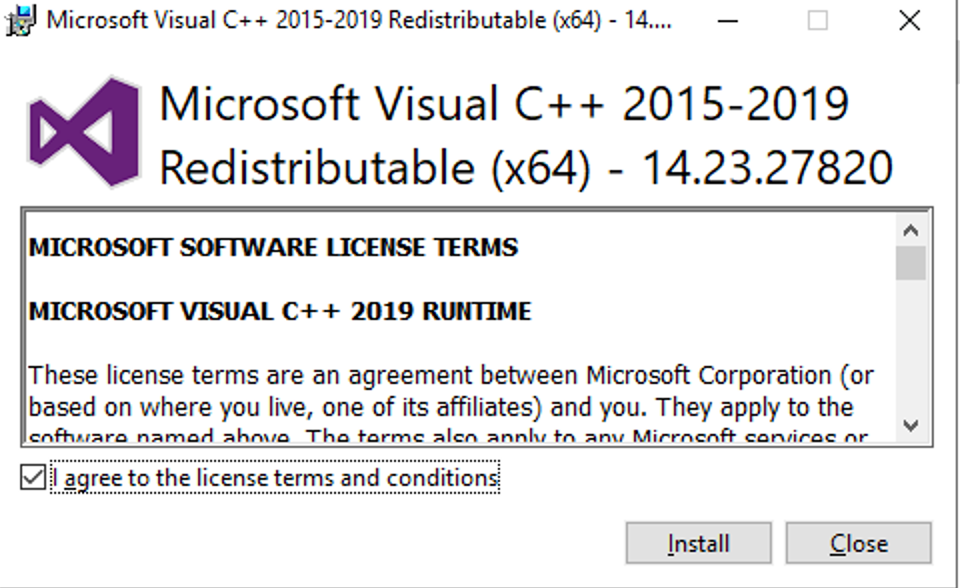
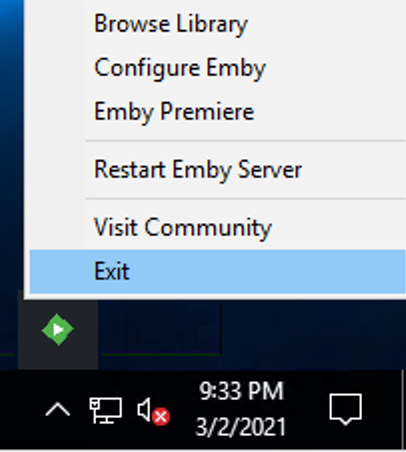
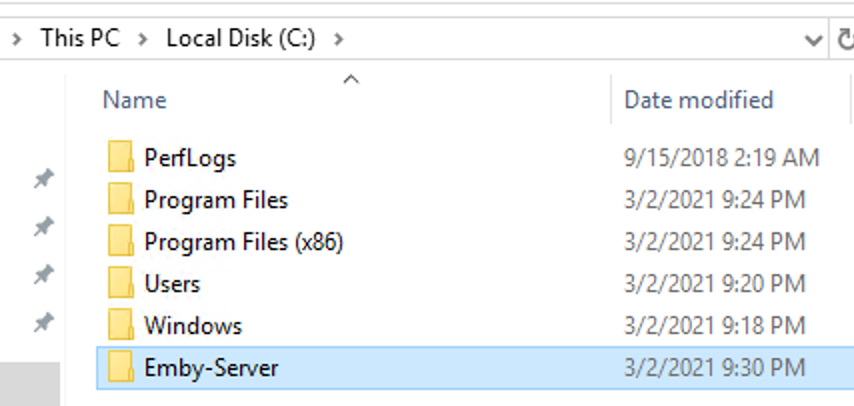
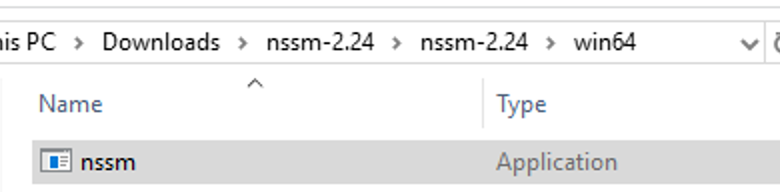
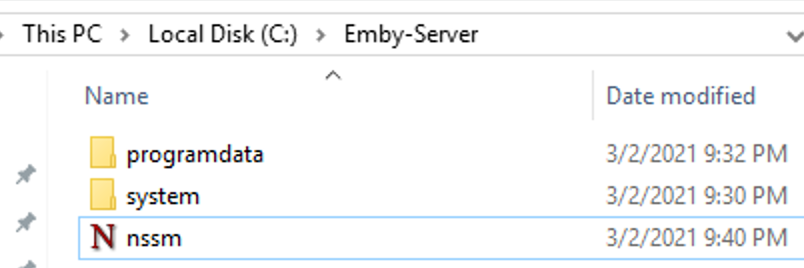
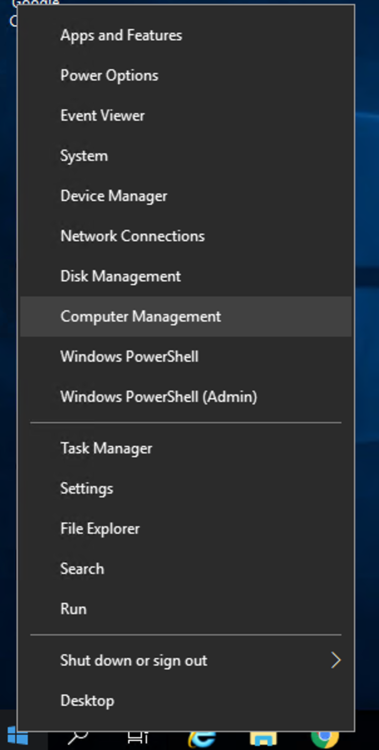
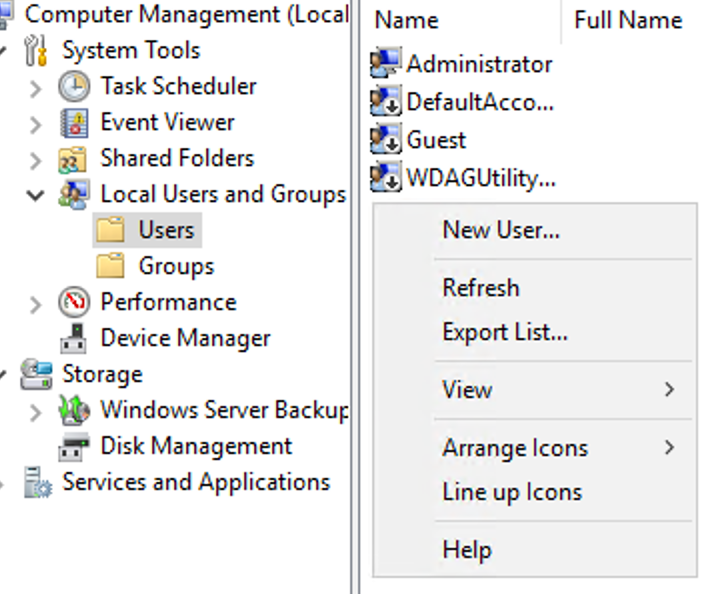
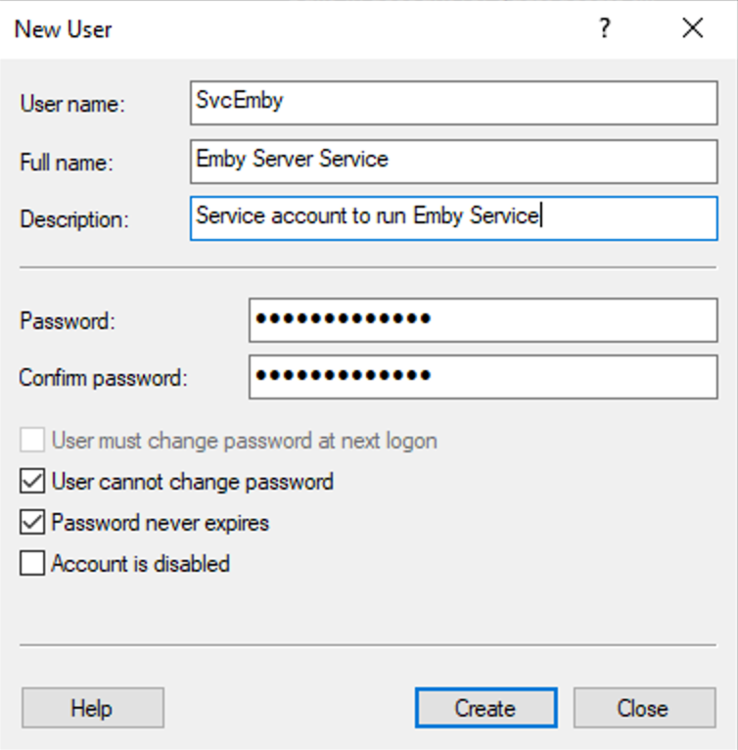
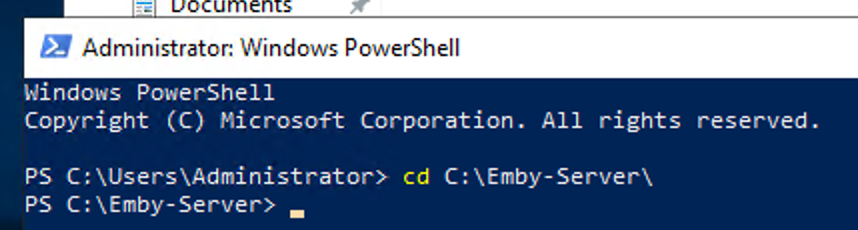
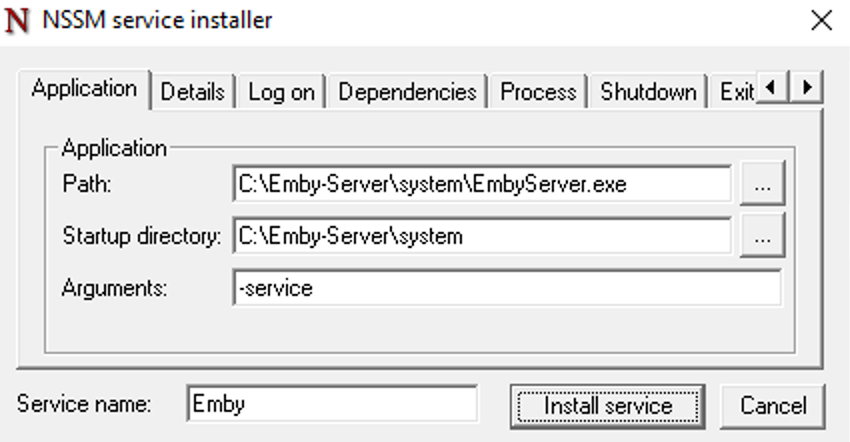
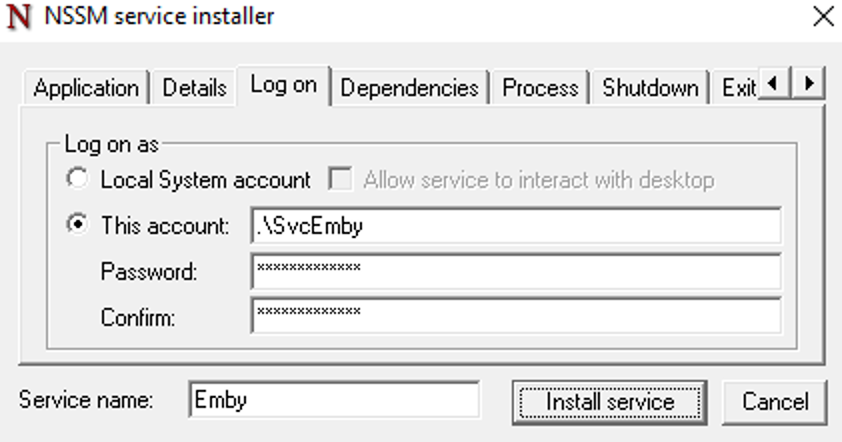
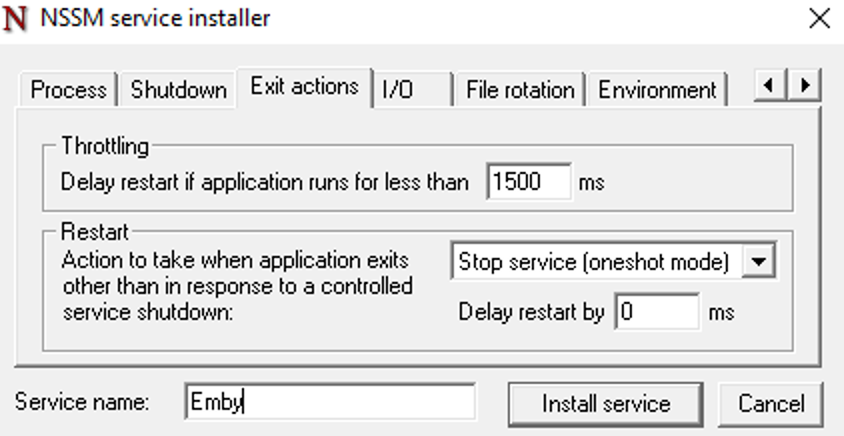
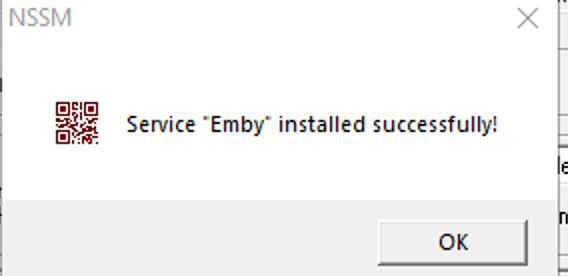
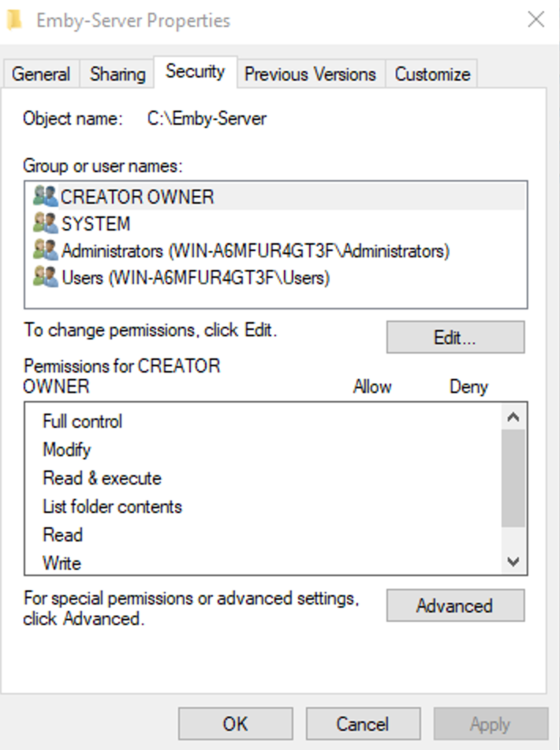
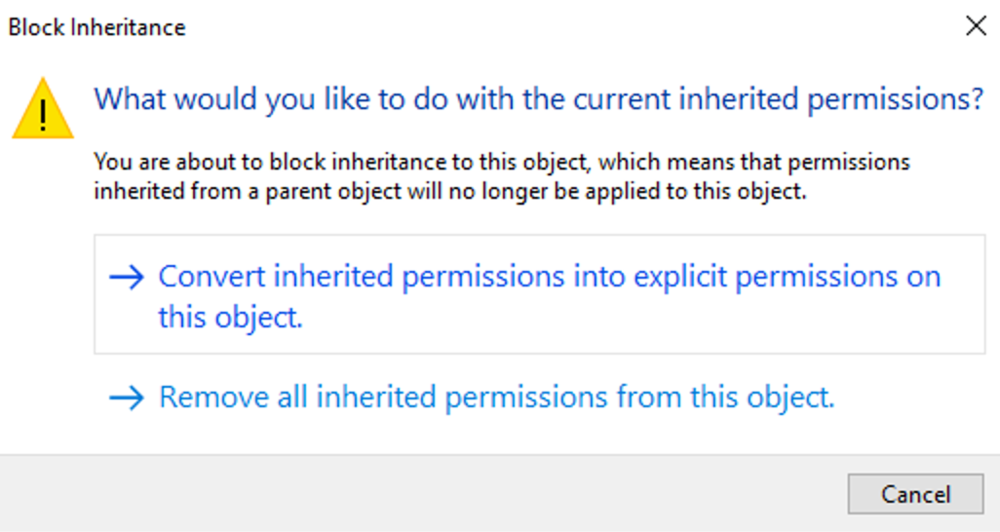
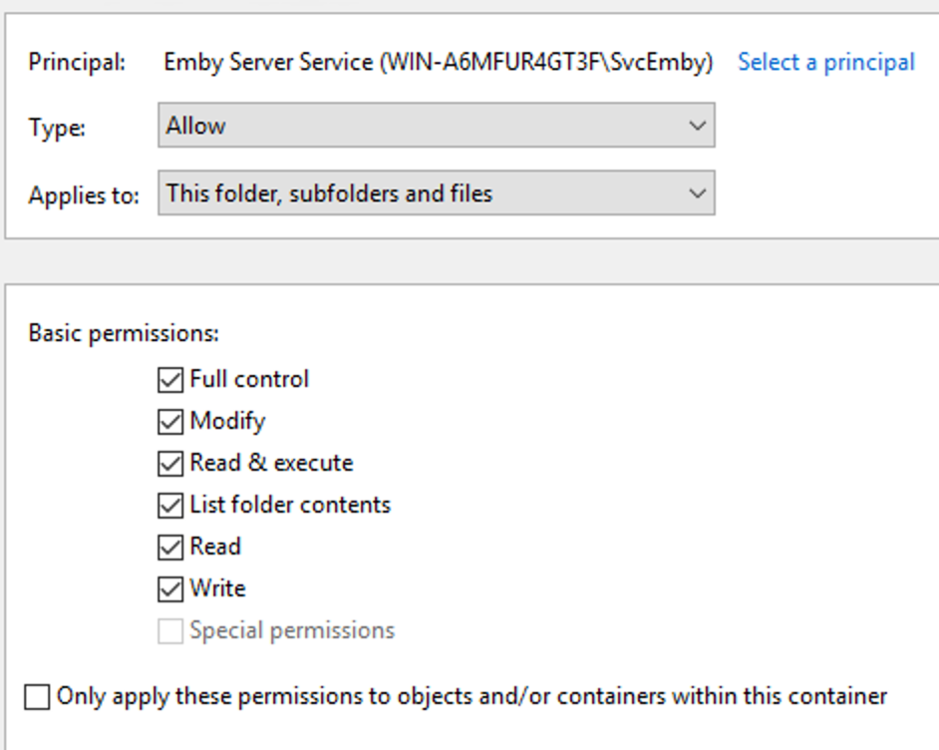
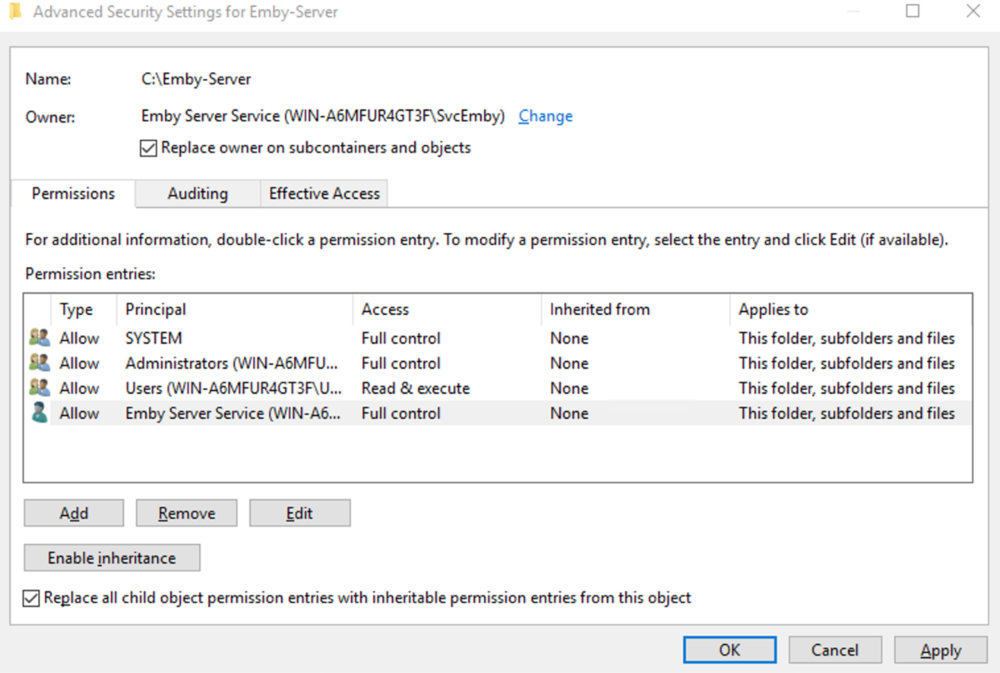
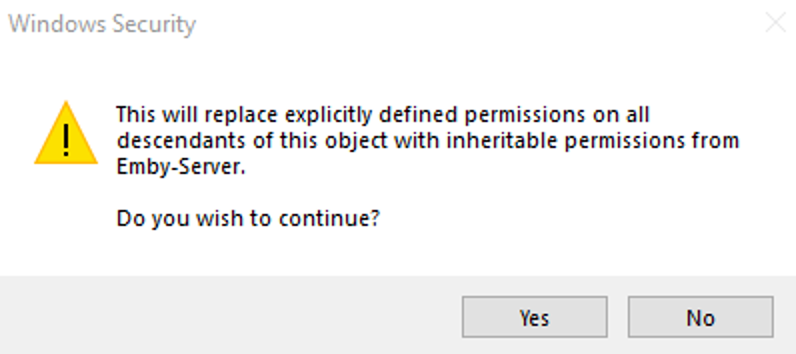
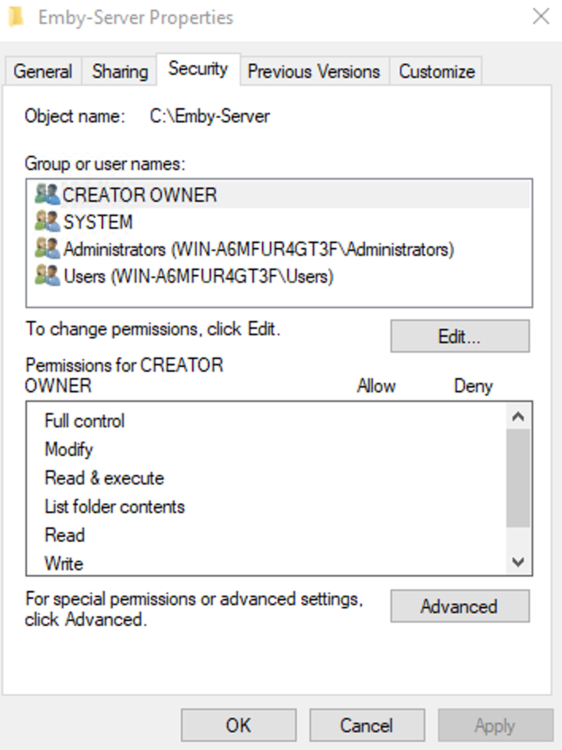
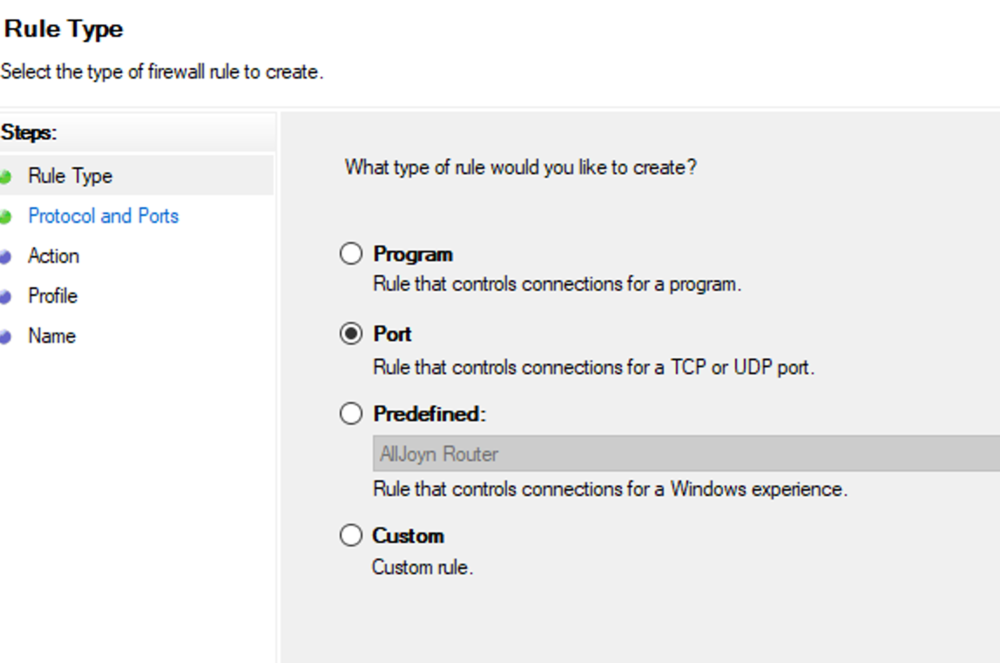
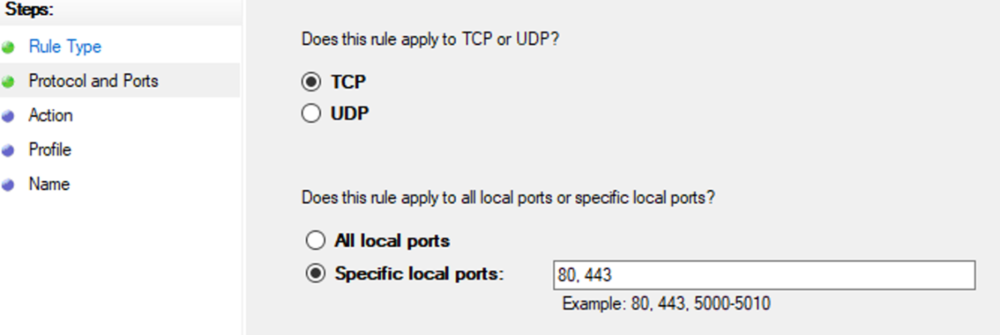
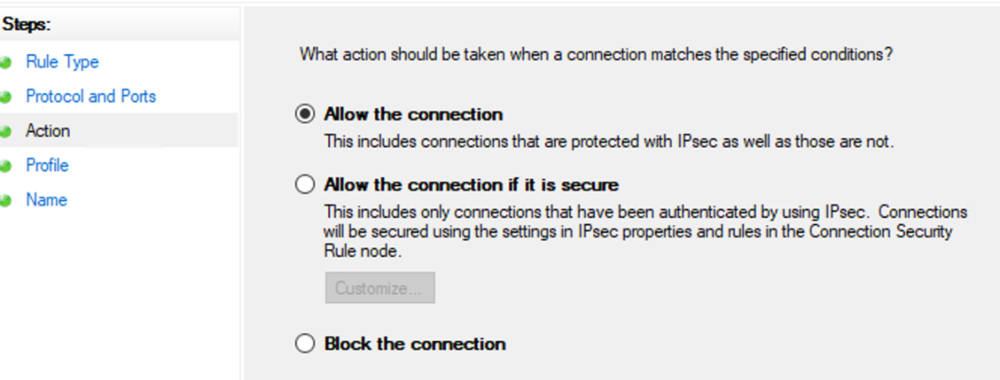
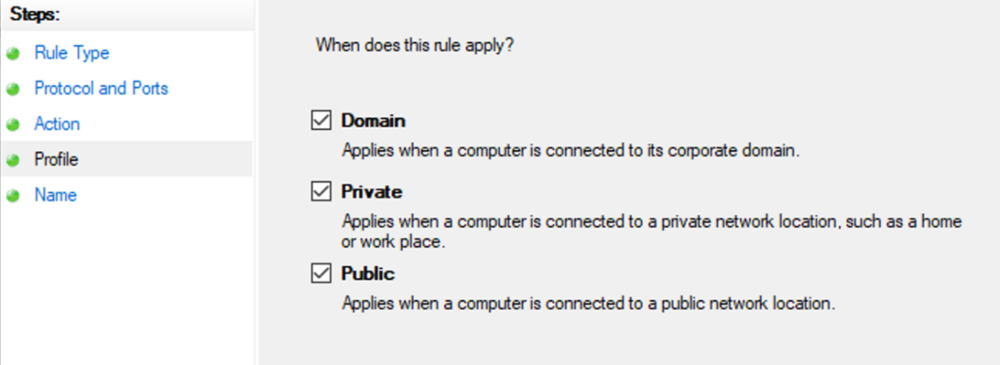
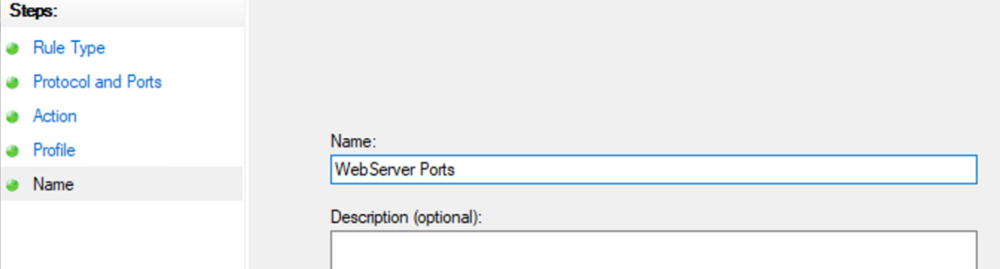
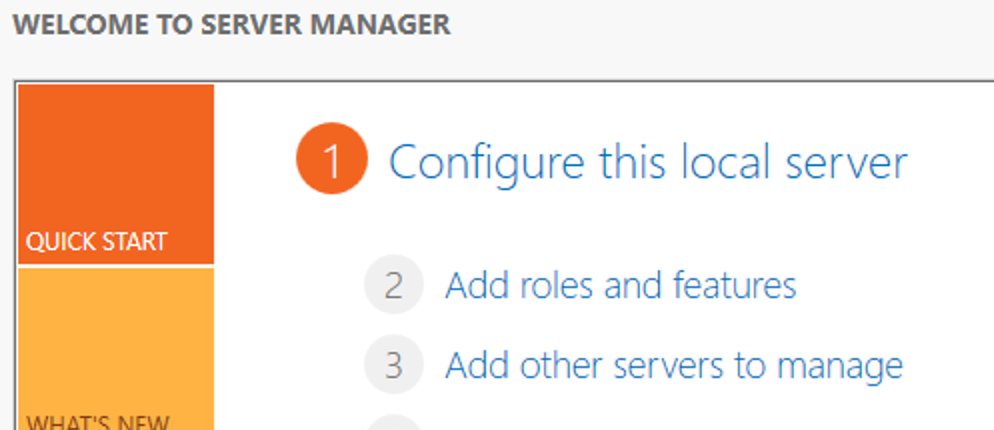
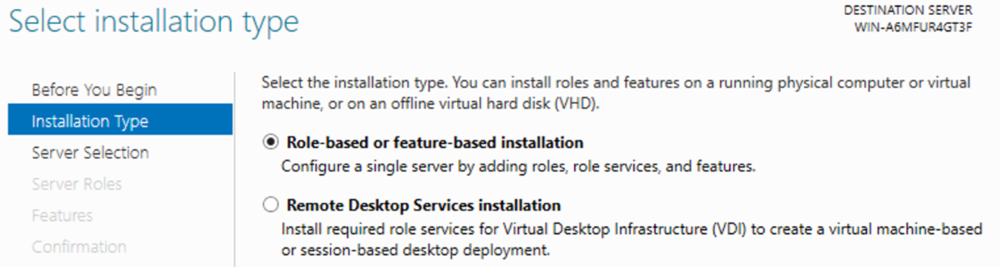
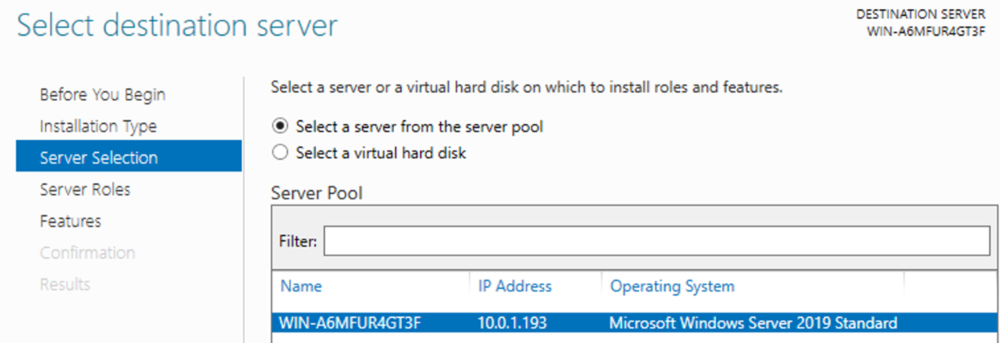
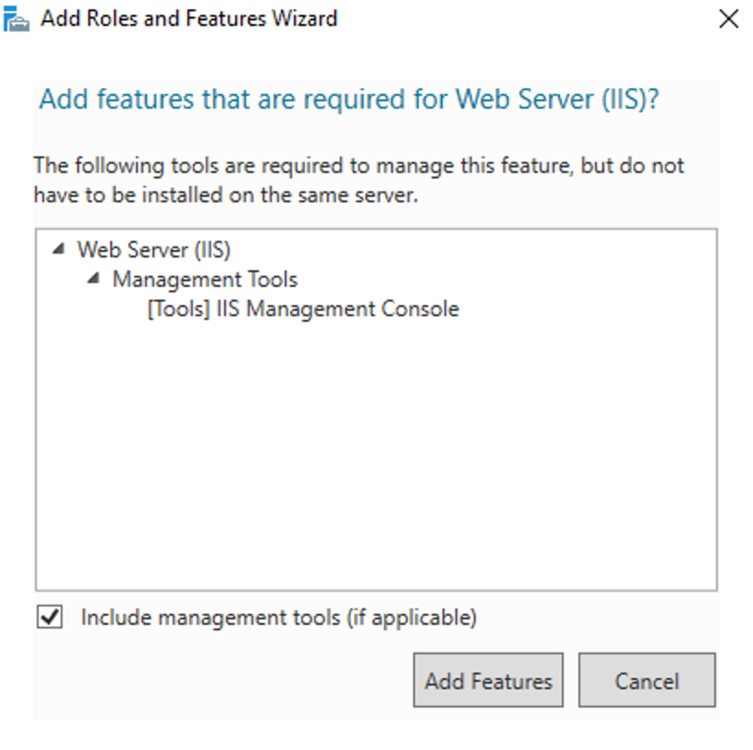
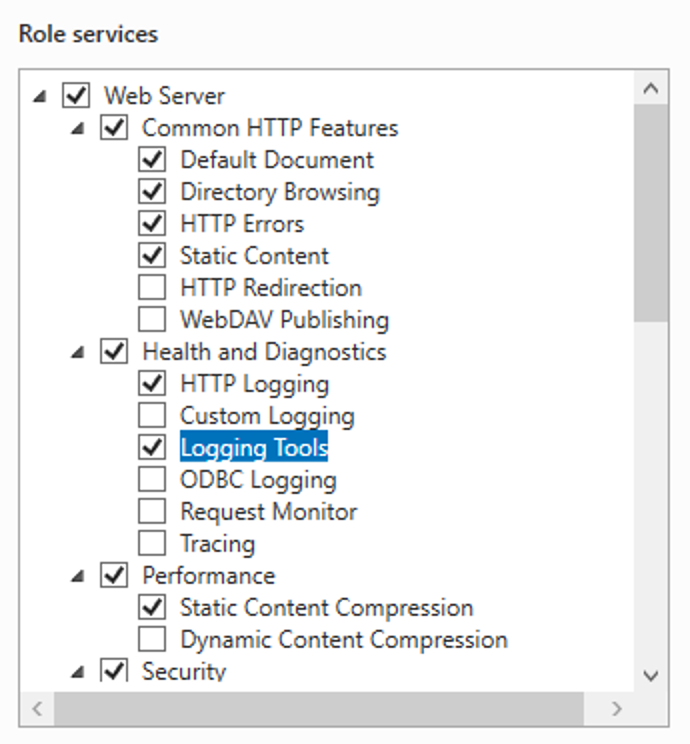
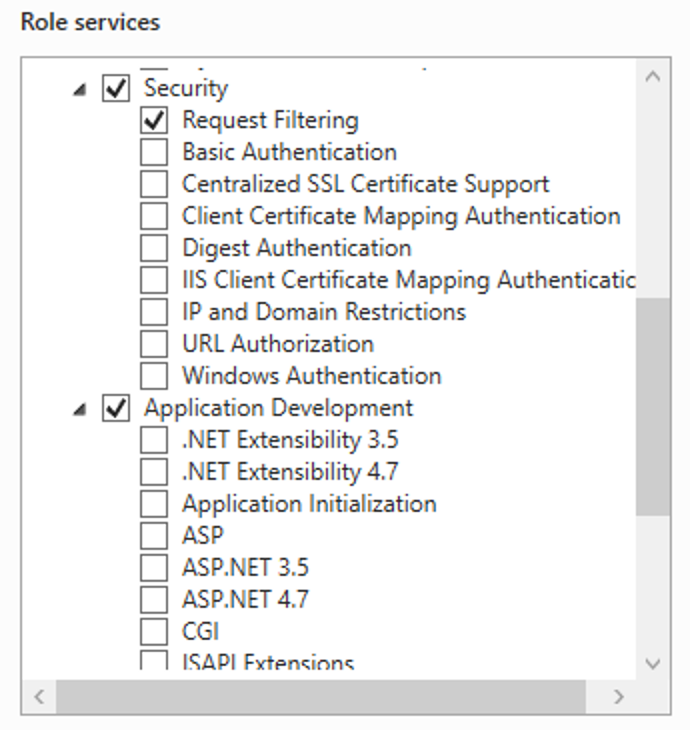
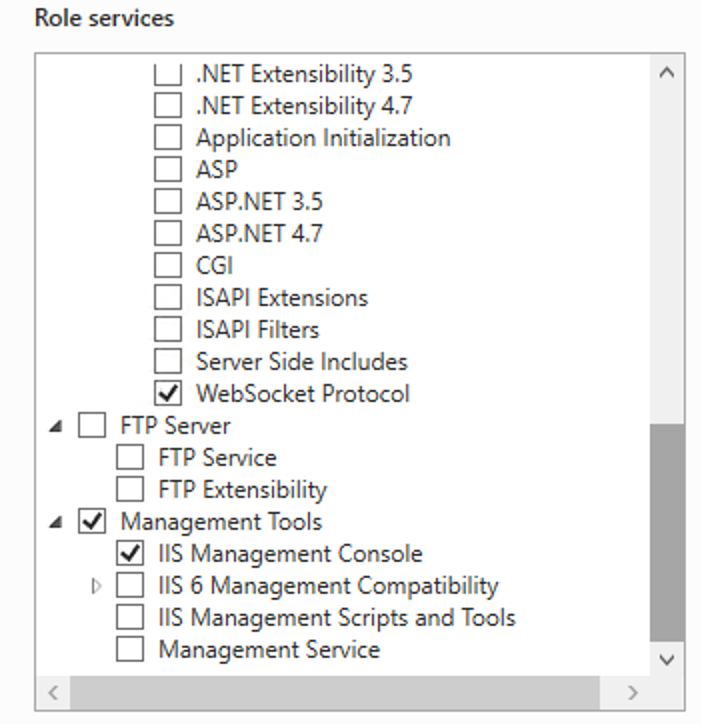
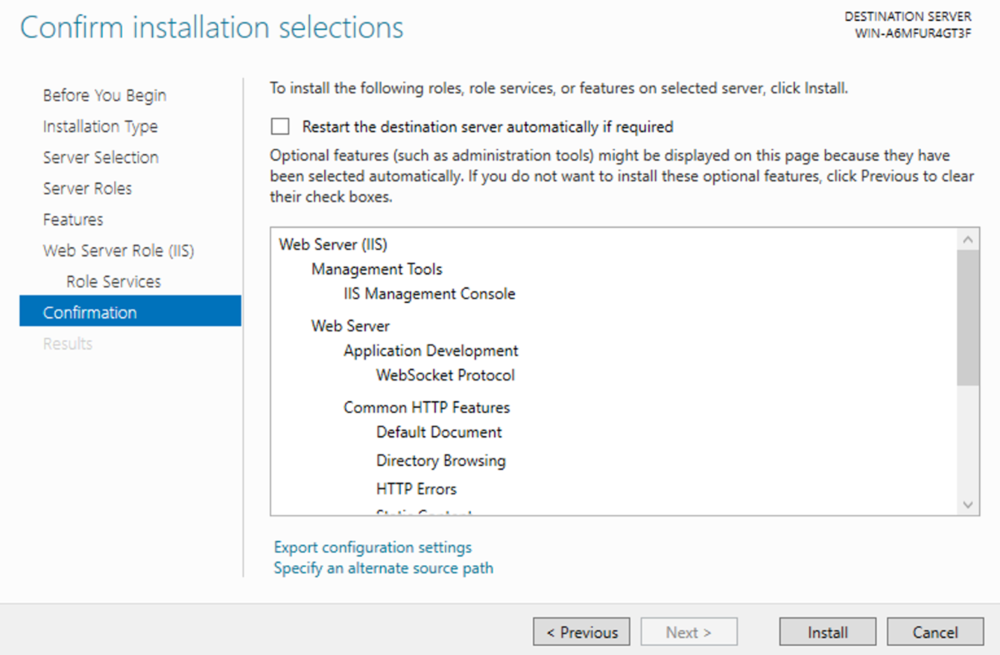
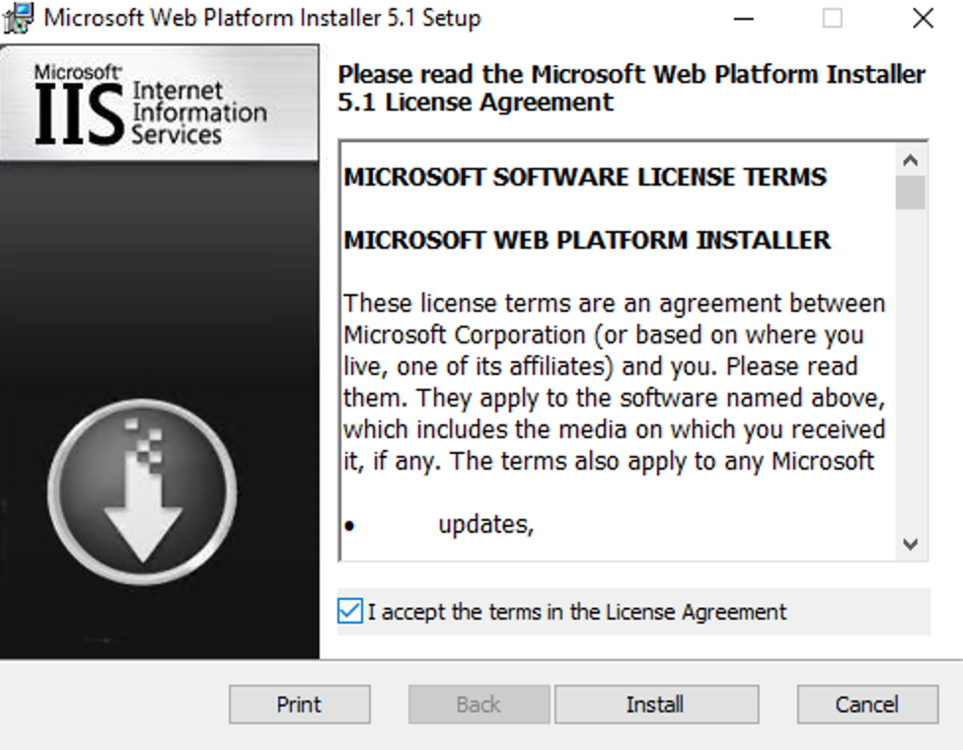
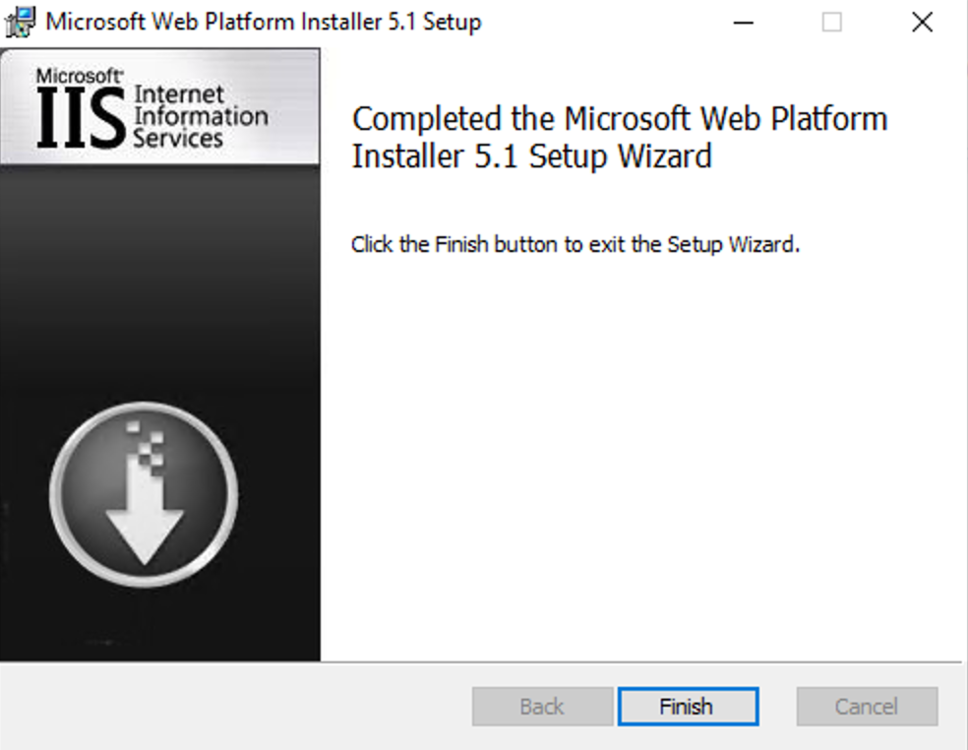
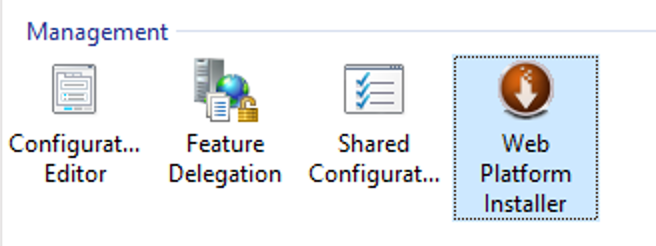
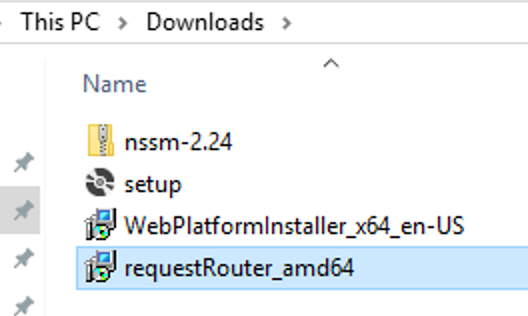
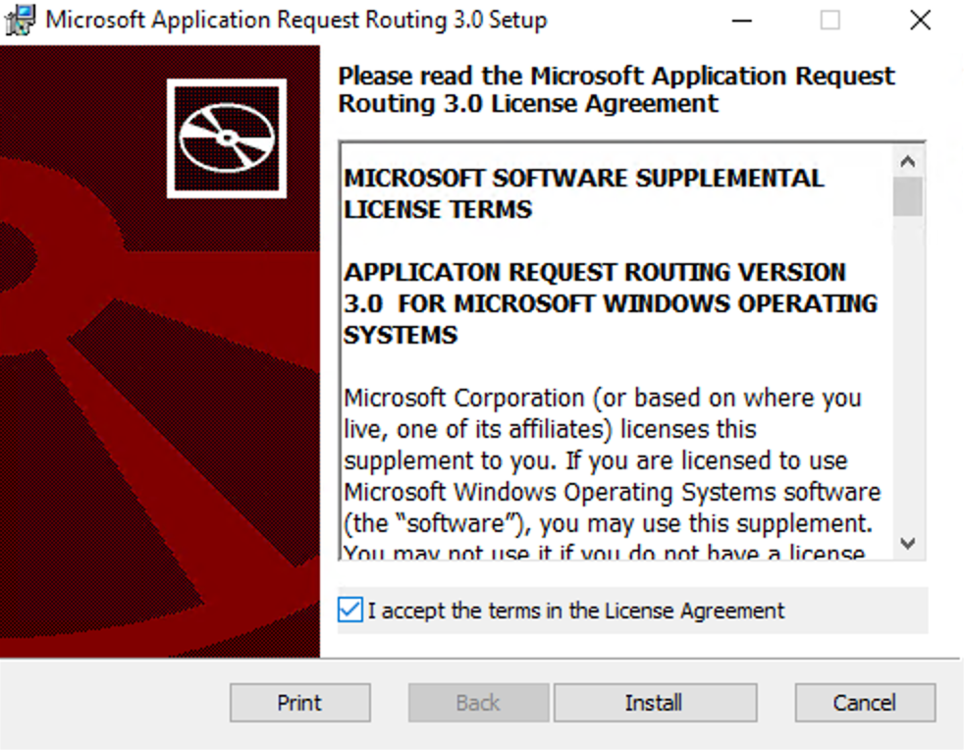
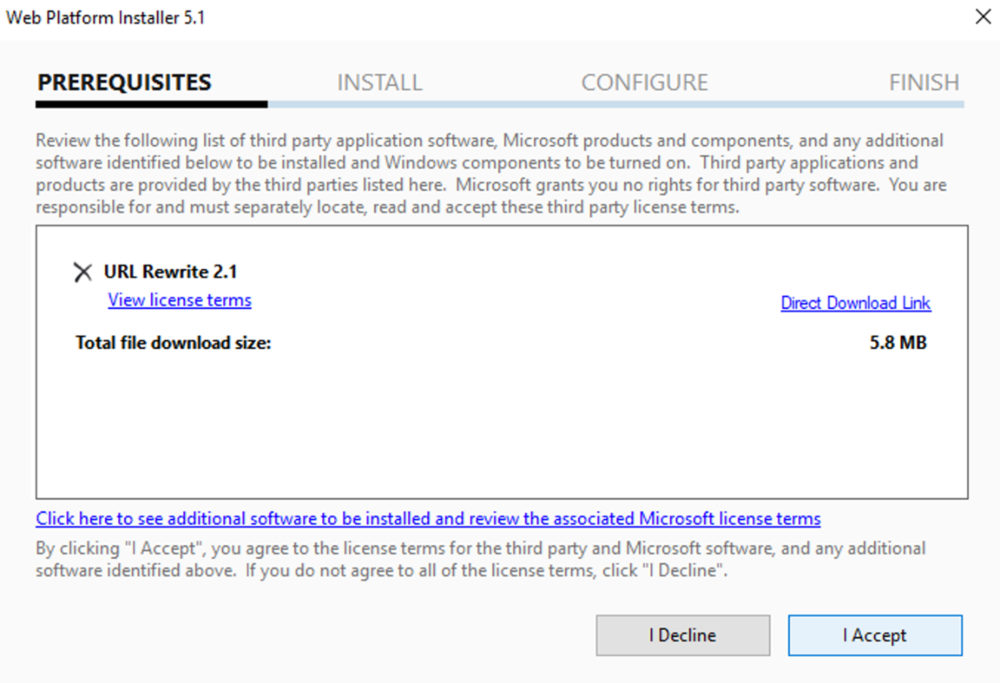
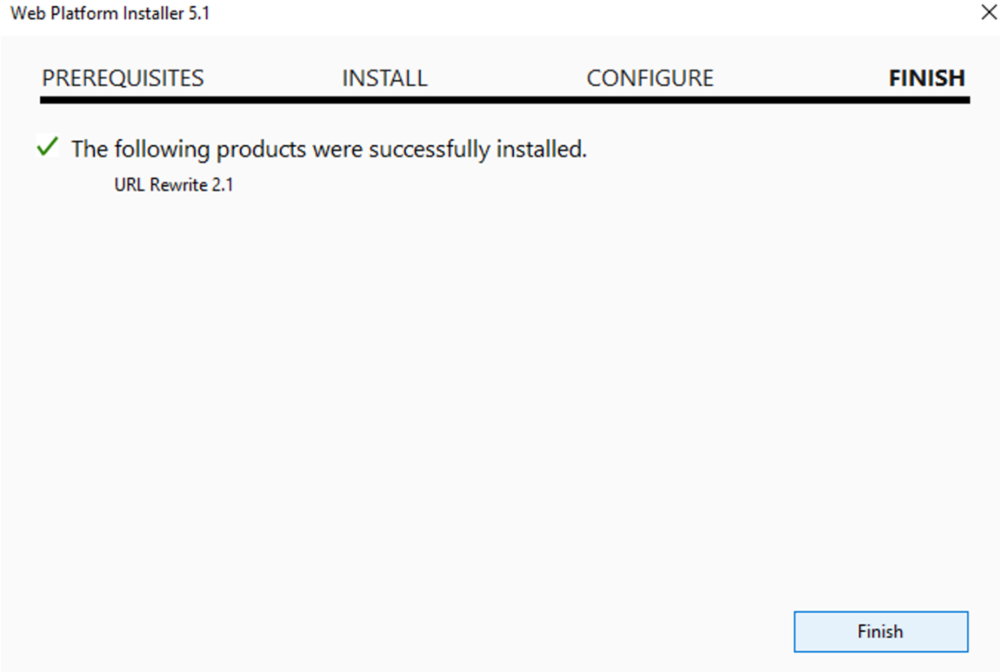
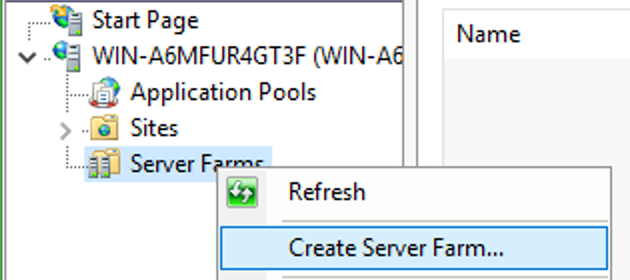
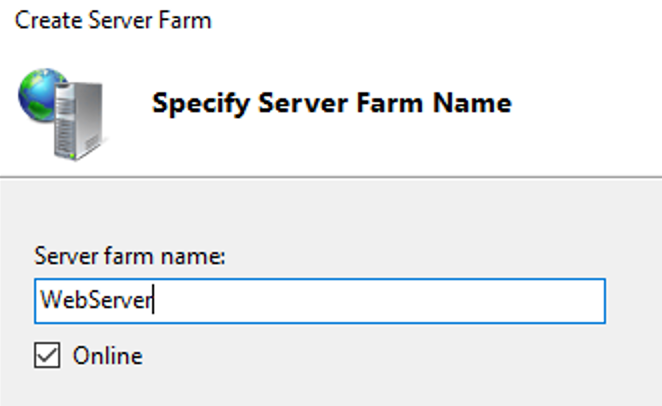
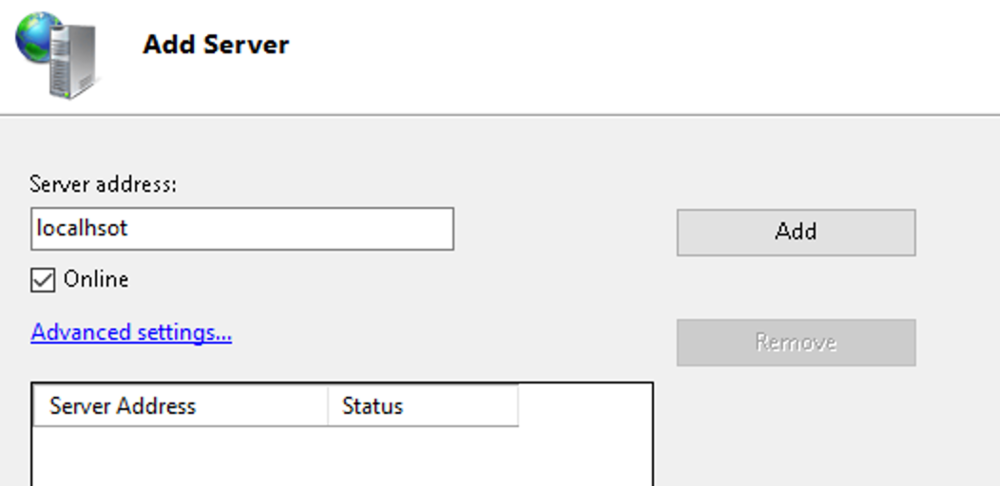
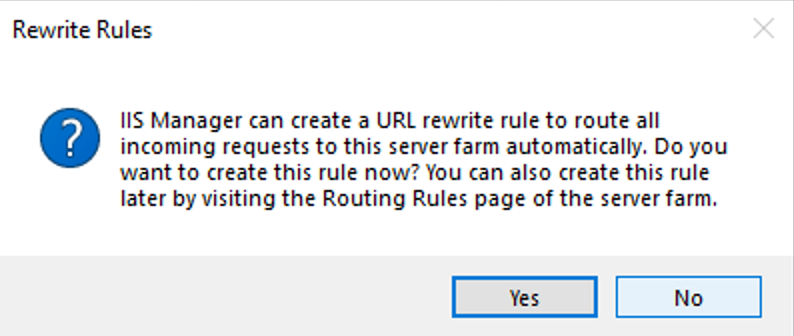
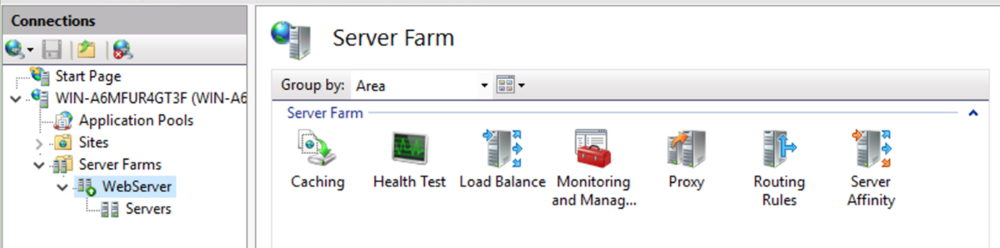
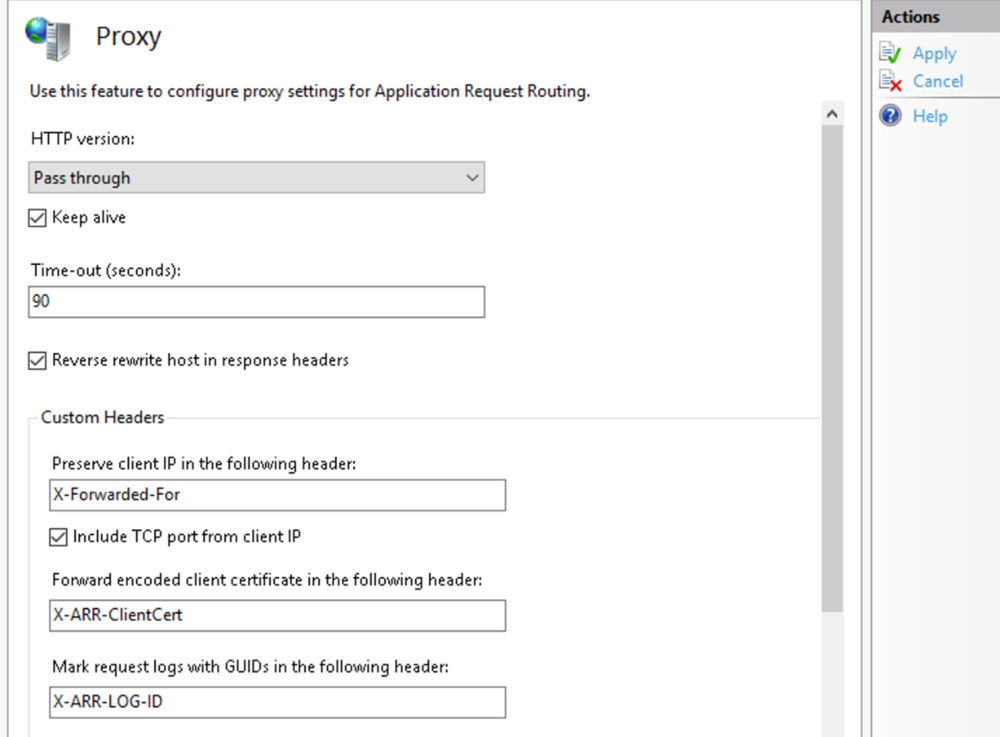
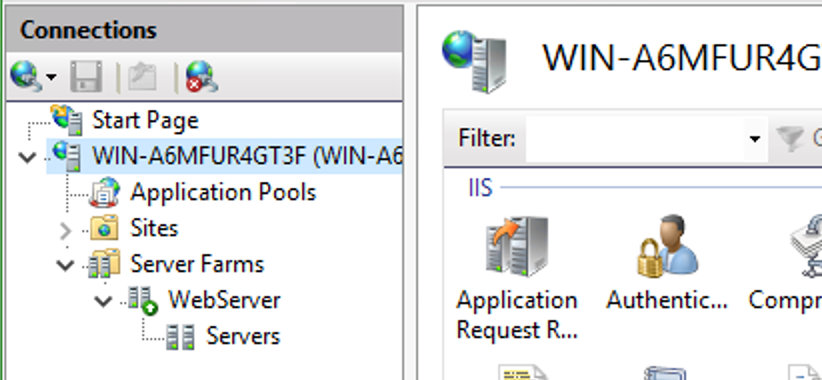
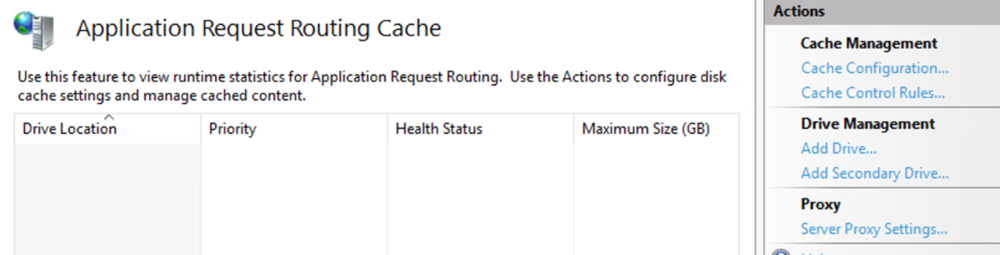
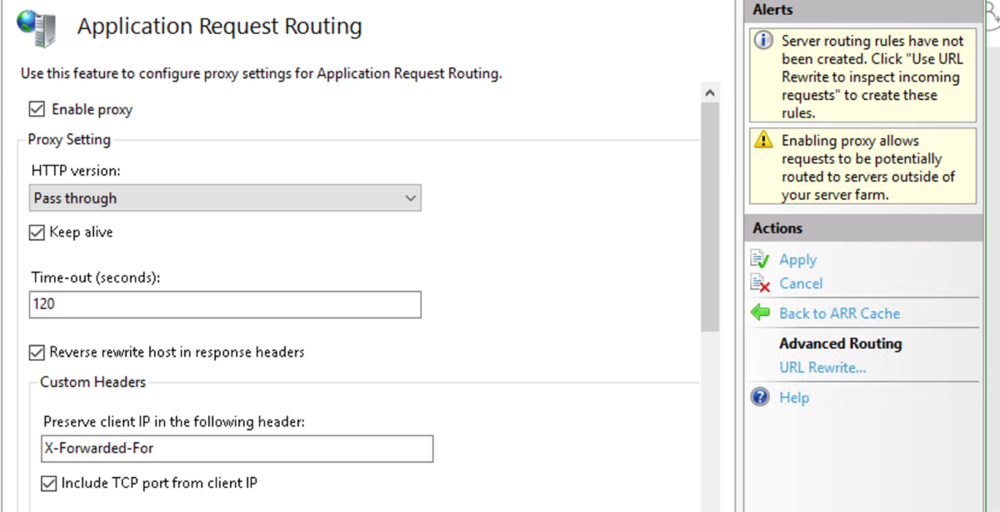
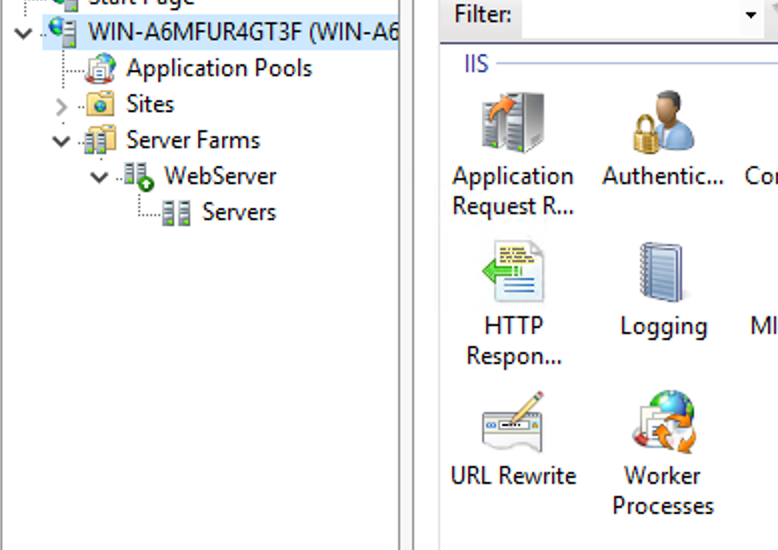
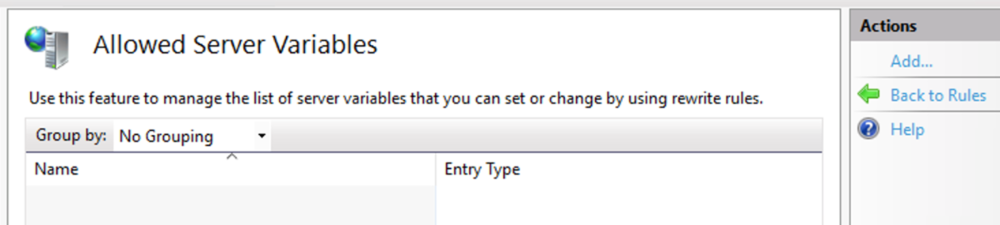
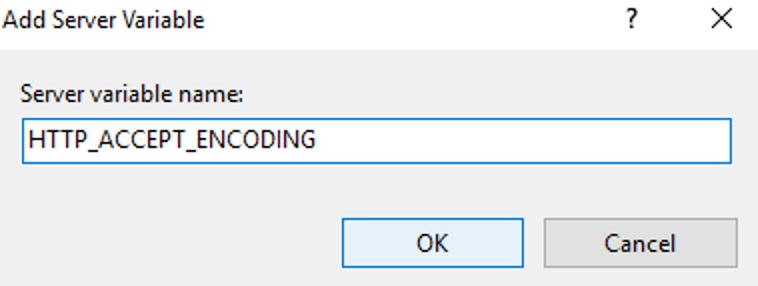
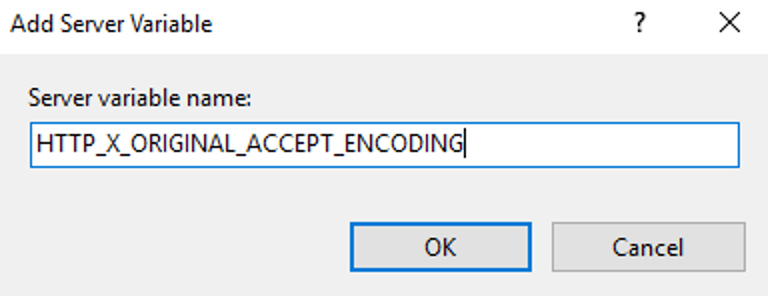
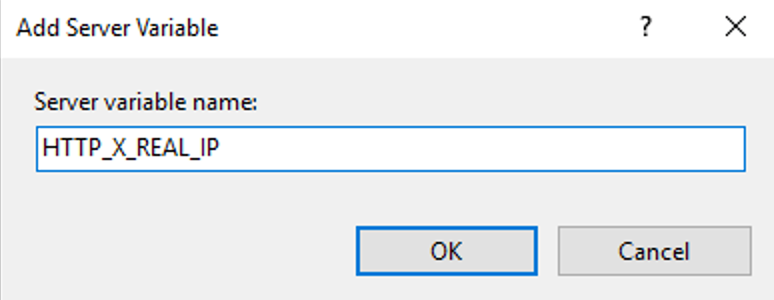
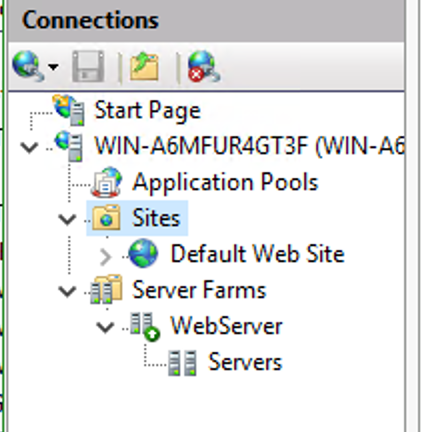
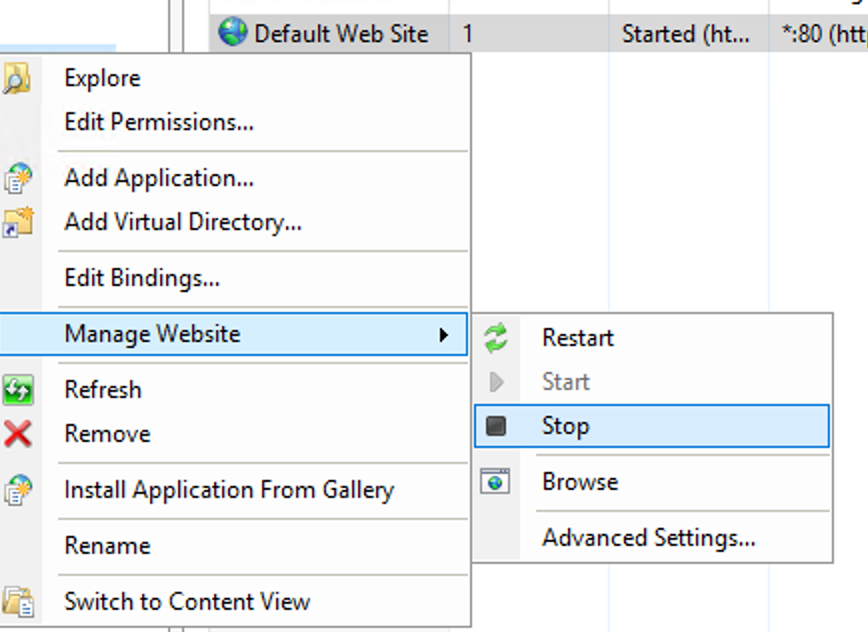
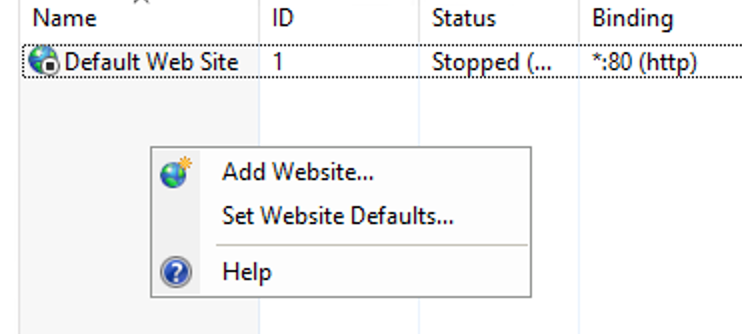
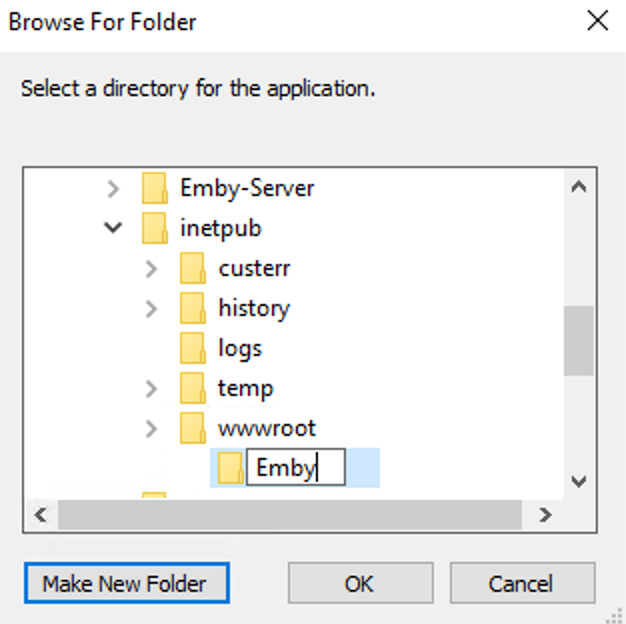
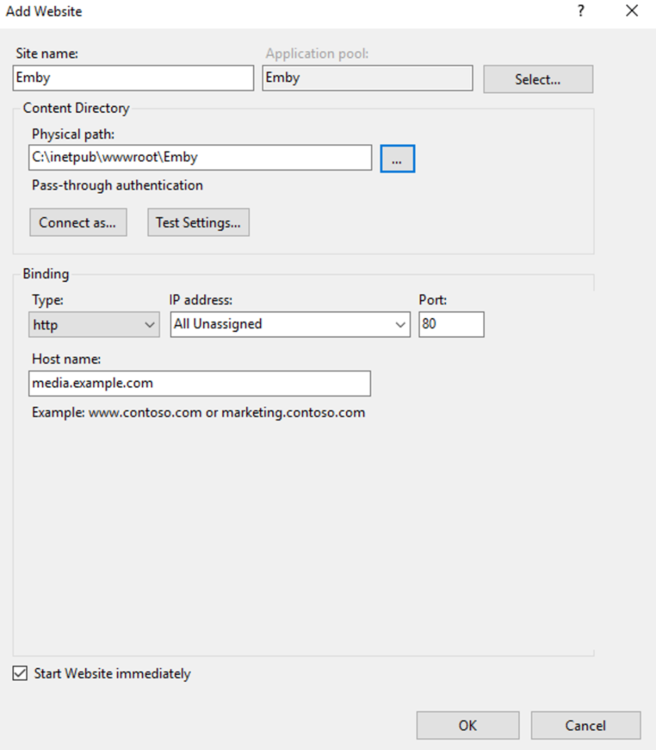
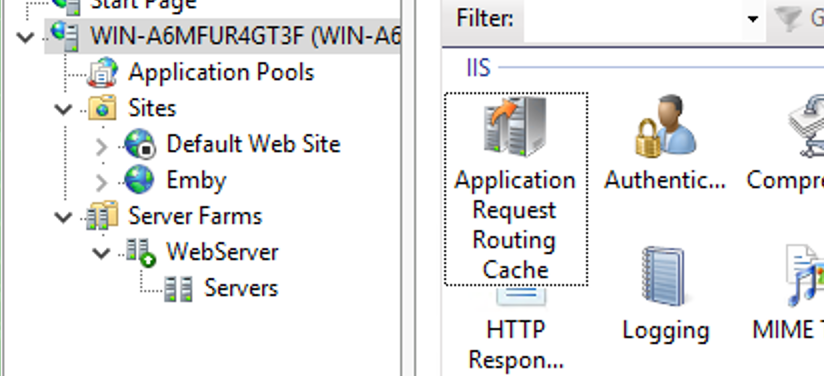
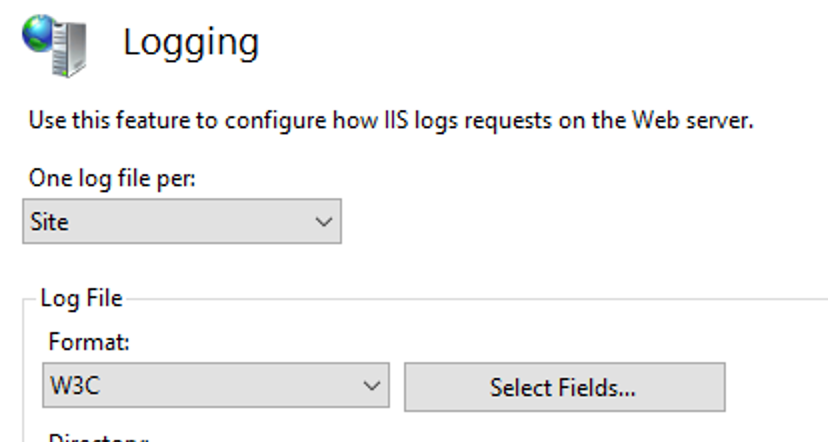
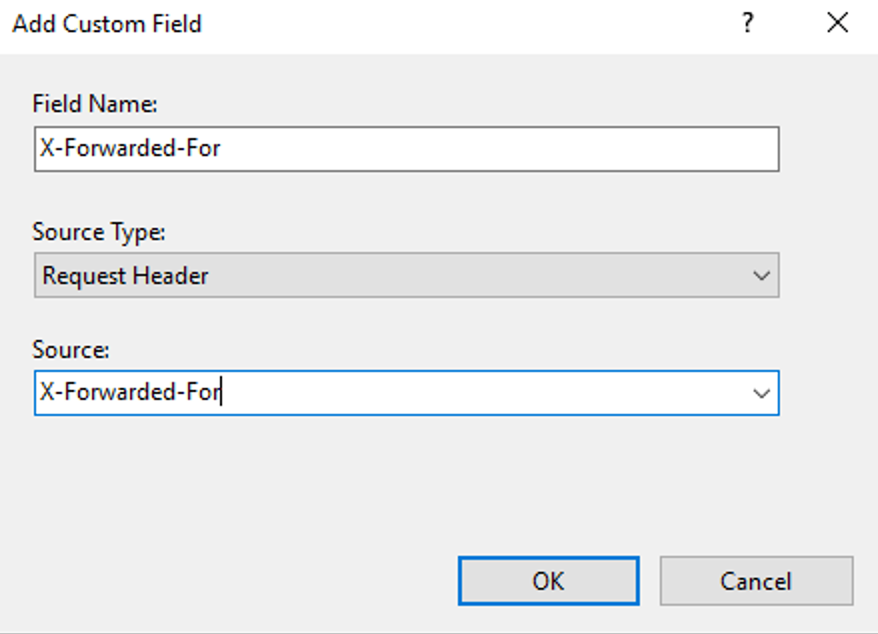
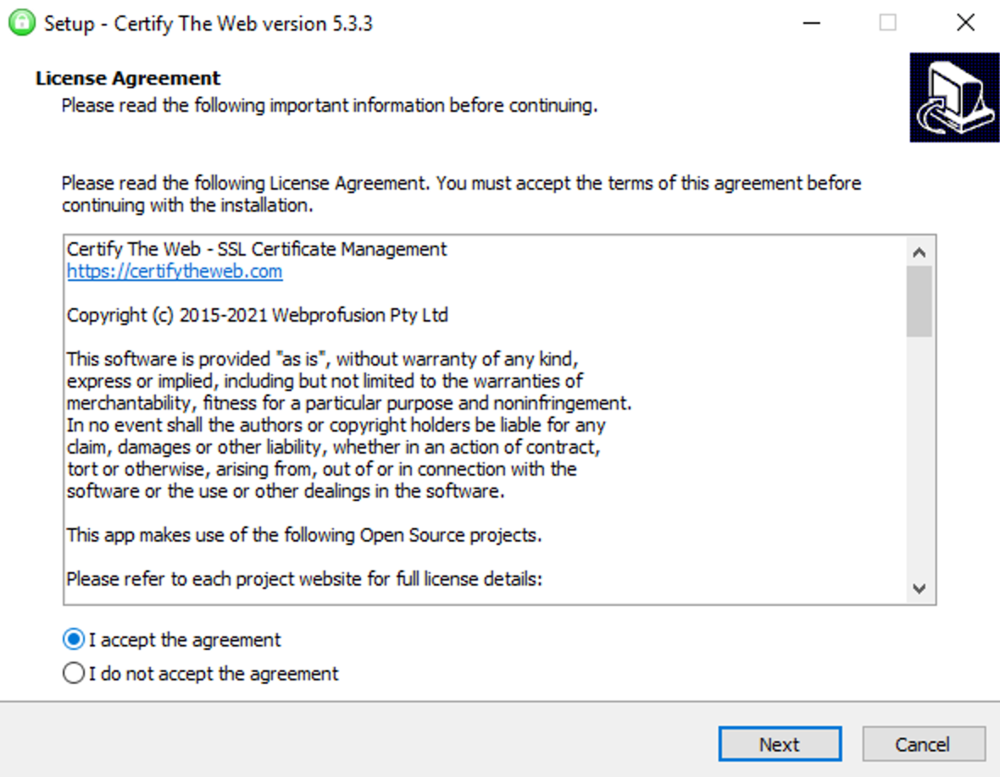
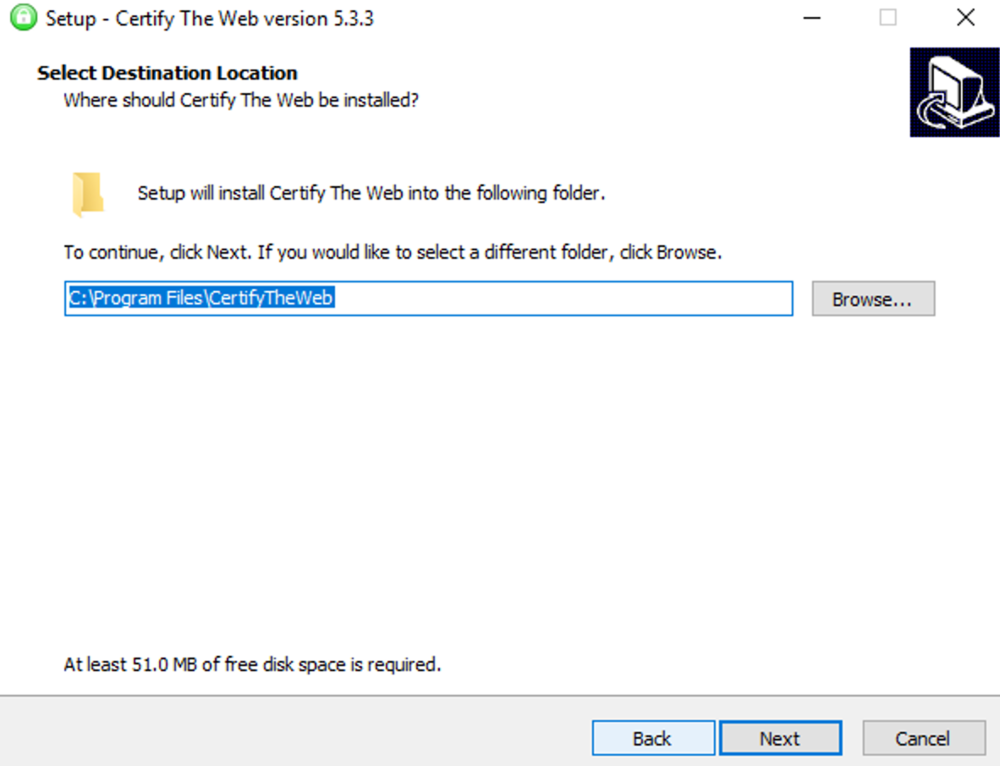
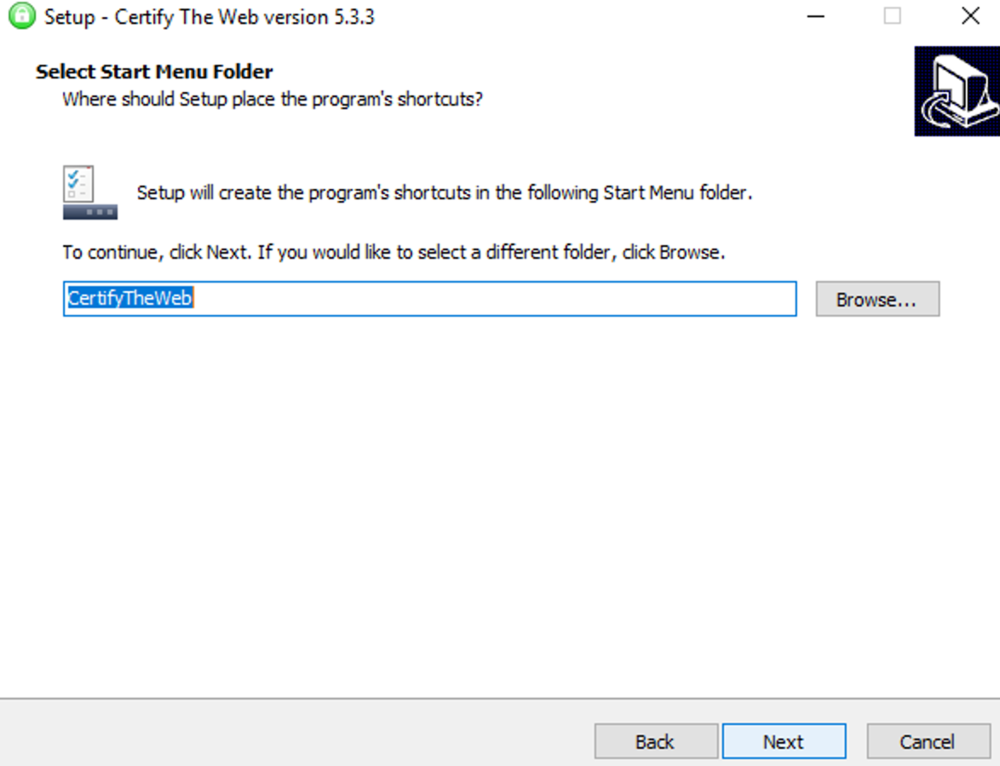
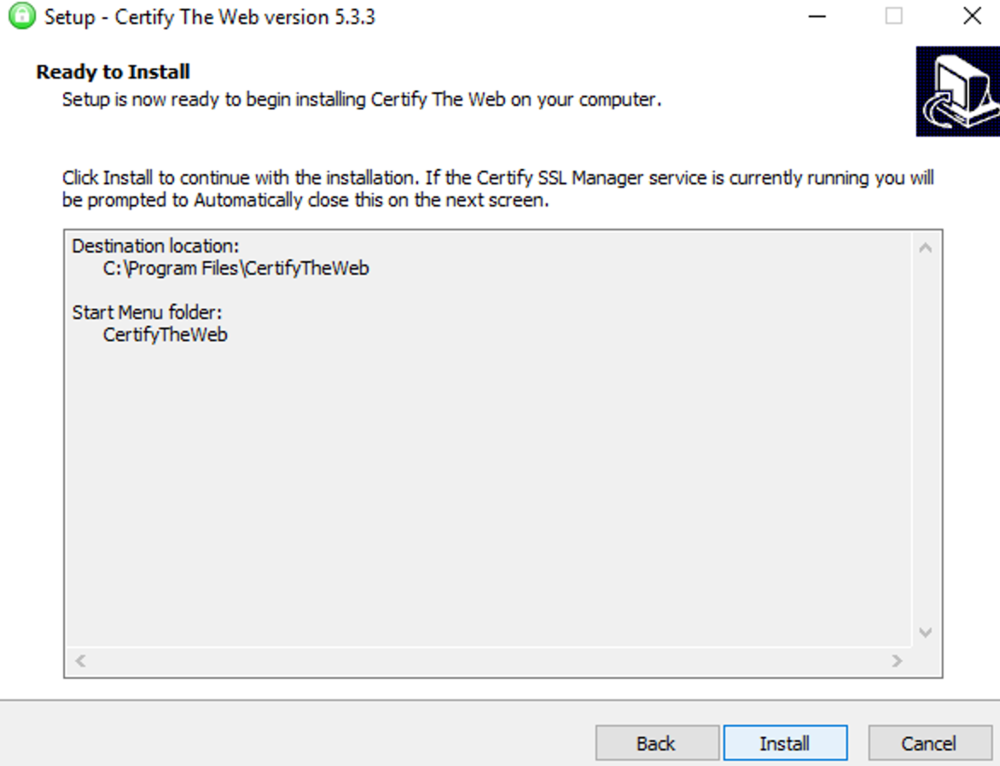
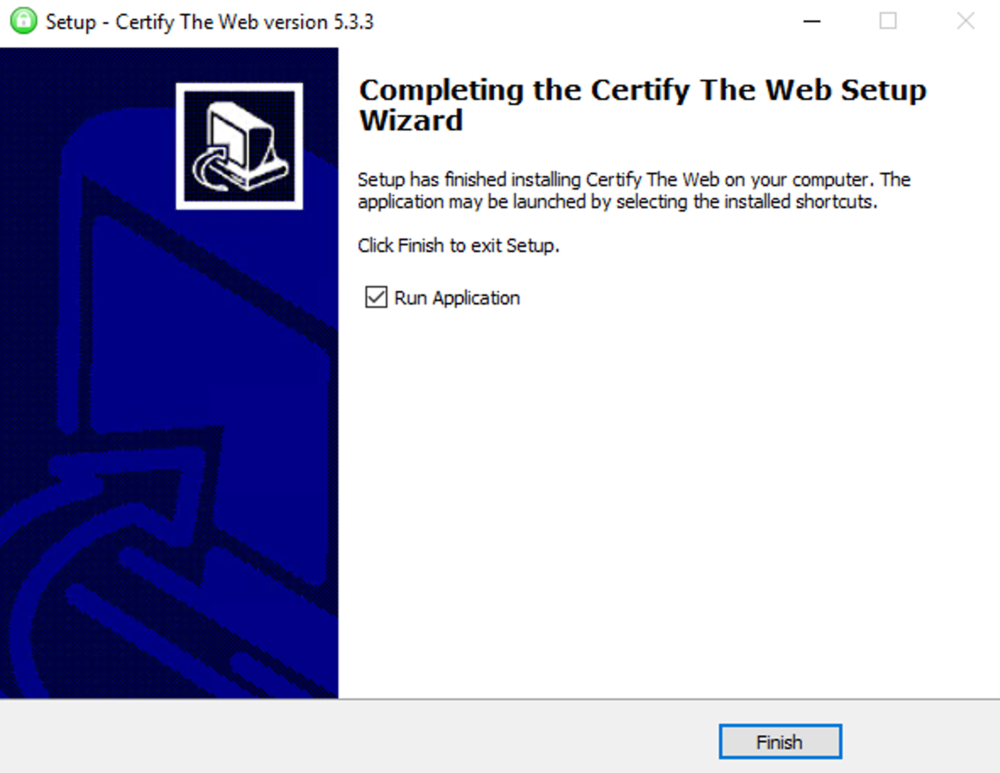
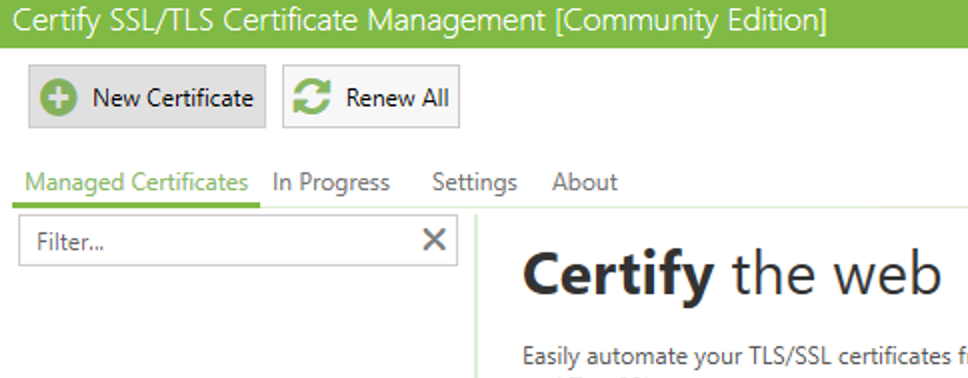
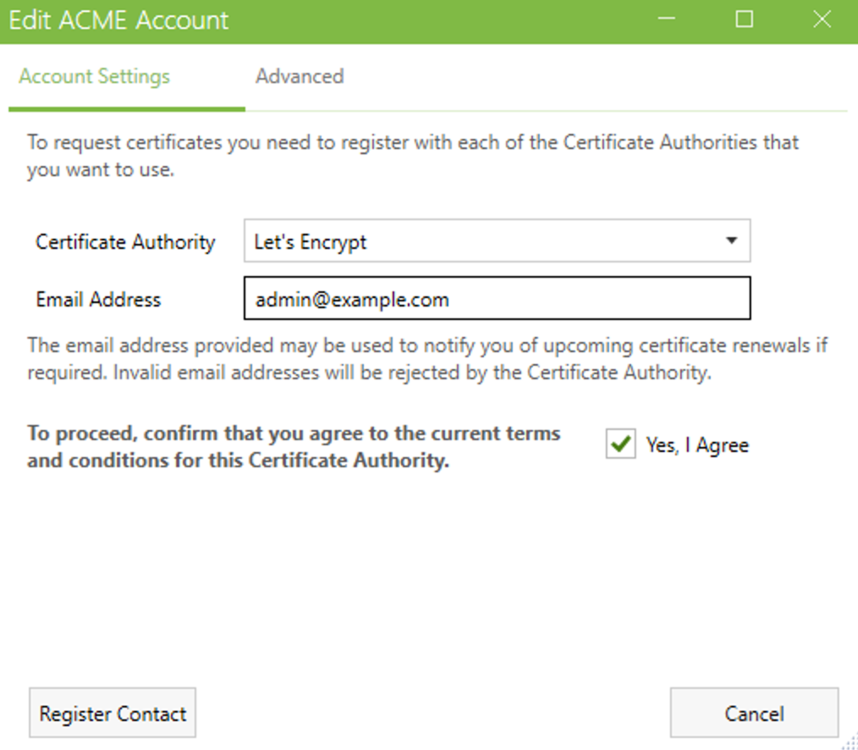
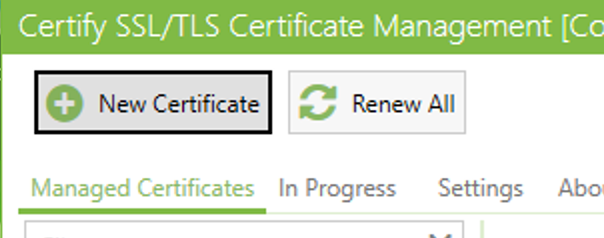
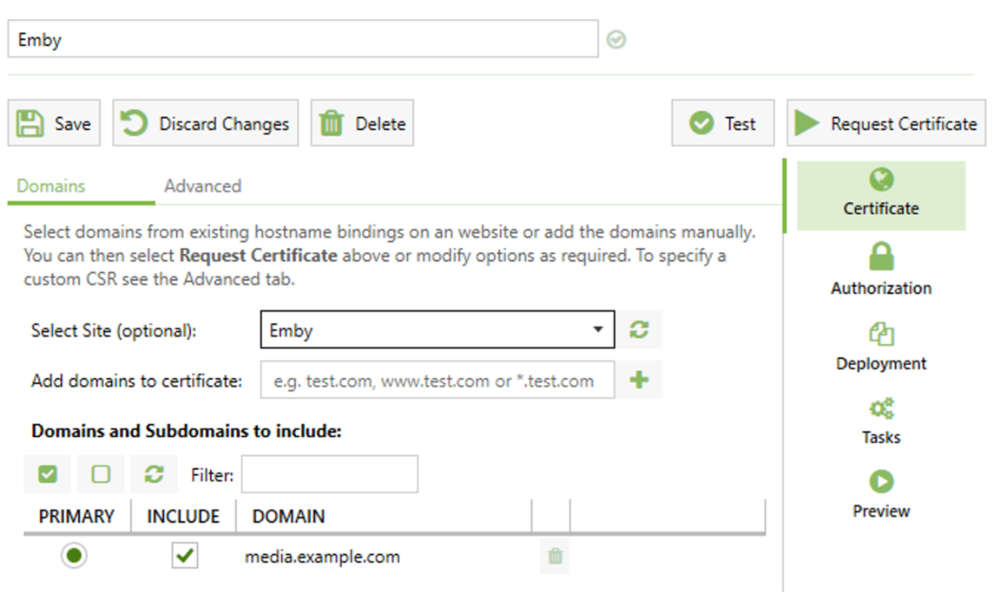
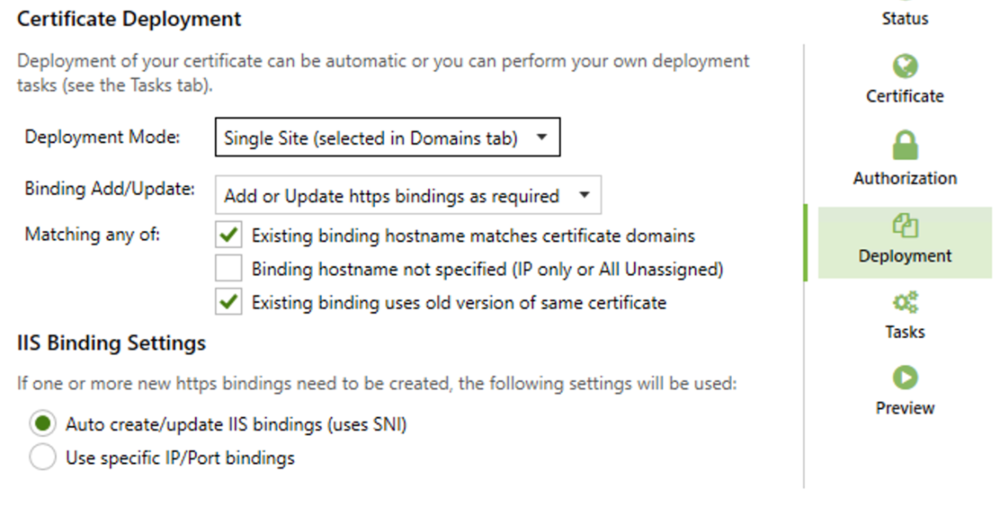
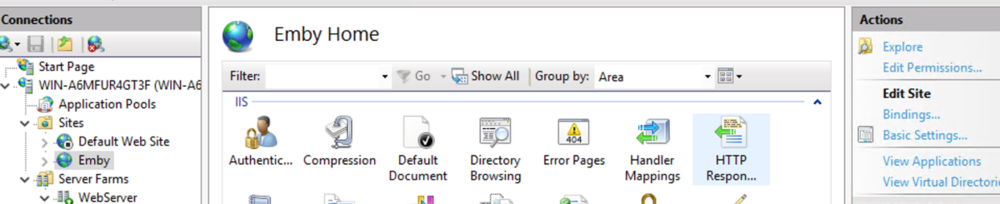
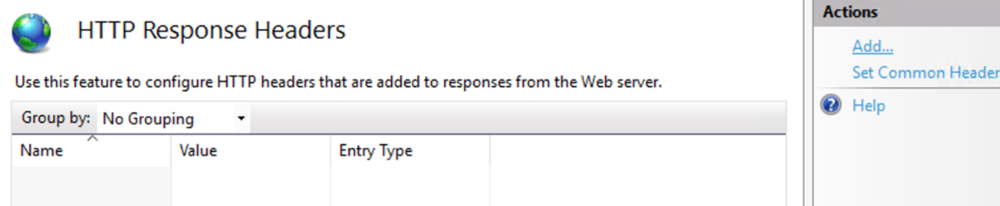
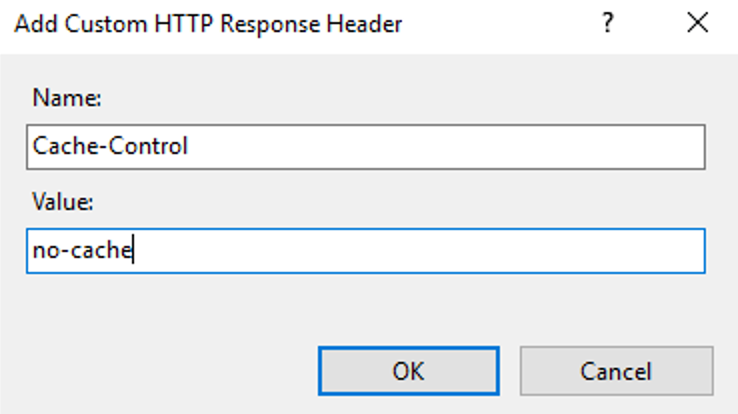
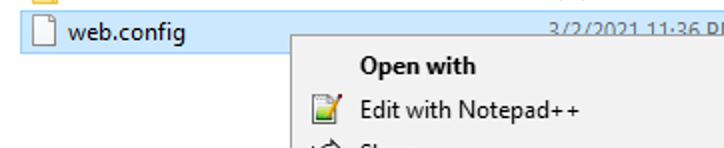
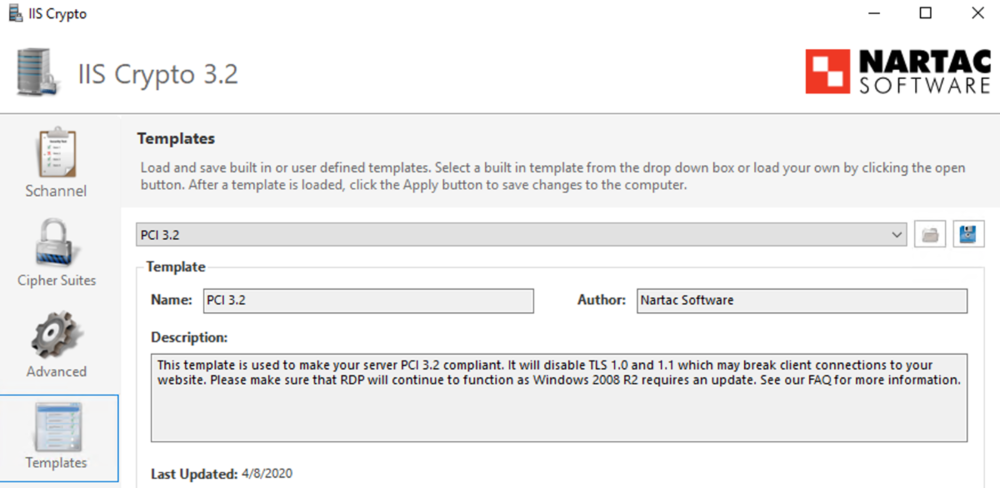
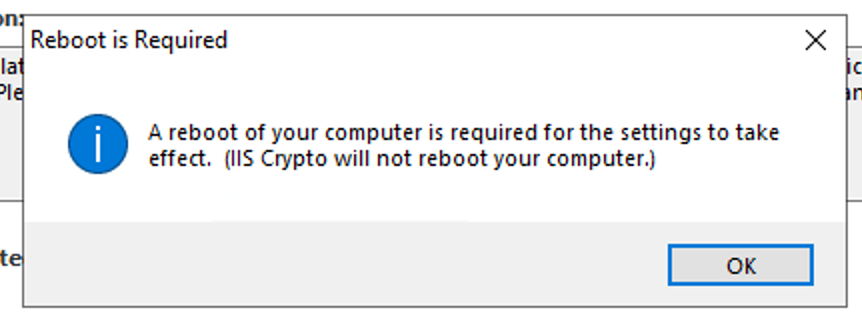
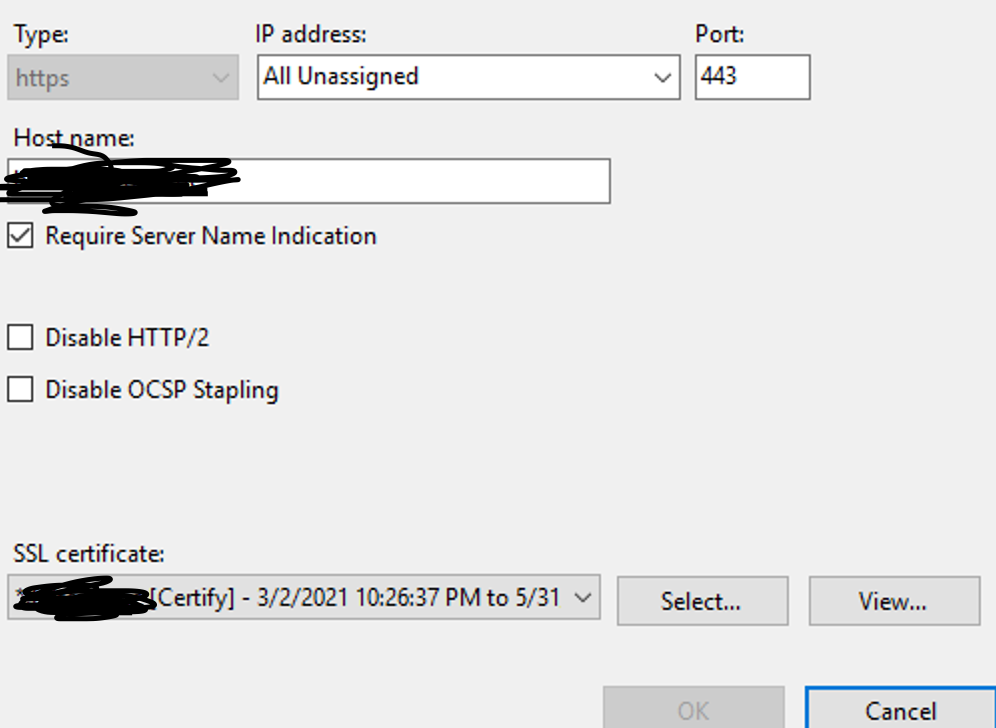
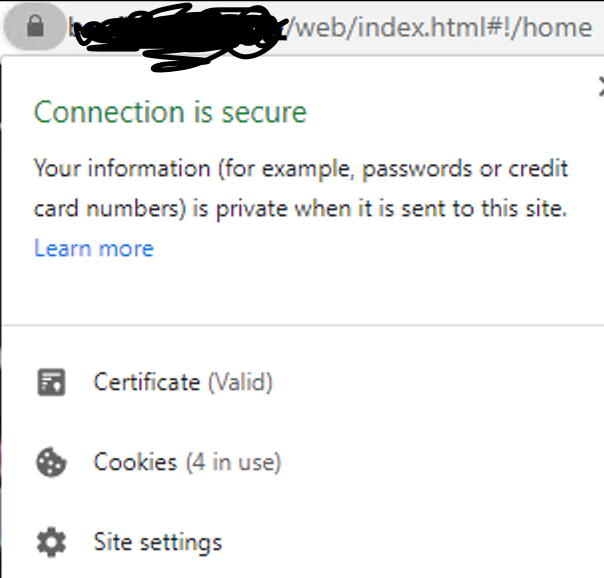
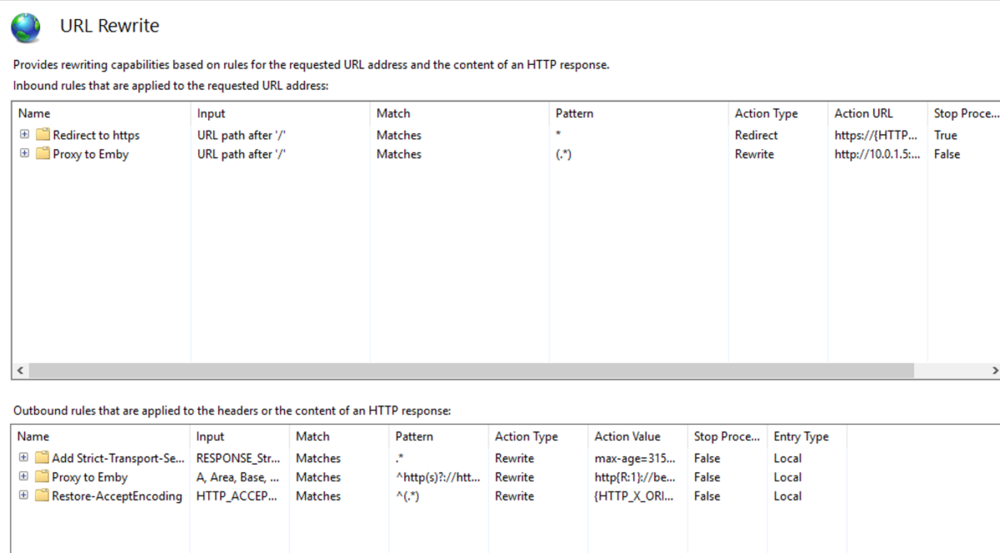
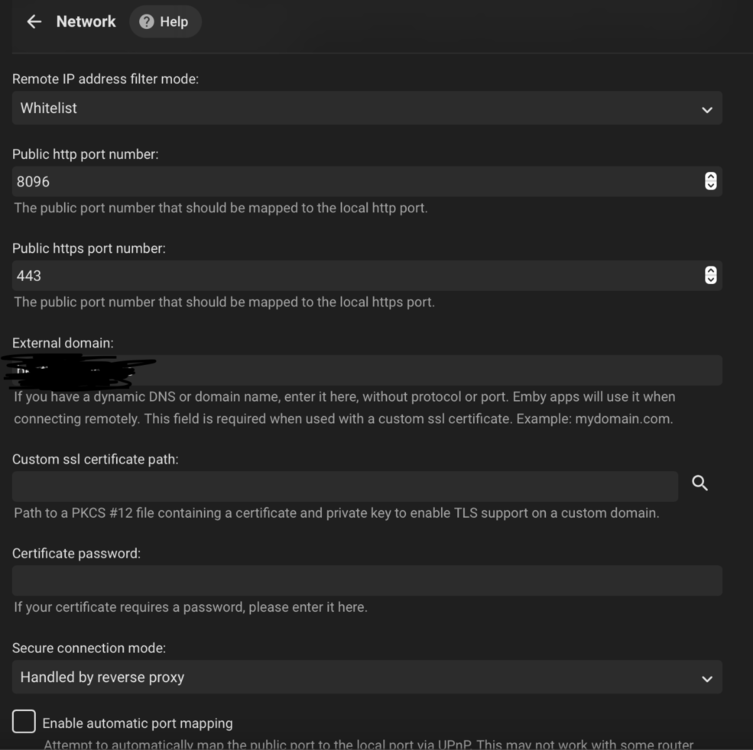
This guide will explain how to setup a Windows Server instance of Emby server with IIS as full transparent reverse proxy with SSL offload and auto-renewing certificates via Lets Encrypt. First, What is IIS? IIS or Internet Information Services is the web server service provided with Windows and Windows server installations. It is industry standard technology and is widely supported and regularly maintained by Microsoft. Second, What is a reverse proxy? A reverse proxy will take requests coming into your server (in this case HTTPS on port 443) and route them to a backend application (in this case Emby Server on port 8096 on the same box or another). Reverse proxies are very useful if you only have 1 public IP and multiple services you would like to run on a single port (443, for example is standard secure web traffic) or multiple servers that need to appear as one. Third, Why do I want a certificate for my site from Lets Encrypt? Well, most sites now days are secure (read they encrypt your traffic to prevent people from seeing your data), browsers these days flag sites that are not using properly signed certificate chains or run on insecure ports. If you use a self signed certificate in Emby, you may have difficulty getting things like the iOS app or Roku app to work properly outside your home. (Not sure about the rest of you, but Emby on the kid’s iPad is a life saver for long car rides). Let’s Encrypt provides free SSL certificates that are signed by certificate authorities that will be recognized on all devices and platforms. I will be using Windows Server 2019 with IIS 10 and AAR 3. All of this should work with Windows Server 2012R2 and Windows Server 2016 as well as Windows 10, however there may be some differences. You can use either stable or beta version of Emby Server, however in this guide we will use the stable version. At the time of writing, this guide will get you a full A+ rating from SSLlabs.com security test. (For comparison purposes, Facebook’s rating is a B.) In this guide we will: Install Emby Server Move Emby Server Installation to a non-user-locked location Setup a service user to run Emby Server as Configure Emby Server to run as a service Configure Windows Firewall Install IIS Install AAR Install IIS Rewrite module Configure AAR Configure IIS as a reverse proxy for Emby Configure SSL cypher suites for the server Install the Certify the Web client. Configure Certify the Web for auto-renewing SSL certificate for your domain Note: To be externally accessible, you will need to configure your route/modem to port forward 80 and 443 to your server. Pre-reqs/Assumptions: A physical server or VM running Windows Server An Internet Connection A DynDNS/No-IP URL (or similar routable dns name pointed at your router’s public IP) You have port forwarded ports 80 and 443 through your router to the machine you will use as a reverse proxy (in this guide we will use the same box for the reverse proxy and Emby server, but these can be run on different hosts). You have installed Notepad++ on the machine you will be setting up. Install Emby Server Download Emby Server Run the Installer Click Run when prompted If prompted by smart screen, click run anyway If prompted to install Visual C++ runtime, click install It will install to default location of %APPDATA%\Emby-Server. Move Emby Server to Non-User Locked Location Ensure that Emby Server is not running (right click icon in system tray if present and click Exit) Navigate to default location of %APPDATA% (%userprofille%\appdata\roaming) Right click the folder and click "cut" Navigate to C:\ (or root of the drive you wish to have Emby run from) Right click in the whitespace and paste. (if prompted to provide administrator permission, approve) Create a Service Account to run Emby as Note: Instructions show how to do this using local users and computers, you can also do this with Active Directory Users and Computers if your server is running that role. Right click on the start button (Windows flag) on the left side of the task bar Click Computer Management Expand Local Users and Groups on the left side Click Users Right click the whitespace and click new user Complete the new user dialog as shown (make sure you save whatever password you use as you will need it later, ProTip: don't re-use passwords) Click create Click close Close the computer management window Setup NSSM NSSM (Non-Sucking Service Manager) is needed to run Emby Server as a service as Emby Server does not include the nessicary components to run as a Windows service by default. Download here: https://nssm.cc/download Double click downloaded zip to open it in windows explorer Navigate to /win64 folder inside zip Copy/extract 64 bit version of the file to C:\Emby-Server Setup Folder Permissions Navigate to C:\ Right click the Emby-Server folder Click Properties Click Security tab Click Advanced Click Disable Inheritance Click Convert to Explicit Select CREATOR OWNER Click Remove Select Users (special) Click Remove Click Add Enter SvcEmby in the dialog Click OK Click Full Control Click OK Click Change next to owner at the top of the box Type SvcEmby in the dialog Click OK Check the Replace owner check box Check the Replace permissions checkbox Verify the dialog window looks similar to this (computer name will be different) Click OK When prompted if you want to replace permissions click Yes Verify security tab looks like this Click OK Setup Emby as a Service using NSSM Right click the start button on the left side of the task bar Click Windows Powershell (Admin) Type: "cd C:\Emby-Server" and press enter Type ".\nssm.exe install Emby" and press enter The install service dialog will launch, fill out as follows: Application Tab Details Tab Logon Tab (note, if you are using active directory it should be: YOURDOMAIN\SvcEmby) Exit Actions Tab Click Install Service Click OK Config ure Windows Firewall Click Start Click Control Panel Click Windows Defender Firewall Click Advanced Settings on the left hand side Click Inbound Rules Click New Rule on the right hand side Click Port Click Next Type 80, 443 in the ports box Click Next Click Next Click Next Name it Web Server Ports Click Finish Install IIS (Internet Information Services) Click Start Click Server Manager Click Add Roles and Features Click next on the Before you Begin page Click Role Based install Click Next Verify you are installing on your local server Click Next Check the box for "Web Server (IIS)" When prompted to install management tools Click Add Features Click Next Under Features, click Next Click Next again to get to role services Check the boxes for all of the following role services Make sure you check the box for web sockets under Application Development, this is needed for various features of Emby to work right. Click Next Click Install Once installation completes, click close Install Web Platform Installer add-on Download from: https://www.microsoft.com/web/downloads/platform.aspx Run the Web Platform Installer add-on installer Click Install Click Finish Install AAR (Advanced Application Routing) Download from: https://www.microsoft.com/en-us/download/details.aspx?id=47333 Run the Request Router installer Click Install Install IIS Re-Write Module Click Start Click Administrative Tools Open Internet Information Services (IIS) Manager Click the name of your server on the left Double Click on the Web Platform Installer In the search box type "url rewrite" Click Add Click Install Click I Agree Click Finish Configure AAR Click Start Click Administrative Tools Open Internet Information Services (IIS) Manager Click the name of your server on the left Right Click Server Farms Click Create Server Farm Name your Server Farm Click Next Enter the IP address of the server or "localhost" Click Add Click Finish Click No in the dialog that pops up Expand your newly created Server Farm Click Proxy Configure settings as shown Click Apply Click your Server Click Application Request Routing Click Server Proxy Settings Configure settings as shown Click Apply Click Your Server Configure IIS Server Variables Click Url Re-Write Click View Server Variables Click Add Type "HTTP_ACCEPT_ENCODING" Click OK Click Add Type "HTTP_X_ORIGINAL_ACCEPT_ENCODING" Click OK Click Add Type "HTTP_X_FORWARDED_FOR" Click OK Click Add Type "HTTP_X_REAL_IP" Click OK Click Your Server Create Emby Site Expand Sites on the left hand side Right Click "Default Web Site" Highlight "Manage Website" Click Stop Right Click the white space in the Sites list Click Add Website Click the "..." button to the right of Physical Path Browse to C:\inetpub\wwwroot Click it Click Make New Folder Call it Emby Click OK Under Binding Fill in with your public host name (see dynamic dns mentioned in pre-reqs) Click OK Configure Logging Click your server Click Logging Click Select Fields Click Add Field Configure as shown Click OK Click OK Click Apply Install and Configure Certify The Web client Download From: https://certifytheweb.com Run the Certify the Web installer Click Next Click Next Click Next Click Install Click Finish Click New Certificate Click on on Contact Prompt Fill in your contact email Click Register Contact Click New Certificate again Select Emby from the sites list Name and domain will populate automatically. Click Deployment Configure as shown Complete certificate verification process Click your site in IIS manager Click Bindings Verify there is an HTTPS binding and that it looks similar to this (with your domain information) Edit Web.Config for Emby Site Click HTTP Response Headers Click Add Configure as show (we are just creating a header to get the web.config to exist, we will paste in a premed one below, so these values dont really matter) Click OK Open an Explorer window and Browse to C:\inetpub\wwwroot\Emby Right click web.config and Edit with Notepad++ Replace existing content with web.config below <?xml version="1.0" encoding="UTF-8"?> <configuration> <system.webServer> <rewrite> <rules> <clear></clear> <rule name="Redirect to https" enabled="true" patternSyntax="Wildcard" stopProcessing="true"> <match url="*" negate="false" /> <conditions logicalGrouping="MatchAny"> <add input="{HTTPS}" pattern="off" /> </conditions> <action type="Redirect" url="https://{HTTP_HOST}{REQUEST_URI}" redirectType="Found" /> </rule> <rule name="Proxy to Emby" stopProcessing="false"> <match url="(.*)" /> <serverVariables> <set name="HTTP_X_ORIGINAL_ACCEPT_ENCODING" value="{HTTP_ACCEPT_ENCODING}" /> <set name="HTTP_ACCEPT_ENCODING" value="" /> <set name="HTTP_X_REAL_IP" value="{REMOTE_ADDR}" /> </serverVariables> <action type="Rewrite" url="http://localhost:8096/{R:1}" logRewrittenUrl="true" /> <conditions> <add input="/{R:1}" pattern=".well-known" negate="true" /> </conditions> </rule> </rules> <outboundRules> <rule name="Add Strict-Transport-Security when HTTPS" enabled="true"> <match serverVariable="RESPONSE_Strict_Transport_Security" pattern=".*" /> <conditions> <add input="{HTTPS}" pattern="on" /> </conditions> <action type="Rewrite" value="max-age=31536000; includeSubDomains; preload" /> </rule> <rule name="Proxy to Emby" preCondition="ResponseIsHtml1" enabled="true"> <match filterByTags="A, Area, Base, Form, Frame, Head, IFrame, Img, Input, Link, Script" pattern="^http(s)?://http://localhost:8096/(.*)" /> <action type="Rewrite" value="http{R:1}://media.example.com/{R:2}" /> </rule> <rule name="Restore-AcceptEncoding" preCondition="NeedsRestoringAcceptEncoding"> <match serverVariable="HTTP_ACCEPT_ENCODING" pattern="^(.*)" /> <action type="Rewrite" value="{HTTP_X_ORIGINAL_ACCEPT_ENCODING}" /> </rule> <preConditions> <preCondition name="ResponseIsHtml1"> <add input="{RESPONSE_CONTENT_TYPE}" pattern="^text/(.+)" /> </preCondition> <preCondition name="NeedsRestoringAcceptEncoding"> <add input="{HTTP_X_ORIGINAL_ACCEPT_ENCODING}" pattern=".+" /> </preCondition> </preConditions> </outboundRules> </rewrite> <caching enabled="false" enableKernelCache="false" /> <httpProtocol> <customHeaders> <add name="X-Frame-Options" value="SAMEORIGIN" /> <add name="X-Xss-Protection" value="1; mode=block" /> <add name="X-Content-Type-Options" value="nosniff" /> <add name="Referrer-Policy" value="same-origin" /> <add name="Feature-Policy" value="sync-xhr 'self'" /> <add name="Cache-Control" value="no-cache" /> </customHeaders> </httpProtocol> </system.webServer> </configuration> Save changes (if prompted to restart Notepad++ in admin mode allow it and then try saving again) IIS will now be properly configured as a reverse proxy for Emby. Under IIS Manager > Rewrite you should now see the following rules: Configure Server Cyphers Download here: https://www.nartac.com/Products/IISCrypto/Download (GUI version) Run the IISCrypto too Click Templates In the template drop down box, select PCI 3.2 This will disable IIS from being able to serve via SSL 2.0, 3.0; TLS 1.0 and TLS 1.1. This will leave just the industry standard TLS 1.2. Click Apply Click OK. Reboot your server. Emby Internal Settings Navigate to your server via the localhost:8096 address Click the gear in the top right corner Click Network from the list of tabs on the right Configure as shown (use your hostname in the external domain box) Conclusion Upon rebooting your computer will start IIS services and Emby server as a service. Traffic coming in on port 80 (if someone just types your url without HTTPS in their browser's address bar) will be automatically redirected to port 443 and the HTTPS:// version of your host name. Your certificate will auto-renew every so often and re-bind to the site in IIS without any interaction on your part. This allows for a server that you can for the most part setup, and forget about and just manage your Emby installation via its web ui. There are a lot of ways to set up Emby server depending on your environment and other factors. For my environment this made the most sense and since large portions of this took quite a bit of digging and research to get working just right, I figured Id make someone else's life a little easier if they were trying to do something similar. These instructions can be adapted for Windows Server 2012 R2, Windows Server 2016, Windows 8 and Windows 10. In the end browsing to your domain should look like this in the browser Additional Information for Updating When Updating your Emby installation. Simply stop the service for Emby, install like you normally would, then just cut the system folder inside the %appdata%\emby-server folder and paste it into the C:\Emby-Server folder. When prompted replace all files, then start the service again once the copy completes. Additional Information about Connecting with Emby Apps When connecting to your Emby installation remotely with Emby apps remember to prefix your domain name with https:// and use 443 for the port number. <Edit> Additional Information about changing Emby Server Title: For those users who wish to change their page title in browser (as discussed here), here is additional Web.Config information that will let you do just that! Using IIS Re-Write rules to change the page title means, you don't have to edit files to reset it every time you upgrade your Emby Server! Add these 3 rules at the bottom of the rules list, replace whole <preConditions> block too.: NOTE: Make sure you replace ALL 4 instances of NAME_OF_YOUR_SERVER with what you want your server to display in the tab bar. <rule name="RewriteTitle" preCondition="ResponseIsHtml1" enabled="true"> <match filterByTags="None" pattern="<title>(.*)</title>" /> <action type="Rewrite" value="<title>NAME_OF_YOUR_SERVER</title>" /> </rule> <rule name="RewriteAppHeaderJs" preCondition="ResponseIsJS" enabled="true"> <match filterByTags="None" pattern="document.title="Emby"" /> <action type="Rewrite" value="document.title="NAME_OF_YOUR_SERVER"" /> </rule> <rule name="RewriteAppHeaderJs2" preCondition="ResponseIsJS" enabled="true"> <match filterByTags="None" pattern="title.Name||"Emby":"Emby"" /> <action type="Rewrite" value="title.Name||"NAME_OF_YOUR_SERVER":"NAME_OF_YOUR_SERVER"" /> </rule> <preConditions> <preCondition name="ResponseIsHtml1"> <add input="{RESPONSE_CONTENT_TYPE}" pattern="^text/(.+)" /> </preCondition> <preCondition name="ResponseIsJS"> <add input="{RESPONSE_CONTENT_TYPE}" pattern="application/javascript|text/javascript" /> </preCondition> <preCondition name="NeedsRestoringAcceptEncoding"> <add input="{HTTP_X_ORIGINAL_ACCEPT_ENCODING}" pattern=".+" /> </preCondition> </preConditions> </Edit>









 1 point
 -
Guys, The ebook side of Emby/MediaBrowser has been long stalled or rather stagnated. I would like to offer up a couple of suggestions. Many people use calibre as an ebook/comic book tool for scraping data and general management of their collection already. This program is absolutely astonishing in its ability to pull metadata from post calibre scans, as well as draw in metadata from the file source and/or directory structure. http://vaemendis.net/ubooquity/ Its a self contained .jar server/reader combination. And honestly I am very impressed by it's small footprint and wide range of abilities. The other option is COPS , which was written specifically with calibre in mind. It is open source, so making it work with emby I would think would be fairly easy. https://blog.slucas.fr/projects/calibre-opds-php-server/ Ever since the original release of MediaBrowser's bookshelf I have always wanted something that would allow me to 'read' my collection, rather than being basically nothing more than a place-set for images of books I own. I am sure that those who mainly have audiobooks are thrilled with bookshelf , but it's nothing more than an extension of the music library IMHO, not new features. We can have both right? Here I give you two suggestions free of charge.. Just because I love you, and Emby Personally I plan on running the Ubooquity Server along side of Emby from now on, just because of it's massive functionality and tiny footprint. But I sure hope that someone decides -- "yeah, ebook support should be in here too" and do something about it - rather than allow this now very very ancient issue to continue to remain an issue. And so I don't have to have 20 different ports open, some with SSL support - some not, because Emby isn't delivering the 'complete package'. (Please take some of this with humor, I know you have your hands full with improvements/bugs/suggestions/requests)1 point
-
I have about 100GB of comic books that I have to shuttle back and forth between skydrive, dropbox, and storage on my tablet. Most comic book files are simply cbr and cbz archives, which are just renamed rar and zip files respectively. I'm not sure how hard it would be to implement, but with the influx of tablets and tablet support for MB, I think a comic book section would be a fantastic addition to MB for centralized control and metadata management. Here's one existing comic book metadata format: http://code.google.com/p/comicbookinfo/1 point
-
Hi there, Currently testing Emby and have to say: Good Alternative to Plex. There are two things im missing: 1: Photo Timeline. A View of all photos not sorted by folders. A Scrollable Timeline would to navigate. 2: Show Photos by specific days: In Amazon photos i have a great function, that changed my behaviour for watching photos: Watch photos that were taken exactly 1 year ago or 2 or 3 or.... Both Requests offer the ability to not only browse photos by browsing folders. You get photo recommendations. Whats better than watching photos of your kids 3 years ago? From my understanding it could be done by making a Select Statement each day that dynamically updates the year folders. I think it would be Great!1 point
-
Please post a server log. But this movies has been reported a couple times in other topic.1 point
-
It's not a question of something else, there is no specific problem but I originally asked this as a developer question and for some reason it was moved here. I added a Roku channel for NextPVR and direct play works especially well with faststart mp4 even when not transcoded. I just wanted to make sure that Emby would not have more difficulty with mp4 then it does with ts if I suggest this to users who might want to use the NextPVR addon. Martin1 point
-
I have to admit that I have the same feeling as you Anyway, as per previous reco, I tried to install the beta version and it's working back... How ? Why ? Who knows. (but had few side effect of applying this, nothing major in regards to backup/restore I had to do lately anyway...)1 point
-
It is still doing what we do. It is direct stream. You need to disable transcoding AND disable conversion without re-encoding streams. -> Allow audio playback that requires transcoding -> Allow video playback that requires transcoding Those above will control converting the stream to another format. But.. we only do this with Live TV if a codec is not supported. -> Allow video playback that requires conversion without re-encoding This will produce either a remux or a direct stream. This is how we handle Live TV we change the container from TS to M3U8 using HLS streaming. You are still changing containers. You have not changed the normal behavior that would've happened if you had not checked the transcoding options. To produce a "true" direct play all 3 of those options above (->) need to be set to NO. The "re-encoding" option needs to be set to NO to use the TS container in direct play on your Roku. Once you have done this you can now try to direct play for real and see if you can seek. You will be upset likely. This is why we disable the TS container by default. ^_~1 point
-
Probably on the weekend, currently I'm very busy in my dayjob.1 point
-
There's a more up to date version here for testing, FYI:1 point
-
Hi, yes we are working on getting it into all Emby apps. Thanks for the feedback.1 point
-
Sure, I used Trumpet; but then I wrote a login script for logging in when using OS/2, and Demon Internet adopted that as their OS/2 offering. Demon started the first domestic dial-up in the UK in June (I think) of 1992, and my customer number was under 3000. I'd also used proprietary networking including email between the UK and Oslo offices of Norsk Data in the mid-1980s, as well as writing software for communication links, for instance between Norsk Data computers and ICL mainframes (that one became an ND product). Paul1 point
-
No worries, I was going to send it to cayars.1 point
-
OK, it wont be until tonight. Work put a blocker on things like discord1 point
-
Its only available via a discord channel as far as I am aware, I believe I can send you a discord invite if you like.1 point
-
@cayars I believe he is talking about "xtreme codes" which is a rest call made to get the stream links instead of using a m3u file. @RikitydjEmby doesn't have that capability so you need to use a tool to create a m3u like cayars suggested. IPTVBoss is a good free tool that can use the XC url to get the data and create m3u and associated xmltv files. I don't think xTeVe has that capability. I imagine there are others.1 point
-
I very much doubt that Emby will serve your needs.. There are multiple reasons for this: 1: 100 streams will tax most any reasonable network. 2: Few computers are strong enough to even simply direct play 100 streams at the same time. 3: Disk i/o will be maxed out. 4: If many of the streams are to remote computers even high upload speeds will probably be more than maxed out. 5: The Emby TOS does not allow commercial use and this "sounds" very "profession. There are professional streaming systems that will do the job BUT even those will hit some limits and you may need multiple upload slots to even make professional systems workable at this level.1 point
-
are u using emby build-in "randomizer" for randomizing? cause i have the feeling you do, and the bulid-in function is broken for a very long time now, with no will to fix it ( the more i use it i see the same episodes of a series showing up way more often, the exact same behavior embys "random" function is showing1 point
-
Hi @Luke , I notice the changes of /dev/dri/renderD128, maybe this is the root cause, I also update the DSM version. after DSM upgrade the permission of renderD128 to be crw------- 1 root root 226, 0 Apr 7 16:04 card0 crw------- 1 root root 226, 128 Apr 7 16:04 renderD128 Then update emby spk, the permission become crw-rw---- 1 root video 226, 0 Apr 7 16:27 card0 crw-rw---- 1 root video 226, 128 Apr 7 16:27 renderD128 After DSM upgrade, nas change the driver permission, so emby cannot read it , just my 2 cents.1 point
-
It's not - it's doing an incremental 'for' loop to check to see if the 2nd octet is in the /12 range - ie it checks if it's from 16 to 31. So the logic, looks reasonable. for (var i = 16; i <= 31; i++) BUT we don't know if this is even the correct piece of code, even if it is, we do not know if it is being called for this remote bandwidth function. We need the Dev's to check the source/compiled code.1 point
-
I will wait a while to see if the problem is solved. As a reminder, instead of using emby connect, I gave my DDNS address directly1 point
-
You could try to dump out the header of the two files using this and see if there is any obvious difference. Probably DVDFab doing something weird https://www.bento4.com/documentation/mp4dump/ But it sounds like the easiest fix is to just rewrite the files1 point
-
@Luke is a machine. He never sleeps!1 point
-
I can confirm that the Beta version fixed this issue for me.1 point
-
You simply create a user on their server, and enter their emby connect email address into the second field on the screen where it asks for that: https://support.emby.media/support/solutions/articles/44001160340-emby-connect Please let us know if this helps. Thanks.1 point
-
Never tried Jellyfin, just reading everything I had to do to get it set up felt overwhelming. I've been a Plex user since I started this media server adventure probably 6-12 months ago (this past year has been a blur, I'd have to investigate when I really started with it). The last straw was a bad build release almost a week ago, that pushed me to re-install everything... which would've been okay if that re-install didn't randomly bring inexplicable video/audio sync issues with a bunch of media that always worked fine before. I posted on the forum explaining my issue with a very straightforward question to answer, and to this day I still haven't gotten any kind of answer. Come to think of it, other than one post of mine about their download page not showing the "good" build after that snafu, I don't think I've EVER really gotten a response from the support team with Plex. Then came Emby. I tried it a while ago as I was deciding which one to go with, but certain issues with the Android app ultimately steered me in different directions. I'm not sure if things have improved so much, or if maybe my experience and expectations changed a little, maybe both... but this time around everything just seems to fit. It's not perfect, but what needs to work works and I feel warm and fuzzy about everything else getting there eventually. The staff here seem great in general, but @Luke is a monster... every topic I make gets some sort of response and I respect the hell out of that. I kinda wish I would've held off on the Plex Pass because that's money I would've happily put into Emby Premiere. I'll likely upgrade at some point with a lifetime pass once I've spent a bit more time with Emby and the community... keep up the good work all, I'm excited for the present and future of this software.1 point
-
Ok, have you taken a look at this?1 point
-
Hi, please try removing these plugins: 2021-04-06 12:32:54.446 Info App: Loading statistics, Version=2.0.19.0, Culture=neutral, PublicKeyToken=null from /config/plugins/Statistics.dll 2021-04-06 12:32:54.446 Info App: Loading MediaBrowser.Plugins.Anime, Version=1.4.7.0, Culture=neutral, PublicKeyToken=null from /config/plugins/MediaBrowser.Plugins.Anime.dll Then restart the server and see how that compares.1 point
-
IPTV is a very simply media player where Emby is a whole Client/Server system similar to a Netflix or Hulu. Quite a bit of difference in what they do.1 point
-
why don't you use the record only new episodes option?1 point
-
It has been some time since I worked on the project because I'm working 2 jobs at the moment and a lot of other stuff. I'm currently not working on the shows pages because I still didn't like the memory and CPU consumption of EmbyStat. So what I started building is a new Emby plugin that will calculate everything and send the statistics to EmbyStat. This way I can work with the Emby internal library events (so no nighty job and no more full db sync). I do have to redo some stuff to get it working properly in the plugin. As well as creating some kind of settings sync between the plugin and EmbyStat. I really hope that this change will make it possible to get EmbyStat lightweight again. Sorry for all the delays, I never though a project of this size would be this amount of work1 point
-
@NivX If you're using URLs, rather than files, this can happen if the place you're downloading your M3U from has download limits. With M3U4U for instance, you can only download once every few minutes, so if you try it multiplt times it can leave you with an empty channel list and guide. Try waiting a while then refresh, or better yet, re-add your M3U. Hope that helps. TBO1 point
-
Live TV is presently going through a a drastic rewrite as we speak and some parts of it are in testing with a few alpha testers. This new Live TV does many things differently and most people using 3rd party tools will not need them. This new version when released will do a lot (if not all) of what you need.1 point
-
Perhaps you should be importing your IPTV m3u list unless you have a specific need for NextPVR. If you are using both Emby and NextPVR then you could end up with issues with the simultaneous channel limits/ If you want both someone from Emby will need to guide you through the process. Martin1 point
-
Music playback needs some little tweaking to improve the way music is reproduced: 1) Skipped songs SHOULD NOT be marked as "Recently Played" unless they reach a minimum playback percentage (perhaps a 50%), I guess the server could calculate this based on the total time of each individual track at the moment they start playback. 2) the "Frequently Played" row MUST start to fill up when songs were at least played twice. If you agree, please upvote this comment. Thank you.1 point
-
Good morning, I am trying to figure out how to add multiple selection of songs into a playlist "one-shot". The only thing I can do is clicking song by song and "add to playlist". Can I make it faster? Thanks for your effort1 point