Leaderboard




Popular Content
Showing content with the highest reputation on 04/06/21 in Posts
-
It has been some time since I worked on the project because I'm working 2 jobs at the moment and a lot of other stuff. I'm currently not working on the shows pages because I still didn't like the memory and CPU consumption of EmbyStat. So what I started building is a new Emby plugin that will calculate everything and send the statistics to EmbyStat. This way I can work with the Emby internal library events (so no nighty job and no more full db sync). I do have to redo some stuff to get it working properly in the plugin. As well as creating some kind of settings sync between the plugin and EmbyStat. I really hope that this change will make it possible to get EmbyStat lightweight again. Sorry for all the delays, I never though a project of this size would be this amount of work5 points
-
And the issue is here, but also a issue with what part of 172 network as it has private space. So there would appear to be a issue in how Emby sees the 172 network.2 points
-
Hello! I created this script to generate cover images with embeded ratings and media information like 4K or HDR, this is an example of how it looks: Ratings alignment, text and border colors can be customized! This is still a WIP, requests and suggestions are welcome on github!
 2 points
 -
Yes, I can do that.2 points
-
This is a known issue with CUVID HEVC decoding. It is fixed in the latest beta channel, where you're able to choose between CUVID (like in current release) and NVDEC (fix).2 points
-
Request No. 1: Implement Metascore rating for movies, from Metacritic.com, in Emby. OMDb api provides this information. Request No. 2: Also, fix an option in settings to enable or disable a ratings source according to the user's choice.1 point
-
Wrong box, the one above it. But there would appear to be a issue with 172 as two topics are having a issue with it being private.1 point
-
Version 1.1.0 has just been added to the catalog. This release: - Adds limited support for Emby builds utilizing ImageMagickSharp - Adds Collection Rule Type - Adds MultiVersion Rule Type1 point
-
Hey @Luke, I had looked at that endpoint earler. It looks like if you have a domain setup with emby it will show that instead of the public IP. I am looking to get the true public IP. I am working on a plugin that will intergrate with multiple DDNS providers to allow users to easly link there server to a domain. I only started it last night so haven't written much code yet. But here is what I've done so far. Regards, Adam.
 1 point
 -
But what 172 network as 172 has private networks that would be considered LAN. Like the discussion here.1 point
-
Thanks for the feedback.1 point
-
Thank U, pretty clear and Easy1 point
-
Quick read here: https://support.emby.media/support/solutions/articles/44001159147 Basically, make a txt file with path to your media file, rename to <moviename>.strm, rescan.1 point
-
So how come it is in both libraries? Have you linked the folder containing it into both? If so that's the cause, as this is not supported and does not work right. You need either to copy the file, or to use a strm file as a link. (EDIT: snap!) Paul1 point
-
By having lower standards? Many of mine are less than 2GB, and they're fine for me. Doubtless others would disagree, but that doesn't need to affect me! Paul1 point
-
Agree, it does not respect the parameter. I've noticed it also does not respect the one that dictates maximum number of episodes to play in order. I also cannot get it to play more than 5 music videos, as it boots me out of the Emby app on my TV every time. I just kind of deal with it as it's such a totally fantastic plugin, and I hope maybe it'll get resolved in a future update.1 point
-
Correct, here you can find more information about the CLI settings. In the program you can set the field(s) to be updated and select the metadata provider(s). I can recommend using the tmm universal scraper, with that scraper you can set a metadata provider per category.1 point
-
Now that's some welcome to news to my ears! Can't wait to see what this new live TV is all about!!1 point
-
Nice!! I look forward to getting my grubby mitts on that! Thanks for your help cayars.1 point
-
Live TV is presently going through a a drastic rewrite as we speak and some parts of it are in testing with a few alpha testers. This new Live TV does many things differently and most people using 3rd party tools will not need them. This new version when released will do a lot (if not all) of what you need.1 point
-
Since some people can be both singers and actors, it would be great if the artist and person could be linked so we can see all of that 1 persons songs, movies, tv shows, and anything else that they've done in their careers.1 point
-
Is your soundbar actually receiving TrueHD? My guess is you've just forced the app to decode that internally by disabling the transcoding options.1 point
-
1 point
-
Can you try removing the series from your TV folder, run a library scan, confirm QI is not being displayed in Emby, and then re-add QI to your TV folder (video files only, no nfo/jpg's, etc). if you want you can recreate the QI folder, and first season folder, and add the files one at a time, confirming each one is displayed in Emby, until you hit a display issue1 point
-
Thank you1 point
-
Yes the link is correct and when I click on it it redirects me to emby.1 point
-
The ACL settings are done on the host system (TrueNAS). User 989 doesn't technically exist on the host, it exists within the Emby jail. After you mount your storage to the jail, user 989 will try to access your files, which is why you need to give it permission on host. Since it doesn't exist on host, when you type in 989 in the ACL settings it says "Could not find a user name for this user ID.". This is expected and normal which is why the document says "Don't worryif it says Could not find a user name for this user ID" You could go into your users and create a user 989 on host and call it Emby if you want, but it's an extra step that's not needed1 point
-
Wow, thanks for all your efforts on this ... ... I love my various Roku devices and am still learning tricks! To be fair, my Roku devices have been as good as gold, this being the first blip... ... thankfully, I came to these forums, read the instructions, got to the Secret Screen and fixed the problem within hours of having it... not bad these days! Yes, it's cheeky of Roku to surreptitiously put customers in the beta firmware but let's keep a positive outlook and with everyone's help we can "beat them at their own game" while they get their act together1 point
-
So is it only with hevc with a very high bitrate?1 point
-
Does that only happen with hevc input?1 point
-
Removed my original post and have resubmitted as a new topic when I realized it was not as closely linked to this thread.1 point
-
Hi there, did you follow our hardware acceleration setup guide? https://support.emby.media/support/solutions/articles/44001160148-hardware-acceleration-overview1 point
-
Just a few Windows 10 Desktop/Laptops, one windows 7 PC. Should had mentioned, using Windows Server 2016 Essentials. When using TLS 1.2 only, the remote desktop services stop and won't start. It looks like remote services were built to support TLS 1.0 only, and Microsoft not updating it. I looked into some workarounds but involves either buying extra software or changing way remote pc's connect, too much work and headaches. I use the server as client backup/media server mainly. Thank you again for the guide, Emby Everything working perfect. PS-- Stumbled into a fix for Server Essentials only using TLS 1.0 for remote access. Simple registry change to .NETframework. Not my work, and please backup/record .Netframework settings before changing it. TLS 1.2 enable server.reg1 point
-
For anyone that doesn't want to make the updates, here I have attached the updated addon.xml which you can copy into your skin folder on your box and re-load kodi. For anyone that needs to install fresh, here is the zip with the entire skin with the modified xml already baked in, where you can just install from zip file. All I did for this was download the zip from fred's repo, add in the modified addon.xml, and re-zip. No other changes. I take no credit for this or the skin, just helping out fellow users. Mods, if this is inappropriate, please let me know and I will delete. https://drive.google.com/drive/folders/1L4EFdrSSEoZvHMlMsbp2uZAWKsfkjt3f?usp=sharing1 point
-
Try Craigslist, or eBay. Lots of great deals on movies, there.1 point
-
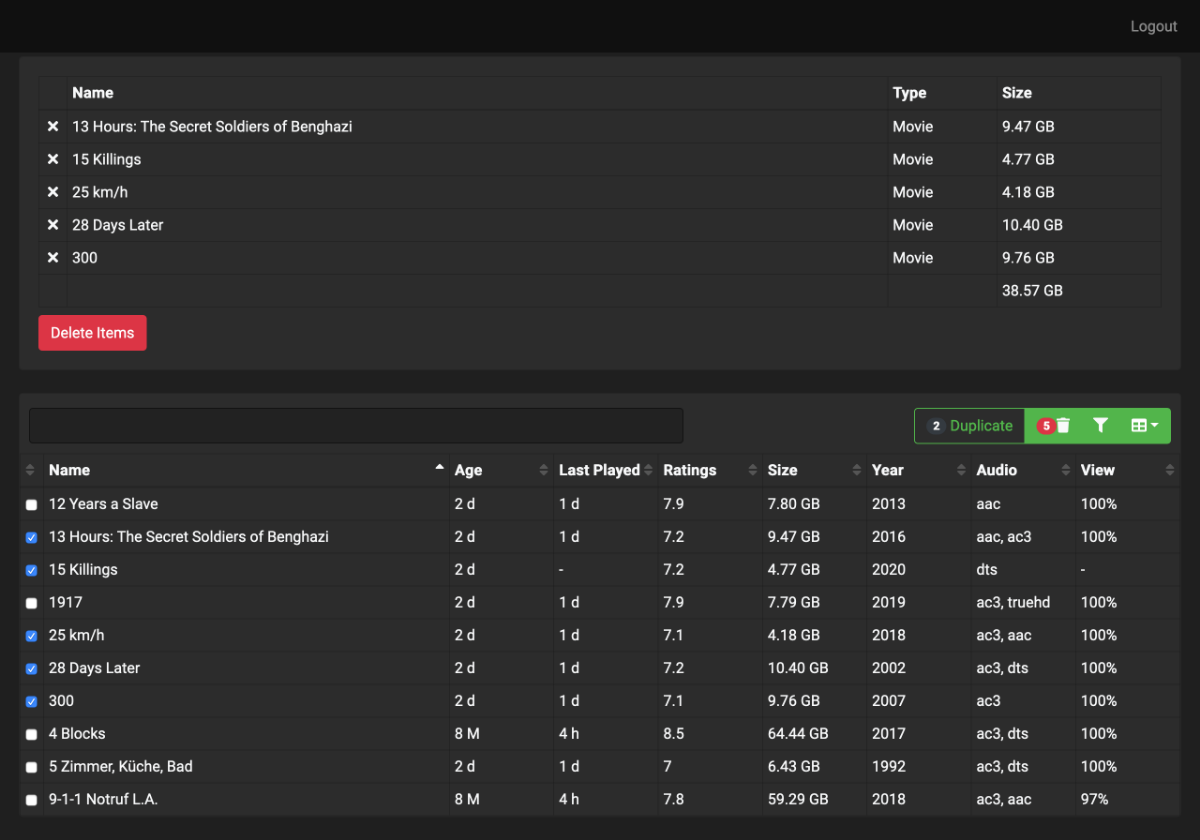
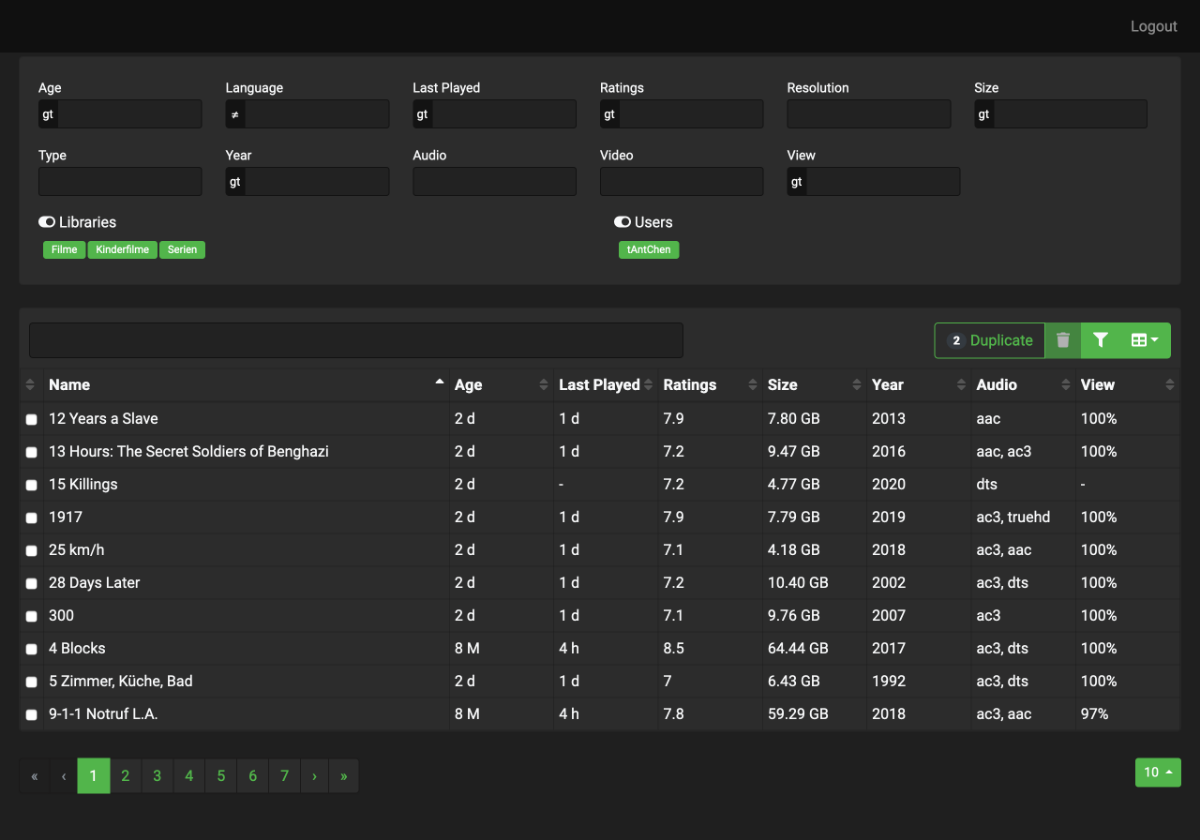
Hi All, over the years we added thousands of videos and series to our remote-server, but every disc becomes full. Then it is difficult to decide which content can be deleted. So i have create a little angular tool that collects the video items from the emby-api and shows it in a table. There you can filter and sort the items by several properties. Today i pushed the project to github.com because like to share it with the community. https://github.com/tantchen/emby-library-browser
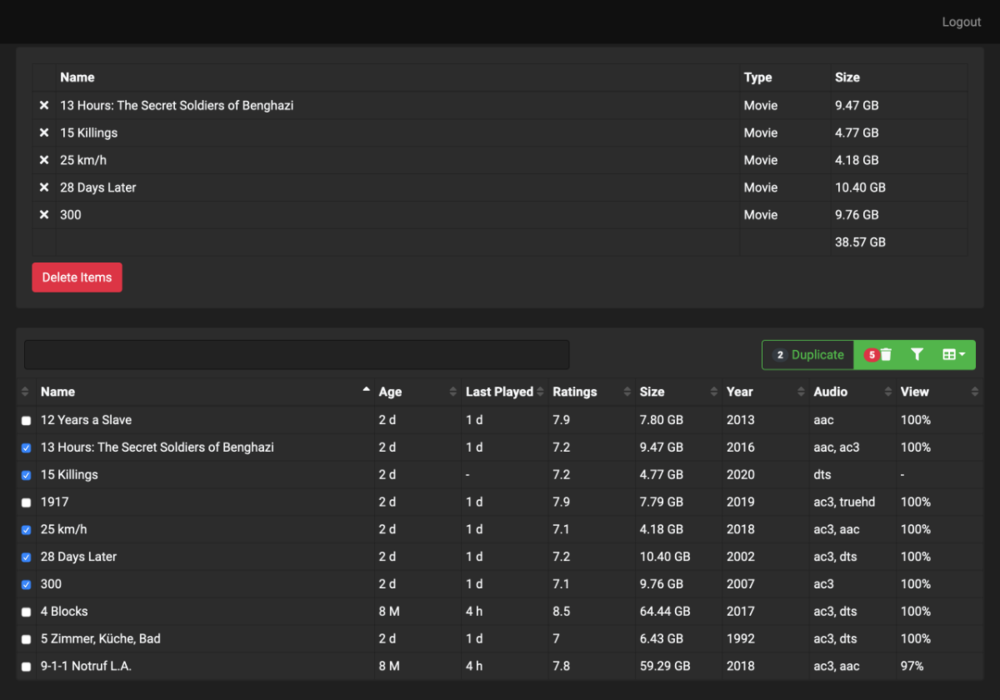
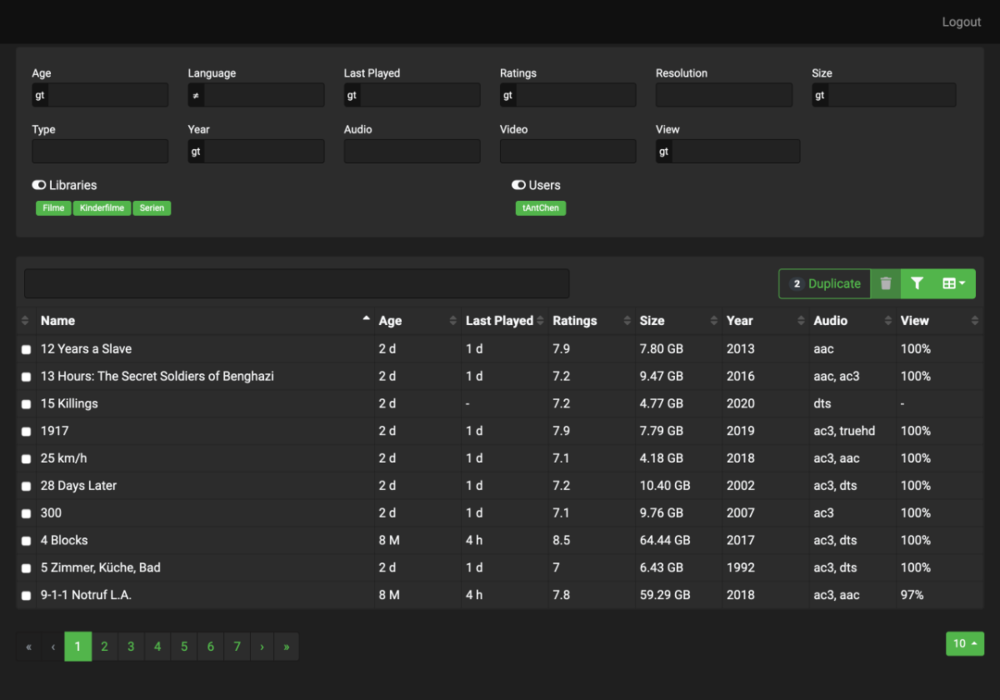 1 point
 -
Thank you guys! I had the same issue and this solved it for me as well! I really do believe that this should be looked at though. My logs showed the same thing. Even though my phone app was set to auto (on a 250mbps connection), the logs said it was set to 7mbps1 point
-
Hi, If you ever wondered how you could install Emby into a docker container from a brand new vanilla CentOS 8 Linux install, then this video is made for you! Enjoy!1 point
-
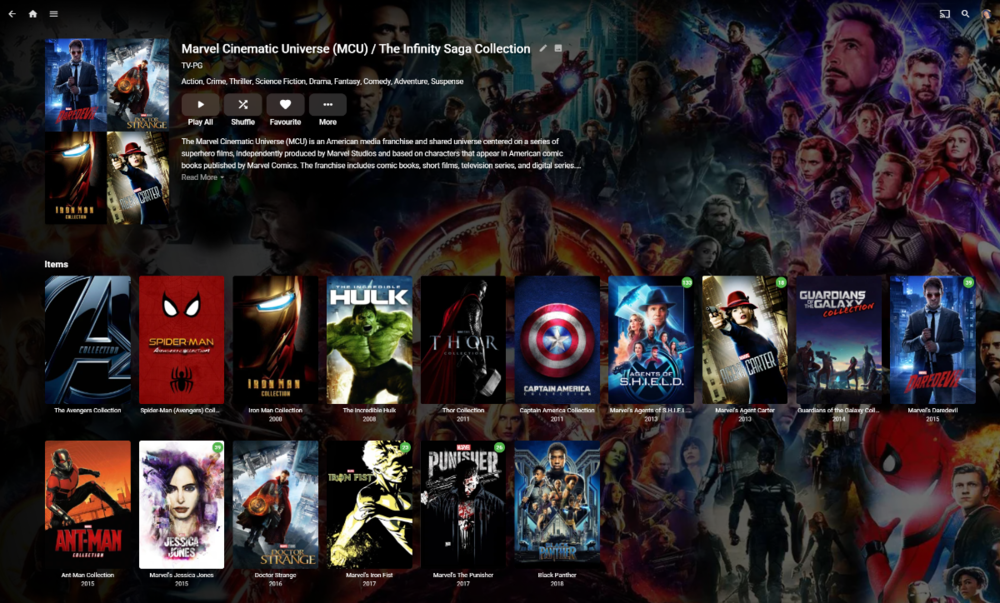
For me, it's just not useful in a collections view. There are 68 items in my Disney Animated Films collections. Scrolling right through a single row of 68 posters is inefficient.1 point
-
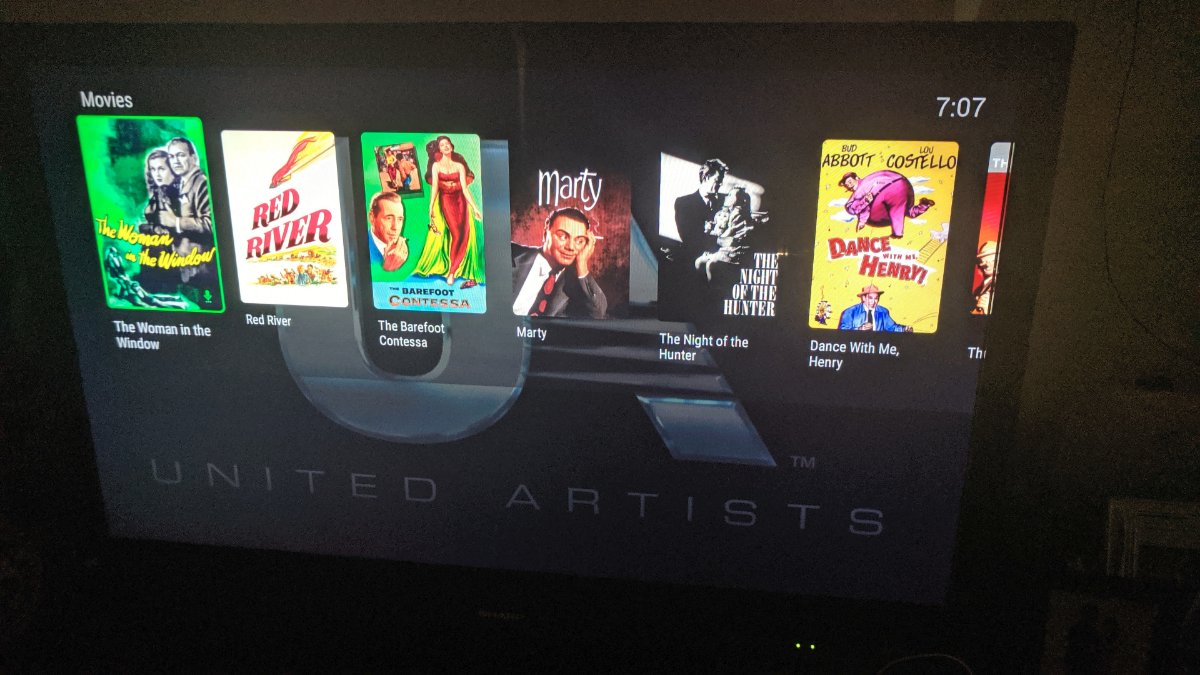
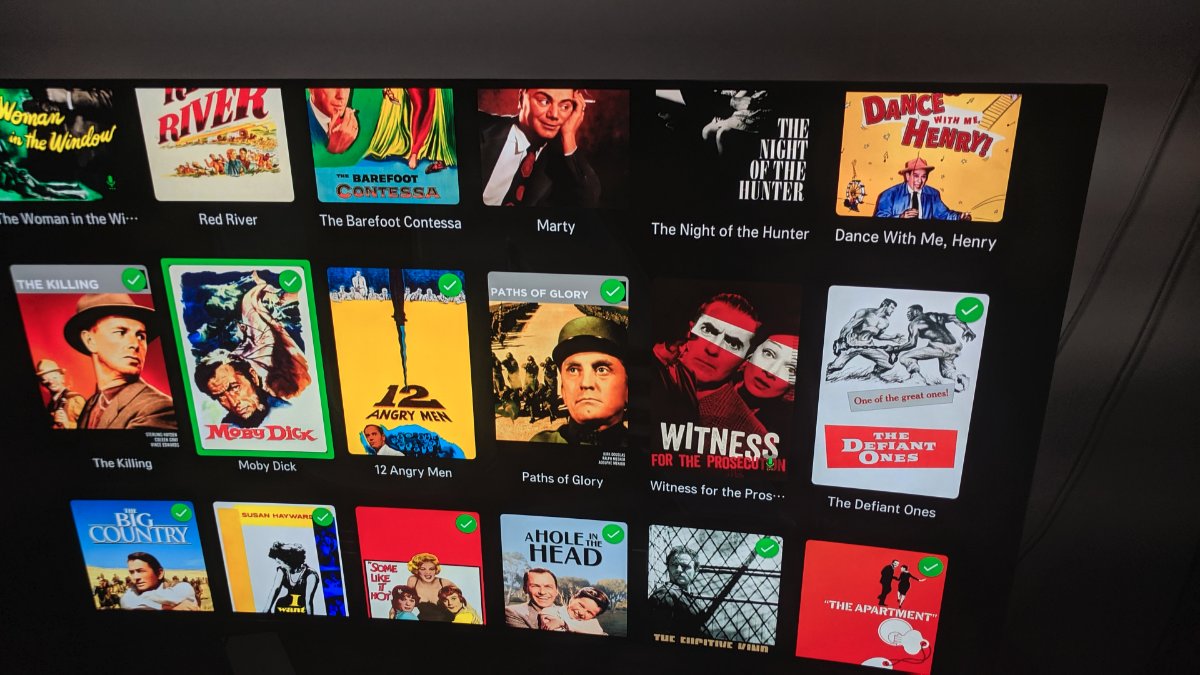
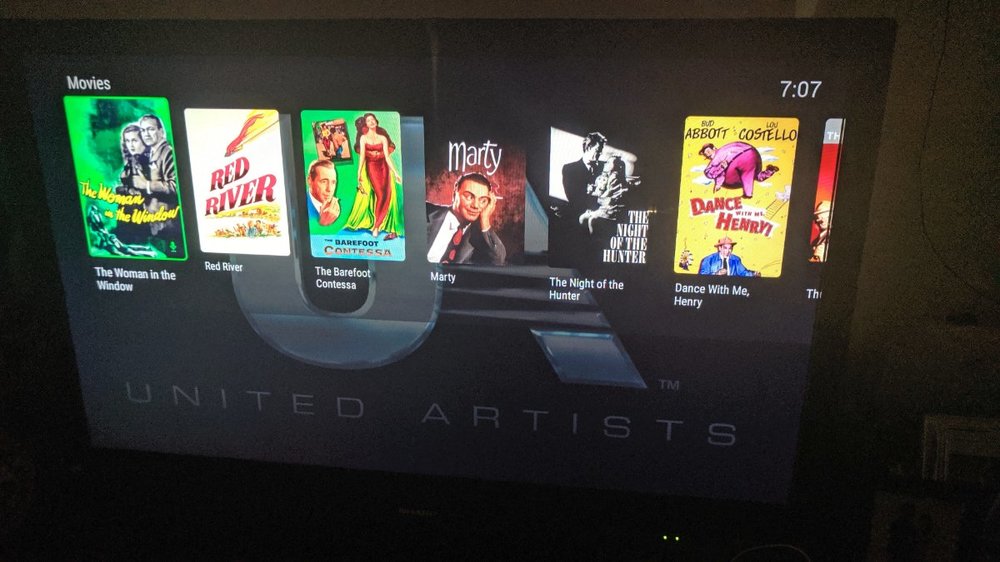
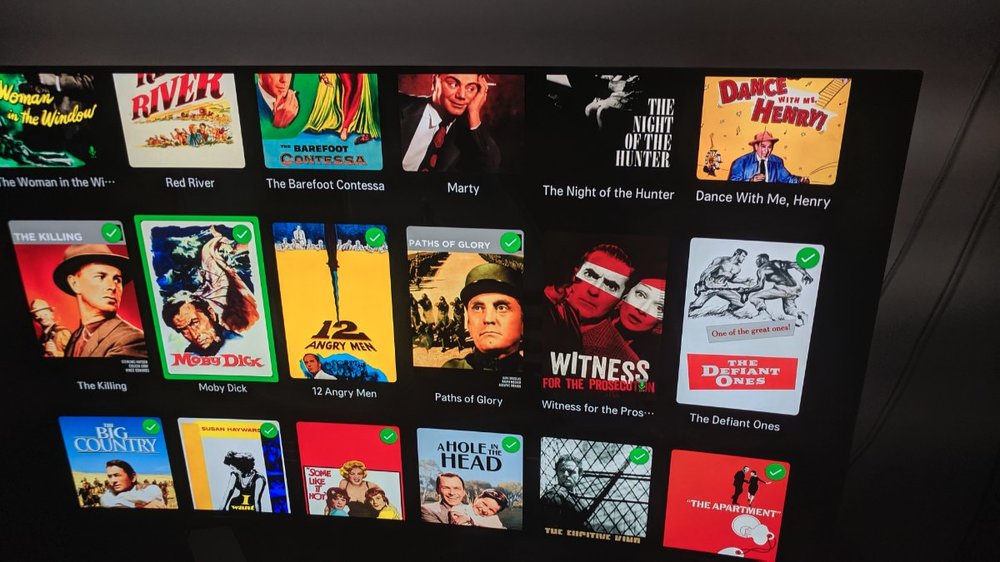
I have a 90-film collection, for my United Artists Prestige Collection DVD box set. Here it is on the Fire, one horizontally-scrolling row: And on my LG TV, vertically scrolling and using the entire screen: It's clearly much, much easier to find a specific film on the LG than on the Fire.
 1 point
 -
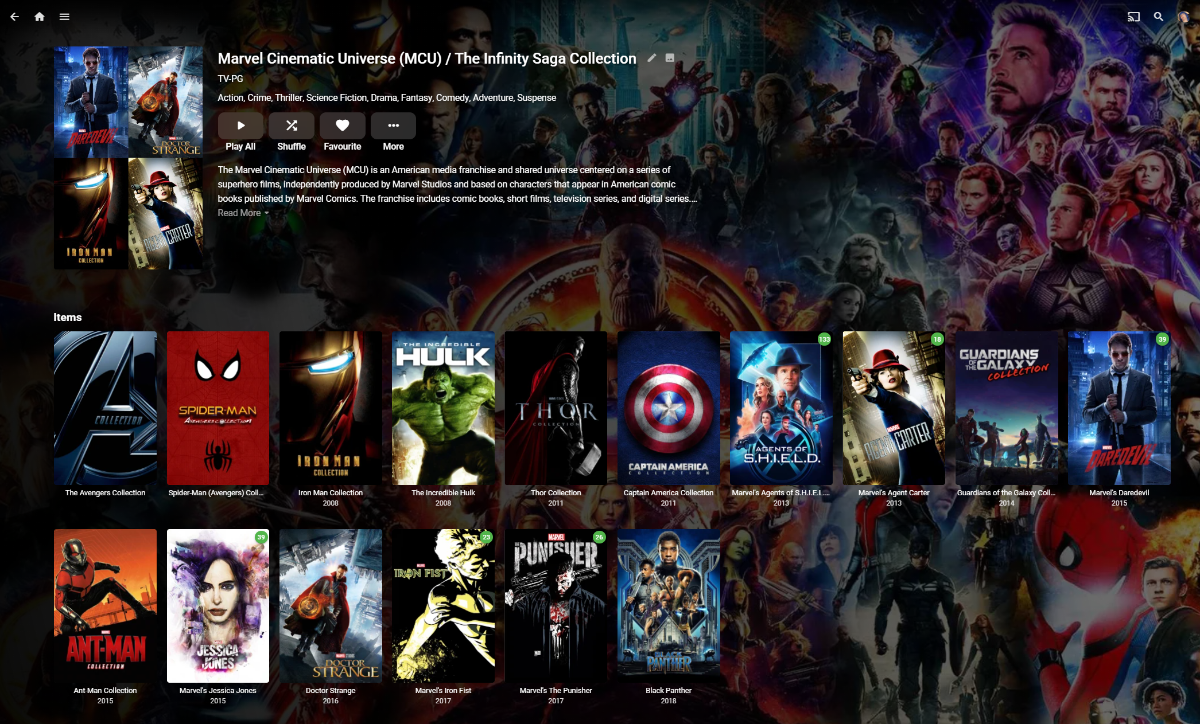
What would help this of course is Collections within Collections ... possible with the current Release (as I have mine now..) but as I understand it, will break in the new Beta/Release. This WILL make a large Collection such as MCU unwieldly - even with a vertical stack, a horizontal stack only would be horrible.
 1 point
 -
The direction of scrolling isn't really the problem, it's that on the horizontal scrolling version there's only one row, so you can only see six movies at once. The vertical scrolling version has six columns, so you can see 18-24 movies at once.1 point
-
This has been marked "in-progress" for a very long time, but it has still not been implemented. It is important to be able to disable camera uploading not on a global level, but on a user level so that I can only allow me and my mom access to it. Any updates on when we can see this implemented?1 point
-
space time continuum disruption1 point
-
Hi EBR, Do we have an ETA on that ?1 point
-
EDIT: I just realized I had this backward, as I just noticed this thread started waaaay back in March 2019 (!?!?!?). The most important point is I want to thank everyone, really everyone (point and counterpoint) that contributed to this thread. Strive to improve a good product to a better, if not best in its class, and the next day, start over with the exact same goal. Last but not least, more options for users is better than less options for users.That should take cares of about half the FR that gets a "mmm, not sure this would please everyone here" My point is, it doesn't have to please everyone, just give us an option to choose from, we're smart enough to find out what works best for our particular needs.1 point
-
That would make sense if Emby were on top. It's just not. Most folks are going to Plex. I chose Emby because from a performance perspective it's superior. But I have to say given where it's at and not knowing where it's going has me regretting my lifetime license purchase a little. As it is the lack of TV Everywhere kept me from Emby AND Plex for a long time. Thanks to the Channels DVR folks however I'm now using Channels on the back end to aggregate my tuners, deliver TV Everywhere, and provide a guide to an Emby server. All that works great, and I understand why you folks are hesitant to implement TVE due to possible legal issues that the Channels folks are willing to weather, but the lack of a native commercial skip feature in Emby isn't something competitive or hindered by a legal issue. It's ludicrous. At the very least features like that should have a public delivery timeline. That way we all know when Emby plans to catch up to Plex, if ever. See what I mean?1 point
-
And we appreciate it. But at least premium members should have an option to show logo. We also work hard to pay the subscription price1 point
-
If this is ever considered, PLEASE make it optional. I get that there are probably people that like it, but myself and my entire circle of friends/family despise when Netflix autoplays pseudo-trailers and that "often inappropriate to the title" royalty-free music. It's especially irksome late at night since some of the music is ridiculously loud or boisterous (go from "muted dramatic tones" to "bright orchestral piece...c'mon). I've since made a game out of browsing Netflix: try to read the summary and move to the next title faster than the video/music loads. When I'm not in the mood for the game, I just use their web interface to browse instead so I don't have to deal with it. That preload/autoplay functionality on a title's detail page is irksome too...why even put a summary and abbreviated cast list there if it's just going to fade out in seconds? May as well just play the video when it's selected from the main screen, same difference. Sorry for the rant and my intent isn't to rail against a feature you like, but it's one of those things that people seem to either love or hate with very little grey area (as you can probably tell...lol). Thus, making it optional is really the best compromise should it ever get implemented. It's just one of those "features" of Netflix that personally drives me insane and makes me question if I even want to fire up Netflix every single time. I really wish Netflix would make it optional, but they never walk back on any new feature for the first year (at least and if ever) no matter how many people complain (remember non-optional series autoplay?). Also, from a usability perspective, it does slow down navigation on some devices thanks to the video player process having to start each time (not to mention wasting bandwidth).1 point