Leaderboard




Popular Content
Showing content with the highest reputation on 03/31/21 in Posts
-
Hey everyone, First off: great program! Recommended Emby to all my friends and I know a few have bought Premiere after being so impressed, keep up the great work! I was wondering if it's possible to add in the ability to fully clear the "Continue Watching" section in a single go? Unfortunately I have issues with the Xbox One app sometimes crashing during playback where it no longer responds to controller/remote inputs, although the video continues to play fine. This causes the episode to appear under the "Continue Watching" section as Emby believes I stopped watching part way through. I know I can clear each episode manually by using the web interface, selecting each episode and clicking "Play" and then stop, but this has been an ongoing issue so I've already cleared out what feels like 100 partly watched episodes and the list keeps going! I wish I'd just kept on top of this from the beginning! If a feature could be implemented where you can basically clear or reset all videos currently flagged as "Continue Watching" that would be great. Even better would be the ability to configure Emby so it automatically clears the partly watched status on a video if it remains in that state for say 7-14 days (If this is user configurable even better). I know personally, if I've only partly watched an episode and a week or two goes by, I won't be able to continue off where I left it without forgetting parts of the story. Thanks, M_Taylor402 points
-
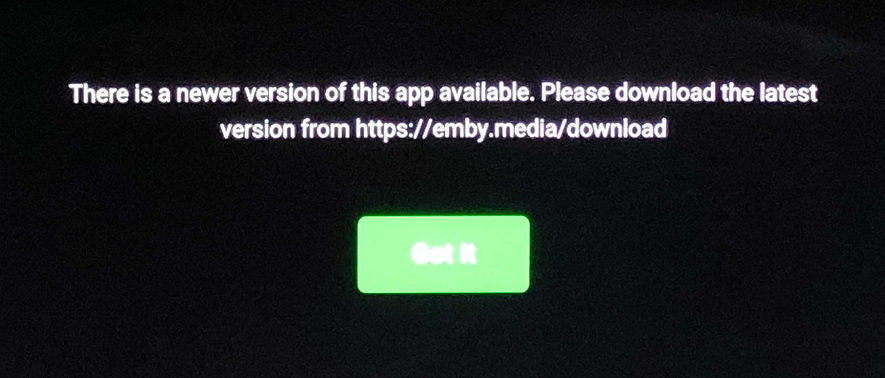
Hello! As I am in Australia the Samsung app has to be manually installed on peoples Televisions with Samsung TV's. I've manually installed the App on 10 separate peoples Samsung TV's manually via USB but as soon as I do within a very short period they get the following message every time they open Emby (which is every day!) "There is a newer version of the app available". Now, I know the obvious thing is to suggest they upgrade the app, and I'm hugely appreciative that their is updates in the app at all! But these users are not going to be able to do this on there own so it just becomes a hoop they have to go through every-time they open the app. I understand the App will eventually stop working when I take a certain version of the EmbyServer but until then my request is to add a checkbox that asks "Don't show this message again". That would be fantastic, but I understand if that doesn't align with your current goals, as the real fix would be to get the App approved in the Samsung stores around the world which I'm sure is very tough! Also the version of the app I'm running is 1.0.79. Thanks!
 2 points
 -
But the rules are not being followed as the field is not Blank. This networks range ignored set range access. So if I set only 192 network, 10 and 172 are no longer private if the note rules apply.2 points
-
You can also physically separate the items into different locations and then use the location-based access as depicted in your image above. Folder Based Access Control2 points
-
If this would mean being forced to always go through their servers like Plex does, this is an absolute no-go for me. Everyone has to make sure their server is secure when exposed to WWW and there are plenty of tutorials on how to get SSL working with Emby. Just my 2cents though...2 points
-
This was the most accurate answer. Despite losing power the WAN IP for the server did not change. However I manually changed the WAN IP and boom it is working now. Case closed. Thanks to all for the support2 points
-
I'm a big fan of services such as Rifftrax, and I hate having to manually mux files every time I purchase another release. Much in the same way that external subtitle file support was added, it would be nice to have external audio track support for TV and movies added as well. I wouldn't expect Emby to handle the offset calculations needed to sync the audio. It's not too difficult for me to modify that now.1 point
-
Hi Guys, Here we go with the dreaded Documentaries folder... Setup as mixed content in library and I'm happy with how it works. Just wondering if possible to display the 'Latest Documentaries' on the Home Screen similar to how the library view shows it - TV-Docs are in a single season folder and Movie-Docs are obviously a movie poster/folder. Hoping this would carry across to the AndroidTV app too. Right now if I add a TV-Documentary to Emby library (with a full series worth of shows) my home screen shows all the episodes instead of a single TV Show style entry. Is that possible? Cheers, thanks for the great work.1 point
-
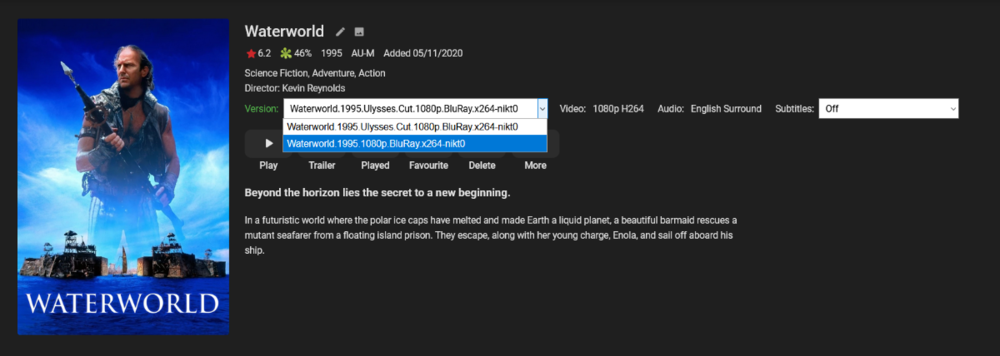
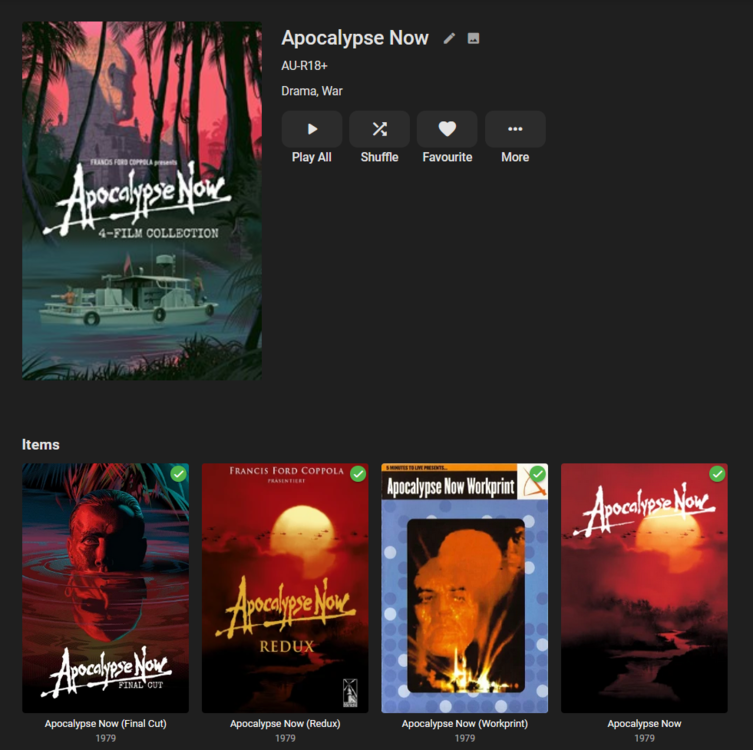
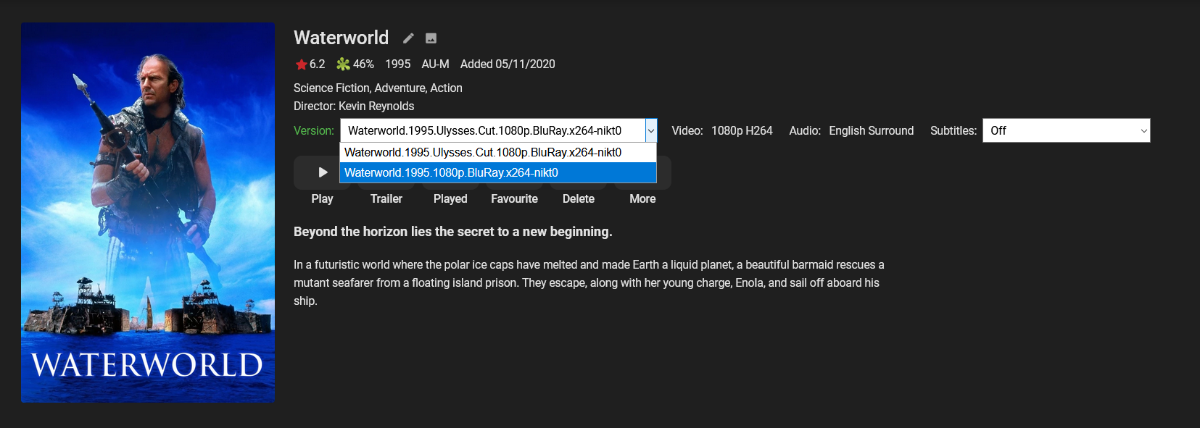
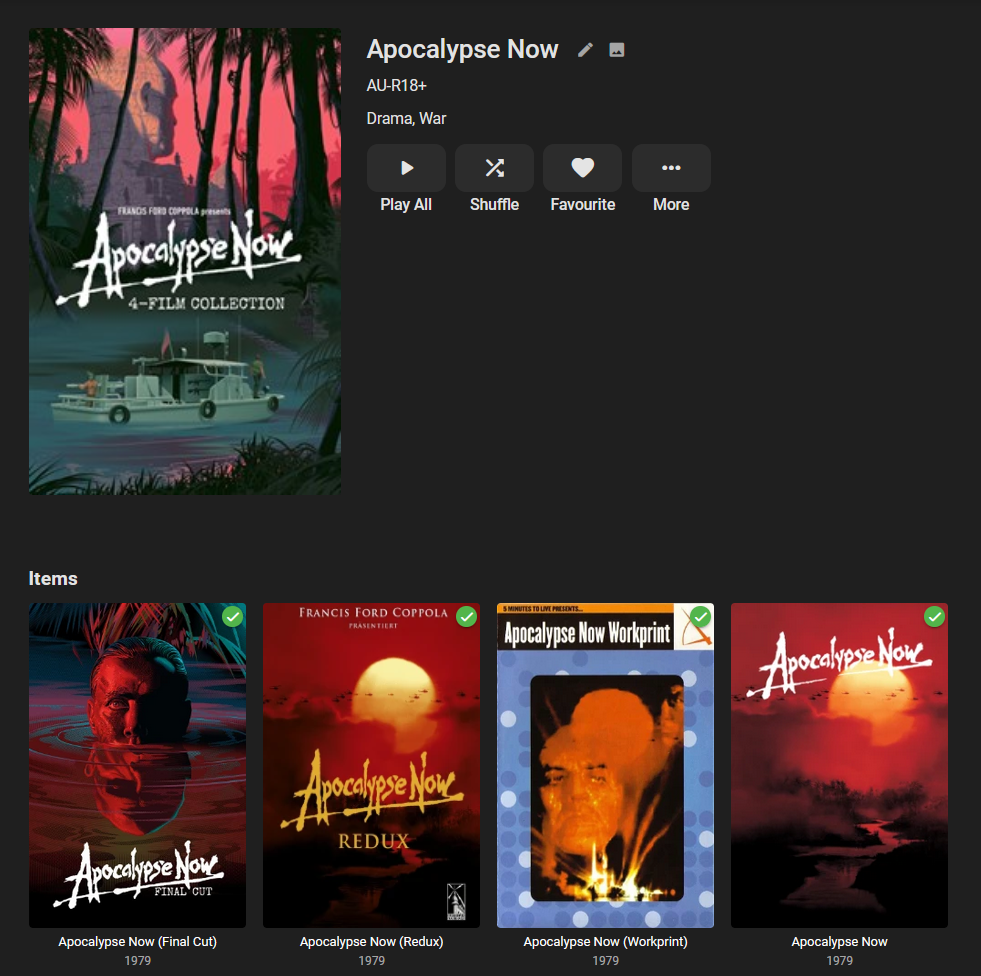
Hello! So I am not sure if there is a way to have multiple versions of the same movie with different meta data. If I include two versions of the film; \movies\Waterworld (1995)\ -- Waterworld.1995.Ulysses.Cut.1080p -- Waterworld.1995.1080p I see two versions of the film, however unless I'm mistaken it removed information such as Runtime as they are both different. Typically though as you choose each film, the Cover Art should change, the Credits could change the Description could change so it should be able to contain multiple sets of information for each version. My work around is just to use Collections such as the infamous four versions of Apocalypse Now I have just grouped as a Collection and added my own Meta data for each film. This does become messy with the Collections Plugin, take say Star Wars, Empire Strikes Back and Return of the Jedi. These three films now have five major versions released each and as they are added as separate films in Emby Collections plugin now has 15 films in it. The ideal solution would be to have them as 1 single Film but with different meta data, not sure if there is a feature I'm not utilizing to achieve this? Thanks!
 1 point
 -
That said, the beta server probably does a better job than the current release server.1 point
-
A wild guess and has nothing to do with Emby server and more to do with Roku firmware. Is this what is happening?1 point
-
According to my test, when I applied 192.168.1.0/24 in the field, 192.168.5.X and 10.0.0.X was both treated as outside the network, while 172 addresses were treated as inside network.1 point
-
Alright I'll try to get some logs tonight or tomorrow.1 point
-
Hi, it's being looked into, thanks.1 point
-
Hi, once we're in the Synology store, we will always submit new versions to Synology immediately, however, we can't predict how long it will take to go through their approval process. That's one reason why we publish the spk's for manual installation if you wish.1 point
-
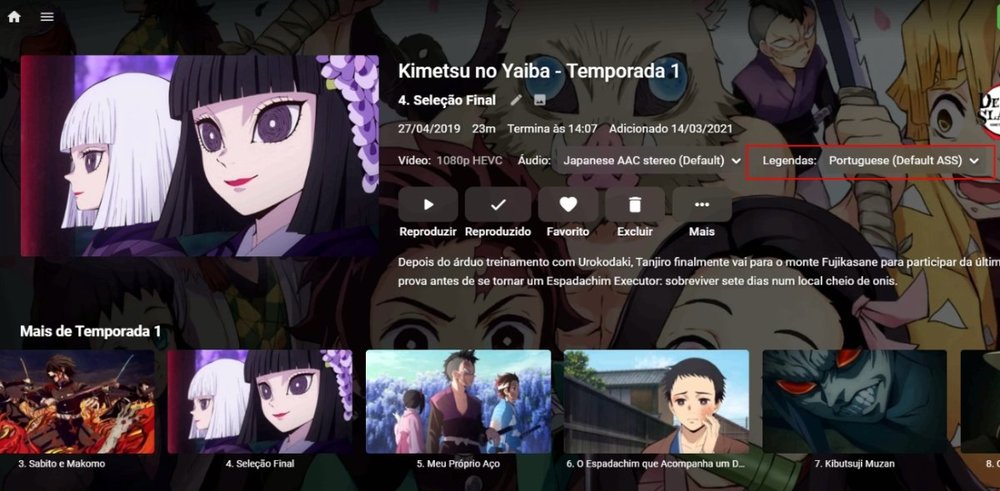
I took a screenshot of the screen with the selected caption, just to confirm, and the file is attached ffmpeg-transcode-adc9ce0d-f931-4217-9f9c-b708e3321c7d_1.txt
 1 point
 -
Unless I'm mistaken, and I'm happy to be corrected, 2FA does not require making calls to Emby internet services. It is also useful for everyone, not just professionals, not just every-day consumers. If you want other features like auto-SSL, that's a separate type of request since for those who do understand nginx and certbot, it would bring in extra cruft to compile and maybe unwanted software on our networks.1 point
-
If running the beta server you will want to upgrade the clients to the latest beta as well which will allow direct play of Live TV.1 point
-
Hi, I don't see anything obvious here, but the upcoming 4.6 release will have improved performance that may help with this.1 point
-
This is not "incredibly easy." As @rbjtech says, it should be available out of the box. Security features should be made available by default. Leaving the incorporation of any and all security features on the shoulders of the end-user is not the proper approach for commercial software. This software is not targeted at IT professionals and system administrators. This software is targeted at consumers who want to store their digital media locally, and serve it so that they can potentially access it from any device. It should not require reverse proxies and intimate knowledge of command line to be a secure product. Speaking for myself, I enable 2FA TOTPs on all of my accounts wherever possible. So I would definitely appreciate this feature to be implemented. But as has been said, implementing HTTPS is probably a first step.1 point
-
So this would be a dup of:1 point
-
Yep, it is a 1080i channel. The current release of the server is forcing this to transcode. The next release of the server and app will allow it to direct stream again.1 point
-
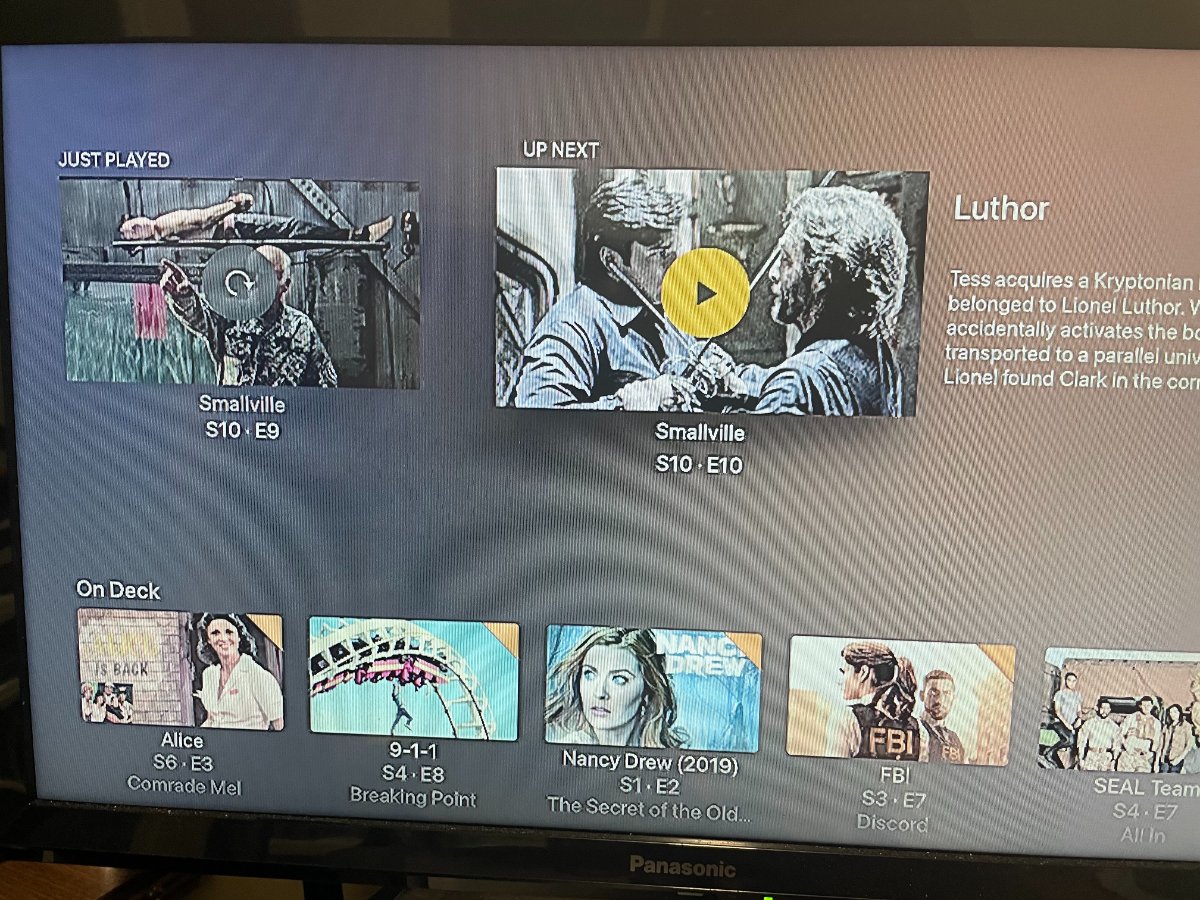
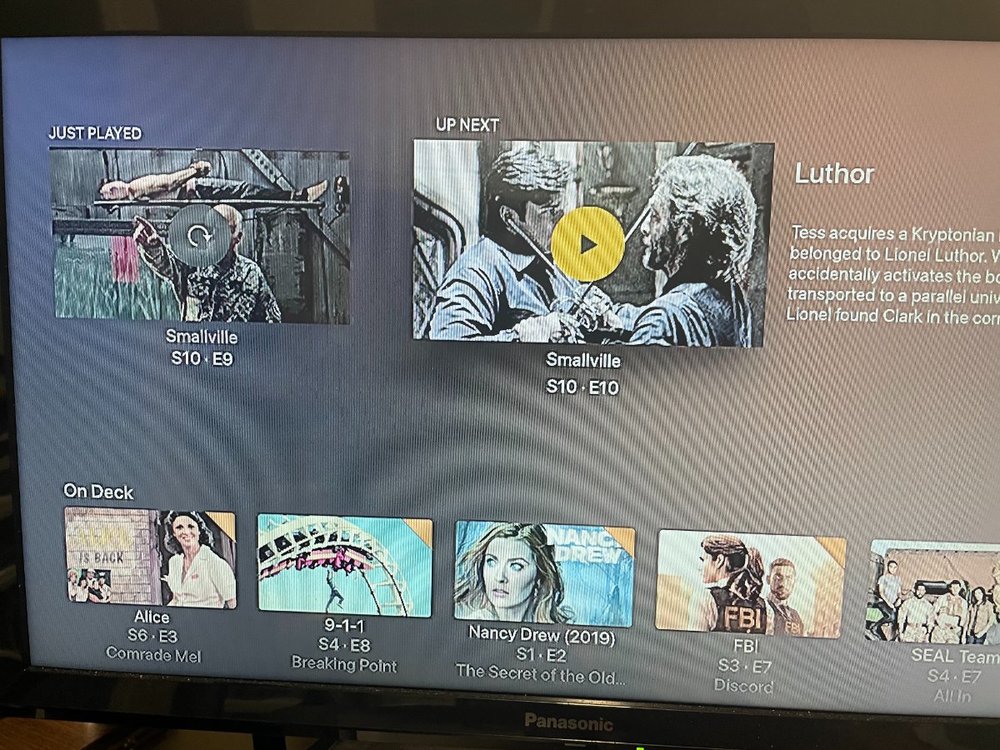
Yes, so do I. I think Netflix is similar to Plex, the first image I posted is the behavior of Emby and this image is the behavior of Plex, it shows as S10 E09 Just Played then S10 E10 Up Next with the episode information and play icon. If I get sick of binge watching Smallville, I can go down to On Deck and continue with an episode from another show. Don't you think that this is a much better option that there is now with Emby? just from a user preference point of view!!
 1 point
 -
Normally, when you stick the usb drive in and it doesn't auto install it means the previous version needs to be uninstalled first, or for some reason it can't find the install file(s)1 point
-
Hey guys I decided to jump on the emby bandwagon and became a lifetime subscriber. Also went through my router and corrected my port forwarding issues (Thank God) and its been smooth sailing ever since. Thanks to Luke and all the developers who work on emby for your continued work on the server and apps. Now if we could just get Vizio off their lazy butts and accept the app for their smartcast TVs we would be set Thanks Sean1 point
-
You'd be incorrect as it is already in the beta.1 point
-
The TV (or Shield) have to be converting those. It isn't possible to send either of those audio formats over an optical cable.1 point
-
My guess is an interlaced channel and that this will be solved by a combination of the next server and app update. But we should look at details to confirm.1 point
-
I found an old topic discussing this but found no feature request topic so thought I would make one here. Series Next Up not showing Specials but viewing the Season does - Web App - Emby Community At the moment I am watching a series with many specials dotted in-between the episodes, for this reason I have grown to distrust the 'Next Up' tab as it will not show any specials and instead navigate to the Series folder and look within the Season itself to find my next episode (incl. specials). Hopefully one to think about for the future?1 point
-
I will dismiss all the irrelevant audio and subtitle tracks from video, leaving just the DTS and truehd and make two new mkvs. I will post a full Media Info and take screenshots from both Shield and the TV when I get home. And edit this post. By the way, to those who suspects that Emby server is transcoding the audio track, On Emby server, transcoding is blocked by me via permissions on dashboard.1 point
-
It does seem to be fixed, nice But I do notice that Emby server doesn’t always seem to track what I’m watching now (in the dashboard) but Trakt does still track what I’ve seen somehow. No big deal but I guess it must be a bug?1 point
-
The issue is that the USB beta version of the app is time locked by Samsung so if you don’t update it it will stop working anyway.1 point
-
It’s a recording of a live broadcast, from HDHomeRun1 point
-
So tonight, all the episodes are showing, maybe it needed some time to compile them. I will test another one with just the TV Show, without doing the Seasons and see if it works after giving it some time. Thank you for all your help though.1 point
-
I really think the ultimate solution will be that we will have to create a different presentation for different cuts of films because everything about our current versioning is based on different qualities of the same item. If you try to mix these two things you just run into so many problems like this.1 point
-
Oh my!!! I will read through that thread. Thanks!1 point
-
Hi there, have you taken a look at our backup guide? https://support.emby.media/support/solutions/articles/44001159936-backup1 point
-
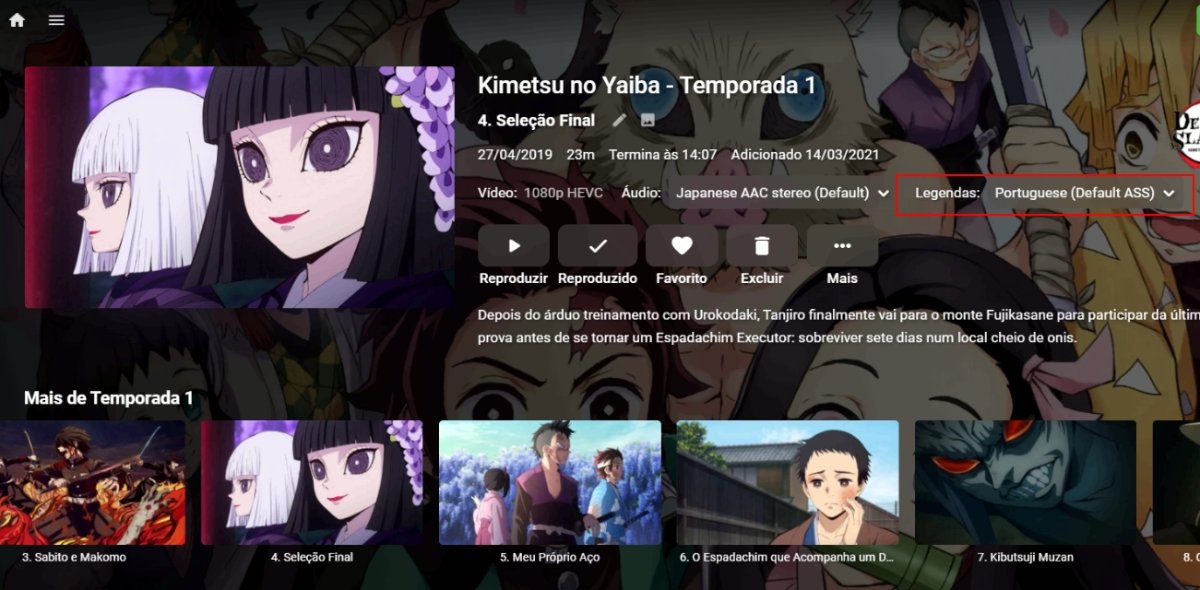
What version of that app are you using and what type of subtitles are they (ass, srt, etc)? There have been some subtitle fixes of late and 1.0.93 is the latest1 point
-
Thanks for the feedback. We'll be publishing a 3.0.15 update very soon.1 point
-
It's worth checking their DNS name resolution of your domain. If you had a power outage, then your WAN IP may have changed, and DDNS would have updated it - but it may take a while for the change to replicate to the DNS servers around the globe. It's possible, the non-working client has a slow DNS update from their ISP. Just do an 'nslookup <your emby domain>' on their computer - and see if it matches your WAN IP.1 point
-
I would follow the testing area of the community to see what's new in our beta releases. Thanks.1 point
-
I have a few users with hundreds of random partially watched episodes and movies. Check/ uncheck would take forever, or check/ uncheck the whole series would ruin their watch status of fully watched episodes. There really should be a way to clear partially watched list.1 point
-
For users with Samsung Tizen SmartTVs (2015 - Present) who want to test the latest version of the Emby client app before it's submitted to Samsung for release in their app store. These installs should be considered beta until approved by Samsung, however they are the same ones submitted to Samsung monthly for inclusion in the Samsung store. Samsung's policy is that the only official way to distribute apps is through the Samsung store and that usb installs should be used for testing purposes only. Because of this policy Samsung has mandated that usb distributed apps must expire within 30 days of compiling. To help with testing you will be remined to update to the latest beta release as the app expires to ensure you are using the latest version when reporting issues. This install will also work for those who don't have access to the official client app in the Samsung app store. However, the same rules must be followed as indicated above. Release notes and version number For the latest release notes and version number click on this post https://emby.media/community/index.php?/topic/31461-emby-for-samsung-smarttv-release-notes-tizen-orsay/ Installation instructions Download this zip file: https://github.com/MediaBrowser/Emby.Releases/raw/master/tizen/tizen.zip Format a USB 2.0 stick using FAT16 (some larger USB 3.0 hard drives have been found to not work) (newer models may support other formats, check your users manual) Copy the tizen.zip file to the root of your USB stick Extract the contents of the tizen.zip file to the root. (This should create the folder 'userwidget' in the root of the USB stick and the folder should contain the two files needed) Turn on the TV Make sure your TV is connected to the Internet Plug the USB stick into the TV's USB port. Installation should start automatically. (There will be 3 quick messages in the upper right corner of the TV) Click 'OK' once the installation is complete. Optional, add the Emby app as a shortcut to Home Start the app from the Smart Hub or installed apps section of your TV. Troubleshooting If the installation does not start automatically, then please ensure your TV firmware is up to date and try again. If you get an installation error, try the process again with the USB stick formatted ass FAT32. We've received reports from users that installing from USB 3.0 hard-drive devices does not work, so please make sure to use a USB 2.0 thumb-drive device. Also, make sure the thumb-drive is unlocked/writable before plugging it in. The TV will need to write to your thumb-drive. Users with 2015 Samsung SmartTVs may experience an issue where the USB version of the app deletes itself upon restart of their TV. This is a security measure implemented by Samsung in which we have no control. If this is the case you may have to leave the thumb-drive in the TV and reinstall upon reboot, or install the latest release version of the client found in the Samsung app center. Updating from a previous USB install The app will notify you when an update is available. To update a previous USB install just repeat the instructions above. Notes: Certain Samsung SmartTVs have an issue where the app won't upgrade from USB drive if there is already a USB version installed. If this is the case you'll simply delete the old version before inserting the USB and then repeat the same installation process to install the new version. Also, try power cycling your TV after deleting the previous version if you have problems.1 point
-
Remuxing takes a lot of time and the picture quality of the movie files get worse than the original, why are you Emby developers not entertaining our this request. Many many media player offer this feature. If it is possible to play an external audio with a movie file with a few clicks, why people should be in need to spend their hours in remuxing the movie? This feature is as important as external subtitles. Please implement it. :( :( :(1 point
-
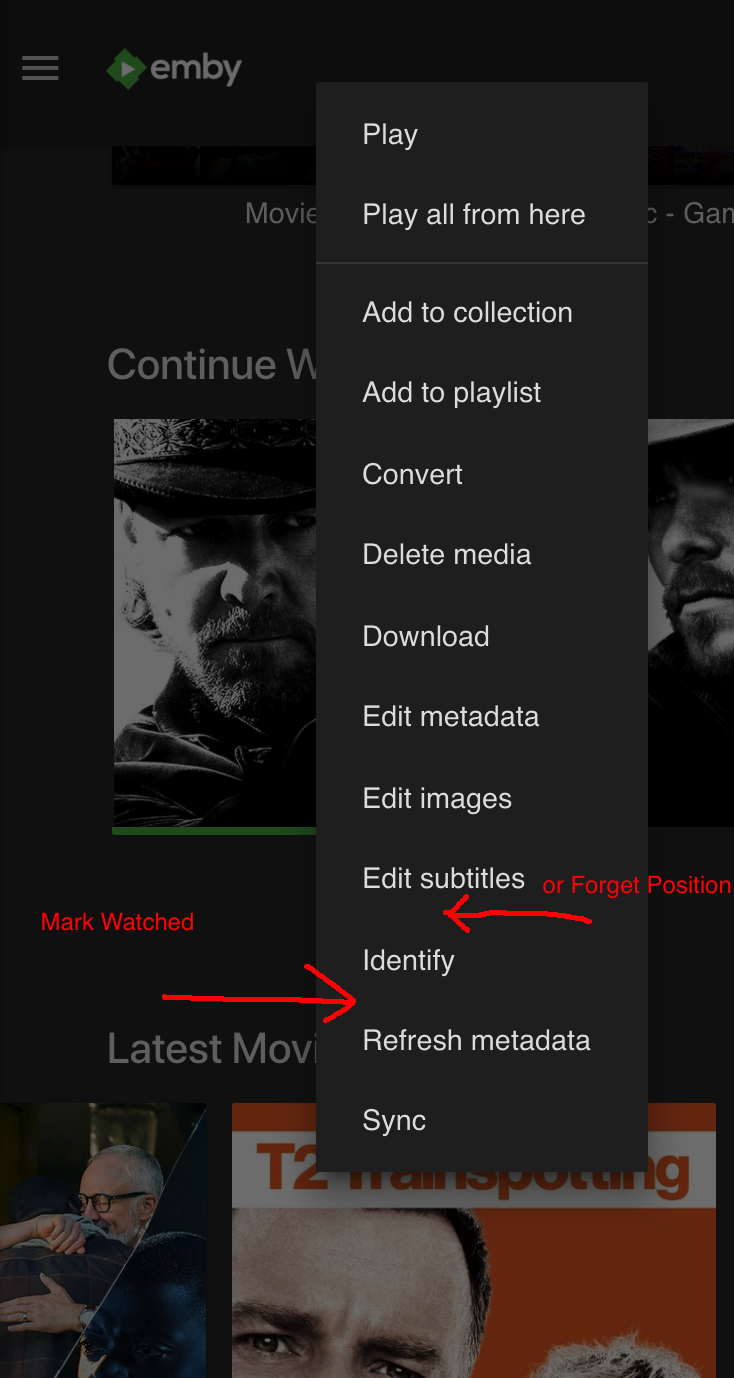
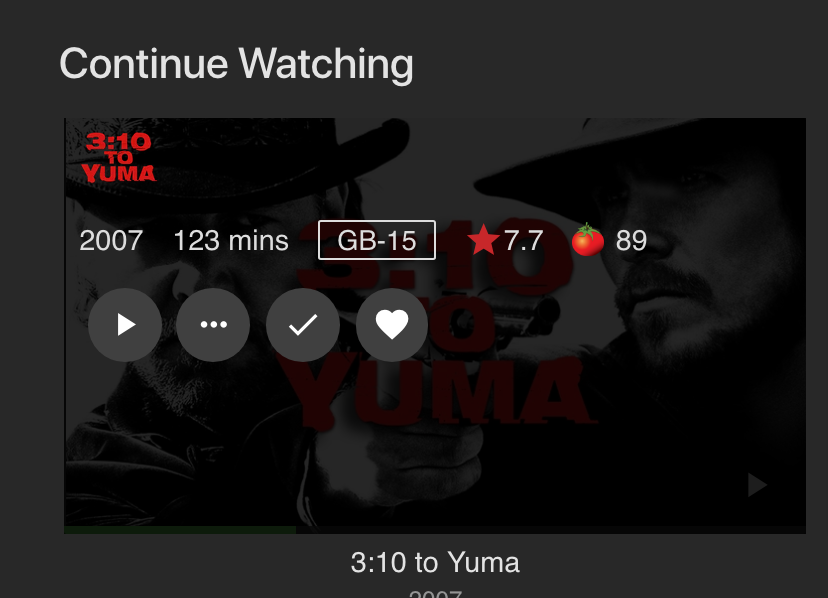
Could this be added here? I know this is a laziness thing, but it does seem like that menu should contain it You can't do this under the 'Continue Watching' section though. And I know you're gonna say there's this tick: But those overlay pop ups are slow if you're doing a few. It's not a complete deal breaker, it's just much quicker with the contextual menu. Edit: Ok, just found the click/tap to select multiple and it's in that menu, so I guess you can do several from the continue watching section. I'll eat my hat then. (it should still be in that contextual menu though )
 1 point
 -
Hey everyone, Thanks for the suggestions, didn't realise that I could just toggle the watched/unwatched tick and marking entire seasons as watched may help as well, unfortunately whole libraries won't as I only have one for TV Shows and another one for Movies but if I split that up it may be an option. I would still like to see an auto-clearing feature that resets the status on partly watched videos after a set number of days as I think that could be useful, but I understand you guys need to focus on planned fixes and most-requested features first. Thanks again for the tips! M_Taylor401 point
-
Yes, this does work. The problem is it takes forever if you have a bunch of episodes you don't want to show there. A "clear" button would be a much simpler, faster solution. An option to include/not include in continue watching on a per series basis would also solve the issue, for me anyway. I watch more old tv shows than new (continuing) shows. These are series I've already seen dozens of times so I have no desire to continue watching any episode of those series. If I could choose on a per series basis or even have an option to exclude shows that have ended, that would be fantastic and keep all the extra "junk" out of continue watching.1 point







.thumb.png.225edb9636a79b10cd220c27f59990f3.png)