Leaderboard




Popular Content
Showing content with the highest reputation on 03/20/21 in Posts
-
Until it will be added to the main UI:3 points
-
Yes, most likely by tomorrow I think I'll put it on the first page of this thread2 points
-
Guys, The ebook side of Emby/MediaBrowser has been long stalled or rather stagnated. I would like to offer up a couple of suggestions. Many people use calibre as an ebook/comic book tool for scraping data and general management of their collection already. This program is absolutely astonishing in its ability to pull metadata from post calibre scans, as well as draw in metadata from the file source and/or directory structure. http://vaemendis.net/ubooquity/ Its a self contained .jar server/reader combination. And honestly I am very impressed by it's small footprint and wide range of abilities. The other option is COPS , which was written specifically with calibre in mind. It is open source, so making it work with emby I would think would be fairly easy. https://blog.slucas.fr/projects/calibre-opds-php-server/ Ever since the original release of MediaBrowser's bookshelf I have always wanted something that would allow me to 'read' my collection, rather than being basically nothing more than a place-set for images of books I own. I am sure that those who mainly have audiobooks are thrilled with bookshelf , but it's nothing more than an extension of the music library IMHO, not new features. We can have both right? Here I give you two suggestions free of charge.. Just because I love you, and Emby Personally I plan on running the Ubooquity Server along side of Emby from now on, just because of it's massive functionality and tiny footprint. But I sure hope that someone decides -- "yeah, ebook support should be in here too" and do something about it - rather than allow this now very very ancient issue to continue to remain an issue. And so I don't have to have 20 different ports open, some with SSL support - some not, because Emby isn't delivering the 'complete package'. (Please take some of this with humor, I know you have your hands full with improvements/bugs/suggestions/requests)1 point
-
Similar to this old post, I'm suggesting a tab that would be titled Watchlist and could be placed in between Suggestions and Favorites. The functionality would pretty much be a copy of Favorites, just with a + symbol added next to the heart and other symbols that let you favorite a movie etc. The previous post had mentioned extra functionality such as automatically removing a movie from Watchlist after it has been watched. This would be nice, but is unnecessary because after watching a movie you can simply click the + symbol a second time to remove it from Watchlist. I would imagine this would be very easy to implement as a rebranded copy of Favorites. Adding other features could come later. Edit: added link to old post1 point
-
Hi, I would like to have an option to choose H265 instead of H264 in the Transcode option. It will be smaller for all bad bandwidth (2~5Mbit ADSL), but will have a great quality. Mobile phone can benefit of it greatly too with the 4G and the limitation of download.1 point
-
I would love the option to store Emby's database in MySQL - I have a setup that serves around 30 people and I feel that there would be real performance gains by using a proper relational backend over SQLite (I'm presuming). On top of this it would make life easier for me when reporting on watched status a cross users.1 point
-
I would like to hide (Rotten Tomatoes) Ratings. I don't need to know critics' opinions of the movies on my server.1 point
-
hey what I'm really missing is support for audiobooks. Simply saving the resume point for those mp3s would be absolutely enough, no need to fetch metadata etc.1 point
-
I know this has been mentioned but per the instruction to create a new thread for each item, I'm going to err on the side of redundancy solely on the fact that this is the single most important item for us audiobook listeners. Feel free to moderate as needed, I asked for clarification here but didn't receive a response:1 point
-
Hello! I created this script to generate cover images with embeded ratings and media information like 4K or HDR, this is an example of how it looks: Ratings alignment, text and border colors can be customized! This is still a WIP, requests and suggestions are welcome on github!
 1 point
 -
As TVDB get more and more out of control, is there any chance of having TV Maze put back into emby? I feel they do a much better job than tvdb at this time on minor things like hallmark tv movie series. Especially since they went to the separate movie format (like TMDB) for this and not the series layout like the production company has for them on their own site. By changing this they have quite literally made themselves obsolete vs. TMDB as the later does a better job of that, if they are truly going that way.1 point
-
Follow up: After all of this it just took sometime for all of the pieces to work together. For whatever miracle the Emby Server is now open to remote connection. I had my son in another town try it out and he said he could connect just fine. I turned off the wi-fi on my phone after about 15 min of my last post and everything worked fine. Thanks for all of your help in this matter.1 point
-
Ok, maybe you all have covered this. I glanced through the exchange above. The encoder is pulling the ratio from the original video dimensions of 720 x 576 which makes it 1.25 or 4:3. It looks like the original video is squashed 16:9 with a preferred playback default of 1.778. The preferred playback is a parameter in the file itself. Some software players can read this, but online browser and obviously your one encoder don't bother reading the default. They just read the original video size and uses that. I think the way around this problem is to get the master to be the right video size 16:9. You could resize the master video to 1024 x 576, then all your encoders would be happy. Or get that one encoder to recognize the default preferred playback aspect ratio. Maybe there is a option parameter in the encoder. I like having original masters in the correct playback ratio and not have a library full of squished or stretched videos. To do that the right way would be to resize during the first master conversion. Where did the video originals come from. 720 x 576 looks like a converted video from a DVD which was originally 720 x 486. If you resized it now, you will have lost a generation and things will get a little more blurry, so it's not a good solution. Whomever did the original conversion, should have made the video size 1024 x 576 instead.1 point
-
I'm afraid the only way the Roku can play those live streams is the way we are delivering them now.1 point
-
no need to edit the file as you can add that to Dashboard-Settings Custom CSS box. But this only applies to the web client.1 point
-
@quickmic is doing outstanding work, a lean mean fixing machine, a hard worker, and highly result oriented. One logistic detail puzzles me, though: I would think having a specific dedicated area where E4K users can see/grab the latest beta release candidates listed, along with short release note, would make it simpler. ie: Could be post# 1 of this thread (regularly kept updated) as soon as a new release is out of the oven. This thread is already quite substantial, and growing fast. 46 pages and 1100+ posts at time of writing this. That makes it more difficult than need be to find the latest version. I fully get it is 0-day labwork in progress, and I definitely don't want to sound like I'm complaining. My only point being it would make that part of the process easier to follow for others including me. (yeah, a little self serving) Keep up the GREAT work !
 1 point
 -
Soon would depend on all the outstanding issues still being reported in the testing area.1 point
-
Could this be similar to this?1 point
-
If you can give example file names / structure of the Lego DC ones, we may be able to help you solve these last few.1 point
-
Maybe we have something now. It might not be a problem with Emby itself but it could very well be configuration that is triggering the freeze/crash. I'm not all that familiar with Unraid and how it deviates from typical Linux installations. I know there is usually memory-backed storage involved but not the details. You have a good number of docker containers running, including Emby. You should look into where this is mapped for the Emby container: /transcode/transcoding-temp/ Because of this: 23:56:42.238 Error writing trailer of /transcode/transcoding-temp/51EB01_%d.ts: No space left on device 23:56:42.238 frame=140726 fps= 25 q=-1.0 Lsize= 3204201kB time=01:37:49.40 bitrate=4488.0kbits/s throttle=100 speed=1.04x 23:56:42.238 video:3066637kB audio:137564kB subtitle:0kB other streams:0kB global headers:0kB muxing overhead: 0.000000% Last message repeated 1 times 23:56:42.238 EXIT 23:56:42.239 Conversion failed! 23:56:42.239 If /transcode/transcoding-temp/ is not mapped to a persistent storage pool and is instead using a system volume it could explain the full system freeze. If the volume is memory-backed it would also explain things going back to normal after reboot. The time mark is also consistent with the 90ish minutes for this movie. You should also look into the volume mapping of all containers that might generate significant output.1 point
-
You have me very excited and hopefull That show appeared simultaneously on emby and kodi ! I will know for sure next time I have a more substantial pack of new episodes but so far, looks like you nailed it !1 point
-
@quickmic Ok so Kodi E4K fully updated libraries, all good I exit Kodi gracefully* and reopen and give it a minute to settle down. I will re-add the last episode I previously removed and will have eyes on emby and kodi at once I'll report back and might probably send a log EDIT: * First time in the last 6 reinstall that Kodi does not hang/goes not responding on initial graceful exit1 point
-
Thanks for taking the time to respond. Hopefully these changes gets into Kodi 19.1 which would be good for all concerned. Cheers, LongMan1 point
-
Thanks, I already had an eye on that but not actually reviewed. In next-gen plugin, a complete rewrite of the listitem.py module is on the agenda. At the moment it's almost impossible to improve something in that code. There a so many share objects, it's complete confusing. Even worse, ListItem API calls are triggered for the same listitem several times. e.g. ListItem properties... At the moment it doesn't have high priority, actually e4k is designed to sync the DB and not using dynamic content. For users who wants dynamic content, emby for kodi/next gen is a poor choice.1 point
-
@quickmic, I noticed that you have mentioned multiple times that dynamic content is slow. Montellese has found the same thing while researching performance improvements for his MediaImport Project. To be clear, I am not promoting MediaImport here. The aim is to make you aware of some improvements for which a PR (19427) has been submitted to master and others that have been included in these builds but has not yet been PRed. I know you are quite busy right now, but if you can spare a minute, it would great to get your feedback on performance improvements in dynamic content on these builds compared to Kodi V19 Final. It would be good to get these improvemnts in 19.1. Yes these are MediaImport builds but they are the only ones that has these improvements, so you can ignore MediaImport and test your own addon. Specific changes "In general any Python API method which takes a Python list / C++ std::vector or a Python dict / C++ std::map / Dictionary. The bigger the list / dict the more performance gain. In Montelesse's performance measurements it was most prominent on ListItem.setCast()." Cheers, LongMan1 point
-
The only not dynamic content was Formula 1. Live TV etc cannot be synced, that's why it's always dynamic and has no tag. Same for playlists, podcasts...1 point
-
This video is exactly what I performed before (but not as fast as you)1 point
-
Dynamic is slow, I never use it. Here are videos: First is installation emby next gen till password. I cut it there, due password is in plaintext:1 point
-
not a big deal.. but would be nice if it also showed it was tone-mapping in the dashboard / active devices screen1 point
-
Are you using default skin? If you haven't synced and it's a new (kodi) installation the only explanation is you use dynamic content. But this is only possible if you access the data via plugin options menu or the skin (other than default) is using nodes to the dynamic content.1 point
-
Sorry, stupid idea. I was not thinking. The issue is related the nvidia shield. So makes no sense to test on other devices. Anyway take all the time you need.1 point
-
Just as I thought I knew was I was doing1 point
-
No don't use the beta from repo. Use this one: https://github.com/MediaBrowser/plugin.video.emby/archive/refs/tags/5.2.02.zip ...and install it manually. -> install from zip1 point
-
Yeah, I’ll try it again later though and I’ll let you know if the problem also happens again with the stable version1 point
-
I'm running Kodi on 2 different pc, they're both running the same stable versions at the moment. I can and will update one on beta (will be the same desktop I just sent you the logs from). Good?1 point
-
I have reinstalled the stable version and somehow it seems to work fine for now (the wife was getting a bit tired of all the hassle).1 point
-
Unfortunately this is strictly for tv shows. It also does not separate special episodes from bonus features1 point
-
Wellington Paranormal. Very funny from the people behind What we do in the shadows (the movie). Atlanta. Need to start on the second season, enjoyed the first one. Search Party. I started off disliking most of the characters but ended up bingeing most of it in 1 go. Very enjoyable. Also watching Snowpiercer and American Gods but they don't really interest that much anymore.1 point
-
Please try the with 5.2.02. I'm also curious, if it fixes your login issue.1 point
-
Tu peux supprimer ta médiathèque diskstation/volume1/film et faire diskstation/volume1/film/comedie ? Le soucis est dans ton nommage regarde le lien suivant https://support.emby.media/support/solutions/articles/44001159102-movie-naming1 point
-
EDIT: Seems to have worked with all the other stubborn files except from the Lego DC files. Tried everything suggested. I'm thinking it's the settings on the server. Either way, I can deal with these files afterwards, they have plenty to watch.1 point
-
I use the shuffle all option in my TV Shows quite a lot, but for a few shows I have a lot of specials/webisodes/featurettes and the like that can result in the shuffle all function becoming "polluted" with content I don't necessarily want to rewatch again. My current workaround is to use the .ignore file feature in my specials folder to exclude the content from Emby all together or only shuffle a specific season depending on the show (both not ideal), but an option to exclude specials/season 0 folders when using shuffle all would be an awesome addition! Thanks, AD1 point
-
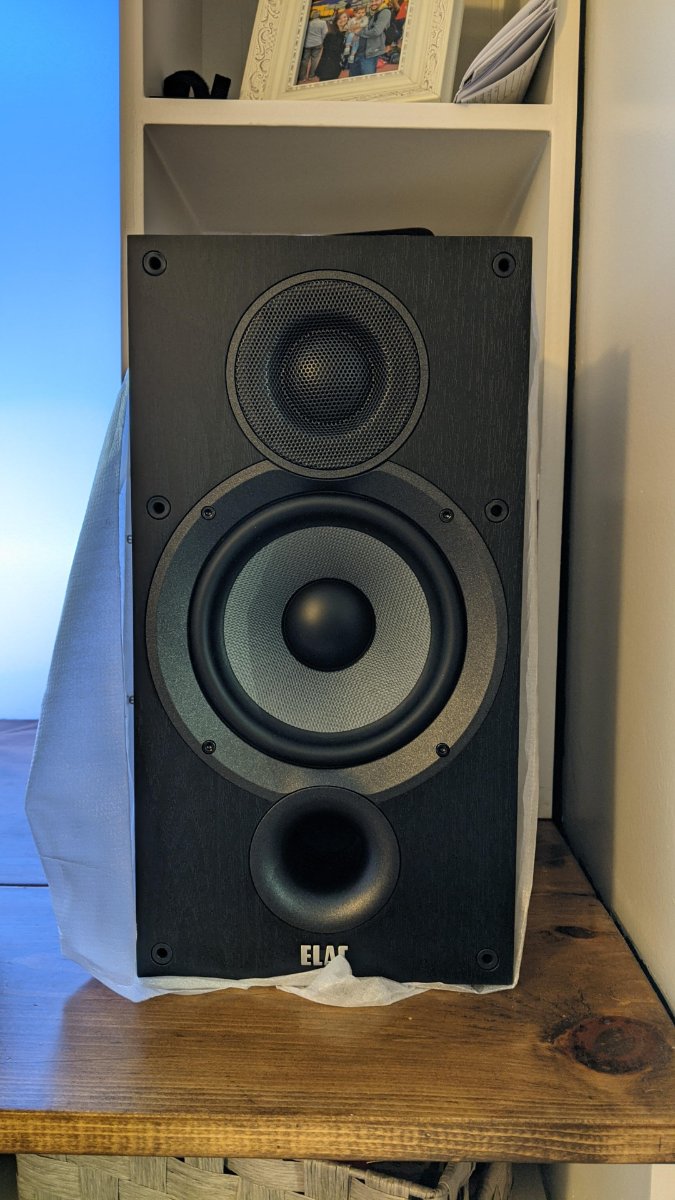
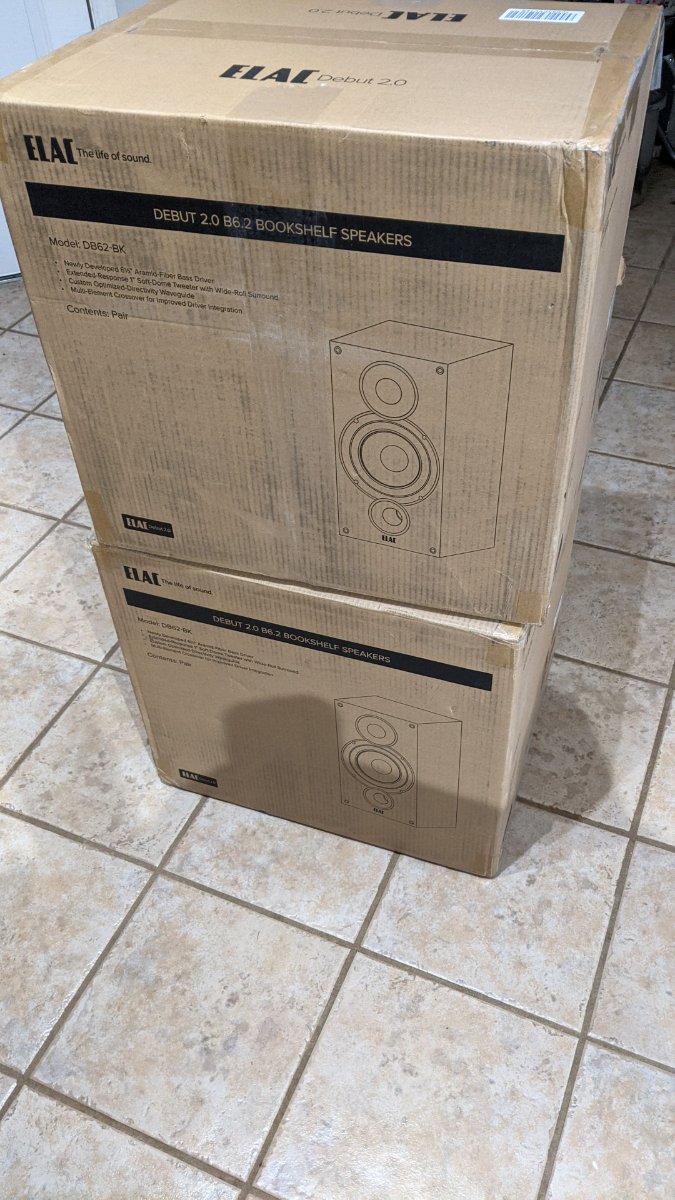
Things are starting to arrive...
 1 point
 -
With high density drives (ie small gaps inbetween the caddy/drives) then air pressure is key to force the air though. CFM of the fan is not important. A high CFM fan may move lots of air free flow, but be poor in a restricted enclosure. The drives/fans HAVE to be sealed on the input side (if pushing) OR exhaust side (if pulling) for this reason or you would not get any pressure build up and the air will simply flow 'around' the drives, taking the easiest path.1 point
-
space time continuum disruption1 point
-
Great job.1 point
-
wir versuchen seit jahren erfolglos die entwickler dazu zu bringen hörbücher/spiele zu unterstützen ich würde also nicht sehr viel hoffnung dran setzen die einfachste lösung ist plex verwenden und glücklich sein1 point
-
In the light of some recent compromises, I think it's about time for a best practice thread on how to keep your installation secure... Hopefully this will get some useful tips and tricks added and some open discussions As I get more time I'll add links to relevant howto links on the forums... Most of this is only relevant if you have your Emby server open to the Internet. If you don't allow remote access, and have disabled the options to automatically open up firewall ports via UPNP (Enable Automatic Port Mapping) you should be reasonably safe.. Some Hints on Best Practice: 1) Make sure any users that you create who have remote access enabled have a password assigned. If they don't have a password, anyone that finds your emby server can jump right in. 2) User good passwords for these users. By good, they should be of a reasonably complexity (eg. not 'password'), not reused or similar to any other sites (bad guys download password dumps from other compromised sites and look for reused logins). 3) Hide users in the login page. Newer Emby betas have the ability to not show a list of users for remote connections. If the bad guy can see a username, they have half of the things they need in order to log in (username and password). For older versions, you have to disable the login screen for both local and remote connections. 3) Use an HTTPS Secured connection. Emby has the option to use an HTTPS secured session for remote connections - either natively or using a reverse proxy. Enabling this stops people sniffing your traffic which may potentially include your login details. 4) Implement fail2ban. On linux systems, there's a third party app called 'fail2ban' which can monitor for multiple failed logins, and then stop that IP address from making any more attempted connections. Similar options may be available for windows 'wail2ban' or other platforms. 5) Don't run remote access on standard ports. Most online vulnerability scanners and/or hacking scripts look for services on standard ports - 80, 443, 8096 etc. In general, you can pick any port you like for the remote access port - anything between 1024 and 65535. If you pick a random port it makes it a lot less likely that you will show up on sites like Shodan which are one of the ways bad guys look for systems to attack. 5) Split Remote Access for Admin and Non Admin users. It's also a good idea to have an account which is just used for performing admin on the server, which isn't allowed to connect remotely. For any users who view content remotely, they don't have admin rights so should the worst happen, they can't do anything too bad. 6) Consider not allowing users to delete content. As an addition to point 5) - consider not having users allowed to delete content. While it's convenient, is it really needed vs. manually deleting content? If a user can't delete anything, should the worst happen, a bad guy can't delete anything either. You can also supplement this with OS file system permissions - if the emby user account can't delete anything, then it's impossible for a totally compromised system to delete anything either. 7) Keep Emby up to date. It's always good practice to keep both your application and your OS up to date, in case there are any bugs or vulnerabilities that get fixed. Anything else anyone can think of?1 point
-
I must say that blazed monkeys clear and defined posts on this thread are one of the best I have ever read here and echo his thoughts whole heartily. He is bang on the money with everything he has said, and in fairness to EBR he always takes the time to respond clearly and with intent - unlike one other Admin who I wont mention. This is a very serious issue that needs to be rectified as a priority, as pointed out, you are mainly dealing with Server admins and not general users. Who gives two figs about the competition, competition is great for everyone1 point
-
The Restart/Shutdown function is now under the power icon at the top of the Dashboard page, next to the server name.1 point