Leaderboard




Popular Content
Showing content with the highest reputation on 02/17/21 in Posts
-
Thanks so much for your assistance earlier. It would seem as if after pausing the ESET AntiVirus software I had installed Emby began working as expected. I have made the relevant exceptions to keep my PC protected but also to allow Emby to carry on functioning as intended. The library scan is still going (8TB worth of content to scan on an external HDD including many TV series, it will take a little time I'd exoect). I'll report back here when it's all done and dusted. Never have I had such friendly and speedy support from an online community, thanks all!4 points
-
Often times when I see "Reason for transcodng: Media bitrate exceeds limit." in the info I wonder, what kind of internet connection do they have? I know this can cover multiple scenarios like bandwidth limit set for user, server, client side quality setting, as well as AUTO bandwidth detection... Can you PLEASE add to the dashboard the returned client bandwidth capabilities? The value you are getting from the client that tells emby its bandwidth abilities. While you are at it tighten up the spaces between lines on the transcode items, and align the results to the right instead of center.. MAYBE SOMETHING LIKE THIS :4 points
-
We did a remote session and it was ESET security suite causing the problem. All is good now and backup/restore is working. I hung around while he restored and started scanning and helped with a couple quick config and drive changes to match the old setup I disconnected when the library scan was at 90%+ so he'll report in when it's finished.3 points
-
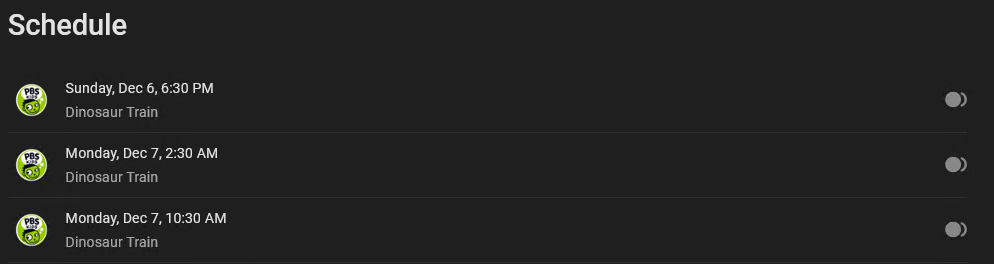
I love that when you view a Series set to record, you can see the upcoming shows as well as whether they will be recorded. Unfortunately, it doesn't list anything about those episodes such as title, season/episode, nor why it isn't being recorded. It would be really convenient to have that info and/or have that entry under "Schedule" link to the guide entry for that episode Thanks!
 3 points
 -
Guess that time is coming closer, what is the actual progress on this? And the v4 API implementation? Will it be system-wide or subscription based? Or any alternatives will come in play? I don't mind paying dollar-a-month, but at the moment have no idea about the actual vision Dev team is having. Thanks3 points
-
Software Changelog Release 20210210a: Windows: HDHomeRun Setup: Support DVB-C on HDHR5-2DT/4DT models. HDHomeRun Setup: Add BDA compatibility mode for Emby. HDHomeRun Config GUI: Improvements to ATSC 3.0 support. NAS Installer: Support latest WDC OS release. NAS Installer: Support latest QNAP OS release. Update firmware to 20210210/20210210a. Mac: HDHomeRun App: Improvements to ATSC 3.0 support. HDHomeRun App: Improvements to HEVC video support. HDHomeRun App: Display error message if playback fails due to an audio configuration problem. Mac Installer: Fix problem causing DVR install to fail on some systems. Update firmware to 20210210/20210210a. RECORD: Performance and memory optimization storing recordings to disk. Is there something here for us?? Native Prime Support?2 points
-
It isn't finalized yet but, most likely, there will be a place for you to enter your tvdb key into the plugin.2 points
-
Looks like your "Missing actors" problem got 'over-solved'©2 points
-
I'd really like to have 2 Factor Authentication added to the login screen. It's just this (optional) extra layer of security to help secure the server (which, especially if people use camera uploads) contains pretty private data. There are for every type of programming language quite a few libraries available, so implementation on a server shouldn't be too hard to realise1 point
-
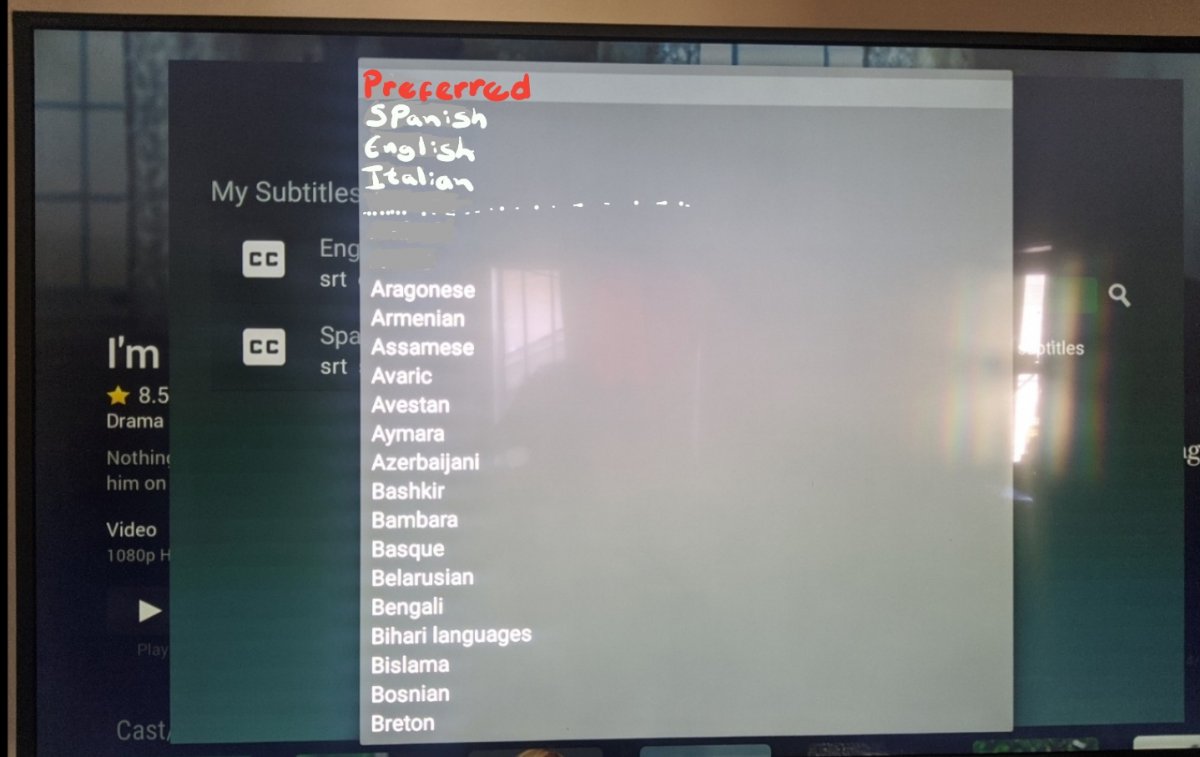
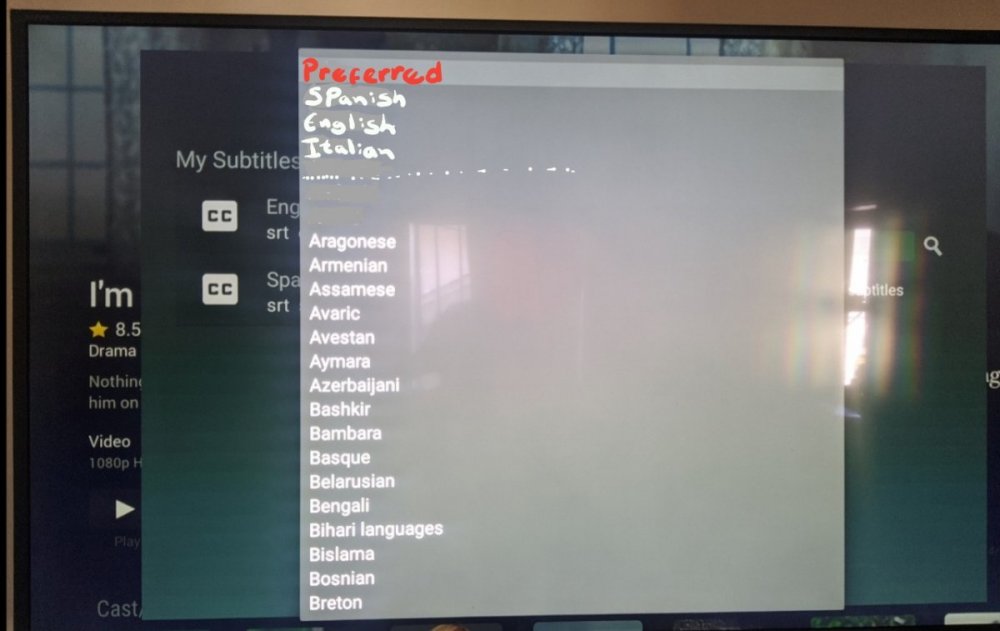
Downloading subtitles in the TV app is very annoying, you have move one by one until you go to the language you are looking for and in the TV the switching interface is very slow. wanted to suggest a better way to display the language menu for the TV app, because you use a tv controller and there is no scrolling. I did an example for a better understanding, in the preferred part I put the languages that are set in the server to automatically download. When I want to download subtitles I avoid the TV app, I rather use the phone or the Ipad because unlike the TV app, you can scroll fast and go directly to the language you want.
 1 point
 -
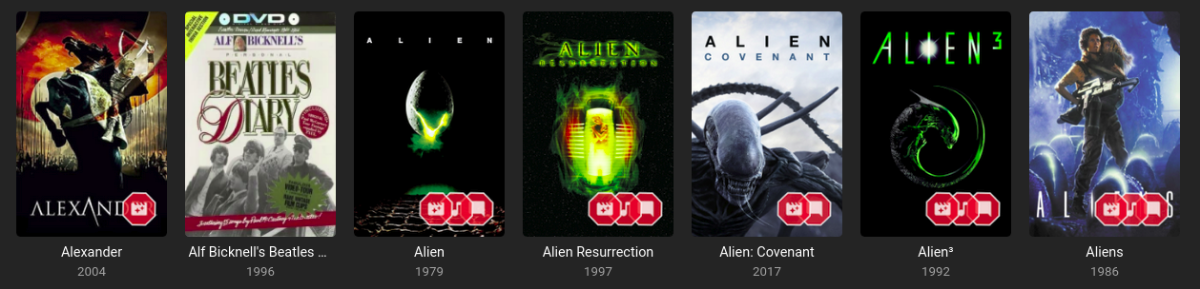
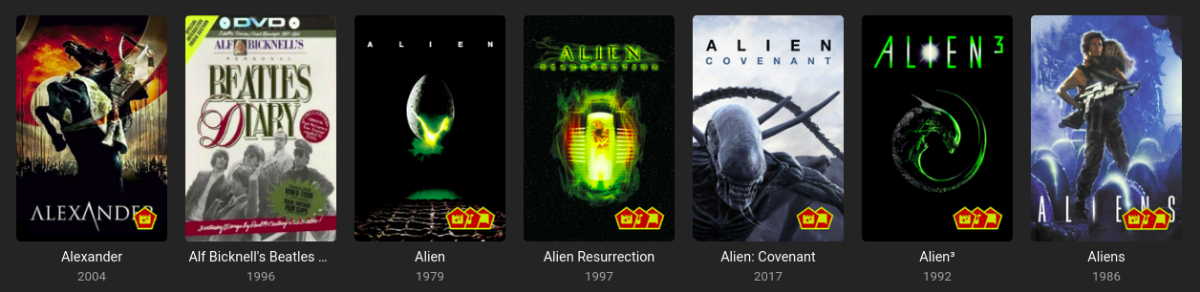
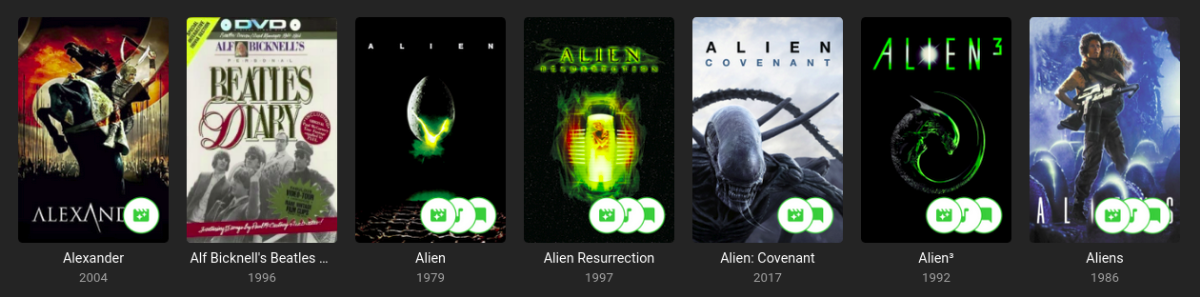
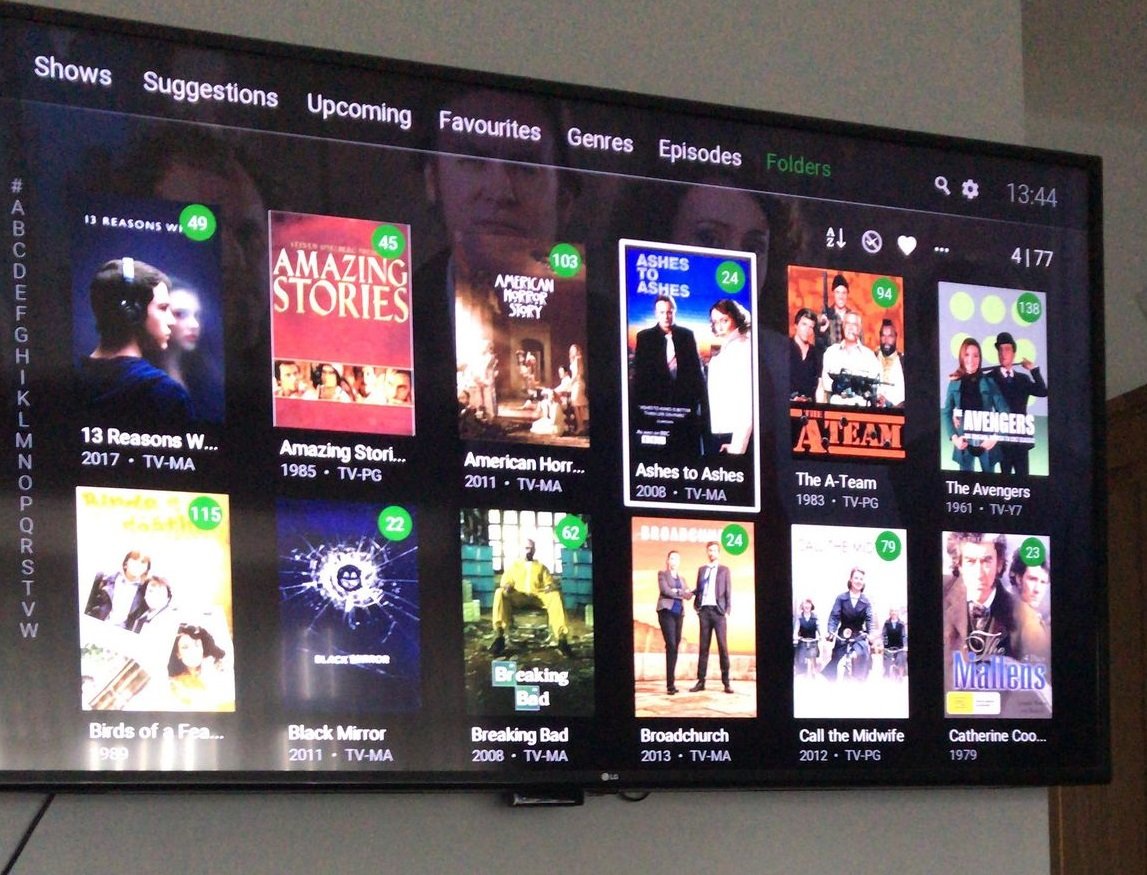
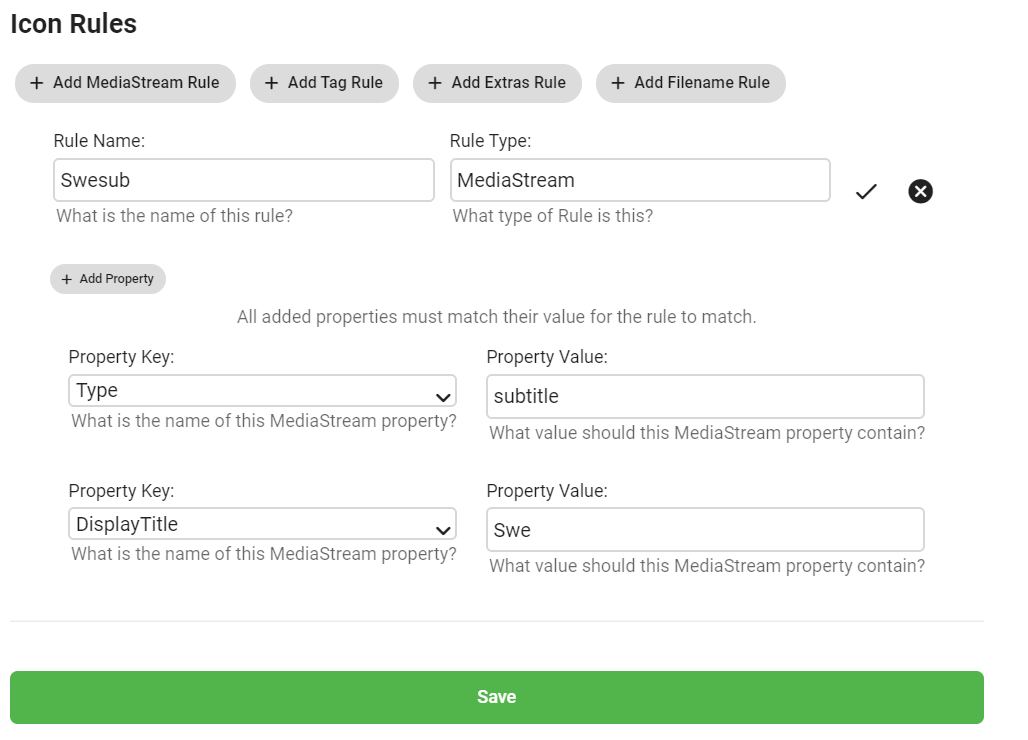
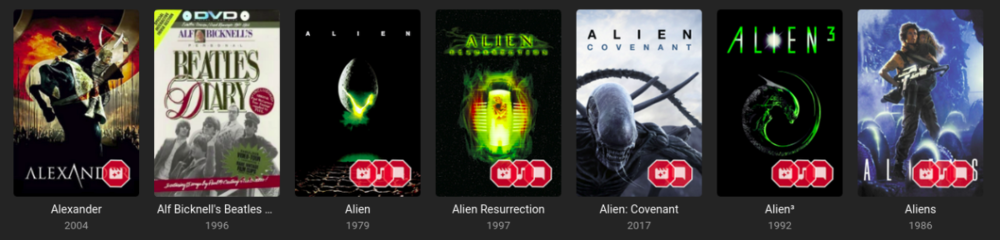
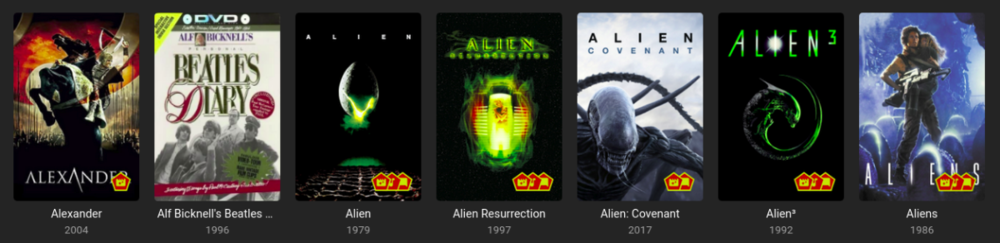
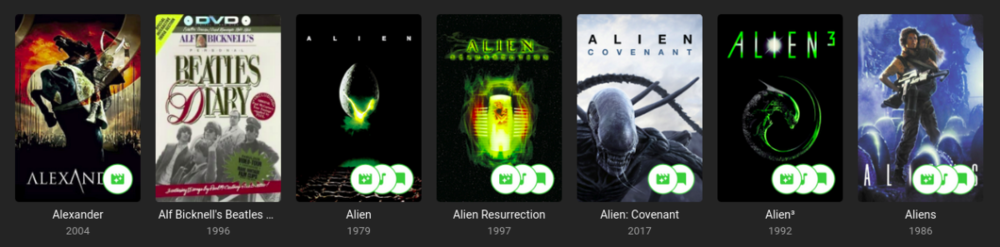
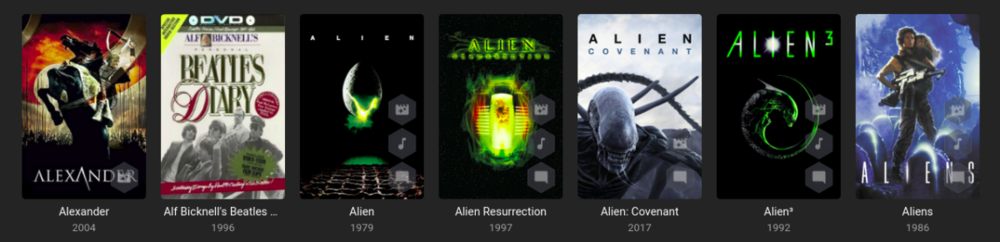
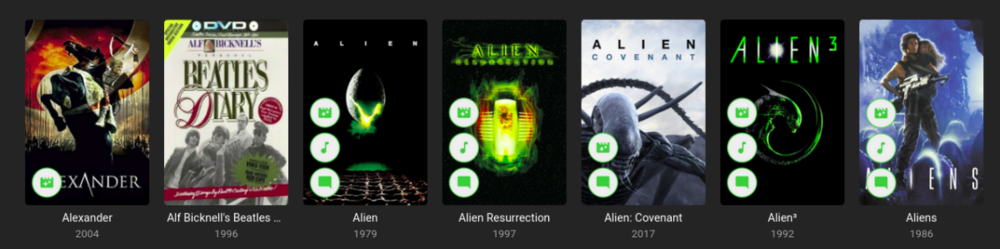
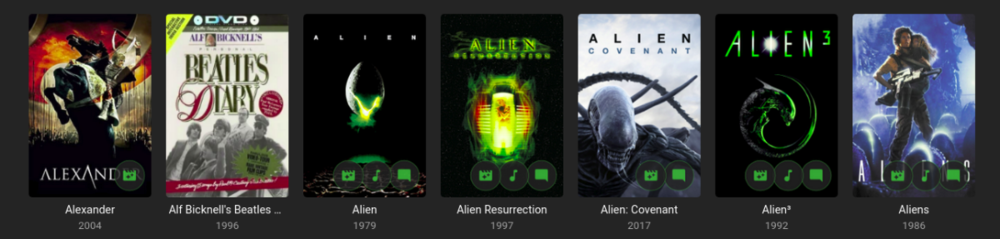
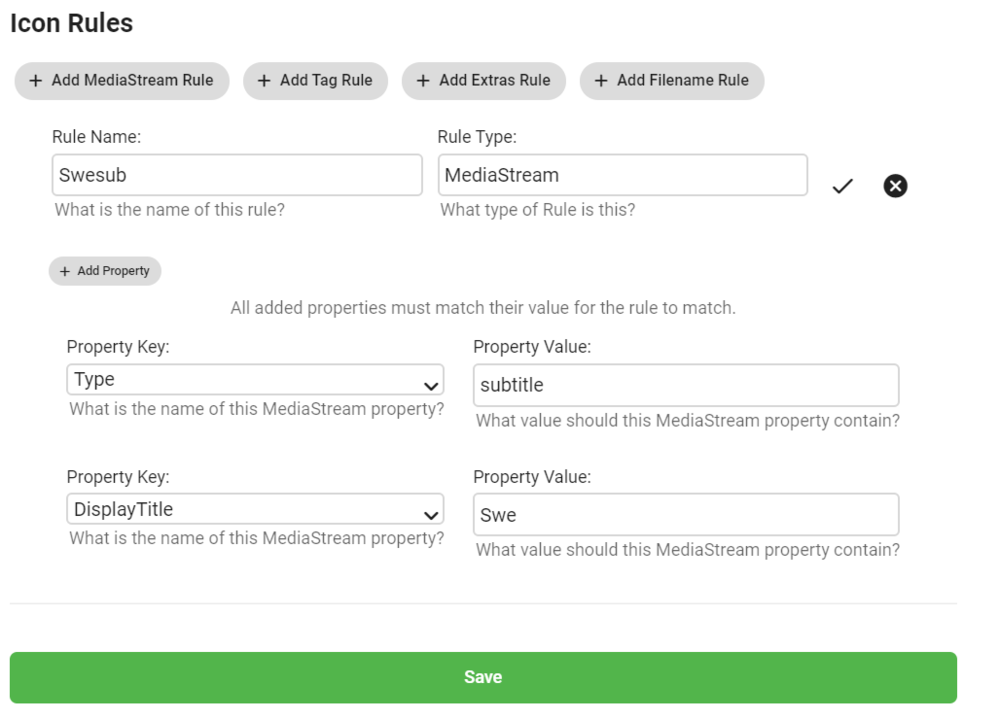
Iconic is an image enhancer that helps you turn Rules about your media into Icon Badges on your Movie and TV images. Iconic offers flexible Badge positioning, opacity, size, color, spacing, etc. Just configure, save and refresh your movie list or item view to see your new Badges. Installation Iconic can be installed through the Emby catalog. You can find it under the 'General' category. The free version of Iconic will show up to one icon for each movie. Rules are checked in the order they appear in your configuration. If you're a Premiere user, you have the option to register Iconic to remove the one icon limit. Version History v2.7.1 Resolve MediaStream property key UI regression v2.7.0 UI Refactor to make developer life easier and speed up new feature development Add HDR rule for Movies, Extras, and Episodes Initial rule support for Music Albums with Tag support v2.6.0 Add match type option (Any, All) for filename rule when using multiple values. v2.5.0 Compatibility Update for Emby 4.8.7 Backend changes to improve developer quality of life v2.4.1.1 Properly bypass unsupported image types v2.4.1 Fix error when no supported image encoders are available Improve support check performance when item type is not enhanceable v2.4.0 Excludes Trailers, Theme Songs, Theme Videos, Additional Parts from 'Any' Extras rule option Adds support for Collections rule to Episodes v2.3.0 Finalize support for 4.8 stable Add SDH subtitle rule v2.2.0 Filename rule now supports NOT(!) values Filename rule now supports multiple values (|) Fix - Folder specifier was inconsistent v2.1.2 Fix issue with some rules passing/failing in different UI contexts. v2.1.1 Fix regression in Folder Specifier v2.1.0 Newly Added Rule - Show an Icon based on # months since Library Added date New Release Rule - Show an Icon based on # months since Item Premiere date Status Rule for TV Shows - Show an Icon based on a show's Continuing/Ended Status Folder Specifier for Movies and TV Libraries - Optionally restrict rules to Library subfolder(s) MediaStream Rule - CodecTag Property added to property options Collection Rule - Updated to support any collection wildcard (*) Material Icons - Updated with more icons v2.0.0 - Support for per Library configuration - Initial support for TV: Show, Season, Episode - Initial support for Collections - Adds support for Movie Extras - Optimizations to improve image load times **Existing 1.x users will need to recreate their configurations in 2.0. [emby-path]/plugins/configurations/Iconic.xml can be used as a reference to more easily recreate 1.x configurations in the 2.x UI. v1.1.1 - Compatibility update for Emby 4.6 v1.1.0 - Adds limited support for Emby builds utilizing ImageMagickSharp - Adds Collection Rule Type - Adds MultiVersion Rule Type v1.0.2 - Gracefully handle unsupported platforms v1.0.1 - Fix multi-rule deletion bug - Update internal Emby libraries v1.0.0 - Initial Release ------------------------------------------------------------------------------ Updated Beta 0.9.2.1 - Faster image processing through more efficient font management Updated Beta 0.9.2.0 - Now supports separate badge and icon opacities - Tweaks to badge drawing to improve quality - Only draw badge border when the stroke is greater than 0 - Only draw badge when opacity is greater than 0 - Modularize javascript for maintainability and development efficiency. Updated Beta 0.9.1.5 - Prevent committing of a MediaStream Rule with duplicate Property Keys. - Add helper text and color on hover to bring attention to the Icon Selector for Rules. - Optimize rule analysis: Finally figured out a way to run the analysis once, cache the results, and discard after writing without the parallel processing requests clashing. Updated Beta 0.9.2.0 - Add Continue Watching Rule Type - Optimize rule analysis: Finally figured out a way to run the analysis once, cache the results, and discard after writing without the parallel processing requests clashing. Updated Beta 0.9.1.4 - Normalize badge size and spacing across image types Updated Beta 0.9.1.3 - Fix badges not rendering for some Movies: Removed some legacy code that could interfere with the rule analysis Updated Beta 0.9.1.2 - Fix font rendering in Windows: Windows didn't like the WOFF font format, so now providing an OTF fallback. Updated Beta 0.9.1.1 - Better support for the active theme: This fixes an issue where the Icons in the selector list could 'disappear' as white text on a white background. - Prevent occasional null errors in the log Updated Beta 0.9.1.0 - This version adds a FileName Rule type and adds Resolution as a MediaStream Property option. --------------------- The Iconic Beta 0.9.0.0 is attached here. **It is tested against Emby 4.5.4 only.** Again, please try it out if you're interested and let me know if something doesn't work, could work better, or if you have any questions.
 1 point
 -
Hi, Thank you for the great product. It is a pleasure to use it. I have seen some posts but they are years ago regarding my request. Is there a plan to have notification (when adding movies, shows, live tv etc.) from the emby app ? This means to get a push message on my android phone, iphone, windows app, etc. With 3rd party software its not so cool. Thank you.1 point
-
To help with the tracking of feature requests and allow users to easily find and vote on features they would like to see I have started a master list. Please keep all feature specific discussions to their respective threads. Don't forget to cast your vote by liking the first post in the thread. If any of the features are complete, information is out of date, or is missing completely please post in this thread and I will update the list. Server Features 100+ Likes Centralized Authentication Functionality (LDAP/SSO/HTML Header/RADIUS) 40-100 Likes Integrate Trakt Recommendations Option to ignore media in scans Forget a series in Next Up User Groups Smart Playlists Copy user / user templates (Duplicate: User Groups) POOL Multiple m3u Tuners - No Double or Duplicate Channels Additional Extras/Special Folder Types for TV Series (similar to Movies) Hide Empty Folders Google Drive as source Include Collection information on movie's title screen Import playlists Set simultaneous connect limit for users Web client to remember "Tab" 20-40 Likes Multi-Cast Support Merge libraries from multiple servers Anonymised Logs Bitrate on admin page Down for maintenance Paginated full search results instead of arbitary 30 result limit MySQL Support Configurable collections folder Auto Delete Watched after "N" Days Watchlist PseudoTV Emby style! 2-Factor Authentication (2FA) Channel groups for live tv Chapter images in media folder Server dashboard max bit rate exceeds limit clarification. Recommend movies or shows to other users Auto Organize Movies as well as TV Live TV Deinterlace Method Option 10-20 Likes Live TV Commercials file support "Galleries" Movie Extras Folder Show Intro Skip Option Watching Together (Duplicate: Multi-Cast Support) Client Bandwidth Feedback Bulk Meta Data Editor Implement Metacritic ratings and allow Enable/Disable ratings option in settings Download Subtitles during playback SHow only "Unwatched" in "Because you like...." Collections and Genres in Search results Transcode in H265 Add a specific content type for classical music Book server/reader incorporation Audiobook support Recently Watched Allow user comments on media "Resume" for playback of active recordings Lyrics for Music Recordings That Fail - Listing and/or notification Include tags in search results Preemptively cache images Metadata - original film name "Select All" / "Deselect All" Options with Multiselect on Server Webapp Offset transcoding - Separate Transcoding Server Ability to view by Actor or Studio Nested Collections Change information when version is changed Server Dashboard: Link to Media which is currently beeing played Recording indicator Animated gif support Kill current transcode/streaming sessions from the server [iPTV] Ability to watch PiP (picture in picture) two channels More Filter/Sort Options Multiple Resolutions for TV shows Ability to group movie versions together and choose which to play Send Message To Logged In Users Max streaming rate per user Are you still watching? Thumbnails during scrubbing Profile visibility different within LAN than from WAN Client Features 100+ Likes 40-100 Likes Adjust subtitle delay 20- 40 Likes Gapless Playback Reposition Extras above Cast and Crew, so you can see they are there without having to scroll down Show splash screen whilst Emby Theater is updating Go back to the minimalist OSD while watching.. 10-20 Likes ability to adjust playback speed Random Movie view on homescreen (Roku, Android TV, others?) View channel guide while watching live tv Subtitle size and color Music virtualization on screen Android Mobile - Android Auto Programmable Remote Keymapping Plugin Features 100+ Likes 40-100 Likes 20-40 Likes 10-20 Likes1 point
-
Is it possible to have a banner on the front page, and/or popup to announce maintence going on with the MediaBrowser service. It would be nice to be able to announce a maintenance to family and my kids who are at their moms. Anyone else think this would be neat? thanks!1 point
-
Hi there: My current set-up involves a music library stored on a QNAP web server running an Asset UPnP server and played through a HEOS at home and through the Emby web interface at work. One of the really nice features of Emby as opposed to Plex is that it allows for access to playlists created in the web interface through its media server. However the Emby media server is *not* as reliable as the Asset Server. But, I cannot make playlists directly through Asset, but it will read and play m3u playlists that are saved on the NAS. It would be really great help if Emby playlists could be *automatically exported or synced to m3u lists in real-time.* This would let me play with, create or modify playlists in Emby and then have those immediately and always available on my HEOS. Thank you.1 point
-
Hello , i use Emby short time (like half year or so). Before that i dont really like HTPC software like Kodi or Plex. I try it use it but there was always something that dont feel right. I try Emby too. It was sluggish, slow as hell so i denied all of that types of software. Then i found out Eazy Flix Pix. Great software, cheap , great support. It has its bugs but i can live with them. It has many functions i miss a little at Emby now. But everything good must end. Author of software ended its support , shutdown validation server so when my SSD disk crash and i install it again it just dont actived. And i was stuck with trial version. Few month i search alternative then one day i try Emby again. It was good. I was little baffled i cant play my own videos from local storage and was thinking about Jellyfin instead. But after few unsuccesfull atempts i decide try out Emby more. I install Android TV app and after week i decide to buy lifetime premiere key. Now after half of year i am glad i did it. Great support, very patient admins , i even reccomend Emby to my friends. I was first scared what if it end same as previous software and i will be lockout again but Emby has few years and more people to develop it so i just hope that if that case somehow in future happen devs will push last update which open Emby forever without internet validation. And so what do you use before Emby ? And your satisfaction ?1 point
-
@boogmeister1if I'm correct the cdvr m3u stream is a beta & part of the delay is going through emby, but I dont really see a long gap in loading or switching channels. Emby really does handle it nice & the icing on the cake is the help from @cayars who knows how to troubleshoot the whole dam thing & tweak it. I did not know how to setup everything let alone understand all the differences & carlo was just great at making everything work . Now if emby could allow us to do this instead of using cdvr that would be even better, but I'm guessing there are certain issues they would like to avoid.1 point
-
You log into your computer as USER ?1 point
-
You probably have duplicated paths which is not supported, so that is why it would be coming up empty. What I mean is, you probably have the same folder added to another library, or a parent folder added to another library.1 point
-
Thanks for the quick reply. I also wanted to say thank you for the above tutorial for using CDVR as a tuner. I have been a happy channels user, but always have to switch to Emby every time we want to watch one of our movies or music. I love being able to do everything with Emby now. Even though I have still have to subscribe to CDVR. Thanks again!1 point
-
Cheers. Not sure how relevant it is but I installed VLC on the Firestick and it played the files.1 point
-
Hi, welcome and thanks for the feedback !1 point
-
New Member here, First post Firstly thank you to the creators of EMBY, in my view the only way to go for me now. Its like having your own Netflix in your living room but better. Wife said that not me. I've been into media as a hobby for a very very long time, & I think it was around 2003 i started playing with my first HTPC media players. could have been before that though, as i was into my avi's going way back to windows 95. xvid dvix ect ect I really cant remember the years of what when how, but used something called media portal for a while, & Windows media centre edition, there was another i think it was early mame type thing xmb, been too many years, anyway, i ended up with MCE for years i mean years, i just left it, it was wife friendly and just worked, it must have been 2011 it failed. lucky never lost the media drives, so with a break and usb media players used for a few years, around 2014 picked up a couple of 3TB nas drives, and just used it as a DLNA server as the tv supported it no bells and whistles but worked, i have tried kodi on a firestick, which worked fine tbh, then something changed messed everything up & i was like i aint setting that all up again to much effort, anyway i liked it as a media player. that must have been 2017, 2018 just used tv media player, and playing our stuff has become very stale now, so 2019 picked up a Roku plus stick, was very impressed, used there media player with all my mp4 tagged files with embedded artwork, started to feel the HTC love again, 2020, lockdowns here, now the media is really being checked and worked, something we have not down since the early years, ps i spent 2 months converting naming id tags tidying my rather messy collection. to work with the Roku media player, and although it works well its bland. so I started the search. nope cant use this on Roku cant use that on Roku, so it turned out basically I had 2 choices, Plex or emby, so i went reading, plex plex plex was shouted, so I gave it a go, honestly within an hour i had had enough. right lets look at emby, OMG set server up, pointed to media & off it went, i left it for the night come back in the morning, set up the Roku app, signed into the server, & the shock i could not believe it had sorted 95% of collection few faults, but easy to figure out why, couple named wrong and 2 series in a folder, anyway. how impressed was I, should i say we, phoned my lad up said you seen this, he is a smitten as me. anyway what a great little system it is, im early days tbh & at the using it stage now. with such a user friendly GUI & fantastic backgrounds and cast all there, it looked amazing with very littler effort, now tying to get head round it all in a bit more depth now, where's this how's that, and yet to rollout to the other TVs in the home. looking forward to that part. Now just to make sure when i upgrade my NAS i get a emby friendly one oh and its working in tandem with my Roku media player so while testing setting up can still carry on as normal. what a fantastic little set up it is. EMBY "its wife friendly (Happy wife happy life)" EMBY "out of the box is something else" EMBY "Brings your media to life" EMBY " It's Like Having your very own Netflix server" Hello Jake if you read this hope yours is going well too DISCLAIMER I OWN ALL MY OWN MEDIA ON DVD AND BLURAY. hence I have an extensive library.
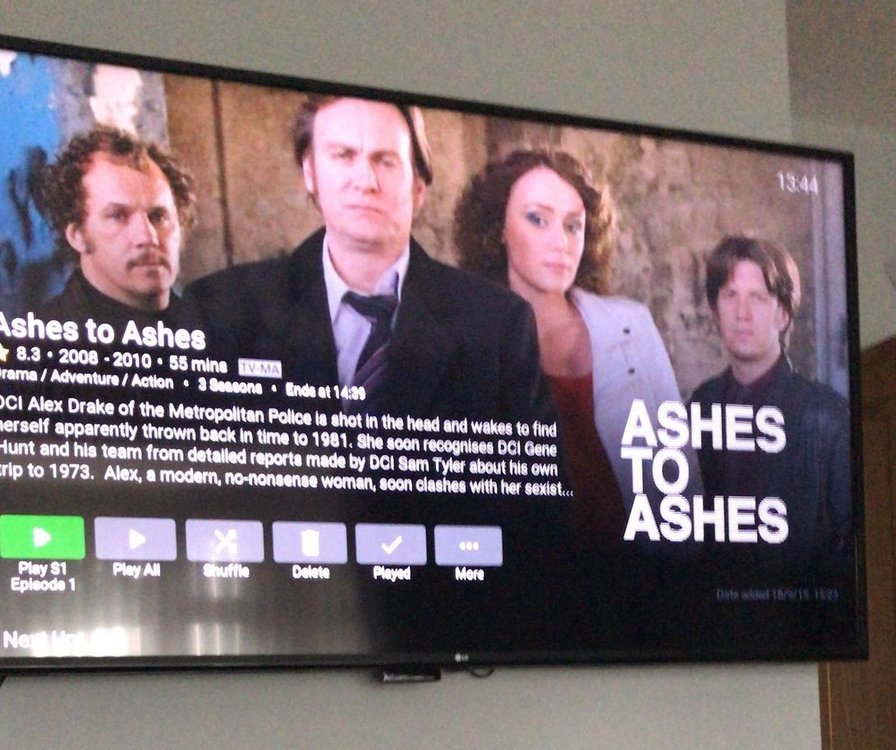
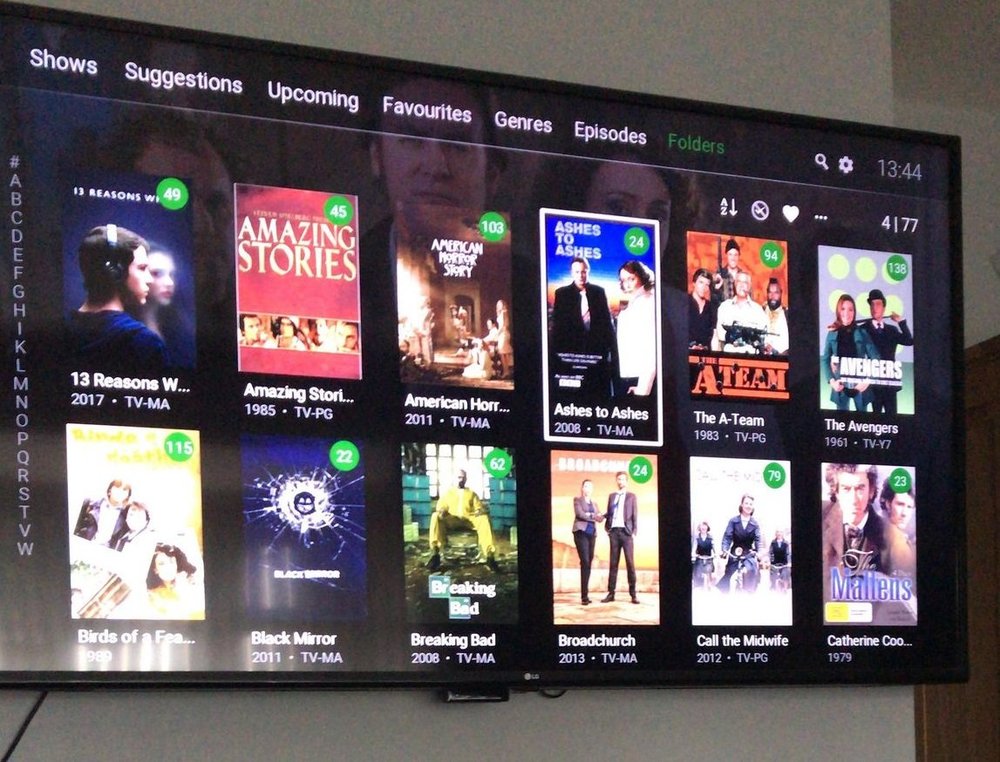 1 point
 -
Hi, the server has a roughly 40 second delay to try and account for this.1 point
-
Ok, Thank you so much for helping me
 1 point
 -
Glad you sorted it out.1 point
-
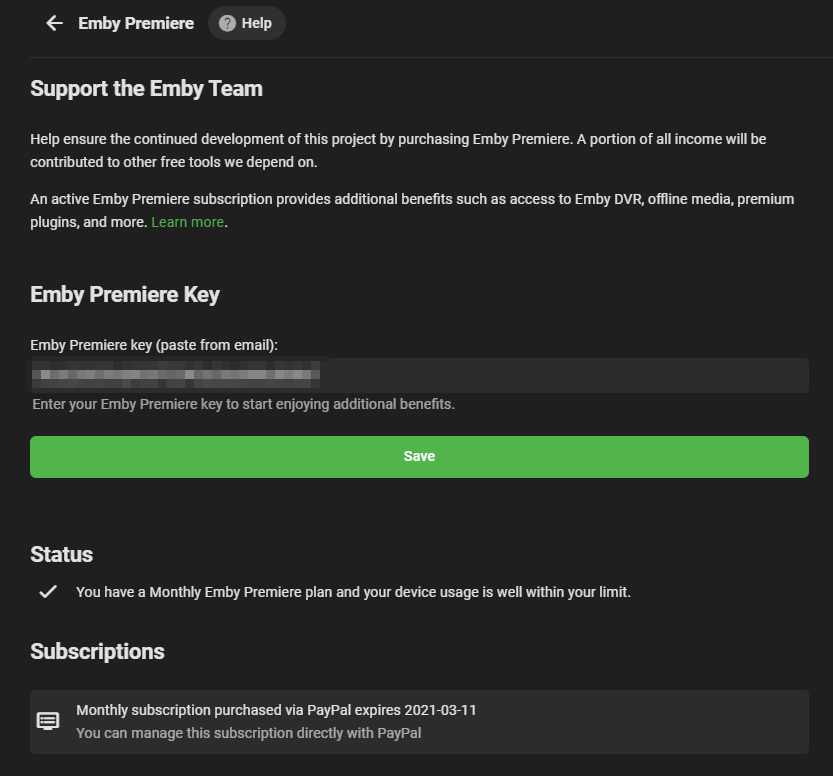
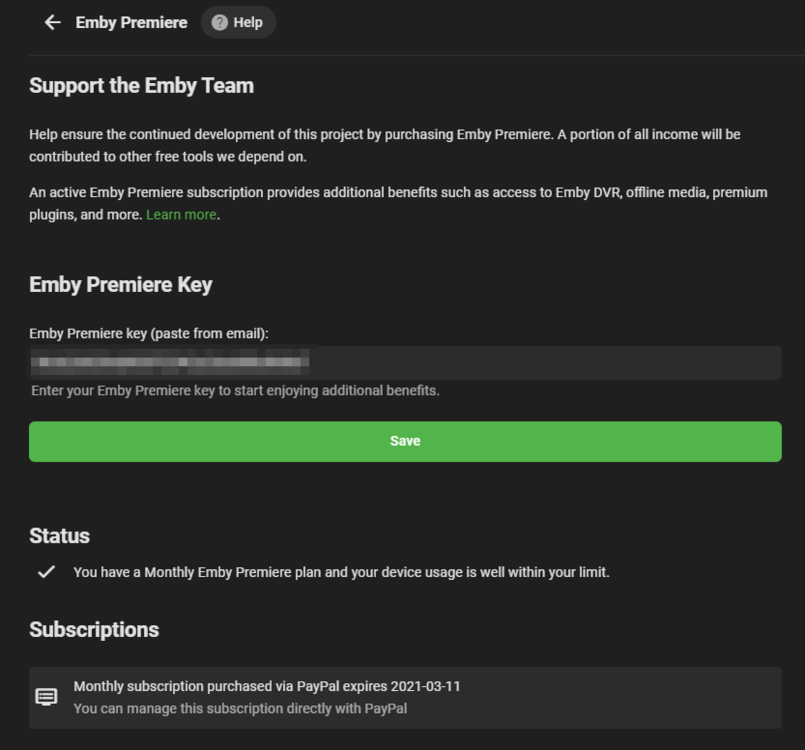
Hi cayars, Emby Premiere is showing as active. I'd be happy to have a remote session. I'll send you a private message now. Thanks
 1 point
 -
Rush recorded 6 albums there including the album my profile pic is swiped from. Back in the day that residential studio was ahead of the curve and one of the first to go digital.1 point
-
The episode maximum works as intended. It's the series shuffle that makes you think it is wrong. What's happening here is: The plugin takes a list of series and shuffles it, then it picks up random episodes of the first series list entry in the range of min and max. After that the series list is shuffled again. Here it can happen that the first list entry this time is the same as last time, otherwise it wouldn't be random. This works perfectly fine here with the current release version, so it must be something on your side. Re-evaluate your tags!1 point
-
That's always a possibility, but I'd still wait for some additional input before resorting to that. Cheers1 point
-
I agree hands down. I will put it out there for anyone to come up with a better solution then Emby and EMC. One2Go says, "So far this has served me well and since EMC is near EOL" I sure hope EMC is not near EOL, that would be a disaster!1 point
-
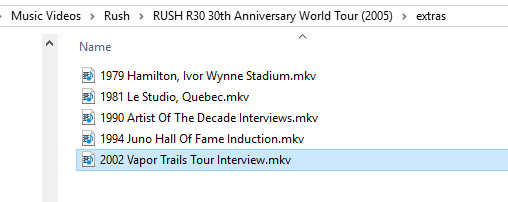
I only wanted the interviews
 1 point
 -
OK yes we can look at adding these. Thanks for the feedback.1 point
-
@quickmic I'd love to get you logs but upon boot my setup pulled 5.1.17 and immediately began to sync. Wasn't expecting a turnaround so quickly! Greatly appreciate what you do. I can play files without issue, music/movies/shows all work. I'll check my library for any HEVC/H265 HDR 10bit files for playback as well and report back. My 10bit HDR HEVC direct play just fine as well.1 point
-
Hi. Yes we know what is going wrong. It is a change to the server made recently that EMC is not aware of.1 point
-
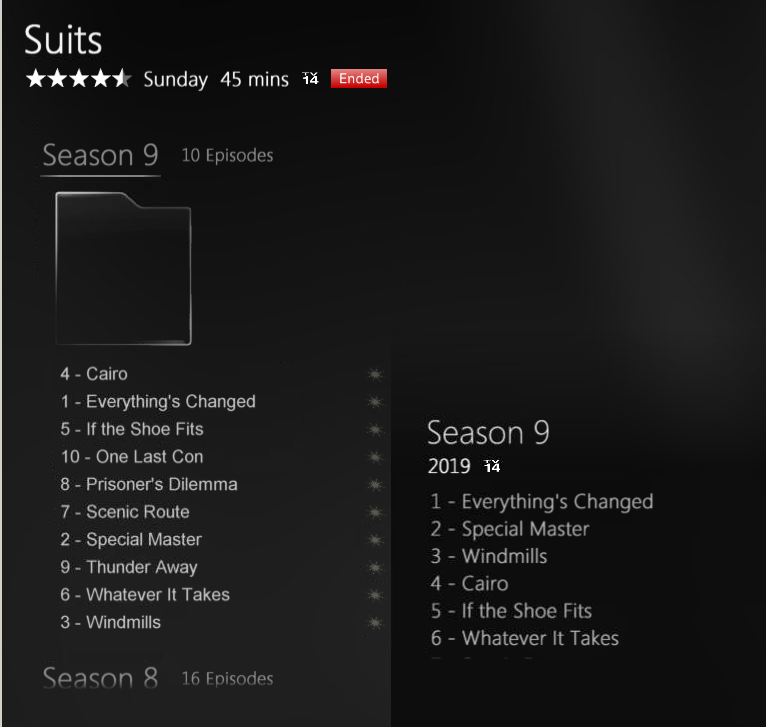
I thought that perhaps if I cleaned out my library content it may resolve this issue. I deleted all metadata files and folders and all images files. After I finished the clean out I was left with just the media files. I then re-scanned all libraries. Unfortunately this did not resolve the issue. However, I did notices that the right side panel shows the season episodes in order while the expanded left side season list shows the episodes in a random order (as usual). Just hold on, I now see that the episode list is not in random order but in alphabetical order. Just thought I would throw this out there in case it may provide a clue into what is going wrong.
 1 point
 -
Ya, more options are coming, I've just got to get the first version out the door first.1 point
-
So just throwing this out there as I don't run Emby Server on the Shield myself, just playback, but for 'Direct Play' my understanding is emby still sits 'in the middle' and effectively streams the file (from the USB drive). I'm not sure if this is even possible via the USB connection, but to get 'Direct File' access, you needed to 'mount' the storage on the Shield itself. Emby will THEN play back the file directly without the intermediate step. This 'direct file play' is what the other media players are doing. You need to set this mode in the Shield emby client. https://support.emby.media/support/solutions/articles/44002058112-shield-tv-direct-file-access#:~:text=In%20order%20to%20setup%20direct%20file%20access%20on,sure%20you%20are%20running%20Version%201.8.36G%20or%20later. This may only work for UNC Network Shares but in theory USB is already direct attached ...1 point
-
Yes, now I know 100% better. The amount of work that @softworkz has put into the implementation is amazing.1 point
-
1 point
-
So I got it work for Comédie by erasing the genre for the movie which was having the issue in the metadata manager, then adding back the Comédie genre. Now it’s located with the other movies of the same genre. Just have to try with Comique genre to see if it’s working as well.1 point
-
Thanks for the heads up! Guess it's time to build a syslog server. At least it's just my wife and I using it so there won't be anyone with torches and pitchforks showing up. Of course she can be quite formidable when a service she is using goes down.1 point
-
You can start with me, but be warned, I like good single malt Scotch but hate to pay for it. LOL Kidding aside, if you understand the differences between different 4K formats such as HDR10, HDR10+,HDR1000m (HLG, Panasonic & Sony enhancements to HDR), Dolby Vision and have some of these types of media to test with as well as have a 4K display/TV to view difference between raw and tone mapped video send me a PM. You don't need to have or know all this but it's helpful. Let me know your OS, CPU and GPU(s) types, device driver versions for GPUs. Definitely not promising anything but if you fill a gap in some way... If you're a Windows user we probably have this covered well, but could use Linux users soon. We're getting really close so it won't be long anyway before this hits beta. PS not to be a tease or anything (yea right) but I was just testing some stuff while typing and have five 4K HDR streams being transcoded and tone mapped to 1080-8Mb as well as 2 AVC to HEVC conversions in progress. All 5 streams are different full length 4K HDR movies. I'm adding a new clients every 5 minutes just to see how many clients I can stream to but have ran out of hardware clients and now will be using Theater and web browsers. GPU is at 60% and more streams can be transcoded and/or tone mapped. This is a 10 year old first gen i7 (no Quicksync) @ 2.8 Ghz with an Nvidia 1650 (patched to allow more than 3 streams). @softworkz has done a SUPER (not strong enough) job with this implementation and will have the orange and purple guys wondering what just happened, and how the hell did they do that. LOL But to be like all the commercials you see on TV, I'll add your mileage may differ from mine.1 point
-
To add to this. If you were recording back to back shows on the same station padding is possible for the overlap as Emby is smart enough to share the same tuner for two shows one with post and one with pre padding.1 point
-
Everything but plex pretty much. My favorite has always been and still is wmc but I understood the benefits of moving on so now I use emby and kodi clients. My favorite thing about my emby and kodi combo is that I rarely have to fix things. If I ever get back on a kick where I want to you around with computers again I'll get to spend my time learning about something with a future instead of fixing things. I learned A TON about wmc over a few years and it feels like it's all a big waste. I'm not doing that again1 point
-
When I was a child, at late 70s, I got my father to buy me a video recorder to record live tv: Video Recorder 241 Color VR241 Sonido-V ITT Schaub-Lorenz (radiomuseum.org) It was one of the first to arrive in my area and my friends could not believe that I was watching something on the television that was not broadcasting, they said that I was lying, until they could see it at my house. A lot of water has flowed under the bridge since then. Then came Betamax, VHS, DVD and Bluray. In the basement I still have a pile of betamax tapes, vhs and dvd jars. I started storing digital media on a Popcorn hour A-100. It quickly became too small for me and I ventured out with a Synology NAS with Plex pre-installed. I finally made the leap to using a more powerful dedicated server and looking for alternatives to Plex, I discovered Emby and here I am.1 point
-
Before Emby I used a simple browser for a while then I used an app called "Roksbox" that require an Apache server. Then I moved to an app called "Chaneru" these were all for players on the Roku platform only. Later I moved to trying both "Plex" and "MediaBrowser" I pretty much stuck with "Plex" because at the time it was the more full featured and more stable application. Plex then started behaving like "Media Nazis" so I moved to "Emby" because of the support and the developers that actually seemed to interact and listen to their users. Now "Emby" is appearing to move toward being "Media Nazis" like Plex and I may have to look for something else. However I have no idea where I could move as the alternatives do not look at all promising. And NO "JellyFin" is not a viable alternative as when I have tried it I spent more time maintaining it than I did watching media.1 point
-
To gauge interest... What if you had the ability to "Forget" a series for the purposes of Next Up display. That is, it would no longer show in Next Up - unless you watched another episode. Sometimes you maybe watch a series for a while and, even though there is more of it or more is made later, maybe it isn't as good as the earlier seasons or maybe you just don't have time for it anymore. So you'd like it to quit showing up in your Next Up list so it is less cluttered and you can focus on the series you are actually watching now. If you start watching it again, the "forget" would be forgotten and it would start to show up in Next Up again.1 point
-
Hi, there's currently no option to customize it, but i expect that we will probably add it in the future. thanks.1 point
-
The Emby team is extremely small and very active on these forums assisting with issues and responding to requests. The product grown way beyond what I ever expected it to be 6 years ago. I think that they are doing a fantastic job and have Incorporated a lot of feature requests. Kudos! Sent from my SM-G960U1 using Tapatalk1 point