Leaderboard




Popular Content
Showing content with the highest reputation on 02/09/21 in Posts
-
My ability to create youtube videos has much to be desired. Putting my terrible video production abilities aside, I am putting together some tutorials on how to setup a development environment to create plugins for emby, on youtube. This is video 1. Like I say, I'm not very good at video creation, but since the world still doesn't seem to need to employ chefs full time, this seemed like a fun time to try it out.4 points
-
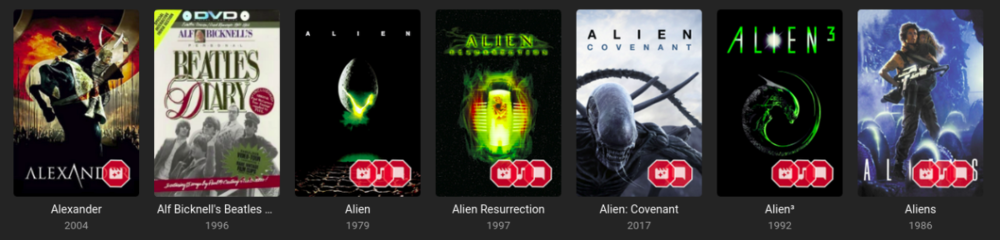
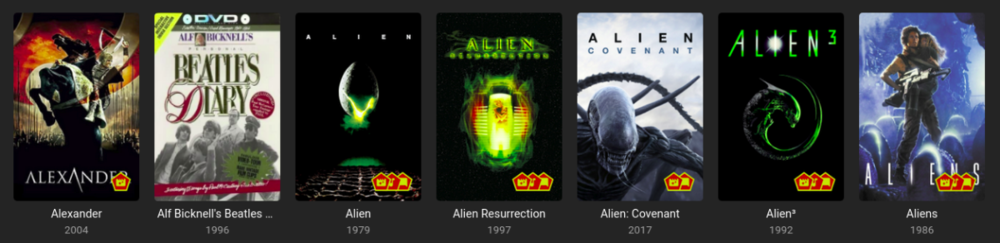
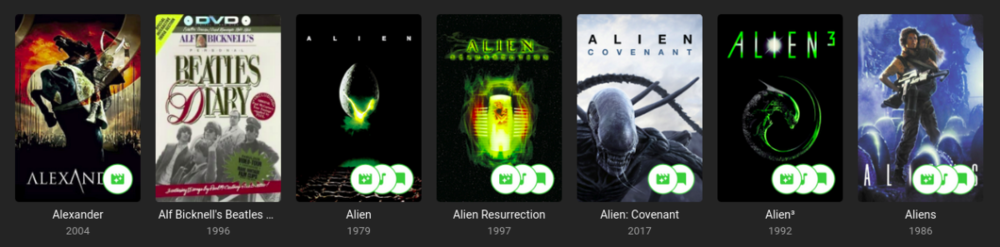
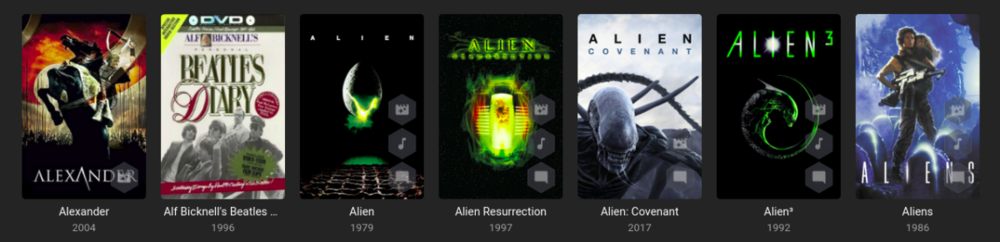
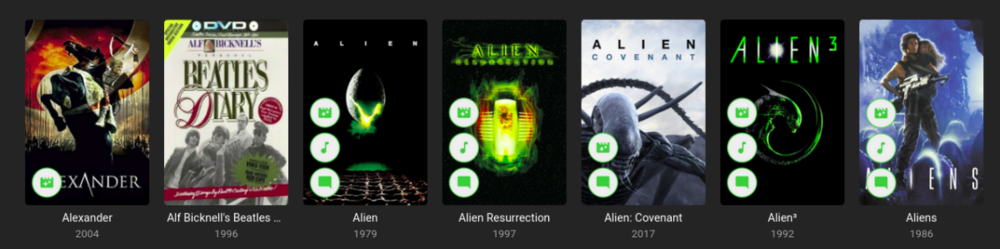
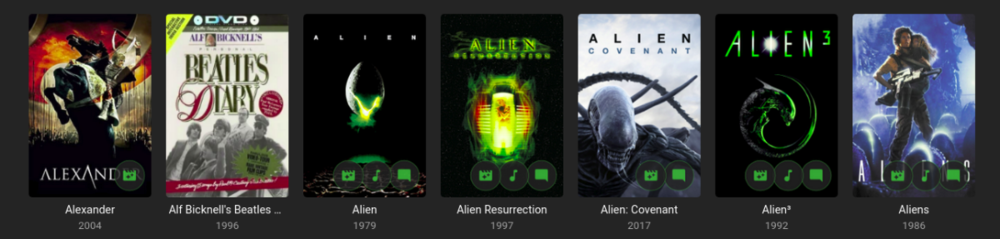
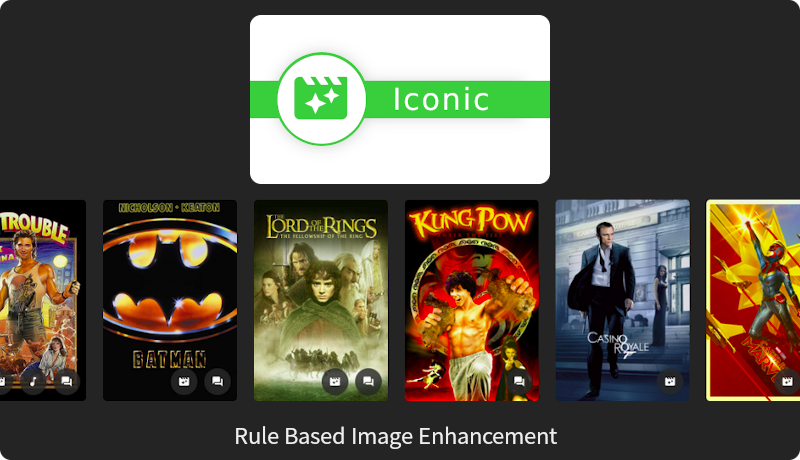
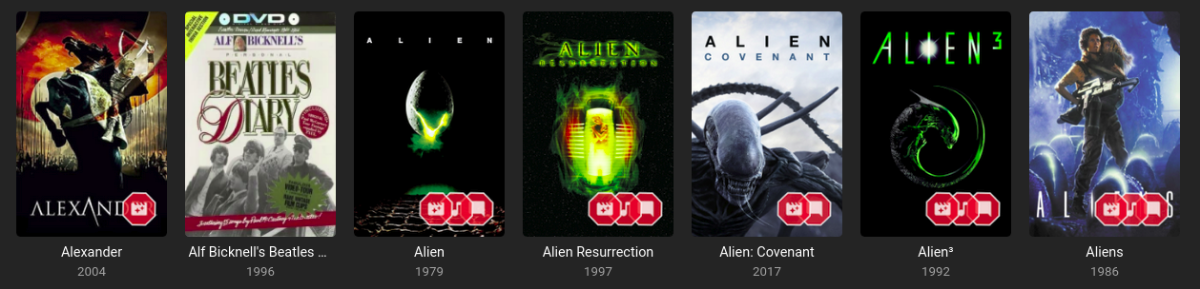
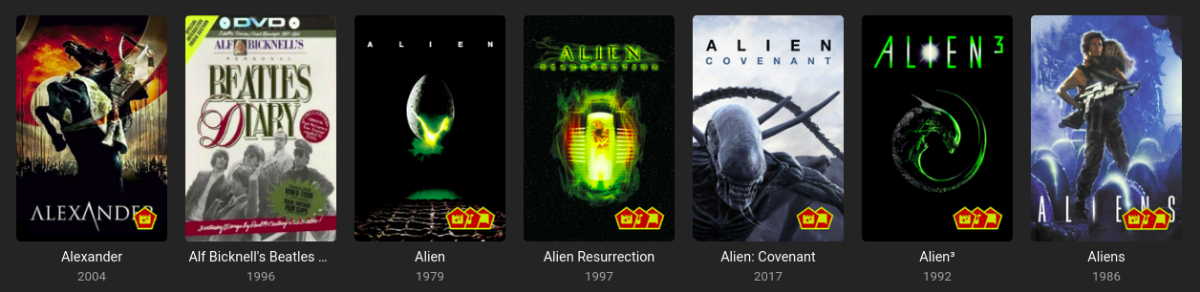
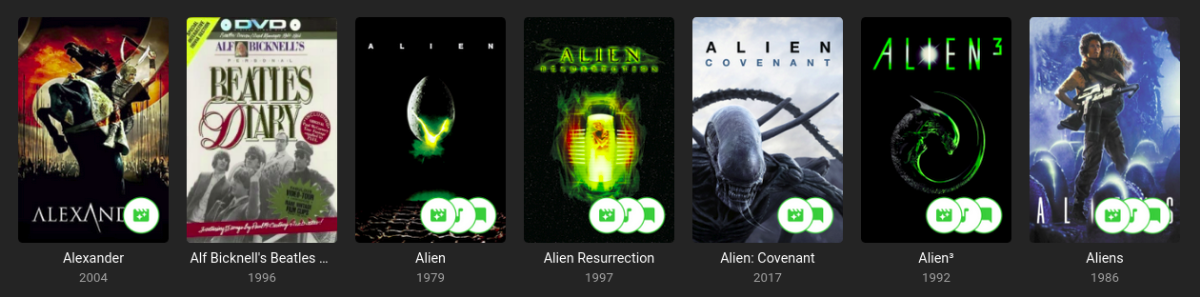
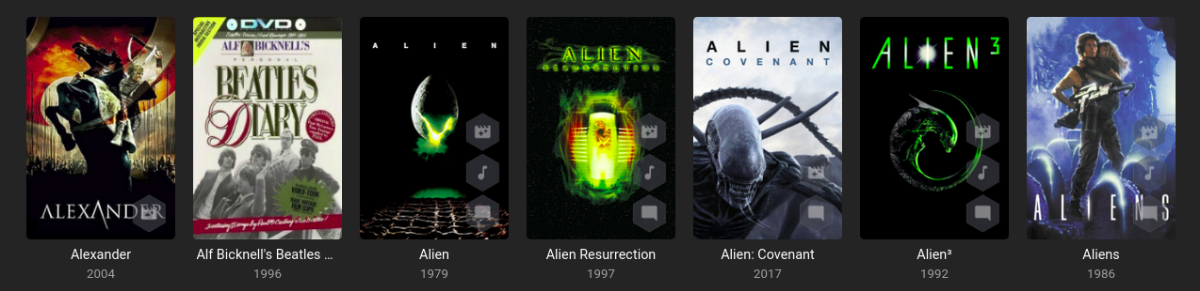
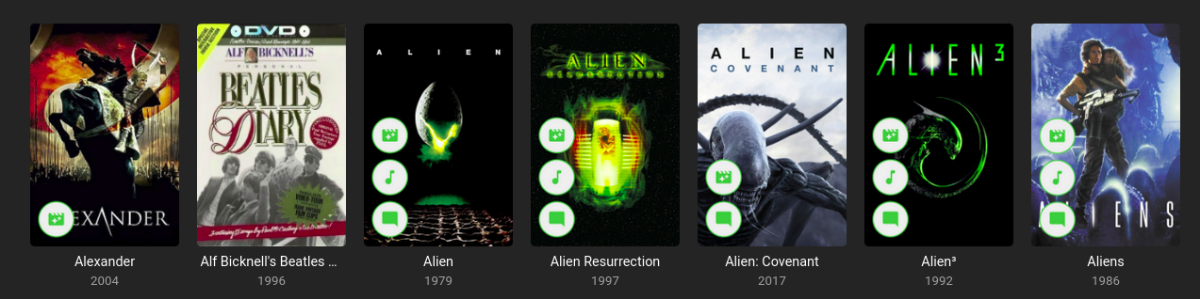
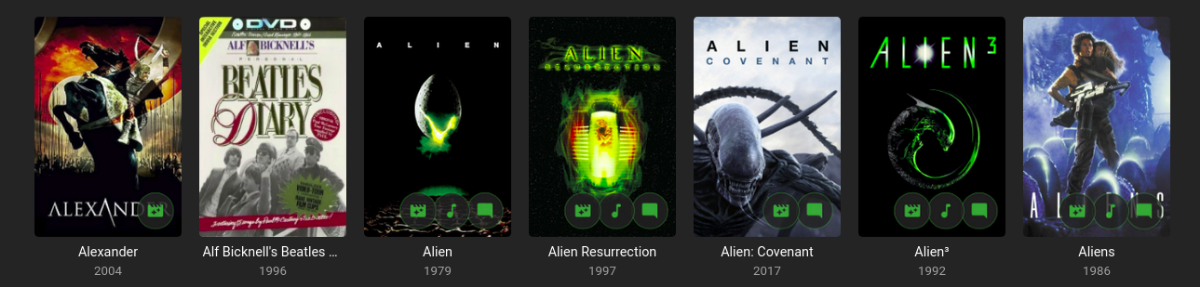
Iconic is an image enhancer that helps you turn Rules about your media into Icon Badges on your Movie and TV images. Iconic offers flexible Badge positioning, opacity, size, color, spacing, etc. Just configure, save and refresh your movie list or item view to see your new Badges. Installation Iconic can be installed through the Emby catalog. You can find it under the 'General' category. The free version of Iconic will show up to one icon for each movie. Rules are checked in the order they appear in your configuration. If you're a Premiere user, you have the option to register Iconic to remove the one icon limit. Version History v2.7.1 Resolve MediaStream property key UI regression v2.7.0 UI Refactor to make developer life easier and speed up new feature development Add HDR rule for Movies, Extras, and Episodes Initial rule support for Music Albums with Tag support v2.6.0 Add match type option (Any, All) for filename rule when using multiple values. v2.5.0 Compatibility Update for Emby 4.8.7 Backend changes to improve developer quality of life v2.4.1.1 Properly bypass unsupported image types v2.4.1 Fix error when no supported image encoders are available Improve support check performance when item type is not enhanceable v2.4.0 Excludes Trailers, Theme Songs, Theme Videos, Additional Parts from 'Any' Extras rule option Adds support for Collections rule to Episodes v2.3.0 Finalize support for 4.8 stable Add SDH subtitle rule v2.2.0 Filename rule now supports NOT(!) values Filename rule now supports multiple values (|) Fix - Folder specifier was inconsistent v2.1.2 Fix issue with some rules passing/failing in different UI contexts. v2.1.1 Fix regression in Folder Specifier v2.1.0 Newly Added Rule - Show an Icon based on # months since Library Added date New Release Rule - Show an Icon based on # months since Item Premiere date Status Rule for TV Shows - Show an Icon based on a show's Continuing/Ended Status Folder Specifier for Movies and TV Libraries - Optionally restrict rules to Library subfolder(s) MediaStream Rule - CodecTag Property added to property options Collection Rule - Updated to support any collection wildcard (*) Material Icons - Updated with more icons v2.0.0 - Support for per Library configuration - Initial support for TV: Show, Season, Episode - Initial support for Collections - Adds support for Movie Extras - Optimizations to improve image load times **Existing 1.x users will need to recreate their configurations in 2.0. [emby-path]/plugins/configurations/Iconic.xml can be used as a reference to more easily recreate 1.x configurations in the 2.x UI. v1.1.1 - Compatibility update for Emby 4.6 v1.1.0 - Adds limited support for Emby builds utilizing ImageMagickSharp - Adds Collection Rule Type - Adds MultiVersion Rule Type v1.0.2 - Gracefully handle unsupported platforms v1.0.1 - Fix multi-rule deletion bug - Update internal Emby libraries v1.0.0 - Initial Release ------------------------------------------------------------------------------ Updated Beta 0.9.2.1 - Faster image processing through more efficient font management Updated Beta 0.9.2.0 - Now supports separate badge and icon opacities - Tweaks to badge drawing to improve quality - Only draw badge border when the stroke is greater than 0 - Only draw badge when opacity is greater than 0 - Modularize javascript for maintainability and development efficiency. Updated Beta 0.9.1.5 - Prevent committing of a MediaStream Rule with duplicate Property Keys. - Add helper text and color on hover to bring attention to the Icon Selector for Rules. - Optimize rule analysis: Finally figured out a way to run the analysis once, cache the results, and discard after writing without the parallel processing requests clashing. Updated Beta 0.9.2.0 - Add Continue Watching Rule Type - Optimize rule analysis: Finally figured out a way to run the analysis once, cache the results, and discard after writing without the parallel processing requests clashing. Updated Beta 0.9.1.4 - Normalize badge size and spacing across image types Updated Beta 0.9.1.3 - Fix badges not rendering for some Movies: Removed some legacy code that could interfere with the rule analysis Updated Beta 0.9.1.2 - Fix font rendering in Windows: Windows didn't like the WOFF font format, so now providing an OTF fallback. Updated Beta 0.9.1.1 - Better support for the active theme: This fixes an issue where the Icons in the selector list could 'disappear' as white text on a white background. - Prevent occasional null errors in the log Updated Beta 0.9.1.0 - This version adds a FileName Rule type and adds Resolution as a MediaStream Property option. --------------------- The Iconic Beta 0.9.0.0 is attached here. **It is tested against Emby 4.5.4 only.** Again, please try it out if you're interested and let me know if something doesn't work, could work better, or if you have any questions.
 2 points
 -
As I mention in a related post, I love the additional subfolders for Movie Extras (eg, Shorts, Scenes, Interviews, etc.)! It would be awesome to extend this functionality to TV Series as well. Specifically to add support for many/all of the same folders supported for Movie Extras, eg, extras specials shorts scenes featurettes behind the scenes deleted scenes interviews trailers As well as any additional folders that get added in the future (eg, hopefully Galleries). Support Placement of "Extras" Folders Within Each Season Folder, Plus A Naming Scheme to Link A Particular Extras Folder with a Specific Episode (eg, "\Season 1\E1 - Deleted Scenes\" for episode 1 deleted scenes): I want to clarify that it would be great if these various "extras" folder types could reside within each Season folder. So for example, within a Season 1 folder we could then have an "Extras" folder, a "Deleted Scenes" folder, a "Featurettes" folder, etc. And furthermore, that we could designate a particular folder to refer to a specific episode (eg, "\Season 1\E1 - Deleted Scenes\" for episode 1 deleted scenes). See more below, particularly why I think this would be so useful: https://emby.media/community/index.php?/topic/55915-emby-server-theater-additional-extrasspecial-folder-types-for-tv-series-similar-to-movies/&do=findComment&comment=587195 Thanks for your consideration! PS - If this is something you might like to see implemented, be sure to "Like" this top/first post (as well as any subsequent posts in this thread that highlight particular aspects of what you are interested in) -- "Liking" the top/first post helps the Devs to know how much interest there is in a given Feature Request.2 points
-
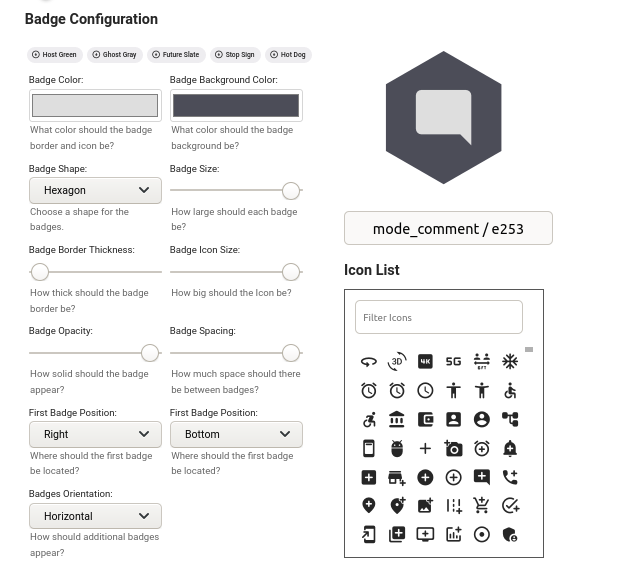
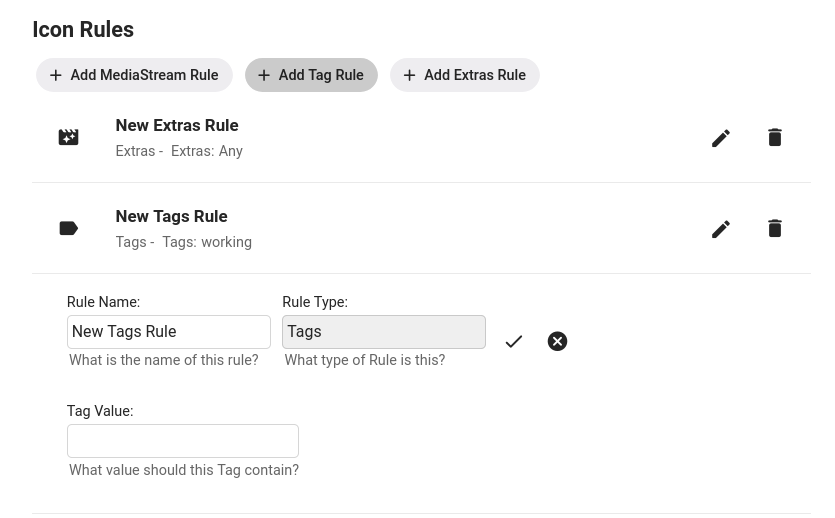
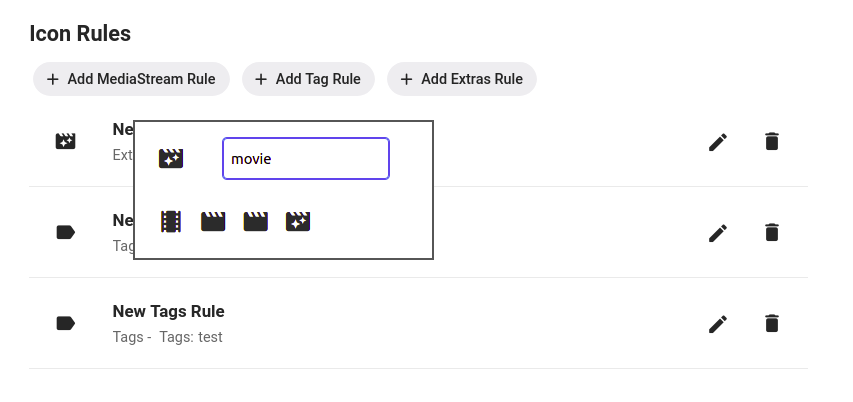
Using Iconic Configuration Badges: Rules: Selecting a Rule Icon: Rules Adding a MediaStream Rule Adding an Extras Rule Tags Rules are case sensitive and will check each Tag on a movie to see if it *contains* the text you put in the Tag Value field. This means a movie with the tag 'My Great Tag' will match a rule that has a Tag Value of 'Great', but not one that has a value of 'great'. Adding a Filename Rule Filename Rules will check the path+filename for each version file associated with a Movie to see if it *contains* the text you put in the FileName Value field. This is useful for cases where you have metadata about your movies incorporated into your filenames. Adding a MultiVersion Rule The MultiVersion rule will match when a movie item contains multiple versions. Adding a Collection Rule Collection Rules will match a movie if it is part of the Collection or Playlist you provide in the Collection Name field. Image Caching For image caching, Iconic will generate an item's badge-ed image once, then let Emby serve up cached versions after that...until you either save the configuration again...or something on the item changes that causes one or more of the rules results to flip for that image. So, if you need to regenerate your badges you can just re-save your configuration. That will signal to Iconic to regenerate any movie image the next time it's requested. And, If you want to get back to your non Iconic enhanced images, you can set Active to off in the configuration and save. I have noticed some of the apps have their own local caching mechanisms, and may hang on to an enhanced image longer than the web app will. The best approach for me when testing is to use the browser and have developer tools open/caching turned off.
 2 points
 -
hello when running the emby app that i install via the app store V 1.9.9 the cursor dose not disappear if i play it via the web not an issue only happens via the app1 point
-
Gotify Notifications Plugin Gotify notifications for your Emby server. Current version: 2.0.0.0 Last updated: 2024-02-02 Certified working on Emby Server 4.8.1.0 ## Links Plugin: Download Source: View ## Fresh Installation For Emby Server 4.8.0.0 and above: Download the latest v2 of the DLL file on the release page of this repo Put it in the "plugins" folder of your Emby Server and restart Emby Server The plugin should now show up in your Emby Server management page under Advanced > Plugins Configure the plugin by heading to the new Notification section under User settings Click the "+ Add Notification" button and choose "Gotify" The rest is self-explanatory For Emby Server versions older than 4.8.0.0: Download the v1.0.0.0 of the DLL file on the release page of this repo Put it in the "plugins" folder of your Emby Server and restart Emby Server The plugin should now show up in your Emby Server management page under Advanced > Plugins Select the plugin and it will take you to its configuration page ## Upgrading If you are upgrading Emby Server to 4.8+ from 4.7 or below, after the upgrade: Head to the plugin section in your Emby Server management page Uninstall your current Gotify plugin by right-clicking it and choosing "Uninstall" Stop your Emby Server Go to your Emby server plugin folder and double-check "MediaBrowser.Plugins.GotifyNotifications.dll" is not present, if yes, delete it Inside the plugin folder, go to its "configurations" sub-folder and delete "MediaBrowser.Plugins.GotifyNotifications.xml" Follow instructions under "Fresh Installation" above for Emby Server 4.8.0.0 and above ## Future Updates I'm going to be honest here: I have no idea how to code in C# specifically. So this plugin totally relies on the development of the Pushover plugin (see credits below). In the event of an Emby Server update breaking the plugin, I will do my best to try and fix it and will release an update on the Github repo. ## Credits This is a shameful slight mod of the Pushover plugin for Emby Server written by LukePulverenti [Luke] so all thanks to him and the Emby Server team. I take no credits for this. And of course big thanks to Gotify as well.1 point
-
This is a simple one line script to highlight duplicate files - By NAME How to use the script Very briefly - I am assuming you know how to run a PS Script - if you dont Google it. Run this script from the root of say your movies directory via the powershell console window (not the Powershell ISE if using PS5) - script is recursive so will find all movies It may take a few seconds or minutes to look through all directories - depending on the number of files and speed of the pc. File types searched for mkv, mp4, avi and ts - but if necessary you can add others It will produce a txt file called ... drum roll ...Duplicates.txt - the file will be located in the same location as the script file and will get overwritten with each run. If the file is empty after the script completes - then no duplicates found - otherwise it will contain the duplicate movies (by name) example output of a duplicate with a duplicate "count" will be 2 or higher etc - "Group" will attempt to list the paths to each duplicate but if you have many files it will get truncated eventually. If like me you have numerous extras - some are likely to be named the same - e.g. Behind the Scenes - so you will get false positives. I have not filtered the search to exclude trailers, extras directories as you could have genuine duplicates there or misplaced files etc but it can easily be done. Also the search is case insensitive Duplicates.zip Unzip the above and find your duplicates! Have Fun PenkethBoy 15/10/2020

 1 point
 -
I am a new user to Emby. I am currently recording with Emby, but watching from another app that honors edl files that I am manually creating after the recording is done. Are there any plans to add comskip EDL file support in the future, or integrated commercial skipping? I actually stream the recordings from offsite, so skipping commercials manually is a pain.1 point
-
A checkbox in the server settings somewhere to hide the domain and IP address in log files so they can be uploaded for troubleshooting without needing to be edited.1 point
-
Dashboard>Library, Advanced tab.1 point
-
Thank you. That does indeed seem to work.1 point
-
Thanks, always nice to hear a kind word. Did you get your frozen liquid solids relocation project done?1 point
-
Just wanted to add @cayarswas able to fix the broken link. Carlo thank you for getting my live tv fixed. You have been beyond helpful since my endeavor into live tv with cdvr.1 point
-
Hi, There is no wild card type functionality so you can do that. There is no way to play something before every episode of a season. The closest you can come to this is INTROS but they play before EVERYTHING or setting a special to play before each season. May I suggest you go here https://emby.media/community/index.php?/forum/98-feature-requests/ and open a feature request for this? Maybe something like this: Could we have a "Season-Intro".mp4 (or mkv) file that could be placed in the season folder and could be used like an Intro and played before each episode of that season?1 point
-
I resolved my problem yesterday! Looks like I was having an issue with the transcode folder. Not enough space ... changed it to a dedicated 100GB SSD drive and 6 shows recorded flawlessly in the evening.1 point
-
Liked and adding my support. In my opinion, this is the one item that would make Emby the perfect media server.1 point
-
Not abandoned. I'm not sure why I didn't get alerted. What seems to be the issue.1 point
-
Thanks for trying it out and I'm glad it's working out for you. I do have plans to add TV shows and Collections after the initial release. But I'll have to sit down and figure out what rule options make sense and how to present them in a manageable way through the UI, then figure out whatever differences and quirks there are for each of them. It's a whole thing. If that ends up being a common request, I'll add an option for per rule colors. But that will lead to requests for per rule shape. And size. And opacity. And... Personally, I like the consistent look.1 point
-
This actually already works, with Codec:srt/subrip/pgsub and DisplayTitle:Croatian/Bosnian/Serbian, just tested it, works like a charm, all my movies with localized subtitles have been properly iconized. Lots of rules but quite fast to setup, in fact. The only thing missing, as you said, is the ability to differentiate between languages, I guess just adding number of national flag icons to your existing icon set would be the most streamlined way and least effort to make this function complete (once it has the ability to display different icons for multiple rules on same item). Edit: Type:subtitle/DisplayTitle:*language or first three letters* also works, number of Rules down to 3 from initial 9.1 point
-
The media can still be "broken" with respect to the proper specs for the format. Many long-time video players have developed work-arounds for common problems or incorrect encodings but many of the newer, streaming-based players do not and require that the spec be adhered to much more closely.1 point
-
You might try with Type:audio, DisplayTitle:AC3, had similar issue with 1080p HEVC, that setup sorted it.1 point
-
Click on the icon in front of Rule name.1 point
-
I still watch out for that bug. Very hard to find1 point
-
@quickmic @quickmicA fix for transcode status status display in the Emby server GUI would be awesome. No rush...I don't actually have a lot of HEVC content. Regarding the HEVC transcode "choppiness" issues I'm seeing though. There might be an issue with the Emby server beta and not Emby for Kodi next-gen. So don't waste anytime on troubleshooting that (if you are) until I can do some additional testing. I just found out that on Emby beta 4.6.0.10 HEVC playback stutters like crazy when played directly from the server. I don't want to report the issue to Luke yet as I rolled back to 4.6.0.10 from 4.6.0.22 after I had issues with library metadata not respecting the legacy ImageSavingsConvention. The issue is fixed in the next beta build (according to Luke) so I'm holding off on reporting anything until it is released. I'm not sure why the same issue doesn't show up when using the legacy Emby for Kodi plug-in.1 point
-
WOWWWWWWWW thank you very much....it worked1 point
-
if you put path to file in your browser does the mp4 play?1 point
-
Hi, no, we're currently skipping this one, but I'll add support for this in Emby Server 4.6. Thanks.1 point
-
Hi there, yes let's look at an example. Thanks.1 point
-
Hi, some time ago I had asked whether there was a solution to stream music across my house i.e. the same song to several wifi speakers like SONOS, etc. I've just come across the HiFiBerry project which is open source and promising. I believe it uses Airplay. Is this a possible solution that will allow EMBY to one day stream music across my home? I'm loving EMBY as the days go by and the features get richer and the product matures. It would be great to have this eventually implemented. Streaming music across my home is my ultimate goal. See the links here: https://www.hifiberry.com/beocreate https://support.hifiberry.com/hc/en-us/articles/205699981-How-to-build-a-multiroom-audio-system-based-on-Raspberry-Pi-and-Hifiberry Regards1 point
-
Yes that's exactly it. It tried to direct play and then immediately switched to transcoding due to the browser reporting an error. So my guess is, on your device, safari is lying about supporting hevc, something that we've seen Safari do before with other browser features.1 point
-
@DarWun I found a minor issue in next-gen which prevents emby server to show the correct (e.g transcode) status. The PlaySessionID was set too late/wrong. I'll fix it in the next version. Anyway, this will not solve the hevc transcode issue you have. I compared the 4.x transcode options with next gen. Beside the reported Audiobitrate, 4.x also caps the resolution according to the device max screen resolution. I'll add a few extra parameters and let you know when a testversion is available.1 point
-
+1 waiting since years for this skill in german. Sadly not much time to help. Is there any timeframe!?!??!?!?!1 point
-
No. Of course keyword recordings have been requested many years ago1 point
-
What you could do to cut down your channel list would be to download xTeve and run your m3u file through it and filter out channels and countries that you do not want. I was able to narrow my channel list down from almost 3,500 to just a couple of hundred by filtering out countries that I didn't want, then cut it down further to under 100 by deactivating channels that I never watch.1 point
-
As soon as HEVC for live-transcoding-sessions works I'd love to see the option to preserve HDR10 instead of always falling back to (tone-mapped) SDR. It's meant for instances where remote streaming to an HDR-capable client has enough bandwidth available for 4k (or 2k)-streams, just not enough to go without transcoding for an source-file that exceeds the bandwidth-limits. Also 2k/HDR through HEVC as target is a possibility that could be an interesting alternative to 4k with tone-mapped SDR.1 point
-
It's an issue in the iOS and Roku apps and is resolved in their next updates. thanks.1 point
-
Fixed in next release apparently.1 point
-
Tu peux faire un truc comme ça : /usr/bin/openssl pkcs12 -inkey privkey.pem -in fullchain.pem -export -out emby.pfx -passout pass: J'utilisais ça à l'époque, j’espère que ça n'a pas changé (j'utilise un reverseproxy pour gérer mes certificats maintenant) Et dans Emby :
 1 point
 -
lol - so it's not just me then that plays the 'skip challenge' to see if you can nail it every time ..1 point
-
Exactly this! Being able to just mark for skipping would be a huge bonus to an already great product in Emby Live TV.1 point
-
Because what they want can't be done with MCEBuddy. Think looking at a movie or show and seeing the timeline color coded with the commercials as detected by comskip.. You set the client to AUTO SKIP commercial. Something didn't go right in the commercial detection and you miss something critical. If you cut the commercials there is nothing you can do about it but using EDL files the file is WHOLE so you can RW and play back what you missed. Same with beginning of shows or end which comskip sometimes cuts off prematurely.1 point
-
Hi, yes we're looking into it. Thanks for reporting.1 point
-
I'm going to add my support for this feature as well. While Extras may be able to go into Specials for most series, cracks start to show with a series like Doctor Who (1963). This series has multiple DVD releases per season each with a handful of features, and each with a multitude of Extras relating specifically to those episodes. One four-episode story may have ten or more extras, with sometimes close to ten stories in a season. It just becomes completely unmanageable. This is compounded with a DVD release like the TV Movie - a special which is listed as S00E60 on the TV database. As it is already a special, there is no way to associate the extras with the episode in Emby. The solution seems obvious to me. Have each episode in its own folder that acts like a Movie folder: Doctor Who (1963)\Season 00\Doctor Who (1963) S00E60\Doctor Who (1963) S00E60.mkv Doctor Who (1963)\Season 00\Doctor Who (1963) S00E60\Extras\Paul McGann Interview.mkv Now on the episodes information page, the extras will be displayed just as they would be in movies. Additionally, you need to be able to be able to add extras to Seasons: Doctor Who (1963)\Season 01\Extras\Theme Music Video.mkv These could be displayed at the bottom of the season. Something like the mockup attached.
.thumb.png.d6b8bc6ce8e3a6d910fd04ba5b5a5a25.png) 1 point
1 point -
Here is what I have got so far mirroring the dashboard links and adding some styling. home.html See the "Personal-Links" div. This will give you something to work with, and modify. div class="view flex flex-direction-column withTabs"> <div class="tabContent flex flex-grow" data-index="0" style="overflow: hidden;"> <div is="emby-scroller" data-horizontal="false" data-centerfocus="true" data-navcommands="card" data-forcescrollbar="true" class="scrollFrameY flex flex-direction-column flex-grow focuscontainer-down" data-bindheader="true"> <div class="Personal-Links" style="top:120px;text-align:center;position:relative;"> <a is="emby-linkbutton" class="button-link" href="https://emby.media" target="_blank" style="margin: 0 .7em;">Emby</a> <a is="emby-linkbutton" class="button-link" href="https://emby.media/community" target="_blank" style="margin: 0 .7em;">${LinkCommunity}</a> <a is="emby-linkbutton" class="button-link" href="https://github.com/MediaBrowser" target="_blank" style="margin: 0 .7em;">${LinkGithub}</a> <a is="emby-linkbutton" class="button-link swaggerLink" target="_blank" href="#" style="margin: 0 .7em;">${LinkApi}</a> </div> <div class="scrollSlider flex-grow padded-top-page sections"> </div> <div class="padded-bottom-page"></div> </div> </div> <div class="tabContent flex flex-grow" data-index="1" style="overflow: hidden;"> <div is="emby-scroller" data-horizontal="false" data-centerfocus="true" data-navcommands="card" data-forcescrollbar="true" class="scrollFrameY flex flex-direction-column flex-grow focuscontainer-down" data-bindheader="true"> <div class="scrollSlider flex-grow padded-top-page sections"> </div> <div class="padded-bottom-page"></div> </div> </div> </div>1 point
-
Transparency is extremely important. I would like to see a public roadmap, so that people have an idea of when which feature is likely to be released. So we have no idea which features will come in the future and which not. I'm very disappointed about the fact that the alexa skill is not available in Germany. On the emby website this is a featured function with emby premiere, but there is no information about that the skill is currently not available in Germany. Please do not leave us standing in the rain and give us an approximate time (e.g. an indication in which quarter the release is planned).1 point



























.png.f2500dbaa32d2b8415f7be138d6bfadd.png)