Leaderboard




Popular Content
Showing content with the highest reputation on 12/29/20 in Posts
-
Often times when I see "Reason for transcodng: Media bitrate exceeds limit." in the info I wonder, what kind of internet connection do they have? I know this can cover multiple scenarios like bandwidth limit set for user, server, client side quality setting, as well as AUTO bandwidth detection... Can you PLEASE add to the dashboard the returned client bandwidth capabilities? The value you are getting from the client that tells emby its bandwidth abilities. While you are at it tighten up the spaces between lines on the transcode items, and align the results to the right instead of center.. MAYBE SOMETHING LIKE THIS :2 points
-
I believe we've identified the conditions that cause this and we'll have a fix added to the server soon so that you won't have to worry about this. Thanks for reporting.2 points
-
Since all song lyrics are copyrighted material I'm pretty sure no free source of them would be legal. So, Emby obtaining the lyrics for you is probably out of our scope for right now. However, it would be valid for us to read tags out of your media files and display that text somewhere.2 points
-
Try this, your box is not a pure Android TV box: Emby for Android 3.1.71 - Android - Emby Community Remember set visualization mode to TV.2 points
-
I would like this as well as I am sick and tired of "media exceeds bitrate" and all my friends and family being throttled to 3mbit when they and I, have more than enough bandwidth. It seems every time the client is updated, it resets whatever manual setting we have put up back to auto and auto doesn't appear to work very well.2 points
-
@cayars a completely rewritten Live TV backend sounds promising and definitely worth some effort. I think emby could easily silende their critics if they would be a little more transparent about what they are working on. Why not make a section somewhere on your website named "currently working on" with all the topics, the current status, like "finished to 89%", and the release it is expected to be in?2 points
-
that would be what we would want to see... right now im blind to what the client is telling the server its top bandwidth is.2 points
-
The "vulnerability" in itself is that a non-admin can get to any admin section (regardless of what they can see or change).2 points
-
Here is the latest list of versions for Emby software across the server and clients. Emby Server Stable: v4.9.5.0 (2026/05/18) Release Notes Beta: v4.10.0.14 (2026/06/04) Release Notes For other platforms, please refer to the download page. Emby for Android TV Google Devices Stable: v2.1.23 (2025/12/27) Beta: v2.1.46 (2026/04/15) Amazon Devices Stable: v2.1.23 (2025/12/27) Beta: v2.1.46 (2026/04/15) Stable Release Notes Beta Release Notes Universal Android app Stable: v3.5.16 (2026/01/26) Beta: v3.5.36 (2026/05/10) Release Notes Download the latest Beta here. Emby for Kodi See here for the latest information. Emby for Roku Stable: v4.1.63 (2026/05/04) Release Notes Beta: v4.1.64 (2026/05/13) Release Notes Emby for Windows (Windows Store for PC & Xbox One) Stable Release Notes Beta release notes Emby for Linux Beta Release Notes Emby for Samsung Smart TV (Orsay) E-series to H-series TVs only Release Notes Emby Theatre for Samsung Smart TV (Tizen) Release Notes Emby Theatre for LG Smart TV Stable: 1.0.50 (2026/01/19) Emby for iOS Stable: v2.2.53 (2026/05/16) Stable Release Notes Beta: v2.2.52 (2025/04/11) Beta Release Notes Emby for Apple TV Stable: v2.0.3 (2025/12/26) Announcement Beta: v2.0.6 (2026/04/11) Release Notes Emby for tvOS (Apple TV) Stable: 2.1.6 (2022/12/23) Release Notes - TBA Beta: 1.5.1 (10) (2021/03/02) Beta Release Notes Emby For MacOS Stable: 2.1.6 (2022/05/09) Details here. I will keep this post up-to-date as much as possible, but please send me a PM about anything I haven't updated, or is missing. Special thanks to @Borskfor supplying a lot of the updated information. Thanks.1 point
-
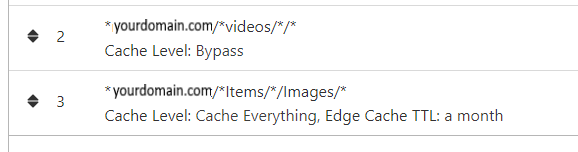
NGINX and emby Config Version 1.0.4 Last Update 1-1-2024 Update by Pir8Radio Why Use NGINX reverse proxy ahead of my application servers like emby? With NGINX or any reverse proxy ahead of an application server you have more control over your setup. You can do things the application servers were not built to handle, have better control over your security and logging, replace lines of code without editing the application server code, better control of caching, etc, etc.... One of the main reasons is so that you don't have to open a new port on your firewall for every application server you host, all you really need to open is 80 & 443 and the internet can reach all of your different servers through one entrance. Will NGINX work on my OS? Most likely, you can find various versions of NGINX for most OS's and they come in different flavors, with options baked in, or just the bare NGINX that you need to compile. See below for download links to get you started. Will NGINX break things on emby? Absolutely if you don't configure it correctly! I HIGHLY suggest when choosing a scheme to setup your domain URL you choose SUB-DOMAIN and NOT sub-directory, more below. Also if you come to the emby forum with things not working, or issues you have and you use a Reverse Proxy, PLEASE make sure that is one of the first things you mention in your forum post. ESPECIALLY if emby works on one platform or client, but not another. So many times people complain "but it works on chrome, so I didn't think it was the reverse proxy". Mention you have a Reverse Proxy please. If the reverse proxy is setup correctly it should be totally transparent to the user and the application server (emby). I'm not going to go into how to purchase and setup a domain name. Lots of how-to's on that out there. Once you have a domain name and its pointed to your IP address, you can go to that domain name and hit your server then continue on.... Sub-Domain vs Sub-Directory: Lets say your domain name is: domain.com there are two main ways you can direct traffic from the internet to your backend application servers like emby. One is sub-directory, something like domain.com/emby or domain.com/other-server This is doable in nginx, but there are some catches and you need to know how your reverse proxy and application server work in detail.. This often breaks different features in emby and other application servers.. To keep with our "Totally Transparent" goal sub-directory doesn't work well, it requires a lot of rewriting and work-arounds to make it work smoothly, if you choose sub-directory you will run into issues you will need to address. The other option is Sub-Domain, this is the cleanest, most transparent, easiest to setup and maintain, it's also what I highly suggest you setup. A sub-domain looks like: emby.domain.com or other-server.domain.com The below config is based on Sub-Domain I will include a sub-directory example as well. NGINX Downloads: Official nginx downloads(LINUX): nginx.org Official nginx downloads(Windows): nginx.org WINDOWS users I suggest this version: nginx-win.ecsds.eu download links are at the bottom of the page. This Windows version has lots of cool features compiled into it already, and is optimized for windows. They keep up with updates, its a FREE (for non-commercial) third party build that I highly recommend. Additional Links: Content Security Policy info (CSP) (For Advanced Users): A CSP WILL break your server if you don't know what you are doing, I suggest reading up, lots of googleing, and understand what a CSP's function is and is not prior to venturing into this area Example NGINX Reverse Proxy Config: 3-29-2020 - ADDED A LINE FOR CLOUDFLARE USERS SO THAT THE X-REAL-IP HEADER IS CORRECTED. THIS ONLY EFFECTS Cloudflare USERS. 4-11-2020 (V1.0.1) - MOVED proxy_buffering off; FROM LOCATION BLOCK TO SERVER BLOCK 12-18-2020 (V1.0.2) - ADDED 301 SERVER SECTION TO FORCE ALL TRAFFIC TO SSL. 9-23-2021 no nginx config change, but cloudflare changed how they cache video files, so emby users that use Cloudflare now need to add a rule like below to make sure video is seekable and playable. 8-18-2022 - added a line for photo sync to cover large uploads of videos and images. (client_max_body_size 1000M;) 1-1-2024 - changed http2 setting per @weblesuggestion in this thread post # 1309363. ** The below "Page Rules" are only needed for Cloudflare CDN users, otherwise ignore. worker_processes auto; error_log logs/error.log; events { worker_connections 8192; } http { include mime.types; default_type application/octet-stream; server_names_hash_bucket_size 64; server_tokens off; ## The below will create a separate log file for your emby server which includes ## userId's and other emby specific info, handy for external log viewers. ## Cloudflare users will want to swap $remote_addr in first line below to $http_CF_Connecting_IP ## to log the real client IP address log_format emby '$remote_addr - $remote_user [$time_local] "$request" ' '$status $body_bytes_sent "$http_referer" ' '"$http_user_agent" "$http_x_forwarded_for" $request_time $server_port "$http_x_emby_authorization"'; log_format default '$remote_addr - $remote_user [$time_local] "$request" ' '$status $body_bytes_sent "$http_referer" ' '"$http_user_agent" "$http_x_forwarded_for" $request_time $server_port'; sendfile off; ## Sendfile not used in a proxy environment. gzip on; ## Compresses the content to the client, speeds up client browsing. gzip_disable "msie6"; gzip_comp_level 6; gzip_min_length 1100; gzip_buffers 16 8k; gzip_proxied any; gzip_types text/plain text/css text/js text/xml text/javascript application/javascript application/x-javascript application/json application/xml application/rss+xml image/svg+xml; proxy_connect_timeout 1h; proxy_send_timeout 1h; proxy_read_timeout 1h; tcp_nodelay on; ## Sends data as fast as it can not buffering large chunks, saves about 200ms per request. ## The below will force all nginx traffic to SSL, make sure all other server blocks only listen on 443 server { listen 80 default_server; server_name _; return 301 https://$host$request_uri; } ## Start of actual server blocks server { listen [::]:443 ssl; ## Listens on port 443 IPv6 ssl enabled listen 443 ssl; ## Listens on port 443 IPv4 ssl enabled http2 on; ## Enables HTTP2 proxy_buffering off; ## Sends data as fast as it can not buffering large chunks. server_name emby.domainname.com; ## enter your service name and domain name here example emby.domainname.com access_log logs/emby.log emby; ## Creates a log file with this name and the log info above. ## SSL SETTINGS ## ssl_session_timeout 30m; ssl_protocols TLSv1.2 TLSv1.1 TLSv1; ssl_certificate ssl/pub.pem; ## Location of your public PEM file. ssl_certificate_key ssl/pvt.pem; ## Location of your private PEM file. ssl_session_cache shared:SSL:10m; location ^~ /swagger { ## Disables access to swagger interface return 404; } location / { proxy_pass http://127.0.0.1:8096; ## Enter the IP and port of the backend emby server here. client_max_body_size 1000M; ## Allows for mobile device large photo uploads. proxy_hide_header X-Powered-By; ## Hides nginx server version from bad guys. proxy_set_header Range $http_range; ## Allows specific chunks of a file to be requested. proxy_set_header If-Range $http_if_range; ## Allows specific chunks of a file to be requested. proxy_set_header X-Real-IP $remote_addr; ## Passes the real client IP to the backend server. #proxy_set_header X-Real-IP $http_CF_Connecting_IP; ## if you use cloudflare un-comment this line and comment out above line. proxy_set_header Host $host; ## Passes the requested domain name to the backend server. proxy_set_header X-Forwarded-For $proxy_add_x_forwarded_for; ## Adds forwarded IP to the list of IPs that were forwarded to the backend server. ## ADDITIONAL SECURITY SETTINGS ## ## Optional settings to improve security ## ## add these after you have completed your testing and ssl setup ## ## NOTICE: For the Strict-Transport-Security setting below, I would recommend ramping up to this value ## ## See https://hstspreload.org/ read through the "Deployment Recommendations" section first! ## add_header 'Referrer-Policy' 'origin-when-cross-origin'; add_header Strict-Transport-Security "max-age=15552000; preload" always; add_header X-Frame-Options "SAMEORIGIN" always; add_header X-Content-Type-Options "nosniff" always; add_header X-XSS-Protection "1; mode=block" always; ## WEBSOCKET SETTINGS ## Used to pass two way real time info to and from emby and the client. proxy_http_version 1.1; proxy_set_header Upgrade $http_upgrade; proxy_set_header Connection $http_connection; } } }

 1 point
 -
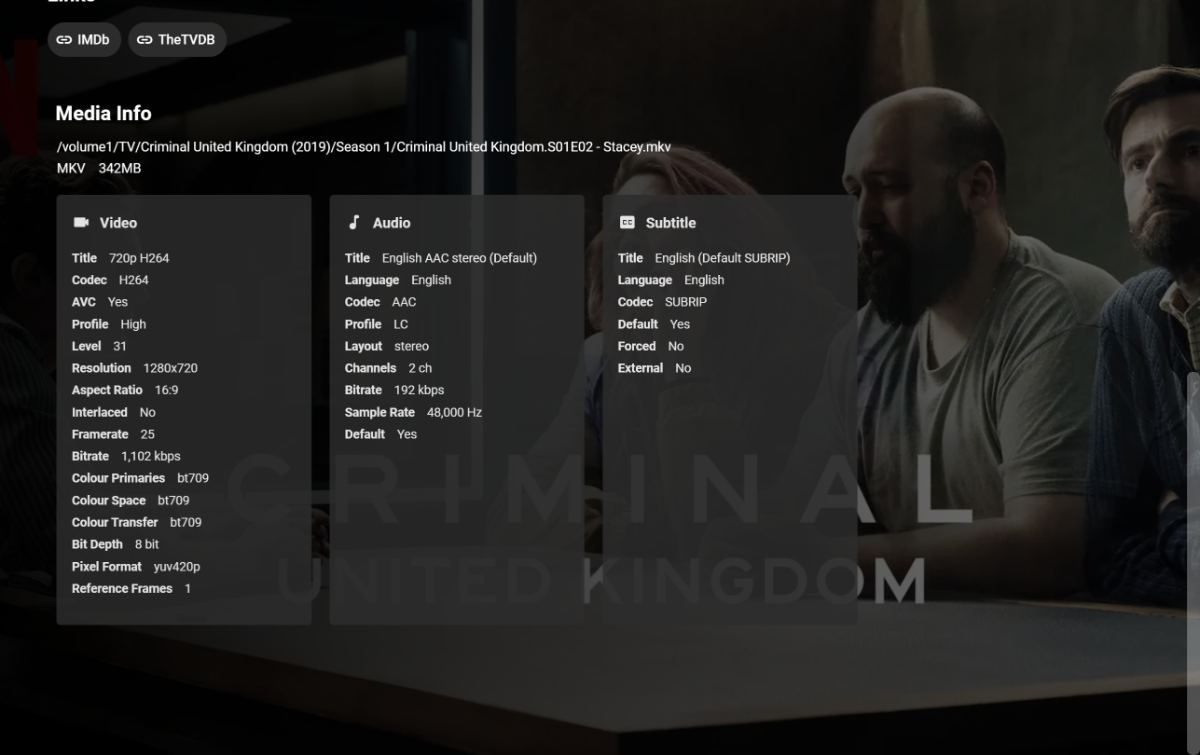
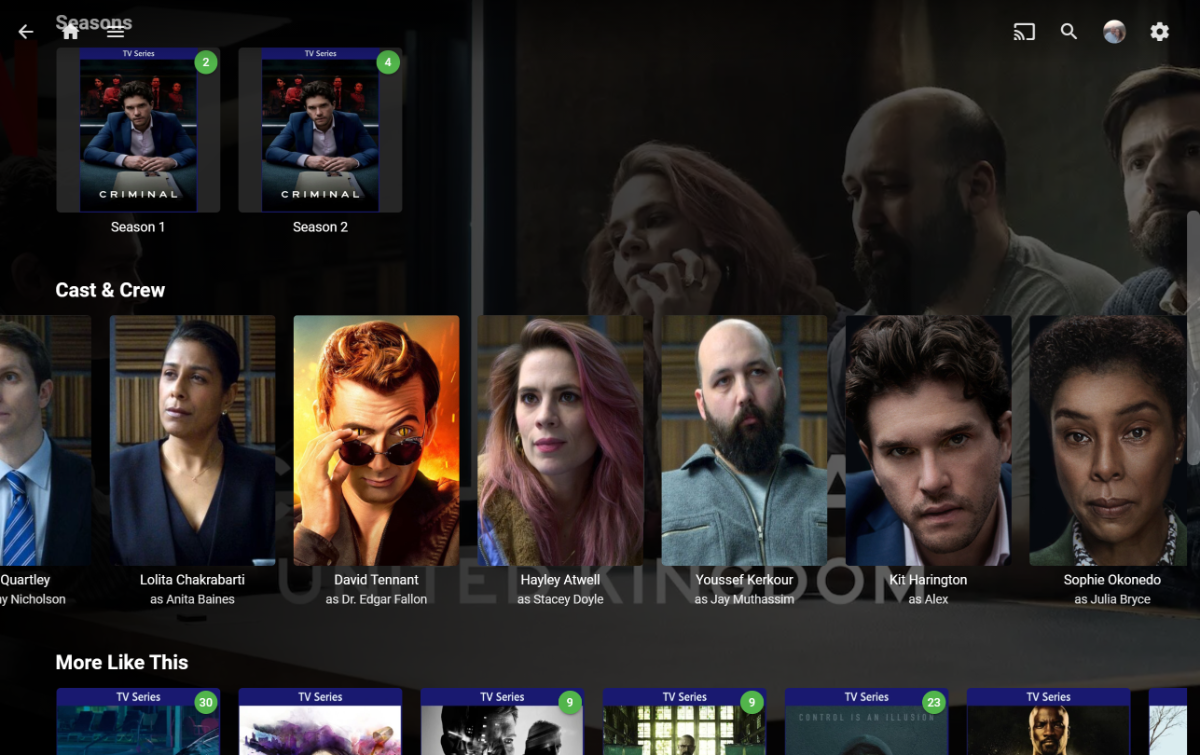
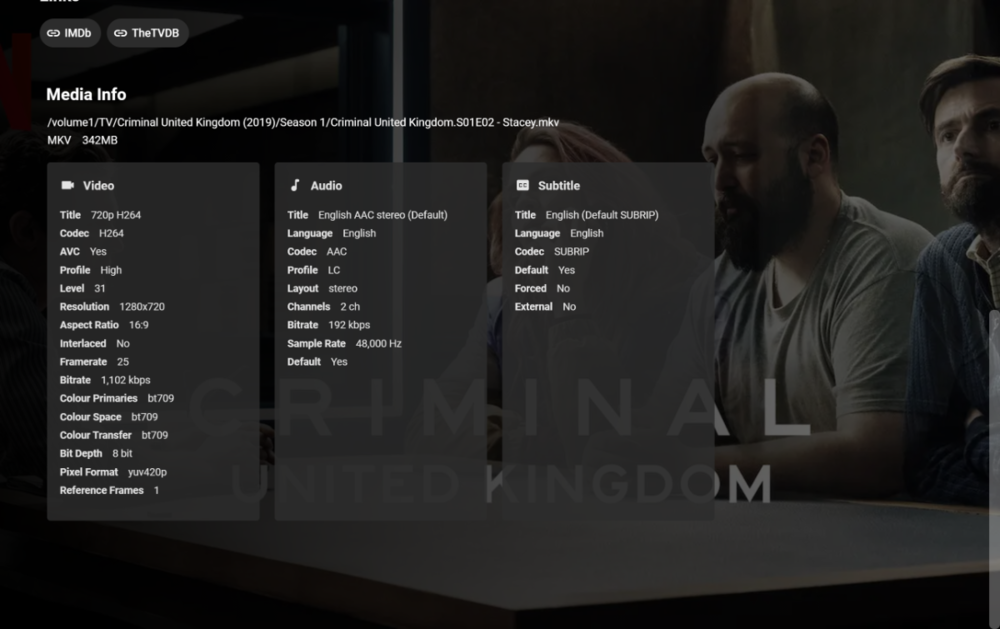
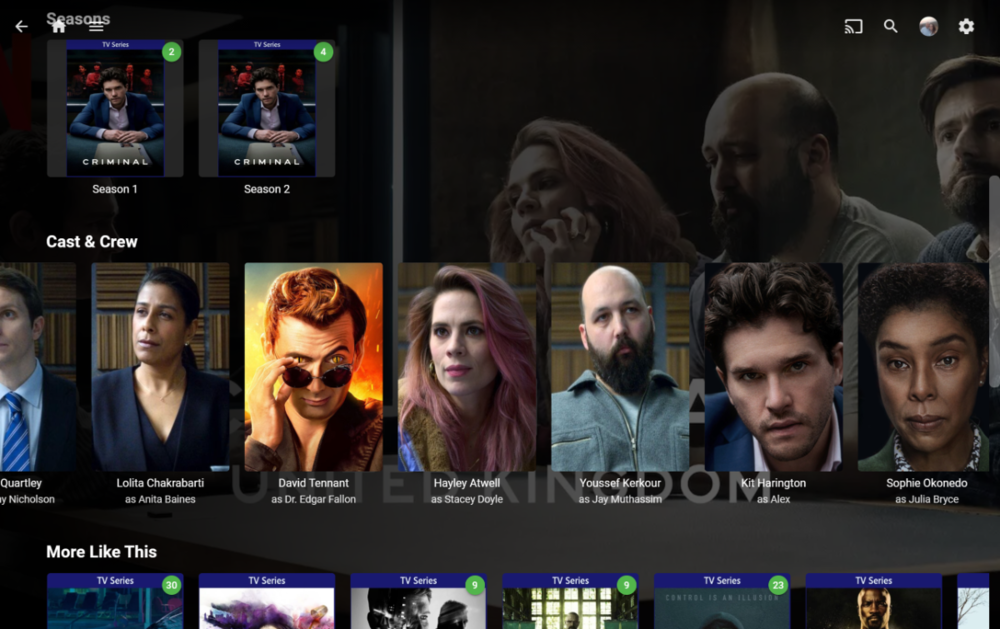
I have searched but couldn't see it. I love knowing who's in what episode, program and film. I have noticed and it bugs me that it groups all the cast together in the Main Page of the program. For example as I am currently watching S01E02 of Criminal UK; Oh I know that actress, whats she been in? So I'm on episode 2, this is normally where I get phone out and check out the currently playing media, which takes me to the episode (I'm doing the screenshots on my browser for ease), this shows the information of the file etc... which is great, but couldn't we have Cast & Crew in the Episode down here aswell, so instead I have to click on the IMDB link, navigate away from Emby and check the Actor/Actree Filmography on the IMDB website. For this example I was interested in seeing what else 'Stacey' had been in, the actress "Hayley Atwell" is listed on the main Program page, it would make more logical sense to be able see this information under each episode aswell as the main program page; Personally it would also make sense to have each series/season cast under each folder aswell. I would assume this would be easy to scrape from IMDB/TVDB etc....?
 1 point
 -
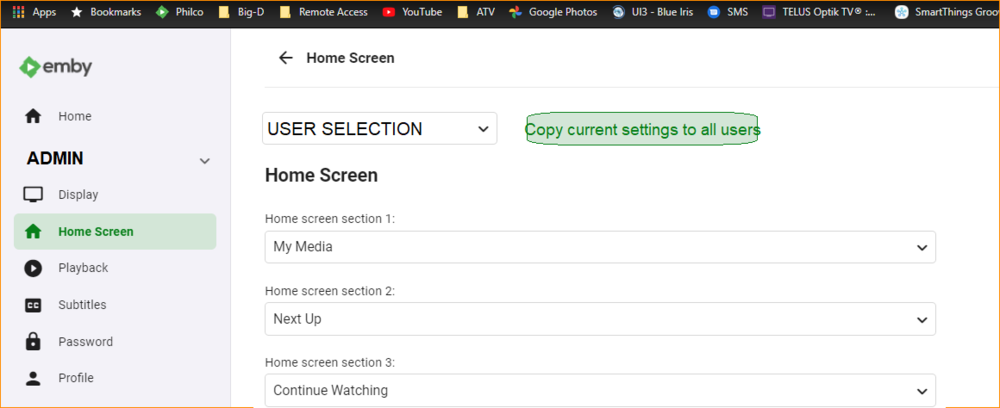
When changing or adding things to emby, there is sometimes the need to edit the homescreen settings for all users. Currently I have to log in as each user, change the settings, then move to the next user. it would be great if the Admin could easily do this from the server config page. Also adding a button to copy home screen settings to all users.
 1 point
 -
There is no lyrics function in Emby. Cayars is saying that the above suggested third-party programs can quite easily add lyrics to the files (and that Emby should not undertake this because of copyright), and that it would be a good idea for Emby to be able to display lyrics if the files contain them - that would require development, though, and adding to the schedule of improvements already in progress. Paul1 point
-
Pretty sure that is beyond the spec for it, yes.1 point
-
@quickmic Yes I do for accessing my domain. I don't use it for E4K though. Unless I'm mistaken, in default mode it acts like a proxy. If used in DNS Only mode it's more or less like no-ip dynamic dns.1 point
-
Just test it, none of them are working, always get movie freeze, and when i press stop button, kodi freeze. the only different behavior i feel is, the playback starts faster with code 3021 point
-
I always run Emby with the same user, I don't connect to my PC with any other user. For now it's still working fine.1 point
-
I added a NOTE section to that page with this tip!1 point
-
or use Chefs plugin to remove all of them in one go1 point
-
Not just meta-providers, it seems blocked all outbound traffic: 2020-12-29 13:23:11.336 Error HttpClient: Error getting response from https://api.github.com/repos/1 point
-
Oh agreed for sure and why it's better for Emby to only display this info and not fetch it as ebr mentioned. It seems very easy to add the lyrics with 3rd part utils and is quite fast as well. It's actually easier then tagging I think. Anyone wanting lyrics could easily retrofit their music with lyrics outside of Emby and be good to go!1 point
-
NB: To the best of my knowledge even the copyright regimes that allow "reasonable use" fail to define it - so there is scope for legal arguments to arise, which can be very expensive. In academic circles, figures like "no more than 5%" get bandied about for "fair use" - so 100% of the lyrics would be considered well outside the likely acceptable range. Paul1 point
-
I'd also like to see the cast categorized into guest stars and the actors that are in every episode. Most of the time I go to look at the cast, i'm checking to see who the guest stars are and what else they've been in. Makes it more difficult when the list is combined.1 point
-
When you say you "direct played" it, what do you mean by that? Direct play to us is a method the server client use for the video and not the way you specifically play it. In the clients you can click the cog wheel/icon and then Stats for Nerds. That will show you the method being used which is a direct play, direct stream/remux or a transcode. The file above was direct streamed as it was remuxed and we can tell that without even looking at the contents as is says "remux" in the name. Here is a section from the log file. Look at the "speed" at the end. a 1.0 is real-time. So any number under 1.0x speed means the server can't keep up. You can see it starts out close to 2x but then quickly slows down to sub par performance. It goes all the way down to half speed. filename=5E2273_s8_244.vtt 15:54:08.508 [segment @ 0x121de00] Opening '/config/transcoding-temp/5E2273_s8_245.vtt.tmp' for writing 15:54:08.759 frame= 664 fps= 44 q=-1.0 size= 14599kB time=00:24:31.62 bitrate=4322.8kbits/s throttle=off speed=1.85x 15:54:09.297 frame= 672 fps= 43 q=-1.0 size= 14798kB time=00:24:31.91 bitrate=4336.0kbits/s throttle=off speed=1.81x 15:54:12.715 frame= 691 fps= 37 q=-1.0 size= 15681kB time=00:24:32.70 bitrate=4468.1kbits/s throttle=off speed=1.52x 15:54:30.274 frame= 699 fps= 19 q=-1.0 size= 15870kB time=00:24:33.16 bitrate=4451.8kbits/s throttle=off speed=0.801x 15:54:31.906 frame= 717 fps= 19 q=-1.0 size= 16259kB time=00:24:33.80 bitrate=4462.1kbits/s throttle=off speed=0.784x 15:54:32.444 frame= 721 fps= 19 q=-1.0 size= 16665kB time=00:24:33.95 bitrate=4550.5kbits/s throttle=off speed=0.777x 15:54:33.266 frame= 732 fps= 19 q=-1.0 size= 16970kB time=00:24:34.41 bitrate=4564.0kbits/s throttle=off speed=0.772x 15:54:34.778 frame= 738 fps= 18 q=-1.0 size= 17110kB time=00:24:34.74 bitrate=4552.7kbits/s throttle=off speed=0.752x 15:54:35.302 frame= 753 fps= 18 q=-1.0 size= 17444kB time=00:24:35.32 bitrate=4556.3kbits/s throttle=off speed=0.756x 15:54:36.069 frame= 767 fps= 18 q=-1.0 size= 17822kB time=00:24:35.89 bitrate=4571.2kbits/s throttle=off speed=0.756x Being this is on a shared seedbox server it likely doesn't have the CPU muscle needed for processing video.1 point
-
If you really want the best out of that powerful device, just use an inexpensive microSD card and install CoreELEC. CoreELEC will play everything that you throw at it............ Install the Emby for Kodi addon (https://emby.media/community/index.php?/topic/90781-embyforkodi-500-preview/ and then use the Embruary skin, this is the ultimate media player..1 point
-
As far as i know emby is capable of extracting images from series and movies. Especially on older tv series the images for episodes provided by the moviedb are often b*******. But because they exist, emby won't extract them from the media file and take the one from moviedb. Even if i delete them, emby won't extract an image anymore. I would highly appreciate to have a button to manually trigger the extraction of an episode image from media file. The same goes for music. Often the images embedded are better than the ones provided by audiodb. I would like to have a button to choose the embedded image over the one provided by audiodb. Thanks in advance!1 point
-
As I said above, I have a Chromecast with Google TV running the Emby ATV app and it works fine. All depends on your content whether it can direct play it or not, but I haven't found anything it can't/won't play.1 point
-
Yes I do beleive emby is a company, but remember that 90%+ of the service that emby provide is FREE to use. I am sure some/all of the devs get paid in some form or another, they may not get paid and only get a commission or a cut of the subs/purchases, for which I have no idea, but he fact remains, the service is prodemitley free, the average Joe can come, download and stream without having to pay anything, which is what I had done for many years until I coughed up this year to show my support to a programs I've used since the Media Browser days.1 point
-
Indeed. Thank you again. Next time I need to remember Rule #1: Before doing anything else, REBOOT!1 point
-
Just an update. VPN was running on the server which is running in a VM machine. We disconnected VPN and still have an issue. But if we playback locally using local IP it works fine and is pretty fast. Loopback through WAN port (or VPN) and it's slow loading pages and no video plays. He's rebooting the modem and router and we'll see if that does anything.1 point
-
Thank you for the answers ! Here's what I did, and it almost completely worked (way better than if I had not done anything). - Add the .nfo option in all the libraries (on the old computer) - Ask to update all the missing metadata (on the old computer), that allowed to create the .nfo files - Copy all the directories on the new hard drive - Proceed with the “backup” explained in the support section (https://support.emby.media/support/solutions/articles/44001159936-backup) - Start the server - Edit the libraries - Do a full rescan The small issues I faced : - Some titles, metadata or images were changed ; yet, they were scarce. I remember all the edits I had to do on some movies, and almost everything was still there. - On some directories I have on a remote server (that still is regarded as Z://, as on the previous one), all the titles were changed to their English version (I have my movies in French and the titles were in French, as are all the language options). Verifying and making the corrections took some time, but it was a way easier job thanks to your advice. Thank you again ! I hope that the procedure above will help other people in the same case.1 point
-
I'll hop on TV now and PM you. Thanks!1 point
-
Thanks for the feedback !1 point
-
LOL, Not worried about critics now, as they'll at least be happy critics later. Communication on things done early is a double edge sword. Take a look at one small feature that we asked users to test on the beta/test build. Page upon page of comments how it won't work for them, will cause issues in the future, users won't like it when it was made clear we just need a test of merge feature AS IS but it's not the compete feature. That point was iterated multiple times, yet the "comments" go on. So some users ruin this for most of the masses when they can't take part in doing what's asked but want to debate the design when they don't know the design or what's in store for the feature(s) as it progresses. I'm likely the team member who's commented most about Live TV but have watched what I say and not gone into specific detail on features (only high level) because I don't want to go down this rabbit hole. But at the same time want you guys to know we have been listening to the issues you have with Live TV or what you would want/need enhanced. With most things you can add/build on what's already in the code but with Live TV/DVR the devs felt it better to start with a clean state and use the knowledge they have now to build a better mouse trap so to speak while knowing all the things it NOW need to do and handle. It was a good solid decision but takes longer of course and because of this we wanted to at least let you guys know it's in the works and is active development. The problem with a list of upcoming items or things being worked on is all the PM we get wanting more info. I've gotten lots of PMs from users wanting more info on Live TV for example which takes time to answer nicely that we can't give more info at this time other than what's been stated. If a user had a specific question about something and I could tell them from my testing if it's fixed then I'd let them know that of course without going into detail. Things can get pushed back. We had one thing being worked on last year that had to get pushed and if it were on a list would likely make people mad or upset if it's something they wanted or would have used. That's always a downside if you have to push something for a bit. There of course are other reasons as well but in general pre-announcements tends to cost time and effort that could be used for development or support and doesn't get the product out to the masses any faster. For the most part the devs have been working to fix little things in the core or adding enhancements asked for by people and systematically going through and replacing the way somethings were done with better ways that help with performance and or allow enhancements that would have been hard to do otherwise. There are a couple of these efforts underway at present for example. I think anyone using Emby Connect knows that this is being reworked as I think that's pretty obvious that it had to change. Emby Connect is sort of a work in progress at the moment as stated by Luke. There of course is the new music rewrite that recently hit beta and is open for testing.1 point
-
Here is the .ass which I am in the middle of subtitling. It just contains lyrics for a japanese concert. Downgrading back to 1.0.85 fixed the issue for me. What happens is the file starts direct playing then when it get's to the part where the subtitles start it switches to transcoding. I've also attached an emby server log for 1.0.88 server version 4.6.0.6 beta running a a Synology NAS which I just updated yesterday to see if a newer server version would fix the issues. Bang Dream! 7Th★Live Day2-Raise A Suilen「Genesis」.Subtitles.ass embyserver.txt1 point
-
Had a chance to try out Emby 3.1.72 on multiple Android phones over the Christmas weekend, and this issue appears resolved! Thank you very much for the quick response and resolution! Please relay this message to anyone at Emby that should hear this: When Google Play Music shut down, I wanted to switch to a new music streaming solution that I could control. I tried Plex first - I had used it in the past and had experience setting it up and using it. Plex had an issue with playing downloaded/synced music files, so I reported the issue on their forums, similar to what I did here for Emby. It took a month for anyone at Plex to respond, while in the meantime over 30 other users posted on my post and said they were having the same issue. Three months later, and the issue still wasn't resolved (although there was one post from Plex that said an update should have fixed it) - all the while Plex continued to release new versions with new features, while neglecting to resolve the issue. I cancelled my subscription to Plex, and subscribed to Emby Premiere instead. Emby has occasional issues, but you actually take the time to respond to bug reports (Luke responded to my post within 8 hours, which REALLY impressed me!), and actually fix the issues within a reasonable timeframe. I'm also letting everyone know that asks, to go with Emby over Plex if you're thinking of doing the "stream your own media from your own server" route. Thanks again!1 point
-
Thanks for asking and answering the question1 point
-
But unless I’m not understanding (quite possible) you’re answering a different question than that being asked. It’s not about incoming connections to an emby server, it’s about how you ensure that outgoing connections from an emby server to an external iptv server get sent over a VPN.1 point
-
My personal highlight in 2020 was that the number of transcoding issues that have been reported and that I had to investigate, decreased by 80-90% compared to previous years. There might not have been that many "headline features", but there have been a huge number of quality and reliability improvements across all areas. Live TV took a little longer than expected, but it's coming very soon and for tone-mapping, we're still investigating different options.1 point
-
First of all there's no http2 being used here, at least not at the emby server level. Maybe that's happening at your reverse proxy level, if you're running one? Secondly, there's no obvious problem either. Are you running a reverse proxy? Try disabling http2 there and see if it helps.1 point
-
In Emby Server 4.6, we'll add a library option to allow passing the adult option to MovieDb searches to allow adult metadata to be utilized.1 point
-
Sure we're listening, which is why there is a NEW DEV BUILD for Live TV and DVR in progress. All I said was that using simple scripts this can be done already, not that it's optimal or the best way, but if you want these features now in Emby you CAN HAVE THEM but it's not point and click (not hard either). People do all kinds of things with their recordings from marking commercials as chapters, to cutting the commercials out, to converting the TS files to mp4 or mkv with h.264 or h.265 and doing this via scripts is very powerful. It's a one time setup/tuning for YOUR ENVIRONMENT but then just works. You could also use a 3rd party tool such as MCEBuddy if on Windows that can do all this as well via GUI setup and it's dedicated to marking/cutting commercials, conversions and pushing the files where ever you want them to go. Below are my person comments. Emby doesn't live by a calendar year, nor feel compelled to release something based on the month of the year so it's a meaningless question to me personally. Besides what I know in the dev pipeline, the standout IMHO is the listening to users as a whole of issues and enhancements they wanted in the software, then spending roughly a year making the software better with these hundreds of enhancements and fixes while also working on some other big ticket items for the near future. Emby has spent a lot of time taking things that worked 95 to 98% correctly and brought them up to 100%. Existing features are only as good as the individual parts so putting effort into enhancing them is a very good thing as it strengthens the core. Some of these enhancement are strictly behind the scene things like forking software like Exoplayer and ffmpeg to add enhancements to them that Emby can take advantage of or to add feature that would likely never come otherwise. to adding new GPU processing methods and improving transcoding. Then their are forward facing enhancements like the new killer search functionality (still being improved) to being able to handle very high bitrate files. Then there is the long requested Music enhancement to use tagged info for near perfect music library setup. It's all these little things added up that make "2020" a good year in my book for Emby. While I'm sure you'll disagree as a user, but to me 2020 is the year of Live TV regardless that it'll be released in 2021 as all the hard work was done in 2020. Same with some other stuff in the pipeline. What there hasn't been is any big new SPLASHY feature if that's what you're asking for, but Emby already does most of what people need or with a bit of personal touch can be made to do, so enhancing these things to streamline and make them better is a good thing and makes the product that much better. This is just me talking but I'd take another year of this type of thing with incremental changes and enhancements then something flashy like "Watch Together" that sounds nice but would get little overall use. Emby as a whole is working a lot better than it did a year ago and it was already very good then and TO ME that is major because it cuts down on user issues and questions (I'm referring to my own personal users). My Emby system runs butter smooth and just works given a bit of TLC. It does nearly everything I need it to as a Media server. Could some things be better, yep and some of these things are in the works by user request. There are more enhancement on the way for some highly requested changes as well that likely will just miss 2020 but again Emby doesn't live by or release based on a calendar which is pointless. "Skip Intro" to me is OK but nothing I need personally. I've got a remote I can use to quickly bypass the intros. Now if I could per show enter an intro skip in seconds, I'd use that on some series I watch a lot. If I could enter 40 seconds for a particular show one time and this was passed to the client and auto skipped for all episode that would work, but I don't need/want anything more automated then that because a lot of shows start with the episode for a minute or so then go to credits then back to show and an Intro Skip wouldn't work ideally for these so it's something of a double edge sword. But this is just me and I'm sure other might really like something like that. This kind of 'flash" is ok but nothing I'd personally be excited to have. For me personally this Intro Skip feature would be about as exciting as custom or codec intros which I don't use.1 point
-
Resolved for next release. Thanks.1 point
-
I've seen several other mentions of this in random posts, but was surprised, i could not find an actual Feature Request for this. I see the "per user upload limit" in Network Settings... it always rubbed me the wrong way... thats a loaded question. it depends... how many streams are there? I would think a global upload would make more sense. I have 15 Mbit upload from my ISP, i actually get 16. I want 10 Mbit of it dedicated to emby. So a Global of 10 is what i want. Per user setting can figure that out from the global and number of current streams. Global divided by the number of Streams equals per User stream setting. (in my head) G / S = U If U is lower than video file bitrate, start transcoding. Or is there a reason its not done this way already? Global setting makes more sense than a per user setting in my head.1 point
-
to be clear I would just like them to display what the "perceived" bandwidth is... as in what feedback emby server gets from the client side that says XXX mbps. I know its hard to get real, actual available bandwidth. But the hard part is understanding what emby even thinks the client bandwidth is.... This should be super easy right? the client sends its perceived bandwidth value over to the server today, we just need to display that on each users tile when playing something.1 point
-
I have also tried to install emby to ASUS router with ENTWARE and Debian Stretch installed and got the same error. Look into the post installation script prompting error. /var/lib/dpkg/info/emby-server.postinst if [ -x "$(which systemctl)" ]; then systemctl daemon-reload systemctl enable emby-server || true systemctl start emby-server || true else service emby-server start fi It tries to startup emby-server by systemd which does not work under chroot environment or sysVinit that the init script is no longer provided. To solve the problem, you have to create customized startup script under the /etc/init.d before the installation. admin@RT-AX86U:/tmp/home/root# debian enter root@RT-AX86U:/# ls -l /etc/init.d/emby-server -rwxr-xr-x 1 root root 1297 Dec 27 01:13 /etc/init.d/emby-server root@RT-AX86U:/# cd home root@RT-AX86U:/home# dpkg -i emby-server-deb_4.5.4.0_armhf.deb (Reading database ... 14855 files and directories currently installed.) Preparing to unpack emby-server-deb_4.5.4.0_armhf.deb ... Emby Server is not running. Unpacking emby-server (4.5.4.0) over (4.5.4.0) ... Setting up emby-server (4.5.4.0) ... usermod: no changes Starting Emby Server. Processing triggers for libc-bin (2.28-10) ... root@RT-AX86U:/home# ps -ef |grep emby emby 5729 1 16 01:14 ? 00:00:16 /opt/emby-server/system/EmbyServer -programdata /var/lib/emby -ffdetect /opt/emby-server/bin/ffdetect -ffmpeg /opt/emby-server/bin/ffmpeg -ffprobe /opt/emby-server/bin/ffprobe -restartexitcode 3 -updatepackage emby-server-deb_{version}_armhf.deb root 5961 5577 0 01:16 pts/0 00:00:00 grep emby root@RT-AX86U:/home#1 point
-
Ok, I haven't seen this issue in testing, but the notifications feature as a whole needs an overhaul so it will get resolved one way or the other.1 point
-
That same exact behavior is also on Roku. Hold down OK while something is playing. After 1 second stats for nerds appears. Hold down OK again for a full second. Stats for nerds will disappear. Hold down OK for less than a second and release and it will display the OSD. There is some consistency evolving. There are also "Stream Cards" shown on the items detail screen of Android TV if you have enabled debug information. Those stream cards show the streams as rows of cards with the media details (codecs, etc) displayed within. Roku needs those "Stream Cards" too.1 point
-
I just want to be able to see my extras the same way I can see TV episodes. That way I can see more of the name of each instead of just a tiny snippet, as well as a description if one exists.1 point
-
Wouldn't a playlist be account specific? This would mean every account has to do this either themselves, or server admin has to do it for every single account on the server. Where as making the collection makes it available to watch for every account. Would be kind of solved if the server admin has the option to create a playlist and make it visible server wide somehow? That way a star wars or marvel playlist could be made and the option for serverwide availability could be ticked (or something), problem solved1 point