Leaderboard




Popular Content
Showing content with the highest reputation on 11/23/20 in Posts
-
UPDATE: Looks like Beta 2 is now available https://kodi.tv/article/kodi-19x-matrix-beta-1 Its finally here, normally I dont advocate testing Kodi add-ons until Kodi hits release candidate but with this release (v19 Matrix) due to the change from Python2 -> Python3 I am recommending we start testing early. This Kodi version will be one of the biggest change in regards to add-ons for a very long time, most add-ons are going to need at a minimum a revamp and some are going to need a rewrite or complete overhaul. EmbyCon has a version you can test now with Kodi 19, just install the beta repo from there https://kodi.emby.tv/ and install version > 1.10.x To be clear EmbyCon Ver 1.9.x is Kodi 18 and EmbyCon Ver 1.10.x is Kodi 19. Emby For Kodi from what @quickmic has said he will have a Kodi 19 version available soon that people can test. Kodi MediaImport ?? I dont know exactly, this project Kodi 19 only but I dont know if this project is currently targeted for the Kodi 19 release. You can follow more about this project here: https://forum.kodi.tv/showthread.php?tid=2247944 points
-
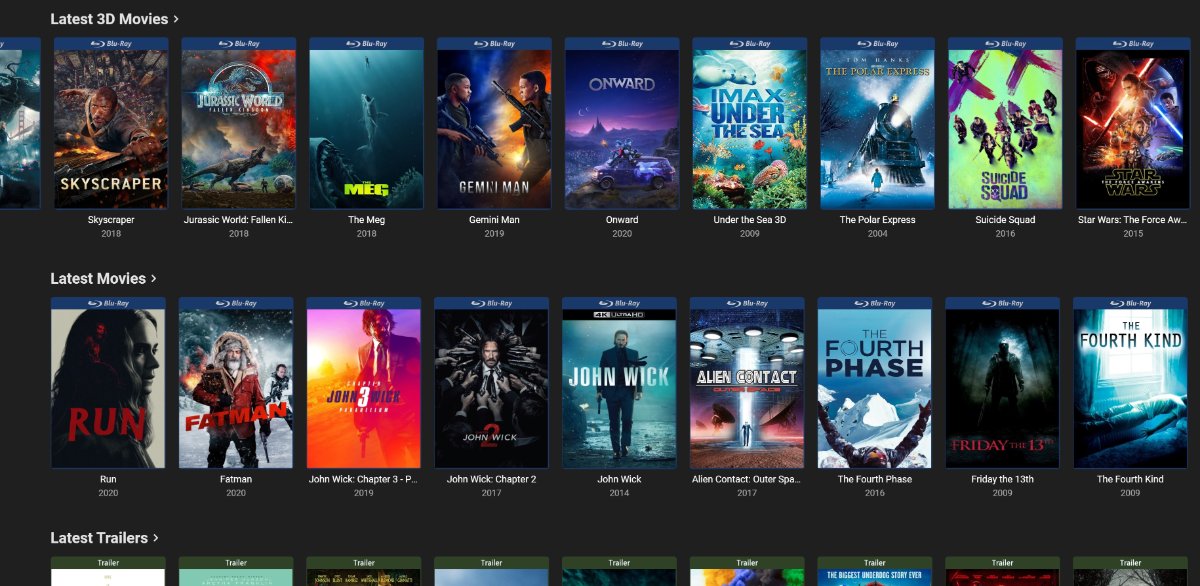
Guess what server is transcoding each picture:

 4 points
 -
Plex announced HDR to SDR tonemapping in beta today (Plex Media Server - Announcements - Plex Forum). Time for Emby to start catching up.4 points
-
But the different delivery methods do create different overhead, direct file access eliminates the man in the middle.2 points
-
That is the point of the Latest header links. As it will show you Latest media added to your server. Clicking on your libraries takes you to Moves or Shows assuming you have them as landing pages set on image above.2 points
-
You set this up on the server side I'm guessing? Keep getting that Jingle bells popup when I start Emby on my Shield...2 points
-
In theory yes. But that would be on you, as one item would have to have only IMDBid and the other only TMDBid. So the item ids would not have the same providerid.
 2 points
 -
Well, over all it was pretty cool learning how some features of ffmpeg work. It'll only readout over command line on the error output. It has the ability to scan video files for parts that have no image or sound. Pretty cool stuff. This means that Emby not only has a huge API, but it also has a whole bunch of untapped abilities, that I'm sure we'll see in the future. Very cool stuff.2 points
-
Hi all! I've been working on this for quite some time now, first as a bash script, now as a console app written in C#. Please check it out an give feedback! I am atm using Jellyfin and Kodi, so I am not 100 that everything works with Emby. To run it in Windows, first open a cmd-window with administrator rights and then cd to the directory where you've downloaded the file, then type m2strm.exe /? to get the help content. To run it in Linux, you need first need to install Mono, in Debian that is: sudo apt-get install mono-devel mono-vbnc Then run it with mono m2strm.exe M3U8 is the same as m3u_plus. Download it from github under Releases here: https://github.com/trix7777/m2strm1 point
-
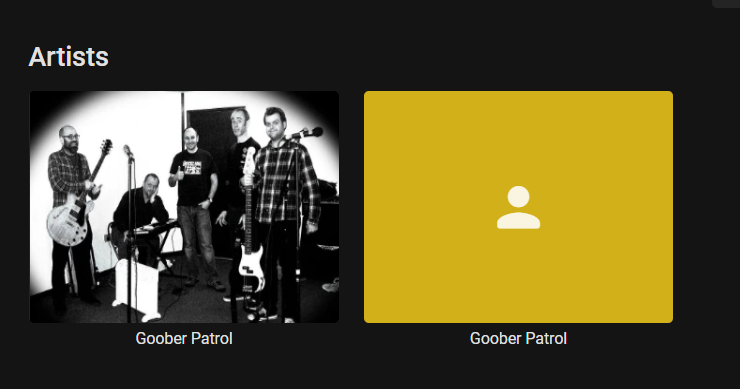
Hello, I've recently moved from Plex to Emby for my music. One issue I'm having is I have the exact same artist twice and no matter how I change the metadata, I still cannot get it to show just one artist. Is there a merge feature like Plex or a certain way to remedy this?
 1 point
 -
Hey everyone! Searched the forum but didn't see anyone post about this so figured I'd start a thread. I've been using the Trakt plugin for the past couple years and everything seemed to be working fine. However, the plugin has been failing for the past week or two. Digging into it, I discovered I was getting a 423 status code, Locked User Account. I wrote an email to Trakt support and they responded with the following: "It looks like Emby has stuffed your account with 234,220 history plays. This seems like something went wrong, so I want to confirm with you before cleaning this all up for you. Looking a little deeper, it looks like you have a little under 10k unique episodes and movies in your deleted history. I can do one of two things: 1. Clean all the deleted items out of your account. This leaves you with 34 items, but may be good for a fresh start if you're looking to resync. 2. Undelete all your deleted history and deduplicate it leaving you with that 10k history plays. After we get that sorted, make sure to get help from the Emby developers with their plugin, or disable it." I'd like to continue using the plugin but don't want to get my account locked again. Does anyone here know if there is a known issue with the plugin that might have caused the problem referenced above? Is there a preferred configuration I should be using? Thanks! Jared1 point
-
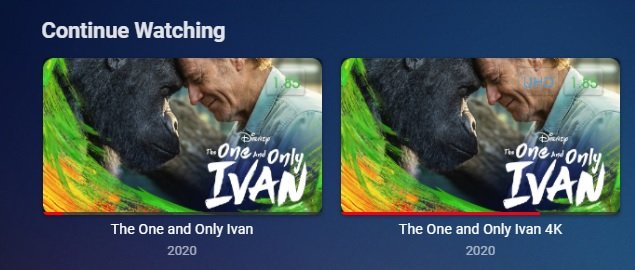
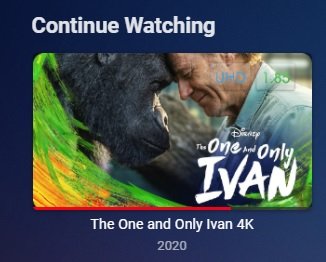
Hello, I already have a Movies library for 1080p content however, I would like to add another Movies library for UHD (4K) content. Currently, if I create another Movies library with the title, UHD Movies, each UHD movie that also has an identically titled counterpart in the original Movies library for 1080p content shares the same play status progress and subsequently, 2 thumbnail images are displayed on the homescreen under the Continue Watching heading. One which is linked to the 1080p movie, and another for the UHD movie. Is there any way to disassociate the movie libraries by creating a library content type for us called 4K Movies or UHD Movies that will contain it's own unique play state information? Or, allow us to name our own content type to create the split which we will also then select it's parent content type from the existing list. Many thanks1 point
-
Video is not being "converted" here. http is just a delivery protocol. The video is being delivered as is.1 point
-
Follow the naming conventions outlined in Movie Naming. The plug-in is from a 3rd party and is only needed if you want versions that reside in different locations.1 point
-
Plugin date is irrelavent as it still works on 4.5+ and 4.6. The KB shows multi-version naming requirements for automatic merged versioning. But CoverArt will/could be random on which version the poster will be treated for.1 point
-
Even though emby is reporting it is direct playback - it is still converting the raw video to http/s for streaming and that may be where the bottleneck is. There are a few threads on this where it used to be a massive bottleneck (@ 50 Mbit/sec) but this was fixed (in Windows at least) to no longer be an issue at ~100 Mbit/sec. You are now pushing further and you may have seen a new limit for your infrastructure. However, there is an option to use 'File' access - effectively bypass emby altogether. You need to mount the shield to your nas storage - and then it will effectively playback direct from the nas, bypassing any http/s conversion. have a search in the Beta forum, there is a lengthy thread on it - or just find the 'File' option in the Shield/Android emby playback options.1 point
-
That link I provided, explains it very well. And I agree with softworkz. You wouldn't notice a difference between 4:2:0 and 4:2:2, but I think there are many people in the world, that believe if they have more, they'll notice a difference. I expect the guy that re-encoded the video believes that.1 point
-
Although Emby's fine with combined episodes (I use the s01e64-e66 convention myself), I don't think you can adjust the order. But if it's only a few cases that the order is different, you can easily edit the metadata (in the 3-dot menu for the combined episode) and just rearrange the text in the right order (remember to scroll to the bottom and press save!) - followed by locking it against any future rescan. Paul1 point
-
1 point
-
You cannot predict what the orientation of the screen is to the user watching in relation to the orientation of the device that took that video. This means you might have your camera incorrect and because it is shot in portrait mode you wish was landscape. Now when you rotate it of course will crop. On the Roku it handles this cropping by corrupting the entire display as it wraps-around the video layer. This also means you cannot zoom on the Roku 4:3 to 16:9 with cropping. It just will not work because on Roku the video layer is wrapping values and ruins anything you expect to get clipped. It isn't clipped. It destroys your video. But on any other player this might be possible. First it must be possible on the device/platform to even begin to rotate. Then if it is possible does it introduce horrible effects? The Roku it is possible but the horrible effects makes it completely unusable and trash. But on any other player this might be possible and should be. There are times you wish the portrait shot video sideways could just be spun 90 degrees or 270 degrees and shown with the right part down and the right part up. In effect rotate a video shot in portrait when the phone/tablet was in landscape. You don't expect to shoot a sideways video it happens. Then why correct it when the player can? I can see the reason the OP suggests this. You cannot predict videos other people make will not have rotation issues. When you just want to watch a video and not recode the entire thing in the correct rotation. I have videos like this recorded on my old tablet when the rotation sensor broke.1 point
-
Comparing 4:2:2 to 4:2:0 doesn't add more detail. It rather adds more fine-grained color values which makes zero sense for cartoons or anime.... Though, I don't have any plausible idea why they might be doing like that.1 point
-
He said is not working either in this way either, i've asked him to make a small video to see more clearly what the issue is...i'll update this post with the video link or upload video if is allowed. Thanks, Alex.1 point
-
No I do not have the old config files now I feel stupid seems the extension Dark Mode for chrome https://chrome.google.com/webstore/detail/dark-mode/declgfomkjdohhjbcfemjklfebflhefl did it i disabled it when I noticed it and got the theme to work. now i just need to figure out my home screen order1 point
-
I setup it up to 200mb, let me know if that fine.1 point
-
already an ides when this skin will be available for Kodi Matrix (V19) ? I am using Embycon and not having a Kodi DB it dows not make sense to change to V19...1 point
-
@Abobader1 point
-
I'd better keep an eye open! It's not one I've come across yet, though your point is proven by the fact that a lot of my anime is main10 profile, which already causes transcoding on some clients. Paul1 point
-
it was no DV content omg...filename just contained DV but it was no DV.1 point
-
1 point
-
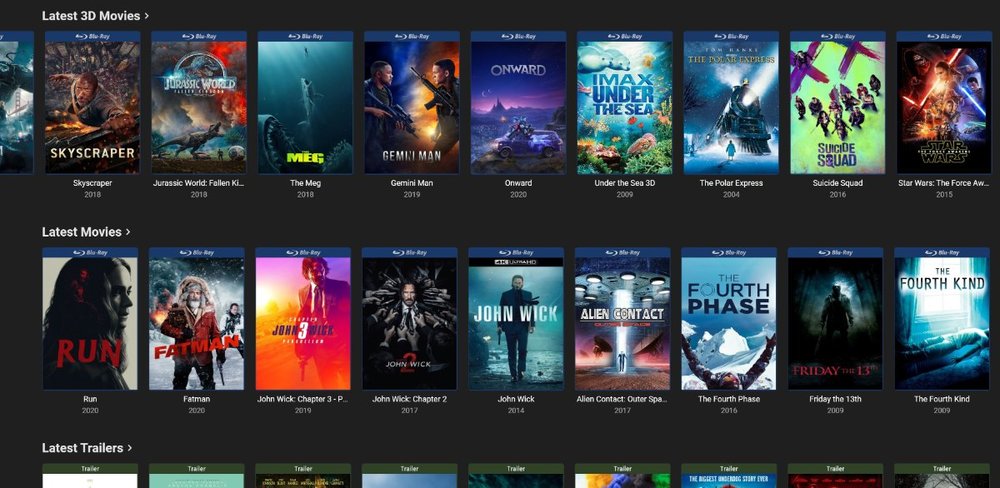
When I have a 4K movie and a 720 or 1080 I just delete them and use the 4k instead of having doubles because it looks funny having doubles. The plugin shows as 4k so not a big deal although I like the idea of having both as stated with dedicated 4k folder.
 1 point
 -
Ended up uninstalling Emby and installed fresh , seemed to work.1 point
-
True. But I think its better the way the beeb does it. Takes a while to get used to, as I said, but better. Come on guys, be a leader, not a follower...1 point
-
I'd recommend connecting an Android box myself to the TV. If you want a device that's a bit more open and allows for more software to be installed as well as easy sideloading without breaking the bank I'd recommend a MiBox S. They run about $60/usa1 point
-
I know it is always condensed for me unless I clear my browser cache in Chrome/Edge.1 point
-
I've been blindly looking for it where it's been before. Got it now!1 point
-
The beta Android TV app has had the limit increased to 160Mb/s. But I agree that there should be an unlimited option. Especially on devices that have no limits. This has been argued over, several times. It's absurd that limits are applied!1 point
-
Thanks for the feedback.1 point
-
Here is a couple pics I took this morning of my setup for Emby1 point
-
Theres a guy who did this multiple connections b4 he is asking also same questions like me. but he’s not gonna tell the secret coz making $$$ from enby live tv. Thats why u will notice on live tv set up theres a limit on users connections thats the use of it.1 point
-
Maybe he is using a m3u playlist and the IPTV server provider only allows one concurrent connection. In that case, Emby has nothing to do. He needs a multi-room account from his IPTV provider.1 point
-
This probably is due to a connection limit from your IPTV provider and is not caused by Emby.1 point
-
Ohh, I didn't know I had to literally click the 'In-Home (LAN) access' link. Doing so resolved my issue. Thank you, rbjtech!1 point
-
If you can consider, that would be good - the reason being if we are watching a series, we would generally use the play next up functionality to make our life easier and it would be painful for them not to appear in the next up series order when the series order box is selected...1 point