Leaderboard




Popular Content
Showing content with the highest reputation on 11/20/20 in Posts
-
Apparently we can check for a black screen too, using ffmpeg. This is a huge help. Now, if the audio drops out and there is a black screen at the same time near the beginning of the media stream, we can assume with almost 99% success that that is the end of the episode intro. I have a proof of concept test plugin almost completed. For now it will scan a couple episodes you want to try out, the simulate a 'skip' button with a popup in the web app.4 points
-
I have a fairly large movie collection (5k+) starting with films from the 1920's and in the absence of "smart" playlists how about a filter by decade option? Filtering by year works, but if I want to watch something from say the 1950's I have to start navigating from the 1930's and work my up to the 1950's which is quite a few number of pages. Another option might be to have Years running vertically much like the alphabet when viewing by title.3 points
-
I can't test from work, I wrote it here, but I need to check the ffmpeg instance on the actual server to see if it is actually doing what I want... So I'm going home.2 points
-
the process only happens at the end of a full library scan - dont think it runs as part of RTM2 points
-
tut tut - you doubted me!2 points
-
This has already been fixed. The fix will be in the next beta.2 points
-
How are you connecting locally ? You may be using the external URL which means you are going out onto the internet and then back in again. If you use the 'In-Home (Lan) Access' link as shown in the dashboard - then that should all work locally.2 points
-
Best guess is it is the same issue as linked topic above2 points
-
I am pretty sure this is the closest way of getting this feature to work with a scan. I am currently doing some more testing with ffmpeg to see how close I can get with random episodes from random series. I'll definitely put my results here and if it works enough to implement, then yeah.2 points
-
Not sure if there are actually many people using emby that also read a lot of books. However with Ebooks being a hot thing right now this idea popped into my head. I have a lot of ebooks which I generally keep on my normal PC. However this way it has no back-ups cause I only back-up my server to an external location. So I was thinking about switching them to my server and then I thought I can also put them in the emby folder. The request may be a bit out of the ordinary since emby is more for playing files and things rather than reading, but could a reader be implemented at some point in the future? A book library and an implemented reader, specially for mobile devices I guess (phone/tablet), but perhaps for browser/theater? Would help me get rid of yet another app and have all my "media" in the same place Edit: If you liked this also take a look here for ebook expansion https://emby.media/community/index.php?/topic/80398-book-serverreader-incorporation-suggestion/1 point
-
I did a search, and the only request that I saw similar was included here: https://emby.media/community/index.php?/topic/76011-music-queue-list-improvements/?hl=%2Bshuffle+%2Bmusic That discussion seemed to be more focused on lyrics rather than the shuffle piece, so I figured I would create a separate FR. One of my biggest pet peeves with using the web interface (when listening to music at my desk) and the android app is my inability to to select a song from a playlist and have emby shuffle the playlist after the current song ends. The current behavior is that after the song I selected finishes, the next song in the playlist is played (which in my case is alphabetical order). The native android music players (the app retro player in my case) allow me to select a song from my playlist, and then click on the shuffle button on the now playing screen and my playlist queue is automatically shuffled. I realize that the simple answer is to just use the shuffle button to randomly start a playlist and shuffle the songs, but sometimes I just want to start listening to one song, and then listen to the rest of my playlist at random. Additionally, when listening to music with my kids, they ALWAYS want to start with a specific song, and then don't really care what happens after that. This causes me to have to select the song they want to listen to, then when that song is over, go back and hit the shuffle button, which is annoying to have to do. Hopefully my ramblings made sense - and thanks for your consideration.1 point
-
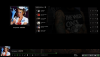
Improvement quoted from there : https://emby.media/community/index.php?/topic/37205-music-improvements/?p=763915 -Also also, it would be nice (I think, would it ?) if the top bit (the album cover and controls) could be fixed so its always in view and only the bottom half (the actual playlist) scrolls... -Or possibly, swap the top and bottom bits round, so the fixed album art / controls are at the bottom and the scrolling playlist is at the top. Maybe... -Edit: And ideally the playlist should scroll up automatically so the currently playing item is always visible. now from me add -shuffle button to shuffle actual queue list -lyric button -when you click on album or artist send you to this album or artist, like when you navigate in your library. Add a play button at the end of the line instead to control "play this now" -ability to see remote queue list from mobile app or web app and control it https://emby.media/community/index.php?/topic/70863-see-remote-queue-list-from-mobile-app-or-web-app/?p=710714 i have done 2 screen of what it can look like.
 1 point
 -
PIP is something I really need, but I can't seem to get it working on my iPad running ios 12 Will Emby ever support PIP for iPad, or should i look for another media server system? I really don't want to invest time into a system that never gonna implement what i require.. Thanx..1 point
-
Please read this post first. I was wondering if it would be possible to add something that would allow you to skip the intro to shows automatically while binge watching. When watching Netflix it does this for some shows, and im not sure if thats a feature of Netflix itself or a Chrome extension i use called "Flix Assist" but it would be a nice feature to have within Emby as well. and possibly even create a custom timed skip for specific shows1 point
-
At present you can only set it on or off for "movies" and "episodes". It'd be good to be able to set it on a per-library basis, so I could have trailers before my actual movies, but not before, say, wrestling events.1 point
-
Hi. I have 2 profiles in emby. 1 for adults and 1 for kids. If my kid has watched something in his profile it takes quite a few clicks to get to the option to change the profile (imho). Is there a faster way to do this? OR: Is it possible if the emby app gets in the background (by pressing the home button on the atv remote) and then gets opend again that I can choose the profile (without closing the app before)?1 point
-
There is no option for this. There are feature requests for user templates. button.btnViewSettings {display: none;} div.countIndicator {display: none;} If I understand correctly there are no options to change Home Screen, it will display Poster or Thumb depending on the section.1 point
-
Yes, we have. And since it is Emby's forums and you are the boss of Emby you have the perfect right to be as wrong headed as you want to be. It is your forum so you can do as you please.1 point
-
OK Dad1 point
-
If you open the Auto Box Sets plugin, you can manually refresh it.1 point
-
Ohh, I didn't know I had to literally click the 'In-Home (LAN) access' link. Doing so resolved my issue. Thank you, rbjtech!1 point
-
Work but i need format the pen in fat161 point
-
Surely that should be left up to the user.1 point
-
We're still working on it. Thanks.1 point
-
I'm not 'hating' on anybody - I'm stating the facts from Apple themselves - they do not natively support MKV... (or WebM for that matter..) https://www.apple.com/uk/apple-tv-4k/specs/ If you need to use an external 3rd party player - then that is not really 'supported' is it ?1 point
-
Have fun.1 point
-
Dear all, I have some news: 1) I always try with a new episode - and it starts with english 2) When I play a episode some seconds, switch to german and stop playing, it remebers german (only for this episode). When I come back it starts again with german (only this episode). 3) I disabled the option to always use default language instead of prefered language (in emby dashboard) 4) I tried the FireTV user in my Firefox Webplayer - there it also starts with englisch instead of german. All other users of emby starts with the language I setup in the dashboard. 4a) All other users: When I switch to prefered language "german" it starts my episodes in german, When I switch to englisch it starts with englisch. 4b) When I try the same with my FireTV user, it ignores this setting. --> So it seems, the App is not guilty instead something in the user profile is the problem. How can I reset all "old states and settings" for one particular series (all episodes and all seasons) Thanks a lot1 point
-
Thanks for that Emby team !1 point
-
Tweet 1 Tweet 21 point
-
What is the DB stored on? SSD? NVME? That will make a huge difference when you start to get to hundreds of thousands.1 point
-
It has been fixed on 2020-11-06, but it isn't in the latest beta. It will be in the next one!1 point
-
Let me take another swing at this. I will get the exact logic later today.1 point
-
ok since HD Homerun isnt available i will watch some reviews of the VBox XTi 4144 and then give it a try Thx1 point
-
emby API i assume &fields=path1 point
-
Hi, yes this is something we can look at improving. Thanks for the feedback.1 point
-
The 'problem' is your Apple TV not supporting MKV files. Literally EVERY other devices supports MKV files and this has been THE container format to use for many many years. The easiest, quickest and probably cheapest way to fix the problem - is to dump the Apple TV and get something which plays formats that the AV community accepted 17 years ago ... To the best of my knowledge, the most compatible subtitle format for any device (unless it's Apple of course) is an EXTENAL .srt (txt) file - so the container doesn't really matter in this case. Lastly - be careful with what you strip out - in the early days I used to strip out the HD Audio tracks as I did not have a Receiver at the time capable of playing these tracks - now I do, and short of re-ripping them, I have lost the option to play them...1 point
-
As someone with thousands of audiobooks in my library, I'd personally recommend using Musicbrainz Picard for dealing with audiobooks before adding them to an Emby library -- I find it much more functional than the other tools https://picard.musicbrainz.org/downloads/ Even moreso than folder structure, the most important tags to get right are: title artist album date tracknumber totaltracks discnumber totaldiscs genre1 point
-
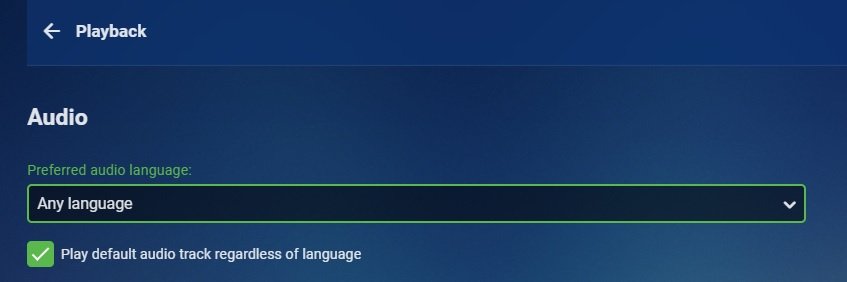
For Audio there is a global option in user preferences as Luke was eluding to but it is global not per Show. Only other way is Default track tags.
 1 point
 -
I wouldn't think so as this info is pulled from the media itself. It would be kind of bad to have a default set in the media and a different default set in Emby as that would be a conflict.1 point
-
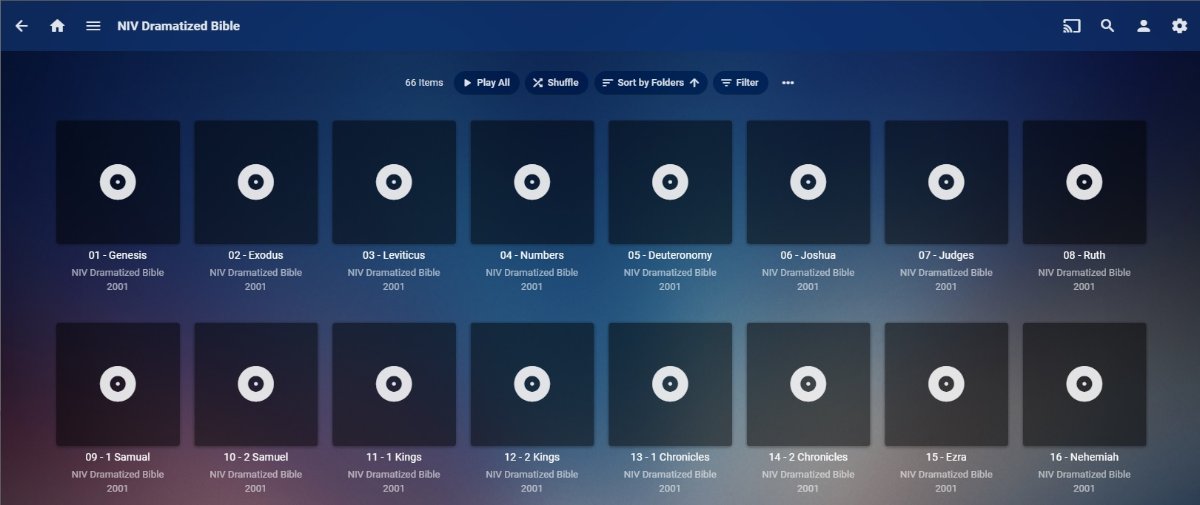
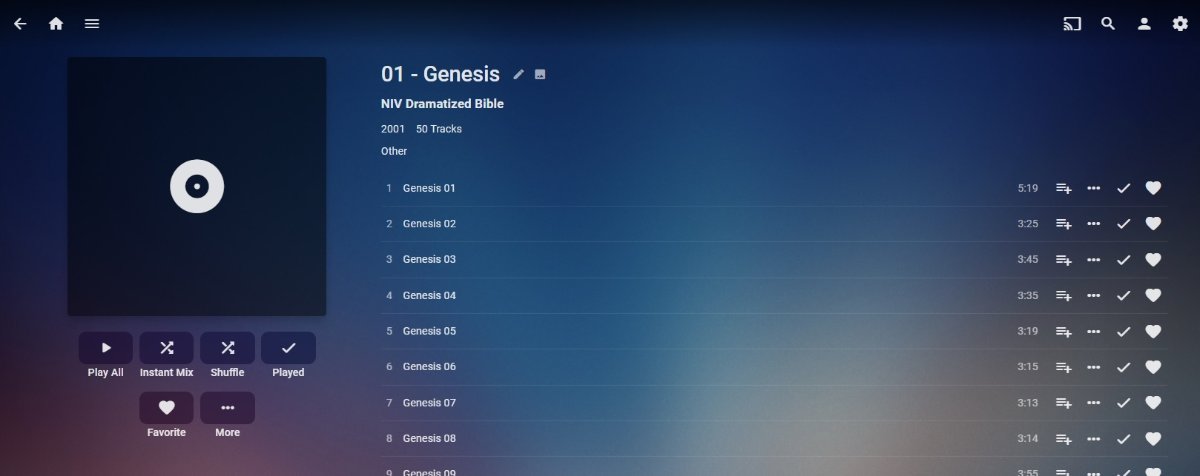
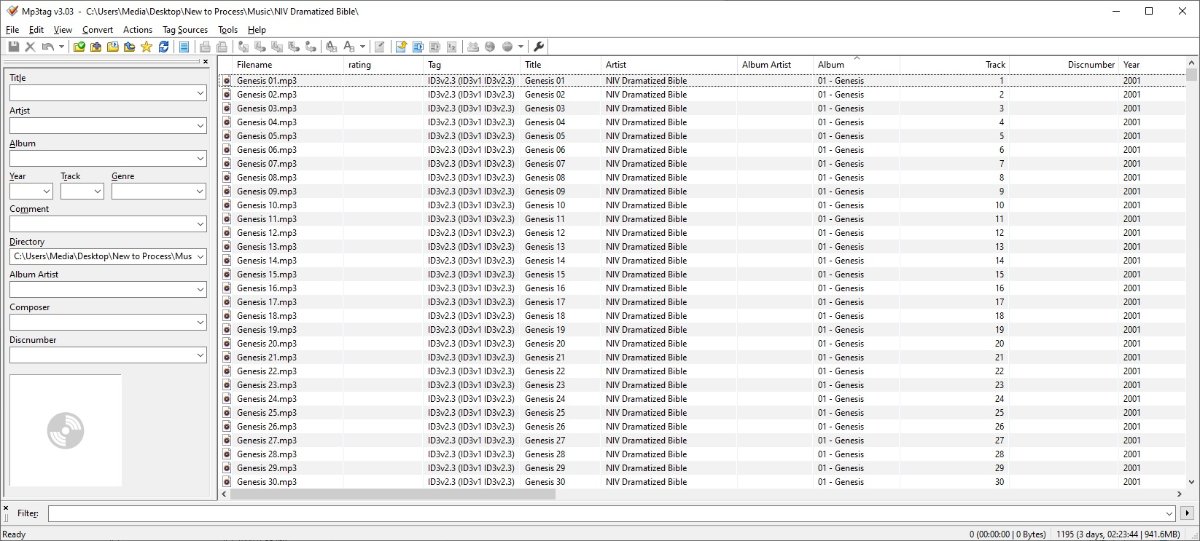
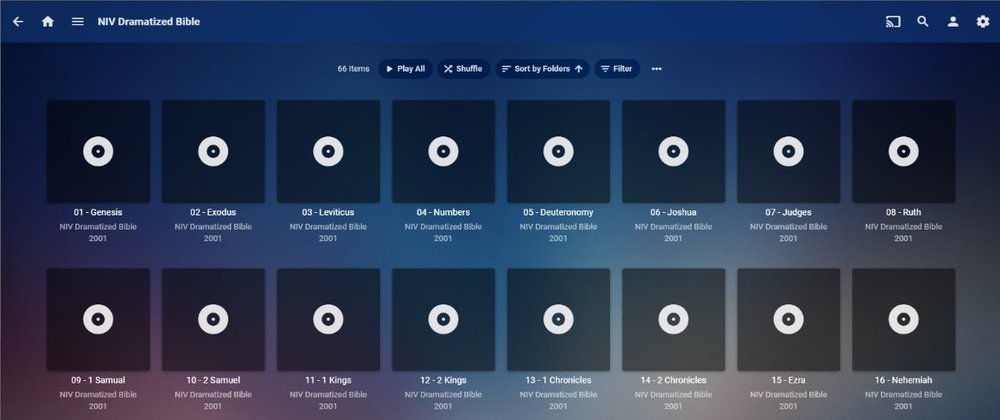
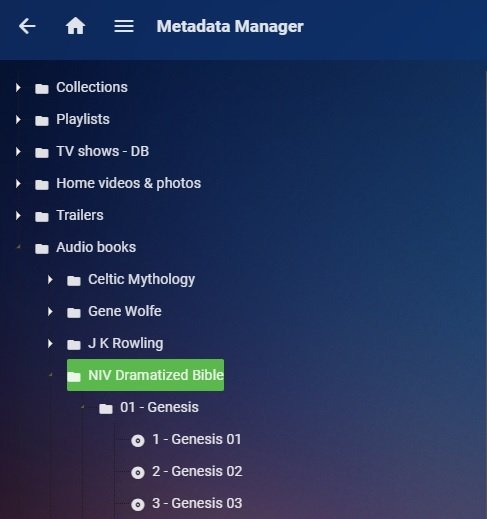
each album appears like this Entering a album appears like this What do you see in MP3TAG?
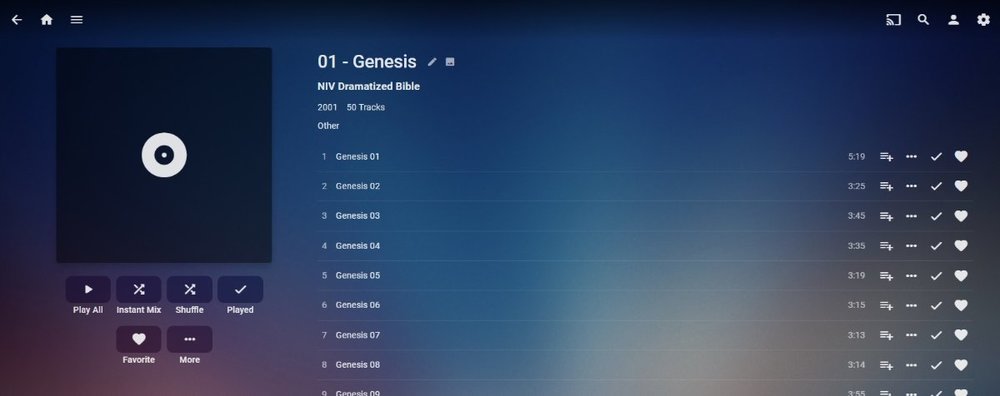
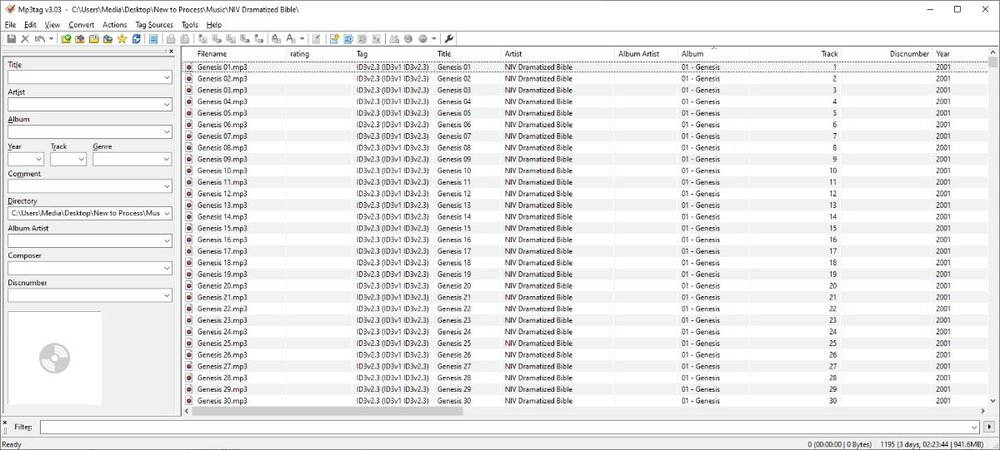 1 point
 -
Unfortunately I don't have any suggestions on how to fix your problem @anthonws. But I figured I would chime in since I am also running Emby (Beta 4.6.0.5) on a Synology DS DS918+. HEVC 10bit plays via HW decoding using Emby for Kodi installed on a an Rpi4 running LibreElec. It also plays via HW decoding from the Emby server itself. During one of the betas, it would only play via SW decoding. But I haven't seen that behavior for a while. @softworkzLet me know if you want me to provide my logs to compare with those of @anthonws1 point
-
The only way you can skip setting up a certificate in Emby is if you have a reverse proxy handling it for you, in which case there's an option in Emby to indicate that.1 point
-
May be related?1 point
-
Hi, Default tracks for a movie/episode need to be done in the media itself. In Emby you make a global setting that applies to everything on that app/device OR make a selection for each media. It will remember the setting you used for specific media but you can't have different settings for different shows or movies.1 point
-
Not really from inside Emby. You can however run all video media through a script such as sickbeard_mp4_automator and with the correct settings convert all files to a specific video format such as h.264 or h.265 and only move audio/subtitle tracks in languages you use. You can also set it to generate 2 channel audio if not existent already and mark this as the default. Doing something like this give you media that will direct play on all your devices as long as you have the proper bitrate to support the files (local or remote).1 point
-
Hi, we're looking into improving this. Thanks for reporting.1 point
-
WOW! I found this article which goes into detail about Title sequences, and the algorithms which are used to find these time stamps in each episode (/Netflix). It looks like they have a computer scan the stream. crazy man! They use Machine Learning. Awesome! https://www.diva-portal.org/smash/get/diva2:1412560/FULLTEXT01.pdf1 point
-
Sounds like you need a ban too.1 point
-
Philo TV is close to the ideal for how visual preview should work on live TV streaming services. Whether you're watching on Roku, Apple TV, or Amazon Fire TV, you'll get a large pop-up window showing what's on as you fast forward. This would be awesome. So you can see when it is time to stop fast forwarding.1 point
-
They are getting paid to not approve the Emby app. Change my Mind.0 points