Leaderboard




Popular Content
Showing content with the highest reputation on 09/06/20 in Posts
-
Is this a picture of a Polar bear playing in the snow? LOL2 points
-
.. lets not go there - there is an entire thread somewhere asking for 'extras' to be flagged as 'available' in the current view so you DO know they are there - otherwise, as you say, you have no idea they are available and won't bother scrolling down to find them. I did try Tag's once to identify that there were 'Extras' - but now even those have been moved lower down the view (they used to be directly under the overview text) - so now not even that is an option...2 points
-
Hi All, Just got a new version of Ember. There are a lot of compatibly fixes and work on login issues. Thanks @7illusions1 point
-
I'm a new Emby premiere user and I love the dark/black theme of Emby on a web browser. However I'm not a fan of the dull gray look of the Apple TV app. Is there a way to make it look more like the browser or at least change the color? Thank-you1 point
-
When pulling back a list of Playlist from emby i get different results if i supply the userid NOTE - all Playlists have the same userid having checked the xml files Situation 1. i have one playlist that is redundant/dormant in that the media associated with it has been removed (testing). The playlist xml file still has the entries and the folder still exist in the playlist folder 2. if i ask emby via /items endpoint for playlists - it returns 9 (on test server) 3. however if i ask emby via /users/<userid>/items - it returns 8 - missing out the "dormant" playlist 4 if i add userid to /items it return 8 also - so missing again Is this as intended and if so why do we get different results from very similar queries Trying to understand why, if it is intended to be this way1 point
-
This will be possible in the future with smart views/playlists. Thanks for the feedback.1 point
-
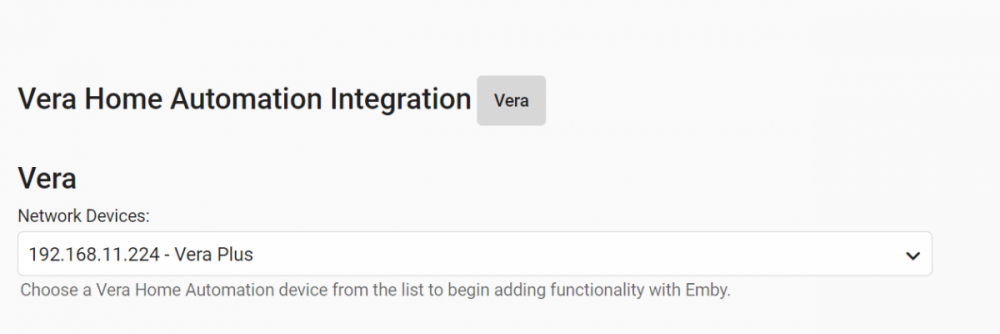
Unchecking the setting seems to work! Web browser navigating to http://192.168.11.224:3480/data_request?id=sdata gives me JSON data. It turns out this address still works regardless of security setting: http://192.168.11.224/port_3480/data_request?id=sdata Something to consider in case the Vera guys decide to close ports in a future FW update. But most important, your Vera plugin works! Although I have a Vera Secure model and not the Vera Plus. I will try to turn on my HTPC and run MB Theater so it'll show up as a network device. If you don't hear from me, you can assume my problems are gone. Thanks!
 1 point
 -
Yes as long as the movies stays at the URL you used to create the strm files the movie would still play.1 point
-
As an update if i use the /items endpoint and add in a ParentID i again do not get all the PL back - i.e 8 So "filtering" the items end point reduces whats returned to only visible PL I can add the ParentID to the fields property to overcome this. But enabling Userdata does not add the userdata to the JSON - i guess as PL are more a global thing - which is OK - but the xml does have user info in it - but i guess its not active That raises another question if user info is not being used at the moment - why does it affect /items and .user<userid>/items ?????? Confused1 point
-
Yea that's not an HD file technically as HD starts at 720.1 point
-
java script would be able to do that - but would need replacing on each server upgrade etc1 point
-
The latest version of the ATV beta with the Exoplayer update ebr mentioned can be downloaded from the link below. It will need to be sideloaded1 point
-
Hi, I'm new user of mediabrowser, Everything of basic config works well.. but, i tried to mount my NAS with sshfs, in cli i have no problem to list my folder or move a file, but when i want add this folder in the librairie as Movies Folder, MB3 say the path doesn't exist, but it exist ! why ? MB can't follow FUSE mount point ? I use this to mount sshfs -o uid=1000 -o gid=1000 -p MYPORT MYLOGIN@MYIPNAS:/share/MD0_DATA/Multimedia/ /home/sysop/mediabrowser/sshtest/ I can list ! with good user and group persmissions ~$ ls -hail mediabrowser/sshtest/ total 73G 1 drwxrwxrwx 1 sysop sysop 20K janv. 16 23:28 . 7077899 drwxrwxrwx 11 sysop sysop 4,0K févr. 3 00:24 .. 144 -rwxrwxrwx 1 sysop sysop 701M févr. 21 2006 10eme chambre instants d'audiences Depardon.AVI This is log file of MB3 when i tried to add the floder in the librairy: 2015-02-03 13:35:26.3570 Error - DtoUtils: ServiceBase<TRequest>::Service Exception *** Error Report *** Version: 3.0.5490.2 Command line: /opt/mediabrowser/MediaBrowser.Server.Mono.exe -programdata /var/lib/mediabrowser Operating system: Unix 3.13.0.45 Processor count: 2 64-Bit OS: False 64-Bit Process: False Program data path: /var/lib/mediabrowser Mono: 3.2.8 (Debian 3.2.8+dfsg-4ubuntu1) Application Path: /opt/mediabrowser/MediaBrowser.Server.Mono.exe The path does not exist. System.IO.DirectoryNotFoundException at MediaBrowser.Api.Library.LibraryHelpers.AddMediaPath (MediaBrowser.Common.IO.IFileSystem,string,string,MediaBrowser.Controller.IServerApplicationPaths) <0x00133> at MediaBrowser.Api.Library.LibraryStructureService.Post (MediaBrowser.Api.Library.AddMediaPath) <0x0006f> at (wrapper dynamic-method) object.lambda_method (System.Runtime.CompilerServices.Closure,object,object) <0x0004f> at ServiceStack.Host.ServiceExec`1/<>c__DisplayClass6<MediaBrowser.Api.Library.LibraryStructureService>.<CreateExecFn>b__5 (object,object) <0x0001b> at ServiceStack.Host.ServiceRunner`1<MediaBrowser.Api.Library.AddMediaPath>.Execute (ServiceStack.Web.IRequest,object,MediaBrowser.Api.Library.AddMediaPath) <0x002e3> 2015-02-03 13:35:26.3570 Error - HttpServer: Error processing request for /mediabrowser/Library/VirtualFolders/Paths?refreshLibrary=true&path=%2Fhome%2Fsysop%2Fmediabrowser%2Fsshtest&name=Films+over+SSH+NC *** Error Report *** Version: 3.0.5490.2 Command line: /opt/mediabrowser/MediaBrowser.Server.Mono.exe -programdata /var/lib/mediabrowser Operating system: Unix 3.13.0.45 Processor count: 2 64-Bit OS: False 64-Bit Process: False Program data path: /var/lib/mediabrowser Mono: 3.2.8 (Debian 3.2.8+dfsg-4ubuntu1) Application Path: /opt/mediabrowser/MediaBrowser.Server.Mono.exe The path does not exist. ServiceStack.HttpError No Stack Trace Available 2015-02-03 13:35:26.3570 Error - NotFoundHttpHandler: 172.16.195.202:8096 Request not found: /mediabrowser/Library/VirtualFolders/Paths?refreshLibrary=true&path=%2Fhome%2Fsysop%2Fmediabrowser%2Fsshtest&name=Films+over+SSH+NC But application path exist, and my mount poin to :/ ~$ ls -hail /opt/mediabrowser/MediaBrowser.Server.* 12714761 -rw-r--r-- 1 mediabrowser mediabrowser 5,1M févr. 1 01:19 /opt/mediabrowser/MediaBrowser.Server.Implementations.dll 12714006 -rw-r--r-- 1 mediabrowser mediabrowser 425 févr. 1 01:16 /opt/mediabrowser/MediaBrowser.Server.Implementations.dll.config 12714774 -rwxr-xr-x 1 mediabrowser mediabrowser 12K févr. 1 01:19 /opt/mediabrowser/MediaBrowser.Server.Mono.exe 12714002 -rw-r--r-- 1 mediabrowser mediabrowser 869 févr. 1 01:16 /opt/mediabrowser/MediaBrowser.Server.Mono.exe.config 12714781 -rw-r--r-- 1 mediabrowser mediabrowser 81K févr. 1 01:19 /opt/mediabrowser/MediaBrowser.Server.Startup.Common.dll Sorry for my bag english, Thank for your help, Youl1 point
-
Thanks for this suggestion. I find that my Huawei has two alternatives, using either gestures on the screen or gestures on the touch button. The gestures are different... But they resolve the problem, if I can get used to them. Since the on-screen buttons are the default setup, I guess it would still be sensible if Emby could be persuaded to move away from them when present. Paul1 point
-
...and being aware that the permissions for a folder and the share of a folder are set independently, so you must remember to do both. Paul1 point
-
This thread is the same issue as the linked topic, but we were dealing with Samsung devices at the time. Does your Android have gestures to deal with it as Samsung users do?1 point
-
Try this:1 point
-
Hi. In the case of the Roku and Fire Stick it is on the server (or more, correctly, in your transcoding-temp folder). You can rewind for the entire duration of the playback session. This is not configurable at this time.1 point
-
Yea, same issue for me not knowing if that movie has them or not and scrolling rbjtech mentioned. We really do need a better way to handle this from an indicator such as "Extras Present" written up top to maybe a different icon than Trailers. So for example you get the normal Trailer button if it uses external source for Trailers (ie youtube) or switches to "Extras" or "Featurette" button if multiple trailers/extras are present locally. Clicking that button would give you a new page to choose what to play. However easiest method would by to move this section up so it's the top row right under the detail info and first row which would at least partially display on every system. These are essentially "part" of the info for that MOVIE ONLY and would make sense being the first row even before the actors which are always present and everyone knows to scroll down for that info.1 point
-
Coverart should probably use the same code or formula as the server to classify these types so there is not a discrepancy. But generally speaking standard definition starts ends at 480 (NTSC) and 576 (PAL); 720 is semi-HD; 1080 is full-HD; everything above this is considered Ultra-HD. Problem for devs is that things aren't always clean cut looking at only resolution due to cropping and other image editing tricks people use.1 point
-
Pero esto que comentas es algo totalmente diferente...A ver si es que está transcodificando..cuando lo hace tarda más tiempo en cargar...Para evitar la mayoría de transcodificaciones en el apartado de reproducción del cliente, debes poner todo en máxima calidad 4k-120 Mb y se pondrá en reproducción directa...Saludos...1 point
-
I doesn't look like I implemented the function to set the initial audio track in the Orsay app.1 point
-
Great. Let us know if you have any issues in the future with it.1 point
-
OK, it seems to be working now. I'm sure I hit save, otherwise I don't think Emby would have been able to pick up the resulting files. The first time I rebooted, xTeVe took me to the initial start page and I had to recreate everything. I think it may have had something to do with the changes I made in settings, I set the temp directory to a directory on my d drive or something like that. Anyways, it seems to be working fine now. Thanks!!1 point
-
He has version .122 which is the latest for Orsay tv sets. Also, Samsung is no longer accepting updates for their legacy OS so if this is indeed an app problem there isn't much Luke can do unless he can convince Samsung to make an acception. The more server changes the more things like this are going to arise.1 point
-
Playlists and Collections will be an issue. If you're using the BoxSets plugin to build your Collections those will get automatically fixed. Here's a couple of knowledge base articles about this specific issue and how to manually edit them. https://support.emby.media/support/solutions/articles/44001173192-collections-manual-migration https://support.emby.media/support/solutions/articles/44001849016-playlist-manual-migration It's basically the same things for both of these so if you've ever edited one, you can easily do the other.1 point
-
I personally wouldn't want extras showing up for my normal searching.1 point
-
Plex No1 con is their online user account system. This is the biggest no-no for me. Even if Plex would be 100% perfect in every way, I wouldn't start using it because of that Plex Pass system.1 point
-
Yea, it is most bazaar thing. It can't be a feature and has to be a bug of some kind. I too would try a factory reset and test, then check for firmware upgrade and test. Quite possible was working correctly but a firmware update is wrong. I'm with you on a return/exchange for different router as I wouldn't want to deal with this either, especially when it's not exactly a cheap router. It's one thing to be able to "fix" it in Emby but it's going to be a problem potentially with many other apps on the LAN as well.1 point
-
Tag's are searched - so you could tag them as such and they will then be found during a search. The issue is as all the 'extras' are kept in the same extra's folder - you are not going to know what is a worthy item to search for vs a 'deleted scene' for example.1 point
-
Synology needs to be running the beta to resolve the known TrustFailure issues as discovered in dozens of topics. https://emby.media/community/index.php?/topic/89593-emby-not-finding-songs-after-lidarr-rename/1 point
-
You would want to get a 4K Roku TV model if this is a concern. The Roku STB and sticks have to work with what they are given and have two settings for video: one is on the TV and the other one on the Roku. Whereas the Roku TV has one setting for Video. That is the difference. If you try this same test on a Roku TV it should look superior or at least equivalent. Roku STB/Stick output everything at 60fps. 24fps has the 2/3 pulldown. etc. But on Roku TV.. it is different. You need a 4K Roku TV or a 4K TV with a 4k Roku STB or Stick to get the 1080P UI otherwise all you will see is the 720P UI. To get the best experience with Emby on Roku you must have a 4K Roku TV with all the latest technologies. It is the TV manufacturer responsible for footing the bill on things like DolbyVision,etc. That is how Roku TV can support this while normal Roku STB/Stick cannot. I have mentioned before that the 720P UI crushes blacks into total black. Much too dark is our UI with 720p in regards to some overlays. But that isn't playing video it is how the Roku fits our dithered gradient fade and downscales it and turns it even darker... We do not account for that presently.1 point
-
We could tell you but we'd have to kill you...1 point
-
Ok, i have found solution.. is right access problem with mount point. Add "-o allow_other" there are not error in MB3 !1 point