Leaderboard




Popular Content
Showing content with the highest reputation on 08/22/20 in Posts
-
Agreed. And it's not as much of an issue now. I think if I was gonna have to buy another 8tb to do parity, that I am just gonna lean in and get 2 and pool them into that second array that once mirrored I will move to my uncles place in a nearby town 45mins away and have a one-way mirror nightly or every 48hrs... that's one of 3 family members accessing my server that won't need to connect over the internet anymore either, he will be able to use it locally at his place... so all around it should be a win... I will keep my 22tb-ish pooled/duplicated locally at my place on my 30tb pool. And that same 22tb (so I guess only 11tb not duplicated) on the 16tb array at the uncles place. So I guess I am learning I lost about 2tb of files overall... before this loss on my part I had about 16tb of actual video (tv 13ish/movies 3+) I didn't loose any of the movies, just the TV that I improperly synced... so now I have TV 11ish and the same 3+ in movies.... So all in, it could have been worse... but also better if I can't determine what I am missing and what I have that is now corrupted/unusable. Thanks to everyone for their help in this situation. This community is always top notch. I haven't posted much in the years since I began using the software (since it was still M.B.) mostly because anytime I have had a question simply searching the forum generally answered my questions. Anyway, there are names that have been responding to this post that I have seen it countless other replies that have helped me on other topics in the past... @CBers, @Gilgamesh_48, @cayars and now the famous @chef... all people that I have recieved help from indirectly by there responses to other peoples questions... and all I feel I should have taken the time to thank in those instances rather than just reading/accepting the fix and moving on. So, to anyone in the community that is active in helping people with their issues, thank you for taking the interest and the time to do so... And anyone else who my current F-up, and the suggestions contained within, might have benefited... Take a second to thank anyone who's insights pushed you in a direction that hadn't occurred to you previously. -G3 points
-
It's going to be. I've added client sections to the KB area which will start getting filled in with info like this.3 points
-
We can see from the log that it's being encoded at ~6 Mb/s Output #0, segment, to 'C:\Users\Admin\AppData\Roaming\Emby-Server\programdata\transcoding-temp\6175B6_%d.ts': 04:05:57.190 Metadata: 04:05:57.190 encoder : Lavf58.35.100 04:05:57.191 Stream #0:0: Video: h264 (h264_nvenc) (High), cuda, 3840x2160 [SAR 1:1 DAR 16:9], q=-1--1, 5616 kb/s, 23.98 fps, 90k tbn, 23.98 tbc (default) 04:05:57.191 Metadata: 04:05:57.191 encoder : Lavc58.62.100 h264_nvenc 04:05:57.191 Side data: 04:05:57.191 cpb: bitrate max/min/avg: 5616000/0/5616000 buffer size: 11232000 vbv_delay: N/A 04:05:57.191 Stream #0:1(eng): Audio: mp3 (libmp3lame), 48000 Hz, stereo, fltp, 192 kb/s (default) Your server hardware is far in excess of what it required. It isn't your server. It's your internet bandwidth. Force it to transcode to 1 Mb/s and see what happens.2 points
-
It would be useful if the server (or perhaps clients) could cache most (if not all) content images (posters, backdrops, logos, etc) for movies, TV series and seasons. This would mainly be of benefit when a portion of someone's content is offline but the users would still like to view the content to know what exists. I think caching on the server would be preferable, then all clients could make use of the same cached images. if you think this would be a useful feature, please click the "Like This" button on this post.1 point
-
Would be great if you could adjust the volume using the mouse wheel in the Emby Theater client for Windows. I am a long time Emby for WMC user and normally use the remote control for volume. Recently I have been using Emby Theater on another PC without a remote and notice how cumbersome it is to click on the volume slider with the mouse pointer. I have previously got used to using the mouse wheel for volume control using Potplayer which is much simpler, faster and more precise.1 point
-
What does this plugin do? It will sync playback progress of media items between two accounts Why is it useful: Regular user accounts (not admin) may have simpler to key-in passwords (note: not simpler passwords... simpler to key in passwords) for remote controls. If you have an admin account with a password which is extra difficult to key in on remotes, and you would like to keep the admin account's watched status up-to-date, but would consider using a 'non-admin' account to watch media, then you can sync the progress data back to your admin account. This plugin will only sync the playback progress data to an account if the position of the playing media (when stopped), is further along in the runtime then what was already present in the sync'd account. I hope I have explained it well enough. Feel free to check out the Github for this plugin: https://github.com/chefbennyj1/Emby.AccountSync or ask questions. Thanks AccountSync.zip1 point
-
Change TMDB back to number one in your prefered metadata provider order of your libraries.1 point
-
What Am I Missing Plugin Will List missing BaseItems (Episodes) in your TV collections, which (if you had them) would make the collection complete. Does it work? Yes. Does it work perfectly? No. 1. Currently the plugin will list all the item missing in tv show collections, this includes items which have not aired yet in upcoming seasons. This could be easily remedied, if needs be 2.There is a chance that this will only work if you have "Show missing episodes in season" turned on. However this hasn't been tested. (I just have it turned on, and I think that it is how the Emby API is returning items that don't exists in my library...), however it might work even if this option is turned off. I wrote this entirely in javascript which is a bit different then I would have coded it before (in c#). Maybe useful LOL. WhatAmIMissing.zip1 point
-
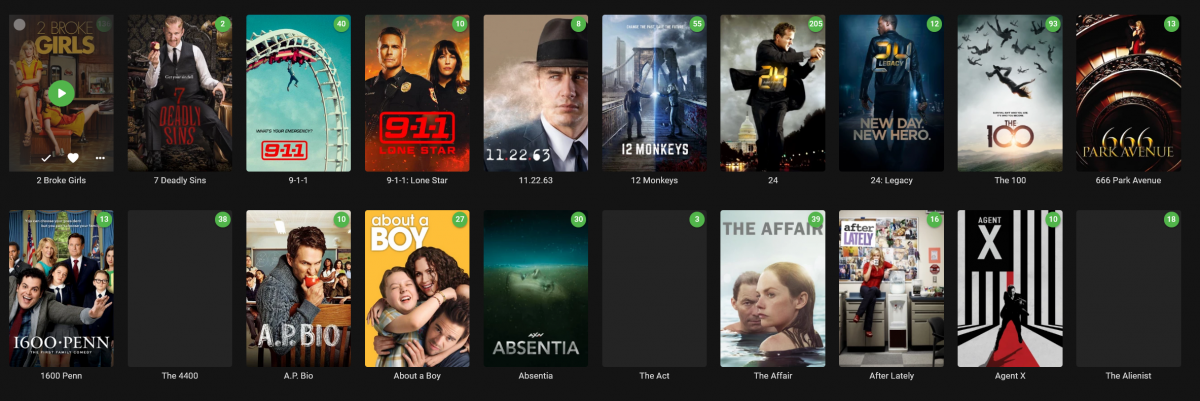
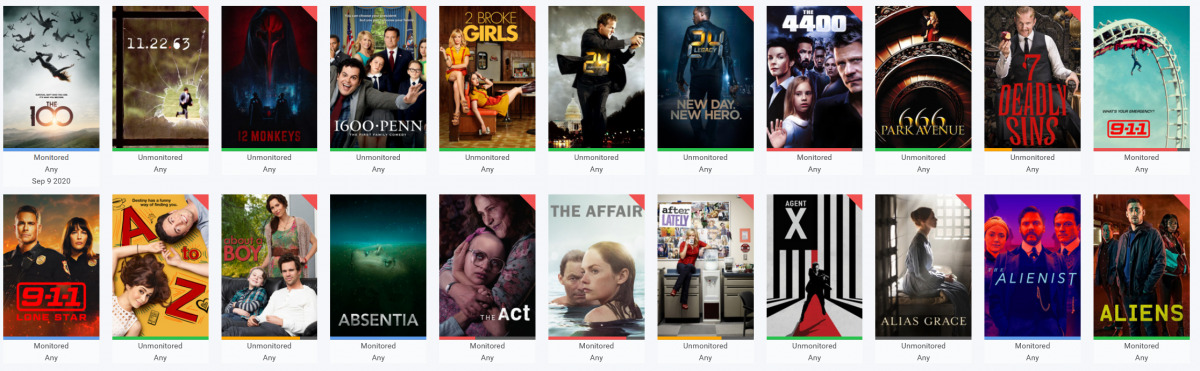
I thought that missing images might be helpful (but not as helpful as if the "show missing episodes" flag could let me export to a text file) So in my case Sonarr is proving more accurate. The attached images show that while Sonarr and Emby (not folder video) are the same for some (The 4400. The Act), Sonarr clearly shows (and is correct) that some shows Emby has images for are still missing files (The Affair, 9-1-1). -G
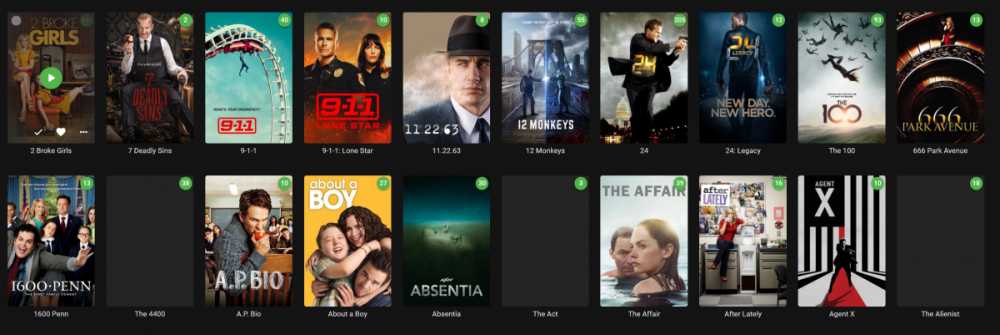
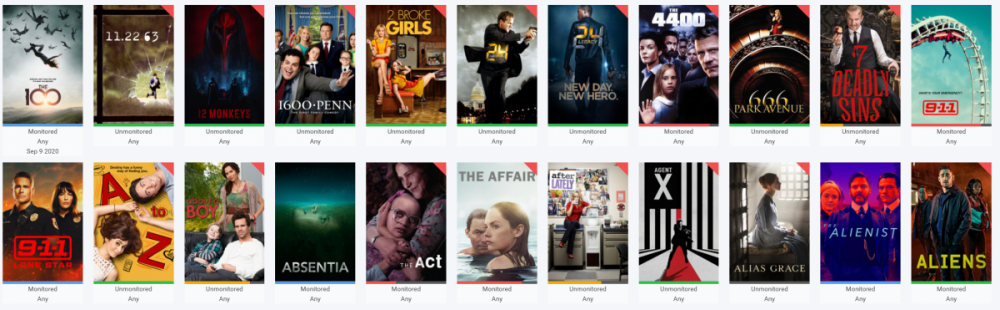 1 point
 -
Sounds like the ISP is throttling the connection as needed or using some form of QOS that penalizes the user. Is your server using SSL? Often times that helps to hide activity from your provider.1 point
-
Thanks for the hint on changing the default audio channel. That worked!1 point
-
Thanks! I'd probably just get Emby Premiere life-time. It's not that I am against buying Premiere I just still in the testing phase of comparing Emby, Jellyfin, and Plex. So far Plex is out (I don't like the GUI) and Emby is winning, since it seems to be 1) really fast, esp in scanning libraries compared to Jellyfin, 2) The Kodi Embuary skin only is supported with Emby (and only Embuary enables videos to launch with the little poster on the bottom left - like in Jellyfin - which I like), 3) I can run Emby server on the Nvidia Shields itself whereas Jellyfin cannot, 4) also the people in these forums are really responsive, up-front, and on the ball ! I did read that the Plex client on the Roku is free because it always was free and I think there are lot of contributors and there are also complications with billing. May even be worth buying a Roku. Hey all, Cayers I did not see your post before I posted my reply below - thanks for clarifying - I'll install Kodi on the shield - great to know!1 point
-
The upcoming Emby Server 4.5 should handle this situation better.1 point
-
re the 'default' - this is usually the first audio track listed that emby will attempt to play. There are two ways to change this - a) modify the default to another track - either when you create them - or you can modify it afterwards with mkvtoolnix. Alternatively, emby will remember the track you played and go back to that track when you next play it- effectively making it the new default (for that user).1 point
-
They all have now. And all worked fine the previous day.1 point
-
Thanks @vdatanet yah guessed so but wanted to confirm. Will get one now1 point
-
App unlock purchases are tied to the store account, Fire TV and Android are different stores with different accounts, so you need to purchase the app unlock again in Android.1 point
-
At this point, to buy enough items not including the headphones (bluetooth) that I kept, to play Any audio from all of Emby (any "APP" available), and the WDTV box I like to use just to play specific files from SMB network shares, would make it more worthwhile to just buy a new TV with "working" audio outputs. It is so not worth keeping this tv and adding 2-3 more items for $75-$125 more .. when I can find a TV with working outputs/support that is newer for a very similar price. Thank you though.1 point
-
I've converted fizzyade's bash script into a powershell script for anyone else running sonarr/radarr on their windows pc and emby on a separate nas. #! /usr/bin/pwsh #EMBY $apiKey = "<your emby api key>" $url = "http://<emby server ip>:8096" #PATHS $local_tv_path = [regex]::escape("\\UNC\Media\TV Shows\") $local_movie_path = [regex]::escape("\\UNC\Media\Movies\") $remote_tv_path = "/volume1/Media/TV Shows/" $remote_movie_path = "/volume1/Media/Movies/" #SONARR $sonarr_episodefile_path = $env:sonarr_episodefile_path $sonarr_series_path = $env:sonarr_series_path $sonarr_eventtype = $env:sonarr_eventtype #RADARR $radarr_moviefile_path = $env:radarr_moviefile_path $radarr_movie_path = $env:radarr_movie_path $radarr_eventtype = $env:radarr_eventtype IF ([string]::IsNullOrWhitespace($apiKey)){ '*******************************' '* Error: No API Key specified.*' '*******************************' exit } IF ([string]::IsNullOrWhitespace($url)){ '********************************' '* Error: No Emby URL specified.*' '********************************' exit } IF ([string]::IsNullOrWhitespace($sonarr_eventtype) -and [string]::IsNullOrWhitespace($radarr_eventtype)){ '******************************************************************' '* Error: Must be called as a custom script from Sonarr or Radarr.*' '******************************************************************' exit } #SONARR if($sonarr_eventtype -eq 'Download' -or $sonarr_eventtype -eq 'Upgrade') { $UpdateType = "Series" $path = $sonarr_episodefile_path -replace $local_tv_path #strips the local tv path from the path $path = $path -replace "\\", "/" #substitutes back slashes with forward slashes to convert to uri format $path = $remote_tv_path + $path #adds the remote tv path to the uri #$path = $path -replace " ", "%20" #substitutes spaces with %20 }elseif($sonarr_eventtype -eq "Rename") { $UpdateType = "Series" $path = $sonarr_series_path -replace $local_tv_path $path = $path -replace "\\", "/" $path = $remote_tv_path + $path #$path = $path -replace " ", "%20" }elseif($sonarr_eventtype -eq "Test") { exit }elseif($radarr_eventtype -eq 'Download' -or $radarr_eventtype -eq 'Upgrade') { $UpdateType = "Movie" $path = $radarr_moviefile_path -replace $local_movie_path $path = $path -replace "\\", "/" $path = $remote_movie_path + $path #$path = $path -replace " ", "%20"h }elseif($radarr_eventtype -eq "Rename") { $UpdateType = "Movie" $path = $radarr_movie_path -replace $local_movie_path $path = $path -replace "\\", "/" $path = $remote_movie_path + $path #$path = $path -replace " ", "%20" }elseif($radarr_eventtype -eq "Test") { exit }else { # $UpdateType = $null } $postparams = '{"Updates":[{"Path":"' + $path + '","UpdateType":"' + $UpdateType + '"}]}' Invoke-WebRequest -uri "$url/emby/Library/Media/Updated?api_key=$apiKey" -ContentType "application/json" -Method POST -body $postparams1 point
-
Interesting. I have been using (and appreciating how far it has come since I last looked at it) Sonarr to identify strictly missing episodes. My new (and actually probably worse) issue is the fact and some percentage (less than 10% I believe) are corrupted even though I only recovered files that my restore software deemed 100% recoverable. So now outside of going into every single show/season folder and clicking to play them (and it either working or giving a "failed to render" in my player) I can't know until me or another family member attempts to play a file if it is bad or not. I got some suggestions using ffprobe.exe but that was a little beyond my current comfort zone, though I have done some more reading and testing, I still need some work to be able to script it into something relatively automated. Anyway, thanks for what you have done, and I am looking forward to seeing what becomes of it.1 point
-
Hi, currently no, but in the future we plan to make this more flexible. Thanks for the feedback.1 point
-
To add - Press and hold the centre button to get 'Stats for Nerds'1 point
-
Try the up button as well for chapters and thumbnails as well.1 point
-
Have you tried pressing "down" on your remote? That should show the full OSD with all the playback controls.1 point
-
You can pull the channels from Enigma 2 to Emby, not the other way around. The easiest way is to install the HRTunerProxy plugin in your Enigma box, in this way you can use Enigma 2 as if it were an HDHomerun tuner.1 point
-
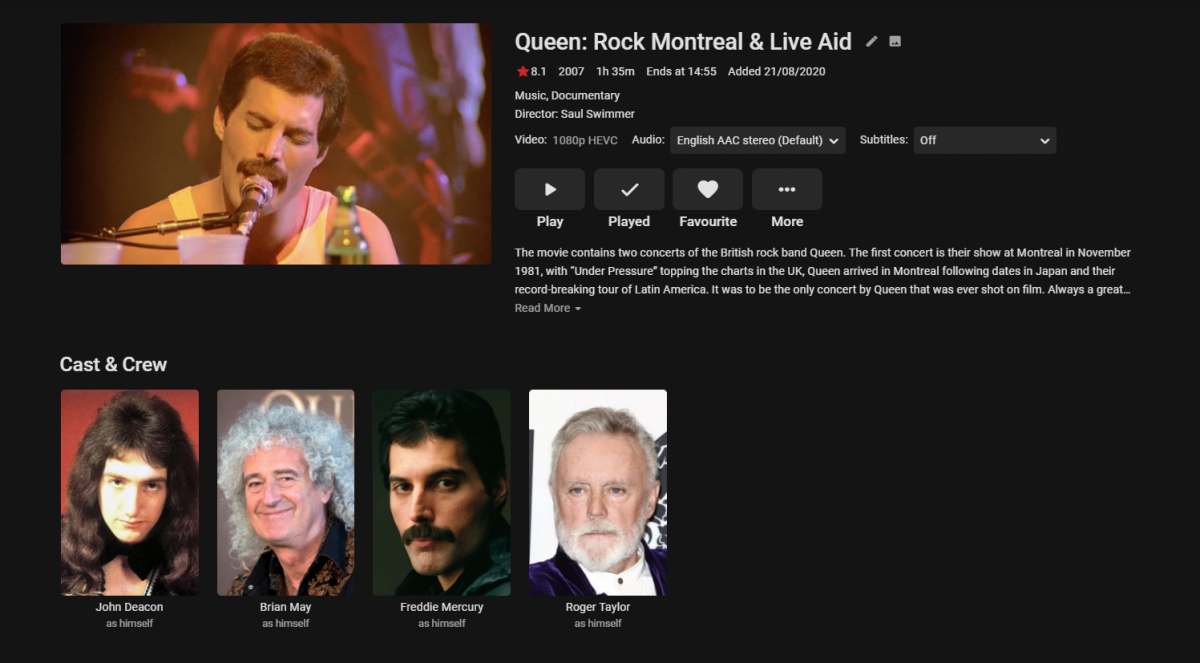
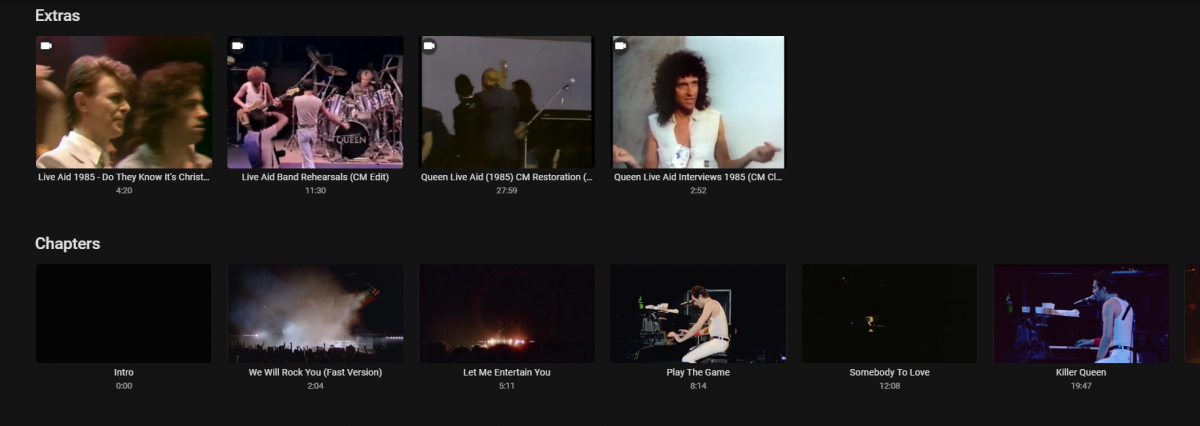
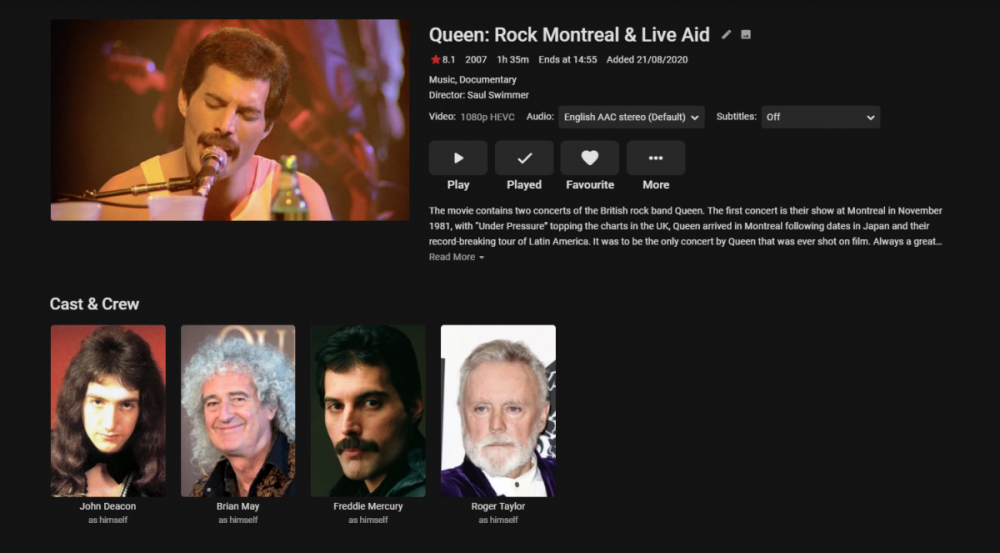
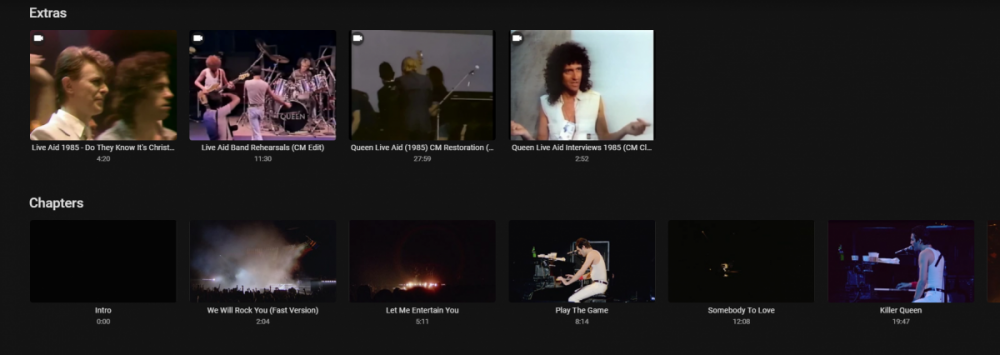
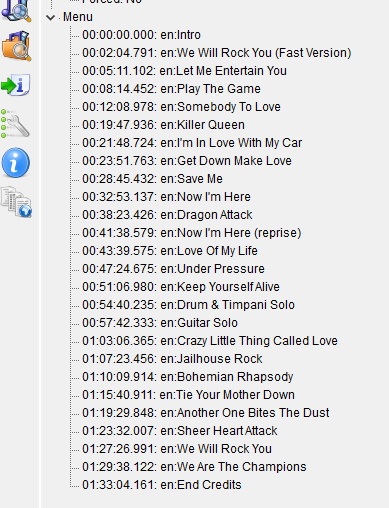
See the post #3 from Paul - this is effectively no different to a movie with chapters. Convert the ISO to MKV but keep the chapter points. They should exist as that is generally what the Blu-Ray 'Menu' uses to jump to. The key is the naming of the chapters - if the Blu-Ray has been authored with song 'names' as the chapter points - then you are good to go - but if you find they are called 'Chapter 1, Chapter 2' etc - then you just need to rename them in something like mkvtoolnix to match the song title. Hassle I agree - but you'll then get a 'menu' as such listed when you open the chapter points and you can then pick the song you like to jump to. So as an example - ..if I scroll down .. .. I can see and play the 'Extras' that were being discussed in this thread and jump to 'chapters'/song titles if I so wish .. .. scrolling left/right shows me all the chapters/songs .. This is achieved by renaming the chapters correctly in the MKV. This is what mediaInfo shows for the above - I hope that helps - yes it's not as fancy as the Blu-ray menu - but it keeps navigation in-line with the rest of Emby and is functional.


 1 point
 -
Good question. I've recently rebuilt my movies library after I was having issues with collections. I took the opportunity to separate out different formats / resultions of the same media into separate folders. By doing so along with the auto movies collection plugin I can now have media in different locations, but they appear as one entry. By using different user profiles I can now set up a different profile for different device capabilities. We have a 4K HDR TV and so a user profile is set up to direct that device to only the 4K media (if it is avaialble) and not the lower resolutioni version. Whilst I have another user profile for 1080P TV that prevents exposing to 4K media. Doing the above makes it so much more kids and wife friendly. The alternative of having a drop down to select the media version works well technically, but is annoying that there is no telling which version is put at the top of the list and selected by default by the EMBY client. If we could restrict parts of the library to different devices it would have the same outcome, but I don't this is possible. Hope the above makes sense. So if I can indeed have multiple users to connect to a single TRAKT account, what is the exact procedure?1 point
-
The model number would allow us to search the web for the Samsung 'manual' (possibly) to see if you have any settings within the TV that may change how it outputs over the optical port. If and when you next get the chance, post it here and we may be able to help you resolve it.1 point
-
If they use a different data folder, yes.1 point
-
I posted here: https://community.roku.com/t5/Playback-Issues-Audio-Video-Power/Issues-with-MPEG2-after-9-3-Update-on-Roku-TV/m-p/582234 ...but I wouldn't hold my breath...1 point
-
I'm pretty sure this is being caused by an issue with the 9.3 update for Roku TV. Same issue being reported by Plex users: https://forums.plex.tv/t/roku-update-to-9-3-0-causes-live-tv-video-to-freeze/606621 point
-
Yes that is correct.0 points