Leaderboard




Popular Content
Showing content with the highest reputation on 08/01/20 in Posts
-
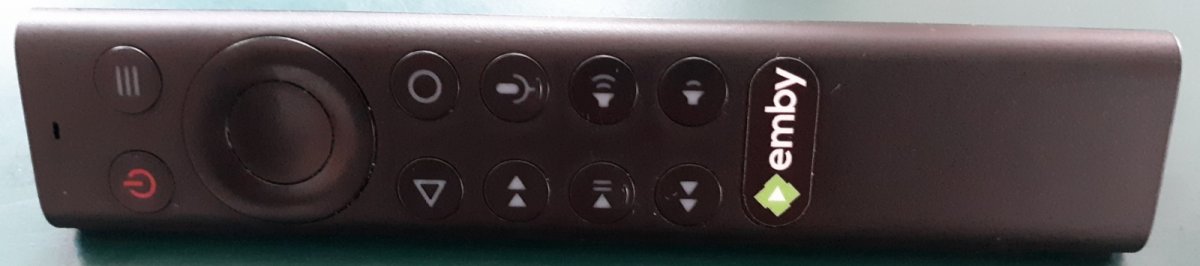
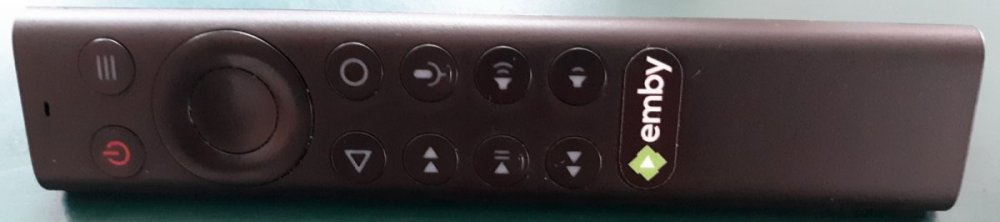
The emby button is very convenient
 3 points
 -
You've grown up with watching live tv but on television only runs garbage? You have a big library but don't know what to watch next? Then this for you: "VirtualTV" - my new live tv plugin that allows you to create custom channels based on conditions of your Emby library content. What's missing: Maybe codec conditions Known problems: Needs Emby Premier to work (Playback) Emby's live tv and playback api is very limited, so i've had to make some detours to get things working. The plugin has two general playback modes: "continous" and "playlist" playback. With "continous" mode you can also choose between "live", which bahaves like real live tv or "archive", which plays the videos from the start. In "Continuous" mode multiple videos are queued and concatenated to one big file with the help of ffmpeg. To make this happen every video in the queue has to have some common features (video and audio codec). That's why it often happens that the video also has to be transcoded by ffmpeg. For transcoding the plugin relies on Emby's internal transcoding engine. If there's a problem, not uncommon with hardware acceleration enabled, the plugin also has a problem. Nothing i can do about it. The availability of subtitle tracks is mostly dependant of the Emby user playback settings. In continous playback mode only one (the default) subtitle track can be used and this one has to be burnded into the video (transcoding takes place). In "Playlist" playback mode the videos are pushed as a playlist to the Emby clients. It's like you would play your videos directly from your libraries. This way you get all the features you are used to. Audio and subtitle selection, pause, skipping around and similar things. "Native" playback method was created by the Emby Devs. Similar to Playlist playback it will play the real library videos, but with the big difference that playback is purely initiated by the client app, without any remote command execution. This is why it also works for Roku devices on a WAN network. And although the real videos are played, the whole thing is treated like live TV. This means that channel zapping is possible and no dialogs for playing the next episode are displayed. Unfortunately, the new playback method does not yet support all features. As the name "Archive" suggests, it will currently always start all videos from the beginning. In addition, only very few Emby apps automatically advance to the next video. If you want it to be improved even further, each of you should raise your voice in this thread. To get things started install the plugin via Emby's plugin catalog and restart Emby. Setup your channels with a name and number and choose your playback mode. In the channel conditions you'll have to select an Emby account. This account is used to get library access, respect parental rating, reading watched states and selecting the stream language. At least one textual input field of the conditions has to be filled to get some program data. Fields with an asterisk are either evaluated with an "AND" or "OR" condition among each other. Finally, if you've chosen "Continous Playback" for one of you channels, take a look at the transcoding settings. Save your channel line up and manually trigger a "Guide Refresh". Now have fun! Version History: After a plugin update, always clear your browser cache. If your settings still don't load in the config screen, you have to move the "VirtualTV.xml" out of ...\plugins\configurations and restart Emby. Start from scratch. 2.0.0.0 Unlimited number of channels; New playback method "Native (Archive)"; New security concept for the Export API 2.0.2.0 Performance improvements to Guide Refresh; Preview for Add/Edit Channels; Option to disable Program indicators 2.0.3.0 Fixed missing Playlist sort order for some Content Types; Added support for Seasons with Content Source Collections 2.1.0.0 Selectively enable channels for specific users; Create copies of existing channels; Ordered unwatched episode playback 2.1.5.0 Added option to (auto)enable channels on a specific date range; Bug fixing1 point
-
While setting up a new device or just searching for the next hiccup it would sometimes be useful to be able to jump to the currently playing media which is shown in the server dashboard. Maybe just by clicking on the image of the active device. ATM now, I have to search for the item in the search field (which sometimes work and sometimes not) or need to manually browse through the library to see the media details.1 point
-
I would love the ability to increase the size of subtitles on the different platforms, specially android, chrome and roku... One additional thing that would be great would be the ability to change font color, outline, drop shadow, font background... Thank you1 point
-
Please read this post first. I was wondering if it would be possible to add something that would allow you to skip the intro to shows automatically while binge watching. When watching Netflix it does this for some shows, and im not sure if thats a feature of Netflix itself or a Chrome extension i use called "Flix Assist" but it would be a nice feature to have within Emby as well. and possibly even create a custom timed skip for specific shows1 point
-
Anyone who's been wanting to order the new style Shield TV Remote but couldn't because they were on backorder can now order them. This is the remote https://www.nvidia.com/en-us/shield/shop/1 point
-
OK, so lets wait until you have new files and take it from there.1 point
-
The way I did it was to tag my albums outside of Emby, turn off all metadata downloaders in Emby, and then use Scan Library Files to re-add (and never use Refresh Metadata). My Soundtrack AlbumArtist is 'Various Artists', and the Genre is 'Soundtrack'. I now navigate my music via Folder sort, Album Artist, or Genre.1 point
-
Yes when there is a playback error and failover to another method this should be provided via Info/Nerd Stats instead of having to dig through logs. To be fair Nerd Stats does show the error. Transcode Reason: Direct play error1 point
-
Thanks for the help! instructions worked1 point
-
Hi there, yes it's something we can look at adding in future updates. Thanks.1 point
-
@ebr That's what I took it to mean; however, my settings for that series (image above) were such that it should have recorded again, and for the previous episode that's what happened - and just as well, because Emby had no way to know that its previous recording was a dud. @cayars Sure, there was a guide problem. Two days running a recording was triggered at the wrong time, and that must have come from the guide. The second time I saw the recording in progress, but the guide showed no reason - presumably the incorrect entry was for a short time only and the part of the guide I could see (as Emby doesn't let you see the past) no longer specified the show concerned (I think it was blank). For some reason Emby knew that it should record for 2½ hours, but it seems there was little input in that time; hence my ending up with a file which had a timestamp matching the long recording time but which only plays for five minutes. But it's a mess somehow - Emby sees it as five minutes, but MediaInfo says its 31ms; meanwhile Handbrake thinks it's 30mins long (which would match the size), but generates a recoded file of only 5½ minutes. Ah well, I'll just hope it doesn't happen again. Paul1 point
-
I found the issue. I'm pushing an update to the store to resolve it. Thanks.1 point
-
Will do, thanks !1 point
-
I believe you have to click on the old servers and after if fails it should give you the option to delete1 point
-
VOSUB still causes transcoding when using the Android TV app on nvidia Shield TV; any progress on this issue?1 point
-
4.5.0.16 has fixed this for me, thanks! Paul1 point
-
I probably count as an audiophile, and have worked professionally in the audio industry as well as providing demonstration recordings for new developments in surround sound on a freelance basis. The vast majority of people (including audiophiles who think otherwise) cannot distinguish lossy formats at a sufficiently high bit rate, regardless of which algorithm is used. The same also goes for the difference between 48kHz and 96kHz sampling - differences of opinion in this relate to deep misunderstandings about how sampling works (and the deficiencies of early converters), but this is not the place to go into that. For my part, I keep all my working materials in lossless formats of course, usually at 24-bit depth, but I record at 44.1kHz or 48kHz. The point is to avoid the possibility of progressive degradation during editing and other processing. For my own portable listening I mainly used ogg/vorbis is the past and now opus; bur I am gradually transitioning to using flac, simply because lossy formats are losing their justification for existing at all with the continuing increase in storage density on the one hand and ease of streaming from central storage to wherever you are on the other. It is worth noting that in spite of what I said above about lossy formats, there is also the point that the processing can go wrong in edge cases, which is one reason to change to avoiding no-longer necessary processing altogether. As an example of this, I offer the same short clip encoded to mp3 at 192kbps in 2009 by the then current versions of the Fraunhofer decoder and Lame - one is pathologically bad. The filenames of the attached indicate which is which. Paul JC-sample-FH192.mp3 JC-sample-L192.mp31 point
-
No Worries; thank you anyway1 point
-
It won't switch Windows into HDR automatically. mpv doesn't employ the Windows mechanism for that. You have to enable HDR in Windows, manually. It works just like VLC, in this regard.1 point
-
Split posts from Feature Request. @Gilgamesh_481 point
-
For flac in Windows you may need this to get the codec into the Windows system: https://www.microsoft.com/en-us/p/flac-player/9wzdncrfj3jz?activetab=pivot:overviewtab Other programs which use ffmpeg or similar may be happy without this (or some equivalent), but I guess Chrome isn't. The plain fact is that Emby and its client can direct play your flac files (as it does mine), and it's some setup or missing option on your system that's preventing it. Paul1 point
-
it is probably a bug, screen shots, log files and examples will help me fix it.1 point
-
That's helpful. Thanks for the feedback.1 point
-
Ok I think I see the issue, thanks.1 point
-
Hi, For people how got (Empy Server ) on synology NAS this is where to add the the subscene plug.in. /volume1/@appstore/EmbyServer/var/plugins Then restart the emby server.1 point
-
Okay, a manual scan option in that app is possible for the future.1 point