Leaderboard




Popular Content
Showing content with the highest reputation on 07/02/20 in Posts
-
We are working on it.2 points
-
Hi guys, Just wanted to say I was a long time plex user, fed up of ongoing issues. Moved to Emby today and absolutely love it. Keep up the good work!2 points
-
To me I think we may need @softworkz to possibly explain the error. 20:10:00.455 Press [q] to stop, [?] for help 20:10:00.581 [h264_nvenc @ 0000029b3d0cad80] Cannot get the preset configuration: invalid version (15): (no details) 20:10:00.581 Error initializing output stream 0:0 -- Error while opening encoder for output stream #0:0 - maybe incorrect parameters such as bit_rate, rate, width or height 20:10:00.602 [libmp3lame @ 0000029b3d0c96c0] 3 frames left in the queue on closing 20:10:00.648 Conversion failed!1 point
-
Since this is a Synology, I would assume this is the same as all the other Synology topics with "TrustFailure" errors across almost all external connections via Emby.1 point
-
But how can you say that for a 80" TV compared to a 5" phone.1 point
-
My drivers work great and are hacked for multiple streams so I'm not going to upgrade them before checking even though I'm being begged to do so. I also have Win10 locked to 1903 using Stopupdates10.1 point
-
A friendly bump! I installed Pl*xAmp on my wife and eldests phone, and they love it. She just can't handle the full app, it just behaves as you'd expect a music player to work, no getting lost in a video section or somewhere, it's intuitive as a music app because it's just a music app. Luckily I had an unused lifetime pass, so I set up a server which is purely used for music. I've now been able to dump Apple Music and my wife is extremely happy and in love with the music app. For a phone, a standalone music option definitely makes sense in my eyes, something that's set up with the sole purpose of playing music, I'm sure there are plenty of people out there who themselves or who have family members who just don't need the entire app. I've got to say, I'm impressed with it as well, it's installed on my phone as well as my music player.1 point
-
I was able to get the pass thru working (at least tested it on my iPad and it was streaming LiveTV ok). I am using the Emby EPG, and I figured out that I have to redo the mappings...I was able to fix a few channels that started showing ok, but need to go thru and finish it up. I will finish getting the EPG mappings setup, get it all squared up and working, and will then re-do the test to see if it can continue running for more than 30ish minutes. I did run a top command while it was running pass-thru, and the load on the server was WAY lower (less than .50 for long term load, CPU not going much over 10ish%), so resource wise it's not having any type of issue. The main drive is an SSD, so there should be no real resource bottlenecks, especially running pass-thru. Let me work on getting this all cleaned up, and will run some tests and upload new logs (or report that it's all fixed - hopefully) over the weekend. Thanks for support. Have a good holiday.1 point
-
Unlocking is tied to the app on a specific Google account. So any device running that app under that same Google account would be unlocked. You don't get any Premiere features though. Emby Premiere Feature Matrix1 point
-
Hi. I believe it is currently 4.59 + VAT of 20% but Google adjusts this with exchange rates so it does fluctuate. If you go to the purchase page in the app, it should tell you exactly.1 point
-
Sounds a bit like my issue that nvidia has yet to fix1 point
-
Yes, I like that, thanks!1 point
-
Testing table ... One item 2 Items One Two Tow @softworkz As old request ..
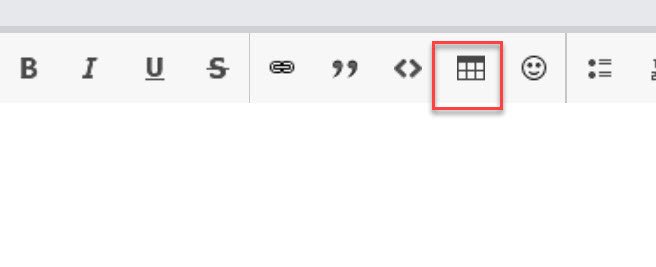 1 point
 -
This issue has clearly been around for over a month without a solution and despite being a paying customer, I'm at the point where I have to consider looking into Plex or Jellyfin, even if only temporary. It seems we're being left in the dark without any idea about what's going wrong or when we can expect an attempted solution. I haven't changed anything on my end, I just need a media system that works.1 point
-
Post your server log too.1 point
-
Do you have Premier? Have you set Emby to transcode in the server settings using the advanced features? Sent from my SM-G960U1 using Tapatalk1 point
-
Overload the subtitle method with an offset millisecond-integer parameter sounds like a quick addition to the core. After that, the client code could simply call the overloaded method by adding the offset from a slider in the GUI. You'll be done by lunch.1 point
-
The Emby interface(s) should support subtitle shifting by now. It is such an important feature for a video player. It was requested over 4 years ago and its absence makes the viewing experience so much worse for a lot of people. I've had so many occasions where I've tried all the available subs from multiple sources and none of them quite match up. Being able to just pick one and quickly shift it by quarter or half-second increments while the video is playing would be so useful.1 point
-
Hi, how does this relate to custom notifications?1 point
-
Hi. The current release of the Apple TV app is an online app. The application itself is loaded from the internet. The next release will not be this way. For the web app, we'd have to look at a specific example to know what was happening there. Thanks.1 point
-
For users with Samsung Tizen SmartTVs (2015 - Present) who want to test the latest version of the Emby client app before it's submitted to Samsung for release in their app store. These installs should be considered beta until approved by Samsung, however they are the same ones submitted to Samsung monthly for inclusion in the Samsung store. Samsung's policy is that the only official way to distribute apps is through the Samsung store and that usb installs should be used for testing purposes only. Because of this policy Samsung has mandated that usb distributed apps must expire within 30 days of compiling. To help with testing you will be remined to update to the latest beta release as the app expires to ensure you are using the latest version when reporting issues. This install will also work for those who don't have access to the official client app in the Samsung app store. However, the same rules must be followed as indicated above. Release notes and version number For the latest release notes and version number click on this post https://emby.media/community/index.php?/topic/31461-emby-for-samsung-smarttv-release-notes-tizen-orsay/ Installation instructions Download this zip file: https://github.com/MediaBrowser/Emby.Releases/raw/master/tizen/tizen.zip Format a USB 2.0 stick using FAT16 (some larger USB 3.0 hard drives have been found to not work) (newer models may support other formats, check your users manual) Copy the tizen.zip file to the root of your USB stick Extract the contents of the tizen.zip file to the root. (This should create the folder 'userwidget' in the root of the USB stick and the folder should contain the two files needed) Turn on the TV Make sure your TV is connected to the Internet Plug the USB stick into the TV's USB port. Installation should start automatically. (There will be 3 quick messages in the upper right corner of the TV) Click 'OK' once the installation is complete. Optional, add the Emby app as a shortcut to Home Start the app from the Smart Hub or installed apps section of your TV. Troubleshooting If the installation does not start automatically, then please ensure your TV firmware is up to date and try again. If you get an installation error, try the process again with the USB stick formatted ass FAT32. We've received reports from users that installing from USB 3.0 hard-drive devices does not work, so please make sure to use a USB 2.0 thumb-drive device. Also, make sure the thumb-drive is unlocked/writable before plugging it in. The TV will need to write to your thumb-drive. Users with 2015 Samsung SmartTVs may experience an issue where the USB version of the app deletes itself upon restart of their TV. This is a security measure implemented by Samsung in which we have no control. If this is the case you may have to leave the thumb-drive in the TV and reinstall upon reboot, or install the latest release version of the client found in the Samsung app center. Updating from a previous USB install The app will notify you when an update is available. To update a previous USB install just repeat the instructions above. Notes: Certain Samsung SmartTVs have an issue where the app won't upgrade from USB drive if there is already a USB version installed. If this is the case you'll simply delete the old version before inserting the USB and then repeat the same installation process to install the new version. Also, try power cycling your TV after deleting the previous version if you have problems.1 point
-
Ok so what you should do is make your movies path /media/Movies and your music path /media/Music. Please try that and let us know if it helps. thanks.1 point