Leaderboard




Popular Content
Showing content with the highest reputation on 06/23/20 in Posts
-
We have a team of developers, and we keep most of them isolated from the forum to ensure as much of their time is spent on development as possible.2 points
-
Hi. Can you please add an option in the settings to hide the "Media Info" section? When using emby on my phone, it pretty much takes more then half of the page. On top of that, not having it be showing, it would clean up the page. At least gives us that option to hide it. Thanks.1 point
-
Please click "Like this" and share it if you want to support this feature. Thank you ! Hello, There is a Kodi addon call "gdrive" from ddurdle who can read videos (original and transcoding version) directly from Google Drive. Why not build on this idea to integrate Google Drive as source directly in Emby Server ? In addition, Emby could generate automatically the STRM files from one or many Drive folders. And transcodings are already available with Drive so no need to transcode with Emby server. What do you think ? ------------- Three reasons why this feature will be useful and awesome: 1. Cloud is the future and today the cost is affordable. I have a Google Drive Unlimited for $50/month (ie $600/year) and I have unlimited space that is secured against crashes. Knowing the cost of hard drive and the cost of power consumption, its a very good deal. 2. Google Drive transcode video file. This provides different stream quality like Youtube (1080p, 720p, 480p and 360p) and the "image quality/compression ratio" is very satisfying. I can play 720p video on my poor 4 Mbits DSL. 3. You don't need to have a big server. Personally, I opted for a little dedicated server (Kimsufi 2G) for the cost and I can leave it run 24/7! Furthermore, me and my friends can watch movies from anywhere! Basics features that should be included: GOOGLE APPS OAUTH2 for activation and permission playing transcoded version (MP4 360p, 480p, 720p & 1080p) directly into Emby's app playing original file (avi, mkv, mp4) directly into Emby's app import embedded subtitles porwerful script module for multiple folder scanning and STRM generating1 point
-
Please bring this back as this was already a feature at some stage?1 point
-
This post contains status info on the 4 Kodi add-ons that support Emby playback in Kodi. Kodi Media Source Info There are two main ways for Kodi to display media items: From its internal database using native c/c++ (Syncing) As a list of ListItems generated by an add-on in Python querying an external server (Dynamic) There are advantages and disadvantages with both of there when dealing with external sources. From the internal DB (Syncing) Pros Uses the native Kodi internal display mechanisums Fast access and display, as fast as it is ever going to get All local data from the local DB Other Kodi add-ons can use the data form the DB Cons Can be problematic to sync data to and from external sources Keeping data in sync, data can get out of sync Large data changes or constantly changing data on the external source will cause lots of sync triggers Getting syncing correct is not trivial As a list of ListItems generated by an add-on (Dynamic) Pros No DB sync task is needed Data is loaded from external source when it is needed (like a web page) Data will always be the latest from the external source Changes on the external source show up immediately on next request Cons Add-on (Python) data processing is not as fast or local DB and c++ code External server query speed becomes part of the delay in displaying items Other add-ons can not access items Add-ons use different approaches: EmbyCon :- uses only dynamic add-on generated views Emby for Kodi :- uses a combination of DB sync and dynamic Emby Next Gen :- uses a combination of DB sync and dynamic Kodi MediaImport :- uses only syncing Add-On status: EmbyCon Status : Maintained by community members (TeamB) Kodi 18 : Stable Kodi 19 : Stable Source : https://github.com/faush01/plugin.video.embycon Emby for Kodi Status : Not supported, end of life Kodi 18 : Stable Kodi 19 : Not Supported Source : https://github.com/MediaBrowser/plugin.video.emby Emby Next Gen Status : Maintained by Team Emby (quickmic) Kodi 18, 19 : Not Supported Kodi 20, 21 : Stable and Beta Source : https://github.com/MediaBrowser/plugin.video.emby/tree/next-gen-dev-python3 Kodi MediaImport Status : Maintained by Kodi team and Emby community (Montellese, LongMan) Kodi 18: Not Supported Kodi 19: Beta, under active development from Kodi team member Source : https://github.com/Montellese/mediaimporter.emby1 point
-
While Emby already has recommendations built in based on previously watched items I find they are not all that helpful. They seem to be based on genre only, for example, because you watched a comedy here are other comedies in your library. I do like how the also directed by/appear in recommendations work though. What would be great is if Emby could incorporate Trakt's recommendations as they are much more sophisticated. Trakt's recommendations are not only based off of what you have previously watched but also what your Trakt friends and other Trakt users have watched. It takes user ratings and trending/popular media into account. Ideally Emby would include full Trakt integration allowing users to rate media after watching, view lists and recommendations, and view upcoming media all from within Emby but for now I think recommendations would be a nice addition. Trakt has the potential to give Emby that community feel and allow users to discover new media, find something to watch, and recommend media to other users. http://docs.trakt.apiary.io/#reference/recommendations1 point
-
I would like to be able to mark individual media items or even perhaps entire libraries to be excluded from media scans. If I have retrieved all the metadata and images I want for a particular TV series or Music collection and I know that the files will never change and the metadata should never change, I would like to be able to exclude it from scans to a ) reduce scan time b ) decrease the likelihood of unwanted changes being made c ) reduce network utilization I've noticed that even with series that have not had any new episodes in years (and no changes have been made in my filesystem) there is still information being downloaded from metadata providers. I suppose that is to check to make sure it is current/complete, but it is a waste of my network resources which are not plentiful. Perhaps this could be implemented by adding the option to not rescan media that has been marked as locked.1 point
-
Often times when I see "Reason for transcodng: Media bitrate exceeds limit." in the info I wonder, what kind of internet connection do they have? I know this can cover multiple scenarios like bandwidth limit set for user, server, client side quality setting, as well as AUTO bandwidth detection... Can you PLEASE add to the dashboard the returned client bandwidth capabilities? The value you are getting from the client that tells emby its bandwidth abilities. While you are at it tighten up the spaces between lines on the transcode items, and align the results to the right instead of center.. MAYBE SOMETHING LIKE THIS :1 point
-
To gauge interest... What if you had the ability to "Forget" a series for the purposes of Next Up display. That is, it would no longer show in Next Up - unless you watched another episode. Sometimes you maybe watch a series for a while and, even though there is more of it or more is made later, maybe it isn't as good as the earlier seasons or maybe you just don't have time for it anymore. So you'd like it to quit showing up in your Next Up list so it is less cluttered and you can focus on the series you are actually watching now. If you start watching it again, the "forget" would be forgotten and it would start to show up in Next Up again.1 point
-
Title should be "Dont allow seeking into the future for live tv". When watching live TV, please don't allow seeking past the end of the live stream as it breaks the playback (android, not tested others). When the user seeks into the future, the playback should just play from the live feed. Maybe add a 'live' button that can be pressed? Please take a look at how youtube deals with seeking in live feeds. Its much more intruative. Something like how youtube deals with it would be great. At least add a 'back to live feed' button.1 point
-
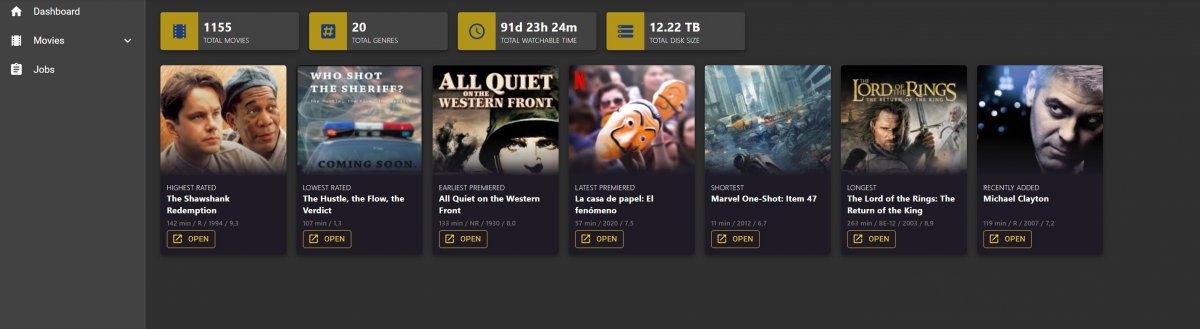
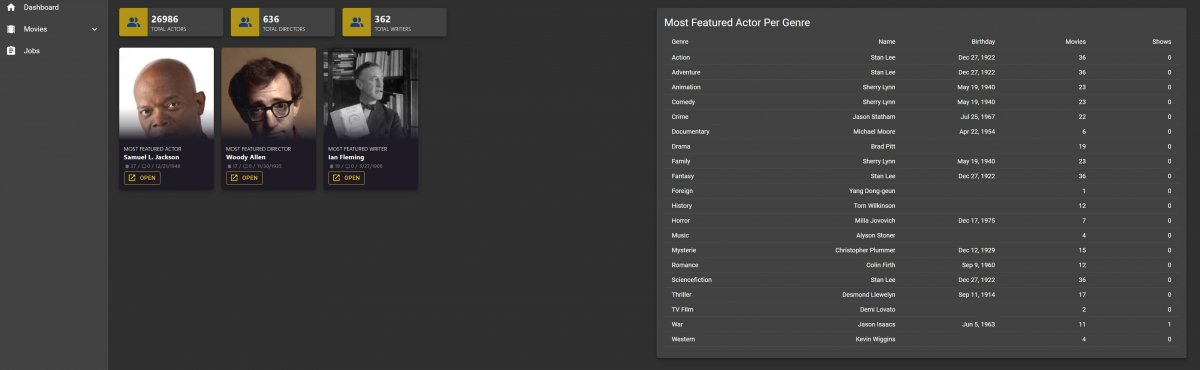
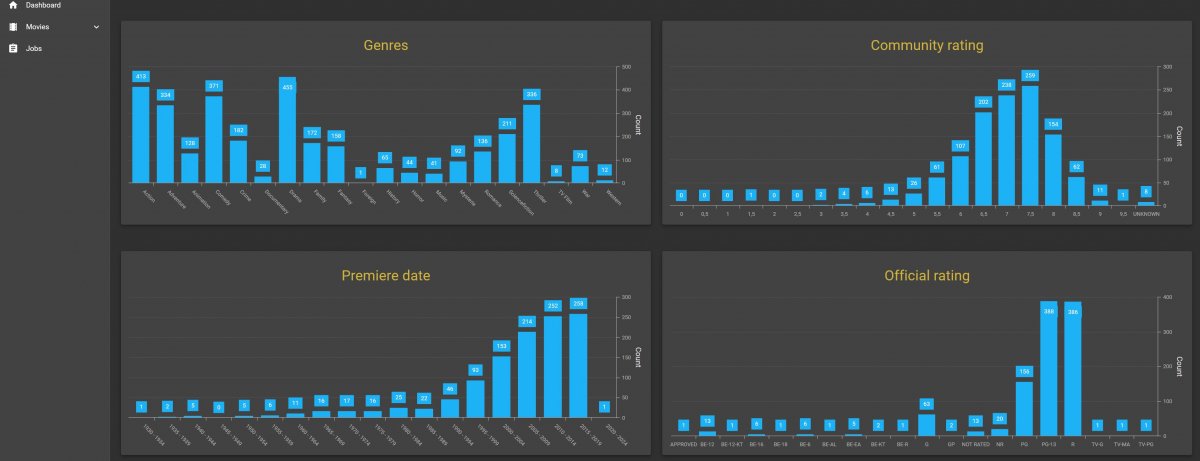
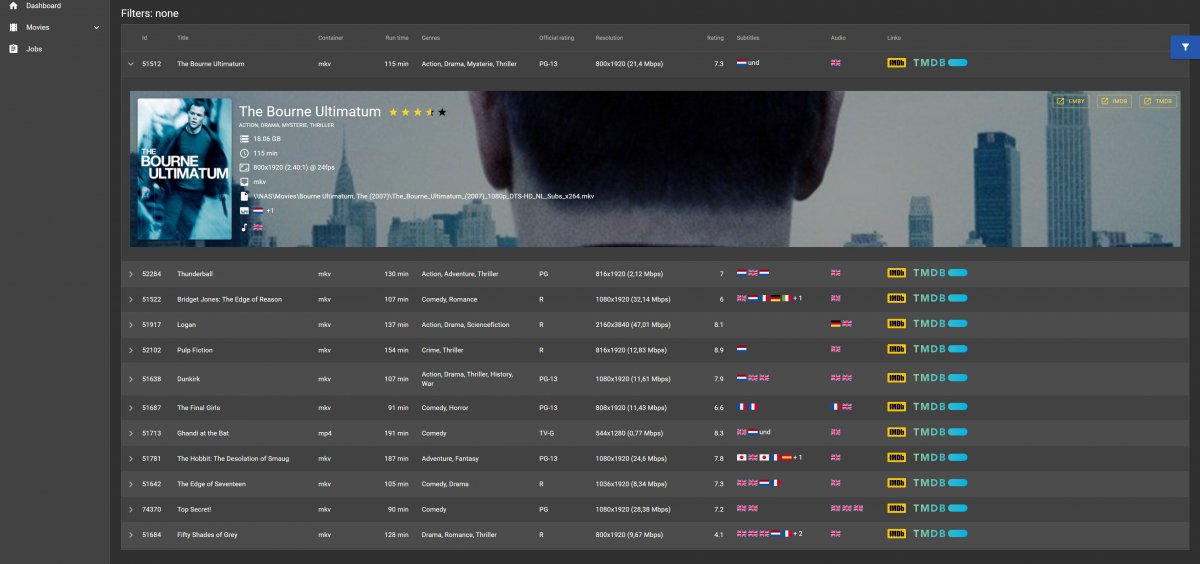
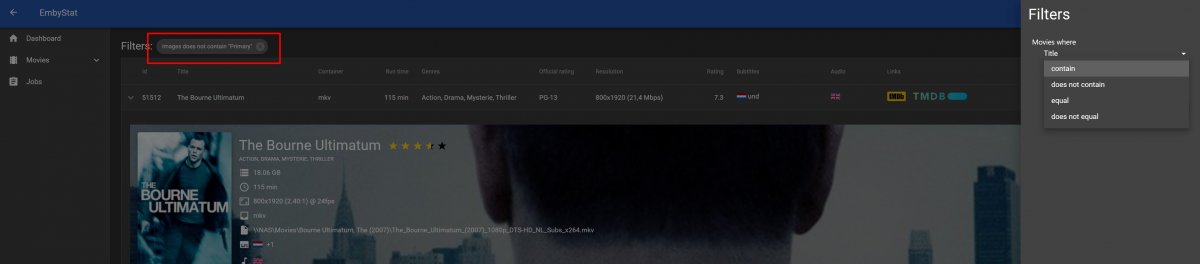
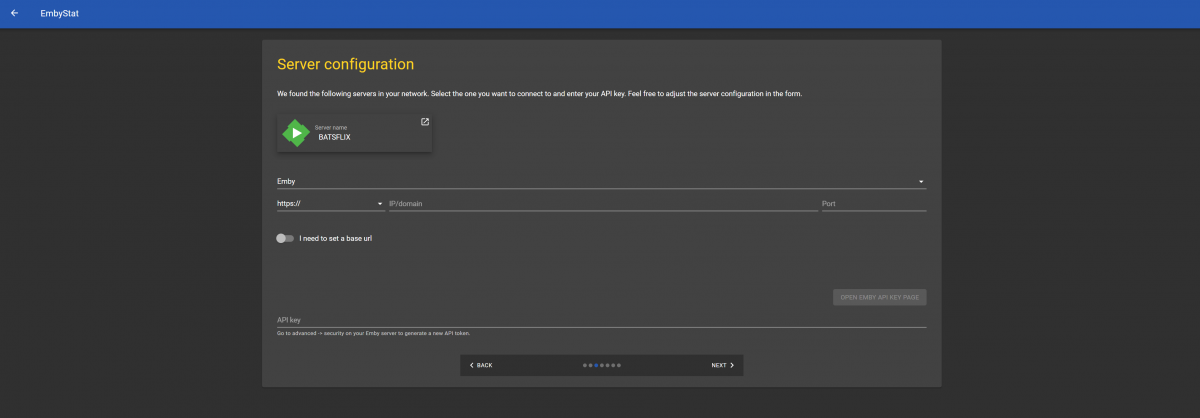
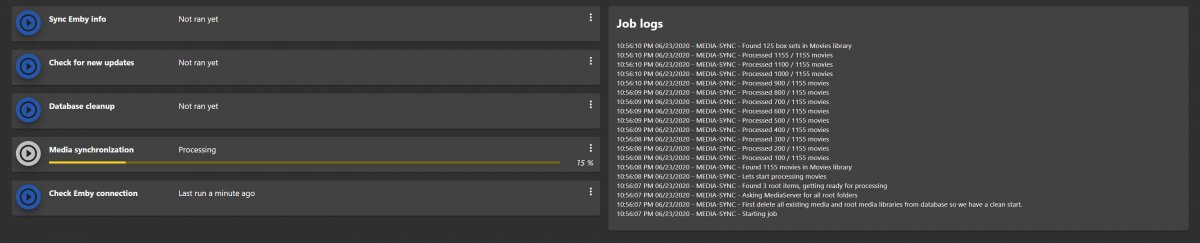
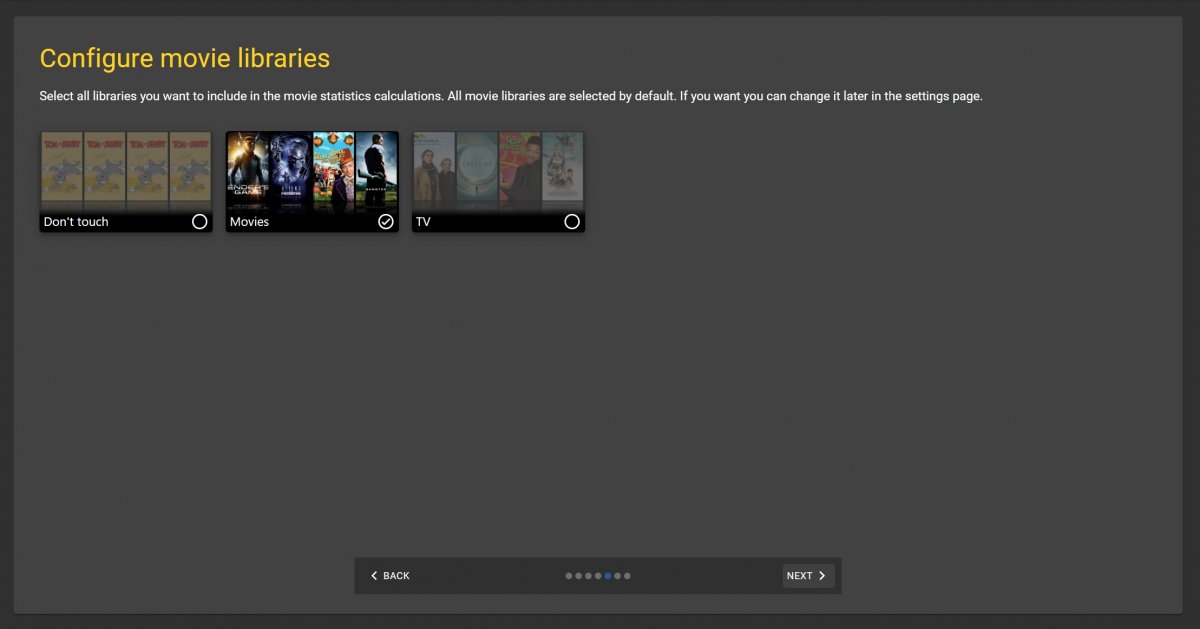
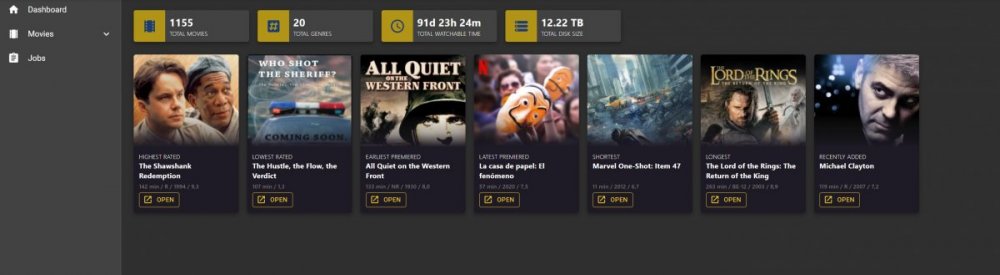
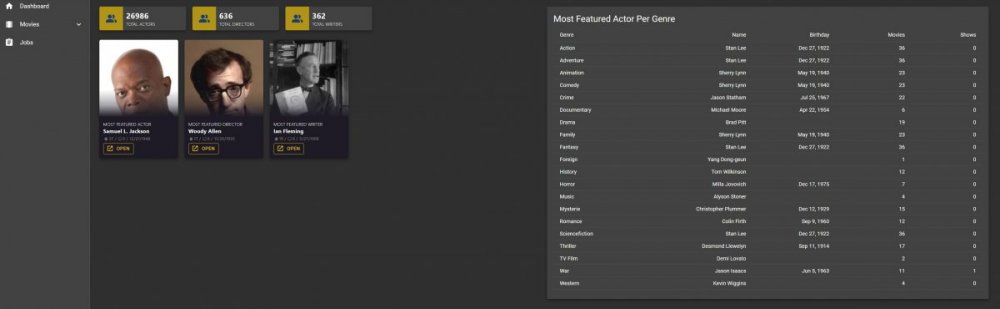
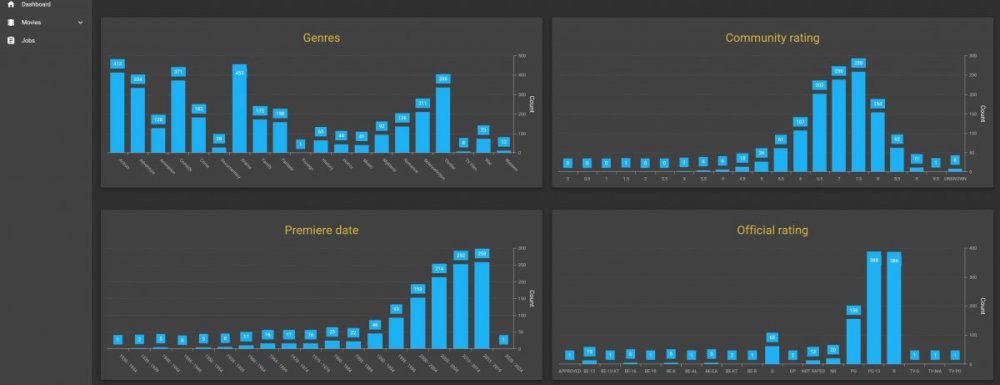
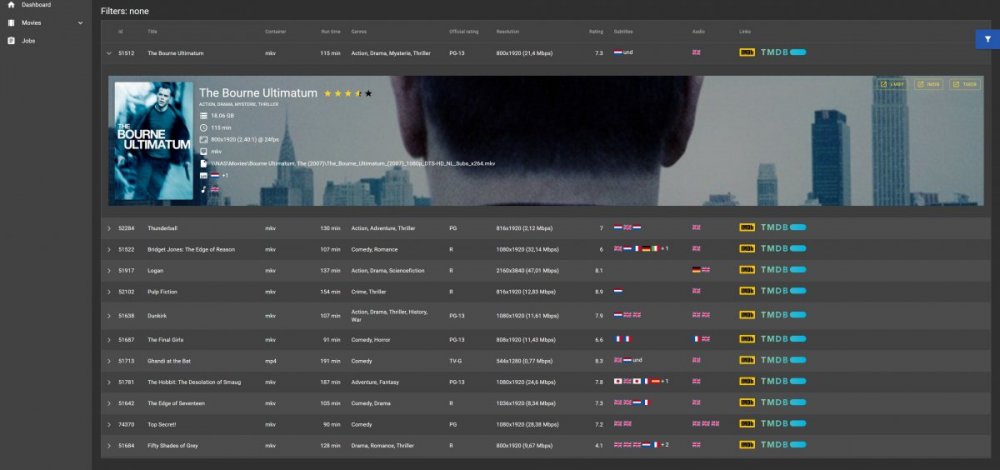
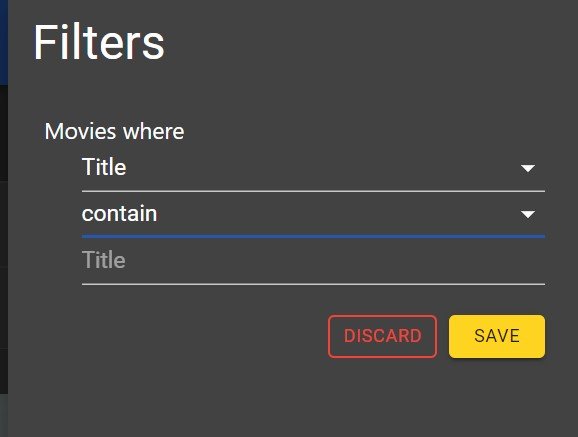
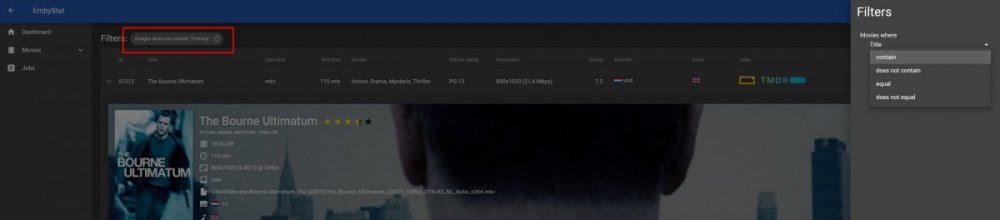
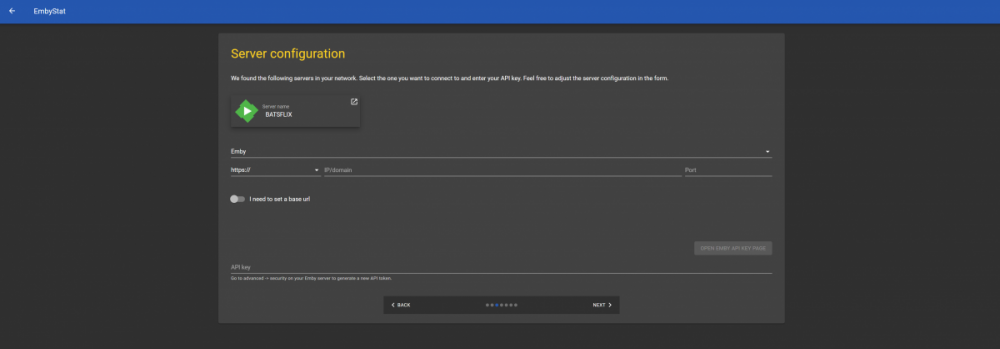
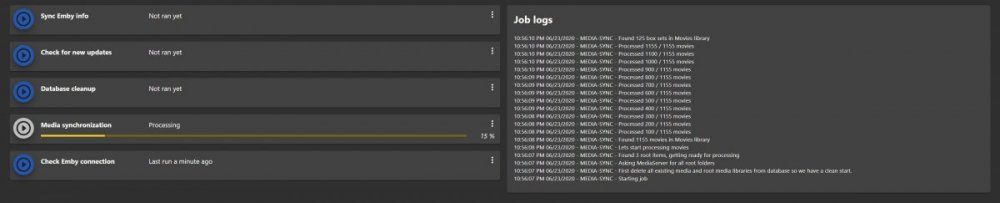
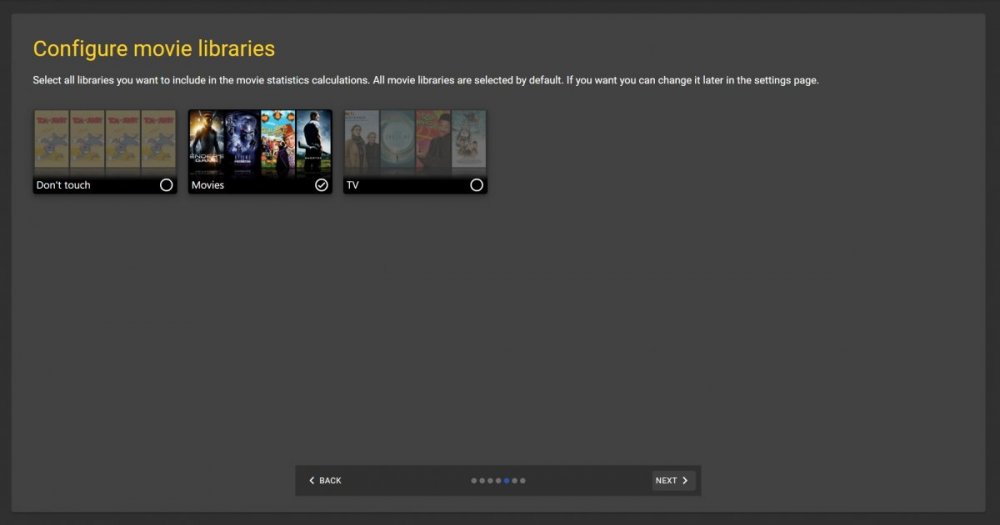
Hi guys, So after a long silence I have some new screens ready for reviewing. I'm recreating the UI completely because it started to get buggy and slow. Started to use React and is shows some promising stuff, better graph libraries and stuff as well. Any way, have a look at the screenshots and let me know what you think! I do have a question for all native English speakers (and every one who speaks better English then me ). I created a Movies table (movies4.jpg) and want to add some dynamic filter mechanism (movies5.jpg and movies6jpg) but I'm a but stuck on how to place the dropdowns to create a natural flow in creating filters. I have 2 types of filters - array filters: (fields: genres, subtitles, Images, ...). Examples are selecting all movies with genre "Comedy", if you place 2 filters on genre it will perform an AND between off filters. - field filters: (fields: title, imdb, ...). Examples are selecting all movies where the title (not) starts with, (not) contains or (not) equals with a certain string. I'm still missing A LOT of stuff that is included in the Angular version so still a long way to go. But I think I think it will look better and less buggy in the future if I switch now. I also will add authentication to this version. What I also added is that from now on you have to select the libraries itself and not anymore on library types (wizard2.png.jpg) which was a feature request as well. Let me know what you think about it, I hope I can upload a beta soon (maybe with only movie support for now just for testing)
 1 point
 -
Just click on this to the post you think it got the correct answer (solve your issue).
 1 point
 -
Hi, server-side control is planned for the future. Thanks.1 point
-
That's good news! Thank you. Personally I like the way of syncing more because of easier / better integration with all the kodi addons and skins.1 point
-
We'll be hiring someone to help ensure Kodi 19 compatibility when it releases, so nothing to worry about there.1 point
-
Going to bump this thread to add my +1. Having a toggle to set the Aspect Ratio would be fantastic. I'm constantly having to change the aspect ratio for the tv shows that I watch. My suggestion would be to have the setting as a toggle per library as well as per series/movie, so I can set it for my whole TV shows library and also be able to toggle it off if needed from within each shows landing page. Please add this feature, it would be fantastic. (For Windows Theatre)1 point
-
This was a bug and is fixed in 1.9.91 I don't know what Yates is, does it remote control emby or kodi?1 point
-
Please follow the How To Report a Problem thread.1 point
-
Recording timers working for me1 point
-
@maegibbons @Spaceboy May have some tips.1 point
-
v3.0.4.8 now live General * Added requested [<a is="emby-linkbutton" target= '_blank' href="https://github.com/AnthonyMusgrove/Emby-ScripterX/issues/14" class="button-link emby-button">Github Feature Request#14</a>]: Added two new events - onRecordingTimerCreated and onRecordingTimerCancelled * Added %was.cancelled% token to onLibraryScanComplete event (for testing to address [<a is="emby-linkbutton" target= '_blank' href="https://github.com/AnthonyMusgrove/Emby-ScripterX/issues/23" class="button-link emby-button">Github Feature Request#23</a>]) Packages * Consequently, _onRecordingTimerCreated and _onRecordingTimerCancelled are now available for packages as event subscriptions.1 point
-
Alrighty! Issue #14 is complete, i've added two new events: onRecordingTimerCreated and onRecordingTimerCancelled :) Recording Timer CREATED : Timer ID:"0684a592ea448fbe53bf240a44a1a4dc" - Name:"300", Date_Start:"22/06/2020 8:30:00 PM", Date_End:"22/06/2020 10:55:00 PM" Recording Timer CANCELLED : Timer ID:"0684a592ea448fbe53bf240a44a1a4dc" - Name:-, Date_Start:-, Date_End:- I'll release this version tonight1 point
-
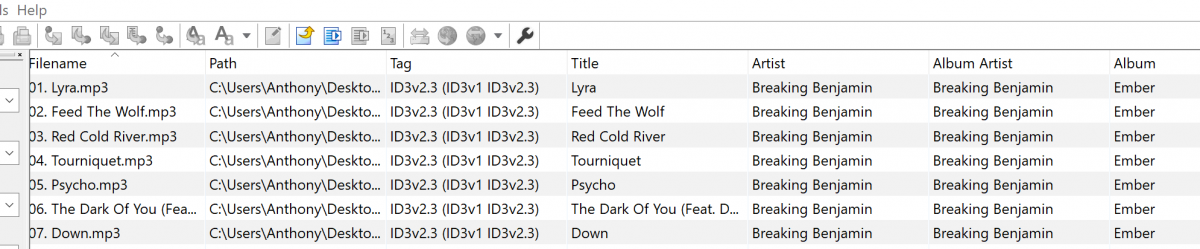
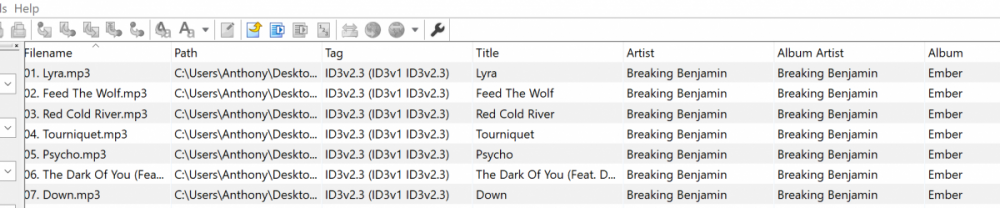
Absolutely mate, thank you for bringing it more to my attention Starting at the start of this list now... I'm now working on #12 (I download Mp3tag v3 to check the tags first too)
 1 point
 -
Hi, have you checked out xteve?1 point
-
Use a Shield if you want direct playback with a decent UI and none of the hassle of maintaining or using a HTPC. Use a HTPC if you don't care about ease of use, ease of maintenance, or cost and just want the best possible video output. You might choose either Emby Theater or Kodi as the player in this scenario, though I strongly prefer the former. Use a Roku if you want a dead-easy UI for users you're going to have to support and want to minimize issues. IMO that's the full list of good options.1 point
-
1 point
-
Hi. Your server is running out of disc space. System.IO.IOException: System.IO.IOException: There is not enough space on the disk.1 point
-
We're looking into improving it. Thanks for the feedback.1 point
-
Not yet but hopefully soon.1 point
-
Try it.1 point
-
I still don't think we should care if his TV is converting TrueHD with Atmos to DD+ with Atmos internally (and it shouldn't be if it's eARC) or not. We should be concentrating on why Emby is transcoding the file in the first place if it doesn't need to be. He says it direct plays just fine when turning off audio transcoding. Let grudi deal with Sony and what it's doing because my guess it's outputting TrueHD Atmos if his TV supports it and the receiver is connected via eARC1 point
-
indeed. Turning off audio transcoding on the Server makes emby to send the atmos signal to the AVR. This sounds like an issue in ET. The zappiti Media Player is also an android device with an outdated Version, but does send the audio track to the AVR unmodified.1 point
-
I found I was having problems on my local network watching HEVC files in the web app with Chrome. I switched to MS Edge (Chromium version) for the web app, and now I can watch HEVC no problems. Edge actually supports HEVC natively.1 point
-
Hi, yes this is an area we will be improving in future updates. Thanks for the feedback.1 point
-
Fantastic!! [emoji41] Looking forward to having a permanent full aspect ratio. Can you please also look at introducing aspect ratio to LG TVs as well currently it’s limited? Sent from my iPhone using Tapatalk1 point
-
The Emby web app will have aspect ratio adjustment in the video player in the upcoming Emby Server 4.3 release. Thanks.1 point
-
Ok we don't have that but more options are always possible for the future. Thanks.1 point
-
I know that setting exists I’m requesting for a permanent setting under playback settings that sets the aspect ratio to Fill for e.g to all videos that play within Emby1 point