All Activity
- Past hour
-
 Nathalia Vitoria joined the community
 -
 chioreyes26 joined the community
 -
 alcii joined the community
 -
 7of4n joined the community
 -
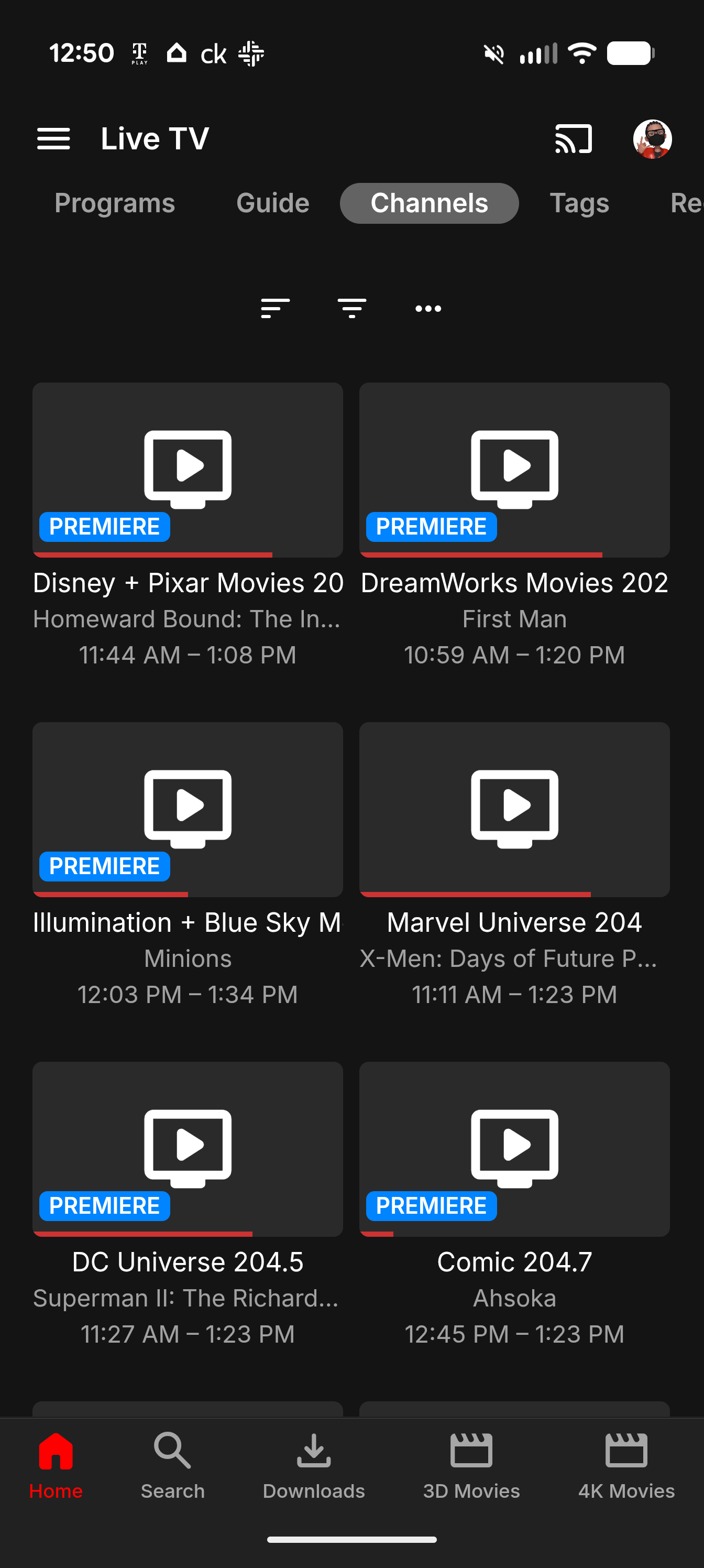
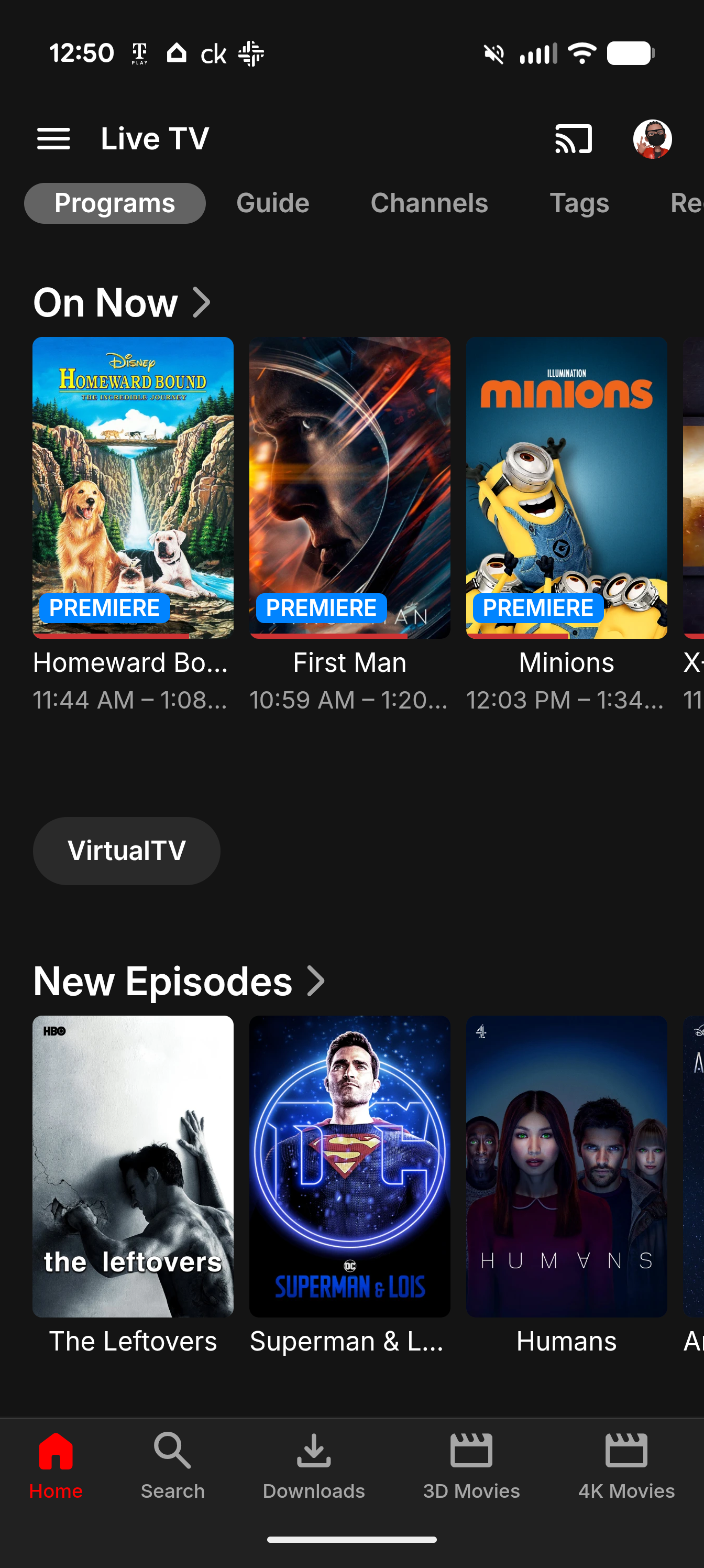
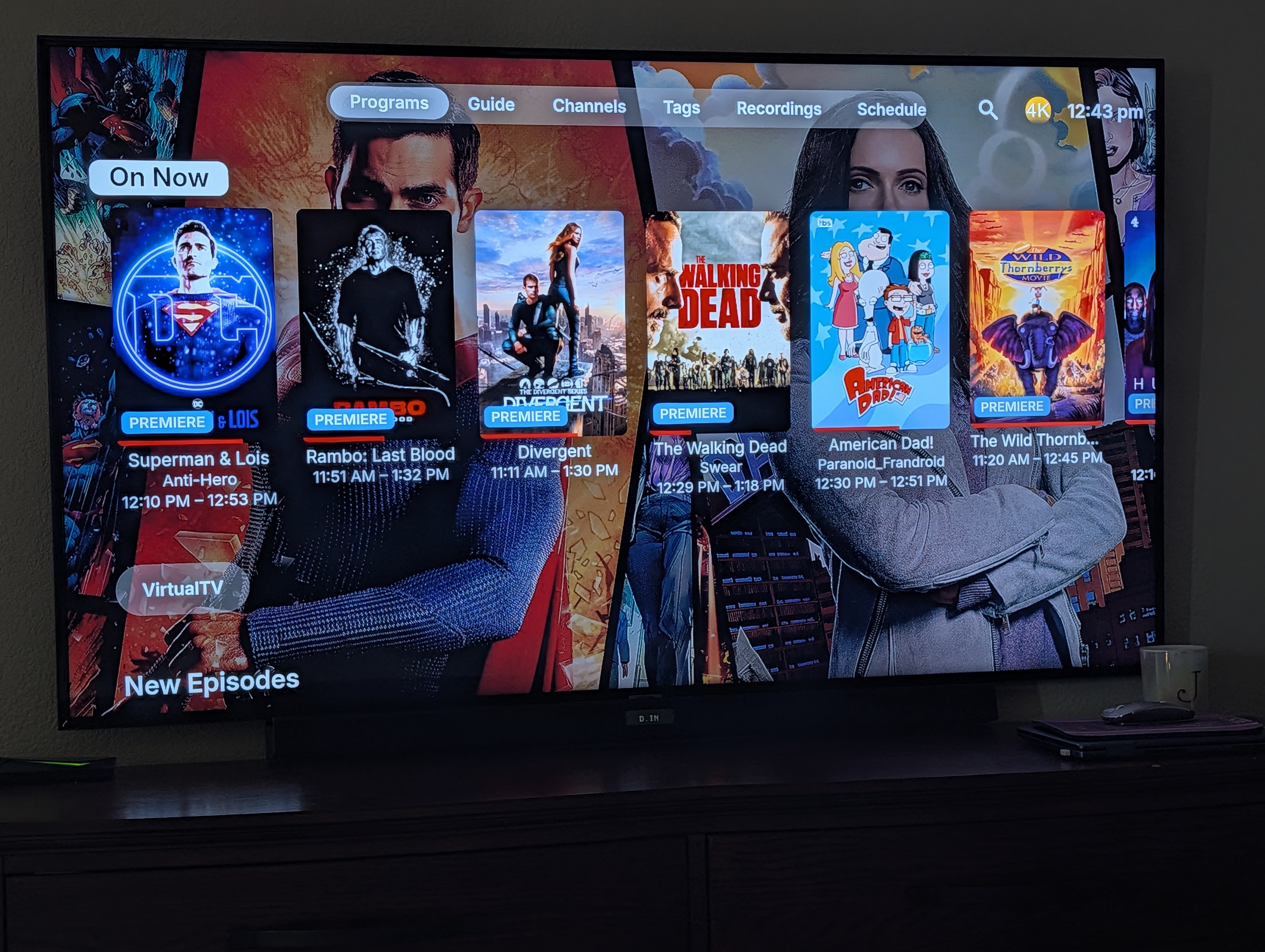
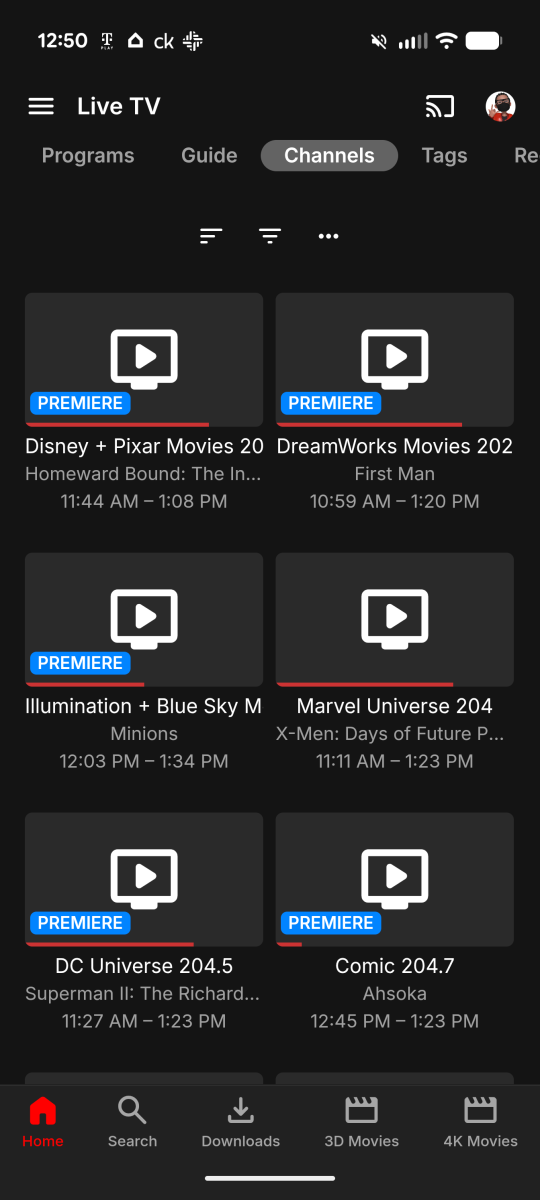
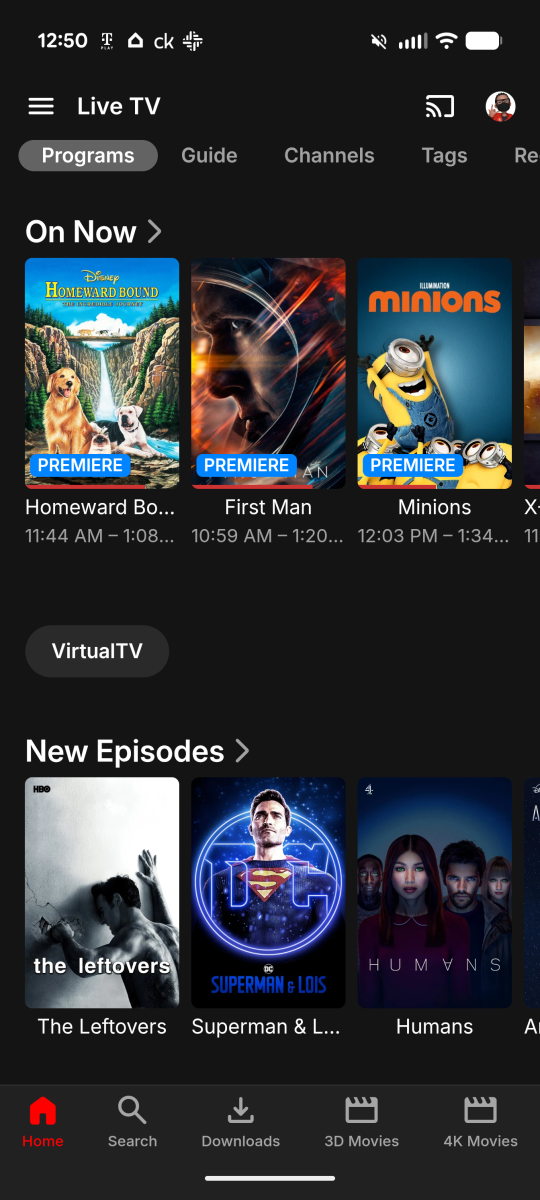
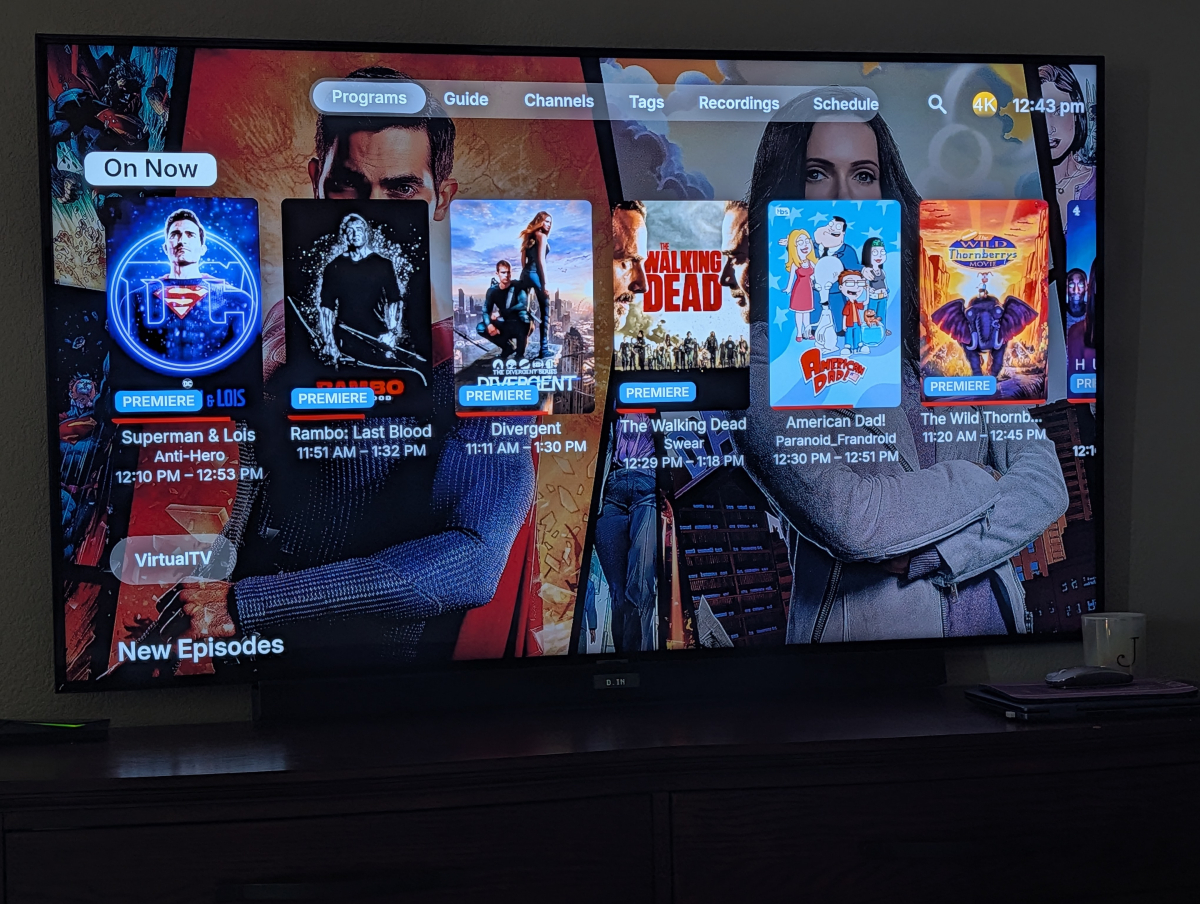
Hello I had a quick question and I'm pretty sure it's user error on my part but it would be greatly appreciated if anyone could tell me how to accomplish what I'm looking to do. So my primary account (admin) will not set or default to the programs tab when entering the live tv library on the home screen under my media. So when I go to my media enter the live tv it opens up with the channels tab showing not the programs tab and it's only doing these for the admin account every other account loads or opens up with the programs tab showing. Please see attached photos to reference or is it that the admin account can't be defaulted to perform that action because it's has full control which can't be disabled? But thanks in advance as usual it's always greatly appreciated Also the 1st pic is the admin account loading with the channels tab when entering The 2nd pic is how I would like it to load when opening with the programs showing 3rd pic is another account that loads the programs tab by default every time when entering I have also check all devices I use all Nvidia Shield and Android phone Google Pixel 9 & 10 Pro if any of that helps
-
 Dekelsas joined the community
 -
Hi, I just noticed on the couple of shows I tried it would only show a intro chapter and another chapter starting a minute or two in.
-
 05430 joined the community
 -
 GeorgeGK joined the community
 -

Plugin: Ginjaninja Tools - List Protector - [Auto] Repair your Playlist|Collection memberships
IAmHugh replied to ginjaninja's topic in Plugins
The Github link is dead. -
Hi, Running my Synology v7.2 with Btrfs and I understand it's my own fault as I ran too low on free space (I still had 1.4 TB so thought I was OK ) anyway NAS freezing and generally misbehaving, I managed to close lots of running applications (took a while under the circumstances) and managed to get into Emby to clear some Media files, this seemed to cause the NAS to through a hissy fit and "discussing" with Gemini it seemed to indicate because of the way Emby deletes media it causes a lot more disk/system utilisation (I'll post a summary below) but wondered if @Lukeor someone else at Emby could comment whether accurate or a case of AI hallucinations and if true anyway to alleivate it as far easier to look for Played Media and delete in Emby. Gemini: Here is a summary of the issues that occur when deleting media directly through the Emby application rather than using Synology File Station: 1. Btrfs Metadata Saturation & "Cliff Effect" Emby Deletes Bypass DSM Controls: When you delete a file in Emby, it issues a direct OS system call (unlink). On a Copy-on-Write (CoW) Btrfs volume operating near capacity (under 10–15% free space), deleting large media files or entire TV show directories forces Btrfs to immediately write thousands of complex pointer updates across its metadata trees. File Station Staggers I/O: Deleting through DSM File Station or SMB shares handles deletions through standard DSM queued operations, giving the Btrfs background cleaner time to process extents without completely starving system I/O. 2. Simultaneous SQLite Database Lockups Database & Storage Conflict: Deleting media via Emby triggers two heavy operations at once: unlinking files on the drive and updating Emby’s internal SQLite database (library.db). Package Native Priority: Because Emby is running as a native DSM package, its process threads share system resources directly with DSM. When disk I/O stalls during Btrfs space reclamation, Emby's database writes hang waiting on disk access, causing the Emby package to lock up and stalling system network daemons (making DSM and SSH unresponsive). 3. Immediate Permanent Deletion vs. Safety Buffer No Recycle Bin Safety Net: Media deleted inside Emby skips the DSM Share Recycle Bin (#recycle) entirely. File Station deletes, by contrast, move to #recycle (if enabled), allowing you to recover files accidentally deleted or stagger the permanent emptying of the Recycle Bin at off-peak hours. 4. Severe System Latency & Extended Boot Delays System-Wide UI Lag: A heavy deletion queue in Emby forces kernel processes like btrfs-cleaner and btrfs-transacti to spike Volume Utilization to 100%, causing DSM web interface lockups, SSH connection timeouts, and heavy disk I/O wait. Dirty Journal Replay on Reboot: If the NAS is restarted while Emby deletions or Btrfs space reclamation are actively processing, the system must replay uncommitted metadata transactions upon startup, causing exceptionally long reboot times before web/SSH access returns. Best Practice Moving Forward Delete via File Station: Always remove unwanted video files or folders directly in DSM File Station in small, controlled batches (e.g., a few movies or 1 season at a time). Monitor Volume Utilization: Ensure Resource Monitor > Volume Utilization drops back down near 0% between deletion batches before clearing out additional files.
-
Yeh I’m still having this issue and also the new issue of the first few seconds skipping as mentioned.
-
 raouf1205 joined the community
 -
 smc243 joined the community
 -
 Mohamed Ragab joined the community
 -
If you start a youtube video in emby on apple tv its immediately open the youtube app and play the video. If i deinstall youtube, emby cant play a video its loading the hell! On Ipad with the emby app all videos start.
-
Hi there, please attach the Emby server log from when the problem occurred: How to Report a Problem Thanks!
-
Hi, what Emby app and version number have you installed on your Philips TV?
-
Hello, is there a way to bulk edit one single tag without modifying the rest? Let's say a film has TAG 1, TAG 2, TAG 3. I want to change TAG 2 to TAG B without changing nor removing TAG 1 and TAG 3. Is this possible? Thanks!
-
I think espn has them.
-
Great, thanks !
-
OK I wouldn't worry about this.
-

Optimising Screen Updates and User Experience in the GenericEdit Framework
ginjaninja replied to ginjaninja's topic in Developer API
i should say I didnt download the latest sdk and build the plugin demo from that....did i need to? -
OK you can't copy files into there. The server will scan and recognize them, but they won't be assigned to any user. Copy them instead to /data/playlists.
-

The left bar on the dashboard page has been blank
Luke replied to kira yamato's topic in Apple iOS / macOS
HI, we'll take a look at it. Thanks. -
hello @Luke, yes, I can confirm that I encountered the issue (yesterday, today). there are some issues in the recent updates of the Apple TV application (this one, another one that skips a few seconds of an episode without any reason). regards
- Today
-
Some quick testing here and it looks like it might be resolved! I will keep trying a couple more files.
-
I don't know if it needs to be default or otherwise, but right now Android Auto voice prompting does not recognize Emby as an app at all. Currently, saying "open Emby" doesn't open the app, let alone load subsequent information you might say in that sentence, such as "and play [artist/album]" the way Spotify, YouTube, and other media apps DO work on Android Auto. The request is that the Emby development team do whatever is necessary so that Android Auto recognizes Emby as another legitimate music app that can be opened and used via voice control. And if you made it possible to designate as the default music app, we could just say "play album/artist" and Emby would open and play it.
-
Optimising Screen Updates and User Experience in the GenericEdit Framework
ginjaninja replied to ginjaninja's topic in Developer API
im on 4.10.0.23, accessing via app.emby.media, i have restarted. using the sdk demo file picker i get 2026-08-09 19:46:22.256 Debug SystemService-0HNNM8M840TKN:00000004: http/1.1 GET http://192.168.4.107:8096/emby/System/Info?X-Emby-Client=Emby Web&X-Emby-Device-Name=Google Chrome Windows&X-Emby-Device-Id=87adfbe1-b000-4414-a87a-ec2c2a1e4a62&X-Emby-Client-Version=26.0.1&X-Emby-Token=4ab31f545fea4b4fa5201883e5398447&X-Emby-Language=en-gb. Source Ip: 192.168.4.107, UserAgent: Mozilla/5.0 (Windows NT 10.0; Win64; x64) AppleWebKit/537.36 (KHTML, like Gecko) Chrome/151.0.0.0 Safari/537.36 2026-08-09 19:46:22.256 Debug SystemService-0HNNM8M840TKN:00000004: http/1.1 Response 200 to 192.168.4.107. Time: 1ms. GET http://192.168.4.107:8096/emby/System/Info?X-Emby-Client=Emby Web&X-Emby-Device-Name=Google Chrome Windows&X-Emby-Device-Id=87adfbe1-b000-4414-a87a-ec2c2a1e4a62&X-Emby-Client-Version=26.0.1&X-Emby-Token=4ab31f545fea4b4fa5201883e5398447&X-Emby-Language=en-gb. 2026-08-09 19:46:22.509 Info EnvironmentService-0HNNM8M840TKN:00000005: http/1.1 POST http://192.168.4.107:8096/emby/Environment/DirectoryContents?X-Emby-Client=Emby Web&X-Emby-Device-Name=Google Chrome Windows&X-Emby-Device-Id=87adfbe1-b000-4414-a87a-ec2c2a1e4a62&X-Emby-Client-Version=26.0.1&X-Emby-Token=4ab31f545fea4b4fa5201883e5398447&X-Emby-Language=en-gb&reqformat=json. Source Ip: 192.168.4.107, UserAgent: Mozilla/5.0 (Windows NT 10.0; Win64; x64) AppleWebKit/537.36 (KHTML, like Gecko) Chrome/151.0.0.0 Safari/537.36 2026-08-09 19:46:22.510 Debug EnvironmentService-0HNNM8M840TKM:00000004: http/1.1 GET http://192.168.4.107:8096/emby/Environment/ParentPath?path=D:\Placeholder.mkv&X-Emby-Client=Emby Web&X-Emby-Device-Name=Google Chrome Windows&X-Emby-Device-Id=87adfbe1-b000-4414-a87a-ec2c2a1e4a62&X-Emby-Client-Version=26.0.1&X-Emby-Token=4ab31f545fea4b4fa5201883e5398447&X-Emby-Language=en-gb. Source Ip: 192.168.4.107, UserAgent: Mozilla/5.0 (Windows NT 10.0; Win64; x64) AppleWebKit/537.36 (KHTML, like Gecko) Chrome/151.0.0.0 Safari/537.36 2026-08-09 19:46:22.510 Debug EnvironmentService-0HNNM8M840TKM:00000004: http/1.1 Response 200 to 192.168.4.107. Time: 0ms. GET http://192.168.4.107:8096/emby/Environment/ParentPath?path=D:\Placeholder.mkv&X-Emby-Client=Emby Web&X-Emby-Device-Name=Google Chrome Windows&X-Emby-Device-Id=87adfbe1-b000-4414-a87a-ec2c2a1e4a62&X-Emby-Client-Version=26.0.1&X-Emby-Token=4ab31f545fea4b4fa5201883e5398447&X-Emby-Language=en-gb. 2026-08-09 19:46:22.536 Error EnvironmentService-0HNNM8M840TKN:00000005: Error processing request *** Error Report *** Version: 4.10.0.23 Command line: C:\Users\Nicholas Bird\AppData\Roaming\Emby-Server\system\EmbyServer.dll C:\Users\Nicholas Bird\AppData\Roaming\Emby-Server\system\EmbyServer.dll -noautorunwebapp Operating system: Microsoft Windows 10.0.26200 OS/Process: x64/x64 Framework: .NET 8.0.29 Runtime: C:/Users/Nicholas Bird/AppData/Roaming/Emby-Server/system/System.Private.CoreLib.dll Processor count: 16 Data path: C:\Users\Nicholas Bird\AppData\Roaming\Emby-Server\programdata Application path: C:\Users\Nicholas Bird\AppData\Roaming\Emby-Server\system System.IO.IOException: System.IO.IOException: The parameter is incorrect. : 'D:\Placeholder.mkv' at System.IO.Enumeration.FileSystemEnumerator`1.MoveNext() at System.Collections.Generic.LargeArrayBuilder`1.AddRange(IEnumerable`1 items) at System.Collections.Generic.EnumerableHelpers.ToArray[T](IEnumerable`1 source) at Emby.Server.Implementations.IO.ManagedFileSystem.EnumerateFileSystemInfos(DirectoryInfo dir, Boolean recursive) at Emby.Server.Implementations.IO.ManagedFileSystem.GetFileSystemEntries(String path, Boolean recursive, FileSystemCredentials credentials) at Emby.Api.EnvironmentService.GetFileSystemEntries(GetDirectoryContents request) at Emby.Api.EnvironmentService.Any(GetDirectoryContents request) at Emby.Server.Implementations.Services.ServiceController.Execute(HttpListenerHost appHost, Object requestDto, IRequest req, Type serviceType) at Emby.Server.Implementations.Services.ServiceHandler.ProcessRequestAsync(HttpListenerHost httpHost, IServerApplicationHost appHost, IRequest httpReq, IResponse httpRes, IStreamHelper streamHelper, RestPath restPath, String responseContentType, CancellationToken cancellationToken) at Emby.Server.Implementations.HttpServer.HttpListenerHost.RequestHandler(IRequest httpReq, RestPath restPath, String urlString, String localPath, String contentTypeInPath, CancellationToken cancellationToken) Source: System.Private.CoreLib TargetSite: Boolean MoveNext() 2026-08-09 19:46:22.536 Info EnvironmentService-0HNNM8M840TKN:00000005: http/1.1 Response 500 to 192.168.4.107. Time: 27ms. POST http://192.168.4.107:8096/emby/Environment/DirectoryContents?X-Emby-Client=Emby Web&X-Emby-Device-Name=Google Chrome Windows&X-Emby-Device-Id=87adfbe1-b000-4414-a87a-ec2c2a1e4a62&X-Emby-Client-Version=26.0.1&X-Emby-Token=4ab31f545fea4b4fa5201883e5398447&X-Emby-Language=en-gb&reqformat=json. the exception is produced after the filepicker is already populated successfully and then i go back into it. -
Hi, what exactly do you mean by android auto fails to detect Emby ?
-
hi, are you still having this issue with our latest app updates?
-
HI, are you still seeing this with Emby for iOS 2.2.56?
-
HI, are you still seeing this with Emby for iOS 2.2.56?
-
But if you specify Open Emby, then are you sure it has to be the default music player of the device?