All Activity
- Past hour
-
 薛梓琰 joined the community
 -

Upgraded 4.9.3 -> 4.9.5 (Artwork and data for movies disappearing on scheduled scans?)
Luke replied to mike3821's topic in Linux
Are the media folders unreachable at that time? -
@kron0s Hi there, let's look at an example. Please attach the information requested in how to report a media playback issue. Thanks!
-
 卸妆液 joined the community
 -
 Benben2012 joined the community
 -
Hi, in case it helps, it’s not actually by date. It’s arbitrary which one you will see.
-
I tested this and it doesn't auto detect properly. E-AC3 with Atmos doesn't get passthrough via the Emby App for Android but the Emby for Android TV is working. Now I have to switch back to Emby for Android TV.
-
 Ljc666 joined the community
 -
 FranMlg49. joined the community
 -
 breder86 joined the community
 -
 135shiinji0 joined the community
 -
 fran67635427 joined the community
 -
 juliantorres joined the community
 -
 Ben! joined the community
 -

HLS segment list is computed from the container's declared duration and is never checked against the media.
vdatanet replied to vdatanet's topic in Developer API
One last thing, and I say it with a smile. This is the bug that is pushing me to demux Matroska on the Apple TV myself. The app already carries a Matroska demuxer and an fMP4 muxer — I wrote them to keep HDR intact end to end — and the arithmetic above is what is now making me point them at everything else, HDR or not, so that the player never has to ask for a segment list at all. A playlist I never request cannot promise me a segment that was never written. For a TV app this one really is fatal: an episode that never reaches its end is an episode that never starts the next one, and a session left open on your dashboard. So I route around it — but writing container plumbing is not what a client should be spending its time on. It's a lot of code to own, a lot of new surface for bugs that are entirely mine, and every hour of it is an hour not spent on the app itself. I would delete all of it, gladly and in a single commit, the day the server hands me a stream I can play straight through. That's all this report is really asking for. Happy to test anything you want tested. -

Atrium — a native tvOS app for your Emby server
Grumpy1 replied to vdatanet's topic in Third Party Apps
thanks for the very detailed answer -
Thanks for sharing.
-
Atrium — a native tvOS app for your Emby server
vdatanet replied to vdatanet's topic in Third Party Apps
Not a dumb question — the screen hides it, and on top of that there's something on my side that means your server could never have shown up by itself. Here's where the button is, and what's being fixed. --- Where the button is --- Open the app without a session and it spends a few seconds looking for servers on the local network. Under that, there are two buttons side by side: [ ⟳ Search again ] [ + Enter address manually ] "Enter address manually" is the filled one on the right. You don't have to wait for the search to finish — the button is there and selectable the whole time. It replaces the list with a single field labelled SERVER ADDRESS and a Connect button. Type the address, press Connect, and the app comes back with your server's name and version and the users your server publishes on its own sign-in screen: pick yours, type your password, and you're in. --- What to type --- The same address you would type into a browser on that network: http://192.168.1.50:8096 · 8096 is Emby's default HTTP port — 8920 if you've set up HTTPS. Include the port. · The http:// is optional; leave it out and the app adds it. · Don't use localhost or 127.0.0.1 — from the Apple TV, those mean the Apple TV. · A name works too (http://tower.local:8096), and so does a domain through a reverse proxy, including one where Emby lives under a subfolder. If you don't know the address: open Emby in a browser on a computer on the same network and read the address bar. If it says localhost, then it's that machine's own LAN address you need, and the Emby dashboard will show it to you. One thing you'll see in that field and should ignore: the example inside it currently reads "servidor" instead of "server". That's a string I forgot to translate — not a hint about what to type. It'll say http://192.168.1.50:8096 in the next build, which is what it should have said in the first place. --- Why your server wasn't in the list --- This part is on me. The automatic search does broadcast on UDP port 7359, which is the right port — but it doesn't send the message Emby answers to ("who is EmbyServer?"). So your server was never actually asked, and no Emby server can appear in that list today. Nothing to switch on at your end, and nothing wrong with your setup. The next version asks the right question. Even then, manual entry stays and stays first-class: broadcast doesn't survive everything — Docker bridge networking without 7359/udp published, guest or IoT VLANs, access points with client isolation — so the address field is also getting the example it should have had, and a shorter path to reach it. Thanks for asking it out loud. This is the kind of thing that gets found by someone typing "dumb question", and not by me. -
Okay sorted it, have a script on unraid that I run via UserScripts, it scans the array for "newer" 4K movie, scans HD share for version match and renames the file to add (HD) on it and to also trigger re-scan on Emby so that the 4K version is older and primary. Took a bit of work, but least it's a solution.
- Today
-
Emby Server 4.9.5.0 (Linux, .NET 8). The claim: the HLS segment list is computed from the container's declared duration and is never checked against the media. For any file whose declared duration runs past its last frame, the list therefore always contains one trailing segment that cannot be produced. It reproduces in one request No playback, no transcoding session to watch, no waiting for the end of a file — just fetch the variant playlist and count: curl -s "<server>/emby/videos/<id>/main.m3u8?<params>" | grep -c '#EXTINF' curl -s "<server>/emby/videos/<id>/main.m3u8?<params>" \ | grep -o '#EXTINF:[0-9.]*' | cut -d: -f2 | awk '{s+=$1} END {print s}' For a 22-minute MKV here (RunTimeTicks 13263360000 = 1326.336 s), 6-second segments: Segments in the list 222 (0–221) Distinct #EXTINF values one — 6.0000, all 222 times Sum of declared durations 1332.000 s Declared container duration 1326.336 s End of the written media 1325.365 s That last figure is the server's own, from SegmentComplete=video:0 Index=220 Start=0.000000 End=1325.365000. So the playlist advertises 6.635 s of video that does not exist, and the trailing segment is declared 6.0000 rather than the 0.336 s it would nominally cover. #EXT-X-TARGETDURATION is 7 while every segment says 6. What follows from it When a client asks for that trailing segment, ffmpeg is started with -ss 00:22:06.000, which is past the last frame. What happens next depends on the path: Copy / remux (-c:v copy -c:a copy ffmpeg exits 0 having written nothing, and the request is answered 500. Clients retry indefinitely; each retry starts a new ffmpeg process. Transcode (hevc_vaapi the encoder gets no frames and segfaults — Process exited with code 139 - Failed. The request is never answered at all; the connection is held open until the client disconnects. Either way the stream never terminates, so no client on the HLS path ever reaches end-of-stream. Direct play is unaffected, because it never reads the segment list. Why this is posted here This is not a configuration issue and it does not depend on the client. The symptom side — sessions stuck on the dashboard, next episode not starting — is already reported at 145772, with the playback-side measurements. This post is only about the arithmetic that builds the list. Deriving the segment count and the final #EXTINF from the actual end of the media rather than from RunTimeTicks would remove the phantom segment, and would also make the last segment's declared duration honest. Happy to provide the full playlist, the server log or the sample file.
-

Upgraded 4.9.3 -> 4.9.5 (Artwork and data for movies disappearing on scheduled scans?)
Neminem replied to mike3821's topic in Linux
That sounds like your metadata fetchers in your libraries are disabled. -
MKV playback error at end of file in Transcoding and Direct Streaming – session stuck on dashboard
vdatanet replied to vdatanet's topic in General/Windows
@Luke Emby Server 4.9.5.0 (Linux, .NET 8). Coming back to this with numbers, and with a test that I think isolates the cause. Everything below is one server, one file, one afternoon, using Emby's own clients. The file A 22-minute episode, H.264 1080p 23.976 fps + AC3 stereo, in MKV. The container declares RunTimeTicks 13263360000 = 1326.336 s. The last segment ffmpeg actually writes reports: SegmentComplete=video:0 Index=220 Start=0.000000 End=1325.365000 Duration=1325.365000 offset_pts=0 start_pts=0 Frames=136 So the written media stops at 1325.365 s and the container claims 1326.336 s. That 0.971 s disagreement is where everything below comes from. What the playlist promises The segment list is built from the declared duration, so it always holds one more segment than the media can fill: 6-second segments: 1326.336 / 6 = 221.056 -> list runs to index 221 (1326.000 -> 1326.336) 3-second segments: 1326.336 / 3 = 442.112 -> list runs to index 442 (same 0.336 s) What happens when a client asks for that segment In both cases the server starts a fresh ffmpeg with -ss 00:22:06.000, which is 0.971 s past the end of the written media. What happens next depends on the path. Transcoding — Emby Web 4.9.5.0 on Safari, h264 → hevc_vaapi, 3-second segments: 15:17:18 GET .../hls1/main/442.ts -> no response; held open 10 s, client disconnects ProcessRun 'StreamTranscode aaa338' Process exited with code 139 - Failed 15:17:28 retry -> ... exited with code 139 - Failed 15:17:38 retry -> ... exited with code 139 - Failed 15:17:48 retry -> ... exited with code 139 - Failed 15:17:58 retry -> ... exited with code 139 - Failed 15:17:59 Playback stopped ... Position: 1325323 ms Exit code 139 is SIGSEGV. Five new ffmpeg processes, five segfaults, in forty seconds. Those are the only five 139s anywhere in the log, and all five are on this one segment. Direct streaming / remuxing (-c:v copy -c:a copy), 6-second segments: ffmpeg exits with code 0 and writes nothing, and the server answers 500 instead: 14:52:10 ... 14:52:41 segment 221 -> 500 (9 times, ~every 5 s) 14:53:00 ... 14:53:31 segment 220 -> 500 (9 times, ~every 5 s) Segments 209–219 all returned 200, and 220 returned 200 the first time it was requested. Each 500 is preceded by AppendExtraLogData - File Deleted, and each retry starts a new ffmpeg process which then exits with no error at all. Why the session sticks on the dashboard This is the part that gave this thread its title, and I think it follows directly. The player never receives an end of stream. It receives a playlist promising a segment that never arrives, so it keeps retrying and never reports playback as finished: 14:52:10 first 500 on the tail segment 14:52:24 Playback progress (StateChange) ... 14:52:34 Playback progress (StateChange) ... 14:52:44 Playback progress (StateChange) ... 14:52:54 Playback progress (StateChange) ... 14:54:32 PlaySession ... has gone idle while playing 14:54:32 Removed playSession ... 14:59:51 Playback stopped ... playing Unnamed item. Position: 1325732 ms 14:59:51 DELETE /Videos/ActiveEncodings ... The session reports as playing for 2 minutes 22 seconds after the media is effectively over, and the server ends it with an idle timeout rather than because the stream ended. I suspect this is also the mechanism behind the "streaming not ending server-side / multiple streams on one user" report: on this path nothing is ever ended by playback completing. The test that isolates it Same file, same server, same afternoon, three paths: Path Last position Outcome HLS, transcoding (Emby Web, Safari) 1325.323 s stuck, 5× ffmpeg SIGSEGV HLS, direct stream / remux 1325.732 s stuck, 18× HTTP 500 Direct play (Emby for iOS 2.2.56) 1326.063 s plays to the end For the third row I raised the client's bitrate ceiling so the server would pick direct play (MaxStreamingBitrate=420000000). That session made 14 requests, all of them to videos/<id>/original.mkv — no m3u8, no segment request, no transcoding process started — and it reached the end of the file normally. So it is not the container, not the codec, and not the client. The one path that finishes is the only one that never reads the segment list. A player reading the file gets a real EOF; a player reading the playlist waits for a segment that cannot exist. Suggested fix Build the segment list from the end of the actual media rather than from the container's declared duration. Failing that: don't emit a trailing segment whose start lands past the last frame, and when one is requested anyway, return something terminal instead of a 500 — and certainly instead of a segfaulting encoder. Happy to provide the full server log, the ffmpeg command lines, or the sample file. This is not an exotic file: declared duration and last written frame disagree in most MKVs I have. -
Atrium — a native tvOS app for your Emby server
Grumpy1 replied to vdatanet's topic in Third Party Apps
sorry for the dumb question but cant figure out how to add manual server what should it look like -
Hi, I have exactly the same issue with Emby on my Philips TV running Titan OS. TV model: Philips 55OLED760/12 Firmware: TPN258E_V058.010.026.001 Firmware creation date: 2026/07/01 When I launch Emby, it immediately opens the “Are you ready to exit Emby?” screen. Whatever option I select, it just returns to the same menu, so the app is stuck in an infinite loop and is basically unusable. I found a workaround that is completely reproducible: I clear the TV's Internet memory. I launch Emby → it works normally. I close Emby. I launch Emby again → it immediately gets stuck on the “Are you ready to exit Emby?” screen again. If I clear the Internet memory again, Emby works again — but only for one single launch. So Emby works exactly once after clearing the TV's Internet memory, and the problem comes back on the very next launch. Unfortunately, this workaround is very inconvenient because clearing the Internet memory also logs me out of all the other apps on the TV. Titan OS does not seem to provide any option to clear only Emby's cache/data or to uninstall and reinstall the app. This makes me think that Emby may be writing some persistent local data after the first successful launch, and that this data causes the issue on the next startup. I can reproduce the problem consistently. Let me know if there is any information, logs, or additional testing I can provide to help diagnose it.
-

DVR, check if movie already in library before recording
Meeko replied to reneboulard's topic in Feature Requests
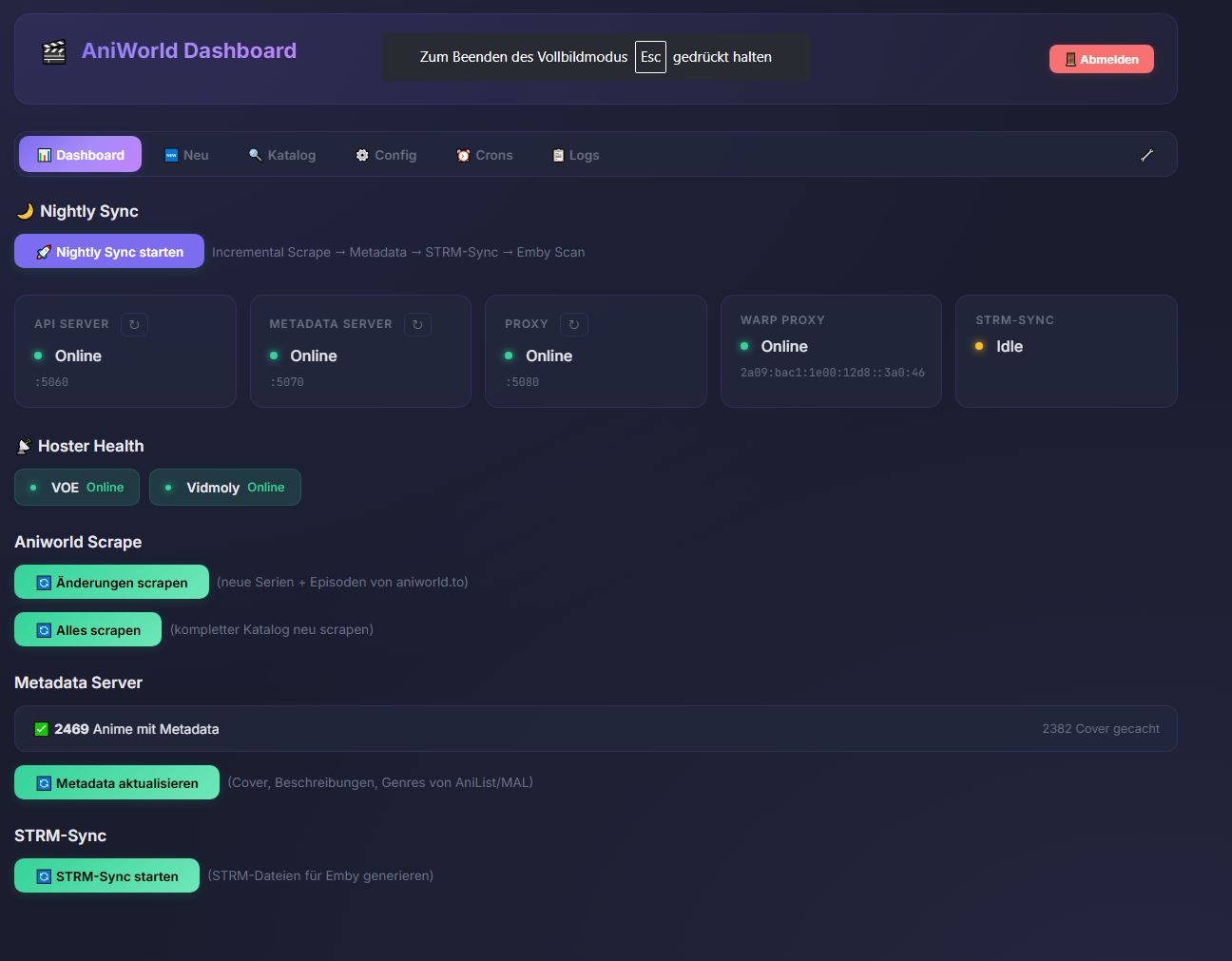
I also use custom-built Python scripts and proxies to create my libraries. For example, I have my own Aniworld.to library that scrapes all the anime from the website, including posters and descriptions. It's powered by Py Proxy and Strm Support. Best regards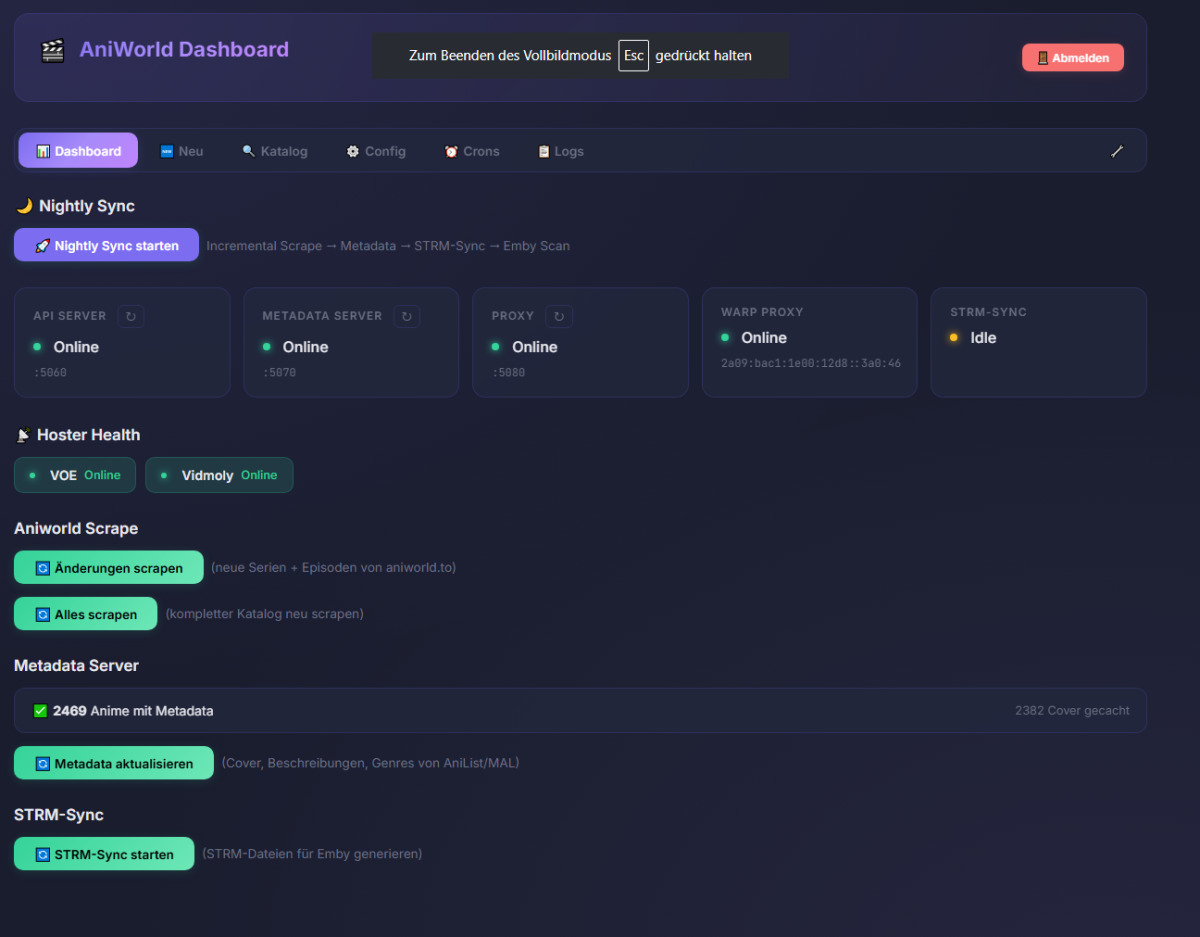
-

DVR, check if movie already in library before recording
reneboulard replied to reneboulard's topic in Feature Requests
This is my last effort to solve this issue it work for me, the IA suggestions are target on! -
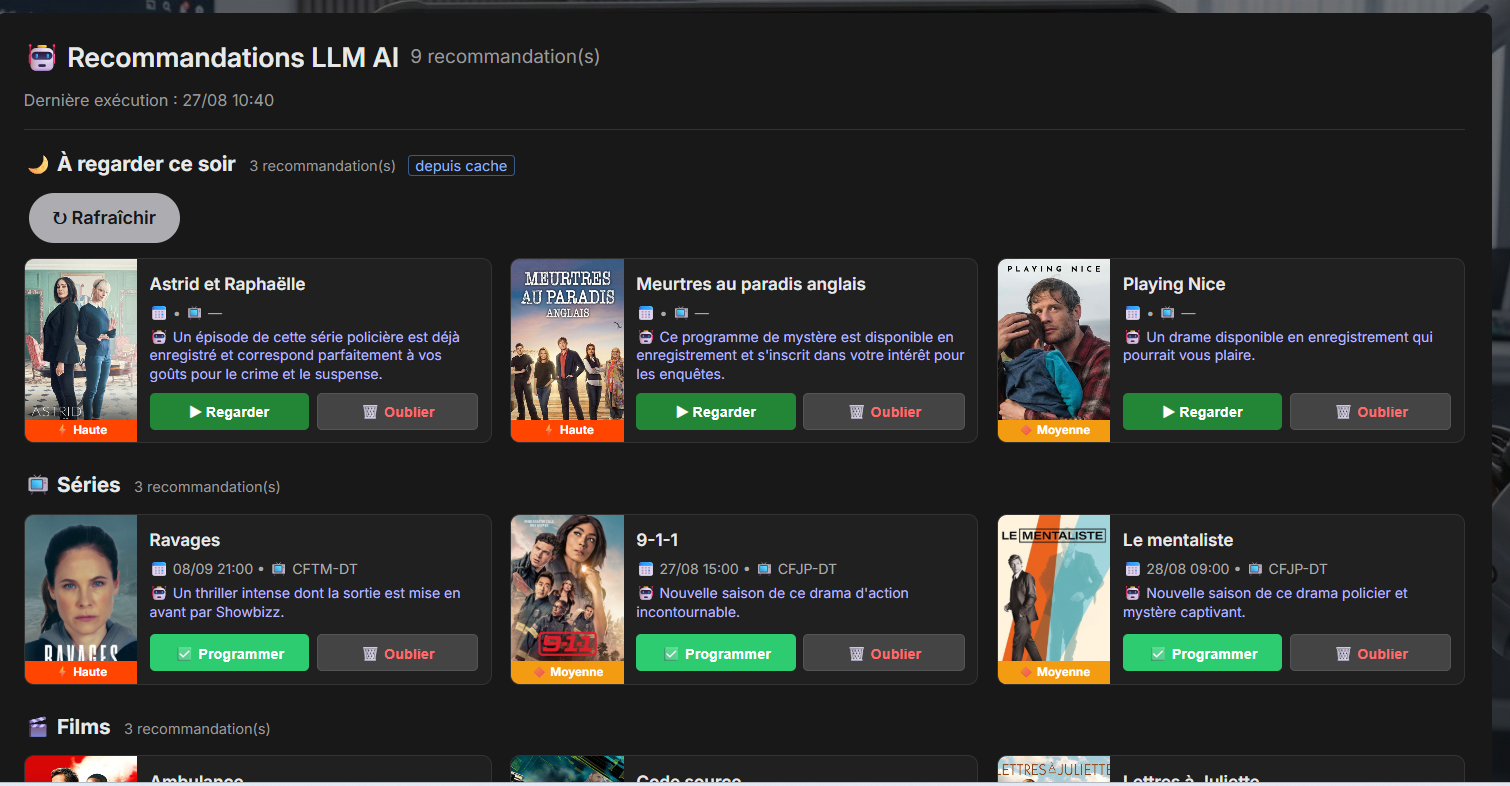
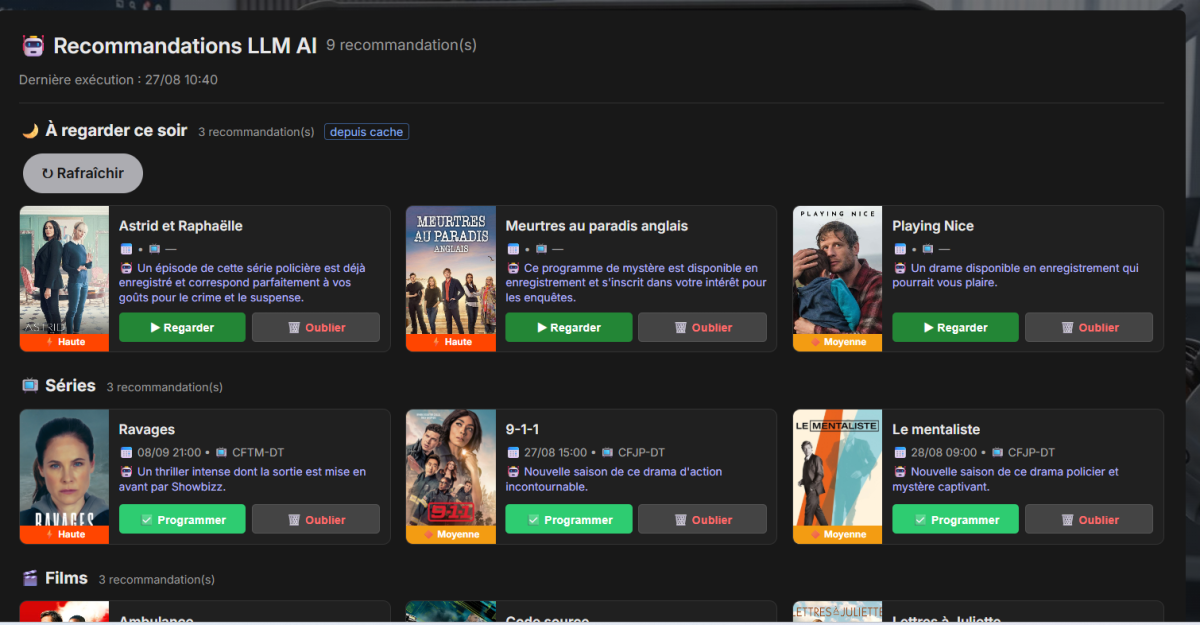
For a while, I’ve been using custom Python scripts alongside local LLMs to analyze my library and automate TV/movie recommendations. It worked so well that I decided to build and share a full native Emby plugin: LLM AI Assistant. Instead of relying on simple rule-based suggestions, this plugin leverages an LLM running an autonomous tool-calling loop (agent). The model dynamically queries your Emby library, Live TV EPG, external metadata providers (TMDB, TVDB, Showbizz new releases), and the web to make smart programming and viewing recommendations. Supported backends include local Ollama (100% private on your own hardware), Ollama Cloud, and Google Gemini. What It Does The plugin adds a dedicated Recommendations page directly into the Emby main menu: Series & Movies to Record (Server-Level / Admin): Powered by a background scheduled task (LlmScheduledTask). The LLM analyzes your upcoming EPG, cross-references your existing library and whitelists/rules, and suggests what should be scheduled for recording. Recommendations are saved globally, displayed to all users, and can optionally trigger standard Emby notifications. "À regarder ce soir" / Watch Tonight (Per-User & Personalized): Computed on demand via a custom API endpoint (TonightApiService). Tailored to each individual user by cross-referencing their personal watch history, tonight's live TV guide, and recent unwatched recordings. Includes a per-user cache so the LLM isn't re-invoked on every single page view. Interactive Action Cards: Schedule: Instantly create a SeriesTimer for TV shows or a single Timer for movies. Watch: Direct one-click playback for library items or Live TV channels. Forget: Adds unwanted suggestions to a DroppedTitles list so the agent won't recommend them again. How It Works (Agentic Architecture) The LLM isn't just generating text; it acts as an agent equipped with specialized tools to inspect: Your local Emby library (already recorded/owned content) Current & upcoming EPG data External sources (TMDB, TVDB, Web searches, Showbizz feeds) Source Code & Setup GitHub Repository: https://github.com/reneboulard/LLM_AI Check out the repo for setup details, requirements, and configuration instructions. Feedback, bug reports, and suggestions are very welcome!
-
Has Anyone Integrated AI With Emby? Looking for Real-World Tools, Setups & Dev Plans
reneboulard replied to Airbender's topic in Tools and Utilities
For a while, I’ve been using custom Python scripts alongside local LLMs to analyze my library and automate TV/movie recommendations. It worked so well that I decided to build and share a full native Emby plugin: LLM AI Assistant. Instead of relying on simple rule-based suggestions, this plugin leverages an LLM running an autonomous tool-calling loop (agent). The model dynamically queries your Emby library, Live TV EPG, external metadata providers (TMDB, TVDB, Showbizz new releases), and the web to make smart programming and viewing recommendations. Supported backends include local Ollama (100% private on your own hardware), Ollama Cloud, and Google Gemini. What It Does The plugin adds a dedicated Recommendations page directly into the Emby main menu: Series & Movies to Record (Server-Level / Admin): Powered by a background scheduled task (LlmScheduledTask). The LLM analyzes your upcoming EPG, cross-references your existing library and whitelists/rules, and suggests what should be scheduled for recording. Recommendations are saved globally, displayed to all users, and can optionally trigger standard Emby notifications. "À regarder ce soir" / Watch Tonight (Per-User & Personalized): Computed on demand via a custom API endpoint (TonightApiService). Tailored to each individual user by cross-referencing their personal watch history, tonight's live TV guide, and recent unwatched recordings. Includes a per-user cache so the LLM isn't re-invoked on every single page view. Interactive Action Cards: Schedule: Instantly create a SeriesTimer for TV shows or a single Timer for movies. Watch: Direct one-click playback for library items or Live TV channels. Forget: Adds unwanted suggestions to a DroppedTitles list so the agent won't recommend them again. How It Works (Agentic Architecture) The LLM isn't just generating text; it acts as an agent equipped with specialized tools to inspect: Your local Emby library (already recorded/owned content) Current & upcoming EPG data External sources (TMDB, TVDB, Web searches, Showbizz feeds) Source Code & Setup GitHub Repository: https://github.com/reneboulard/LLM_AI Check out the repo for setup details, requirements, and configuration instructions. Feedback, bug reports, and suggestions are very welcome! -

Problem with Metabrainz/Musicbrainz & Temp Bans
Zauberwaldi replied to Zauberwaldi's topic in Plugins
No problem. Thanks -
OK i understand. We'll take a look at this. Thanks.
-
This user is setup to not being shown in the profile selection. This is the appropriate section in the administrative web interface. As you can see: User "Ralf" was logged in 16 hours ago. As soon as I start the Fire TV Emby App this evening it will read "0 minutes ago" though BEFORE I selected that user on the start screen.
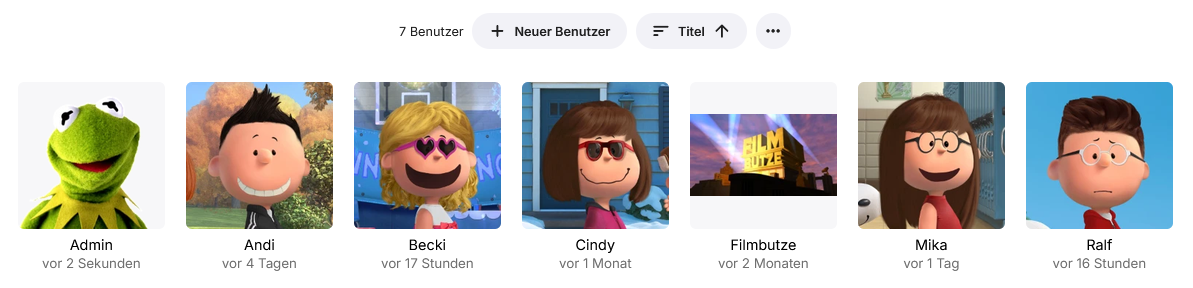
-
What profile do you manage the server with using the server web interface?
-
Sorry, but I am really upset. This is not the first post by me where your answers let me think that you don't really know your own software. It's not fun to report any issues here.
-
Hi, we'll take a look at it. Thanks.
-
Let me explain something: My Emby Server is only on LAN. In my LAN, there are 5 people using it. 3 of them (our children) use their tablets or (Fire-)TVs. None of them uses a user profile of the others (I know, I can see it as an admin). I for myself (as the fifth profile in the picture above) use this profile only from one device - the FireTV in the living room. My wife uses this device also - with her own profile. I access the server also from my PC, but not with my own user profile, but as a dedicated "admin", so administration is done from PC. (Reason is that I can mark TV series as "watched" when a new season is complete for easier maintenance without interfering with my "watching" profile.) So, NO OTHER logs in as user "Arby" (that's not the real name, but that's not the point) from any device in our LAN, but me from this one client. And each time I newly started the client it shows my I logged in 0(!) minutes before. NONE of my family members is able to log into my profile on another device at the exact same moment, each of the estimated 200 days a year I use Emby on my TV. So let me ask you a question: Are you kidding me?