All Activity
- Past hour
-
 Uccibau joined the community
 -
 Eɢᴏɪsᴛ joined the community
 -
 Wiajwiwjsjsb10377 joined the community
 -
 peretga xet joined the community
 -
 陳陳 joined the community
 -
Read the link already provided. Here it is again: Quick Start
-
 atfylove joined the community
 -
 Ayan gujjar joined the community
 -
 MilanKlein joined the community
 -
 yzxlabfb joined the community
 -
I believe the plan is to eventually drop the Android TV app. But I still prefer it when using a remote.
-
Whatever works best for you at the moment.
-

Please also add CreditsEnd to the DB besides IntroStart/IntroEnd/CreditsStart
Kyouma posted a topic in Feature Requests
With CreditsStart there is only the option to keep watching or play the next Episode. This means Users might think that there is nothing left and just play the next Episode, potentially missing important scenes unknowingly. Therefore i am asking the emby team to also add CreditsEnd and thus allowing to display a skip credits button, if there is still some time left after the CreditsEnd marker. -

Create multi language libraries from your existing libraries
MartinCheetham replied to rbjtech's topic in Tools and Utilities
This is a long running thread but I thought I would add my contribution. I used rbjtech's (thank you; great idea and script) original script to build my multi-language files but found similar shortcomings to those pointed out by Dibbes. I also realised that language diacritic characters broke the script. Also I had a couple of files with "!" in the name. These got dropped from the files created so broke the .strm file. I am running windows and linux servers so I also wanted something which would map windows paths to equivalent linux paths. The attached bat file and sample input file does all this. It will take anything in the file path and preserve it, create output libraries, copy .nfo, .jpg, .mp3 (for themes), .srt, .sub etc. to the destination then create .strm files in windows or linux format. Originally I was trying to create .strm files which would work on both Windows and Linux servers but I could not get the the URL to work on both platforms (I'm sure there is a way if anyone has any ideas). The point of copying .jpg files is that I only keep .jpg files in my source library where the scrappers have not found images. If they are not found in English the chances are they also don't exist in foreign language although there maybe odd cases where this is not true. Using a bat script is not ideal so I'm working on a python version which should work on both platforms. Create_Language_libraries.bat config_file2.txt -
Could you not just click record on both parts? I have not come across this yet.
- Today
-
No la encuentro en víame un enlace
-
@roand7802 Update V1.0.0.2 Added shortcut on main page under "Emby Server", so you don't have to click on the Plugins tab and can instantly open the plugin. Added requested "Pause Timeout" function, with option to show message to user. Added display for printing last stopped user within the plugin. Changed layout accordingly. https://github.com/codedbyk0Lm/EmbyPlugin.AreYouStillWatching-Fallback/releases/tag/v1.0.0.2 https://github.com/codedbyk0Lm/EmbyPlugin.AreYouStillWatching-Fallback
-
Awesome, thanks!
-
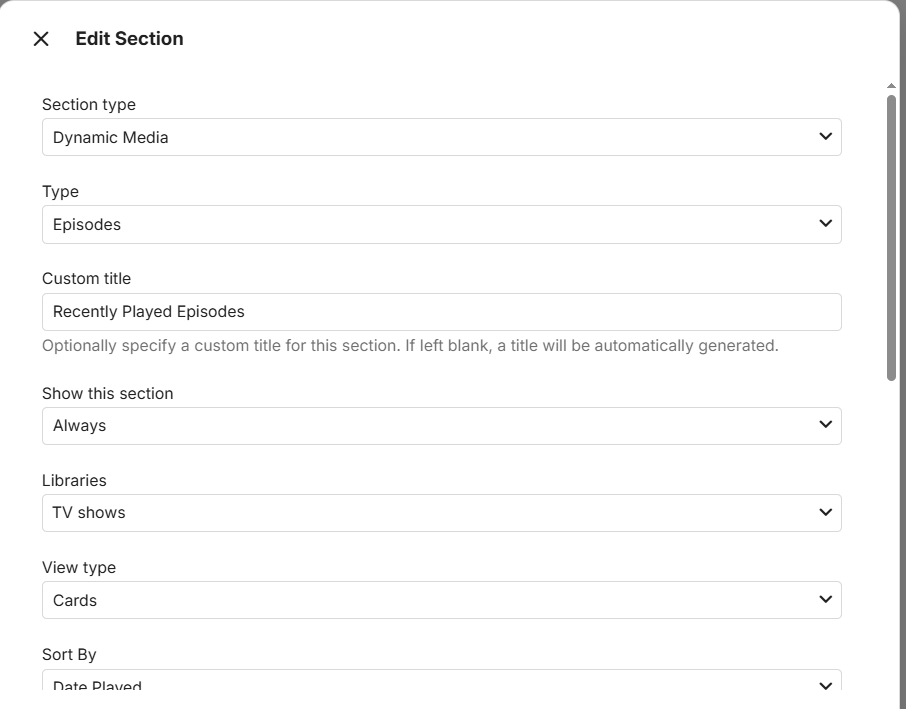
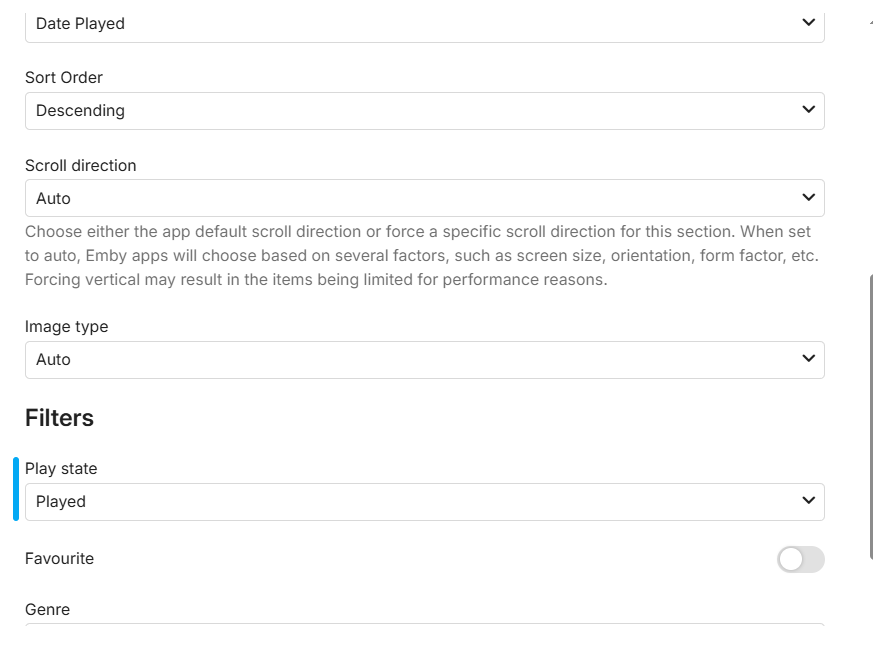
ooh cryptic...thanks is it the dynamic media one? Its not sorting by playdate for me. Is it working for you?
-
Android TV or Android? Confused on this as both works.
-
Normally you just use the chmod and chown commands for permission problems and all is good. Here's what my permissions look like for the folder in your log (check for others) drwx------ 1 postgres postgres 512 Jul 12 04:56 /volume1/@database/pgsql However, if you need/want to go down that road then do the following as Luke mentioned. shut down Emby server ssh into your nas login as admin sudo rm -rf /volume1/@appdata/EmbyServer reinstall Emby
-
Hi everyone, I've been running Emby Server on a Proxmox LXC with three NVIDIA RTX 3090 GPUs, and I wanted to share some issues I've encountered with HDR content playback and a few feature requests that I think would benefit the community. --- **My setup:** - Server: Proxmox LXC, 3x NVIDIA RTX 3090, Xeon Gold 6148 - Client: Windows 11 PC, Samsung SDR monitor (no HDR support) - Emby Windows app: v2.310.2.0 - Content: HDR10 and Dolby Vision MKV files --- **Issue 1: HDR content appears very dark in the browser** When streaming HDR10 content via Chrome or Firefox, the image appears significantly darker compared to the same file played locally with VLC or mpv. After investigation, I discovered that even though the server is configured with hardware tone mapping (Hable algorithm), Emby is performing a remux instead of a full transcode — so the tone mapping pipeline is never actually applied. The browser receives raw HDR video and has no way to handle it correctly on an SDR display. The dashboard confirms this: the session shows "Direct Play" or "Remux" for the video track, meaning the server-side tone mapping settings are completely bypassed. There is currently no server-level option to force HDR transcoding for all clients. The only workaround is to manually lower the bitrate limit per user, which is not ideal and not persistent across devices. **Feature request:** Add a server-level option to force transcoding (and apply tone mapping) when the source is HDR and the client does not report HDR display support. --- **Issue 2: Emby Windows app does not allow custom MPV parameters** The Emby Windows app (v2.310.2.0) uses libmpv internally for video playback, which is excellent. However, the app initializes MPV with `--no-config`, completely ignoring any external `mpv.conf` file — even one placed in the expected `%APPDATA%\mpv\` location. I confirmed this by reading the MPV log files (accessible from the app's About page), which show no "Reading config file" line and confirm that all properties are set exclusively via code by the app. The Customize mode in the app exposes some useful parameters (tone mapping algorithm, HDR contrast recovery, HDR peak computation), but critical parameters for SDR displays are missing: - `target-peak` (nits of the display) - `saturation` / `contrast` / `brightness` corrections - `gamut-mapping-mode` - `vf` (video filters) For reference, the parameters that actually produce a good HDR→SDR result on my SDR display are: ``` tone-mapping=spline target-peak=70 target-primaries=bt.709 target-trc=srgb gamut-mapping-mode=perceptual saturation=-59 contrast=-15 bright=4 ``` Without access to these, the image on SDR displays is either too dark, oversaturated, or both — regardless of the tone mapping algorithm selected in the UI. **Feature request:** Either expose these additional MPV parameters in the Customize UI, or allow loading a user-provided `mpv.conf` file from a configurable path. I'm aware there is already a feature request open for this ("Add custom mpv.dll options / parameters to launch") — I'm adding my voice to support it. --- **Issue 3: NVDEC decoder causes crashes with software encoder** When running the built-in transcoding test, NVDEC as decoder consistently fails with "Object reference not set to an instance of an object" when paired with a software encoder, across all content types (H.265, HDR10, Dolby Vision). The same content works perfectly when using CUVID as the decoder instead. NVDEC works correctly when paired with NVENC as the encoder, but since the app selects decoder/encoder combinations automatically in some scenarios, this can cause unexpected playback failures. **Suggestion:** Consider adding a warning or automatically excluding NVDEC+Software combinations that are known to fail, or document this limitation more clearly. --- **Issue 4: No way to force NFS over SMB for media mounts** This is more of a documentation/guidance issue: when media is mounted via Samba/SMB, high-bitrate files (8-10GB MKV) can cause intermittent video freezes, audio/video desync, and seek instability during transcoding. The transcoding process writes temp files while simultaneously reading the source over the network, and SMB introduces enough latency to disrupt this. Switching to NFS mount resolves the issue entirely, but there is no mention of this in the Emby documentation for Linux server setups. **Suggestion:** Add a note in the server documentation recommending NFS over SMB for media storage when transcoding is enabled. --- I hope this is useful for the team and for other users running similar setups. Happy to provide logs or additional details for any of the above. Thanks for the great software — despite these issues, Emby has been a solid platform overall.
-
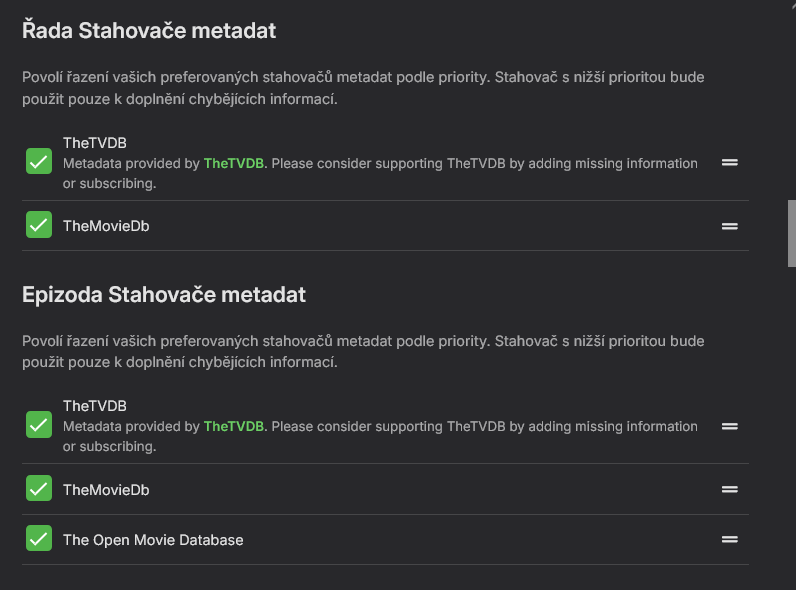
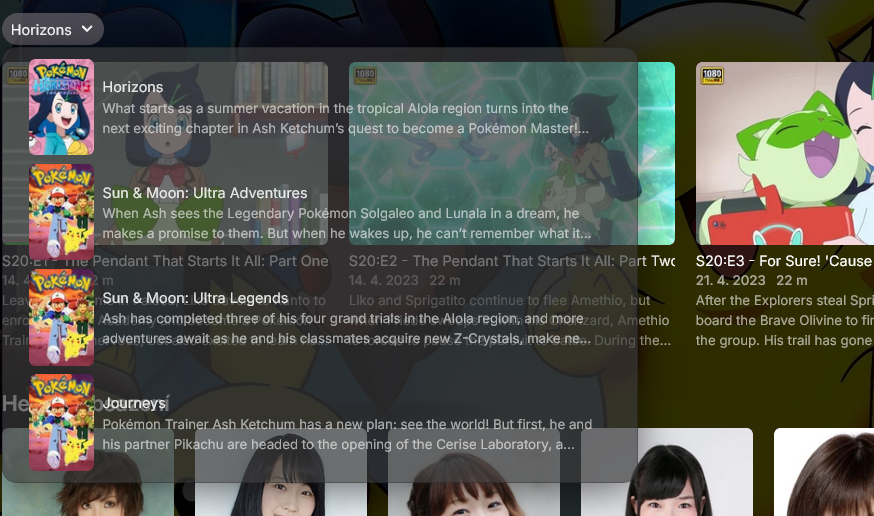
You need to either: 1) Have TMDB as top-preferred provider, as TVDB lists only 20 seasons (with Season 20 being Horizons) in Aired order whilst TMDB has 25 seasons (with Season 20 being Sun & Moon), which sound more like what you're after. Move TMDB on top, refresh metadata. or 2) Change File order to DVD as TVDB DVD order has 27 seasons listed (with Season 20 being Sun & Moon). Edit Metadata dialog>change File order to DVD>Refresh Metadata Choose whatever method better suits your filefolder structure.
-
Here
-
It just doesn't work at all, crash as soon as you try to play something
-
What are your library enabled meta-downloaders and in what order?
-
I checked I had this set already, shame this feature is not available in Emby, I wonder if there's a technical limitation or just not something they're interested in providing
-

Emby Connect can't reach server (connection works fine via direct domain/reverse proxy)
pwhodges replied to smity3's topic in General/Windows
The server running on Windows, right? If so, check whether the network connection is shown as public (wrong) or private (correct); the setting can change unexpectedly. Paul -
You can already do this.
-
Happy to hear that it's working well! That's a very good idea, i think so, i will look into it today!
-
EDIT (9:50):Hi everyone, I'm having a small problem that I still can't figure out. I have Pokémon Seasons 20, 21, 22, and 23 according to Wikipedia, and that season list is correct. I'll add the rest of the Pokémon series later once I solve this issue. https://en.wikipedia.org/wiki/Pok%C3%A9mon_(TV_series)#Episodes I added everything to Emby and let it scan the library. Now it's a complete mess. Instead of Seasons 20–23, Emby shows things like Season 18, Horizons, or Season 19. I need Emby to display the correct season numbers according to Wikipedia. How can I fix this? Has anyone experienced the same issue? Also, all episodes are stored in a single folder (Seasons 20–23 together). I don't have separate folders for Season 20, Season 21, Season 22, and Season 23. Thanks! EDIT (10:09): I managed to fix it, but I'm still having a problem with Season 20 only. Why is it showing Horizons? Seasons 21, 22, and 23 are correct. The issue is only with Season 20, which should be Sun & Moon. How can I fix this? Thanks!
-

Introducing Traxx, an Android music app built for Emby music libraries
r5yk5 replied to Hauzz's topic in Third Party Apps
Looks good. Any chance of some sorting options, especially for albums? I use either Date Added or Random sorting in the Emby app to choose something to play. And playback via DLNA? I have a few devices that don't support Google cast but do support DLNA. Either way I'm glad someone is giving this a go. Oh yeah, and I'd also like to connect remotely with tailscale. Thanks -
@LukeNow that home screen smart section customisation is a thing, could this feature request perhaps be revisited (i dont see its possible yet?)? i see this FR has had a healthy number of upvotes. It would be great to be able to choose a home screen section that would work for all ie dynamic "recently played current user" (this one is the high priority one imo) or a specific recently played "recently played named user" or a general "recently played by any user". Personally i think it would be better not to have separate rows for separate libraries or media types, just one row for all selected librarys/'bottom level' (the things you actually play) media items (episode, movie, [track etc]). That said nothing stopping the admin creating separate sections with separate filters if the section feature is made available. Potentially there might be nuance around " played at all|watched entirely", guess it depends what the database schema can actually surface for a mediaitem type per user. The key requirement imo is that i can see what was played to completion recently. Im still having to do this functionality via a smart playlist outside core.
-
That has been what I use makemkv works great for me and I will read up on StableBit DrivePool thank you very much.