All Activity
- Past hour
-
 CUBADAN joined the community
 -
OK we are looking into it. Thanks.
-
 maykolquiros joined the community
 -
 Lenakak joined the community
 -
 lukeharley joined the community
 -
 ds4283 joined the community
 -
 Erchacaz1972 joined the community
 -
 TheShellyBean joined the community
 -

HLS segment list is computed from the container's declared duration and is never checked against the media.
Luke replied to vdatanet's topic in Developer API
What about the 220 segment? Not the last one. -
 SaraFM joined the community
 -
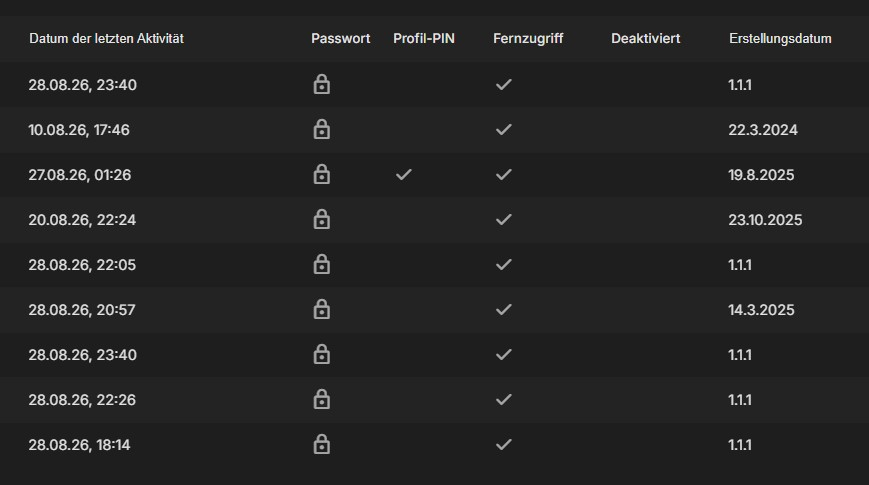
I will look into it about the server Date/Time Locale. Because on my side it shows the european time. I have a few of those with created 1.1.1 too... these dates come directly from Emby and are not a plugin error.
-
 Alileto joined the community
 -

ElegantEmby - Dark Rounded Theme for Emby Web
MediaEmby1968 replied to Pejamas's topic in Web App CSS
Nice topic, I had already seen this topic on the internet. But some questions - How can I make the movie tabs wider, they seem narrow and elongated to me. - Also how to change the color of the seen and unseen icon Thank you -
 mariocowface19.jbcn joined the community
 -

HLS segment list is computed from the container's declared duration and is never checked against the media.
vdatanet replied to vdatanet's topic in Developer API
Following up on my own post, because I went back for the ffmpeg logs afterwards and they contain the mechanism. I attached them (ffmpeg-segment-211.txt — two runs from the same session, sanitised as described in its header). Short version: ffmpeg announces a segment when it opens the NEXT one, so the last segment of any run is never announced — and from the outside it looks like that announcement is what releases a segment to the client. The announcement lines look like this: SegmentComplete=video:0 Index=211 ... Duration=6.027000 filename=C7DAFF_210.mp4 Index=N+1 announcing filename=_N.mp4. Here are three requests from one session, on the 21-minute file from my last post, whose playlist has 212 entries (0..211): segment 106 -> full remux, no seek 212 SegmentComplete lines 200 segment 210 -> full remux, no seek 211 lines, last announces _210.mp4 200 segment 211 -> restart with -ss 00:21:06.000 -start_number 211 ZERO SegmentComplete lines never answered Across every ffmpeg log this server wrote, filename=C7DAFF_211.mp4 appears in zero SegmentComplete lines. C7DAFF_210.mp4 appears in one. Even the full remux that did write 211 ends like this: 21:04:59.046 SegmentComplete=... filename=C7DAFF_210.mp4 [hls] Opening '.../C7DAFF_211.mp4.tmp' for writing [hls] Opening '.../C7DAFF.m3u8.tmp' for writing EXIT It opens 211 and the run ends without announcing it. And the restart for 211 did its job: it wrote C7DAFF_211.mp4 — 1,657,212 bytes, 134 frames, 5.494 s — in about 10 ms at 361x, rewrote the session playlist with that one entry AND an #EXT-X-ENDLIST, and exited with code 0, 96 ms after the request arrived. ffmpeg declared the work finished in its own playlist. The server then held the request for 90 seconds and sent nothing. Two corrections I owe you on my own post from yesterday. First, I said the wait was for a completion signal "from a process that is already gone". The process being gone is not the cause: the signal is never emitted for the last segment of a run, whether the process is alive or dead. Second, I implied the restarts themselves were the problem. They aren't — segments 106 and 210 went through exactly the same restart path minutes earlier and both returned 200. What saves them is that the run continued past them, so they got announced. Which also ties this to the arithmetic at the top of the thread, and I think it's the whole bug in one sentence: because the segment list is computed from the declared duration, the last entry always sits at or past the end of the media, so it is always the final segment of whatever run produces it — and the final segment of a run is never announced. The same shape explains the 500s on short files: when the whole remux takes milliseconds, every segment requested is the last one of its run. If the wait treated EOF — or an exit code of 0, or ffmpeg's own ENDLIST, all three of which are present here — as completing the final segment, I believe every case in this thread would serve. The file is already on disk when the wait begins. Happy to run this against the next build, or to pull any other log from the same session. ffmpeg-segment-211.txt -

TV Show Status — TMDB-powered Returning/Ended/Cancelled badges for series
GrimReaper replied to Blueskies278's topic in Plugins
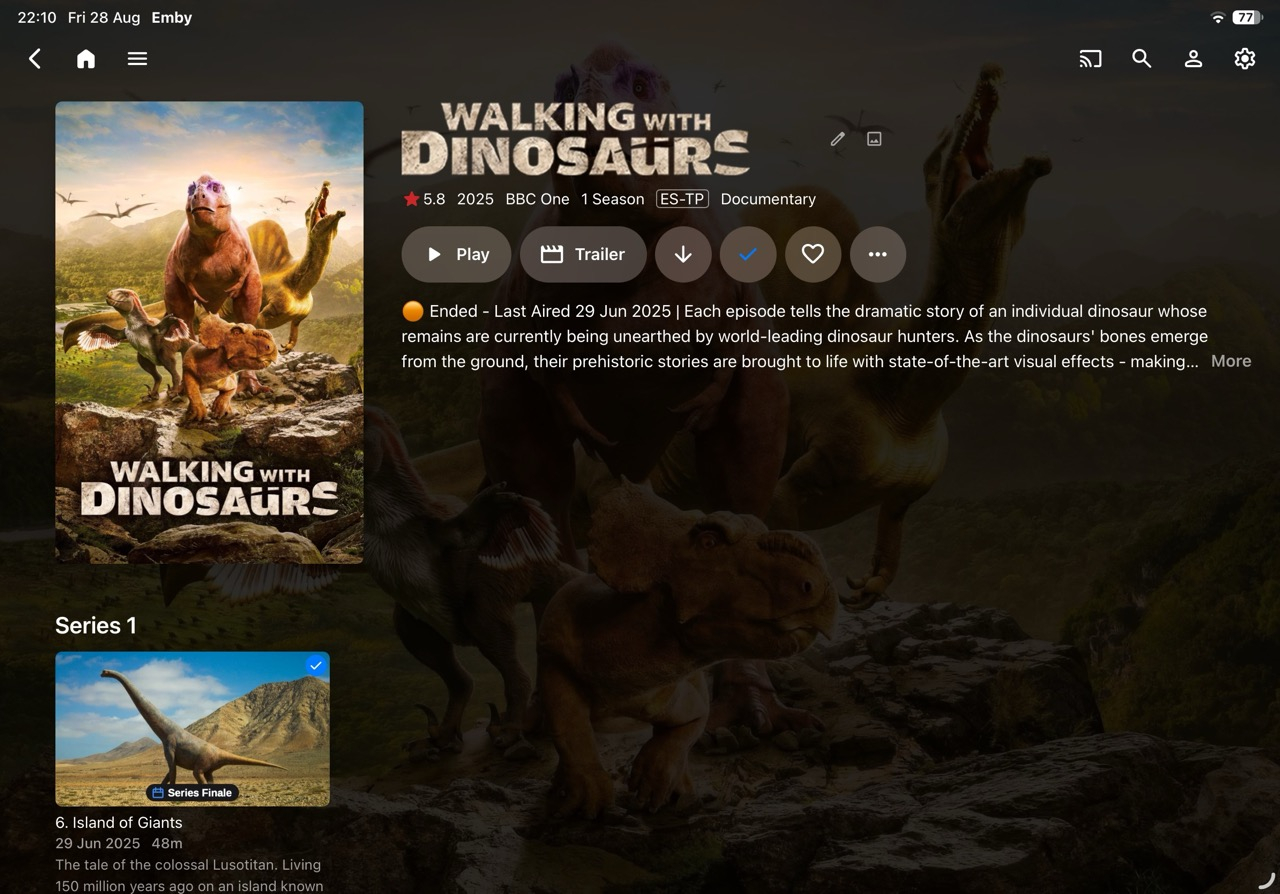
Looking good, like the "Series finale" and: -
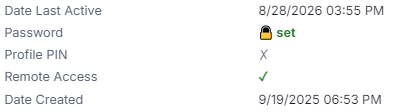
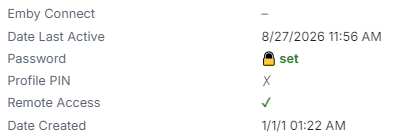
Could you make it so server Date/Time Locale is respected, i.e. not US date formats? Also, abt. 50-60% of my users have Date Created as 1/1/1?


-

TV Show Status — TMDB-powered Returning/Ended/Cancelled badges for series
Blueskies278 replied to Blueskies278's topic in Plugins
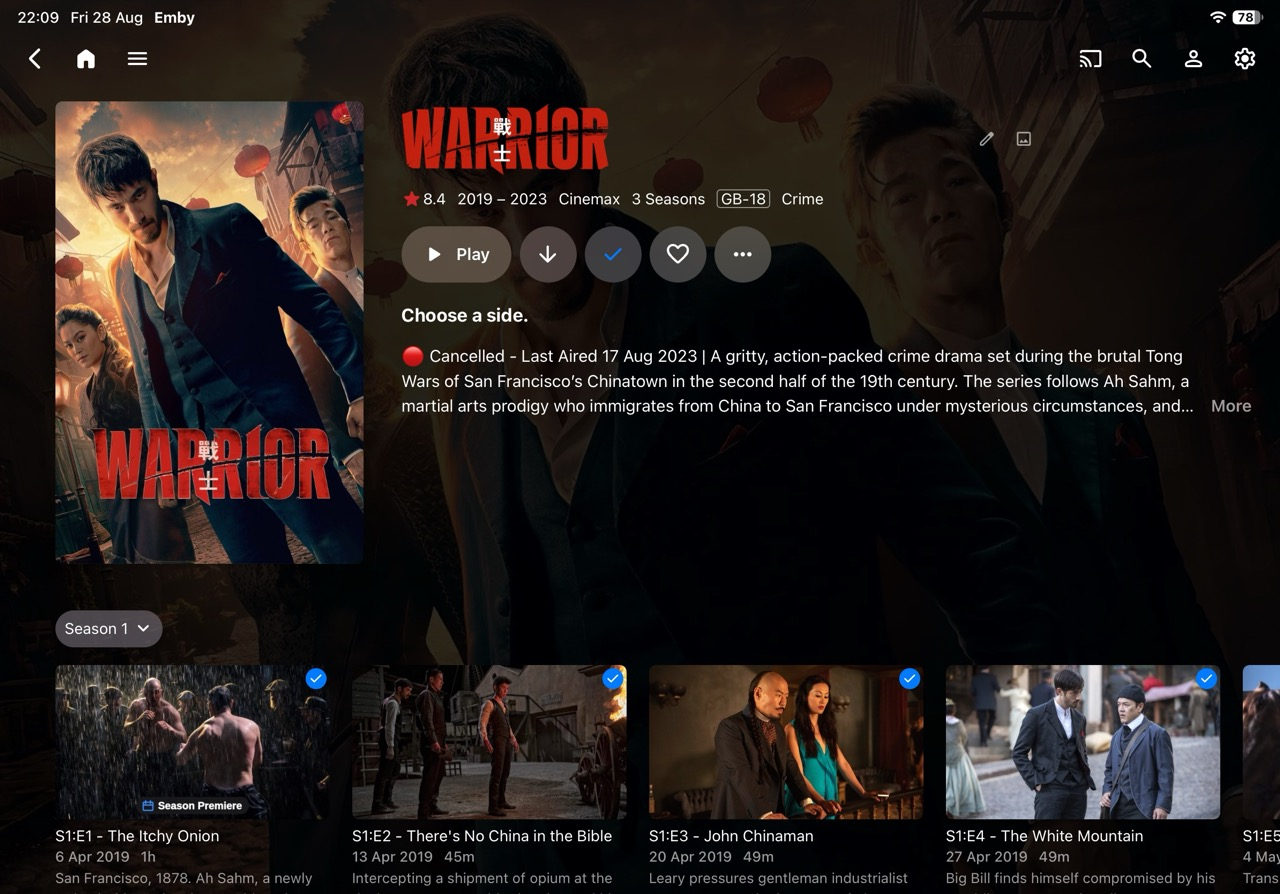
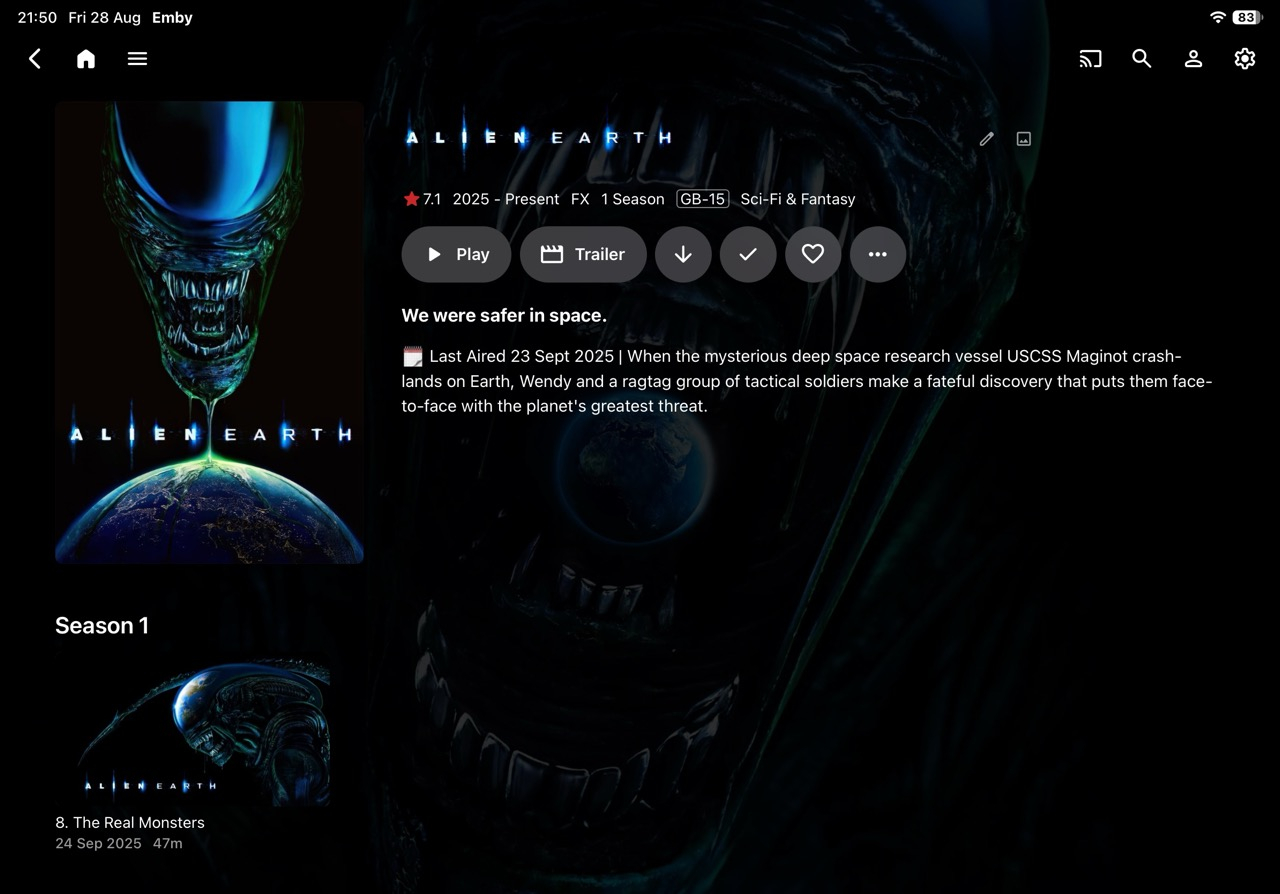
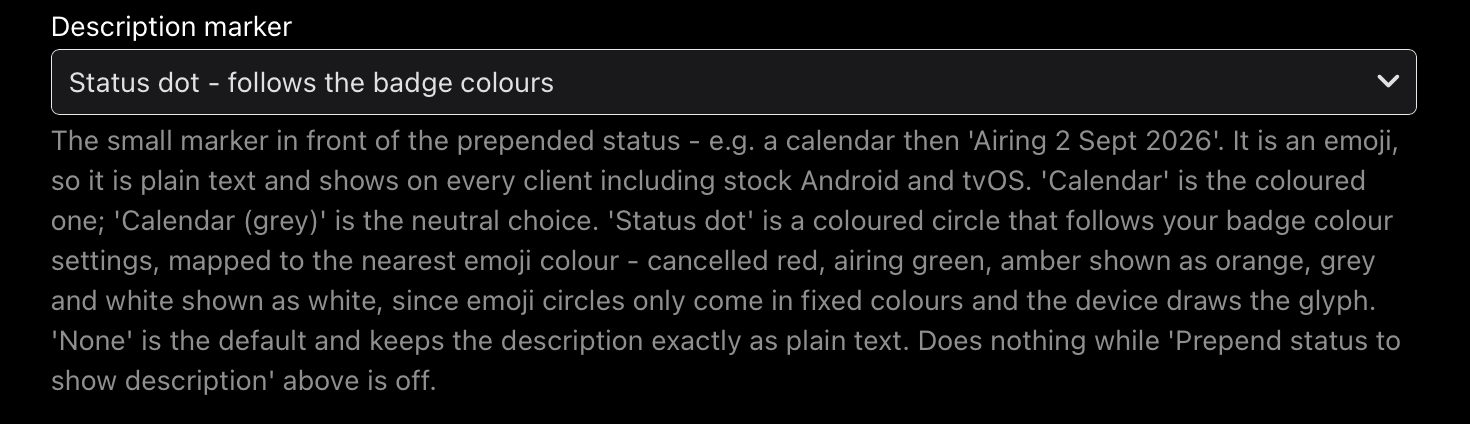
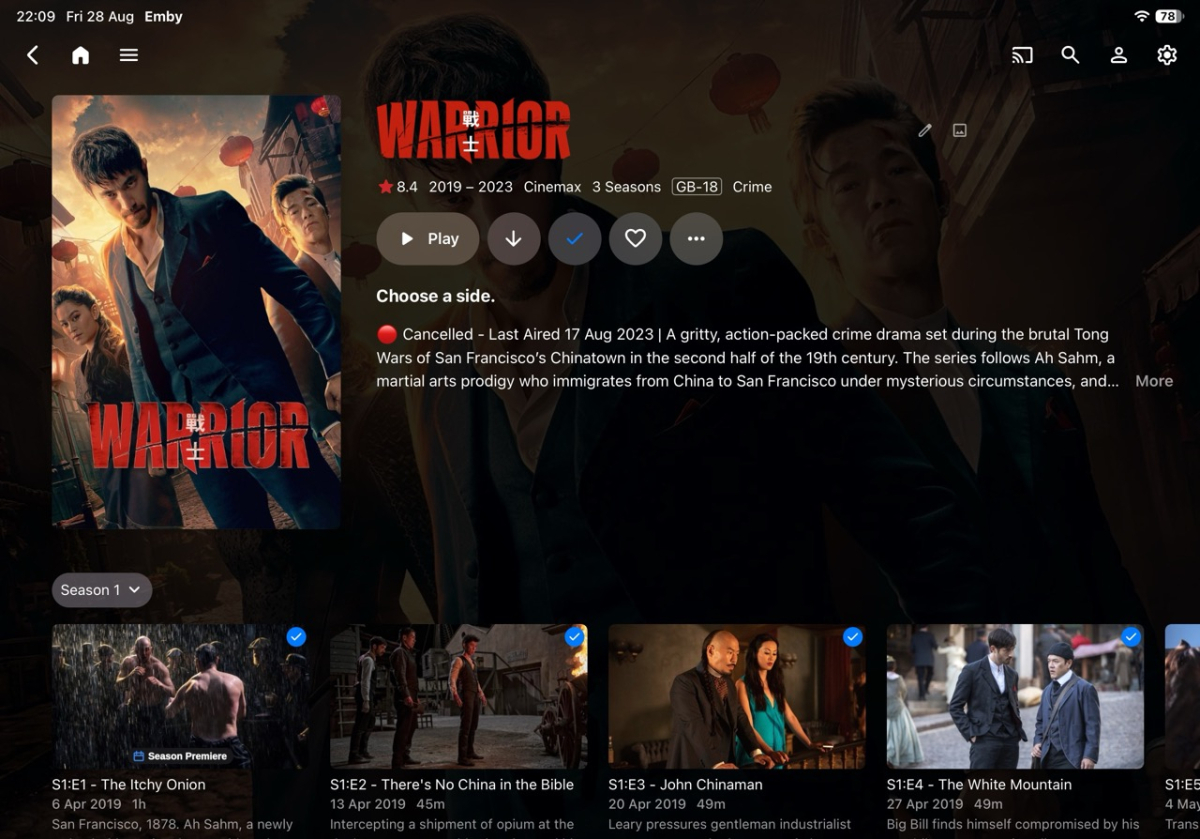
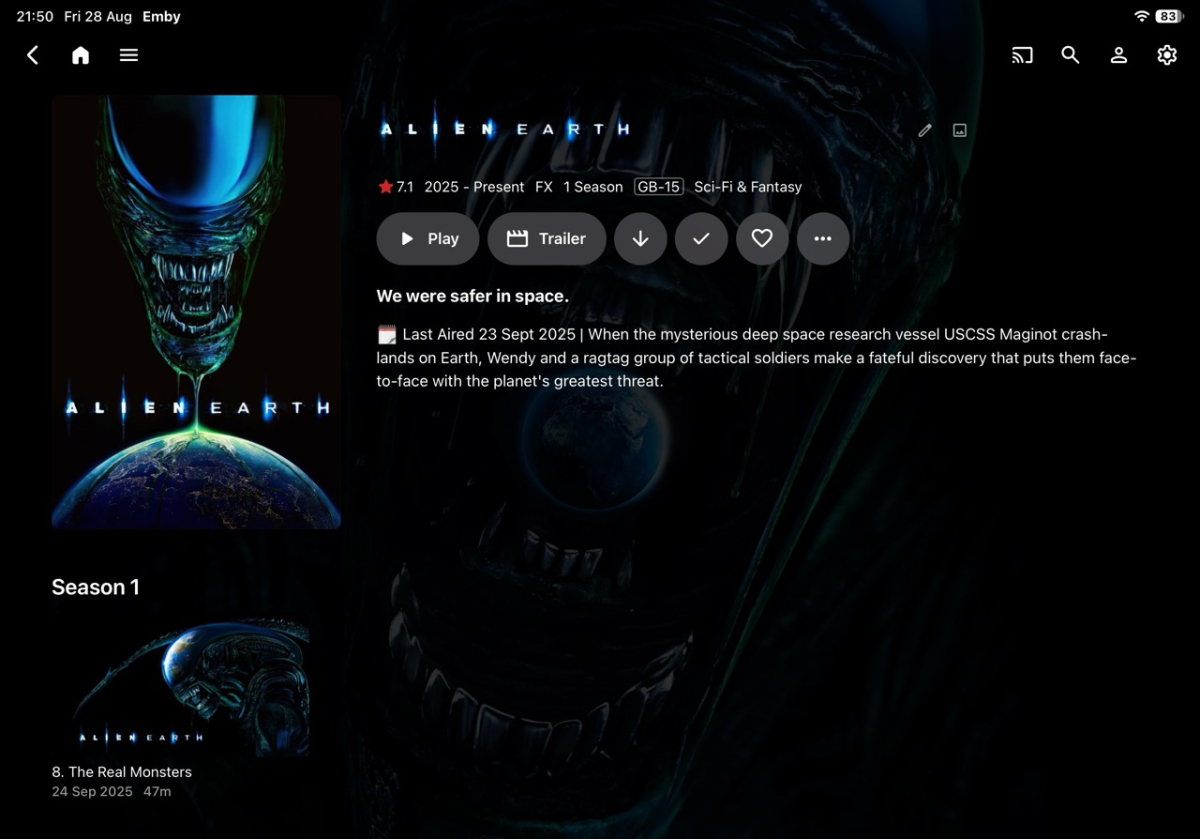
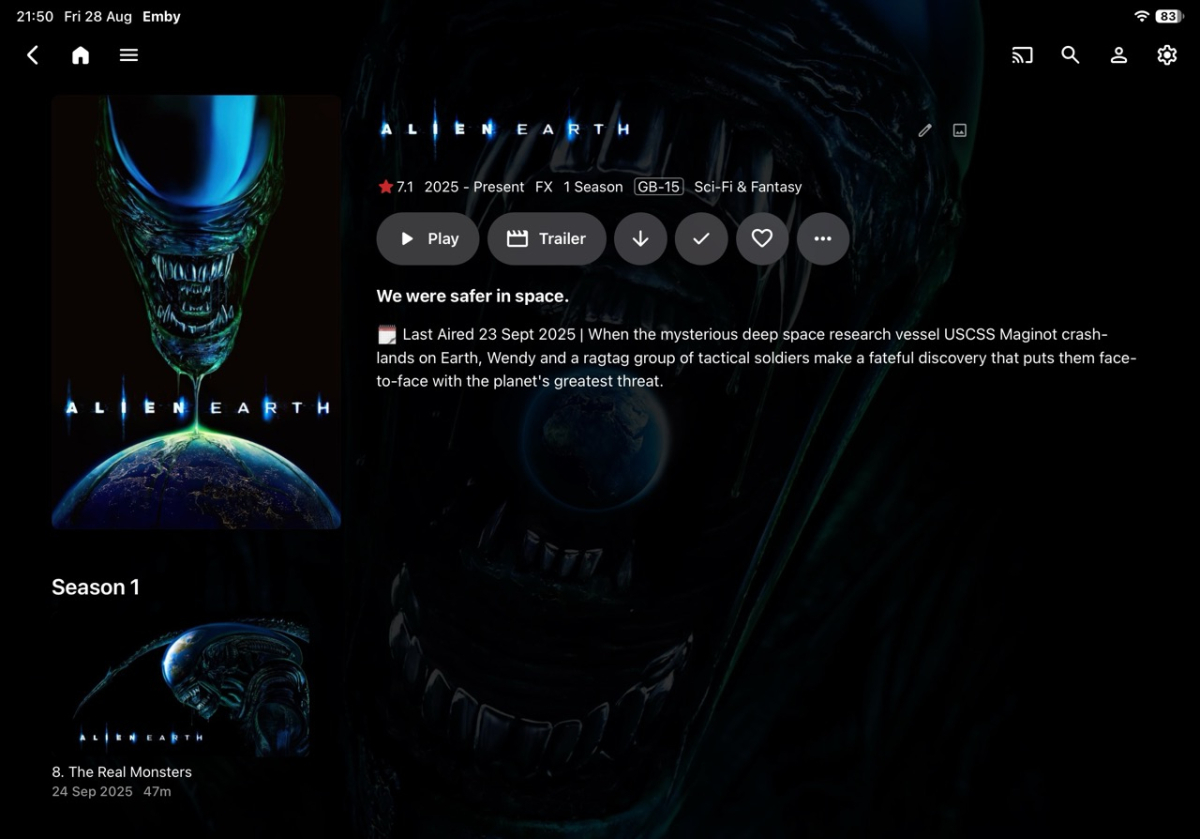
TV Show Status Release Notes Changes 2.5.99.0 Fix Upcoming badges showing the show's next air date instead of each episode's own date Fix two badges appearing on posters when the overlay and web badges were both on Fix badges only appearing after visiting a show first, and disappearing again on the way back Fix badges never clearing from a card once drawn Add "Season Premiere" on the Upcoming list, on every client including Android TV, Fire TV and tvOS Add an optional calendar or coloured status dot in front of the status in show descriptions, which shows on every client. Off unless you choose one Add a colour setting for the Season Premiere badge Add a setting to show "Returning" instead of a date on the badge Add separate settings for library cards and the Upcoming list, so either can be badged on its own Add a setting to switch the web badges off inside the Emby app while keeping them in a browser Add a setting to turn off status badges on posters Change the Upcoming badge to read the day heading Emby prints above each card, so it always matches Limitations Season Premiere on the Upcoming list appears on every card of that show while the new season is coming, not only the first episode. One picture serves every card and cannot tell them apart. Only the web browser gets it per-episode There is no "Only Complete" option for the Upcoming list. Complete means nothing further is scheduled, and a show only appears in Upcoming because something is scheduled Air dates and Season Premiere on Upcoming cards are web browser only Turning "Prepend status to show description" on can produce two badges on a poster. Leave it off for now With Emby's "Hide spoiler information from unwatched episodes" on, unwatched episodes show the series artwork, so you see the show's badge rather than an episode one Episodes with no artwork of their own borrow the series picture, and the series badge comes with it Your library's thumbnail view and the Upcoming list request the same image, so a badge in one appears in the other. Poster view is the only layout that separates them The calendar and status dot in descriptions are emojis, so each device draws them in its own style and their colours cannot be changed Changing a setting may not update artwork you have already viewed. Refresh metadata on the show, or wait for Emby to re-read it "Draw badges on library cards" is web browser only, and is ignored while the poster overlay is on Ended defaults to amber on new installs only. Existing installs keep whatever they had This is probably my last update for a couple of weeks EmbyTVShowStatus.dll TVShowStatus-Settings-Reference.pdf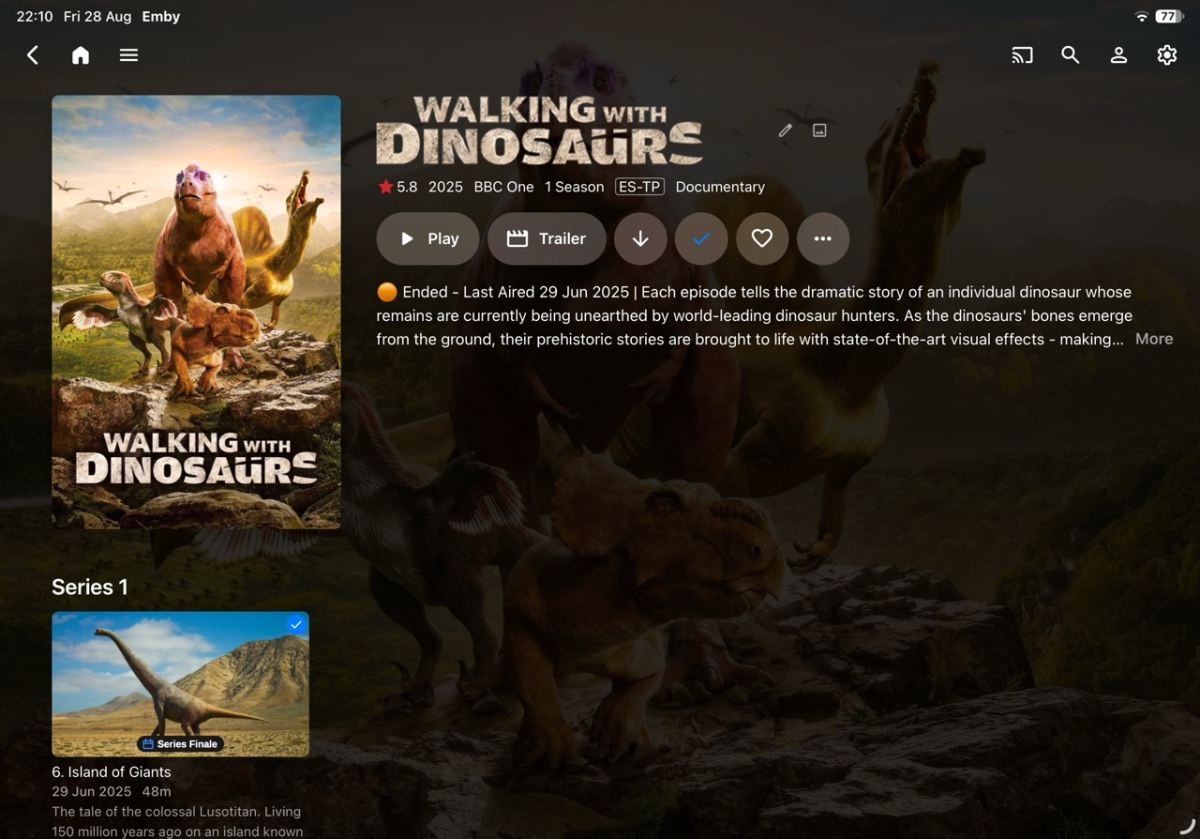
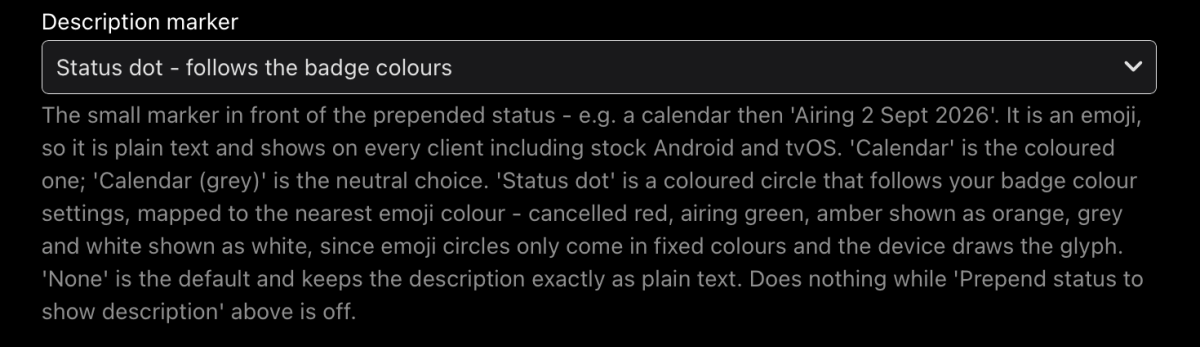
-
HLS segment list is computed from the container's declared duration and is never checked against the media.
vdatanet replied to vdatanet's topic in Developer API
I tried the latest build — 4.10.0.29, the current beta tag. Same setup as my codecs measurements in the other thread: a fresh install in a disposable container, nothing carried over from my server. Two sources: a real 21-minute TV episode (MKV, h264 + AC-3, 906 MB) that has been failing at the end for me for a year, and synthetic MKVs built for the purpose. Everything below comes from the server's own log and from the files in its transcoding-temp directory. The short answer: the segment is not served yet. But I can now show exactly where it stops, and the arithmetic and the stuck tail turn out to be two halves of one mechanism. 1) The list is still computed from the declared duration. The episode's container declares 1269.280 s; its last video packet is stamped 1268.184 s (ffprobe, read to EOF). The playlist the beta serves: 212 segments, all #EXTINF:6.0000 -> 1272.00 s promised That is the declared duration rounded up to whole segments — about 3.8 s promised past the last frame. A 60-second synthetic MKV whose Segment Info duration I patched to 90 s gets 15 × 6.0 s; re-encoded it gets 30 × 3.0 s. Always the declared 90, never the real 60. 2) The tail on the real episode (video copied, fMP4 segments), step by step: - during the remux: segments 0, 106, 210 -> all 200 - ffmpeg finishes on its own; the transcoding-temp directory holds all 212 segment files, 211 included - GET segment 211 -> the request never completes. The server held it for 90 seconds until my client gave up. Its own log, one request id end to end: 21:05:07.760 GET .../hls1/main/211.mp4 21:05:07.760 Starting transcoding because currentTranscodingIndex=null 21:05:07.856 ProcessRun 'StreamTranscode 011ceb' Process exited with code 0 21:06:37.769 Response completed after client disconnected. Time: 90009ms The file it was asked for was complete on disk before the request arrived, and the ffmpeg restarted to produce it exited cleanly 96 ms in. The response never came. 3) The same thing as a 500 instead of a hang, on the patched synthetic (30 segments promised, 20 producible): after ffmpeg's clean exit, segment 19 — real, sitting on disk — returns 500. So do 20 and 29, and every retry. The 500 body is FfRunException: Error starting ffmpeg wrapping an ffmpeg log that ends in a normal, complete run with exit code 0. And the extreme case, which takes the declared duration out of the picture entirely: a 3 MB MKV with an honest 60-second duration remuxes in about 25 ms — faster than the startup watchdog — and every segment request, init.mp4 included, returns that same 500, forever. So what it looks like from the outside: segment availability is decided from the state of the transcoding process, not from what is in the transcoding directory. While ffmpeg is alive, everything serves. Once it has exited — and near the end of the media it exits quickly, because there is little left to do — a clean exit is read as "Error starting ffmpeg", or, on the fMP4 path, the last segment waits on a completion signal from a process that is already gone. The declared-duration arithmetic then guarantees that every player ends its session inside exactly that zone — which I believe is this thread, the step-back 500s on a segment that had been served 200 minutes earlier, the sessions stuck at end of file, and the streams that never end server-side, all at once. At the moment of every 500 and of the hang above, everything needed was already on disk: the segment file, ffmpeg's own playlist with ENDLIST, exit code 0. If the wait checked the directory before concluding, and treated a clean exit as completion rather than as a startup failure, I believe every case above would serve. If the segment fix wasn't meant to be in 4.10.0.29 yet, happy to rerun all of this against the next build — the whole setup takes a few minutes and none of it touches my real server. -
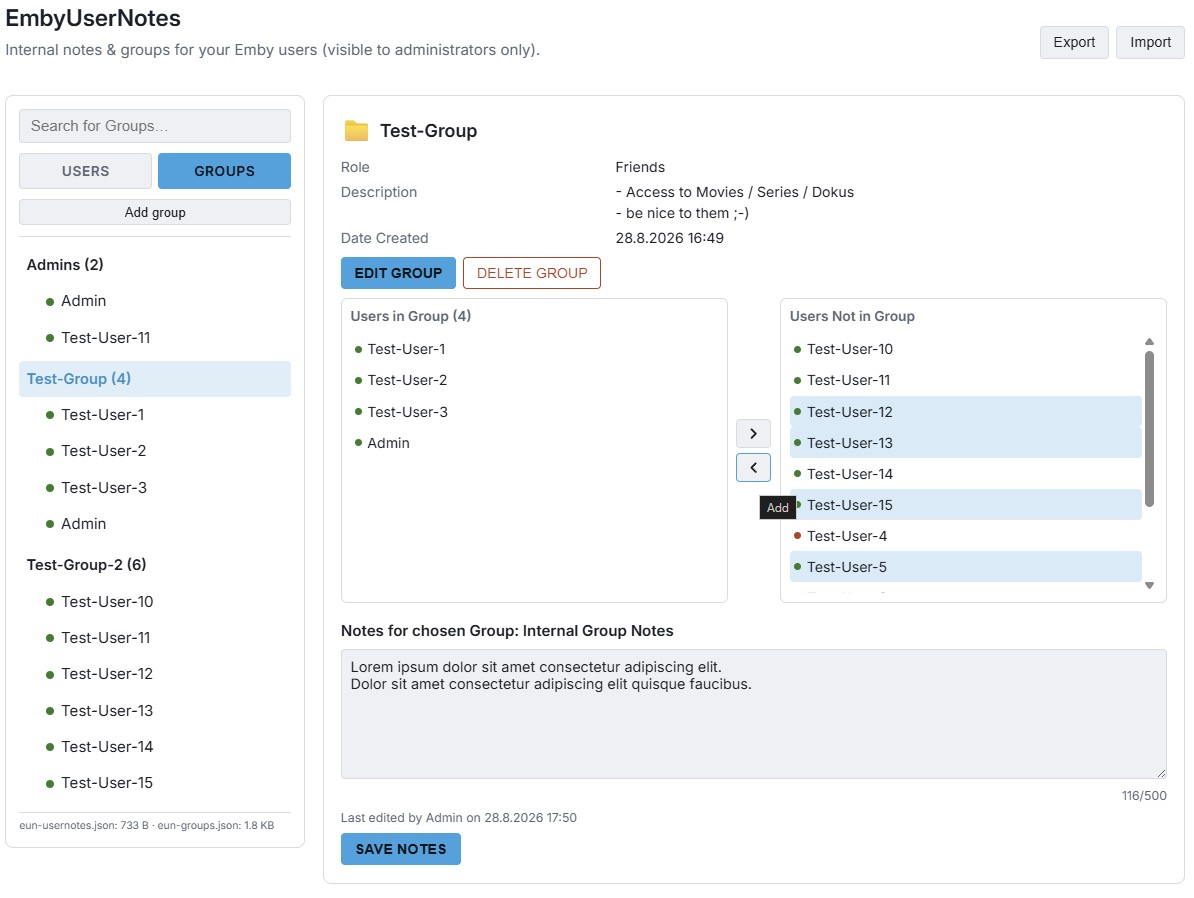
Hey everyone, Inspired by a feature request (Have an admin notes section under each user account), I built EmbyUserNotes (EUN) - a lightweight, admin-only plugin for internal notes on users and custom user groups, with CSV export/import for backup. Here are some screenshots: How to test: 1. Download EmbyUserNotes.dll below. 2. Copy it into your Emby Server "plugins" folder. 3. Restart Emby Server, then open Dashboard -> "User Notes". Security & privacy: - Admin-only, enforced server-side on every route - Never writes to Emby's own database - only reads existing user data (incl. avatar) the same way the built-in Dashboard does. - Notes are plain text only, no rich text/HTML formatting - keeps things simple and safe. - "EDIT PROFILE" links straight to Emby's own official user-edit page for the selected user. Export / Import: The export generates a single .zip file containing 3 CSV files (groups, group members, and user notes). While built-in validation checks are included, manually editing and importing modified CSV files is at your own risk. This is a fully working beta version, but since it's just a side project, further development will depend on community interest. If you'd like to help test this release, your feedback is welcome! EmbyUserNotes.dll
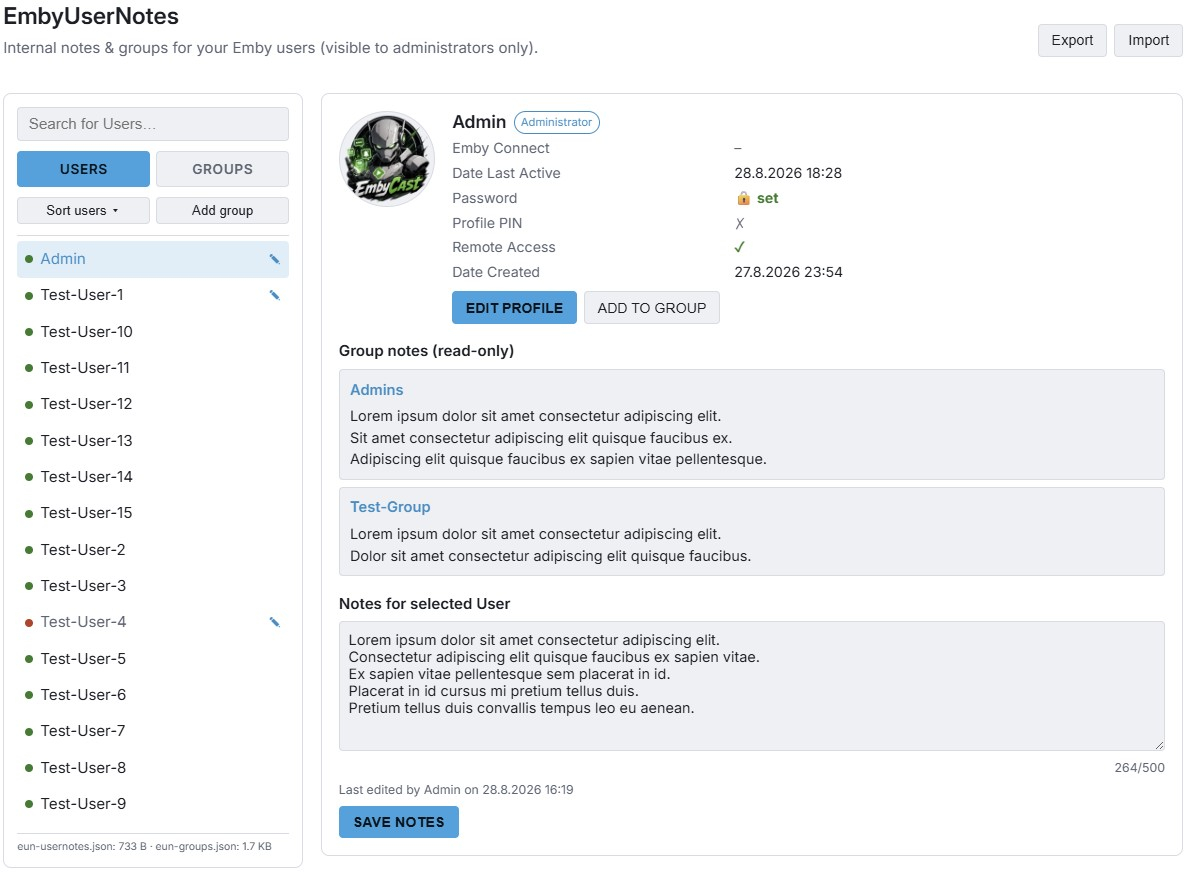
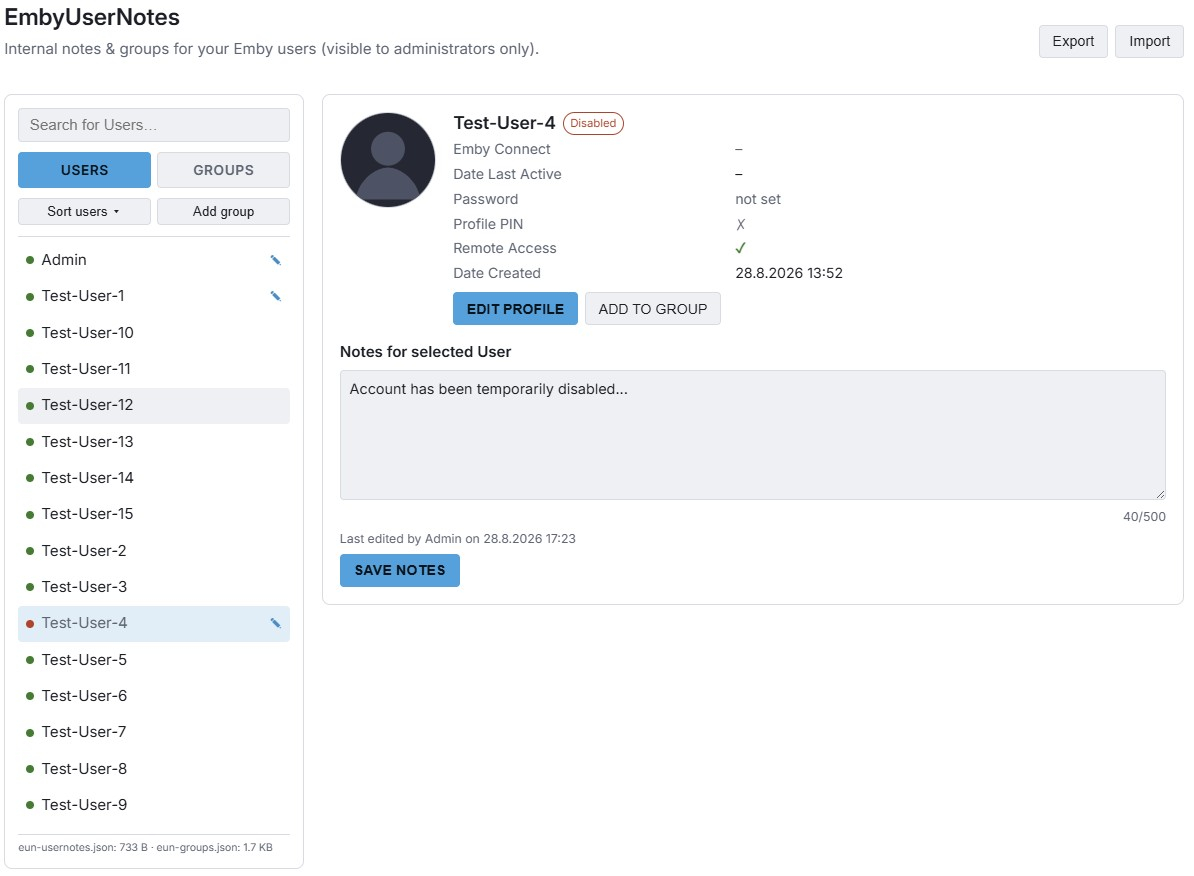
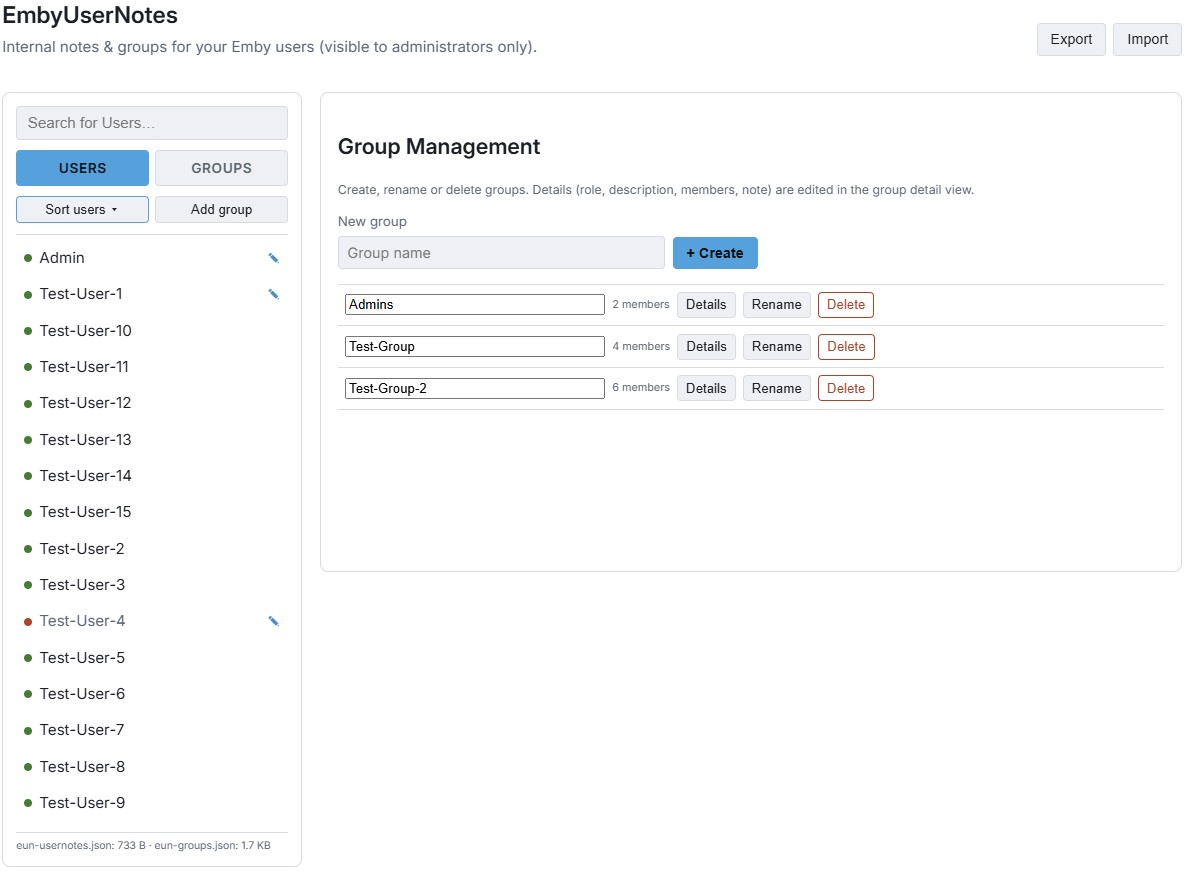
- Today
-

MediaOps – Self-hosted Discord automation for Emby, Ombi and Watch Parties
Miakkia replied to Miakkia's topic in Third Party Apps
MediaOps GitGub repo my bad pasting the link... there you go should be ok now Official community Discord of MediaOps -
@leshkraven Thanks for the feedback. I would have been surprised when it was about out app, simply because it would have come up before, but I wasn't sure enough to blame it away, because my main machine crashes on sleep, so it's always disabled. Now, didn't you say that the one change on your side was a switch to a different display? With your recent results, my best theory would be that maybe a new display requires a "refresh" or fresh save of the power settings - but that's merely a guess.
-
I'm sure it was not emby. But now you got me thinking: a few years ago I was using a 3rd-party screen saver on the Chromecast. Maybe it was the one showing the track title, not Google's. Unfortunately it was discontinued so I have no way of verifying it.
-
HLS segment list is computed from the container's declared duration and is never checked against the media.
Luke replied to vdatanet's topic in Developer API
OK try the latest build and see if that segment is severed now. Thanks -

4K HEVC shows as 1080p, think I can't find any setup to fix?
Lessaj replied to PeteGul's topic in Android
I have no issues with Dolby Vision profile 7.6 content on Emby for Android. Have you reported a media playback issue with an example? Otherwise you're just polluting someone else's topic. -
HLS transcoding for Apple's native player: fMP4 segments, and an HDR + SDR variant pair
vdatanet replied to vdatanet's topic in Developer API
Confirmed on 4.10.0.29 — thank you, that was fast. To keep this independent of my library and my server, I measured the beta on a fresh install in a disposable container, against a synthetic HDR10 HEVC MKV (AC-3 source track) made for the purpose. Same device profile as my earlier posts, transcoding forced; the only thing changing between rows is the audio codec list in the transcoding profile. What the manifest advertises, and what the media segment actually contains according to ffprobe: requested CODECS attribute segment audio aac "avc1.640029,mp4a.40.2" aac mp3 "avc1.640029,mp4a.40.34" mp3 ac3 "avc1.640029,ac-3" ac3 eac3 "avc1.640029,ec-3" eac3 opus "avc1.640029,opus" opus dts "avc1.640029,ac-3" ac3 flac "avc1.640029,fLaC" (transcode fails to start; below) alac attribute absent alac truehd attribute absent (transcode fails to start) (The video half is avc1 in these runs because the probe deliberately forces a transcode, tonemap included — the half under test here is the audio one.) And the row that matters most to me: with my app's actual profile, aac,ac3,alac,eac3,flac, the server now keeps AC-3 and writes CODECS="…,ac-3". A described variant and passthrough at the same time — that was the practical cost of the old behaviour for nearly every file in my library, and it's gone. Thank you. A few observations from the table, in case they're useful: - The dts row is the mapping being honest, not a bug: the transcoder falls back to AC-3, the segment really is AC-3, and the attribute describes what actually comes out rather than what was asked for — which is exactly what a player needs. The only stale trace is that the TranscodingUrl still echoes AudioCodec=dts. - alac is now a clean measurement of the second point from my earlier post: the server produces a valid ALAC segment, and the whole CODECS attribute still disappears with it, including the video half it computed correctly. Emitting CODECS="avc1.640029" alone would be valid HLS and enough to rule the variant in or out. - flac advertises fLaC, but the transcode itself never starts: ffmpeg refuses FLAC in fMP4 without "-strict -2" ("experimental, add '-strict -2' if you want to use it" … "Could not write header"). truehd fails to start too. Both reproduce on the clean container, so it isn't my server's ffmpeg being odd. One more data point from this build: the "HDR 10" space round-trip from my last post is unchanged, so everything there still applies. What is new is what the patched URL yields now that AC-3 has a codec string: #EXT-X-STREAM-INF:BANDWIDTH=8871857,AVERAGE-BANDWIDTH=7393214,VIDEO-RANGE=PQ,CODECS="hvc1.2.4.L150.B0,ac-3",RESOLUTION=1920x1080,FRAME-RATE=23.976 — the untouched HDR10 copy and the passthrough audio in the same fully described variant. With that one serialisation fix, an AC-3 library gets everything I asked for at the top of this thread out of the box. Happy to run the same table against any future build. -
Are you sure you weren't using the Android TV app before? It has its own music "screensaver" of sorts.
-
Not the way the version feature is currently designed to be used. There is a ton of discussion on this already. Our current version implementation is not intended for different editions of an item. It is intended for different qualities of the same item. The concept of "Editions" will need to be introduced to get what you want here.
-
It is, that's why I said thank you.
-
For instance, one of the steps was to go to canyouseeme.org and confirm your port is reachable (after you've completed the forwarding). Did you do that? What happened? I'm guessing it failed but you haven't told us.
-
New Emby server Beta release, v4.10.0.29.
-
It should be available now as an option in the app settings.
-
To my knowledge, Any TrueHD and 7.1+ in general can't be passed through on LG TVs. At least not by any native LG apps. You will need an external device connected to your AVR for that to work. Maybe it will work with connected to the TV and then through eARC, i'm not sure about that though.
-

Plugin: EmbyCredits, detect end credits and add auto skip.
yocker replied to yocker's topic in Plugins
New version v2.7.1.3 in the catalog. Added: 1) Ability to use multiple local Tesseract instances at once. 2) More control over CPU/GPU to improve performance on bigger machines. Fixed: 1) Episode process bars should now show the correct info. -
but it's TrueHD 2.0!