All Activity
- Past hour
-
 lhywm joined the community
 -
 Ryanbish joined the community
 -
 Kerok308@bedorux.com joined the community
 -

Virtual TV - Uninstalling leaves TV Live on the home page.
BillybobBilly replied to Mister_U's topic in QNAP
I am also experiencing this issue. There is no option to disable live tv after installing the virtual tv plugin (and subsequently uninstalling it). The only solution is to disable Live TV settings on a per-user basis.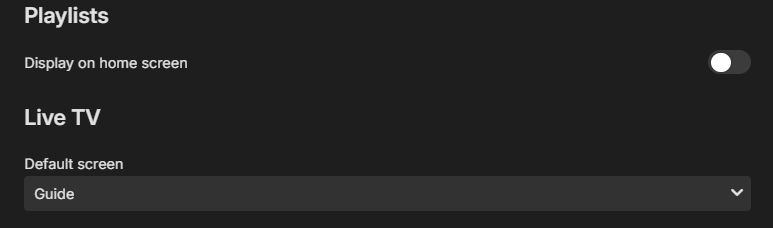
-

Trying to set Caddy up as reverse proxy
RedNo7 replied to RedNo7's topic in Non-Emby General Discussion
Thanks, @Kyouma- I had forgotten that, but it makes no difference. I have now also forwarded port 80 to the device Caddy is on. When I type emby.mydomain.tld into the remote browser, it changes to https://emby.mydomain.tld:45193 (it adds the port on) so something is happening. -
Yes I see the difference, universal Android version: /app/emby/bin/ffmpeg -loglevel +timing -y -print_graphs_file "/config/logs/ffmpeg-transcode-1ff70957-a858-4d52-82ab-7fa7d8f0ae44_1graph.txt" -copyts -start_at_zero -init_hw_device "vaapi=dev1:/dev/dri/renderD128" -f matroska,webm -ss 01:14:15.000 -c:v:0 h264 -threads:v:0 1 -hwaccel:v:0 vaapi -hwaccel_device:v:0 dev1 -hwaccel_output_format:v:0 vaapi -noautorotate -canvas_size:s:0 "1920:1080" -i "/data/media/movies/X-Men Days of Future Past (2014)/X-Men Days of Future Past (2014) [imdb-tt1877832][Remux-1080p][DTS-HD MA 7.1][AVC].mkv" -filter_complex "[0:4]scale@f1=width=1920:height=1056,hwupload@f2[f2_out0];[0:0][f2_out0]overlay_vaapi@f3=alpha=1:shortest=0[f3_out0]" -map [f3_out0] -map 0:1 -sn -c:v:0 h264_vaapi -b:v:0 30230171 -g:v:0 72 -maxrate:v:0 30230171 -bufsize:v:0 60460342 -keyint_min:v:0 72 -r:v:0 23.976024627685547 -profile:v:0 main -c:a:0 ac3 -ab:a:0 384000 -ar:a:0 48000 -ac:a:0 6 -metadata:s:a:0 language=eng -disposition:a:0 default -max_delay 5000000 -avoid_negative_ts disabled -f segment -map_metadata -1 -map_chapters -1 -segment_format mpegts -segment_list "/transcode/transcoding-temp/EBAA73/EBAA73.m3u8" -segment_list_type m3u8 -segment_time 00:00:03.000 -segment_start_number 1485 -individual_header_trailer 0 -write_header_trailer 0 -segment_write_temp 1 "/transcode/transcoding-temp/EBAA73/EBAA73_%d.ts" It transcodes to ac3 and not eac3. That is why the sound on SONOS is better with ATV.
-
 kalljonh joined the community
 -
 Sayfadiaz joined the community
 -

Check for plugin updates failed and infinite loading of Plugin Catalog
Senbu replied to hamish211's topic in Synology
Guess, he still having. Same problem on fresh install via Package Center: - DSM 7.2.2-72806 - Emby 4.9.5.0 No firewall, cos server inside local network, no access from Internet. When I click on help icon, got this URL (https://embysupport.github.com/supportweb/solutions/articles/44001159720-plugins/) and Error code: PR_CONNECT_RESET_ERROR Same link under Tor give me 'embysupport.github.com could not be found' Where I can change server/path to plugins/help? May be I can download plugins directly from web and as I knew it possible to install by ssh-shell. -
 cea.zhengfamily joined the community
 -
 沧溟 joined the community
 -
 Moode99911 joined the community
 -
Senbu joined the community
-
 Sanketbhake joined the community
 - Today
-

Downloads stuck on "Ready to transfer" after movie quality conversion
Joaqim_Braga posted a topic in Android
Hi everyone, I'm having an issue with the Android app when trying to download transcoded movies. When I attempt to download a movie at a lower quality for phone playback, the conversion finishes, but the app never actually downloads the converted file. It gets stuck indefinitely in the "Ready to transfer" status. On the other hand, downloading in Original Quality works completely fine. Has anyone run into this issue or knows how to fix it? Thanks! Emby Server Version: 4.9.5.0 Android App Version: 3.5.36 Device: Google Pixel 9 Pro -
Hi, I'm in the process of migrating of Emby server. My only issue is to migrate my Music Playlist. The "old" Emby installation was still using a m3u file for that playlist so I copied it at same place in new Emby installation. Unhappy even after a Music library scan and metadatas update the playlist still doesn't show up I have found some explanations about m3u transfer but it looks like it was working only on old releases of Emby and it's no more possible with current version ? Does it mean it's impossible to transfer a playlist from an Emby server to an other one ? Thanks for clarification
-

problem with transcoding or transmission
softworkz replied to hearingaid1970's topic in General/Windows
Now for the actual Issue In order to get webvtt subtitle segments at regular intervals, in-sync with the video segments, we are pairing each subtitle stream with a copy of video stream. The video streams are never encoded for these, they just provide a continuous packet flow inside ffmpeg and are eventually dropped. Without this, ffmpeg would wait until the subtitle stream has some content, so when there's no subtitle for 60s, it would not create any output segment during those 60s and then instead create a single subtitle segment with a length of 63s. That's bad, because at this time, we have already told the client that there are 21 segments to download, each with a length of 3s. From then on, everything would go wrong... And there's another problem: When muxing and filtering, FFmpeg waits until it has seen a packet from each stream before it even starts. In our FFmpeg, we're addressing this by sending empty subtitle packets when needed, to ensure proper flow of all streams. This can be seen in the logs as "subtitle kickoff". In this log, we see this working for all subtitle streams except the first one. I can't say for sure but my best guess is that this subtitle stream might have some invalid packets or packets with incorrect of unusual timing. Something like this might stop the kickoff mechanism - probably. The result is that no subtitle packets are flowing for the first subtitle output stream, which means that the video packets (which are to be dropped later) are filling up the muxing queue, eventually causing FFmpeg to stop. -
problem with transcoding or transmission
softworkz replied to hearingaid1970's topic in General/Windows
This bufsize parameter is for something different. It is a parameter for the video encoder and indicates the (fictional) size of the input buffer which the decoder will have available.Input buffer of the decoder means memory where video data is stored when it is read or arrives from the network before the decoder decodes it. When this buffer is rather small, the encoder must avoid rapid changes of the bitrate because this can lead to buffer overflow and underflow when ther buffer is no longer able to erqualize the input data flow with its buffer. So, effectively, this value puts constraints on the way how the encoder is allowed to modulate the bitrate of the encoded video stream. The values is in bits, so in this case it's roughly 1 MB Side data is an FFmpeg concept which serves lots of different purposes, but afaik, there's no subtitle format in FFmpeg for which any kind of side-data is being used. Now it's getting hot - right into the the bulls-eye! But then it gets slightly wrong again.A memory leak is only called cases where memory does not get freed at the end of an operation. High memory usage itself is not a leak. When you set max_muxing_queue_size to a value high enough that the whole video stream gets queued up in the muxing queue (which could be many GB) and the memory gets freed at the end (assuming FFmpeg would not exit immediately), then that's not a leak. But yes, such cases are meant to be avoided, not only for memory consumption but more naturally for the simple reason that when so many packets are getting queued up, it's a strong indicator that something is wrong and the intention is to rather error out in those cases than let it running. BTW: Our command lines do not include max_muxing_queue_size but our FFmpeg has higher defaults already. -

Failed 4.9.5 update and disappearing Playlists
Marcel230984 replied to brucesnelgrove's topic in TerraMaster NAS
Had this issue on 4.9.5 i moved my playlists from userplaylists to playlists folder (old structure) after serverreboot all seems to be fine. -
Thanks for the snappy response. I was checking because I have a Khadas VIM3L running CoreELEC, that's suffering from the same symptoms. I'm currently trying MALLOC_ARENA_MAX=4. Will try 2, if the crashes persist. Cheers.
-
Well, I assume it's the same for coreelec, but not tested. btw, you can even lower the value to MALLOC_ARENA_MAX=2. Actually, that's what I'm currently using.
-
@quickmic, many thanks for sharing this. I'm running LibreELEC on a MeLe mini PC (Intel Celeron N5105 with 4GB RAM) where it was frequently crashing on scraping content. I was checking Kodi's log, and then dmesg to frequently find out of memory kills of kodi.bin. Everywhere I searched, on Kodi forums, "experts" were suggesting primarily upgrading to a higher end media box with more memory! I stumbled on your post today, tried your fix. While it doesn't completely fix the problem with running out of memory, MALLOC_ARENA_MAX=8 certainly helped the scraping get far ahead from where and how frequently it used to crash earlier. So fewer crashes now. A simple modification like this just proves bugs like these are what the Kodi and/or *ELEC teams should be focusing on priority, instead of piling more "features"! Would you know if it's modifying /storage/.config/kodi.conf on CoreELEC as well? If not, could you suggest the right file? I created an account here and wanted to post this as a testimony that your research was fruitful. So, thanks again, and may your post help others who are suffering as well. Cheers.
-

Possible de trouver un m3u avec les chaines tnt fonctionnelles ?
Swaf replied to Swaf's topic in French
Pour le couo c’est le tf1 720 qui marche de mon cote mais ca lag pas mal -
Just to say thanks. Apple TV update has fixed a number of issues. Libararies are now showing correctly. Direct play is now wokring on movies instead of transcoding.
-

Please add a feature where Emby will retain data
Luke replied to JokerJ420's topic in Windows & Xbox
Hi, we have this feature already. In your Library options enable saving nfo files and saving images to media folders. -
Hello, I recently started using Emby and I created a whole library with collections replaced images and looked up information on the Internet for all my movies and TV shows. I had to move all of my files over to a larger drive only for Emby to lose all of the work that I did hours upon hours. Could you please make a way for MB to retain all of this information so people don’t have to do everything all over again every time they change a directory or change a drive.. I lost all my collections. Everything I went in and all my movies and TV shows were all in one big slapping nest.. also, could you make a way for you to be able to select multiple movie files or TV show files and change images all at once instead of having to do them individually that would save a great deal of time. it’s really discourages people from doing something like this and putting this much work into something only to lose it just like that. And then when you wanna go edit TV shows you have to edit each episode all one by one instead of being able to select a bunch of them at once and edit them all at the same time. not being able to select multiples and replacing images for all of them all at once you have to do it all one at a time..
-
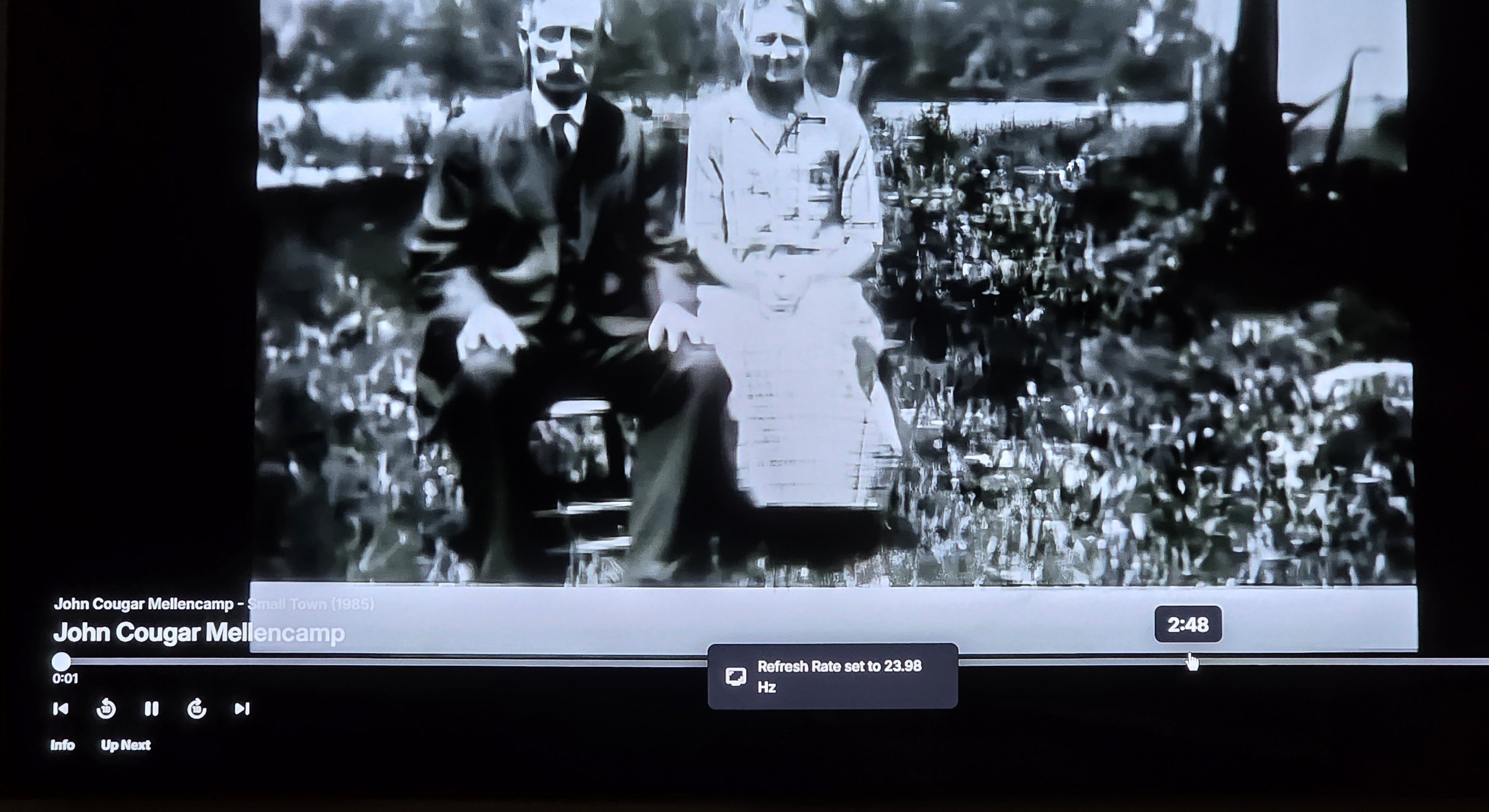
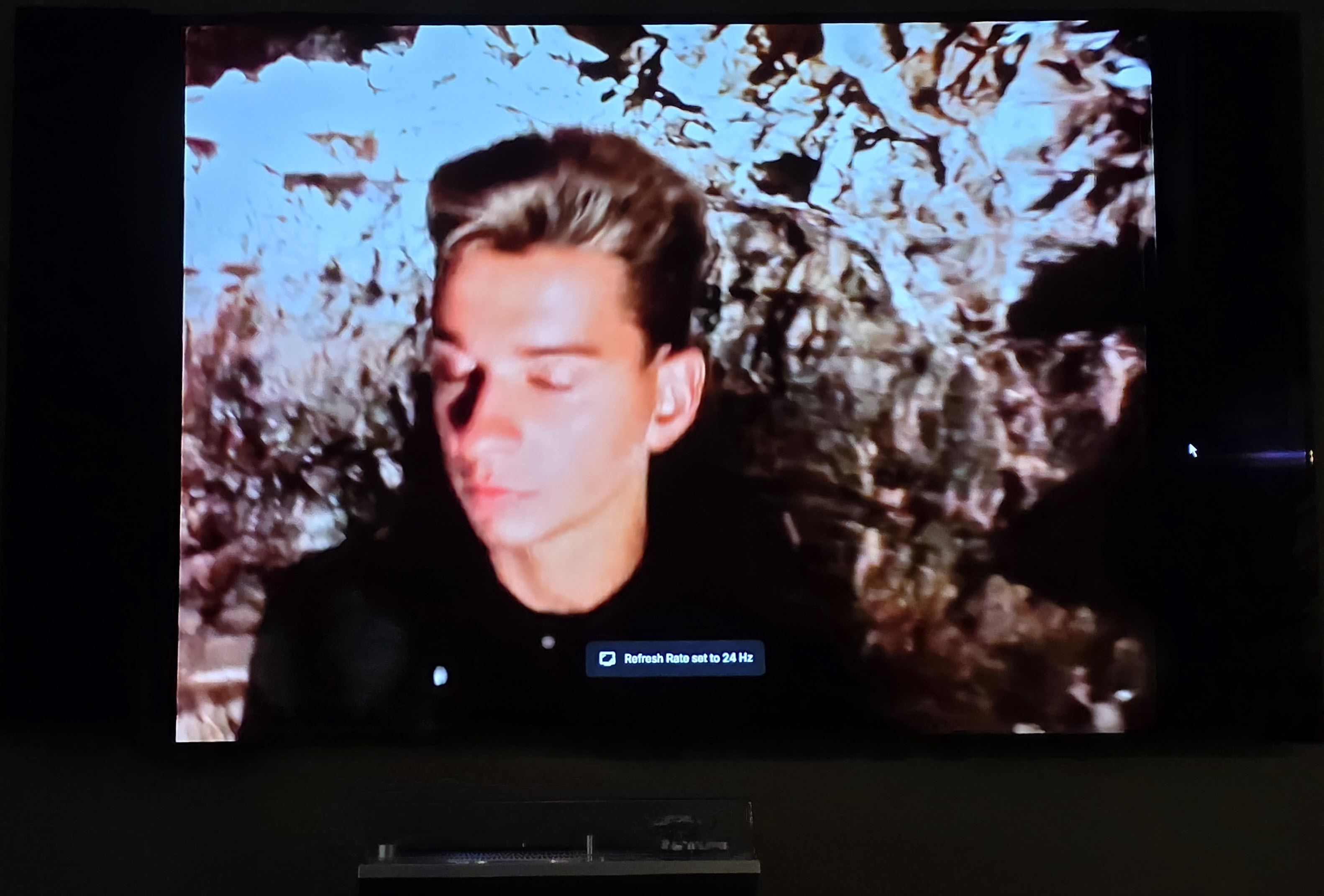
More fool me for not seeing that setting for editing the user Avatar - thanks for bringing it to my attention! The client I'm using is the Windows client; I've attached a couple of screenshots to show what is happening - pretty much every transition between video's it shows the pop-up for the refresh rate. It also happens when moving between TV show episodes and movies, however it is obviously much more noticeable with music video's which change every few minutes.
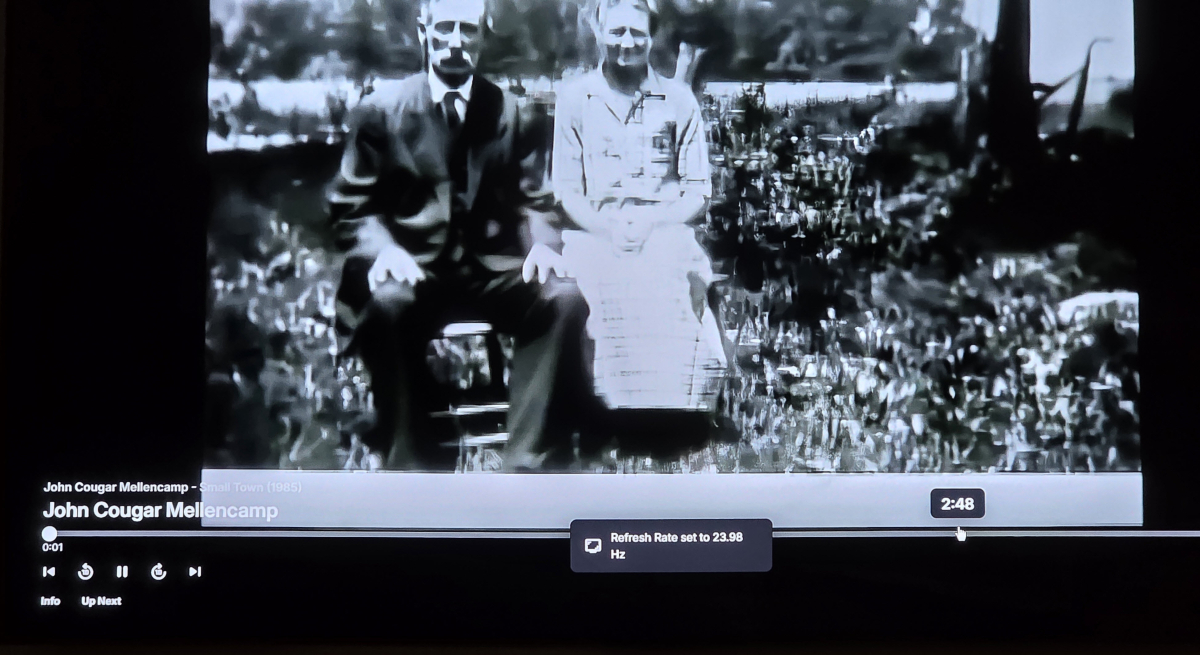
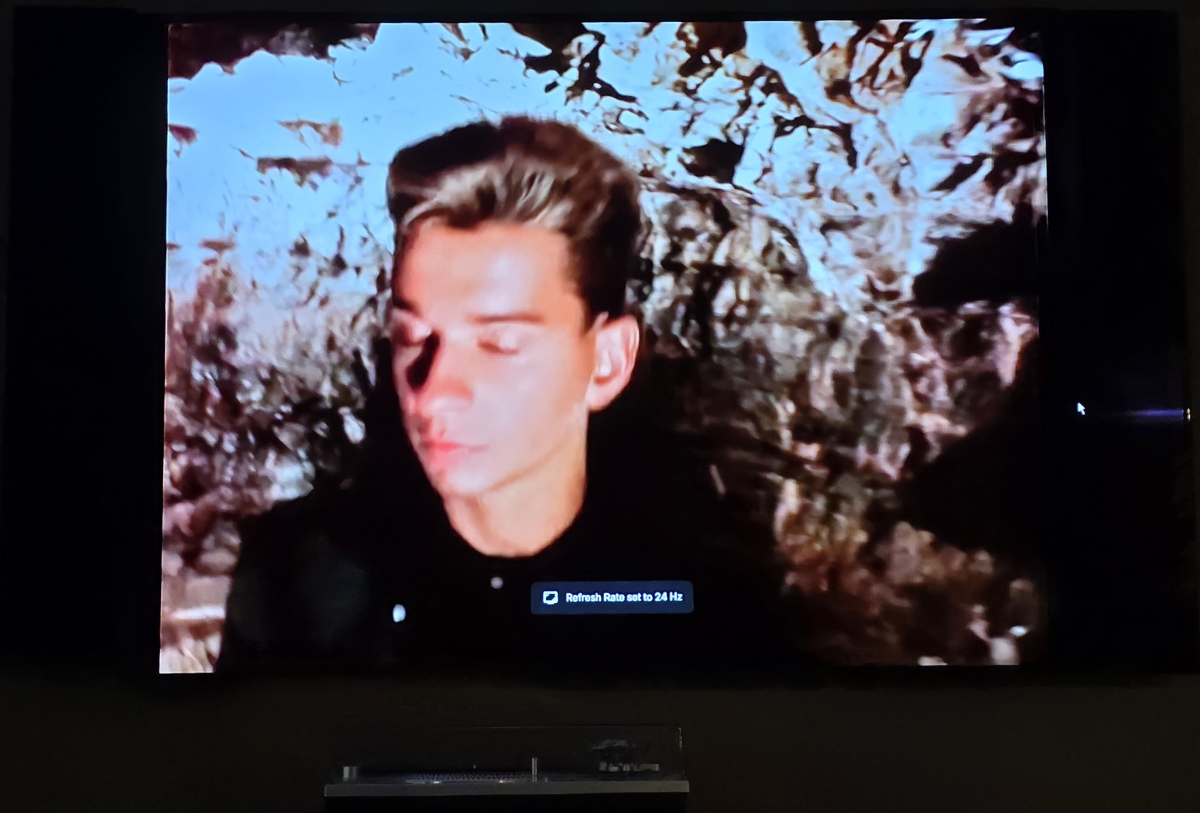
-
1) 2) Never seen this, what client?
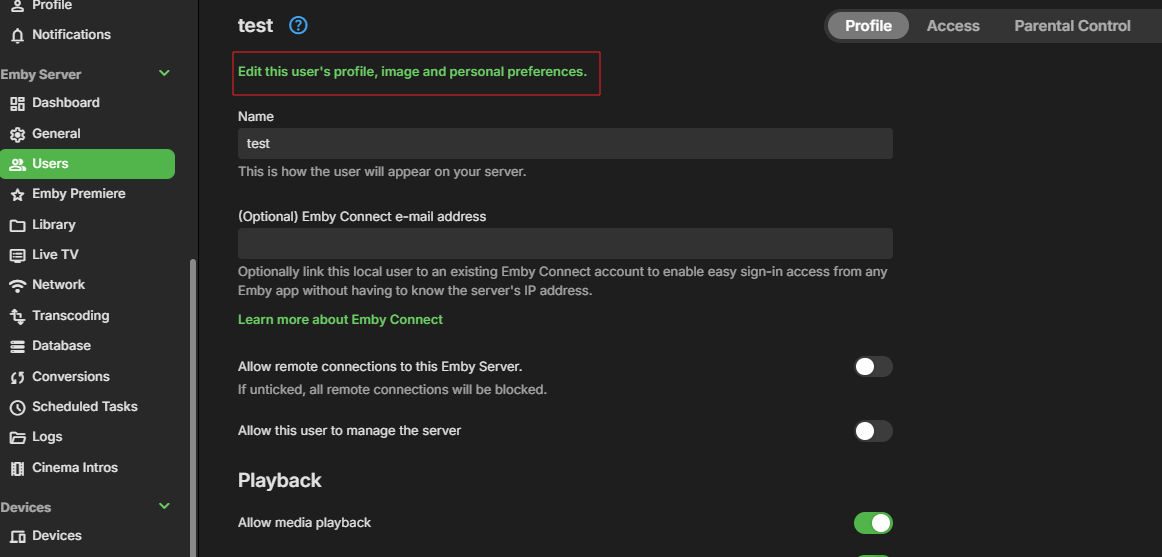
-
Almost two years after this thread (which, itself, was a continuation of an older thread) and the problem is still there... Meanwhile a myriad of players have popped up on every platform, and most -if not all- of them support audio delay adjustment because, of course, it's such a basic feature.
-
Two and a half years after this thread was opened, for something seemingly simple to fix...
-
Hi All, I have a couple of quick questions: Firstly: is there a way I can set a profile image for a user on Emby Server, or are the profile images only able to be set by the users themselves? Secondly: when playing music video's, frequently the refresh rate of the videos changes fro video to video and a pop-up appears on the screen announcing the new refresh rate. Is there a way to disable this pop-up notification? Thanks! Kev
-
Web UI seems ok on .22, from Android App still seems to lock up the server for others.
-

Please allow us to remove Live TV functions from Apple TV App
ATranchina replied to ATranchina's topic in Apple TV
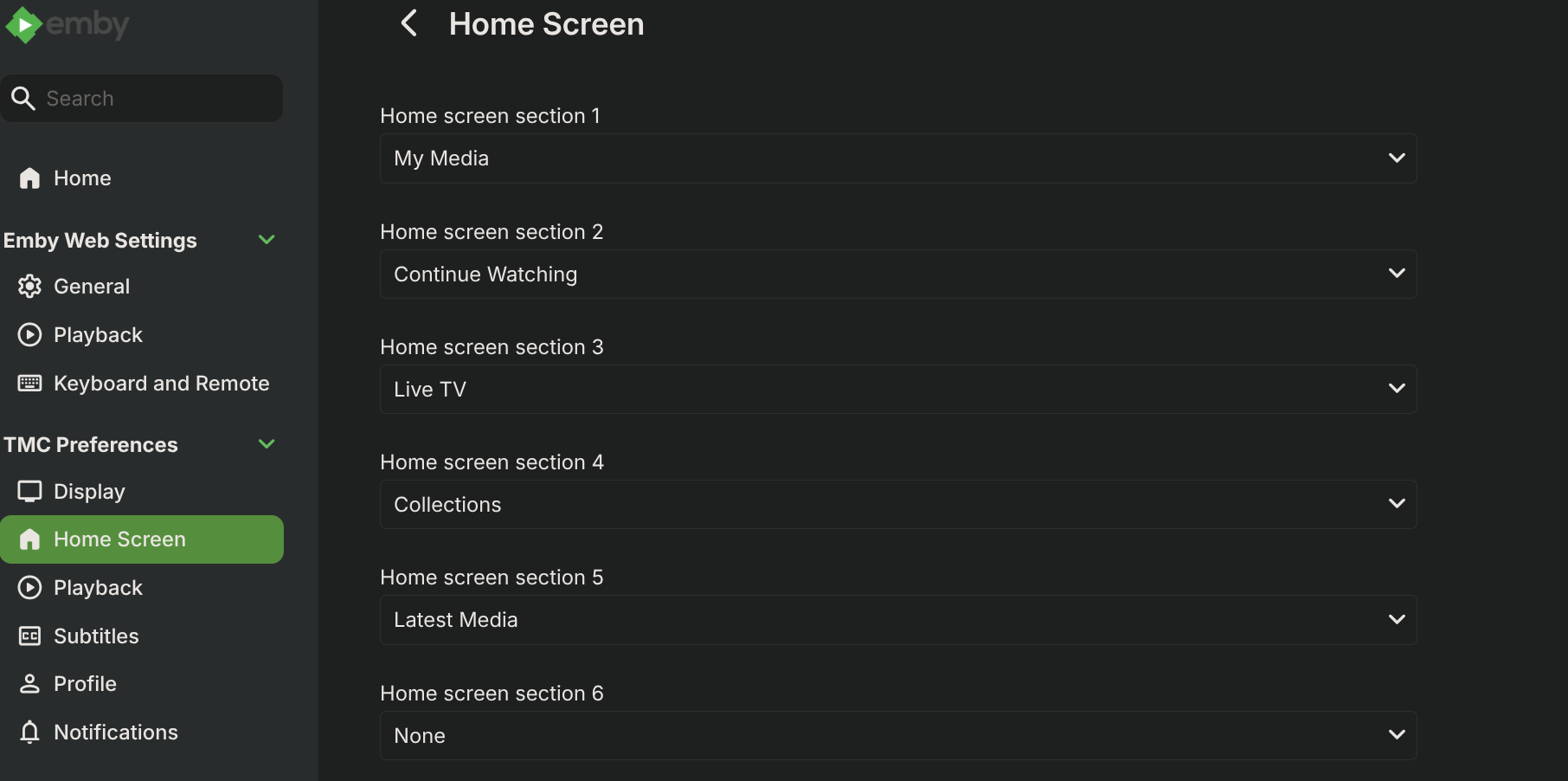
OMG! Thanks! I was bumming. I would have never thought to look in the web interface settings to remove it from the Apple TV interface. I was looking everywhere in the Apple TV app. -

Please allow us to remove Live TV functions from Apple TV App
TMCsw replied to ATranchina's topic in Apple TV
Just change "Live TV" to None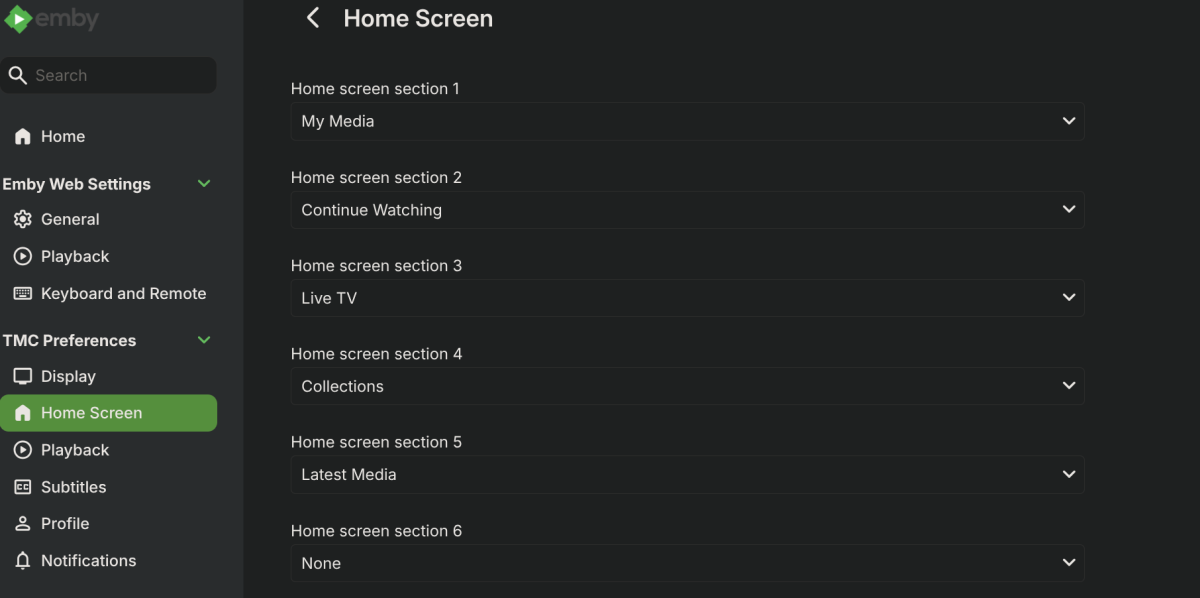
-
I appreciate the recent work on this. In my initial testing of 22 I do feel a moderate improvement, but still a handful of searches (mostly small/common words) will timeout, and will hold up the server while searching (although the timeout limit seems to be reduced, leading to less time blocking the server for others). I do like the recently searched section though! Not sure when that was added, but it does seem to have a few issues I can post in a different thread. The loading of this list alone takes almost 15 seconds for me, so that kinda seems like it might add to the timeouts if a search happens before this list loads. I'm still continuing to test and collect feedback from my other users.