All Activity
- Past hour
-
 Devon4344 joined the community
 -
 yaxoyerhh joined the community
 -
 jadesky2216 joined the community
 -
 tohorrhh joined the community
 -
 jadefox6614 joined the community
 -
 M7MDy joined the community
 -
 Miamath joined the community
 -
@SamES
-
 moxeherhn joined the community
 -
 Sophiafaye joined the community
 -
 Gani_08 joined the community
 -
I just bought a new Firestick and Emby doesn't connect to my server. It does connect via Silk. Forgive the text below but I was running my troubleshooting via ChatGPT and ask it to summarise what we tested and the environment: " I’m having a problem connecting the Emby app on a new Amazon Fire TV Stick HD to my local Emby Server. I’ve done quite a bit of troubleshooting and it now appears that the Fire TV itself can reach the server, but the Emby app cannot. One potentially important detail is that this is a 2026 Fire TV Stick HD, model AFTCL001, running Vega OS 1.1, rather than the older Android-based Fire OS. Amazon’s device specifications confirm AFTCL001 as a Vega OS device. Setup Server Emby Server 4.10.1.0 on Windows Server LAN address: 192.168.1.60 HTTP port: 8096 Windows network profile: Private Fire TV Fire TV Stick HD (2026) Model: AFTCL001 Vega OS 1.1 LAN address when tested: 192.168.1.170 Gateway: 192.168.1.1 Same 192.168.1.x subnet as the Emby server The Emby app reports: “Unable to Reach Server. We’re unable to connect to the selected server right now. Please ensure it is running and try again.” I have tried manually connecting to: http://192.168.1.60:8096 with the same result. Troubleshooting carried out Initially the Fire TV was connected by Ethernet. I disconnected Ethernet and tested it using my normal home Wi-Fi as well. The Emby app fails to connect on both Ethernet and Wi-Fi, so this does not appear to be specific to the wired/powerline connection. I checked the network configuration. The server and Fire TV are on the same subnet and use the same gateway. I changed the Windows network profile from Public to Private. Windows then prompted me to allow Emby through the firewall, which I allowed. I also checked Windows Defender Firewall with Advanced Security. Emby has TCP and UDP inbound rules enabled, and I made sure the TCP rule applies to the Private profile. The Emby Android app on my phone connects successfully over the same home network. The server log shows normal connections and playback from that device, so Emby Server is accepting LAN connections. Fire TV browser test I then opened Amazon Silk on the same Fire TV and entered: http://192.168.1.60:8096 This successfully reached the Emby web interface and presented the server login page. The Emby Server log confirms these requests came from the Fire TV at 192.168.1.170. At 22:50 and 22:52 the server received authentication requests from the Fire TV running Silk. The requests reached Emby normally and returned a 401 because an incorrect password was entered during that particular test. This therefore appears to establish that: Fire TV → LAN → Windows PC → TCP 8096 → Emby Server is working. No incoming request from the Emby app This seems to be the most significant part. At approximately 23:07 on 6 October, I attempted to connect again using the Emby app on the Fire TV and received “Unable to Reach Server”. There is no corresponding incoming request from the Fire TV in the Emby Server log at that time. This is noticeably different from the Silk browser test. When Silk on the same Fire TV accesses exactly the same 192.168.1.60:8096 address, its requests immediately appear in the server log. So it appears that the failure occurs before the Emby app establishes a connection with Emby Server, rather than Emby Server receiving and rejecting the connection. Obviously the server log can only establish that no incoming request reached the server. It cannot tell me whether the Fire TV app attempted an outgoing connection which then failed locally or somewhere before reaching the server. Could Vega OS be significant? Having investigated the device further, I discovered that AFTCL001 is one of Amazon’s newer Vega OS devices rather than an Android/Fire OS device. I also found previous discussions here about Emby on Vega OS, including references to the existing Fire TV/Android app being provided on Vega devices through Amazon’s translation/cloud-stream technology while a Vega-specific Emby app is being developed. Could this therefore be a Vega OS / translated-app local-network-access issue? It would seem consistent with what I’m seeing: Silk running on the Fire TV can access the local Emby server, whereas the Emby app apparently cannot establish the connection at all. Is there a Fire TV/Vega client-side log that would show the app’s attempted outgoing connection and why it is failing? Remote access For completeness, I also tested remote access from my phone with Wi-Fi disabled and the phone using 5G. Remote access currently fails as well. I realise this may be a separate port-forwarding/remote-access issue, because the Fire TV and server are on the same LAN and the Fire TV can demonstrably reach the server through Silk at 192.168.1.60:8096. Where I've got to At this point I believe I've ruled out: Emby Server not running Incorrect LAN server address/port The Fire TV being unable to reach the PC General TCP 8096 connectivity between the Fire TV and server Windows blocking all LAN access to Emby An Ethernet/powerline-specific problem, as the app also fails over Wi-Fi The key distinction is: Silk browser on Fire TV → reaches Emby Server Emby app on Fire TV → no request appears to reach Emby Server I’ve attached the Emby Server log covering these tests. The failed Emby app connection attempt was at approximately 23:07 on 6 October. Any suggestions for what to check next, particularly regarding Vega OS/local network access, or which client-side logs would be useful?" Hope someone can help. J
- Today
-

Emby server/client - ReplayGain or R128 volume normalization support for music
Luke replied to Espen JQ's topic in Feature Requests
Oh and Emby for macOS as well ! -
Emby server/client - ReplayGain or R128 volume normalization support for music
Luke replied to Espen JQ's topic in Feature Requests
Hi everyone. This will be in the next updates to Emby for iOS and Emby for Apple TV. They have players embedded that already support replaygain, which means they can do it without anything being added server-side. It will need to be enabled in the settings for the app once released. Thanks. -

Nvidia Shield not available for sale - alternatives?
justinrh replied to Mister Steve's topic in Hardware
Who's UI? Did you have Google TV on it? -
I think this is the model year that Samsung missed the update, so you are still on 2.2.8. You can try with the USB version or wait for the next store version
-

Emby for Android TV killed EAC3 and video freezes at 90%
jan_axhell replied to jan_axhell's topic in Android
Well, this is a new promising step! This is not the TV version of the app, and after a looong time it works again with no crash con Android 7. And I've also been able to install it on the external pendrive, so it won't blow the tiny internal storage! I'll have to watch something to verify the 90% freeze though, so I'll update after that. EDIT Usage is quite slower than TV version, FYI, it takes time to connect, switch server, load assets, etc EDIT 2 Ok, I've watched a few things, including Stuart fails to save the Universe and none froze. The only problem is that it's not only slow in the UI, but in reproduction as well, any 1080p x264 content is jerky, while on the same TV with the TV version of Emby everything is smooth. It seems the app is heavy, because I've tried it on the Android 12 NanoPi R6C, more powerful then my 32"TV and it's smooth. Why not use NanoPi you would ask: because I use it for an older Philps 55" TV on the 2nd floor. TL:DR The app doesn't freeze, nor crash, but it's heavier than the TV version, hence jerky and laggy. -

Custom External Link that will work in all Emby versions?
qm0810 replied to qm0810's topic in General/Windows
So I have a Movie library right now to accomadate the current custom link I was using. ONE library, 3 folders, all set up on separate Nas shared drived like all other libraires. I am hosting html flipbooks on my nas web browser. So you go to this library, one folder allows you to look at a video about the photo albums, one folder has all the pictures and the third one is simply one folder with a short movie file as a placeholder for flipbooks so that the Movie library sees a media placeholder. With this specific 3rd folder I am trying to make a custom Link appear so that when you click it, it is using an index.html file that goes to the web folder on my Nas and provides a landing page for html flipbooks that can be selected. Works great on Emby Android phone and Emby pc but just not on TV. Even if I use Emby for Android on the TV which my Sony allows me to do. If I use a web browser on the TV I can go right to it. I just cant from Emby TV for some reason. Here is the way it looks in my phone app..thumb.jpg.fb591df0d85b751b4f1f76df937ae1d2.jpg)
-

Keine Vorschaubilder beim manuellen identifizieren von Filmen!
joergurmel replied to joergurmel's topic in German
Ich habe das aus dem Browser heraus kopiert!? Was jetzt genau möchtest du haben? Ich rufe das im EDGE-Browser auf. Und da kommt der Fehler mit den Vorschaubildern. Auch im Firefix, Chrome hatte ich nicht getestet! Mit F 12 dann die Console aufgerufen und das heraus kopiert? Mehr weiß ich nicht. -
Have you tried the new spotlight feature on your home screen?
-
Keine Vorschaubilder beim manuellen identifizieren von Filmen!
Luke replied to joergurmel's topic in German
HI, are you sure this is from Emby and not a different browser tab? I don't see anything that looks like emby app activity here. Thanks. -
OK we are working on chasing down why this is happening. Workaround for now is if you uninstall and reinstall the app, then that should resolve it.
-
Emby for Android TV killed EAC3 and video freezes at 90%
Luke replied to jan_axhell's topic in Android
OK can you please let me know if this build resolves it: emby-android-google-armeabi-v7a-release.zip -

Custom External Link that will work in all Emby versions?
ebr replied to qm0810's topic in General/Windows
Because those platforms don't typically have generic browsers. Same question as Luke - what, exactly, are you trying to accomplish? -

A new approach to making IPTV behave more like traditional tuners
Fyb3roptik replied to PowerCC's topic in Third Party Apps
The initial release will come packed with Kernel Media Server 0.9.0 when it releases soon. You can install Kernel via Docker, Apt/Yum, or Bare metal from Downloads on the website -
Reorganizing my library: here are two things I'd like to see improved
Luke replied to Anon42's topic in General/Windows
@sa2000 -
Custom External Link that will work in all Emby versions?
Luke replied to qm0810's topic in General/Windows
Hi, where do you want to put this? -
Hi, the next update to Emby for iOS will come with quite a few stability improvements to the download feature. Thanks.
-

Reorganizing my library: here are two things I'd like to see improved
Anon42 replied to Anon42's topic in General/Windows
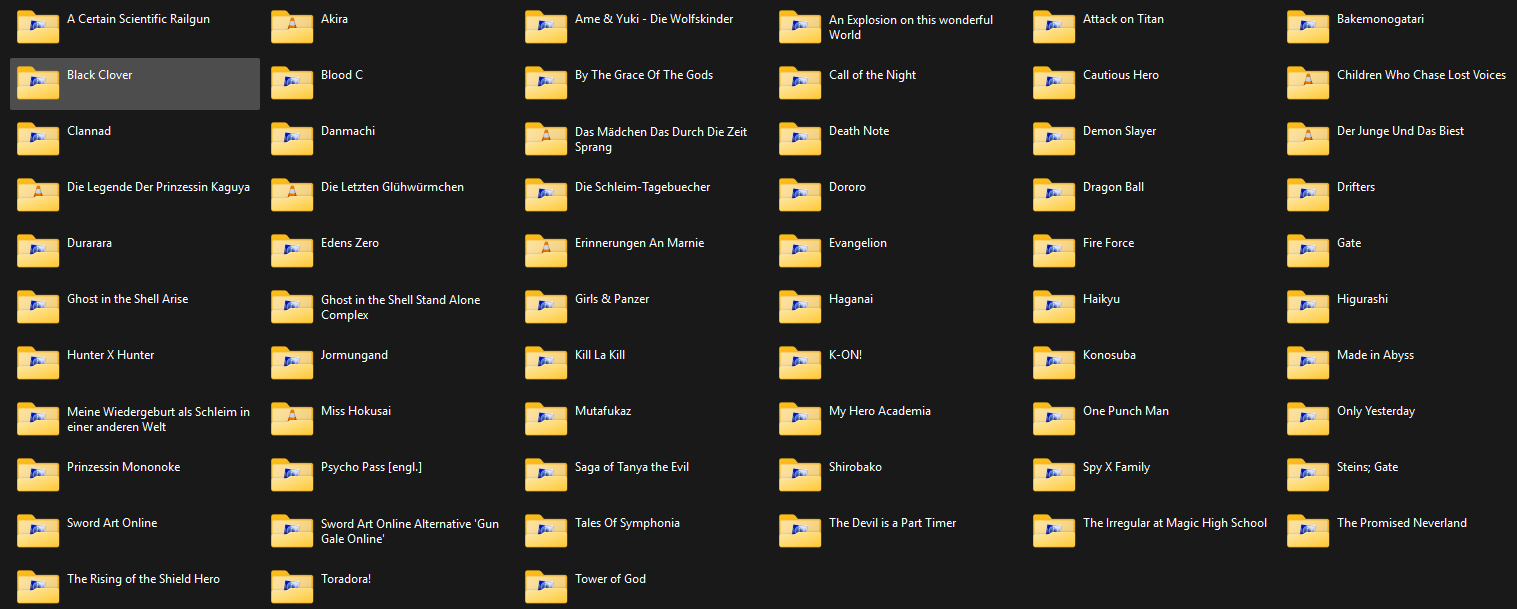
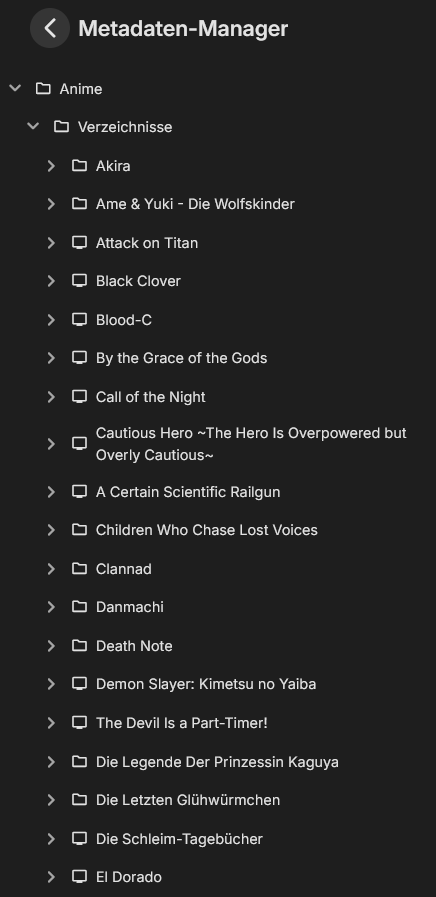
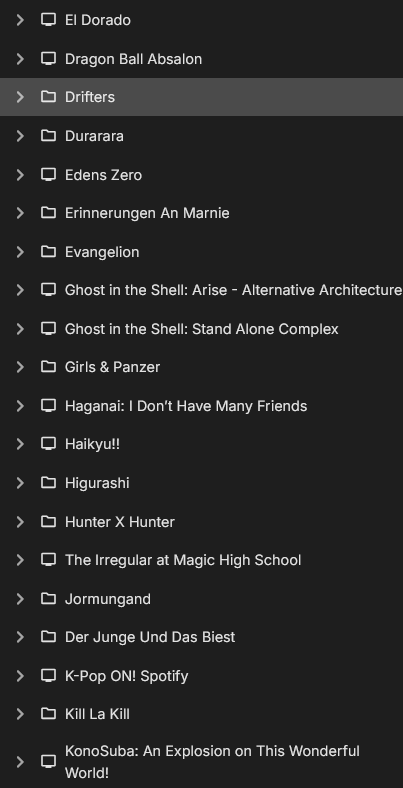
I'm not 100% sure what it is you would like to see, but i hope this helps: Library folder in Windows Explorer: In Emby: "Blood C" folder in Windows Explorer And in Emby "Danmachi" folder in Windows Explorer And in Emby "Hunter X Hunter" folder in Windows Explorer And in Emby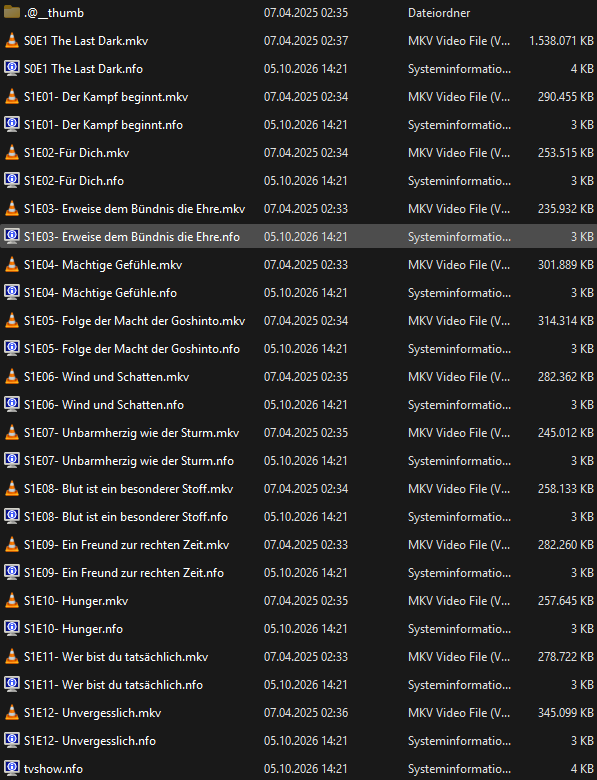
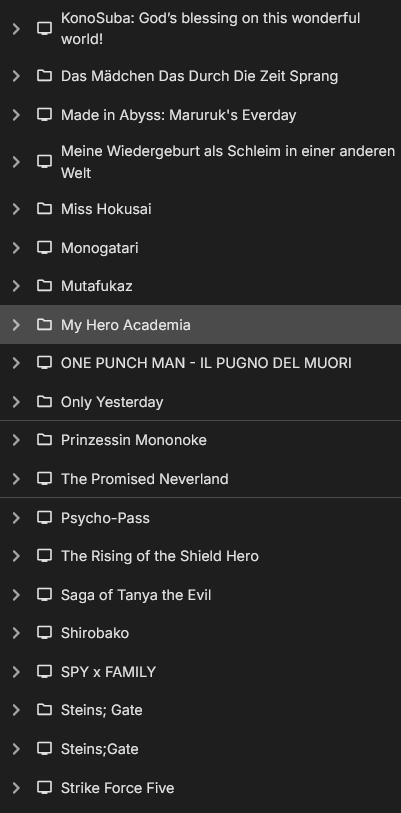
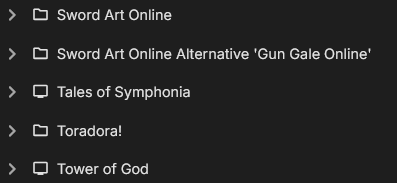
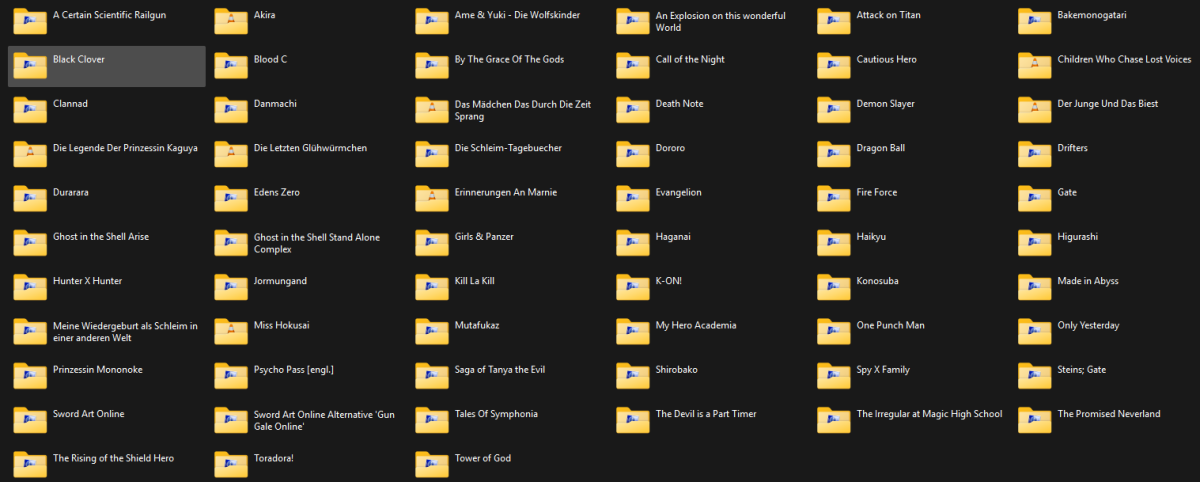
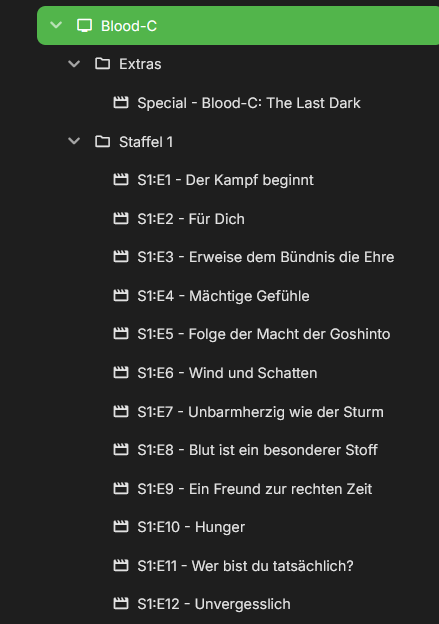
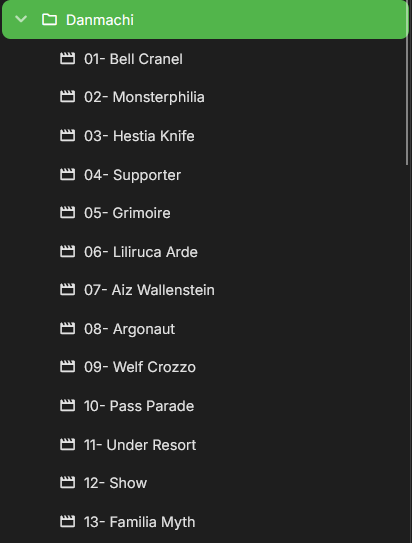
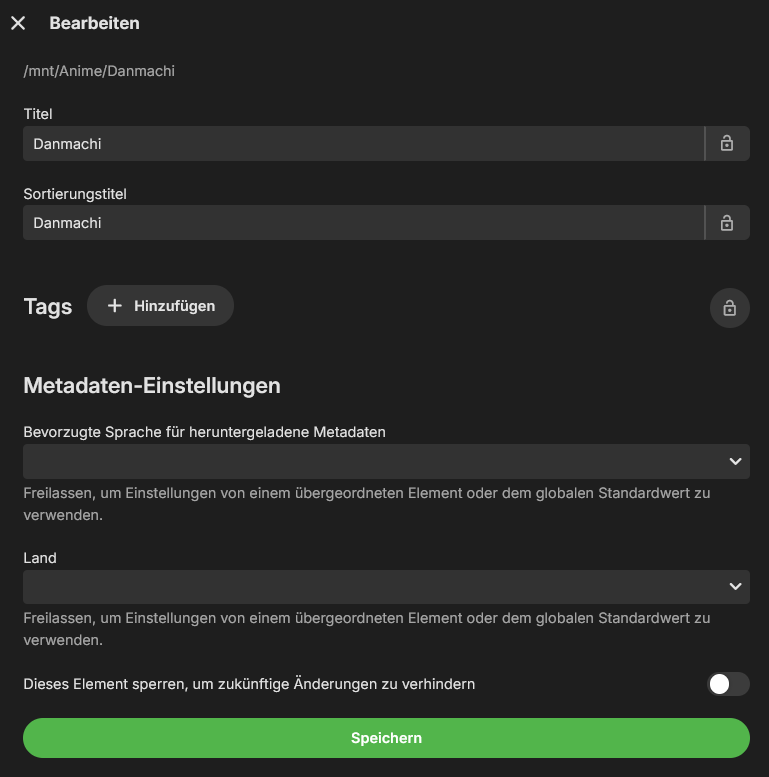
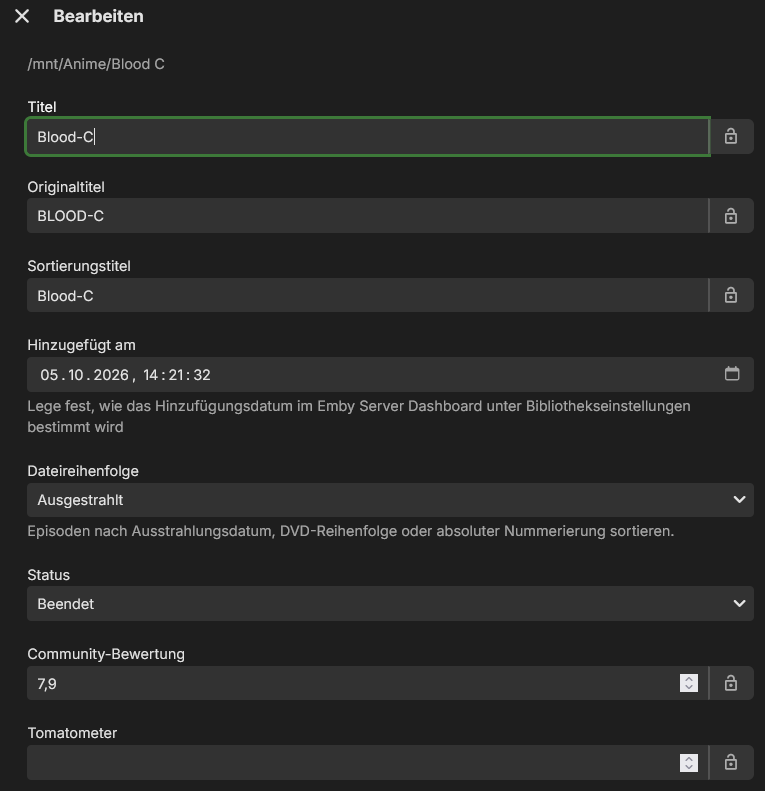
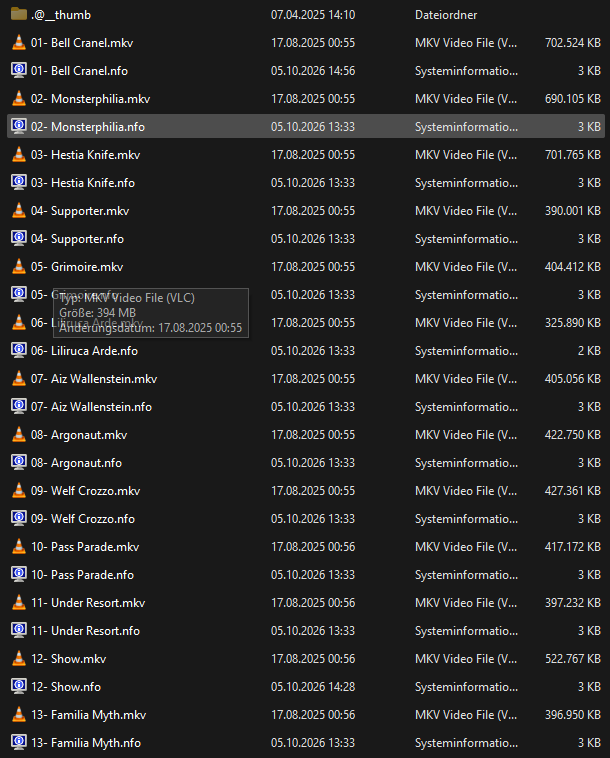
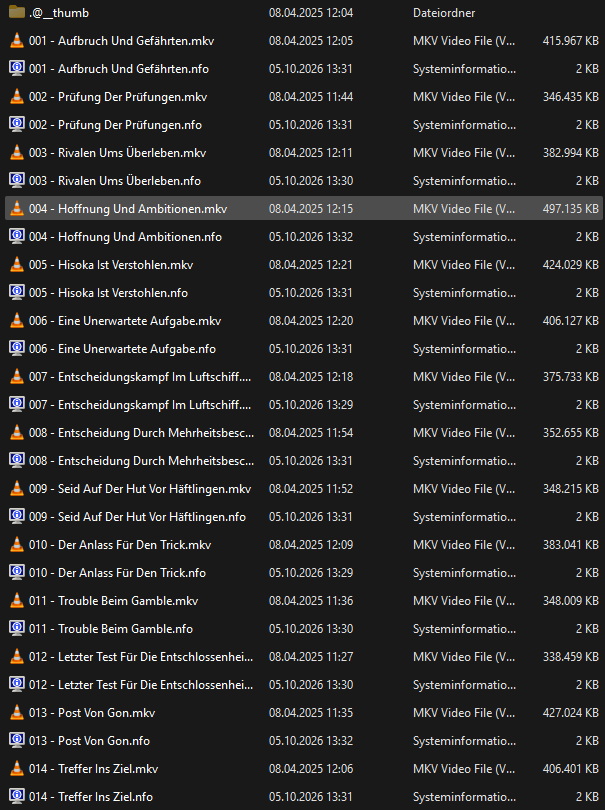
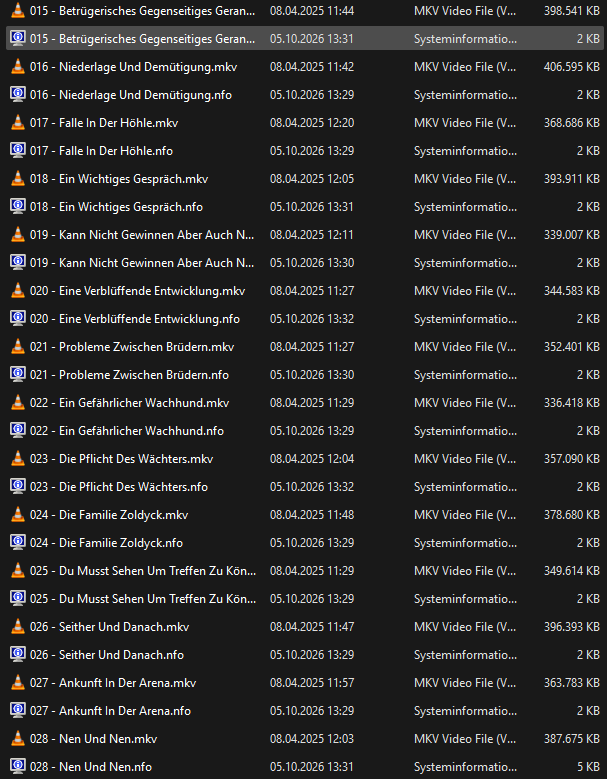
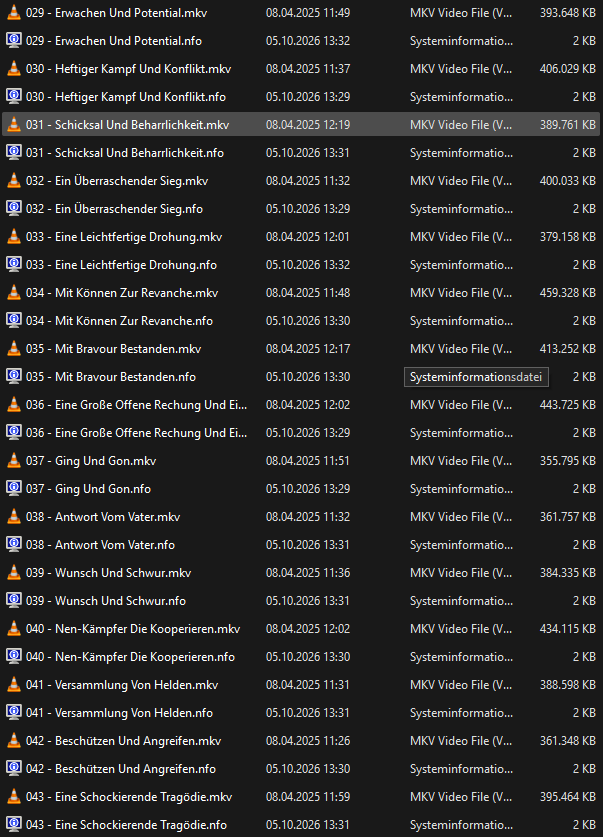
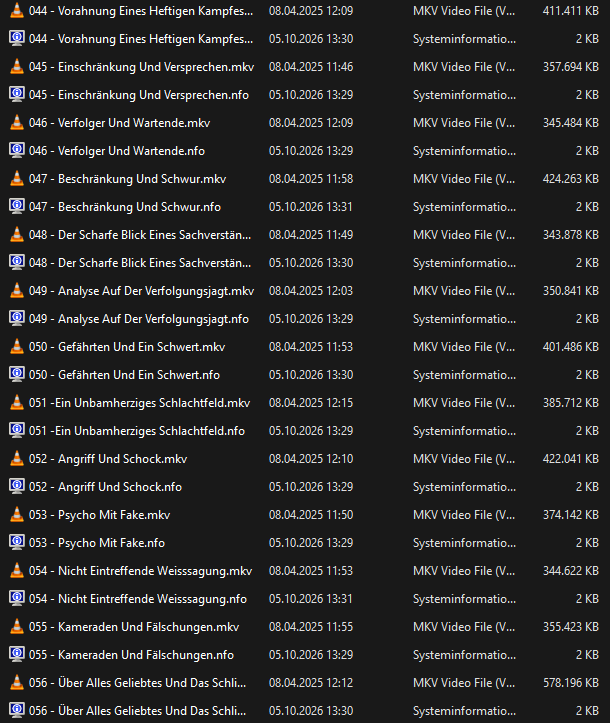
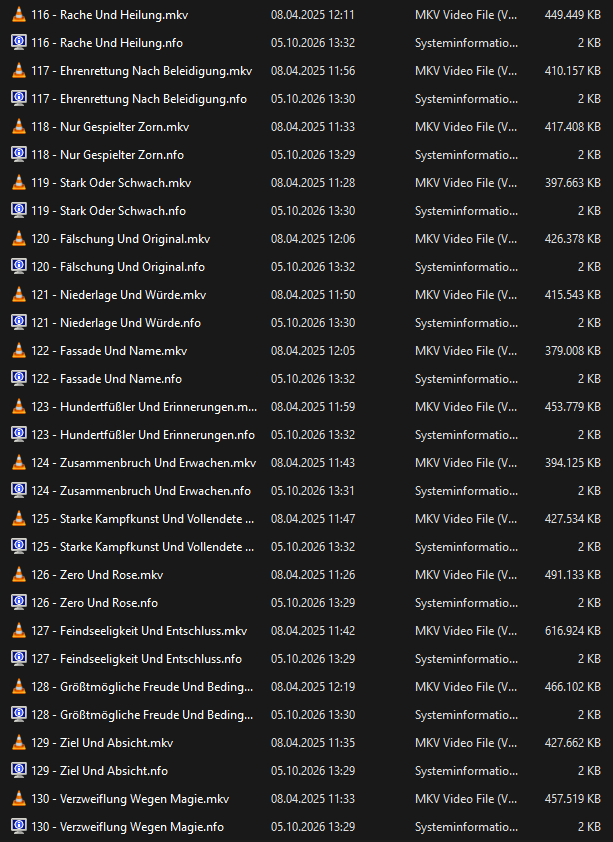
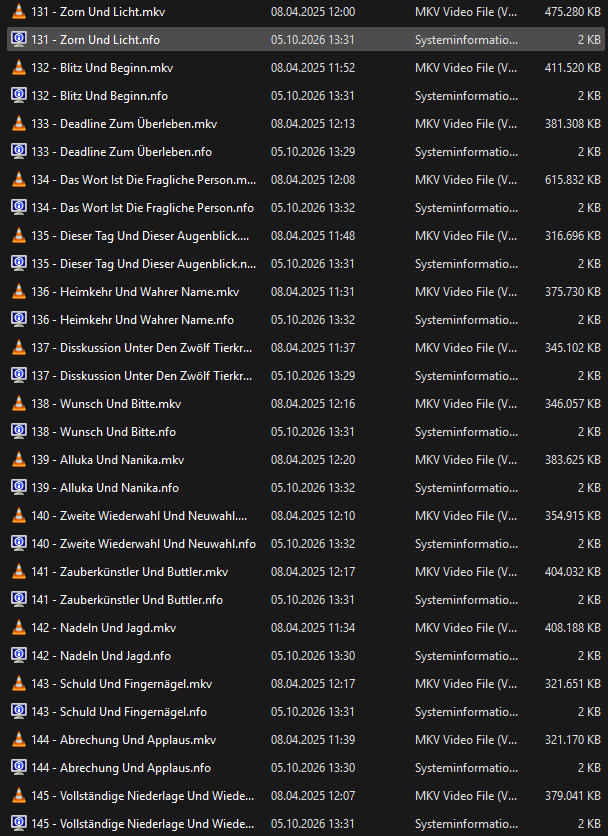
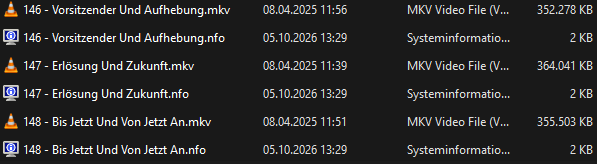
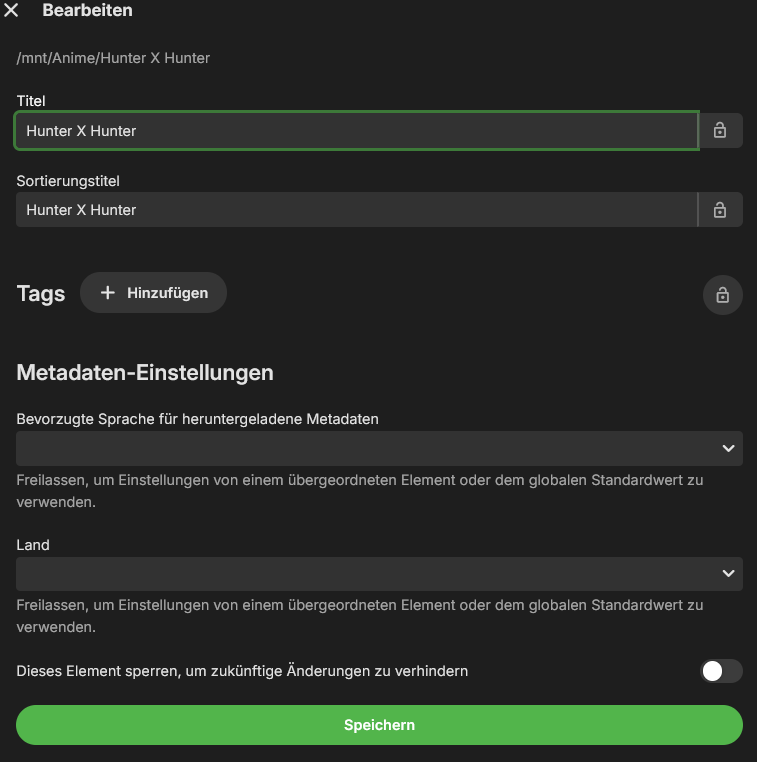
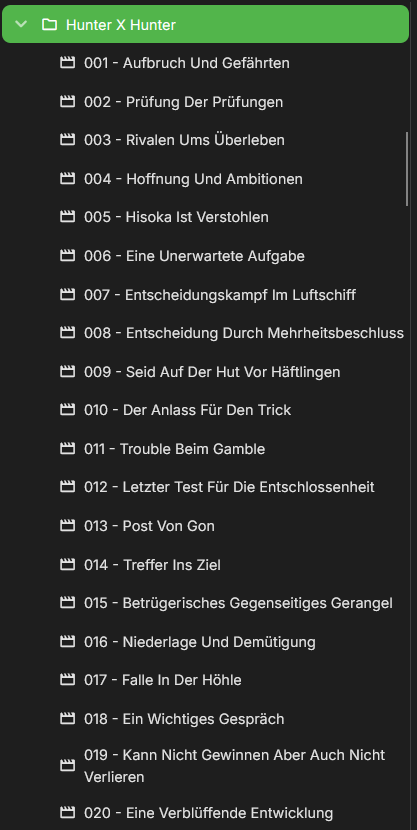
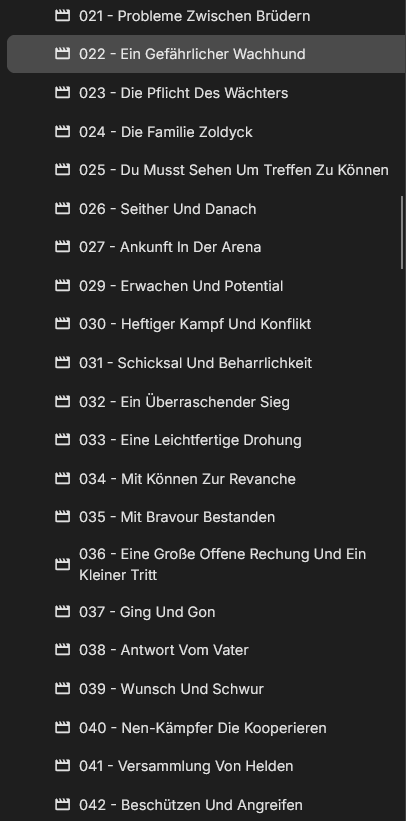
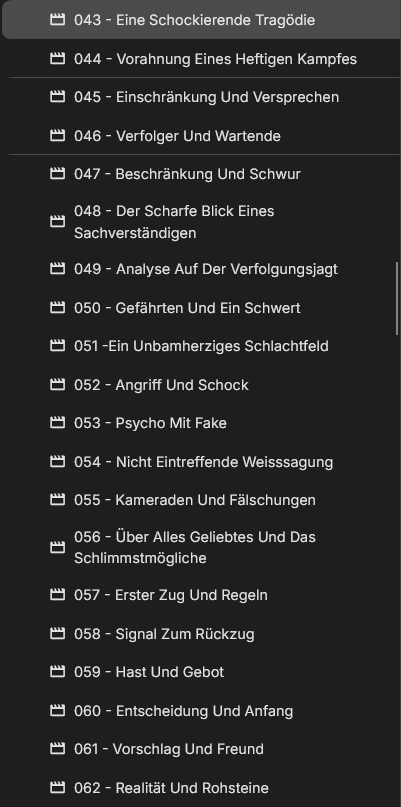
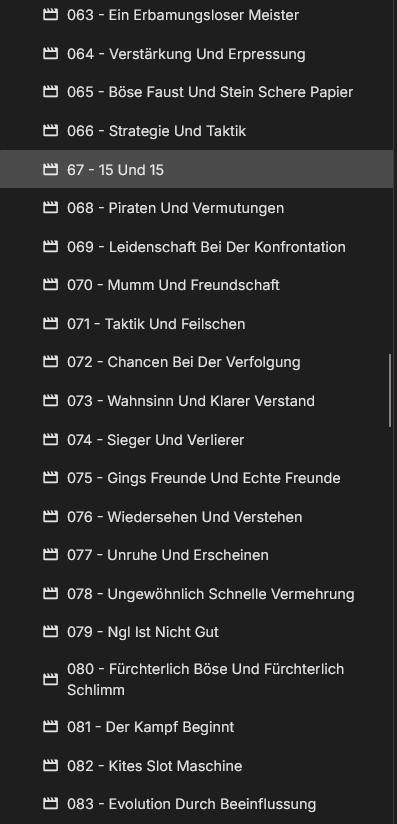
-
OK thanks. we'll take a look at it.
-
Home Sections with “Unplayed” Filter Do Not Refresh After Returning via Back Navigation
Luke replied to scottpro's topic in Web App
Hi, we'll take a look at it. Thanks. -
Hello I am a new person to Emby and have been testing different ways to place a link in one Library to an outside Media server. Just a simple web address. Basically I am linking to a web server index.html to launch some media that is not meant for Emby's platform. I have been successful with doing so using the Mickle026 Custom Provider IDs but have not been able to get it to work in all app instances of Emby. For example, works great on PC and also on Android phone, but when trying any of the Emby Apps for television the links do not seem to be visible. Does anyone know of a consistent external link plugin or mod that can be done at the media level that will work for all Emby applications. Appreciate any feedback from the more experienced folks because I am still a rookie. Thanks so much. Doug
-

Nvidia Shield not available for sale - alternatives?
wmichael3 replied to Mister Steve's topic in Hardware
I use ProjectIvy on the Google Streamer and it works great to dump all of the ads and give you a custom UI. It is a really good launcher for Google TV. Streamer negatives: When wired via ethernet via an unmanaged switch, it will periodically drop off your network and need to be unplugged/plugged. This can be mitigated by using a USB to ethernet adapter. It is caused by aggressive power saving for ethernet - it is a Google Streamer bug. If you plug it directly into your router I believe you won't have this problem. Can panic and reboot on Direct Play interlaced streams after fast-forwarding/rewinding. Interlaced streams come from ATSC 1.0 OTA signals. (CBS, NBC, PBS.....) This can be mitigated by a FFMPEG substitution in Diagnostic Options that forces transcoding and deinterlacing. No problem with progressive streams from any source. This is a Google Streamer bug. The Streamer cannot decode ripped passthrough Atmos via Emby (if you are ripping Blu-Ray with Atmos). Best you can achieve is 7.1. Streaming Atmos is fine. I believe the Shield can do this. ADB Debug (used for interfacing with Home Assistant) in general, will only work via WiFi. There is a workaround for ethernet if you again, don't use the built in ethernet port but use a USB-C based ethernet port. For example, using the power adapter for the Chromecast 4K that has an ethernet port. There is a side-loaded Auto-ADB app that does mean you don't have to activate ADB Debug on every boot. This really only applies to Home Assistant geeks using the FireMote card - this gives you a full remote control UI in Home Assistant. Positives: Pretty snappy with 4K. It doesn't scream, but I think it is fine. Supports Dolby Vision & Atmos on all streaming apps that support them and ripped Dolby Vision also works great via Emby. Also supports HDR10. Full sideloading is supported. Inexpensive. Regularly updated, for better or worse. Still works with a Harmony Hub. My own big TV setup is Google Streamer -> HDMI -> Denon x4800H -> HDMI -> LG C4. I block the TV from the internet, because.....LG. Hope this helps. -
I'm not sure i can fix that, but i'll try.
-
Hey Luke, the error should appear in this log, but for now I'm back on version 4.10.0.40. embyserver.txt



.jpg.f98bfbdb4792973e6b93dc68e9e91477.jpg)