All Activity
- Past hour
-
 JulioHEU797 joined the community
 -
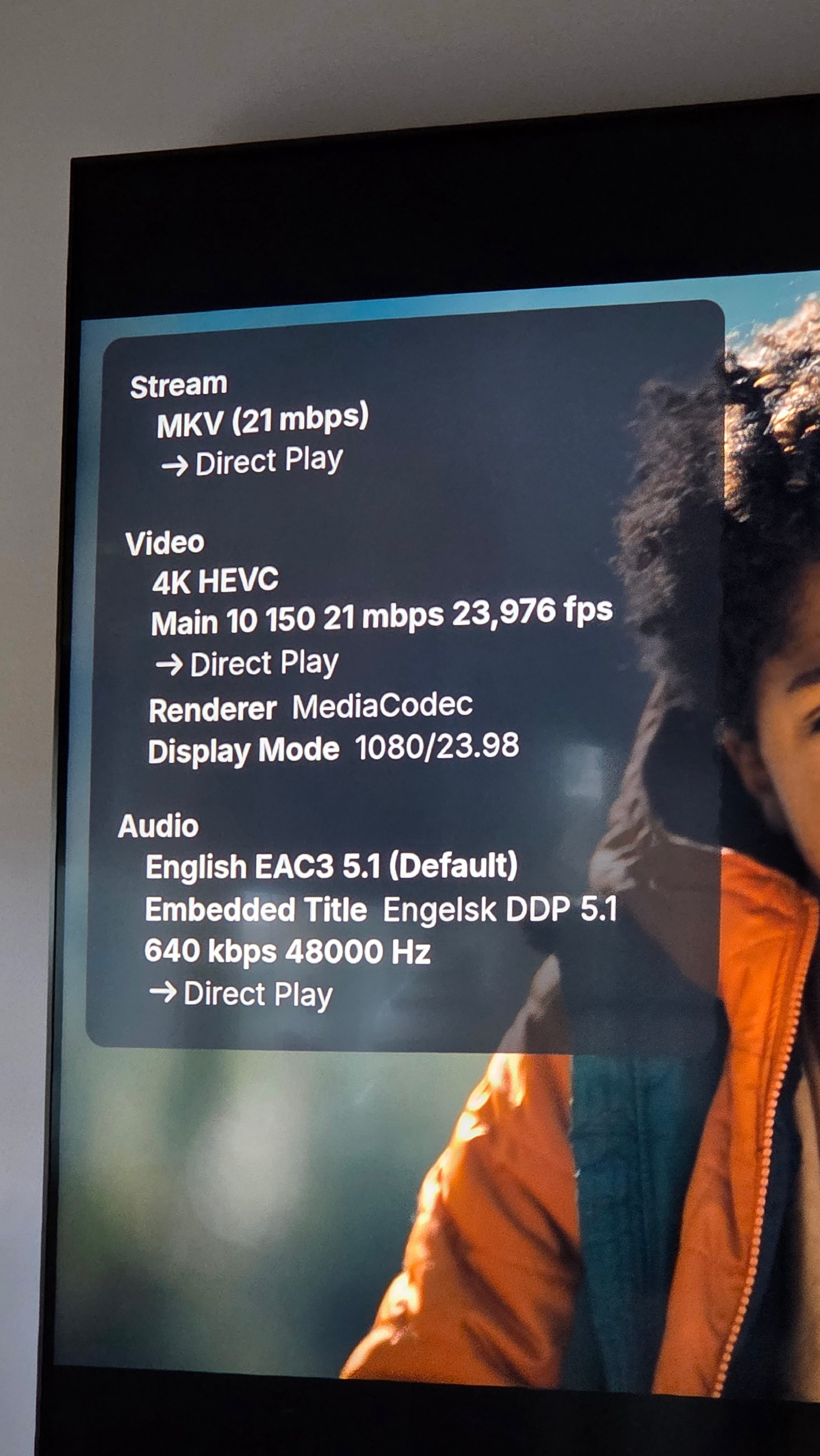
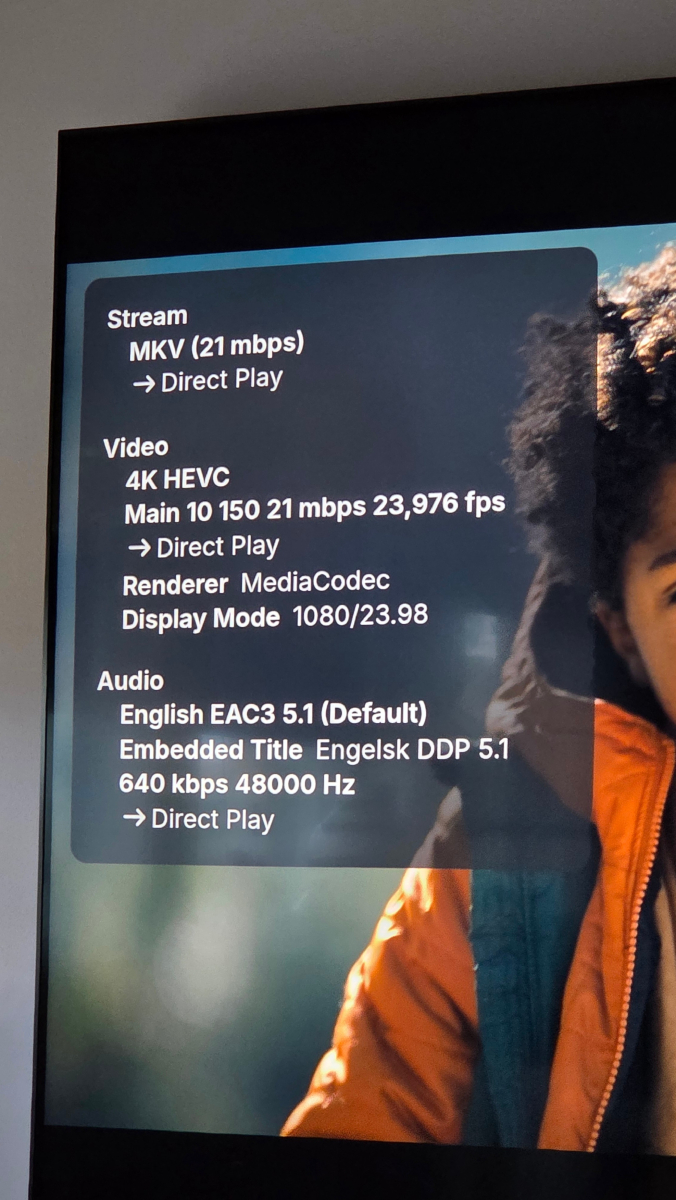
Hi I have an movie, that wont show in 4K. It is 4K as far as I know. And as I understand from mediainfo it is. Using an nVidia Shield 2019 pro, latest Android universal app and lates Beta server. Hope for feedback embyserver.txt hardware_detection-63923023893.txt MediaInfo.txt
-
 祁雨 joined the community
 -
 MisterNo joined the community
 -
 -luoym- joined the community
 -
 Nkabinde joined the community
 -
 elmerramirez joined the community
 -
 QUASARYH joined the community
 -
 Kesler joined the community
 -
 chrisalbig joined the community
 -
 Jjere_10 joined the community
 -

Plugin: EmbyCredits, detect end credits and add auto skip.
Baenwort replied to yocker's topic in Plugins
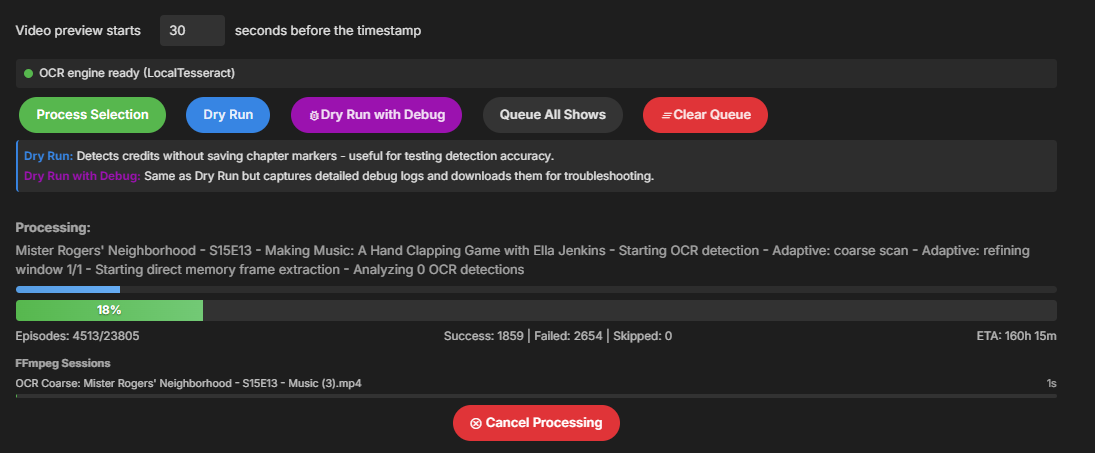
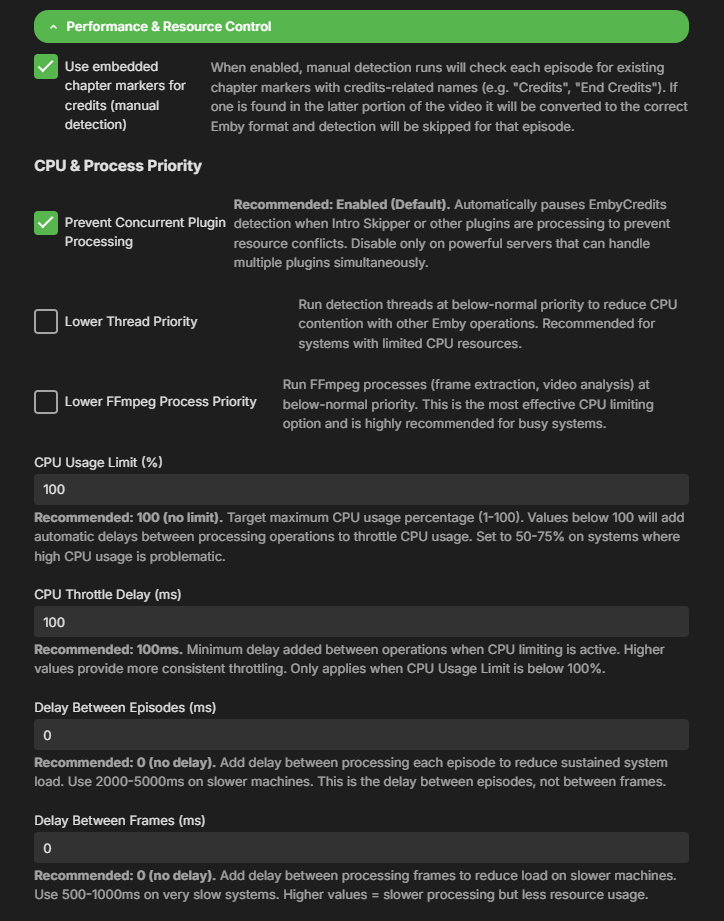
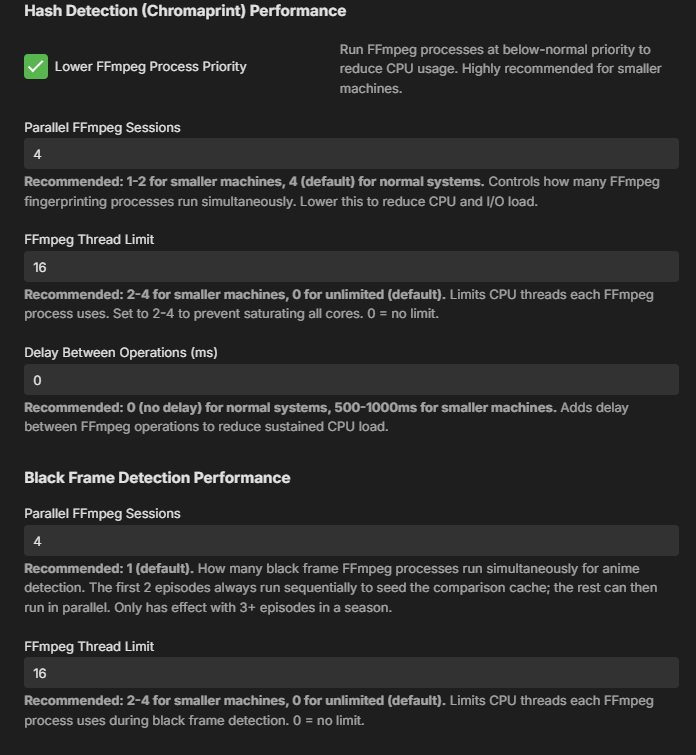
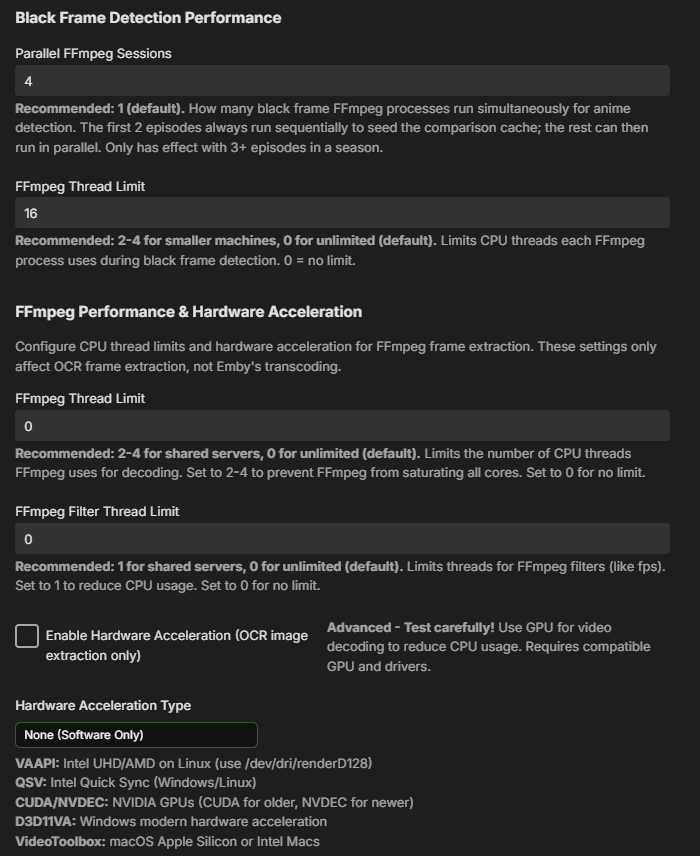
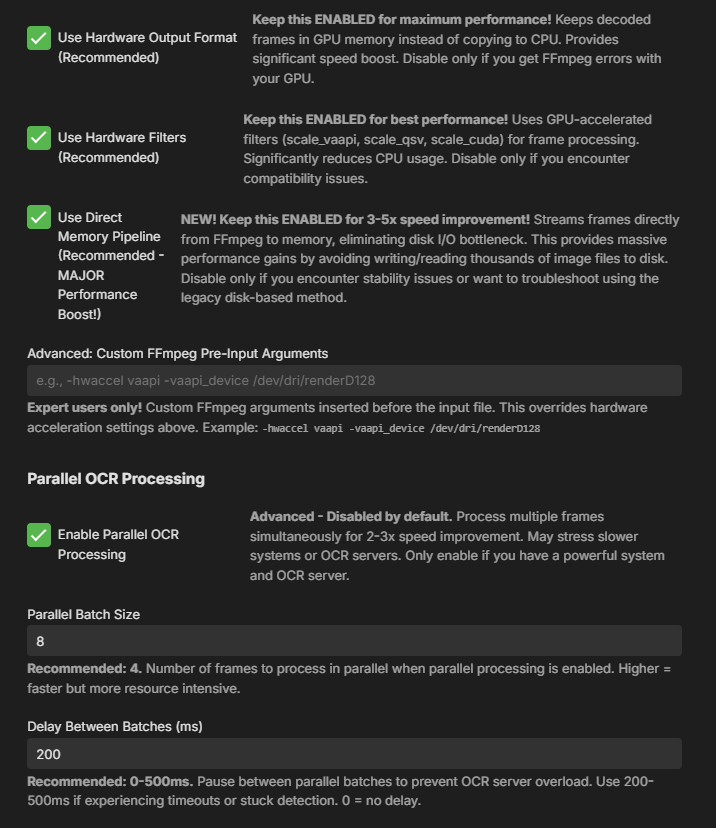
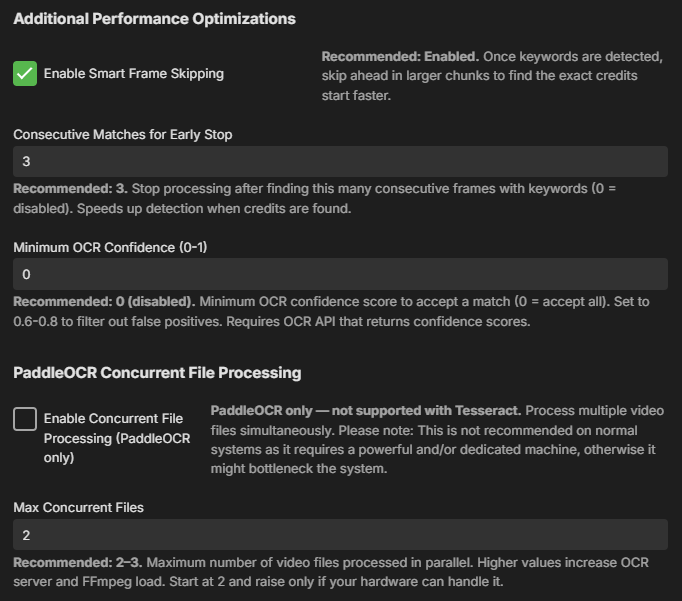
I've make sure CPU limit is 100, DMP is on, and I've set what I can figure out to Parallels processing. However, it doesn't seem to be using much resources on my server as I'm only seeing 15-20% resource usage. The server is at very low load at the moment with only ~4% cpu usage from other processes in other jails. The settings I've adjusted: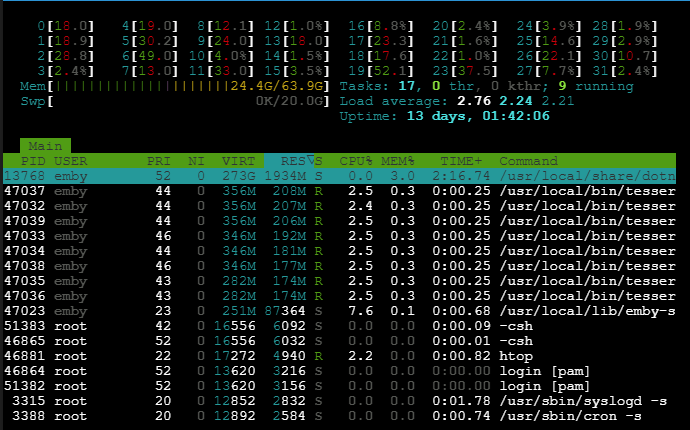
-
Realated to this issue in the forum and elsewhere: https://duckduckgo.com/?q=linux+playback+.ass+subtitles+media+player+error&ia=web
- Today
-
Seriously? Still not a single response from the team that sheds any light on the situation? Having a bug for a few weeks is understandable, even a couple of months, but nine months already just shows how little Emby cares about supporting LG users. Personally, if things are still the same in September, I'm canceling my Emby Premiere subscription, and if it's not fixed by October, I'll look for alternatives. It makes no sense to be paying to use older versions without the latest modifications, improvements, and fixes, and even if you're up to date, not being able to enjoy content with subtitles... for at least nine months.
-
No worries, it takes a minute to find certain FRs sometimes even for myself.
-
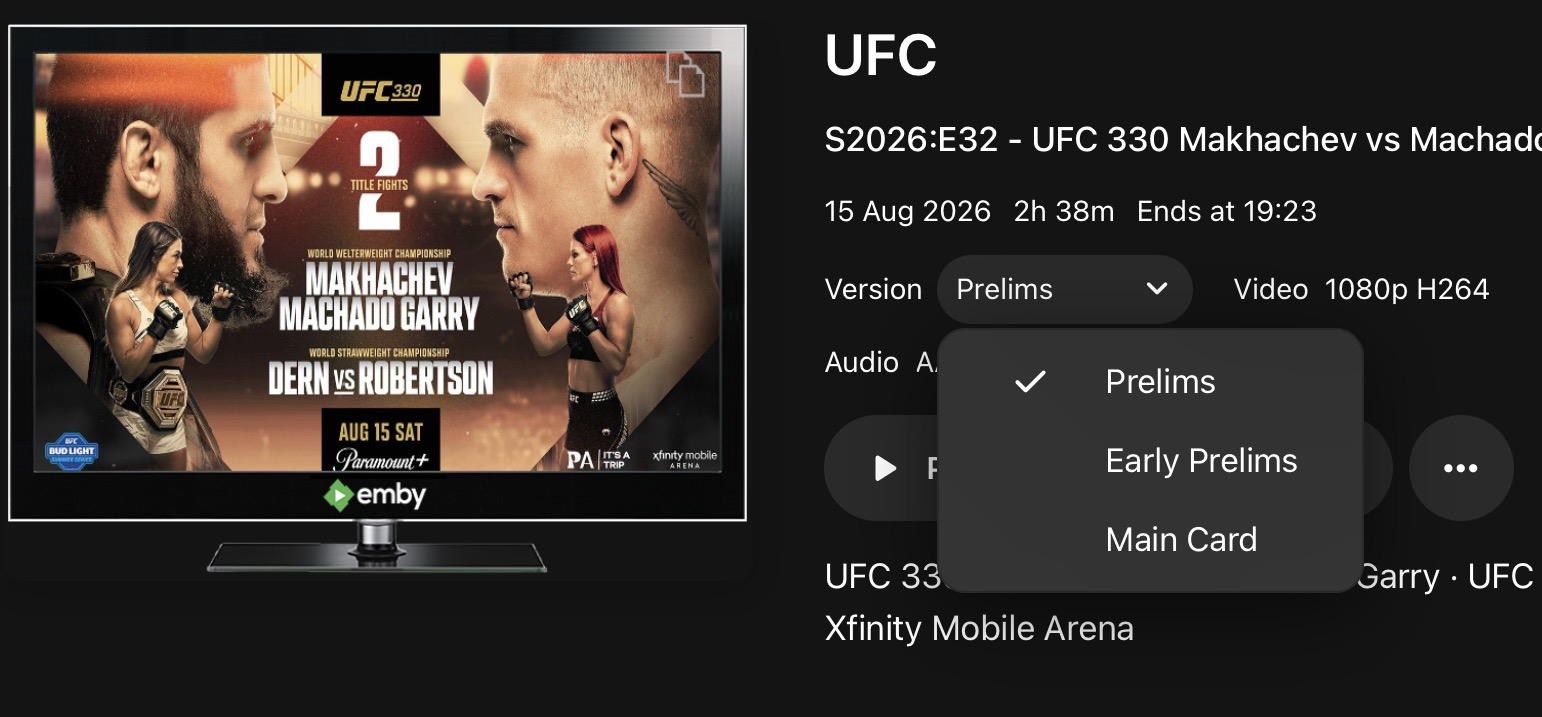
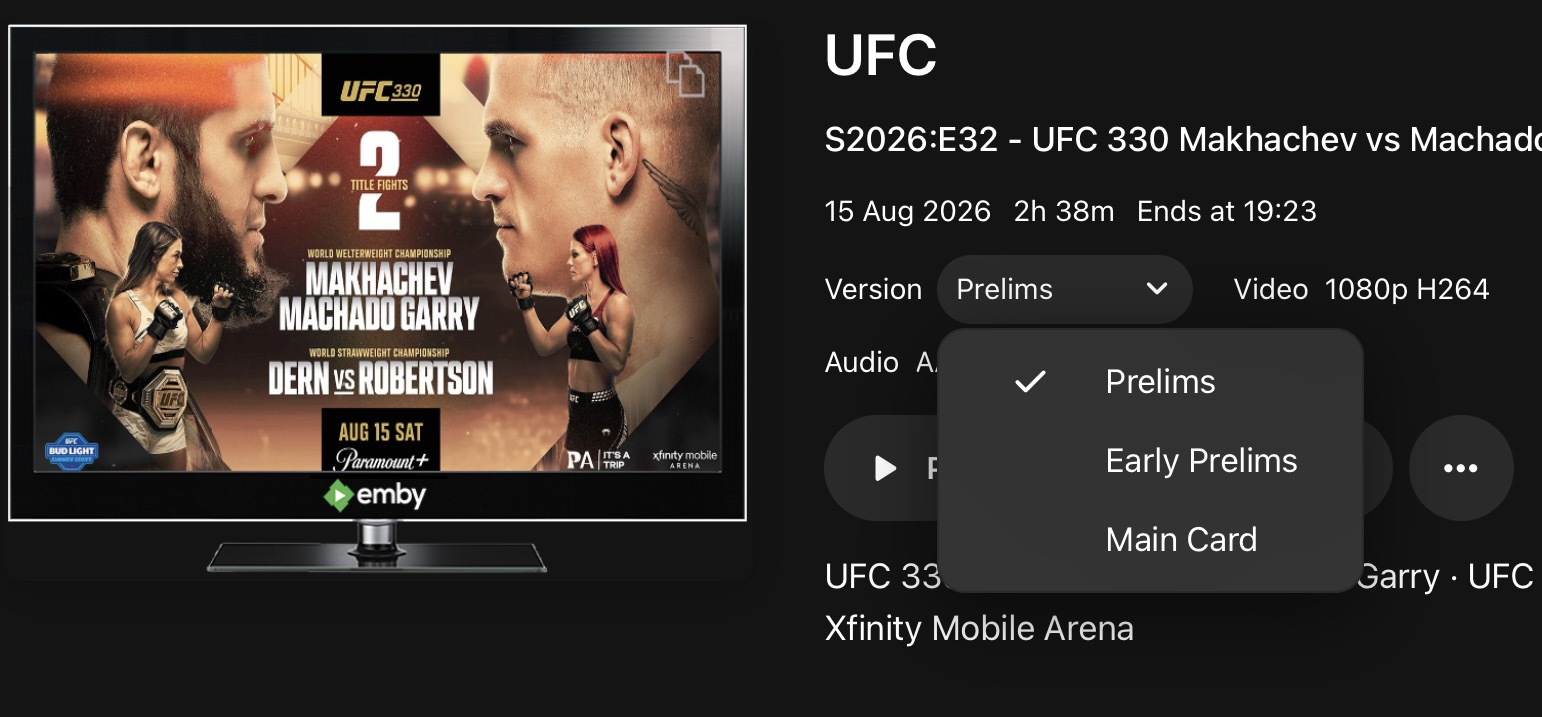
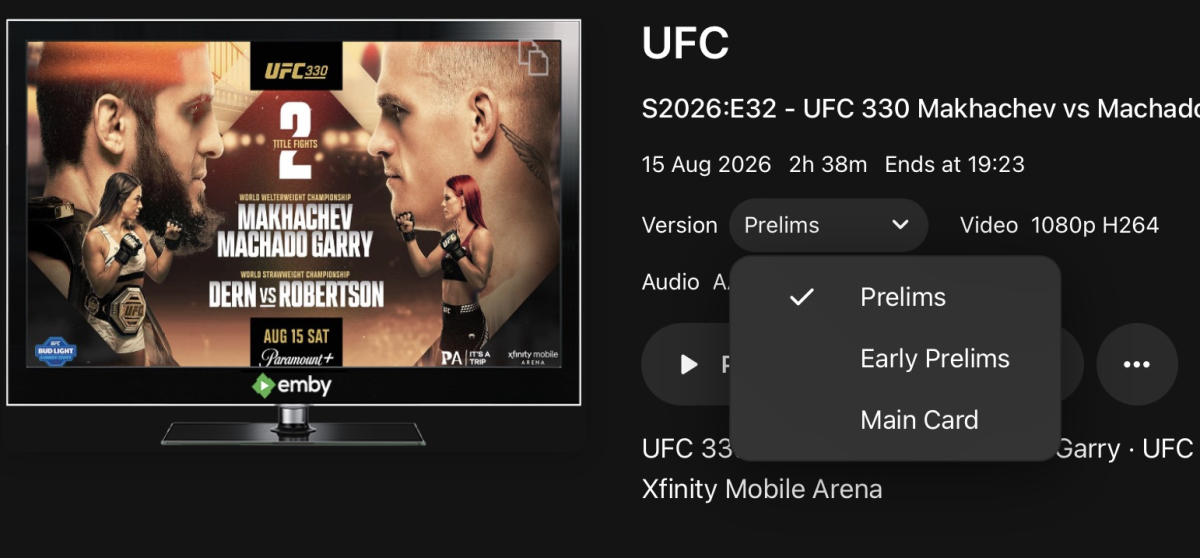
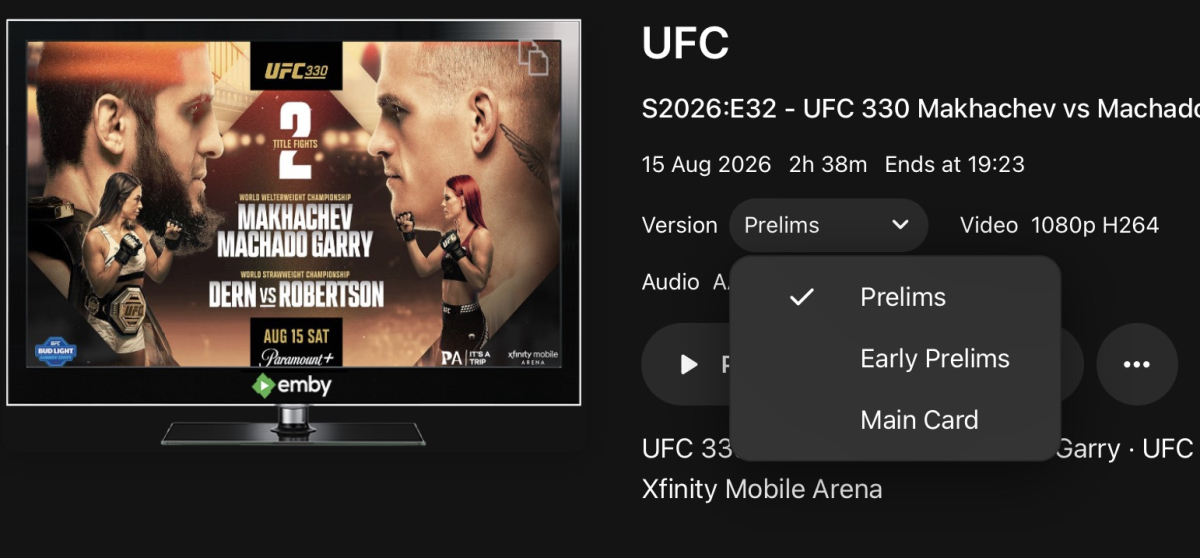
For my UFC events there are usually 3 versions of the event and the file names end -early prelims, -prelims, -main event respectively. Drop-down list works perfectly for selecting and playing the different versions but the order should always be early prelims, prelims and main event and that isn’t always the case. Really does need to be a manual way of choosing the sort order
-
Thanks grim, not only is there a feature request subforum, there is also a request out for it that I failed miserably to find when searching before I posted
-

Playlists empty after migration to new box
kamikaze_worm86 replied to kamikaze_worm86's topic in General/Windows
@LukeI hadn't but have now. Sadly same issue persists. -
You can lend your support here:
-
Hi Luke, is it possible to manually sort the versions shown in the dropdown list? For my UFC events there are usually 3 versions of the event and the file names end -early prelims, -prelims, -main event respectively. Drop-down list works perfectly for selecting and playing the different versions and the order should always be early prelims, prelims and main event but that isn’t always the case and I don’t see a way to manually adjust it. what determines the order, and can there be a function to manually choose?
-
I never changed that setting that I recall. Why should emby crash, so it is a bug? I will test this and report back tonight
-
It would be great if this could be built into Emby so you can have a skip button. Comskipper works great but built in would be a better solution especially if it includes comskip.
-
Hi, the problem was not solved, at the moment on MacOS 26.6.2 the crash still occurs after about 1 second after live tv (from M3U) channel start. The backend is TVHeadend, within the single second the TV screen is shown but immediately after all the application crash closing completely. Following the error from system crash report: ------------------------------------- Translated Report (Full Report Below) ------------------------------------- Process: Emby [3561] Path: ..../*/Emby.app/Contents/MacOS/Emby Identifier: com.emby.mobile Version: 2.2.39 (35) Code Type: ARM-64 (Native) Role: Foreground Parent Process: launchd [1] Coalition: com.emby.mobile [3198] User ID: xxx Date/Time: 2026-08-22 17:22:39.6222 +0200 Launch Time: 2026-08-22 17:20:54.8285 +0200 Hardware Model: Mac14,13 OS Version: macOS 26.6.2 (25G83) Release Type: User Crash Reporter Key: .... Incident Identifier: .... Time Awake Since Boot: 32000 seconds System Integrity Protection: enabled Triggered by Thread: 42 com.apple.audio.IOThread.client Exception Type: EXC_BAD_ACCESS (SIGSEGV) Exception Subtype: KERN_INVALID_ADDRESS at 0x0000000000000000 Exception Codes: 0x0000000000000001, 0x0000000000000000 Termination Reason: Namespace SIGNAL, Code 11, Segmentation fault: 11 Terminating Process: exc handler [3561]
-

Playlists empty after migration to new box
Luke replied to kamikaze_worm86's topic in General/Windows
Hi, did you try running a library scan after that? -
Hi. He almost certainly had signed up to someone that had shared their server with him and that person/server are now gone.
-
I have been working on a very intensive project for my media server for months now. I can absolutely tell you that EMBY is not installed out of the box as a Windows Service. There is a lot to this project that will be shared soon in a different thread.
-
OK I would take a look at the listenbrainz plugin for a good example of that: https://github.com/MediaBrowser/ListenBrainz
-
The checkbox in your last screenshot. Try clicking it.
-
It is trying to connect before it comes up. The delay was bumped up to 800ms before you see it.
-

Plugin: EmbyCredits, detect end credits and add auto skip.
yocker replied to yocker's topic in Plugins
Sadly noting i can do about improving Tesseract performance as it's not my program. Making it run multiple instances at the same time (like with PaddleOCR) is not possible either. How ever, in the performance section in the settings there are a number of settings you can fine tune for better performance. Paralle OCR Processing. Direct Memory Pipeling. Make sure CPU limit is at 100 And a couple more. In the end it is limited by the speed of the Tesseract though as extracting frames from a video is faster than the tesseract can "read". It will take some time with that amount of episodes, sorry. Edit: Forgot to write that i suggest you update to the latest EmbyCredit (v2.9.0.7) in the catalog as it has a fix for direct memory pipeline and local Tesseract server. It should save you for a good amount of disk writes. -

embyforkodi (next-gen) 12.X.X support
Eisi2005 replied to quickmic's topic in Emby For Kodi Next Gen
Hi, I'm not exactly sure what you mean. I synced my movie library using “Manage Libraries.” All my movies are there, and of course all the trailers for the movies are there too—everything works perfectly. However, I’ve enabled the Vantage Point plugin on my Emby server, where I specified a local directory on my server that contains my YouTube trailers for upcoming movies. But this folder isn’t a library on my server. When I use the native Emby app on my Shield, I just have to enable Cinema Mode in the settings, and Vantage Point immediately plays a YouTube trailer from my specified directory before each movie. Maybe I just didn’t understand how it works with Emby for Kodi. Could you explain the exact steps to me again? -
I didn't. What are you talking about?
-
With current media costs, it's all YOLO.
-
New version (v1.0.8.0) in the catalog. 1) Added end credit detections. (Requires EmbyCredit installed). 2) Improved Summery.
-
Plugin: EmbyCredits, detect end credits and add auto skip.
Baenwort replied to yocker's topic in Plugins
So now that this has support for locally installed Tesseract OCR (FreeBSD and Docker don't get along) I'm looking to see if I missed tuning guidance? I've got this on a 32 core AMD 5950x and I'm guessing I want to tweak the settings to use number of images * number of threads =32? I'm looking at about around 200+ hours spent on my TV collection and I'd like to reduce it. The server this is running on is mostly used for broadcast archiving so there isn't a large demand on the CPU but I'd like to get this done faster.