All Activity
- Past hour
-
 Abdelfattah22 joined the community
 -
 Nater509 joined the community
 -
Plugin: EmbyCredits, detect end credits and add auto skip.
sydlexius replied to yocker's topic in Plugins
I could swear a re-checked those values (I used to have 2 of my 4 libraries selected), but somehow they got blanked. So the bug report was a PEBCAK error, but it resetting was unexpected behavior. -
 masksurfing joined the community
 -
 TowFam joined the community
 -
 esarac joined the community
 -
 jakubemmrich joined the community
 -
 claz96 joined the community
 -
 Iosbhai joined the community
 -
 ef_q4 joined the community
 -
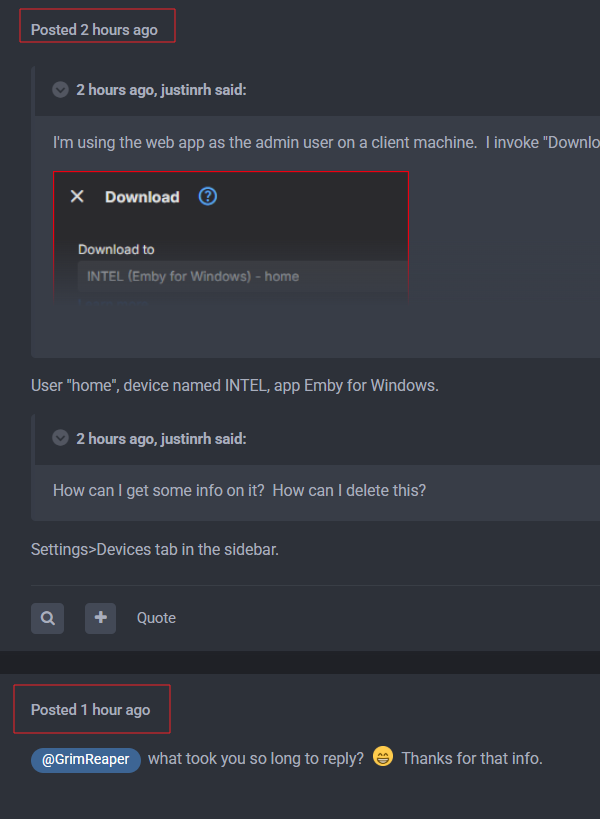
@justinrhWhat took you so long to reply
-
 sohail422 joined the community
 -
Ah, it's farther into the dialog tree, got it. That's what I'm talking about where it's not always clear. It's ask here, click around constantly and hope to find it, or wait for documentation updates. Thanks!
-
I just upgraded the samsung TV app version to 2.4.9 an tried playing Wolkig mit Aussicht auf Fleischbällchen again. Same error as before. During playback I switched languages (German --> Portugese --> English). Every time turkish kept being played. Log is attached. embyserver.txt
-
hi! are you planning to add archive support in this plugin? thanks!
- Today
-
Could the windows installer be called something more useful that setup.exe? The portable version is embyserver-win-x64-4.10.0.40.7z. Setup.exe just seems like a horrible idea. I would like to install a previous version of emby to troubleshoot some issues. Is there a location for older versions? Thanks!! Great software, I am a big fan!!
-
-
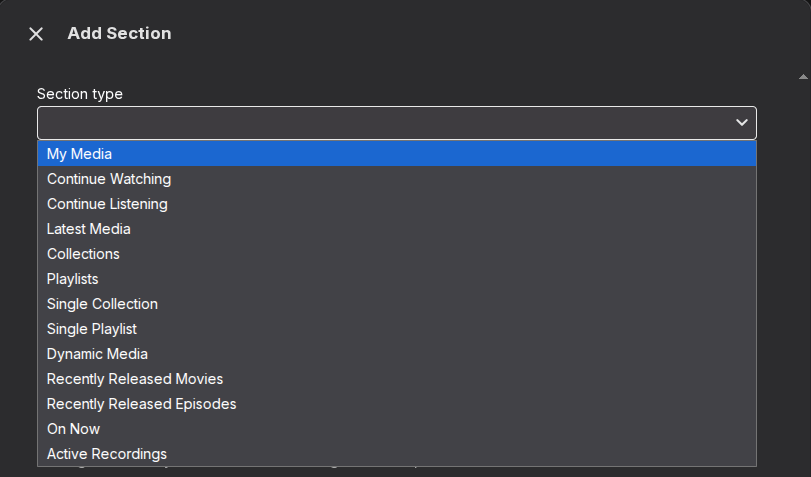
Hello! I'm on v4.10.0.40. I read the release notes, and I saw the mention about the "Spotlight" feature, so I went to check it out. The release notes say: So I went to my home screen layout, and went to add a new section, but I'm not seeing it in the drop down. I force reloaded the page to try and make sure I'm not getting a cached version, but I'm not seeing it in the type drop down. Am I in the wrong place? I searched the forums and the documentation and didn't find anything more in depth. It does seem like all though discovery of new things is possible through the release notes, it may not always be clear(as I am running into) how/where to get to a new feature? Thanks!
-

Emby Watch Party - Synchronized Viewing for Friends & Family
Oratorian replied to Oratorian's topic in Tools and Utilities
v3.0.0 and the past & future of Emby Watchparty Emby Watchparty started as a small project between friends in mid-2024, private, just for me and a few others. The first public release was on Oct 20, 2025, with the first push to GitHub. Since then EWP has grown a lot, thanks to the wonderful community here on Discord and on the Emby Forums. Development has continued as a solo project since the other two original contributors moved on. 1.x was a bumpy ride, but a very educational one. Multiple failed attempts at drift correction, limited by the 1.x single-transcode design, forced me to dig much deeper into Emby's API and transcoding pipeline. That investigation spawned `Emby quirks we learned the hard way.md`, which ultimately gave birth to EWP 2.0. (And yes, even the shorthand "EWP" was born in this community because it just stuck.) Then came dnordel(on Discord) , who revived this whole project and my passion for it.His massive PRs brought real value to EWP, not just in code quality but in functionality and UX/UI. His first PR was so large that a simple merge wasn't possible; it changed the way EWP works at its core, and it became 3.0. I'm grateful for that, because I'd hit a dead end with 2.x. `3.0.0 - Director's Cut`, currently at beta4, is a huge step up from 2.x. It turned EWP into something I could never have envisioned myself. So where does this leave us? Honestly, I'm still not sure. The plan is: 1.x retires by the end of this year, 2.x becomes legacy, and 3.0 becomes the main release. But I need time to think about when and, more importantly, how. So `3.0.0-beta4` will be the last release for now in 3.0.0 testing release. EWP has grown way bigger than I anticipated, and I need to sort things out before I continue. Thanks for being a part of this and for helping transform EWP into what it is today. -
This has been out for a while and very few people have even noticed. I really think that most people utilize one tab 90% of the time in the libraries so returning there works. We'll continue to monitor (knowing full well, the only people who will tell us anything will be the ones that don't like it).
-
Please see:
-

TV Show Status — TMDB-powered Returning/Ended/Cancelled badges for series
Blueskies278 replied to Blueskies278's topic in Plugins
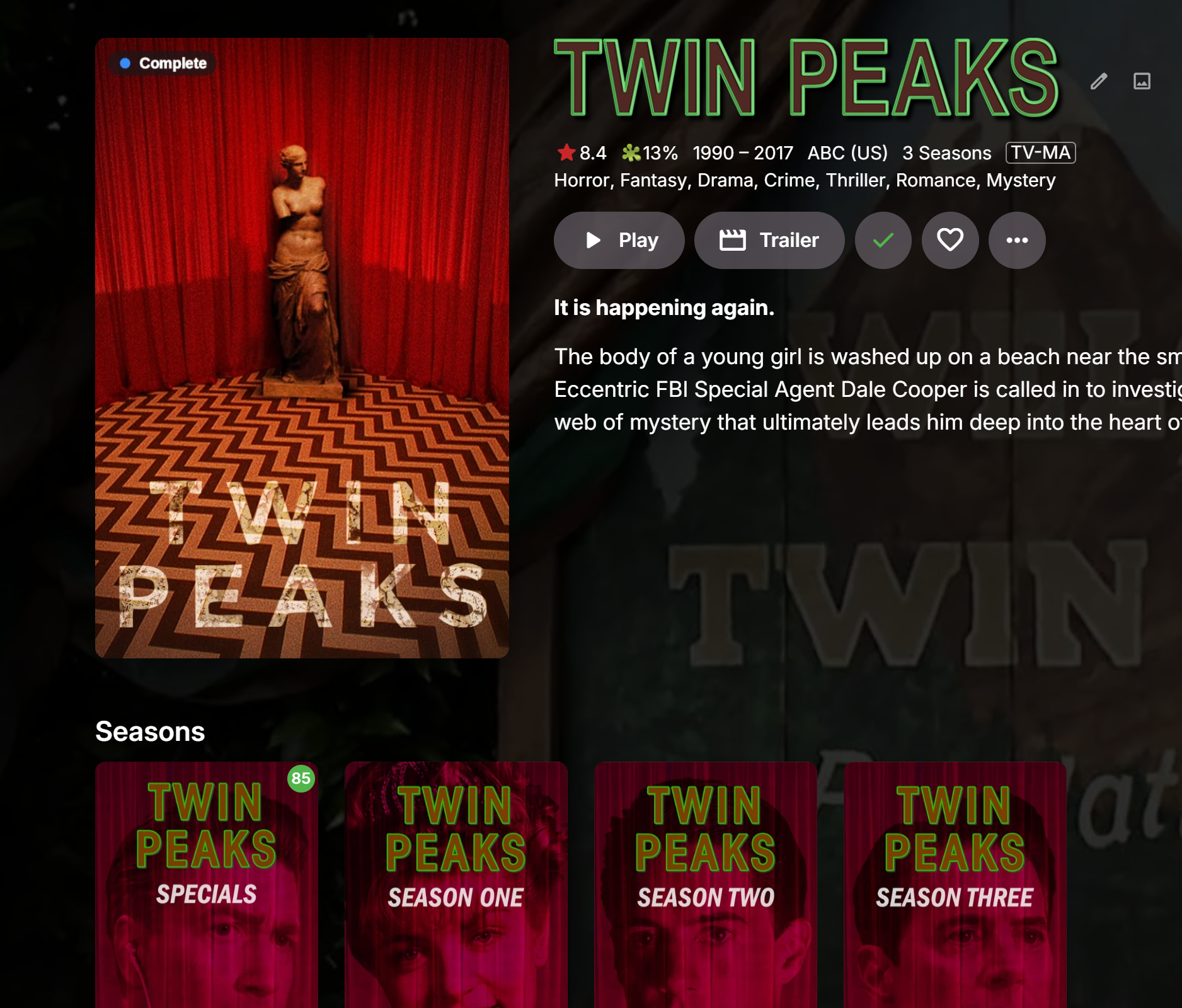
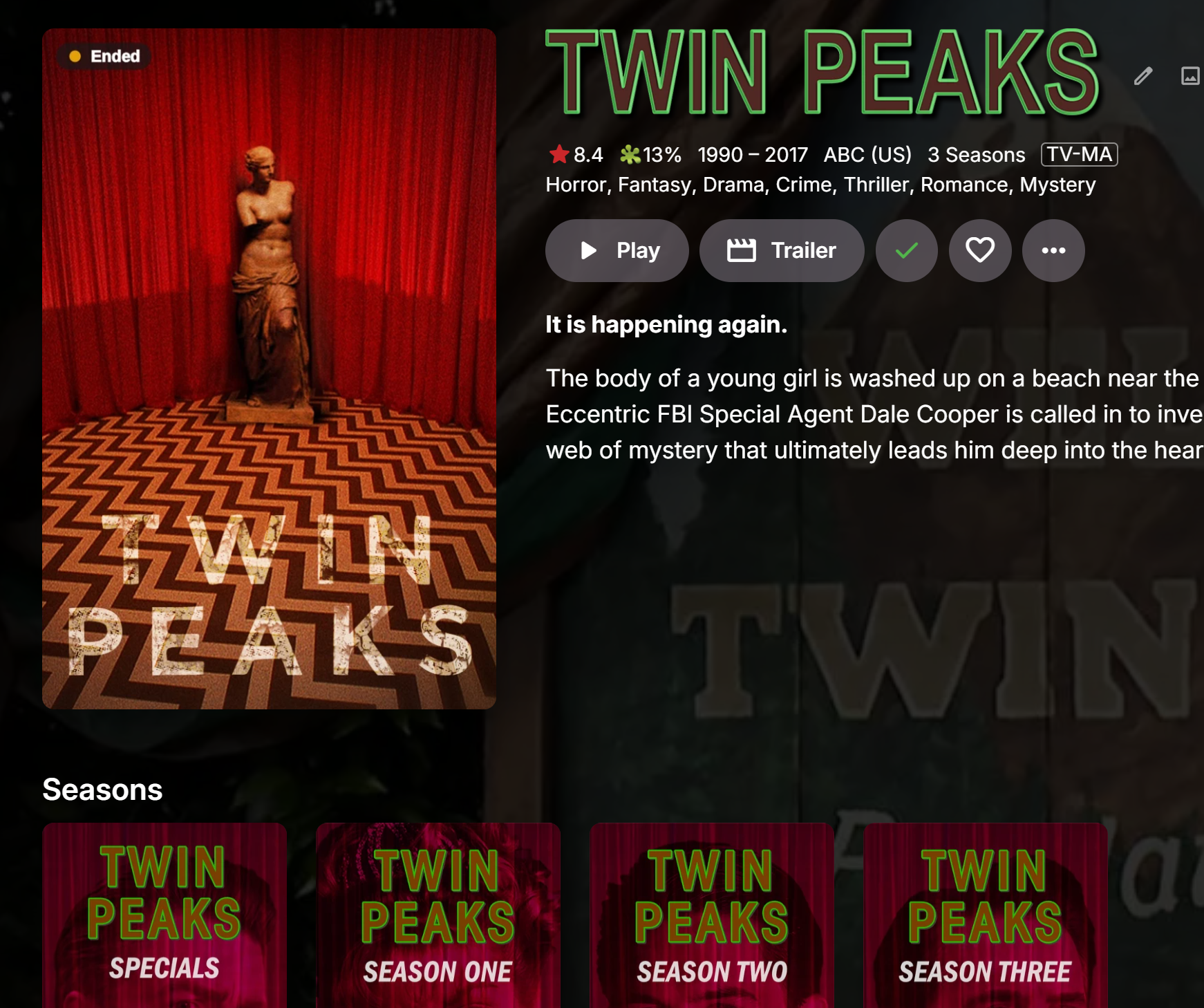
Thanks for the detailed writeup with the config dump - made this easy to pin down. This comes from Emby's own watched-state logic, not something the plugin is deciding on its own. A series inherits from Folder, and Emby's Folder.IsPlayed(user) recursively checks every child item - including Season 0 (Specials) - and requires all of them to be watched. The plugin is just asking Emby "has this user watched everything," and to Emby, a special is just another episode of the show like any other. So the behaviour is: Complete (ready-to-binge colour) stays until literally everything is watched, specials included, then it drops to Ended. Not a bug, just Emby's own definition of "fully watched" being wider than you'd expect. I could carve specials out of that check specifically for this plugin, but I'm going to leave it as-is for now - some people do want a special to count (clip shows, making-of episodes tied to the story) and I don't want to guess wrong for everyone. If it turns out most testers want specials excluded, that's an easy follow-up. -

TV Show Status — TMDB-powered Returning/Ended/Cancelled badges for series
GrimReaper replied to Blueskies278's topic in Plugins
Yup, have them set as Large/Extra Large, good stuff. -
TV Show Status — TMDB-powered Returning/Ended/Cancelled badges for series
Blueskies278 replied to Blueskies278's topic in Plugins
Thanks. Do you like the poster & thumbnails are now sized separately? -
TV Show Status — TMDB-powered Returning/Ended/Cancelled badges for series
GrimReaper replied to Blueskies278's topic in Plugins
Thumb/poster badge sizes looking good now, working properly. -
TV Show Status — TMDB-powered Returning/Ended/Cancelled badges for series
Blueskies278 replied to Blueskies278's topic in Plugins
Done.Sorry, I'm doing so many things -

TV Show Status — TMDB-powered Returning/Ended/Cancelled badges for series
ginjaninja replied to Blueskies278's topic in Plugins
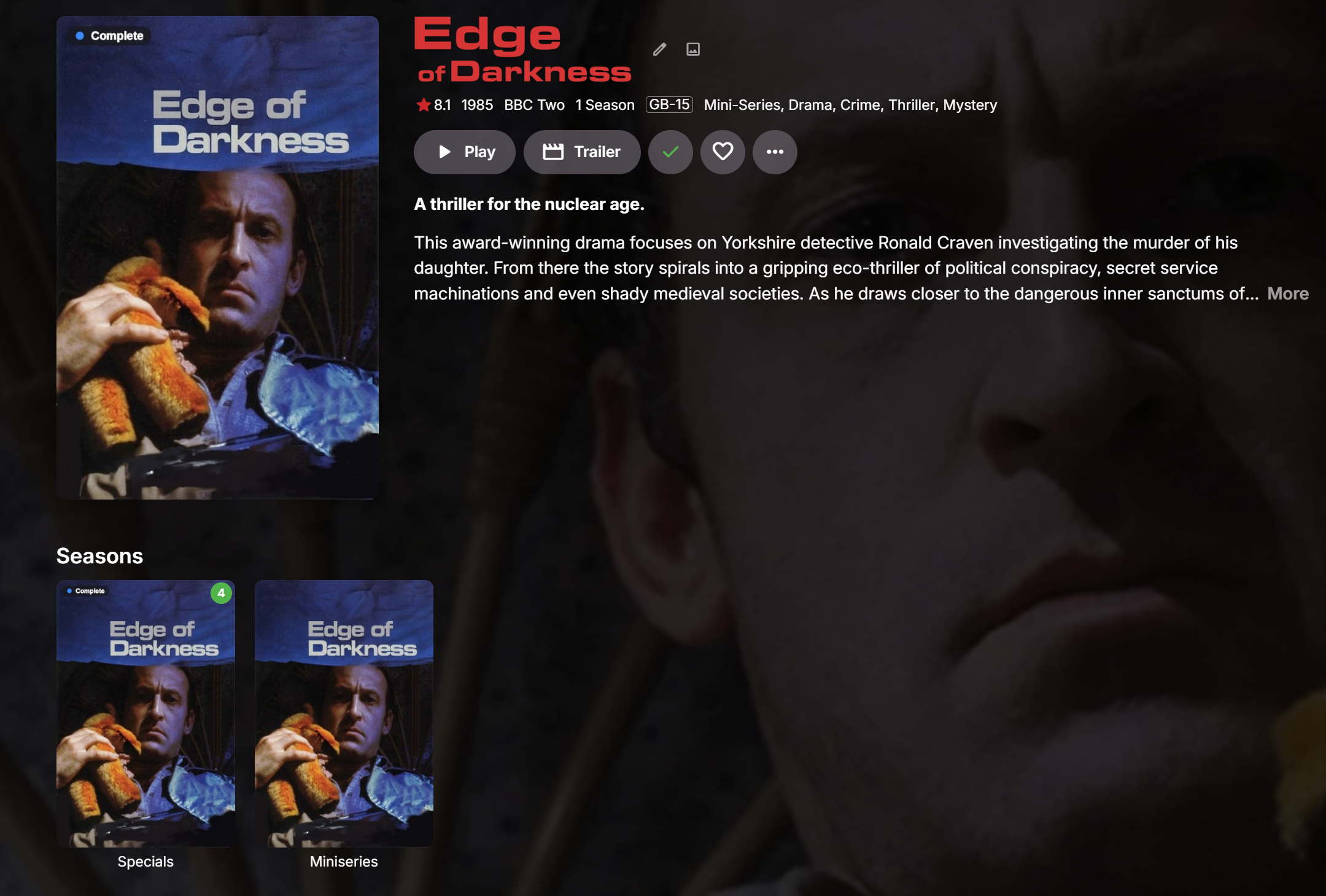
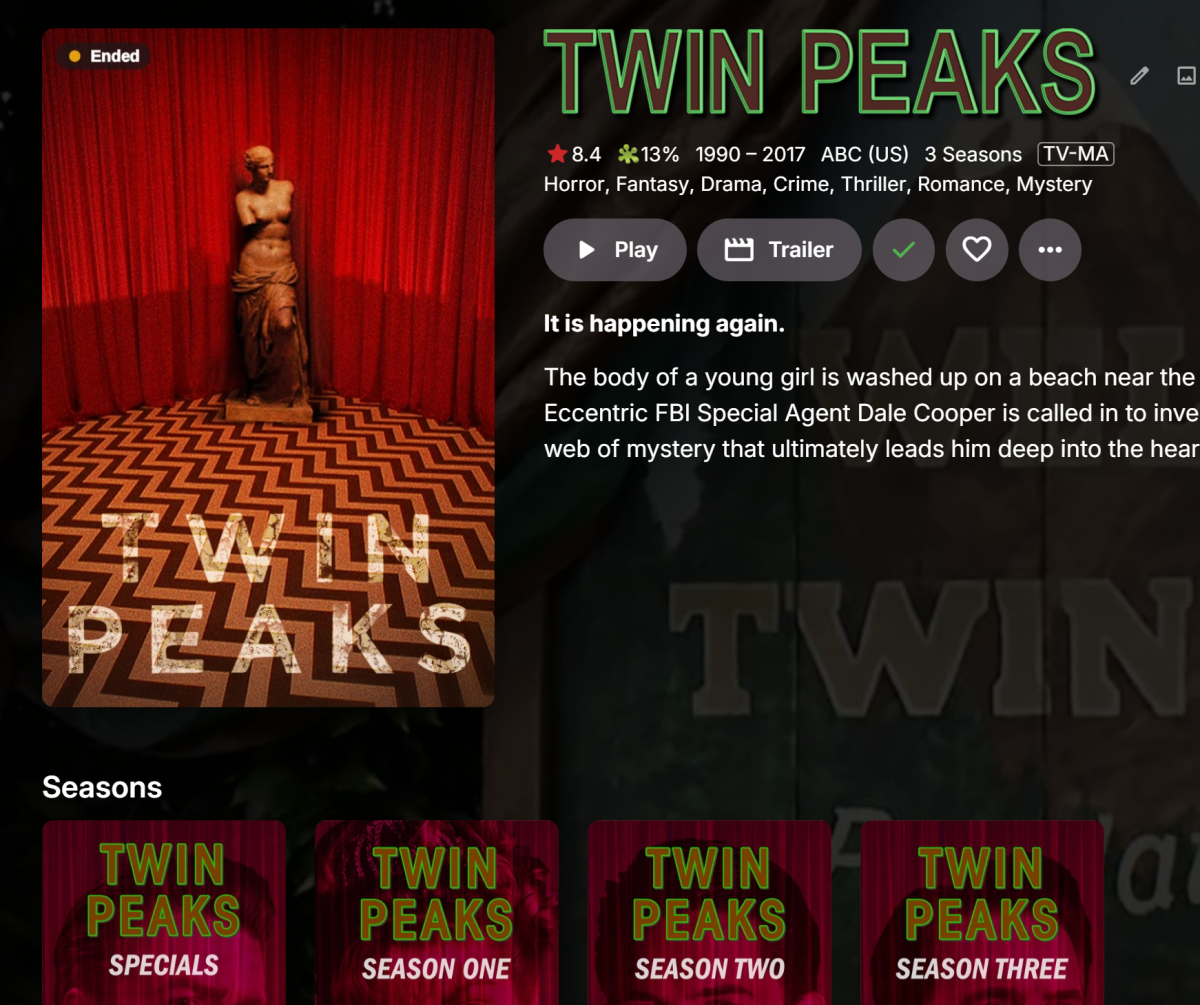
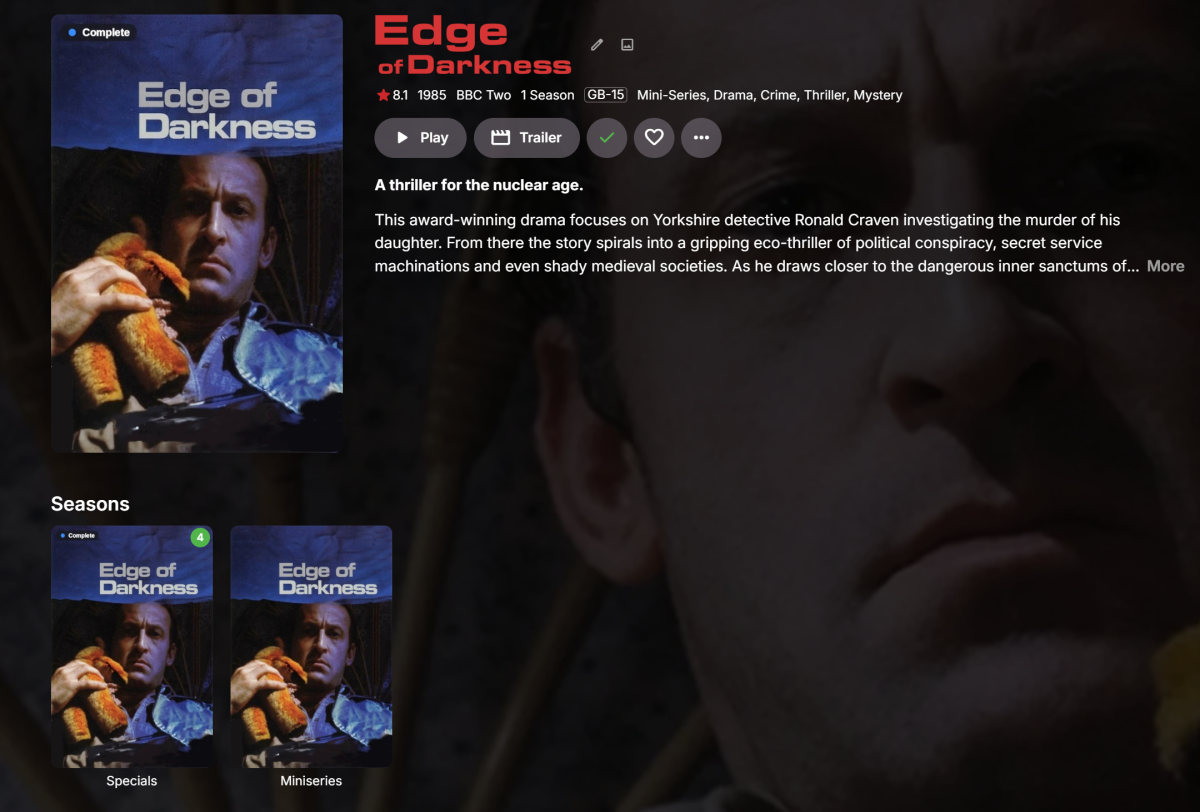
So the Stephen King issue was (at least) in part my misunderstanding. i better appreciate there is a sophistication in the plugin as to wether a season status ("Complete") is in play or a Show status (Ended) is in play. Refreshing metadata/incogito / reload had no effect. What made the difference was having episodes unwatched/watched. Plugin overlay changes are immediate for me as i mark specials / episodes watched or unwatched. So for Stephen King, once the episode (it only has one episode... part1+part2 combined..dont think thats relevant) had been watched, the overlay changed from "Complete" to "Ended". So thats feels in keeping with the sophisticated design**. But this behaviour also applies to watched/unwatched specials. That feels potentially unaligned to the intention? Eg Twin Peaks with specials unwatched is "Complete" But if the specials are watched then the show status is in play and the overlay is "ended". The behaviour is frequently repeated and does not seem to have anything to do with wether the specials are marked as formal episodes in the playthrough or not. Another example ** Feedback / suggestion - Maybe the overlays would benefit from being more granular (and intentional from the admins perspective), so the admin is choosing the useful information to them (i assume different overlays can be applied to Posters vs Thumbnails?) On Show Posters the admin could choose 'Show level focused' (Watched status irrelevant) overlays Returning (possibly Next Air Date / Next Finale Date) Ended (Cancelled), On Show Thumbnails the admin could choose 'Season (Binging) level focused' (Watch status of named user inspired) overlays [Season] Complete (possibly Next Air Date / Next Finale Date) Having a different config for Thumbnails and Posters as well as potentially giving admins more control might also make having a different size setting for each more trivial? my settings { "EditorTitle": "TV Show Status Settings", "EditorDescription": "Displays TV show status badges (Returning, Ended, Cancelled) and return dates using data from TMDB. This product uses the TMDB API but is not endorsed or certified by TMDB. There are three ways a badge can reach you, and each has its own section below. 'Show badges' and 'Episode badges' are drawn into the artwork on the server, so they appear on every client - Android TV, Fire TV, tvOS, iOS and web - with nothing to install. 'Web browser badges' are drawn by a small script and only appear in a browser. 'Description text' writes plain text into the show's description, which every client can show. The web script deploys itself into Emby's web folder on startup; on some Docker setups Emby cannot write there, and the status box in that section gives the one-line fix.", "SetupCaption": { "Caption": "Setup", "IsVisible": true, "CanHideInCompactView": false }, "TmdbApiKey": "4e9bde1dd4599cb3a89fcc1074a8575b", "OverlayWatchedUser": "Cartman", "AirDateSourceStatus": { "Status": "Succeeded", "Caption": "Air Dates", "StatusText": "Using TMDB dates. The Trakt Air Dates plugin is not installed, or has not built its cache yet.\n\nThat is a perfectly normal setup and nothing is broken. Worth knowing though: TMDB stores an air date as a bare date with no time and no timezone, so a US show broadcast in the evening can show the previous calendar day if you are outside the US. Installing Trakt Air Dates fixes that; this plugin picks it up automatically with no configuration.", "CanHideInCompactView": false }, "ShowCaption": { "Caption": "Show badges - drawn into the artwork, every client", "IsVisible": true, "CanHideInCompactView": false }, "EnableImageOverlay": true, "PosterStatusBadges": true, "PosterPremiereBadges": true, "OverlayMode": "ReadyToBinge", "ThumbnailBadges": "Everything", "OverlayShowDates": true, "ShowAiringForMidSeason": true, "ShowSeasonNumberOnBadge": true, "PremiereFinaleWindowDays": 7, "MarkPremiereFinaleInEpisodeName": false, "NameMarkerWhen": "Always", "OverlayModeStatus": { "Status": "Warning", "Caption": "Poster Overlay", "StatusText": "This server has 10 users.\n\nEmby draws ONE poster per show and shares it with everyone, so every user will see Cartman's watched progress - not their own. On a household server that is misleading rather than broken, which is why it is worth saying plainly.\n\n'Show when a season has finished airing' gives you the blue Complete badge without this problem - it just does not hide the badge once you have watched the show.\n\nWorth knowing: TMDB reports 'nothing scheduled' both for a season that has genuinely finished and for one that is simply between episodes with no date published yet. Those cannot be told apart from the data, so a show on a mid-season break can read Complete early. It corrects itself as soon as TMDB publishes the next date.", "CanHideInCompactView": false }, "LookCaption": { "Caption": "How the show badge looks", "IsVisible": true, "CanHideInCompactView": false }, "OverlaySize": "Medium", "OverlayPosition": "TopLeft", "OverlayMarker": "Dot", "BadgeOpacity": "Translucent", "AiringMarkerColour": "Default", "MidSeasonMarkerColour": "Default", "PremiereMarkerColour": "Default", "CompleteMarkerColour": "Default", "EndedMarkerColour": "Amber", "CancelledMarkerColour": "Default", "EpisodeCaption": { "Caption": "Episode badges - drawn into the artwork, every client", "IsVisible": true, "CanHideInCompactView": false }, "EpisodeBadges": "PremiereAndFinale", "WebCaption": { "Caption": "Web browser badges - drawn by a script, browser only", "IsVisible": true, "CanHideInCompactView": false }, "DisplayMode": "None", "BadgeStyle": "None", "WebGridBadges": false, "LibraryCardBadges": true, "UpcomingDateBadges": true, "UpcomingPremiereBadges": false, "UpcomingFinaleBadges": false, "AppBadges": true, "WebScriptStatus": { "Status": "Succeeded", "Caption": "Web Badge/Description Script", "StatusText": "Active - the badge script is deployed into Emby's web folder and index.html loads it.\n\nAn Emby app update wipes both, so the plugin now re-checks every 5 minutes and puts them back on its own. On Docker it can only do that once Emby owns its web folder again - see Setup below.", "CanHideInCompactView": false }, "TextCaption": { "Caption": "Description text - plain text, every client", "IsVisible": true, "CanHideInCompactView": false }, "WriteStatusToOverview": false, "DescriptionMarker": "None", "AdvancedCaption": { "Caption": "Advanced", "IsVisible": true, "CanHideInCompactView": false }, "ForceDisableSkiaSharp": false, "FeatureRequiresPremiere": false, "IsNewItem": false }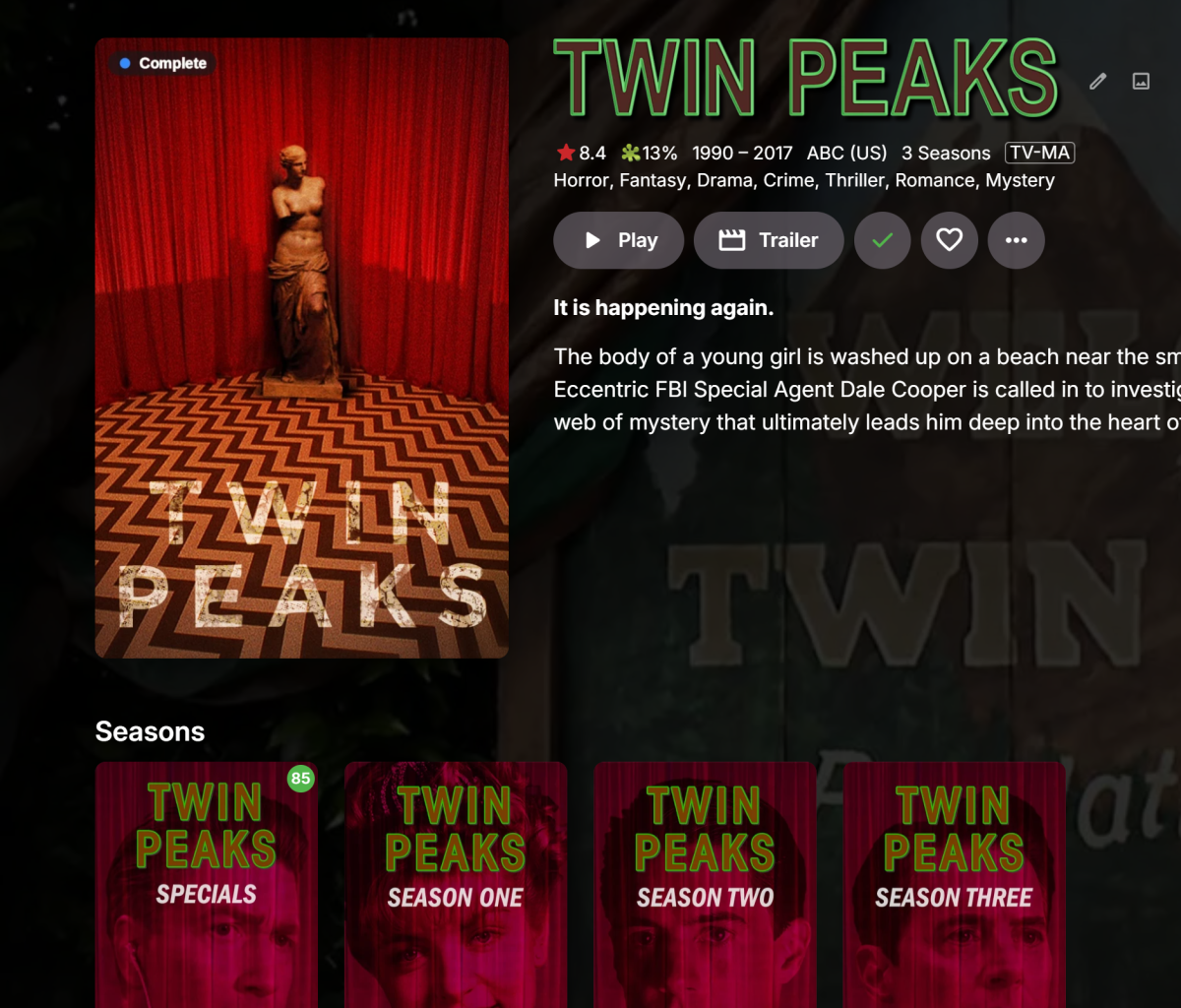
-
TV Show Status — TMDB-powered Returning/Ended/Cancelled badges for series
GrimReaper replied to Blueskies278's topic in Plugins
dll not attached. -
TV Show Status — TMDB-powered Returning/Ended/Cancelled badges for series
Blueskies278 replied to Blueskies278's topic in Plugins
TV Show Status 2.5.133.0 New Poster size — posters can now be sized separately from thumbnails and the web grid badge. The existing Size setting could only ever be tuned for one image shape at a time: making thumbnails smaller left posters unchanged, because a poster's badge was already at the largest size a full label could fit without running off the edge of the artwork. Poster size defaults to Medium, which reproduces exactly what posters have always shown — nothing changes until it's moved. Show cancelled as ended — cancelled shows can now read "Ended" instead of "Cancelled", with the ended colour, everywhere the badge appears (poster, library grid, Upcoming, series page). Off by default. Icon: Dot only — no text — a third option alongside Calendar and Dot. Shows a bare coloured marker with nothing else drawn around it, on posters, thumbnails, the library grid and Upcoming alike. Colour still carries the meaning, so pair it with distinct colours per state if you rely on telling states apart at a glance. Sized by the same Size / Poster size settings as every other badge, so Large or Extra large gives a bigger dot. Fixed Badges on wide thumbnails could come out noticeably larger than the equivalent badge on a poster at the same Size setting, most visible at Extra Large. Wide-image and poster sizing are now controlled by entirely separate settings, rather than trying to satisfy both shapes from one shared dial. Clarified Reworded "an episode with no still of its own" to "an episode with no picture of its own" wherever it appeared — a tester found the word "still" unclear. The Episode Image Fetchers setup step (needed for episode badges to appear on an episode that has no picture of its own) is now shown directly on the settings page, next to the setting it applies to, rather than only in this document. Added a note that on a large library, Continue Watching badges catch up gradually rather than all at once — it can take roughly a minute after turning episode badges on before every card has updated. Expected behaviour, not a fault. Known issues One tester saw a show display "Complete" instead of "Ended" on its poster. A fresh test copy of the same show showed "Ended" correctly, which points to a stale cached status on that server rather than a logic bug — a metadata refresh on the affected show should fix it, but this hasn't been confirmed back yet. If refreshing doesn't clear it, please report back with details. Notes If you've never touched Size or Poster size, nothing about how your existing badges look has changed — both default to exactly what you've already seen. TV-Show-Status-settings-2_5_133.pdf EmbyTVShowStatus.dll -
Can someone tell me what these are? My log is littered with them and almost all of them say something about credentials or config. My friendly neighborhood AI agent has the following to say about them: "The string provided represents an HTTP GET request that resembles a path traversal (directory traversal) or arbitrary file read attempt. It targets a local path (/@fs/root/...) seeking to expose sensitive configuration files or API keys (such as Anthropic API credentials)." I'm not 100% sure what that means, but it doesn't sound benign. 2026-09-12 01:20:26.736 Info Server-0HNOFSLS80CR6:00000001: http/1.1 Response 404 to host3. Time: 0ms. GET http://host1/@fs/root/.config/gcloud/credentials.db?=raw??. 2026-09-12 01:20:26.823 Info Server-0HNOFSLS80CR7:00000001: http/1.1 Response 404 to host3. Time: 0ms. GET http://host1/@fs/root/.config/anthropic/credentials/default.json?=raw??. 2026-09-12 01:20:26.550 Info Server-0HNOFSLS80CQQ:00000001: http/1.1 Response 404 to host3. Time: 0ms. GET http://host1/@fs/home/ubuntu/.config/gcloud/application_default_credentials.json?=raw??. 2026-09-12 01:20:26.639 Info Server-0HNOFSLS80CQR:00000001: http/1.1 Response 404 to host3. Time: 0ms. GET http://host1/@fs/root/.config/gcloud/application_default_credentials.json?=raw??. 2026-09-12 01:20:26.016 Info Server-0HNOFSLS80CPN:00000001: http/1.1 Response 404 to host3. Time: 0ms. GET http://host1/@fs/home/admin/.aws/credentials?=raw??. 2026-09-12 01:20:26.022 Info Server-0HNOFSLS80CPO:00000001: http/1.1 Response 404 to host3. Time: 0ms. GET http://host1/@fs/home/www-data/.aws/credentials?=raw??. 2026-09-12 01:20:26.023 Info Server-0HNOFSLS80CPP:00000001: http/1.1 Response 404 to host3. Time: 0ms. GET http://host1/@fs/app/.aws/credentials?=raw??. 2026-09-12 01:20:26.023 Info Server-0HNOFSLS80CPQ:00000001: http/1.1 Response 404 to host3. Time: 0ms. GET http://host1/@fs/var/www/.aws/credentials?=raw??.
-
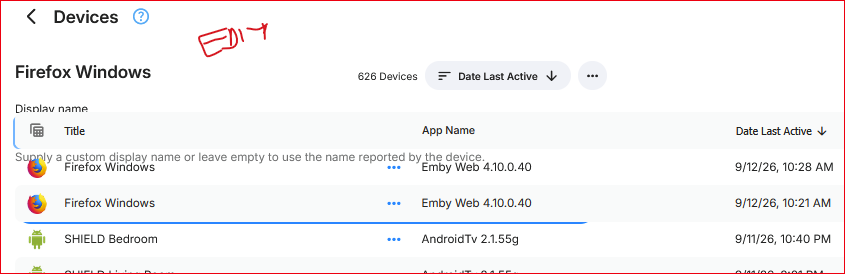
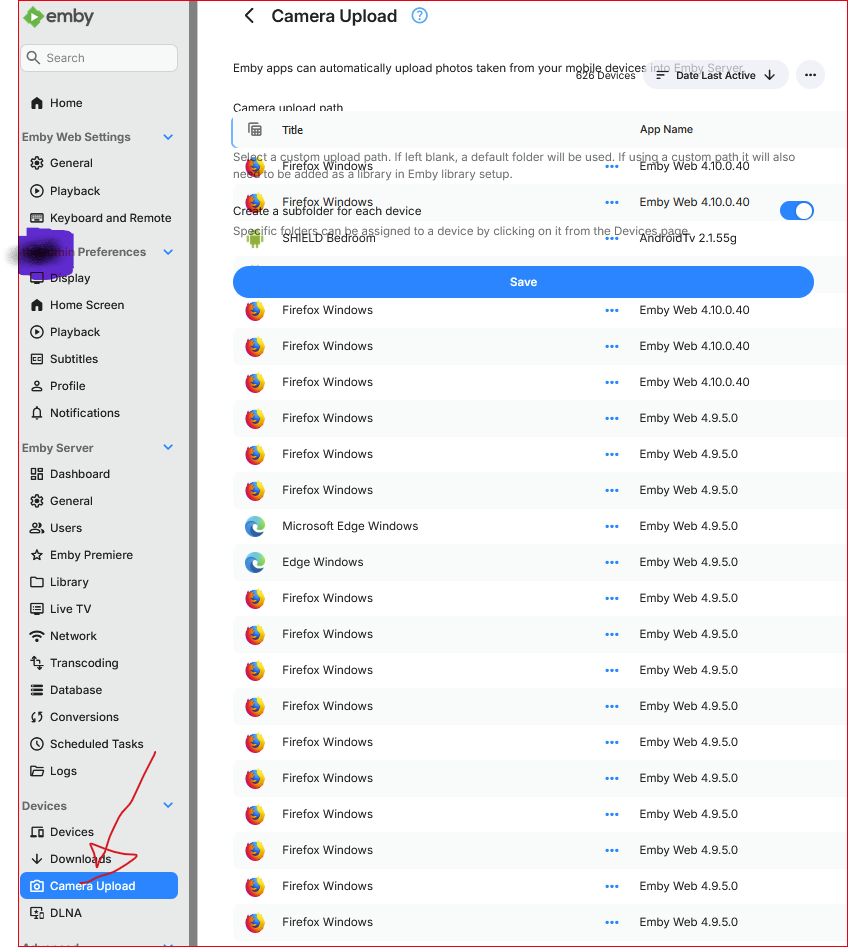
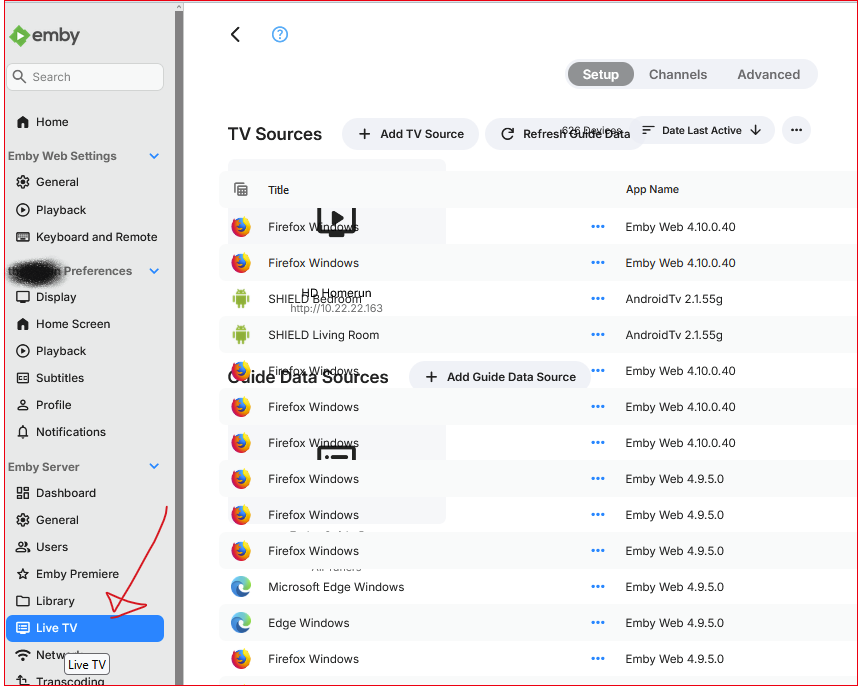
I was in admin > Devices > Devices and changed the view to Table. It whacked out after that. Try edit a device or switch view mode, or even select a different admin item - the device table persists. I was also seeing the side bar menu not display after opening admin dashboard. I'd see the hamburger menu instead but clicking it wouldn't do anything.
-
The admin Devices > Devices page is, uh, challenging. 1) no way to search or filter the hundreds of devices 2) most of the 700 devices are the SAME DEVICE and so should not be duplicated
-
@GrimReaperwhat took you so long to reply? Thanks for that info.
-
User "home", device named INTEL, app Emby for Windows. Settings>Devices tab in the sidebar.
-
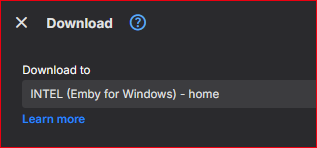
I'm using the web app as the admin user on a client machine. I invoke "Download to" on an item and I see this: 1) What client is this? I don't recognize it. How can I get some info on it? How can I delete this? 2) Only iOS, Android, and Windows apps supports "Download to"? @LukeThe help doc links to "Emby Windows" (2X) need to be updated.