All Activity
- Past hour
-
 uui4849852 joined the community
 -
 uusr4849649 joined the community
 -
 Biniam joined the community
 -
 mtbrown joined the community
 -
 Xleoon joined the community
 -
 Xleonn joined the community
 -
 xianjkkk joined the community
 -
 Hassan Habeeb joined the community
 -
 na01yhagb joined the community
 -
 creed72 joined the community
 -
You can't. The grid filling all the space in a dialog view needs to be seen as a different mode where it can behave in ways which aren't possible when it's part of the flow layout as certain interactions would conflict with normal page navigation. In a dialog, it is isolated from the regular interactions because you need to close the dialog first to return to the normal page context. When the grid is on a page view (or any other view where it's not maximized), it is just an element like all the others and bound to the same margins like all other elements.
- 1 reply
-
- 1
-

- Today
-
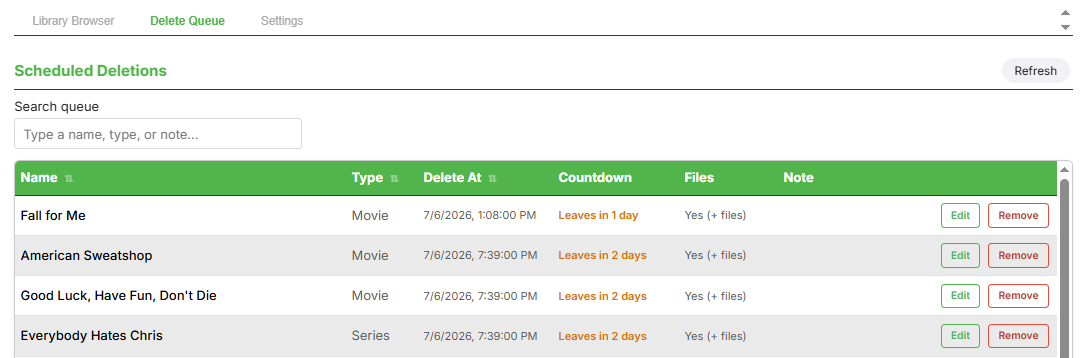
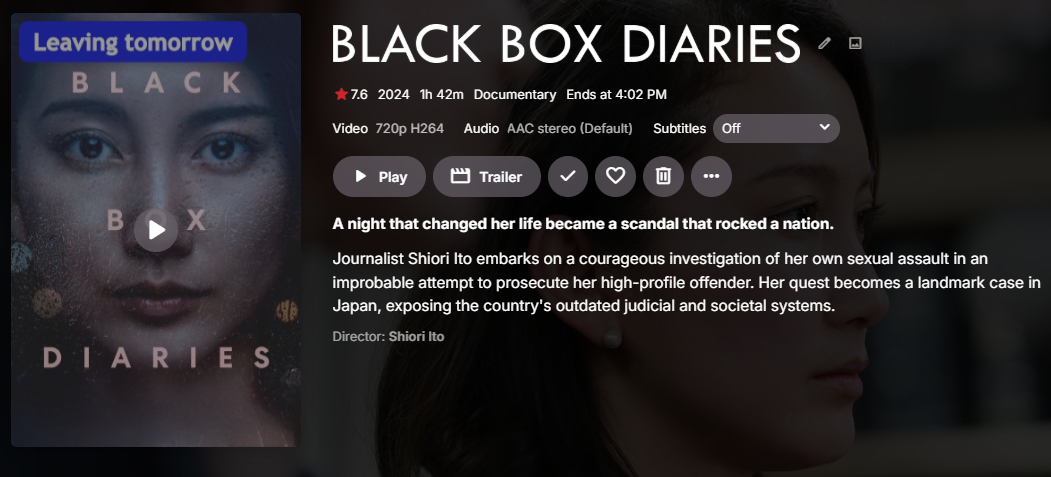
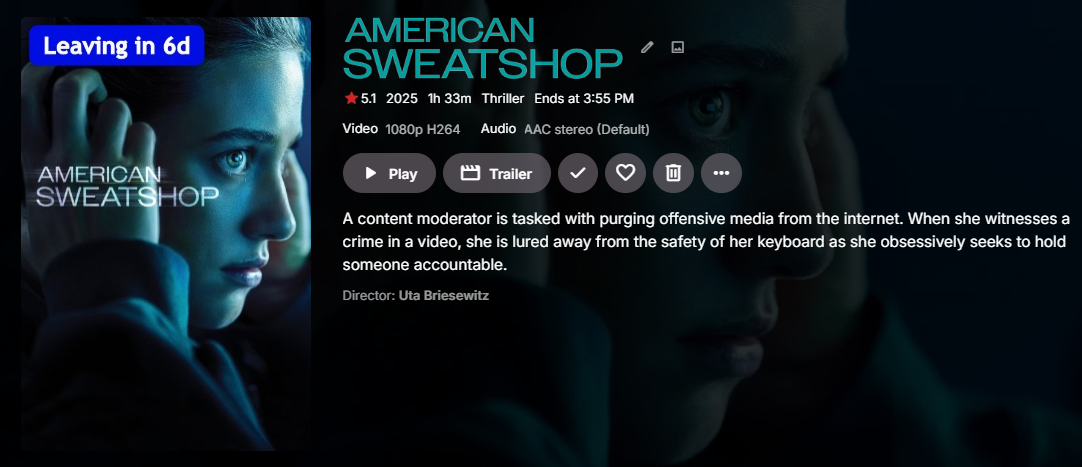
Emby Expiry Manager Emby Expiry Manager is an in-development plugin that tracks items (movie, shows or episodes) in your library and automatically removes them once their time is up (set by user) — handy for content management if you have limited storage or things you want to host temporarily. "Leaving" badges — items show a countdown badge on posters and thumb image ("Leaving tomorrow," "Leaving in 6d," etc.), so viewers know at a glance how much longer something will be available.* Automatic removal — once an item's time is up, it's pulled from the library on schedule, no manual cleanup needed * requires emby new overlay version 1.3.1.0.
-

We really need better multi version handling for Continue Watching
GrimReaper replied to te5s3rakt's topic in General/Windows
You were specifically talking about TV show - and for that, episode naming is irrelevant. Multi-versioning was never intended to be used for multiple cuts, just different versions/resolutions of the same item, but over time userbase took on using it for cuts as well (with all the caveats - like the ones you're facing - it brings). Anyway, you can join and lend your support and/or comment in the already existing FR and related discussion: -
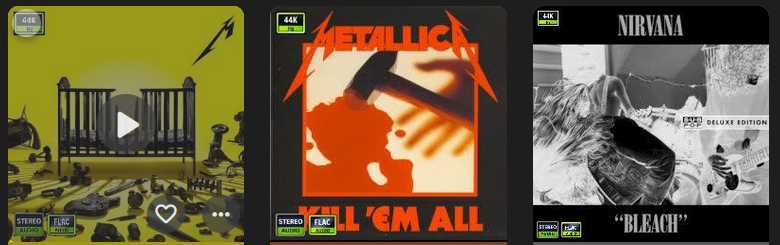
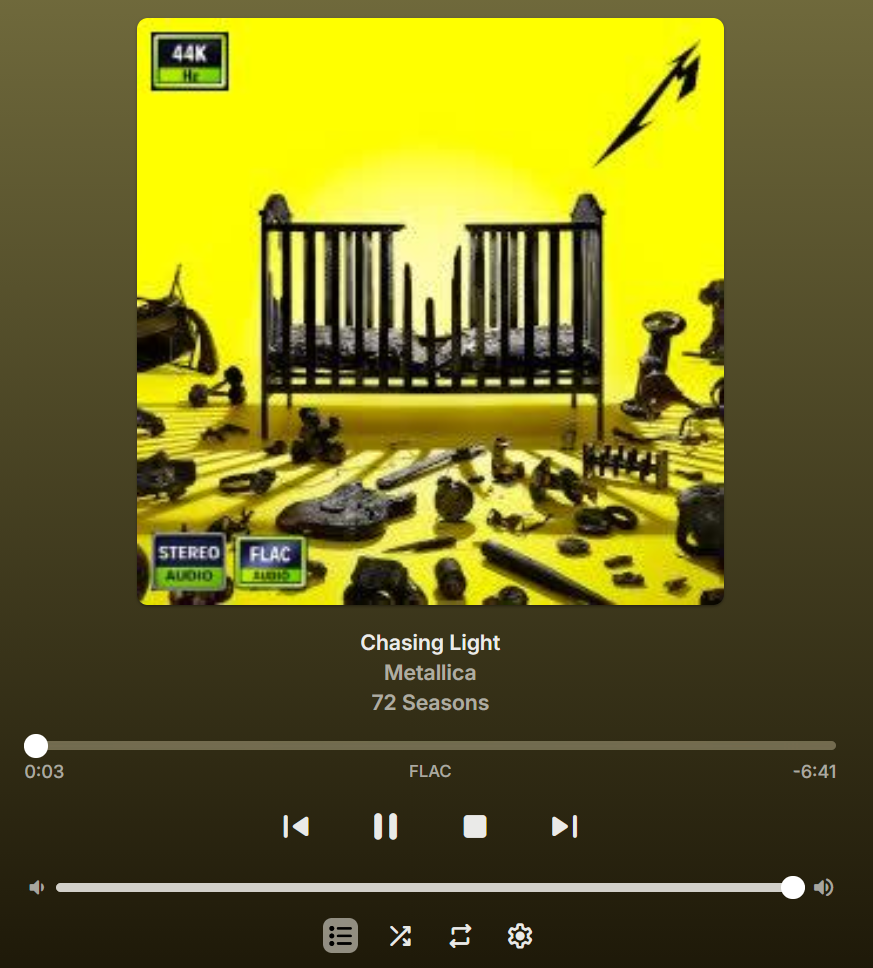
Small update: Removed the Music Library ignore from the plugin. Posters for music libraries use a different scale, not really an issue but will require the 200x300 feature to ignore music libraries. Need to add bitrate and sample rate icon support. Update the cache to work with new icons. The troubleshooter needs to be updated with said icons. <-- No way to scan music at all right now. Update profile system. <-- All music settings are global without this. Update UI. <-- Only way to change settings for music right now is by manually editing the settings file. Update help page. Get new icons made (please help!). Update filename-based and tag system. Add scaling option for music libraries to normalize icon position a bit better. And some things I most likely have forgotten. Still a lot to do.
-
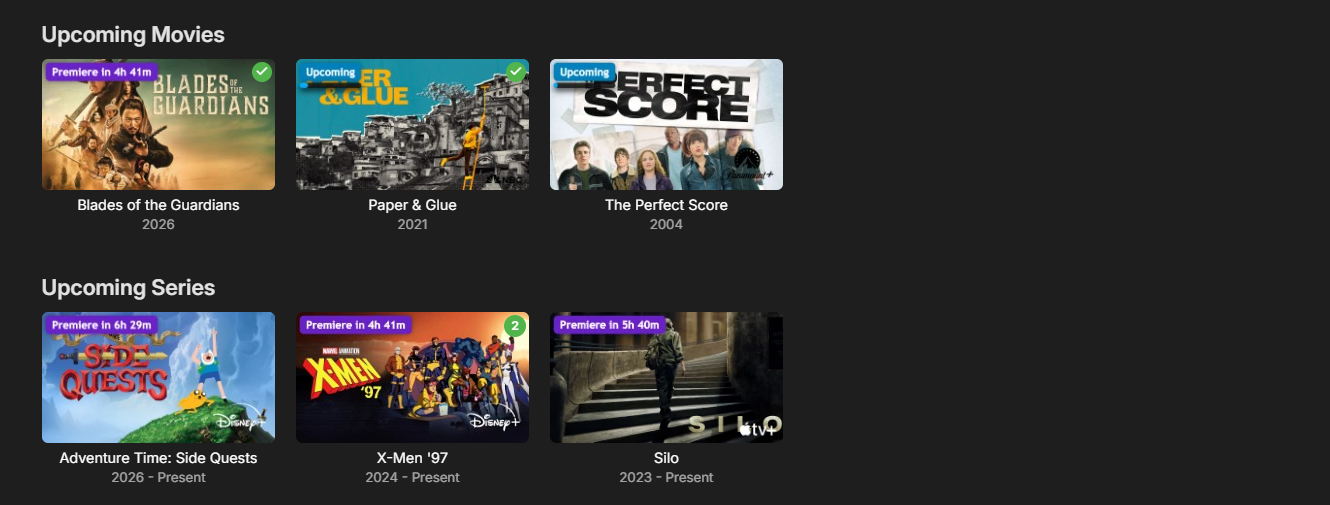
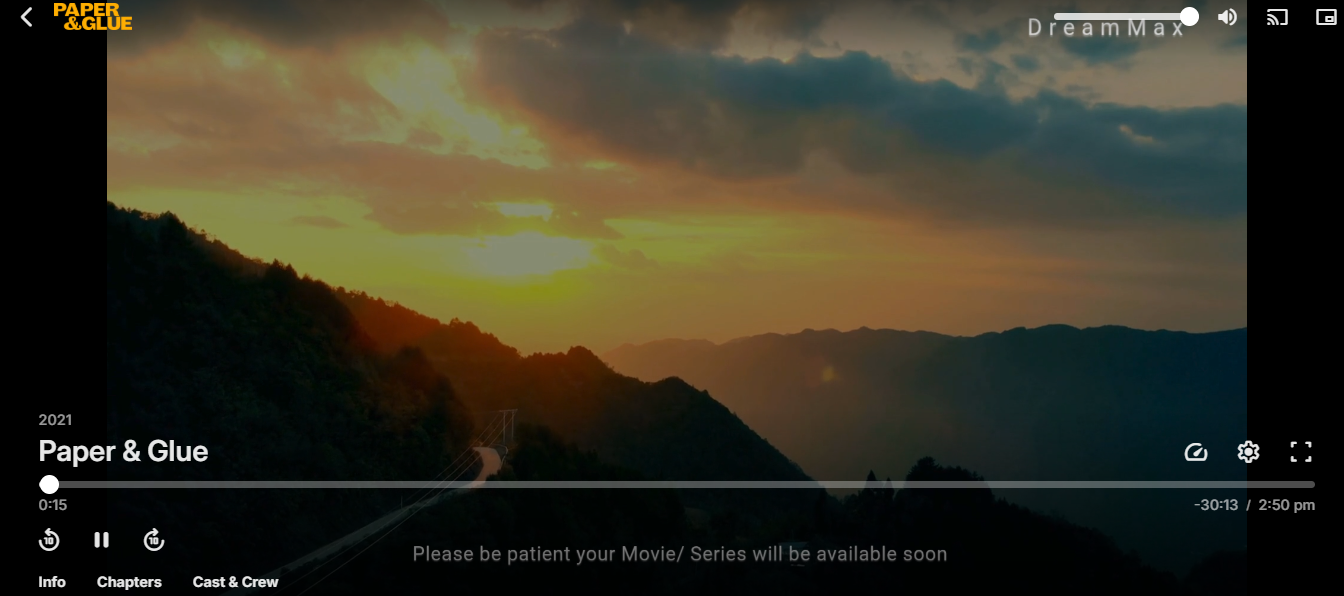
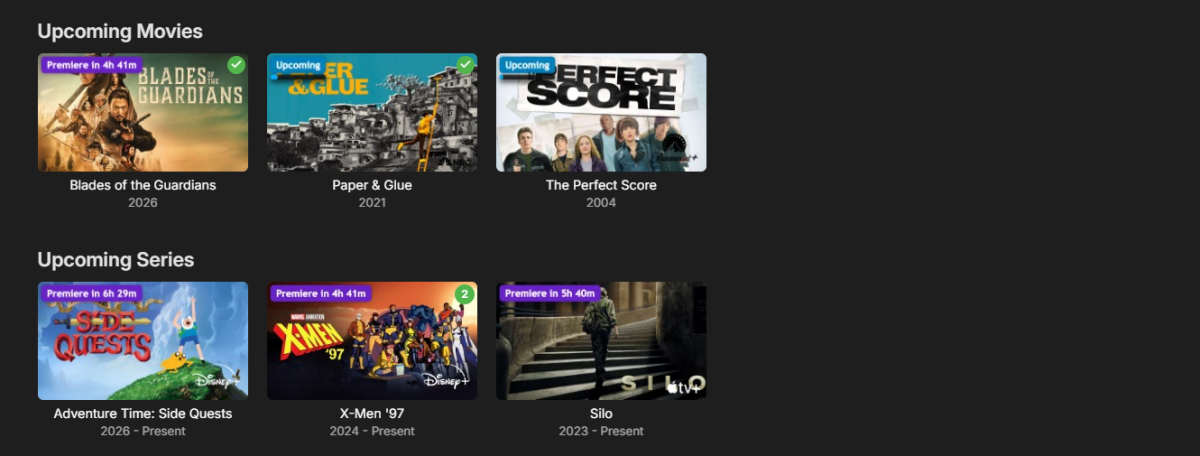
Here is a sneak peak of the upcoming new plugin projects QbitStrm. QbitStrm is an in-development plugin that bridges qBittorrent and Emby It watches your downloads and automatically turns unfinished torrents into .strm files so Emby can display them as upcoming titles. Completed downloaded movies and shows show up in your library without manual copying or waiting on a full file transfer, also you can set premiere date to make them available to watch. Features Premiere countdown badges — see at a glance when a scheduled title will unlock * "Upcoming" badge with progress — incomplete torrents show live download progress right on the poster * Graceful placeholder playback — custom, user-set videos play for upcoming/incomplete titles YouTube-style premiere notification — premiering items play their backdrop with the premiere date burned in, until the real content is ready. * requires emby new overlay version 1.3.1.0.


-

Why is Jellyfin so much more popular than Emby?
yocker replied to Nabukodonosor's topic in Non-Emby General Discussion
As said, i'm pretty sure it's because it's free. When people look for a media server, let's say they switch from Plex, they just google "Plex alternative". When doing that both Emby and Jellyfin are plastered all over the results. When they see Jellyfin is free they will quickly download that, at least to see if it is any good as they won't loose any money just trying it. Being a free product it automatically attracts A LOT more people. Made a little extreme for the sake of understanding, what would you choose if you had the choice between two almost identical cars, one being free and the other costing money? -

When "autoplay next episode" is off, the app still prevents screen from going off
SucksToBeYou posted a topic in Android
This is kind of a nuisance, because I occasionally fall asleep in front of my phone/tablet, and it stays on until the morning. In phones that have AMOLED display or similar this can ruin the screen, but even without that it just needlessly discharges. Can this be fixed? -
Release Notes Version 1.3.1.0 Added integration support for QbitStrm (in-development qBittorrent-to-Emby plugin) Added integration support for Emby Expiry Manager (in-development plugin that removes items from your Emby library on a scheduled time) EmbyNewOverlay.dll
-

We really need better multi version handling for Continue Watching
te5s3rakt replied to te5s3rakt's topic in General/Windows
the filenames are different. some shows are HDR 4K vs SDR 1080p. Different cuts for movies. Different cuts for shows. Different uploaders. Endless. Different libraries in Emby. I've never been able to get the existing merge functionality to play nice for on differently named files in the on the file system. the documentation is very prescriptive about naming versions the same except for the final `-Edition` part on the end, for Emby to treat it nicely. anyone using sonarr/radarr, and following Trash Guides file management standard (a large number of us I bet, as these has been the gold standard to date), will have this issue. the only reliable method for managing multiple versions I've found since moving from Plex is the "Remove Identifying..." option (found this recommended in another post on the forums). merging doesn't solve the need to keep Playstate seperate either. for example, two movies different cuts. if I watch the Theatrical, and not Directors, I don't want to mark the Directors as played. if I watch the B/W version of SpiderNoir, I don't want to mark the Colour as watched as well. -
Note that the setting is for the detection of new items when the file system contents change. If you have already got the files in place, then you may need to command a scan manually to get the process rolling. (Right-click or three dot menu on the library on the home page.) Paul
-
Hi anyone know how to increase the Dxgrid's absolute width on the tab/page please; i can only get it to take up half the screen width on pluginUI. I see from the PluginUI SDK demo Dxgrid can be full screen in a dialogueview. But i cant find any width attribute or dxgrid/dxgridoption parameter to increase the control's absolute size on a page. I can give absolute column widths but that doesnt change the control's absolute size on a page (just increases the scrolling) thanks in anticipation.
-
We really need better multi version handling for Continue Watching
GrimReaper replied to te5s3rakt's topic in General/Windows
Why would you do that? It's the same show, why don't you just merge them and select the version you want to play from multi-version dropdown? -

Trouble Getting .strm files to play on Linux
MartinCheetham replied to MartinCheetham's topic in Linux
So I finally realized this was my error; as I suspected. While I was putting together detailed information as requested by Luke I noticed that the EMBY server wasn't resolving local hostnames. I've recently implemented Pi-Hole as my DNS server and was sure that everything was correctly setup but I missed this one. Odd that the server resolved the hostname when building the library but not when trying to replay from the .strm file. I understand why the "Directory or File not found" message came but it was a bit misleading! Now everything works correctly and I can confirm that the CRLF/LF difference between Windows and Linux text files is not problem I have not removed the CR from the .strm files. -
My Emby Server (Docker) is latest 4.10.0.17 beta --- My 55inch LG TV is 2018 MODEL : 55UJ632T-TA It is kind of old webOS and my Emby App version from LG Content store shows updated : 19-01-2026 (Jan) Version : 1.0.50 It is still showing subs in top left corner. Any remedies? @michaelhcan you guide me how I can sideload from .ipk file if that can fix this dreaded issue?
-

Why is Jellyfin so much more popular than Emby?
Nabukodonosor replied to Nabukodonosor's topic in Non-Emby General Discussion
Exactly what I was saying. Generally people don't know about Emby, and most of them know about Jellyfin. That's why there is so many different plugins made by the community for Jellyfin, and not so much for Emby. -

There is a bug in version 2.3.8 with .ass files
MediaEmby1968 replied to MediaEmby1968's topic in Samsung Smart TV
@SamES As you correctly stated, the TV is from 2016. With version 2.3.4, which I was using, I didn't have any problems, but with versions 2.3.8 and 2.3.9 I'm having this issue with external .ass subtitles. Here's the new log from when I reinstalled version 2.3.9 (I was using version 2.2.8 on the TV), and also the log with debugging enabled. In neither case does it show any FFmpeg logs. embyserver.txt embyserver con depuracion.txt -
what you are saying is that this design is not working for anyone, in no case, it's a design issue, poorly designed. the only solution is not to use it. right? so why is it in the addon as option?
-
We really need better multi version handling for Continue Watching
te5s3rakt posted a topic in General/Windows
Case in point, Spider Noir exists as both B/W and Colour. It's ridiculous the solution is to remove all identifying IDs from one of the shows, to force Continue Watching to display correctly without duplicates. This results in the cleansed item no longer receiving any metadata updates for future episodes. Plex never had this issue, and this literally f**k up everything lol Why can't Continue Watching be based on the internal db id, instead of an tvdb_id? At least give us the option, along side using the tvdb_id, for those that would rather tvdb_id usage. But for those of us with only one server, and users only subbed to our server, makes no sense to use an external id as the tracker regardless. I beg of Emby, please fix this. It's making library management harder than it needs to be. -
100% agree. Same thing applies to bugs submission. It's pain in the neck to look up if your not about to write next duplicate. That said it's also hard for others to find proper topic and make a vote on it. I think big part of user base having an idea or an issue doesn't realise there's actually a place to post it. Other part of the community that is aware of this had poor past experience, so might see no point of doing it again. Voting system on forum using reactions using Likes, Sads, Confuses, Agrees, Thanks is also confusing. It's not obvious. I'd be really interested in track record of feature requests and bug report for past 10 years with voting statistics and reaction and timeline of it if any. Taking transparency as success criteria - a simple, moderated page like that with short input form and easy voting system would be much more effective.
-
Can't remove an item from Continue Watching on Apple TV anymore?
te5s3rakt replied to te5s3rakt's topic in Apple TV
Just curious, any ETA for the next release yet? -

4K DV/HDR HEVC Remux stutters/freezes with audio passthrough enabled
privaty posted a topic in Android TV / Fire TV
Hi, since the recent update, playback of 4K UHD Remux files is no longer smooth on my NVIDIA Shield when audio passthrough is enabled. Before the update the same files played fine. Setup: - Emby Server: 4.9.5.0 - Client: Emby Android TV 2.1.23g - Player: ExoPlayerLib/2.18.7 - Device: NVIDIA Shield Android TV - Connection: wired LAN - File type: 4K UHD BluRay Remux, MKV, HEVC, Dolby Vision/HDR, Atmos - Example file name: Examble.German.Atmos.DL.2160p.UHD.BluRay.DV.HDR.HEVC.Remux.mkv Issue: With audio passthrough enabled, playback stutters/freezes or gets interrupted. The server log shows the client disconnecting during playback. If I disable audio passthrough, playback becomes stable, but this is not an acceptable workaround because I want to keep passthrough/Atmos and the same HDR/Dolby Vision playback behavior. The Emby on-screen playback info on the TV reports Direct Play, but the server log / PlaybackReporting plugin shows DirectStream. The server serves /emby/videos/390/original.mkv and I do not see ffmpeg video transcoding for this playback session. Observed in server log: - Emby Server Version: 4.9.5.0 - Playback start reported by app AndroidTv 2.1.23g on SHIELD - User-Agent: Emby/2.1.23g (Linux;Android 11) ExoPlayerLib/2.18.7 - Adding PlaybackInfo ... DirectStream - Original MKV is requested via /emby/videos/390/original.mkv - Repeated Range requests from the Shield - Server reports: "Response completed after client disconnected" - No ffmpeg video transcode load/error is visible Expected behavior: The file should play smoothly with audio passthrough enabled, as it did before the update. Direct Play should remain stable and should not freeze, stutter, disconnect, or unexpectedly fall back to transcoding. Additional observation: This is not limited to one movie. I have also observed similar behavior with other media files. Sometimes playback starts as Direct Play, but then Emby suddenly switches to transcoding during playback and the stream eventually stops. This did not happen before the recent update. So there may be two related issues: 1. Audio passthrough causes stuttering/freezing with 4K DV/HDR HEVC Remux files. 2. Some files that should Direct Play suddenly fall back to transcoding and then stop. Workaround: Disabling audio passthrough makes playback stable, but this is not acceptable because I want to keep passthrough/Atmos. Also, when passthrough is disabled, the playback behavior appears to change and HDR/Dolby Vision output does not look the same on my setup. Can you please check whether there was a regression in Android TV audio passthrough / ExoPlayer handling for TrueHD/Atmos with 4K Dolby Vision/HDR MKV remux files, and also whether the Direct Play to transcoding fallback behavior changed in the recent update? I can provide server logs for both cases: - Direct Play / passthrough stutter with client disconnects - Direct Play unexpectedly switching to transcoding and stopping embyserver.txt -
 MamaThdenim85 changed their profile photo
 -

Please send in an up to date stable version to the Tizen store
JonKanon replied to JonKanon's topic in Samsung Smart TV
2.2.8 -
Please send in an up to date stable version to the Tizen store
JonKanon replied to JonKanon's topic in Samsung Smart TV
Have the same issue. It takes a minut (or 2-3) before subtitles is seen. On my android decives there is no problem. -
Any update on this? MacOS, iPad and iPhone play multichannel audio all fine with spatial audio on Jellyfin. It's all stereo on the Emby. I hoped it's Premiere feature but unfortunately that's not the case. Can we do something with it? Is this somewhere in the roadmap?