All Activity
- Past hour
-
 Brayan2223 joined the community
 -
 Raghadalsaleh joined the community
 -

Plugin: EmbyCredits, detect end credits and add auto skip.
fbourg replied to yocker's topic in Plugins
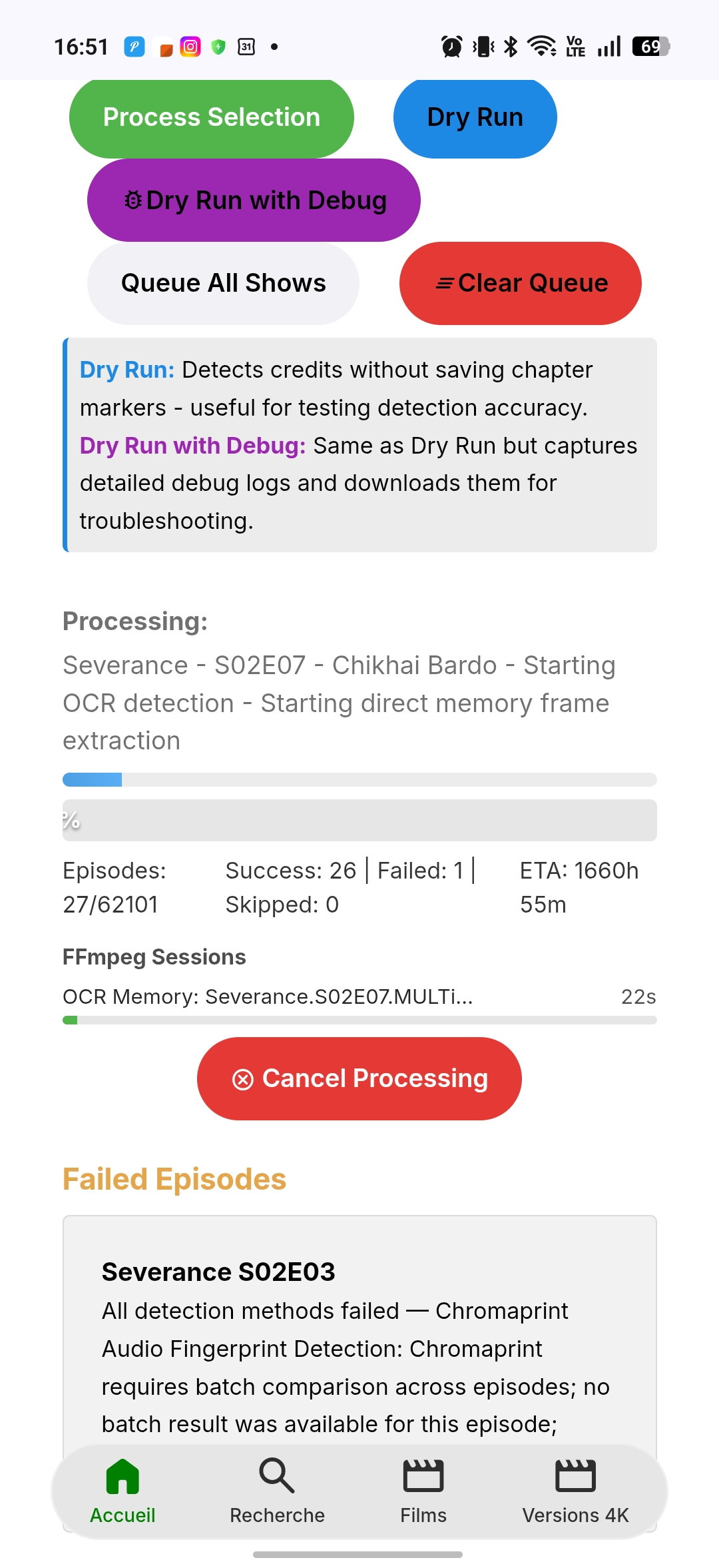
Thanks, Look at the remaining time... it's endless... it's in hash OCR fallback. 1 hour ago
-
 Santi0307 joined the community
 -
 okadasarina joined the community
 -
 viverostovar joined the community
 -
Maybe @Luke has an idea when an updated version may get submitted or approved if you're undecided and just want hold out.
-
 zxzhang joined the community
 -
 JuanitaVDW joined the community
 -
 Kexchoklad joined the community
 -
 Mustafaa joined the community
 -
You could always reload from the store again manually to get back to automatic updates once the store is updated.
-

LG TV is Internet blocked: Emby App asks for premiere / lags when pressing play
Utini replied to Utini's topic in LG Smart TV
Thanks for the clarification. I don't understand why the client needs external network access. It obviously makes sense for the server but not for the client. This could be an issue for a lot of people who don't want their smart tv on the internet due to privacy reasons as well Thanks for the workaround idea though. Haven't tested it yet. -
Ah....the play store is behind on the updates
-
OMG Dude you need to touch grass, not smoke it
-
Be advised that, if you do this, you will no longer receive updates through the store. You will have to continue to update manually.
-
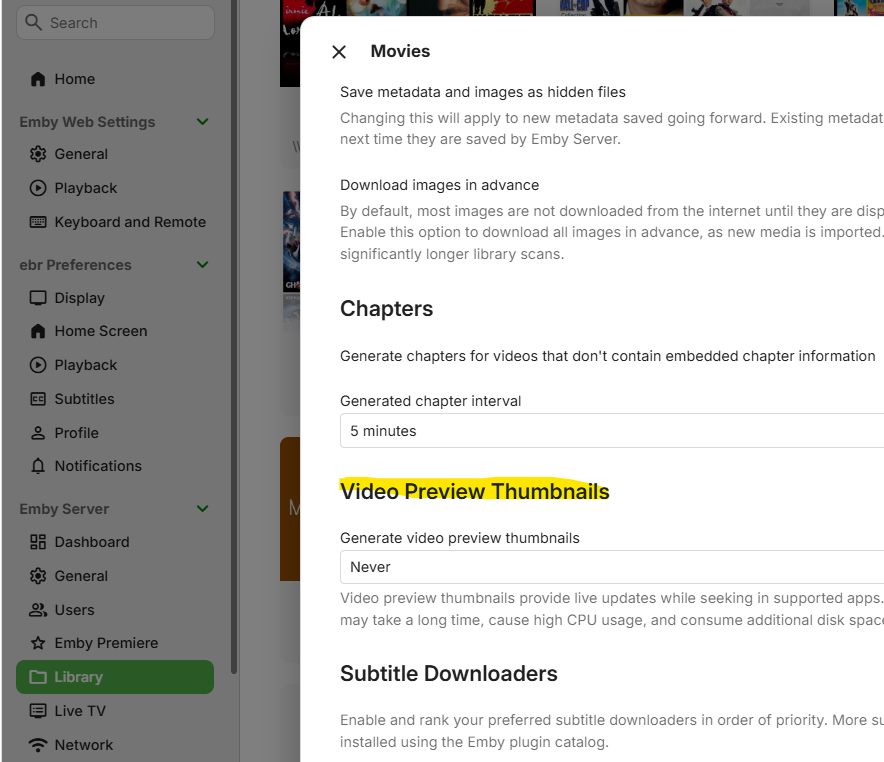
Do you have the option to create preview thumbnails set to something other than "Never"?
-
Here is a pure CSS version of the banner scroller: no JavaScript, no files to copy and no index.html to edit. Just copy it into Dahsboard / General / Custom CSS: /* BannerTextScroller.css * Scrolls Emby's "Home screen banner text" with pure CSS, no JavaScript. * Install: paste everything into Dashboard, General, "Custom css", save and reload the web client (Ctrl+F5). * Change the 25s in the animation line to make it faster (smaller) or slower (bigger). */ /* give the banner the full width (it is only as wide as its text by default) */ .infoBannerContent:has(> .sectionTitle-cards > h3) { width: 100%; flex: 1 1 100%; box-sizing: border-box; } /* the text starts at the right edge (padding-left 100%) and scrolls out on the left */ .infoBannerContent > .sectionTitle-cards { overflow: hidden; white-space: nowrap; } .infoBannerContent > .sectionTitle-cards > h3 { display: inline-block; margin: 0; padding-left: 100%; animation: bannerTextScroll 25s linear infinite; } @keyframes bannerTextScroll { from { transform: translateX(0); } to { transform: translateX(-100%); } } @media (prefers-reduced-motion: reduce) { .infoBannerContent > .sectionTitle-cards > h3 { animation: none; padding-left: 0; } }
- Today
-

TV Show Status — TMDB-powered Returning/Ended/Cancelled badges for series
ebr replied to Blueskies278's topic in Plugins
Hi. If you are using our ImageProcessor implementation, there is a "cachekey" property you return (I think that's what it is called). You can build this based on settings or whatever may change in your processing and that will tell Emby to discard cached copies and build a new image. Perhaps you are already doing this and this issue is something else but just wanted to mention it. -
I've done some more tests and even the testing seems to be crashing the system now as soon as I use any hardware encoder.
-
LG TV is Internet blocked: Emby App asks for premiere / lags when pressing play
ebr replied to Utini's topic in LG Smart TV
Hi. Unfortunately, there is a need for us to do that. The apps will need periodic access to validate. They can survive short outages but will need to validate about once per week. -
Hi. Exactly which app? What is the version number? Are you going through any kind of proxy to your server?
-
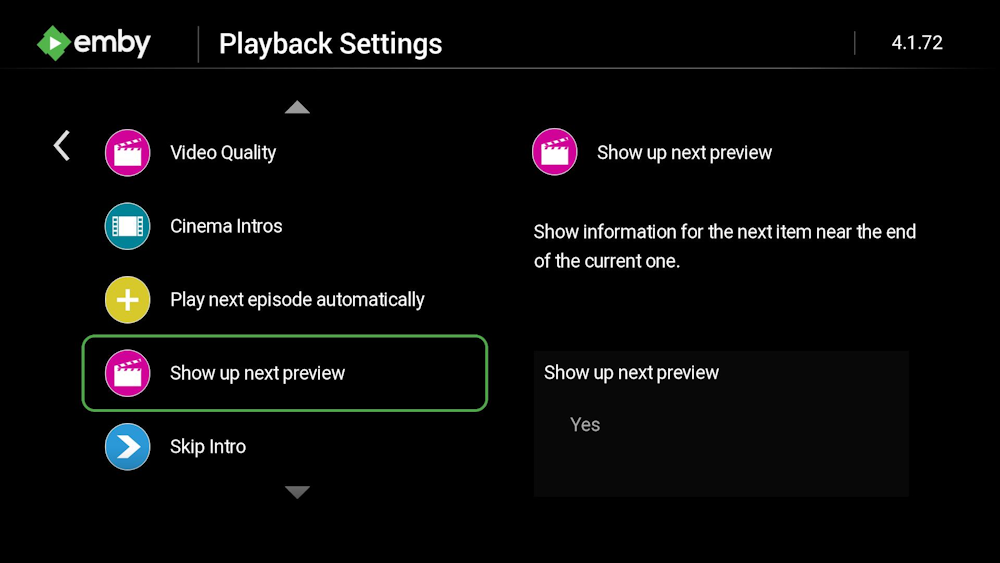
This is an app-specific setting so I'm guessing you just haven't enabled it in those apps. You can. Look in the app playback settings. In the Roku and Android TV apps, this is based on the length of the video. Longer videos will show this sooner. But both apps also will react to the chapter markers of "EndCredits" which can be added manually to your items. There are a couple of plugins that can do this.
-

Asustor ADM restricts App Central installations to Volume 1
rupertbradshaw replied to rupertbradshaw's topic in Asustor
Apologies Luke; it would have to be Asustor as it is their proprietary ADM software. Thanks for the response. Can close this out please. -
Just a tiny JavaScript that makes the home screen banner text scroll. scrolltext.mp4 As usual, it only works in the web app/client. Other apps just show the normal static banner text. Install: 1. Paste BannerTextScroller.js inside /system/dashboard-ui/ (Windows) or your OS equivalent. 2. Add the following line before the </body> tag at the end of /system/dashboard-ui/index.html: <script src="BannerTextScroller.js" defer></script> BannerTextScroller.js
-
I finally got to test around a bit. The problem seems to be only with the H.264 encoder. When I use either QuickSync or VAAPI encoder it crashes. Haven't managed to test all the decoders yet but I will keep at it, so far the AV1 decoder works for sure. I've also tried to test it out with the transcoding-tests plugin. There it seems to work fine and the transcoding for both encoders worked from what I can interpret. I'd still really appreciate some help in this if anyone has an answer.
-
Do I just install and it will update or remove old version and install updated version??
-
I believe the ONN 4K Pro v2 runs in 32 bit (even though the processor may be 64 bit) so you will want emby-android-google-armeabi-v7a-release.apk - which 32 bit The arm64-v8a is 64 bit.
-

Multi versions of movies wont show right since the new update
Visionaire replied to Visionaire's topic in General/Windows
Yesssss omg thank you for trying. so it isnt my fault!! youre the best! -

Plugin: EmbyCredits, detect end credits and add auto skip.
yocker replied to yocker's topic in Plugins
Thank you, i will look in to it now. Edit: Easy fix. Uploaded a new beta in the catalog v2.8.9.1 -
OK, been doing more testing and can confirm some items. Earlier I mentioned other apps and don't think I was clear on what my testing shows. This does not show up on Emby Windows, Emby Web, Emby Android, or Emby Theater at all, no popups ever show up on these apps. So I'm only dealing with Roku SG 4.1.70. It now consistently shows up on videos over 10 minutes long in the Roku app. I've noticed it occasionally on shorter videos and maybe that's a bug. So I'll go back to my original question of how is this triggered, and is there a way to modify it? Ideally one could set the time so that all videos display it or turn it off completely. By my testing it seems to popup about 45 seconds before the video ends. It must be reading meta data because it identifies the next video with accurate information and not just the file name like VLC usually does. If this is still a work in progress I'd be glad to help you test it. I used to work in the QA dept for a software company back in the late '90s. For my MTV style playlists it works out great. Thanks!
-
how do i know which apk to download.. I installed the EMBY for android from the google play store. The Onn 4K Pro v2 (2026 model) is powered by the 6nm quad-core Amlogic S905X5M system-on-chip paired with an ARM Mali-G310 v2 GPU
-

Multi versions of movies wont show right since the new update
Neminem replied to Visionaire's topic in General/Windows
Guess we need to wait for a dev -
Multi versions of movies wont show right since the new update
Neminem replied to Visionaire's topic in General/Windows
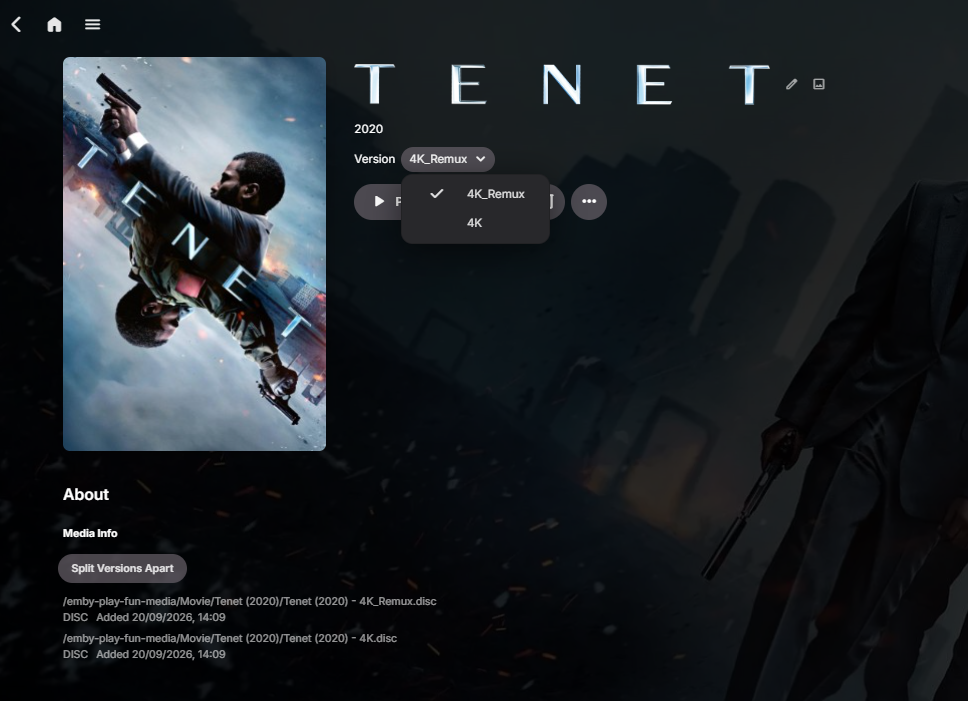
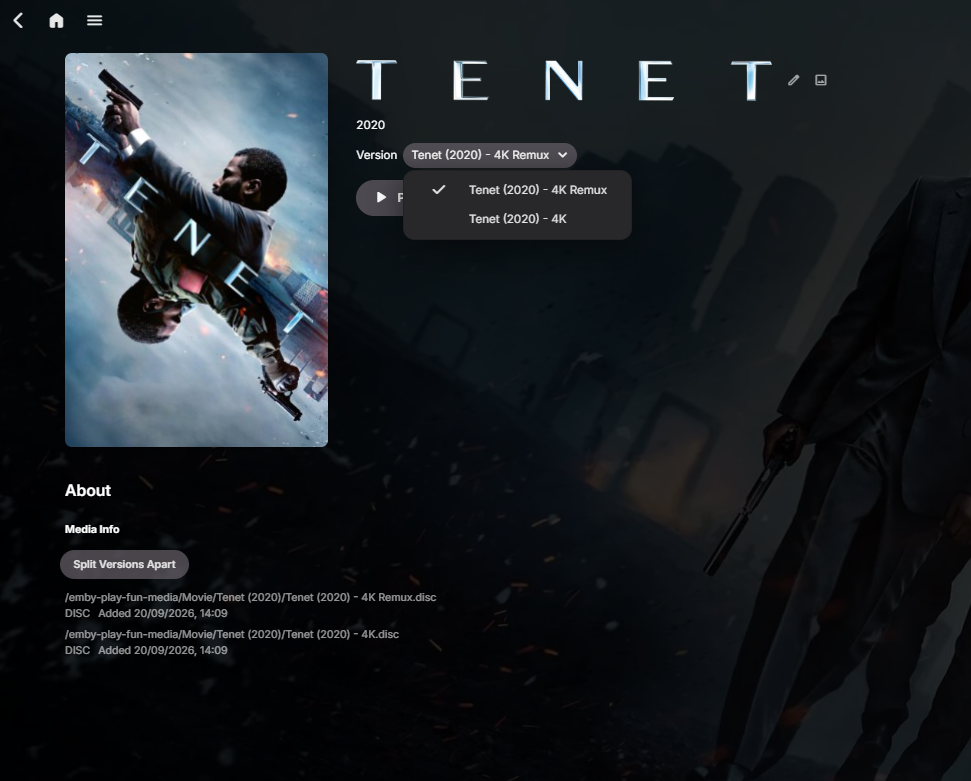
Ok hmm. Just tried this. /Tenet (2020)/Tenet (2020) - 4K.disc /Tenet (2020)/Tenet (2020) - 4K_Remux.disc Removing the underscore and replacing with at space, shows this. /Tenet (2020)/Tenet (2020) - 4K.disc /Tenet (2020)/Tenet (2020) - 4K Remux.disc