All Activity
- Past hour
-
 P1k69 joined the community
 -
 MaritimeMorris joined the community
 -
 bappy911 joined the community
 -
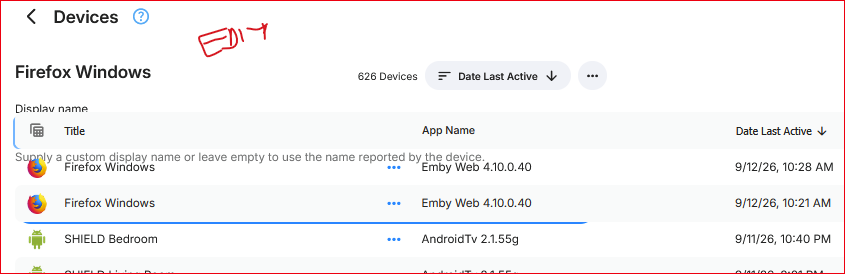
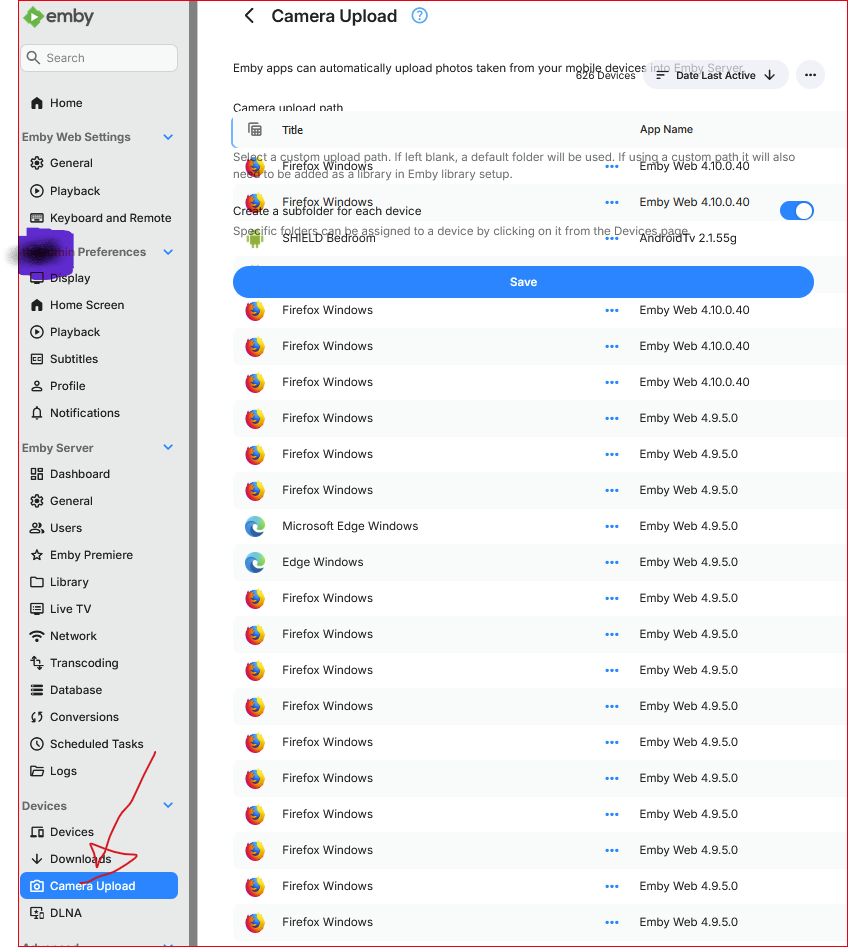
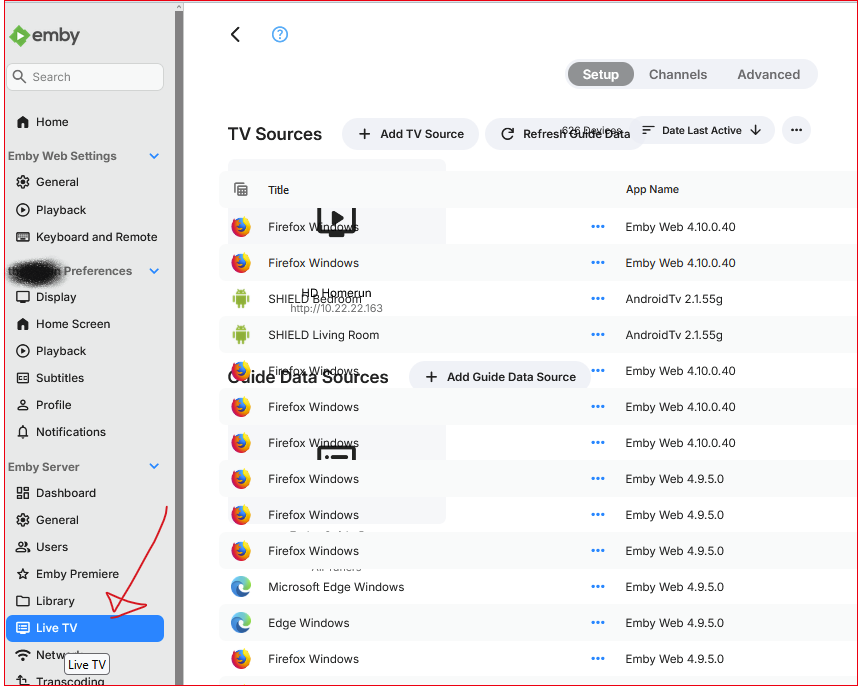
I was in admin > Devices > Devices and changed the view to Table. It whacked out after that. Try edit a device or switch view mode, or even select a different admin item - the device table persists. I was also seeing the side bar menu not display after opening admin dashboard. I'd see the hamburger menu instead but clicking it wouldn't do anything.
-
 elenabeltran.osiris joined the community
 -
 Minimehl joined the community
 -
The admin Devices > Devices page is, uh, challenging. 1) no way to search or filter the hundreds of devices 2) most of the 700 devices are the SAME DEVICE and so should not be duplicated
-
 Miguelmijail joined the community
 -
 HANNIBALRUST joined the community
 -
 begoalopez.osiris joined the community
 -
 ismadistraightyet joined the community
 -
@GrimReaperwhat took you so long to reply? Thanks for that info.
-
User "home", device named INTEL, app Emby for Windows. Settings>Devices tab in the sidebar.
-
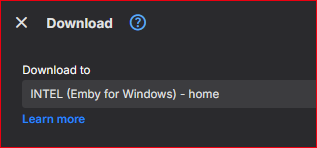
I'm using the web app as the admin user on a client machine. I invoke "Download to" on an item and I see this: 1) What client is this? I don't recognize it. How can I get some info on it? How can I delete this? 2) Only iOS, Android, and Windows apps supports "Download to"? @LukeThe help doc links to "Emby Windows" (2X) need to be updated.
-
I have audio books and music files on my Emby server in different libraries. Is there a way to choose one or the other? If I enter Continue listen there are just audio books coming up - I want to continue listen to my music where I left off
-
You might get lucky on certain platforms and in certain situations but they are still not officially supported right now.
-
And only a few types show the option.
- Today
-
Jellyfin is free and Emby is a paid product. Ofc. people will gravitate towards Jellyfin. I also tried Jellyfin because it was free, the lack of support for all kinds of devices was a dealbreaker though and i found Emby.
-
Thanx 4 your reply. Just like you i have tried most solutions out there, used Plex for years until it went off the rails. And i completely agree with your opinions. I also promote Emby whenever i can, wich is mostly when someone asks what kind of solution i use for my media or in a disscution regarding the topic. I think that this forum is the best "advertising" for Emby at the moment considering the support given from its users, especially for those who are new to Emby. I find that rare on others like it. But again, i do agree that sometimes on some forums Emby gets negativity it doesnt deserve. I mean, i pay for it, and keep paying for it, and honestly not for the premium functions that comes with paying. But to support the devs and all those pushing the buttons and making it work and keep developing it forward. And again,in my opinion youre quite right /N
-
Hey, cannot use emby DLNA anymore ...my tv (Hisense) shows the server under "sources" but after that, it doesn't load the directory list and throws me back to the sources list of my network devices. Restart/reinstallation of plugin Dlna 1.5.6 didn't help. Log: 2026-09-12 15:31:51.354 Error DLNA: Error processing control request *** Error Report *** Version: 4.10.0.40 Command line: /system/EmbyServer.dll -programdata /config -ffdetect /bin/ffdetect -ffmpeg /bin/ffmpeg -ffprobe /bin/ffprobe -restartexitcode 3 Operating system: Linux version 6.12.98-Unraid (root@Develop-72) (gcc (GCC) 15.3.0, GNU ld version 2.46.1-slack151) #1 SMP PREEMPT_DYNAMIC Tue Jul 28 08:09:23 PDT 2026 OS/Process: x64/x64 Framework: .NET 8.0.28 Runtime: system/System.Private.CoreLib.dll Processor count: 4 Data path: /config Application path: /system System.MissingMethodException: System.MissingMethodException: Method not found: 'System.ValueTuple`2<System.String,MediaBrowser.Model.Entities.SortOrder>[] MediaBrowser.Controller.Entities.TV.Series.GetSeriesSorting(MediaBrowser.Model.Entities.SortOrder)'. at Emby.Dlna.ContentDirectory.SortCriteria.GetSortField(String sortCriteria) at System.Linq.Enumerable.SelectManySingleSelectorIterator`2.ToArray() at System.Linq.Enumerable.ToArray[TSource](IEnumerable`1 source) at Emby.Dlna.ContentDirectory.SortCriteria.ToOrderBy() at Emby.Dlna.ContentDirectory.ControlHandler.SetSorting(InternalItemsQuery query, SortCriteria sort, Boolean isPreSorted) at Emby.Dlna.ContentDirectory.ControlHandler.GetUserItems(BaseItem item, Nullable`1 stubType, User user, SortCriteria sort, Nullable`1 startIndex, Nullable`1 limit) at Emby.Dlna.ContentDirectory.ControlHandler.HandleBrowse(IDictionary`2 sparams, User user, String deviceId) at Emby.Dlna.ContentDirectory.ControlHandler.GetResult(ReadOnlySpan`1 methodName, IDictionary`2 methodParams, CancellationToken cancellationToken) at Emby.Dlna.Service.BaseControlHandler.ProcessControlRequestInternal(ControlRequest request, CancellationToken cancellationToken) at Emby.Dlna.Service.BaseControlHandler.ProcessControlRequest(ControlRequest request, CancellationToken cancellationToken) Source: Emby.Dlna TargetSite: System.ValueTuple`2[System.String,MediaBrowser.Model.Entities.SortOrder][] GetSortField(System.String)
-
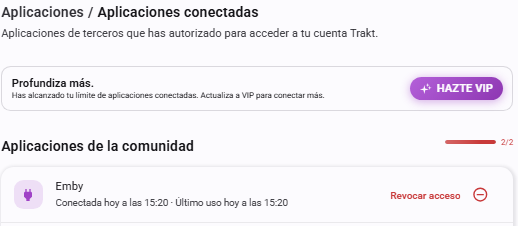
Hello. I installed today the trakt plug-in 3.8.11 in my Emby 4.8.8.0. I generated a new token. I authorized it, so Emby appears correctly in Trakt as a connected application: But, Export Library to Trakt and Import playstates from Trakt.tv scheduled tasks fail... The resulting log is attached. Any clue? Thanks! Edit: My bad! I did not click "Save" afterwards in the plugin webpage. So, I did it and now the scheduled tasks work perfectly! Thank you very much for porting the solution to a new 3.8.11 version
-
Hi, I used every major media hosting software out there and Emby is easily the best. I'm also active on Reddit and what I've noticed is a lot of negativity towards Plex and their recent decisions, with many people jumping ship and searching for alternatives. General consensus however is that Jellyfin is the best alternative. Emby is rarely in the conversation. I find that disheartening, considering it superiority. I've tried my best to promote it whenever I can, but I think this is the perfect opportunity for Emby's team to be a bit more aggressive with their promotion.
-
Yesterday started watching movie recording at the start it was fine not much movement or action and then as further we watched it had ads so skipped through some and then like the picture jumps as it is not processing all the frames example a person was walking but instead of being smooth motion the person is two steps ahead but you didn’t see those two steps as it missed lot of frames in between I paused few times just to see will improve but nothing it was unwatchable then went to android tv no issue no jumps just smooth motion through the whole movie.
-

LAN IP ranges for access rules vs. LAN IP ranges for brandwith restrictions
wotgorilla posted a topic in General/Windows
Hello all, I have a second residence that has its own LAN and is connected to my main residence's LAN through OpenVPN at the gateway level. That is, no single device on the LANs needs to connect to the VPN individually. Both residences are connected to their respective ISPs through reasonably fast connections (I can watch Prime Video, Pluto TV, etc. without interruption), but when I include the VPN IP address pool to the "LAN networks" list in Emby, some movies that I play on Emby (I guess the ones with better quality) are interrupted all the time and, as a result, are unwatchable. I assume that the network link through both ISPs an the VPN is too slow for the movies to play at their nominal quality. However, they play fine after I remove the VPN IP address pool from the "LAN networks" list, presumably because transcoding is then enabled. My problem is that I would still like Emby to recognize my VPN IP addresses as "trusted" to relax some restrictions, such as the fact that I need to enter the password every time I log in. In other words, I want Emby to recognize my second residence as home, just a "slower" home. But for Emby there is only one kind of "LAN" that covers both security and speed considerations. Is there a way to achieve my goal? Thank you in advance for your help. Eric -
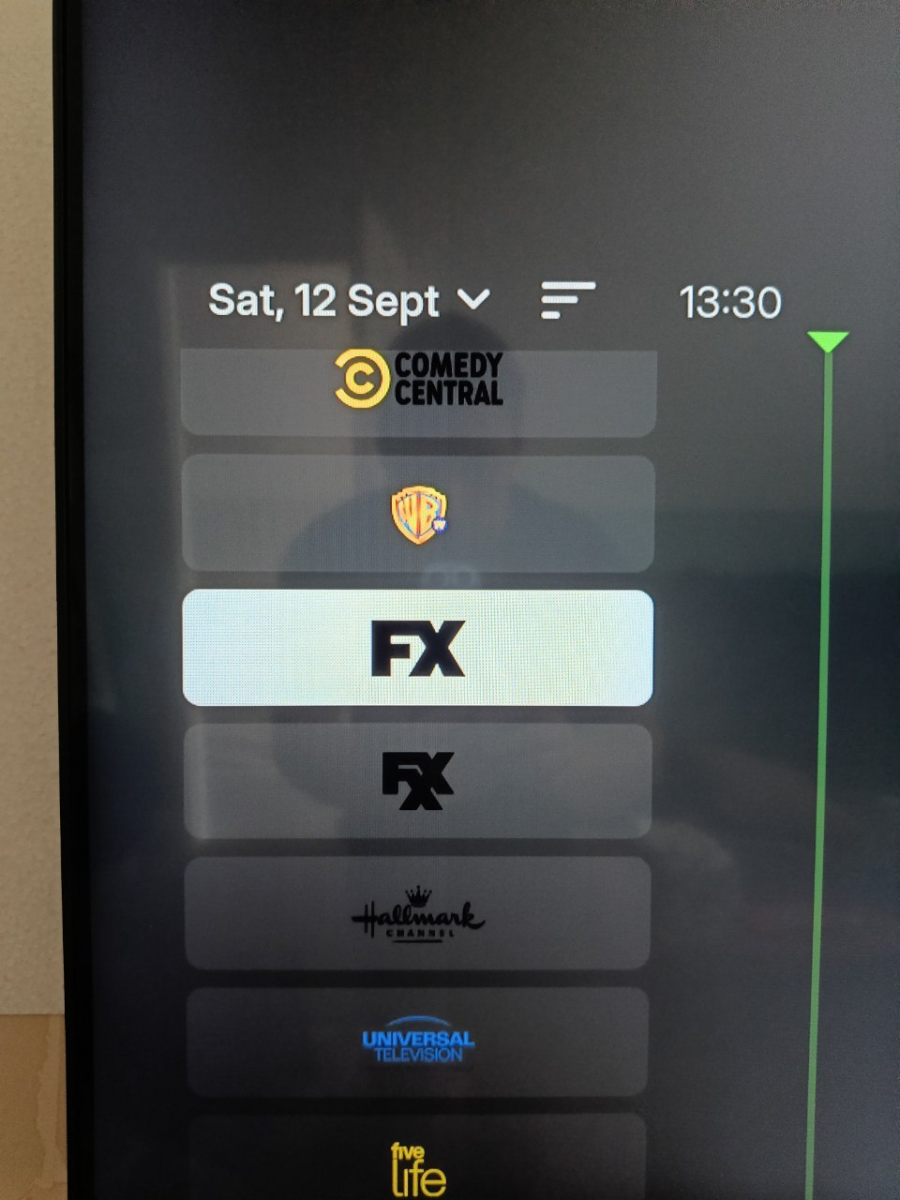
The .SVG Images work on a Samsung TV
-

Remote Connections not working with Emby 4.10.0.40 Server Update
Bradum replied to Bradum's topic in General/Windows
Hi Luke, thanks for the quick response! When I start up Emby remotely it tries to connect to the server, then boots me back to the "select a server" screen. If I click on the server from the "last used" option I get the "Unable to reach <server>" message. If I try and use Emby Connect it will prompt me to sign in, then just send me back to the select server screen. The server doesn't show any attempted connections. -
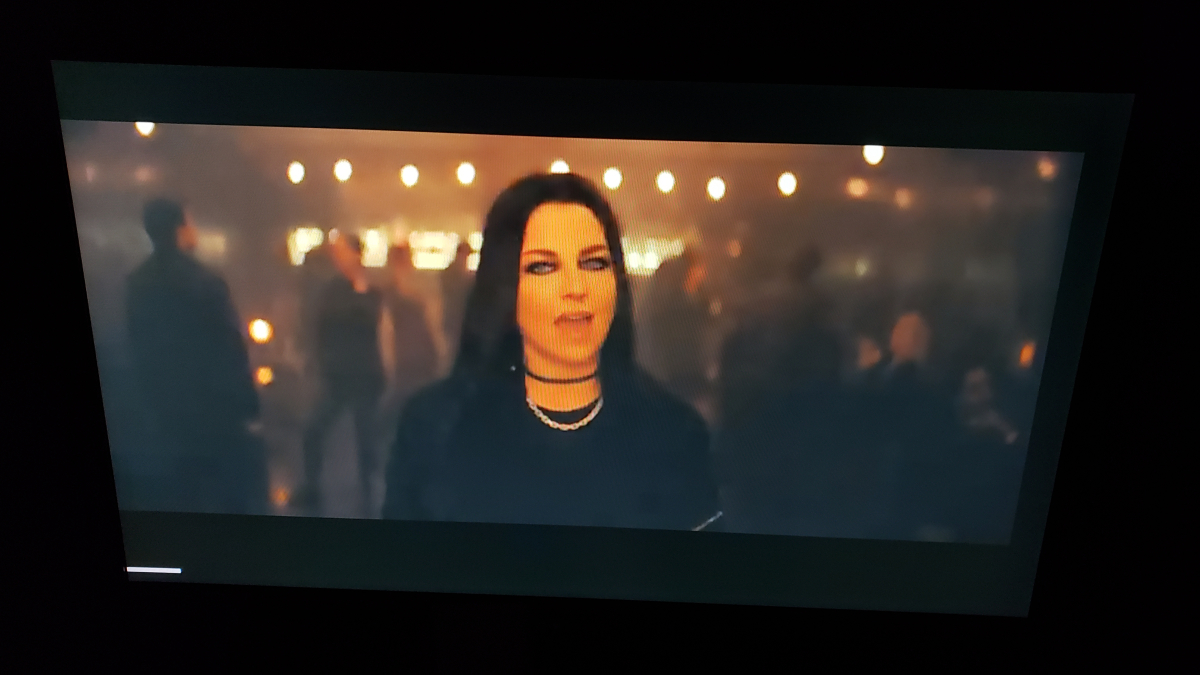
In most videos there is no pop-up at the end like this image. For playing I select a folder full of video files and select the random button. Sometimes I create playlists but have not noticed this being different with either option.
-
I will Try on the next Update
-

Pressing play (on remote) during playback should show overlay UI
Trunk replied to Trunk's topic in Windows & Xbox
Well the behavior before the new Emby Theatre in Windows Store had this. Now arrow up leads to putting the focus on subtitles and the position dot on the seek-bar is not present. Now arrow down leads to info screen about the media playing and the position dot on the seek-bar is not present. The middle ground was before hit play on the remote (standard media remote for windows) to show the HUD / overlay with the seek-bar having focus and position dot present. The seek-bar having the dot present is the main purpose to navigate with right and left arrows optionally. -

TV Show Status — TMDB-powered Returning/Ended/Cancelled badges for series
Blueskies278 replied to Blueskies278's topic in Plugins
@ginjaninja Already working — nothing to change Seeing that a season you haven't started yet is complete → already working, no action needed. Poster status (Returning/Ended/etc.) and next air date → already working, no action needed. Turn this on for the other two you asked about Settings → TV Show Status: Turn on "Mark season premieres and finales in the episode name". Pick a display mode — either Always or Hide once watched. Start with Always for testing, since it can't be mistaken for "not working." This tags the episode name itself (e.g. "Season Finale · Worlds Apart"), so it shows on your Continue Watching thumbnails with no image needed. Not built yet — no setting for this Knowing when the season finale will air, before the season is complete → there's no setting for this yet anywhere in the plugin. Nothing to turn on. For the show showing "Complete" instead of "Ended" I created a dummy folder for the same show myself and it correctly showed "Ended" — so this looks specific to your library's copy, most likely a stale cached status rather than a bug in the logic itself. To confirm and fix it: Go to that show's page. Click ⋯ → Refresh Metadata. Choose the option that replaces existing metadata rather than only filling in what's missing (on most Emby versions this is a toggle like "Replace all metadata" in the refresh dialog). Wait for the refresh to finish, then reload the library page in a private/incognito window. If the badge switches to Ended afterward, that confirms it was just outdated cached data and nothing further needed. If anything above doesn't work as expected Let me know, with: Which setting/mode you used Whether you restarted or reloaded the client afterward A screenshot of the card where you expected something and it's missing or wrong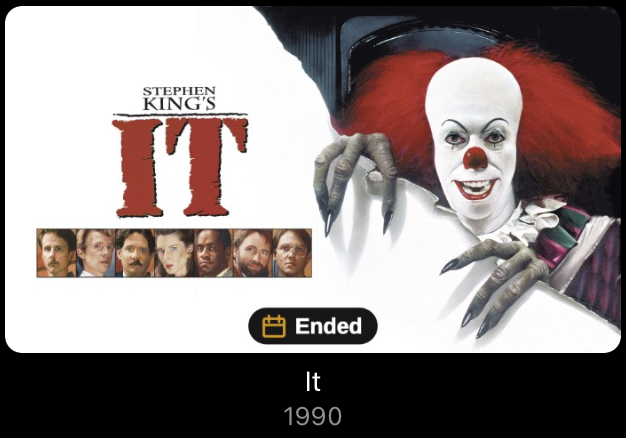
-
Ok do tell, how it goes
-
No but just been doing some reading it looks the browser is keeping a file open somewhere preventing the update i will get this sorted later after work then post an update
-
Is it installed as a service?
-
Windows 11