All Activity
- Past hour
-
 aleorive_96 joined the community
 -
 Brondonnie joined the community
 -
 simon931 joined the community
 -
Next time it happens I'll do that - I've been adding a lot so probably in the next couple days I'd hope.
-
 Lili-may joined the community
 -
 Veslemoy.lunde joined the community
 -
 inmortalis joined the community
 -
 Reyesanguiano joined the community
 -
 ANGEL15k joined the community
 -
 Berimar1 joined the community
 -
 Geetee joined the community
 -

Playback Error - no compatible streamsare currently available
twofacetoo replied to twofacetoo's topic in General/Windows
Holy hell that seemed to fix it after all, thanks a million for that. Setting the drive to a single location and doing a manual rescan worked And yeah for clarity my intent is to get another drive solely for movies, and have them plugged into the same drive slots all the time, one will only be for movies, the other only for shows, so no rescanning should be necessary going forwards Thanks again, this has been bugging me for a few days now, so glad I could finally get it fixed -
Big big sorry. Actually, it works. Maybe you can tell me why : it works ONLY if i'm on wifi. Even if i have a very good connection with 5G, it just not works. On wifi, everything is fine.
-

Playback Error - no compatible streamsare currently available
Luke replied to twofacetoo's topic in General/Windows
But also keep in mind that while all of this will work, it will also result in constantly having long library scan times. For this reason, it would be better to try and ensure that the drive letters area not changing on a regular basis. -
Playback Error - no compatible streamsare currently available
twofacetoo replied to twofacetoo's topic in General/Windows
Right, okay, I think I'm getting it now. The laptop is still updating the content so as said, I'll reply with another update when it's done, but thanks for explaining that. -
Hi, OK, it's an old post but is there any chance there's ganna be a plugin? I would really like that. Regards, Jos
-
Playback Error - no compatible streamsare currently available
Luke replied to twofacetoo's topic in General/Windows
I don't really understand what you mean by this? Maybe this is a better answer: Let's say you add E and F drives to Emby, and they have different content in each. If those drive letters get swapped, Emby Server will not know about it and will still be looking for things in their old locations, and you'll see the errors you saw above. Since they've merely traded places, you could just run a normal library scan and then once it completes you'll be fine after that. The same goes if you decide to move files around from one to the other, make sure to run a library scan after doing that. But let's say E and F change to F and G, then you need to update Emby library setup to remove E and add G. -
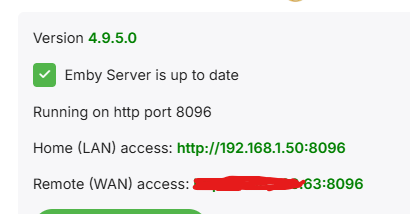
2 are fromSamsung TVs., and 1 from xiaomi tv box However, I'll confirm with my internet provider tomorrow whether I'm behind CGNAT. The last time I asked, I wasn't. If I'm generally behind CGNAT, it doesn't work for me either when I test it. I mean, when I enter the Emby IP (Remote (WAN) access) public ip address into the browser.
-
Playback Error - no compatible streamsare currently available
twofacetoo replied to twofacetoo's topic in General/Windows
So if it's the same content but in one of two different locations, it won't locate any of it, but if it's different content in two different locations, it'll locate it all at once? I'm just trying to understand how this works, I don't even know how this went wrong to begin with. -
Playback Error - no compatible streamsare currently available
Luke replied to twofacetoo's topic in General/Windows
Because sometimes users want to have one Movies library that aggregates content from two different locations. Does that answer your question? -
Playback Error - no compatible streamsare currently available
twofacetoo replied to twofacetoo's topic in General/Windows
All due respect, but if that's the case, why are we able to set multiple file path locations for a single channel? -
Hi, what Emby app are they trying to connect with?
-
Playback Error - no compatible streamsare currently available
Luke replied to twofacetoo's topic in General/Windows
You can import content from both drives into Emby if you wish, so you're not forced into using just one or the other. You just have to keep in mind that if any drive letter changes, the server will not automatically handle that. You'll have to update Emby library setup to remove the old path and add the new one. -
@Energon_Universe
-
Playback Error - no compatible streamsare currently available
twofacetoo replied to twofacetoo's topic in General/Windows
Okay, so I can only have it set as one then? I'll set it to E only for both and rescan. I'll take a bit so I'll update when it's done -
Hi there, let's look at an example. Please attach the information requested in how to report a media playback issue. Thanks!
-
Playback Error - no compatible streamsare currently available
Luke replied to twofacetoo's topic in General/Windows
By the way in case you're expecting the server to automatically switch between E and F depending on which is accessible, it won't work that way. -
Playback Error - no compatible streamsare currently available
Luke replied to twofacetoo's topic in General/Windows
OK so E is empty. The playback errors are related to your F drive. Did the library scan finish after setting these up? Try running another one. -
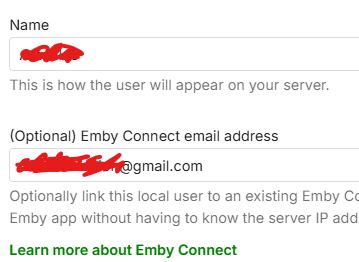
Hello, After updating the application on both TVs and mobile devices, one user somehow lost the email address that was previously bind to the server. However, none of the users (4 in total) are able to connect anymore. The public IP is working, and the port forwarding is configured correctly. When I test the connection locally using the external/public IP, everything works as expected. Before the application update, all users were able to connect without any issues. I also tried reconnecting two users using their PINs and the email addresses I have on file. The application reports "PIN confirmed", but after approximately one minute, it displays the error "Unable to reach server."


- Today
-
Hi, Indeed, it seems that last version of Emby has a problem with TOS7 Since i migrate to TOS7 3-4 days ago, i'm unable to transcode anything. On web browser or in the app. I will try beta version to see if it works or not.
-
Playback Error - no compatible streamsare currently available
twofacetoo replied to twofacetoo's topic in General/Windows
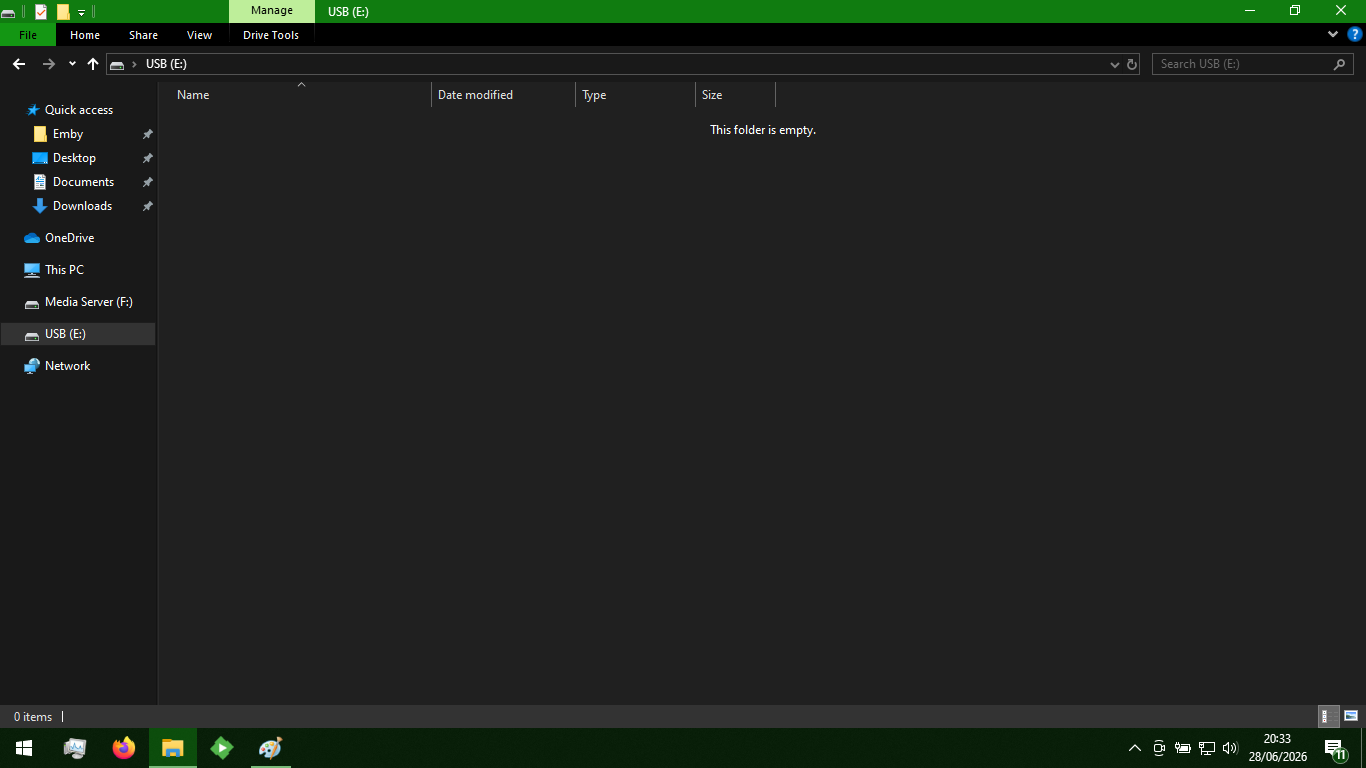
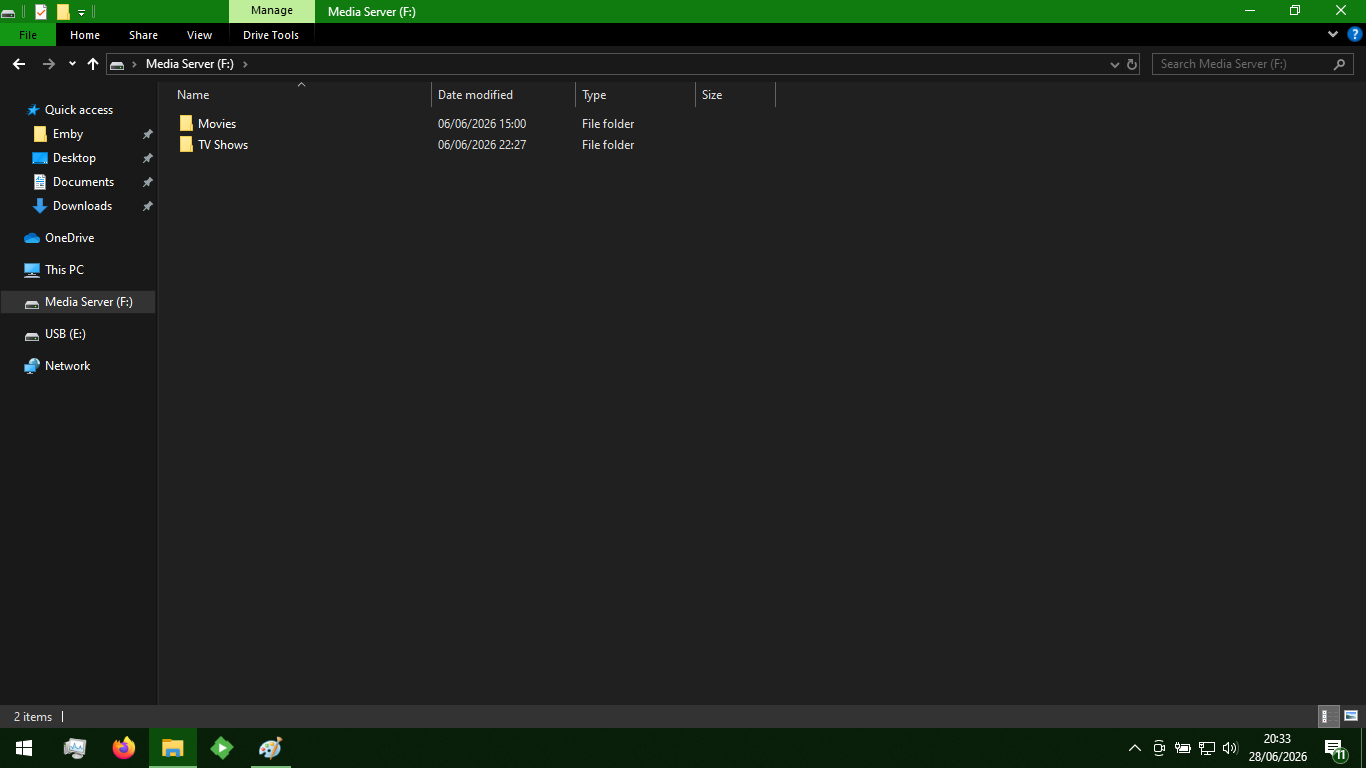
Attached are screenshots of both E and F open in explorer. E is the empty USB I mentioned above, F is the Media Server hard drive where all the movies and shows are stored (The Emby folder in Quick Access is just a local folder where I'm storing things like a few playlist images and such)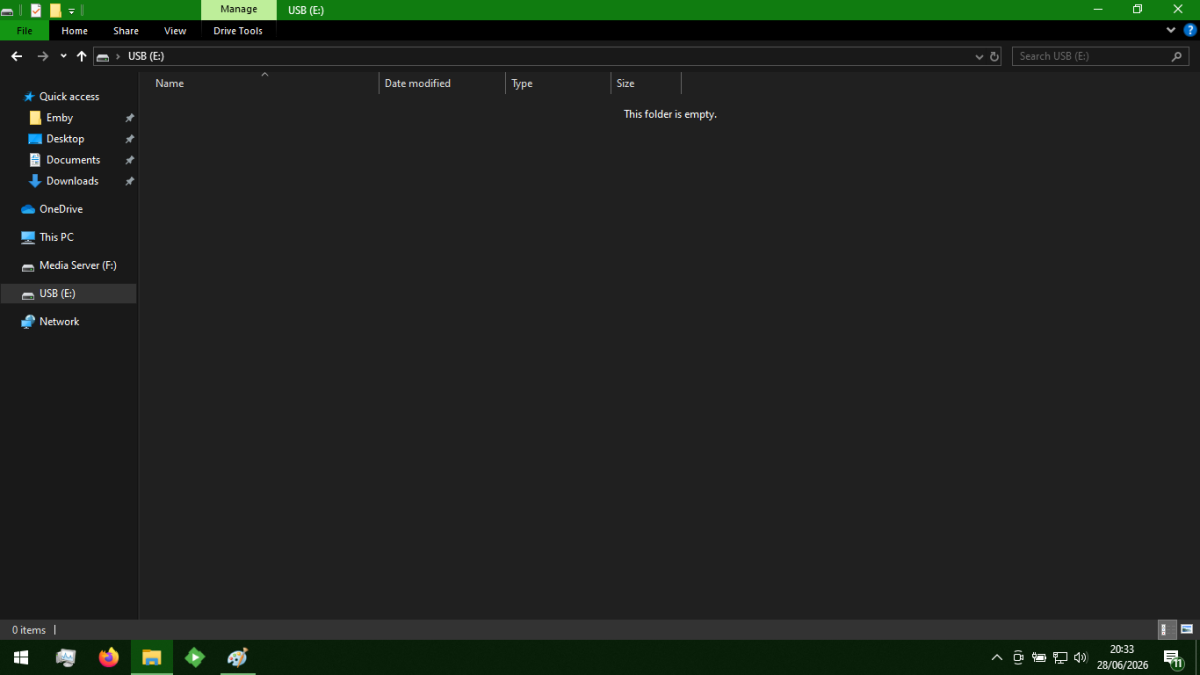
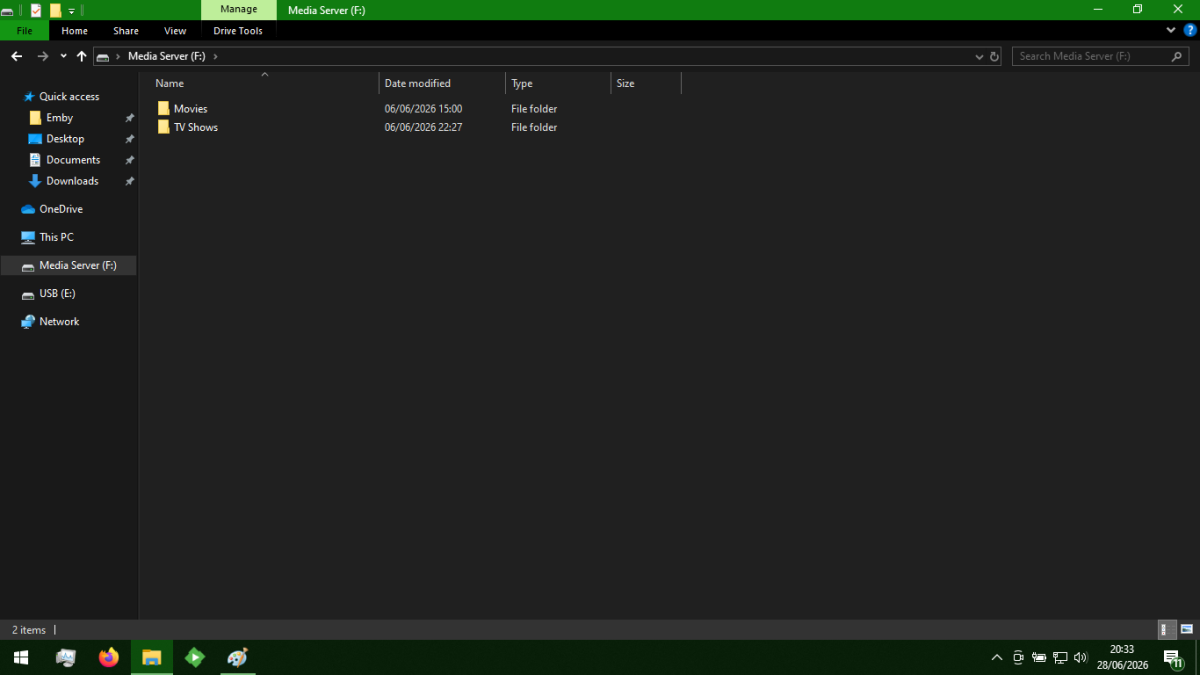
-

Home Cinema Control (HCC): Emby library UI with OPPO/Chinoppo local playback
tousled replied to tousled's topic in Third Party Apps
Thank you! I hope that anyone who’s had problems with Xnoppo will be able to enjoy their home cinema with this new app -
@Trufa2011?
-
Playback Error - no compatible streamsare currently available
Luke replied to twofacetoo's topic in General/Windows
Yes this is a good question. -
@CasualChuckHi, can you please show us a specific example using screenshots? Thanks !