All Activity
- Past hour
-
 oscarborda joined the community
 -
 Wanat2533 joined the community
 -
 Genes22 joined the community
 -
 Chul98 joined the community
 -
 cpalacio joined the community
 -
 santiagofontech joined the community
 -
 Danyadan joined the community
 -
 em_user_jfg0e7b9 joined the community
 -
 Jorge A. joined the community
 -
So I just discovered the universal Emby app, and will be watching using that later. So I’m hoping that won’t have this issue.
-
I tested this out. Unfortunately, the update deleted all my streams. They're still visible in the frontend, but there are no longer any streams in the backend. Now I have to restore the VM backup and copy the links from there. Has anyone else noticed this behavior? (Emby Version 4.9.5.0)
-
Yeah, I have similar nodes for the mixed content kid's movie folder, Kids (movies) + Kids (tvshows). But maybe it's my skin's limitation, but I don't see a way to link my new category to these nodes. For a new category I only have the options to link to "Favorite" or "Preset", and in all the ways to use a Preset I can't find a way to link directly to a Synced Node. Only workaround is to tag the node as a Favorite.
-
Ohhh, there are two Emby apps available on the TV? I’ve been using Emby for years and had no idea. So I’ve been looking on the forum, and if I understand correctly, you plan on eventually phasing the TV app out, in which case you really ought to put some info in the app itself steering people to the universal app. It has solved another problem I was going to investigate later, where a H264 1080p file has to be transcoded (there was something in the stats for nerds about unsupported video level). As my server is a Raspberry Pi 4, transcoding isn’t an option. But the universal app plays it no problem. So I’ll try using the universal app for now and see if it fixes all my problems (including an audio/sub track issue I posted about earlier). Also, reading about the universal app lead me to discover the enhanced homescreen/spotlight option which I’d never noticed, and that makes Emby so much better! It should really be more prominent on both apps. So thanks for pointing me to the universal Emby app.
-
Chiming in here.... I do vaguely remember when my remote users logged in, it did log their IP Address and was displayed, and I don't see that anymore. Believe it was in the activity log. But Meh, I don't really care since my firewall is pretty solid and bot blocking at the caddy level returns them a 404 or 444 so they eventually drop the IP space in their bot scanning activity. I can't remember and don't really care anymore. Dnsmasq & Diversion at my router level have been more than adequate. Most stuff never get's to the caddy level.
-

Playback issues with certain shows on Sony Bravia using Emby app
cnieuweboer replied to Zaryt's topic in Android TV / Fire TV
From a codec point of view that link answers the question. With the main disadvantage. -
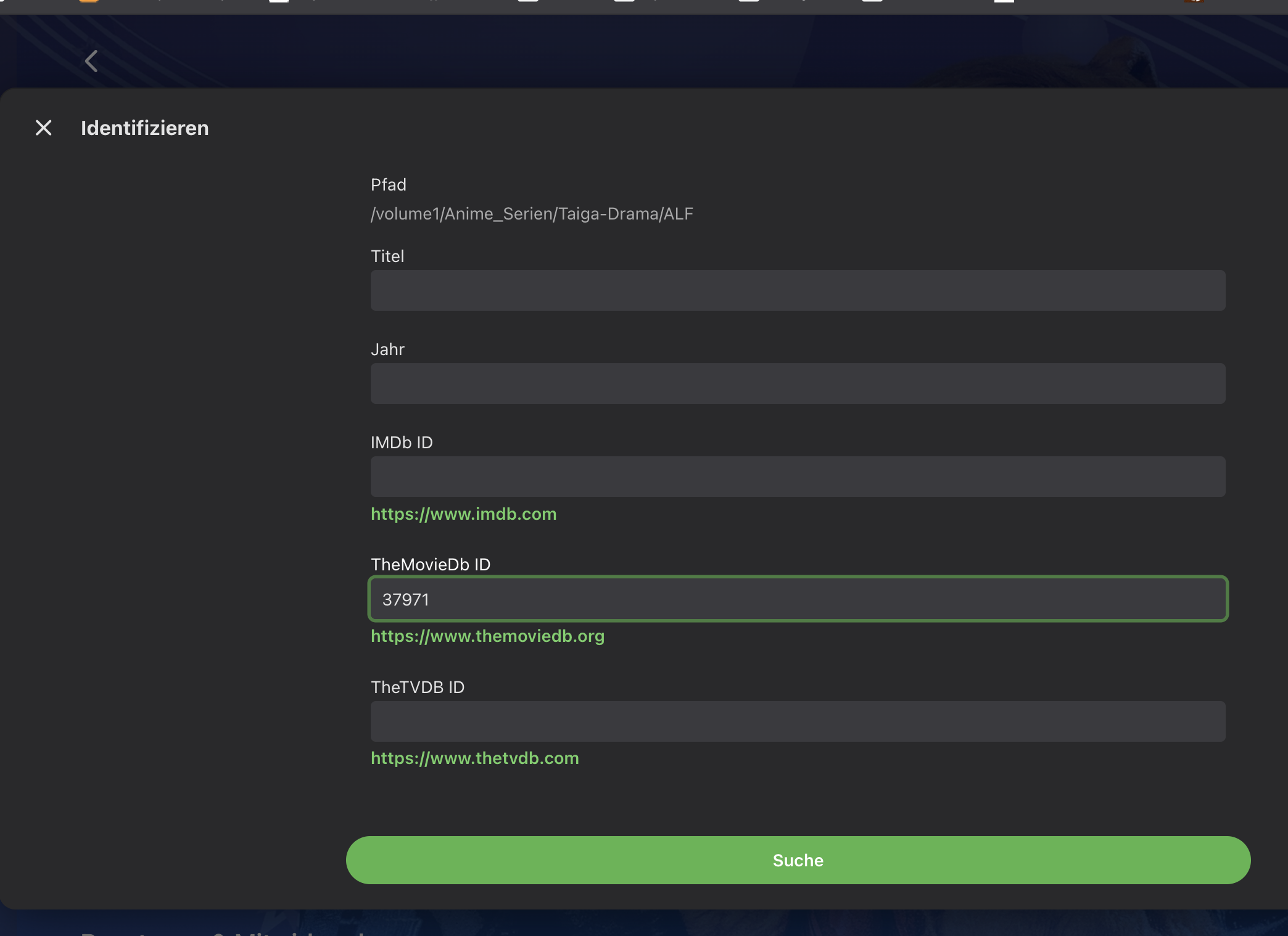
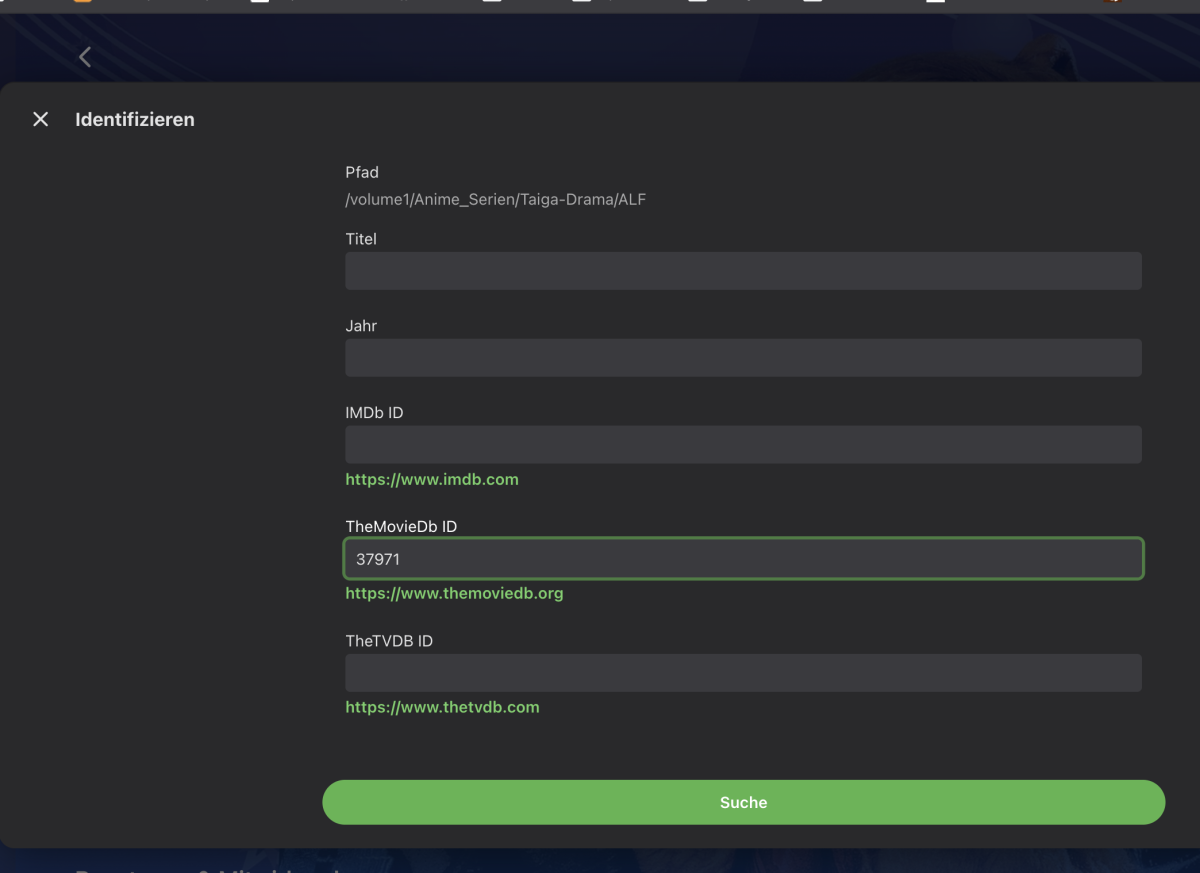
Emby orientiert sich an der Identifikation. Am besten du benennst die Files so, dass sie der Struktur von z.B. https://www.themoviedb.org/tv/37971-der-alte/seasons entsprechen. (Der Alte - s01e01) .. Danach zieht sich Emby die Identifikation und somit auch die Metadaten. Wenn Du die Metadaten mit der Hand bearbeitest, dann interessiert ihn das zum nachziehen nicht. Was auch gehen kann, wenn Du die Identifkation mit der Hand anstößt. In der Hauptübersicht die drei Punkte auswählen. Identifizieren auwählen Und dann unten ausfüllen (siehe Bild) ... In dem Bild habe ich Dir bereits die ID von "der Alte" reingeschrieben. Dann starten und laufen lassen. Wenn Du Glück hast kann er auch mit den Daten ohne Staffel arbeiten. Die Bilder kannst Du ja dann später ändern wie Du willst.
-

Downloads duplicating and not completing after many hours
maximumentropy replied to ajeansnz's topic in Windows & Xbox
On the recently released 2.310.2.0, download is working well for me. - Today
-
Search for just "Emb", it should bring two client apps: Emby for AndroidTV (the one you're currently using) and Emby for Android (standard/universal app).
-
What’s a universal app? Google isn’t bringing up anything useful, and nothing by that name.
-
The issue has been resolved. Thanks for the reply!
-
-

Playback issues with certain shows on Sony Bravia using Emby app
visproduction replied to Zaryt's topic in Android TV / Fire TV
Of interest. Is h.264 10 bit worth making, at all? https://gist.github.com/YamashitaRen/2dcea6fd5830ecd53236 -
Hello, I'm reviving this old thread. I'd like to be able to synchronize playback on TV Time, similar to how the Trakt add-on works. Thanks
-
Thank you. That’s better, though still not ideal as other people watch other shows on the same TV so I’ll have to toggle the option before and after every time I sit down to watch it.
-
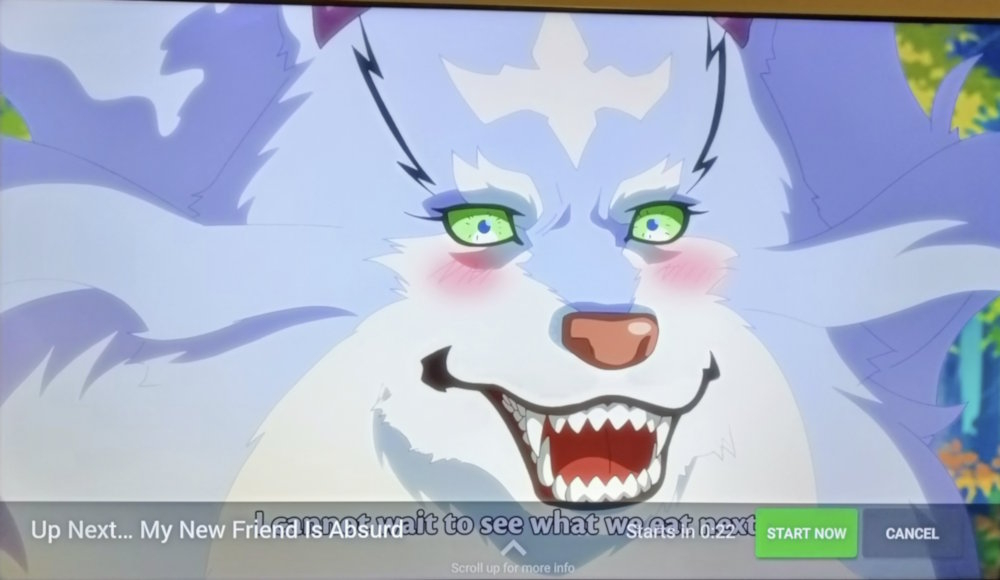
You can disable "Show Up Next Preview* in App settings>Playback tab until you finish that anime. Or use Universal Android app so you won't have that overlay at all.
-
Hi, I regularly run into this issue, but fortunately can usually sort it out, but I’m having no luck this time. I’m currently watching a Japanese anime, with two audio tracks (Japanese and English) and two subtitles, both in English, one "English (default ASS)" and one "English (ASS)". By default it wanted to play English audio and no subtitles, so I switched it before playing the first episode to Japanese audio and chose the first subtitle option. Unfortunately, that one must just be for translating text on the screen as it contains no dialogue, so I switched to the second one. Now, the problem is, when it plays the next episode, it correctly keeps the Japanese audio, but plays the first subtitle option again. Every single episode, so every 20 minutes, I have to pause the episode to change the subtitles. I’ve tried going back to the series main screen and changing there, but I’ve had no luck. In fact sometimes, after turning the TV off and coming back later, it will revert back to English audio with no subs. I change it to the correct one, but then next episode it’s back to the wrong subs but remembers the correct Japanese audio. I will point out that I’ve had this issue before, on a different series when it kept playing the French dubbed audio instead of the English original. Fortunately the episodes were longer and it was a short series, so it didn’t bother me too much having to switch every episode. I watch things in three different languages so I don’t expect Emby to always select the right options off the bat. If I select the right options before playing the first episode I’m usually okay after. But why can’t it remember my choices from one episode to the next? This is incredibly frustrating.
-

Introducing Traxx, an Android music app built for Emby music libraries
GrimEvil replied to Hauzz's topic in Third Party Apps
other feedback will follow now I can see it working on my setup -

Introducing Traxx, an Android music app built for Emby music libraries
Hauzz replied to Hauzz's topic in Third Party Apps
Thank you so much for testing. So what's your opinion of the app, can you tell if there are missing functions other then the files view that was mentioned by @howlermonkey, I'm working on that. Is the UX/UI ok? Should I make changes? -
Is this a matter of weeks rather than months? Because in case it's still a matter of months I guess I will try to learn myself Docker...
-
Introducing Traxx, an Android music app built for Emby music libraries
GrimEvil replied to Hauzz's topic in Third Party Apps
Tested this new version and looks like it has resolved the android auto issue and I can now see and play music and looks like the timeout error is resolved -

Can we PLEASE!!!!! Take out suggestions at top of search?
Beardedgrump posted a topic in Feature Requests
When I search for a movie or show it gives me a huge list of suggestions before it even shows the search results... It pisses me off! When I Hit Enter... I dont need suggestions anymore. I need results.-
- 2
-

-
Hi, I’ve asked about this before, and was wondering if there’s going to be a fix for this? Currently watching an anime that has extra content at the end of every episode, and it’s really difficult to read the subtitles because of the popup for the next episode that appears over them. And if I press Cancel to make it go away, I have to manually launch every episode. It’s very frustrating. Couldn’t it be moved to the top, or push the subtitles up? I realise a back press can make it vanish, but that’s so counter-intuitive and is just an annoying workaround for a bad UI choice. Android TV app on a TCL C7K.
-
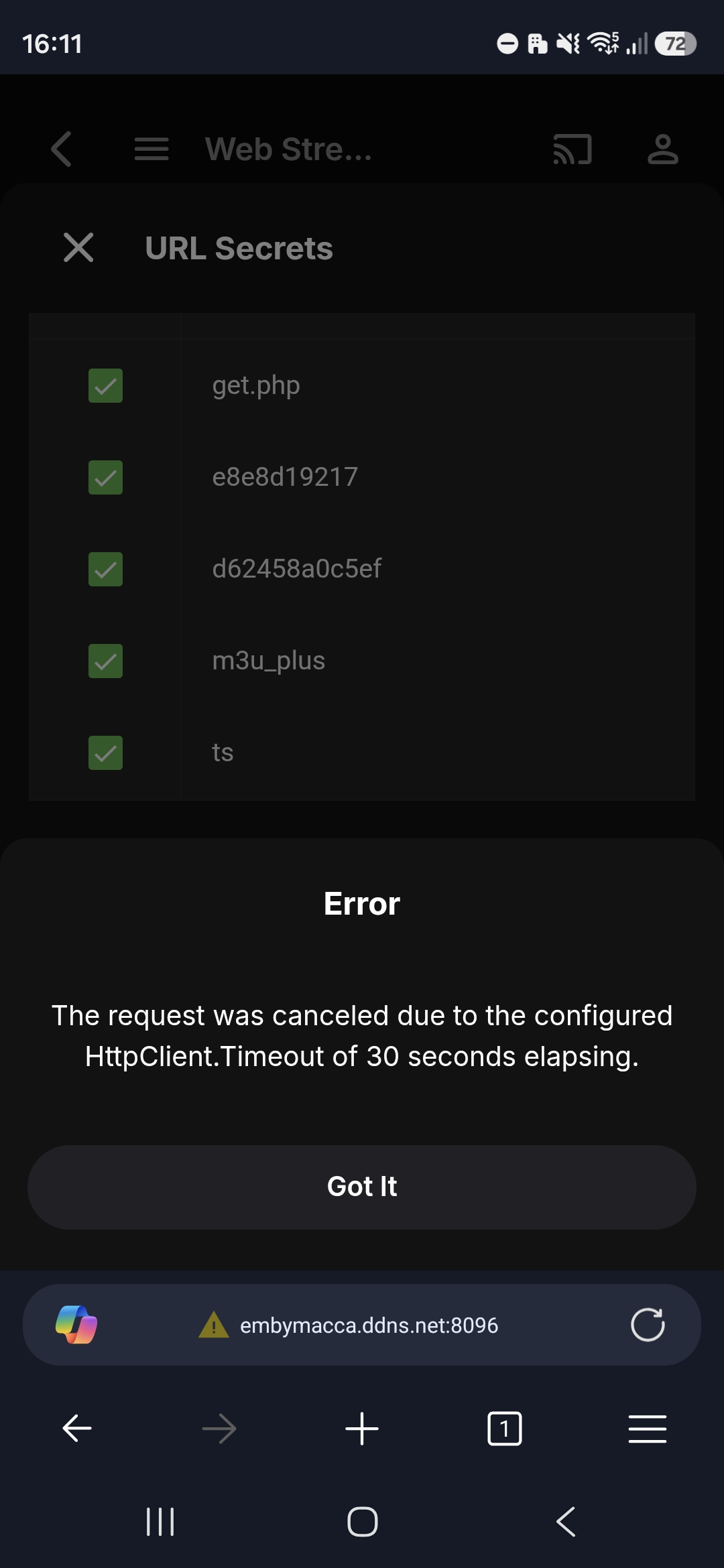
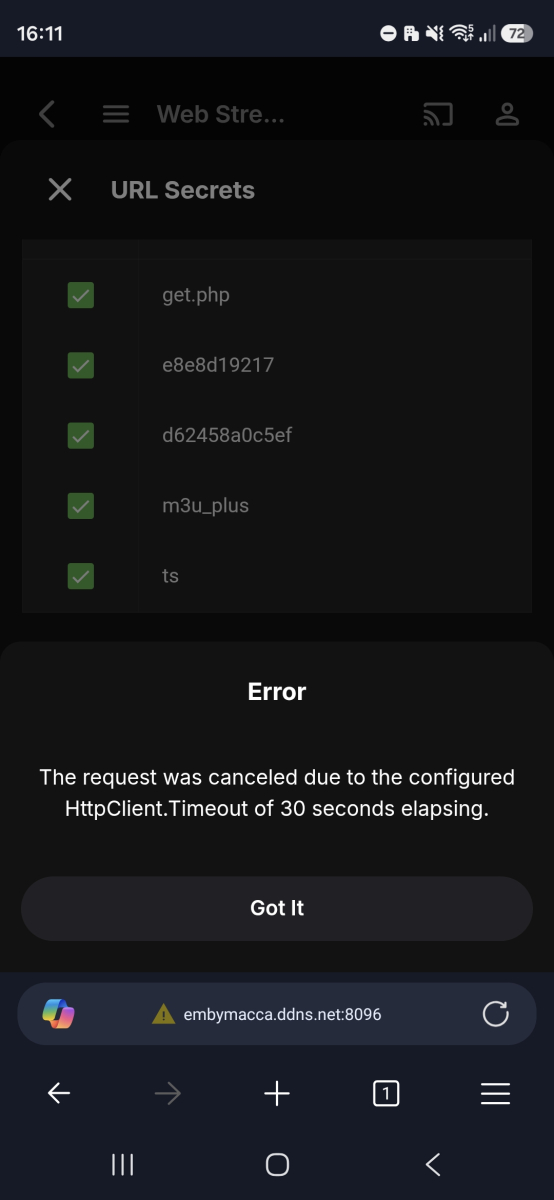
Still getting same error when using a link from an iptv provider. This same link works fine in Emby's Live TV
-
Hi, @SamES is there any plan to add a DirectPlay toggle for opus?