All Activity
- Past hour
-
 Lumbeechief joined the community
 -
 rburchick1 joined the community
 -
 Aisha14 joined the community
 -

LG TV is Internet blocked: Emby App asks for premiere / lags when pressing play
Utini posted a topic in LG Smart TV
My LG TV is blocked from accessing the internet but can community with my Emby server on LAN. The Emby server has internet access and a fully valid Emby premier license. When I'm open the Emby app on the LG TV and try to hir "play" it quite often won't do anything. Like the button doesn't work. Then after a few mins I get several times the same pop which asks me to get Emby premiere or wait 10 seconds to continue. Seems like a bug? Latest Emby server and Emby LG.app. -

Audio COLLECTIONS displays no songs when selected.
ebr replied to NotherUser's topic in General/Windows
This is a collection containing just music albums? -
 usara1831646 joined the community
 -
 MIkeAlt joined the community
 -
 justinmstevenson joined the community
 -
 Briza Nicole joined the community
 -
 ppd96 joined the community
 -
 uedim8646313 joined the community
 -

Audio COLLECTIONS displays no songs when selected.
Luke replied to NotherUser's topic in General/Windows
Thanks for following up. -
Asustor ADM restricts App Central installations to Volume 1
Luke replied to rupertbradshaw's topic in Asustor
Hi, is this something Emby would add, or Asustor? -
my Emby server has problem with new metadata added.
Luke replied to kira yamato's topic in General/Windows
There are some errors we can look at, yes. -
Hi there, please attach the Emby server log from when the problem occurred: How to Report a Problem Thanks!
-
Hi, we are looking into this. Thanks.
-
OK please let us know if removing the plugins helps. Thanks !
-

Audio COLLECTIONS displays no songs when selected.
NotherUser replied to NotherUser's topic in General/Windows
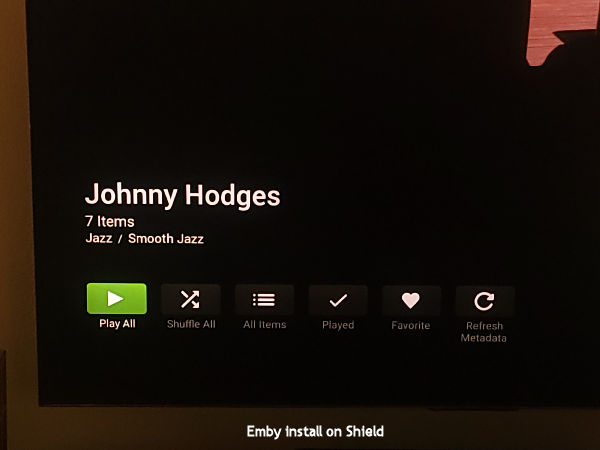
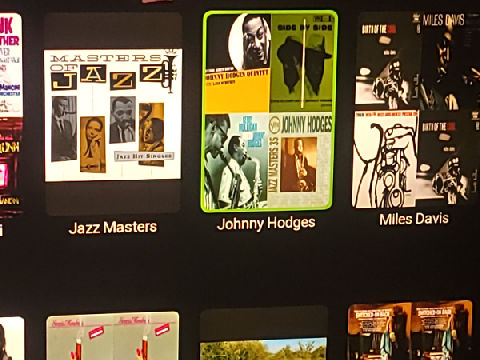
Ha! I found the problem. The Emby UI is different on the Roku than from Shield (and Android TV) installs. I usually use Emby on the Roku device but since Emby sometimes stops playing a song, I tried the install on the Shield. On the Roku, once you click on an album collection, all the contents are displayed. On the Shield, the contents aren't displayed. To display them, you have to click All Items, and this option is not present on the Roku. From the screen dumps, you can see the differences, including the tops of the CD on the Roku version. (Strange though...on the Shield I'm fairly certain I clicked the All Items button because I tried clicking everything I could see. Probably my bad memory.) So the problem is solved. My bad... Thanks for your help.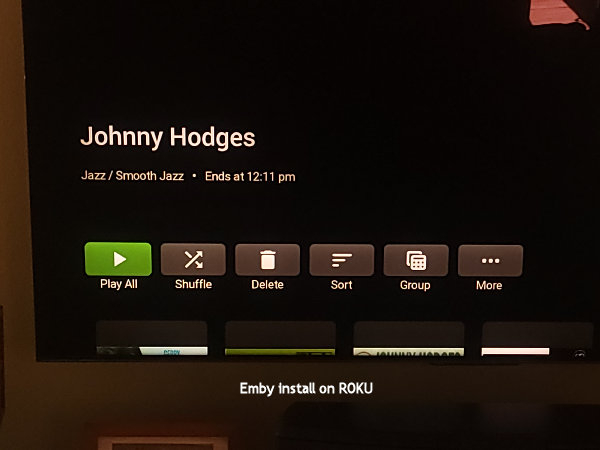
- Today
-

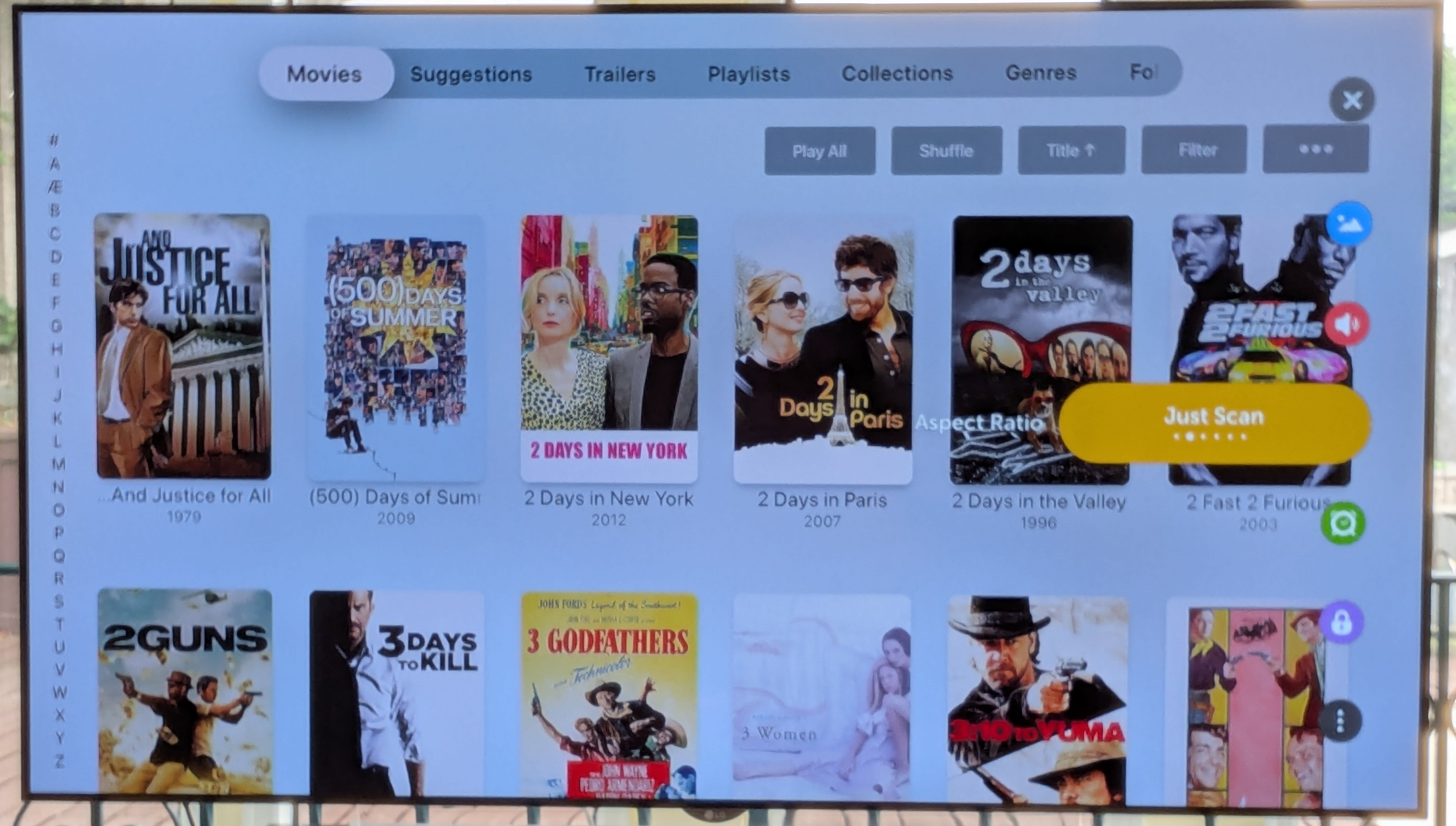
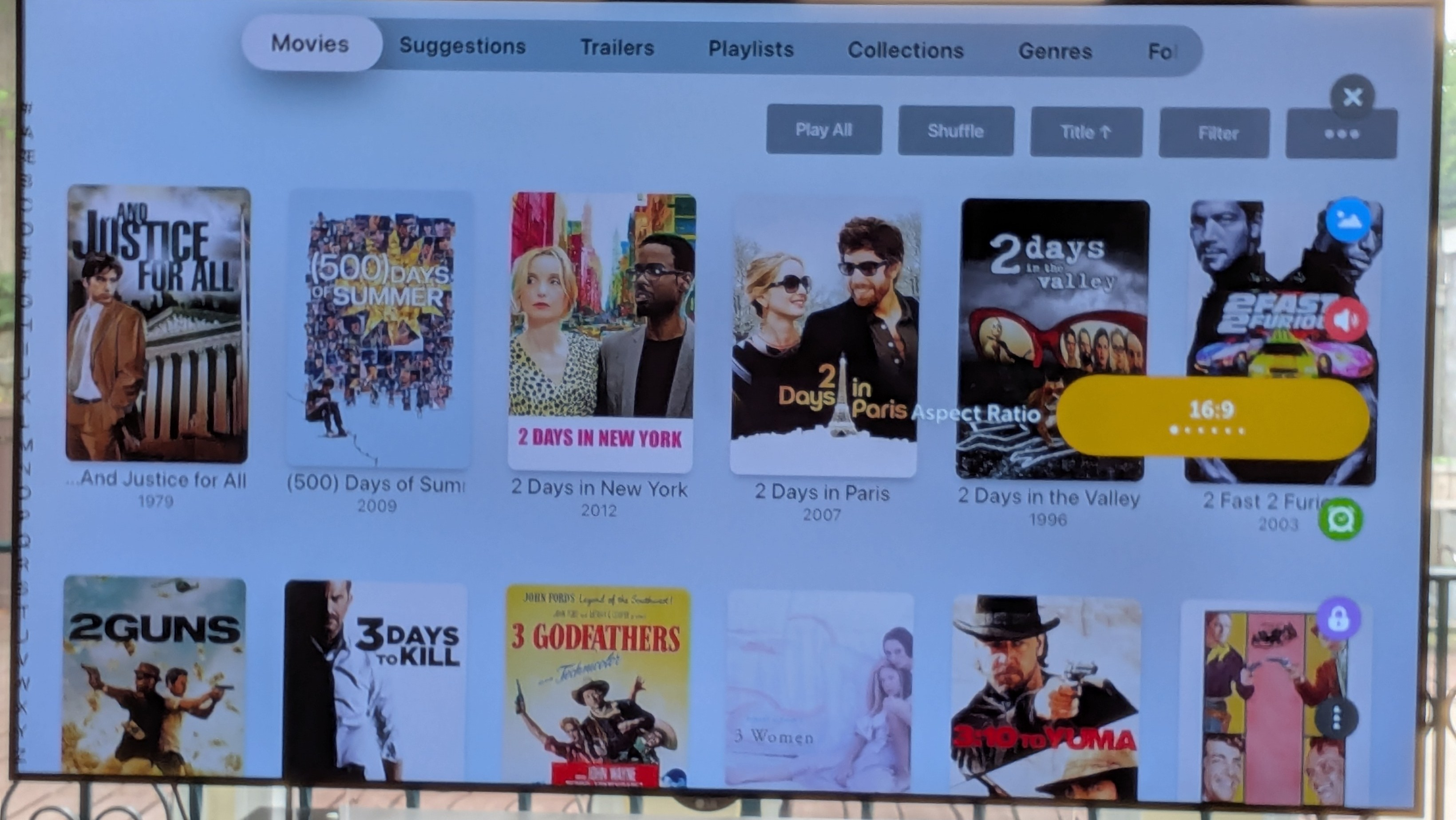
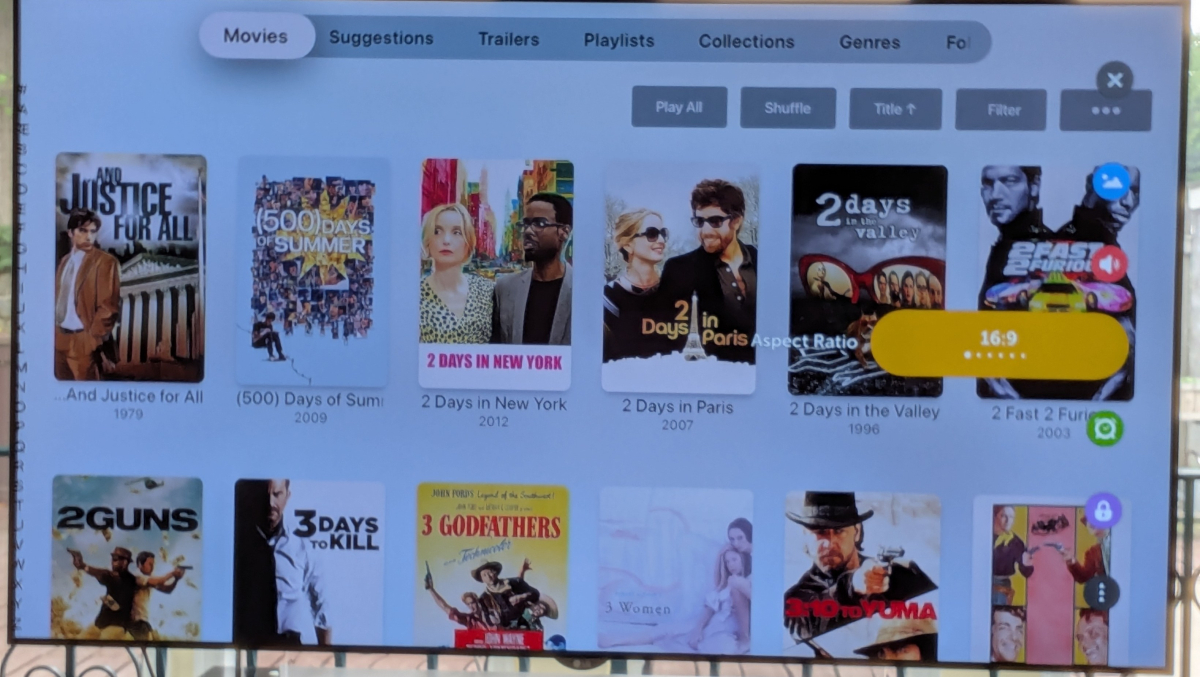
New(ish) Emby search by letter feature on AppleTV reveals an LG aspect ratio compromise...
SamES replied to Lonald's topic in General/Windows
Others that regularly use AppleTV with LG my have a better response, but I think leaving Just Scan on is the correct setting anyway -
Okay, then I think I have this fixed for the next beta. Thanks.
-
Yes
-
@ebrOnly stereo
-
Right. The problem is always a stereo track? IOW an item that is AC3 5.1 works properly?
-
For me, It's on AC3 stereo (AAC stereo works fine), but I haven't tested any other stereo formats (not sure if I have any) I don't know what those errors in my log mean, but here is what I did enasble debug started playback tried to change speed to 2x 2 times send log Is there anything else I can do? Maybe I could send you a clip of a problem video?
-
For both of you, is this failure only with Stereo tracks?
-

Plugin: EmbyCredits, detect end credits and add auto skip.
yocker replied to yocker's topic in Plugins
With your CPU? I would say not much. I got a 4090 and using PaddleOCR and GPU acceleration in the plugin doesn't change the speed versus CPU only enough (for me) to warrant buying a new GFX card.. Specially not with the prices today!! The detection can ofc. be made as fast as you are able to throw money after it. No problem. There's some big changes to chroma detection coming soon. OCR should be very precise if you have set up the correct keywords. The plugin can already be set to check TheIntroDB before doing any detections. If there are any end credits on TheIntroDB it then uses those. For anything more than that you need TheIntroDB plugin. -
There is very little in this log for some reason but there is this error: 09-19 12:44:11.688 4401 6266 W DefaultAudioSink: at com.google.android.exoplayer2.audio.MediaCodecAudioRenderer.setPlaybackParameters(MediaCodecAudioRenderer.java:658) 09-19 12:44:11.688 4401 6266 W DefaultAudioSink: at com.google.android.exoplayer2.DefaultMediaClock.setPlaybackParameters(DefaultMediaClock.java:141) 09-19 12:44:11.688 4401 6266 W DefaultAudioSink: at com.google.android.exoplayer2.ExoPlayerImplInternal.setMediaClockPlaybackParameters(ExoPlayerImplInternal.java:954) 09-19 12:44:11.688 4401 6266 W DefaultAudioSink: at com.google.android.exoplayer2.ExoPlayerImplInternal.setPlaybackParametersInternal(ExoPlayerImplInternal.java:1344) 09-19 12:44:11.688 4401 6266 W DefaultAudioSink: at com.google.android.exoplayer2.ExoPlayerImplInternal.handleMessage(ExoPlayerImplInternal.java:508) 09-19 12:44:11.688 4401 6266 W DefaultAudioSink: at android.os.Handler.dispatchMessage(Handler.java:102) 09-19 12:44:11.688 4401 6266 W DefaultAudioSink: at android.os.Looper.loop(Looper.java:211) 09-19 12:44:11.688 4401 6266 W DefaultAudioSink: at android.os.HandlerThread.run(HandlerThread.java:65) May or may not be related though because I don't see any attempt to switch speed.
-

Plugin: EmbyCredits, detect end credits and add auto skip.
fbourg replied to yocker's topic in Plugins
I really appreciate all your work and I can't wait to see the chromatic and black frame features merged. Would upgrading to an RTX 3060 or an RTX 4060 Ti significantly improve performance or speed up the process? Thanks in advance! -
Not positive this is the right area, so forgive me if it is not. I have a tv with firetv built in. I have installed the emby app. I am running my server on windows. I am able to connect to the server remotely in a web browser or using the windows emby app just fine. However, on that same remote network using the firetv app, when I try to connect to the server (manually) I enter the server IP and default port. It seems to find it as I can "change server" and it shows it listed by name there. But if I go to enter the user id and password manually it continues to give me an invalid user id or password error. I am using the same exact credentials that I use in the browser and the emby windows app without problems. I even went so far as to create a new user on the server to use for the firetv and that also throws the same invalid user id or password error and refuses to connect. Anything known to be... funky... with the firetv app that I am missing? Thanks!
-
Hi, not yet. It’s on the todo list for the app. Thanks.
-
New(ish) Emby search by letter feature on AppleTV reveals an LG aspect ratio compromise...
Luke replied to Lonald's topic in General/Windows
@SamES -

New(ish) Emby search by letter feature on AppleTV reveals an LG aspect ratio compromise...
Lonald replied to Lonald's topic in General/Windows
Here goes!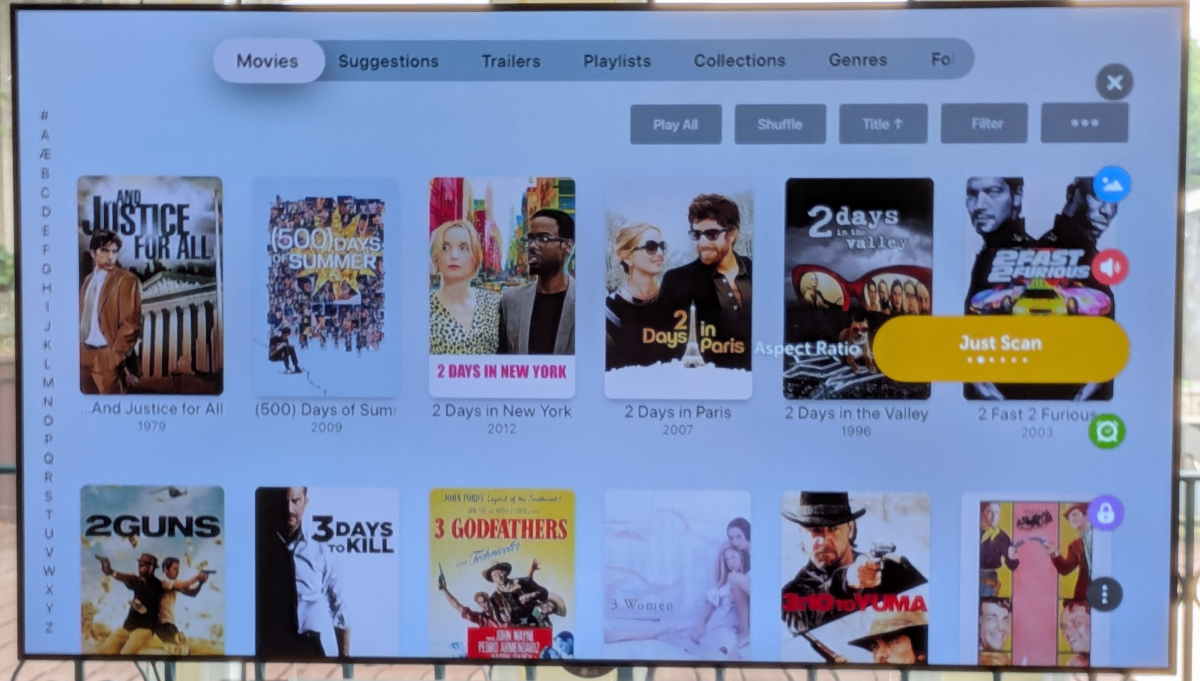
-

Multi versions of movies wont show right since the new update
Visionaire replied to Visionaire's topic in General/Windows
I tried how you said it eventhough before the update everything worked fine like i did it. Still doesn't work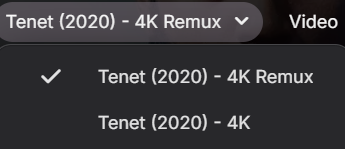
-

Asustor ADM restricts App Central installations to Volume 1
rupertbradshaw posted a topic in Asustor
Asustor ADM permanently restricts App Central installations to Volume 1: Directed at the Newer series Severs like the 5402T w/M2 SSD's. I have upgraded from an older Asustor server and have 2 HDD's full of movies, over 3.8 Terabytes. I run Emby and Plex. Have 2 512GB SSD's configured RAID1 as Volume 2. I would like to be able to run Plex and Emby from Volume 2, Volume 1 has my movie libraries. But Asustor ADM (v. 5.1.4RL21) will only allow app installs from Volume 1. Would is be possible to code in the next available ADM version to allow Volume 2 (SSD's) to be installed as an Option from Volume 1. This would well benefit the use of the SSD's verses the slower HDD's in app load and response times. I am sure this has been addressed before, but would REALLY like to have this option available as I don't want to clean wipe and put ADM on the SSD's and lose my HDD libraires. There are some Docker work around's but don't trust the configs to stick after future ADM updates.