All Activity
- Past hour
-
 Raja999 joined the community
 -
 zklt joined the community
 -
 lyllfgm joined the community
 -
 CharmingCheung joined the community
 -
 Ali_kaladz joined the community
 -
 Mancer joined the community
 -

TV Show Status — TMDB-powered Returning/Ended/Cancelled badges for series
sh0rty replied to Blueskies278's topic in Plugins
Nope, put the dll in my plugin folder (Win11, Server 4.9.5.0), plugin is not visible in Emby Plugin section. -
 Essam211 joined the community
 -
 Vfi joined the community
 -
 Horthree joined the community
 -
 RDTR2899 joined the community
 -

RTL punctuation issue in Hebrew subtitles (when transcoding)
guandms replied to adir4289's topic in Android
Hi, is there any update on this issue? Im facing it as well with the latest Emby server 4.9.5.0 -
Any progress with this one?
-
Here : Emby Duplicate Finder
-

TV Show Status — TMDB-powered Returning/Ended/Cancelled badges for series
Blueskies278 replied to Blueskies278's topic in Plugins
Ok, I will remove the EmbyTmdbStatus.dll file from my UGREEN iDx6011 Pro and see if I have the same issue. I’m not at my Mac right now, but I will get back to you later. I'm sorry it’s not installing. I will try my best to solve this. If possible could you upload your Emby log? Thanks - Today
-

TV Show Status — TMDB-powered Returning/Ended/Cancelled badges for series
howllor replied to Blueskies278's topic in Plugins
Yes, I've done exactly that. It's not my first time installing an Emby plugin manually. -
TV Show Status — TMDB-powered Returning/Ended/Cancelled badges for series
Blueskies278 replied to Blueskies278's topic in Plugins
. 1.Yes 2. You have to copy the EmbyTmdbStatus.dll file to the Emby plugin folder, where all the other plugins are stored.After restarting Emby it should appear in your plugins. Please let me know how you get on. -
Working on making the icons but I'm no artist so might not be good.
-
right ... i supose i do that first. thank u for your reply and your help.
-
By "normal exit" do you mean specifically the exit command in the Emby app, or do you include the common Roku method of simply pressing the home button? This matters, because in the Roku the home button is in fact a crash button - the currently running app is stopped dead without any opportunity even to log the happening, let alone report it to the server, which makes cleaning up more difficult. Paul
-
I believe you get that from the people who gave you your static IP BTW you should really delete that post as it contains your IP address @GrimReaper
-
The scaling on the LG tv should be independent of what is on the screen. Have you enabled filmmaker mode on the TV? That disables almost all picture processing including any AI and upscaling.
-
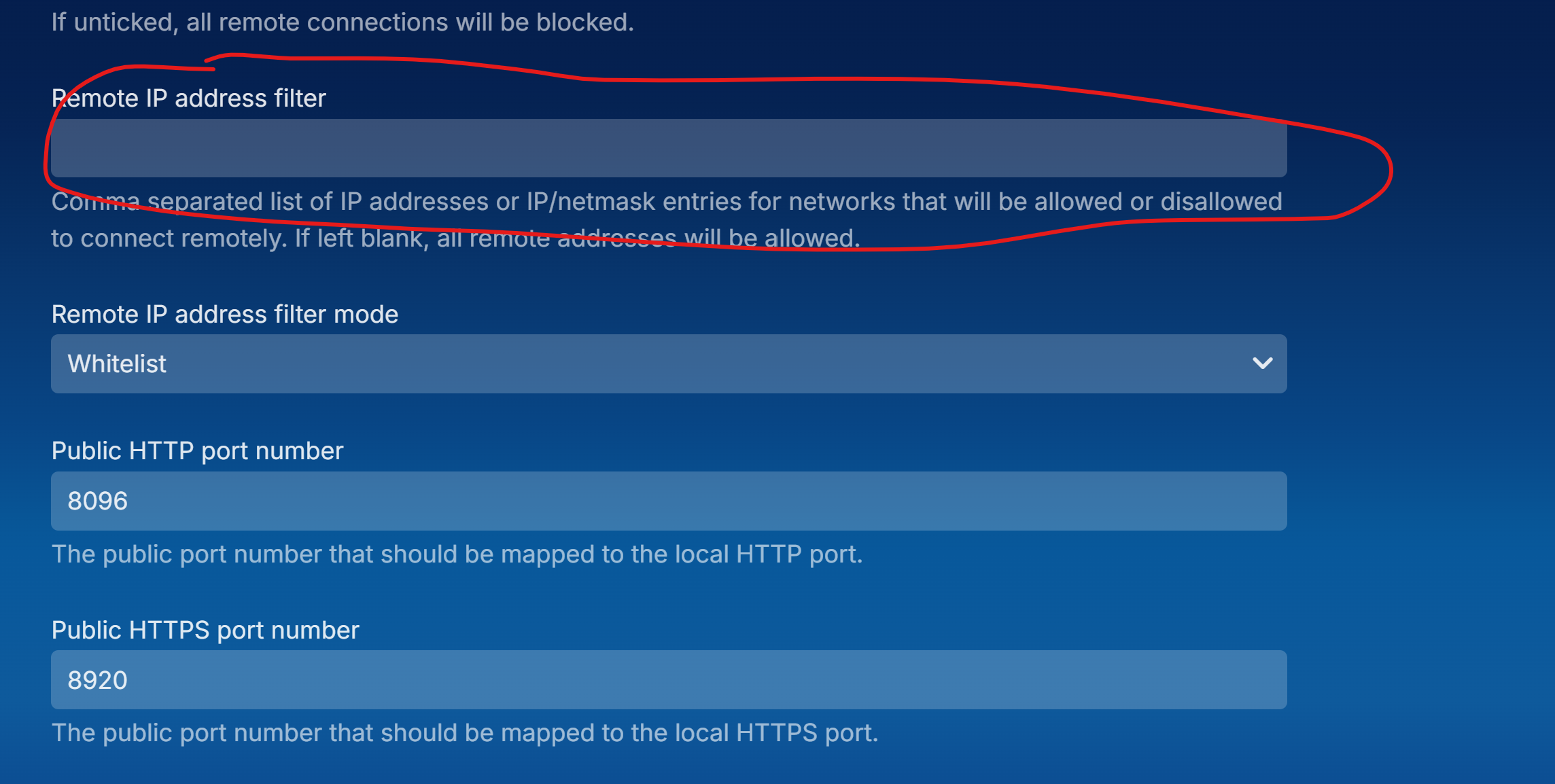
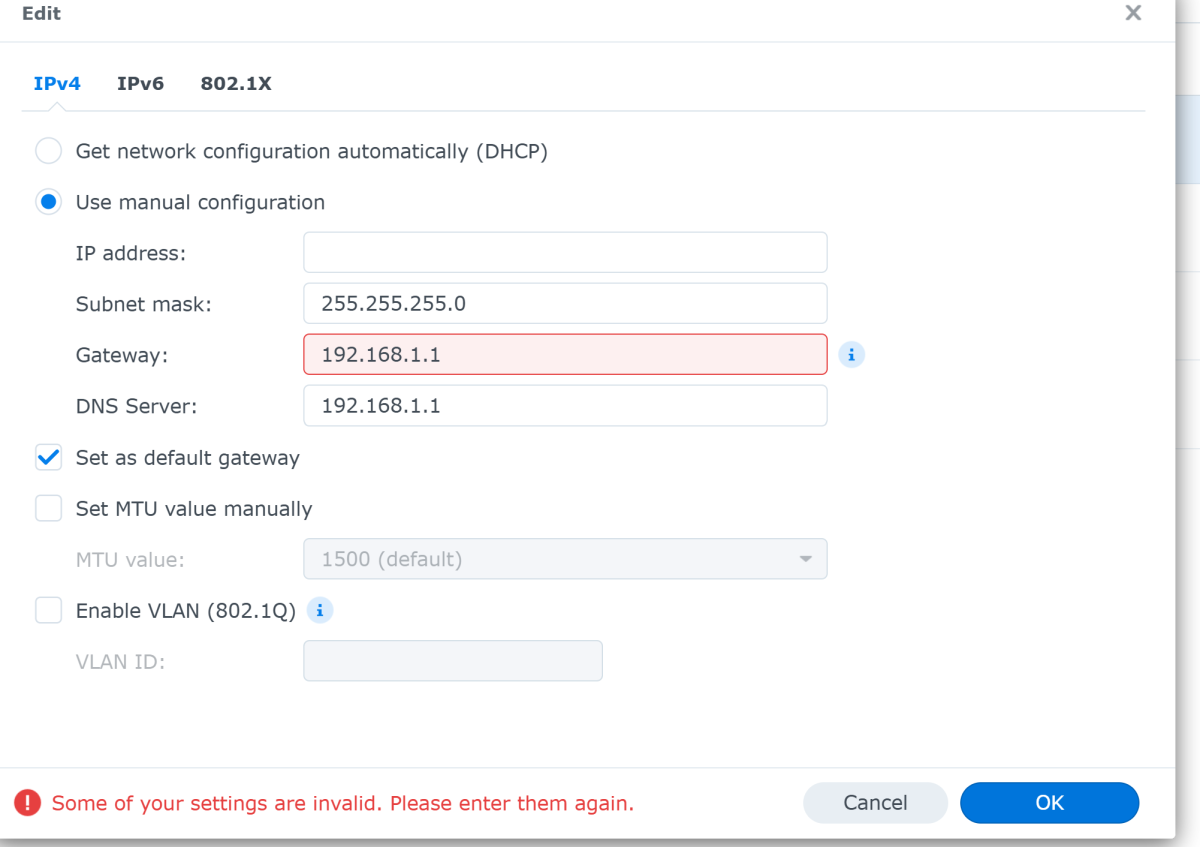
In DSM go to Control Panel Network Network Interface tab Select the NIC you want to use Edit IPv4 tab select use manual configuration On Emby server Settings Network select "Allow remote connections to this Emby Server" to expose more settings
-
 ACGriffiths changed their profile photo
 -
Hi there, I have a problem with the latest version of the addon. In emby I have multiple Audio Playlists. In Kodi I use the "dynamic views". But when I use the view "Emby Dynamics: Playlists (playlistaudio)". When I click this, an item "MusicPlaylists" is shown. On this item I can click to go to the specific playlists or - via rightklick / menu - choose "play all", "shuffle", etc. When I then click on the "MusicPlaylists" it shows my specifig music playlists - but they are shown as folders. So I cannot rightcklick on this item to choose play all", "shuffle", etc. I only can open the folder and then it shows all music titles. When I click on one music title, Kodi plays ist - but do not put all items from the playlist in the kodi playlist - so only one item is played. Can you help me?