All Activity
- Past hour
-
 Pablo_bf joined the community
 -

4K HEVC shows as 1080p, think I can't find any setup to fix?
PeteGul replied to PeteGul's topic in Android
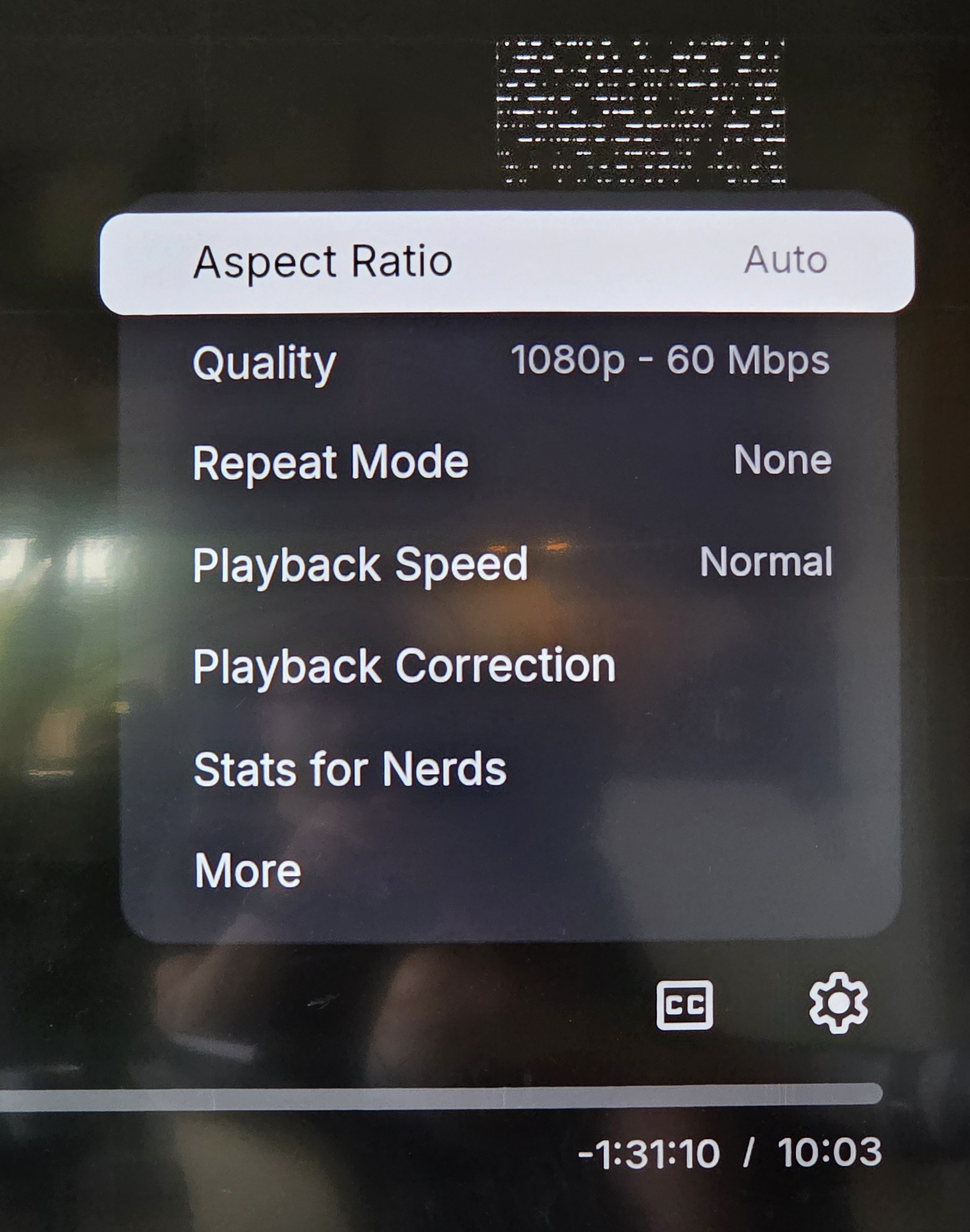
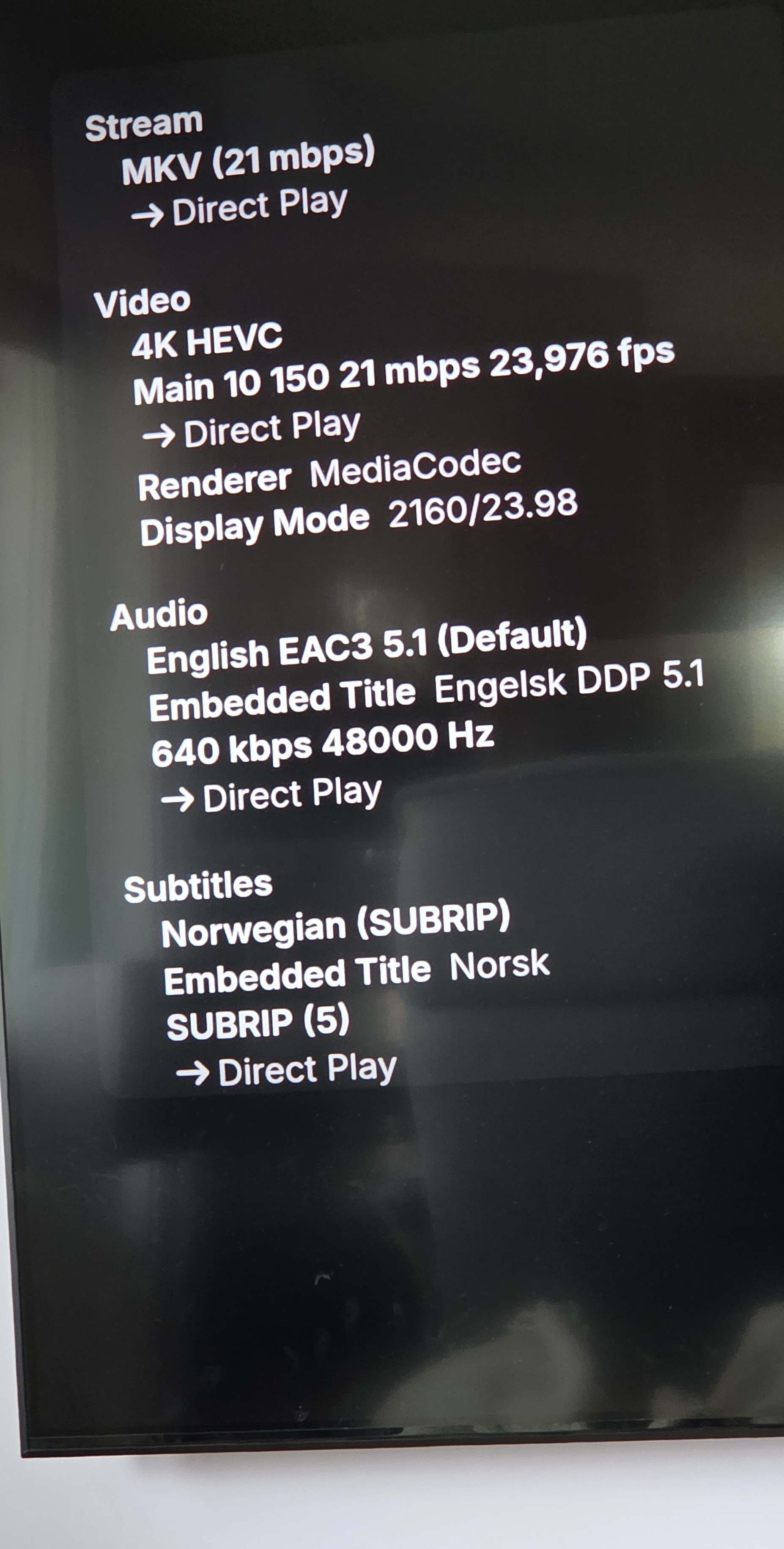
Ok, here is my follow-up. Stats for nerds says it now plays in 4K, when Shield is set to 4K. But it says 1080p in the settings "quality", add pictures of both. @visproductionMy gear i relatively new, and generally new cables and everything is HDCP 2.2 compatible, I don't see this as a problem. I do think my stuff dances good together. @TeddyknuddelThat's right, nothing is changed on my side. This is a question to find what's going wrong, when everything says it is an 4K movie. Why does that not that movie show in 4K. Should not need to "trick" the system to do so.
-
 MulkaProject joined the community
 -
 GuestMega joined the community
 -

[Legacy App] Details not selectable on Detail Screens. (ET 3.0.20/21)
scottpro replied to scottpro's topic in Windows & Xbox
Yes. The problem exists in both modes. app_version 26.0.15 (working) TV display mode ON, the details section is selectable. TV display mode OFF, the details section has a selectable "More" link. app_version 26.0.16 (broken) TV display mode ON, the details section is not selectable. TV display mode OFF, the details section has no "More" link. -
 Budigum joined the community
 -

[Legacy App] Details not selectable on Detail Screens. (ET 3.0.20/21)
Luke replied to scottpro's topic in Windows & Xbox
Hi is that TV display mode? -
Remote access problems with Emby can be particularly frustrating because everything may work perfectly on the home network while suddenly becoming unreachable from outside. I like troubleshooting guides that approach this systematically—checking the server settings, network configuration, port forwarding, firewall rules, and whether the connection is actually reachable from the internet rather than changing random settings. It’s also a good reminder that reliable remote access depends on several layers working together, much like communication tools such as TextNow APK, where connectivity needs to remain dependable across different networks. Which part of the setup turned out to be the main cause of the remote-access issue?
-
 GreenDoor joined the community
 -
 Dorothyutc joined the community
 -
[Legacy App] Details not selectable on Detail Screens. (ET 3.0.20/21)
scottpro posted a topic in Windows & Xbox
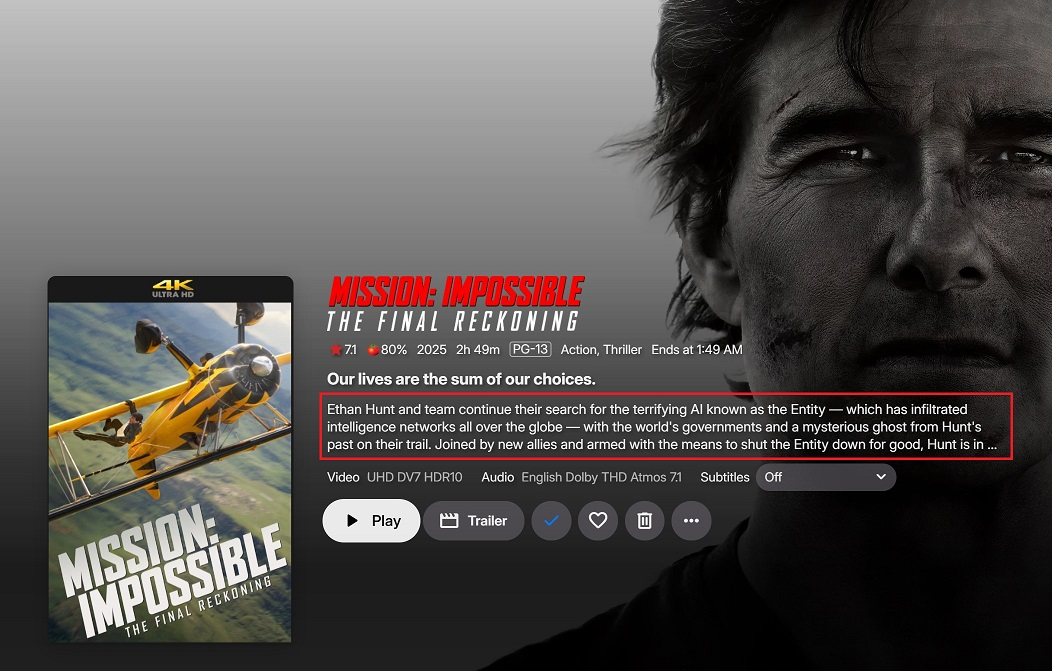
As of update 26.0.16, the details section on the Details Screens are not selectable using navigation keys or mouse. This happens on all Detail Screens (Actors, Movies, ...). The details in question are highlighted in red. app_version 26.0.15 works correctly. Example Actor: Example Movie: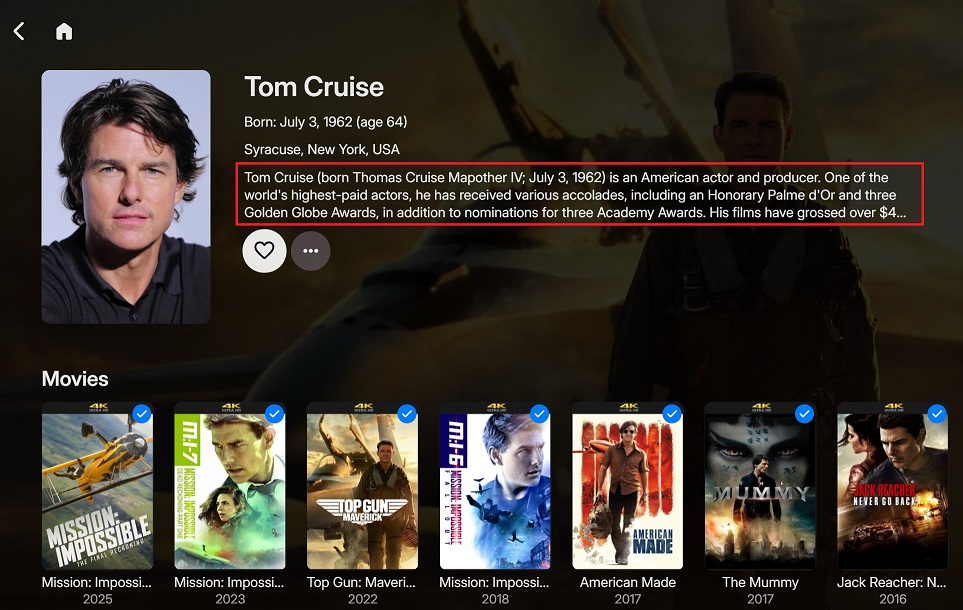
-
 syldxy213 joined the community
 -
 Kuldeep3340 joined the community
 -
 seven Ym joined the community
 -

Unbounded SMB Connection Accumulation Causing NAS System Crash
ingmar_ehrig replied to ingmar_ehrig's topic in Android Server
Hi Luke, Thanks for looking into this. I no longer have the Shield's Emby Server running (I've reverted to my WD My Cloud's own Emby Server instance for stability in the meantime), but I have full netstat output and process data captured live during the incident last night, before I restarted the Shield's Emby Server. Here's everything in detail: Total SMB connections on the NAS at the time of the crash (port 445): netstat -an 2>/dev/null | grep :445 | wc -l Result: 397 Breakdown by source IP: netstat -an 2>/dev/null | grep :445 | awk '{print $5}' | cut -d: -f1 | sort | uniq -c | sort -rn Result: 393 192.168.178.27 1 0.0.0.0 1 (empty/malformed line) 192.168.178.27 is the Shield TV's static local IP — the sole client running Emby Server. So 393 of 397 total SMB connections on the NAS originated from this single device. System state at the time (top -n 1), showing the load and blocked smbd workers: Mem: 1017344K used, 19328K free, 32K shrd, 45728K buff, 134240K cached CPU: 0.0% usr 76.9% sys 0.0% nic 0.0% idle 23.0% io 0.0% irq 0.0% sirq Load average: 443.45 342.40 170.92 7/641 21724 Dozens of smbd worker processes were stuck in uninterruptible sleep (D state), e.g.: 15012 5792 nobody D< 78016 7.5 1 0.0 smbd -D 28608 5792 root D< 77984 7.5 1 0.0 smbd -D 27096 5792 root D< 77984 7.5 1 0.0 smbd -D 16220 5792 root D< 77984 7.5 1 0.0 smbd -D 7304 5792 root D< 77984 7.5 1 0.0 smbd -D 29096 5792 root D< 77984 7.5 1 0.0 smbd -D 7374 5792 root D< 77984 7.5 1 0.0 smbd -D 27912 5792 root D< 77984 7.5 1 0.0 smbd -D 7335 5792 root D< 77984 7.5 1 0.0 smbd -D 7241 5792 root D< 77984 7.5 1 0.0 smbd -D 26611 5792 root D< 77984 7.5 1 0.0 smbd -D 27812 5792 root D< 77984 7.5 1 0.0 smbd -D 8485 5792 root D< 77984 7.5 1 0.0 smbd -D 25262 5792 root D< 77984 7.5 1 0.0 smbd -D 27848 5792 root D< 77984 7.5 1 0.0 smbd -D 16258 5792 root D< 77984 7.5 1 0.0 smbd -D 26505 5792 root D< 77984 7.5 1 0.0 smbd -D 29201 5792 root D< 77984 7.5 1 0.0 smbd -D (This is only a partial list — the full process table had dozens more smbd instances in the same state, all children of the same smbd parent process, PID 5792.) Confirmation that Emby was the cause, not something else on the NAS: I restarted Emby Server on the Shield via its own web dashboard restart function — nothing was touched on the NAS side. Immediately afterward: netstat -an 2>/dev/null | grep :445 | wc -l Result: 0 All 393 connections from the Shield dropped to zero the moment Emby Server restarted, and the NAS's load began recovering shortly after. I did not restart or touch the NAS itself between the "397" measurement and the "0" measurement — only the Emby Server process on the Shield was restarted. Let me know if you need the RAID status (/proc/mdstat, both arrays were healthy/[UU], no rebuild in progress) — I still have those saved from that session. Thanks, Ingmar - Today
-

4K HEVC shows as 1080p, think I can't find any setup to fix?
Teddyknuddel replied to PeteGul's topic in Android
I don’t think the thread starter has changed anything about their cables that could be causing these problems! The problem is simply that nothing is being properly tested here before the release is made available to users. -
It's finally working for me too! I've received the update on both of my LG TVs. Thank you so much, Emby team, and sorry for the delay; it took far too long.
-

Atrium — a native tvOS app for your Emby server
vdatanet replied to vdatanet's topic in Third Party Apps
Apple only, and no Android plans for Atrium. Let me answer the follow-up too, because it's a fair one: I do have a cross-platform app, so why not this one. Atrium is a personal project with two aims — learning technologies I need in my day job, and having an Apple TV player that behaves the way I want one to. The second is Apple-shaped by definition, and the first one was Swift, SwiftUI and the native tvOS player. Android serves neither. The other app, Embeat, is a music player for Android and iOS, and it has three aims of its own: a music player I actually want, a cross-platform app, and a shared Kotlin Multiplatform client — the last two are things I need at work. Same rule, different answer. The aims pick the platform, not the other way round. That's the pattern, really: when I set out to learn something new I build a real app I'll use every day, because that's the only way the awkward parts turn up. Atrium is what came out of learning Apple's stack. An Android version wouldn't be a port — it'd be a third app, in a stack I've already learned elsewhere, serving neither aim. -
 Sicarian changed their profile photo
 -
I too am getting Ear Wax reached the Emby address, but Emby returned HTTP 403 during the server test message. Any assistance is appreciated.
-

Atrium — a native tvOS app for your Emby server
Uncle_Frank replied to vdatanet's topic in Third Party Apps
Apple only? are you planning to get this running on android any time? -
Are you or have you thought about adding support for adding live tv from mac address like STB stalker portals?
-
Subtitles always on in Trailers in 4.9.5.0
Uncle_Frank replied to Dr._Evil's topic in General/Windows
In the meantime you could add your own trailers into the media folders without subs even in 4K if you want. Think I seen a plugin on here you can download trailers maybe -
Almost
-
Yeah if you have a playlist that has a massive load of content you probably are stressing out the plugin as well as your computer and Emby server more than likely also is locking up especially if you don't have much ram. It's like opening a massive m3u with VLC player takes 5 minutes to open on low ram, try adding a section of your playlist and see what happens.
-
I run a taskbar mod to setup win11 tb to look and work like win10 so i dont see that unfortunately This was the result from a movie running and stopping after 3min of play, this looks right to me, so i think it sticks as playing or paused as you mentioned when the show/movie runs to the end and emby autos back to homescreen PS C:\WINDOWS\system32> powercfg /requests DISPLAY: [PROCESS] \Device\HarddiskVolume1\Program Files\WindowsApps\EmbyMedia.EmbyTheater_2.317.2.0_x64__svmepx4c03f7m\Emby.Client.WinUI.exe SYSTEM: [PROCESS] \Device\HarddiskVolume1\Program Files\WindowsApps\EmbyMedia.EmbyTheater_2.317.2.0_x64__svmepx4c03f7m\Emby.Client.WinUI.exe [DRIVER] Legacy Kernel Caller AWAYMODE: None. EXECUTION: None. PERFBOOST: None. ACTIVELOCKSCREEN: None. AFTER 3MIN PS C:\WINDOWS\system32> powercfg /requests DISPLAY: None. SYSTEM: None. AWAYMODE: None. EXECUTION: None. PERFBOOST: None. ACTIVELOCKSCREEN: None. PS C:\WINDOWS\system32>
-
Thanks Luke. Let me know when you have a fix as it makes the trailers unwatchable for me.
-

Bug Report: Playback speed issues on iPad with external monitor & multitasking
Jack998 replied to Jack998's topic in Apple iOS / macOS
Yes. This bug is still present. The latest version on ipad is 2.2.56. -
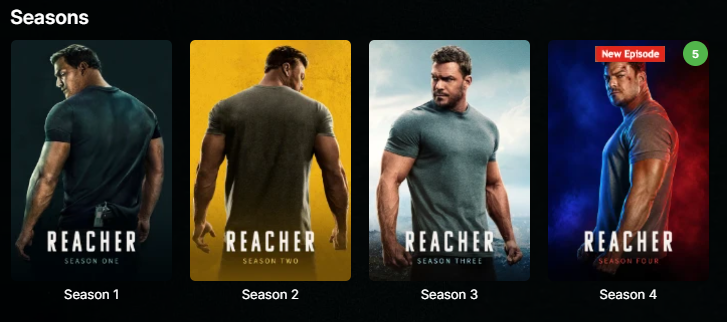
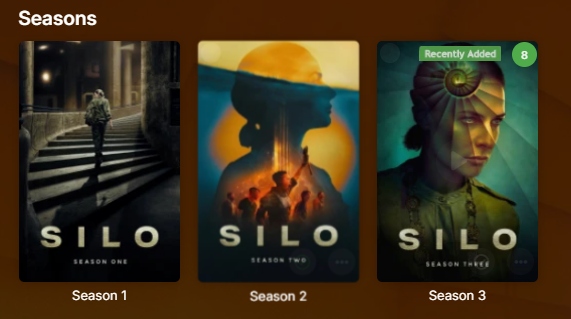
Could you expand feature set to include season images, for those of us that don't flatten seasons/series? Also, do you have buymeacoffee link? Thanks.
-

FR: Server: Auto Delete Watched after "N" Days
thunderclap replied to trusselo's topic in Feature Requests
+1. I'd like this feature too. -

Music playback sometimes stalls between tracks in Android Mobile app on cellular
benmoses posted a topic in Android
Running version 3.5.49 Library is a mix of flac and mp3 files. When remote (cellular) bandwidth cap is set to 1Mbps I encounter this seemingly random stall cleanly, between tracks when playing a playlist of mixed mp3 and flac filetypes. I noticed that most of the time currently playing flac file would be transcoded to AAC due to this limit. This behavior is good and expected. However it seems like if the next track after the currently playing, transcoded AAC file was an mp3 file, that's when the playback would stall between tracks. The next song, the mp3 file, would not begin playing after the AAC track finished. If I raised the remote (cellular) cap to 1.5 Mbps, no transcoding occurs and I get no playback stalling at all. I can play a playlist for hours, no problem. (However I chew through my cel plan pretty fast) <-- not good. I think this means that flac and mp3's are coexisting just fine. In a third scenario, I lowered the remote (cellular) cap to 256kbps, thought being "OK let's transcode everything", but to no avail I'm encountering the stalling again and I think it's for the same reason. I think after an AAC transcoded track is played and an mp3 is next, the playback stalls. (Reason being, even at 256kbps, the mp3 files still don't need to be transcoded.) Is there a known issue with playback of mixed types here? Can one force Emby server to transcode to mp3 instead of AAC? I think I already know that there's no setting to force Emby to transcode in general, correct? I'll post my log file here. I used the anonymize button. Thank you! Ben embyserver (1).txt - Yesterday
-
LiveTV isn't working good on my TV but working good on my PC (Plugin)
Luke replied to XDavidT's topic in Android TV / Fire TV
What I would suggest is changing that option. The auto-advance has been in place for quite some time in all apps, except Roku. I'll file an internal ticket so that we can get that done. Then that just leaves the ability to start at a position. -

LiveTV isn't working good on my TV but working good on my PC (Plugin)
pünktchen replied to XDavidT's topic in Android TV / Fire TV
Not your way. -
HLS transcoding for Apple's native player: fMP4 segments, and an HDR + SDR variant pair
vdatanet replied to vdatanet's topic in Developer API
A follow-up, and a retraction — mine, and it's good news for once. In my post from the 6th I wrote that putting the space back into the video range broke the other end of the round trip, and concluded from that: "no client can work around this on its own." In my last post I retracted half of it — the HTTP 400 on the segment endpoint doesn't reproduce any more. What I didn't do is re-test the conclusion that rested on it. Doing that now, it falls over completely. A client can work around this on its own, and what it gets is real HDR10. Same server, 4.9.5.0, an HDR10 MKV whose VideoRange is the "HDR 10" spelling. AudioCodec=aac, so the CODECS attribute is written (per my last post). The only variable is rewriting the parameter in the TranscodingUrl before following it: hevc-videorange=SDR,HDR10,... -> hevc-videorange=SDR,HDR%2010,... as returned with the space put back IsVideoDirect False True VIDEO-RANGE absent PQ CODECS hvc1.1.4.L126.B0,... hvc1.2.4.L150.B0,... ffprobe of init+seg0 Main / yuv420p / Main 10 / yuv420p10le / bt709 / bt709 smpte2084 / bt2020 first segment 7,690,748 bytes 12,662,628 bytes Three things I think are worth having in the thread: 1. It's genuine HDR10, not PQ tags left on an 8-bit encode — 10-bit and smpte2084 measured on the segment itself. And your own session report says IsVideoDirect=True: the video isn't being re-encoded at all, it's being copied. So the HDR path costs you a remux, not a transcode. 2. The manifest is honest in both cases. Without the rewrite it omits VIDEO-RANGE and delivers a real bt709 tone-map; with it, it declares PQ and delivers PQ. Nothing here is mislabelled. 3. So the whole HDR pipeline is already complete in 4.9.5.0, for HDR10 sources too and not only for Dolby Vision. The one thing standing between it and every client is that space being dropped when the TranscodingUrl is built. Fixing that single serialisation turns it on. One methodological note, since it cost me a wrong measurement before I caught it: this only shows up if each case gets its own PlaySessionId. If you patch the URL on a session that has already written segments, the server hands back the first transcode's files and it looks like the patch changed nothing — both segments come back byte-for-byte identical. With separate sessions the difference is immediate. To be clear, I'm not proposing that clients should do this rewrite. It's a hack against an internal parameter of yours and it only works because of the bug; if you fix the serialisation it stops being needed, and if you change the parameter's shape it would break. I'm posting it because it locates the defect precisely, and because the claim I need to withdraw was mine. The AAC-only CODECS mapping from my last post is unaffected by any of this — it's still missing with the rewrite in place. The two halves are independent. -
@leshkraven The Windows app's concept for dealing with this is quite simple: Don't mess around with any Windows power-saving APIs - instead, just properly report playback operations (start, stop,, previous, next, etc.) and let everything else be handled be Window itself. What you are describing sounds like Windows assuming that there's still an ongoing (or just paused) playback operation. Do you know how to see active playback operations on Win 11? When you click on the speaker/wifi/battery symbol in the taskbar, you should also see any ongoing media playback operations. Can you see that while playing? after playback has stopped?