All Activity
- Past hour
-

A new approach to making IPTV behave more like traditional tuners
PowerCC replied to PowerCC's topic in Third Party Apps
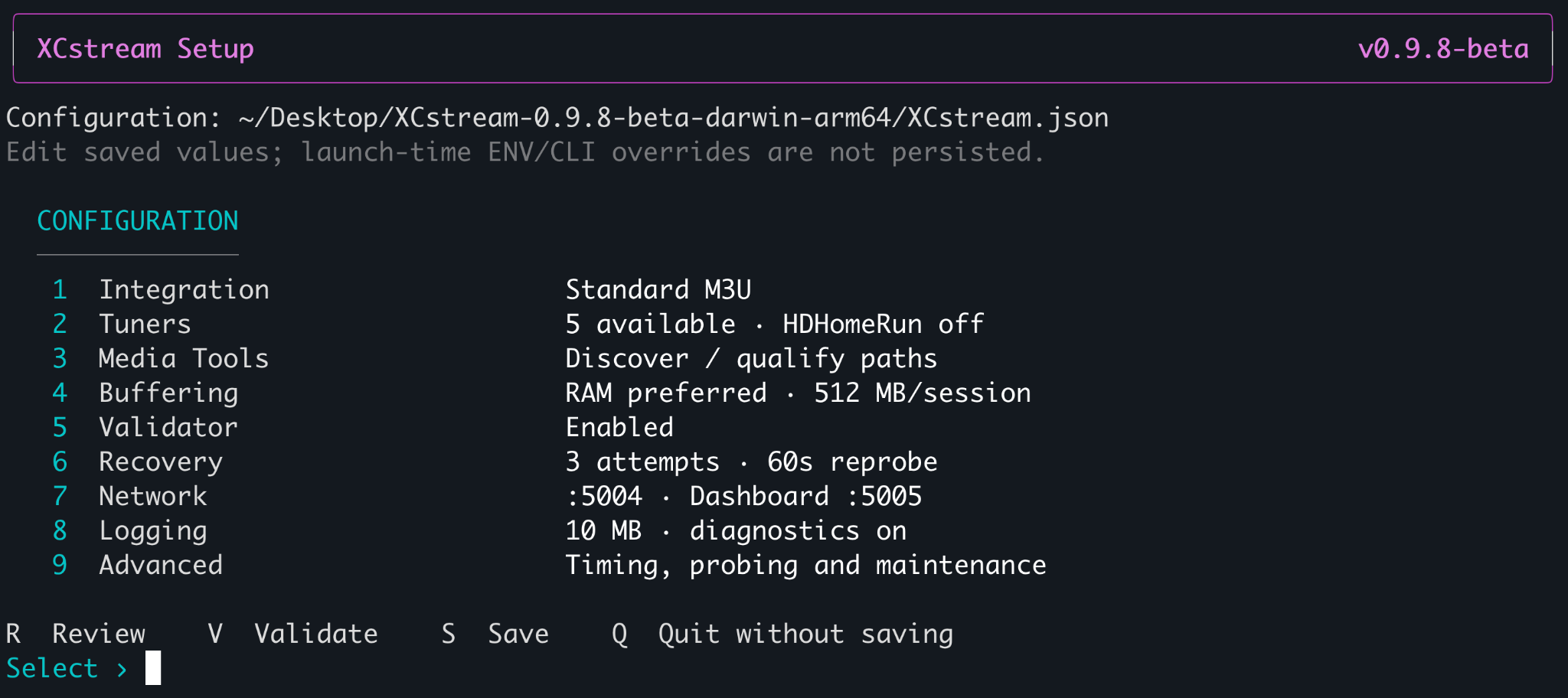
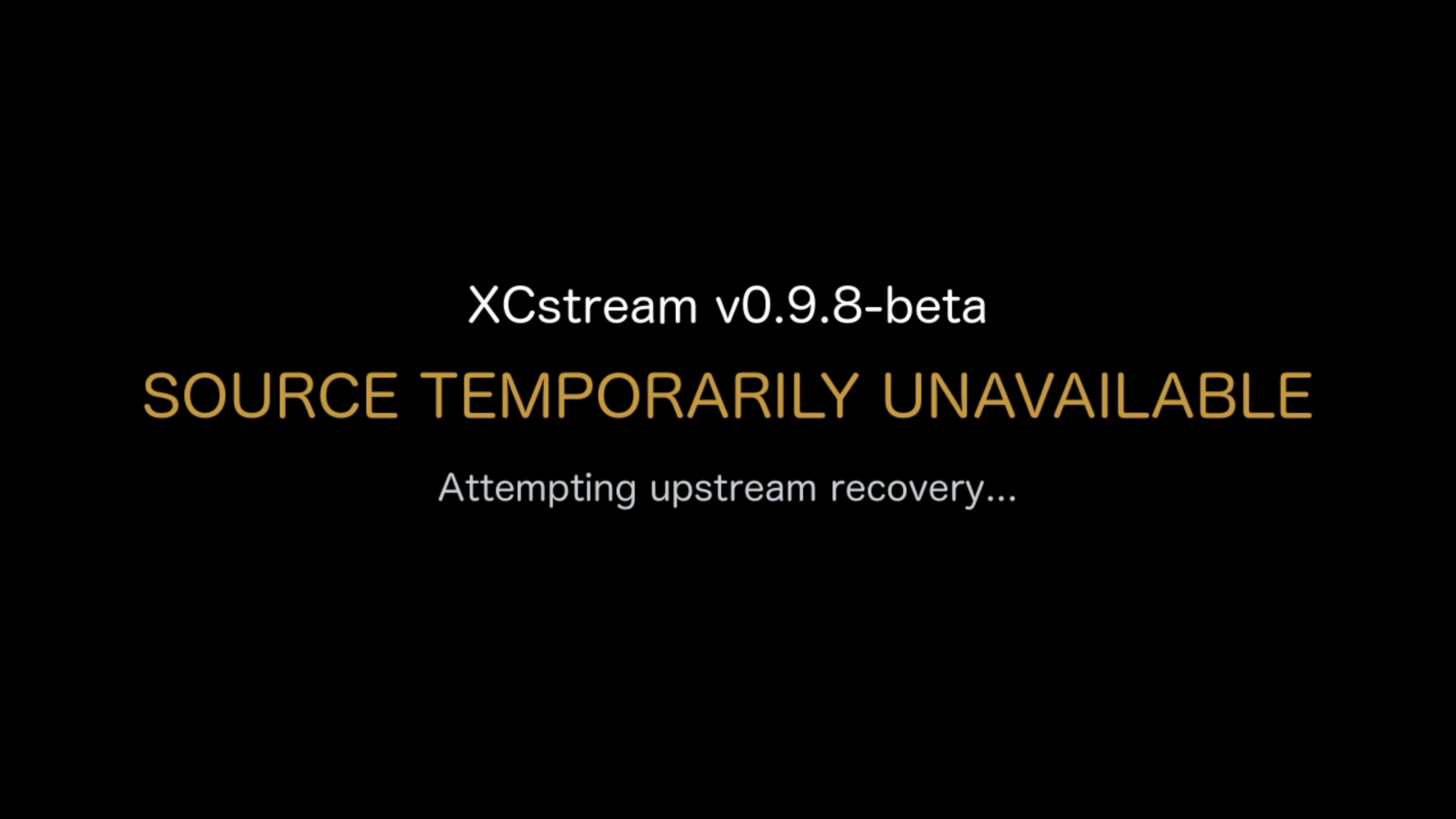
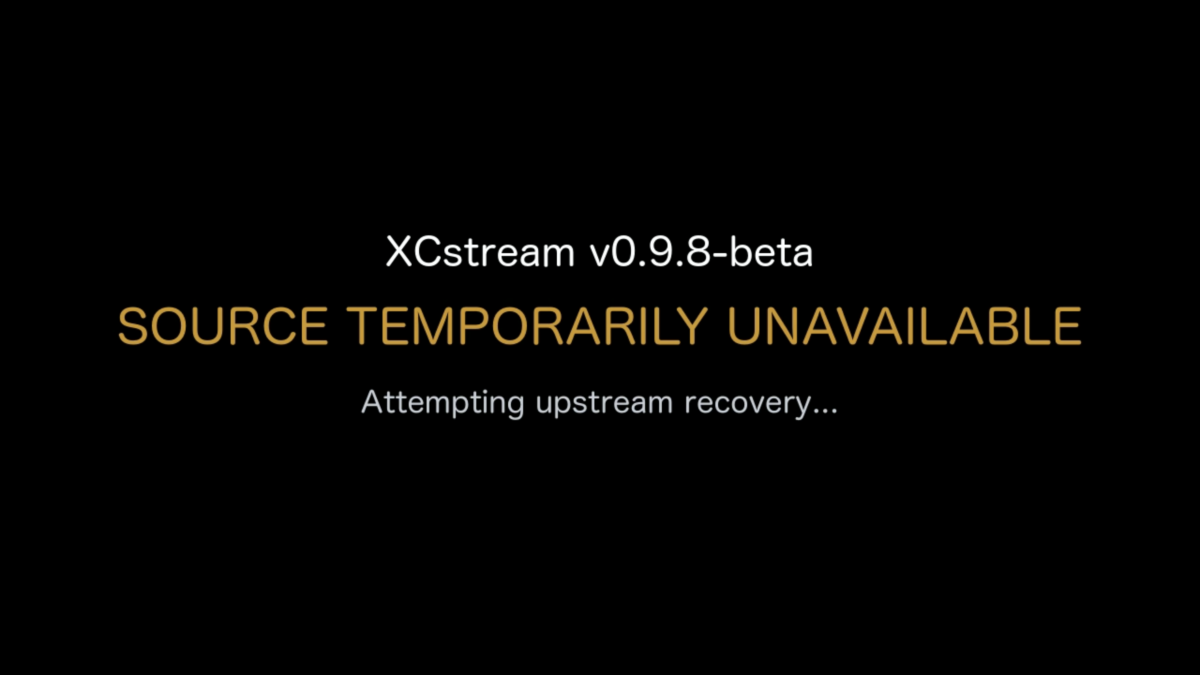
A lot has happened with XCstream since my last update. 0.9.9-beta is still in development and qualification, so there isn’t a public download for this build yet. Before I get into the changes, I should probably explain one of XCstream’s core concepts because I use the word Slate a lot. What is Slate? When an IPTV provider completely stops delivering usable media, XCstream eventually reaches a point where there is nothing left to preserve. Instead of simply allowing the downstream stream to die, XCstream can temporarily replace the failed upstream media with a synthetic MPEG-TS stream that I call Slate. Think of it as a controlled outage bridge. The provider may be dead behind XCstream, but the media server downstream can continue receiving valid MPEG-TS while XCstream works on getting the real source back. Conceptually: Healthy Provider ↓ Provider fails ↓ XCstream can no longer safely preserve the source ↓ Slate keeps protected MPEG-TS flowing downstream ↓ XCstream works on recovering the real provider Provider video itself is still pass-through. XCstream does not transcode the provider feed. Only the synthetic Slate is encoded. That distinction becomes pretty important in 0.9.9. One thing I’ve learned pretty clearly over the last few days is that the behavior I originally built for recording is not always the behavior you want when somebody is just sitting there watching Live TV. XCstream was built from day one around one basic idea: Protect the upstream source and salvage as much usable video as possible. That works really well for DVR. If a provider stops sending usable video for 10 or 15 seconds but there’s a decent chance it will recover, I would rather XCstream wait and save that material than instantly give up and throw Slate into the recording. That was always the priority. But for Live TV? Nobody wants to stare at a frozen football game for 15 seconds while XCstream patiently waits to see if the provider is going to wake back up. So v0.9.9-beta is getting a new Streaming Priority setting. Current XCstream Setup UI on macOS ARM64 (v0.9.8-beta). 0.9.9-beta expands this with Streaming Priority and additional recovery controls. DVR Priority — Default This keeps the current XCstream behavior. It is intentionally more patient with bad providers. XCstream gives the source more opportunity to recover naturally before deciding the stream is really gone and moving into recovery/Slate. The goal is simple: Save as much of the original program as possible. Live TV Priority Same exact recovery engine. No second Live TV engine. It just changes how aggressive XCstream is. It checks stream progression more frequently, declares a real stall much sooner, waits less for spontaneous recovery, retries the provider sooner, and uses a smaller initial buffer so playback can get moving faster. A quick hiccup can still recover naturally. A genuinely dead source should move toward recovery/Slate much faster instead of sitting there frozen forever. That gives me both behaviors without ruining the recording-first logic XCstream was originally built around. The other big thing coming in 0.9.9 is Session-Matched Slate. Right now XCstream has validated generic H.264 and HEVC Slate available when the real source is gone. That works, but it is still a different media stream. With 0.9.9, once XCstream has identified the source profile, it can prepare Slate that matches the stream much more closely: video codec resolution frame rate pixel format / bit depth audio codec sample rate channel layout So if I’m watching a 1080p H.264 / AC3 channel and the provider dies, XCstream can use Slate that is much closer to what the decoder was already seeing. The idea is to avoid unnecessary codec changes, resolution changes, audio changes, decoder resets, etc. just because the provider fell over. The Slate is generated in the background while the source is healthy. And I’m not generating one for every channel. If several channels use the same effective media profile, XCstream generates it once, validates it, caches it for the life of the running process and reuses it. Different channel. Different provider. Different tuner. Doesn’t matter. If the media contract matches, reuse it. And just to be clear: Provider video is still NOT being transcoded. Provider video stays pass-through MPEG-TS. Only the synthetic Slate gets encoded. I’m also adding an experimental option called Protected Slate Handoff. Getting into Slate cleanly is one problem. Getting back out of Slate cleanly is another. A provider can start sending again, look good for two seconds, and immediately die again. I don’t want this: Slate → Live → dead → Slate → Live → dead That’s ugly. So with Protected Handoff enabled, XCstream can keep Slate publicly playing while the real provider recovers privately in the background. The recovered source has to prove that it is actually healthy before XCstream puts it back on the public stream. Basically: Healthy Live ↓ Provider dies ↓ Matched Slate ↓ Provider recovers privately ↓ XCstream proves MPEG-TS delivery and the media clock are healthy ↓ Controlled return to Live If the recovered source still looks questionable, XCstream leaves Slate up and keeps working on the real source behind it. That feature is going to stay Disabled by default initially. The return-to-live path is one of the touchiest parts of the engine and I want to beat the hell out of it before I make it normal behavior. One thing I also want to make really clear because XCstream has changed quite a bit since I started this thread: XCstream is not an HLS/DASH segmenter. It does not create the HLS segments your media server uses. That belongs downstream. XCstream’s job is: Provider ↓ XCstream protects / buffers / validates / recovers ↓ continuous protected MPEG-TS ↓ Kernel Media Server / Emby / Jellyfin / Channels DVR Server / Plex whatever consumes it The media server still owns playback, HLS/DASH packaging, DVR scheduling, users, libraries, clients, etc. XCstream owns the ugly part upstream. If the provider freezes, starves, stops advancing video while the connection still looks alive, wakes back up, dies again, or needs the producer completely restarted, XCstream is supposed to fight through that before the media server ever has to care. That is still the whole point of the project. 0.9.9 just makes XCstream smarter about the fact that: protecting a recording and protecting somebody watching Live TV sometimes need different timing. Still testing. Still breaking things. Still abusing some absolutely horrific IPTV streams because they make great test subjects.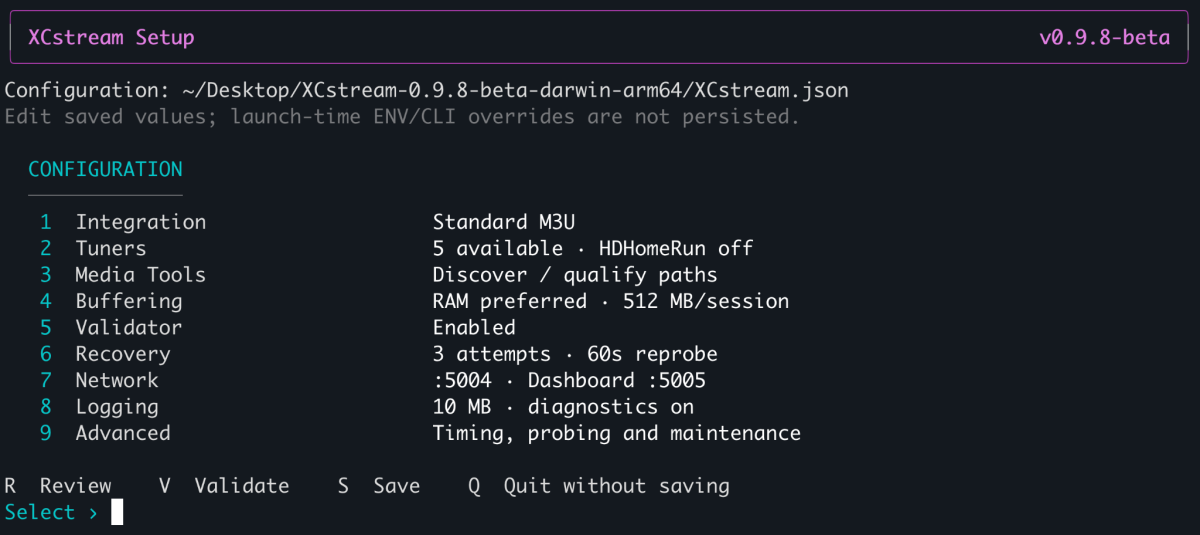
-
 shouliu joined the community
 -
 Navin Khattri joined the community
 -
 Belpy joined the community
 -
 Shekhar_06 joined the community
 -
 uemby194751 joined the community
 -
 ztrou9527 joined the community
 -
 Abdullah_07 joined the community
 -
 FungusTheTurd joined the community
 -
 Vicky786 joined the community
 -
Quick Start
- Today
-
אני רוצה לראות סרטים וסדרות
-

Showing old/wrong Album Art, must be cached or downloading it from Internet
Luke replied to ColinPostsHere's topic in General/Windows
by the way this is off by default. but even if it's on, it's not really "from the internet", it's really from your enabled sources. so if you have none enabled, then it won't do much. so in your case, leaving it on would be harmless, although it would cause some occasional unnecessary scanning. -
BUG Live TV recording stopped early when a remote viewer stopped watching the same channel
Luke replied to nargg's topic in Live TV
HI, we are looking into this. Thanks. -

Showing old/wrong Album Art, must be cached or downloading it from Internet
ColinPostsHere replied to ColinPostsHere's topic in General/Windows
That was the problem. I must have never tried that before (or maybe only before I fully removed and re-added the album). Thought I had tried all of these, but it definitely worked this time. HUGE THANKS!! Feel stupid for somehow having failed to find this on my own, but far more grateful that it's fixed. The album and all songs now show the correct Artwork. So if anyone else lands here with a similar problem (Emby showing something other than album art in your MP3 files), @Luke's explanation worked. Here is the summary of the steps: Go to the "Manage Emby Settings" gear icon in the upper right Select Library on the left. Hover over the graphic for the correct Library, which will reveal the 3-dot menu in the lower right Click that 3-dot menu and select Edit Under Collections, set "After initial import, automatically refresh metadata from the Internet" to "Never" (I think this is the only setting needed to stop Emby from pulling images from the Internet, but I also deselected all options under "Album image fetchers" and "Download images in advance") Go back to Home For any album that shows the wrong art, browse for that album and hover over the album's image, which will reveal the 3-dot menu in the lower right Click the 3-dot menu and select Refresh Metadata Select "Replace existing images" (NEEDED to pull images from the MP3 files. This worked for me. -
Suggestions for Monitor w/Speakers as playback device
Luke replied to Mister Steve's topic in Hardware
Yea but our windows app can probably decode it in-app so you wouldn't have to rely on server transcoding. I'd be surprised if there exists a monitor that can accept passthrough of premium audio formats. -

Nvidia Shield not available for sale - alternatives?
Mister Steve replied to Mister Steve's topic in Android TV / Fire TV
Does anyone have a suggestion on a device that runs Android TV interfaces via HDMI Supports side-loading and custom launchers. Aside from Emby I use SmartTube Next and a few other utils Costs less than $200 It does not need to be as "beefy" as a Shield. This device will drive a kitchen area TV. -

Watched states don't sync reliably with server for Downloaded media
Modify3453 replied to Modify3453's topic in Android
One month later - still very functional and reliable - I don't have to manually mark episodes watched on the server anymore, not once in the 30 days since updating to 3.5.55. Going to mark this as fixed - it is frictionless - it is functional - good stuff Emby team! -
Please add audio language filter/complex filters
Modify3453 replied to Modify3453's topic in General/Windows
Working in tandem with the Home Screen Companion plugin, audio languge filters are now also possible - really good improvements Emby! -
Web Streams plugin and M3U file: Which path to store local meta files?
Luke replied to Achim71's topic in Synology
I think you need to format the paths in the m3u the same way that you added paths to Emby library setup. So I wouldn’t do the file: prefix -
Suggestions for Monitor w/Speakers as playback device
Mister Steve replied to Mister Steve's topic in Hardware
It seems PC monitors have very little or no codec support, so an Emby client would almost always have to transcode. I'd rather avoid always transcoding. So perhaps a TV would work better, assuming I can get one where it can transparently use an HDMI input (for my application I need to use an offboard HDMI device and not the TV app suite). -
Feature Request: Native Plugin UI Support for Seerr & Music Requests + Albums, Singles & EPs Separation
Luke replied to Samus512's topic in Developer API
Hi, yes all of that is possible but there’s also a lot you could do right now using tag based sections and just have your plugin automate adding and removing tags on media. -
Hi, we are looking into it. Thanks
-
Folder not showing up despite refreshing library and metadata in Emby Server 4.10.1.0
Luke replied to ssybesma's topic in General/Windows
How are your files named and organized? -
Does rescanning the library help with the collection order being recognized?
-
Folder not showing up despite refreshing library and metadata in Emby Server 4.10.1.0
Luke replied to ssybesma's topic in General/Windows
What settings are you referring to? What makes you think it won’t save them? -
Folder not showing up despite refreshing library and metadata in Emby Server 4.10.1.0
Luke replied to ssybesma's topic in General/Windows
Hi there, what makes you think it can be difficult to use? What makes you think it changes metadata? -
Reorganizing my library: here are two things I'd like to see improved
Luke replied to Anon42's topic in General/Windows
Can you show screenshots of the file system organization? Thanks. -

Nvidia Shield not available for sale - alternatives?
marriedman replied to Mister Steve's topic in Android TV / Fire TV
Guess I am just the odd man out, I gave mine away to my neice because I just wasn't impressed with it. -
If you find this happens a lot then you may want to disable metadata fetching on the library and just have it populate from guide data only.
-

Folder not showing up despite refreshing library and metadata in Emby Server 4.10.1.0
ssybesma replied to ssybesma's topic in General/Windows
I figured out the solution to two of my problems. 1. Go to the page where libraries are created. Click on the three-dot menu on the existing library. Click Remove. That keeps your files intact. 2. Create new library as content type "Home videos & photos". That prevents Emby from renaming folders and shows only what Windows shows. I have control over this app now! -

Folder not showing up despite refreshing library and metadata in Emby Server 4.10.1.0
user24 replied to ssybesma's topic in General/Windows
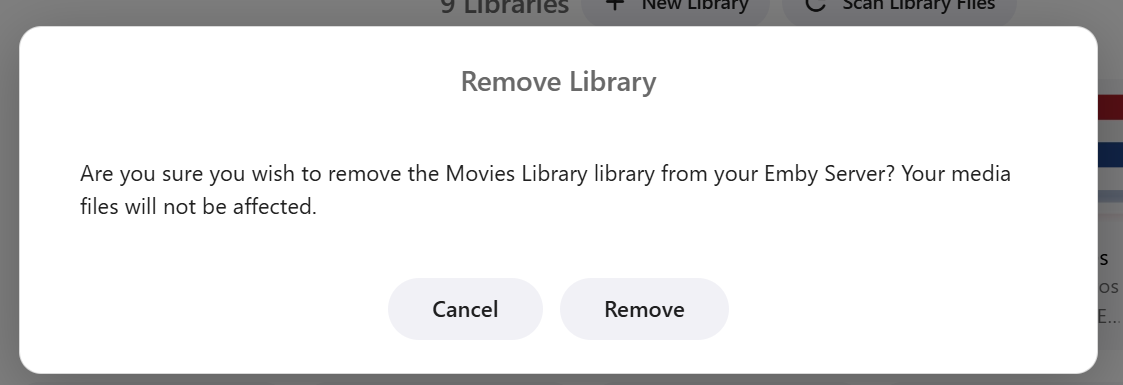
Hi, if you want to remove a library from Emby without deleting your files you should be able to do this from your library settings. Clciking the above Remove option gives a warning prompt and advises that your files will not be removed. As with all software applications/UIs there's a learning curve to finding your way around all the functions and options. Perhaps it's worth experimenting with small test libraries (and keeping backups) so you don't mess up your main media files. Cheers!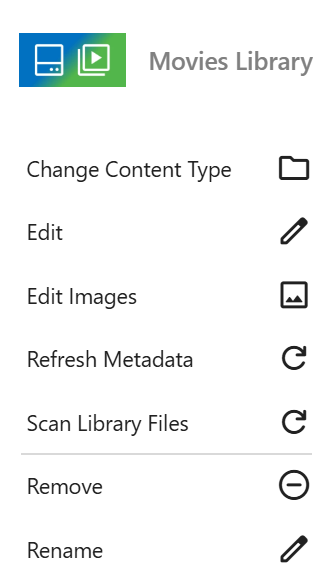
- Yesterday
-
Folder not showing up despite refreshing library and metadata in Emby Server 4.10.1.0
ssybesma replied to ssybesma's topic in General/Windows
Is there anyway to delete libraries without deleting all my files as in my first post? Using Emby is total frustration! Update: After googling, there is apparently no way to delete libraries in Emby without also deleting all your files. -
Folder not showing up despite refreshing library and metadata in Emby Server 4.10.1.0
ssybesma replied to ssybesma's topic in General/Windows
Another example of Emby's screwy behavior is a Windows folder named "Land of the Giants". Emby decided to call it "Scenes from DVD". What's worse I can't override that decision. Emby has a mind of its own.