All Activity
- Past hour
-
 Ramanlaksh joined the community
 -
 Haliyo7 joined the community
 -
Correct
-
 edddu joined the community
 -
So the AI functions are completely optional?
-

Emby Theatre for Windows can't connect to server
spiller37 replied to spiller37's topic in Windows & Xbox
Removing the lan networks and local ip addresses and manually setting up a https connection seems to have resolved the issue. Strange those settings just now started causing an issue after 15+ years of using Emby. LOL. Thanks for the assist. -
I appreciate that AI isn't for everyone. I choose to implement as an optional feature to improve search and discoverability. I hope others will find it useful too.
-
Yes, it is working. Thanks!
-
I actually have Gemini disable on my phone.
-
Emby has yet to fix a major issue that they have had since at least 2018 and that is when you search for something it search all one's libraries not just the library you're in. If I'm searching for something in TV series I only want results from within that library. On top of this if you're in settings and search you only get results from your libraries not from settings.
-
No info on your system or library is sent out if you don't enable the feature. You can also choose to run your own models locally. It was developed with Gemini and it's free tiers in mind though.
-
Also Please check out our remote setup guide: Emby on my Android phone works perfectly on the local network but doesn't work at all outside my home. Could you please help me with that? Let us know if that helps.
-
Hi, did you see this? https://emby.media/thecus-server.html
-
 iinwfv joined the community
 -
 zagaki@gmail.com joined the community
 -

Emby Theatre for Windows can't connect to server
Luke replied to spiller37's topic in Windows & Xbox
do you need to set lan networks and local ip address? Are you able to connect from Emby apps when leaving those blank? Generally I would avoid setting them unless something forces you to. additionally if you've restricted remote access in server network settings, then try enabling it in case that is the reason. -
So it's going to send info out of one's system. Or is that something that can be completely disabled / not enabled?
-
 RahKim212 joined the community
 -
Do you mean a search bar in the settings menu to find a specific setting? It isn't currently implemented but I do like the idea. I use that feature frequently on my Android phone to find obscure settings.
-
 Qwently joined the community
 -
I'm not sure I fully understand the question but the app uses a local search by calling GET emby/Users/{userId}/Items with some some specific filters enabled to limit the types of results. This is the Emby way of searching and will return the same results as the official apps. The LLM enabled search is completely separate and lives under its own Discovery tab. If you don't have the Embrr-Helper plugin installed on the server and the Discovery feature enabled in the plugin, the Discovery tab will not be visible in the app. Think of the plugin as a librarian who has read every movie and series in your Emby library and can understand what you mean — not just match keywords. 1. Building the index (one-time setup, runs in background) The plugin walks through your library's Movies and Series, and for each one it gathers a "summary card" — the title, overview, genres, tags, studios, cast, year, rating, runtime, etc. This is done locally by DiscoveryMetadataExtractor. Then it sends those text summaries to the external LLM/embedding service. The embedding service turns each summary into a list of numbers called an embedding, basically a "meaning fingerprint" of the item. These fingerprints are stored in a local SQLite database that lives alongside the plugin. 2. Searching (when you ask for something) When you type something like "a smart sci-fi movie that isn't too long": 1. The plugin sends your sentence to a LLM and gets back an embedding for your query, the same kind of "meaning fingerprint." 2. Locally, it compares your query's fingerprint against every stored item fingerprint using cosine similarity. No external call is needed for this part, it's all done locally and fast. 3. The top candidates are pulled back from Emby as real items, and the plugin checks each one against your account's permissions and parental controls so you only see things you're actually allowed to see. Played/unplayed filters are applied here too. 4. Optionally, the LLM is asked once more to rank and explain the top candidates — producing human-readable "reasons" like "Thoughtful science fiction, moderate runtime". If the LLM is unavailable, it falls back to pure similarity scores. 3. Guided Wizard (the question flow) Instead of typing a sentence, the wizard asks you up to 5 multiple-choice questions (mood, runtime, genre, etc.). Each answer narrows the candidate pool locally using local tag-filtering logic, and after the last answer (or when you tap "Finish"), it returns the same kind of ranked, hydrated results.
-
 dem@gmail.com joined the community
 -
 Necro47 joined the community
 -
Emby Theatre for Windows can't connect to server
spiller37 replied to spiller37's topic in Windows & Xbox
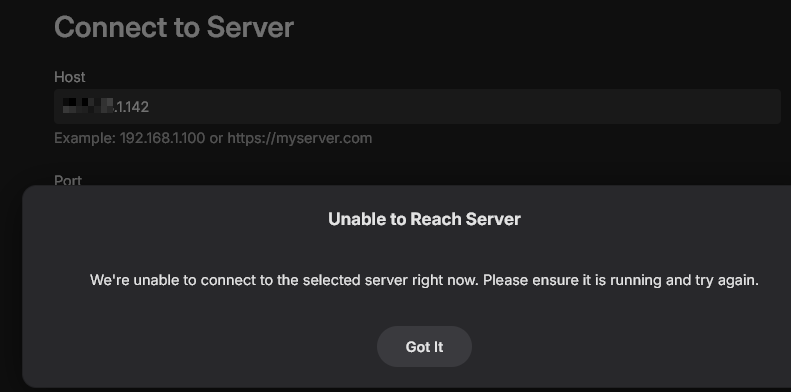
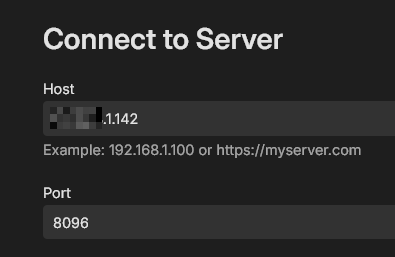
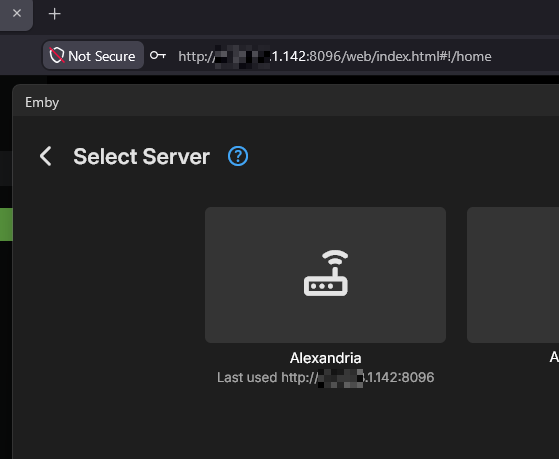
Pretty sure I am entering the address correctly. I have attached some screenshots showing the browser working, manual entry, manual entry error, and the server network settings. Let me know if there is any other info you need. I appreciate the assistance.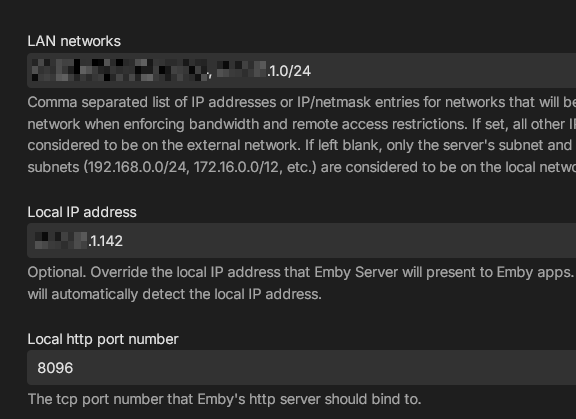
-
 BigMomentGreen joined the community
 -
@user24 I bought Media Monkey maybe 20 years ago before I had Emby. It does some really good things..... Ability to update any field for any set of tracks. Like add a Genre to 500 files by editing that 1 field. I still use it exclusively for music although I have kept to an older version. My video library is 100% in Emby.
-
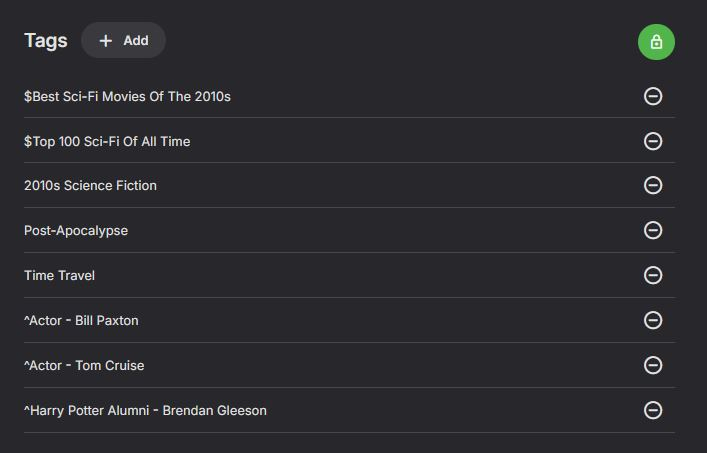
@mwongjayGlad to. I just use the standard Auto Boxsets to populate Collections. I created a few manually but found as I had to move files around for space, they would get lost. The same as Playlists. Nice to have an order but useless to me because they were forever changing. Tags, I use for lists that I find..... Top 100 Sci-Fi, Top 100 Horror. I also use actors I find interesting. I know this duplicates the People section but Tags do not change if you refresh Metadata.I also keep an Excel spreadsheet with what movies/shows I have for a particular actor, but also what ones I DON'T have. Usually the Filmography section from Wikipedia. My setup is 99% manual but I have 100% control of what's there and not there. One drawback I've seen to Collections is I've had a few to completely disappear if TMDB decides a Collection doesn't match their rules. Or if a rumored Part 3 of some movie gets cancelled. Hope I covered what you wanted. EDIT... I keep thinking of things. Another nice things about Tags are they are Global. If there's a list that includes both Movies and TV shows, assign a tag in each and the search finds both and lists them in separate sections.
-

Plugin: EmbyCredits, detect end credits and add auto skip.
yocker replied to yocker's topic in Plugins
This might be fixed in the version i just wrote about. -
Plugin: EmbyCredits, detect end credits and add auto skip.
yocker replied to yocker's topic in Plugins
@Baenwort I made a small change to how skipped files are counted towards progress and how some failed files were not marked right. The change are in the 2.9.1.0 beta in the catalog. -
Please reread my previous post. I edited it for clarity.
-
How about including the link to the APK so we can side load it since the version in the FireTV app store does not like to update.
- 1 reply
-
- 1
-

- Today
-
Issue fixed with update 26.0.30. Thank you.
-
Completely optional. If you don't configure it, it's not available.
-
OK we'll take a look at it. Thanks.
-
Emby Theatre for Windows can't connect to server
Luke replied to spiller37's topic in Windows & Xbox
Are you sure that you're manually entering the correct address?