All Activity
- Past hour
-
 LilahPearson joined the community
 -
 cccna joined the community
 -
Aha, that's the problem. Generally a pretty common util to have, but maybe have to fully qualify the path for it based on the error. I assume it runs the command in the container so if you can get into the shell and find out if it has curl and where it is, the full path might work. It's usually /usr/bin/curl.
-
 Nikcy joined the community
 -
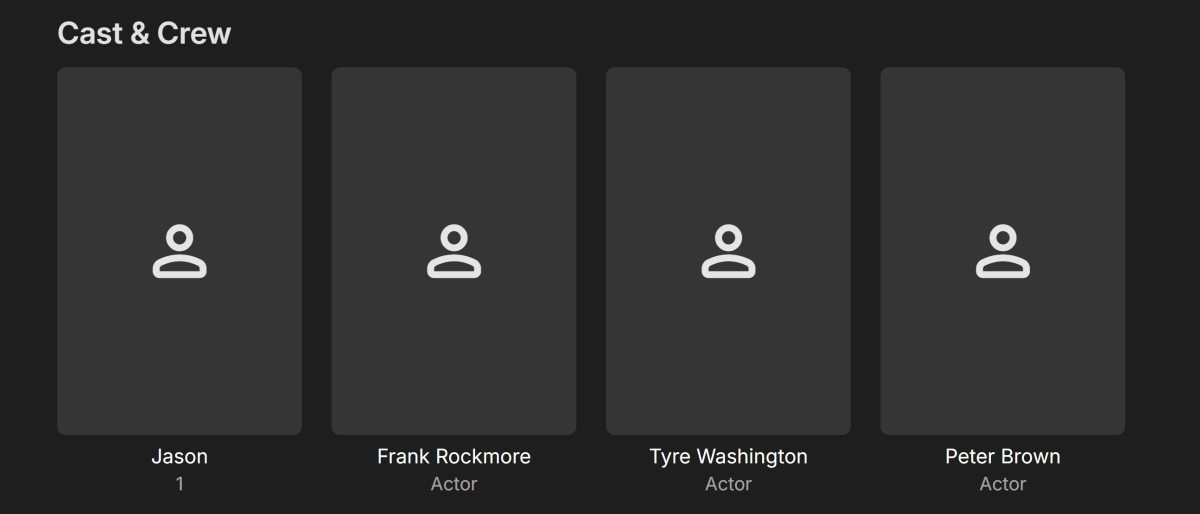
The metadata was imported by *.nfo files. The nfo files were created with "MetaX" software program. As you can see Jason (1) is now listed as; Jason 1 (as the role) Jason's swim race 2020-04-22.nfo
creation.thumb.png.a549b0a11256a1862bf4d97eb03bbdfa.png)
-
 Bet123 joined the community
 -
BLUE2 joined the community
-
 orale6652 joined the community
 -
 willzambrano joined the community
 -
 rochiooo99 joined the community
 -
 adssebps joined the community
 -
 deyiberperalta joined the community
 -
LOL Yeah, it'd probably be a good idea to check that, I suppose. OCI runtime exec failed: exec failed: unable to start container process: exec: "curl": executable file not found in $PATH: unknown
-
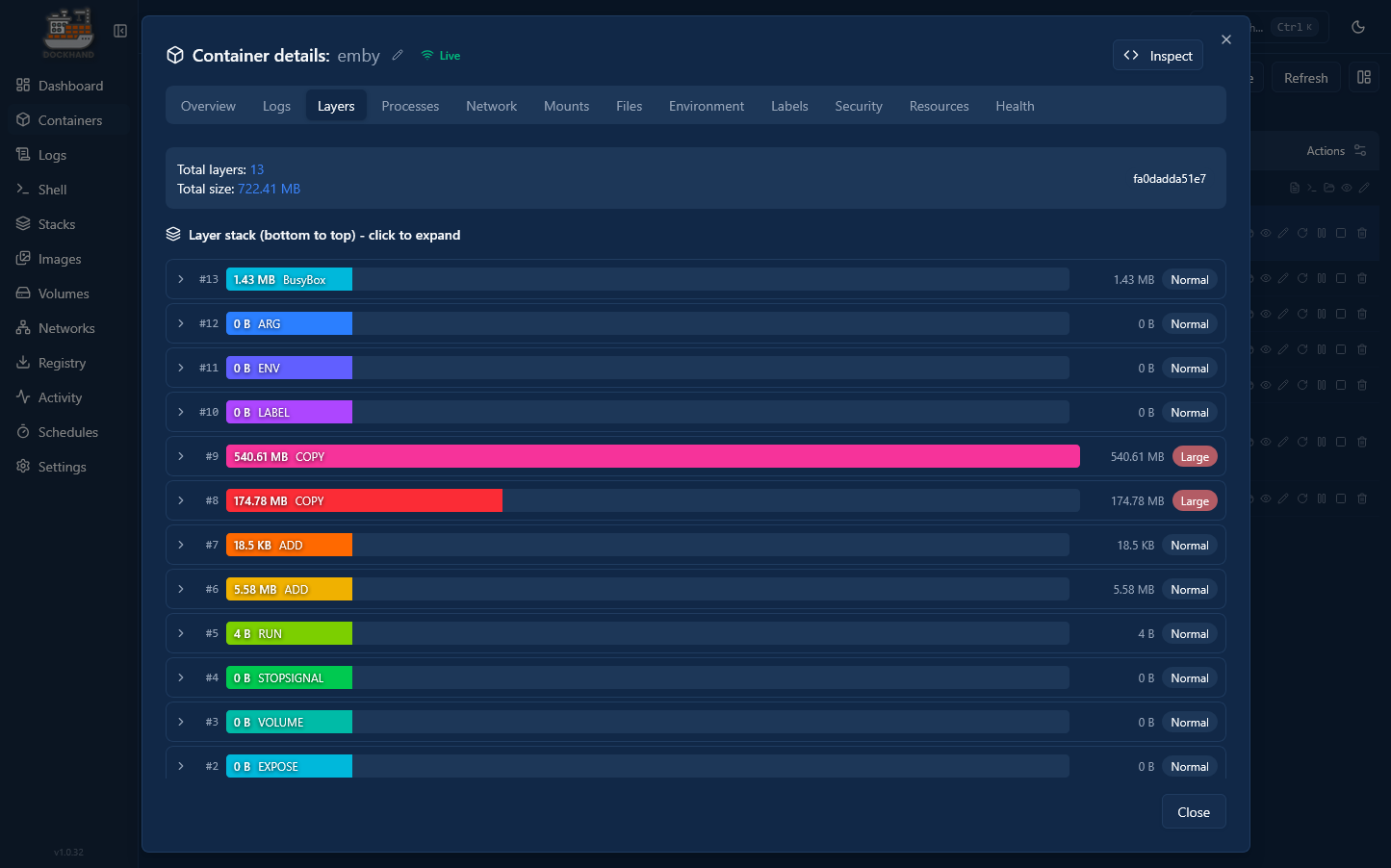
Sorry, not familiar with this tool. What does the Health tab show? I doubt Layers has anything to do with it.
-
Updated with: healthcheck: test: ["CMD", "curl", "-f", "http://192.168.1.100:8096/System/Ping"] interval: 1m30s timeout: 10s retries: 3 start_period: 30s However the issue with the red warning still remains.
- Today
-
I would do the health check as http://xxx.xxx.x.xxx:8096/System/Ping instead.
-

MediaSync - Automated -arr/Emby sync tool, media pipeline dashboard (coming soon)
gbarone123 replied to gbarone123's topic in Third Party Apps
I’m digging into this, but was on the road a few days for work. I released 2.1.4 today. If that doesn’t fix your issues, I’ll have to keep digging. I appreciate the feedback. -

Can we PLEASE!!!!! Take out suggestions at top of search?
nospotify replied to Beardedgrump's topic in Feature Requests
It works the way Luke describes in Web and Android app for me. -
Been through the posts, it's not like you've not tried to solve it haha, bummer, but thanks for trying to solve the duplication. Gonna try adding collections
-
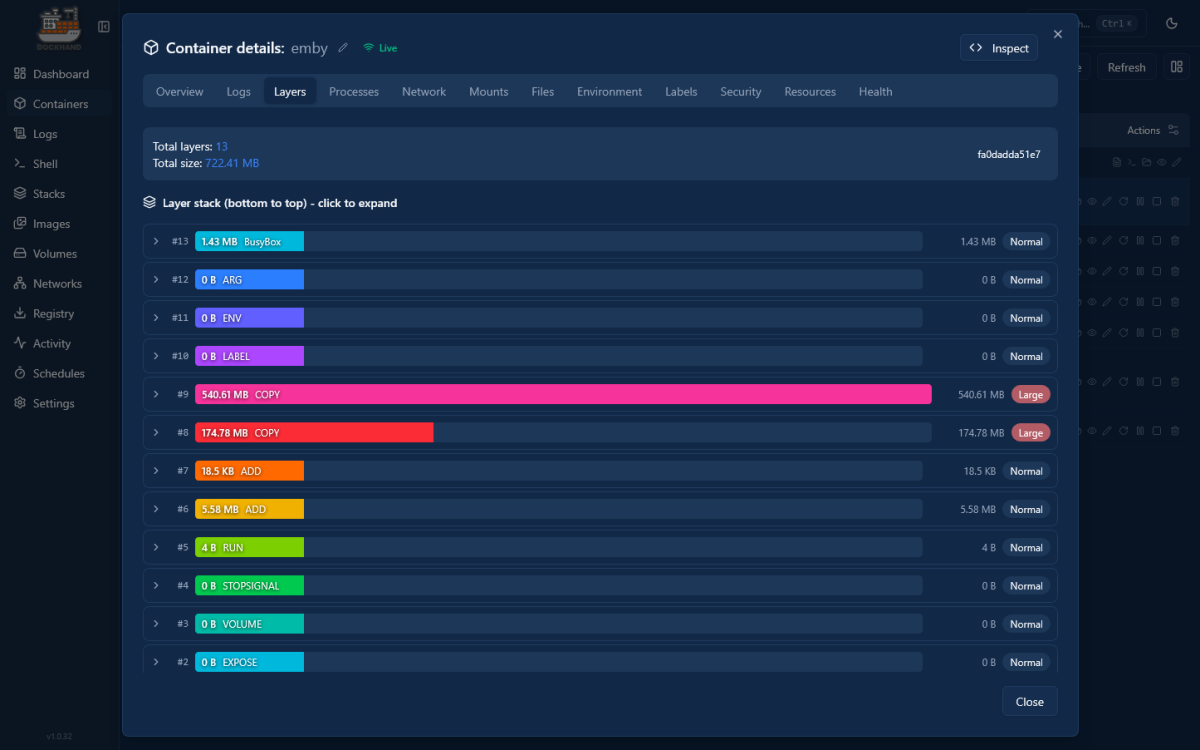
Howdy, folks. Long time Emby user, just migrated to a UGREEN 4800 and have been having a crash course in Docker. I have Emby server up and running, but wanted to add a Health Check statement to the compose file. It seems to be working but I have a red dot indicating a problem. Taking a deeper dive (using Dockhand) I came across this. Could this be the issue? If so, I have no idea how to correct it. I'd be grateful for some help to point me in the right direction. Thanks in advance! services: emby: image: emby/embyserver:latest container_name: emby restart: unless-stopped network_mode: bridge ports: - "8096:8096" - "8920:8920" environment: - UID=1000 - GID=10 - TZ=America/New_York devices: - /dev/dri:/dev/dri healthcheck: test: ["CMD", "curl", "-f", "http://xxx.xxx.x.xxx:8096"] interval: 1m30s timeout: 10s retries: 3 start_period: 30s volumes: # Emby application data - /volume1/Docker/Emby/config:/config - /volume1/Docker/Emby/cache:/cache # - /volume1/Docker/Emby/transcode:/transcode # Shared media (read only) - /volume1/Media:/media:ro

-
Are there lots of apps using D:\Users\garyw\AppData\Roaming Or just Emby Server? I can help you with sorting out Emby. I will assume you sort out other apps by uninstalling / re-installing on C So shutdown Emby Server Copy Emby Server area to the C Drive Copying D:\Users\garyw\AppData\Roaming\Emby-Server to be here C:\Users\garyw\AppData\Roaming\Emby-Server Similarly - if this exists Copying D:\Users\garyw\AppData\Roaming\Emby-InstallLogs to be here C:\Users\garyw\AppData\Roaming\Emby-InstallLogs Then once that is done, change the environment variable for APPDATA to be the default for windows. I do not know how you managed to get it set to be APPDATA=D:\Users\garyw\AppData\Roaming You need to get that value for APPDATA back to the default which would be C:\Users\garyw\AppData\Roaming Once that is done, reboot windows Then with Emby Server shutdown, re-install Emby Server It should now go into the %AppData% area on the C Drive In a command window, you can type in this command to confirm the path echo %AppData% This does not affect Emby Server as it does not get installed there. The environment variables snapshot you sent me shows C being the default for Programs ALLUSERSPROFILE=C:\ProgramData CommonProgramFiles=C:\Program Files\Common Files CommonProgramFiles(x86)=C:\Program Files (x86)\Common Files CommonProgramW6432=C:\Program Files\Common Files ProgramData=C:\ProgramData ProgramFiles=C:\Program Files ProgramFiles(x86)=C:\Program Files (x86) ProgramW6432=C:\Program Files PSModulePath=C:\Program Files\WindowsPowerShell\Modules;C:\WINDOWS\system32\WindowsPowerShell\v1.0\Modules There is one env variable relating to a program on the D drive MOZ_PLUGIN_PATH=D:\Program Files\Foxit Software\Foxit PDF Reader\plugins\ I will leave it to you to sort these applications. My advice is to stick to windows defaults - so if the C Drive is the home drive then uninstall everything that is on the D drive and re install on C
-
I think I reported this 2 years ago. I can't believe this is still an issue. Maybe we'll get more attention on it now. Glad you reported.
-

MediaSync - Automated -arr/Emby sync tool, media pipeline dashboard (coming soon)
Eigeplackter replied to gbarone123's topic in Third Party Apps
Feedback: With new v2.1.2 still says Radarr needs to be updated (with older version than installed) and tv shows still named movies and counts 0. -
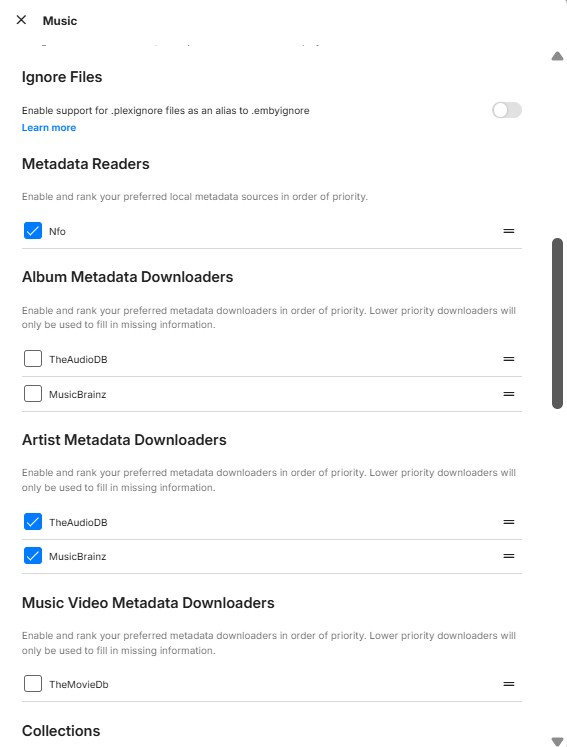
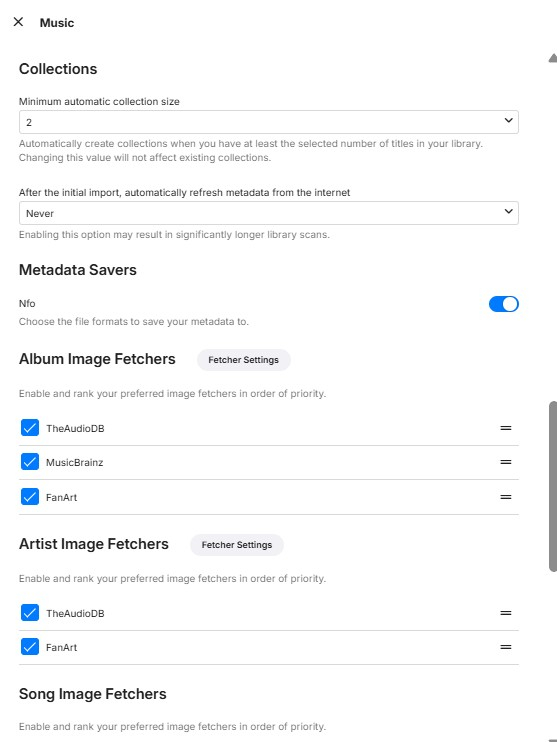
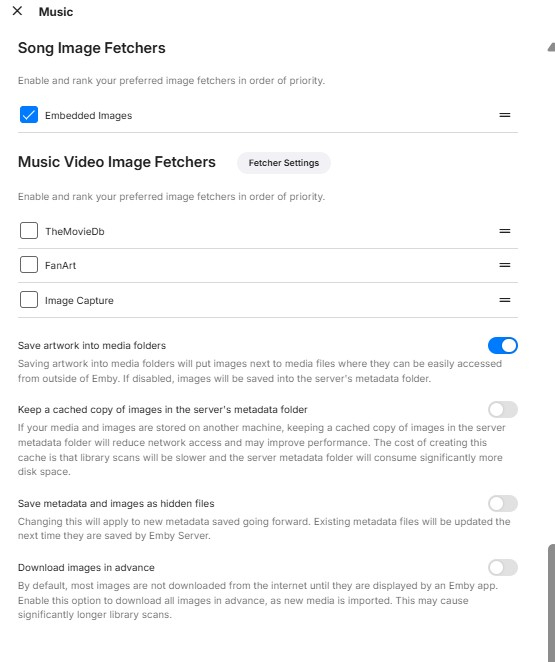
@LukeSee below. And as an extra data point for you, .nfo files for each of the albums have not been created in the file structure since deleting the earlier ones and doing the Emby dance described above. Then I turned off Artist Metadata Downloaders, but same problem. Where the heck and why is Emby still retrieving MusicBrainz Album ID, only at the album level?! It is not in each mp3 file's metadata in either MP3Tag nor in each file's individual metadata in Emby, just at album level and screwing with user-defined year metadata.
-
I have a Playlist that has a verified 3,009 unique items. This number is seen on the Playlist screen before starting it. Once started, the Playlist total is only 1,000 in the bottom right corner. Is this a limitation of the Playlist, a limitation of the interface or something else? Thanks in advance for you input.
-
Thanks. I have checked and Appdata would fit. Does that mean that Program Files and Program files (X86) on D:\ would also move? They could fit also. I'm not sure of the steps to accomplish that.
-
@Guderian es una pregunta tonta pero ¿porque usar la aplicacion de Microsoft store?, llevo varios años usando la creada para mi television o firetv y de lujo, lo pregunto porque nadie te lo ha hecho, y lo mismo es por un fallo de la aplicacion, un saludo.
-
I'm sorry I didn't pay attention to the version it was developed on. I tested in 4.9.5.0, so it seems it doesn't work on latest stable
-
Thank you I have looked at the environment variables and it is a mix of C and D with most on C I would say this is an unsupported environment Have a look at the mismatches with some env variables going to C and some going to D APPDATA=D:\Users\garyw\AppData\Roaming HOMEDRIVE=C: HOMEPATH=\Users\garyw LOCALAPPDATA=C:\Users\garyw\AppData\Local TEMP=C:\Users\garyw\AppData\Local\Temp TMP=C:\Users\garyw\AppData\Local\Temp USERPROFILE=C:\Users\garyw Is your C Drive now big enough for you to go back to C Drive for the %APPDATA% area? Or switch everything to the D Drive ?
-

Best path for cleaning up duplicate People profiles / folders?
Smitty018210 replied to Smitty018210's topic in General/Windows
Yeah, work on different browser and in incognito. Thanks for the heads up! -
Thanks for the help. At one point this computer had a very small C:\ (SSD) so a couple of years ago I tried to have some programs on another drive (D:\). I have since had someone replace the C:\, so thought I would try to get Emby back on C:\ as it was having issues. That's what started the thread. I have forwarded the requested file. Thanks again.
-

Best path for cleaning up duplicate People profiles / folders?
Lessaj replied to Smitty018210's topic in General/Windows
Try hard refreshing the web UI, disabling cache with Dev tools, use incognito or another browser. I remember it didn't appear right away, something with cache. -
Best path for cleaning up duplicate People profiles / folders?
Smitty018210 replied to Smitty018210's topic in General/Windows
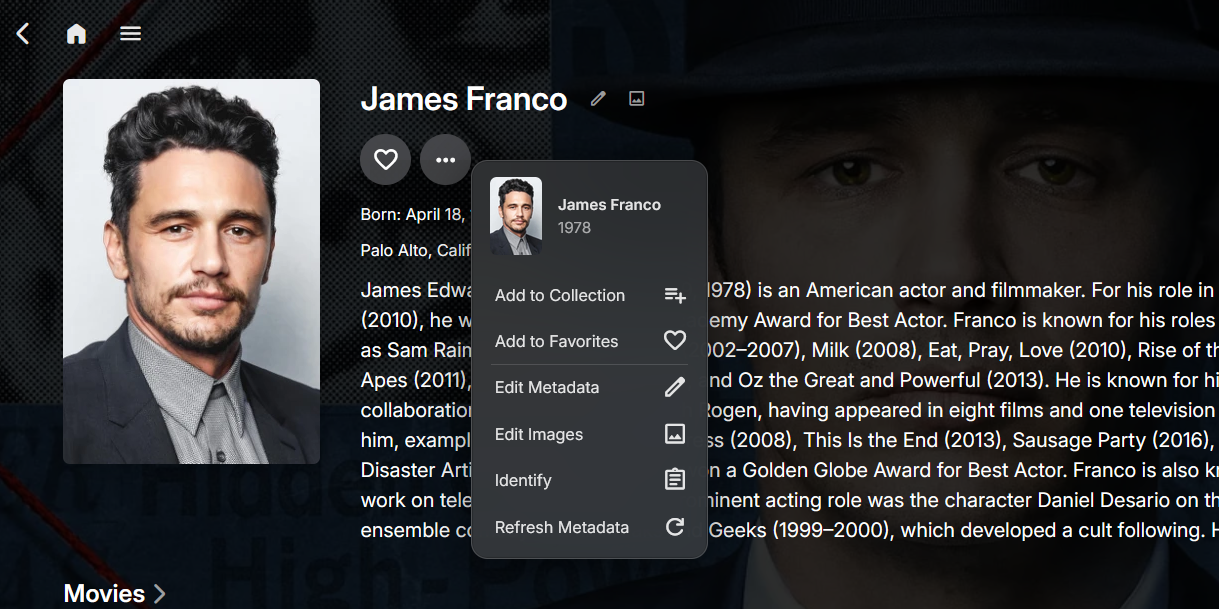
I installed this plugin, but I do not see explore item detail option.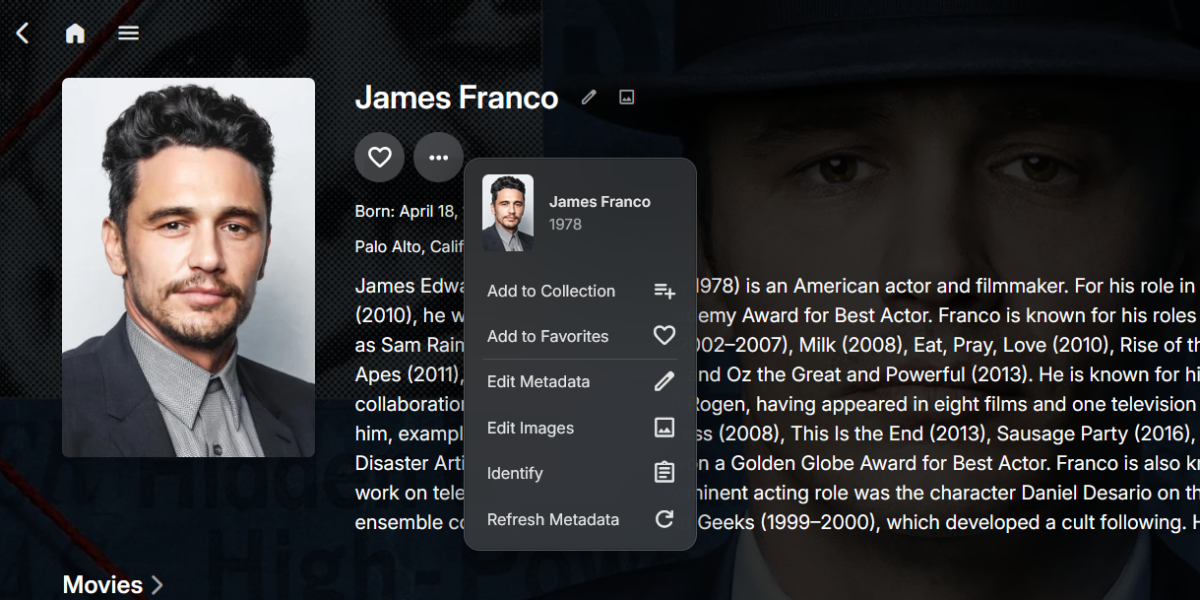
-
Not on first account use, but on a clean install. You should see it if you uninstall and reinstall.
-
Hello, thank you for sharing this. The plugin settings doesn't seem to have vertical scroll bars, my screen is just 1600x900, so I can't scroll to the bottom of the settings page to see all the settings and the save button.

creation.png.4a30592fc7685beabd4e5b233193bc52.png)