All Activity
- Past hour
-
 Yan paul joined the community
 -
 VFX_Fan joined the community
 -
 Rocky90 joined the community
 -
 renato6 joined the community
 -
 Don8821 joined the community
 -
 Gaby ❤️ joined the community
 -
 Abo fisal joined the community
 -
 liliana67 joined the community
 -
 NatalieRanger joined the community
 -
Is there a way to remove the chapters generated from this plugin?
-

Option: Sign out all devices after password reset
ebr replied to Khalixi's topic in Feature Requests
Having said that, this is still a valid FR because it could be useful to sign out all logged in devices as a user. For instance, you signed in at an AirBnB and forgot to sign out. -
Option: Sign out all devices after password reset
ebr replied to Khalixi's topic in Feature Requests
No. You just need to ask them to change the password on your local user account on their server. This should invalidate all logged in sessions. The server owner should be a friend or family member. Yes, because it will eliminate this dual login that we have now. It will take a bit of time. -

Option: Sign out all devices after password reset
mrbobdobolina replied to Khalixi's topic in Feature Requests
Here is a scenario that I myself went through a couple of days ago. I am a Emby Connect user with whom someone has shared their server. I had changed the password that I use to log into the Emby app in a web browser, mobile devices and TV streamer. However after this password update, the devices on which I had previously logged in did not prompt for the new password. They remained signed in as normal. There is currently no way under my account for me to trigger a sign out of all devices, nor can I even see where/on what devices I am logged in. As I understand it, I have to reach out to the server owner and have them look on their server for devices logged in under my account and kick them off. Is this correct? If so, I think this is what OP is really driving at. An account user should be displayed a list of devices on which their account is logged in and allowed the option to sign out of them without need of contacting the server owner. Will these "new, better login methods" resolve this particular issue? - Today
-
Hi. What problem are you having? You have logged in here so this account should be fine.
-
Add "Remove Identification" (the same way media has) for People
ebr replied to Lyfesaver's topic in Feature Requests
Yeah, its really amazing sometimes how our brains just decide to ignore things right in front of us. Happens to me all the time. No worries. -

Add "Remove Identification" (the same way media has) for People
Lyfesaver replied to Lyfesaver's topic in Feature Requests
I did not even see that. Thank you for pointing out me overlooking the obvious I did not pay attn, thats on me (as usual) thanks y'all -
6
-
Add "Remove Identification" (the same way media has) for People
ebr replied to Lyfesaver's topic in Feature Requests
The NFO file you showed above has the Director Kevin Smith's tmdb etc. IDs in it... -
Sudden reboots when attempting to play sounds like a possible power supply issue. I would swap to a known good power supply and try it if you can't measure the output voltage. Sometimes the power is enough to run the device until it gets stressed and then the device fails.
-
Yep my friend install Emby Android and solve ! Thank Hispa
-
Add "Remove Identification" (the same way media has) for People
Lyfesaver replied to Lyfesaver's topic in Feature Requests
Because I really cant think of what else it could be. I mean, the only players here are Emby and the plugins. My NFO files cant dictate which person to match it to, right? -

Introducing Traxx, an Android music app built for Emby music libraries
LongMan replied to Hauzz's topic in Third Party Apps
Understood. Thanks for replying -

Add "Remove Identification" (the same way media has) for People
Luke replied to Lyfesaver's topic in Feature Requests
What makes you think Emby is doing that? -
Option: Sign out all devices after password reset
ebr replied to Khalixi's topic in Feature Requests
That ID and PW are managed by this forum software, not us or your server but changing the local password should do what you want. We're working on new, better login methods that should make this moot. -
Hi. The player is not able to play the content even when transcoded for some reason. Can you try searching for our standard android app (Just "Emby" on Amazon and "Emby for Android on Google) on the same device's app store and see how that compares? Thanks.
-

Option: Sign out all devices after password reset
Khalixi replied to Khalixi's topic in Feature Requests
So by using emby connect login user cannot disable device access, That’s why I’m requesting this feature so it would be logged off and request the new password -
Option: Sign out all devices after password reset
ebr replied to Khalixi's topic in Feature Requests
No. If using Connect, he would still use his normal Connect credentials. -

Micro-stutters with 25 FPS content on Apple TV Emby app
AJV20 replied to SultanOfTux's topic in Apple TV
Go to the AppStore and update it -
Add "Remove Identification" (the same way media has) for People
Lyfesaver replied to Lyfesaver's topic in Feature Requests
I am not sure I understand what you mean? Kevin Smith was a cornerback for the Cowboys in the 90s and he is not the same actor/director Kevin Smith seen in the image. My NFO file has him as an "actor" (seen below) And Emby is matching/identifying him as the actor/director, not me or my NFO file. It has to be Emby doing name based lookups, what else could be doing it? I suppose it could be a plugin I have, but I am unable to identify which one it might be. Might you be able to point it out? Plugins installed: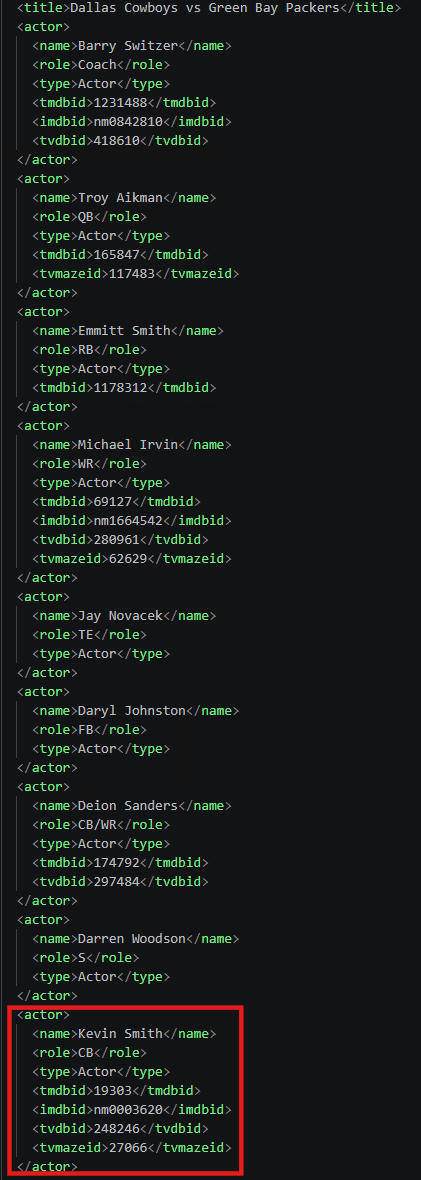


-
Here logs ffmpeg-transcode-cb39b20b-cb51-4d05-90a8-509ab6896a08_1.txt ffmpeg-directstream-794bdaec-49a7-4001-9736-4133b29f5188_1.txt ffmpeg-transcode-6f075e4e-ea1c-4748-994f-cb8c22be3930_1.txt ffmpeg-transcode-05751670-b63f-40a4-b586-ae4593b46c6f_1.txt embyserver (1).txt
-
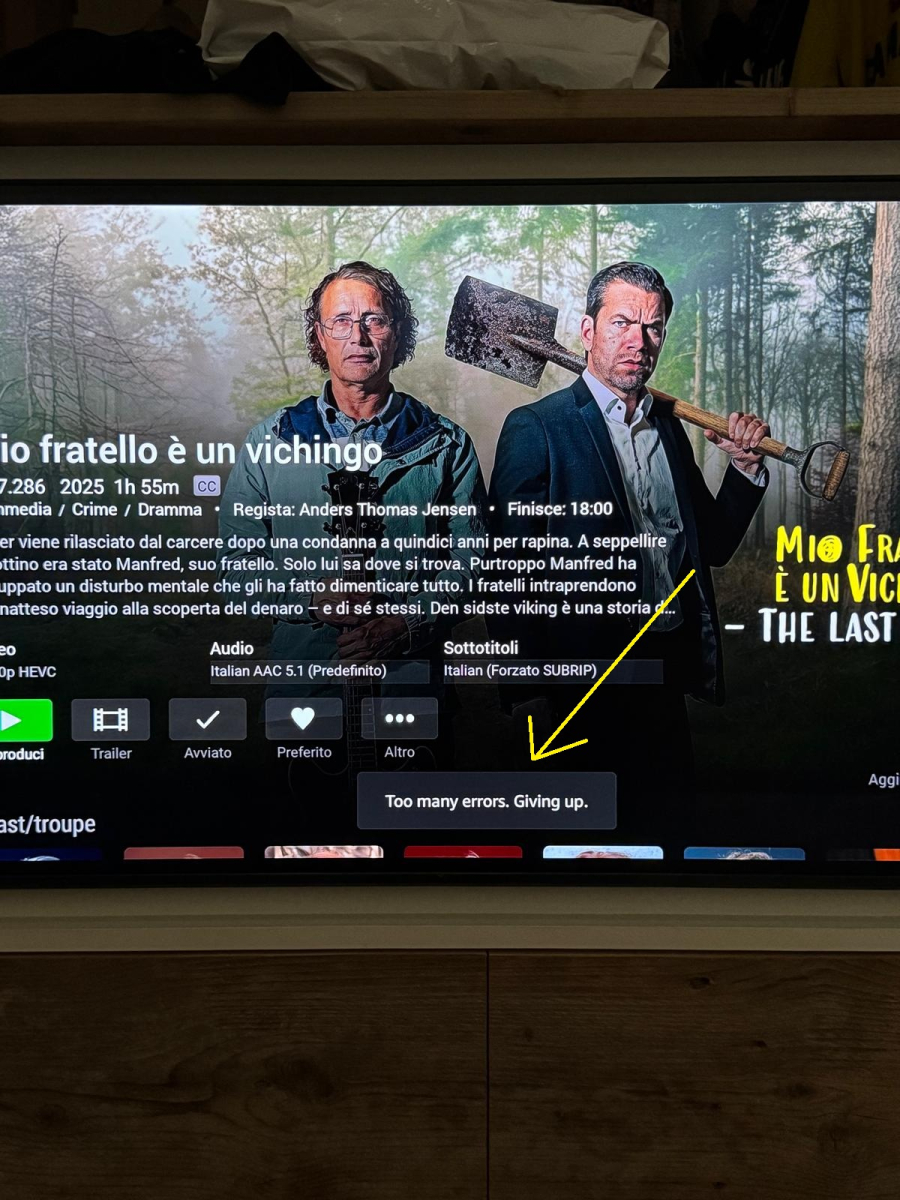
No for all movie look. With Netflix and Amazon ...no problem !
-
Option: Sign out all devices after password reset
Khalixi replied to Khalixi's topic in Feature Requests
Im not doing it for anyone he’s doing it for his account and reported that he can’t git red of device that has access after having a local password if he signs in through emby connect portal it would ask for his local password as well ? -
Are you running with `-it` or non interactively? If running with `-it` you should omit the `t`, it was never supported by s6, and outright stopped working in v3 [0]. Running without `t` will properly catch CTRL+C and stop the container. If running non-interactively, right now `podman stop` will ultimately resort to SIGKILL indeed, just fixed that behavior and the next image should stop immediately. [0] https://github.com/just-containers/s6-overlay#terminal-support
-
Option: Sign out all devices after password reset
ebr replied to Khalixi's topic in Feature Requests
Okay, so how are you doing that for one of your users? You know their Emby Connect credentials? Those credentials are intended to be managed by the end user, not the server admin. They should be able to change their password without consequence. If you wish to invalidate their connection to your server, simply change the password on the local user account on your server. That should invalidate all access tokens.