All Activity
- Past hour
-
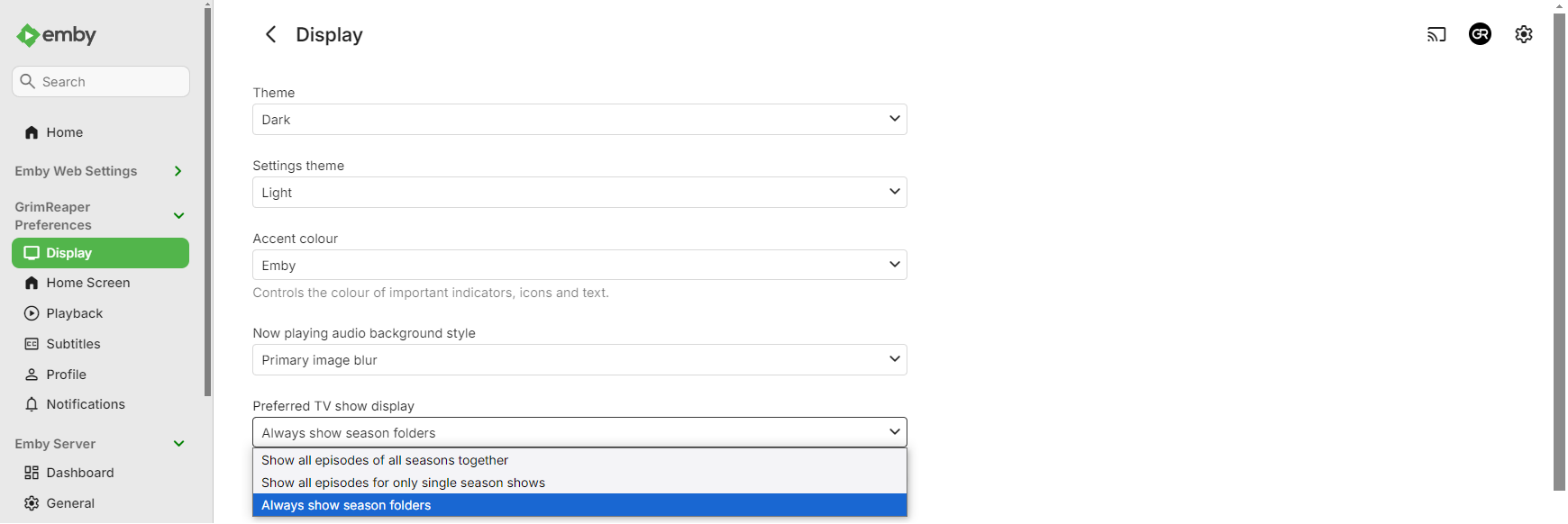
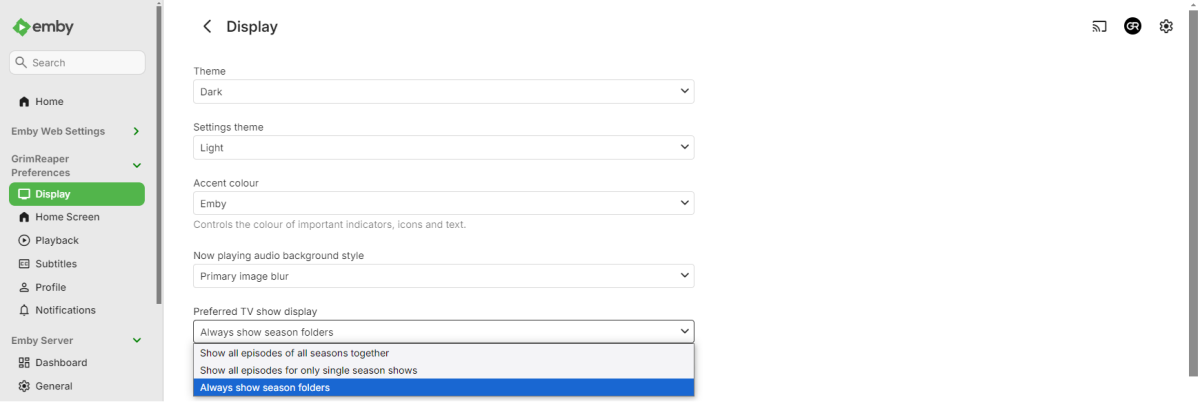
I would assume (as per your screenshot) you want to change the image for a season, not episode: Select "Always show season folders" under your user's Display preferences.
-
 Blancagutigallehorus joined the community
 -
 Blancaghorus joined the community
 -
 Hankzhang joined the community
 -
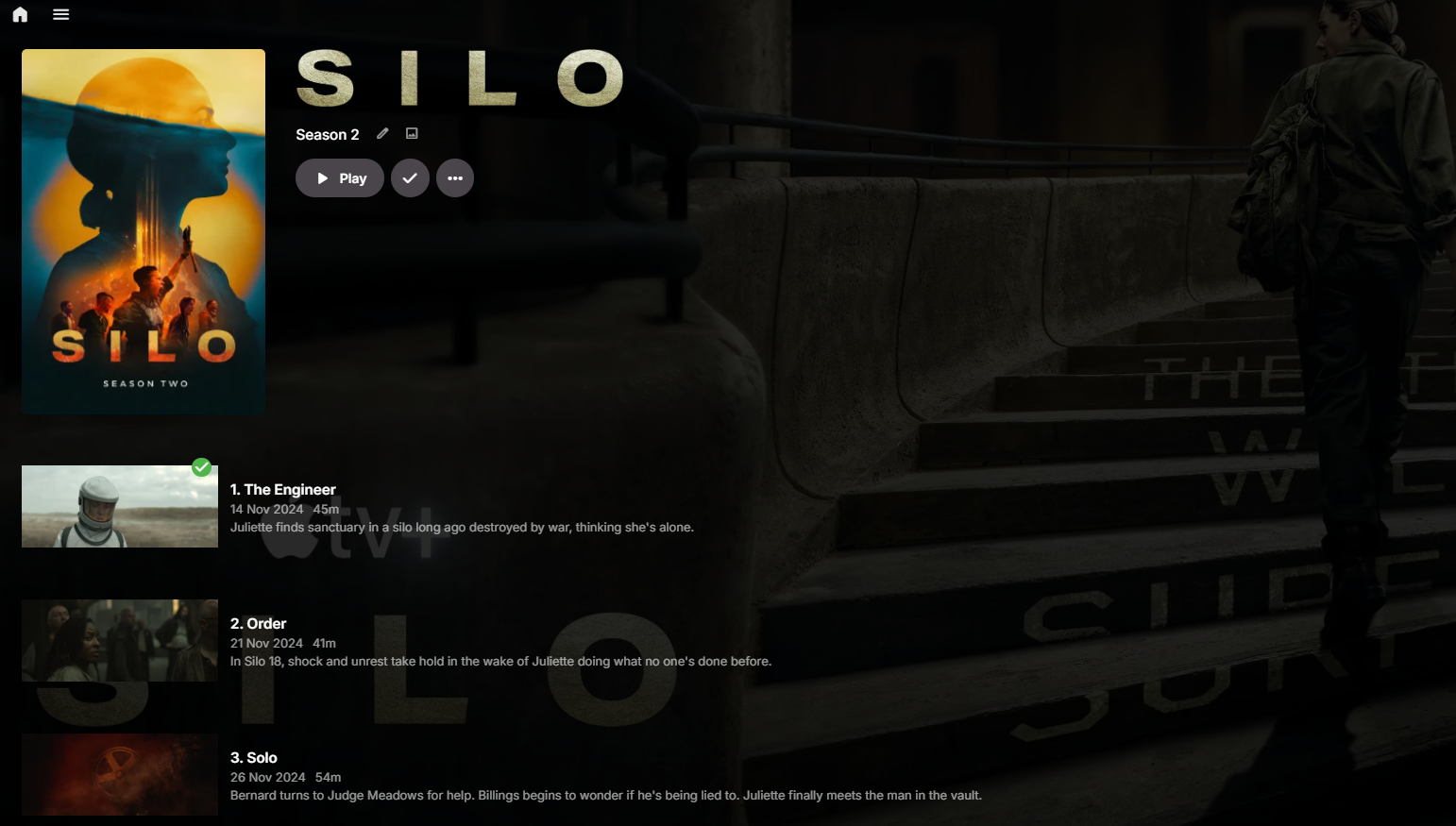
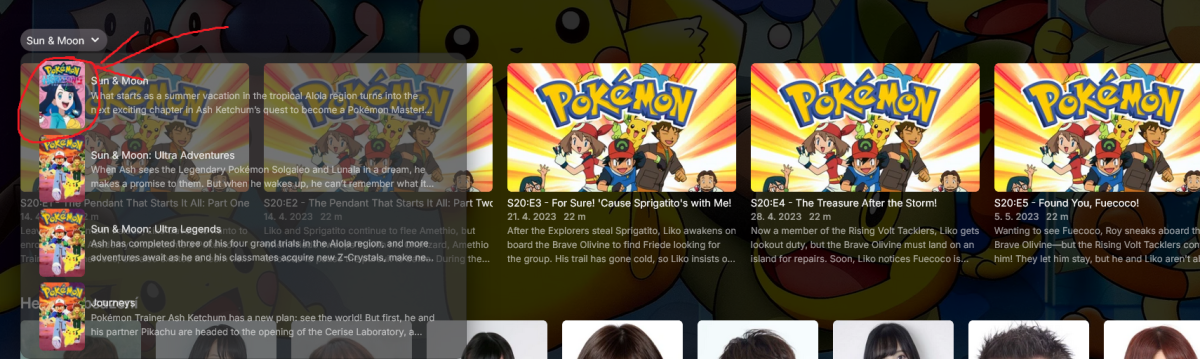
Thank you, I got it working! However, I need to change an image. I used to use an older version of Emby, where each episode had its own image that could be easily changed. Now I'm using a newer version, and I only see small thumbnails and the list view. Where can I change the image for an episode? Thank you.
-
Hi. Your issue is completely unrelated to the one in this topic. Thanks.
-
I don't see anyting of note in your log.
-
-
Hi. Please play a problematic item for several seconds and then follow the instructions to send a log from the app?
-
 Victoria1234 joined the community
 -
-
 yuyuyu625 joined the community
 -
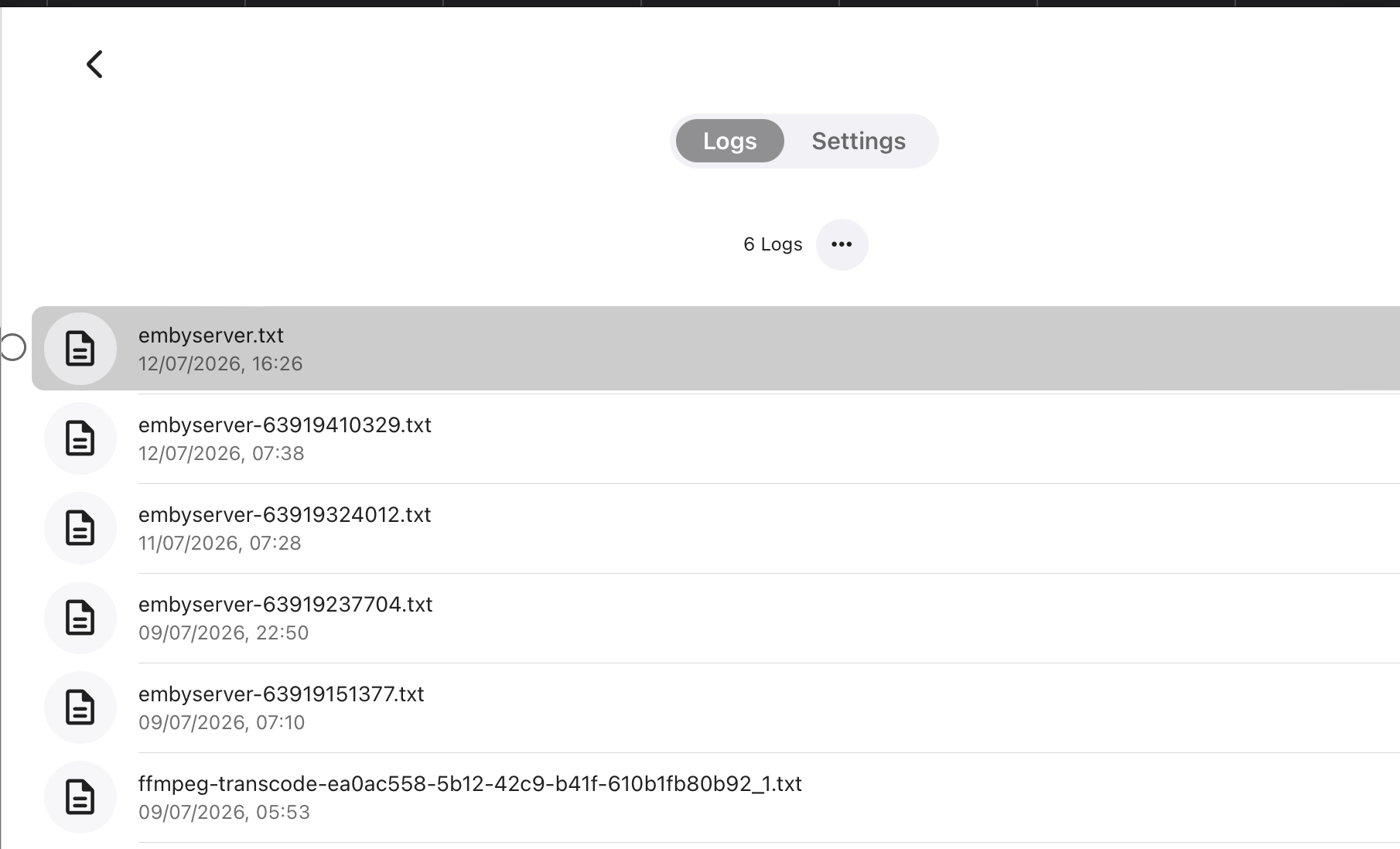
This should have some upload logs in it as an example.. I can't go back further than a few days? I can't see where this option is? " Show all episodes of all seasons together" embyserver-63919237704.txt
-
 Shoval1993 joined the community
 -
 Kkkjjjqqq joined the community
 -
 hijacker joined the community
 -
 yjz@yjl joined the community
 -

[Trakt plugin] Since June 13th 2025 the plugin is duplicating or multipiyng the number of plays.
Luke replied to Drift3556's topic in Plugins
Hi there, please attach the Emby server log from when the problem occurred: How to Report a Problem Thanks! -
Ideally, Emby should know when EAC3 is not supported and turn on audio transcoding. That is a good issue to get right. The problem of playing back EAC3 directly for different players, TV Apps and workstations is a separate issue. Here is an example of a solution to try to get that to happen. https://github.com/cjw1115/enable-chromium-ac3-ec3-system-decoding From search results: https://duckduckgo.com/?q=CHrombook+computer+EAC3+audio+error&ia=web
-
That would be helpful. Thanks.
-
 rvdaart joined the community
 -
Some Help on Media Sorting With Genres vs Tags
Luke replied to snowypete's topic in Non-Emby General Discussion
Yes makes sense. -
I don't have it set up for episodes, I have it set up for movies, and it works. I don't have it filtered by play state, maybe that's causing issues?
-
v0.9.2.0 Status badge now reflects the release type: IN CINEMAS, ON DISC (physical) or DIGITAL. New setting to place the status badge in any of the four corners Haven't tested it myself yet; feedback welcome ComingSoonPlugin.dll
-
Yes, that sounds sensible; I’ll have a look at it btw do you use Seerr as well? @sh0rty
-
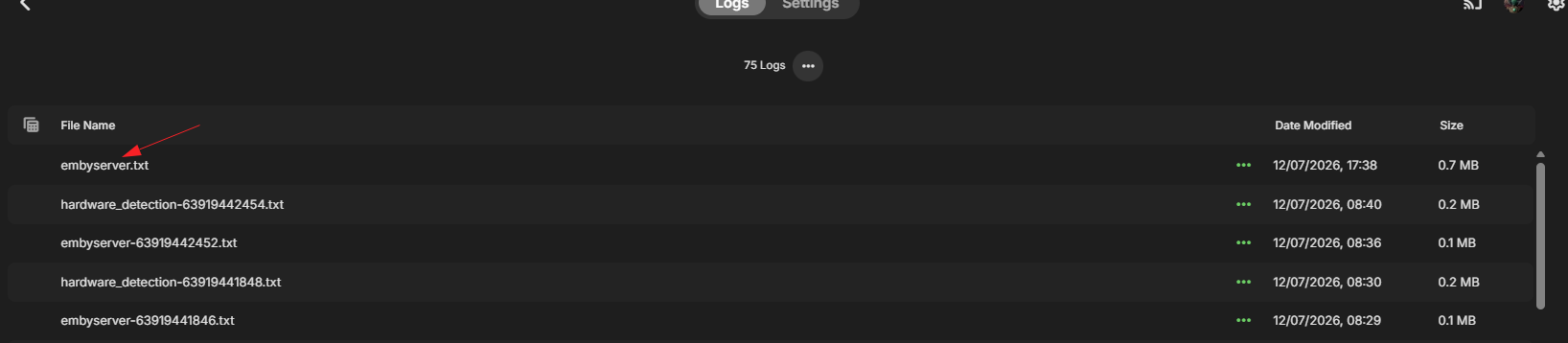
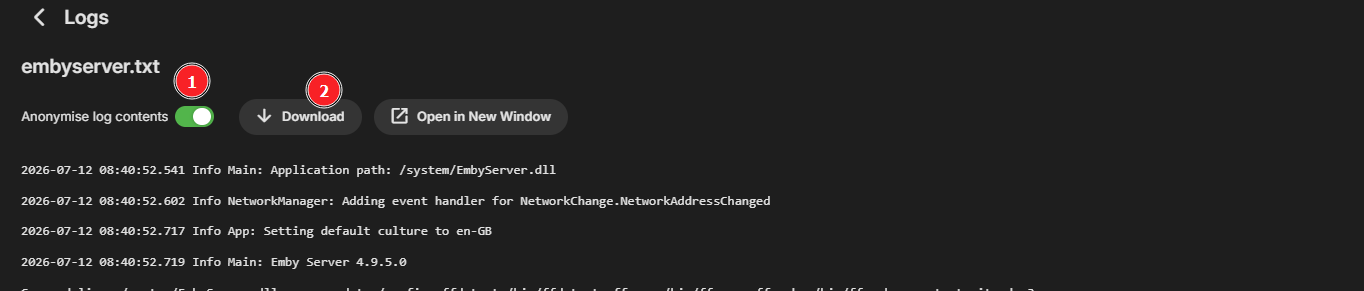
Anyways click the logs that is with in the time span. Then you should see something like this. Click 1) then 2) and upload to forum ( drag 'n' drop )
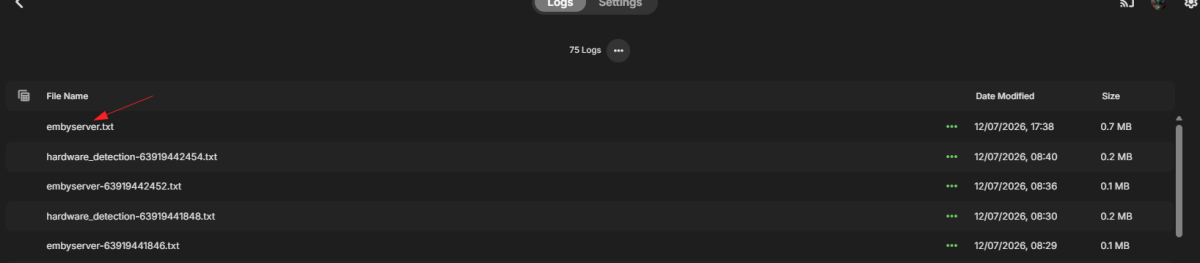
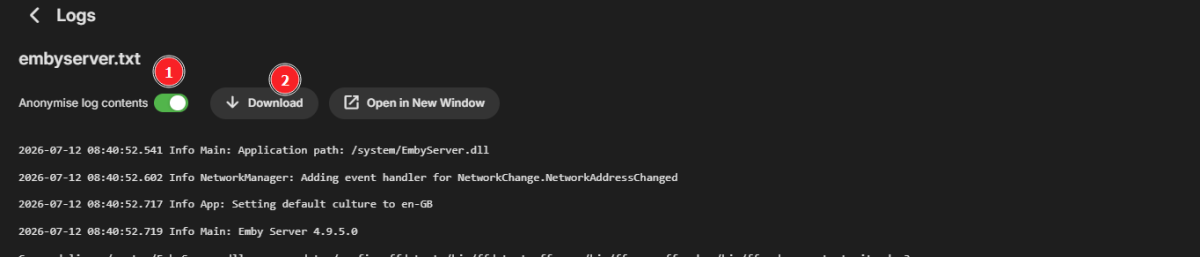
-
Try this first It look like some weird cache issue.
-
Very odd.. mine aren't too dissimilar and as I say it was working before and just seemed to stop? Movies all work ok using the naming conventions. Server logs wise... help me out haha... I don't have any historical logs? How do I get them?
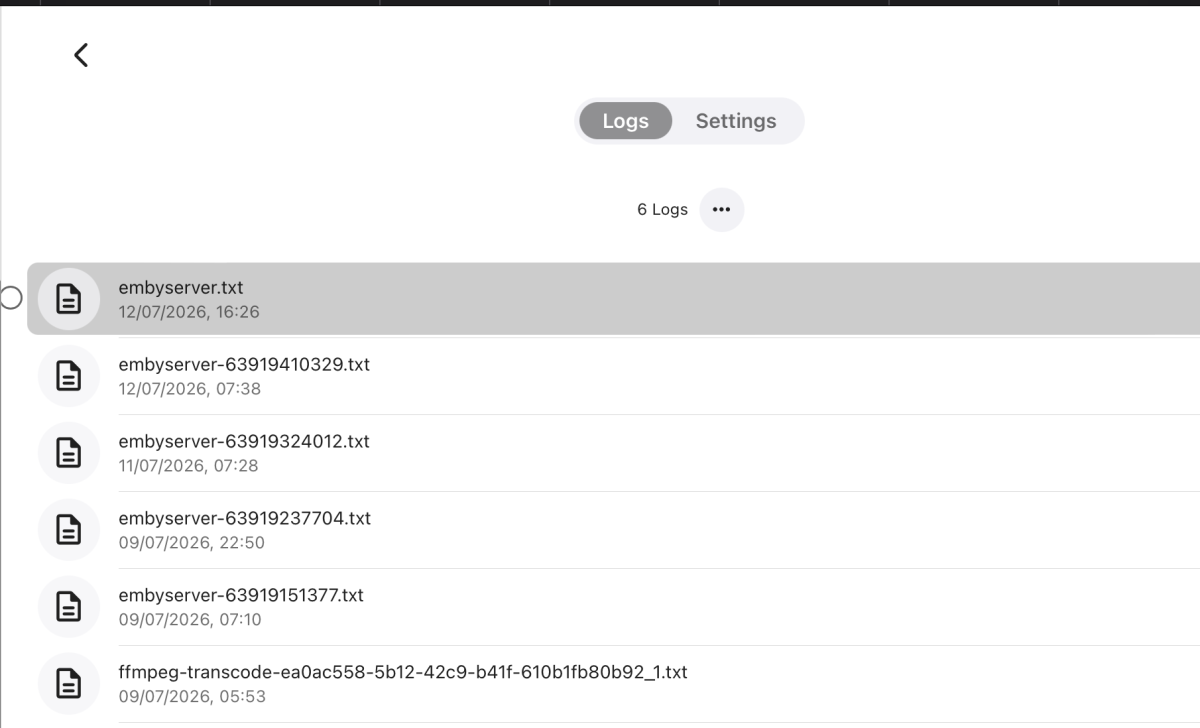
-
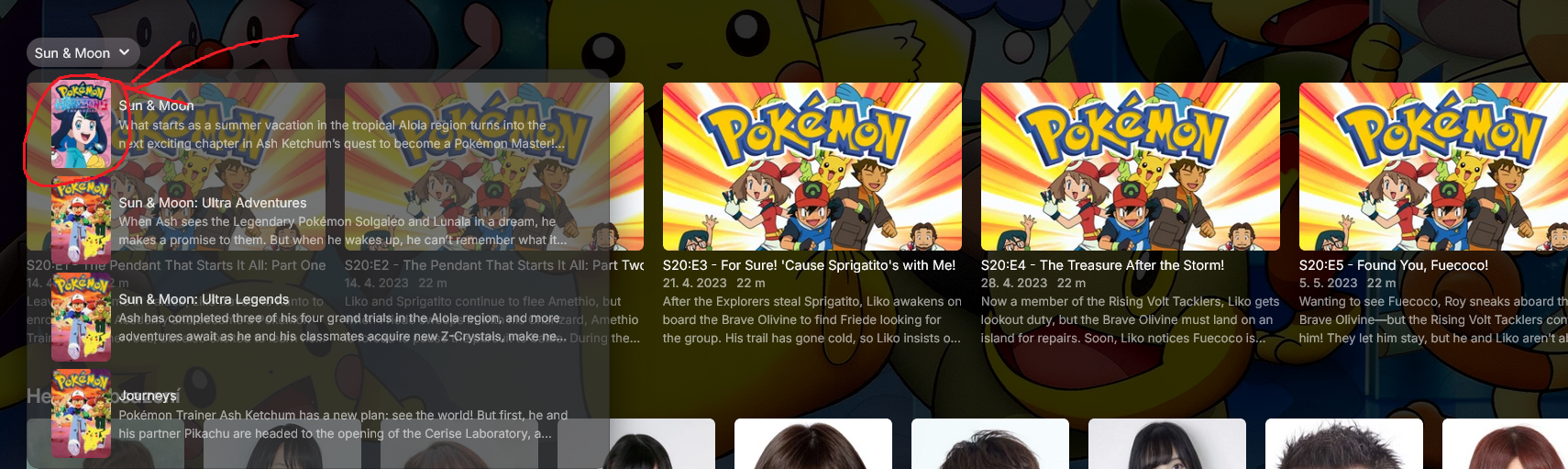
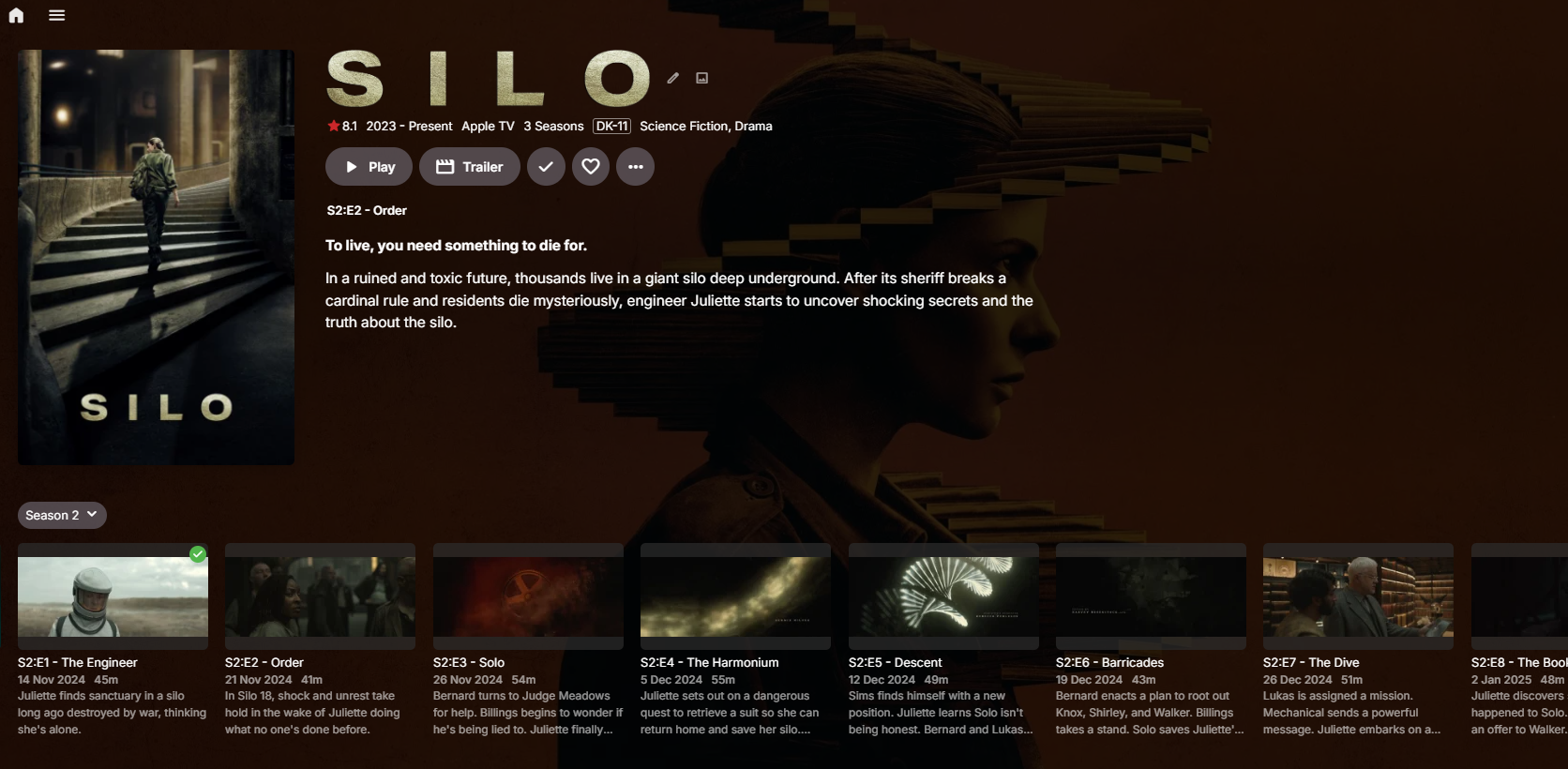
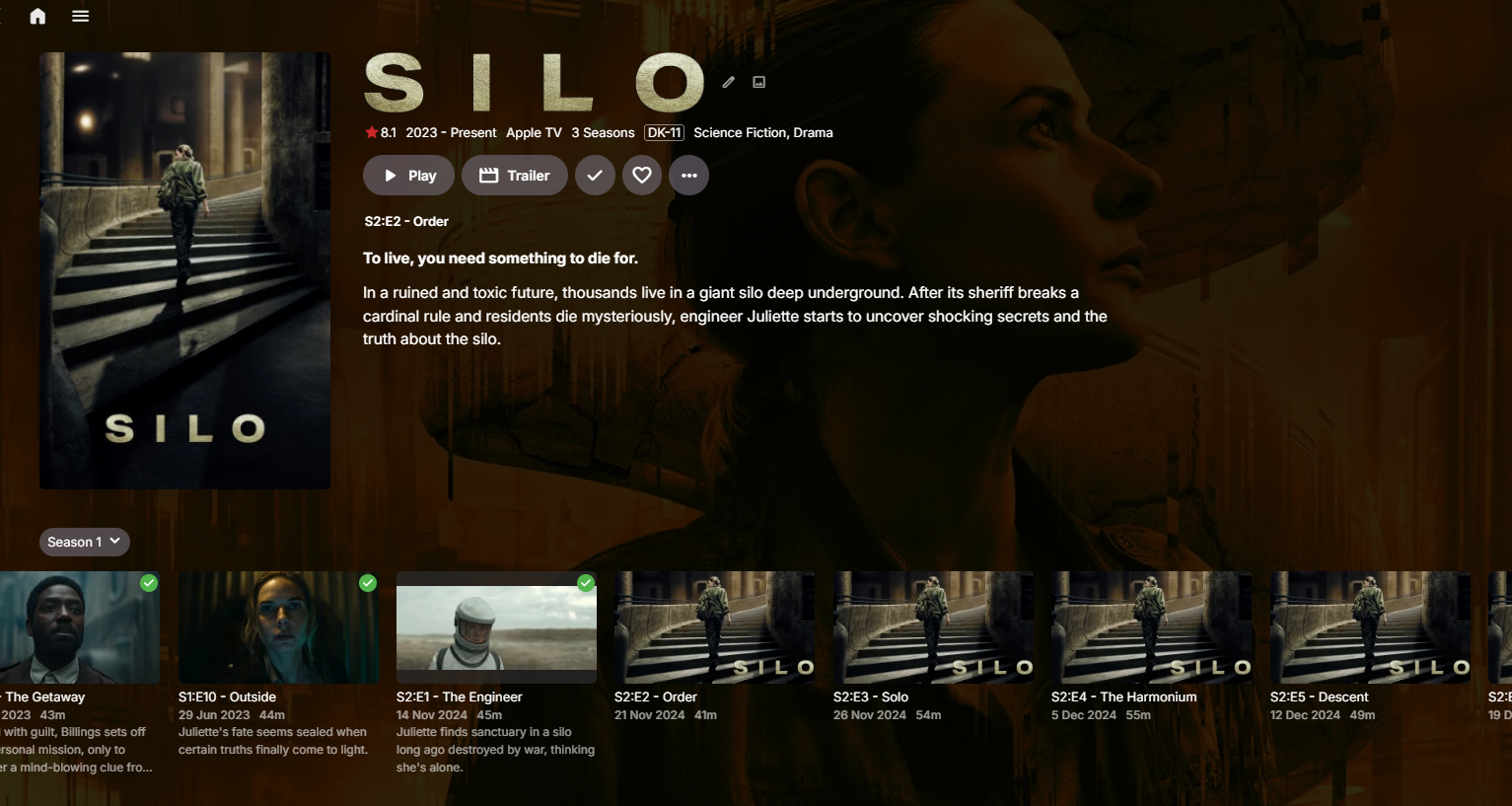
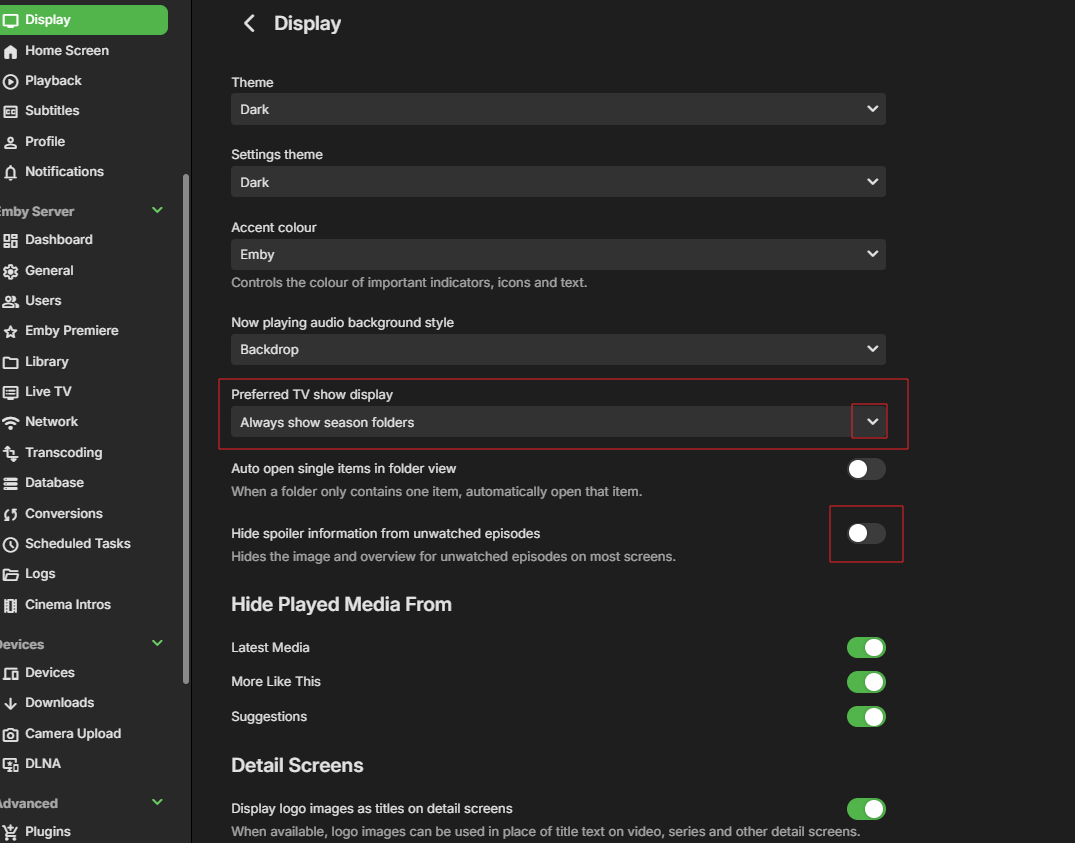
Ok With " Show all episodes of all seasons together" ticking hide and unticking hide I now see this.
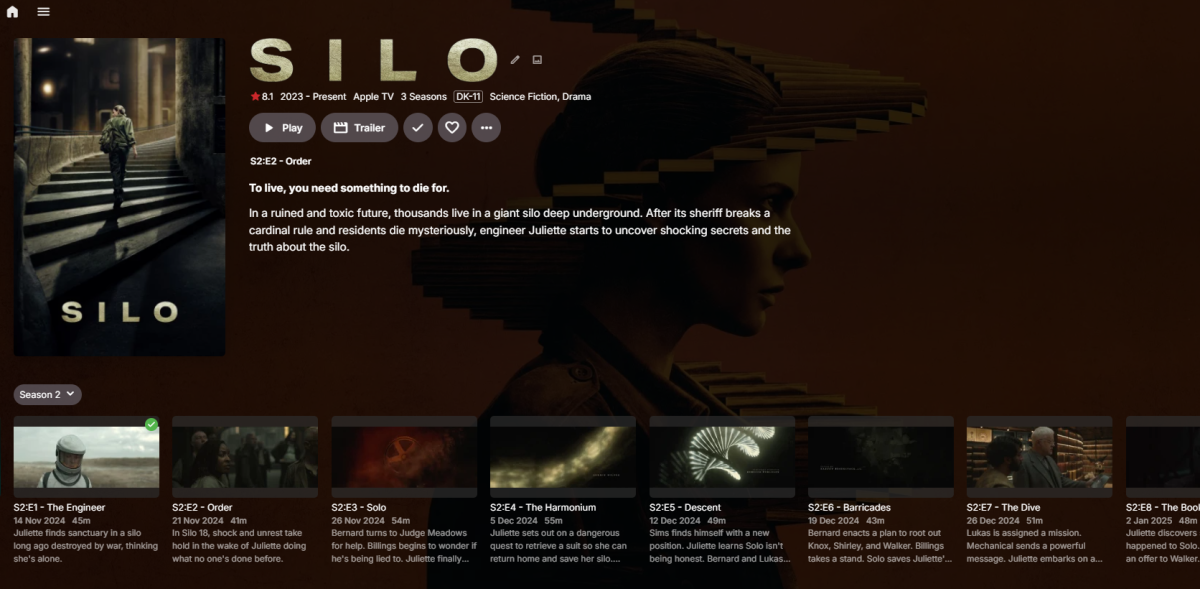
-
I guess that a bug. I'm seeing the same now. With " Show all episodes of all seasons together" With out that and set to "Always show season folders" I see this.
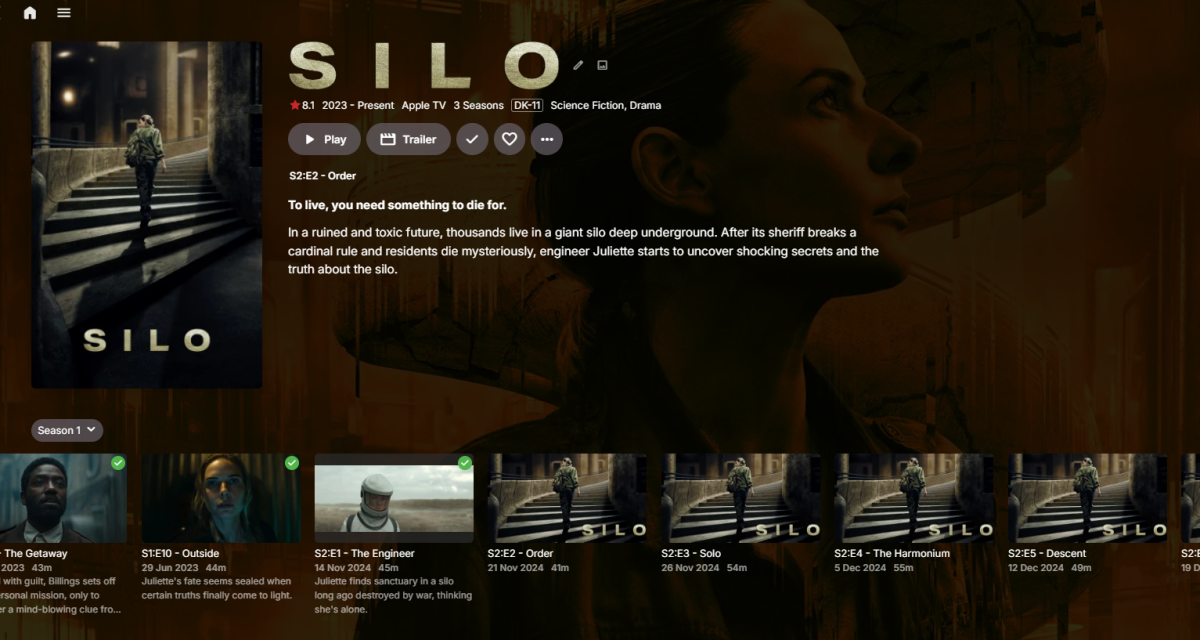
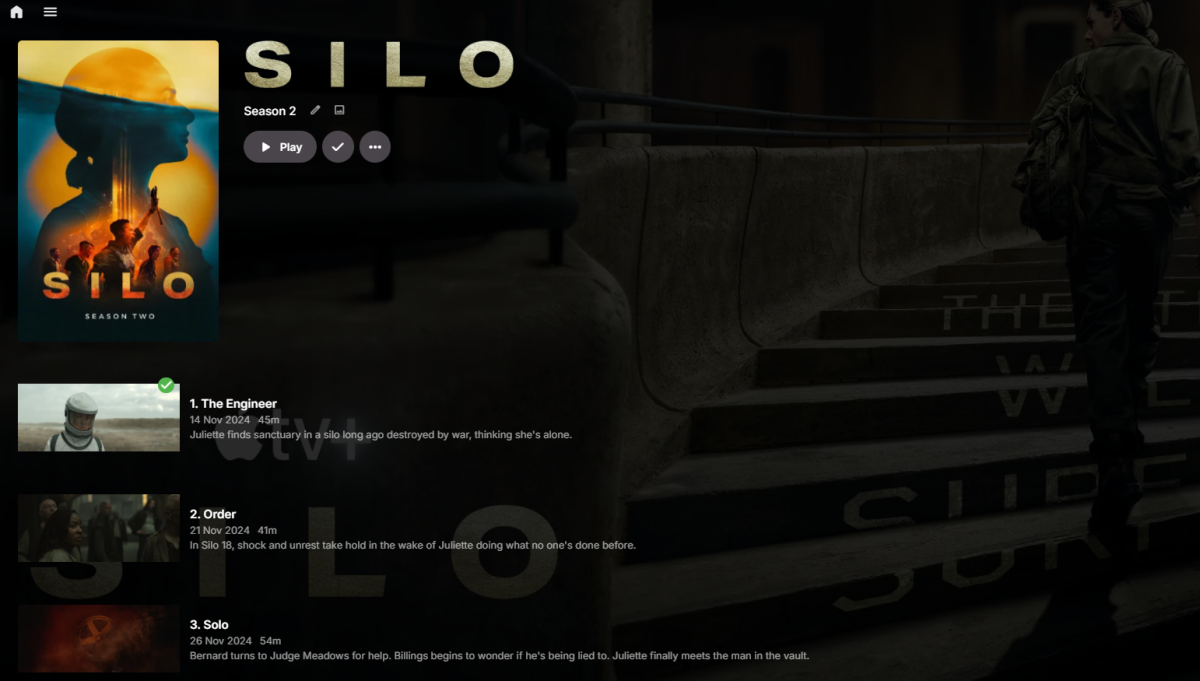
-
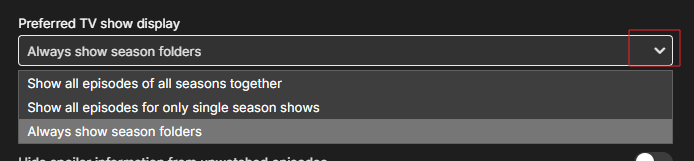
Try looking into this setting....

- Today
-
Here are some screenshot of my libraries.
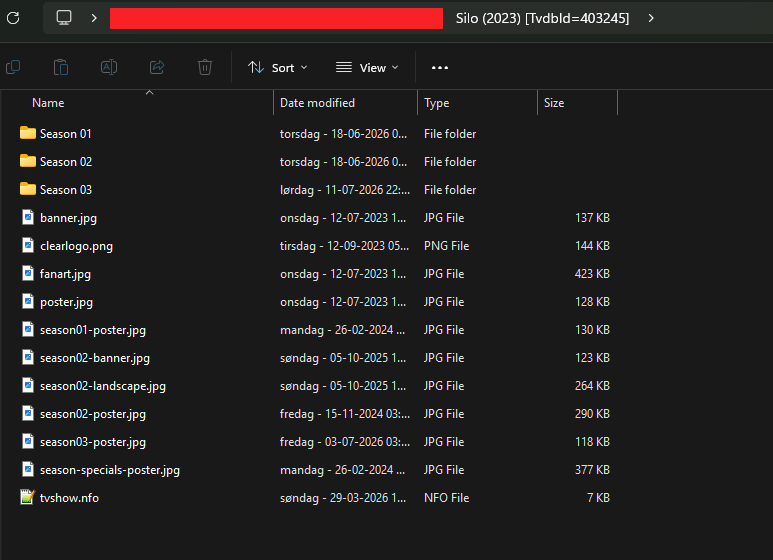
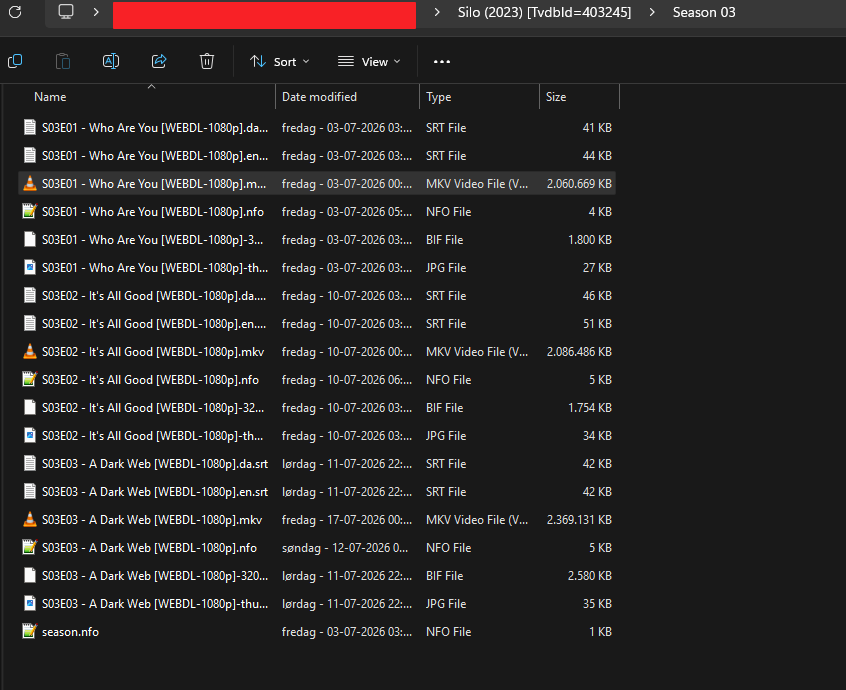
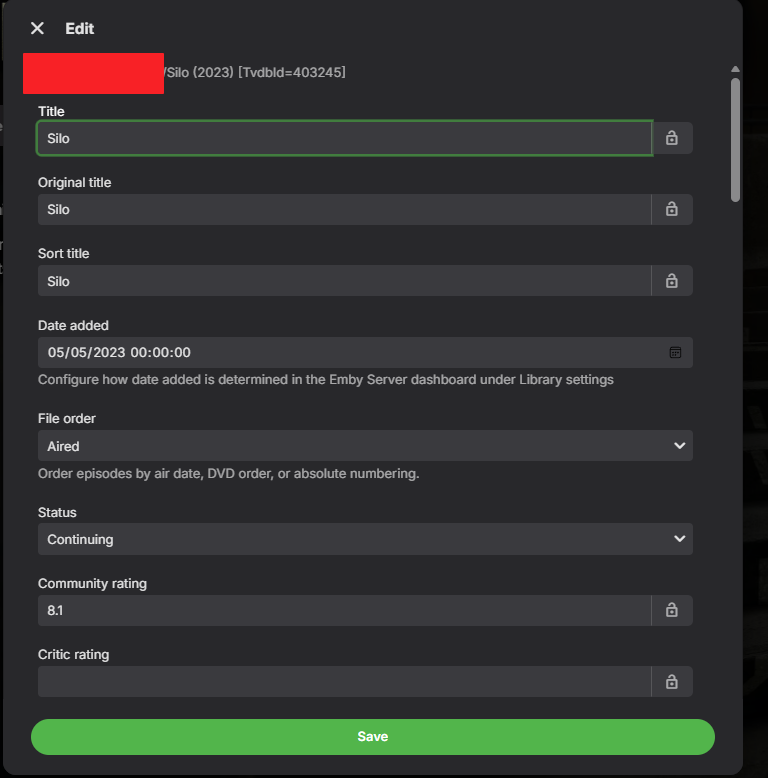
-
We would need server logs to see the issue. It might be something blocking your access to outside resources, like tvdb and tmdb. Like I said before. Devs / we need to see logs, from where you refresh metadata or imported the new episodes.
-

HDR Tone Mapping Issues on SDR Displays - Browser & Windows App
denisj replied to denisj's topic in Linux
**UPDATE: Partial solution found for Issue #2 (custom MPV parameters)** I wanted to follow up on my previous post, specifically regarding Issue #2 (Emby Windows app ignoring mpv.conf). After further investigation, I found that there are actually **two different versions** of the Emby Windows client: 1. **Emby Windows (Microsoft Store)** — version 2.310.2.0, the modern WinUI3-based app 2. **Emby Theater** — the older Electron-based standalone app, available on GitHub at https://github.com/MediaBrowser/emby-theater-windows/releases The Microsoft Store version (which I was using) initializes libmpv with `--no-config` and completely ignores any external `mpv.conf` file, as I described in my original post. However, the **standalone Emby Theater (Electron version) does read `mpv.conf`** from the standard MPV location: ``` C:\Users\<username>\AppData\Roaming\mpv\mpv.conf ``` After switching to this version and adding my custom HDR tone mapping parameters to that file, everything works correctly. The image quality on my SDR monitor is now excellent, with proper HDR→SDR conversion. For anyone with a similar setup (HDR content on an SDR display), here are the parameters I'm using: ```ini # HDR→SDR tone mapping algorithm tone-mapping=spline # Dynamic HDR peak detection for more accurate tone mapping hdr-compute-peak=yes # Target display peak brightness in nits (adjust to match your monitor) target-peak=72 # Target SDR color space target-primaries=bt.709 target-trc=srgb # Gamut mapping mode for BT.2020→BT.709 conversion gamut-mapping-mode=perceptual # Reduce oversaturation caused by the wider BT.2020 gamut saturation=-62 # Reduce contrast to prevent blown highlights and crushed blacks contrast=-16 # Compensate for brightness loss during HDR→SDR conversion brightness=4 ``` Note: do NOT include `hwdec`, `vo`, or `gpu-api` directives in the file — let Emby Theater manage those internally, otherwise you may get a black screen. The issue with the Microsoft Store version still stands and I think it would be a great improvement to support custom mpv parameters there as well — but at least this is a working alternative for now. Hope this helps someone! Denis -
Also just to add this isn't isolated to that Silo TV show that's just an example. Its every TV show after a certain point. I haven't amended anything or changed my formatting at all. The only issue is the Handbrake. I am changing the file to a h.265 Even that doesn't hugely tie in though as I have some files that have worked after compression.