All Activity
- Past hour
-
 AnaSamaniegopa joined the community
 -
 mouzask joined the community
 -
 udori87909 joined the community
 -
 uemby136787 joined the community
 -
 usand7420493 joined the community
 -
 anthony.rojas.07@unsch.edu.pe joined the community
 -
 Bzjgg29 joined the community
 -
 F4ll3nW0lF joined the community
 -
 Gavichito joined the community
 -
 KohliSaila joined the community
 - Today
-
Exactly! That's sort of what I've been wanting to achieve, in some form or another, for a couple of years now. I have a few half-baked ideas that I've been trying on-and-off. Things like: Genres > Genre > Sub-Genres > Sub-Genre Decades > Decade > Years > Year Countries > Country There's likely various combinations of: Library > Tag > Collection > Item that will achieve some of this. It's just a matter of finding them AND figuring out how to seamlessly integrate it. My Music Library Header Menu Tabs currently look like this: I decided I wanted more info at my fingertips (touchscreen) so used icons to fit in some extra custom tabs in the available space: Gray = standard tabs (but rearranged in my preferred order) Green = Collections management (via Photo Libraries cross-referencing because Collections doesn't show directly in Music) Yellow = specific Collections/Playlists (e.g. Countries, Decades) Still a long way to go with it, but I'll need all the groupings that Emby has right now to achieve a good end-result!

-

Mark specific season as watched still possible?
Samkook replied to Samkook's topic in General/Windows
Nice, great to see the change was optional after all, thanks. -

Mark specific season as watched still possible?
GrimReaper replied to Samkook's topic in General/Windows
Select "Always show season folders" under your user Display settings.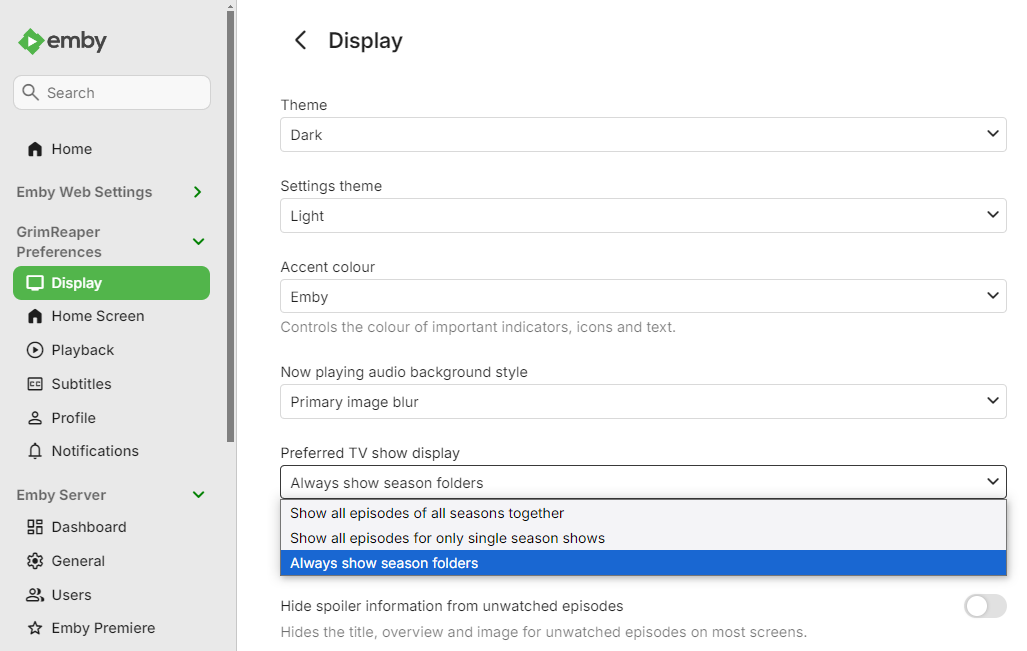
-
That's a nice example of combining Collections and Tags! I'm curious - tell me more please... Is this Tag page showing any other content, or is it just Collections and these contain the Movies themselves only? Do the Movies have the same Tag - I'm assuming no, but not sure of exactly how Collections work for Movies. I've tried something similar for Music, but it only seems to work if I have a lower level media item added into the mix.
-

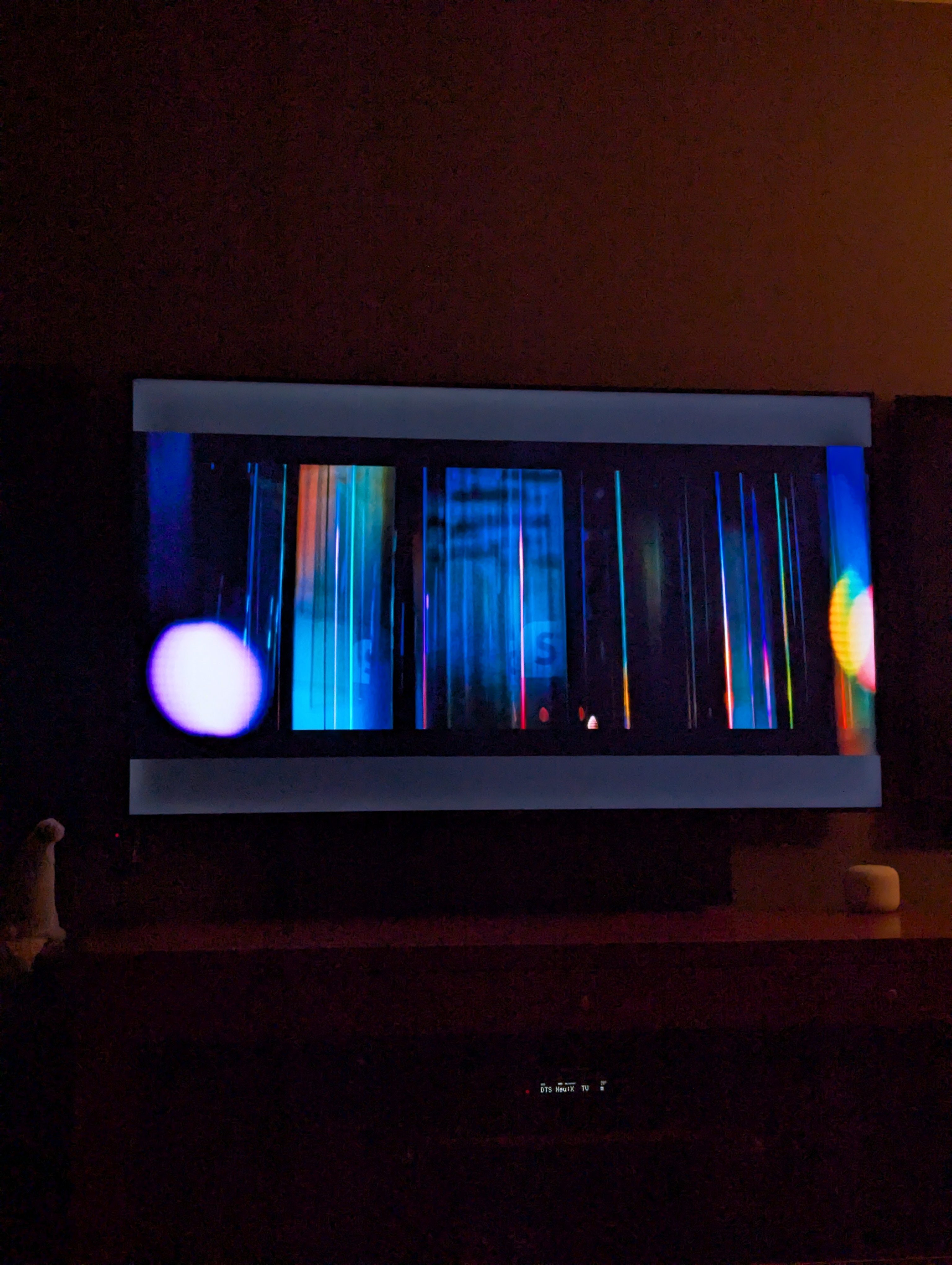
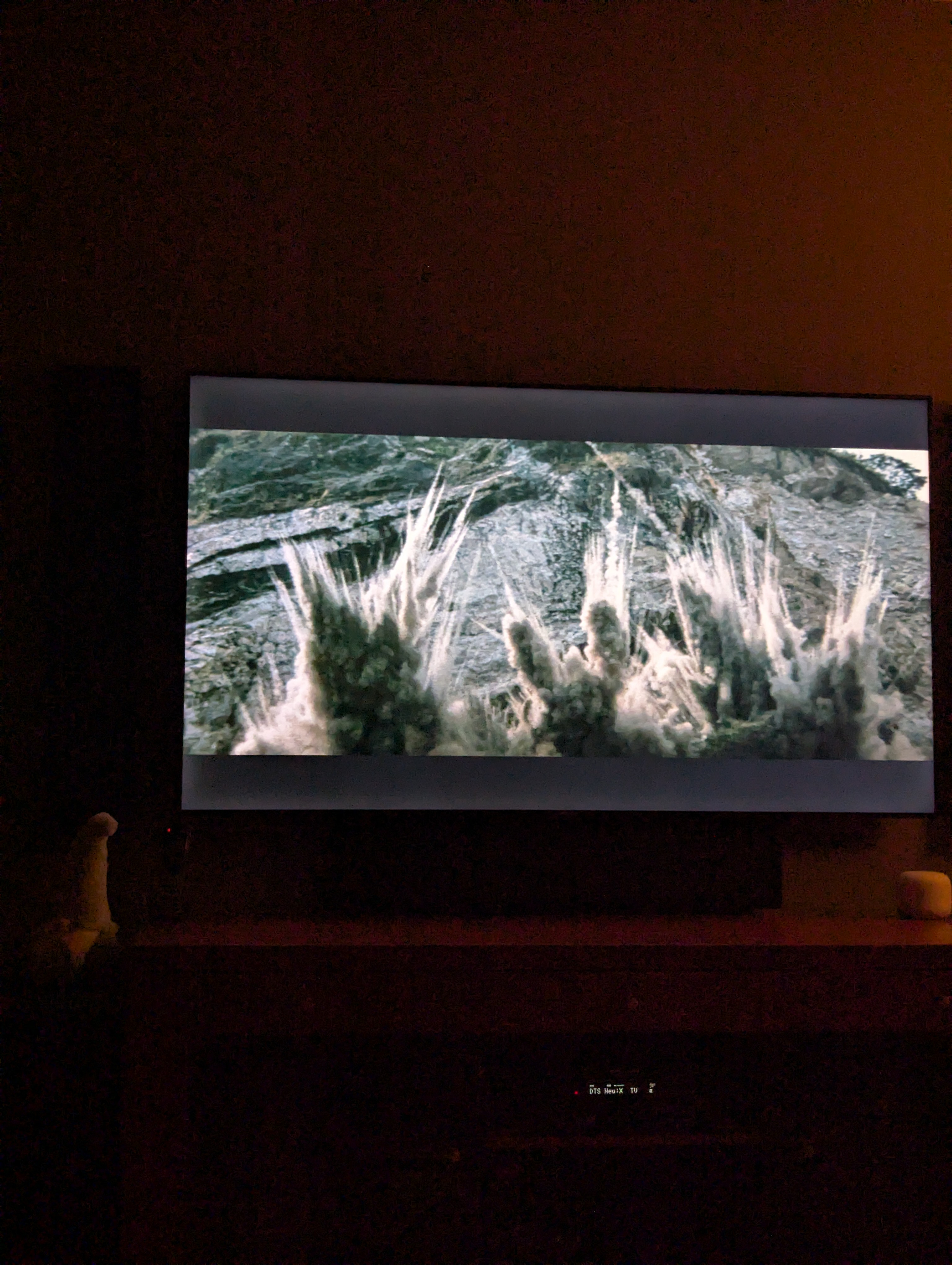
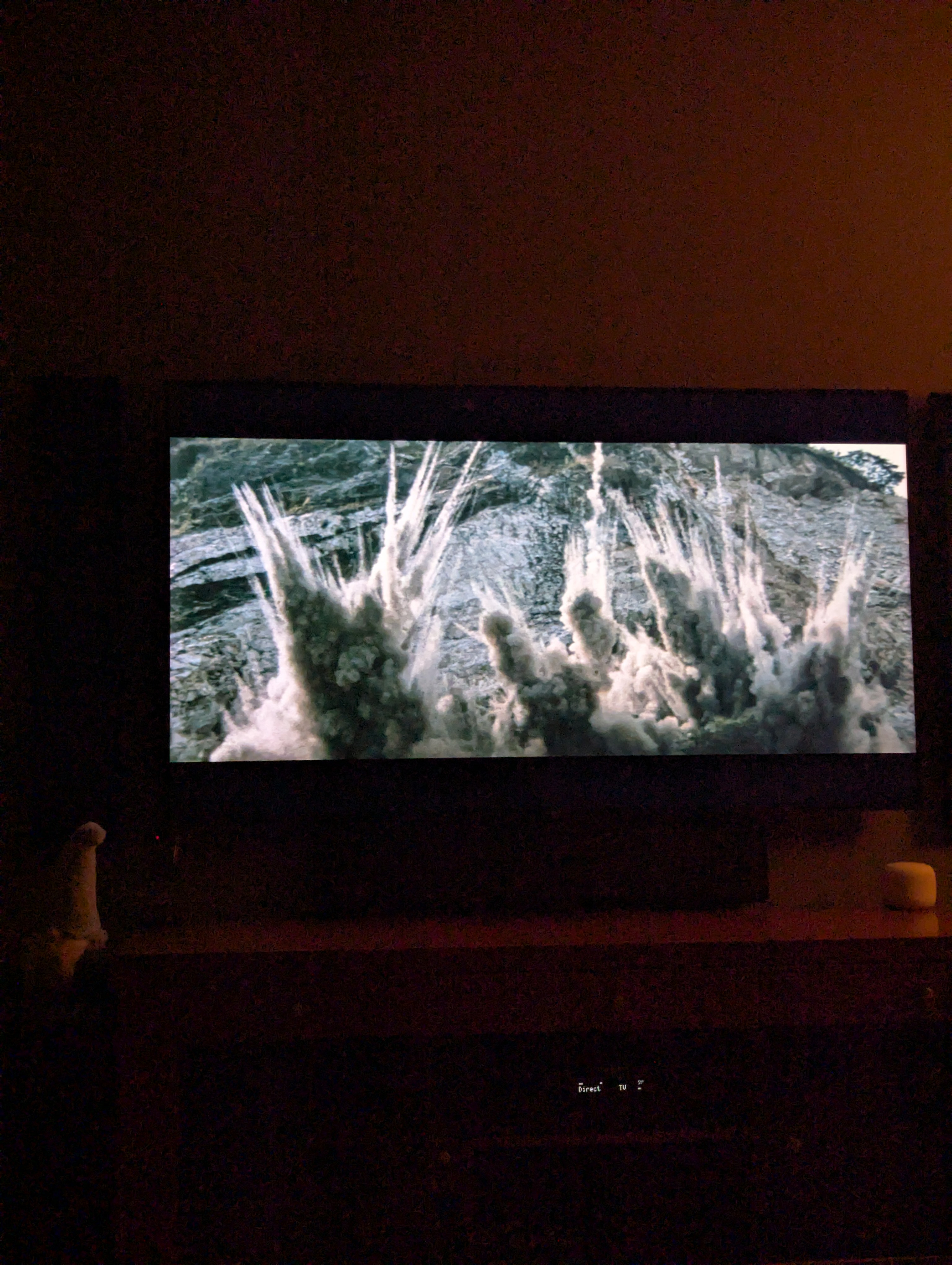
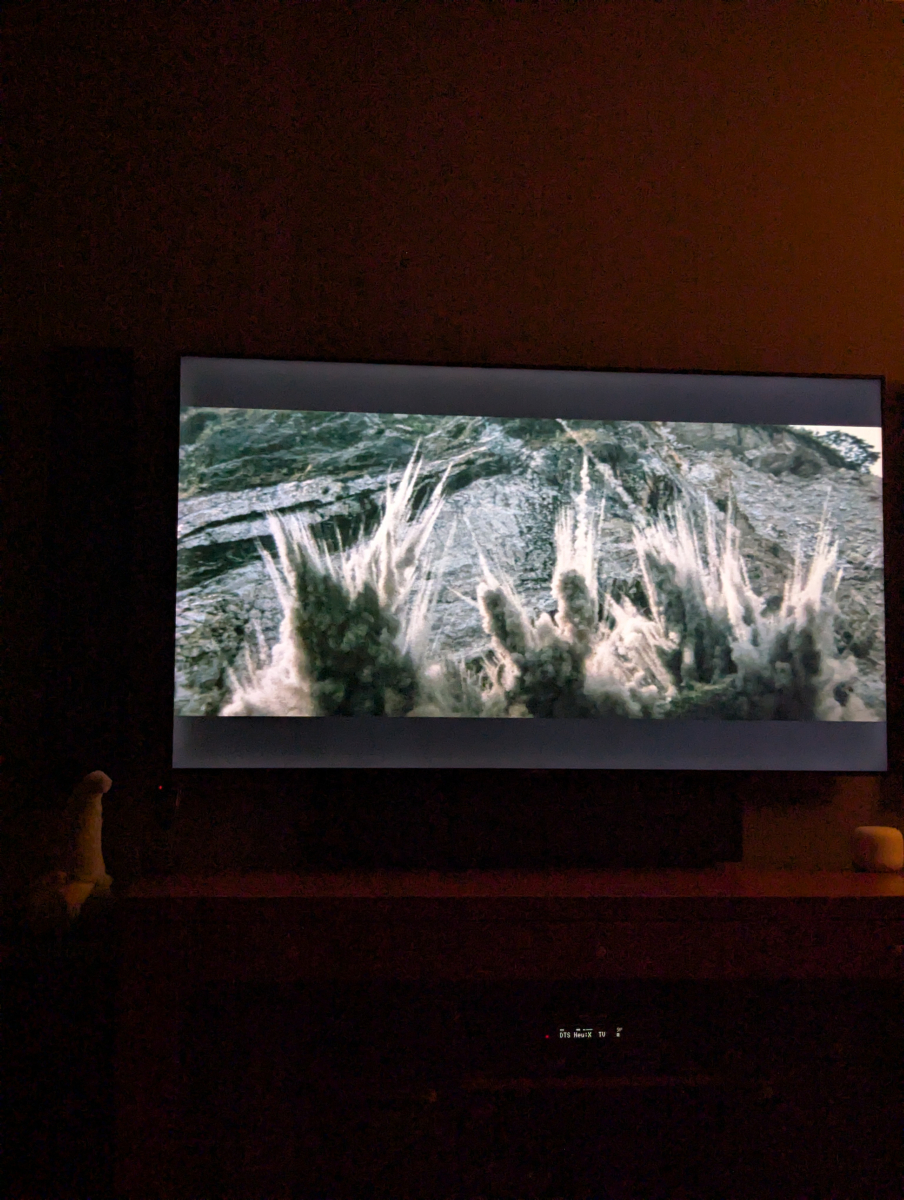
Grey letterbox bars on HDR playback with Emby for Android universal - Sony TVs.
kricker replied to kricker's topic in Android
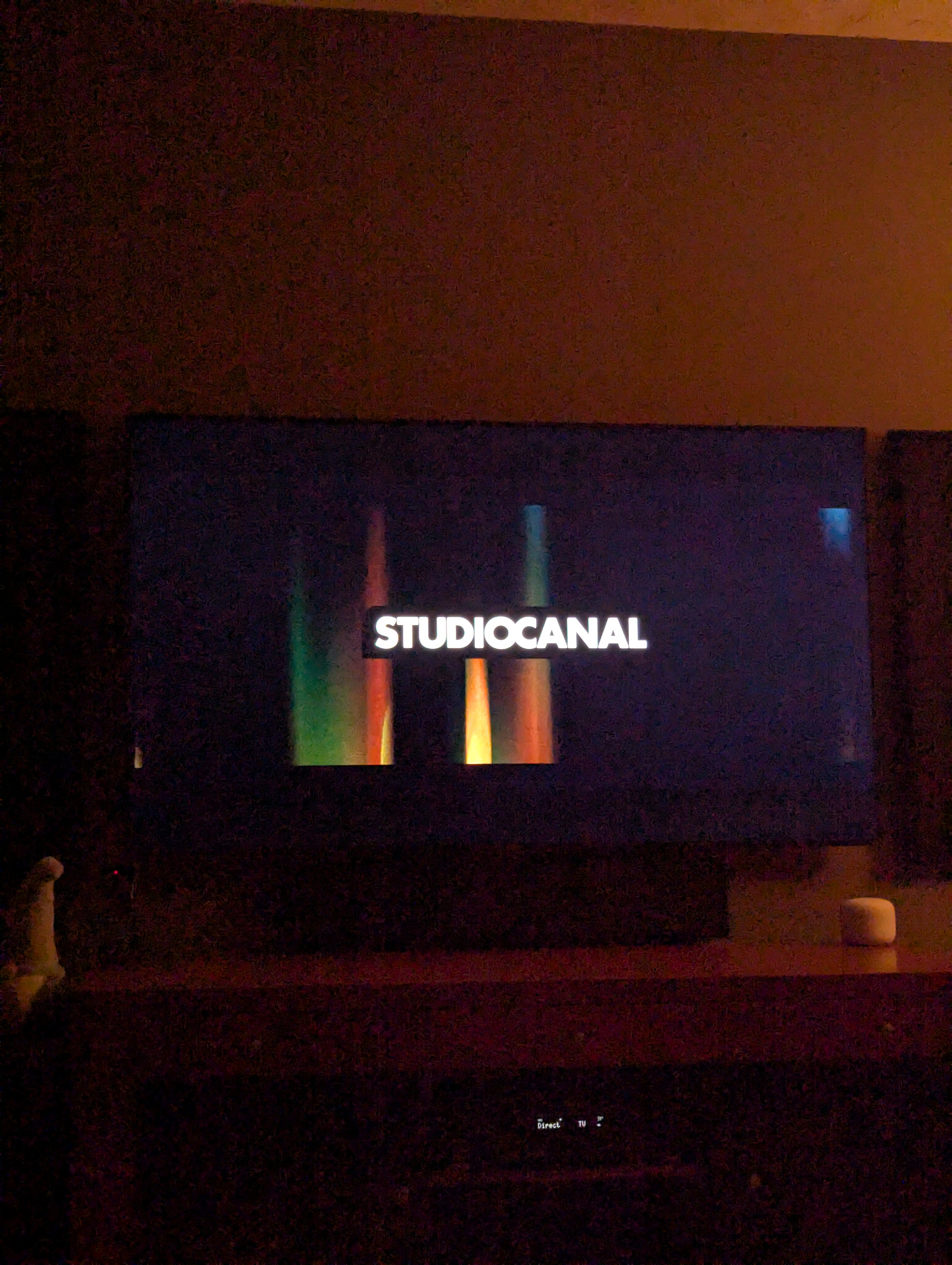
Tried again tonight with 3.5.63. It is still an issue. This happens with any HDR content that is not at 16:9 aspect ratio. Here are screen shots of the same movie in each: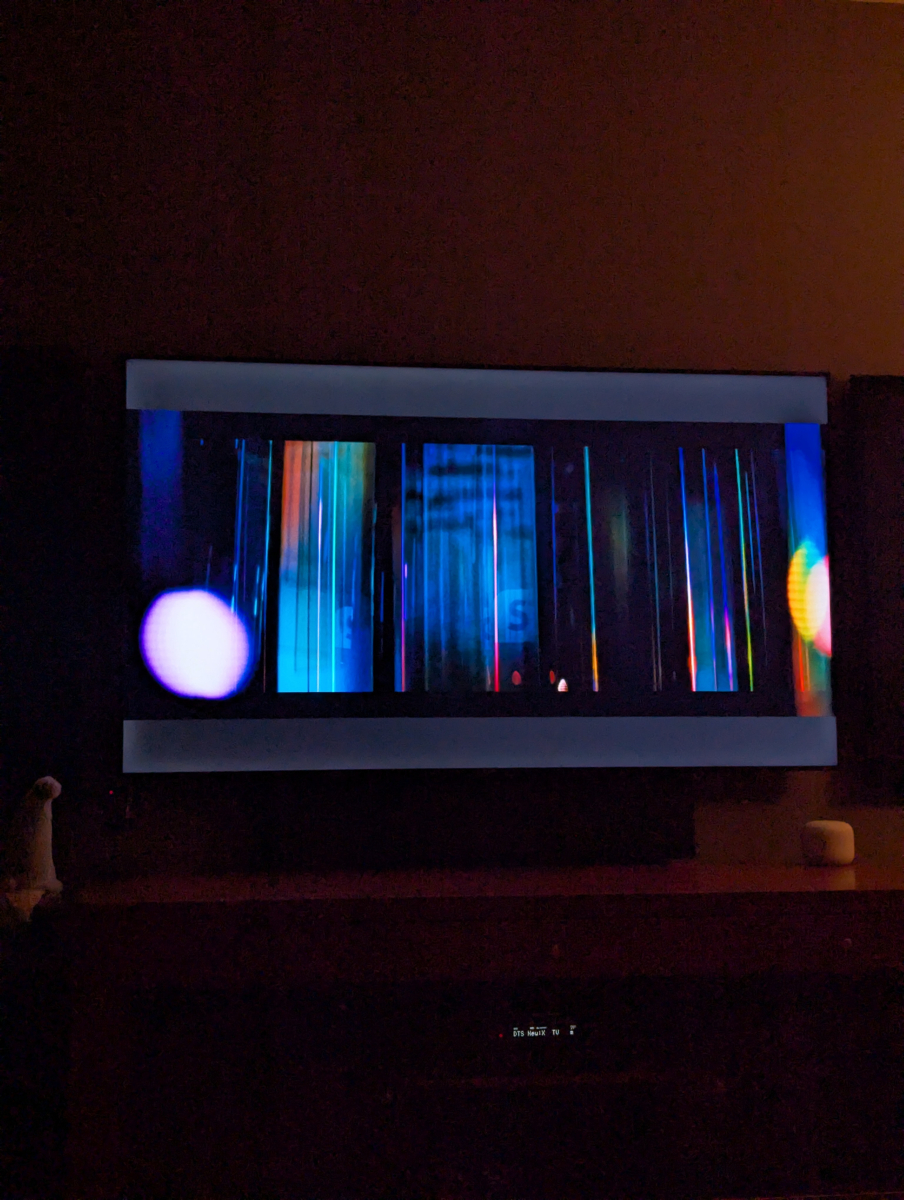
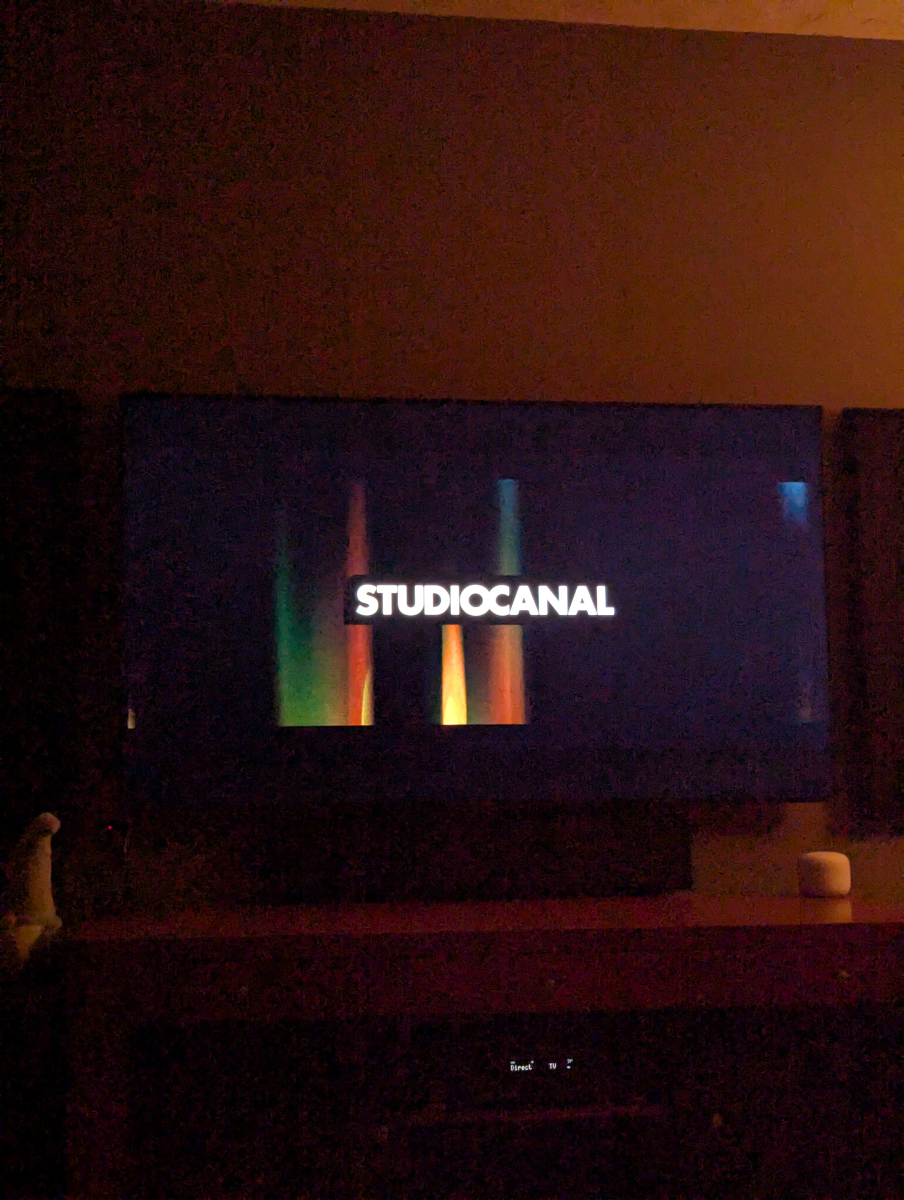
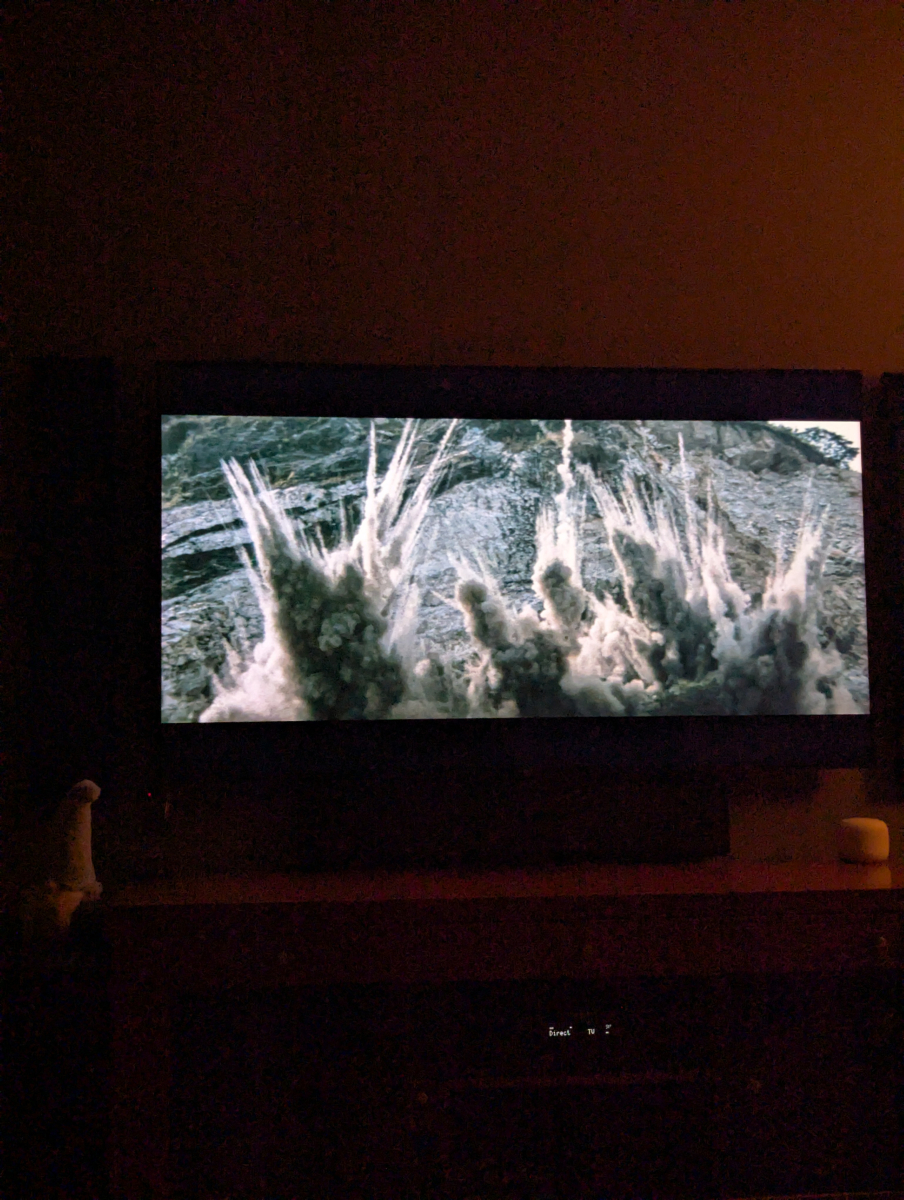
-
Follow-up: I narrowed down the Emby JPEG XL issue. Emby ignores an album’s cover.jxl, but if I copy the exact same file bytes to cover.png and refresh the album, the correct artwork appears. The file is still JPEG XL; only its name changed. So Emby’s image decoder can handle the file. The local music-artwork scanner appears to exclude .jxl from its supported filename extensions. Adding jxl to that discovery list may be all that’s needed, though the Emby team would need to confirm whether there are other paths to update.
-
I've been trying to figure out how to set a whole season as watched manually in the web ui instead of doing it episode by episode, but I can't find a way to do it. If someone knows how to achieve this, I would really appreciate it. Before the UI was changed, it was very easy since the seasons were clickable, but now it's annoyingly a dropdown and we can't see the specifics of each season or have any control over them apparently. I really wish this would be an optional choice, the old was was much better and this new way is causing me too many problems now so I have to try and figure this out.
-
Sorry for the late reply. Was out of town Those thumbnails are all black. Same thing as the chapter thumbs: error 500 "Response Content-Length mismatch" with 1 extra byte too many for each thumbnail. Works fine without the CDN.
-

Tips to set up emby on a QNAP NAS using Docker with HW Transcoding
Ikario replied to Ikario's topic in QNAP
Haven't tried this myself yet because I've been busy, though I did encounter the error, but I find it's a bit of a convoluted way of doing something way easier: just add on your docker compose file LD_LIBRARY_PATH=/usr/nvidia as an environment variable and that's pretty much it and doesn't need the ldconfig. Seems way easier in my opinion and much more elegant. -
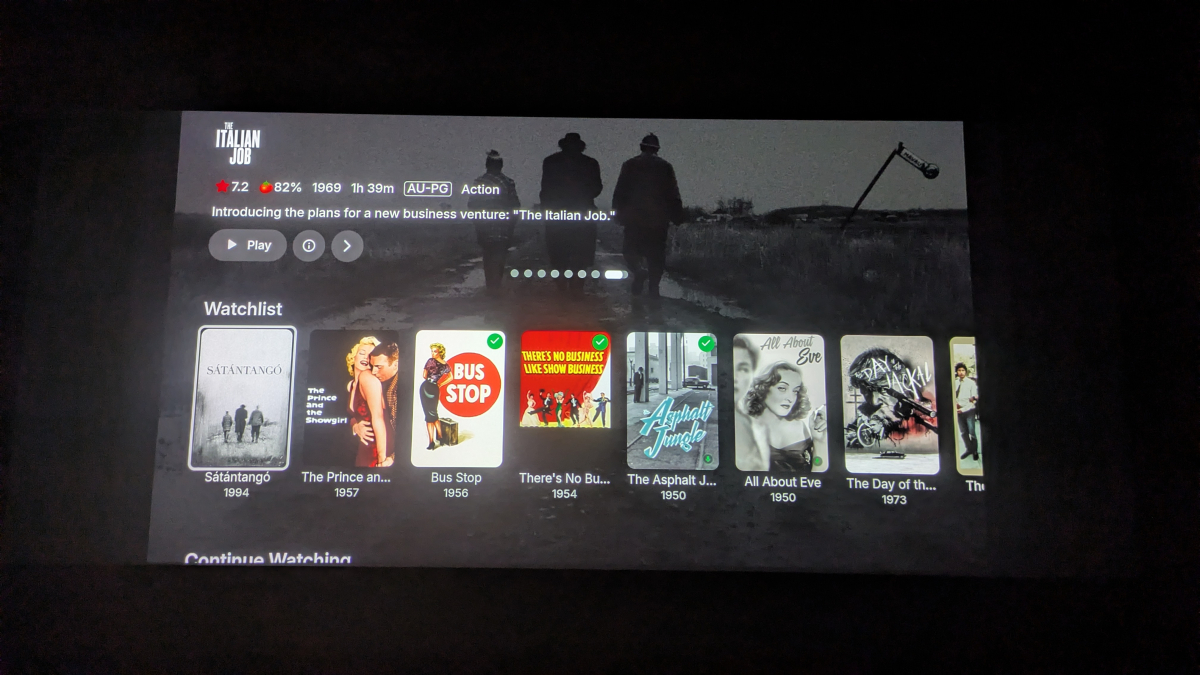
Why is it still doing this in .63? That top area could easily accommodate the EHS, but it still mandates the old card-style spotlight if I turn EHS on. If EHS is off, the spotlight needs to scroll all the way off the top of the screen rather than hanging around in that top area, but if EHS is on then there's no reason it needs to abandon the full-screen spotlight style.
-
Resolved in .63.
-
It seems not fixed. I can cast to Google Chromecast, Google Chromecast with Google TV, Google Nest Hub, but NOT to any Google Nest Mini. I have four of them. And yes, same net, no different VLAN's
-
Correction to my earlier post: I said Emby could use my cover.jxl files because its installed package had JPEG XL decoding support. I tested that assumption, and it was wrong. Emby could read the album directory and the JXL file, but refreshing the album did not pick up cover.jxl. Adding cover.png alongside it made the correct cover appear. Some albums had still shown artwork because Emby had other images available; that did not mean it was reading the JXL covers. The practical conclusion is that JPEG XL decoding support does not mean Emby’s local album artwork scanner recognizes .jxl files.
-
When i use the android app it says unable to connect to the selected server right now. If I use a computer and web browser it says connection has timed out. It is the same modem, however the local ip address is different on the new server.
-
Sorry, forgot to mention I am using Zorin 18.1 pro
-
Hi there, what exactly happens when you try? Connecting from Client Apps
-
Hello, I retired my old emby server that has been running for over 6 years. I put together a new server (older parts) and it works great on the network in my house. But I cannot connect over the internet. It shows the new server (I do have premiere) if I use the android app, but cannot connect. If I do a manual connect with the remote IP address it does not connect. ANY HELP WOULD BE GREATLY APPRECIATED.
- Yesterday
-

Any way to quantify what causes a long library scan?
podonnell replied to podonnell's topic in General/Windows
Ahh I gotcha, and yes indeed I do have the 90 days rescan set. So while I may have a day where I didn't add much, I could have added a bunch 90 days ago and that hits the refresh. -
I have a good sized library and will be going to Linux in a couple weeks I have everything the way I like currently I'm copying over my movies (8TB ) and my tv series (17TB ) I have a cheap Ugreen nas it's a DH2300 I have 2 drives in it each 26TB each set for its own content. One drive is movies other is tv series but I'm not erasing my main drives until I have everything running from a nas 2 drives @26TB each. When I add my nas to my linux build / server will all my covers posters etc load just as I have them on windows 10 or am I looking to redo all the posters over again. Took me a year to get the covers the way I want using a firestick with admin rights to change posters I hope I don't need to redo what took me years Is a new install using linux going to make it rescan all my stuff is what I want to know
-
 Vi_Zu20 changed their profile photo
 -
Thanks for following up.
-

Getting missing episodes (from a series) and movies (from collections)
Luke replied to HawkXP71's topic in Developer API
HI, try IProviderManager.GetAllEpisodes and GetAllItems this just gets you everything. the determination of what is missing or not is not currently in a place where you can use it, so you'll have to write your own code to compare the list from the providers to what's in the library.- 1 reply
-
- 1
-

-

Getting missing episodes (from a series) and movies (from collections)
HawkXP71 posted a topic in Developer API
For the missing movies from collections, I have that working by looping over all collections, getting the tmdbid, then getting the list of movies in the collection, and finding movies that match the tmdbid of the movie. No issues, for now I am directly calling tmdb, but I will be moving to using the provider.GetRemoteSearchResults api But for finding missing episodes, Im trying to use the Emby Api. The data is there, its just how First doing a libraryManager.GetItemList where the query has Parent unset or set to a series where I know there is a missing episode, doesnt return the missing episode, ever. I tried adding IsVirtualItem=true with nochanges. I have never recieved an epidode where LocationType was virtual. Id rather not use the rest api from inside the plugin (just seems wrong ) but if I have to I will. TIA -
I figured it out, I did change something. I started using a VPN and thought I’d set up split tunneling but SurfShark was waiting for me to click ‘allow’ in settings… my fault entirely!
-

Any way to quantify what causes a long library scan?
Lessaj replied to podonnell's topic in General/Windows
I was asking for specifics. Because there are options for "as a scheduled task" or "as a scheduled task and when media is added" for example. In the case of metadata refresh (I have mine set for 30 days) if you for example added a whole show of 100 episodes, then at that 30 day mark it's going to take some extra time to make the API calls to refresh the metadata during the library scan. I see this a lot with my music since I add in bulk. -
debug_logs.txt Position gap is ahead of system time gap" happens 323 times I have no idea what that means, but perhaps it is a clue. lines 297-299