All Activity
- Past hour
-
 Cr77098 joined the community
 -
 Cr77098 joined the community
 -
3.5.46 Core UI Update Only Core UI Changes from 26.0.10 to 26.0.12 Improve loading dialog Move user icon to top left in tv display mode
-
Emby for Android 3.5.46 Released Changes 3.5.46 Core UI Update Only Core UI Changes from 26.0.10 to 26.0.12 Improve loading dialog Move user icon to top left in tv display mode
-
 Tomas112 joined the community
 -
 Citc330 joined the community
 -
Because the ability to cancel that process was recently added.
-
What we're getting at is that why is this just happening as of this update? My connection definitely didn't all of a sudden get bad, it's super fast. Awhile ago I had a crappy connection and I had no problems with Emby whatsoever, and no popup message like now.
-

Plugin: EmbyCredits, detect end credits and add auto skip.
frankythedog replied to yocker's topic in Plugins
Hello, The last version working for me is the 2.4.7.0 Each episode is scanned in second, and give error. Like if smb path were not recognized anymore. I checked on a library without smb:// but with real path, and it works. [2026-08-20 22:36:47.368] [WARN] [OCR Detection] FFmpeg coarse scan exited with code 1 - hardware acceleration (vaapi) may have failed [2026-08-20 22:36:47.368] [DEBUG] [OCR Detection] FFmpeg pre-input args: -hwaccel vaapi -vaapi_device /dev/dri/renderD128 -hwaccel_output_format vaapi [2026-08-20 22:36:47.401] [DEBUG] [OCR Detection] FFmpeg stderr: ffmpeg version 5.1-emby_2023_06_25_p6 Copyright (c) 2000-2022 the FFmpeg developers and softworkz for Emby LLC built with gcc 13.4.0 (crosstool-NG 1.28.0) Execution Date: 2026-08-20 22:36:47 smb://192.168.1.11/NAS001_6/Séries/Loki/Loki - 01x03 - FHD.mkv: Protocol not found Did you mean file:smb://192.168.1.11/NAS001_6/Séries/Loki/Loki - 01x03 - FHD.mkv? EXIT I attached a Dry Run with Debug log Do you have an idea ? Thanks in advance. credits-detection-debug-2026-08-20T20-36-50.log -
26.0.12 Improve loading dialog
-
Emby Web App Update: Version The Emby Web app has been updated to version Go and try out: https://app.emby.media/ Changes 26.0.12 Improve loading dialog
-
 tahersh joined the community
 -
 RafalitoBuriola joined the community
 -
 plomunster joined the community
 -
 ospite0110 joined the community
 -
 sebastien.hubert@hotmail.com joined the community
 -

Feature request: include "favorites" when displaying content in secondary hime screen sections.
Luke replied to vdrover's topic in General/Windows
HI, there will be a lot more control over home screen content in the upcoming 4.10 release. - Today
-
Es en mi servidor pero en otro dispositivo, yo lo tengo instalado en la televisión y quiero instalarlo en otra televisión
-
I was able to get the drive back on. The Activity Monitor shows >90% for Emby, and then the FFMPG transcoding process seems to crap out on one particular show I've been testing, same episode fails every time. That's just one example now (The Westies Episode S01E02). Here is an updated set of logs ffmpeg-transcode-403d6fe5-0b58-4b00-9863-aa6463ec0538_1.txt embyserver.txt
-

Error connecting to server at iOS app launch
CharlesF replied to CharlesF's topic in Apple iOS / macOS
I’m not sure how else to explain it. Go to a tv episode or movie. Click the download button. Select the mbps (I always use default 1.5). It says downloading. Never does. -
are you trying to login to your own emby server, or someone else's server?
-
HI there, can you please provide a specific example? How to Report a Problem Thanks !
-
I am having a few other problems at the moment; maybe there is some connection between them all could help here: There are some instances where I get that "No compatible Streams Available", but those STRM files can run fine in VLC. The same show will work one day, but not the next. Sometimes my Emby "Activity" in MacOS Activity Monitor gets as high as 100% & bogs the server down My "Continue Watching" area, which leaves off some shows, works for others, and hangs on to really outdated ones as well. Attached are screenshots from every place I can think of where the "Skip Intros" feature is configured. Thank you for your help.
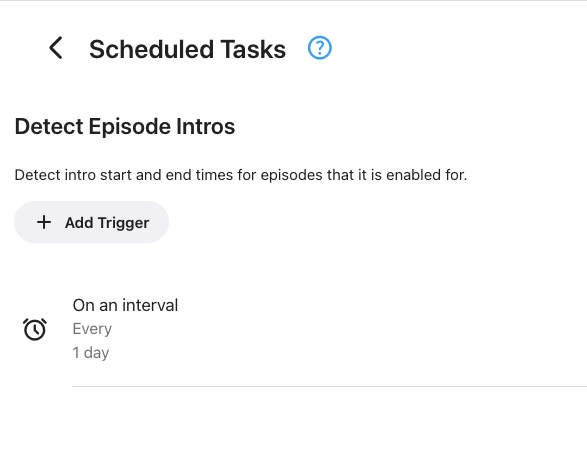
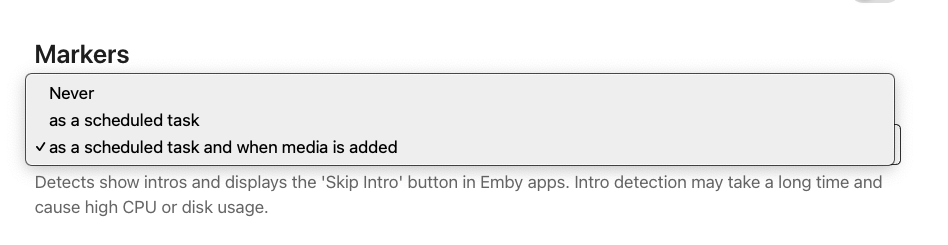
-
Error connecting to server at iOS app launch
CharlesF replied to CharlesF's topic in Apple iOS / macOS
Pretty simple. When I click download it never does. Never appears. Never downloads. Doesn’t matter if it’s on WiFi or cellular. Always fails. No info provided. Just never shows up. -
Hi there, downloading works just fine. What makes you think it no longer works?
-
How to get an image url that is suitable to put in a <img src
Luke replied to HawkXP71's topic in Developer API
That will work. -
2026-08-20 22-10-08.mp4 I managed to make a navbar on my phone to make it look much better, I tried to copy from the iPhone exactly how the navbar is like on them that thing when I scroll down and the navigation bar shrinks with a 0.85 transformation, I was inspired by Instagram from the iPhone app navigation bar
-

How to get an image url that is suitable to put in a <img src
HawkXP71 replied to HawkXP71's topic in Developer API
Solved.. Not sure if its the ONLY solution, I would love an answer from @softworkzor @Luke string itemid = ....; BaseItem item = = _libraryManager.GetItemById(itemid); ImageType imageType = ImageType.Primary; // or whichever image type you want int imageIndex = 0; int quality = 90; var imageType = Image.Primary; if ( !item.HasImage( imageType, 0 ) ) return null; var imageInfo = item.GetImageInfo(imageType, imageIndex ); if ( imageInfo == null ) return null; var imageTag = imageInfo?.DateModified.Ticks.ToString(); var imageUrl = $"/emby/Items/{item.Id}/Images/{imageType}?maxWidth={maxWidth}&quality={quality}&tag={imageTag}"; -

[Legacy App] User drop down menu removed with latest update (26.0.11), ET 3.0.20.
scottpro posted a topic in Windows & Xbox
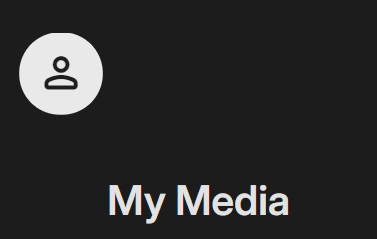
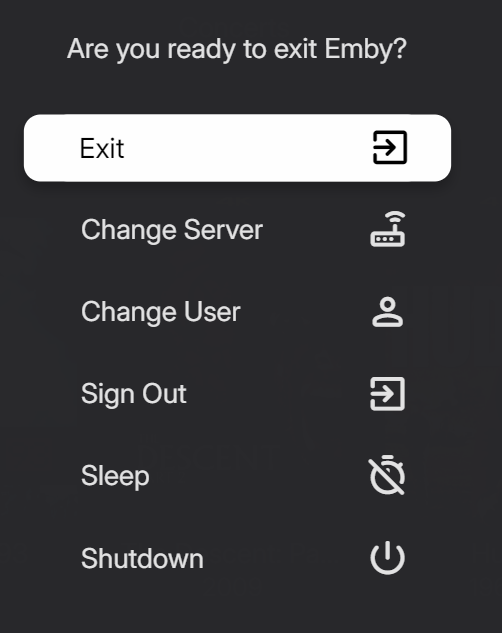
With update 26.0.11 the user drop down menu when selecting the User icon has been replaced with the Emby exit screen. Prior to this update when selecting the User icon in the upper right it would present a drop down menu containing "App Settings", "Manage Server", "Change Server", "Change User", "Sign Out", "Exit", "Sleep" and "Shutdown". After the update to access the "Settings Menu" the left arrow key needs to be pressed until the fly out menu appears at the left. Also, the User icon is now positioned on the upper left side of the screen. Is all this by design? Before update and selecting User icon (upper right) After update (26.0.11): Selecting the User icon: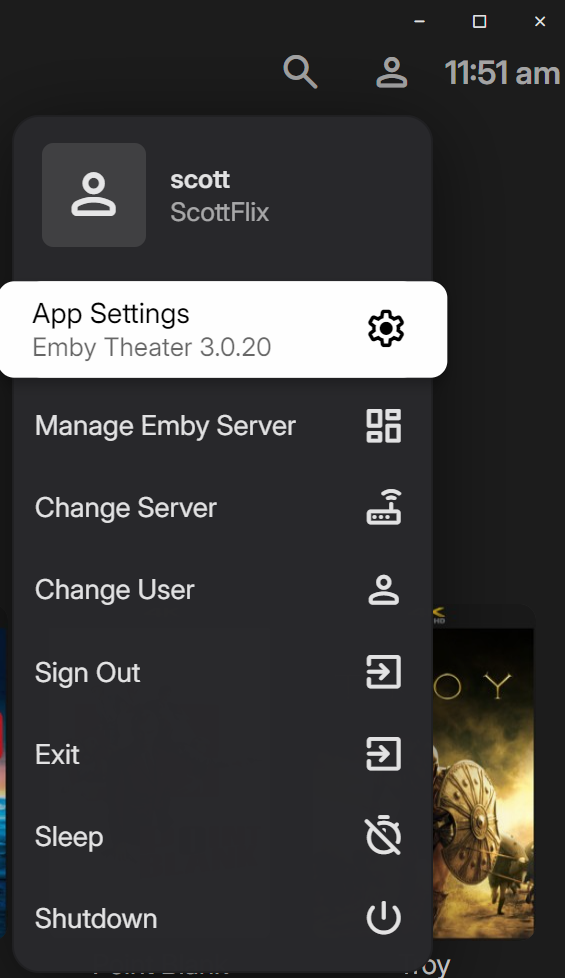
-
Well that sucks. This is where you tell me the letter is 6 to 12 months old
-
Error connecting to server at iOS app launch
CharlesF replied to CharlesF's topic in Apple iOS / macOS
That may be true, but it has only just recently started to appear for me, and at the same time, downloading for offline viewing now no longer works. -
Why? I know they claim that there’ll be a native app but as I explained before, they’d have the first and only actually native third party app on UGOS then. All existing ones are Docker installations in the background. And docker runs like a charm
-
Hi. Is this a problem only during playback?
-
Sounds like there is a lot of wiggle room between .6 and 30 seconds. A delay of somewhere between 2000 to 3000ms before showing it, while trying to connect, would probably allow most of us who are connected via wire to never see it and still not cause people with a slow connection to panic.