All Activity
- Past hour
-
 henry959 joined the community
 -
 FST1990 joined the community
 -
 RozoFamily5 joined the community
 -
 jettqnq joined the community
 -
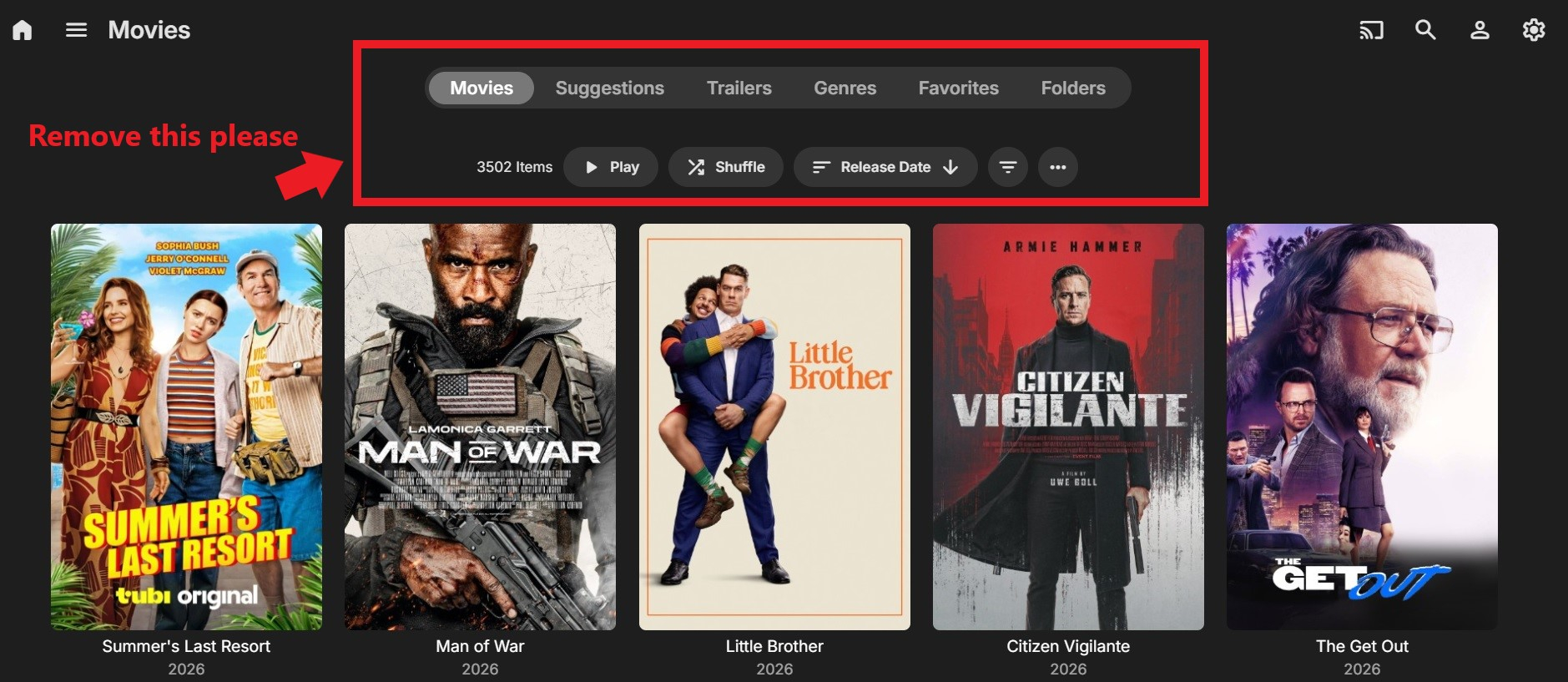
I don't want clients to see how much movies I have I don't want the section in red visible at all ever for clients. Please give option to remove for clients thnx guys.
-
Please allow me to remove this from clients.
-
@Amanade3Great plug-in but may i make a request or two please? Firstly, the overlays don't really sit well with coverart if you are using the case displays, anyway that we can have an option to adapt for those?? the badges hit too close to the edge to look good and the bottom/top overlays go way past the case edges on either side and look weird. Secondly I like the Ombi idea however Ombi is sadly no longer supported and has issues, any chance of getting the same thing for Seerr?? Seerr has an active development team and is getting better with each update, it's been a much better experience then I had with Ombi.
-
 Jeff.case joined the community
 -
 kar144 joined the community
 -
 limbert joined the community
 -
 speed9999 joined the community
 -
 carmen9065 joined the community
 -
 Ric-ko joined the community
 -
So I record the news every day and yep it does work perfect it's fn awesome but I have it set to convert everything to 8 or else it does strange shit but after it converts the size is bigger. Can you make the size smaller after converting please guys, thnx.
-
Hello FourCorners, ** This is an auto reply ** Please wait for someone from staff support or our members to reply to you. It's recommended to provide more info, as it explain in this thread: Thank you. Emby Team
-
The old tv guide is way better than the new one so I have 2 Emby apps on my fire stick. I use one for whatever and the old one for cable tv cuz I love it. When I push up on fire stick and it gets to channel 1 it just goes off but the older app it's half screen and runs perfect I fkn love it. Add that in the new one man.
-
Great job indeed, is there a specific configuration for 4k channels, seems they are not working
-
still on 2.310.2.0 the update is on Microsoft Store? would be much better if the app itself had Check for Update option v315.2 seems ok now Thanks
- Today
-
CH
-

Some Help on Media Sorting With Genres vs Tags
snowypete replied to snowypete's topic in Non-Emby General Discussion
Well not just a tag cleaner, but transferring or converting Genre's to Tags and maybe visa versa -

Does Emby support HW transcoding on the Rockchip RK3588S?
scottpro replied to parmi93's topic in General/Windows
Just curious, is the new ffmpeg build going to be the latest version 8.1.2? Emby Server is currently using version 5.1.10 which was released back in 2022 with the last Emby compile back in 2023. -
I recently purchased these through the EMBY plugin store but did not realize my original emby premier email was different then my current email I use for paypal. Is there anyway to update the purchased plugins to register properly with my server? Also what is the best way to keep this from happening in the future? THanks
-
HI, are you still seeing this with the new app update?
-
Hi, thanks for reporting. We'll take a look.
- 1 reply
-
- 1
-

-
It seems the Emby App is capable of converting TrueHD Audio to a compatible format client side rather than server side. This is shown when disabling transcoding options for the user. When these options are enabled TrueHD is converted to a compatible format server side. This can cause issues with Dolby Vision streams, and force burn in of subtitles server side when those subtitles would not have been burned in if audio was a "compatible format". I would like to see the Apple TV Emby App convert TrueHD client side without the need to disable transcoding options for the user. Let me know if you need me to elaborate further Thanks
-
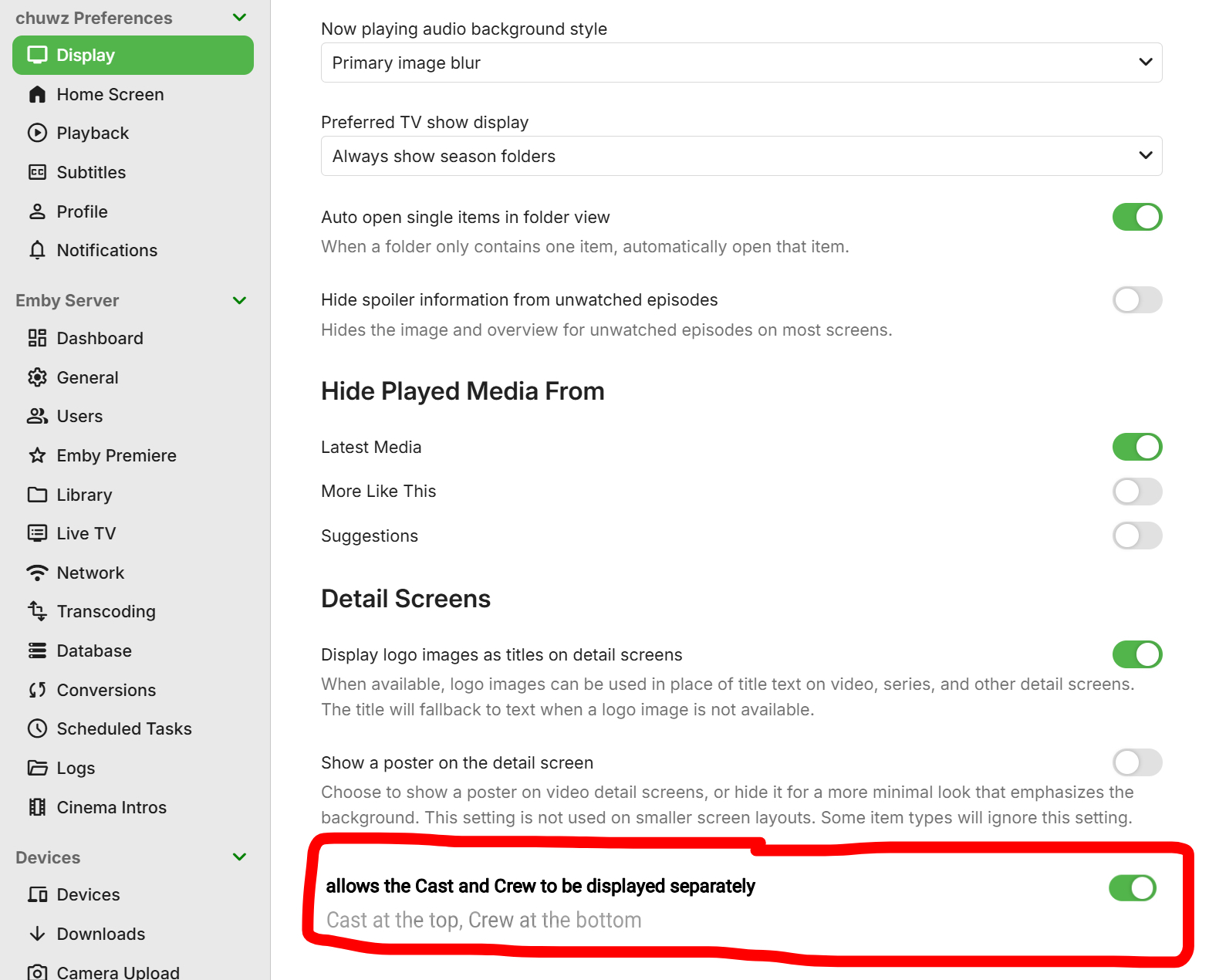
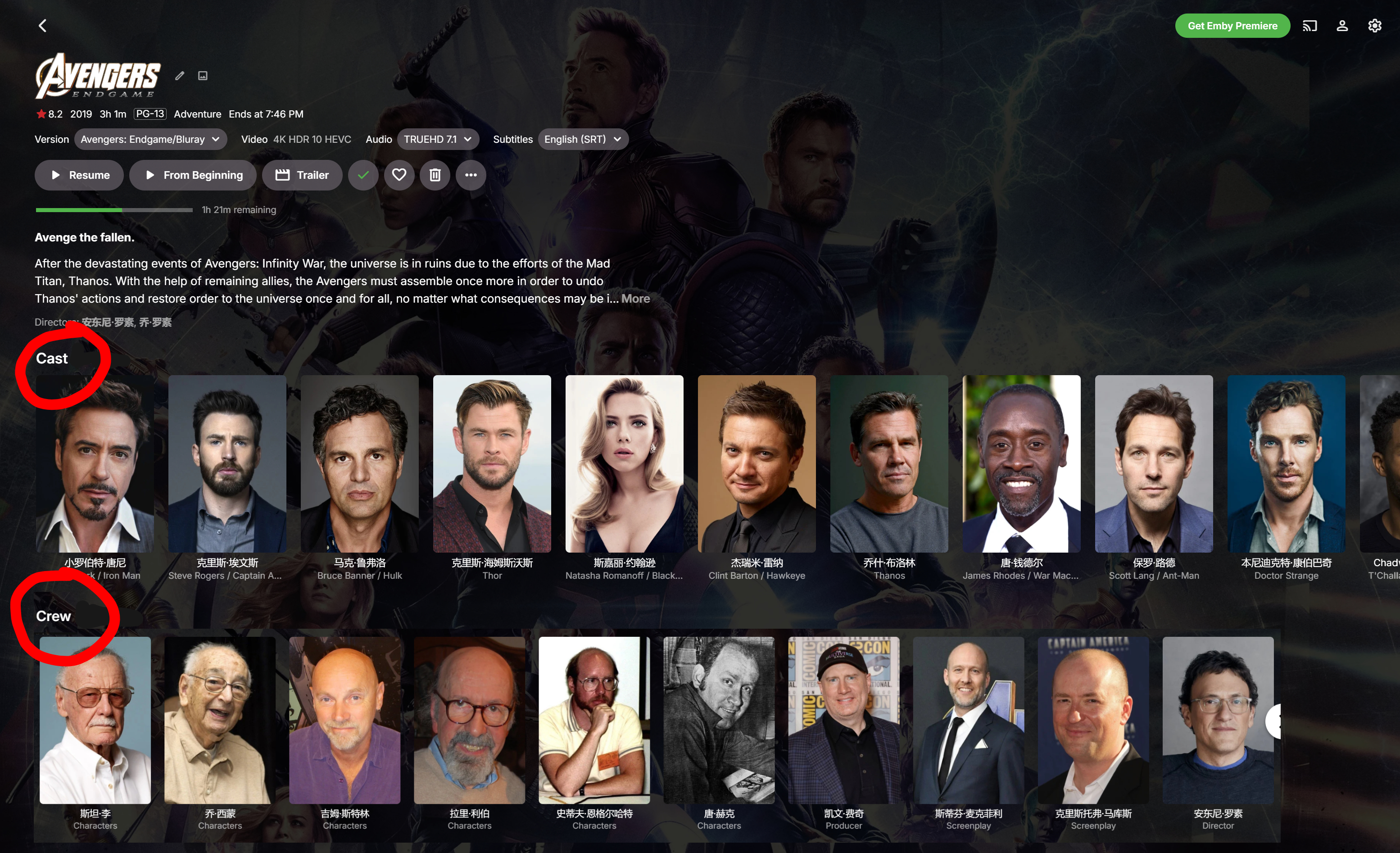
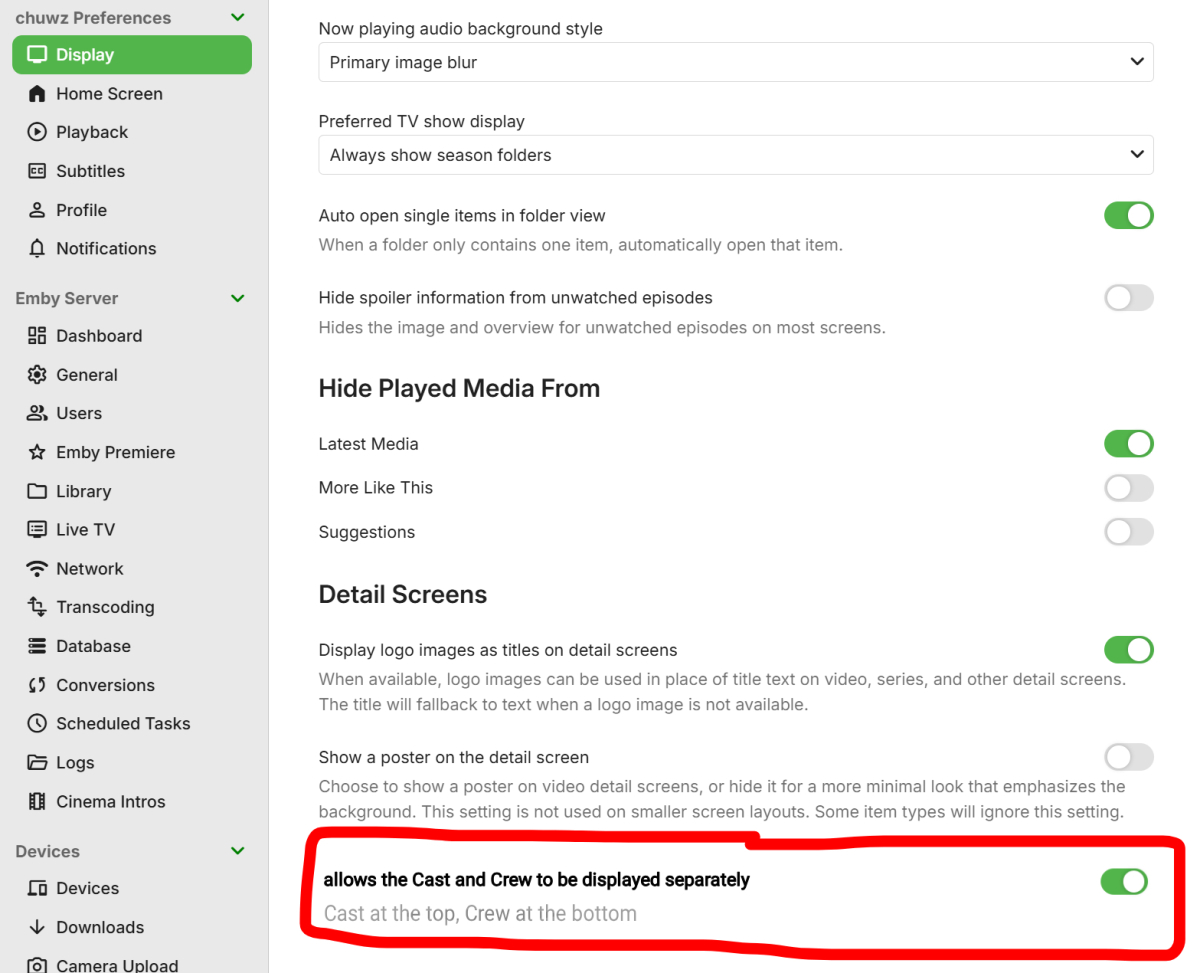
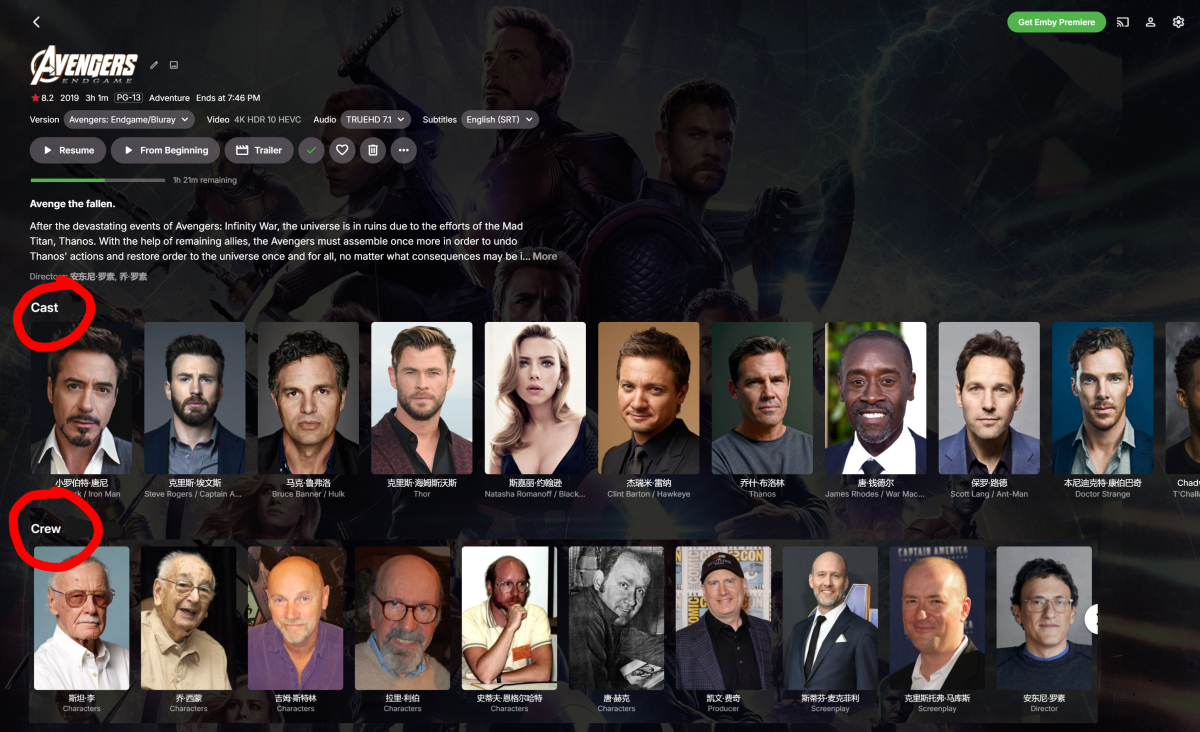
Hello, @Luke @ebr, has there been any progress? Would you be willing to add a custom option that allows the Cast and Crew to be displayed separately (Cast at the top, Crew at the bottom)? (Like in the image) We’ve been waiting for this feature for far too long… It’s been years already… So please give us a clear answer: Will you consider this feature in the future, or are you rejecting this feature request?
- Yesterday
-

Pixelsmash Vulnerability in ffmpeg (CVE-2026-8461) - Is Emby vulnerable?
TMCsw replied to CHBMB's topic in General/Windows
I have a mining & metallurgy background do you understand how to extract metal from rock, sand, mud, etc ? Why? do you expect people to not question things unknown to them? who is {redacted} here? -
Hi, yes the 4.10 release is coming soon. Thanks.
-

[Security Issue] Using Home Button Makes PIN Bypass Possible
Luke replied to Tigga5's topic in Android
OK please let us know how the next app update compares. Thanks,. -
HI, we are working on improving this. Thanks.
-
HI, please try again with the latest update to the Emby Trakt plugin. Thanks.
-
'Shuffle' command for photos on Android app not shuffling
Luke replied to beckfield's topic in Android
HI, we are working on improving this. Thanks. -

Different versions identified as a different movie
billyjr82 replied to billyjr82's topic in General/Windows
What I mean by that's fine is it doesn't really matter to me under the hood how it stores the data. What I don't understand is that functionally on the front end, they are combined into a single unit. In this case, one movie. The same movie. I cannot imagine a scenario where I want to change the metadata of this MOVIE, which has both files combined into it, but I only want to change the metadata of one of the files and not the other. That makes no sense to me. How this is fixed, whether the metadata is attached to the movie instead of the file, or whether the metadata is just written to both files at the same time, doesn't matter to me. If I want separate metadata for two different files, I'll make them two separate movie entries first. The whole point of combining them is that these files are part of the same movie. I don't see how that would help here. The issue is not the naming / folder structure. The issue is the mismatch between how the front end works and what is happening on the back end. -
Let me preface this with I have not used Windows personally in 20 years. I can describe a common Linux setup and you can find the Windows equivalents. First thing to do would be to identify what media you want to share. You got that, so you're off to a great start! To keep things simple, I would bundle pictures and documents into one application; Nextcloud. It's been around forever and is very mature and stable. Lots of documentation and help is available. You will also be able to migrate your contacts and calendar to Nextcloud if you are interested. I personally found the photo's portion of Nextcloud to be just "okay", so I installed Immich. I literally renamed it on my wifes phone and she thinks it's Google Photos. If you have comics and/or ebooks, Komga is excellent. That coupled with comictagger is an unbeatable commbination. And lastly and certainly the most important (IMO) is your movies, TV shows, and music. Emby is so damned easy to set up, the people on the forum are incredibly helpful and for the most part nice. There are the occasional rude poster, but they are exceedingly rare. Emby is available on all the major smart TV's and we have a native Linux app in Beta right now. This last step ties everything together. Caddy is a reverse proxy that is dead simple to set up. Couple that with a domain name from Porkbun and you have a homelab available from anywhere. I bought my domain for $5.17 and I am kicking myself for not doing it sooner. Good luck on your set up!
-
Emby en FireTv viendo series no se sincroniza el audio
Luke replied to coyotecabreado's topic in Spanish
@coyotecabreadoplease start with the information that is requested in my link above. Thanks !