All Activity
- Past hour
-
 Neymar Troncos joined the community
 -
 azxxaz11 joined the community
 -
 AKaioum joined the community
 -
 Jaeger247 joined the community
 -
 hw0510 joined the community
 -

Why doesn't the Android app keep a manually-added server address?
Blueskies278 replied to Blueskies278's topic in General/Windows
Is there a way I can change the network settings on Emby Web to achieve this? Thanks -
 a456 joined the community
 -
 Lhorenza joined the community
 -
 danychavez joined the community
 -
 cuizaihu joined the community
 -
Why doesn't the Android app keep a manually-added server address?
Blueskies278 replied to Blueskies278's topic in General/Windows
Local: port 8098. Remote: port 8098. Both show 8098 — not the 8096 I manually set. Luke Has confirmed my suspicions. Thanks -
 JaylenElias joined the community
 - Today
-

Plugin: Ginjaninja Tools - Poster to Folder - Beautify Windows Explorer.
ginjaninja replied to ginjaninja's topic in Plugins
0.0.012 i noticed a library i had renamed became 'stuck' in the config Now keys enabled libraries by id (rather than name) in the config.xml MIgration pathway to new ID based config 2026-08-05 04:41:55.736 Info Poster To Folder: Poster To Folder: migrated 25 legacy library entries to LibraryId (24 matched by name to a current library, 1 orphaned - no current library named the same, left untouched) -

Issue with playing music with app when connected through Tailscale
Gjonesesq replied to Gjonesesq's topic in Apple iOS / macOS
Still is not working. I've updated iOS and even tried the iOS 27 beta. Tailscale is updated as well. -

Can I achieve this configuration with ignore files and multiple libraries?
podonnell replied to podonnell's topic in General/Windows
Thanks Luke. So essentially, if I don't allow any files within D:\Root itself? So adjusting my above example, Library A would have: D:/Root/OldRoot D:/Root/Folder1 D:/Root/Folder3 And Library B would have: D:/Root/Folder2 This way there's no overlap? -
Hi, what is "this" exactly that you're asking about?
-
It looks like currently it does not do anything, but we'll review it. Thanks.
-

Issue with playing music with app when connected through Tailscale
Luke replied to Gjonesesq's topic in Apple iOS / macOS
Hi, can you give this another try? -
Hi, we'll take a look at it. Thanks for reporting.
-

Why doesn't the Android app keep a manually-added server address?
Lessaj replied to Blueskies278's topic in General/Windows
If you go to Change Server -> Tap and hold on your connection -> View Server Info, does it show the last connected address as the local address, and also list the remote address? Or in other words, do you see the addresses you're expecting? -
Can I achieve this configuration with ignore files and multiple libraries?
Luke replied to podonnell's topic in General/Windows
Hi, it's not recommended to use the same folder in multiple libraries. Content is only imported into the database once, so the two library settings will be fighting with each other. Your best bet might be to only add folders underneath D:\Root to Library A, but not Folder2, and then add Folder2 to LibraryB. -
Why doesn't the Android app keep a manually-added server address?
Luke replied to Blueskies278's topic in General/Windows
Hi, it will eventually revert to the address displayed on the server dashboard. This is good for the majority of users in case their server address changes. -

Why doesn't the Android app keep a manually-added server address?
visproduction replied to Blueskies278's topic in General/Windows
Try clearing your browser cache. Also, if you are using IP addresses, I believe many, if not all, Android browsers prohibit IP numbers from working easily. You can try an incognito browser window. -

AndroidTv update now black screen with av1/opus videos
suetlung replied to esaym153's topic in Android TV / Fire TV
Report issue fixed in the latest BETA build. Thanks a lot -
Why doesn't the Android app keep a manually-added server address?
Blueskies278 posted a topic in General/Windows
When I manually set a custom server address in the Emby Android app (to point it at a different port than the one Emby auto-discovers), the change doesn't stick — after closing and reopening the app, it reverts back to the auto-discovered address every time. Tried this on both the latest stable release and the current beta channel — same result on both. Is this intentional — does auto-discovery always take precedence over a manually-entered address for a known server — or is this a bug? If it's by design, I'd appreciate understanding the reasoning, since as it stands there's no way to keep a client pointed at anything other than the address Emby itself broadcasts. Thanks -
Can I achieve this configuration with ignore files and multiple libraries?
podonnell posted a topic in General/Windows
Hi, Here's my dilemma -- I have two libraries. I want Library A to look at the following directories: D:/Root D:/Root/Folder1 D:/Root/Folder3 I want it to ignore D:/Root/Folder2 I then want Library B to only access D:/Root/Folder2 My understanding is by using ignore files, it would cause both Library A and B to ignore Folder2. I would also change Library A to specifically look at Root, Folder1, and Folder3 -- but my understanding is that it will automatically grab all subfolders, and therefore include Folder2 simply by looking at D:/Root -- which I do need to monitor. Is there no solution for this in the current version? Or is there a way I can tell Emby by-library that I want to exclude a specific folder? -
@ebrI believe i traced the problem. Emby gave a lot of their movies an ID of 00000000 so those movies were recognized as the same movie and just given the poster for the first movie with that ID. EmbyIcons did it's duty and drew on that poster. Could explain why it also would happen without EmbyIcons installed.
- Yesterday
-
 suwadin changed their profile photo
 -

Folder images missing in Emby Theater (3.0.20/21 Legacy)
scottpro replied to scottpro's topic in Windows & Xbox
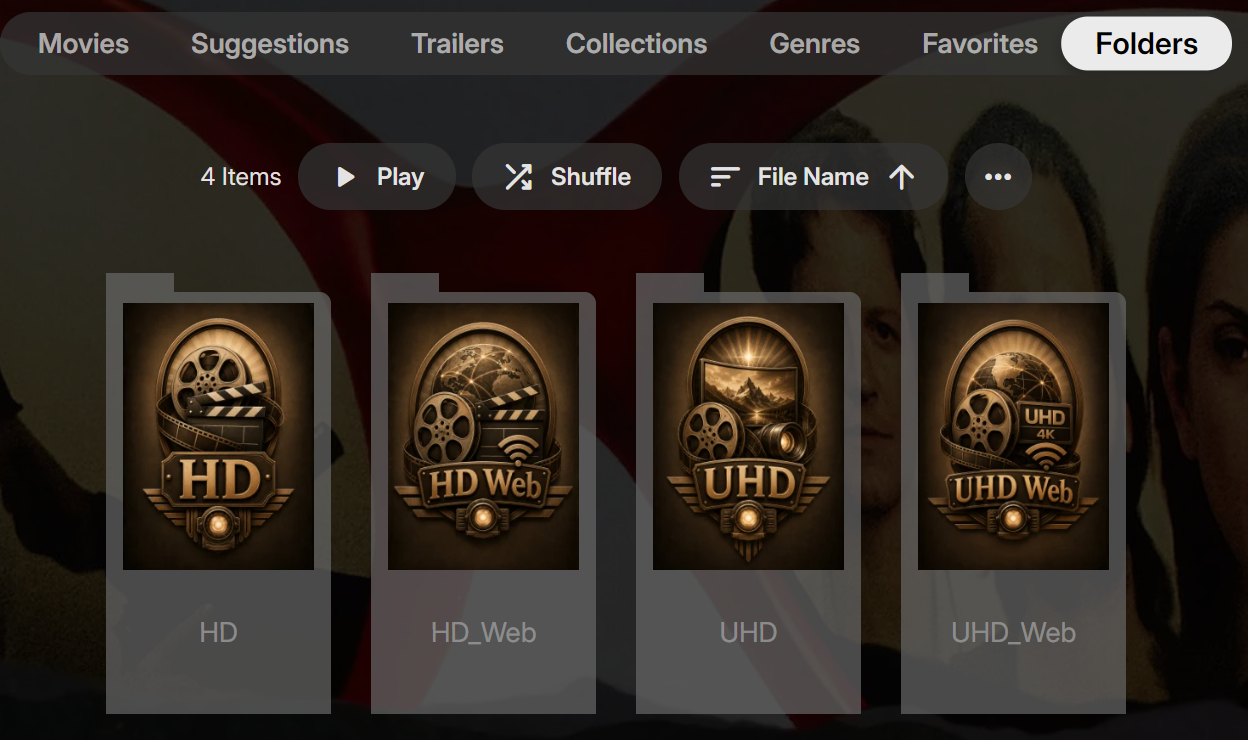
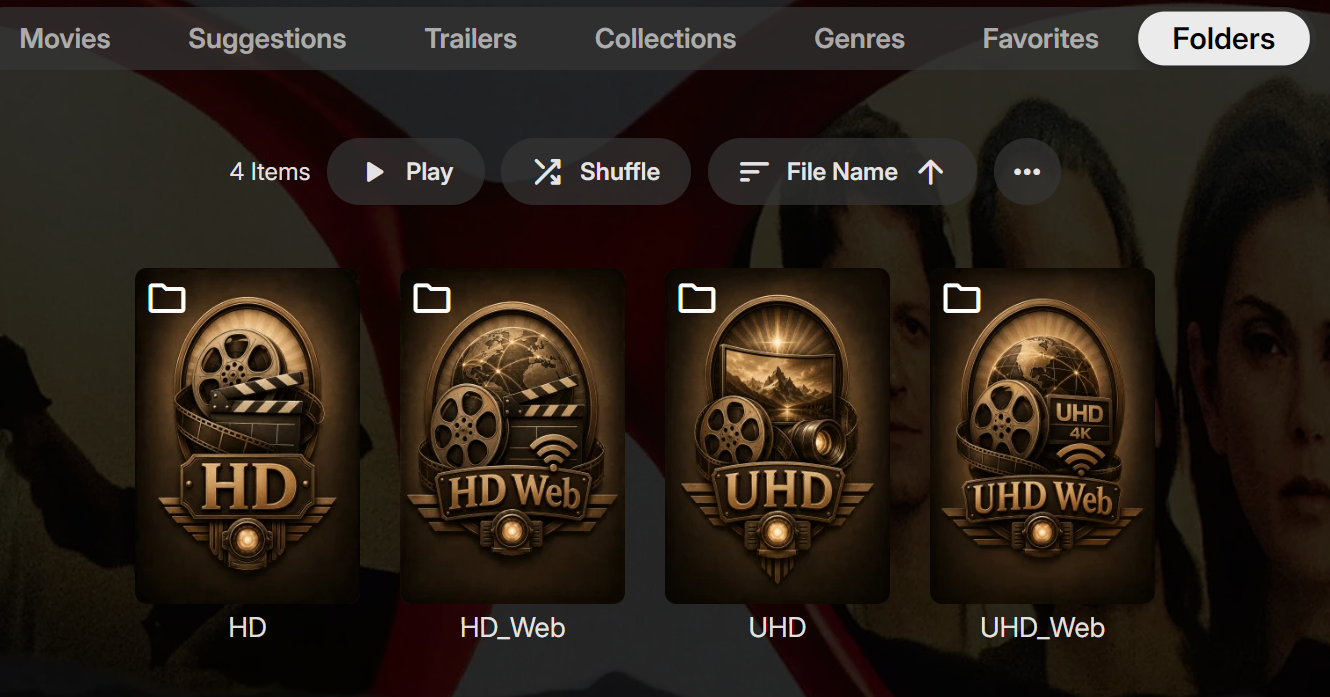
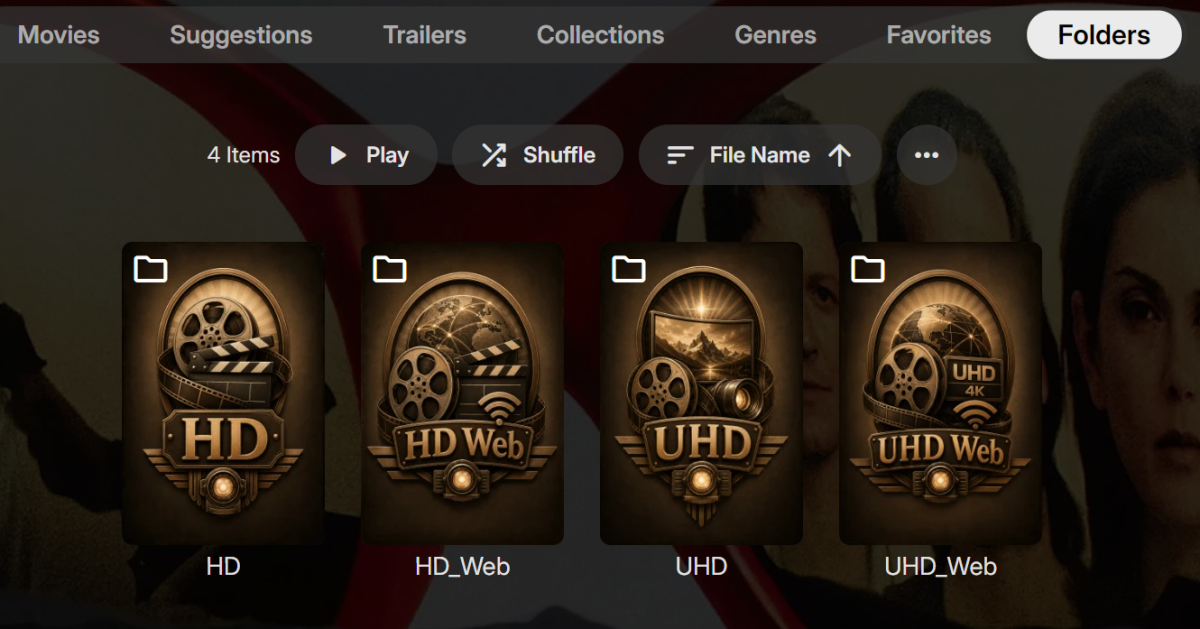
Interesting update, 4.9.5.24 to 26.0.0. Is that the new app-version numbering or was it suppose to 4.9.5.26? The "Folders" images are now displaying but I think the gray background card is including the text. Is this the new look by design? Here is the original look.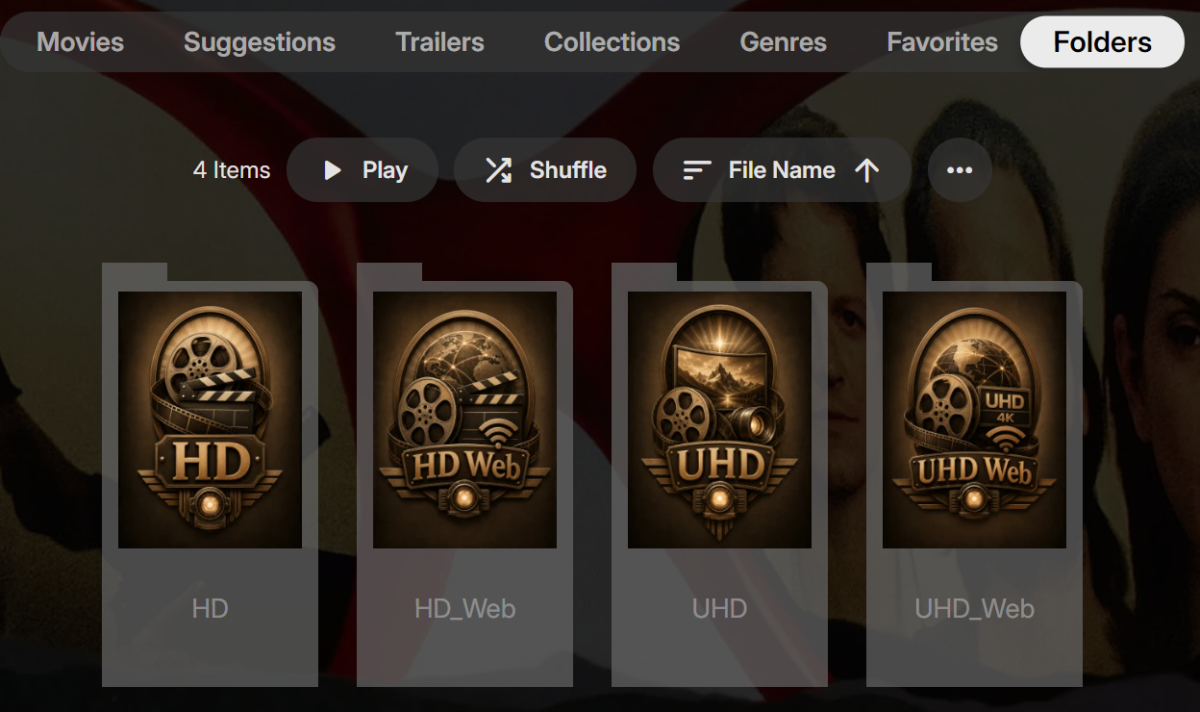
-
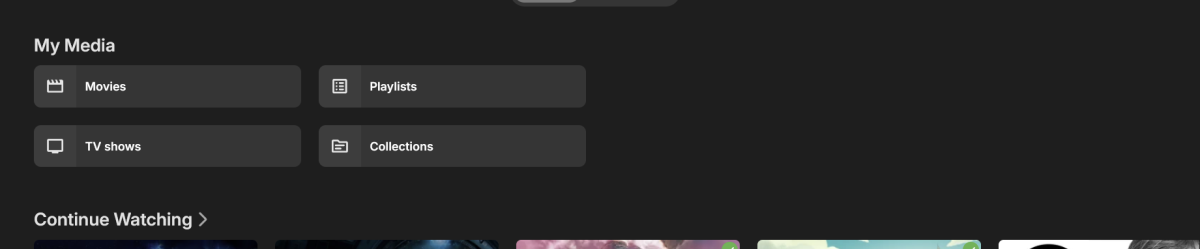
Hi, yes this is tricky but because it scrolls horizontally, that's why it is a 2x2 instead of 4x1.
-
 Arinanolli changed their profile photo
 -
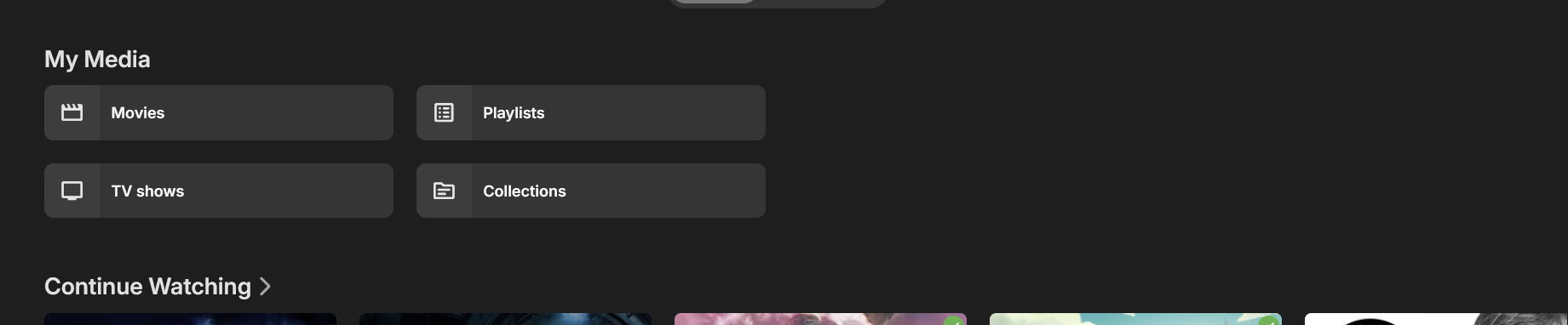
1. On the Android TV and Universal Android app, UX is forcing "My Media" as a stacked 2x2 instead of a much more efficient 4x1 grid. This is wasting vertical space. It doesn't do it in my Emby web app only because i have a 34" ultra wide and if i make window super wide then finally it allows is to be 4x1. TLDR: the My Media cards are too aggressively resisting 4x1 grid display 2. The new Emby ' spotlight home screen section' feature looks awesome - truly well done guys. Except that on the Emby Android TV app, the spotlight looks great (aspect ratio allows much more vertical pixels) but on the Universal app, the spotlight section is much shorter with much less vertical pixels causing the spotlight to look way too stretched and creates weird crops like an ultra wide of a guys legs because the torso and head is missing for example. Server: 4.10.0.22 beta running latest app versions
- 1 reply
-
- 1
-

-
Can’t connect to my Emby server from Android TV, but it works on my phone
Luke replied to Naveb12's topic in Android TV / Fire TV
Hi there, please attach the Emby server log from when the problem occurred: How to Report a Problem Thanks! -

Can’t connect to my Emby server from Android TV, but it works on my phone
Naveb12 replied to Naveb12's topic in Android TV / Fire TV
Hello again . So managed to connect through my phone app . But through the android TV . browser , not working a showing invalid password / username . but my phone app logging out logging in no issues -
It would just be normal episode naming but then you'd add pt1 to the end of it.
-

Moonfin, a new cross platform client
SuperCitizenEmb replied to bingbong69_'s topic in Third Party Apps
@Neminem just to play Devil's advocate, your concerns are valid, but the app is open source on GitHub. You could copy it, open it in VSCode and ask Claude Opus 4.8 to check for anything you're concerned about. The project has over 50+ contributors so far which is also not trivial. -
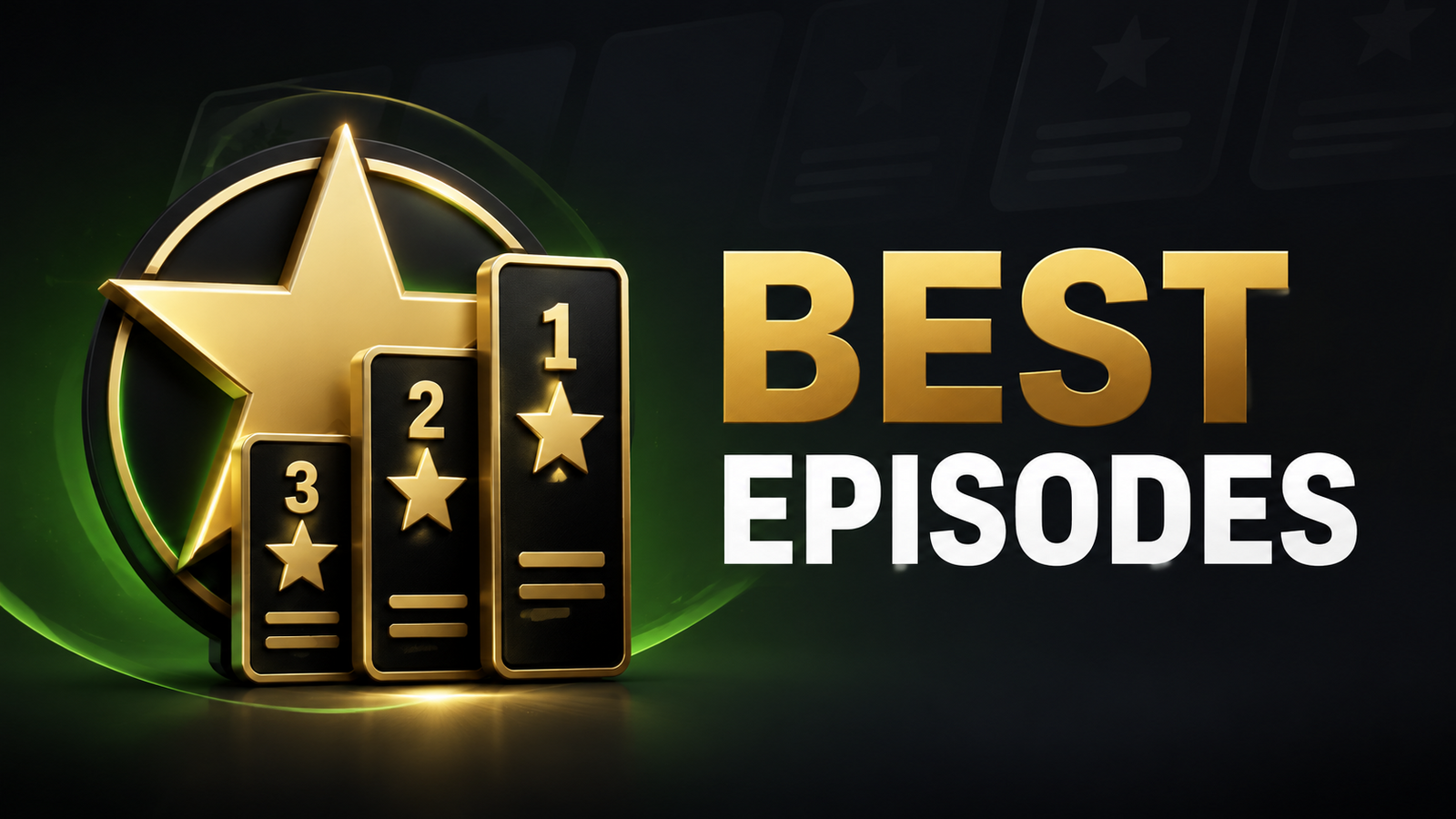
Hi everyone, I have created Best Episodes, a free Emby Server plugin that creates a playlist for each TV season containing its highest community-rated episodes first. The idea came from wanting to revisit only the standout episodes of long-running factual, documentary and reality series without changing their normal episode order or metadata. Features Select one or multiple series directly from a dropdown populated from your Emby library. Optionally process every TV series visible to the playlist owner. Create a separate highest-rated playlist for each season. Choose the top 5, top 10, top 20 or all eligible episodes. Set a minimum community rating. Optionally include unrated episodes and specials. Optionally exclude episodes already watched by the playlist owner. Refresh manually, daily or automatically after an Emby library scan. Access the generated playlists through Emby Web, television, mobile, Roku and Fire TV clients. The plugin only reads library metadata and watched state. It does not modify episodes, seasons, ratings, watched state or the normal series order. It only creates and updates playlists bearing its configured naming prefix. Current beta Version: 0.2.0 Built against: Emby Server SDK 4.9.1.90 Confirmed platform: Emby Server 4.9.5.0 running natively on Windows Source code and releases: https://github.com/Conroy1988/Emby-Best-Episodes Installation Stop Emby Server. Copy Emby.BestEpisodes.dll into the Emby Server programdata/plugins folder. Start Emby Server. Open Dashboard > Plugins > Best Episodes. Select one or more series and save. Open Scheduled Tasks and run Refresh best-rated episode playlists once. Open Playlists to see the generated season playlists. On a standard native Windows installation, the plugin directory is usually: %AppData%\Emby-Server\programdata\plugins\ Testing requested I would particularly appreciate testing on: Linux and Docker installations NAS installations Large television libraries Libraries containing duplicate series names Different Emby clients and television applications When reporting a problem, please include your Emby Server version, operating system and any relevant entries from the Emby Server log. The beta DLL is attached below. Thank you for testing it. Emby.BestEpisodes.dll Emby.BestEpisodes-v0.2.0.zip