All Activity
- Past hour
-
Ah, I get it now, though IMHO you should've posted in your thread linking the OP from this one, would've kept both the discussions focused on respective issues.
-
Scroll to the top and watch the video posted.
-

Why did emby decide to create phantom ghost duplicates of my movies?
Mahinepua replied to DCCXVIII's topic in General/Windows
If you scroll down what is the directory path on your duplicates? exactly the same also? Emby is great at finding duplicates I never knew I had. -
Is this the topic you wanted to post to? There's no video attached, btw.
-

embyforkodi (next-gen) 11.X.X support
t123thomas replied to quickmic's topic in Emby For Kodi Next Gen
Ok pls prompt me when it's release I shall give it a try then provide a feed back, I hope it won't break my titan skin settings -
@softworkzthe video posted shows the subtitle bug in trailers.
-

embyforkodi (next-gen) 11.X.X support
quickmic replied to quickmic's topic in Emby For Kodi Next Gen
I currently working on the next 12.X version which brings some improvements for artwork. Please try it when it's released -
 Naacher joined the community
 -
 Ninjedi9000 joined the community
 -
 remlapnivek joined the community
 -
 christianhansen513 joined the community
 -
 weihaohuan223 joined the community
 -
 Sanielaaa_v joined the community
 -
 Anlo joined the community
 -
 sPideyman22 joined the community
 -
 decabiyrghhh joined the community
 -
 Savanah joined the community
 - Today
-

EMBY cause or consequence my files on hdd get corupted ?
Uncle_Frank replied to David Patt's topic in General/Windows
Malware, even formatted drives won't help you just keep passing it back to the drives when you plug them in. Clean your main pc most likely the 0KB virus which running malwarebytes should be enough to get you back on the right path. -
Thank you
-
or even this one -
-
Give this one a go...
-

wrong audio track (language) played from mkv
FrostByte replied to BiberM's topic in Samsung Smart TV
Maybe this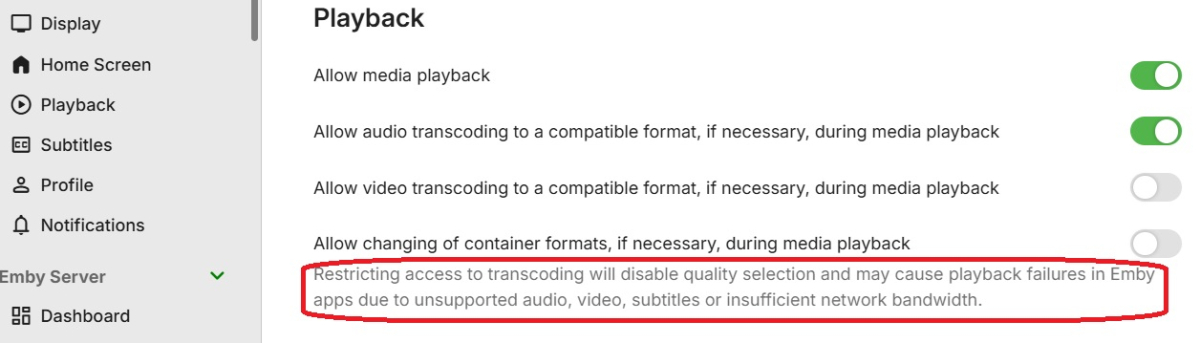
-
Thanks for the update. I just wanted to clarify some of the terminology around the different Emby apps, since I think some of the naming can be a little confusing. The Electron-based Windows application is the Legacy Windows App. It runs as an Electron application wrapped by Emby Theater and supports the MPV player. Its user interface and functionality are also tied to tv.emby.media. This URL is defined in main.js under the electronapp folder. The Microsoft Store version is the Windows App. It is a native C# application, and the assets required to run Emby Theater are packaged locally with the application. The Web App is the Emby-hosted version of Emby Theater that runs in the user's local web browser. Depending on the configuration, it can be accessed through app.emby.media or tv.emby.media. The local server web client is also an Emby Theater session running in a web browser, but its assets are hosted directly by the user's local Emby Server. Unlike the hosted Web App, it does not receive incremental client updates independently; updates are generally delivered as part of an Emby Server upgrade. Since tv.emby.media is used by the Web App and is also still referenced by the Legacy Windows App, there appears to be some overlap between the two paths as Emby transitions toward the newer Windows App. For my particular setup, this is not a significant issue. I self-host tv.emby.media on a local server and can run different versions from roughly the past 18 months. I also have the ability to address certain bugs or issues myself and merge those changes into newer Emby updates. Most users, however, do not have that flexibility and are dependent on the versions and fixes provided through the normal release channels. For now, I plan to continue using the Legacy Windows App because the newer Windows App has several restrictions—primarily around MPV customization—that do not work well with my current setup. That may change in the future as the Windows App continues to mature, but at the moment the Legacy Windows App remains the better fit for my needs.
-
Yeah, the crop would be better if it would crop starting below the top 10% of the image instead of just from the middle of the image.
- Yesterday
-

Increase the number of media items in the list for the “Latest Media” section of the home page
kandiman replied to Mister_U's topic in QNAP
Hey, would this work on Synology NAS server? -
Scrolling more than 16 items just like Plex would be amazing. It's one killer feature that's missing from Emby, 16 items feels very limiting.
-
There doesn't exist something like a "Windows Web App". The Windows app does not access any of these URLs. Changes to content on those URLs do not affect the Windows app. It has everything included and is self-contained. It gets updated solely by regular applicatiion updates through the Windows store. Both URLs point to the same code. The only difference is that tv.emby.media has TV mode as default and app.emby.media does not (at least that's how it was before TV mode selection was added to the welcome screen. And both URLs represent the "Emby Web App" which this forum is about. We also often call it the "hosted web app" (because we are hosting it for users). The old Windows app was using the code from tv.emby.media, but tv.emby.media has never been a url specifically for that app. There were (not sure whether still any) other apps using it as well and tv.emby.media is also useful on TV models with a browser but for which we do not have specific apps. No. It ships its own fixed version of the WebView2 runtime to prevent bad surprises and different client behavior due to Windows updates of the included browser engine. In that regard it is quite similar to Electron, but the player integration is done in a completely different (and much better) way. The combination of fixed browser engine version plus the UI code being included in the app itself makes it very resilient against any kinds of bad surprises from one day to another. You can't. There's no more way to bring mpv playback or any other kind of content into a Chromium engine. Those interfaces have been removed long ago and that's why the Electron version of the old app couldn't be updated anymore and is meanwhile a honeypot of browser vulnerabilities. It's irresponsible for a sw verndor to offer any such version to users and for users it's dangerous and risky to use any such application. I had discussions with Chromium developers about it and they acknowledged that there is no other way to bring video content into a browser's DOM with a native player like it was possible with NaCL/PPAPI (flash player was using this for example). I had found a loophole in a somewhat newer Electron (which the first WMC UI Windows app was using), but shortly after, they completely ripped out all code for this from Chromium. It's a dead horse, entirely. There will never be any update for that old app, I'm afraid.
-
embyforkodi (next-gen) 11.X.X support
t123thomas replied to quickmic's topic in Emby For Kodi Next Gen
I trigger artwork cache did not work, I tried 11.x,12.x same issue then I tried 10.0.47 that works like charm out of the box, all the artwork drops effortless, before the artwaorch cache which make it even better and faster to load. -
When was the Legacy Windows app (ET 3.0.20/21) no longer supported? If the Legacy Windows app is no longer supported than why is the content it accesses is being updated. Legacy Windows app: https://tv.emby.media Windows Web app: https://app.emby.media From what I can see is that the contents of the tv.emby.media is just a copy/mirror of the app.emby.media contents. Since the Windows Web app runs under a later version of Chromium (the users web browser) and the Legacy Windows app uses a old version of Electron (11.5.0.0) that any testing is done on the Windows Web version and not the Legacy version. If this is the case than perhaps Emby should stop updating the tv.emby.media since it poses potential breaking changes that are not tested and leaving the users to find them. Perhaps Emby could release an updated version of Emby Theater Legacy with the latest version of Electron and MPV so it can use the latest updates from the web content and be consistent with current web browsers. Not sure how many users are using the Legacy version but it isn't that difficult to update an existing project. Heck, I'll do it if you want.
-
Thats a shame, I like the home screen.
-
I looked at the using restore page, and I am just curious if there is an easier way? I have copied the programdata and system folders. I have all my media on external harddrives. They will have the same drive letter on the new system. Is there an easier way to setup Emby on a new machine? I figured there would be a way to copy/paste the programdata & system folders after installing Emby new, and that would just overwrite all existing info. Just making sure I make this as easy as possible.
-
No, Universal Android and Web apps have somewhat different implementation (server version 4.10+ is mandatory for Spotlight feature in any case).
-
I thought it was the APK emby universal version & emby web Version 4.10.0.40
-
Like what? If you're referring to this: that's Emby for AndroidTV client app, you can download it from the store or sideload apk from here:
-

Download Previous Versions of Emby Server for windows
cul8rmom1 replied to AaronClarke's topic in General/Windows
The portable downloads are there but the windows download is named "setup.exe" if the naming convention is like it is on the download page. download link from this page https://emby.media/windows-server.html https://embydata.com/downloads/server/release14/setup.exe Portable versions from that same page https://github.com/MediaBrowser/Emby.Releases/releases/download/4.10.0.40/embyserver-win-x64-4.10.0.40.7z https://github.com/MediaBrowser/Emby.Releases/releases/download/4.10.0.40/embyserver-win-x86-4.10.0.40.7z So given that the windows not portable version is "setup.exe" Where is the windows non portable version on the github page? Thanks,