All Activity
- Past hour
-
 Zea23 joined the community
 -
 Flabern joined the community
 -
 andreaskrasniqi joined the community
 -
 CmdrHydra joined the community
 -
 blaines joined the community
 -
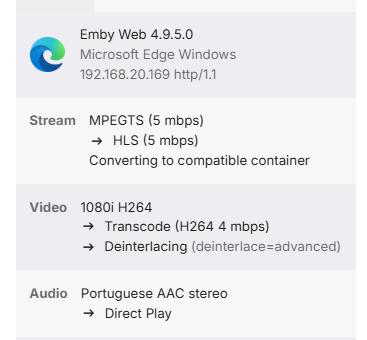
As the title say. I'm currently running version4.9.5.0 inside a CT container in proxmox (previledged) - I've used Proxmox VE Scripts for the installation. It was showing the icon before. I'm not sure when it broke. I can see the Preferred Hardware Decoders in the settings, however when I'm reproducing something, in the Emby Server dashboard I don't see the hardware icon: However when I run: pgrep -a ffmpeg | grep -oE -- '-init_hw_device[^ ]*|child_device=[^ ]*|-hwaccel[^ ]* [^ ]*|vpp_qsv[^ ]*|-c:v:[0-9]+ [^ ]+' I can see: -init_hw_device child_device=/dev/dri/renderD128 -c:v:0 h264_qsv -hwaccel:v:0 qsv -hwaccel_output_format:v:0 qsv vpp_qsv@f1=deinterlace=advanced[f1_out0] -c:v:0 h264_qsv Additionally, if I disable the hardware encoding I see the CPU utilization going up when reproducing. So I'm sure that I'm using hardware. Is this a bug? Thanks!
-
 Alsab3 joined the community
 -
 hjjjhg joined the community
 -
 BrunoN10 joined the community
 -
 orian2002 joined the community
 -
 Benoitmeissner joined the community
 -

Emby Beta Linux - not retaining server information
meadowcottage replied to TenderBabyMeat's topic in Linux & Raspberry Pi
I've been having this too on cachyos. Strangely a system reboot fixes it and I'm able to open and close the app having it log straight in. I think it usually occurs after putting the system to sleep. 2.319.0 -
That doesn’t make any sense Luke because currently actor images are downloaded in advance, so a few kb of extra txt for bio’s wouldnt impact. If it’s an agreement with providers then I understand, and if that’s the case can Emby be made not to freeze when offline and trying to fetch bio’s on demand? I reported the issue at Xmas, often we click on an actor to see what other movies they are in and with no internet it can freeze for up to a minute before proceeding.
-
Ive set it to what you set it to and nothing plays at all still the same thing, no compatible streams here's the logs from me doing this a moment ago embyserver.txt ffmpeg-transcode-5cb5ed43-f1ed-4d64-8108-21fef5d92cea_1.txt ffmpeg-transcode-75d8a96d-1470-40a0-8804-d9244a93bcb2_1.txt ffmpeg-transcode-640ffffa-12e2-45fe-8360-1e1b66fe50b0_1.txt ffmpeg-transcode-2087898b-b4f3-4bef-af7b-22afb9d7e276_1.txt ffmpeg-transcode-a3760825-ca8d-43a0-a70e-dda225835343_1.txt ffmpeg-transcode-d6f80c02-a6e7-4fe9-b7b1-d7647634120f_1.txt
- Today
-
The best function for me in the Android for TV app over the Android app is the channel number navigation for live TV.
-
 Howdy, Since 4.10.0.x, clicking a search result takes about a minute before the detail page appears. Searching itself is instant. I traced it to a single query and I think I have the exact cause, with measurements. Still present on 4.10.0.21. I saw that 4.10.0.21 lists "improve search performance" in its changelog. I updated and re-measured: the request below was still running when I cut it off at 180 seconds. So whatever that improvement covered, it does not cover this. ENVIRONMENT Emby Server 4.10.0.20, then 4.10.0.21 (native .deb) Debian 13, 8 cores, 32 GB RAM, no swapping, library.db on SSD library.db 295 MB Reproduced in Emby Web (Firefox) and in Emby for Android Library contents, which turn out to matter: MediaItems total ........... 168,514 of which Person ............ 132,785 (79% of the table) ItemPeople2 rows ........... 310,687 Movies ....................... 4,109 Series ......................... 677 Episodes .................... 17,356 UserDatas rows .............. 21,552 of those with a search date ..... 23 WHAT IS ACTUALLY SLOW Not the search. SearchTerm=batman returns in 20 ms. The slow request is the "recently searched" list that the client loads on the search screen: GET /emby/Users/{uid}/Items ?SortBy=DateLastSearched,SortName &SortOrder=Descending &Limit=20 &Recursive=true &ImageTypeLimit=1 &EnableTotalRecordCount=false &WasSearched=true I let it run to completion instead of letting the client time out: 200, 458.6 seconds Emby logged it itself: Debug SqliteItemRepository: ItemsService.GetItems.GetItemList query time (slow 6x): 458608ms WHY THAT TURNS INTO A ONE MINUTE DETAIL PAGE Opening an item fires POST /SearchedItems and this refresh at the same time. The refresh holds a DB connection for minutes, so the POST queues behind it. From my log: Time: 30006ms GET .../Items?SortBy=DateLastSearched...WasSearched=true Time: 27512ms GET .../Items?SortBy=DateLastSearched...WasSearched=true Time: 25879ms POST .../SearchedItems The client gives up around 30 seconds and retries, but the server keeps burning a full core for another 7 minutes per abandoned request, so repeated attempts stack up and it gets worse the more you poke it. THE QUERY Captured with debug logging enabled on 4.10.0.20. Abbreviated where it repeats, happy to post the full text. select A.type, A.Id, ... , (select ShareLevel from UserItemShares join AncestorIds2 on AncestorIds2.AncestorId = UserItemShares.ItemId where UserItemShares.UserId = 3 and UserItemShares.ShareLevel not null and AncestorIds2.ItemId = A.Id order by Distance limit 1) as ShareLevel from mediaitems A left join UserDatas on A.UserDataKeyId = UserDatas.UserDataKeyId and UserDatas.UserId = 3 where A.Type in (1,2,5,6,8,9,10,11,12,13,14,15,16,18,19,20,21,22,23,24,25,26,27,28,29,34) AND Coalesce(UserDatas.DateLastSearchedInt, 0) > 0 AND (Coalesce(ShareLevel, 0) > 0 OR A.Type in (...) OR A.IsPublic = 1) AND A.ExtraType is null AND ( EXISTS (SELECT 1 FROM AncestorIds2 WHERE AncestorIds2.itemid = A.Id AND AncestorIds2.AncestorId in (8 library ids)) OR exists (select 1 from ListItems join ancestorids2 ...) OR EXISTS (SELECT 1 FROM itemPeople2 JOIN AncestorIds2 ...) OR Exists (select 1 From ItemLinks2 join ancestorids2 ...) OR Exists (select 1 from ItemLinks2 ItemLinks2TwoLevel where exists (select 1 From ItemLinks2 join ancestorids2 ...) and ItemLinks2TwoLevel.LinkedId = A.Id) OR A.Type in (27,28)) Group by A.PresentationUniqueKey ORDER BY MAX(UserDatas.DateLastSearchedInt) DESC, A.SortName collate NATURALSORT DESC LIMIT 20 ROOT CAUSE This line: AND Coalesce(UserDatas.DateLastSearchedInt, 0) > 0 Wrapping the column in a function makes SQLite unable to use the index that exists for exactly this purpose: CREATE INDEX idx_UserDatas_DateLastSearched ON UserDatas (DateLastSearchedInt DESC) WHERE DateLastSearchedInt IS NOT NULL In my database exactly 23 rows have a non-null DateLastSearchedInt. Instead of touching 23 rows, the query scans all 168,514 rows of MediaItems, running the correlated ShareLevel subquery and the five branch EXISTS chain on every one. Group by A.PresentationUniqueKey then forces the whole result set to be materialised before LIMIT 20 can apply. I tested this on a copy of library.db, changing only that one expression to AND UserDatas.DateLastSearchedInt > 0 and leaving everything else identical: original ................. 763 seconds without the Coalesce() ..... 0.003 seconds Run in the sqlite3 CLI with the Emby internal NATURALSORT collation replaced by a plain sort, since that collation is not available outside the server. WHY THIS MAY NOT SHOW UP IN TESTING I think the deciding factor is cast and crew depth, not library size. My video count is unremarkable: 4,109 movies, 677 series, 17,356 episodes. But MediaItems also holds 132,785 Person rows. Person rows are the worst case for that EXISTS OR chain. I checked: zero of my 132,785 Person rows have an AncestorIds2 row pointing at any of the 8 library folders named in the query. Normal library items match the very first EXISTS branch and short circuit immediately, which is cheap. Person rows cannot, so every one of them falls through to later branches before anything can match. That shows up cleanly when timing the same request per item type: Movie ......................... 6 ms Series ........................ 3 ms Episode ...................... 14 ms Audio ......................... 2 ms Book .......................... 1 ms MusicArtist .................. 65 ms BoxSet ...................... 174 ms Person ...................... 117 s no filter, what the client sends ... 458 s That is roughly 0.9 ms per Person row, scaling linearly. A test library with a few hundred fully scraped titles has maybe 3,000 to 10,000 people, so the same query lands somewhere between 3 and 9 seconds, which is easy to write off as a cold cache or a first load. At 132,785 people it becomes minutes. To be clear about what I am claiming: the bug is the unusable index. The people count is only what turns it from invisible into a hang. THINGS THAT ARE NOT THE CAUSE I checked these so nobody has to ask: I have zero orphaned Person rows, so a People cleanup does not help. ExcludeItemTypes=Person has no effect, the server still emits type 23 in the SQL Type IN list. Clearing search history does not help, the scan happens regardless of how many rows match. Not disk bound. One thread sits at 99.9% CPU for the whole duration. SUGGESTED FIX Drop the Coalesce() and compare the column directly, so idx_UserDatas_DateLastSearched becomes usable. Coalesce(x, 0) > 0 and x > 0 are equivalent here, since NULL fails both. That change alone took it from 763 seconds to 3 milliseconds for me. CLIENT SIDE CONTEXT dashboard-ui/search/searchfields.js gates this request on the server version: function supportsRecentlySearched(instance){ return apiClient.isMinServerVersion("4.10.0.5") } If the gate is false the function returns an empty result without issuing a request, so this only fires against 4.10.0.5 and newer. TV layouts skip it as well, and it only fires when the search box is empty. When it does fire, IncludeItemTypes is unconditionally null, which is what pulls all 132,785 Person rows into the query. Emby for Android sends the same unfiltered request, so this is not specific to the web client. For reference, the same request against the same database returns in 27 ms with IncludeItemTypes=Movie,Series,Episode,Audio,Book. WORKAROUND FOR ANYONE ELSE HITTING THIS Until it is fixed, injecting IncludeItemTypes=Movie,Series,Episode,Audio,Book,BoxSet into any request carrying WasSearched=true, either through a reverse proxy or by patching that line in searchfields.js, takes the request from 458 seconds to about 200 milliseconds. Happy to run further tests or post the full unredacted query and logs.
 -
Might be worth letting users choose whether to restore from NFO or JSON. Auto-detect has completely screwed up all the Alfred Hitchcock Presents intros, and they're all the first 30 seconds of each episode. A simple bulk find-and-replace in the NFOs will fix that, whereas using ChapterAPI or the like would take ages.
-

Is Android TV no longer being developed?
mlcarson replied to doggypatch's topic in Android TV / Fire TV
One thing I noticed missing from the Android client versus the AndroidTV one is that there's no direct channel number navigation. I guess that's to be expected since Android devices wouldn't have a remote control or keyboard capable of numeric entry but it's a feature that I like in the AndroidTV client. -

Parental Ratings - Use BBFC Rating Symbols
crusher11 replied to abroadhursthall's topic in Feature Requests
Those aren't even the logos anymore. The current ones are far more readable at a small size, I would imagine. The same is true of the Australian ratings logos. -
@softworkznot sure if I should take this post as positive or negative...
-
Yes - the one in the server dashboard where things are set up.
-

ffmpeg remains post-playback, pegging a core at 100%
Walter_Ego replied to Walter_Ego's topic in General/Windows
im not at a computer right now, but i believe if you seek to near the end of the file and wait for playback to fully complete, q will not cause it to exit. i believe once the cpu pegging occurs the and there is nothing further to transcode at all the non-responsive state of the issue is exposed. i think i wrongly described it as a livelock at the point the cpu pegging occurs, i think there must also be no streams left to transcode. will reconfirm when i get to a computer in a few hours. -
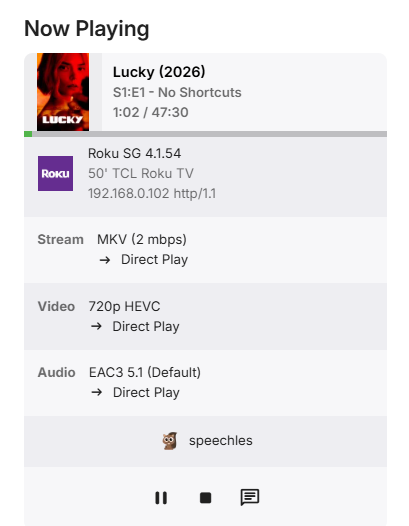
I’m at work right now but will give it a try when I get home in an hour or so. so far I’ve had trouble with lucky s01 e1-4 Elle s01 e1-8 Walking dead dead city s03 e1 the boys s05e8 as far as my Roku model I believe it’s this one https://www.target.com/p/roku-streaming-stick-2025-hd-roku-streaming-device-with-voice-remote-free-and-live-tv-access/-/A-94570936
-
Perhaps its a portmanteau?
-

A lot of videos are stopping only 10 seconds into playback
porkslapchop replied to dimitrik's topic in LG Smart TV
This is most likely the issue. Just did a test myself. German audio Track had a different codec and works, switching to the original language (in my case TRUEHD Codec) made the playback stop. -
embyserver(2).txt
-
I just installed it, and it's amazing (F....ING Awesome). I added a few new movies, and it works incredibly well. Thank you
-

Parental Ratings - Use BBFC Rating Symbols
abroadhursthall replied to abroadhursthall's topic in Feature Requests
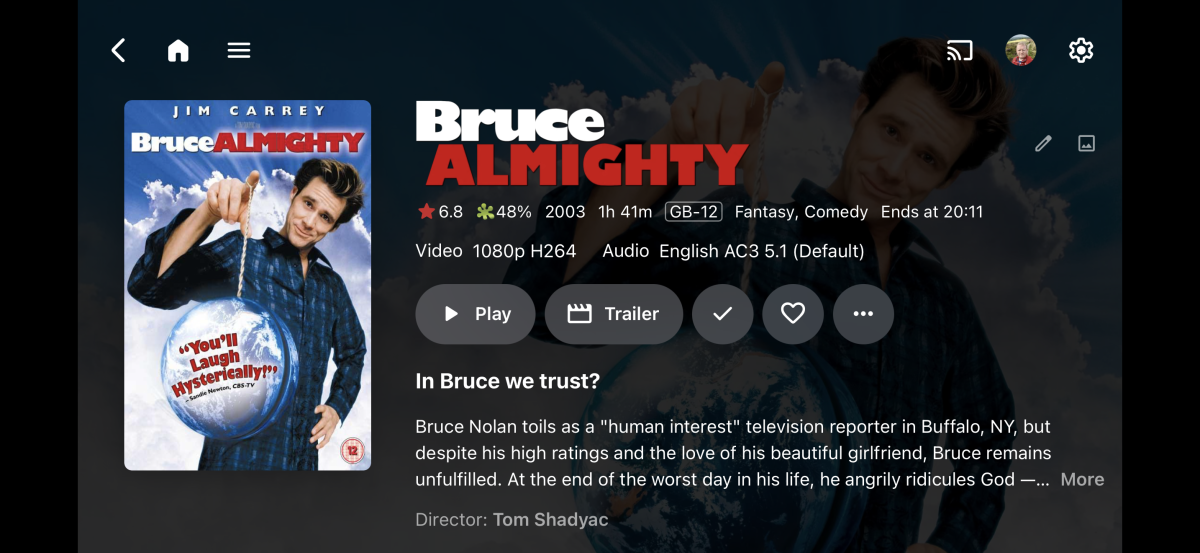
I guess it depends on the platform it’s viewed on. I used to have RasPlex on a raspberry pi, modified to use the icon instead. It was only slightly bigger than the text, but for people used to seeing the icon (which is pretty much the whole of my country lol) it was quite useful. I didn’t realise when I posted how massive the PNG was Im using EmbyIcons at the moment, and though they are small and on the poster, they are more quickly recognisable. I’ve attached some examples. Perhaps an option to turn icons on, for those who want them? Edit: Because the BBFC icons are different colours and shapes, hardly anyone here actually reads the number, as we can recognise the rating from the colours and shapes alone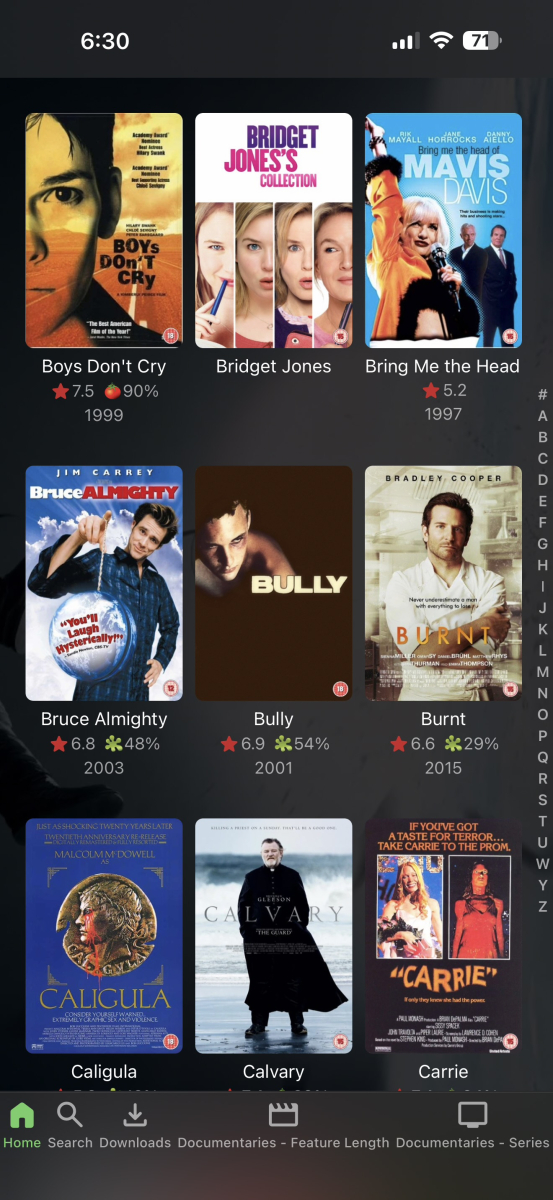
-
No problem, I know it is when there are both plugin...
-
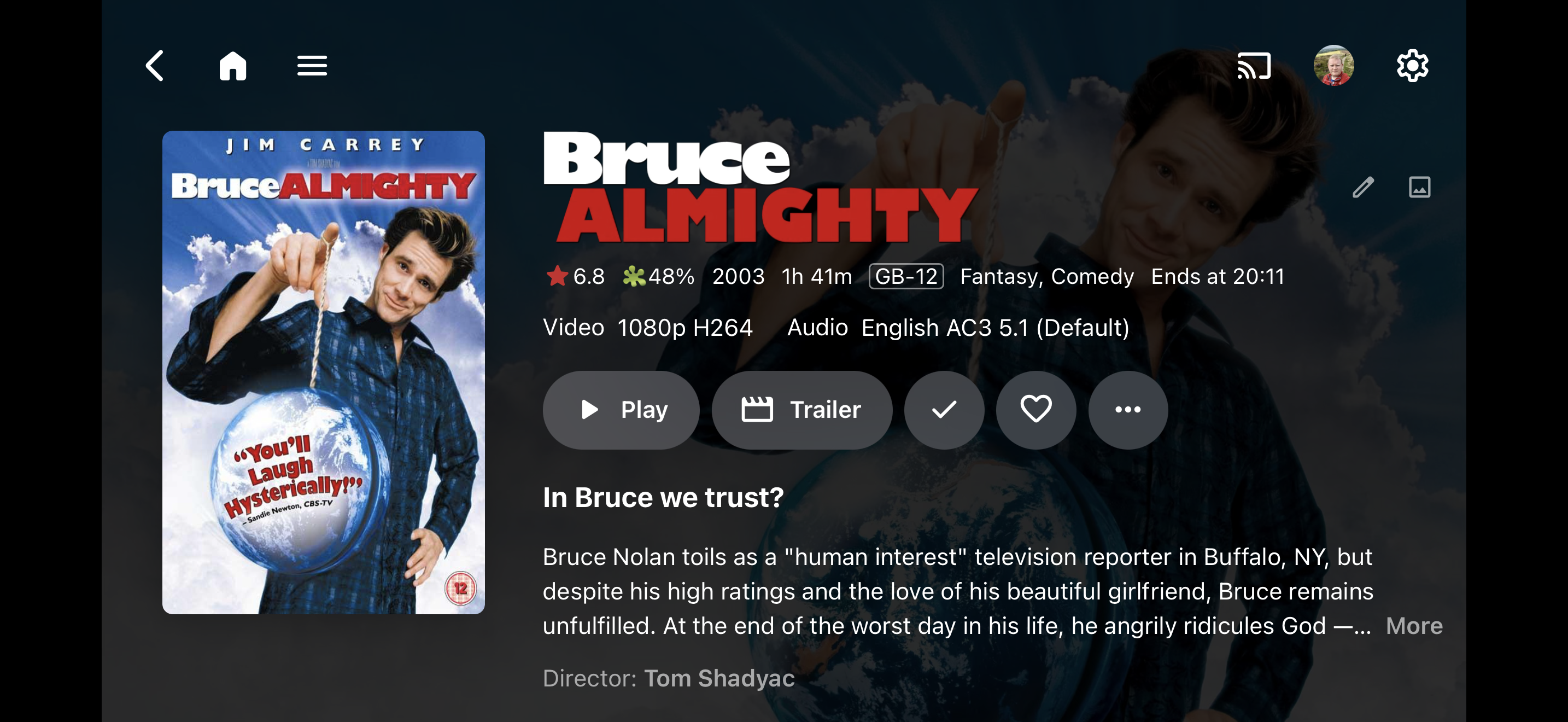
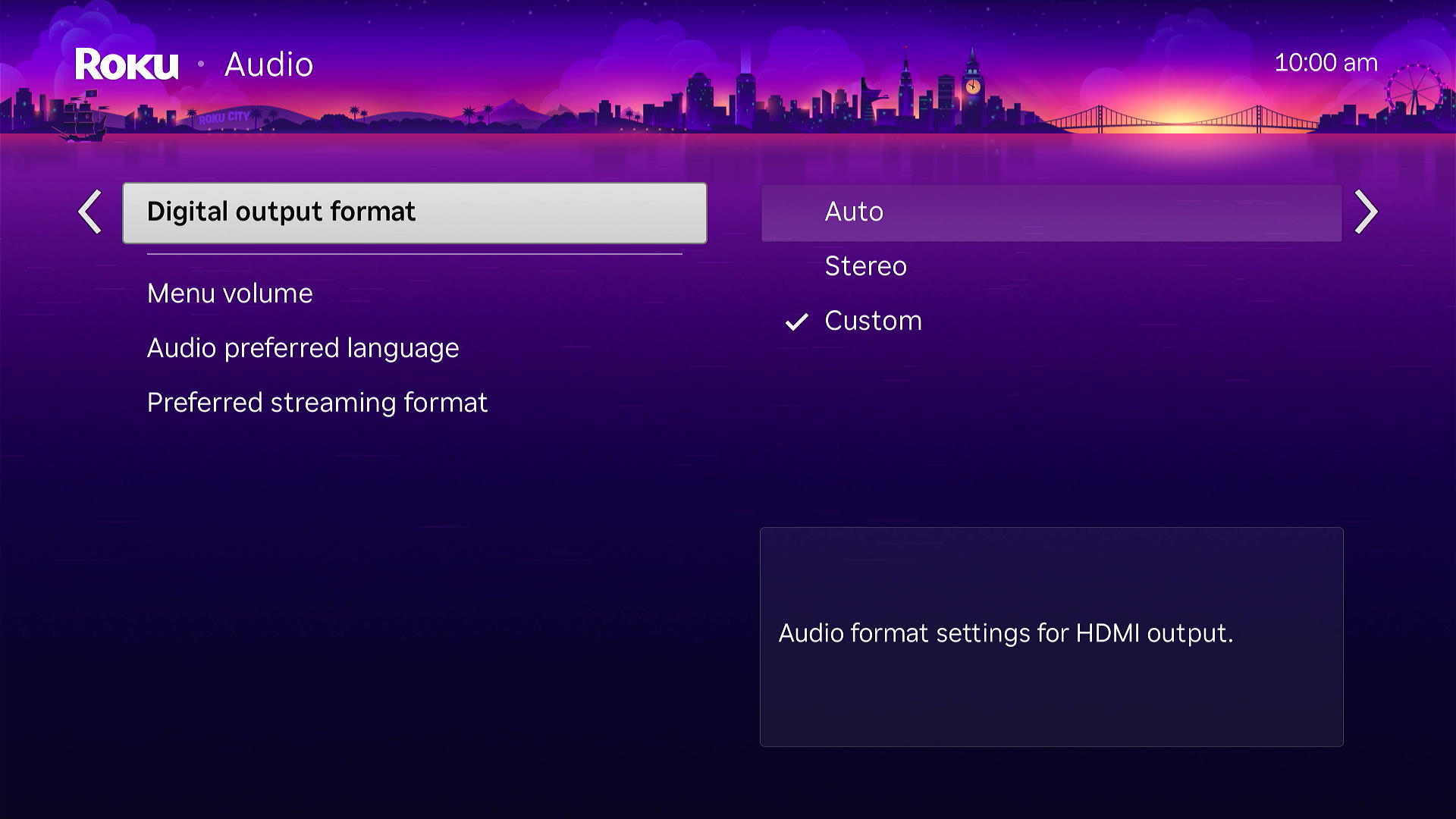
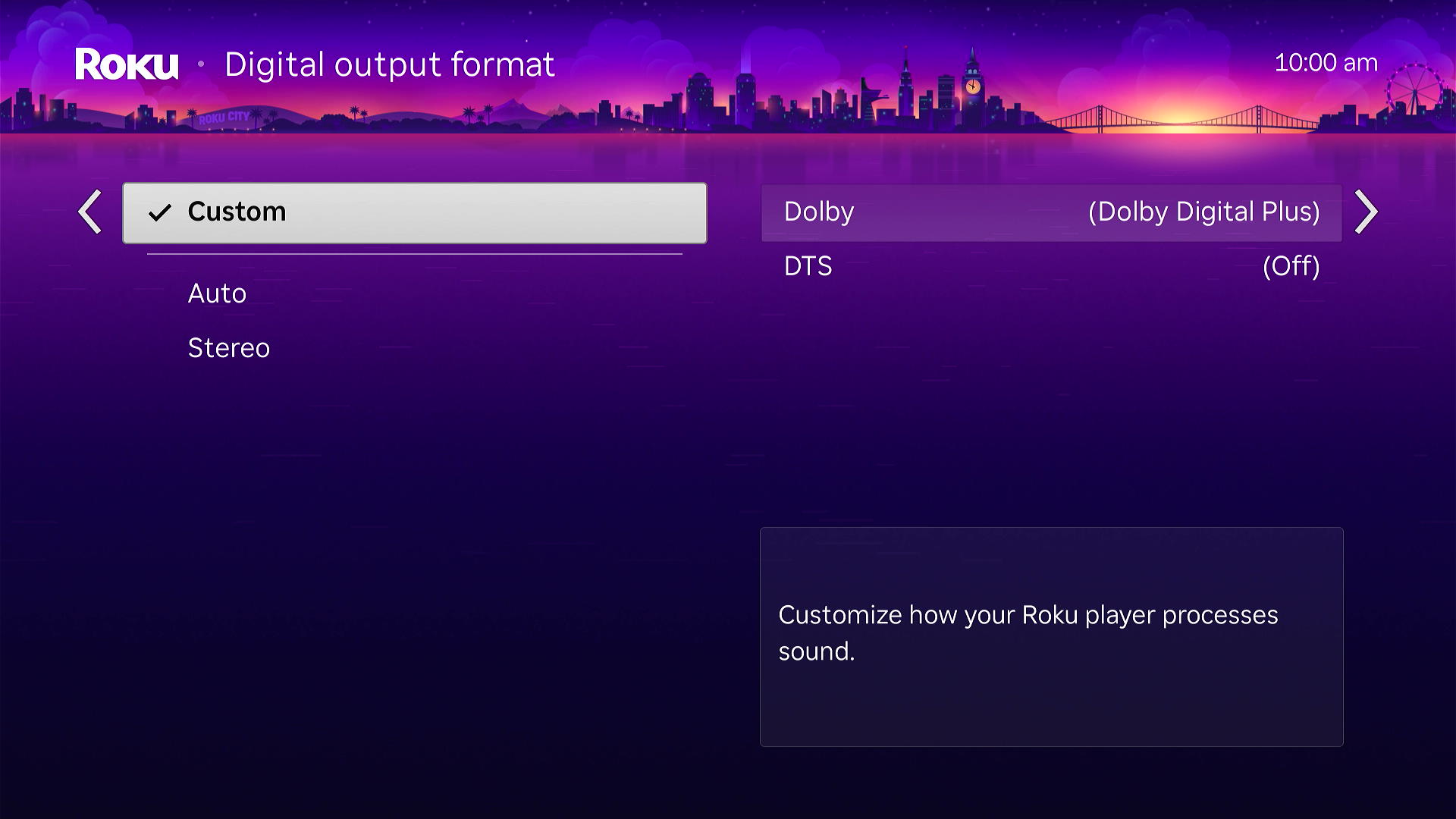
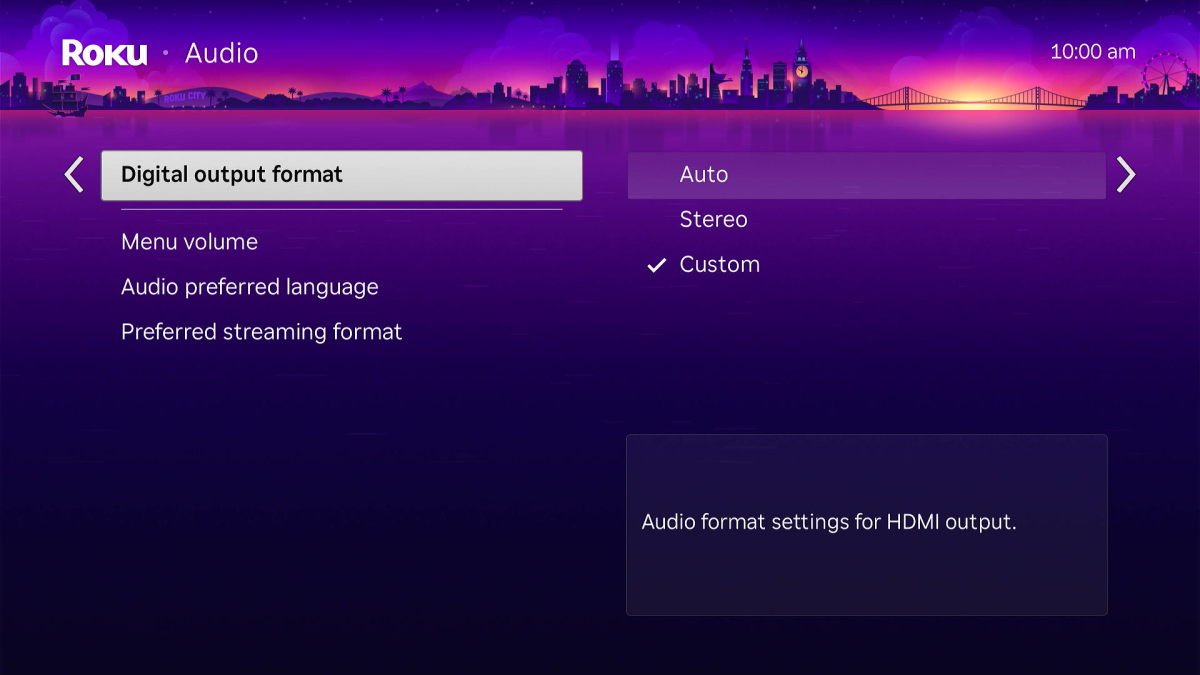
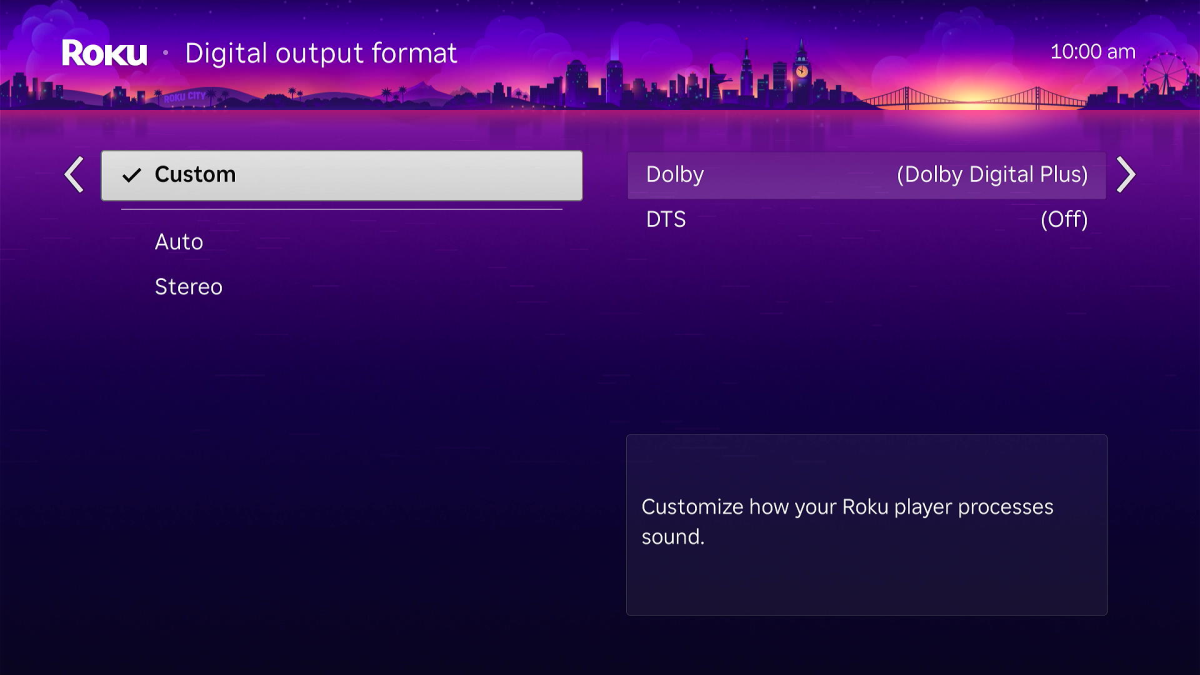
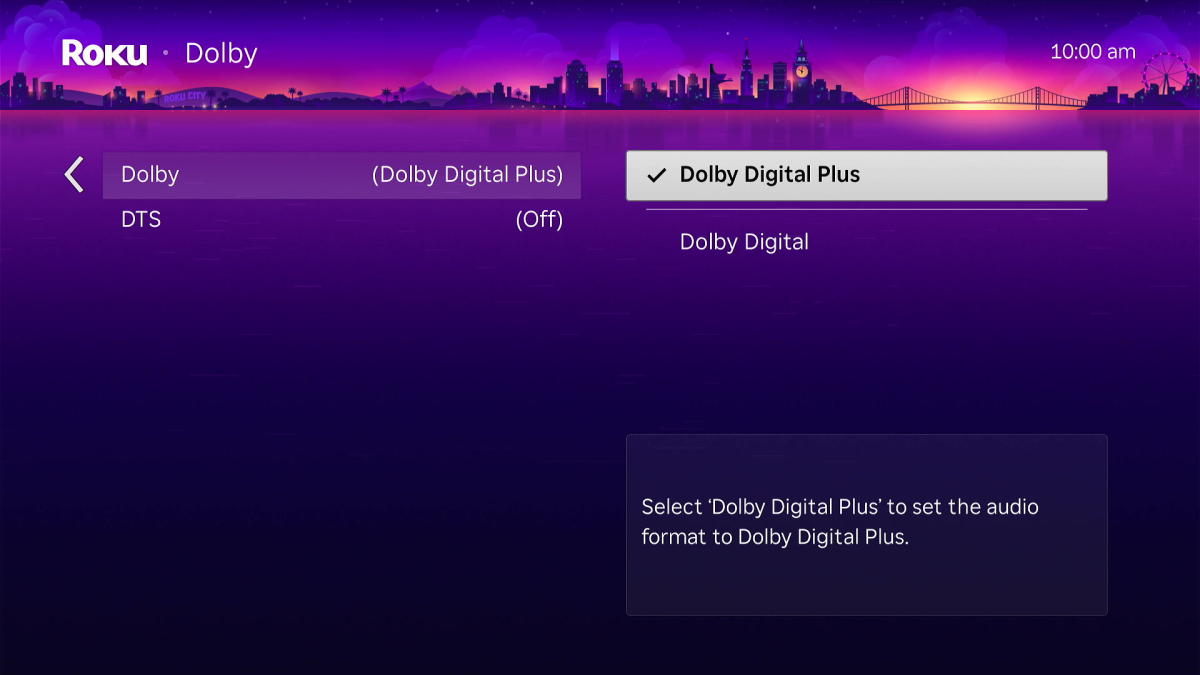
@Mosetter27 What do you have set for your Roku audio settings? Specifically, the Digital Output Format? Also, what model of Roku are you using? You can try to set yours identical to how I have set mine above. Then play that same item. The item should now play correctly, but do you hear audio? All modern television with HDMI connections natively support AC3 as that is what is used by OTA over the air broadcasts so they must support it. But only certain models also support E-AC3 which they pay extra to add. If you have E-ARC on that TV it might also have this otherwise you might hear silence. @ebr Here is how MediaInfo indentifies the audio stream from that file. I have the same problem with this series. On the Roku TV this works perfectly. But I do not know if it works on all models of Roku. This is caused by the new firmware update Roku has given us. It resets the Audio to AUTO for everything. The AC3 codec is supposed to be first to maintain surround when transcoding. That is supposed to happen. But it appears that something in the transcoding produces broken AC3 when convert that A_EAC3 codec to AC3. Maybe only happens on Apple Mac servers. But that codec is one we need to run tests on. A_EAC3.
-
An Nvidia Shield Pro is still the go to for Emby streaming. It supports almost everything. Just don't get the tube version.
-
We just can't risk getting pulled from the stores.
-

Parental Ratings - Use BBFC Rating Symbols
Luke replied to abroadhursthall's topic in Feature Requests
Hi, in theory yes it's a good idea. The problem with that icon though is that once you size it down to match the line of text that it's being displayed on, the 15 inside the circle would probably end up being tiny. -
Looks like another plugin is causing problems for EmbyIcons. Try uninstalling the other plugin and see if that helps.
-
No, all Emby Connect does is save you from having to remember emby.mydomain.com. You still need to have normal remote access working.