All Activity
- Past hour
-
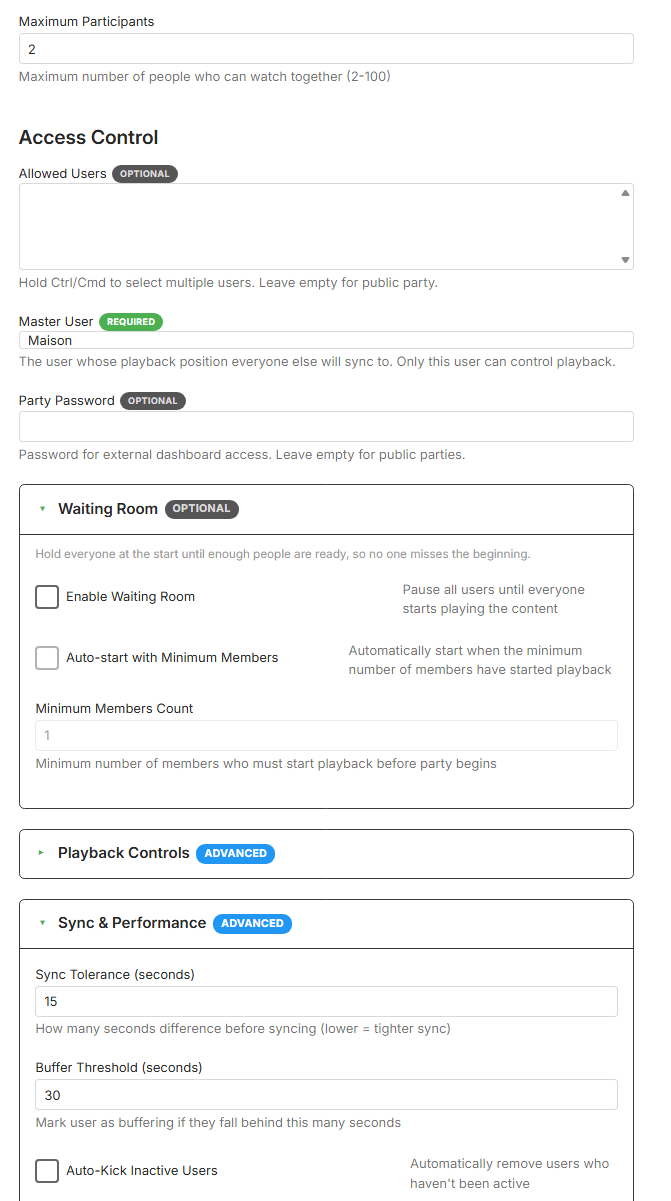
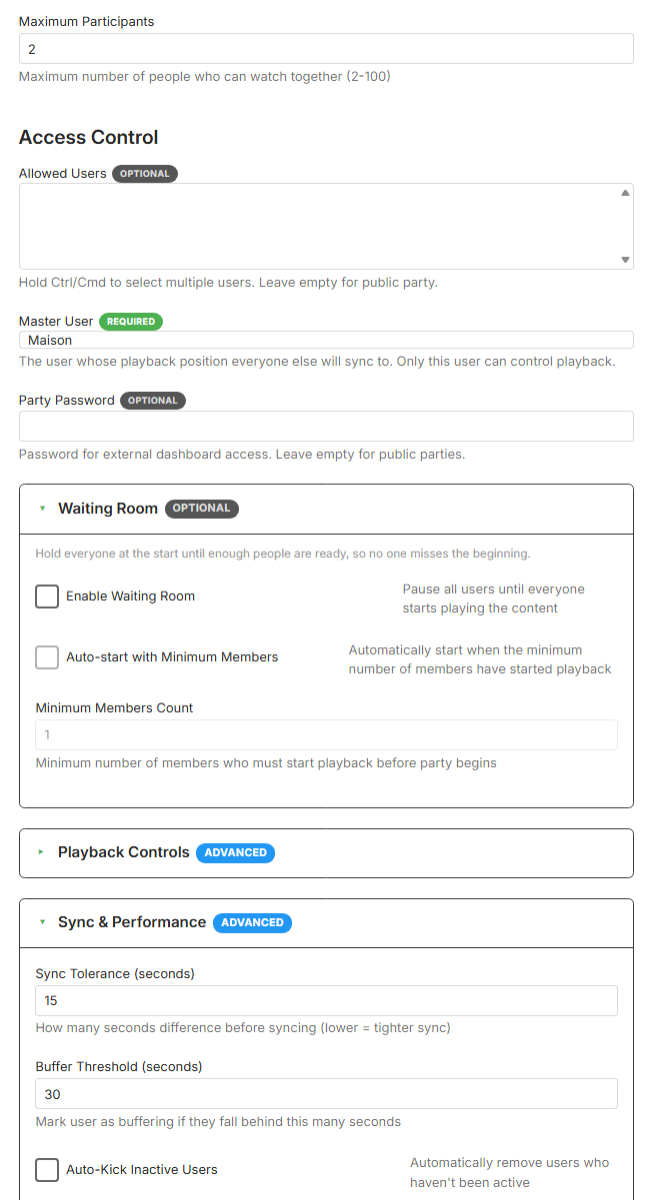
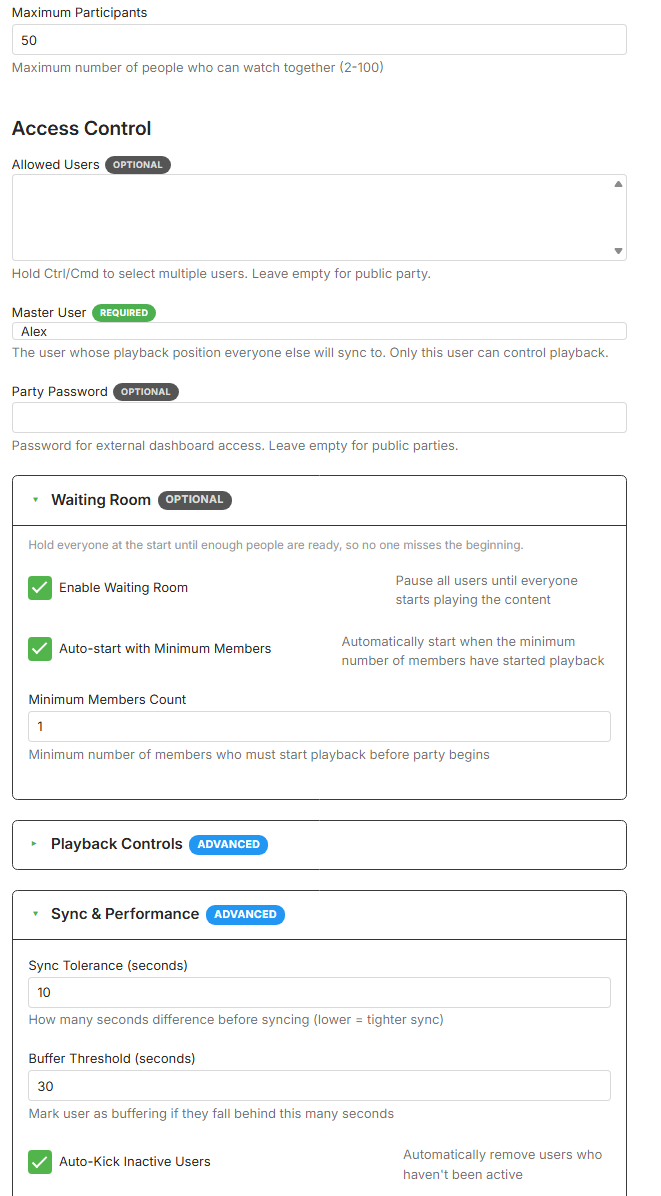
For exemple : then I saved. But when i come back I have :
-
I have also went to android tv app and sent to developer logs so it can be compared. From windows screenshot that connected using chrome remote desktop emby_android_1788591834679.txt
-
 anhberry joined the community
 -
 Kandry_25 joined the community
 -
 Zhangxinyang joined the community
 -
 HaileyGaio joined the community
 -
 naixiaaaa joined the community
 -

Atrium — a native tvOS app for your Emby server
vdatanet replied to vdatanet's topic in Third Party Apps
One thing from 1.8 that's easy to miss, because it ships switched off: there's a new look for the home screen, and you have to turn it on — Settings ▸ Home ▸ Enhanced home. With it on, the header stays put and only the row strip below it scrolls. The background goes full screen and follows the focus: move down onto a row and the header becomes whatever card you're on — its name and details — with that card's artwork behind it. The strip shows just the focused row and pins it to the top, so the row title is always visible and you never get half of the next one creeping in. For an episode, the header is what tells you which one is waiting: series name on top, the episode below it, and the synopsis. Same idea for an album — artist on top, album underneath. If it isn't for you, turn it off and you get the old home back exactly as it was: the featured title inside the scroll, every row on screen, and captions under the cards. Nothing else changes, so it costs you one toggle to try it. I'd genuinely like to know which one you end up leaving on. That one isn't a bug I can find from here — it's a taste question, and the only people who can answer it are the ones looking at that screen every day. -
 Q12Qy joined the community
 -
 Randysal joined the community
 -
 Japozoc_14 joined the community
 -
 王铁鑫 joined the community
 -
It's pretty simple and independent of any sort of logging as it's just a UI issue. In any TV mode in the web based apps (not just the Android app it seems but I can make it happen by forcing TV mode when web connecting to my server), the search results are horizontal scrolling and limited to 15 or so and in other modes, it's a vertical scrolling list and gets all results. Can we just get it so that (at least optionally) we can get the vertical scroller for TV mode as well?
-
Atrium — a native tvOS app for your Emby server
vdatanet replied to vdatanet's topic in Third Party Apps
You were right, and it was worse than them looking alike: they really were both name orders. The sort I was asking for is ignored by the server. What came back was, channel for channel, the same list you get by asking it to sort by name — so the first option wasn't the tuner's list order at all, and the label on it was wrong. That one's on me. The answer you got earlier, that sending no sort gives you the server's own order, was wrong too: it gives that endpoint's default, which is by number. Digging into why, I found the thing I should have found in the first place. The channel manager on the server keeps an order of its own — the one you can drag rows around in — and that order can be asked for from the ordinary channel list. That's what the other app is showing you: it isn't sorting differently or hiding your duplicates, it's asking for the default channel order. So the app now has three: default order, channel number, and name. Default order is the server's own, so whatever you arrange in the manager is what you get. Number is sorted on the device rather than by the server, numbered channels first and sorted as numbers, because the server's own number order puts every unnumbered channel ahead of number 1 — with a big IPTV list that's a lot of scrolling to reach it. Your 1,2,3,3,4,4 was the number order, with each of your two tuners counting from one. In default order it follows the manager instead, so you can arrange them once and the app will keep up. One thing worth knowing, because it cost me a confused half hour: after you reorder channels in the manager, the list the server hands out to apps can lag behind for a while. If a change doesn't show up straight away, it's the server catching up, not the app ignoring you. Thanks for this one. Two reports on the same screen, and both were right. -
But to save you time since you've been very helpful, it sounds like you have the date added option configured to use the date created timestamp of the media file. That is date created, not date modified. And I would actually suggest leaving it this way so that if you ever install the server fresh, then all of the media that you added years ago will have date added values from years ago instead of everything being set to today's date. I think that is a nice feature that we have.
-
 nqp710917 joined the community
 -
Using the example, Home Alone has a nfo but some of the recently created movies do not I usually just move the movie file and any subtitles files into my movie collection, any pictures and nfo I think are then auto-generated somehow?
-
Hi there, can you please provide a log from the android app? Thanks.
-
An album gets created based on a track. So whichever track from the album was scanned in first, that's when the album got created, and the album took on the same date added value from the track. So then if you ask, why does my track have that for the date added value - there's a lot of threads in the forum about this already so I don't think we should repeat those discussions here. The help text underneath the date added value in the metadata editor also mentions where the value comes from. Does that answer your question about date added?
-
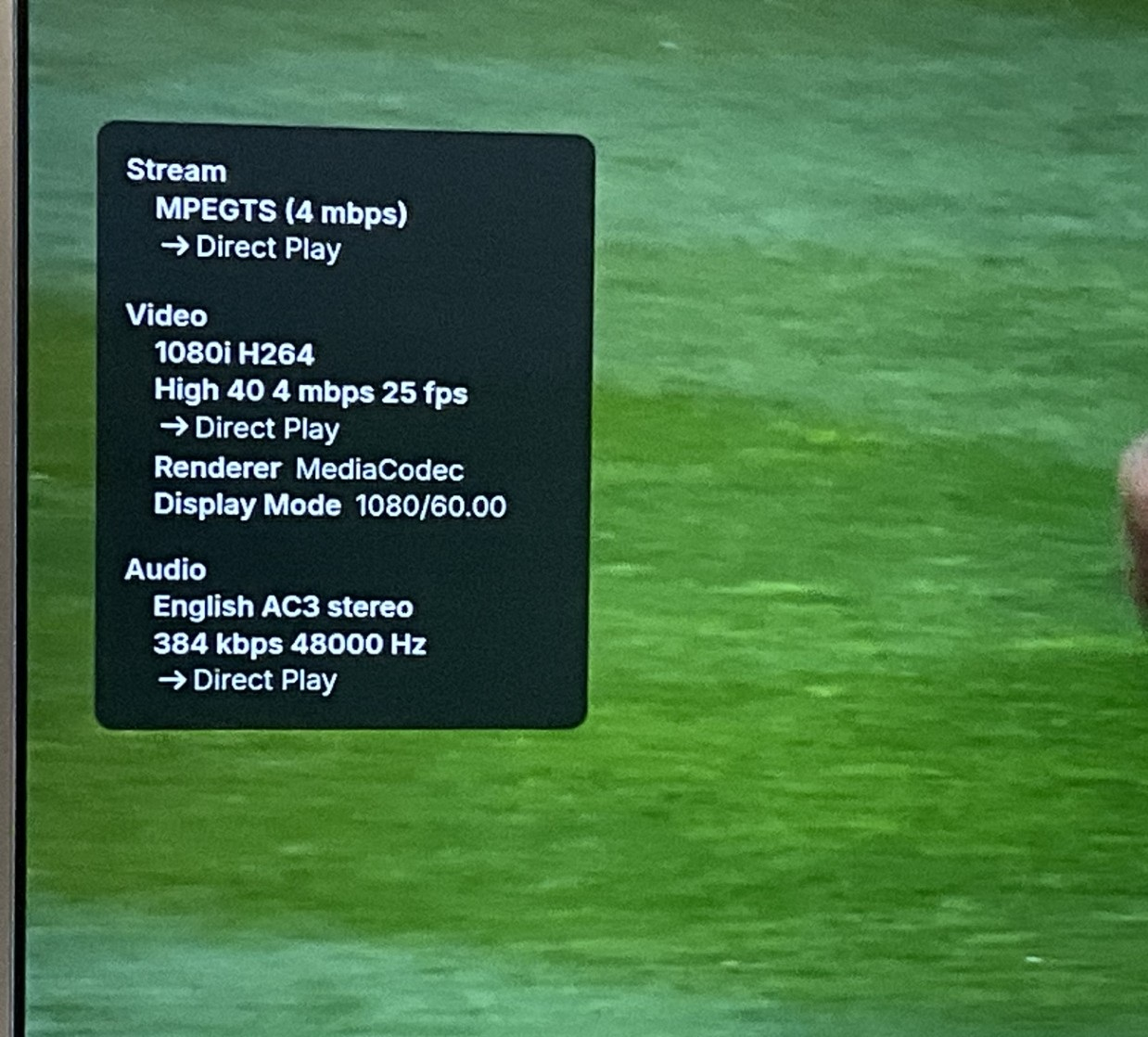
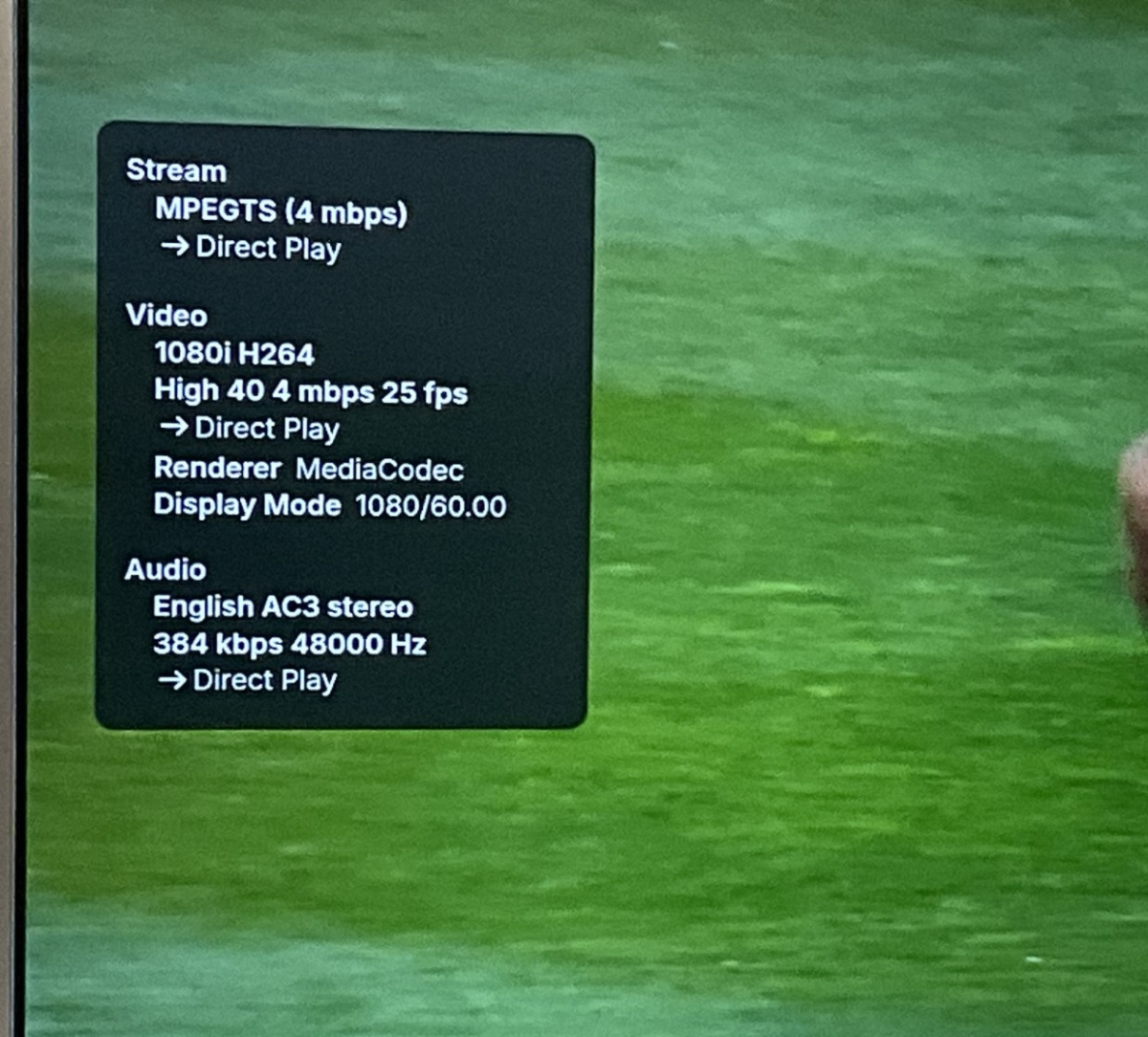
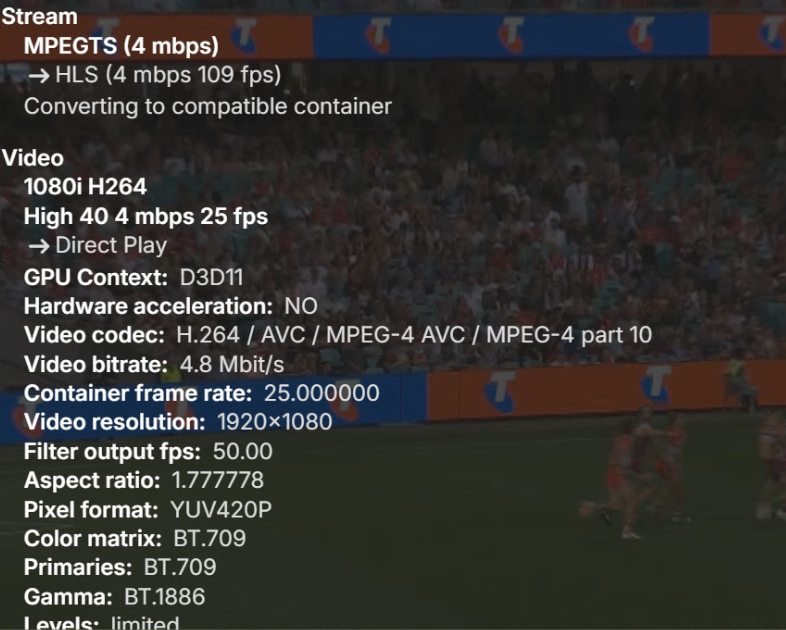
I like the Android app as it looks like the win version the only difference recording tv layout and display has been fixed.We use pc for viewing emby but my usb c to hdmi converter died so have switched to android app until I go to the shop. Enabling match refresh rate and match it is just not smooth as on Android tv app it looks close but it’s feels like it is missing a frame or two I have been switching between the two and Android Tv just it’s smooth just like windows emby app. My Android devices are not new but would expect if one plays it properly the other will too. Does anyone have similar experience it does say on both direct play. In stats for nerds it has for display mode 1080/60 Android TV doesn’t display that info but in my windows I just remembered I had to set it up to 50hz to have perfect playback. All the other apps play perfectly everything is smooth how it should be. There are no logs on emby server as both direct play.
-
Just to save you time, this accomplishes nothing related to this. Think of it like defragmenting for your database file. It doesn't change any data.
- Today
-
Hi Luke, It still doesn't work unfortunately.
-
This part is coming soon to the beta channel.
-
HI, apologies for the disruption. It may have been something related to the update. Beyond that, this is not normal. Do your movies have nfo files next to them?
-
Atrium — a native tvOS app for your Emby server
vdatanet replied to vdatanet's topic in Third Party Apps
Short answer: I can read that setting, but today I can't apply it to the remote's skip. The 10 seconds isn't a choice the app makes. Playback runs on the system player — the same one the Apple TV app uses — and the click-to-skip interval belongs to it. The public API lets me turn skipping on or off, or turn it into next/previous item, but there is no way to say "make it 25". The apps that let you pick a number are the ones that draw their own player instead, and that's the trade: their number, or the system transport bar with everything the remote already does with it. The server half is the easy half — those two lengths do come down with your user settings, in milliseconds, so reading yours costs one call. Applying them means taking the left/right press off the system player and doing the seek myself. That can be done, but the on-screen skip indicator goes with it, and that particular press has been the most fragile thing in this player so far. The other route is a jump back / jump forward button in the transport bar, next to Skip Intro: no risk, but it's not the button you're actually pressing. So it's on the list, with both halves measured, and no date from me. And thanks for going back and confirming the next-episode button — that one's closed, then. -

Movies in collections that I made are missing movies
Luke replied to ZamBucca1's topic in General/Windows
HI, apologies for the disruption. This is not normal. Can you get it to happen again with a new collection? Do you have nfo files in your movie directories next to your movie files? -
Movies in collections that I made are missing movies
Luke replied to ZamBucca1's topic in General/Windows
@ZamBucca1is the backup issue still happening? -
They could be on an older or newer version that happens to handle your media better than the one we are on. We are due to update it again soon. We've customized exoplayer heavily to add and fix things. Maybe they've done the same. We have added software decoding with ffmpeg and maybe there are cases where it's using this even when a hardware decoder is available. This was reported recently by someone. I think you have been so heavily focused on what you think the solution is that we haven't even really looked at your problem.
-
That's actually an interesting point — and yes, you're right: Just Player is also based on ExoPlayer/Media3. But that makes my question even more interesting. If both Emby's internal player and Just Player are based on ExoPlayer/Media3, why does Just Player handle some media on the same Android hardware better than Emby's internal player? So perhaps my criticism of ExoPlayer itself was too broad. The issue may be less about ExoPlayer and more about how the playback stack is implemented, configured and extended by the application using it. Regarding local vs external mode: I don't necessarily mean that Emby needs two completely different playback engines. What I mean is two different playback paths: Local network: Direct File Access via SMB, where supported. Remote connection: HTTP streaming through the Emby server, with transcoding available when necessary. The same internal player could still be used for both. For me that would combine the best parts of both approaches: full Emby integration such as Skip Intro and Next Episode, while allowing capable local clients to access the original files directly instead of requiring the server's HTTP media path.
-
First, why should the player be different based on connection? Second, from a quick google, Just Player is built on exoplayer.
-
Show Ratings in Movie Poster, Reverse Sorting, Smart Playlists, etc.
Luke replied to danzigman's topic in Feature Requests
@danzigman Hi. Can you try searching for our standard android app (Just "Emby" on Amazon and "Emby for Android on Google) on the same device's app store and see how that compares? Thanks. -
@Luke No reply? I’ve got a few more questions. Why is a top-class programme like Emby paired with such a poor-quality Exoplayer? Why can’t you use other players, such as Just Player? Yes, I know you can integrate it as an external player, but then features like ‘skip intro’ and ‘next episode’ are lost. It should be possible to use the app in both a local mode and an external mode. Local mode for the internal network. External mode via the internet.
-

Show Ratings in Movie Poster, Reverse Sorting, Smart Playlists, etc.
ebr replied to danzigman's topic in Feature Requests
Hi. Please restrict feature requests to a single feature. This is the only way we can track them. However, I think all of your requests are either already available in the standard app or already have an existing feature request. -

Show Ratings in Movie Poster, Reverse Sorting, Smart Playlists, etc.
danzigman posted a topic in Feature Requests
Please consider the following features for the Android TV app, and similar to Kodi, such as the ff. - show a small number at the bottom of the movie poster when one sees the movies in browsing mode, showing the IMDB rating (and maybe the TMBD rating if the IMDB rating's not available); - sort by IMDB rating in reverse (lowest to highest); - smart playlists (proposed several times, with some third-party workarounds like putting tags in videos) like those in Kodi, and which I think are operational in Jellyfin (which I tried using, but the library scan is slow); - show a few more details about movies when browsing playlists (smart or otherwise), like the IMDB rating, and the ability to sort playlists too by title, rating, etc.; and - settings to adjust audio, such as increasing the center speaker by x decibels, increasing the overall audio by x decibels. This will allow me to switch from Kodi with the Emby addon to the Emby app, as EmbyCon doesn't allow me to use Kodi smart playlists, and the TV storage is limited for the Emby database (lots of videos in libraries; I've to use a separate Android media box with more storage connected to the TV). Thanks. -

embyforkodi (next-gen) 12.X.X support
quickmic replied to quickmic's topic in Emby For Kodi Next Gen
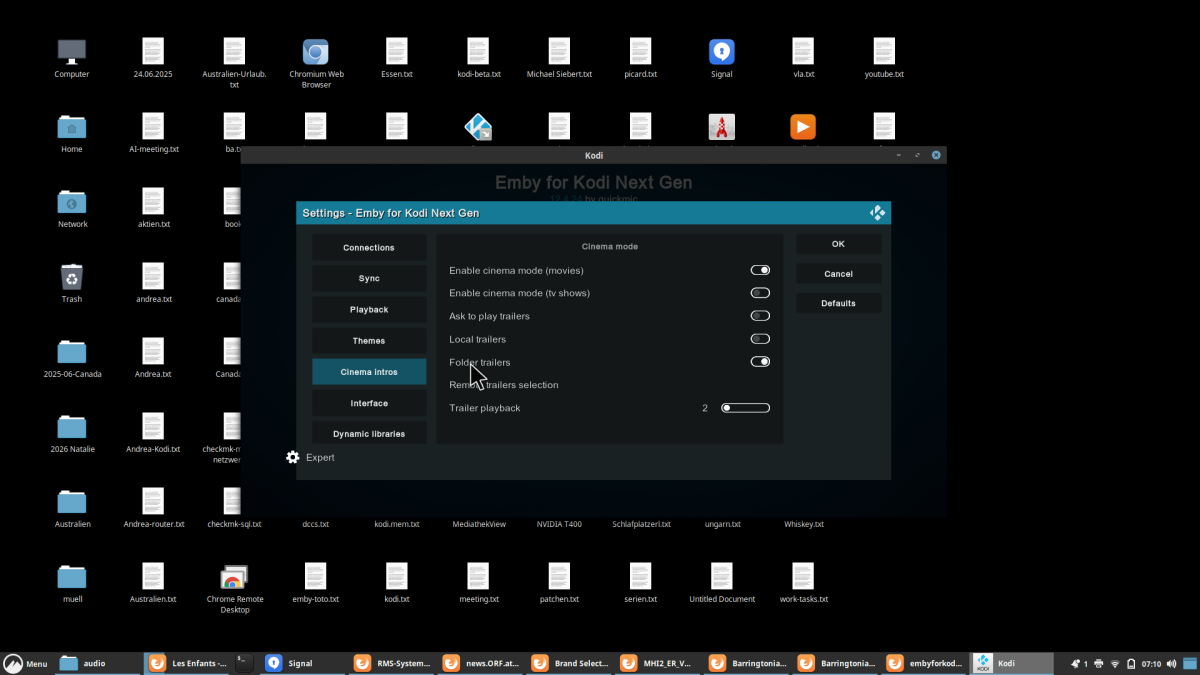
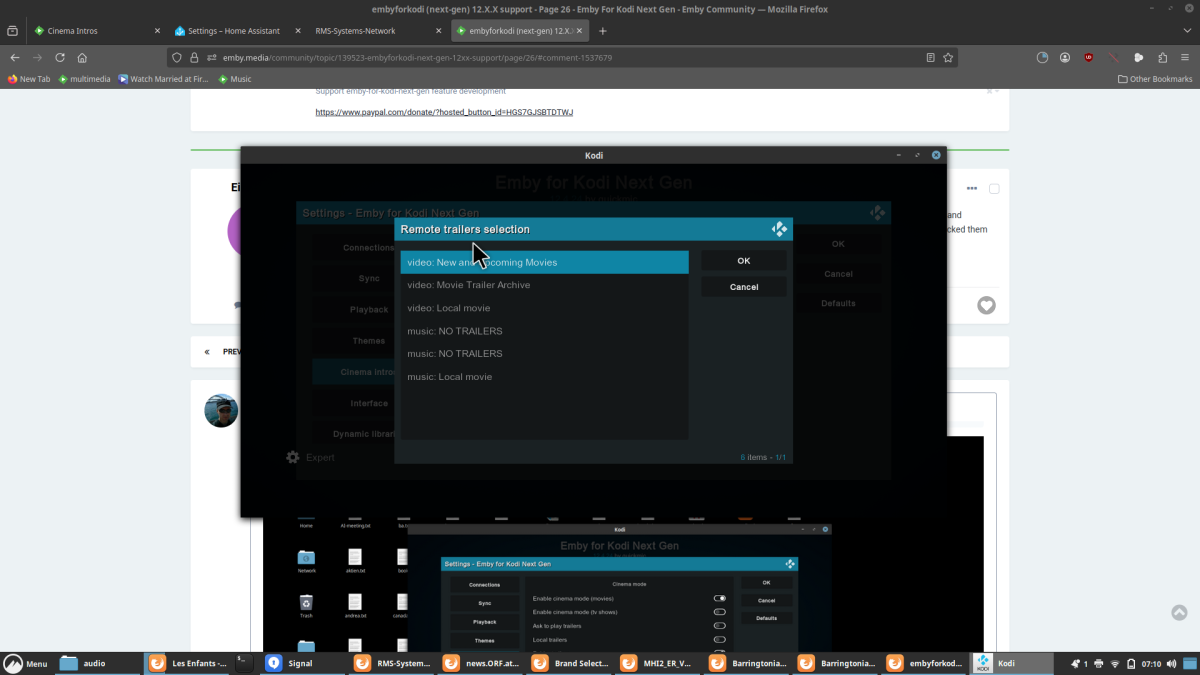
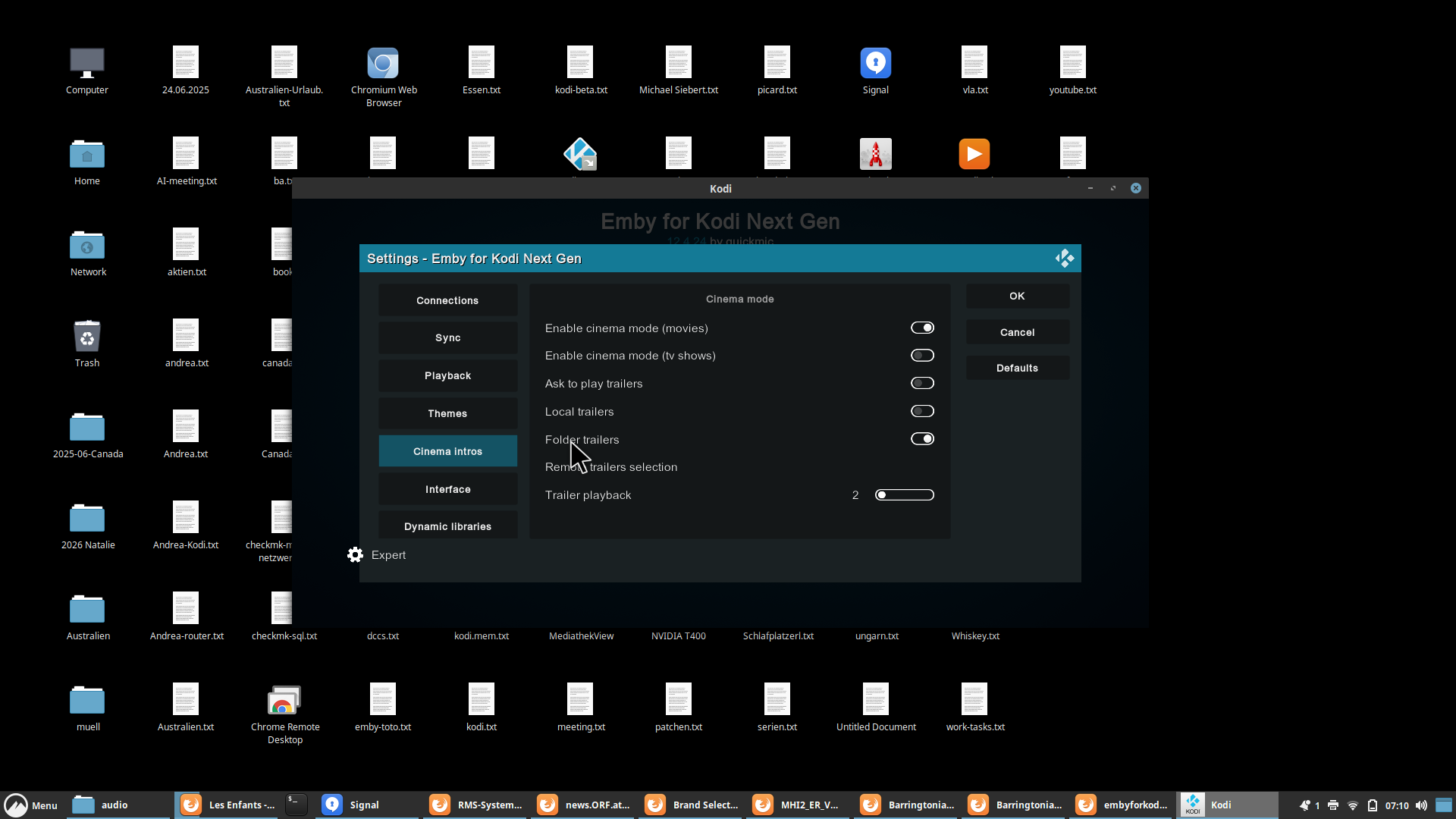
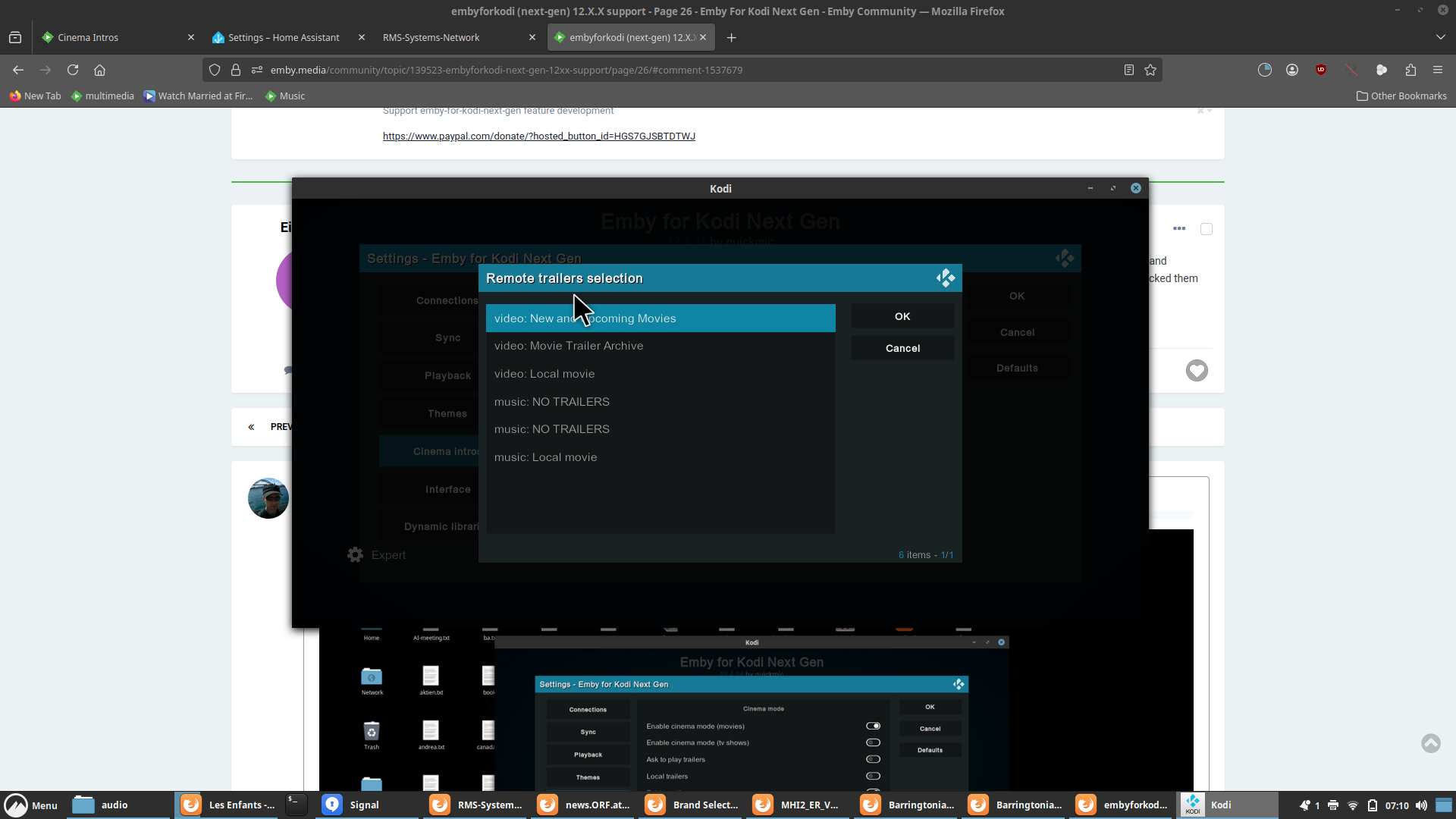
Should be configured like that. Only enable folder trailers, no remote trailers.