All Activity
- Past hour
-

embyforkodi (next-gen) 12.X.X support
supermood replied to quickmic's topic in Emby For Kodi Next Gen
thanks I've send you an pm -
Thanks for clarifying.
-
 Ștefi Pusca joined the community
 -
No, because Emby is still the front end for the login. LDAP would just make it communicate with Authentik to authenticate the credentials. Additionally, 2FA would just mean adding the TOTP code to the end of the password field. So no, it doesn't "work good as well."
-
 piacloud joined the community
 -

Pixelsmash Vulnerability in ffmpeg (CVE-2026-8461) - Is Emby vulnerable?
Luke replied to CHBMB's topic in General/Windows
Hi, we are currently working on publishing 4.10.0.16 beta, which will have the magicyuv decoder disabled. Thanks. -
 nicoleta_aa joined the community
 -
 isaring joined the community
 -
 DylanSesmas joined the community
 -
 Nathalia Mc Grew joined the community
 -
 Gerson Jimmy joined the community
 -
 Shekina joined the community
 -
 njwg64 joined the community
 -
 Muhanadwaznah joined the community
 -
OK can you give it another try?
-
Regarding the issue of 4.9.1.80 and the plugin Bluray Folder Support 1.0.3.0 recognizing BDMV original disc fi
Luke replied to LonelyCat's topic in Synology
Hi there, please attach the Emby server log from when the problem occurred: How to Report a Problem Thanks! -
Correct.
-
Hi, how did you install Emby on it?
-
[Plugin] EmbyWeeklyDigest — automatic weekly "what's new" popup
Luke replied to sftech13's topic in Plugins
Thanks for sharing. -
Thanks man, i really like it. Performance wise it's also very good, i modified it to a more blue version if someone is interested Blueaccent_css.css
-

embyforkodi (next-gen) 12.X.X support
quickmic replied to quickmic's topic in Emby For Kodi Next Gen
Sure, I'll check it. - Today
-
Look, the non-curious about actually learning will rely on the YouTubes... all they care about is views and AD Revenue. Getting back to topic. OP there is a very specific reason that WE (ME) want a bridged solution. Your Google ONT probably doesnt have dyndns. Yes Bridge Mode is what you want, but that is later. Please get the basic setup with your Google ONT (without the Netgear) then move onto buying a real router (Anything that is RMerlin ASUSWRT Compatible and throw him/her a few bucks for their hardwork). That will allow YOUR Asus Router to update your domain provider with your domain and update them in real time (almost) your IP address so you don't have to remember nor provide your external users with an IP Address. Listen.... or read... I can go on and on, but lets crawl before we run? Sigh... I have a strong urge to write a guide, but you know, you gentlefolks have the tools that I never had. /CrankyOld Woman.
-
EmbyWeeklyDigest sends a popup to everyone's session listing every movie and brand-new TV series added to your library in the last 7 days — fully automated, no scripts or cron jobs needed. Features Runs as a native Emby Scheduled Task (Dashboard → Scheduled Tasks → EmbyWeeklyDigest) — default is Friday 6:00 PM, change the day/time or run it on demand right from Emby's own scheduling UI Lists new movies and brand-new TV series (a new episode of a show you already have doesn't count — only first-time series) Shows release year + community rating next to each title, e.g. Movie Title (2026) - 7.4/10 TV shows sorted newest-first by release year; shows older than 5 years are skipped by default so the digest stays focused on what's actually new to you Deferred delivery — if you're offline when it sends, you get it automatically next time you log in Config page with header text, movie/TV toggles, skip-when-empty, auto-dismiss timeout, a "Send Test Digest" button, and digest history with per-user delivery tracking Install Download EmbyWeeklyDigest.Plugin.dll from the latest release: https://github.com/sftech13/embyweeklydigest/releases/latest Copy it to your Emby plugins folder and restart Emby Configure it under Dashboard → Plugins → EmbyWeeklyDigest Source / full README: https://github.com/sftech13/embyweeklydigest
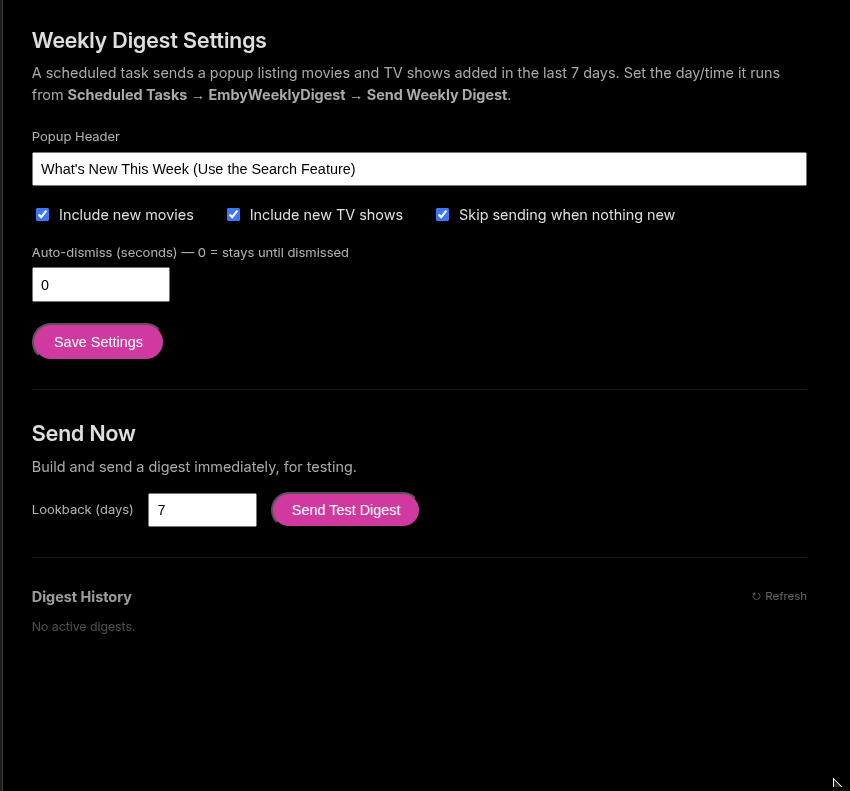
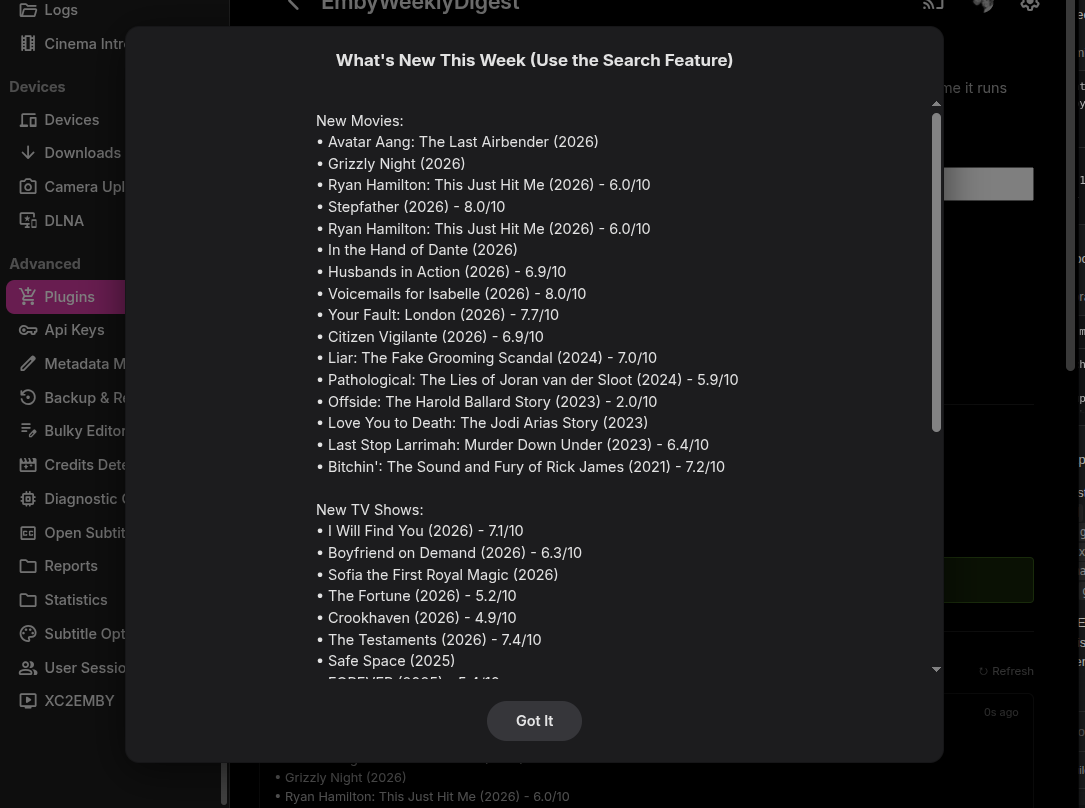
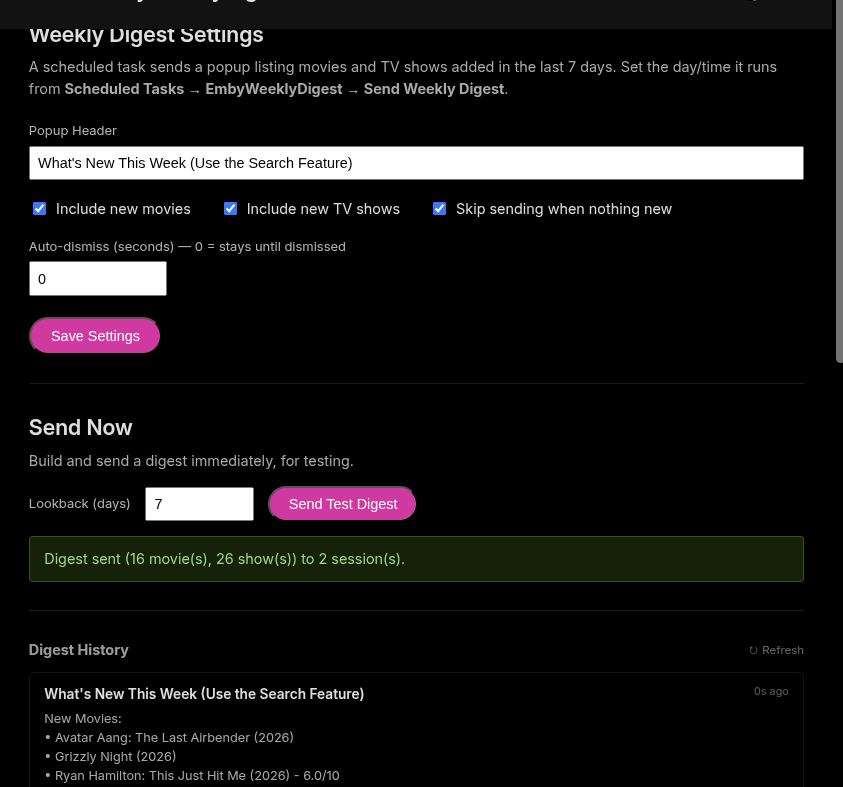
- 1 reply
-
- 1
-

-
I would remove any Netgear from my network. I believe it was Wendell from Level1 Tech that discovered that they have major backdoors in their routers.
-

Pixelsmash Vulnerability in ffmpeg (CVE-2026-8461) - Is Emby vulnerable?
rbjtech replied to CHBMB's topic in General/Windows
Lets wait for the official response but Emby are on the case... -

Latest Update - Continue Watching Limited to 9
fadingphoenix replied to dekekun's topic in Windows & Xbox
I can chime in that in TV Mode set to Horizontal on Windows app mine is also limited to 9 "Continue Watching" options. This is the case in both TV Shows and Movies. "Latest Movies" and "Latest Episodes" are also both limited to 9. I think it used to be 10? Really noticeable because they're uneven rows. Top row has five posters shown, and the bottom only has four, leaving a large empty space being wasted. If it is set to Vertical, there is one combined Continue Watching section that is NOT limited to 9. Latest Movies and Latest Shows are also not limited to 9 in Vertical. Same update also changed these options in Horizontal layout to look like this. They used to feature movie/show images and looked a lot better. How they look now really breaks up the layout in an ugly way. They look like broken options that aren't loading correctly.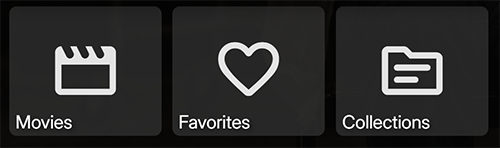
-
These are amazing. I could not help but notice no Suspense? Did I overlook it? Anyways very nice. Clean. Love it
-
@js28194Trust me you are not, but as G'N'R said "Some men you just can't reach..."
-
@Luke@softworkzwhat's going on here?
-
Emby server is not out of beta yet.
-
I know this is an older post... but sigh. Maybe a charge for a basic networking 101 class? Of course not, we offer our time for free, but these kinda statements are strange. It's always the code... be careful what you wish for if you want the code to take total control over your network and automagically do everything for you. Maybe Emby team put a basic networking 101 tutorial? I don't think they should. Basic network administration tutorial on how to setup shares and permissions? I think not. Linux... well don't even go there if you don't know basic BSD nor Ubunutu.... Some self discovery is in order, but I digress. Damn.... I sound like a cranky old man.
-
If and big IF, you get rid of your Netgear (do this for testing) and just using your Google Fiber thingy... (ONT) then in that, remove the specific IP address of your EMBY server from DMZ. Then port forward 8092/8096 TCP/UDP to your Emby Server IP address (192.168.10.104). Make sure your Windows Firewall allows INBOUND (just do both for now) for EMBY on 8096/8092 TCP/UDP. Save hit Save, probably hit save again everywhere. Then on your phone in the Emby App, disconnect from WiFi and add a server. Use your EXTERNAL ip address (you Google assigned) ip address and port 8096. That should get you over the hump. Then come back and re-evaluate your network, because this not the way most long timers would recommend but it "should" work.
-
Oh, but router Firewall still applies if you insist on using DMZ. Again, super not recommend. Opening port 8096, and 8092 on your Router Firewall... and whatever your 7359 is?? I think you aught to take a step back and determine your network configuration and start from ground up.
-
Having the device in DMZ negates any port forwarding at the router level. Windows Firewall would still be needed and need "Allow" to yes Best to better understand your external IP address (I understand you don't want to share). The device is in DMZ so your "remote" apps only need your EXTERNAL ip + port. I do not recommend ANY server be in DMZ, but that's just me.
-
What are the Allow No colunns. Should that perhaps be Allow Yes?