All Activity
- Past hour
-
 Emili Maiara da Silva joined the community
 -
 trudelmulat joined the community
 -
 68cx joined the community
 -
 Ready. joined the community
 -
 Edcar2026 joined the community
 -
 luiscortes3 joined the community
 -
 arjunsahh joined the community
 -

Unable to play MP3 files / constant crashes during audio playback
Luke replied to hallansen's topic in Android Server
Hi, we are looking into it. Thanks. -
Yes it looks to me like data just not going there quickly enough. What happens if you play lower bitrate content?
-
 FBFSG joined the community
 -
That dialog with the four bullet points gives you four options to resolve your issue. Which of those will you proceed with?
-
 GooseNetAU joined the community
 -
 Affan Shaikh joined the community
 -
Aside from the back button thing, couldn’t you just bookmark the web app and pin that to your TV Home Screen?
-
The testing area of the forum at the bottom.
-
Add optional English translation v0.12.0 ** Github: emby-insights GitHub ** With Emby Insights, the users of your Emby server get their own personal dashboard: playback statistics, recently watched content, recommendations, upcoming movies and shows, and — if available — media requests via Seerr. ! The first user who logs into the dashboard with their Emby credentials is automatically set up as admin and can configure the remaining settings. What users get: - Login with their normal Emby credentials - Their own personal playback statistics - Everyone sees only their own data and recommendations - Can message the server admin directly from the dashboard - Can keep track of upcoming movies and shows - Can optionally submit media requests via Seerr The project was built with AI assistance and is still young — feedback, ideas, and bug reports are very welcome.
-
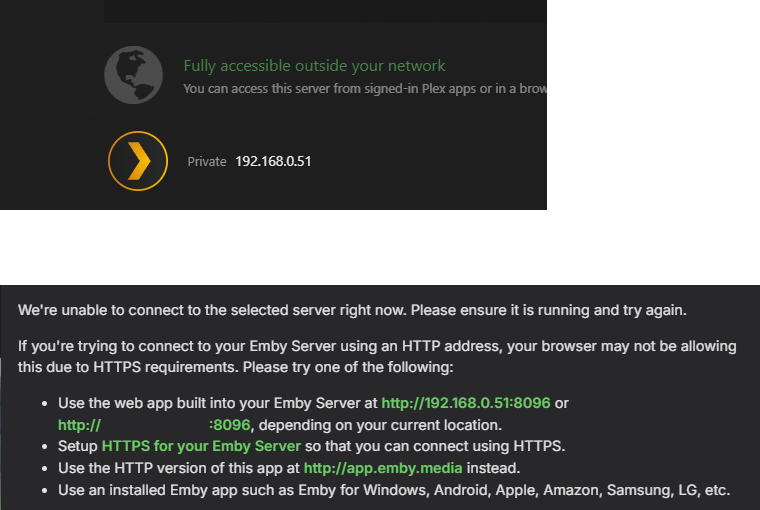
I know it's running because I can still access it via MyCloud and Plex using the same IP address info. These images are taken from trying to access the server via Plex (top) and Emby (bottom) at the same time. I've tried clicking all the green links on the Emby message, but none of these allow the connection
-
-
How do you know that it’s running. Just because you don’t use a dynamic IP doesn’t mean your router isn’t changing your LAN IP address. What is the LAN IP address of the nas?
- Today
-

When will your client be compatible with HarmonyOS NEXT system
Davey's replied to chensen2591's topic in Feature Requests
+1 for support -
I noticed this horrible view is on all apps now will they also get option that you could choose the option to change view I also hope there will be option to get thumbs of series movie not like they do now have thumbs of adverts
-
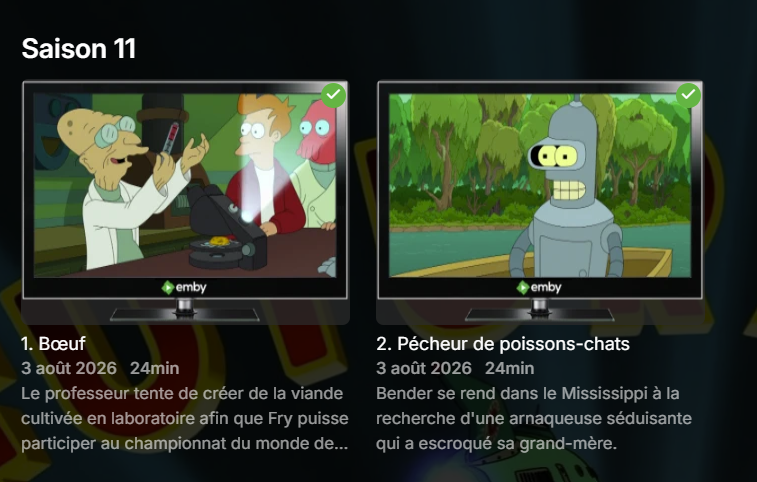
Après un énième rafraichissement, c'est tout bon.
-
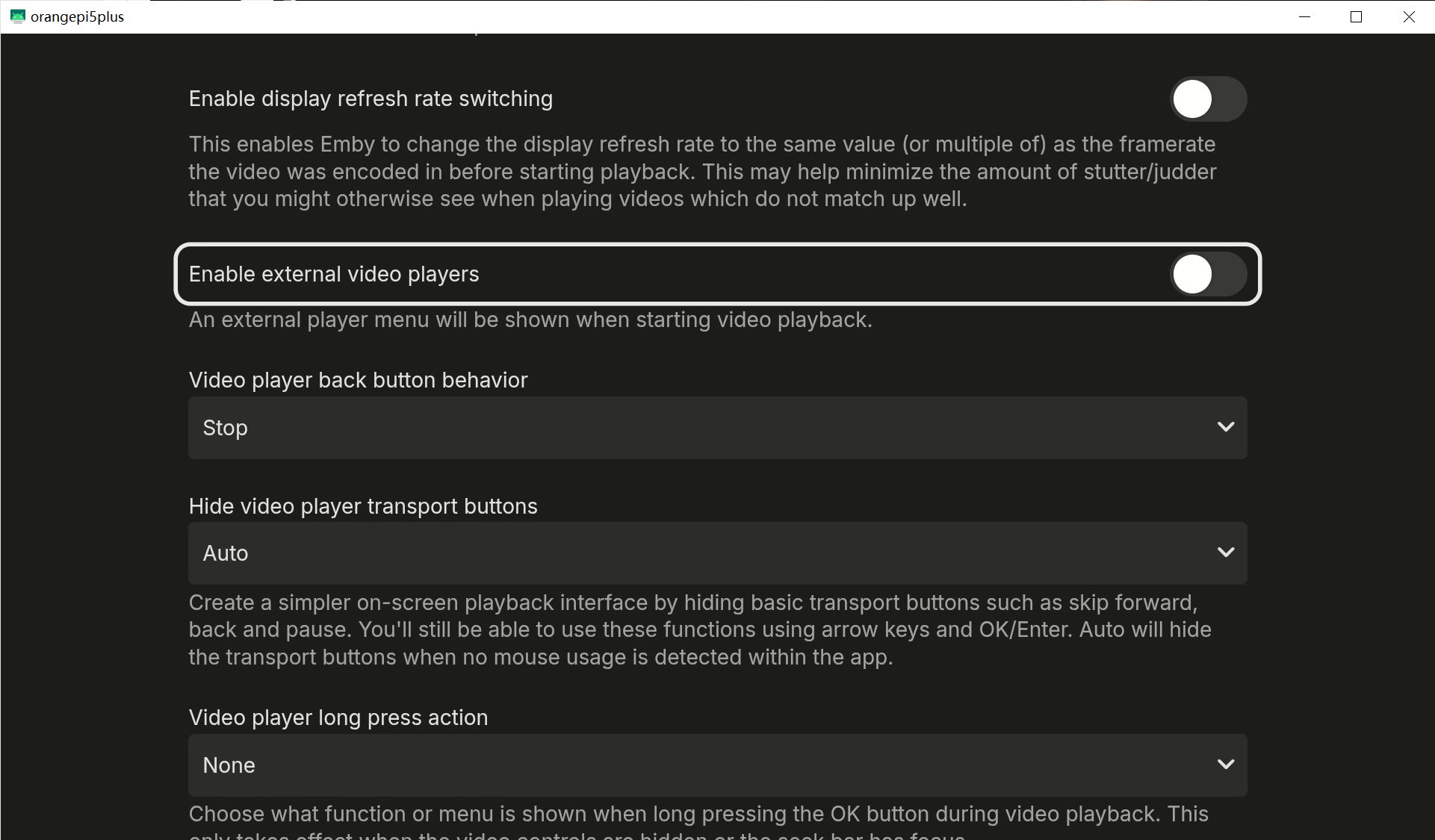
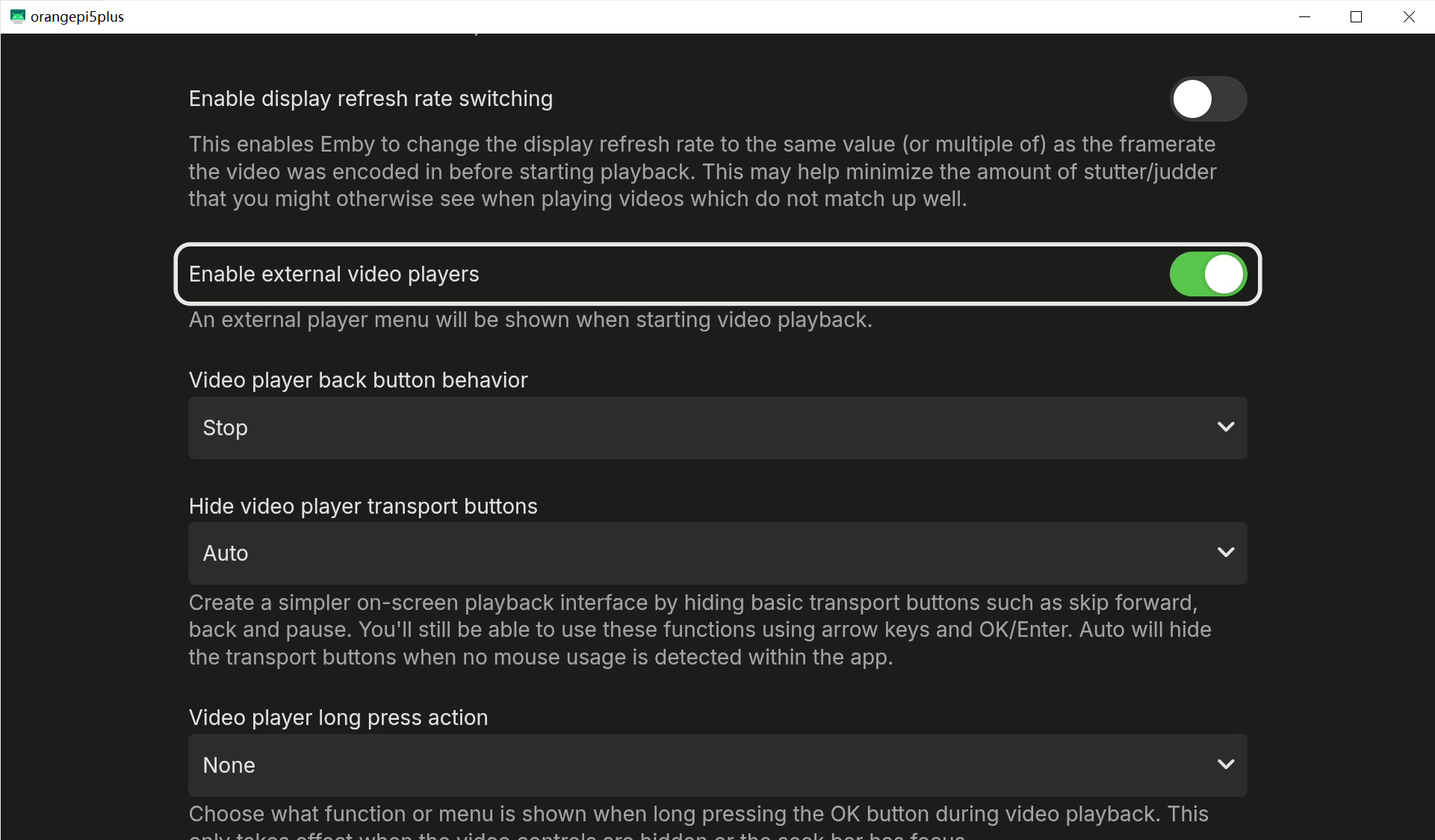
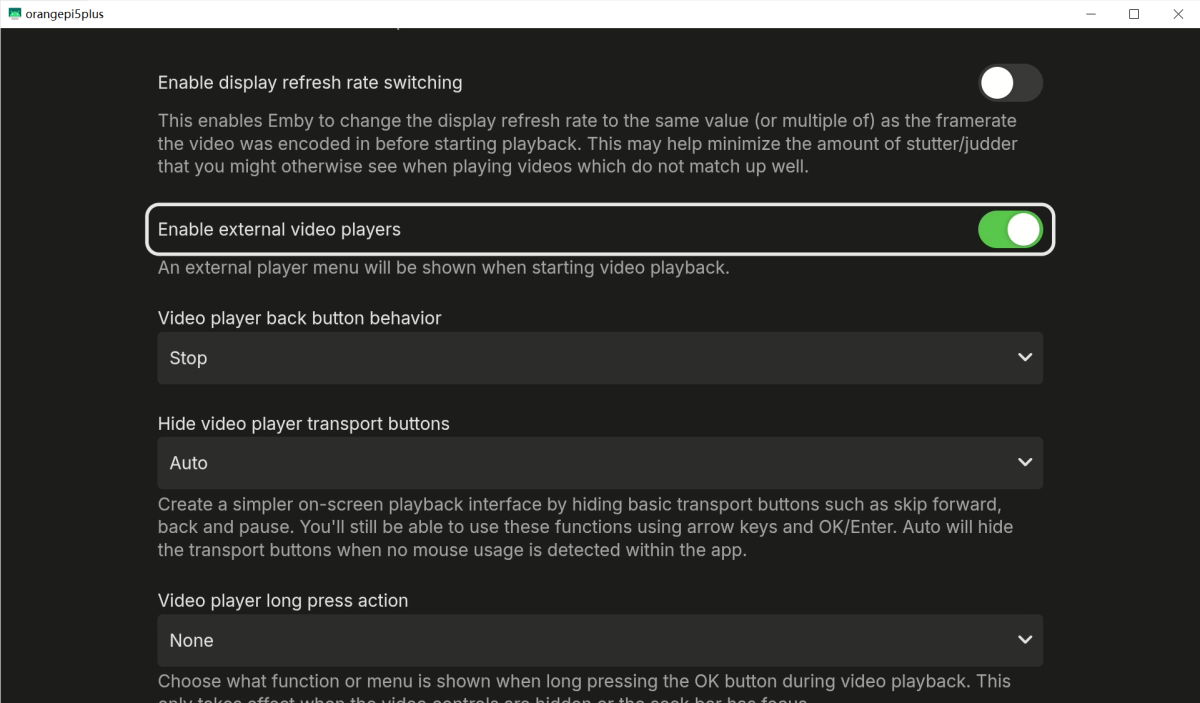
 Hello, I’m using the Emby Universal App on Android TV, and both versions 3.5.36 and 3.5.42 have this bug. One of my devices is a Shield TV 2017 (though this bug occurs on all of my devices) The problem only occurs with TV shows; movies just fine. And the issue only occurs after “play and stop a TV Show” This bug manifests in two different ways depending on the situation. A. When using Emby’s built-in player, “Enable external video players“ is not enabled. as shown in the video: 1. Play a TV show 2. Exit the TV show 3. At this point, the bug occurs: the screen refreshes briefly. Screenbits 2026-08-07_150257.mp4 After this, additional navigation issues occur, as shown in the video: 1. Press “Down” on the remote to navigate to the actor’s photo. 2. Tap to open the actor’s photo details. 3. Go back. 4. You’ll notice the page has refreshed again, and the remote’s focus is no longer on that actor’s photo. Screenbits 2026-08-07_150333.mp4 B. When using a third-party player (such as MX Player), “Enable external video players“ is enabled. as shown in the video: 1. Play a TV show 2. Exit the TV show 3. The screen does not refresh automatically (but don’t get too excited just yet—the problem is still to come) Screenbits 2026-08-07_150824.mp4 At this point, That's when a bug pops up.: 1. Press “Down” on the remote to navigate to the cast’s image 2. Tap to open the cast’s image details 3. Go back 4. You’ll notice the page refreshes automatically, and the remote’s focus is no longer on the cast’s image Screenbits 2026-08-07_150942.mp4 It’s clear that under normal circumstances, after opening the actor’s image details and then going back, the remote cursor should remain on the actor’s image, as shown in the video: Screenbits 2026-08-07_151048.mp4 Finally, by way of comparison, Movie is working fine, just as I said at the beginning: “The problem only occurs with TV shows; movies just fine.” Screenbits 2026-08-07_162234.mp4 This issue can be reliably reproduced on any device, so I don’t think it’s necessary to provide logs. This issue is easily reproducible on Android TV devices. Hopefully you can reproduce it and investigate the cause. Thank you!. Please fix this strange issue as soon as possible. Thank you very much!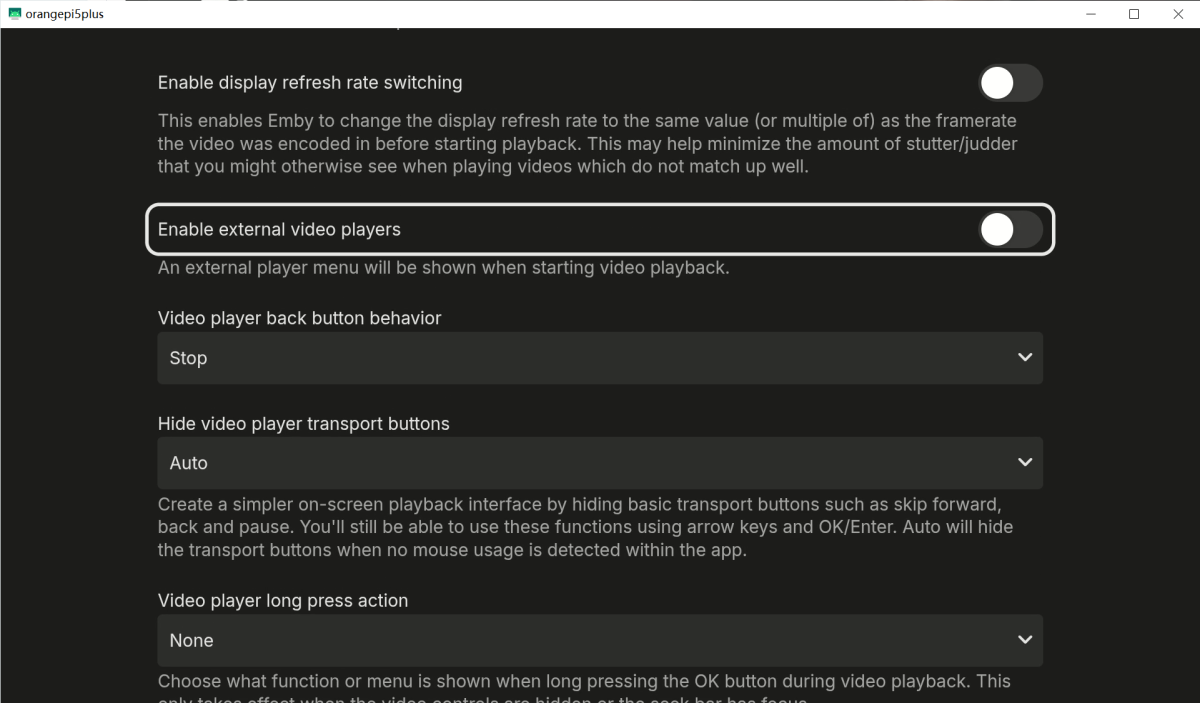
-

TV shows- default option is Play Next Up and not Resume
SamES replied to yingste's topic in Apple TV
Fixed for the next version. Thanks -
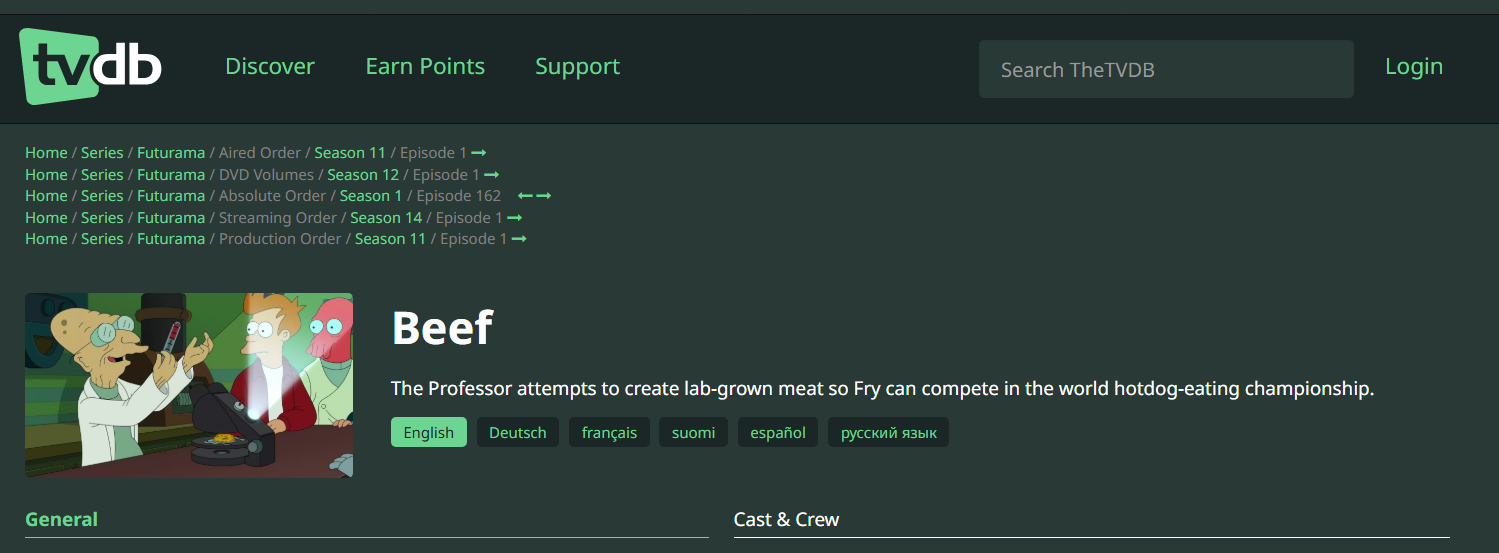
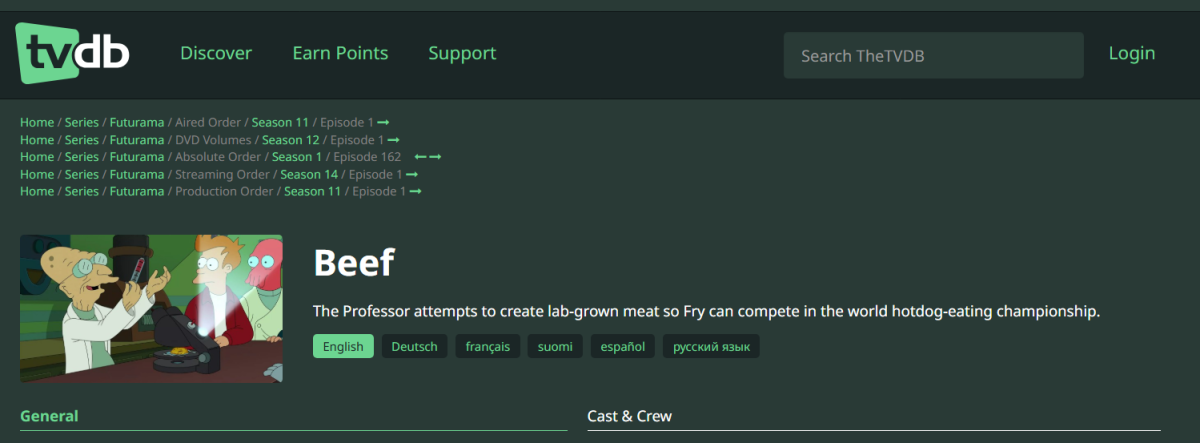
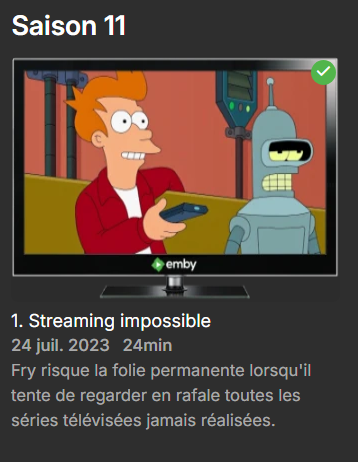
Je ne crois pas que le problème vienne de la : Futurama\Saison 11\Futurama - S11Exxx Je pense que ça vient de l'écart entre Aired Order et Streaming Order
-
thanks great catch basically PremiereDate is nullable, and my fallback (`?? DateTime.MinValue`) was quietly getting converted using the server's local timezone offset. If that offset is positive it pushes the date past year 1 and blows up. Since it happens inside the cache key function, Emby just keeps calling it over and over trying to recover, which is why your CPU was getting cooked. i'm going to fix it on the next release. Saved me a lot of digging. Glad the plugin's otherwise been working out for you.
-
So wouldn’t it make sense creating a separate area for Vega OS, because as the moment FireOS and VegaOS are not separated?
-
Hi, First of all, thank you for this excellent plugin. I've been using it extensively and really appreciate the work you've put into it. Unfortunately, I found what appears to be a bug with the latest Emby server. Environment Emby Server: 4.9.5.0 Windows 11 24H2 .NET Runtime: 8.0.27 EmbyNewOverlay: 1.3.4 Problem When the plugin is enabled, EmbyServer.exe eventually reaches 90–100% CPU usage even though there are: no active scans, no library tasks, no playback, no background jobs. Disabling or removing the plugin immediately drops CPU usage back to around 5%. The server log is continuously flooded with the following exception: Error ImageProcessor: Error in GetConfigurationCacheKey System.ArgumentOutOfRangeException: The UTC time represented when the offset is applied must be between year 0 and 10,000. (Parameter 'offset') at System.DateTimeOffset.ValidateDate(DateTime dateTime, TimeSpan offset) at System.DateTimeOffset.op_Implicit(DateTime dateTime) at EmbyNewOverlay.Enhancer.NewBadgeEnhancer.GetConfigurationCacheKey(BaseItem item, ImageType imageType) at Emby.Drawing.ImageProcessor.GetImageCacheTag(...) I decompiled the plugin and traced the exception to NewBadgeEnhancer.GetConfigurationCacheKey(). The problematic code appears to be: (item.PremiereDate ?? ((DateTimeOffset)DateTime.MinValue)).Date.ToString("yyyyMMdd") The generated IL is: callvirt BaseItem::get_PremiereDate() ... ldsfld DateTime::MinValue call DateTimeOffset::op_Implicit(DateTime) The exception is thrown during the implicit conversion from DateTime.MinValue to DateTimeOffset. This seems to happen when an item has no valid PremiereDate, and because the exception occurs inside GetConfigurationCacheKey(), Emby keeps retrying image generation, causing a continuous loop and very high CPU usage. I also verified several items from my library database and their PremiereDate values were valid, so it may only occur with specific item types or metadata. Would it be possible to replace this fallback with something safer (for example DateTimeOffset.MinValue or another guarded approach) to avoid the exception? Thanks again for your work! I hope this helps identify the problem.
-
Salut Alors déja comment sont nommés tes médias ? et ensuite comment est configuré ta bibliothèque Séries dans Emby ?
-
Hello, Je suis un peu perdu avec les métadonnées de futurama. * Je pensais mettre la saison 11 dans EMBY mais cela ne fonctionne pas. J'ai ça : Depuis quand ce serait la numérotation de Streaming qu'il faudrait utiliser ?
-
I have been experimenting with getting Emby to run directly on a VIZIO SmartCast/VIZIO OS television, and I have it working surprisingly well. This is not Chromecast, screen mirroring, or an external streaming device. Emby is actually running in the web application environment built into the VIZIO TV. The first important discovery was that VIZIO's old SmartCast Conjure/App Launcher still works with my television. I connected to the TV's SmartCast interface on port 7345 from my PC, paired with the PIN displayed on the TV, and was able to launch a URL directly on the television. I initially launched: http://tv.emby.media and Emby Theater came up directly on the VIZIO. I was able to log in, browse my server, and play media. I then changed this to use the web client served directly by my own Emby server: http://<EMBY-SERVER-IP>:8096/web/index.html?vizio=1 Video playback works, navigation with the VIZIO remote works, and the interface is quite usable. There was one significant remote-control problem: the VIZIO Back button did nothing in Emby. I made a small JavaScript key-test application and launched that through the same VIZIO App Launcher. That showed exactly what the VIZIO remote sends: Up = ArrowUp / 38 Down = ArrowDown / 40 Left = ArrowLeft / 37 Right = ArrowRight / 39 OK = Enter / 13 Back = Backspace / 8 The important part was: Back = Backspace keyCode = 8 Emby's web client wasn't treating that as its Back command. I added a very small JavaScript compatibility shim to the locally served Emby web client. On a VIZIO/SmartCast user agent only, it translates: Backspace / keyCode 8 -> Escape / keyCode 27 It deliberately leaves Backspace alone when the cursor is in a text-entry field. After doing that, the physical VIZIO Back button works normally in Emby, including getting back out of Settings and navigating through the UI. I then worked on eliminating the need to use a computer or phone to launch Emby. My VIZIO remote has an old dedicated Redbox button. VIZIO has since reassigned that button to launch WatchFree+ On Demand. Using the local SmartCast API, I captured what the TV reports when that button is pressed. On my TV it is: APP_ID: 145 NAME_SPACE: 4 MESSAGE: https://ui.sctv.prod.smartcasttv.com/watchfreeplus/avod/entry/entrypoint.html When my locally hosted Emby application is running, the TV reports: APP_ID: 17 NAME_SPACE: 4 MESSAGE: http://<EMBY-SERVER-IP>:8096/web/index.html?vizio=1 I paired my Emby Linux server directly with the VIZIO and wrote a small systemd service using the Python vizaio library. The service watches the TV's current application through the local SmartCast API. When it sees the exact WatchFree+ entry point generated by pressing the physical Redbox button, it immediately launches my local Emby URL instead. So I now have: Press REDBOX on VIZIO remote ↓ TV starts WatchFree+ On Demand ↓ Linux service detects that application ↓ SmartCast /app/launch ↓ Local Emby web client launches ↓ Physical VIZIO remote controls Emby The switch happens very quickly. So in practice, the old Redbox button is now my dedicated Emby button. No Chromecast. No Roku/Fire TV/Apple TV. No phone. No PC needed to launch it. The only always-on component is my Emby server itself, which is already running anyway. There are two modifications involved: A small VIZIO-specific JavaScript shim in Emby's locally served web client to translate the VIZIO Back button. A small Linux/systemd service that watches the VIZIO local API and redirects the obsolete Redbox button to Emby. Obviously this isn't equivalent to having an officially published Emby tile in the VIZIO app catalog, but functionally I now have a native-feeling Emby client running directly on the television. If anyone is interested, I can clean up and post the JavaScript Back-button shim, the VIZIO pairing procedure, and the Python/systemd launcher service. I'm especially interested in whether the Emby developers still have the VIZIO-specific client/build that was mentioned in the past. Given that the underlying SmartCast web application environment is still perfectly capable of running Emby, it seems like there may still be a useful path here even without VIZIO catalog approval.
-
Same places shown in the pictures were it’s horizontal not vertical, and still other few places .
-
Hi @Luke Im writing a "reccomend me" user plugin (users can reccomend media items to other family members). The feedback i got from the family on my "manage coming soon" plugin (submit media requests) was its all well and good but "we dont use computers [to access emby] we use tablets and tvs". So the pick up has been lower. Do you think there could be some sort of conformance policy, that plugin writers could adhere to and submit their plugin for approval?
-

Missing guide channels 20.8 thru 20.13 98685
sa2000 replied to gdbrow's topic in Emby Provided Guide Data
Just an update to let you know that Gracenote are discussing with the KOXI-CD broadcaster the additional channels. It appears that charges are involved and that would need to be agreed between KOXI-CD and Gracenote. -
Thank you @Dickydodah!, I though I tried to get it there 1st time I saw this post but was unable to download it. Got it and love it!