All Activity
- Past hour
-
 行深见识 joined the community
 -
 Home-Kevin joined the community
 -
I own a LG G2 (WebOS 25) and still 1.0.50.0, no prompt for 1.1.50.0
-
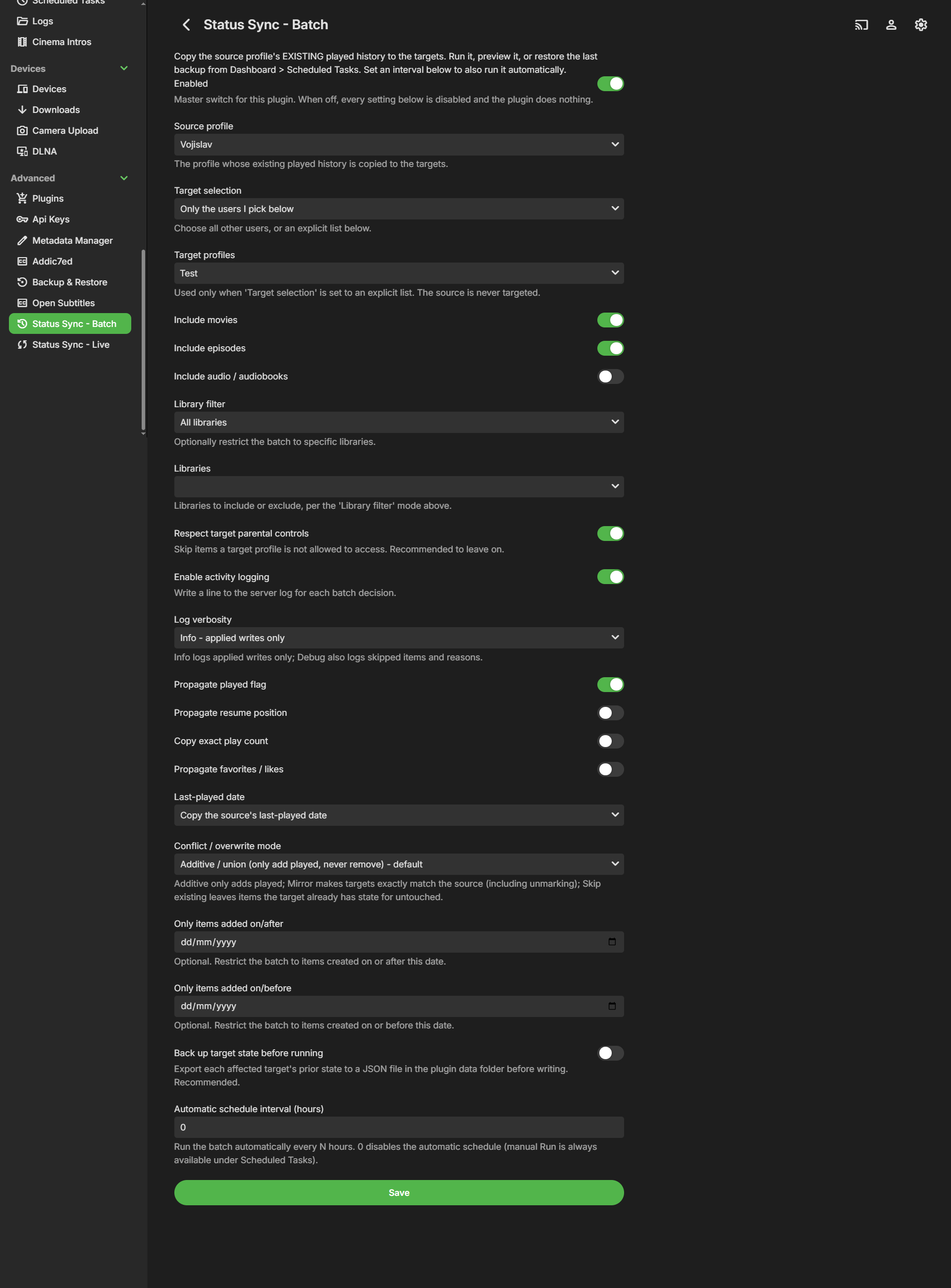
 Hi all, I'd like to share a server plugin I've been working on and get some testers before requesting a catalog listing. **Status Sync - Batch** copies a "source" profile's EXISTING played history to one or more "target" profiles, on demand or on a schedule. The use case it was built for: you set up a shared "family" profile that already has years of watched movies and episodes, and you want to bring everyone else's profiles up to date with it in one pass, without touching anything those users have watched themselves. Where a real-time sync only reacts to new events going forward, this one fills in the back catalogue that already exists. It is server-side only - there is no client or context-menu UI. **What it does** - Runs from **Dashboard -> Scheduled Tasks**, where it registers three tasks, each with a native Run button, progress bar and last-run status: - *Status Sync: Run batch* - performs the copy (also runs automatically if you set an interval). - *Status Sync: Preview batch* - reports exactly what *would* change and writes nothing; its counts match a real run. See the plugin's read-only "Last run report". - *Status Sync: Restore last backup* - rolls targets back to the most recent backup (works even if the plugin is disabled). - Copies at the leaf level (movies / episodes / audio); the server rolls up season and series counts on its own. - Conflict / overwrite modes: - *Additive* (default) - only adds played, never removes. - *Mirror* - makes targets exactly match the source, including unmarking. - *Skip existing* - leaves any item the target already has state for untouched. - Optional toggles: propagate resume position, copy exact play count, propagate favorites / likes, last-played date handling, and an optional date range (only items added within a window). - Optional library filter and "respect target parental controls" (targets are filtered by enumerating the library as each target user, so the server applies the full policy). - Optional automatic interval schedule (every N hours); 0 leaves it manual-only. **Backup & restore** - With "Back up target state before running" on, a JSON snapshot of every target/item about to change is written to `<plugin data folder>/backups/statussync-backup-*.json` before any write. The Restore task re-applies the latest snapshot. **Guarantees** - One-directional only: source -> targets. - Non-transitive: every write it makes is recorded in a private re-entrancy guard, so a write to a profile that is itself a source never chains onward. - Never touches `library.db` directly - all reads/writes go through `IUserDataManager`. - Self-targeting is rejected on save. **Requirements** - Emby Server 4.8.x. **Install** 1. Copy `StatusSyncBatch.dll` into your plugins folder: - Windows: `%AppData%\Emby-Server\programdata\plugins` - Linux: `/var/lib/emby/plugins` - Docker: `/config/plugins` 2. Restart Emby Server. 3. Open Dashboard -> Plugins -> Status Sync - Batch -> Settings. It also shows up as its own entry in the dashboard's left navigation. Run it from Dashboard -> Scheduled Tasks. **Configure** Turn it on with the master Enabled switch, pick a Source profile and your Target selection (all other users, or an explicit list), choose which item types to include, pick a conflict mode, and set the state toggles to taste. Optionally set a date range, a backup-before-run, and an automatic interval. Run *Preview batch* first if you want to see the counts in the Last run report before anything is written. **Beta note** DLL is attached to this post. I'd love feedback on stability, on the conflict-mode behaviour, and on backup/restore across different library setups. Please share your server version and anything in the log prefixed with `[StatusSync]` if something looks off. Thanks! StatusSyncBatch.dll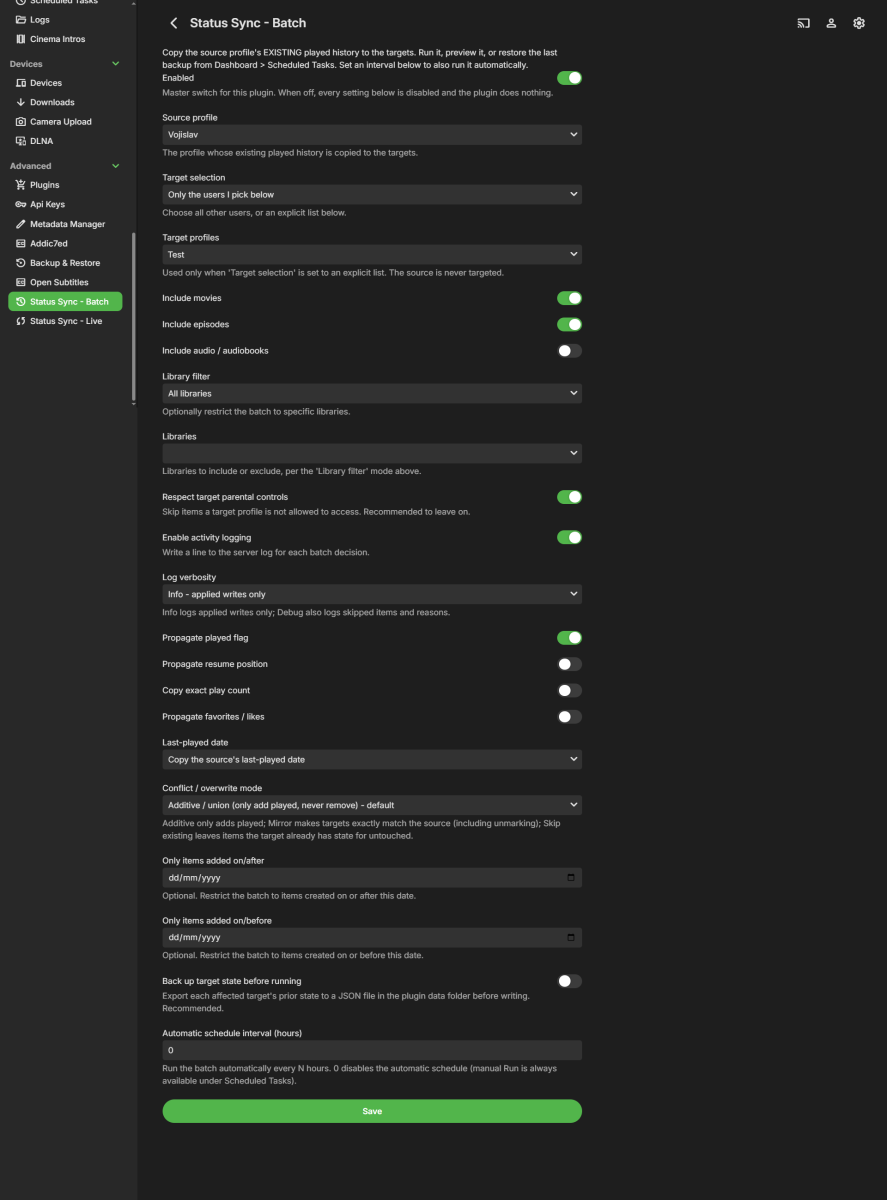
-
 Alaasam joined the community
 -
 joeyteague joined the community
 -
 Shimul chandra Sarker joined the community
 -
 Bessard joined the community
 -
Thanks, will try it Should I copy the folder with the m3u in it or straight just the m3u file in /data/playlists ?
-
 kk295 joined the community
 -
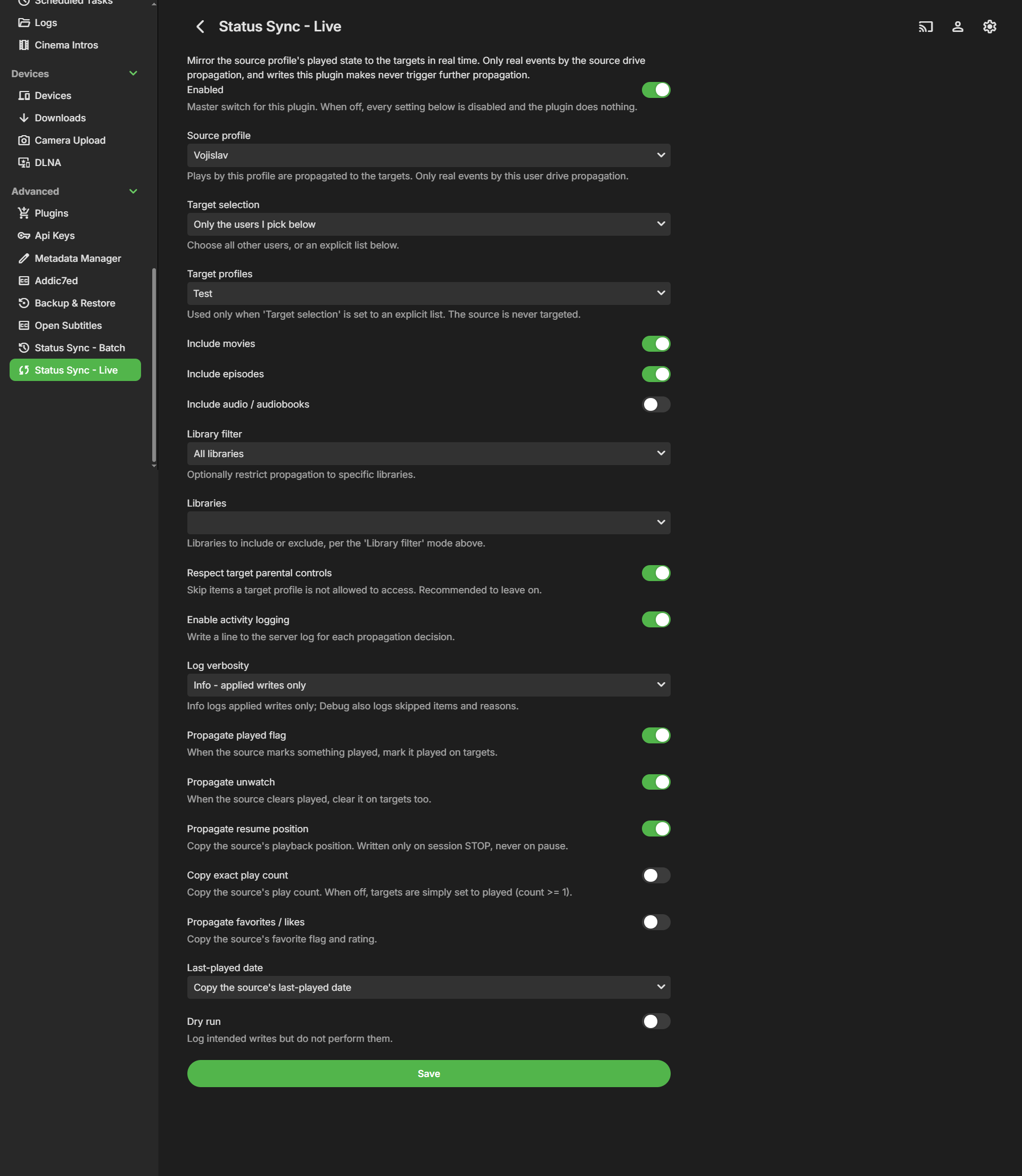
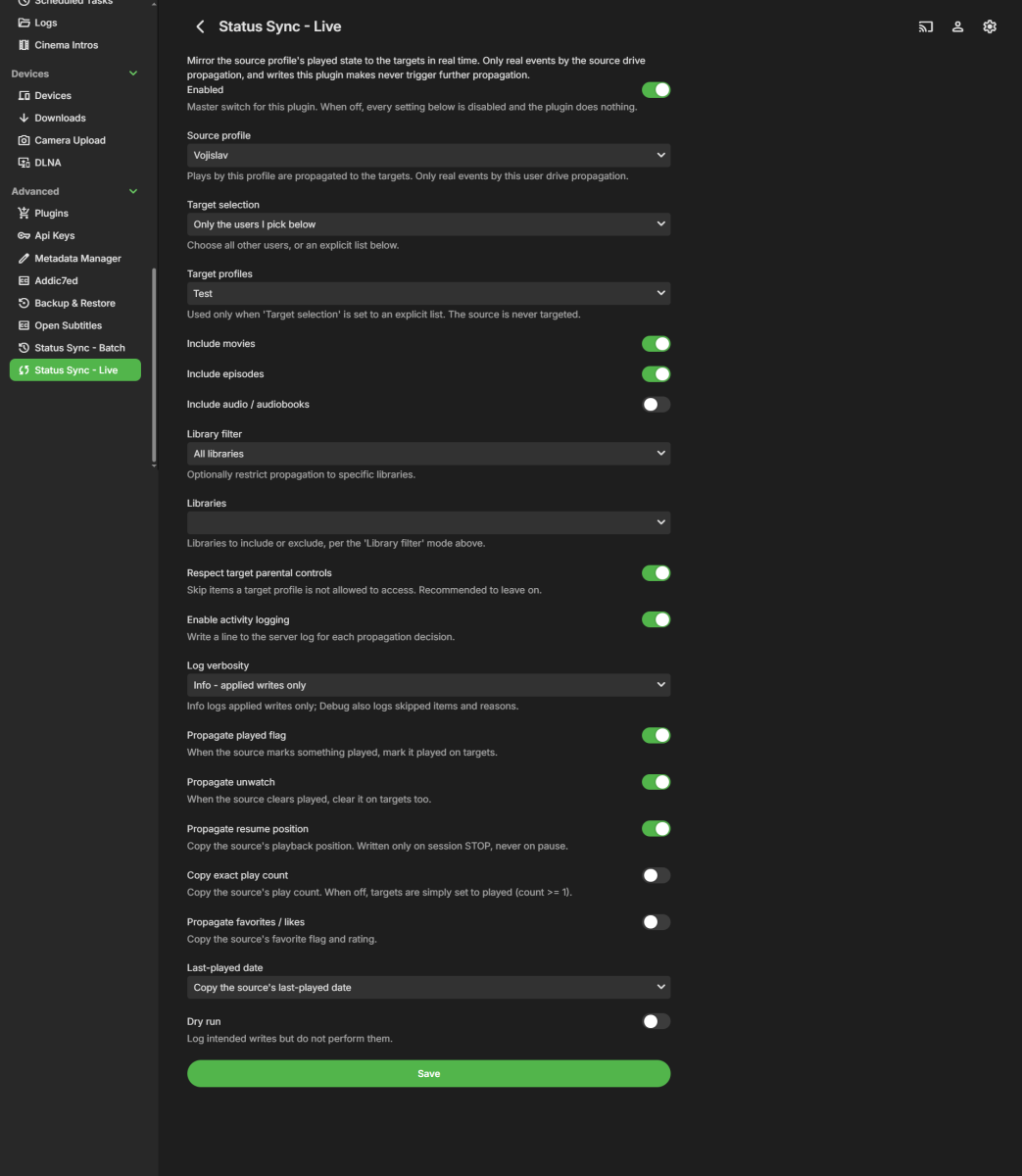
Hi all, I'd like to share a server plugin I've been working on and get some testers before requesting a catalog listing. **Status Sync - Live** propagates watched/played state in real time from one "source" profile to one or more "target" profiles. The use case it was built for: a shared "family" profile marks a movie or episode watched, and everyone's profiles are updated automatically, while each person's own private viewing is never touched. It is server-side only - there is no client or context-menu UI. **What it does** - Watches `IUserDataManager.UserDataSaved` for played / mark-played / rating changes, and `ISessionManager.PlaybackStopped` for resume position (written only on stop, never on pause). - Propagates at the leaf level (movies / episodes / audio); the server rolls up season and series counts on its own. - Optional toggles: propagate unwatch, copy exact play count, propagate favorites / likes, last-played date handling, and a dry-run mode that logs intended writes without changing anything. - Optional library filter and "respect target parental controls". **Guarantees** - One-directional only: source -> targets. - No feedback loops and non-transitive: it reacts only to events from a configured source, and every write it makes is recorded in a short re-entrancy guard so its own writes are ignored. `A -> B` plus `B -> C` never becomes `A -> C`. - Never touches `library.db` directly - all reads/writes go through `IUserDataManager`. - Self-targeting is rejected on save. **Requirements** - Emby Server 4.8.x. **Install** 1. Copy `StatusSyncLive.dll` into your plugins folder: - Windows: `%AppData%\Emby-Server\programdata\plugins` - Linux: `/var/lib/emby/plugins` - Docker: `/config/plugins` 2. Restart Emby Server. 3. Open Dashboard -> Plugins -> Status Sync - Live -> Settings. It also shows up as its own entry in the dashboard's left navigation. **Configure** Turn it on with the master Enabled switch, pick a Source profile and your Target selection (all other users, or an explicit list), choose which item types to include, and set the live toggles to taste. Start with Dry run on if you want to watch the log before it writes anything. **Beta note** DLL is attached to this post. I'd love feedback on stability and on the propagation behaviour across different library setups. Please share your server version and anything in the log prefixed with `[StatusSync]` if something looks off. Thanks! StatusSyncLive.dll
-
 一只绵羊 joined the community
 -
 IboFafe joined the community
 -
 zhongziyang joined the community
 - Today
-
HA already runs a bunch of automations on my home theater devices. How would syncing two Emby logins make this any more true than it already is? But if someone manages to get in my front door, I'm already screwed, whether the back door also unlocks or not. They don't need the back door to unlock, they're already in the house, and can simply unlock it from inside. If my media server's security is so thoroughly compromised that someone manages to get access to my Shield and sign in, then dozens of earlier security measures have failed so badly that someone being able to log in on the UGOOS is the least of my problems. And being able to log in to the UGOOS, with a non-admin account that already has the password saved to the device, is not particularly threatening anyway. What are they going to do, use some of my electricity and internet bandwidth? If they're that far inside my network there are way worse things they could be doing. You're basically saying I should put my TV in a safe overnight, in case someone breaks into the house. As though there aren't many other much more portable things they could get their hands on that will get them plenty of value, or are impossible to replace either for sentimental reasons or because you simply can't get them anymore. And as though I don't have locks and alarms on all my doors and windows.
-

group-title aka "Channel tags" should be on the flyout from guide
shalamigri replied to CharlieMurphy's topic in Feature Requests
Yep. I agree. I was just talking about this with my wife. -
OK we'll take a look at it. Thanks.
-
353 Bonjour, j'ai Emby première. Pour les amoureux des BD j'ai essayé KOMGA qui est juste parfait pour récupérer les métadatas de nos albums. Je l'avais installé sur mon NAS via docker mais j'ai eu l'impression que la méthode n'était pas fiable. Existe t'il une extension pour EMBY qui fait la même chose car pour le moment c'est très pauvre ? Merci à tous. Hi, I have Emby Premiere. For comic book enthusiasts, I tried Komga, which is absolutely perfect for fetching album metadata. I had it installed on my NAS via Docker, but the method didn't seem reliable. Is there an Emby plugin that does the same thing? The current support is very limited. Thanks, everyone.
-
Anything, browser windows, text documents, this dialog box, if I secondary click, it skips to the next episode.
-

Folder images missing in Emby Theater (3.0.20/21 Legacy)
Luke replied to scottpro's topic in Windows & Xbox
That's the current intended look yes. -
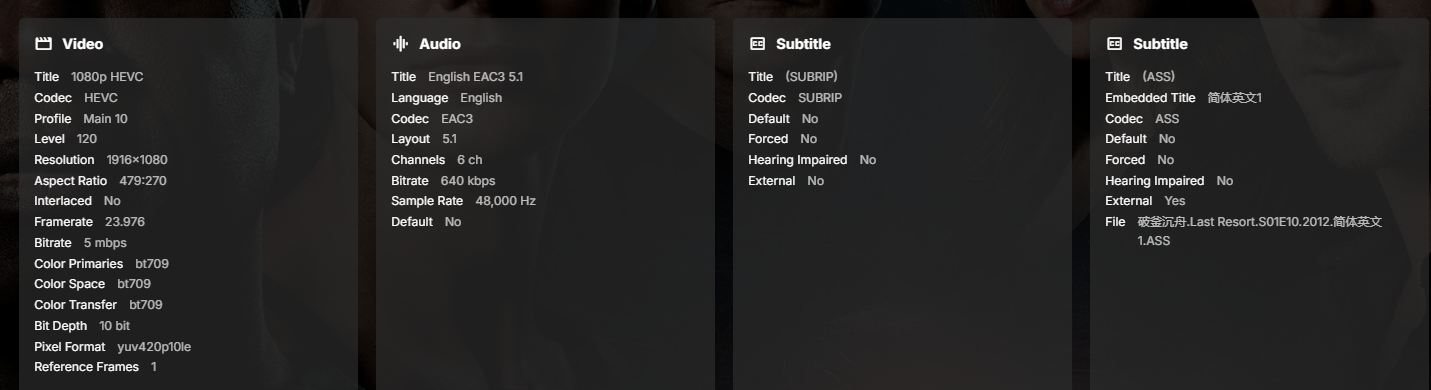
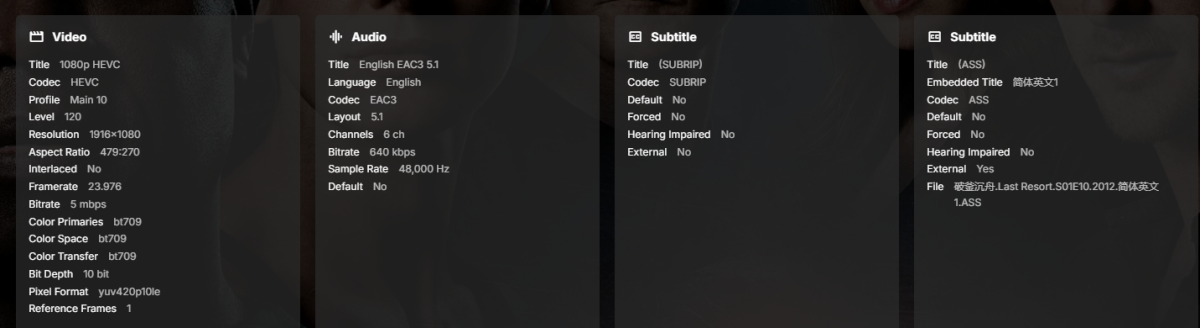
8月8日晚上9点45分之前(具体时间记不清了),在地下二层四楼的主卧室里,《破船记》这部剧从第9集开始自动播放,一直播放到第10集,然后屏幕变黑,应用程序崩溃,返回到Emby主界面。我为这部剧使用了外部的.ASS字幕文件,我想知道这是否与字幕文件有关。 hardware_detection-63921822988.txt hardware_detection-63921822761.txt embyserver.txt
-

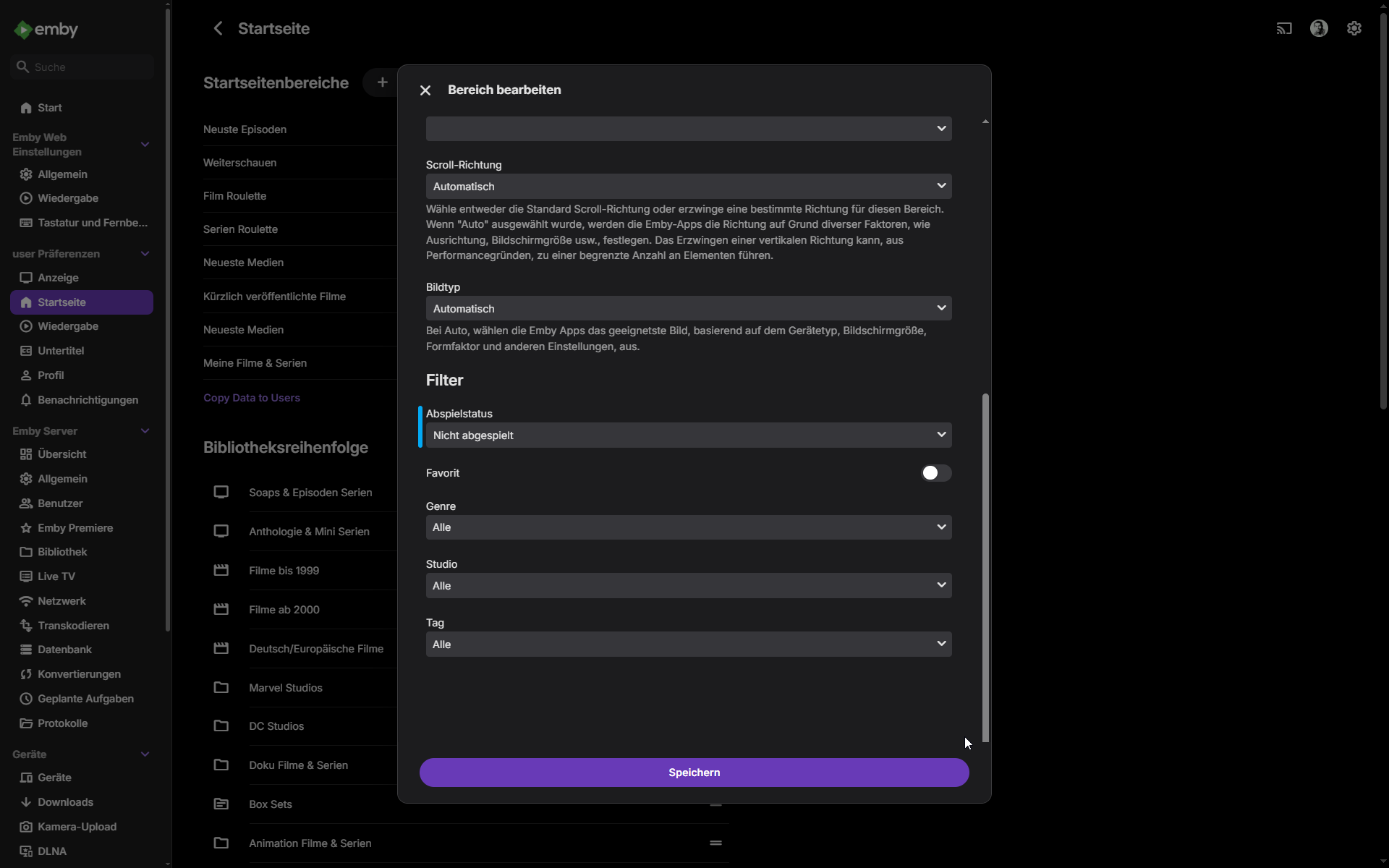
Zufallsliste Ungesehener Filme auf der Startseite
Haisenzwerg replied to Haisenzwerg's topic in German
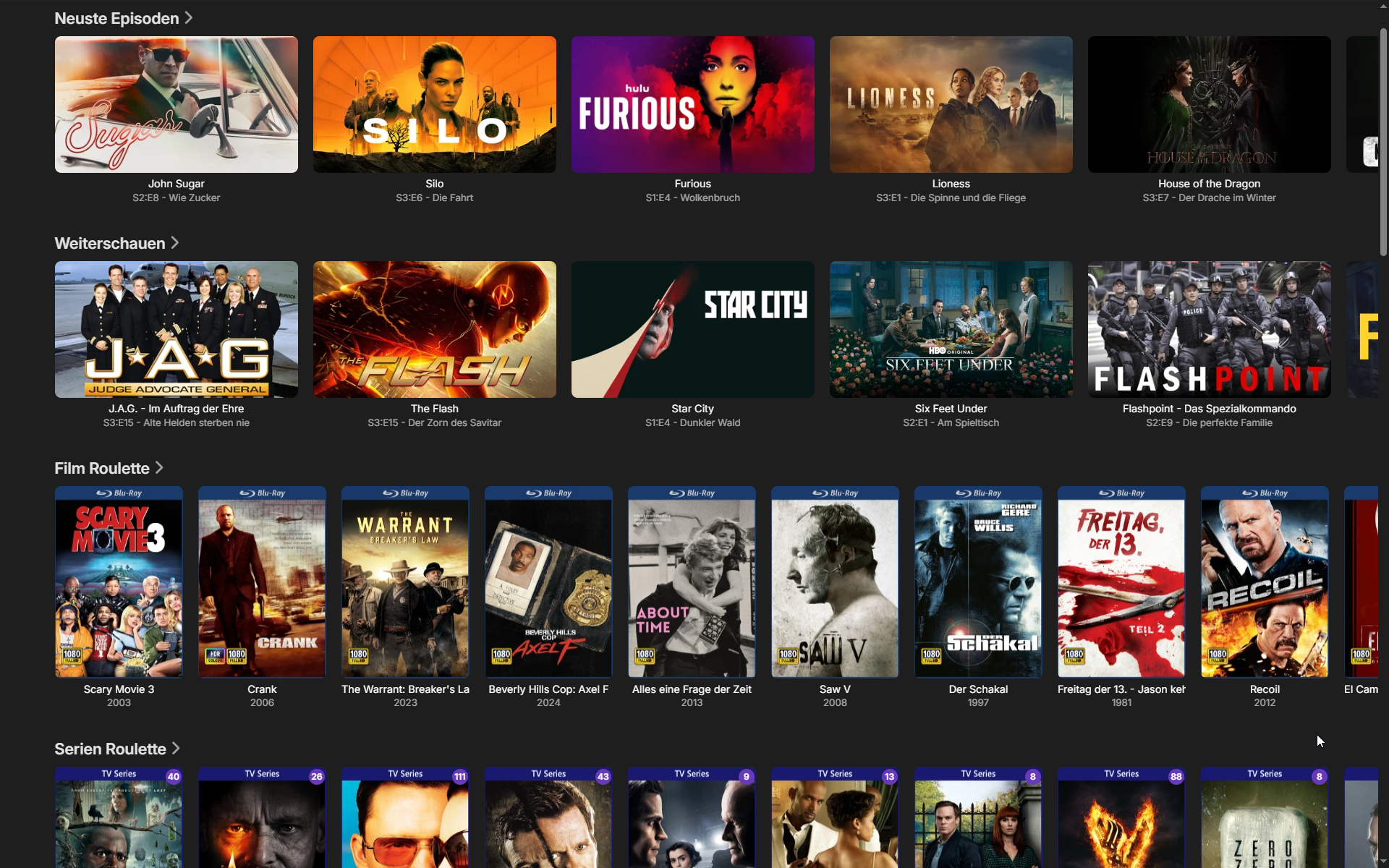
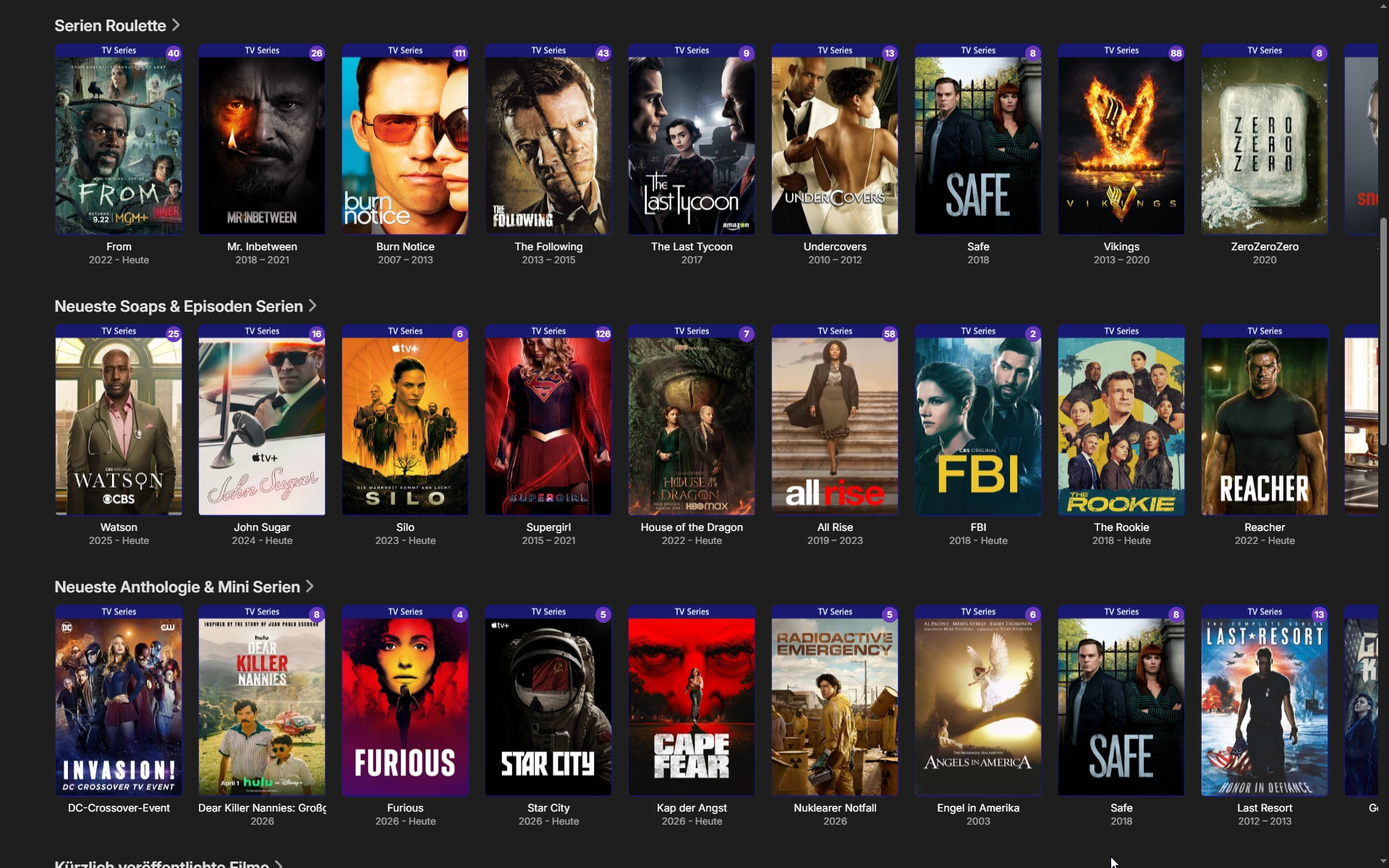
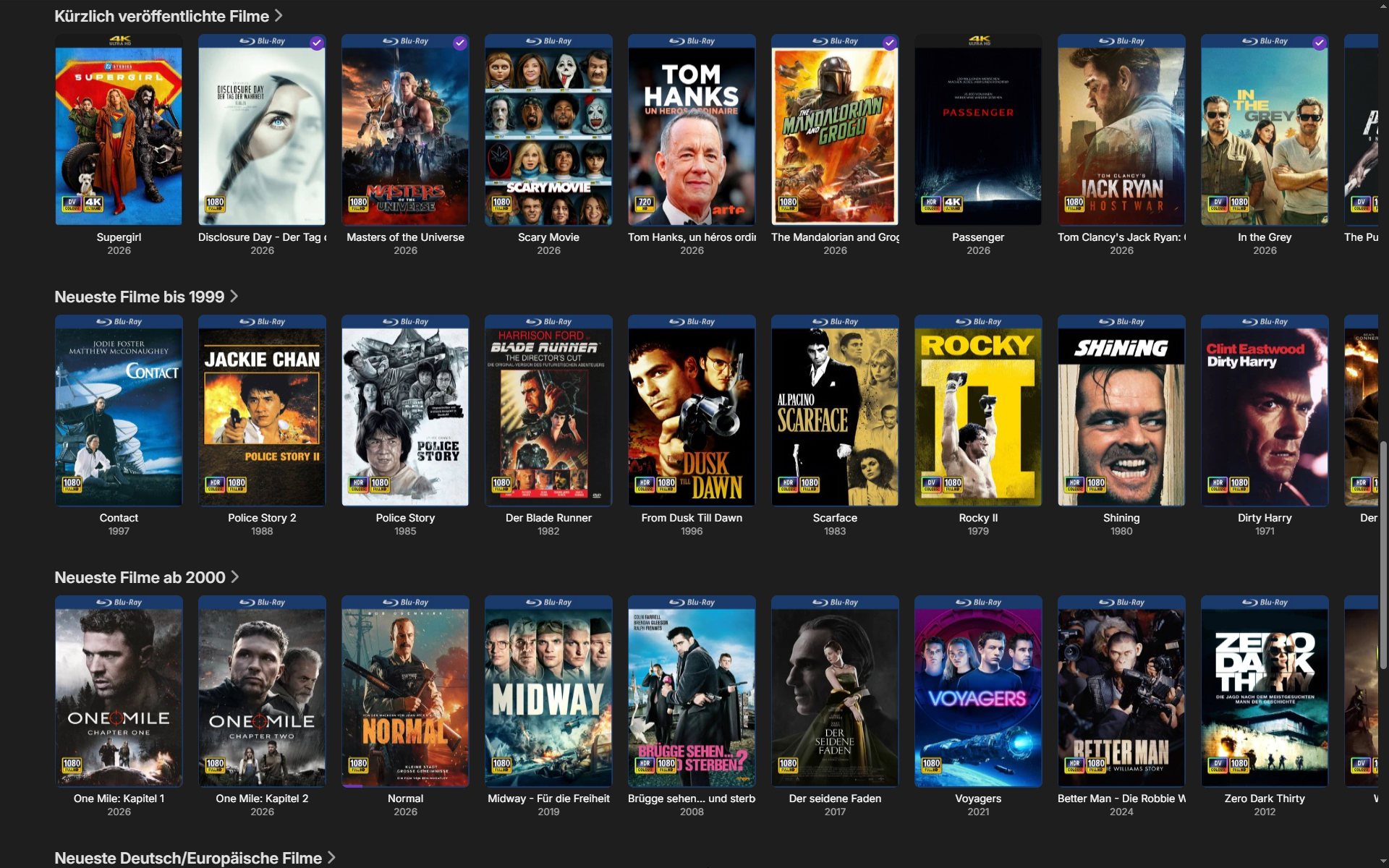
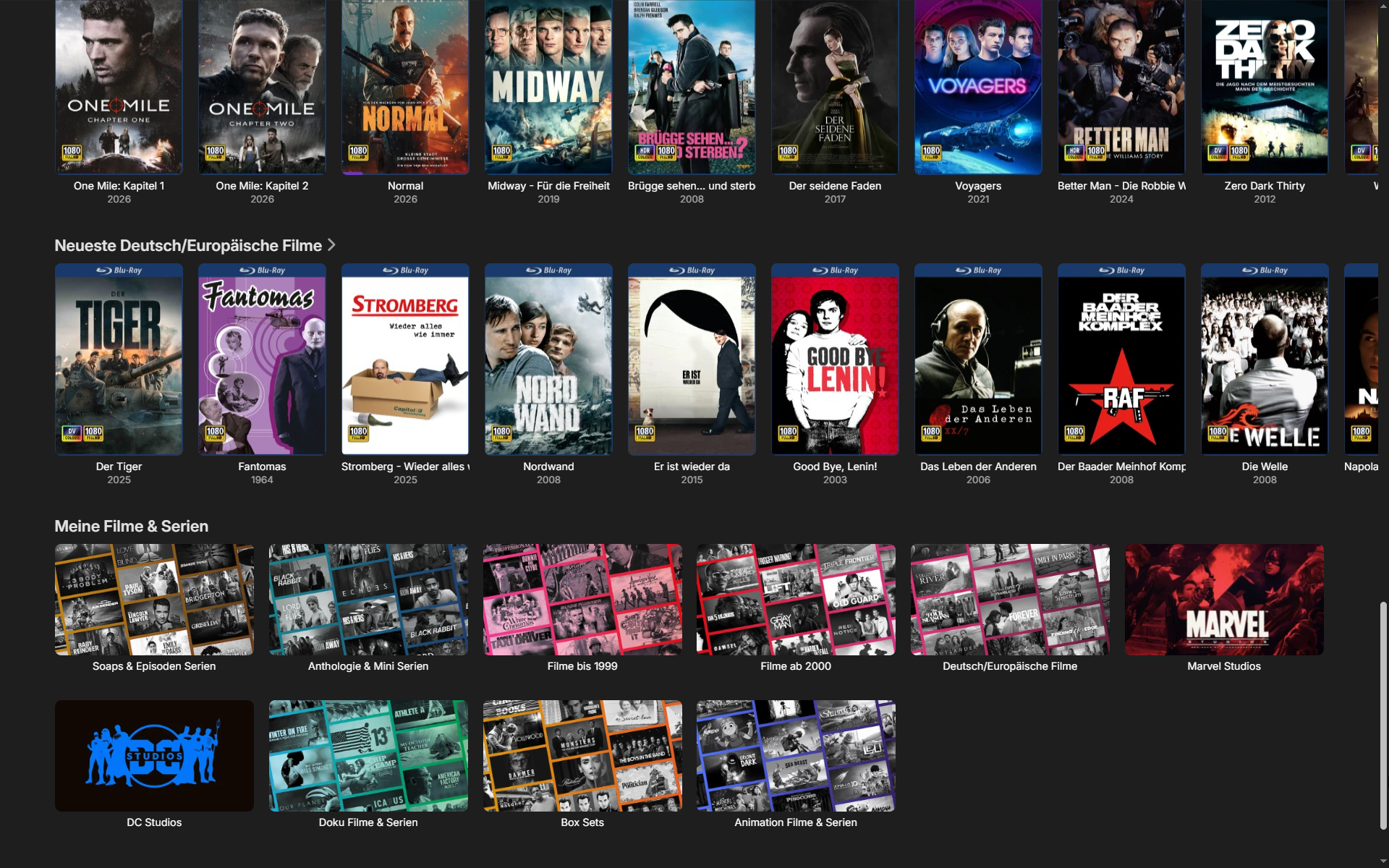
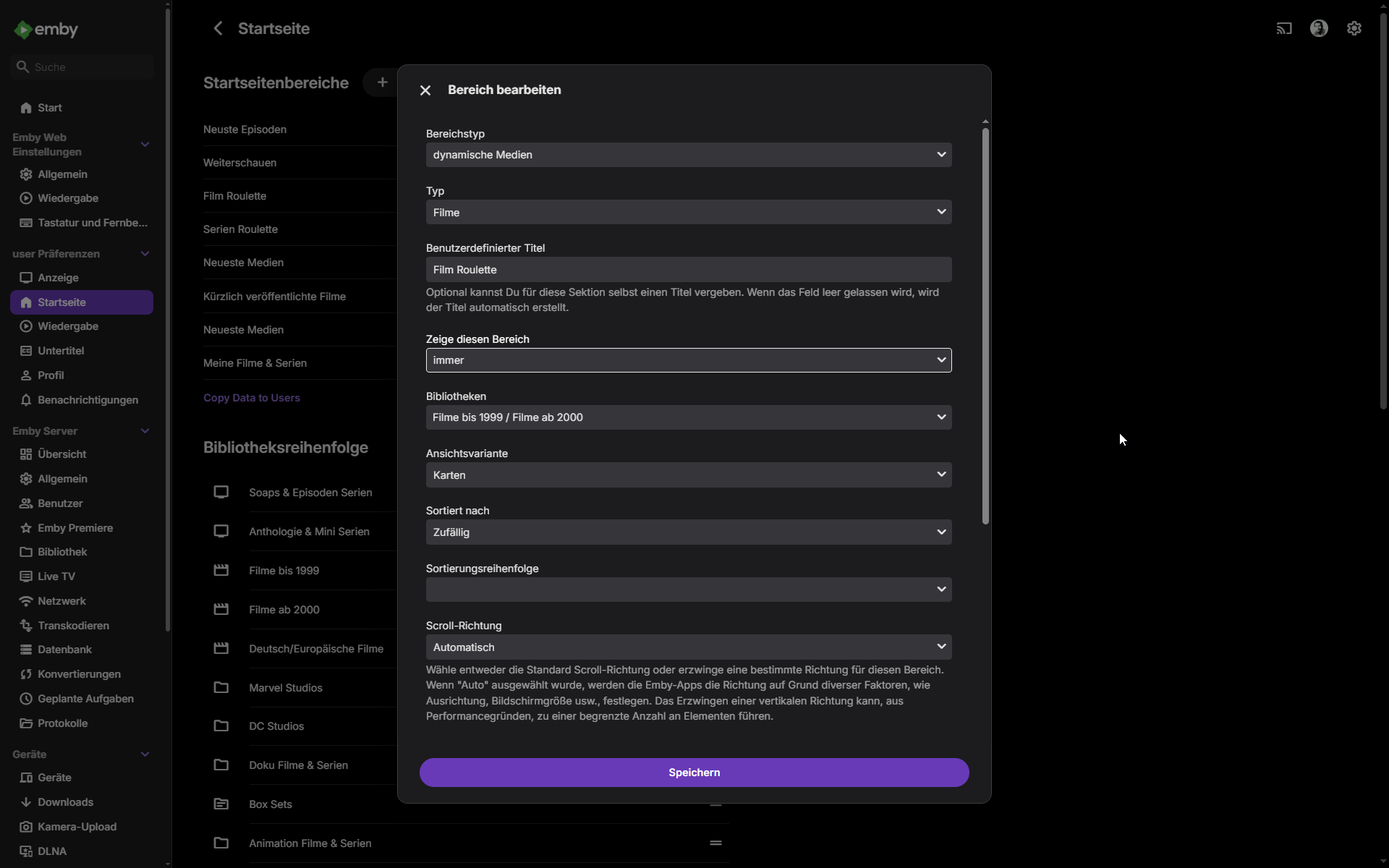
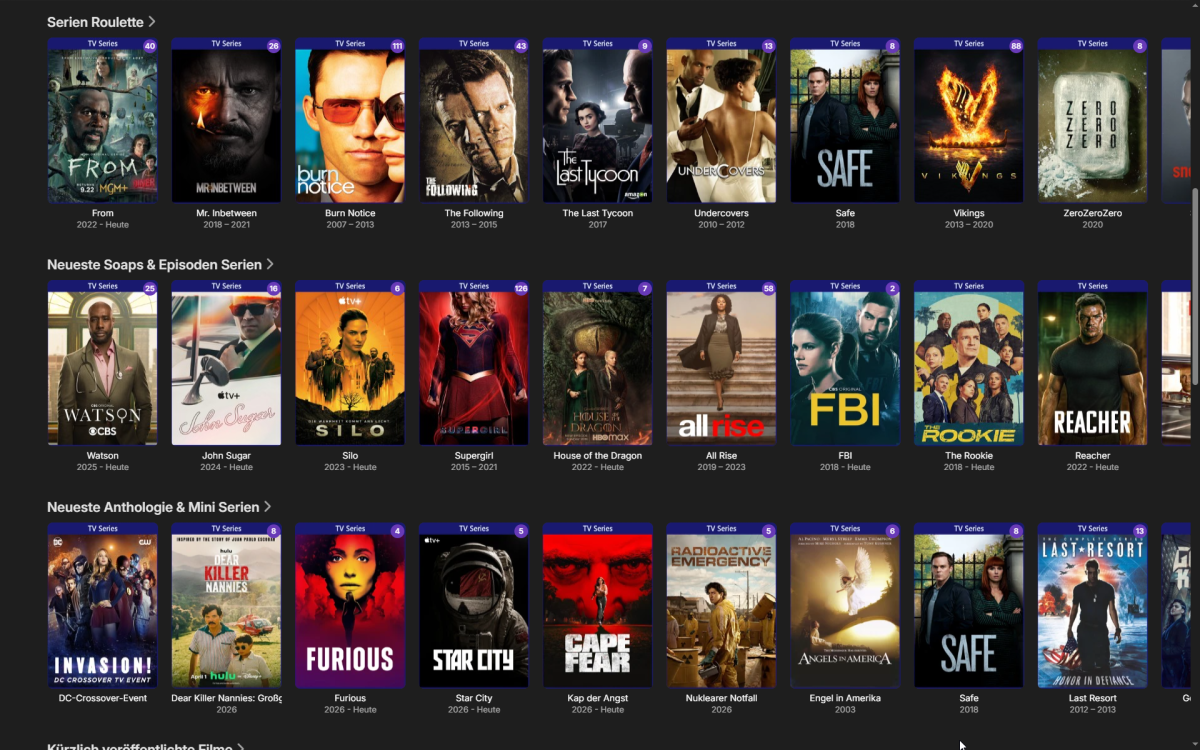
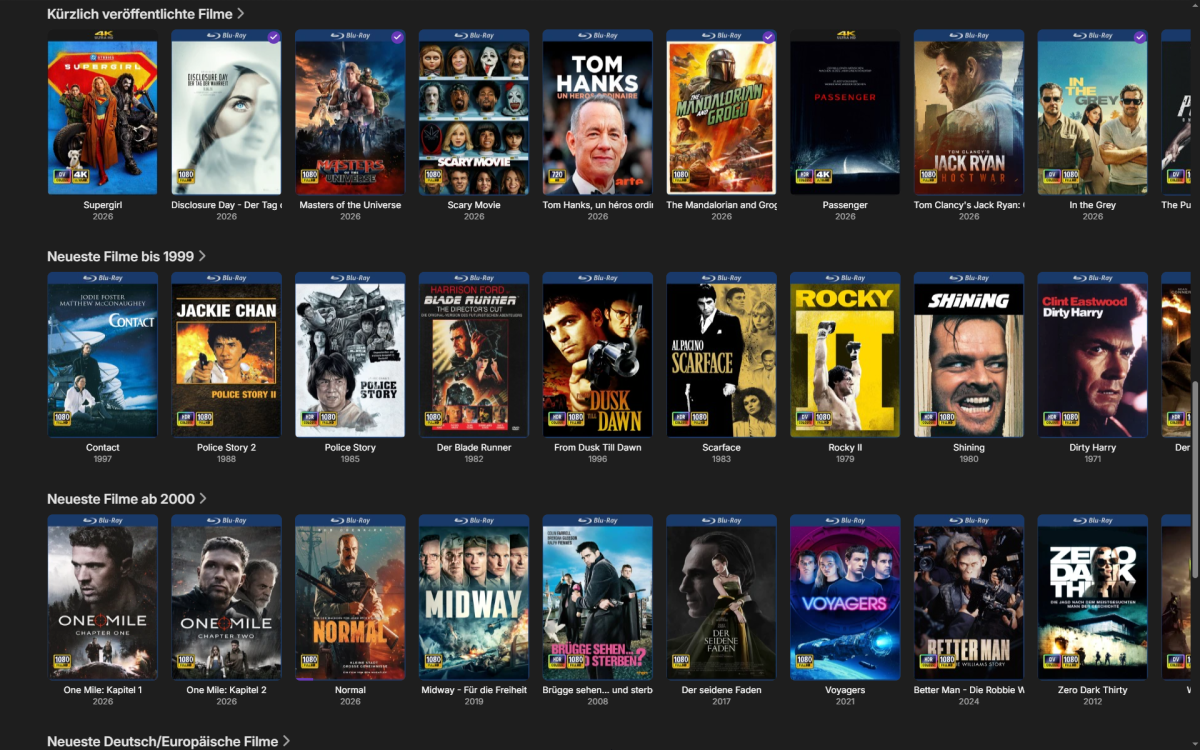
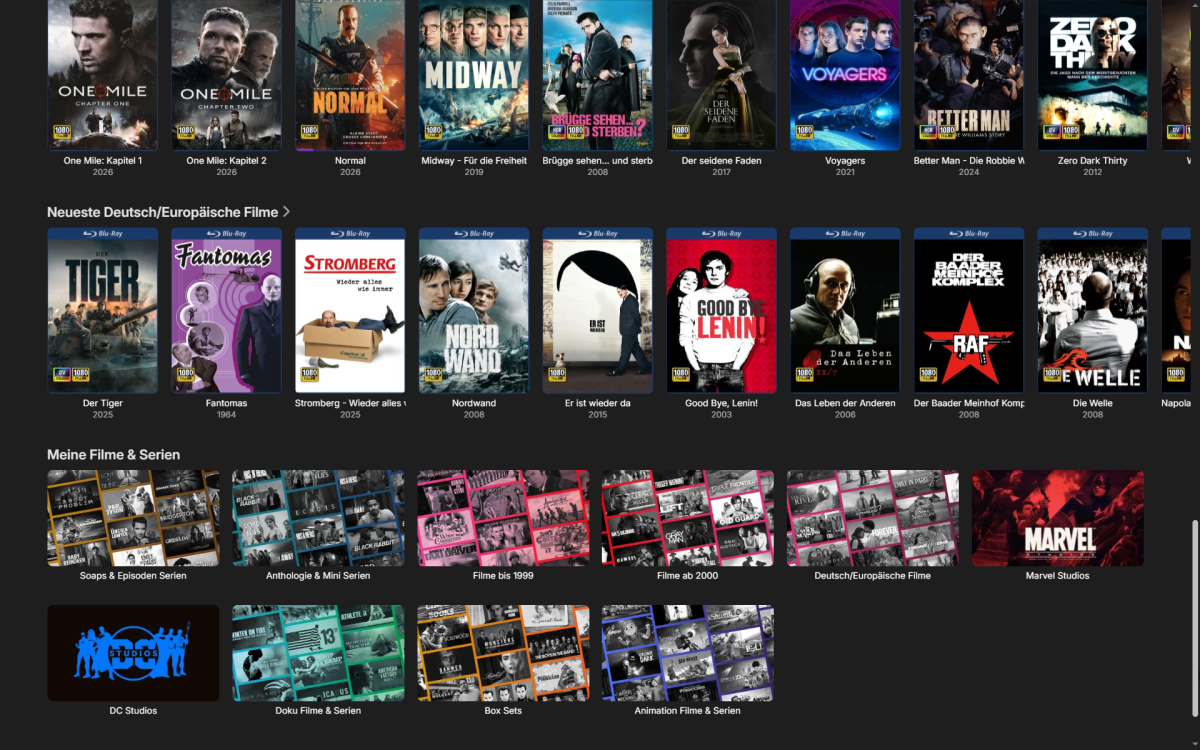
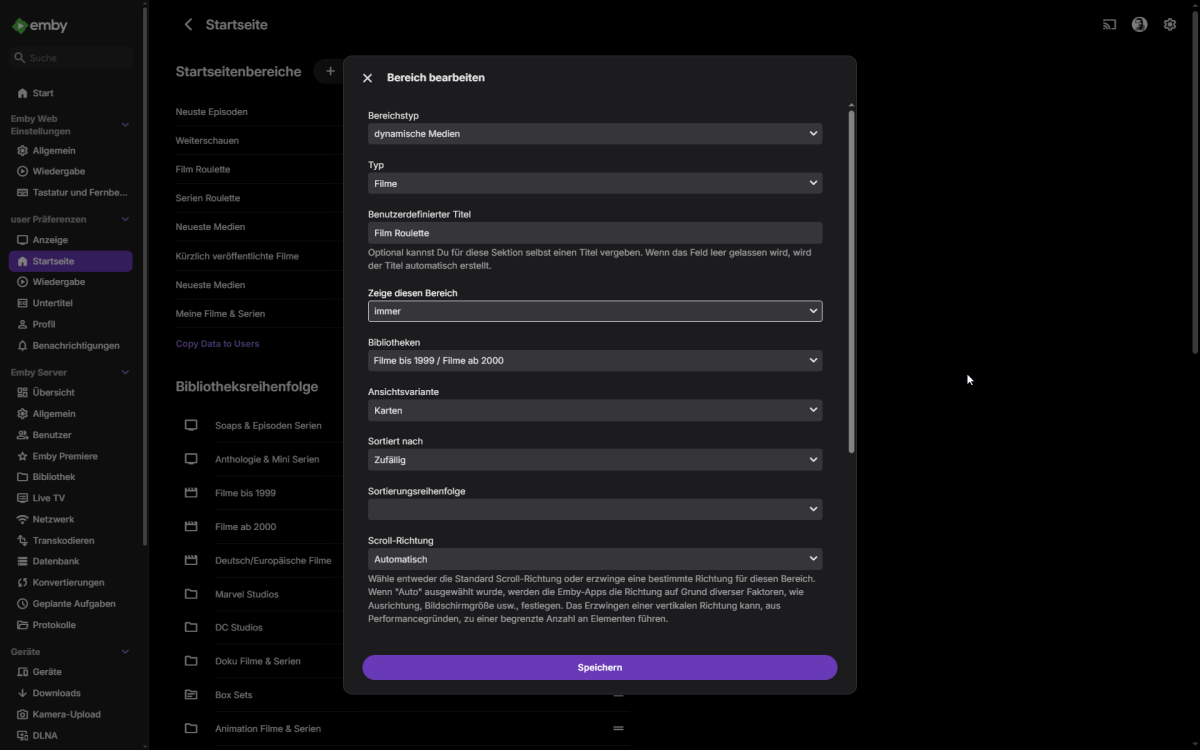
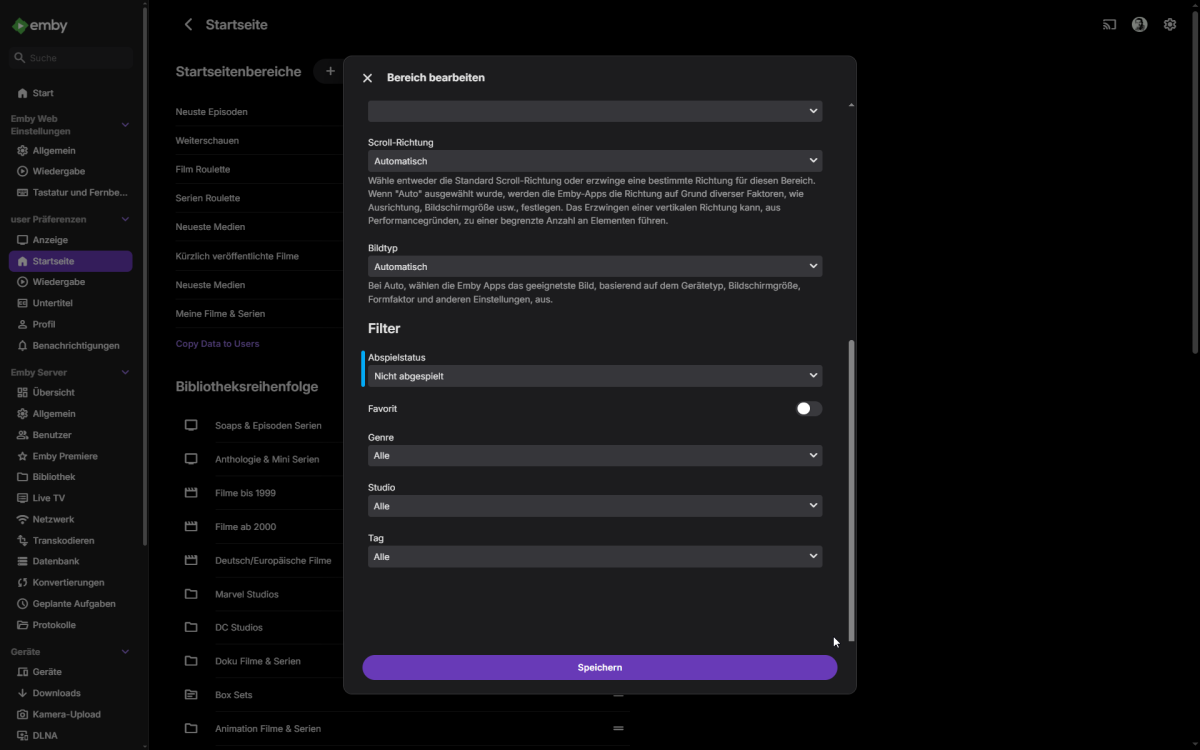
So, ich habe jetzt die Beta 4.10.0.23 auf meinem Synology Installiert, die Funktion mit der Zufallsanzeige ist Wunderbar! Dafür gibt es 10 Punkte Auch die Funktion zur Ansicht der letzten hinzugefügten Folge einer Serie in der Übersicht ist euch gut gelungen. So sieht jetzt meine Startseite aus: Die Zufallsanzeigen habe ich in "Roulette" umbenannt. Was ich leider vermisse: Die Einstellungen für einen definierten Intervall ( 24 / 48h oder 1 - 5 Tage) Was ich leider immer noch Vermisse: Die IMDb Anzeige auf der Startseite unter Filmen und Serien! Wenn ihr das auch noch hinbekommt, seid ihr für mich die Größten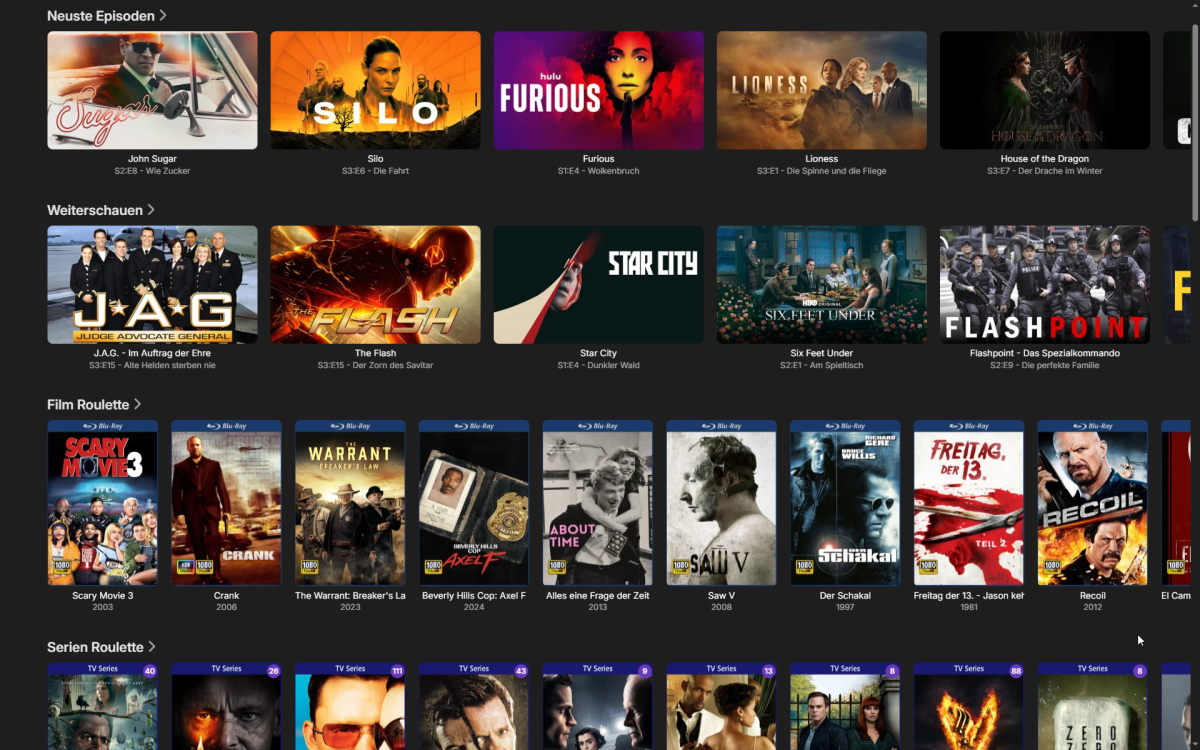
-
I included the portion of the server log at the time of the crash in my OP. I'm happy to share the full log but is there a private way for me to provide it? Thanks Luke.
-
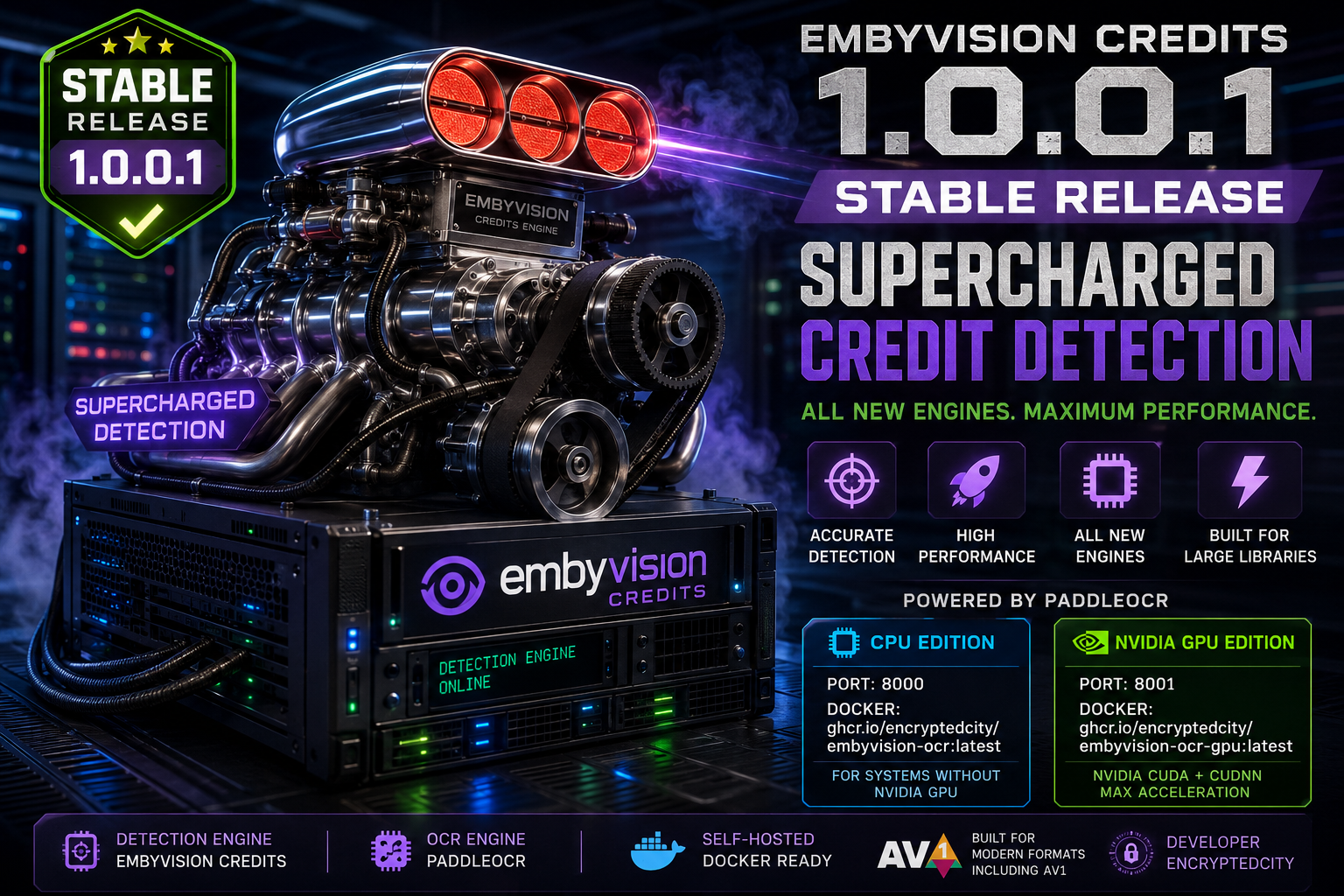
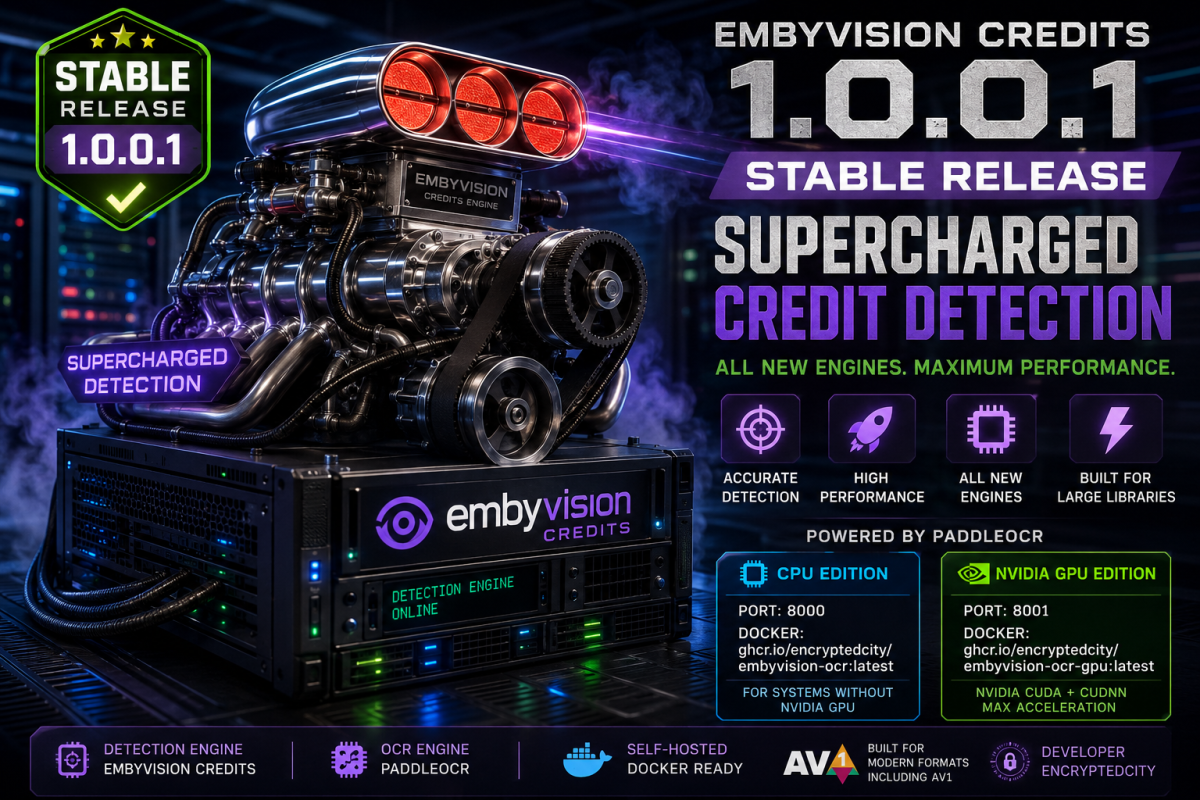
EmbyVision Credits 1.0.0.1 — Stable Release - EncryptedCity I'm releasing EmbyVision Credits 1.0.0.1, the first stable release of my automated credits detection plugin for Emby. EmbyVision was built from the ground up for accurate credits detection, large media libraries, performance, and modern video formats including AV1. What It Is EmbyVision Credits is the detection engine that runs inside Emby and handles the credits detection workflow. For OCR processing, EmbyVision uses PaddleOCR through a separate self-hosted OCR service. This keeps the OCR workload separate from the Emby plugin and allows users to choose between CPU and NVIDIA GPU processing. Important — Installation Notice Do not install EmbyVision Credits alongside the original Emby Credits plugin. EmbyVision Credits is a separate replacement project with its own detection engine and processing architecture. Running both plugins at the same time can cause conflicts and prevent EmbyVision from operating correctly. If you are migrating from Emby Credits, remove or disable the original Emby Credits plugin before installing EmbyVision Credits 1.0.0.1. OCR Editions CPU Edition For systems without an NVIDIA GPU. OCR Engine: PaddleOCR Processing: CPU Port: 8000 Docker: ghcr.io/encryptedcity/embyvision-ocr:latest GitHub: https://github.com/encryptedcity/embyvision-ocr NVIDIA GPU Edition For systems with a compatible NVIDIA GPU. OCR Engine: PaddleOCR Acceleration: NVIDIA CUDA + cuDNN Port: 8001 Docker: ghcr.io/encryptedcity/embyvision-ocr-gpu:latest GitHub: https://github.com/encryptedcity/embyvision-ocr-gpu The GPU edition is intended for larger libraries and systems where OCR processing would otherwise place a significant workload on the CPU. Release Information Plugin: EmbyVision Credits Version: 1.0.0.1 Status: Stable Detection Engine: EmbyVision Credits OCR Engine: PaddleOCR CPU OCR: Port 8000 NVIDIA GPU OCR: Port 8001 Deployment: Self-hosted / Docker Developer: EncryptedCity Links EmbyVision Credits https://github.com/encryptedcity/EmbyVision-Credits EmbyVision OCR — CPU Edition https://github.com/encryptedcity/embyvision-ocr EmbyVision OCR — NVIDIA GPU Edition https://github.com/encryptedcity/embyvision-ocr-gpu Installation instructions, Docker configurations, releases, and source code are available in the respective repositories. This is the 1.0.0.1 stable release of EmbyVision Credits.
-
Ah you're right, runtimes within 5 minutes were treated as the same version, so the second credits submission was seen as overlapping the first. I've tightened the version grouping to 2 minutes (from 5), which still absorbs encode-level length differences but lets close-length re-cuts like T2's be submitted separately. Feel free to try submitting now!
-

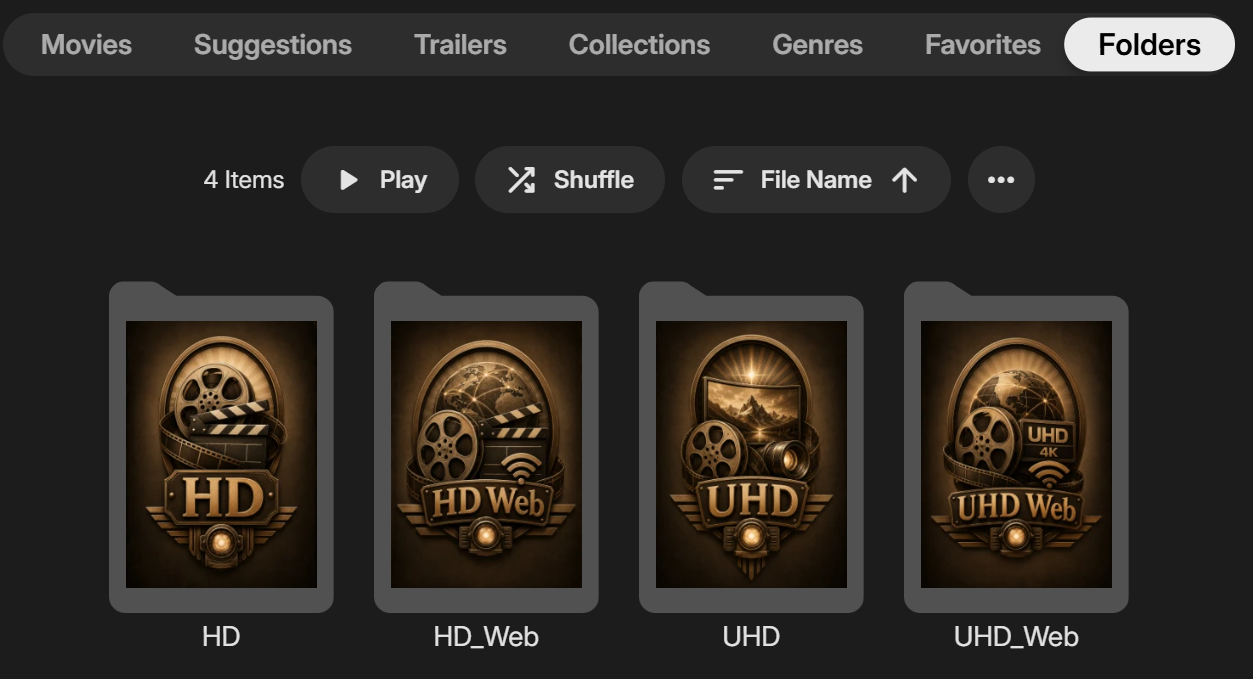
Folder images missing in Emby Theater (3.0.20/21 Legacy)
scottpro replied to scottpro's topic in Windows & Xbox
I upgraded my local version of Electron to version v40.0.0, Chromium v144.0.7559.60, Node v24.11.1, v8 v14.4.258.16, and this what the Folder images look like now. Is this the intended designed look? Emby Theater 3.0.20 is currently using Electron v11.5.0 which was released back in August 30, 2021. Electron release notes: End of Support for 11.x.y Electron 11.x.y has reached end-of-support as per the project's support policy Developers and applications are encouraged to upgrade to a newer version of Electron.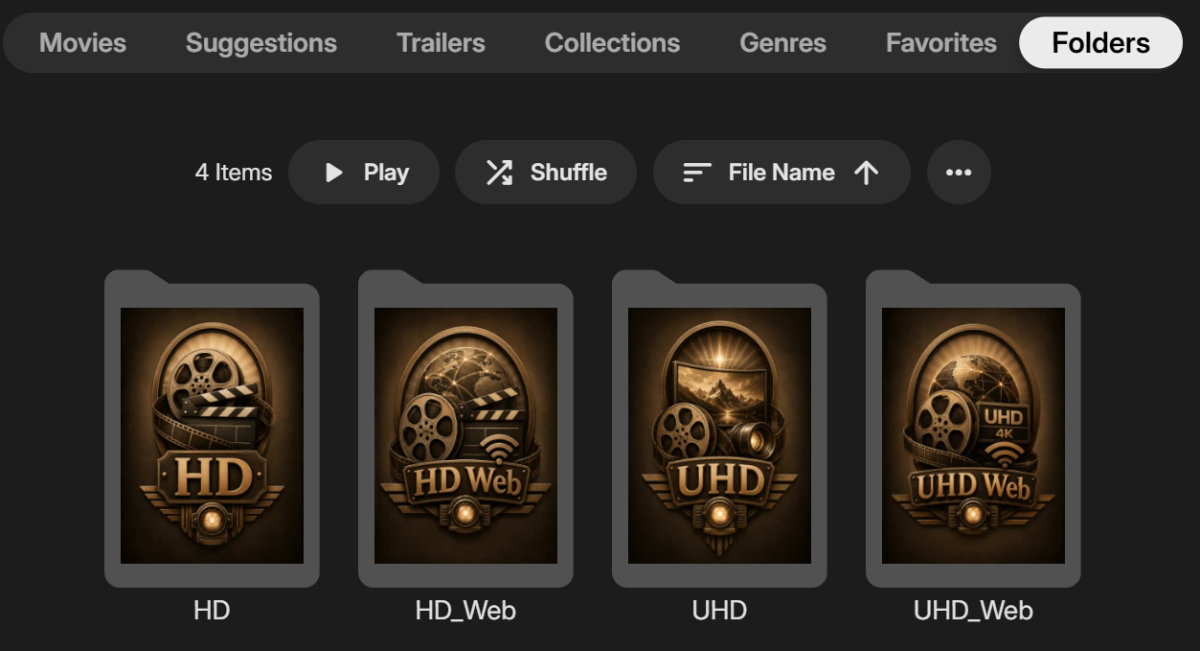
-
Good question, the plugin doesn't use chapters to decide what to fetch. Every movie/episode is looked up by its TMDb/TVDb/IMDb ID, so both kinds of files are checked against the DB. What you're seeing is Emby itself: for files with no embedded chapters, Emby generates placeholder chapters (~every 5 minutes) during scans, and that write replaces the whole chapter list — including the markers the plugin added. Files that do have embedded chapters never get regenerated, so the markers stay. Re-running the TheIntroDB Media Segment Scan after a library scan normally restores them, but if Emby regenerates those chapters afterwards they can get wiped again. There's no Emby API for a plugin to say "my chapters must win," so it's a platform limitation I'm still working around. If you want to confirm, the plugin log will show either "TheIntroDB saved N chapters/markers" or "API returned no data" for a given file.is In the trouble shooting section on the plugin's GitHub page it does state: It's recommended to disable Emby's internal intro marker detection in Dashboard → Library → select library → Advanced/options → Disable "Generate intro video markers".
-
So I am still on CachyOS, but I ended up converting all my drives to BTRFS (except 1 SSD I use to dual boot Windows but that shouldn't matter here). Normally I can watch any media on any drive and everything plays fine. I have other TV Series on this same drive as Tulsa King S02. Heres the output from ls -al: drwxrwsr-x - xplorer4x4 16 May 2025 'Tulsa King S02' The permissions are the same on every other folder for every other TV series or TV season on the drive. They all get marked in the database as watched, and they "play all" just fine. Could this just be a bad encode? Also, the only odd thing I spot in the server log is this: I don't get the http/1.1? And here is my fstab line for that drive: UUID=53cb5f0b-4994-4723-b0eb-a3b4c8fc4be9 /mnt/WD3 btrfs noatime,nofail,users,rw,x-gvfs-show,compress=zstd:6 0 0 Any details I am missing?
-

Regarding the issue of 4.9.1.80 and the plugin Bluray Folder Support 1.0.3.0 recognizing BDMV original disc fi
LonelyCat replied to LonelyCat's topic in Synology
I also returned to 4.8.11.0. 4.8 Using the Bluray Folder Support plugin version 1.0.2.0 is normal, while versions 1.0.3.0 and above used in 4.9 cannot recognize the BDMV folder structure. Although it has been updated to 1.0.5.0, the issue still persists. We hope to find the problem and update the plugin. -
Hi, what exactly was clicked on?
-
Folder images missing in Emby Theater (3.0.20/21 Legacy)
Luke replied to scottpro's topic in Windows & Xbox
It’s not by design. It’s just that freaking with the older chromium’s version is a work in progress. -
Unbounded SMB Connection Accumulation Causing NAS System Crash
Luke replied to ingmar_ehrig's topic in Android Server
Hi, the smb library we’re embedding is probably opening a new connection per file access, however they shouldn’t be left open. -
emby_macos_1786322107083.189.txt I've been having this issue where media I'm playing in the Emby app (2.2.56) would randomly seek to the next episode without my asking. Today I was working on a task that had a bit of secondary clicking involved and every time I did a secondary click, it went to the next episode. This also held true if I did a Control-Click. It seems to only occur while the app is in full screen mode. It doesn't seem to matter if it's in focus or out of focus. Initially I thought it was a macOS problem, but this doesn't occur with Spotify. For the sake of testing I grabbed the download of an older Emby app (2.2.39) for macOS and the problem doesn't seem to occur. Log files are attached.
-
I just keep telling myself that $4 a month doesn't mean a request that is over a decade old will ever be granted.
-

Unbounded SMB Connection Accumulation Causing NAS System Crash
ingmar_ehrig posted a topic in Android Server
Summary Emby Server running on NVIDIA Shield TV Pro (2019) accumulates SMB/CIFS connections to a network-attached SMB share over time, without releasing them. Once the connection count reaches several hundred, the NAS (WD My Cloud EX2 Ultra) becomes fully unresponsive due to load, requiring a hard power cycle to recover. This has caused two separate NAS-side crashes within roughly one hour of normal media playback usage and several more since I installed emby Server on my ShieldTV. Note: I have another emby server running on my MyCloudEX2 for years running without any single problem. I just wanted to switch to a newer .NET System instead of mono. Environment Emby Server version: 4.9.5.0 Device: NVIDIA Shield TV Pro (2019), Tegra X1+ Android-Version: 11 Build-ID: RQ1A.210105.003.7825230_4387.0822 NAS / SMB Server: WD MyCloud EX2 Ultra, MyCloud OS 5, Samba (smbd) Network: Gigabit Ethernet, local network only (no remote access) Library storage: SMB share (smb://<NAS-IP>/...), accessed via mapped/attached network storage in Emby Steps to Reproduce Set up Emby Server on Shield TV with library folders pointing to an SMB share on a separate NAS. Use the server normally over an extended period (library scans, browsing, video playback) — no unusual or heavy load, single concurrent stream. Periodically check the number of active SMB connections from the Shield's IP address on the NAS side: netstat -an | grep :445 | awk '{print $5}' | cut -d: -f1 | sort | uniq -c | sort -rn Observe that the connection count from the Shield's IP grows continuously over hours/days, rather than staying stable at a low number (1-5). Observed Behavior At the time of the crash, 393 out of 397 total SMB connections on the NAS originated from the single Shield device running Emby Server. This coincided with the NAS Linux kernel load average spiking to over 400 (on a 2-core system), with dozens of smbd worker processes stuck in uninterruptible sleep (D state), waiting on I/O. The NAS's web dashboard, and eventually most background services (Apache/httpd, nasAdmin, monit), became unresponsive. SSH access remained marginally functional but was severely lagged. Restarting Emby Server on the Shield (via its own web interface restart function, without touching the NAS) immediately dropped the SMB connection count from 393 to 0, and the NAS load began recovering. This is reproducible: the connection count was independently confirmed via netstat before and after the Emby restart, isolating Emby Server (and not any other NAS-side process) as the source of the accumulated connections. Expected Behavior Emby Server's SMB client should reuse or properly close SMB connections/sessions after file operations (metadata reads, thumbnail loads, playback) complete, keeping the connection count to the NAS low and stable regardless of how long the server has been running or how many files have been scanned/played. Additional Notes No equivalent SMB connection accumulation was observed when running Emby Server directly on the NAS itself (WD My Cloud "Emby Server" app, Mono-based build) accessing local storage — this issue appears specific to the Android TV client/server's SMB implementation when accessing a remote SMB share. There is no user-facing setting within Emby Server for Android TV to control SMB connection pooling, reuse, timeout, or maximum concurrent connections. This is a serious issue beyond cosmetic/performance concerns: it results in total NAS unavailability requiring a hard power cycle, affecting all other devices/services relying on that NAS (other Emby libraries, other network clients), not just Emby itself. Suggested root cause area Possibly related to how the Android TV media probe / file streaming layer (MediaProbeManager, ffprobe file access via local loopback Items/File proxying seen in server logs) or the underlying SMB/CIFS client library opens a new connection/session per file access request instead of reusing an existing pooled connection to the same share/host. Best regards Ingmar embyserver-63921908969.txt embyserver-63921916800.txt embyserver-63921922586.txt