All Activity
- Past hour
-
 chasewan joined the community
 -
 梁sf joined the community
 -

Samsung Tizen app unable to play FLAC – infinite loading, no playback, forces AAC transcoding
Redji59 replied to Liskanet99's topic in Samsung Smart TV
voici le LOG comme demandé les .FLAC sur tizen OS 8 tout fonctionné mais pas sur tizen os 9 Here is the log as requested. .FLAC files worked fine on Tizen OS 8, but not on Tizen OS 9. embyserver.txt -

[Beta] ROMote – play your retro game collection in the browser (NES → PlayStation)
tdn27 replied to digitalirony's topic in Plugins
I would like to test beta. what are server system requerimients? -
So...we're going back to the ATV app getting new features and the universal app is now only getting maintenance updates?
-
 BeefyKing joined the community
 -
 Ittxd joined the community
 -
 白日不做梦689 joined the community
 -
 zm334200 joined the community
 -
 superfan1989 joined the community
 -

How to prevent apps from discovering/preferring "local"/LAN IP of server.
Napsterbater posted a topic in General/Windows
Previously I have always connected the apps to the server with a hostname, that hostname has always resolved via normal DNS and resolved to my reverse proxy, or now a cloudflard tunnel. Either way If necessary, I controlled where that domain name resolved in this how the app on a client should access the Emby server. Something has recently changed where the apps (maybe just Andriod app), Even when initially connected by typing in the host name, are discovering and then attempting and preferring to use the Emby server self discovered Local/LAN non HTTPs IPv4 of the Emby server, Not the IPv6 and HTTPs I intend them to connect to. On the server I have the "Local IP address" set with the host name, which again even on that server would resolve not to the actual (real) host IP but seems though the emby server ignores it (This has pretty much always been set but might not have actually mattered before), Not only that, it uses and Legacy IP and not IPv6, Even for clients that are single stacked IPv6, which forces them to go through CLAT/NAT64 Is there any way to prevent this? If I wanted to use the local IP, I would have done it, I'm specifically using a hostname for a reason. -
Ohhh... no, I never found that file. I kept checking from time to time to see if there was an update, but unfortunately I never came across it. I did find some alternative plugins, but none of them allow filtering by tags. Thanks for the link! That means my post above is irrelevant if this has actually been available for a long time.
-
 Nike12315 joined the community
 - Today
-
 dno_ joined the community
 -

embyforkodi (next-gen) 12.X.X support
quickmic replied to quickmic's topic in Emby For Kodi Next Gen
New BETA version available 12.4.23: Delta changelog 12.4.22 -> 12.4.23 fix sync bug fix dynamic nodes in native mode fix dynamic playlists -
2026-07-19 07:14:21.607 Error App: Error getting version number from /config/plugins/CoverArt.dll *** Error Report *** Version: 4.9.5.0 Command line: /app/emby/system/EmbyServer.dll -programdata /config -ffdetect /app/emby/bin/ffdetect -ffmpeg /app/emby/bin/ffmpeg -ffprobe /app/emby/bin/ffprobe -restartexitcode 3 Operating system: Linux version 5.10.60-qnap (root@Q64-102-104) (x86_64-QNAP-linux-gnu-gcc (toolchain config: [gcc-4.9.2 binutils-2.25 glibc-2.21]) 4.9.2, GNU ld (GNU B OS/Process: x64/x64 Framework: .NET 8.0.25 Runtime: app/emby/system/System.Private.CoreLib.dll Processor count: 12 Data path: /config Application path: /app/emby/system System.ArgumentNullException: System.ArgumentNullException: Value cannot be null. (Parameter 'input') at System.ArgumentNullException.Throw(String paramName) at System.Version.Parse(String input) at Emby.Server.Implementations.ApplicationHost.<>c__DisplayClass439_0.<FilterAssembliesToLoad>b__0(String path) Source: System.Private.CoreLib TargetSite: Void Throw(System.String)
-
CoverArt hasn't been working since the last update. It won't install, either; after every restart, CoverArt shows up as not installed.
-

Samsung TV Emby app: 'Date Added' sort showing release date instead - works fine on web/Edge
Neminem replied to rcsnoopdog's topic in Samsung Smart TV
It looks like you have a filter enabled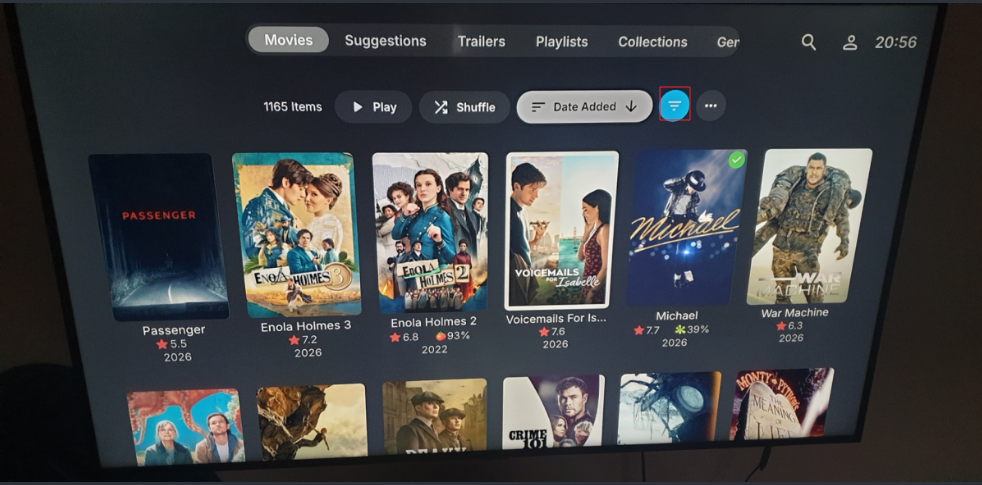
-
It might still be getting scanned in based on your log.
-
embyforkodi (next-gen) 12.X.X support
quickmic replied to quickmic's topic in Emby For Kodi Next Gen
I think I can trigger the issue. Seems to happen in native mode only and using dynamic nodes. -
Created a subdir "Austin Powers In Goldmember (2002)", placed files "Austin Powers In Goldmember (2002).mp4" in it. Cut the subdir "Austin Powers In Goldmember (2002)" and pasted it in the Libdir "Movies" where there are 1827 other subdirs made in the exact same manner. I go to Emby server Settings, click on Library, then right click library "Movies" and select scan. NORMALLY I wait about 2 minutes and I get the .BIF, .JPG, and .NFO files created and I can find the movie with a search. That isn't happening
-
hi, what version number of the app do you have installed?
-

Android TV clients cannot authenticate through reverse proxy (browser and Android phone work)
Luke replied to Breezey's topic in QNAP
It mentions 307 and 308, but I don't recall users mentioning that before and it's not something we've tested. Hopefully it will work. The third option about updating your client-side url is what you want to do, and that's what I'm about to explain: No, it will connect however you want, but you need to actually connect that way by setting up a server connection. I would guess that you initially connected over http, then setup the redirect in NPM and expected it to just work in Emby apps. You need to go back to the Emby app and do a new server connection and specify the https address if that's what you want to do. And of course, make sure the server dashboard is displaying the https address as your remote address. -
Android TV clients cannot authenticate through reverse proxy (browser and Android phone work)
Luke replied to Breezey's topic in QNAP
This is not going to work. I mean you can leave it that way but it will not work like you're expecting. It will work when you put the server address in the browser address bar. That is what that kind of redirect is made for. It's not going to work for request that aren't GET because the request method and body do not get preserved on the redirect. This is correct behavior and it's not even in our control anyway. It's happening internally in the browser or client device networking stack. For more info, read this AI-generated blurb: -

Android TV clients cannot authenticate through reverse proxy (browser and Android phone work)
Breezey replied to Breezey's topic in QNAP
Posted just now I captured the Nginx Proxy Manager access log during a failed login. The Android TV app initially sends: POST http://xxx.xxx.xxx.com.au/emby/Users/AuthenticateByName?format=json NPM returns 301 Moved Permanetly The client then immediately retries as: GET https://xxx.xxx.xxx.com.au/emby/Users/AuthenticateByName?format=json which returns 401. So the POST is being converted to a GET after the HTTP→HTTPS redirect. I captured the Nginx Proxy Manager access log during the failed Android TV login. The Android TV client appears to POST over HTTP, receives the Force SSL redirect, then retries as a GET over HTTPS, which Emby rejects. My Nginx Proxy Manager configuration is otherwise standard with Force SSL enabled and no custom rewrite rules. Is the Android TV client expected to start with HTTP even when the server is configured as HTTPS, or should it be connecting via HTTPS directly? -
Wrong post sorry
-

[Beta] ROMote – play your retro game collection in the browser (NES → PlayStation)
digitalirony posted a topic in Plugins
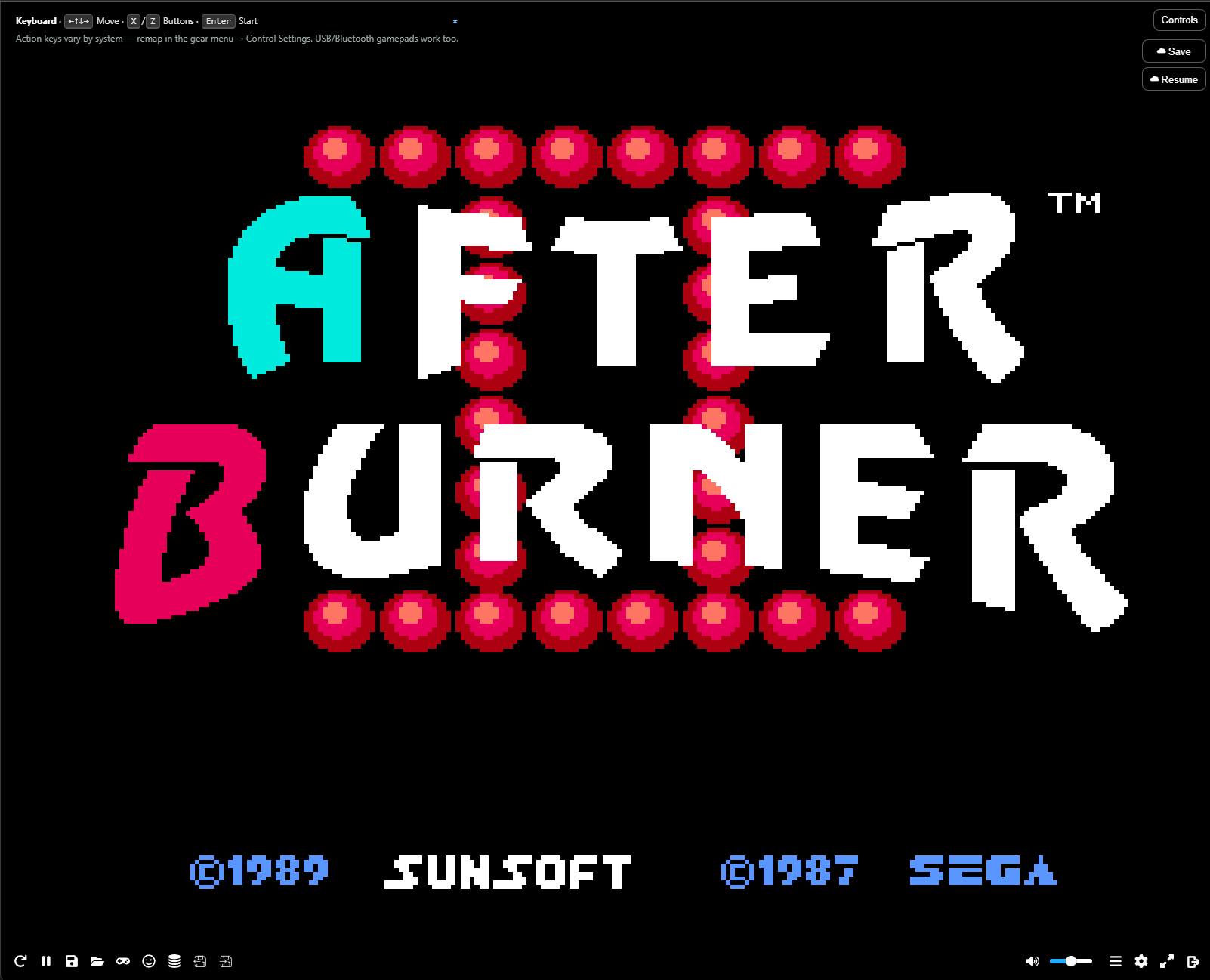
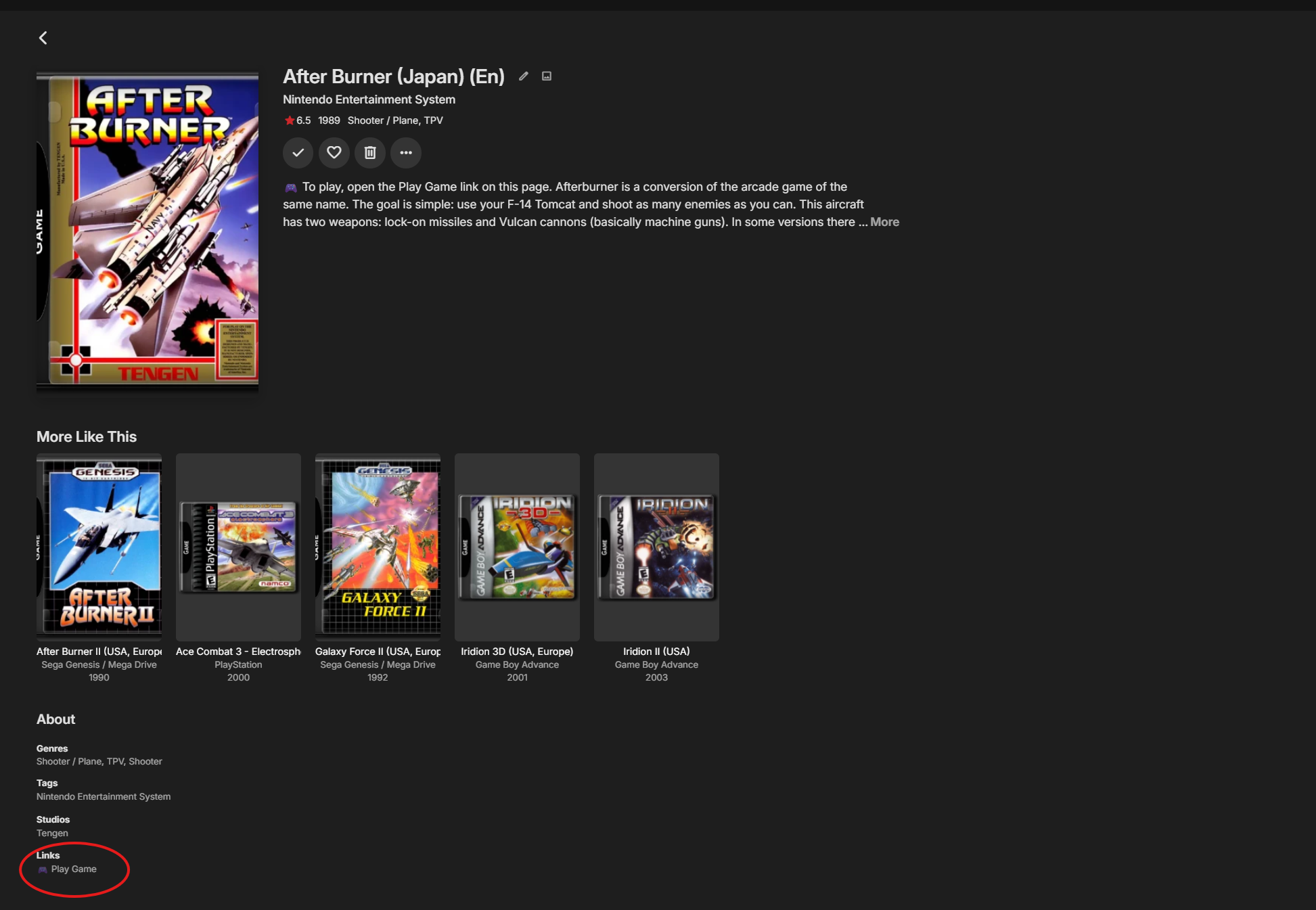
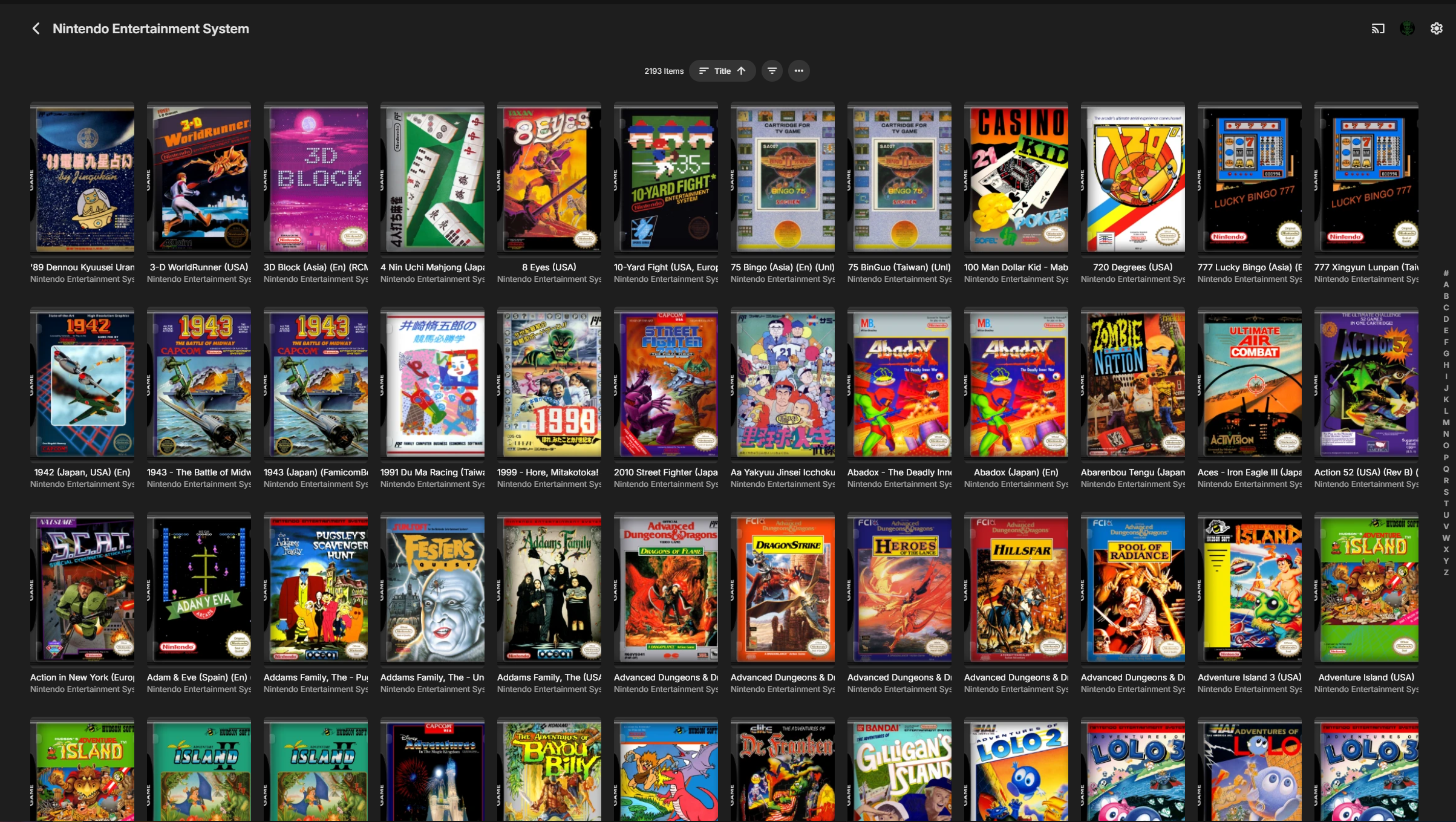
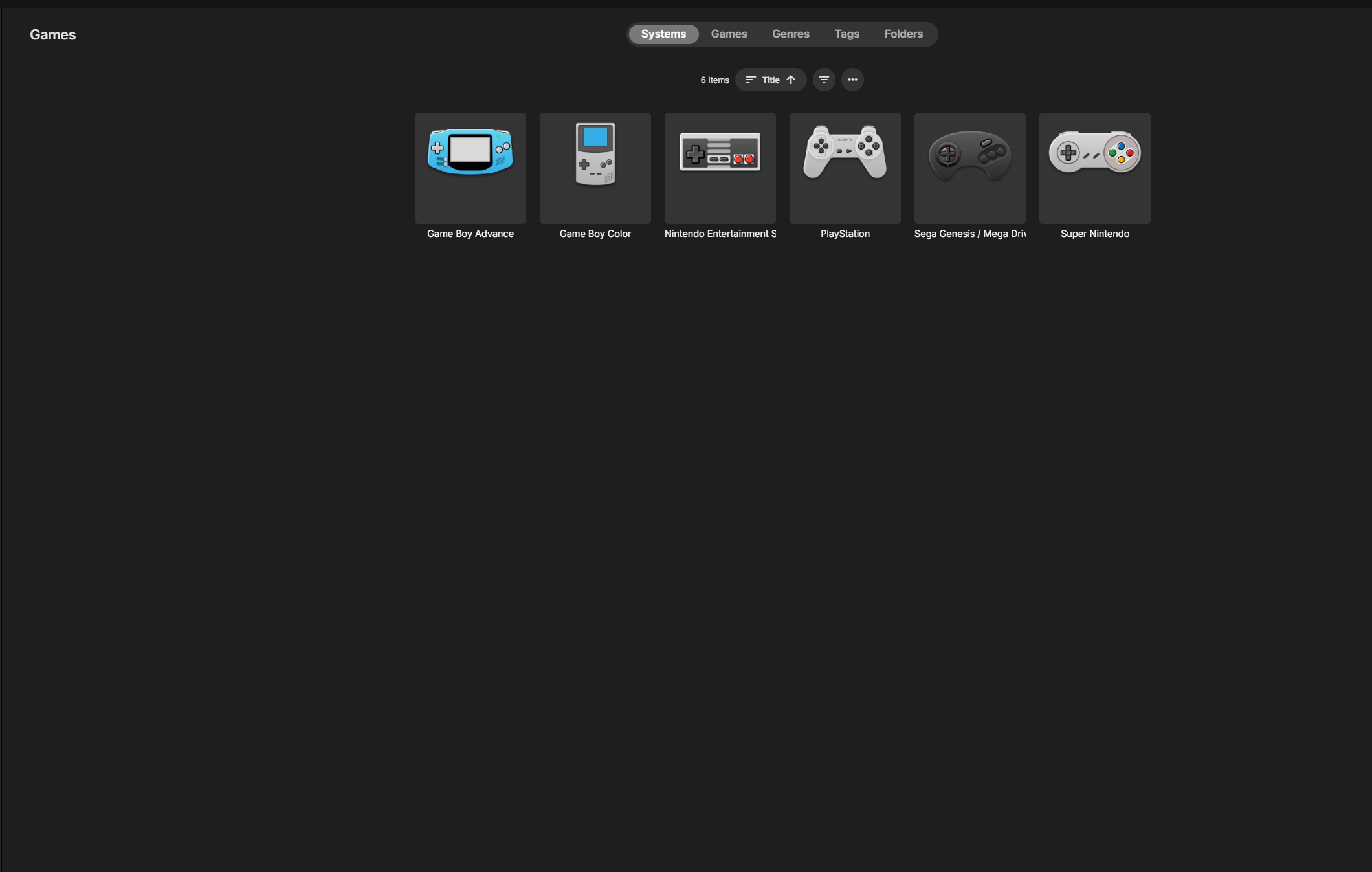
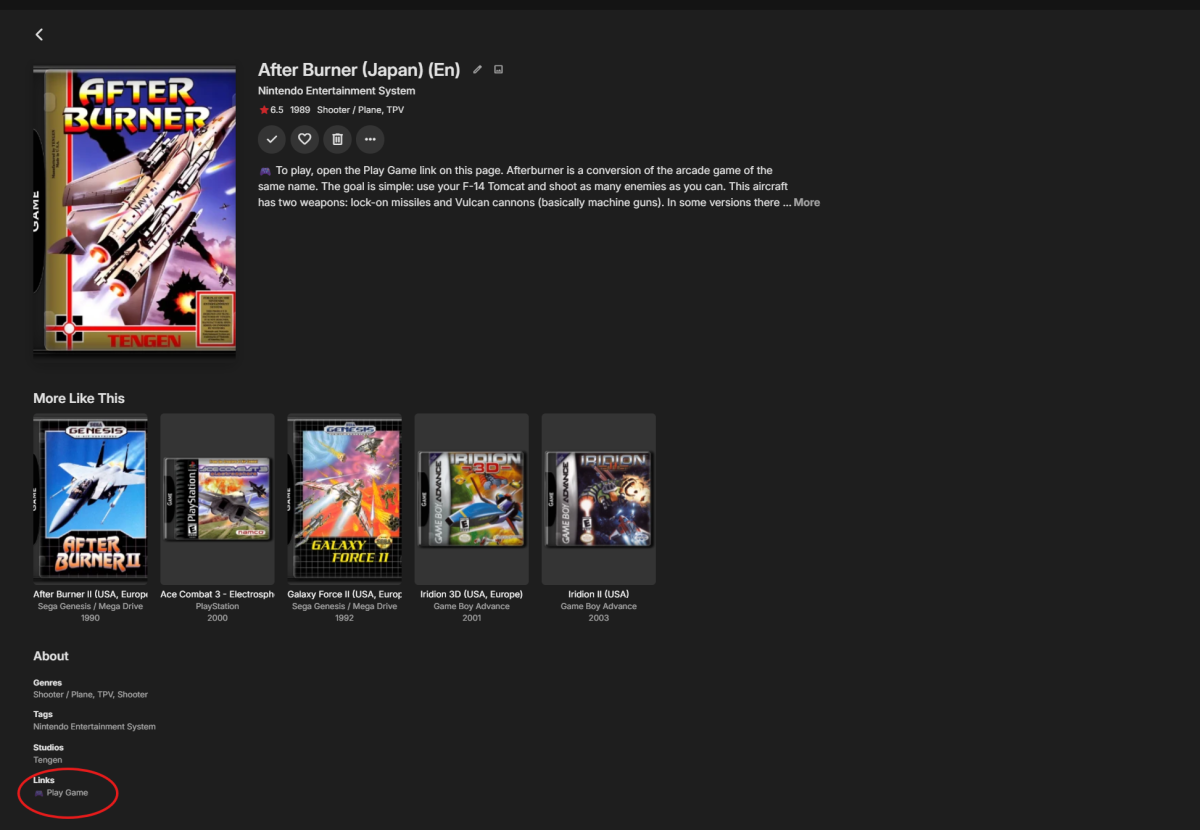
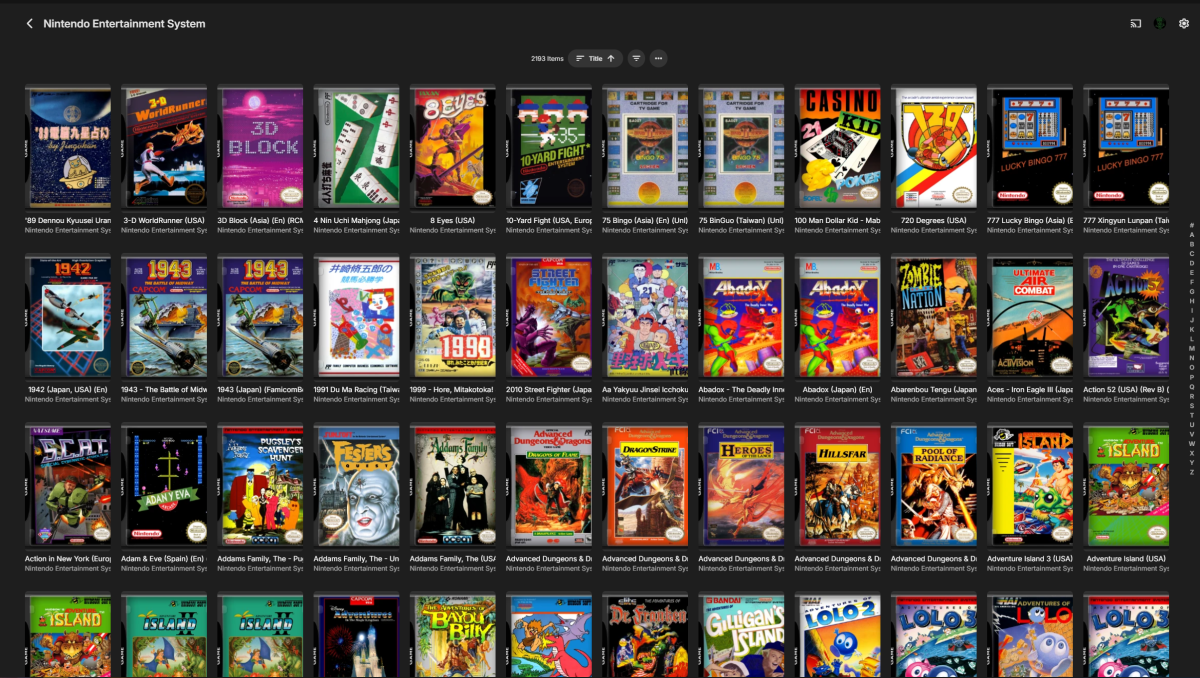
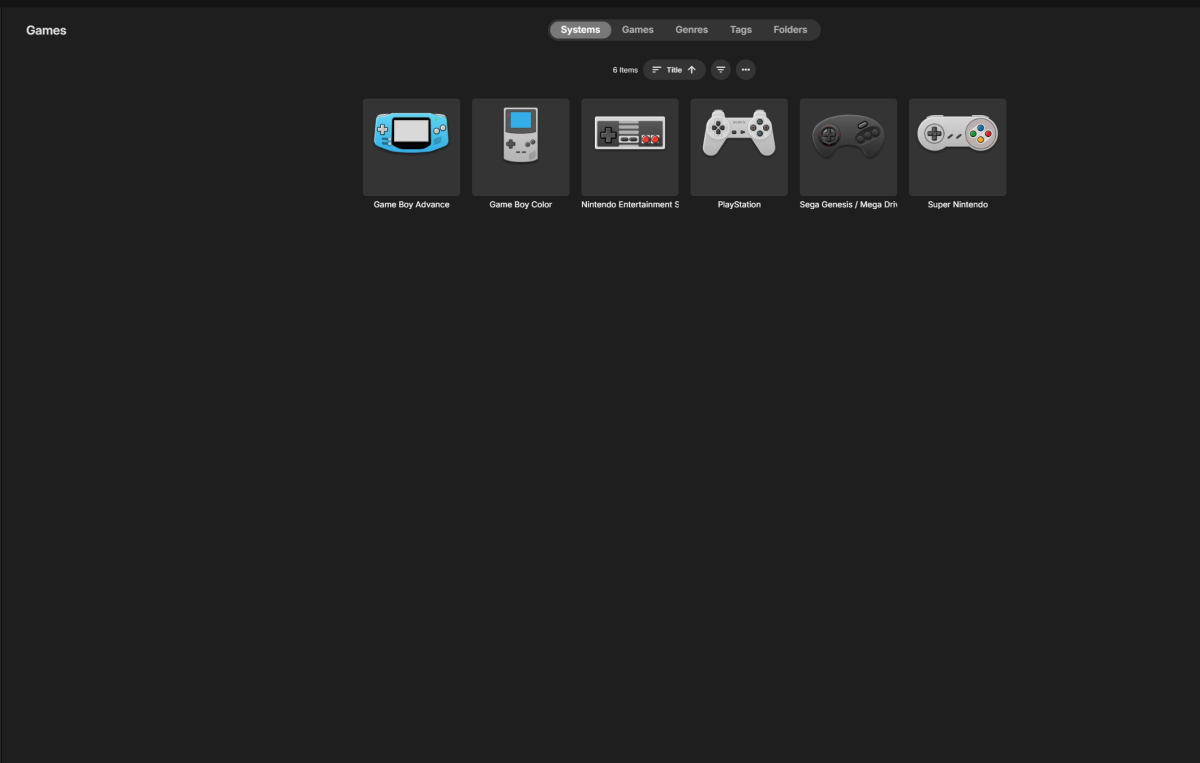
ROMote turns your Emby server into a retro game library you can play right in the browser — no external emulator, no client install. Point it at your game backups and Emby shows them with box art; click a game and it boots in a WebAssembly emulator in the same tab. Saves live on the server, per user, so you can stop on your PC and pick up on your phone. I'm looking for beta testers before the 1.0 release. It's free to test during the beta. ── Supported systems ── NES, SNES, N64, Game Boy / Color / Advance, DS, Virtual Boy, Sega Genesis/Mega Drive, Master System, Game Gear, PC Engine / TurboGrafx-16, WonderSwan, Neo Geo Pocket, Atari 2600 / 7800, Lynx, ColecoVision, and PlayStation. ── What it does ── • Play in the browser (desktop + mobile) via EmulatorJS — nothing to install on the client. • Per-user cloud saves AND save states, synced to the server so you can resume on any device. • Controls: on-screen touch pad with per-console button layouts, keyboard, and USB/Bluetooth gamepads. On phones it launches fullscreen with a landscape mode (controls split left/right, game in the middle). • PlayStation multi-disc support with in-game disc switching. • Metadata + box art from ScreenScraper (with libretro thumbnails as a fallback). • Library tools in the plugin settings: – Organize: sorts loose ROMs into per-system folders; disc games get their own folder with a generated .m3u for multi-disc sets. Preview first; nothing is deleted. – Remove duplicates: keeps one copy per game (prefers USA/English, then Japan), drops beta/proto/demo and bad dumps, keeps sequels separate (Zelda vs Zelda II), and handles PlayStation too. Preview first; removed files go to a quarantine folder, not deleted. ── Requirements ── • A reasonably recent Emby Server (built against 4.9.1.90 — if it won't load on your version, reply with your Server version). • An Emby library with the content type set to "Games". • A modern browser with WebAssembly; the client needs internet access (EmulatorJS loads from its CDN). • Optional: a free ScreenScraper.fr account (added in ROMote settings) raises the metadata scrape rate limit for large libraries. • Optional: a PlayStation BIOS if you want it — without one, PS1 uses the core's built-in HLE BIOS. ── Install (manual, beta) ── 1. Stop Emby Server. 2. Unzip the attached file and copy ROMote.dll into your Emby "plugins" folder: Windows: C:\Users\<you>\AppData\Roaming\Emby-Server\programdata\plugins Linux: /var/lib/emby/plugins Synology: /volume1/@appdata/EmbyServer/plugins (DSM 7) Docker: the /config (programdata) mount → /plugins (Updating from an earlier beta? Rename the old ROMote.dll to ROMote.dll.old first. On Linux/NAS, match the file's owner/permissions to the other plugin DLLs.) 3. Start Emby Server. ROMote appears under Plugins, with a "ROMote Settings" page. 4. Add a library (or edit one) with content type "Games" pointing at your ROMs, then scan. Tip: name your system folders clearly (e.g. "SNES", "PlayStation") and use the Organize tool to tidy everything into place. ── Please test / feedback welcome ── • Do your systems get detected and show box art? • How do the controls feel — touch, keyboard, and gamepad? • Do saves and save states carry across devices? • Any system/game that won't boot, and on what browser + device? If something breaks, the most useful things to include are: your Emby Server version, the system + game, and any errors from the browser console (F12 → Console). ── Notes ── • This is a time-limited beta build — it stops running after August 29, 2026. I'll post fresh builds as testing continues. • The finished plugin will be a paid plugin in the Emby catalog; the beta is free to try. • Bring your own games: ROMote does not include any ROMs or BIOS files. Only use game backups you are legally entitled to. Thanks for testing — I'll be watching this thread. ── How to launch a game (there is no built-in Play button) ── Emby's Games library is built for cataloging, not playback. The native Emby apps don't know how to run a ROM, and a plugin can't add a real Play button to the standard game screen. So ROMote puts the launcher on each game's page as a link. Here's exactly where to find it: 1. Click a game to open its detail page. 2. Look for the link labeled "Play Game" (it has a small game-controller icon next to it Look at the screenshots included for a red circle of where to click). It sits with the game's external links, the same spot where Emby shows database links like IMDb: Emby web app: a button/pill below the game's overview and genres. Emby mobile and TV apps: in the "Links" section of the detail page. 3. Click Play Game. The emulator opens and the game boots. Each game's description also opens with a one-line reminder to use the Play Game link, in case you scroll past it. Two extra conveniences: - On the Emby web app, ROMote also adds a Play button to the game page when it can, which opens the player right inside the app. If your server runs in Docker or the web-client files are read-only it can't add that button. That's expected, and the Play Game link always works. - There's also a "Play Games" page in the Emby menu that lists your games and opens them straight in the player. If the link works on your home network but not from outside it, set your External Domain under Emby's Network settings (ROMote builds the link from that, so it follows your reverse proxy or HTTPS domain), or set a base-URL override in ROMote Settings. ROMote.dll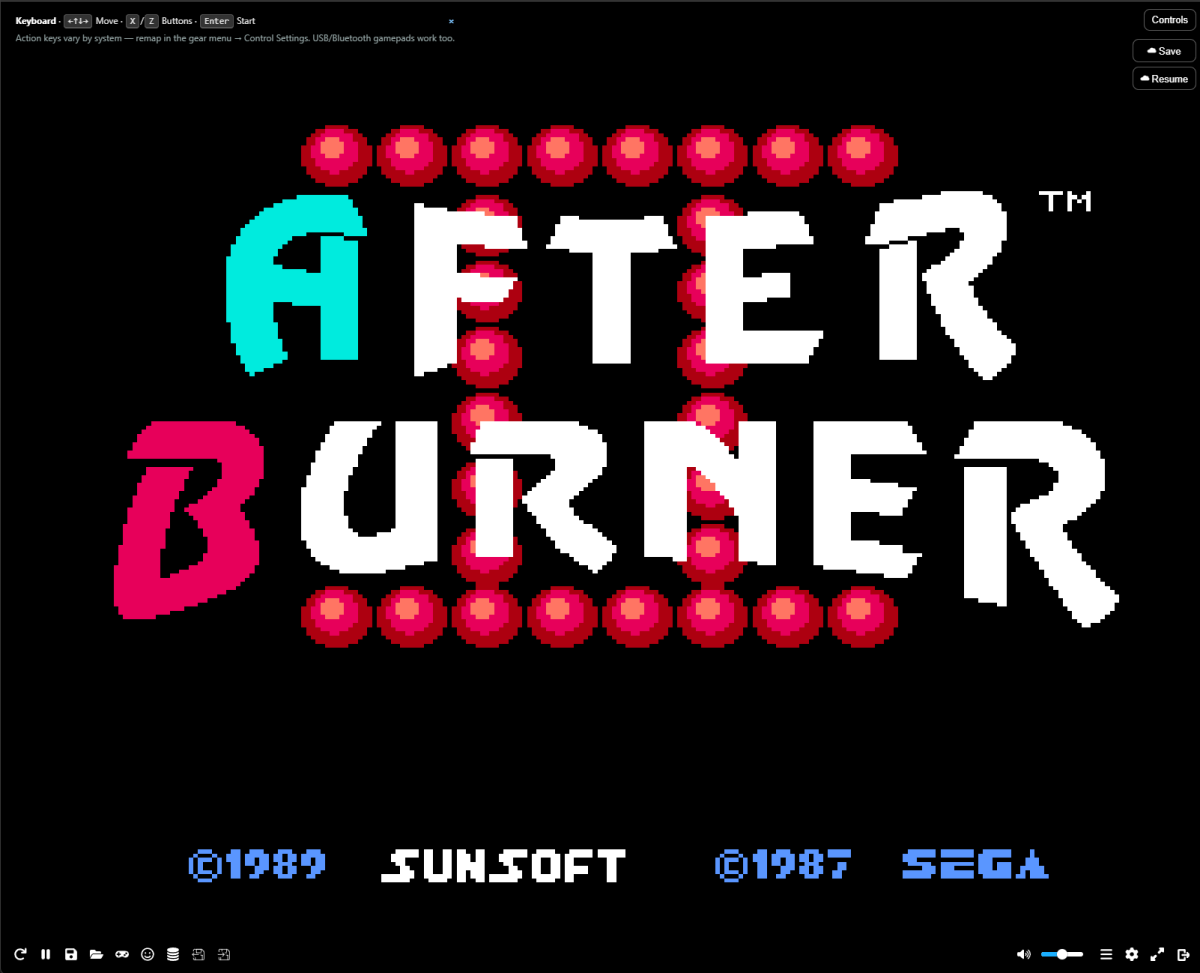
-
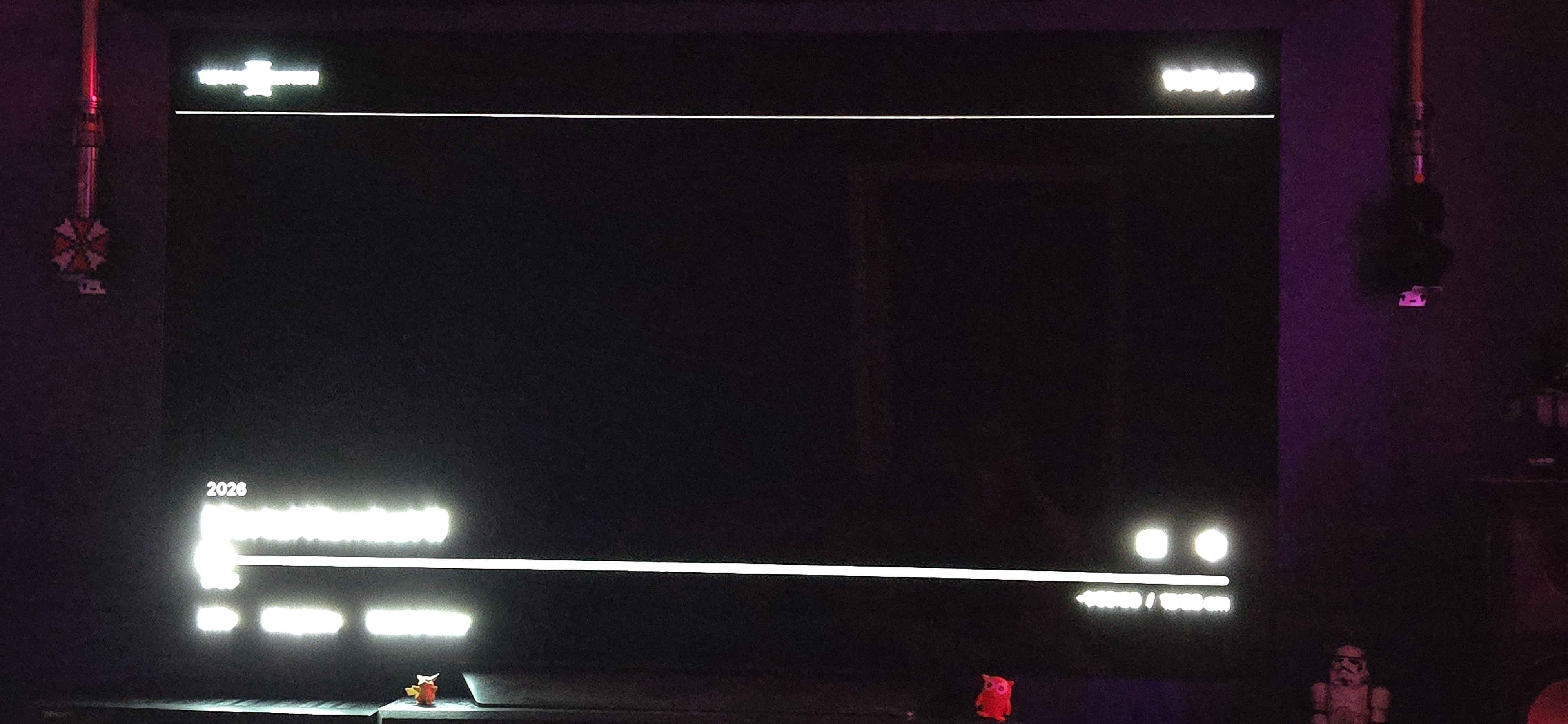
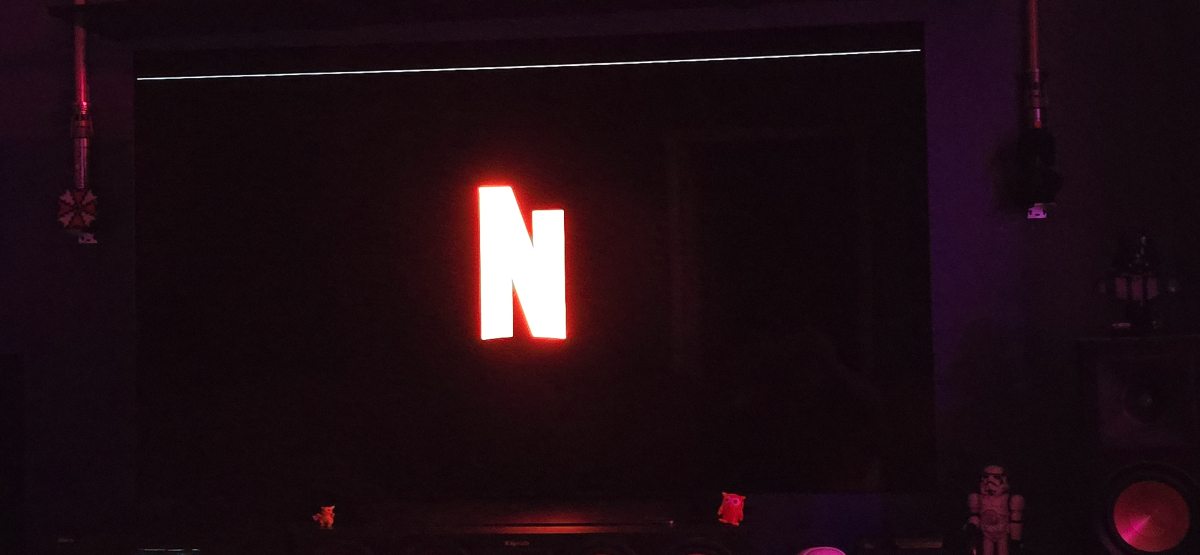
This is the same movie. 2 screenshots, seconds apart. One during a color screen and a black screen. Another screenshot from a separate movie. I see it on all movies and it's visible throughout the whole movie. This is

-
I captured the Nginx Proxy Manager access log during a failed login. The Android TV app initially sends: POST http://xxx.xxx.xxx.com.au/emby/Users/AuthenticateByName?format=json NPM returns 301 Moved Permanetly The client then immediately retries as: GET https://xxx.xxx.xxx.com.au/emby/Users/AuthenticateByName?format=json which returns 401. So the POST is being converted to a GET after the HTTP→HTTPS redirect. I captured the Nginx Proxy Manager access log during the failed Android TV login. The Android TV client appears to POST over HTTP, receives the Force SSL redirect, then retries as a GET over HTTPS, which Emby rejects. My Nginx Proxy Manager configuration is otherwise standard with Force SSL enabled and no custom rewrite rules. Is the Android TV client expected to start with HTTP even when the server is configured as HTTPS, or should it be connecting via HTTPS directly?
-
Is anyone using this? I'd like to use it but have no clue how to compile it - can this be added to the plugin list for Emby directly? i.e. I'd like to check why something failed to record, I looked through the logs for the day of and searched for "record", for "fifa" and nothing, would be nice to be able to look up some of these things before sending out all the logs...
-
Yes im thinking you might be right. I have a mini pc with 32gigs of ram and 9 Petabyte of data as I own 4 usenet indexers. I dont wanna connect my family to usenet so yes I will just run it at my familys house. RanmaCanada thanks for sharing all your canada smoke with us usa folks.
-
Honestly your best bet is to move your server to your family's house as you upload speed, is as you say, trash. You can then set it up to remote in and manager the server that way. You could do everything via remote as your uploads is enough for remote management. That is IF your family will let you. The other option would be to get a VPS and host your data there..but that could get expensive.. Just be careful if you do host your computer at your family's house in that they don't try to screw you over..as family is more likely to F you than anyone else..
-

Drop Movie in Library, Emby does not process
RanmaCanada replied to JeremyR's topic in General/Windows
Usually when this happens to me, I just restart Emby, and then it magically finds it. -
HI there, can you please provide a specific example? How to Report a Problem Thanks !