All Activity
- Past hour
-
 luismoreno50 joined the community
 -
 EnriEmber joined the community
 -
 jengpala joined the community
 -
 Iljana Wirth joined the community
 -
You need to setup port forwarding on your router. There's an option within the network settings on the server or various guides on the emby website.
-
 ryboski6 joined the community
 -
 Wilson valverde joined the community
 -
 Mille roed joined the community
 -
 1037551719 joined the community
 -
 zhut0518 joined the community
 -

Samsung Tizen app unable to play FLAC – infinite loading, no playback, forces AAC transcoding
visproduction replied to Liskanet99's topic in Samsung Smart TV
Related specs: A quick review seems to mention flac may be available for audio only playback, but not if there is a video playback with flac. Forum comment (2024): https://github.com/video-dev/hls.js/issues/6306 https://developer.samsung.com/smarttv/develop/specifications/media-specifications.html https://developer.samsung.com/smarttv/develop/specifications/media-specifications/2023-tv-video-specifications.html https://docs.stg.tizen.org/application/native/tutorials/feature/app-multimedia-audio/ https://en.tab-tv.com/list-of-video-and-audio-codecs-supported-by-samsung-tvs/ From search: https://duckduckgo.com/?q=Tizen+app+Sansung+playback+flac+audio&ia=web -

Emby for Android on Shield TV no longer passing through dolby digital 5.1 or DTS
Henkmeister replied to Kramerika's topic in Android TV / Fire TV
Sorry, the app version is 2.1.48g -
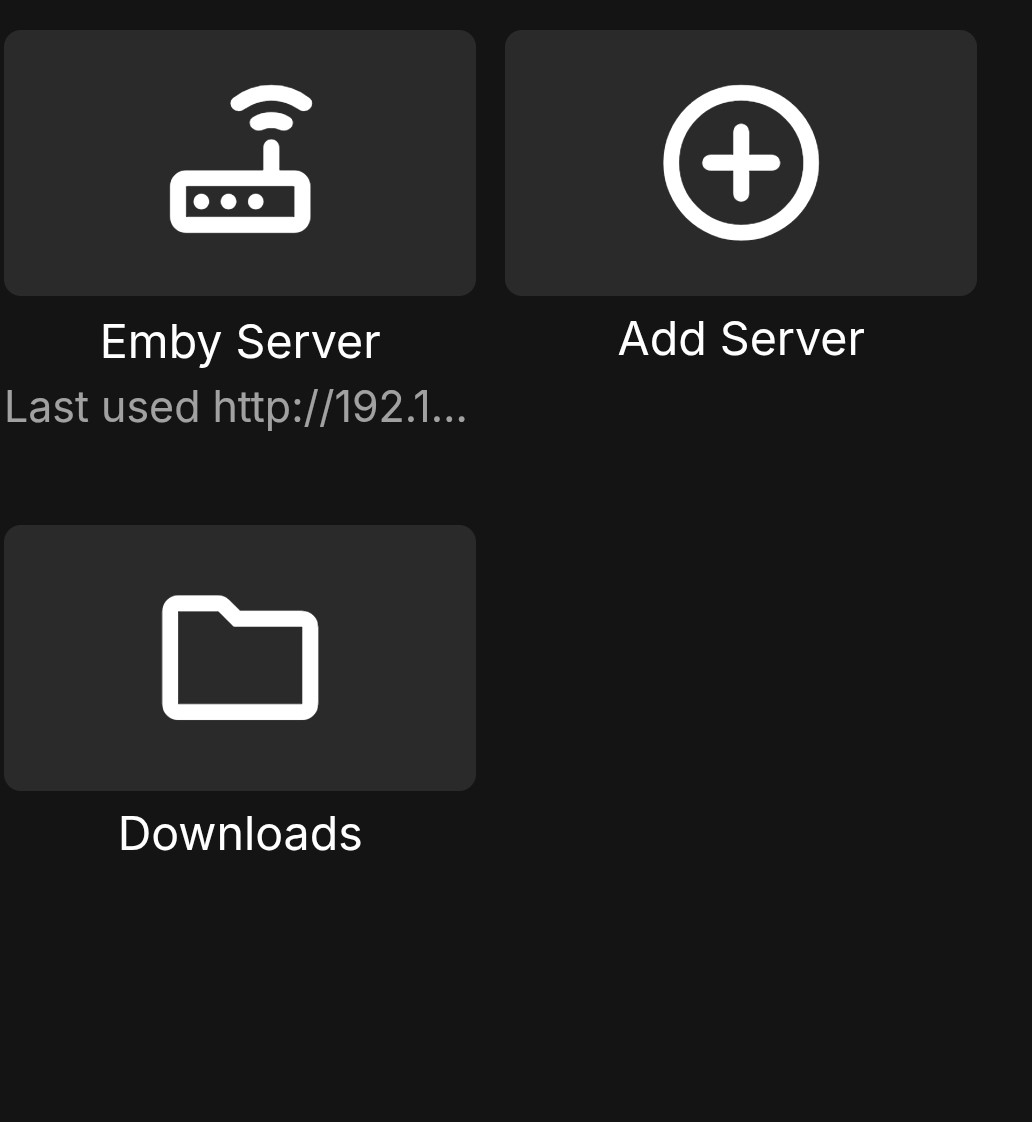
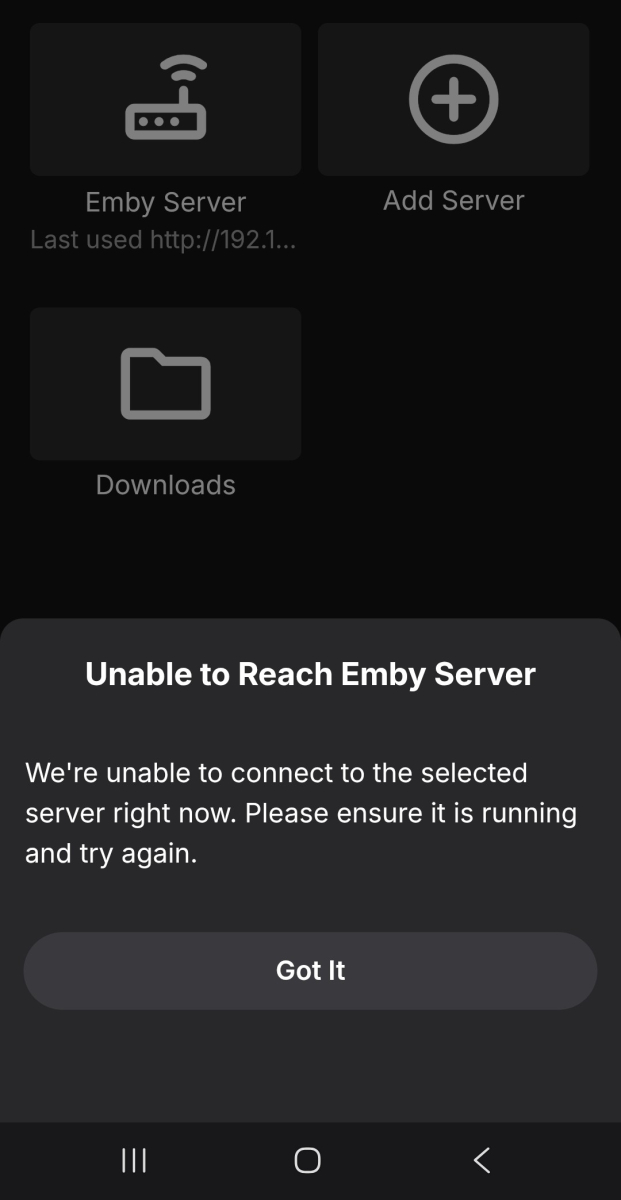
Installed emby and all was working well set up on synology and then used my Lan for three TV,s and all worked great . Then put i on an iphone and then an android and it was fantatsic . Then the android and iphone just stopped working three days later, can get to the emby connect page. All works across Lan but not remotely on 4g or 5g No setting changed, tried removing and then installing again checking all the previous settings and nothing has changed, has anyone else had this problem
-
Just curious, Did you ever try the one from Yonkers and linked here? https://emby.media/community/topic/99885-new-plugin-smart-playlists-20/?do=findComment&comment=1503076 Either way, I'm glad you got a working solution.
-

Emby for Android on Shield TV no longer passing through dolby digital 5.1 or DTS
ebr replied to Kramerika's topic in Android TV / Fire TV
That is your server version. What version of the app (shown in the app settings)? -
Emby for Android on Shield TV no longer passing through dolby digital 5.1 or DTS
Henkmeister replied to Kramerika's topic in Android TV / Fire TV
4.10.0.20 beta I did ran in to the problem when using the latest stable. Then updated to beta, but it did not help. -
Sorry it's not an emby problem, RTM is NOT supported for network shares (by any OS AFIK).
- 1 reply
-
- 1
-

- Today
-
If you click the home button it doesn't actually close the app and it's still running in the background. That way you can do things like use PiP or play music from Emby while using other apps. If you click Exit instead it actually fully closes the app just like if you force closed it by double clicking the Home button. My guess is that it isn't refreshing unless the app is fully closed and reopened. In other words, it doesn't automatically recheck the server for updates and refresh except on first start. So, when you open it without Exiting it just pops up what you saw the last time you used it because it was never closed. That's for the devs to decide though because there should be a way to make it recheck the server and refresh without forcing it to close.
-
Turning subtitles on stops playback on Emby app (Shield Pro)
ebr replied to clock_wizard's topic in Android TV / Fire TV
Just noticed your server is running on a Shield. The same device as the app? Have you tried disabling HW accel transcoding? -
Emby for Android on Shield TV no longer passing through dolby digital 5.1 or DTS
ebr replied to Kramerika's topic in Android TV / Fire TV
With exactly which version of the app? -
TBH this looks like it's made by AI. Will not be using it.
-

Samsung Tizen app unable to play FLAC – infinite loading, no playback, forces AAC transcoding
Redji59 replied to Liskanet99's topic in Samsung Smart TV
2026-07-18 16:45:07.635 Info PlaystateService-0HNN084NTQB99:0000000F: http/1.1 Response 204 to host4. Time: 1ms. POST http://host1:9096/emby/Sessions/Playing/Stopped?X-Emby-Client=Emby for Samsung&X-Emby-Device-Name=Samsung Smart TV (TQ65Q80CATXXC)&X-Emby-Device-Id=10bdd30f-e796-4249-8128-60a32cb9a868&X-Emby-Client-Version=2.2.8&X-Emby-Token=x_secret5_x&X-Emby-Language=fr&reqformat=json. 2026-07-18 16:45:07.645 Info UniversalAudioService-0HNN084NTQB99:00000010: http/1.1 GET http://host1:9096/emby/Audio/9303/universal?UserId=x_secret2_x&DeviceId=10bdd30f-e796-4249-8128-60a32cb9a868&MaxStreamingBitrate=200000000&Container=mp3|mp3,mp2,mp3|mp2,aac|aac,m4a|aac,flac,webma,webm,wma,asf,wav|PCM_S16LE,wav|PCM_S24LE&TranscodingContainer=aac&TranscodingProtocol=hls&AudioCodec=aac&api_key=x_secret5_x&PlaySessionId=1784385582945&StartTimeTicks=0&EnableRedirection=true&EnableRemoteMedia=false. Source Ip: host4, Accept=*/*, Connection=keep-alive, Host=host1:9096, User-Agent=Mozilla/5.0 (SMART-TV; LINUX; Tizen 9.0) AppleWebKit/537.36 (KHTML, like Gecko) 120.0.6099.5/9.0 TV Safari/537.36, Accept-Encoding=identity;q=1, *;q=0, Accept-Language=fr-FR, Range=bytes=0- 2026-07-18 16:45:07.645 Info UniversalAudioService-0HNN084NTQB99:00000010: GetPostedPlaybackInfo request. IsPlayback: true, isInLocalNetwork: True 2026-07-18 16:45:07.647 Info UniversalAudioService-0HNN084NTQB99:00000010: User policy for redji. EnableAudioPlaybackTranscoding: True 2026-07-18 16:45:07.647 Info SessionManager: Setting _lastPlaySessionId for session d33520133093f189309e70555973bab3 to 1784385582945 -
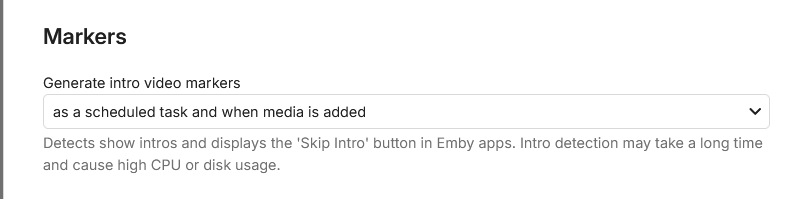
As explained, you need to have Into markers on the tvshow. intro detection must be turned on in the library itself and then Intro detection in scheduled tasksk. only then my plugin creates the themes.
-
Hi Running Emby 4.9.5.0 on Windows 11 Pro 25H2. I have 2 library locations, one is on the same machine as the server is running (NAS), the other is on another Windows 11 Pro 25H2 machine (Mediacenter). Both are on NTFS formatted drives. I am using UNC paths for both library locations. NAS is the server machine, Mediacenter is the lounge PC running Emby for Windows. \\NAS\Media\ \\Mediacenter\Media\ Both machines have subfolders under Media for TV, Movies, Music etc Real time monitoring is enabled for all libraries, but it is not working at all for any of the library locations on the Mediacenter machine. I copied a new TV series on to it today and 6 hours later it still hadn't detected it until I forced a library scan on it. The NAS machine picks up any new content pretty quickly. What steps can I take to fault find why this isn't working properly?
-
Android TV clients cannot authenticate through reverse proxy (browser and Android phone work)
ebr replied to Breezey's topic in QNAP
My 80% confidence guess is that your proxy is converting POST calls to GET OR not properly forwarding the POST data on POST calls. -
SmartPlaylist.dll Hi, Just to say upfront: I'm not a developer or programmer. With the help of Claude Code, I managed to get the SmartPlaylist plugin—which last worked for me as SmartPlaylist-2.5.0.4810 but stopped working after Emby updates—running again on Emby 4.9.5. It works perfectly on my setup (Emby Server on Ubuntu), but I have no idea whether it will work for anyone else. If anyone wants to give it a try, I've attached the updated DLL. The Emby developers have been promising to add this functionality for years, but since I no longer believe that's going to happen anytime soon, I decided to see if AI could help—and it did. As I said, I'm just a user, not a programmer, so unfortunately I can't provide support. All I did was use AI to update a version of the plugin that had worked in the past. If it doesn't work on your system, you could try using Claude Code to adapt it for your own setup. I tested several AI tools, and Claude Code was the only one that succeeded.
-
@Shortydidiyou click the link and read. Quick Start
-

Samsung TV Emby app: 'Date Added' sort showing release date instead - works fine on web/Edge
FrostByte replied to rcsnoopdog's topic in Samsung Smart TV
My guess is it's the client since it is fairly old. Like I said you can try and then go right back to the store version by uninstalling the beta and reinstalling the store version if you want. But shuttling a usb drive is kind of a pita (especially every 30 days) I for some reason like to always have the latest One of the devs will probably chime in when they see your post though and have a better idea what it is. -
Ok, now is done. I see the Plugin in my Dashboard. But I can it not use. I give the path and let all other things so. If I start the shedule ... nothing run ... 0 sec and also not a protocoll ... hm, where is my fault?
-

Samsung TV Emby app: 'Date Added' sort showing release date instead - works fine on web/Edge
rcsnoopdog replied to rcsnoopdog's topic in Samsung Smart TV
I have checked all settings & can't find anything that relates , maybe you have some setting different like layout or maybe something else, its not that big of problem - just thought you guys should know as everything else is perfect -
Samsung TV Emby app: 'Date Added' sort showing release date instead - works fine on web/Edge
rcsnoopdog replied to rcsnoopdog's topic in Samsung Smart TV
So I'm pretty updated already , dont fancy doing that every 30 days thing , I would rather leave as is , I wonder why yours is working and not me -
How do I do that
-
Samsung TV Emby app: 'Date Added' sort showing release date instead - works fine on web/Edge
FrostByte replied to rcsnoopdog's topic in Samsung Smart TV
If it's not the client then it is probably the server or a setting in the app, but I'm not sure what that setting would be since the steps you described were pretty straight forward.